Jquery By – Hussain Fakhruddin Manish Singh
What is Jquery? jQuery is a fast and concise JavaScript Library. Simplifies HTML document traversing, event handling, animating, and ajax interactions for rapid web development. Designed to change the way that you write JavaScript. Lightweight tool.
Features Free and Open Source. Support for CSS3. Cross-browser support. Lots of inbuilt functions and plugins. Support for creating own plugins for users.
JavaScript and jQuery Jquery is a library bult on top of javascript. jQuery simplifies coding for developers. jQuery is NOT faster then javascript but makes the code look much elegent. Once you have done some work with jQuery coming back to JavaScript mght look painful.
Why Jquery Over JavaScript There are much more functions and plugins for developers. Even bigger functionalities can be achieved in less amount of coding. Provides better compatibility with different browsers. Ajax is made very easy with jquery. Easy to provide effects, animation, designs to the pages
Downloading Jquery jQuery can be downloaded either in minified form or uncompressed form. Download jQuery in minified form in below link :  http://code.google.com/p/jqueryjs/downloads/detail?name=jquery-1.3.2.min.js . jQuery resources can be found at  http://docs.jquery.com .
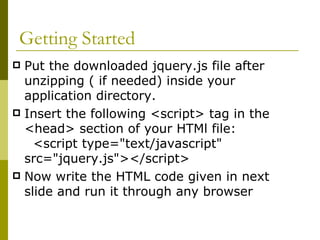
Getting Started Put the downloaded jquery.js file after unzipping ( if needed) inside your application directory. Insert the following <script> tag in the <head> section of your HTMl file:  <script type=&quot;text/javascript&quot; src=&quot;jquery.js&quot;></script>  Now write the HTML code given in next slide and run it through any browser
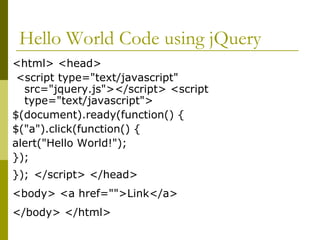
Hello World Code using jQuery <html> <head> <script type=&quot;text/javascript&quot; src=&quot;jquery.js&quot;></script> <script type=&quot;text/javascript&quot;>  $(document).ready(function() {  $(&quot;a&quot;).click(function() {  alert(&quot;Hello World!&quot;);  });  });   </script> </head>  <body> <a href=&quot;&quot;>Link</a>   </body> </html>
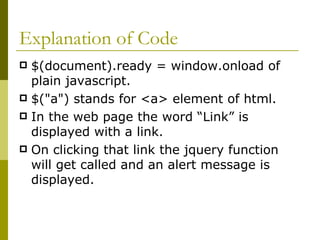
Explanation of Code $(document).ready = window.onload of plain javascript. $(&quot;a&quot;) stands for <a> element of html. In the web page the word “Link” is displayed with a link. On clicking that link the jquery function will get called and an alert message is displayed.
$ Sign in jQuery or JavaScript A beginner, or even a seasoned JavaScript programmer may be slightly intimidated once spotting something as ambiguous as the  dollar sign  ($). Well,there is nothing mysterious about the $ sign, for it is just a variable (or an identifier) name and legal in Javascript. In JavaScript, the dollar sign commonly appears in variable definitions and function calls.
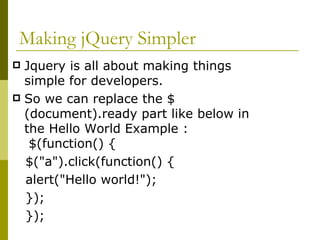
Making jQuery Simpler Jquery is all about making things simple for developers. So we can replace the $(document).ready part like below in the Hello World Example :  $(function() { $(&quot;a&quot;).click(function() {  alert(&quot;Hello world!&quot;); }); });
Types in jQuery JavaScript provides several built-in types.All of them are supported in jquery In addition to those, there are virtual types like Selectors, enhanced pseudo-types like Events and Functions. By default any variable is initialized with false.
String Type A string in JavaScript is an immutable object that contains none, one or many characters.  Immutable means, once created they cannot be changed. Ex :  - “ I am a string.” - typeof “Any String”; //o/p string
String Quoting A string can be defined using single or double quotes.  You can nest single quotes inside of double quotes, and vice versa. To mix double quotes with double quotes, the nested ones have to be escaped with a backslash.  Ex :  &quot;You make 'me' sad.“ 'Holy &quot;cranking&quot; moses!‘ &quot;<a href=\&quot;home\&quot;>Home</a>&quot;
String Functions A string in JavaScript has some built-in methods to manipulate the string . The result might be new string - or something else, eg. split returns an array. Ex : &quot;hello&quot;.charAt(0) // &quot;h&quot;  &quot;hello&quot;.toUpperCase() // &quot;HELLO&quot;  &quot;Hello&quot;.toLowerCase() // &quot;hello“ &quot;hello&quot;.replace(/e|o/g, &quot;x&quot;) // &quot;hxllx&quot;  &quot;1,2,3&quot;.split(&quot;,&quot;) // [&quot;1&quot;, &quot;2&quot;, &quot;3&quot;]
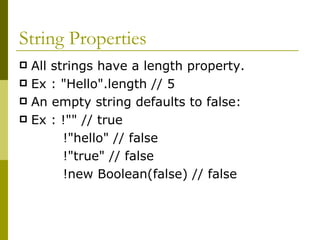
String Properties All strings have a length property.  Ex : &quot;Hello&quot;.length // 5  An empty string defaults to false:  Ex : !&quot;&quot; // true   !&quot;hello&quot; // false !&quot;true&quot; // false   !new Boolean(false) // false
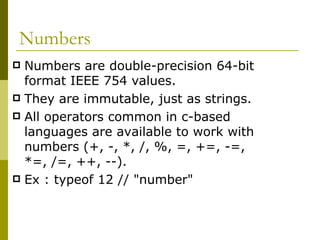
Numbers Numbers are double-precision 64-bit format IEEE 754 values.  They are immutable, just as strings. All operators common in c-based languages are available to work with numbers (+, -, *, /, %, =, +=, -=, *=, /=, ++, --).  Ex : typeof 12 // &quot;number&quot;
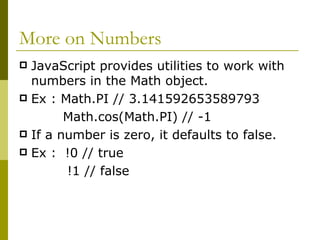
More on Numbers JavaScript provides utilities to work with numbers in the Math object. Ex : Math.PI // 3.141592653589793 Math.cos(Math.PI) // -1  If a number is zero, it defaults to false. Ex :  !0 // true   !1 // false
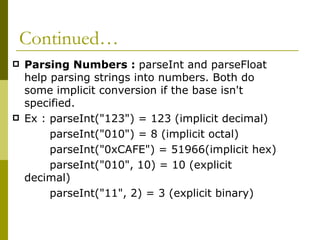
Continued… Parsing Numbers :  parseInt and parseFloat help parsing strings into numbers. Both do some implicit conversion if the base isn't specified. Ex : parseInt(&quot;123&quot;) = 123 (implicit decimal)  parseInt(&quot;010&quot;) = 8 (implicit octal) parseInt(&quot;0xCAFE&quot;) = 51966(implicit hex) parseInt(&quot;010&quot;, 10) = 10 (explicit decimal) parseInt(&quot;11&quot;, 2) = 3 (explicit binary)
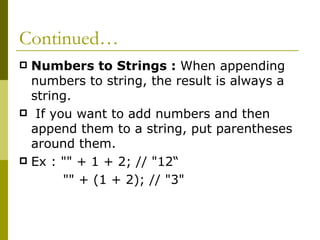
Continued… Numbers to Strings :  When appending numbers to string, the result is always a string.   If you want to add numbers and then append them to a string, put parentheses around them. Ex : &quot;&quot; + 1 + 2; // &quot;12“ &quot;&quot; + (1 + 2); // &quot;3&quot;
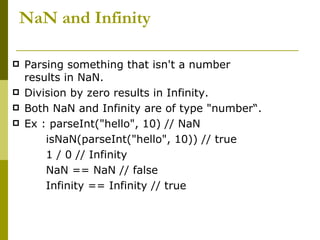
NaN and Infinity Parsing something that isn't a number results in NaN.  Division by zero results in Infinity. Both NaN and Infinity are of type &quot;number“. Ex : parseInt(&quot;hello&quot;, 10) // NaN  isNaN(parseInt(&quot;hello&quot;, 10)) // true 1 / 0 // Infinity  NaN == NaN // false  Infinity == Infinity // true
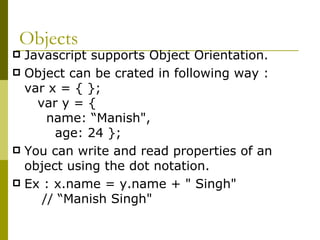
Objects Javascript supports Object Orientation. Object can be crated in following way : var x = { };  var y = {  name: “Manish&quot;,  age: 24 };  You can write and read properties of an object using the dot notation. Ex : x.name = y.name + &quot; Singh&quot;  // “Manish Singh&quot;
Arrays Collection of data into a single variable. Ex : x = [1,2,3]; The type of an array is &quot;object&quot; . You write and read object properties using the array notation also. It allows you to dynamically choose the property.
Continued An array, no matter if it has elements or not, never defaults to false . Ex : var operations = {  increase: &quot;++&quot;,  decrease: &quot;--&quot; }  var operation = &quot;increase&quot;; operations[operation]  // &quot;++&quot;; operations[&quot;multiply&quot;]  = &quot;*&quot;;  // &quot;*&quot;
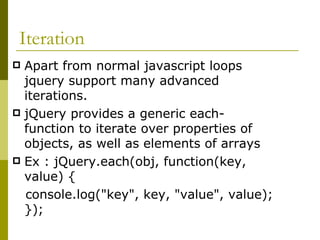
Iteration  Apart from normal javascript loops jquery support many advanced iterations. jQuery provides a generic each-function to iterate over properties of objects, as well as elements of arrays Ex : jQuery.each(obj, function(key, value) {  console.log(&quot;key&quot;, key, &quot;value&quot;, value); });
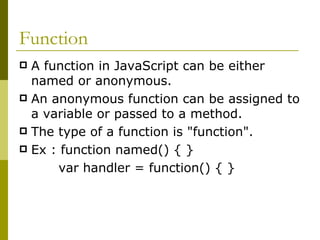
Function A function in JavaScript can be either named or anonymous. An anonymous function can be assigned to a variable or passed to a method.  The type of a function is &quot;function&quot;.  Ex : function named() { }  var handler = function() { }
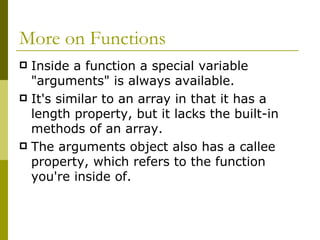
More on Functions Inside a function a special variable &quot;arguments&quot; is always available.  It's similar to an array in that it has a length property, but it lacks the built-in methods of an array.  The arguments object also has a callee property, which refers to the function you're inside of.
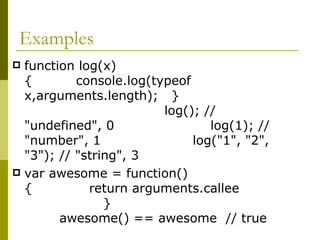
Examples function log(x) {  console.log(typeof x,arguments.length);  }  log(); // &quot;undefined&quot;, 0  log(1); // &quot;number&quot;, 1  log(&quot;1&quot;, &quot;2&quot;, &quot;3&quot;); // &quot;string&quot;, 3  var awesome = function() {  return arguments.callee  }  awesome() == awesome  // true
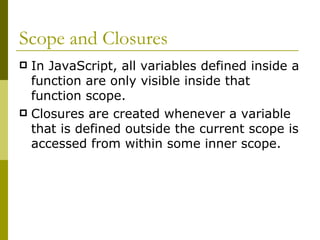
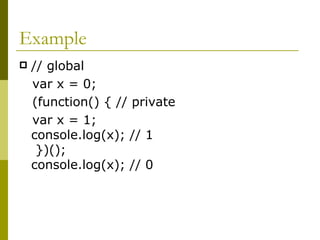
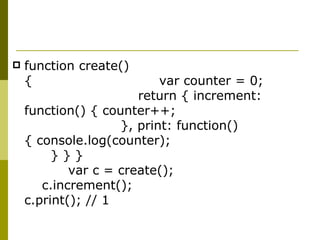
Scope and Closures In JavaScript, all variables defined inside a function are only visible inside that function scope.   Closures are created whenever a variable that is defined outside the current scope is accessed from within some inner scope.
Example // global  var x = 0;  (function() { // private  var x = 1;  console.log(x); // 1  })();  console.log(x); // 0
function create(){  var counter = 0;  return { increment: function() { counter++;  }, print: function() { console.log(counter);  } } }  var c = create();  c.increment();  c.print(); // 1
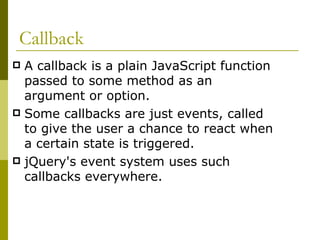
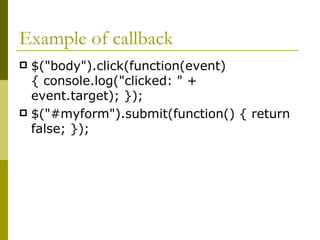
Callback A callback is a plain JavaScript function passed to some method as an argument or option.  Some callbacks are just events, called to give the user a chance to react when a certain state is triggered.  jQuery's event system uses such callbacks everywhere.
Example of callback $(&quot;body&quot;).click(function(event) { console.log(&quot;clicked: &quot; + event.target); });  $(&quot;#myform&quot;).submit(function() { return false; });
References http://www.tutsdeck.com/tutorial/2/jquery-tutorial-beginners/ http://my123web.blogspot.com/search/label/jQuery http://jquery-howto.blogspot.com/2009/06/jquery-beginner-tutorials.html http://docs.jquery.com http://www.authenticsociety.com/blog/JavaScript_DollarSign
Thank You

Jquery 1

  • 1.
    Jquery By –Hussain Fakhruddin Manish Singh
  • 2.
    What is Jquery?jQuery is a fast and concise JavaScript Library. Simplifies HTML document traversing, event handling, animating, and ajax interactions for rapid web development. Designed to change the way that you write JavaScript. Lightweight tool.
  • 3.
    Features Free andOpen Source. Support for CSS3. Cross-browser support. Lots of inbuilt functions and plugins. Support for creating own plugins for users.
  • 4.
    JavaScript and jQueryJquery is a library bult on top of javascript. jQuery simplifies coding for developers. jQuery is NOT faster then javascript but makes the code look much elegent. Once you have done some work with jQuery coming back to JavaScript mght look painful.
  • 5.
    Why Jquery OverJavaScript There are much more functions and plugins for developers. Even bigger functionalities can be achieved in less amount of coding. Provides better compatibility with different browsers. Ajax is made very easy with jquery. Easy to provide effects, animation, designs to the pages
  • 6.
    Downloading Jquery jQuerycan be downloaded either in minified form or uncompressed form. Download jQuery in minified form in below link : http://code.google.com/p/jqueryjs/downloads/detail?name=jquery-1.3.2.min.js . jQuery resources can be found at http://docs.jquery.com .
  • 7.
    Getting Started Putthe downloaded jquery.js file after unzipping ( if needed) inside your application directory. Insert the following <script> tag in the <head> section of your HTMl file: <script type=&quot;text/javascript&quot; src=&quot;jquery.js&quot;></script> Now write the HTML code given in next slide and run it through any browser
  • 8.
    Hello World Codeusing jQuery <html> <head> <script type=&quot;text/javascript&quot; src=&quot;jquery.js&quot;></script> <script type=&quot;text/javascript&quot;> $(document).ready(function() { $(&quot;a&quot;).click(function() { alert(&quot;Hello World!&quot;); }); }); </script> </head> <body> <a href=&quot;&quot;>Link</a> </body> </html>
  • 9.
    Explanation of Code$(document).ready = window.onload of plain javascript. $(&quot;a&quot;) stands for <a> element of html. In the web page the word “Link” is displayed with a link. On clicking that link the jquery function will get called and an alert message is displayed.
  • 10.
    $ Sign injQuery or JavaScript A beginner, or even a seasoned JavaScript programmer may be slightly intimidated once spotting something as ambiguous as the  dollar sign  ($). Well,there is nothing mysterious about the $ sign, for it is just a variable (or an identifier) name and legal in Javascript. In JavaScript, the dollar sign commonly appears in variable definitions and function calls.
  • 11.
    Making jQuery SimplerJquery is all about making things simple for developers. So we can replace the $(document).ready part like below in the Hello World Example : $(function() { $(&quot;a&quot;).click(function() { alert(&quot;Hello world!&quot;); }); });
  • 12.
    Types in jQueryJavaScript provides several built-in types.All of them are supported in jquery In addition to those, there are virtual types like Selectors, enhanced pseudo-types like Events and Functions. By default any variable is initialized with false.
  • 13.
    String Type Astring in JavaScript is an immutable object that contains none, one or many characters. Immutable means, once created they cannot be changed. Ex : - “ I am a string.” - typeof “Any String”; //o/p string
  • 14.
    String Quoting Astring can be defined using single or double quotes. You can nest single quotes inside of double quotes, and vice versa. To mix double quotes with double quotes, the nested ones have to be escaped with a backslash. Ex : &quot;You make 'me' sad.“ 'Holy &quot;cranking&quot; moses!‘ &quot;<a href=\&quot;home\&quot;>Home</a>&quot;
  • 15.
    String Functions Astring in JavaScript has some built-in methods to manipulate the string . The result might be new string - or something else, eg. split returns an array. Ex : &quot;hello&quot;.charAt(0) // &quot;h&quot; &quot;hello&quot;.toUpperCase() // &quot;HELLO&quot; &quot;Hello&quot;.toLowerCase() // &quot;hello“ &quot;hello&quot;.replace(/e|o/g, &quot;x&quot;) // &quot;hxllx&quot; &quot;1,2,3&quot;.split(&quot;,&quot;) // [&quot;1&quot;, &quot;2&quot;, &quot;3&quot;]
  • 16.
    String Properties Allstrings have a length property. Ex : &quot;Hello&quot;.length // 5 An empty string defaults to false: Ex : !&quot;&quot; // true   !&quot;hello&quot; // false !&quot;true&quot; // false   !new Boolean(false) // false
  • 17.
    Numbers Numbers aredouble-precision 64-bit format IEEE 754 values. They are immutable, just as strings. All operators common in c-based languages are available to work with numbers (+, -, *, /, %, =, +=, -=, *=, /=, ++, --). Ex : typeof 12 // &quot;number&quot;
  • 18.
    More on NumbersJavaScript provides utilities to work with numbers in the Math object. Ex : Math.PI // 3.141592653589793 Math.cos(Math.PI) // -1 If a number is zero, it defaults to false. Ex :  !0 // true   !1 // false
  • 19.
    Continued… Parsing Numbers: parseInt and parseFloat help parsing strings into numbers. Both do some implicit conversion if the base isn't specified. Ex : parseInt(&quot;123&quot;) = 123 (implicit decimal) parseInt(&quot;010&quot;) = 8 (implicit octal) parseInt(&quot;0xCAFE&quot;) = 51966(implicit hex) parseInt(&quot;010&quot;, 10) = 10 (explicit decimal) parseInt(&quot;11&quot;, 2) = 3 (explicit binary)
  • 20.
    Continued… Numbers toStrings : When appending numbers to string, the result is always a string.  If you want to add numbers and then append them to a string, put parentheses around them. Ex : &quot;&quot; + 1 + 2; // &quot;12“ &quot;&quot; + (1 + 2); // &quot;3&quot;
  • 21.
    NaN and InfinityParsing something that isn't a number results in NaN. Division by zero results in Infinity. Both NaN and Infinity are of type &quot;number“. Ex : parseInt(&quot;hello&quot;, 10) // NaN isNaN(parseInt(&quot;hello&quot;, 10)) // true 1 / 0 // Infinity NaN == NaN // false Infinity == Infinity // true
  • 22.
    Objects Javascript supportsObject Orientation. Object can be crated in following way : var x = { }; var y = { name: “Manish&quot;, age: 24 }; You can write and read properties of an object using the dot notation. Ex : x.name = y.name + &quot; Singh&quot; // “Manish Singh&quot;
  • 23.
    Arrays Collection ofdata into a single variable. Ex : x = [1,2,3]; The type of an array is &quot;object&quot; . You write and read object properties using the array notation also. It allows you to dynamically choose the property.
  • 24.
    Continued An array,no matter if it has elements or not, never defaults to false . Ex : var operations = { increase: &quot;++&quot;, decrease: &quot;--&quot; } var operation = &quot;increase&quot;; operations[operation] // &quot;++&quot;; operations[&quot;multiply&quot;] = &quot;*&quot;; // &quot;*&quot;
  • 25.
    Iteration Apartfrom normal javascript loops jquery support many advanced iterations. jQuery provides a generic each-function to iterate over properties of objects, as well as elements of arrays Ex : jQuery.each(obj, function(key, value) { console.log(&quot;key&quot;, key, &quot;value&quot;, value); });
  • 26.
    Function A functionin JavaScript can be either named or anonymous. An anonymous function can be assigned to a variable or passed to a method. The type of a function is &quot;function&quot;. Ex : function named() { } var handler = function() { }
  • 27.
    More on FunctionsInside a function a special variable &quot;arguments&quot; is always available. It's similar to an array in that it has a length property, but it lacks the built-in methods of an array. The arguments object also has a callee property, which refers to the function you're inside of.
  • 28.
    Examples function log(x){ console.log(typeof x,arguments.length); } log(); // &quot;undefined&quot;, 0 log(1); // &quot;number&quot;, 1 log(&quot;1&quot;, &quot;2&quot;, &quot;3&quot;); // &quot;string&quot;, 3 var awesome = function() { return arguments.callee } awesome() == awesome // true
  • 29.
    Scope and ClosuresIn JavaScript, all variables defined inside a function are only visible inside that function scope.  Closures are created whenever a variable that is defined outside the current scope is accessed from within some inner scope.
  • 30.
    Example // global var x = 0; (function() { // private var x = 1; console.log(x); // 1 })(); console.log(x); // 0
  • 31.
    function create(){ var counter = 0; return { increment: function() { counter++; }, print: function() { console.log(counter); } } } var c = create(); c.increment(); c.print(); // 1
  • 32.
    Callback A callbackis a plain JavaScript function passed to some method as an argument or option. Some callbacks are just events, called to give the user a chance to react when a certain state is triggered.  jQuery's event system uses such callbacks everywhere.
  • 33.
    Example of callback$(&quot;body&quot;).click(function(event) { console.log(&quot;clicked: &quot; + event.target); }); $(&quot;#myform&quot;).submit(function() { return false; });
  • 34.
    References http://www.tutsdeck.com/tutorial/2/jquery-tutorial-beginners/ http://my123web.blogspot.com/search/label/jQueryhttp://jquery-howto.blogspot.com/2009/06/jquery-beginner-tutorials.html http://docs.jquery.com http://www.authenticsociety.com/blog/JavaScript_DollarSign
  • 35.