JDBC
Objectives


                •   In this session, you will learn to:
                       Identify the layers in JDBC architecture
                       Identify the types of JDBC drivers
                       Use the classes and interfaces of JDBC application
                       programming interface
                       Understand and execute the steps to create JDBC applications


     Ver. 1.0                            Session 1                         Slide 1 of 38
JDBC
Database Connectivity


                Sun Microsystems has included JDBC API as a part of
                J2SDK to develop Java applications that can communicate
                with databases.
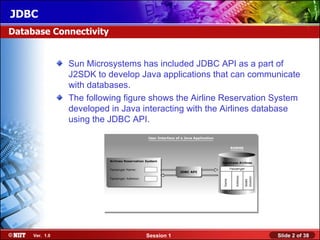
                The following figure shows the Airline Reservation System
                developed in Java interacting with the Airlines database
                using the JDBC API.


     Ver. 1.0                      Session 1                       Slide 2 of 38
JDBC
JDBC Architecture


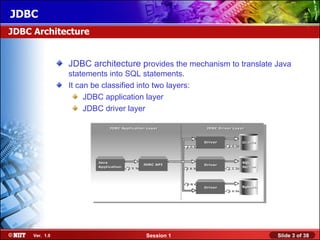
                JDBC architecture provides the mechanism to translate Java
                statements into SQL statements.
                It can be classified into two layers:
                     JDBC application layer
                     JDBC driver layer


     Ver. 1.0                          Session 1                      Slide 3 of 38
JDBC
Just a minute


                Identify the two layers of JDBC architecture.


                Answer:
                    The two layers of JDBC architecture are:
                    1. JDBC application layer
                    2. JDBC driver layer


     Ver. 1.0                        Session 1                  Slide 4 of 38
JDBC
JDBC Drivers


                Convert SQL statements into a form that a particular database can
                interpret.
                Retrieve the result of SQL statements and convert the result into
                equivalent JDBC API class objects.
                Are of four types:
                     JDBC-ODBC Bridge driver
                     Native-API Partly-Java driver
                     JDBC-Net Pure-Java driver
                     Native Protocol Pure-Java driver


     Ver. 1.0                         Session 1                            Slide 5 of 38
JDBC
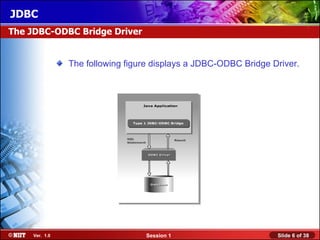
The JDBC-ODBC Bridge Driver


                The following figure displays a JDBC-ODBC Bridge Driver.


     Ver. 1.0                     Session 1                       Slide 6 of 38
JDBC
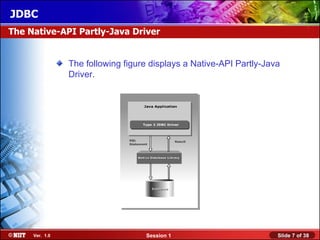
The Native-API Partly-Java Driver


                The following figure displays a Native-API Partly-Java
                Driver.


     Ver. 1.0                      Session 1                         Slide 7 of 38
JDBC
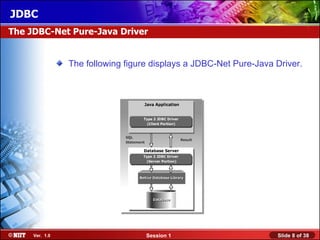
The JDBC-Net Pure-Java Driver


                The following figure displays a JDBC-Net Pure-Java Driver.


     Ver. 1.0                      Session 1                       Slide 8 of 38
JDBC
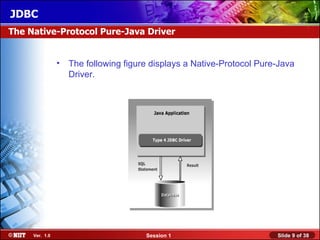
The Native-Protocol Pure-Java Driver


                • The following figure displays a Native-Protocol Pure-Java
                  Driver.


     Ver. 1.0                         Session 1                       Slide 9 of 38
JDBC
Using JDBC API


               The JDBC API classes and interfaces are available in the
               java.sql and the javax.sql packages.
               The commonly used classes and interfaces in the JDBC
               API are:
               – DriverManager class: Loads the driver for a database.
               – Driver interface: Represents a database driver. All JDBC
                 driver classes must implement the Driver interface.
               – Connection interface: Enables you to establish a connection
                 between a Java application and a database.
               – Statement interface: Enables you to execute SQL statements.
               – ResultSet interface: Represents the information retrieved
                 from a database.
               – SQLException class: Provides information about the
                 exceptions that occur while interacting with databases.


    Ver. 1.0                      Session 1                         Slide 10 of 38
JDBC
Using JDBC API (Contd.)


                Steps to create a JDBC application are:
                   Load a driver
                   Connect to a database
                   Create and execute JDBC statements
                   Handle SQL exceptions


     Ver. 1.0                      Session 1              Slide 11 of 38
JDBC
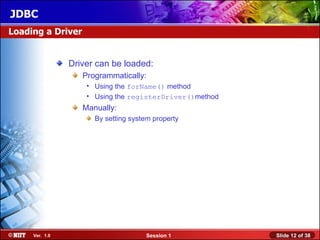
Loading a Driver


                Driver can be loaded:
                   Programmatically:
                    • Using the forName() method
                    • Using the registerDriver()method
                   Manually:
                      By setting system property


     Ver. 1.0                        Session 1           Slide 12 of 38
JDBC
Loading a Driver (Contd.)


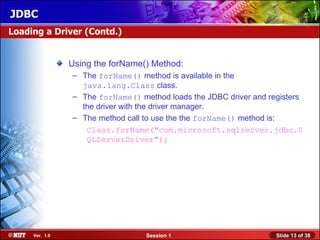
                Using the forName() Method:
                – The forName() method is available in the
                  java.lang.Class class.
                – The forName() method loads the JDBC driver and registers
                  the driver with the driver manager.
                – The method call to use the the forName() method is:
                   Class.forName("com.microsoft.sqlserver.jdbc.S
                   QLServerDriver");


     Ver. 1.0                     Session 1                        Slide 13 of 38
JDBC
Loading a Driver (Contd.)


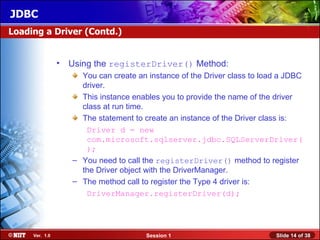
                •   Using the registerDriver() Method:
                      You can create an instance of the Driver class to load a JDBC
                      driver.
                      This instance enables you to provide the name of the driver
                      class at run time.
                      The statement to create an instance of the Driver class is:
                       Driver d = new
                       com.microsoft.sqlserver.jdbc.SQLServerDriver(
                       );
                    – You need to call the registerDriver() method to register
                      the Driver object with the DriverManager.
                    – The method call to register the Type 4 driver is:
                       DriverManager.registerDriver(d);


     Ver. 1.0                           Session 1                          Slide 14 of 38
JDBC
Loading a Driver (Contd.)


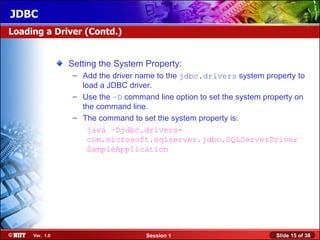
                Setting the System Property:
                – Add the driver name to the jdbc.drivers system property to
                  load a JDBC driver.
                – Use the –D command line option to set the system property on
                  the command line.
                – The command to set the system property is:
                    java –Djdbc.drivers=
                    com.microsoft.sqlserver.jdbc.SQLServerDriver
                    SampleApplication


     Ver. 1.0                      Session 1                          Slide 15 of 38
JDBC
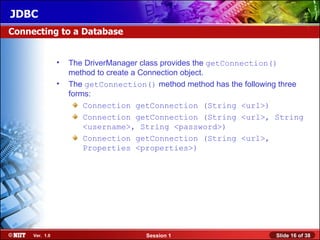
Connecting to a Database


                •   The DriverManager class provides the getConnection()
                    method to create a Connection object.
                •   The getConnection() method method has the following three
                    forms:
                        Connection getConnection (String <url>)
                        Connection getConnection (String <url>, String
                        <username>, String <password>)
                        Connection getConnection (String <url>,
                        Properties <properties>)


     Ver. 1.0                         Session 1                       Slide 16 of 38
JDBC
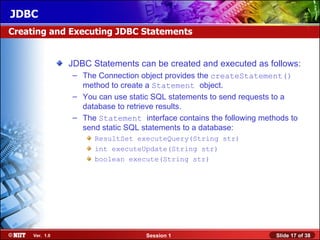
Creating and Executing JDBC Statements


                JDBC Statements can be created and executed as follows:
                – The Connection object provides the createStatement()
                  method to create a Statement object.
                – You can use static SQL statements to send requests to a
                  database to retrieve results.
                – The Statement interface contains the following methods to
                  send static SQL statements to a database:
                      ResultSet executeQuery(String str)
                      int executeUpdate(String str)
                      boolean execute(String str)


     Ver. 1.0                      Session 1                         Slide 17 of 38
JDBC
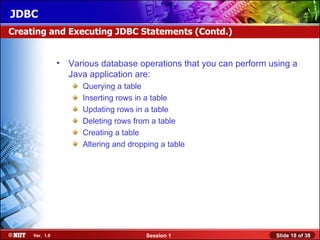
Creating and Executing JDBC Statements (Contd.)


                • Various database operations that you can perform using a
                  Java application are:
                      Querying a table
                      Inserting rows in a table
                      Updating rows in a table
                      Deleting rows from a table
                      Creating a table
                      Altering and dropping a table


     Ver. 1.0                           Session 1                   Slide 18 of 38
JDBC
Creating and Executing JDBC Statements (Contd.)


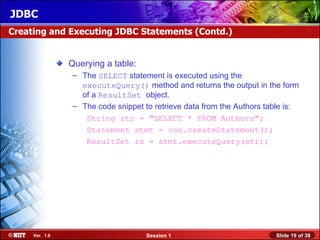
                Querying a table:
                 – The SELECT statement is executed using the
                   executeQuery() method and returns the output in the form
                   of a ResultSet object.
                 – The code snippet to retrieve data from the Authors table is:
                    String str = "SELECT * FROM Authors";
                    Statement stmt = con.createStatement();
                    ResultSet rs = stmt.executeQuery(str);


     Ver. 1.0                        Session 1                          Slide 19 of 38
JDBC
Creating and Executing JDBC Statements (Contd.)


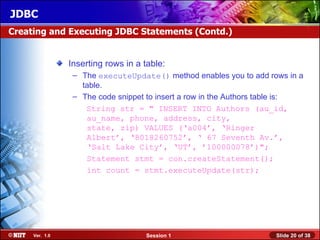
                Inserting rows in a table:
                 – The executeUpdate() method enables you to add rows in a
                   table.
                 – The code snippet to insert a row in the Authors table is:
                    String str = " INSERT INTO Authors (au_id,
                    au_name, phone, address, city,
                    state, zip) VALUES (‘a004’, ‘Ringer
                    Albert’, ‘8018260752’, ‘ 67 Seventh Av.’,
                    ‘Salt Lake City’, ‘UT’, ’100000078’)";
                    Statement stmt = con.createStatement();
                    int count = stmt.executeUpdate(str);


     Ver. 1.0                       Session 1                        Slide 20 of 38
JDBC
Creating and Executing JDBC Statements (Contd.)


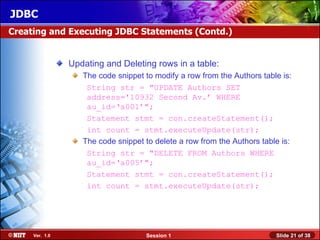
                Updating and Deleting rows in a table:
                   The code snippet to modify a row from the Authors table is:
                    String str = "UPDATE Authors SET
                    address='10932 Second Av.’ WHERE
                    au_id=‘a001’";
                    Statement stmt = con.createStatement();
                    int count = stmt.executeUpdate(str);
                   The code snippet to delete a row from the Authors table is:
                    String str = "DELETE FROM Authors WHERE
                    au_id=‘a005’";
                    Statement stmt = con.createStatement();
                    int count = stmt.executeUpdate(str);


     Ver. 1.0                       Session 1                            Slide 21 of 38
JDBC
Creating and Executing JDBC Statements (Contd.)


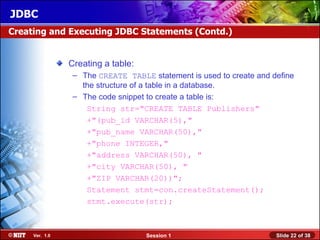
                Creating a table:
                 – The CREATE TABLE statement is used to create and define
                   the structure of a table in a database.
                 – The code snippet to create a table is:
                    String str="CREATE TABLE Publishers"
                    +"(pub_id VARCHAR(5),"
                    +"pub_name VARCHAR(50),"
                    +"phone INTEGER,"
                    +"address VARCHAR(50), "
                    +"city VARCHAR(50), "
                    +"ZIP VARCHAR(20))";
                    Statement stmt=con.createStatement();
                    stmt.execute(str);


     Ver. 1.0                       Session 1                        Slide 22 of 38
JDBC
Creating and Executing JDBC Statements (Contd.)


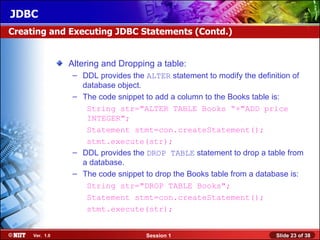
                Altering and Dropping a table:
                 – DDL provides the ALTER statement to modify the definition of
                   database object.
                 – The code snippet to add a column to the Books table is:
                    String str="ALTER TABLE Books “+"ADD price
                    INTEGER";
                    Statement stmt=con.createStatement();
                    stmt.execute(str);
                 – DDL provides the DROP TABLE statement to drop a table from
                   a database.
                 – The code snippet to drop the Books table from a database is:
                    String str="DROP TABLE Books";
                    Statement stmt=con.createStatement();
                    stmt.execute(str);


     Ver. 1.0                       Session 1                          Slide 23 of 38
JDBC
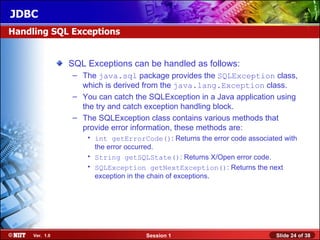
Handling SQL Exceptions


                SQL Exceptions can be handled as follows:
                – The java.sql package provides the SQLException class,
                  which is derived from the java.lang.Exception class.
                – You can catch the SQLException in a Java application using
                  the try and catch exception handling block.
                – The SQLException class contains various methods that
                  provide error information, these methods are:
                    • int getErrorCode(): Returns the error code associated with
                      the error occurred.
                    • String getSQLState(): Returns X/Open error code.
                    • SQLException getNextException(): Returns the next
                      exception in the chain of exceptions.


     Ver. 1.0                       Session 1                             Slide 24 of 38
JDBC
Just a minute


                Which interface of the java.sql package must be
                implemented by all the JDBC driver classes?


                Answer:
                   Driver interface


     Ver. 1.0                         Session 1                   Slide 25 of 38
JDBC
Accessing Result Sets


                • A ResultSet object maintains a cursor that enables you to
                  move through the rows stored in a ResultSet object.


     Ver. 1.0                        Session 1                      Slide 26 of 38
JDBC
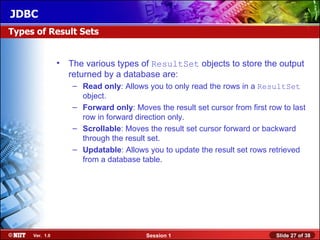
Types of Result Sets


                • The various types of ResultSet objects to store the output
                  returned by a database are:
                   – Read only: Allows you to only read the rows in a ResultSet
                     object.
                   – Forward only: Moves the result set cursor from first row to last
                     row in forward direction only.
                   – Scrollable: Moves the result set cursor forward or backward
                     through the result set.
                   – Updatable: Allows you to update the result set rows retrieved
                     from a database table.


     Ver. 1.0                          Session 1                            Slide 27 of 38
JDBC
Types of Result Sets (Contd.)


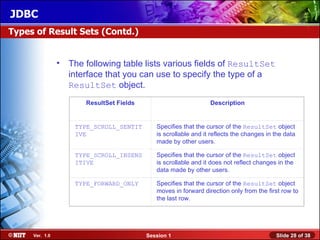
                • The following table lists various fields of ResultSet
                  interface that you can use to specify the type of a
                  ResultSet object.
                       ResultSet Fields                          Description


                    TYPE_SCROLL_SENTIT       Specifies that the cursor of the ResultSet object
                    IVE                      is scrollable and it reflects the changes in the data
                                             made by other users.

                    TYPE_SCROLL_INSENS       Specifies that the cursor of the ResultSet object
                    ITIVE                    is scrollable and it does not reflect changes in the
                                             data made by other users.

                    TYPE_FORWARD_ONLY        Specifies that the cursor of the ResultSet object
                                             moves in forward direction only from the first row to
                                             the last row.


     Ver. 1.0                             Session 1                                       Slide 28 of 38
JDBC
Types of Result Sets (Contd.)


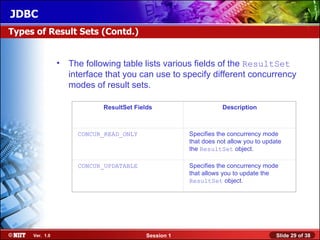
                • The following table lists various fields of the ResultSet
                  interface that you can use to specify different concurrency
                  modes of result sets.

                           ResultSet Fields                     Description


                     CONCUR_READ_ONLY                Specifies the concurrency mode
                                                     that does not allow you to update
                                                     the ResultSet object.

                     CONCUR_UPDATABLE                Specifies the concurrency mode
                                                     that allows you to update the
                                                     ResultSet object.


     Ver. 1.0                            Session 1                                  Slide 29 of 38
JDBC
Types of Result Sets (Contd.)


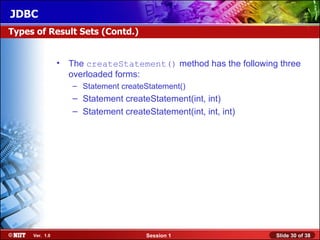
                • The createStatement() method has the following three
                  overloaded forms:
                   – Statement createStatement()
                   – Statement createStatement(int, int)
                   – Statement createStatement(int, int, int)


     Ver. 1.0                         Session 1                 Slide 30 of 38
JDBC
Methods of ResultSet Interface


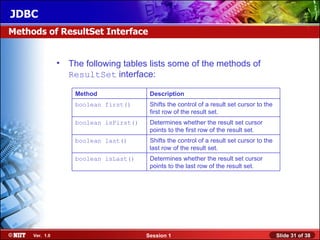
                • The following tables lists some of the methods of
                  ResultSet interface:

                    Method               Description
                    boolean first()      Shifts the control of a result set cursor to the
                                         first row of the result set.
                    boolean isFirst()    Determines whether the result set cursor
                                         points to the first row of the result set.
                    boolean last()       Shifts the control of a result set cursor to the
                                         last row of the result set.
                    boolean isLast()     Determines whether the result set cursor
                                         points to the last row of the result set.


     Ver. 1.0                           Session 1                                           Slide 31 of 38
JDBC
Methods of ResultSet Interface (Contd.)


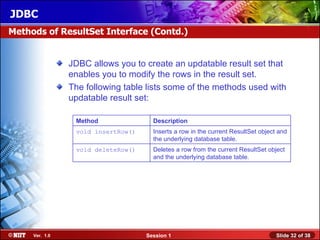
                JDBC allows you to create an updatable result set that
                enables you to modify the rows in the result set.
                The following table lists some of the methods used with
                updatable result set:

                 Method               Description
                 void insertRow()     Inserts a row in the current ResultSet object and
                                      the underlying database table.
                 void deleteRow()     Deletes a row from the current ResultSet object
                                      and the underlying database table.


     Ver. 1.0                       Session 1                                      Slide 32 of 38
JDBC
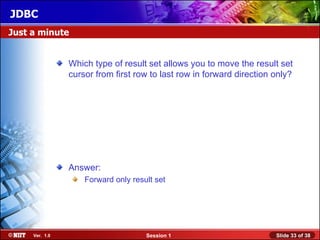
Just a minute


                Which type of result set allows you to move the result set
                cursor from first row to last row in forward direction only?


                Answer:
                    Forward only result set


     Ver. 1.0                        Session 1                         Slide 33 of 38
JDBC
Demonstration


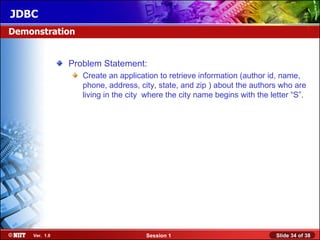
               Problem Statement:
                  Create an application to retrieve information (author id, name,
                  phone, address, city, state, and zip ) about the authors who are
                  living in the city where the city name begins with the letter “S”.


    Ver. 1.0                        Session 1                              Slide 34 of 38
JDBC
Demonstration (Contd.)


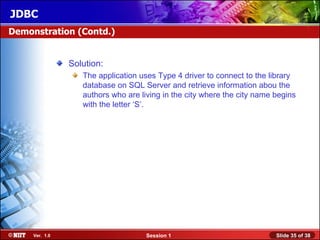
                Solution:
                   The application uses Type 4 driver to connect to the library
                   database on SQL Server and retrieve information abou the
                   authors who are living in the city where the city name begins
                   with the letter ‘S’.


     Ver. 1.0                        Session 1                            Slide 35 of 38
JDBC
Summary


               In this session, you learned that:
                  JDBC Architecture consists of two layers:
                   • JDBC application layer: Signifies a Java application that uses the
                     JDBC API to interact with the JDBC driver manager.
                   • JDBC driver layer: Contains a driver, such as an SQL Server
                     driver, which enables a Java application to connect to a database.
                     This layer acts as an interface between a Java application and a
                     database.
                – The JDBC driver manager manages various JDBC drivers.
                – The JDBC driver is software that a Java application uses to
                  access a database.
                – JDBC supports four types of drivers:
                      JDBC-ODBC Bridge driver
                      Native-API Partly-Java driver
                      JDBC-Net Pure-Java driver
                      Native Protocol Pure-Java driver

    Ver. 1.0                          Session 1                               Slide 36 of 38
JDBC
Summary (Contd.)


                 The JDBC API consists of various classes and interfaces that
                 enable Java applications to interact with databases.
                 The classes and interfaces of the JDBC API are defined in the
                 java.sql and javax.sql packages.
                 You can load a driver and register it with the driver manager
                 either programmatically or manually.
                 Two ways to load and register a driver programmatically are:
                  • Using the Class.forName() method
                  • Using the registerDriver() method
               – You can add the driver name to the jdbc.drivers system
                 property to load and register a JDBC driver manually.
               – A Connection object establishes a connection between a Java
                 application and a database.
               – A Statement object sends requests to and retrieves results
                 from a database.

    Ver. 1.0                       Session 1                          Slide 37 of 38
JDBC
Summary (Contd.)


               You can insert, update, and delete data from a table using the
               DML statements in Java applications.
               You can create, alter, and drop tables from a database using
               the DDL statements in Java applications.
               A ResultSet object stores the result retrieved from a database
               when a SELECT statement is executed.
               You can create various types of ResultSet objects such as
               read only, updatable, and forward only.


    Ver. 1.0                     Session 1                           Slide 38 of 38

Jdbc session01

  • 1.
    JDBC Objectives • In this session, you will learn to: Identify the layers in JDBC architecture Identify the types of JDBC drivers Use the classes and interfaces of JDBC application programming interface Understand and execute the steps to create JDBC applications Ver. 1.0 Session 1 Slide 1 of 38
  • 2.
    JDBC Database Connectivity Sun Microsystems has included JDBC API as a part of J2SDK to develop Java applications that can communicate with databases. The following figure shows the Airline Reservation System developed in Java interacting with the Airlines database using the JDBC API. Ver. 1.0 Session 1 Slide 2 of 38
  • 3.
    JDBC JDBC Architecture JDBC architecture provides the mechanism to translate Java statements into SQL statements. It can be classified into two layers: JDBC application layer JDBC driver layer Ver. 1.0 Session 1 Slide 3 of 38
  • 4.
    JDBC Just a minute Identify the two layers of JDBC architecture. Answer: The two layers of JDBC architecture are: 1. JDBC application layer 2. JDBC driver layer Ver. 1.0 Session 1 Slide 4 of 38
  • 5.
    JDBC JDBC Drivers Convert SQL statements into a form that a particular database can interpret. Retrieve the result of SQL statements and convert the result into equivalent JDBC API class objects. Are of four types: JDBC-ODBC Bridge driver Native-API Partly-Java driver JDBC-Net Pure-Java driver Native Protocol Pure-Java driver Ver. 1.0 Session 1 Slide 5 of 38
  • 6.
    JDBC The JDBC-ODBC BridgeDriver The following figure displays a JDBC-ODBC Bridge Driver. Ver. 1.0 Session 1 Slide 6 of 38
  • 7.
    JDBC The Native-API Partly-JavaDriver The following figure displays a Native-API Partly-Java Driver. Ver. 1.0 Session 1 Slide 7 of 38
  • 8.
    JDBC The JDBC-Net Pure-JavaDriver The following figure displays a JDBC-Net Pure-Java Driver. Ver. 1.0 Session 1 Slide 8 of 38
  • 9.
    JDBC The Native-Protocol Pure-JavaDriver • The following figure displays a Native-Protocol Pure-Java Driver. Ver. 1.0 Session 1 Slide 9 of 38
  • 10.
    JDBC Using JDBC API The JDBC API classes and interfaces are available in the java.sql and the javax.sql packages. The commonly used classes and interfaces in the JDBC API are: – DriverManager class: Loads the driver for a database. – Driver interface: Represents a database driver. All JDBC driver classes must implement the Driver interface. – Connection interface: Enables you to establish a connection between a Java application and a database. – Statement interface: Enables you to execute SQL statements. – ResultSet interface: Represents the information retrieved from a database. – SQLException class: Provides information about the exceptions that occur while interacting with databases. Ver. 1.0 Session 1 Slide 10 of 38
  • 11.
    JDBC Using JDBC API(Contd.) Steps to create a JDBC application are: Load a driver Connect to a database Create and execute JDBC statements Handle SQL exceptions Ver. 1.0 Session 1 Slide 11 of 38
  • 12.
    JDBC Loading a Driver Driver can be loaded: Programmatically: • Using the forName() method • Using the registerDriver()method Manually: By setting system property Ver. 1.0 Session 1 Slide 12 of 38
  • 13.
    JDBC Loading a Driver(Contd.) Using the forName() Method: – The forName() method is available in the java.lang.Class class. – The forName() method loads the JDBC driver and registers the driver with the driver manager. – The method call to use the the forName() method is: Class.forName("com.microsoft.sqlserver.jdbc.S QLServerDriver"); Ver. 1.0 Session 1 Slide 13 of 38
  • 14.
    JDBC Loading a Driver(Contd.) • Using the registerDriver() Method: You can create an instance of the Driver class to load a JDBC driver. This instance enables you to provide the name of the driver class at run time. The statement to create an instance of the Driver class is: Driver d = new com.microsoft.sqlserver.jdbc.SQLServerDriver( ); – You need to call the registerDriver() method to register the Driver object with the DriverManager. – The method call to register the Type 4 driver is: DriverManager.registerDriver(d); Ver. 1.0 Session 1 Slide 14 of 38
  • 15.
    JDBC Loading a Driver(Contd.) Setting the System Property: – Add the driver name to the jdbc.drivers system property to load a JDBC driver. – Use the –D command line option to set the system property on the command line. – The command to set the system property is: java –Djdbc.drivers= com.microsoft.sqlserver.jdbc.SQLServerDriver SampleApplication Ver. 1.0 Session 1 Slide 15 of 38
  • 16.
    JDBC Connecting to aDatabase • The DriverManager class provides the getConnection() method to create a Connection object. • The getConnection() method method has the following three forms: Connection getConnection (String <url>) Connection getConnection (String <url>, String <username>, String <password>) Connection getConnection (String <url>, Properties <properties>) Ver. 1.0 Session 1 Slide 16 of 38
  • 17.
    JDBC Creating and ExecutingJDBC Statements JDBC Statements can be created and executed as follows: – The Connection object provides the createStatement() method to create a Statement object. – You can use static SQL statements to send requests to a database to retrieve results. – The Statement interface contains the following methods to send static SQL statements to a database: ResultSet executeQuery(String str) int executeUpdate(String str) boolean execute(String str) Ver. 1.0 Session 1 Slide 17 of 38
  • 18.
    JDBC Creating and ExecutingJDBC Statements (Contd.) • Various database operations that you can perform using a Java application are: Querying a table Inserting rows in a table Updating rows in a table Deleting rows from a table Creating a table Altering and dropping a table Ver. 1.0 Session 1 Slide 18 of 38
  • 19.
    JDBC Creating and ExecutingJDBC Statements (Contd.) Querying a table: – The SELECT statement is executed using the executeQuery() method and returns the output in the form of a ResultSet object. – The code snippet to retrieve data from the Authors table is: String str = "SELECT * FROM Authors"; Statement stmt = con.createStatement(); ResultSet rs = stmt.executeQuery(str); Ver. 1.0 Session 1 Slide 19 of 38
  • 20.
    JDBC Creating and ExecutingJDBC Statements (Contd.) Inserting rows in a table: – The executeUpdate() method enables you to add rows in a table. – The code snippet to insert a row in the Authors table is: String str = " INSERT INTO Authors (au_id, au_name, phone, address, city, state, zip) VALUES (‘a004’, ‘Ringer Albert’, ‘8018260752’, ‘ 67 Seventh Av.’, ‘Salt Lake City’, ‘UT’, ’100000078’)"; Statement stmt = con.createStatement(); int count = stmt.executeUpdate(str); Ver. 1.0 Session 1 Slide 20 of 38
  • 21.
    JDBC Creating and ExecutingJDBC Statements (Contd.) Updating and Deleting rows in a table: The code snippet to modify a row from the Authors table is: String str = "UPDATE Authors SET address='10932 Second Av.’ WHERE au_id=‘a001’"; Statement stmt = con.createStatement(); int count = stmt.executeUpdate(str); The code snippet to delete a row from the Authors table is: String str = "DELETE FROM Authors WHERE au_id=‘a005’"; Statement stmt = con.createStatement(); int count = stmt.executeUpdate(str); Ver. 1.0 Session 1 Slide 21 of 38
  • 22.
    JDBC Creating and ExecutingJDBC Statements (Contd.) Creating a table: – The CREATE TABLE statement is used to create and define the structure of a table in a database. – The code snippet to create a table is: String str="CREATE TABLE Publishers" +"(pub_id VARCHAR(5)," +"pub_name VARCHAR(50)," +"phone INTEGER," +"address VARCHAR(50), " +"city VARCHAR(50), " +"ZIP VARCHAR(20))"; Statement stmt=con.createStatement(); stmt.execute(str); Ver. 1.0 Session 1 Slide 22 of 38
  • 23.
    JDBC Creating and ExecutingJDBC Statements (Contd.) Altering and Dropping a table: – DDL provides the ALTER statement to modify the definition of database object. – The code snippet to add a column to the Books table is: String str="ALTER TABLE Books “+"ADD price INTEGER"; Statement stmt=con.createStatement(); stmt.execute(str); – DDL provides the DROP TABLE statement to drop a table from a database. – The code snippet to drop the Books table from a database is: String str="DROP TABLE Books"; Statement stmt=con.createStatement(); stmt.execute(str); Ver. 1.0 Session 1 Slide 23 of 38
  • 24.
    JDBC Handling SQL Exceptions SQL Exceptions can be handled as follows: – The java.sql package provides the SQLException class, which is derived from the java.lang.Exception class. – You can catch the SQLException in a Java application using the try and catch exception handling block. – The SQLException class contains various methods that provide error information, these methods are: • int getErrorCode(): Returns the error code associated with the error occurred. • String getSQLState(): Returns X/Open error code. • SQLException getNextException(): Returns the next exception in the chain of exceptions. Ver. 1.0 Session 1 Slide 24 of 38
  • 25.
    JDBC Just a minute Which interface of the java.sql package must be implemented by all the JDBC driver classes? Answer: Driver interface Ver. 1.0 Session 1 Slide 25 of 38
  • 26.
    JDBC Accessing Result Sets • A ResultSet object maintains a cursor that enables you to move through the rows stored in a ResultSet object. Ver. 1.0 Session 1 Slide 26 of 38
  • 27.
    JDBC Types of ResultSets • The various types of ResultSet objects to store the output returned by a database are: – Read only: Allows you to only read the rows in a ResultSet object. – Forward only: Moves the result set cursor from first row to last row in forward direction only. – Scrollable: Moves the result set cursor forward or backward through the result set. – Updatable: Allows you to update the result set rows retrieved from a database table. Ver. 1.0 Session 1 Slide 27 of 38
  • 28.
    JDBC Types of ResultSets (Contd.) • The following table lists various fields of ResultSet interface that you can use to specify the type of a ResultSet object. ResultSet Fields Description TYPE_SCROLL_SENTIT Specifies that the cursor of the ResultSet object IVE is scrollable and it reflects the changes in the data made by other users. TYPE_SCROLL_INSENS Specifies that the cursor of the ResultSet object ITIVE is scrollable and it does not reflect changes in the data made by other users. TYPE_FORWARD_ONLY Specifies that the cursor of the ResultSet object moves in forward direction only from the first row to the last row. Ver. 1.0 Session 1 Slide 28 of 38
  • 29.
    JDBC Types of ResultSets (Contd.) • The following table lists various fields of the ResultSet interface that you can use to specify different concurrency modes of result sets. ResultSet Fields Description CONCUR_READ_ONLY Specifies the concurrency mode that does not allow you to update the ResultSet object. CONCUR_UPDATABLE Specifies the concurrency mode that allows you to update the ResultSet object. Ver. 1.0 Session 1 Slide 29 of 38
  • 30.
    JDBC Types of ResultSets (Contd.) • The createStatement() method has the following three overloaded forms: – Statement createStatement() – Statement createStatement(int, int) – Statement createStatement(int, int, int) Ver. 1.0 Session 1 Slide 30 of 38
  • 31.
    JDBC Methods of ResultSetInterface • The following tables lists some of the methods of ResultSet interface: Method Description boolean first() Shifts the control of a result set cursor to the first row of the result set. boolean isFirst() Determines whether the result set cursor points to the first row of the result set. boolean last() Shifts the control of a result set cursor to the last row of the result set. boolean isLast() Determines whether the result set cursor points to the last row of the result set. Ver. 1.0 Session 1 Slide 31 of 38
  • 32.
    JDBC Methods of ResultSetInterface (Contd.) JDBC allows you to create an updatable result set that enables you to modify the rows in the result set. The following table lists some of the methods used with updatable result set: Method Description void insertRow() Inserts a row in the current ResultSet object and the underlying database table. void deleteRow() Deletes a row from the current ResultSet object and the underlying database table. Ver. 1.0 Session 1 Slide 32 of 38
  • 33.
    JDBC Just a minute Which type of result set allows you to move the result set cursor from first row to last row in forward direction only? Answer: Forward only result set Ver. 1.0 Session 1 Slide 33 of 38
  • 34.
    JDBC Demonstration Problem Statement: Create an application to retrieve information (author id, name, phone, address, city, state, and zip ) about the authors who are living in the city where the city name begins with the letter “S”. Ver. 1.0 Session 1 Slide 34 of 38
  • 35.
    JDBC Demonstration (Contd.) Solution: The application uses Type 4 driver to connect to the library database on SQL Server and retrieve information abou the authors who are living in the city where the city name begins with the letter ‘S’. Ver. 1.0 Session 1 Slide 35 of 38
  • 36.
    JDBC Summary In this session, you learned that: JDBC Architecture consists of two layers: • JDBC application layer: Signifies a Java application that uses the JDBC API to interact with the JDBC driver manager. • JDBC driver layer: Contains a driver, such as an SQL Server driver, which enables a Java application to connect to a database. This layer acts as an interface between a Java application and a database. – The JDBC driver manager manages various JDBC drivers. – The JDBC driver is software that a Java application uses to access a database. – JDBC supports four types of drivers: JDBC-ODBC Bridge driver Native-API Partly-Java driver JDBC-Net Pure-Java driver Native Protocol Pure-Java driver Ver. 1.0 Session 1 Slide 36 of 38
  • 37.
    JDBC Summary (Contd.) The JDBC API consists of various classes and interfaces that enable Java applications to interact with databases. The classes and interfaces of the JDBC API are defined in the java.sql and javax.sql packages. You can load a driver and register it with the driver manager either programmatically or manually. Two ways to load and register a driver programmatically are: • Using the Class.forName() method • Using the registerDriver() method – You can add the driver name to the jdbc.drivers system property to load and register a JDBC driver manually. – A Connection object establishes a connection between a Java application and a database. – A Statement object sends requests to and retrieves results from a database. Ver. 1.0 Session 1 Slide 37 of 38
  • 38.
    JDBC Summary (Contd.) You can insert, update, and delete data from a table using the DML statements in Java applications. You can create, alter, and drop tables from a database using the DDL statements in Java applications. A ResultSet object stores the result retrieved from a database when a SELECT statement is executed. You can create various types of ResultSet objects such as read only, updatable, and forward only. Ver. 1.0 Session 1 Slide 38 of 38

Editor's Notes

  • #5 Reiterate the concepts taught earlier by asking the given question.
  • #26 Reiterate the concepts taught earlier by asking the given question.
  • #34 Reiterate the concepts taught earlier by asking the given question.