Javascript
Jim Fawcett
CSE686 – Internet Programming
Summer 2010
What is Javascript?
 A programming language, supported by modern
browsers
 Script language with C-like syntax
 Intended to manipulate a webpage’s document object
 Very loosely typed
 Supports:
 Primitive types like ints, booleans, doubles
 Strings and Arrays
 User Defined Objects
 Has built-in functions:
 eval, parseInt, parseFloat, alert, getAttribute,
setAttribute, …
Typical JavaScript Applications
 Post a page, sent from some server, back to
the server with client supplied data
 Validate Form fields on client side
 Alter the style of page elements based on
mouse events
 Hide, show, and move page elements
 Manage page scrolling
 Set and retrieve cookies
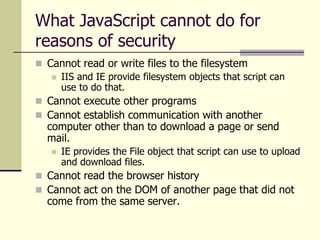
What JavaScript cannot do for
reasons of security
 Cannot read or write files to the filesystem
 IIS and IE provide filesystem objects that script can
use to do that.
 Cannot execute other programs
 Cannot establish communication with another
computer other than to download a page or send
mail.
 IE provides the File object that script can use to upload
and download files.
 Cannot read the browser history
 Cannot act on the DOM of another page that did not
come from the same server.
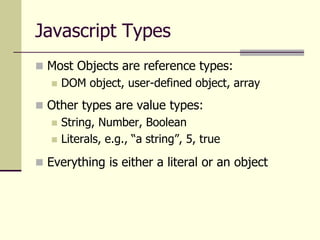
Javascript Types
 Most Objects are reference types:
 DOM object, user-defined object, array
 Other types are value types:
 String, Number, Boolean
 Literals, e.g., “a string”, 5, true
 Everything is either a literal or an object
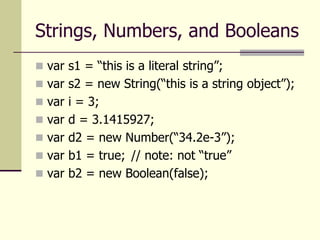
Strings, Numbers, and Booleans
 var s1 = “this is a literal string”;
 var s2 = new String(“this is a string object”);
 var i = 3;
 var d = 3.1415927;
 var d2 = new Number(“34.2e-3”);
 var b1 = true; // note: not “true”
 var b2 = new Boolean(false);
JavaScript Objects
 All Objects are dictionaries, e.g.,
collections of name value pairs:
 var myObj = new Object();
 myObj.name = “myObj”; // usual way
 myObj[“date”] = new Date(); // dictionary
 document.write(myObj.name + “ “);
 document.write(myObj.date);
 function aFun() { … }
 myObj.myFun = aFun; // add member func
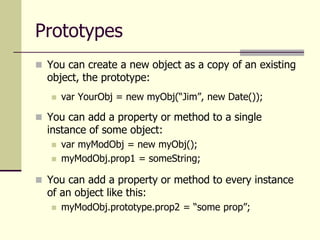
Prototypes
 You can create a new object as a copy of an existing
object, the prototype:
 var YourObj = new myObj(“Jim”, new Date());
 You can add a property or method to a single
instance of some object:
 var myModObj = new myObj();
 myModObj.prop1 = someString;
 You can add a property or method to every instance
of an object like this:
 myModObj.prototype.prop2 = “some prop”;
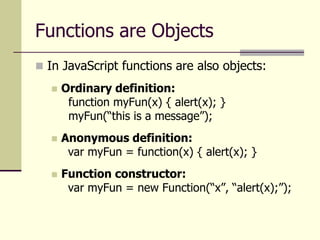
Functions are Objects
 In JavaScript functions are also objects:
 Ordinary definition:
function myFun(x) { alert(x); }
myFun(“this is a message”);
 Anonymous definition:
var myFun = function(x) { alert(x); }
 Function constructor:
var myFun = new Function(“x”, “alert(x);”);
Arrays
 Three ways to create Arrays:
 var array1 = new Array(1, 1.5, 0, -1);
 var array2 = [1, 4, 9, 16, 26];
 var array3 = new Object();
array3[“pig”] = “mammal”;
array3[“snake”] = “reptile”;
array3[“platypus”] = “marsupial”;
array4[“vulture”] = “bird”;
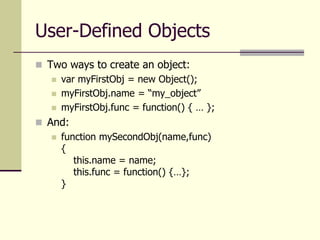
User-Defined Objects
 Two ways to create an object:
 var myFirstObj = new Object();
 myFirstObj.name = “my_object”
 myFirstObj.func = function() { … };
 And:
 function mySecondObj(name,func)
{
this.name = name;
this.func = function() {…};
}
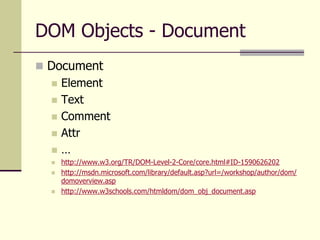
DOM Objects - Document
 Document
 Element
 Text
 Comment
 Attr
 …
 http://www.w3.org/TR/DOM-Level-2-Core/core.html#ID-1590626202
 http://msdn.microsoft.com/library/default.asp?url=/workshop/author/dom/
domoverview.asp
 http://www.w3schools.com/htmldom/dom_obj_document.asp
DOM Methods (most used)
 ref = document.createElement(tagName)
 ref = document.createTextNode(text)
 ref = node.cloneNode(deep)
 ref = element.appendChild(newChild)
 ref = element.insertBefore(newNode,tagetNode)
 ref = element.removeChild(node)
 ref = element.replaceChild(newChild,oldChild)
 element.setAttribute(attributeName,attributeValue)
 attributeValue = element.getAttribute(attributeName)
 element = document.getElementById(id)
 elements = document.getElementsByTagName(tag)
 boolean = element.hasChildNodes()
DOM Properties (XML only)
 Node properties
 Name = node.nodeName
 integer = node.nodeType
 1: ELEMENT_NODE
 2: ATTRIBUTE_NODE
 3: TEXT_NODE
 4: CDATA_SECTION_NODE
 5: ENTITY_REFERENCE_NODE
 6: ENTITY_NODE
 7: PROCESSING_INSTRUCTION_NODE
 8: COMMENT_NODE
 9: DOCUMENT_NODE
 10: DOCUMENT_TYPE_NODE
 11: DOCUMENT_FRAGMENT_NODE
 12: NOTATION_NODE
 Value = node.nodeValue
 nodeList = node.childNodes
 Ref = node.firstChild
 Ref = node.lastChild
 Ref = node.nextSibling
 Ref = node.parentNode
 Ref = node.previousSibling
Window Properties (partial list)
 closed
 document
 frames[]
 location (url)
 name
 navigator
 parent
 screen
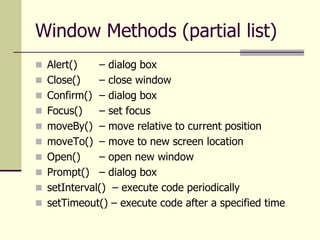
Window Methods (partial list)
 Alert() – dialog box
 Close() – close window
 Confirm() – dialog box
 Focus() – set focus
 moveBy() – move relative to current position
 moveTo() – move to new screen location
 Open() – open new window
 Prompt() – dialog box
 setInterval() – execute code periodically
 setTimeout() – execute code after a specified time
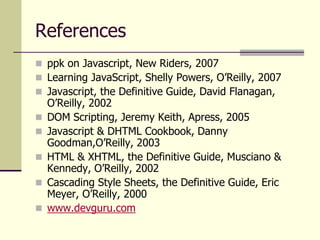
References
 ppk on Javascript, New Riders, 2007
 Learning JavaScript, Shelly Powers, O’Reilly, 2007
 Javascript, the Definitive Guide, David Flanagan,
O’Reilly, 2002
 DOM Scripting, Jeremy Keith, Apress, 2005
 Javascript & DHTML Cookbook, Danny
Goodman,O’Reilly, 2003
 HTML & XHTML, the Definitive Guide, Musciano &
Kennedy, O’Reilly, 2002
 Cascading Style Sheets, the Definitive Guide, Eric
Meyer, O’Reilly, 2000
 www.devguru.com

Javascript.ppt

  • 1.
    Javascript Jim Fawcett CSE686 –Internet Programming Summer 2010
  • 2.
    What is Javascript? A programming language, supported by modern browsers  Script language with C-like syntax  Intended to manipulate a webpage’s document object  Very loosely typed  Supports:  Primitive types like ints, booleans, doubles  Strings and Arrays  User Defined Objects  Has built-in functions:  eval, parseInt, parseFloat, alert, getAttribute, setAttribute, …
  • 3.
    Typical JavaScript Applications Post a page, sent from some server, back to the server with client supplied data  Validate Form fields on client side  Alter the style of page elements based on mouse events  Hide, show, and move page elements  Manage page scrolling  Set and retrieve cookies
  • 4.
    What JavaScript cannotdo for reasons of security  Cannot read or write files to the filesystem  IIS and IE provide filesystem objects that script can use to do that.  Cannot execute other programs  Cannot establish communication with another computer other than to download a page or send mail.  IE provides the File object that script can use to upload and download files.  Cannot read the browser history  Cannot act on the DOM of another page that did not come from the same server.
  • 5.
    Javascript Types  MostObjects are reference types:  DOM object, user-defined object, array  Other types are value types:  String, Number, Boolean  Literals, e.g., “a string”, 5, true  Everything is either a literal or an object
  • 6.
    Strings, Numbers, andBooleans  var s1 = “this is a literal string”;  var s2 = new String(“this is a string object”);  var i = 3;  var d = 3.1415927;  var d2 = new Number(“34.2e-3”);  var b1 = true; // note: not “true”  var b2 = new Boolean(false);
  • 7.
    JavaScript Objects  AllObjects are dictionaries, e.g., collections of name value pairs:  var myObj = new Object();  myObj.name = “myObj”; // usual way  myObj[“date”] = new Date(); // dictionary  document.write(myObj.name + “ “);  document.write(myObj.date);  function aFun() { … }  myObj.myFun = aFun; // add member func
  • 8.
    Prototypes  You cancreate a new object as a copy of an existing object, the prototype:  var YourObj = new myObj(“Jim”, new Date());  You can add a property or method to a single instance of some object:  var myModObj = new myObj();  myModObj.prop1 = someString;  You can add a property or method to every instance of an object like this:  myModObj.prototype.prop2 = “some prop”;
  • 9.
    Functions are Objects In JavaScript functions are also objects:  Ordinary definition: function myFun(x) { alert(x); } myFun(“this is a message”);  Anonymous definition: var myFun = function(x) { alert(x); }  Function constructor: var myFun = new Function(“x”, “alert(x);”);
  • 10.
    Arrays  Three waysto create Arrays:  var array1 = new Array(1, 1.5, 0, -1);  var array2 = [1, 4, 9, 16, 26];  var array3 = new Object(); array3[“pig”] = “mammal”; array3[“snake”] = “reptile”; array3[“platypus”] = “marsupial”; array4[“vulture”] = “bird”;
  • 11.
    User-Defined Objects  Twoways to create an object:  var myFirstObj = new Object();  myFirstObj.name = “my_object”  myFirstObj.func = function() { … };  And:  function mySecondObj(name,func) { this.name = name; this.func = function() {…}; }
  • 12.
    DOM Objects -Document  Document  Element  Text  Comment  Attr  …  http://www.w3.org/TR/DOM-Level-2-Core/core.html#ID-1590626202  http://msdn.microsoft.com/library/default.asp?url=/workshop/author/dom/ domoverview.asp  http://www.w3schools.com/htmldom/dom_obj_document.asp
  • 13.
    DOM Methods (mostused)  ref = document.createElement(tagName)  ref = document.createTextNode(text)  ref = node.cloneNode(deep)  ref = element.appendChild(newChild)  ref = element.insertBefore(newNode,tagetNode)  ref = element.removeChild(node)  ref = element.replaceChild(newChild,oldChild)  element.setAttribute(attributeName,attributeValue)  attributeValue = element.getAttribute(attributeName)  element = document.getElementById(id)  elements = document.getElementsByTagName(tag)  boolean = element.hasChildNodes()
  • 14.
    DOM Properties (XMLonly)  Node properties  Name = node.nodeName  integer = node.nodeType  1: ELEMENT_NODE  2: ATTRIBUTE_NODE  3: TEXT_NODE  4: CDATA_SECTION_NODE  5: ENTITY_REFERENCE_NODE  6: ENTITY_NODE  7: PROCESSING_INSTRUCTION_NODE  8: COMMENT_NODE  9: DOCUMENT_NODE  10: DOCUMENT_TYPE_NODE  11: DOCUMENT_FRAGMENT_NODE  12: NOTATION_NODE  Value = node.nodeValue  nodeList = node.childNodes  Ref = node.firstChild  Ref = node.lastChild  Ref = node.nextSibling  Ref = node.parentNode  Ref = node.previousSibling
  • 15.
    Window Properties (partiallist)  closed  document  frames[]  location (url)  name  navigator  parent  screen
  • 16.
    Window Methods (partiallist)  Alert() – dialog box  Close() – close window  Confirm() – dialog box  Focus() – set focus  moveBy() – move relative to current position  moveTo() – move to new screen location  Open() – open new window  Prompt() – dialog box  setInterval() – execute code periodically  setTimeout() – execute code after a specified time
  • 17.
    References  ppk onJavascript, New Riders, 2007  Learning JavaScript, Shelly Powers, O’Reilly, 2007  Javascript, the Definitive Guide, David Flanagan, O’Reilly, 2002  DOM Scripting, Jeremy Keith, Apress, 2005  Javascript & DHTML Cookbook, Danny Goodman,O’Reilly, 2003  HTML & XHTML, the Definitive Guide, Musciano & Kennedy, O’Reilly, 2002  Cascading Style Sheets, the Definitive Guide, Eric Meyer, O’Reilly, 2000  www.devguru.com