Introduction
• A Promisein JavaScript represents a value that may be
available now, later, or never.
• It is used to handle asynchronous operations efficiently.
3.
Why Use Promises?
•Avoid callback hell (pyramid of doom)
• Better error handling
• Easier to read and maintain
4.
States of aPromise
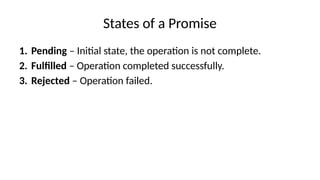
1. Pending – Initial state, the operation is not complete.
2. Fulfilled – Operation completed successfully.
3. Rejected – Operation failed.
5.
Creating a Promise
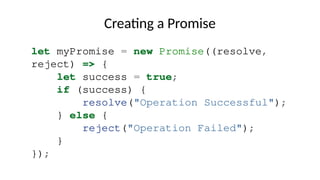
letmyPromise = new Promise((resolve,
reject) => {
let success = true;
if (success) {
resolve("Operation Successful");
} else {
reject("Operation Failed");
}
});
6.
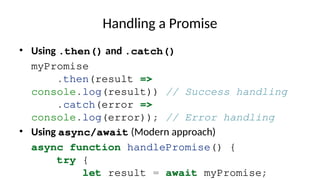
Handling a Promise
•Using .then() and .catch()
myPromise
.then(result =>
console.log(result)) // Success handling
.catch(error =>
console.log(error)); // Error handling
• Using async/await (Modern approach)
async function handlePromise() {
try {
let result = await myPromise;
Promise Methods
Promise.all()
• Waitsfor all promises to resolve or rejects if any fail.
Promise.all([promise1,
promise2]).then(results =>
console.log(results));
Promise.race()
• Returns the result of the first resolved or rejected promise.
Promise.race([promise1,
promise2]).then(result =>
9.
Conclusion
• Promises makeasynchronous programming more
manageable.
• Use async/await for better readability.
• Know Promise methods for handling multiple async tasks.


![Promise Methods
Promise.all()
• Waits for all promises to resolve or rejects if any fail.
Promise.all([promise1,
promise2]).then(results =>
console.log(results));
Promise.race()
• Returns the result of the first resolved or rejected promise.
Promise.race([promise1,
promise2]).then(result =>](https://image.slidesharecdn.com/trypandoc1-250915044110-f18ad274/85/Javascript-topic-on-Promises-slides-made-using-Napkin-8-320.jpg)




![JavaScript Promises Simplified [Free Meetup]](https://cdn.slidesharecdn.com/ss_thumbnails/promises20241001-241001092110-ceaab0a2-thumbnail.jpg?width=640&height=640&fit=bounds)


