Java String Handling. The methods of string handling
1.
String Fundamentals:
• TheString class implements the following interfaces:
Comparable<String>
CharSequence
Serializable
• The Comparable interface specifies how objects are
compared.
• CharSequence defines a set of methods that are
applicable to a character sequence.
• Serializable simply indicates that the state of the String
can be saved and restored using Java’s serialization
mechanism.
String Handling
2.
• One ofthe most important of Java’s data type is String.
• String defines and supports character strings.
• In many other programming languages a string is an
array of characters. But in java, strings are objects.
The String Constructors
• The String class supports several constructors. To create
an empty String, you call the default
• constructor.
• For example,
String s = new String();
• will create an instance of String with no characters in it.
3.
• Frequently, youwill want to create strings that have
initial values.
• The String class provides a variety of constructors to
handle this.
• To create a String initialized by an array of characters,
use the constructor shown here:
String(char chars[ ])
• Here is an example:
char chars[] = { 'a', 'b', 'c' };
String s = new String(chars);
• This constructor initializes s with the string “abc”.
4.
Three string-related languagefeatures
• Java supports three especially useful string features
within the syntax of the language.
• They are
String literals
String Concatenation
Overriding toString()
• String literals:
A string literal is created by specifying a quoted
string. For each string literal in your program, Java
automatically constructs a String object.
Ex: String str=“MCA in RNSIT”;
5.
• String Concatenation:
•In java, string concatenation forms a new string that is the
combination of multiple strings.
• There are two ways to concat string in java:
By + (string concatenation) operator
By concat() method
Ex1:
class TestStringConcatenation1
{
public static void main(String args[])
{
String s="Sachin"+" Tendulkar";
System.out.println(s);
}
}
6.
• The Stringconcat() method concatenates the specified
string to the end of current string.
• Ex2:
class TestStringConcatenation3
{
public static void main(String args[])
{
String s1="Sachin ";
String s2="Tendulkar";
String s3=s1.concat(s2);
System.out.println(s3);
}
}
7.
• The stringconcatenation operator can concat not only
string but primitive values also.
• EX3:
class TestStringConcatenation2
{
public static void main(String args[])
{
int age=36;
String str=“he is “ + age + “years old”;
System.out.println(str);
}
}
8.
String Length
• Thelength of a string is the number of characters that it
contains.
• To obtain this value, call the length( ) method.
int length( )
• EX:
char chars[] = { 'a', 'b', 'c' };
String s = new String(chars);
System.out.println(s.length()); //3
9.
Obtaining the characterswithin a string
• The String class provides three ways in which characters
can be obtained from a String object.
• 1.charAt():
• The java string charAt() method returns a char value
at the given index number. The index number starts from
0.
• The general form is,
char charAt(int index)
index : index number, starts with 0
• 2.getChars():
• Ifyou need to obtain more than one character at a
time, you can use the getChar() method.
• The general form is
void getChars(int srcBegin, int srcEnd, char[] dest, int
destBegin)
• srcBegin -- index of the first character in the string to
copy.
• srcEnd -- index after the last character in the string to
copy.
• dest -- the destination array.
• dstBegin -- the start offset in the destination array.
12.
class GetCharsDemo
{
public staticvoid main(String[] args)
{
String str = "Programming is both art and science.";
int start = 15;
int end = 23;
char[] buf = new char[end - start];
str.getChars(start, end, buf, 0);
System.out.println(buf);
}
}
13.
• toCharArray():
• Ifyou want to convert all the characters in a String object into a character
array,the easiest way is to call toCharArray().
• It returns an array of characters for the entire string.
• It general form is,
• char[] toCharArray()
• Ex:
class mca29
{
public static void main(String[] args)
{
String str="java programming";
char[] chrs=str.toCharArray();
System.out.println(chrs);
}
}
14.
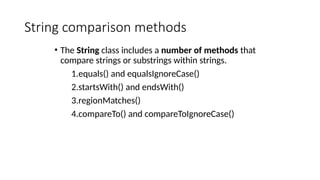
String comparison methods
•The String class includes a number of methods that
compare strings or substrings within strings.
1.equals() and equalsIgnoreCase()
2.startsWith() and endsWith()
3.regionMatches()
4.compareTo() and compareToIgnoreCase()
15.
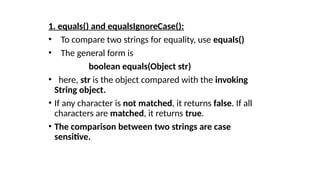
1. equals() andequalsIgnoreCase():
• To compare two strings for equality, use equals()
• The general form is
boolean equals(Object str)
• here, str is the object compared with the invoking
String object.
• If any character is not matched, it returns false. If all
characters are matched, it returns true.
• The comparison between two strings are case
sensitive.
16.
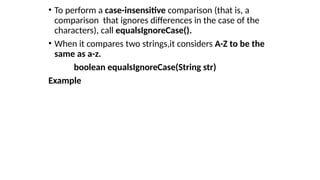
• To performa case-insensitive comparison (that is, a
comparison that ignores differences in the case of the
characters), call equalsIgnoreCase().
• When it compares two strings,it considers A-Z to be the
same as a-z.
boolean equalsIgnoreCase(String str)
Example
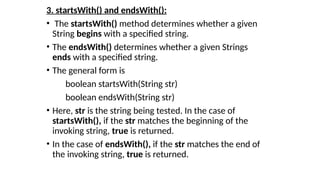
3. startsWith() andendsWith():
• The startsWith() method determines whether a given
String begins with a specified string.
• The endsWith() determines whether a given Strings
ends with a specified string.
• The general form is
boolean startsWith(String str)
boolean endsWith(String str)
• Here, str is the string being tested. In the case of
startsWith(), if the str matches the beginning of the
invoking string, true is returned.
• In the case of endsWith(), if the str matches the end of
the invoking string, true is returned.
19.
import java.io.*;
class mca31
{
publicstatic void main(String args[])
{
String Str = new String("Welcome to rnsit");
System.out.println(Str.startsWith("Welcome") );
System.out.println(Str.endsWith("rnsit") );
System.out.println(Str.startsWith("bangalore") );
System.out.println(Str.endsWith("welcome") );
}
}
20.
4. regionMatches():
• TheregionMatches() method compares a subset of a
string with a subset of another string.
• The general form is,
• boolean regionMatches(int startIndex,String str2,int
str2StartIndex ,int numChrs);
• boolean regionMatches(boolean ignoreCase, int
startIndex,String str2,int str2StartIndex ,int numChrs);
• For both versions, startIndex specifies the index at which
the region to compare begins within the invoking String
object.
• The String being compared is specified by str2.
21.
• The indexat which the comparison will start within str2
is specified by str2StartIndex.
• The length of the region being compared is passed in
numChrs.
• The first version is case sensitive.
• In the second version, if ingoreCase is true, the case of
the Characters is ignored.
22.
Ex:1
class CompareRegions
{
public staticvoid main(String[] args)
{
String str1 = "rnsit in bangalore";
String str2 = "bangalore channasandra rnsit";
System.out.println(str1.regionMatches(0, str2, 23, 3));
}
}
5. compareTo()
• Thejava string compareTo() method compares the
given string with current string lexicographically.
• It returns positive number, negative number or 0.
• It compares strings on the basis of Unicode value of
each character in the strings.
• if s1 > s2, it returns positive number
• if s1 < s2, it returns negative number
• if s1 == s2, it returns 0
• EX
compareToIgnoreCase()
• This methodcompares two strings lexicographically, ignoring case
differences.
Example
public class Test25
{
public static void main(String args[])
{
String str1 = "rnsit";
String str2 = "Rnsit";
String str3 = "mca";
System.out.println(str1.compareToIgnoreCase( str2 ));
System.out.println(str2.compareToIgnoreCase( str3 ));
System.out.println(str3.compareToIgnoreCase( str1 ));
}
}
27.
Changing the Caseof Characters Within a String
• The method toLowerCase( ) converts all the characters
in a string from uppercase to lowercase.
• The toUpperCase( ) method converts all the characters
in a string from lowercase to uppercase.
• Nonalphabetical characters, such as digits, are
unaffected.
• Here are the general forms of these methods:
String toLowerCase( )
String toUpperCase( )
28.
EX:
class ChangeCase
{
public staticvoid main(String args[])
{
String s = "This is a test.";
System.out.println("Original: " + s);
String upper = s.toUpperCase();
String lower = s.toLowerCase();
System.out.println("Uppercase: " + upper);
System.out.println("Lowercase: " + lower);
}
}
29.
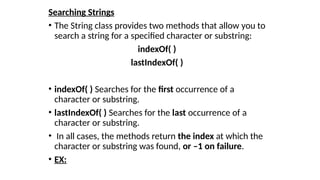
Searching Strings
• TheString class provides two methods that allow you to
search a string for a specified character or substring:
indexOf( )
lastIndexOf( )
• indexOf( ) Searches for the first occurrence of a
character or substring.
• lastIndexOf( ) Searches for the last occurrence of a
character or substring.
• In all cases, the methods return the index at which the
character or substring was found, or –1 on failure.
• EX:
30.
class StrOps
{
public staticvoid main(String[] args)
{
String str1 = “Introduction to Java”;
String str2 = new String(str1);
idx = str2.indexOf(“I");
System.out.println("Index of first occurrence of I is: " + idx);
idx = str2.lastIndexOf(“o");
System.out.println("Index of last occurrence of O is: "
+ idx);
}
}
31.
StringBuffer
• Java StringBufferclass is used to created mutable
(modifiable) string.
• The StringBuffer class in java is same as String class
except it is mutable i.e. it can be changed.
• A string that can be modified or changed is known as
mutable string.
• StringBuffer and StringBuilder classes are used for
creating mutable string.
32.
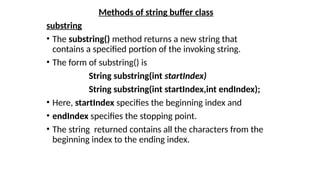
Methods of stringbuffer class
substring
• The substring() method returns a new string that
contains a specified portion of the invoking string.
• The form of substring() is
String substring(int startIndex)
String substring(int startIndex,int endIndex);
• Here, startIndex specifies the beginning index and
• endIndex specifies the stopping point.
• The string returned contains all the characters from the
beginning index to the ending index.
33.
• Ex:
class SubStr
{
publicstatic void main(String[] args)
{
StringBuffer buff = new StringBuffer("admin");
System.out.println("buffer = " + buff);
System.out.println("substring is = " + buff.substring(3));
System.out.println("substring is = " + buff.substring(1,
4));
}
}
34.
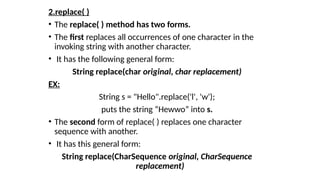
2.replace( )
• Thereplace( ) method has two forms.
• The first replaces all occurrences of one character in the
invoking string with another character.
• It has the following general form:
String replace(char original, char replacement)
EX:
String s = "Hello".replace('l', 'w');
puts the string “Hewwo” into s.
• The second form of replace( ) replaces one character
sequence with another.
• It has this general form:
String replace(CharSequence original, CharSequence
replacement)
35.
EX:
public class Replace
{
publicstatic void main(String args[])
{
String s1=“mca and be in rnsit";
String replaceString=s1.replace(“be",“mba");
System.out.println(replaceString);
}
}
36.
• replace( ): StringBuffer replace(int startIndex, int
endIndex, String str)
• The replace() method replaces the given string from the
specified beginIndex and endIndex.
public class Replace1
{
public static void main(String args[])
{
StringBuffer sb = new StringBuffer("abcdefghijk");
sb.replace(3, 6, “JAVA");
System.out.println(sb);
}
}
37.
trim( )
• Thetrim( ) method returns a copy of the invoking string
from which any leading and trailing whitespace has
been removed.
• It has this general form:
String trim( )
• Here is an example:
• String s = " Hello World ".trim();
• This puts the string “Hello World” into s.
38.
• capacity() methodreturns the current capacity.
• The capacity is the amount of storage available for newly
inserted characters, beyond which an allocation will occur.
EX:
public class StringBufferDemo
{
public static void main(String[] args)
{
StringBuffer buff = new StringBuffer("TutorialsPoint");
System.out.println("capacity = " + buff.capacity()); // 16+14
buff = new StringBuffer(" ");
System.out.println("capacity = " + buff.capacity()); //16+1
}
}
39.
• setCharAt() methodsets the character at the specified index to
ch.
• The index argument must be greater than or equal to 0, and less
than the length of this sequence.
• EX:
class rnsit35
{
public static void main(String args[])
{
StringBuffer str = new StringBuffer("RNSIT");
str.setCharAt(3, 'L');
System.out.println("After Set, string = " + str);
}
}
40.
• The append()method concatenates the given
argument with this string.
EX:
class append10
{
public static void main(String args[])
{
StringBuffer sb=new StringBuffer("Hello ");
sb.append("Java");//now original string is changed
System.out.println(sb);//prints HelloJava
}
}
41.
insert( ):
• Theinsert() method inserts the given string with this string
at the given position.
EX:
class insert10
{
public static void main(String args[])
{
StringBuffer sb=new StringBuffer("Hello");
sb.insert(1,"Java");//now original string is changed
System.out.println(sb);//prints HJavaello
}
}
42.
reverse()
• The reverse()method of StringBuilder class reverses the
current string.
EX:
class reverse10
{
public static void main(String args[])
{
StringBuffer sb=new StringBuffer("Hello");
sb.reverse();
System.out.println(sb);//prints olleH
}
}
43.
• delete() Method
•The delete() method of StringBuffer class deletes the
string from the specified beginIndex to endIndex.
public class delete10
{
public static void main(String args[])
{
StringBuffer sb = new StringBuffer("abcdefghijk");
sb.delete(3, 7);
System.out.println(sb);
}
}
44.
• deleteCharAt()
• methodremoves the char at the specified position in this
sequence.
public class delete11
{
public static void main(String[] args)
{
StringBuffer buff = new StringBuffer("Java lang");
System.out.println("buffer = " + buff);
buff.deleteCharAt(2);
System.out.println("After deletion = " + buff);
}
}
![• Frequently, you will want to create strings that have
initial values.
• The String class provides a variety of constructors to
handle this.
• To create a String initialized by an array of characters,
use the constructor shown here:
String(char chars[ ])
• Here is an example:
char chars[] = { 'a', 'b', 'c' };
String s = new String(chars);
• This constructor initializes s with the string “abc”.](https://image.slidesharecdn.com/stringhandling-260123050253-a054a788/85/Java-String-Handling-The-methods-of-string-handling-3-320.jpg)
![• String Concatenation:
• In java, string concatenation forms a new string that is the
combination of multiple strings.
• There are two ways to concat string in java:
By + (string concatenation) operator
By concat() method
Ex1:
class TestStringConcatenation1
{
public static void main(String args[])
{
String s="Sachin"+" Tendulkar";
System.out.println(s);
}
}](https://image.slidesharecdn.com/stringhandling-260123050253-a054a788/85/Java-String-Handling-The-methods-of-string-handling-5-320.jpg)
![• The String concat() method concatenates the specified
string to the end of current string.
• Ex2:
class TestStringConcatenation3
{
public static void main(String args[])
{
String s1="Sachin ";
String s2="Tendulkar";
String s3=s1.concat(s2);
System.out.println(s3);
}
}](https://image.slidesharecdn.com/stringhandling-260123050253-a054a788/85/Java-String-Handling-The-methods-of-string-handling-6-320.jpg)
![• The string concatenation operator can concat not only
string but primitive values also.
• EX3:
class TestStringConcatenation2
{
public static void main(String args[])
{
int age=36;
String str=“he is “ + age + “years old”;
System.out.println(str);
}
}](https://image.slidesharecdn.com/stringhandling-260123050253-a054a788/85/Java-String-Handling-The-methods-of-string-handling-7-320.jpg)
![String Length
• The length of a string is the number of characters that it
contains.
• To obtain this value, call the length( ) method.
int length( )
• EX:
char chars[] = { 'a', 'b', 'c' };
String s = new String(chars);
System.out.println(s.length()); //3](https://image.slidesharecdn.com/stringhandling-260123050253-a054a788/85/Java-String-Handling-The-methods-of-string-handling-8-320.jpg)
![• Ex:
class mca28
{
public static void main(String args[])
{
String name="rnsitbangalore";
char ch=name.charAt(4);
System.out.println(ch);
}
}](https://image.slidesharecdn.com/stringhandling-260123050253-a054a788/85/Java-String-Handling-The-methods-of-string-handling-10-320.jpg)
![• 2.getChars():
• If you need to obtain more than one character at a
time, you can use the getChar() method.
• The general form is
void getChars(int srcBegin, int srcEnd, char[] dest, int
destBegin)
• srcBegin -- index of the first character in the string to
copy.
• srcEnd -- index after the last character in the string to
copy.
• dest -- the destination array.
• dstBegin -- the start offset in the destination array.](https://image.slidesharecdn.com/stringhandling-260123050253-a054a788/85/Java-String-Handling-The-methods-of-string-handling-11-320.jpg)
![class GetCharsDemo
{
public static void main(String[] args)
{
String str = "Programming is both art and science.";
int start = 15;
int end = 23;
char[] buf = new char[end - start];
str.getChars(start, end, buf, 0);
System.out.println(buf);
}
}](https://image.slidesharecdn.com/stringhandling-260123050253-a054a788/85/Java-String-Handling-The-methods-of-string-handling-12-320.jpg)
![• toCharArray():
• If you want to convert all the characters in a String object into a character
array,the easiest way is to call toCharArray().
• It returns an array of characters for the entire string.
• It general form is,
• char[] toCharArray()
• Ex:
class mca29
{
public static void main(String[] args)
{
String str="java programming";
char[] chrs=str.toCharArray();
System.out.println(chrs);
}
}](https://image.slidesharecdn.com/stringhandling-260123050253-a054a788/85/Java-String-Handling-The-methods-of-string-handling-13-320.jpg)
![class EqualityDemo
{
public static void main(String[] args)
{
String str1 = "table";
String str2 = "table";
String str3 = "chair";
String str4 = "TABLE";
System.out.println(str1.equals(str2));
System.out.println(str1.equals(str3));
System.out.println(str1.equalsIgnoreCase(str4));
}
}](https://image.slidesharecdn.com/stringhandling-260123050253-a054a788/85/Java-String-Handling-The-methods-of-string-handling-17-320.jpg)
![import java.io.*;
class mca31
{
public static void main(String args[])
{
String Str = new String("Welcome to rnsit");
System.out.println(Str.startsWith("Welcome") );
System.out.println(Str.endsWith("rnsit") );
System.out.println(Str.startsWith("bangalore") );
System.out.println(Str.endsWith("welcome") );
}
}](https://image.slidesharecdn.com/stringhandling-260123050253-a054a788/85/Java-String-Handling-The-methods-of-string-handling-19-320.jpg)
![Ex:1
class CompareRegions
{
public static void main(String[] args)
{
String str1 = "rnsit in bangalore";
String str2 = "bangalore channasandra rnsit";
System.out.println(str1.regionMatches(0, str2, 23, 3));
}
}](https://image.slidesharecdn.com/stringhandling-260123050253-a054a788/85/Java-String-Handling-The-methods-of-string-handling-22-320.jpg)
![Ex:2
class CompareRegions
{
public static void main(String[] args)
{
String str1 = "rnsit in bangalore";
String str2 = "bangalore channasandra RNSit";
if(str1.regionMatches(true,0, str2, 23, 3))
System.out.println("Regions match");
else
System.out.println("Regions unmatch");
}
}](https://image.slidesharecdn.com/stringhandling-260123050253-a054a788/85/Java-String-Handling-The-methods-of-string-handling-23-320.jpg)
![public class Test26
{
public static void main(String args[])
{
String str1 = "rnsit";
String str2 = "rnsit";
String str3 = "mca";
System.out.println(str1.compareTo( str2 ));
System.out.println(str2.compareTo( str3 ));
System.out.println(str3.compareTo( str1 ));
}
}](https://image.slidesharecdn.com/stringhandling-260123050253-a054a788/85/Java-String-Handling-The-methods-of-string-handling-25-320.jpg)
![compareToIgnoreCase()
• This method compares two strings lexicographically, ignoring case
differences.
Example
public class Test25
{
public static void main(String args[])
{
String str1 = "rnsit";
String str2 = "Rnsit";
String str3 = "mca";
System.out.println(str1.compareToIgnoreCase( str2 ));
System.out.println(str2.compareToIgnoreCase( str3 ));
System.out.println(str3.compareToIgnoreCase( str1 ));
}
}](https://image.slidesharecdn.com/stringhandling-260123050253-a054a788/85/Java-String-Handling-The-methods-of-string-handling-26-320.jpg)
![EX:
class ChangeCase
{
public static void main(String args[])
{
String s = "This is a test.";
System.out.println("Original: " + s);
String upper = s.toUpperCase();
String lower = s.toLowerCase();
System.out.println("Uppercase: " + upper);
System.out.println("Lowercase: " + lower);
}
}](https://image.slidesharecdn.com/stringhandling-260123050253-a054a788/85/Java-String-Handling-The-methods-of-string-handling-28-320.jpg)
![class StrOps
{
public static void main(String[] args)
{
String str1 = “Introduction to Java”;
String str2 = new String(str1);
idx = str2.indexOf(“I");
System.out.println("Index of first occurrence of I is: " + idx);
idx = str2.lastIndexOf(“o");
System.out.println("Index of last occurrence of O is: "
+ idx);
}
}](https://image.slidesharecdn.com/stringhandling-260123050253-a054a788/85/Java-String-Handling-The-methods-of-string-handling-30-320.jpg)
![• Ex:
class SubStr
{
public static void main(String[] args)
{
StringBuffer buff = new StringBuffer("admin");
System.out.println("buffer = " + buff);
System.out.println("substring is = " + buff.substring(3));
System.out.println("substring is = " + buff.substring(1,
4));
}
}](https://image.slidesharecdn.com/stringhandling-260123050253-a054a788/85/Java-String-Handling-The-methods-of-string-handling-33-320.jpg)
![EX:
public class Replace
{
public static void main(String args[])
{
String s1=“mca and be in rnsit";
String replaceString=s1.replace(“be",“mba");
System.out.println(replaceString);
}
}](https://image.slidesharecdn.com/stringhandling-260123050253-a054a788/85/Java-String-Handling-The-methods-of-string-handling-35-320.jpg)
![• replace( ) : StringBuffer replace(int startIndex, int
endIndex, String str)
• The replace() method replaces the given string from the
specified beginIndex and endIndex.
public class Replace1
{
public static void main(String args[])
{
StringBuffer sb = new StringBuffer("abcdefghijk");
sb.replace(3, 6, “JAVA");
System.out.println(sb);
}
}](https://image.slidesharecdn.com/stringhandling-260123050253-a054a788/85/Java-String-Handling-The-methods-of-string-handling-36-320.jpg)
![• capacity() method returns the current capacity.
• The capacity is the amount of storage available for newly
inserted characters, beyond which an allocation will occur.
EX:
public class StringBufferDemo
{
public static void main(String[] args)
{
StringBuffer buff = new StringBuffer("TutorialsPoint");
System.out.println("capacity = " + buff.capacity()); // 16+14
buff = new StringBuffer(" ");
System.out.println("capacity = " + buff.capacity()); //16+1
}
}](https://image.slidesharecdn.com/stringhandling-260123050253-a054a788/85/Java-String-Handling-The-methods-of-string-handling-38-320.jpg)
![• setCharAt() method sets the character at the specified index to
ch.
• The index argument must be greater than or equal to 0, and less
than the length of this sequence.
• EX:
class rnsit35
{
public static void main(String args[])
{
StringBuffer str = new StringBuffer("RNSIT");
str.setCharAt(3, 'L');
System.out.println("After Set, string = " + str);
}
}](https://image.slidesharecdn.com/stringhandling-260123050253-a054a788/85/Java-String-Handling-The-methods-of-string-handling-39-320.jpg)
![• The append() method concatenates the given
argument with this string.
EX:
class append10
{
public static void main(String args[])
{
StringBuffer sb=new StringBuffer("Hello ");
sb.append("Java");//now original string is changed
System.out.println(sb);//prints HelloJava
}
}](https://image.slidesharecdn.com/stringhandling-260123050253-a054a788/85/Java-String-Handling-The-methods-of-string-handling-40-320.jpg)
![insert( ):
• The insert() method inserts the given string with this string
at the given position.
EX:
class insert10
{
public static void main(String args[])
{
StringBuffer sb=new StringBuffer("Hello");
sb.insert(1,"Java");//now original string is changed
System.out.println(sb);//prints HJavaello
}
}](https://image.slidesharecdn.com/stringhandling-260123050253-a054a788/85/Java-String-Handling-The-methods-of-string-handling-41-320.jpg)
![reverse()
• The reverse() method of StringBuilder class reverses the
current string.
EX:
class reverse10
{
public static void main(String args[])
{
StringBuffer sb=new StringBuffer("Hello");
sb.reverse();
System.out.println(sb);//prints olleH
}
}](https://image.slidesharecdn.com/stringhandling-260123050253-a054a788/85/Java-String-Handling-The-methods-of-string-handling-42-320.jpg)
![• delete() Method
• The delete() method of StringBuffer class deletes the
string from the specified beginIndex to endIndex.
public class delete10
{
public static void main(String args[])
{
StringBuffer sb = new StringBuffer("abcdefghijk");
sb.delete(3, 7);
System.out.println(sb);
}
}](https://image.slidesharecdn.com/stringhandling-260123050253-a054a788/85/Java-String-Handling-The-methods-of-string-handling-43-320.jpg)
![• deleteCharAt()
• method removes the char at the specified position in this
sequence.
public class delete11
{
public static void main(String[] args)
{
StringBuffer buff = new StringBuffer("Java lang");
System.out.println("buffer = " + buff);
buff.deleteCharAt(2);
System.out.println("After deletion = " + buff);
}
}](https://image.slidesharecdn.com/stringhandling-260123050253-a054a788/85/Java-String-Handling-The-methods-of-string-handling-44-320.jpg)


