JAVA
Package
Prepared by
Miss. Arati A. Gadgil
2
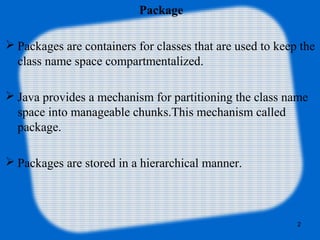
Package
 Packages are containers for classes that are used to keep the
class name space compartmentalized.
 Java provides a mechanism for partitioning the class name
space into manageable chunks.This mechanism called
package.
 Packages are stored in a hierarchical manner.
3
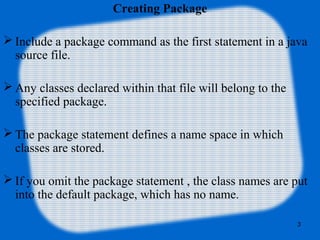
Creating Package
 Include a package command as the first statement in a java
source file.
 Any classes declared within that file will belong to the
specified package.
 The package statement defines a name space in which
classes are stored.
 If you omit the package statement , the class names are put
into the default package, which has no name.
4
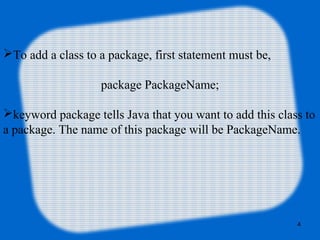
To add a class to a package, first statement must be,
package PackageName;
keyword package tells Java that you want to add this class to
a package. The name of this package will be PackageName.
5
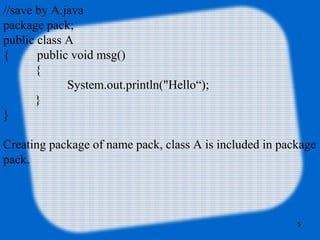
//save by A.java  
package pack;  
public class A
{         public void msg()
{
System.out.println("Hello“);
}  
}
Creating package of name pack, class A is included in package 
pack.
 
6
//save by B.java  
import pack.*;  
class B
{   public static void main(String args[])
{   A obj = new A();  
    obj.msg();  
  }  
}
Here importing a package pack to access class A.
7
Managing Source and Class Files
Many implementations of the Java platform rely on 
hierarchical file systems to manage source and class files.
You put the source code for a class, interface, enum or 
annotation in a text file whose name is the simple name of the 
type and whose extension is .java. Then you put the source file 
in a directory whose name reflects the name of the package to 
which the type belongs.
8
For example, the source code for the SY class would be in a 
file named SY.java, and the file would be in a directory 
named marks.
 The marks directory might be anywhere on the file system.
//save by SY.java  
package marks;  
public class SY
{        
}
//path marksSY.java
9
If company uses its reversed Internet domain name in its
package names, for example consider domain name
is ResultSheet.com would precede all its package names
with com.ResultSheet.
 Each component of the package name corresponds to a
subdirectory. So if ResuleSheet had a marks package that
contained a SY.java source file, it would be contained in a
series of subdirectories.
10
package com.ResultSheet.marks;
public class SY
{
}
//path marksSY.java
Like .java file, .class file should also be in a series of
directories that reflect the package name. However, it does not
have to be in the same directory as its source. You could
arrange your source and class directories separately.
Each directory listed in the class path is a top-level directory
in which package directories appear. From the top-level
directory, the compiler and the JVM can construct the rest of
the path, based on the package and the class name for the
class.
11
In software, JAR (Java Archive) is a package file
format typically used to aggregate many Java class files and
associated metadata and resources (text, images, etc.) into one
file to distribute application software or libraries on the Java
platform.
The package java.util.zip contains classes that read and write
JAR files.
A JAR file has an optional manifest file. The entries in the
manifest file determine how one can use the JAR file.
12
To extract the contents of a JAR file users can use any
standard unzip software, or the jar command:
jar –xf name.jar.
An executable Java program can be packaged in a JAR file,
along with any libraries the program uses.
Executable JAR files have the manifest specifying the entry
point class with Main-Class: myPrograms.MyClass and an
explicit Class-Path (and the -cp argument is ignored).
Some operating systems can run these directly when clicked.
The typical invocation is "java -jar name.jar" from a command
line.
Creating a jar File in Command Prompt
•Start Command Prompt.
•Navigate to the folder that holds your class files: 
D:jar
•Create a manifest file and your jar file:
D:jar > echo Main-Class: student >manifest.txt
D:jar > jar cvfm student.jar manifest.txt *.class 
•Test your jar:
D:jar > java -jar student.jar
13
Thank You
14

Java package