The document provides an overview of the history, features, and components of the Java programming language, initiated by James Gosling and his team at Sun Microsystems. It discusses the evolution of Java, its architecture, and key programming concepts including multithreading, portability, and security, emphasizing its 'write once, run anywhere' capability. The document also outlines various editions of Java, its virtual machine, and the differences between the Java Runtime Environment (JRE) and the Java Development Kit (JDK).
Overview of Java programming, its history, naming origin, and release milestones.
Explains features such as multithreading, portability, security, and dynamic capabilities of Java.
Describes different editions of Java including J2SE, J2EE, and J2ME with their applications.Lists Java versions from 1.0 to 10.0 with release dates and notable features.
Defines Java as a platform-independent programming language with its runtime and bytecode.
Components of JVM including bytecode verifier, class loader, execution engine, and garbage collector.
Details on JRE and JDK, their differences, functions, and importance for Java programming.
Introduces simple Java programming structure using a Hello World program and variables.Explains primitive data types, variable declaration, keywords, and their significance.
Java History
❏ JamesGosling Currently, Java is used in internet programming, mobile
devices, games, e-business solutions etc. There are given the major points
that describes the history of java.
❏ James Gosling, Mike Sheridan, and Patrick Naughton initiated the Java
language project. The small team of sun engineers called Green Team.
❏ Originally designed for small, embedded systems in electronic appliances like
set-top boxes.
❏ Firstly, it was called "Greentalk" by James Gosling and file extension was .gt
❏ After that, it was called Oak and was developed as a part of the Green project
3.
Java History
❏ Javateam members (also known as Green Team), initiated a revolutionary
task to develop a language for digital devices such as set-top boxes,
televisions etc. For the green team members, it was an advance concept at
that time. But, it was suited for internet programming. Later, Java technology
as incorporated by Netscape.
❏ Why Oak name for java language?
❏ Why Oak? Oak is a symbol of strength and choosen as a national tree of
many countries like U.S.A., France, Germany, Romania etc.
❏ In 1995, Oak was renamed as "Java" because it was already a trademark by
Oak Technologies.
4.
Java History
❏ Javais an island of Indonesia where first coffee was produced (called java
coffee).
❏ Notice that Java is just a name not an acronym.
❏ Originally developed by James Gosling at Sun Microsystems (which is now a
subsidiary of Oracle Corporation) and released in 1995
❏ In 1995, Time magazine called Java one of the Ten Best Products of 1995.
❏ JDK 1.0 released in(January 23, 1996).
5.
Why Java namefor java language?
❏ Why they choosed java name for java language? The team gathered to
choose a new name. The suggested words were "dynamic", "revolutionary",
"Silk", "jolt", "DNA" etc. They wanted something that reflected the essence of
the technology: revolutionary, dynamic, lively, cool, unique, and easy to spell
and fun to say.
❏ According to James Gosling "Java was one of the top choices along with Silk".
Since java was so unique, most of the team members preferred java.
6.
Features of Java
❏Architecture neutral
❏ Dynamic
❏ Compiled and Interpreted
❏ High Performance
❏ Multithreaded
❏ Distributed
❏ Simple
❏ Portable
❏ Platform independent
❏ Secured
❏ Robust
❏ Object-Oriented
7.
Multithreaded
Java was designedto meet the real-world requirement of creating interactive, networked programs.
To accomplish this, Java supports multithreaded programming, which allows you to write programs
that do many things simultaneously. The Java run-time system comes with an elegant yet
sophisticated solution for multiprocess synchronization that enables you to construct smoothly
running interactive systems. Java’s easy-to-use approach to multithreading allows you to think about
the specific behavior of your program, not the multitasking subsystem.
Architecture-Neutral
A central issue for the Java designers was that of code longevity and portability. One of the main
problems facing programmers is that no guarantee exists that if you write a program today, it will run
tomorrow—even on the same machine. Operating system upgrades, processor upgrades, and
changes in core system resources can all combine to make a program malfunction. The Java designers
made several hard decisions in the Java language and the Java Virtual Machine in an attempt to alter
this situation. Their goal was “write once; run anywhere, any time, forever.” To a great extent, this
goal was accomplished
8.
Robust
Robust simply meansstrong. Java uses strong memory management. There are lack of pointers
that avoids security problem. There is automatic garbage collection in java. There is exception
handling and type checking mechanism in java. All these points makes java robust.
Object-Oriented
Although influenced by its predecessors, Java was not designed to be source-code compatible with
any other language. This allowed the Java team the freedom to design with a blank slate. One
outcome of this was a clean, usable, pragmatic approach to objects. Borrowing liberally from many
seminal object-software environments of the last few decades, Java manages to strike a balance
between the purist’s “everything is an object” paradigm and the pragmatist’s “stay out of my way”
model. The object model in Java is simple and easy to extend, while primitive types, such as
integers, are kept as high-performance non objects.
9.
Interpreted and HighPerformance
As described earlier, Java enables the creation of cross-platform programs by compiling into an intermediate
representation called Java bytecode. This code can be executed on any system that implements the Java
Virtual Machine. Most previous attempts at cross-platform solutions have done so at the expense of
performance. As explained earlier, the Java bytecode was carefully designed so that it would be easy to
translate directly into native machine code for very high performance by using a just-in-time compiler. Java
run-time systems that provide this feature lose none of the benefits of the platform-independent code.
Simple
Java was designed to be easy for the professional programmer to learn and use effectively. Assuming that
you have some programming experience, you will not find Java hard to master. If you already understand
the basic concepts of object-oriented programming, learning Java will be even easier. Best of all, if you are
an experienced C++ programmer, moving to Java will require very little effort. Because Java inherits the
C/C++ syntax and many of the object-oriented features of C++, most programmers have little trouble
learning Java.
10.
Distributed
Java is designedfor the distributed environment of the Internet because it handles TCP/IP protocols. In fact,
accessing a resource using a URL is not much different from accessing a file. Java also supports RMI. This
feature enables a program to invoke methods across a network
Dynamic
Java programs carry with them substantial amounts of run-time type information that is used to verify and
resolve accesses to objects at run time. This makes it possible to dynamically link code in a safe and expedient
manner. This is crucial to the robustness of the Java environment, in which small fragments of bytecode may
be dynamically updated on a running system.
Portability
Portability is a major aspect of the Internet because there are many different types of computers and
operating systems connected to it. If a Java program were to be run on virtually any computer connected to
the Internet, there needed to be some way to enable that program to execute on different systems. For
example, in the case of an applet, the same applet must be able to be downloaded and executed by the wide
variety of CPUs, operating systems, and browsers connected to the Internet. It is not practical to have
different versions of the applet for different computers. The same code must work on all computers.
Therefore, some means of generating portable executable code was needed. As you will soon see, the same
mechanism that helps ensure security also helps create portability
11.
Security
As you arelikely aware, every time you download a “normal” program, you are taking a risk, because the code
you are downloading might contain a virus, Trojan horse, or other harmful code. At the core of the problem is
the fact that malicious code can cause its damage because it has gained unauthorized access to system
resources. For example, a virus program might gather private information, such as credit card numbers, bank
account balances, and passwords, by searching the contents of your computer’s local file system. In order for
Java to enable applets to be downloaded and executed on the client computer safely, it was necessary to
prevent an applet from launching such an attack. Java achieved this protection by confining an applet to the
Java execution environment and not allowing it access to other parts of the computer. (You will see how this is
accomplished shortly.) The ability to download applets with confidence that no harm will be done and that no
security will be breached is considered by many to be the single most innovative aspect of Java.
12.
JAVA EDITIONS
❏ J2SE(Java 2 Standard Edition):-
❏ Console Based Applications
❏ Desktop Applications
❏ Client Server Based Applications.
❏ J2EE (Java 2 Enterprise Edition ):-
❏ Web Based Applications
❏ Component Development
❏ Enterprise Applications (Large Scale)
❏ J2ME (Java 2 Micro Edition ):-
❏ Portable Devices Applications.
❏ Robotics , Embedded Systems.
❏ Gaming and Animations.
13.
JAVA
VERSIONS
Version Code NameReleased Date
Java 1.0 OAK 23 Jan 1996
Java 1.1 OAK 19 Feb 1997
Java 1.2 Playground 8 Dec 1998
Java 1.3 Kestrel 8 May 2000
Java 1.4 Merlin 6 Feb 2002
Java 5.0 Tiger 30 Sept 2004
Java 6.0 Mustang 11 Dec 2006
Java 7.0 Dolphin 28 July 2011
Java 8.0 Spider 18 Mar 2014
What is java?
●Java is a programming language and a platform.
● Platform Any hardware or software environment in which a program runs,
known as a platform.
● Since Java has its own Runtime Environment (JRE) and API, it is called
platform.
● A general-purpose object-oriented language.
● Write Once Run Anywhere (WORA).
● Designed for easy Web/Internet applications.
● 3 billion device run java
● Widespread acceptance.
16.
Java Program Translation
hello.javajavac hello.class Interpreter for
Mac
Interpreter for
Unix
Interpreter for
Windows
Java Bytecode
Java Compiler
Source Program
17.
Byte Code
● Javabytecode is the instruction set for the Java Virtual Machine
● java bytecode is the machine code in the form of a .class file, Which runs on the Java
Virtual Machine.
● Whenever a class is loaded, it gets a stream of bytecode per method of the class.
Whenever that method is called during the execution of a program, the bytecode for
that method gets invoked.
● Javac not only compiles the program but also generates the bytecode for the program.
● Thus, we have realized that the bytecode implementation makes Java a platform-
independent language. This helps to add portability to Java which is lacking in languages
like C or C++.
● Portability ensures that Java can be implemented on a wide array of platforms like
desktops, mobile devices, severs and many more.
● Supporting this, Sun Microsystems captioned JAVA as "write once, read anywhere" or
"WORA" in resonance to the bytecode interpretation.
18.
Java Virtual Machine?
●JVM is not a real hardware machine but a software layer which resembles an
hardware platform.
● The byte code can be executed on any platform where there exist JVM.
● JVM‘s are available for many hardware and software platforms.
● The use of the same byte code for all JVM’s on all platforms allows Java to be
described as a "write once, run anywhere" programming language
● Thus, the JVM is a crucial component of the Java platform.
● Java virtual machine is the like usual computer which translate high level language
into machine language.
● Just like that Java virtual machine also translate Bytecode into machine language.
● JVM are available for many hardware and software Platform.
20.
Components of JVM
1.Byte code verifier
2. Class loader
3. Execution engine
4. Garbage collector
5. Security Manager
21.
Components of JVM
1.Byte code Verifier:
❏ Byte code verifier is used to verify the byte code.
❏ Also checks for unusual code.
❏ So it is a crucial component for security.
1. Class loader:
❏ Class loader loads java classes into java virtual machine and creates the
instance of java.lang.class.
❏ The main feature is that JVM doesn’t need to have any knowledge about the
classes that will be loaded at runtime.
❏ It performs three main functions of JVM, namely: loading, linking and
initialization
22.
Components of JVM
3.Execution Engine:
❏ The execution engine helps JVM to convert bytecode into machine code.
❏ It has two parts:
a) Interpreter
b) Just-in-time-interpreter
❏ JIT are advanced part of Java Virtual machine
❏ It optimize byte code to machine instruction conversion by compiling similar byte
codes at same time
❏ Thus reducing overall execution time.
❏ JIT performs several optimizations such as in-lining function.
❏ JIT compiler improves performance
❏ Execution engine is responsible for executing the instructions contained in the methods of
loaded classes.
23.
Components of JVM
4.Garbage Collector:
❏ Garbage collection is the process of automatically freeing objects that are no longer referenced
by the program.
❏ It periodically check for the object on heap , whose link is broken so it can collect garbage from
heap.
❏ Garbage collection relieves java programmer from memory management.
5. Security Manager:
❏ Security manager constantly monitors the code.
❏ It is a special java object that is responsible for guarding security policies for java applications.
❏ It is always consulted before any potentially dangerous operation is requested by a java
application.
24.
Java Runtime Environment(JRE):
❏Provides the libraries, the Java Virtual Machine, and other
components to run applets and applications written in the Java
programming language.
❏ The JRE does not contain tools and utilities such as compilers or
debuggers for developing applets and applications.
Java Development Kit(JDK):
❏ JDK is a bundle of software that is used to develop Java based
applications.
❏ The JDK is a superset of the JRE, and contains everything that is
in the JRE, plus set of API classes, Java compiler and debugger,
and additional files needed to write Java applets and
applications.
❏ Needs more disk space than JRE
JRE and JDK
25.
Note!!
● Java VirtualMachine (JVM) is platform dependent.
● Java is platform independent.
● JVM does not really exists but is created within another environment.
● The JVM stands on top of the operating system (OS).
26.
Simple Java Program
/*This is a simple Java program.
FileName : "HelloWorld.java". */
class HelloWorld
{
// Your program begins with a call to main().
public static void main(String[] args)
{
System.out.println("Hello, World");
// Prints "Hello, World" to the terminal window.
}
}
// String[]: The main method accepts a single argument
// an array of elements of type String.
27.
Variables
❏ A variableis a container which holds the value
while the Java program is executed.
❏ A variable is assigned with a data type.
❏ Variable is a name of memory location.
❏ There are three types of variables in java:
❏ Local
❏ Instance
❏ static.
❏ It is a combination of "vary + able" that means
its value can be changed
Syntax
<data type> <variable name>;
<datatype> <variable name> = <value>;
class A{
int data=50;//instance variable
static int m=100;//static variable
void method(){
int n=90;//local variable
}
}
28.
Variables
❏ All variablenames must begin with a letter of the alphabet, an underscore, or ( _ ), or a
dollar sign ($). The convention is to always use a letter of the alphabet. The dollar sign
and the underscore are discouraged.
❏ After the first initial letter, variable names may also contain letters and the digits 0 to 9.
No spaces or special characters are allowed.
❏ The name can be of any length, but don't get carried away. Remember that you will have
to type this name.
❏ Uppercase characters are distinct from lowercase characters. Using ALL uppercase letters
are primarily used to identify constant variables. Remember that variable names are case-
sensitive.
❏ You cannot use a java keyword (reserved word) for a variable name
❏ Java uses CamelCase as a practice for writing names of methods, variables, classes,
packages and constants.
29.
1) Local Variable
❏A variable declared inside the body of the method is called local variable.
❏ You can use this variable only within that method and the other methods in the class aren't even
aware that the variable exists.
❏ A local variable cannot be defined with "static" keyword.
2) Instance Variable
❏ A variable declared inside the class but outside the body of the method, is called instance variable.
❏ It is not declared as static.
❏ It is called instance variable because its value is instance specific and is not shared among instances.
3) Static variable
❏ A variable which is declared as static is called static variable.
❏ It cannot be local. You can create a single copy of static variable and share among all the instances of
the class.
❏ Memory allocation for static variable happens only once when the class is loaded in the memory.
Primitive data types
❏The primitive data types are built-in data types and they specify the type of value stored in a
variable and the memory size.
❏ These basic (or primitive) types are the only types that are not objects (due to performance
issues). The primitive data types do not have any additional methods.
❏ This means that you don’t use the new operator to create a primitive variable
❏ primitive data types includes
❏ Byte
❏ Short
❏ Int
❏ Long
❏ Float
❏ Double
❏ Char
❏ boolean
33.
Comments
❏ Java commentsare statements that are not executed by the compiler and interpreter.
❏ The comments can be used to provide information about each line of code.
❏ It can also be used to hide program code for specific time.
❏ Java Comments Types
❏ Single Line Comment (//)
The single line comment is used to comment only one line.
//This is single line comment
❏ Multi Line Comment (/* */)
The multi line comment is used to comment multiple lines of code.
/* This is multi line comment */
❏ Documentation Comment (/** */)
The documentation comment is used to create documentation API.
/** This is documentation comment */
34.
Keywords
❏ Keywords arespecial tokens in the language which have reserved use in the
language. Keywords may not be used as identifiers in Java — you cannot declare a
field whose name is a keyword, for instance.
❏ Java has 50 keywords among which 48 are in use but 2 (goto and const) are currently
not in use Here is a list of keywords in the Java programming language.
❏ You cannot use any of the following as identifiers in your programs. The keywords
const and goto are reserved, even though they are not currently used. true, false,
and null might seem like keywords, but they are actually literals;
❏ you cannot use them as identifiers in your programs.
35.
Keywords
1. Abstract
2. continue
3.for
4. new
5. switch
6. assert***
7. default
8. goto*
9. package
10. synchronized
11. boolean
12. do
13. if
14. private
15. this
16. break
17. double
18. implements
19. protected
20. throw
21. byte
22. else
23. import
24. public
25. throws
26. case
27. enum****
28. instanceof
29. return
30. transient
31. catch
32. extends
33. int
34. short
35. try
36. char
37. final
38. interface
39. static
40. void
41. class
42. finally
43. long
44. strictfp**
45. volatile
46. const*
47. float
48. native
49. super
50. while
* not used ** added in 1.2 *** added in 1.4 **** added in 5.0
36.
Literals
❏ Literal inJava refer to fixed values that do not change during the execution of the
program
❏ Java supports several types of constants
Integer Literal
Real Literal
Character Literal
String Literal
Backslash Literal
37.
Integer Literals
❏ Aninteger literal refers to sequence of digits
❏ Integers are of three types
❏ Decimal Integer
Decimal Integers consists of a set of digits from 0 to 9,preceeded by an optional minus(-) sign
eg. : +999,-999
Embedded spaces ,commas and non-digit characters are not permitted in between digits eg:-
99 999, 99,999 , $999 are illegal numbers.
❏ Octal Integer
An octal integer consists of any combination of digits from 0 to 7 with a leading zero(0)
eg. 045,063,026 etc.,
❏ Hexa Decimal Integer
A sequence of digits preceded by 0x or 0X is considered as hexa decimal integers
They may also include alphabets from A to F or a to f ( Letters from a to f represents the
numbers from 10 to 15) eg. 0xd,0XF etc.,
By default every integral Literal is of int type but we can specify explicitly as long type by
suffixing with l or L
38.
Real Literals
❏ floating-pointliteral and double literal:
-By default the decimal point values represent double type & hence we cannot assign directly
to float variable.
-So if we want to assign the floating point values to the variables we must attach the suffix F
or f to the number.
-If we are not providing the number we will get compilation error possible loss of precision.
-The floating point types (float and double) can also be expressed using E or e (for scientific
notation), F or f (32-bit float literal) and D or d (64-bit double literal; this is the default and by
convention is omitted).
Examples of float literals:
1e1f 2.f .3f 0f 3.14f
6.022137e+23f
Examples of double literals:
1e1 2. .3 0.0 3.14
1e-9d 1e137
39.
❏ Single CharacterLiterals
A single character constant contains a single character enclosed with a pair of single quote
marks ‘ ‘
eg. ‘m’
❏ String Literals
A String Literal is a sequence of characters enclosed between double quote marks “ ”
The characters may be alphabets, digits, special characters and blank spaces
eg. “xyh6y”
❏ Backslash Literals
Java supports some special back slash character literals
They are used in output formatting methods
Eg:- n stands for new line t stands for horizontal tab
b stands for blank space v stands for vertical tab
a stands for a small beep
❏ Null literals: null can be assigned to any datatype
40.
Boolean Literals
❏ Theonly allowed values for the boolean type are true (or) false
❏ where case is important. i.e., lower case
Example:
boolean b=true; (valid)
boolean b=0; //C.E:incompatible types(invalid)
boolean b=True; //C.E:cannot find symbol(invalid)
boolean b="true"; //C.E:incompatible types(invalid)
41.
Conditional Statements
❏ Aconditional statement lets us choose which statement will be executed next Therefore they
are sometimes called selection statements
❏ Conditional statements give us the power to make basic decisions
❏ The Java conditional statements are the:
❏ If statements
❏ Simple if
❏ if else
❏ if- else- if Ladder
❏ Nested if if Statements
❏ Switch statements
42.
Simple if Statement
❏The if statement has the following syntax:
if ( condition )
{
statement;
}
❏ if is a Java reserved word The condition must be a boolean expression. It must evaluate to
either true or false. If the condition is true, the statement is executed. If it is false, the
statement is skipped
43.
If else Statement
❏The if else statement has the following syntax:
if ( condition )
{
statement1;
}
else{
statement2;
}
❏ if is a Java reserved word The condition must be a boolean expression. It must evaluate to either
true or false. If the condition is true, the statement1 is executed. If it is false, the statement2 s
executed.
44.
If-else-if Ladder
❏ TheIf-else-if Ladder has the following syntax:
if(condition1)
Statements1;
else if(condition2)
statements2;
...
...
else
Statements;
45.
Nested if
❏ Anested if is an if statement
that is the target of another if or else.
❏ Nested ifs are very common in programming.
Syntax :
if(condition)
{
if(condition)
statements....
else
statements....
}
Else
{
if(condition)
statements....
else
Statements....
}
Flow chart:
46.
switch
Syntax :
switch (expression)
{
casevalue 1 :
statement 1 ; break;
case value 2 :
statement 2 ; break;
...
...
case value N :
statement N ; break;
default : statements ; break;
}
Flow chart:
47.
switch
❏ The switchStatement Often a break statement is used as the last statement in each case's
statement list
❏ A break statement causes control to transfer to the end of the switch statement
❏ If a break statement is not used, the flow of control will continue into the next case
Sometimes this may be appropriate,
❏ but often we want to execute only the statements associated with one case
48.
Decision making andlooping
❏ There may be a situation when we need to execute a block of code several number of times,
and is often referred to as a loop.
❏ Java has very flexible three looping mechanisms.
❏ Like conditional statements, they are controlled by boolean expressions
❏ You can use one of the following three loops:
❏ while Loop
❏ do...while Loop
❏ for Loop
49.
while statement
❏ Entrycontrolled loop
❏ A while statement has the following syntax:
while ( condition )
{
statement;
}
❏ If the condition is true, the statement is executed
❏ Then the condition is evaluated again, and if it is still true, the statement is executed again
❏ The statement is executed repeatedly until the condition becomes false
50.
while statement
❏ Anexample of a while statement:
int count = 1;
while (count <= 5)
{
System.out.println (count);
count++;
}
❏ If the condition of a while loop is false initially, the statement is never executed
❏ Therefore, the body of a while loop will execute zero or more times
51.
The do-while Statement
❏A do-while statement (also called a do loop) has the following syntax:
do{
Statement;
}while ( condition ) ;
❏ The statement is executed once initially, and then the condition is evaluated
❏ The statement is executed repeatedly until the condition becomes false
52.
do while statements
❏An example of a do while loop:
int count = 0;
do{
count++;
System.out.println (count);
} while (count < 5);
❏ The body of a do loop executes at least once
53.
The for Statement
❏A for statement has the following syntax:
for ( initialization ; condition ; updation )
{
Statement;
}
❏ The initialization is executed once before the loop begins
❏ The statement is executed until the condition becomes false
❏ The updation part is executed at the end of each iteration.
A for loop is functionally equivalent to the following while loop structure:
initialization;
while ( condition ){
statement;
updation; }
54.
for statements
❏ Anexample of a for loop:
for (int count=1; count <= 5; count++)
{
System.out.println (count);
}
❏ The initialization section can be used to declare a variable
❏ Like a while loop, the condition of a for loop is tested prior to executing the loop body
❏ Therefore, the body of a for loop will execute zero or more times
55.
Jumping statements
❏ Thejumping statements are the control statements which transfer the program execution
control to a specific statements.
❏ Java has three types of jumping statements they are
❏ Break
❏ continue
❏ return.
❏ These statements transfer execution control to another part of the program.
56.
break statements
❏ Wecan use break statement in the following
cases.
❏ Inside the switch case to come out of the
switch block.
❏ Within the loops to break the loop execution
based on some condition.
❏ Inside labelled blocks to break that block
execution based on some condition.
❏ The break cannot be used outside the loops
and switch statement.
class A
{
public static void main(String[] args)
{
for(int j=0; j<10; j++)
{
if(j==5)
{
break;
}
System.out.println(j);
}
System.out.println("outside of for loop");
}
}
JUMPS in LOOP
57.
Continue Jumping Statement
❏This statement is used only within looping
statements.
❏ When the continue statement is encountered,
then it skip the current iteration and the next
iteration starts.
❏ The remaining statements in the loop are
skipped. The execution starts from the top of
loop again.
❏ We can use continue statement to skip current
iteration and continue the next iteration inside
loops.
class A
{
public static void main(String[] args)
{
for(int j=1; j<=100; j++)
{
if(j%2==0)
{
continue;
}
System.out.println(j);
}
}
}
58.
Labelled continue andbreak
❏ In the case of nested loops to break and continue a particular loop we should go for labelled break and continue statements. The Java labelled loops allows
transferring to a particular line or statement.
class A
{
public static void main(String[] args)
{
out:
for(int i=1; i<=100; i++)
{
System.out.println("outer");
for(int j=1; j<=100; j++)
{
System.out.println("nested");
if(j==2)
{
// continue; this will skip second(j==2) iteration of inner for
loop only
continue out; // this will skip current iteration of both for
loops
} } } }
class A
{
public static void main(String[] args)
{
out:
for(int i=1; i<=100; i++)
{
System.out.println("outer");
for(int j=1; j<=100; j++)
{
System.out.println("nested");
if(j==2)
{
// break; this will exit from inner for loop only
break out; // this will exit from both for loops
}
} } }
}
59.
Return Jumping Statement
❏The return statement is mainly used in
methods in order to terminate a method
in between and return back to the caller
method.
❏ It is an optional statement. That is, even
if a method doesn't include a return
statement, control returns back to the
caller method after execution of the
method.
❏ Return statement may or may not
return parameters to the caller method.
class A
{
public static void main(String[] args)
{
Test t = new Test();
int sum = t.addition(10,20); //addition() method return
integer value
System.out.println("Sum = "+sum);
t.show("Devavrat"); //show() method does not return
any value
}
int addition(int a,int b)
{
return a+b;
}
void show(String name)
{
System.out.println("Welcome "+name);
return; // not returning anything, it is optional
}
}
60.
Operators
● An operatoris a symbol that operates on one or more arguments to produce a
result.
● Java provides a rich set of operators to manipulate variables
Operands
-An operands are the values on which the operators act upon
-An operand can be:
A numeric variable - integer, floating point or character
Any primitive type variable - numeric and boolean
Reference variable to an object
A literal - numeric value, boolean value, or string.
An array element, "a[2]“
char primitive, which in numeric operations is treated as an unsigned two byte
integer
61.
Operators available injava
❏ Assignment operators
❏ Arithmetic operators
❏ Increment and decrement operator
❏ Relational operators
❏ Conditional operators
❏ Logical operators
❏ Bitwise operators
❏ Special operators
62.
Assignment operator
❏ The= is called the assignment operator.
❏ The = operator is used to assign the value present to its right to the operand
present to its left.
❏ eg.,
int x=5, z;
z=a;
Shorthand
operators
Relational operators
❏ RelationalOperators are used to check relation between two variables or numbers.
❏ Relational Operators are Binary Operators.
❏ Relational Operators returns “Boolean” value .i.e it will return true or false.
❏ Most of the relational operators are used in “If statement” and inside Looping
statement in order to check truthness or falseness of condition.
❏ The basic relational operators are
Increment and decrementoperator
❏ Increment and Decrement Operators are Unary Operators.
❏ Unary Operator Operates on One Operand.
❏ Increment Operator is Used to Increment Value Stored inside Variable on which
it is operating.
❏ Decrement Operator is used to decrement value of Variable by 1
❏ Types of Increment and Decrement Operator :
❏ Pre Increment / Pre Decrement Operator (prefix)
❏ Post Increment / Post Decrement Operator(postfix)
Conditional operator
❏ Theconditional operator is the ternary operator.
❏ The syntax of conditional operator is
x=(boolean expression)?true:false ;
69.
bitwise operator
❏ Bitwiseoperators are used to change individual bits in an operand.
❏ A single byte of computer memory-when viewed as 8 bits-can signify the
true/false status of 8 flags because each bit can be used as a boolean variable
that can hold one of two values: true or false.
94.
Comma Operators
❏ Javahas an often look past feature within it’s for loop and this is the comma operator.
❏ Usually when people think about commas in the java language they think of a way to
split up arguments within a functions parameters
95.
Comma Operators
public classCommaOperator {
public static void main(String[] args) {
for(int i = 1, j = i + 10; i < 5;i++, j = i * 2) {
System.out.println("i= " + i + " j= " + j);
}
96.
InstanceOf operator
❏ Theinstanceof operator is used for object reference variables only.
❏ It can be used to check whether an object is of a particular type.
❏ The instanceOf operator returns either true or false.
Example:
Classname b = new Classname();
boolean a = b instanceOf Classname;
Casting and conversion
●Assigning a value of one type to a variable of another type is known as Type
Casting.
Example int x = 10; byte y = (byte)x;
● There are TWO types of type casting.
○ Widening Casting(Implicit).
○ Narrowing Casting(Explicit).
99.
Casting and conversion
●In implicit casting we converted the data or value into broad data
public class Test {
public static void main(String[] args) {
int i = 100;
long l = i; //no explicit type casting required
float f = l; //no explicit type casting required
System.out.println("Int value "+i);
System.out.println("Long value "+l);
System.out.println("Float value "+f);
} }
Out put:-
Int value 100
Long value 100
Float value 100.0
100.
Casting and conversion
❏In explicit casting we converted the data or value into Narrow data
public class Test {
public static void main(String[] args) {
double d = 100.04;
long l = (long)d; //explicit type casting required
int i = (int)l; //explicit type casting required
System.out.println("Double value "+d);
System.out.println("Long value "+l);
System.out.println("Int value "+i); } }
Output
Double value 100.04
Long value 100
Int value 100
101.
Arrays
WHAT IS ARRAY?
●Java provides a data structure, the array, which stores a fixed-size sequential
collection of elements of the same type.
● An array is used to store a collection of data, but it is often more useful to
think of an array as a collection of variables of the same type.
102.
Why Array
❏ Implementan application that will calculate 100 students exam average.
❏ Variables needed?
int studentA;
int studentB;
int studentC;
int studentD;
...
103.
Why Array
To solvethe above problem
❏ Just a list of variables
❏ Declare the array
int [] array;
❏ Initialize the array and set it's size
array = new array[3];
❏ Store values into array
array[0] = 2;
array[1] = 3;
array[2] = 7;
104.
DECLARATION
Declaring Arrays:
Int[] mark;
Byte[]age;
Double[] height;
Int mark[];
Byte age[];
Double height[];
preferred way
works but not preferred way
Data type
Array Name
*The size of an array must be specified by an int value and not long or short.
*The direct superclass of an array type is Object.
105.
DECLARATION
❏ Array declarationin C++
int y[10];
❏ Array declaration in Java
int [] y;
y =new int[10];
❏ Storage for the array itself is not
allocated until you use “new”.
❏ For initializing method the
“new” command is not needed.
int [] y={5,3,7,89,2};
106.
CONSTRUCTION
int [] y;
y=newint[5];
//In single line
int[] y=new int[5];
//length of array can be find using arrayName.length
Int ySize=y.length;
107.
INITIALIZATION
❏ Initialization isloading the
array with the values.
int[] y=new int[5]
y[0]=32;
y[1]=12;
y[2]=66;
y[3]=54;
y[4]=43;
Index
108.
0 1 23 4 5
6 7 8 9
36 46 17 55 68 97 63
22 89 92
❏ Array length=10
❏ First index=0
❏ Last index=9
Array indices
Class?
❏ A classis simply a representation of a type of object
❏ It is the blueprint/ plan/ template that describe the details of an object
For example- mango, apple, orange are the objects of the class fruits
❏ If fruits has been defined as a class, then the statement
Fruits mango;
❏ It will create an object mango belonging to the class fruits
120.
Class definition
❏ Aclass is a collection of fields (data) and methods (procedure or function)
that operate on that data.
❏ The basic syntax for a class definition:
class className [extends SuperCLassName] {
[fields declaration]
[methods declaration]
}
❏ An object is an instance of the class.
Person is a class
Alice and Bob are objects of the Person class.
122.
Syntax
of
object:
classname objectname; //declaration of object.
objectname = new classname(); //instantiate the object
//allocate memory to object (define object).
or we can directly define object like this:
classname objectname = new classname();
123.
Example public classMyPoint{
int x = 0;
int y = 0;
void displayPoint() {
System.out.println("Printing the coordinates");
System.out.println(x + " " + y);
}
public static void main(String args[]) {
MyPoint obj; // declaration
obj = new MyPoint(); // allocation of memory to an object
obj.x=10; //access data member using object.
obj.y=20;
obj.displayPoint(); // calling a member method
}}
124.
accessing data memberof the class:
objectname.datamember name;
accessing methods of the class:
objectname.methodname();
So for accessing data of the class:
we have to use (.) dot operator.
NOTE:
we can use or access data of any particular class without using (.) dot
operator from inside that particular class only.
Accessing
class
members
125.
Inside the definitionof the same class
<attributeName> or this.<attributeName>
_name = “Lara”; or this._name = “Lara”;
Outside the class definition
i.e. in another class definition
<objectName>.<attributeName>
myBestFriend._name = “Lara”;
Accessing
Attributes
128.
Syntax:
return_type method_name (listof parameters){
Body of the method
}
❏ return type specifies the type of data returned by the method. This can be any valid
data type including class types that you create
❏ If the method does not return a value, its return type must be void, Means you can say
that void means no return.
129.
Method
❏ Methods thathave a return type other than void return a value to the
calling routine using the following form of the return statement:
❏ return value;
Here, value is the value returned.
❏ The method name is any legal identifier.
❏ The list of parameter is a sequence of type and identifier pairs separated
by commas. Parameters are essentially variables that receive the value of
the arguments passed to the method when it is called.
❏ If the method has no parameters, then the parameter list will be empty.
130.
Constructors
❏ Constructor isa special method that gets invoked “automatically” at
the time of object creation.
❏ Constructor is normally used for initializing objects with default
values
❏ unless different values are supplied.
❏ Constructor has the same name as the class name.
❏ Constructor cannot return values.
❏ A class can have more than one constructor as long as they have
different
❏ signature (i.e., different input arguments syntax).
132.
Default constructor
❏ Aconstructor that accepts no parameter is
called Default Constructor.
❏ It is not necessary to have a constructor
block in your class definition.
❏ If you don’t explicitly write a constructor, the
compiler automatically inserts one for you.
❏ Following are the motive behind a default
constructor.
❏ Create the Object
❏ Call the super class constructor()
❏ Initialize all the instance variables of the
class object.
public class T {
int a;
String b;
public static void main(String[] args) {
//Default constructor
//is called to create a new object
T t = new T();
//print the default values
System.out.println(t.a);
System.out.println(t.b);
}
}
133.
Defining
a
Constructor:
Example
1
3
3
public class Counter{
int CounterIndex;
// Constructor
public Counter()
{
CounterIndex = 0;
}
//Methods to update or access counter
public void increase()
{
CounterIndex = CounterIndex + 1;
}
public void decrease()
{
CounterIndex = CounterIndex - 1;
}
int getCounterIndex()
{
return CounterIndex;
}
}
134.
Trace
counter
value
at
each
statement
and
What
is
the
output
?
1
3
4
class MyClass {
publicstatic void main(String args[])
{
Counter counter1 = new Counter();
counter1.increase();
int a = counter1.getCounterIndex();
counter1.increase();
int b = counter1.getCounterIndex();
if ( a > b )
counter1.increase();
else
counter1.decrease();
System.out.println(counter1.getCounterIndex());
}
}
135.
Java parameterized constructor
Aconstructor that have parameters
is known as parameterized
constructor.
Why use parameterized constructor?
Parameterized constructor is used to provide
different values to the distinct objects.
1
136.
Constructor Overloading
■ Constructoroverloading is a
technique in Java in which a class
can have any number of
constructors that differ in parameter
lists.
■ The compiler differentiates these
constructors by taking into account
the number of parameters in the list
and their type.
7
137.
Multiple Constructors
1
3
7
❏ Sometimeswant to initialize in a number of
different ways, depending on circumstance.
❏ This can be supported by having multiple
constructors having different input arguments.
138.
Multiple
Constructors
1
3
8
public class Circle{
public double x,y,r; //instance variables
// Constructors
public Circle(double centreX, double centreY, double radius) {
x = centreX; y = centreY; r = radius;
}
public Circle(double radius) {
x=0;
y=0;
r = radius;
}
public Circle() {
x=0;
y=0;
r=1.0;
}
//Methods to return circumference and area
public double circumference() { return 2*3.14*r; }
public double area() { return 3.14 * r * r; }
}
139.
Initializing
with
constructors
1
3
9
public class TestCircles{
public static void main(String args[]){
Circle circleA = new Circle( 10.0, 12.0, 20.0);
Circle circleB = new Circle(10.0);
Circle circleC = new Circle();
}
}
circleA = new Circle(10, 12, 20) circleB = new
Circle(10)
Centre = (0,0)
Radius=10
circleC = new Circle()
Centre = (0,0)
Radius = 1
Centre = (10,12)
Radius = 20
140.
Java Copy Constructor
❏There is no copy constructor in java. But,
we can copy the values of one object to
another like copy constructor in C++.
❏ There are many ways to copy the values
of one object into another in java. They
are:
❏ By constructor
❏ By assigning the values of one object into
another
❏ By clone() method of Object class
141.
Copying values without
constructor
■We can copy the values of one
object into another by
assigning the objects values to
another object. In this case,
there is no need to create the
constructor.
❖ Input valuesfor methods (within the program, not from user)
➢ passed values or parameters
❖ More flexibility for methods
❖ formal parameters
➢ Part of method definition
➢ After the method name, within parentheses
■ type
■ name
❖ arguments, or actual parameters
➢ Calling a method with an object within the parentheses
➢ matching data type
➢ in the same order
Passing
Values
to
a
Method:
Parameters
144.
❖ Start: beginof the method
❖ End: end of the method
public float square(float num)
{ // begin of num’s scope
…
} // end of num’s scope
Scope
of
Formal
Parameters
Formal vs actual
145.
Scope
of
Formal
Parameters
//Invocation of themethod... somewhere in main...
...
int next = keyboard.nextInt();
System.out.println(someObj.doubleValue(next));
❖ What is the formal parameter in the method definition?
numberIn
❖ What is the argument (actual parameter) in the method invocation?
next
146.
Passing Objects toMethods
● We can access the instance variables of the object passed inside the called method.
● It is good practice to initialize instance variables of an object before passing object as
parameter to method otherwise it will take default initial values.
● Java is strictly pass by value, the precise effect differs between whether a primitive type
or a reference type is passed.
● we pass a primitive type to a method, it is passed by value. But when we pass an object to
a method, the situation changes dramatically, because objects are passed by what is
effectively call-by-reference.
● While creating a variable of a class type, we only create a reference to an object. Thus,
when we pass this reference to a method, the parameter that receives it will refer to the
same object as that referred to by the argument.
● This effectively means that objects act as if they are passed to methods by use of call-by-
reference.
● Changes to the object inside the method do reflect in the object used as an argument.
147.
Example
: By directlypassing Object Name
void area(Rectangle r1) {
int areaOfRectangle = r1.length * r1.width;
System.out.println("Area of Rectangle : "
+ areaOfRectangle);
}
class RectangleDemo {
public static void main(String args[]) {
Rectangle r1 = new Rectangle(10, 20);
r1.area(r1);
}
148.
Different
Ways
of
Passing
Object
as
Parameter
:
By passing InstanceVariables one by one
class Rectangle {
int length;
int width;
void area(int length, int width) {
int areaOfRectangle = length * width;
System.out.println("Area of Rectangle : "
+ areaOfRectangle);
}}
class RectangleDemo {
public static void main(String args[]) {
Rectangle r1 = new Rectangle();
Rectangle r2 = new Rectangle();
r1.length = 20;
r1.width = 10;
r2.area(r1.length, r1.width); } }
***We can pass only public data of object to the Method.
149.
❏ Method Overloadingis a feature that allows a class to have more than one method having the same name, if their argument
lists are different( ie. differs in signature.)
❏ In order to overload a method, the argument lists of the methods must differ in either of these:
❏ Number of parameters.
❏ Data type of parameters.
❏ Sequence of Data type of parameters.
public class ExampleOverloading
{
public static void main(String
args[])
{
DisplayOverloading obj = new
DisplayOverloading();
obj.disp('a');
obj.disp('a',10);
}
}
class DisplayOverloading
{
public void disp(char c)
{
System.out.println(c);
}
public void disp(char c, int num)
{
System.out.println(c + " "+num);
} }
Method Overloading
150.
public class ExampleOverloading
{
publicstatic void main(String
args[])
{
DisplayOverloading2 obj = new
DisplayOverloading2();
obj.disp('a');
obj.disp(5);
}
}
class DisplayOverloading2
{
public void disp(char c)
{
System.out.println(c);
}
public void disp(int c)
{
System.out.println(c );
}
}
Method Overloading
Output
a
5
Example:Data type of parameters.
151.
public class ExampleOverloading
{
publicstatic void main(String
args[])
{
DisplayOverloading3 obj = new
DisplayOverloading3();
obj.disp('x', 51 );
obj.disp(52, 'y');
}
}
class DisplayOverloading3
{
public void disp(char c, int num)
{
System.out.println("I’m the first definition
of method disp");
}
public void disp(int num, char c)
{
System.out.println("I’m the second
definition of method disp" );
}
}
Method Overloading
Output
I’m the first definition of method disp
I’m the second definition of method disp
Example: Sequence of data type of arguments
152.
❏ static keywordin Java is used for memory management mainly. We can apply static keyword with
variables, methods, blocks and nested classes.
❏ The static keyword belongs to the class than an instance of the class.
❏ The static can be:
❏ Static Variable (also known as a class variable)
❏ Method (also known as a class method)
❏ Block
❏ Nested class
static
153.
❏ If youdeclare any variable as static, it is known as a static variable.
❏ The static variable can be used to refer to the common property of all objects (which is not unique for
each object), for example, the company name of employees, college name of students, etc.
❏ The static variable gets memory only once in the class area at the time of class loading.
❏ It makes your program memory efficient (i.e., it saves memory).
class Student{
int rollno;
String name;
String university=“CALICUT";
}
*Suppose there are 2000 students in our university, now all instance data members will get memory each time
when object is created. All student have its unique rollno and name so instance data member is good . Here,
university refers to the common property of all objects . If we make it static , this field will get memory only once.
Static Variable
154.
class Student8{
int rollno;
Stringname;
static String college ="ITS";
Student8(int r,String n){
rollno = r;
name = n;
}
void display (){
System.out.println(rollno+" "+name+" "+college);
}
public static void main(String args[]){
Student8 s1 = new Student8(111,"Karan");
Student8 s2 = new Student8(222,"Aryan");
s1.display();
s2.display();
} }
Example of static variable
155.
❏ A staticmethod belongs to the class rather than object of a class.
❏ A class can have methods that are defined as static (e.g., main method).
❏ Static methods can be accessed without using objects. Also, there is NO need to create objects.
❏ static method can access static data member and can change the value of it.
❏ They are prefixed with keyword “static”
❏ Static methods are generally used to group related library functions that don’t depend on data
members of its class.
For example, Math library functions.
❏ They cannot refer to “this” or “super” (more later) in anyway.
Static Methods
156.
class Student9{
int rollno;
Stringname;
static String university = "ITS";
static void change(){
university = “Calicut”;
}
Student9(int r, String n){
rollno = r;
name = n;
}
void display () {
System.out.println(rollno+" "+name+" "+university);
}
Static Methods Example :1
public static void main(String args[]){
Student9.change();
Student9 s1 = new Student9 (111,"Karan");
Student9 s2 = new Student9 (222,"Aryan");
Student9 s3 = new Student9 (333,"Sonoo");
s1.display();
s2.display();
s3.display();
} }
Output:-
111 Karan Calicut
222 Aryan Calicut
333 Sonoo Calicut
157.
class Calculate{
static intcube(int x){
return x*x*x;
}
public static void main(String args[]){
int result=Calculate.cube(5);
System.out.println(result);
} }
Static Methods Example :2
Output:-
125
158.
❏ Static blockis used for initializing the static variables.
❏ This block gets executed when the class is loaded in the memory.
❏ A class can have multiple Static blocks, which will execute in the same sequence in which they have been written
into the program
Example :- Single static block
As you can see that both the static variables were initialized before we accessed them in the main method.
class A{
static int num;
static String mystr;
static{
num = 26;
mystr = "Static keyword";
}
public static void main(String args[])
{
System.out.println("Value of num: "+num);
System.out.println("Value of mystr: "+mystr); } }
Static Block
Output:-
Value of num: 26
Value of mystr: Static keyword
159.
❏ A classcan be made static only if it is a nested class.
❏ Nested static class doesn’t need reference of Outer class
❏ A static class cannot access non-static members of the Outer class
Example:
public class ClassA {
static class ClassB {
public void func() {
System.out.println("This is a static nested class");
}
}
public static void main(String args[]) {
ClassA.ClassB obj = new ClassA.ClassB();
obj.func();
}
}
Static nested class
Output:-
This is a static nested class
160.
❏ Any variabledeclare along with final modifier then those variables treated as final variable.
❏ if we declare final variables along with static will became constants.
❏ public final String name = "foo"; //never change this value
❏ If you declare method as final that method also known as final methods.
❏ Final methods are not overridden.means we can't overridden that method in anyway.
public final void add(){
}
public class A{
void add(){
//Can't override }
}
❏ If you declare class is final that class is also known as final classes.
❏ Final classes are not extended.means we can't extens that calss in anyway.
public final class IX{.................................... }
public class classNotAllowed extends IX {...} //not allowed
final
161.
❏ finally isuseful for more than just exception handling.
❏ The finally keyword is used in association with a try/catch block and guarantees that a section of code will
be executed, even if an exception is thrown. The finally block will be executed after the try and catch
blocks, but before control transfers back to its origin.
❏ it allows the programmer to avoid having cleanup code accidentally bypassed by a return, continue, or
break,Closing streams, network connection, database connection.Putting cleanup code in a finally block is
always a good practice even when no exceptions are anticipated
❏ where finally doesn't execute e.g. returning value from finally block, calling System.exit from try block etc
❏ finally block always execute, except in case of JVM dies i.e. calling System.exit() .
lock.lock();
try {
//do stuff
} catch (SomeException se) {
//handle se }
finally { lock.unlock(); //always executed, even if Exception or Error or se
//here close the database connection and any return statements like that we have to write
}
finally
162.
class B {
Publicstatic void main(String[] args)
{
int k = 55;
try {
System.out.println("In try block");
int z = k / 55;
}
catch (ArithmeticException e) {
System.out.println("In catch block");
System.out.println("Dividing by zero but caught");
}
finally
{
System.out.println("Executes whether exception occurs or not");
} }
}
finally class C {
public static void main(String[] args)
{
int k = 66;
try {
System.out.println("In try block");
int z = k / 0;
// Carefully see flow dosen't come here
System.out.println("Flow dosen't came here");
}
catch (ArithmeticException e) {
System.out.println("In catch block");
System.out.println("Dividing by zero but caught");
}
finally {
System.out.println("Executes whether an exception occurs or
not");
}
}
}
o/p:-
In try block
Executes whether exception occurs or not
o/p:-
In try block
In catch block
Dividing by zero but caught
Executes whether an exception occurs or not
163.
❏ Finalize() isa method which is present in Java.lang.Object class.
❏ Before an object is garbage collected, the garbage collector calls this finalize() of object.Any un refernce
before destroying if that object having any connections with database or anything..It will remove the
connections and it will call finalize() of object.
❏ It will destroy the object. If you want to Explicitly call this garbage collector you can use System.gc() or
Runtime.gc() objects are there from a long time the garbage collector will destroy that objects.
public void finalize() {
//free resources (e.g. unallocate memory)
super.finalize();
}
Finalize()
164.
Overriding is afeature that allows a subclass or child class to provide a specific implementation of a
method that is already provided by one of its super-classes or parent classes.
Method Overriding
165.
❏ ‘this’ isa reference variable that refers to the current object.
❏ This keyword can be used for call current class constructor.
class Test
{
int a;
int b;
Test(int a, int b) // Parameterized constructor
{
this.a = a;
this.b = b;
}
void display()
{
//Displaying value of variables a and b
System.out.println("a = " + a + " b = " + b);
}
public static void main(String[] args)
{
Test object = new Test(10, 20);
object.display(); } }
The this reference
o/p:-
a = 10 b = 20
// Java code for using this() to
// invoke current class constructor
class Test
{
int a;
int b;
Test() //Default constructor
{
this(10, 20);
System.out.println("Inside default constructor n");
}
Test(int a, int b) //Parameterized constructor
{
this.a = a;
this.b = b;
System.out.println("Inside parameterized
constructor");
}
public static void main(String[] args)
{
Test object = new Test();
}
}
o/p:-
Inside parameterized constructor
Inside default constructor
166.
// Java codefor using 'this'
// keyword as method parameter
class Test
{
int a;
int b;
Test() //Default constructor
{
a = 10;
b = 20;
}
// Method that receives 'this' keyword as parameter
void display(Test obj)
{
System.out.println("a = " +obj.a + " b = " + obj.b);
}
void get() // Method that returns current class instance
{
display(this);
}
public static void main(String[] args)
{
Test object = new Test();
object.get();
} }
o/p:-
a = 10 b = 20
//Java code for using 'this' keyword
//to return the current class instance
class Test
{
int a;
int b;
Test() //Default constructor
{
a = 10;
b = 20;
}
Test get() //Method that returns current class instance
{
return this;
}
void display() //Displaying value of variables a and b
{
System.out.println("a = " + a + " b = " + b);
}
public static void main(String[] args)
{
Test object = new Test();
object.get().display();
}
}
o/p:-
a = 10 b = 20
167.
// Java codefor using 'this'
// keyword as method parameter
class A
{
B obj;
A(B obj) // Parameterized constructor with object of B as a parameter
{
this.obj = obj;
obj.display(); // calling display method of class B
} }
class B
{
int x = 5;
B() // Default Constructor that create a object of A
{ // with passing this as an argument in the constructor
A obj = new A(this);
}
void display() // method to show value of x
{
System.out.println("Value of x in Class B : " + x);
}
public static void main(String[] args) {
B obj = new B();
}
}
o/p:-
Value of x in Class B : 5
// Java code for using this to invoke current
// class method
class Test {
void display()
{
// calling function show()
this.show();
System.out.println("Inside display function");
}
void show() {
System.out.println("Inside show funcion");
}
public static void main(String args[]) {
Test t1 = new Test();
t1.display();
}
}
o/p:-
Inside show funcion
Inside display function
168.
❏ In Javanested classes are classes that are defined inside another class.
❏ The purpose of a nested class is to clearly group the nested class with its surrounding
class, signaling that these two classes are to be used together. Or perhaps that the
nested class is only to be used from inside its enclosing (owning) class.
❏ Java developers often refer to nested classes as inner classes, but inner classes (non-
static nested classes) are only one out of several different types of nested classes in
Java.
❏ In Java nested classes are considered members of their enclosing class. Thus, a nested
class can be declared public, package (no access modifier), protected and private (see
access modifiers for more info). Therefore nested classes in Java can also be inherited
by subclasses
Inner and nested classes
169.
class OuterClass {
intx = 10;
class InnerClass {
int y = 5;
}
}
public class MyMainClass {
public static void main(String[] args) {
OuterClass myOuter = new OuterClass();
OuterClass.InnerClass myInner = myOuter.new InnerClass();
System.out.println(myInner.y + myOuter.x);
}
}
// Outputs
15 (5 + 10)
Inner and nested classes
170.
❏ Inner classis a part of nested class.
❏ Non-static nested classes are known as inner classes.
❏ There are two type of nested class
❏ Non-static nested class (inner class)
❏ Member inner class
❏ Anonymous inner class
❏ Local inner class
❏ Static nested class
Member Inner Class
A class created within class and outside method.
Anonymous Inner Class
A class created for implementing interface or extending class. Its name is decided by the java compiler.
Local Inner Class
A class created within method.
Static Nested Class
A static class created within class.
Nested Interface
An interface created within class or interface.
171.
Inheritance
❏ Inheritance canbe defined as the process where one class acquires the properties,
methods and fields of another.
❏ With the use of inheritance the information is made manageable in a hierarchical order.
❏ The class which inherits the properties of the other is known as subclass, derived class,
child class and
❏ the class whose properties are inherited are known as super class, base class, parent
class
❏ As the name implies, the child inherits characteristics of the parent
❏ That is, the child class inherits the methods and data defined for the parent class
❏ In object-oriented programming, inheritance is the concept that when a class of objects
is define, any subclass that is defined can inherit the definitions of one or more general
classes.
172.
Inheritance relationships oftenare shown graphically in a
UML class diagram, with an arrow with an open arrowhead
pointing to the parent class
Inheritance should create an is-a relationship, meaning
the child is a more specific version of the parent
Vehicle
Car
173.
Inheritance
❏ This meansfor the programmer that an object in a subclass need not carry its own
definition of data and methods that are generic to the class (or classes) of which it is a
part.
❏ This not only speeds up program development;
❏ it also ensures an inherent validity to the defined subclass object
175.
Single Inheritance
❏ Insingle inheritance, one class inherits the properties of another.
❏ It enables a derived class to inherit the properties and behavior from a single parent class.
❏ This will in turn enable code reusability as well as add new features to the existing code.
❏ Here, Class A is your parent class and Class B is your child class
which inherits the properties and behavior of the parent class.
Class A
{
---
}
Class B extends A {
---
}
syntax:
-
176.
Multilevel Inheritance
❏ Whena class is derived from a class which is also derived from another class, i.e. a class
having more than one parent class but at different levels, such type of inheritance is
called Multilevel Inheritance.
❏ In this flowchart, class B inherits the properties and behavior of class A and class C
inherits the properties of class B. Here A is the parent class for B and class B is the
parent class for C. So in this case class C implicitly inherits the properties and methods
of class A along with Class B. That’s what is multilevel inheritance.
Syntax: Class A{
---
}
Class B extends A{
---
}
Class C extends B{
---
}
177.
Hierarchical Inheritance
❏ Whena class has more than one child classes (sub classes) or in other words, more than
one child classes have the same parent class, then such kind of inheritance is known as
hierarchical.
In flowchart, Class B and C are the child classes which are inheriting from the parent
class i.e Class A.
Syntax: Class A{
---
}
Class B extends A{
---
}
Class C extends A{
---
}
178.
Hybrid Inheritance
❏ Hybridinheritance is a combination of multiple inheritance and multilevel inheritance.
❏ Since multiple inheritance is not supported in Java as it leads to ambiguity, so this type
of inheritance can only be achieved through the use of the interfaces.
In this flowchart, class A is a parent class for class B and C, whereas Class B and C are the
parent class of D which is the only child class of B and C.
179.
Important terminology:
❏ SuperClass: The class whose features are inherited is known as superclass(or a base class or a parent class).
❏ Sub Class: The class that inherits the other class is known as subclass(or a derived class, extended class, or child class).
The subclass can add its own fields and methods in addition to the superclass fields and methods.
❏ Reusability: Inheritance supports the concept of “reusability”, i.e. when we want to create a new class and there is
already a class that includes some of the code that we want, we can derive our new class from the existing class. By
doing this, we are reusing the fields and methods of the existing class.
❏ The keyword used for inheritance is extends.
180.
super
❏ The superkeyword in Java is a reference variable which is used to
refer immediate parent class object.
❏ Whenever you create the instance of subclass, an instance of parent
class is created implicitly which is referred by super reference
variable.
❏ Usage of Java super Keyword
❏ super can be used to refer immediate parent class
instance variable.
❏ super can be used to invoke immediate parent class
method.
❏ super() can be used to invoke immediate parent class
constructor.
181.
super
❏ super isused to refer immediate
parent class instance variable.
❏ We can use super keyword to access
the data member or field of parent
class. It is used if parent class and child
class have same fields.
class Animal{
String color="white";
}
class Dog extends Animal{
String color="black";
void printColor(){
System.out.println(color);//prints color of Dog class
System.out.println(super.color);//prints color of Animal class
} }
class TestSuper1{
public static void main(String args[]){
Dog d=new Dog();
d.printColor();
}}
o/p:-
black
white
In the above example, Animal and Dog both classes have a common property color. If we
print color property, it will print the color of current class by default. To access the parent
property, we need to use super keyword.
182.
super
❏ The superkeyword can also be used to
invoke parent class method.
❏ It should be used if subclass contains
the same method as parent class.
❏ In other words, it is used if method is
overridden.
class Animal{
void eat(){System.out.println("eating...");} }
class Dog extends Animal{
void eat(){System.out.println("eating bread...");}
void bark(){System.out.println("barking...");}
void work(){
super.eat();
bark();
} }
class TestSuper2{
public static void main(String args[]){
Dog d=new Dog();
d.work();
}} o/p:-
eating...
barking...
In the above example Animal and Dog both classes have eat() method if we call eat()
method from Dog class, it will call the eat() method of Dog class by default because
priority is given to local.To call the parent class method, we need to use super keyword.
183.
super
❏ The superkeyword can also be used to
invoke the parent class constructor.
Let's see a simple example:
class Animal{
Animal(){System.out.println("animal is created");}
}
class Dog extends Animal{
Dog(){
super(); //super()
System.out.println("dog is created");
}
}
class TestSuper3{
public static void main(String args[]){
Dog d=new Dog();
}}
o/p:-
animal is created
dog is created
super() is added in each class constructor automatically by compiler if there is no super()
or this().
184.
Object class
❏ TheObject class is the parent class of all the classes in
java by default. In other words, it is the topmost class
of java.
❏ The Object class is beneficial if you want to refer any
object whose type you don't know. Notice that parent
class reference variable can refer the child class object,
know as upcasting.
❏ Therefore the Object class methods are available to all
Java classes. Hence Object class acts as a root of
inheritance hierarchy in any Java Program.
185.
Object class
public finalClass getClass()
returns the Class class object of this object. The Class class can further be used to get the
metadata of this class.
public int hashCode()
For every object, JVM generates a unique number which is hashcode.returns the hashcode
number for this object.
public boolean equals(Object obj)
compares the given object to this object.
protected Object clone() throws CloneNotSupportedException
creates and returns the exact copy (clone) of this object.
public String toString()
returns the string representation of this object.
public final void notify()
wakes up single thread, waiting on this object's monitor.
public final void notifyAll()
wakes up all the threads, waiting on this object's monitor.
public final void wait(long timeout)throws
InterruptedException
causes the current thread to wait for the specified
milliseconds, until another thread notifies (invokes
notify() or notifyAll() method).
public final void wait(long timeout,int nanos)throws
InterruptedException
causes the current thread to wait for the specified
milliseconds and nanoseconds, until another thread
notifies (invokes notify() or notifyAll() method).
public final void wait()throws InterruptedException
causes the current thread to wait, until another thread
notifies (invokes notify() or notifyAll() method).
protected void finalize()throws Throwable
is invoked by the garbage collector before object is being
garbage collected.
186.
Object class methodexample:
getClass() : Returns the class object of “this” object and
used to get actual runtime class of the object. It can
also be used to get metadata of this class. The returned
Class object is the object that is locked by static
synchronized methods of the represented class. As it is
final so we don’t override it.
public class Test
{
public static void main(String[] args)
{
Object obj = new String("HELLO");
Class a = obj.getClass();
System.out.println("Class of Object obj
is : " + a.getName());
}
}
o/p:-
Class of Object obj is :
java.lang.String
Note :After loading a .class file, JVM will create an object of the type java.lang.Class in the
Heap area. We can use this class object to get Class level information. It is widely used in
Reflection
187.
Dynamic method dispatch
❏Dynamic method dispatch is one type
of mechanism by which a call to an
overridden method is resolved at run time
❏ When an overridden method is called
through the object of superclass then Java
determines which version of that method
to execute, based upon the type of the
object being referred to at the time the
call occurs,
❏ hence determination is made at run time
Upcasting: When Parent class reference variable refers to Child class object, it is known as Upcasting. In Java this can be done and is helpful in
scenarios where multiple child classes extends one parent class.
-In those cases we can create a parent class reference and assign child class objects to it.
188.
class Game
{
public voidtype()
{
System.out.println("Indoor
& outdoor");
}
}
Class Cricket extends Game
{
public void type()
{
System.out.println("outdoor
game");
}
o/p:-
Indoor & outdoor
Outdoor game
Outdoor game
public static void main(String[] args)
{
Game gm = new Game();
Cricket ck = new Cricket();
gm.type();
ck.type();
gm = ck; //gm refers to Cricket
object
gm.type(); //calls Cricket's version
of type
}
}
Notice the last output. This is because of the statement, gm = ck;. Now gm.type() will
call the Cricket class version of type() method. Because here gm refers to the cricket
object
189.
Difference between Staticbinding and
Dynamic binding in java ?
❏ Static binding in Java occurs during compile time
❏ dynamic binding occurs during runtime.
❏ Static binding uses type(Class) information for binding while dynamic binding uses instance of class(Object) to resolve
calling of method at run-time
❏ Overloaded methods are bonded using static binding
❏ overridden methods are bonded using dynamic binding at runtime.
190.
Abstract classes
❏ Ifa class contain any abstract method then the class is declared as abstract class.
❏ An abstract class is never instantiated.
❏ Although it does not provide 100% abstraction because it can also have concrete method.
Syntax
Abstract class <class_name>{
------------------------------
}
191.
Abstract method
❏ Methodthat are declared without any body
within an abstract class is known as abstract
method.
❏ The method body will be defined by its subclass
❏ An abstract class must be declared with an
abstract keyword.
❏ It can have abstract and non-abstract methods.
❏ It cannot be instantiated.It can have constructors
and static methods also.
❏ It can have final methods which will force the
subclass not to change the body of the method.
Syntax
abstract return_type method_name(arguments list);
/* * abstract class and method */
abstract class A {
abstract void doo();//abstract method
}
class B extends A {
void doo() {
System.out.println("hello");
}
}
public class example {
public static void main(String[] y) {
B b=new B();
b.doo();
}
}
192.
Interface?
● An interfacein Java is a blueprint of a class. It has static constants and abstract methods.
● The interface in Java is a mechanism to achieve abstraction. There can be only abstract
methods in the Java interface, not method body.
● It is used to achieve abstraction and multiple inheritance in Java.
● Java Interface also represents the IS-A relationship.
● It cannot be instantiated just like the abstract class.
● Since Java 8, we can have default and static methods in an interface.
● Since Java 9, we can have private methods in an interface.
● There are mainly three reasons to use interface. They are given below.
○ It is used to achieve abstraction.
○ By interface, we can support the functionality of multiple inheritance.
○ It can be used to achieve loose coupling.
193.
Declare interface
● interfaceis declared by using the interface keyword.
● It provides total abstraction; means all the methods in an interface are declared with the
empty body, and all the fields are public, static and final by default.
● A class that implements an interface must implement all the methods declared in the
interface.
Syntax:-
interface <interface_name>{
// declare constant fields
// declare methods that abstract
// by default.
}
194.
Example
interface printable{
void print();
}
classA6 implements printable{
public void print(){System.out.println("Hello");}
public static void main(String args[]){
A6 obj = new A6();
obj.print();
}
} o/p:-
Hello
A class extends on another class, an interface extends
another interface, but a class implements an interface.
Relationship between class and interface
195.
Multiple Inheritance InJava
❏ Object Oriented Programming provides a user the feature of multiple inheritance, wherein a
class can inherit the properties of more than a single parent class.
❏ In simpler terms, multiple inheritance means a class extending more than one class.
❏ The programming language of java is unable to utilise this feature directly. It can be achieved
indirectly through the usage of interfaces.
196.
interface Printable{
void print();
}
interfaceShowable{
void show();
}
class A7 implements Printable,Showable{
public void print(){System.out.println("Hello");}
public void show(){System.out.println("Welcome");}
public static void main(String args[]){
A7 obj = new A7();
obj.print();
obj.show();
}
}
o/p:-
Hello
Welcome
197.
Wrapper classes inJava
❏ Each of Java's eight primitive data types has a class dedicated to it.
❏ These are known as wrapper classes because they "wrap" the primitive data type into an object of
that class. The wrapper classes are part of the java.lang package, which is imported by default into
all Java programs.
❏ The wrapper classes in java servers two primary purposes.
❏ To provide a mechanism to ‘wrap’ primitive values in an object so that primitives can do activities
reserved for the objects like being added to ArrayList, Hashset, HashMap etc. collection.
❏ To provide an assortment of utility functions for primitives like converting primitive types to and
from string objects, converting to various bases like binary, octal or hexadecimal, or comparing
various objects.
❏ The following two statements illustrate the difference between a primitive data type and an object
of a wrapper class: int x = 25;
Integer y = new Integer(33);
first statement declares an int variable named x and initializes it with the value 25. The second statement
instantiates an Integer object. The object is initialized with the value 33 and a reference to the object is assigned
to the object variable y.
198.
Primitive Wrapper ClassConstructor Argument
boolean Boolean boolean or String
byte Byte byte or String
char Character char
int Integer int or String
float Float float, double or String
double Double double or String
long Long long or String
short Short short or String
199.
parseInt(s) returns asigned decimal integer value equivalent to string
toString(i) returns a new String object representing the integer i
byteValue() returns the value of this Integer as a byte
doubleValue() returns the value of this Integer as a double
floatValue() returns the value of this Integer as a float
intValue() returns the value of this Integer as an int
shortValue() returns the value of this Integer as a short
longValue() returns the value of this Integer as a long
int compareTo(int i) Compares the numerical value of the invoking object with that of i. Returns 0 if the
values are equal. Returns a negative value if the invoking object has a lower value. Returns a positive value if
the invoking object has a greater value.
static int compare(int num1, int num2) Compares the values of num1 and num2. Returns 0 if the
values are equal. Returns a negative value if num1 is less than num2. Returns a positive value if num1 is
greater than num2.
boolean equals(Object intObj) Returns true if the invoking Integer object is equivalent to intObj.
Otherwise, it returns false.
Wrapper class methods
200.
public class MyClass{
public static void main(String[] args) {
Integer myInt = 100;
String myString = myInt.toString();
System.out.println(myString.length());
}
}
Example:
o/p:-
3
201.
What Is aPackage?
❏ programmers can create several classes & Interface. After creating these classes and interface,
it is better if they are divided into some groups depending on their relationship.
❏ Thus, the classes and interface which handle similar or same task are put into the same
directory or folder, which is also known as package. Packages act as “containers” for classes.
❏ A package represents a directory that contain related group of classes & interface
❏ A Java package is a mechanism for organizing Java classes into namespaces similar to the
modules of Modula. Java packages can be stored in compressed files called JAR files, allowing
classes to download faster as a group rather than one at a time.
❏ Programmers also typically use packages to organize classes belonging to the same category
or providing similar functionality.
❏ In java there are already many predefined packages that we use while programming.
For example: java.lang, java.io, java.util etc
202.
Advantage of JavaPackage
1) Java package is used to categorize the classes and interfaces so that they can be easily maintained.
2) Java package provides access protection.
3) Java package removes naming collision.
TYPES OF PACKAGES
There are basically only 2 types of java packages.
They are as follow :
1. System Packages or Java API
2. User Defined Packages.
203.
❏ As thereare built in methods , java also provides inbuilt packages which contain lots of classes &
interfaces.
❏ These classes inside the packages are already defined & we can use them by importing relevant
package in our program. Java has an extensive library of packages, a programmer need not think
about logic for doing any task.
❏ For everything, there are the methods available in java and that method can be used by the
programmer without developing the logic on his own. This makes the programming easy.
SYSTEM PACKAGES OR JAVA API
204.
java.lang
Language Support classes.These are classes that java compiler itself uses & therefore they are automatically
imported. They include classes for primitive types, strings, maths function, threads & exception.
java .util
Language Utility classes such as vector, hash tables ,random numbers, date etc.
java.io
Input /Output support classes. They provide facilities for the input & output of data
java.awt
Set of classes for implementing graphical user interface. They include classes for windows, buttons, list,
menus & so on.
java.net
Classes for networking. They include classes for communicating with local computers as well as with
internet servers.
java.applet
Classes for creating & implementing applets.
JAVA SYSTEM PACKAGES & THEIR CLASSES
205.
❏ The usersof the Java language can also create their own packages.
❏ They are called user-defined packages.
❏ User defined packages can also be imported into other classes & used exactly in the same way as the
Built in packages.
Creating User Defined Packages
Syntax :
package packageName;
public class className {
- - - - - - - - - - - - - // Body of className - - - - - - - - - - - - }
❏ We must first declare the name of the package using the package keyword followed by the package
name. This must be the first statement in a Java source file.
❏ Then define a classes as normally as define a class.
USER DEFINED PACKAGES :
206.
package myPackage;
public classclass1 {
- - - - - - - - - - - - -
// Body of class1
}
❏ In the above example, myPackage is the name of the package.
❏ The class class1 is now considered as a part of this package.
❏ This listing would be saved as a file called class1.java & located in a directory named mypackage.
❏ When the source file is compiled, java will create a .class file & store it in the same directory.
❏ The .class files must be located in a directory that has the same name as the package & this directory
should be a subdirectory of the directory where classes that will import the package are located.
Example :
207.
To create auser defined package the following steps should be involved :-
1. Declare the package at the beginning of a file using the syntax :-
package packageName;
1. Define the class that is to be put in the package & declare it public.
2. Create a subdirectory under the directory where the main source files are stored.
3. Store the listing as the classname.java file in the subdirectory created.
4. Compile the file. This create .class file in the subdirectory.
❏ Java also supports the concept of package hierarchy. This is done by specifying multiple names in a
package statement, seprated by dots (.).
Ex :- package firstPackage.secondPackage;
❏ This approach allows us to group related classes into a package and their group related package into a
larger package.Store this package in a subdirectory named firstpackage/secondPackage.
❏ A java package file can have more than one class definition. In such cases, only one of the classes may
be declared public & that class name with .java extension is the source file name.
❏ When a source file with more than one class definition is compiled, java creates independent .class
files for those classes.
STEPS FOR CREATING PACKAGE :
208.
❏ To importjava package into a class, we need to use java import keyword which is used to access
package and its classes into the java program.
❏ Use import to access built-in and user-defined packages into your java source file so that your class
can refer to a class that is in another package by directly using its name.
❏ There are 3 different ways to refer to any class that is present in a different package:
❏ without import the package
java.lang.Math.sqrt(x);
java.util.ArrayList al=new java.util.ArrayList();
//ArrayList al=new ArrayList();
❏ import package with specified class(Explicit import)
import package.name.ClassName; // To import a certain class only
Eg:- import java.util.Date; // imports only Date class
❏ import package with all classes (implicit import)
import package.name.* // To import the whole package
Eg:- import java.io.*; // imports everything inside java.io package
import Java Package
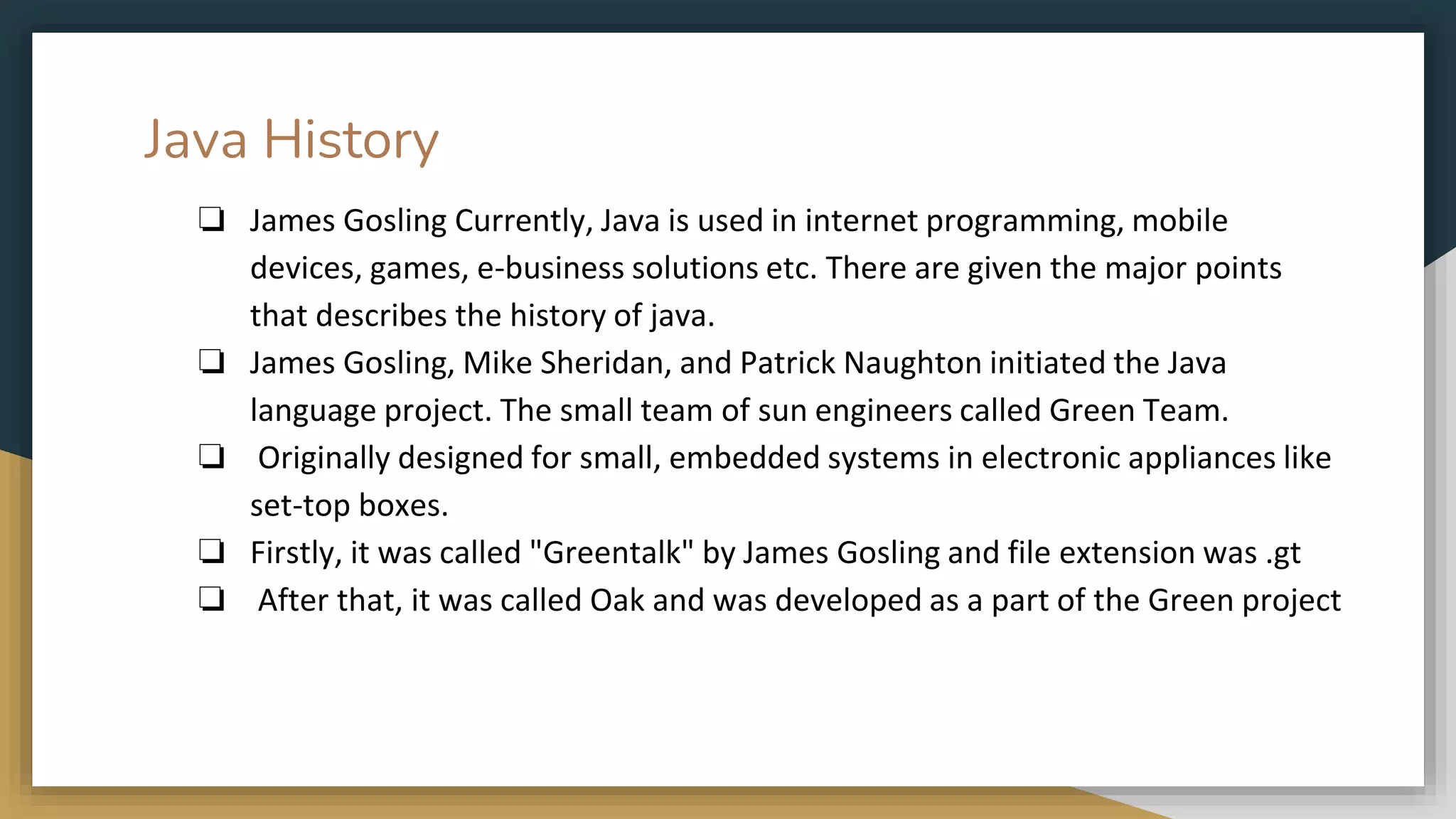
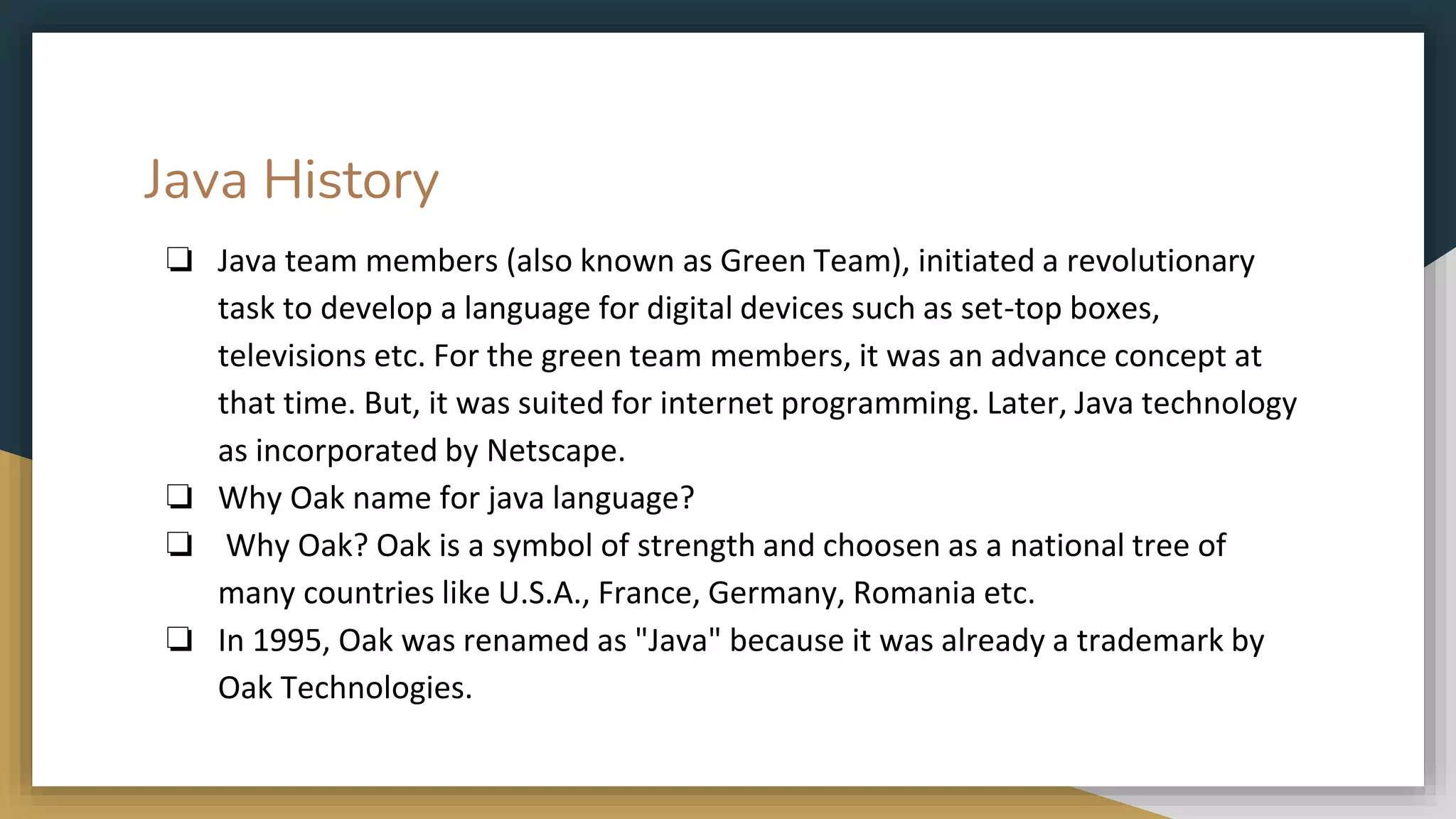
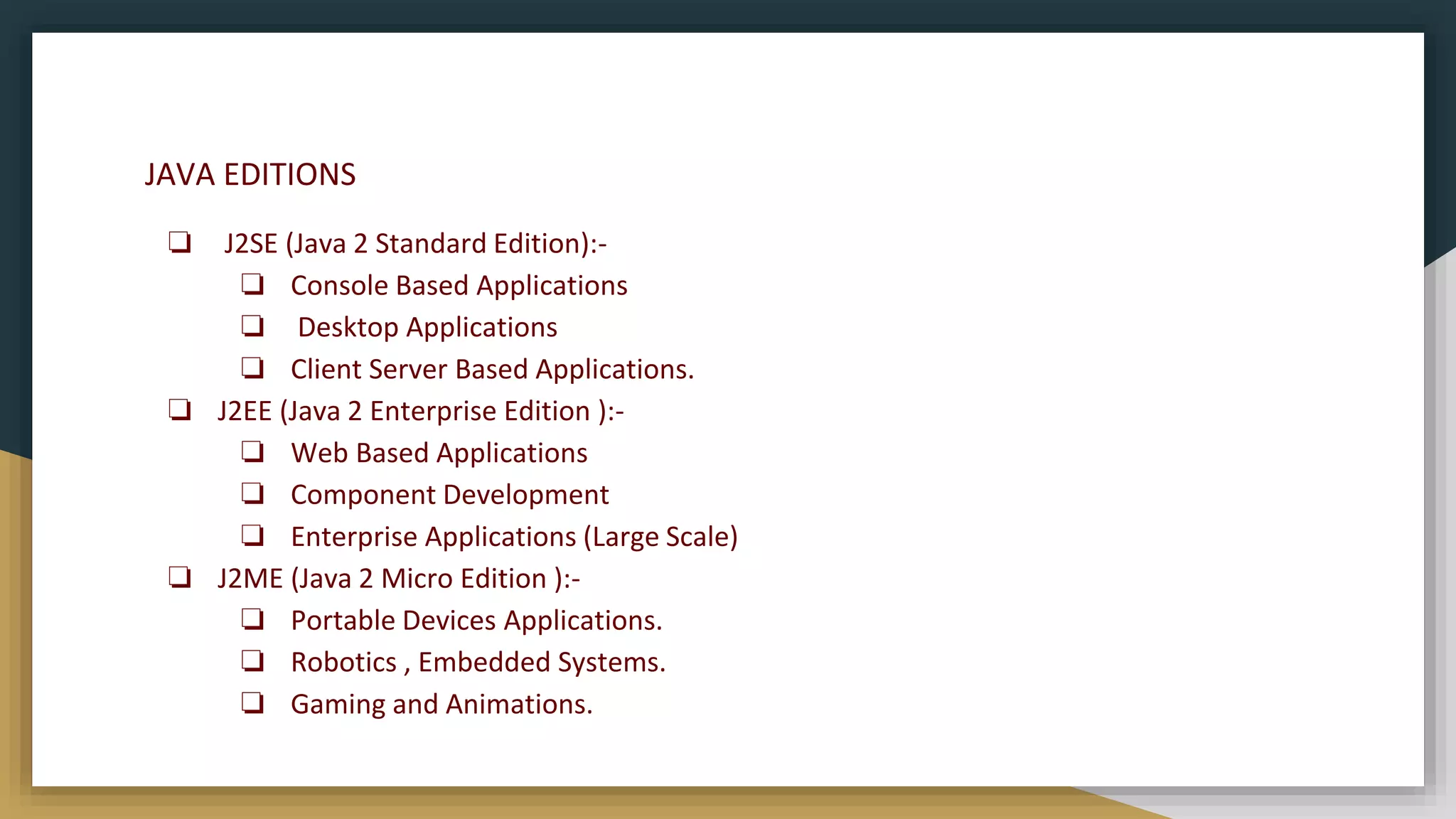
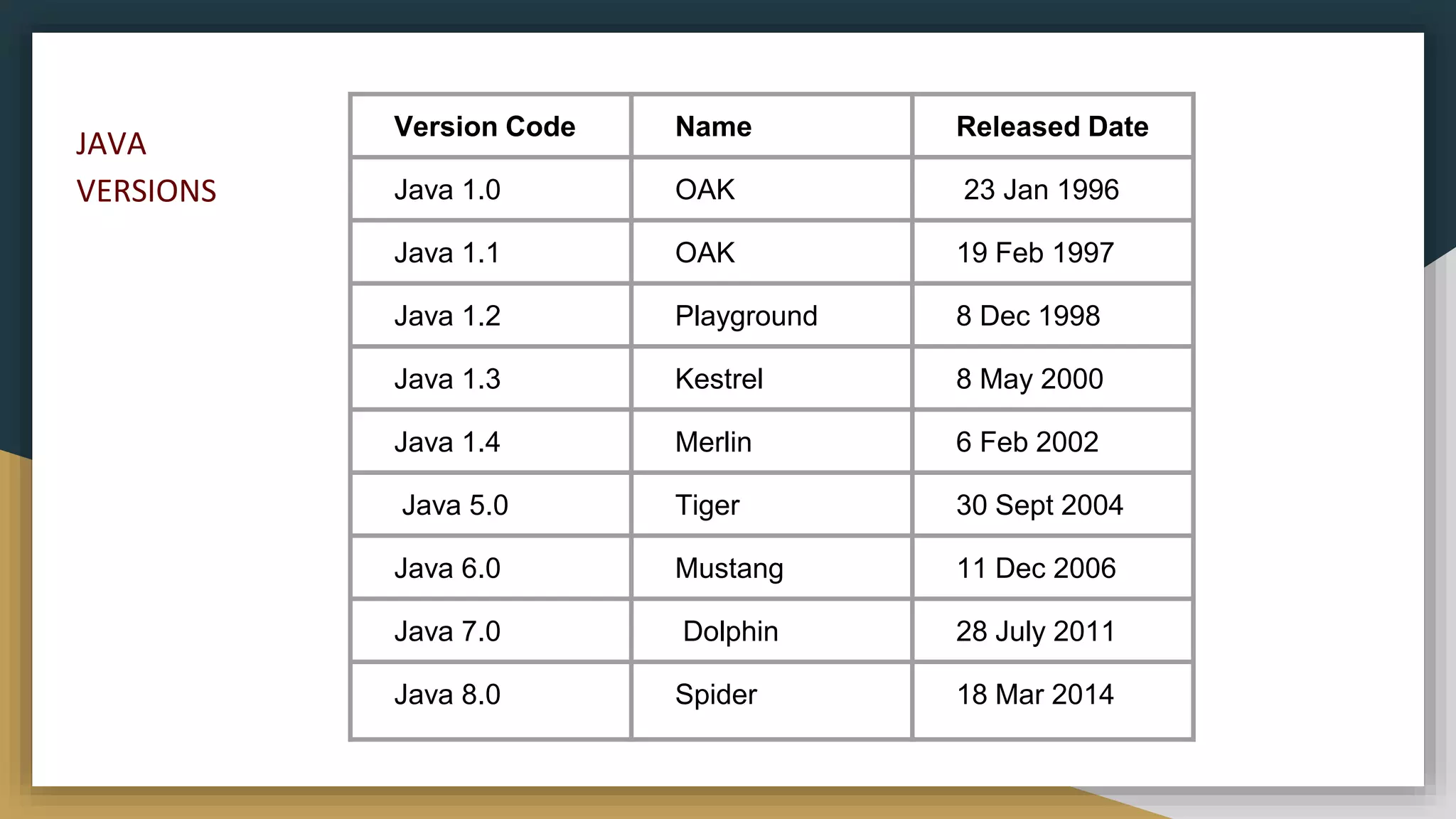
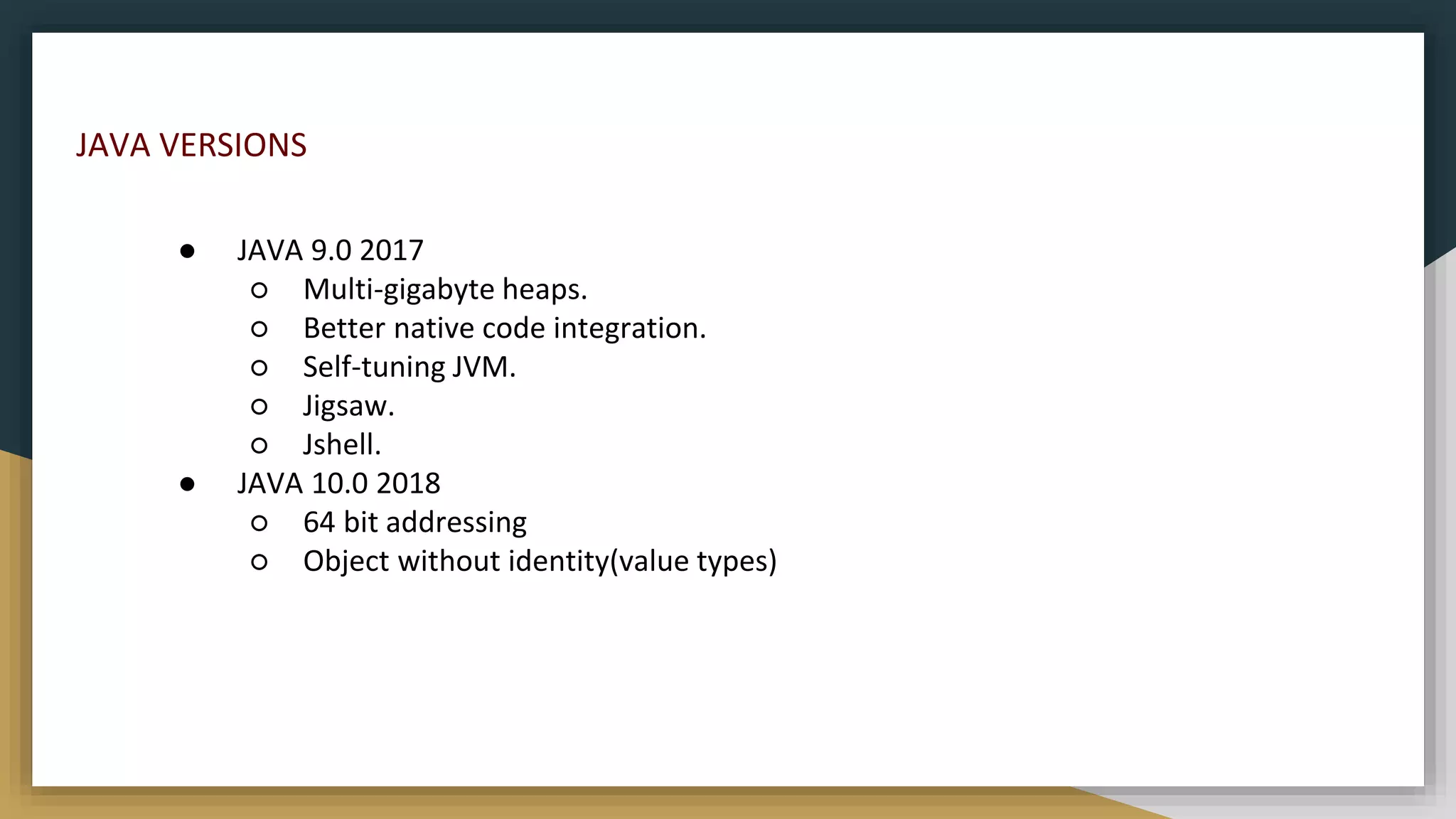
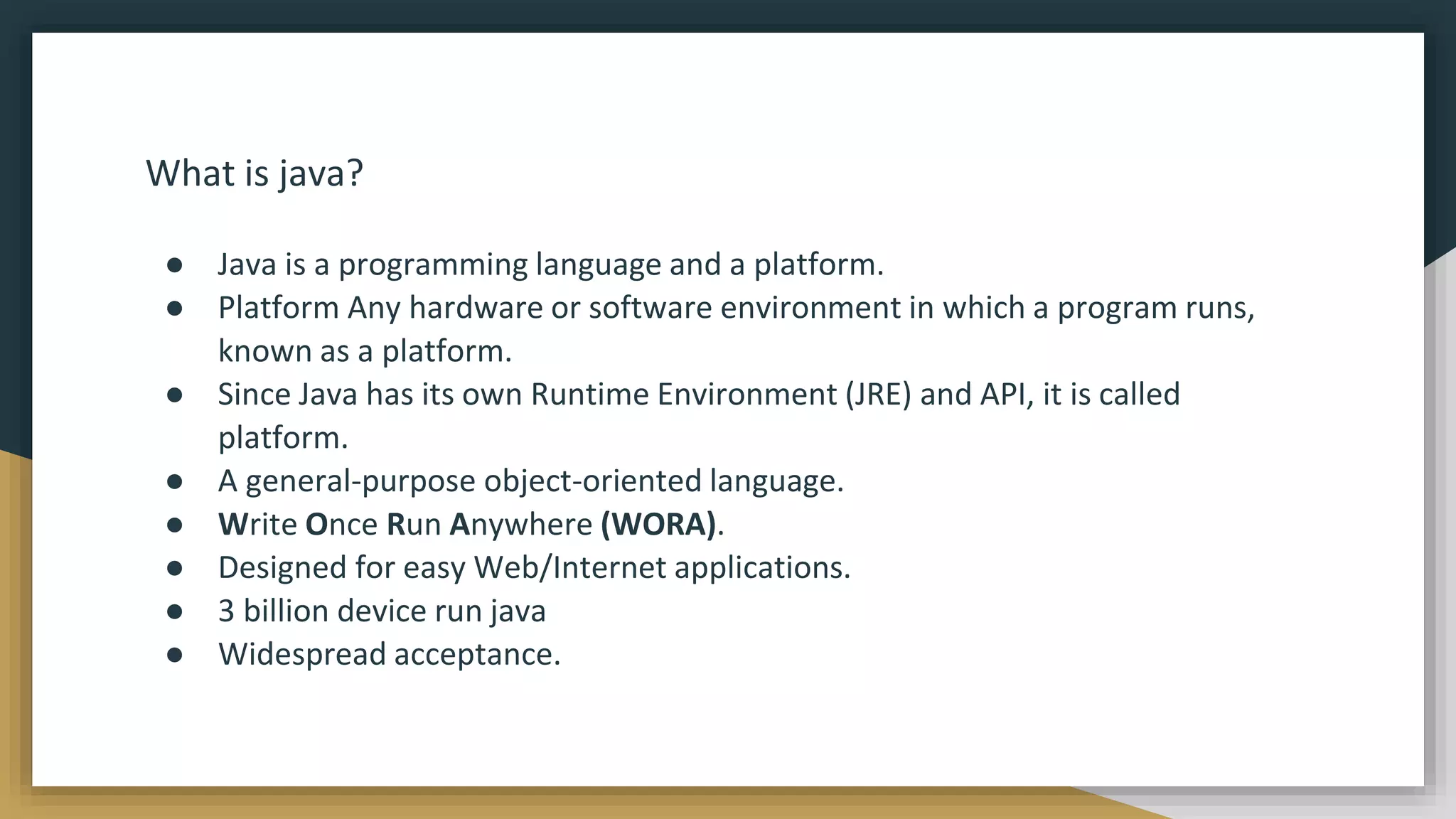
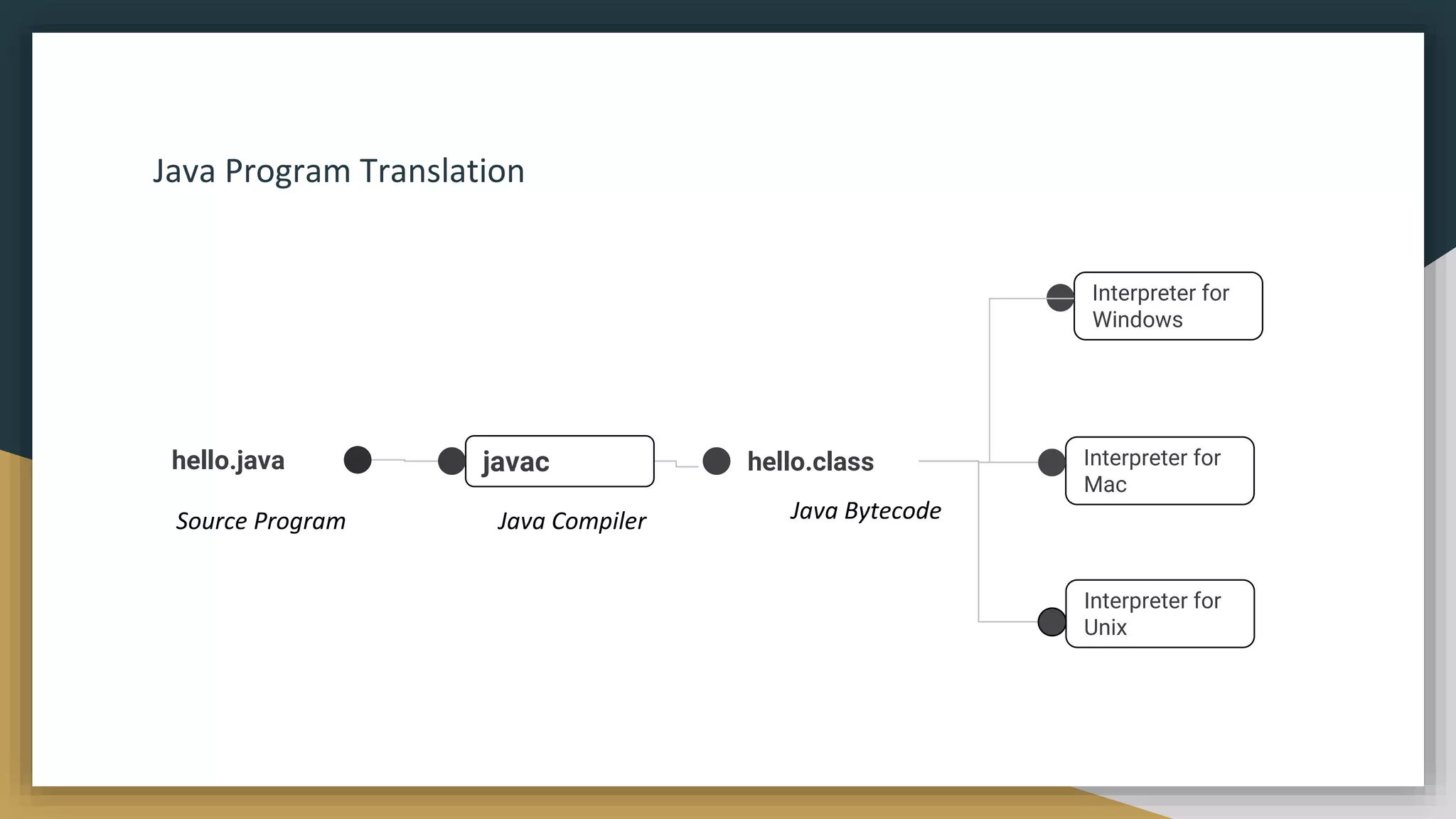
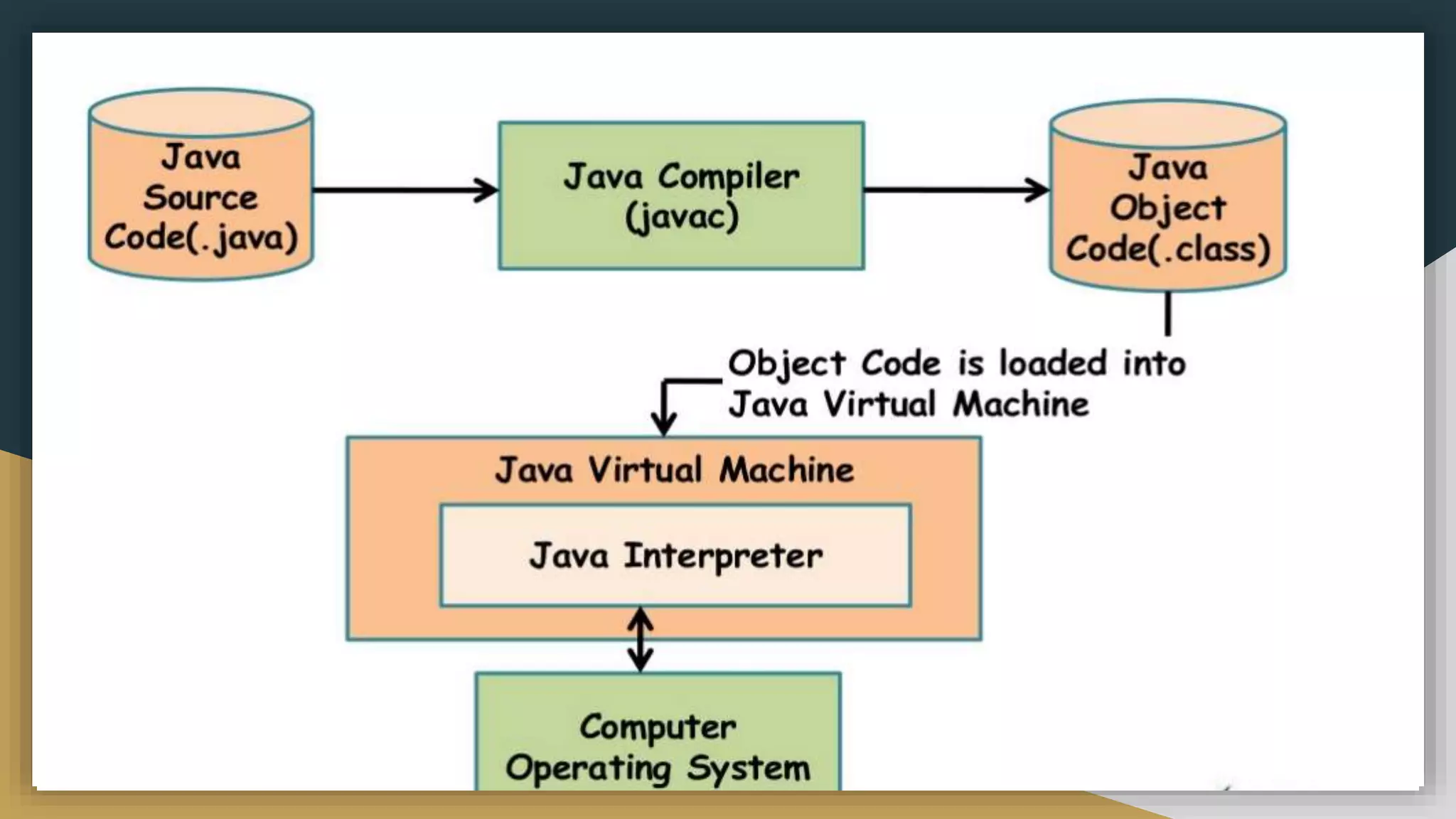
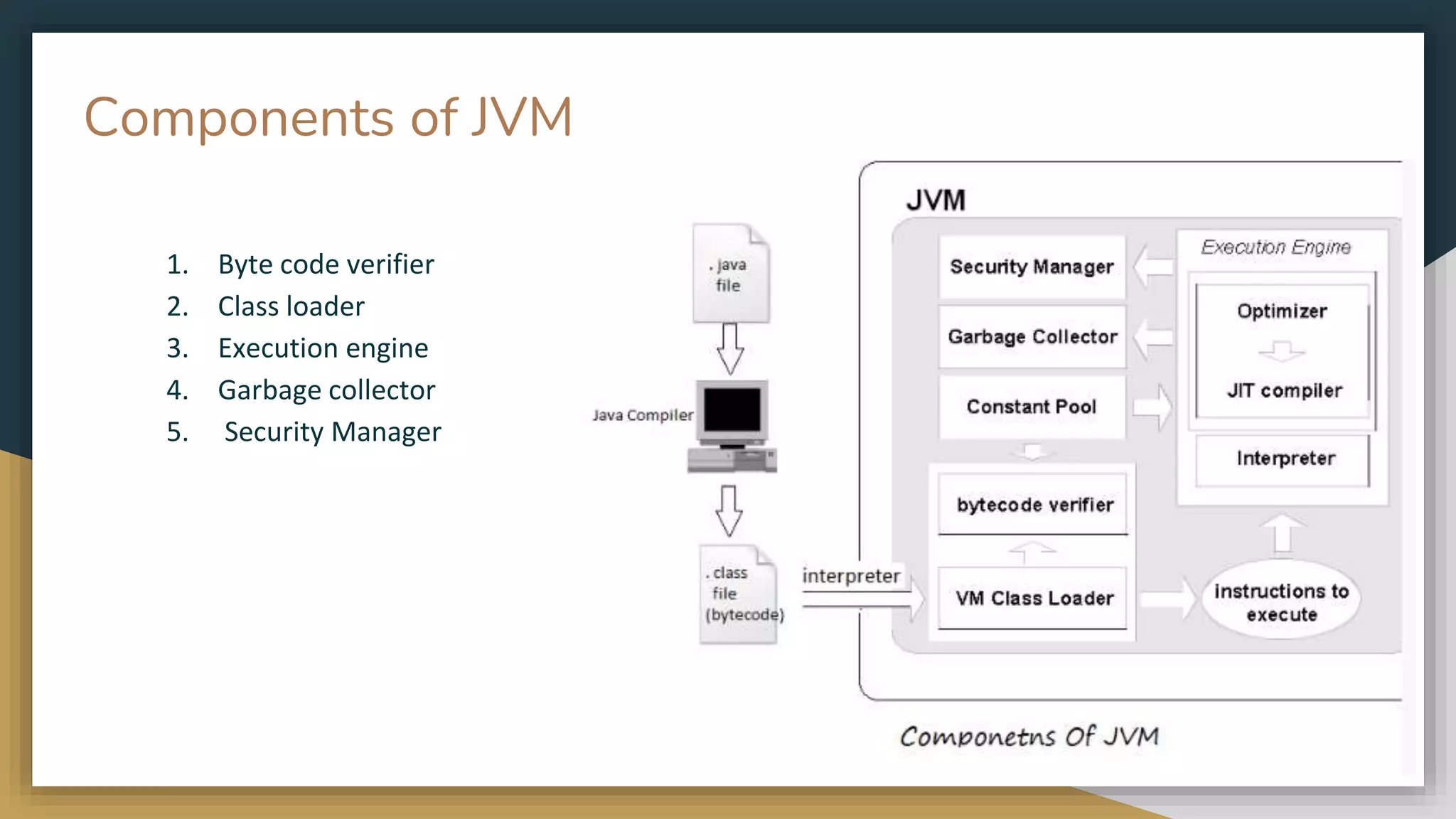
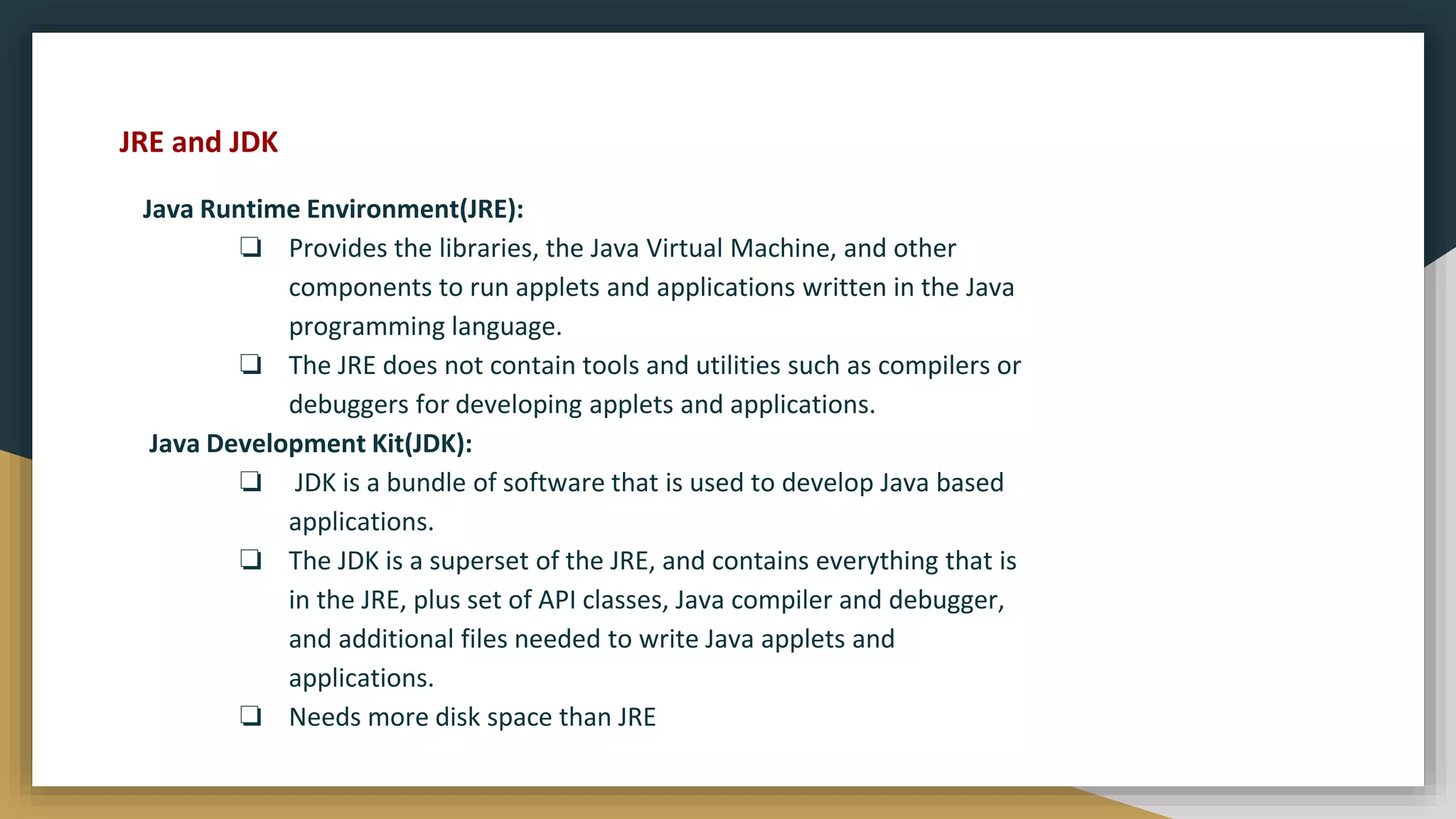
![Simple Java Program
/* This is a simple Java program.
FileName : "HelloWorld.java". */
class HelloWorld
{
// Your program begins with a call to main().
public static void main(String[] args)
{
System.out.println("Hello, World");
// Prints "Hello, World" to the terminal window.
}
}
// String[]: The main method accepts a single argument
// an array of elements of type String.](https://image.slidesharecdn.com/java2computerscience-220910084422-843c27be/75/Java-2-computer-science-pptx-26-2048.jpg)
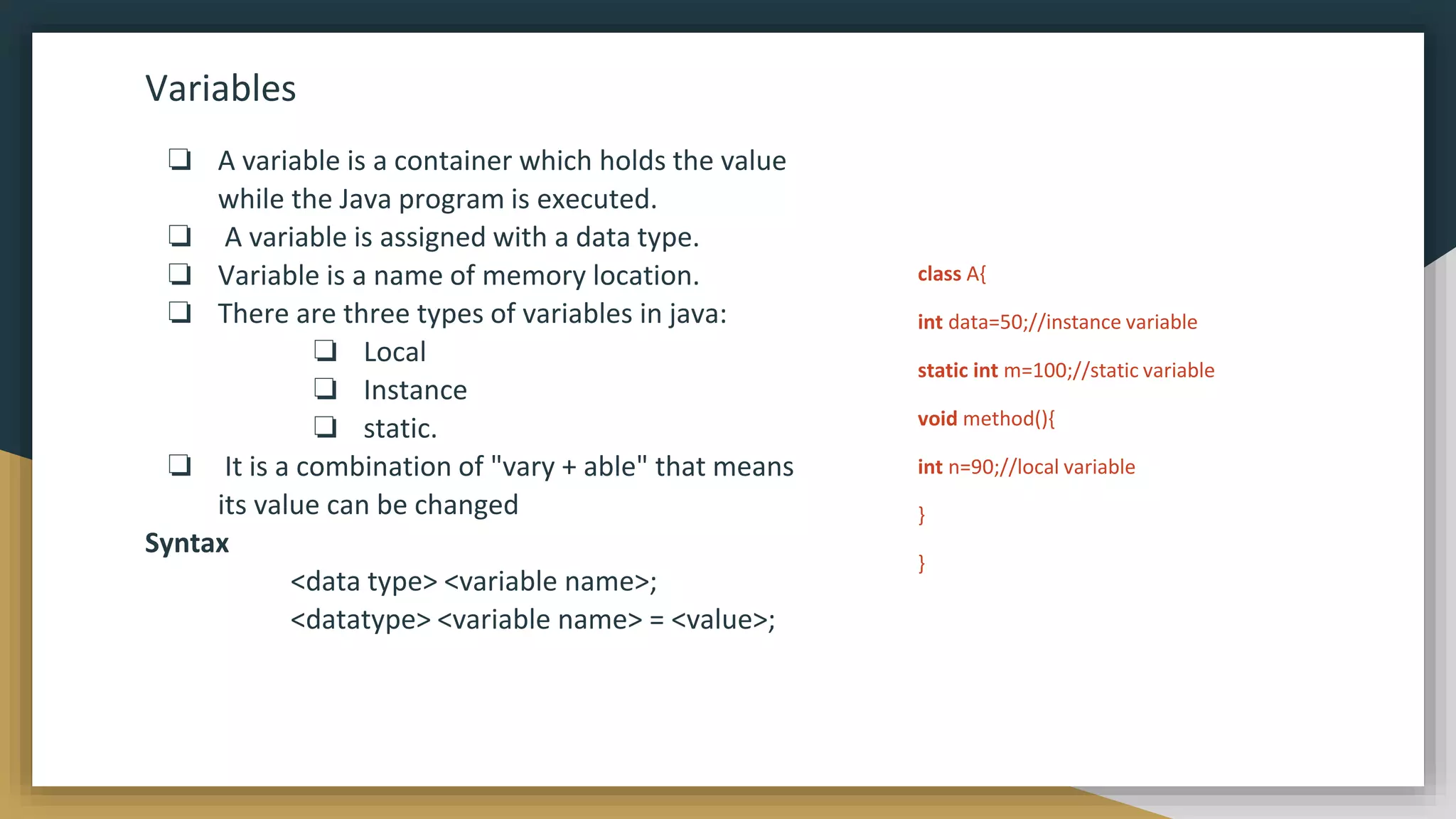
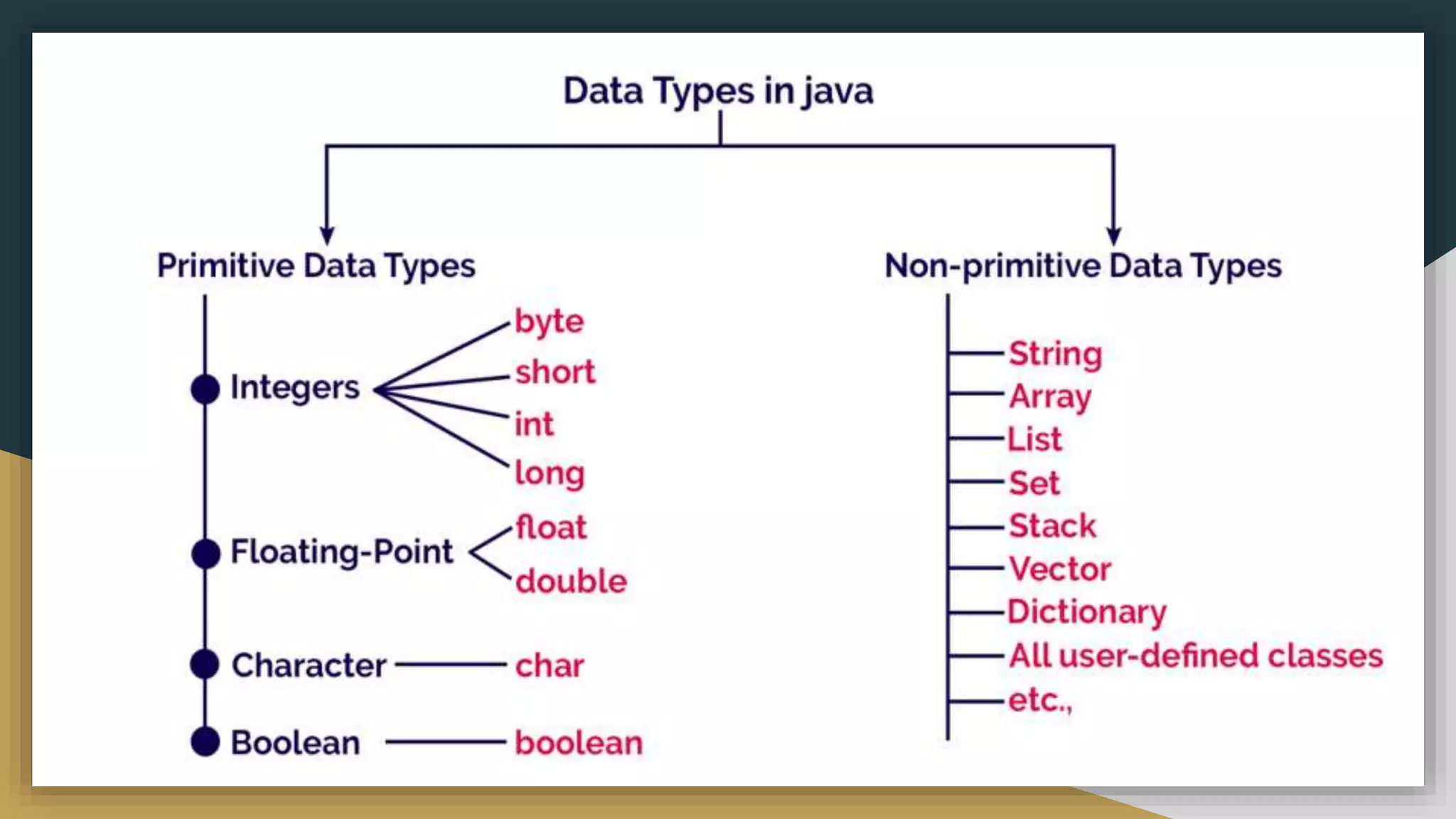
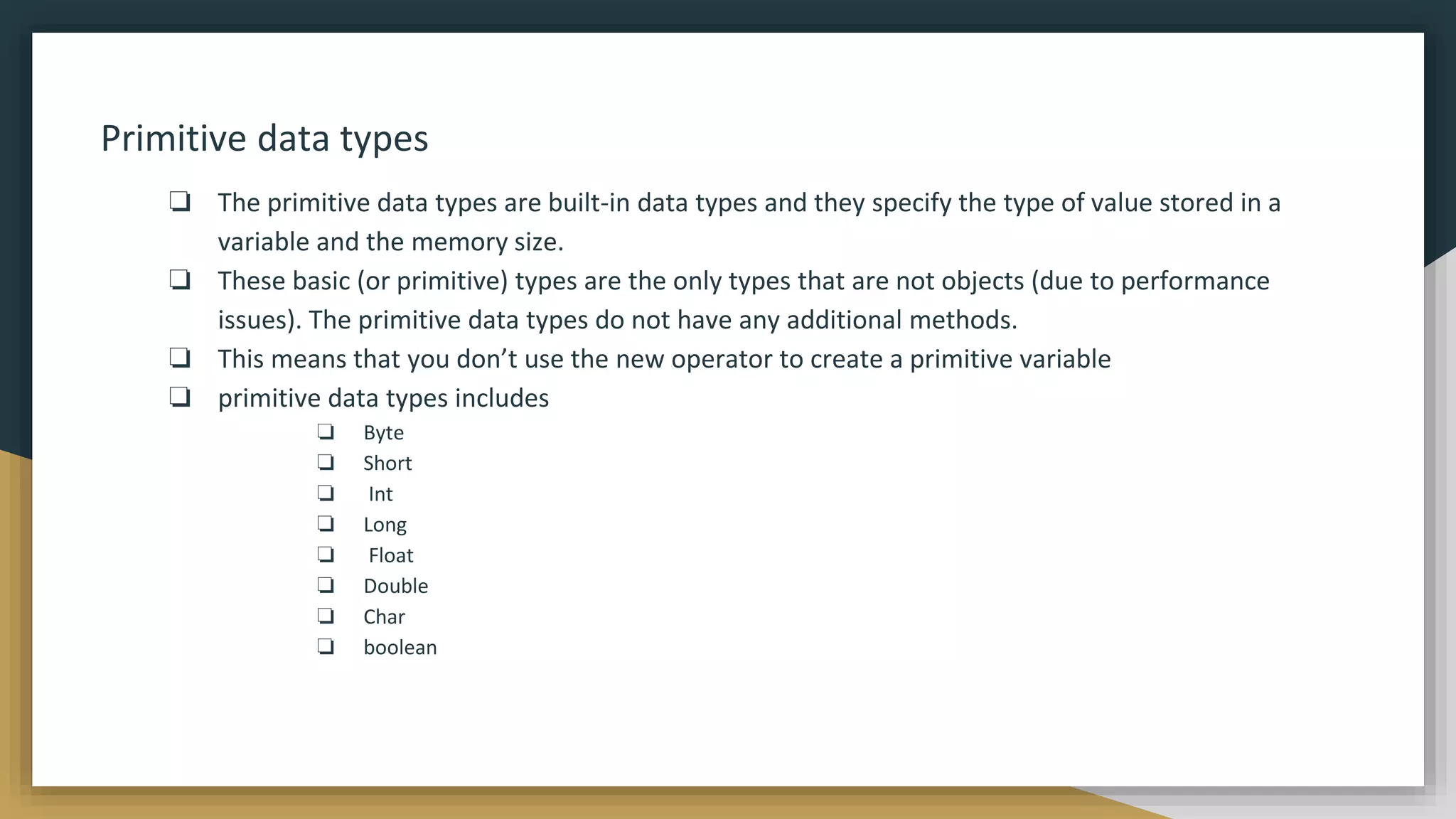
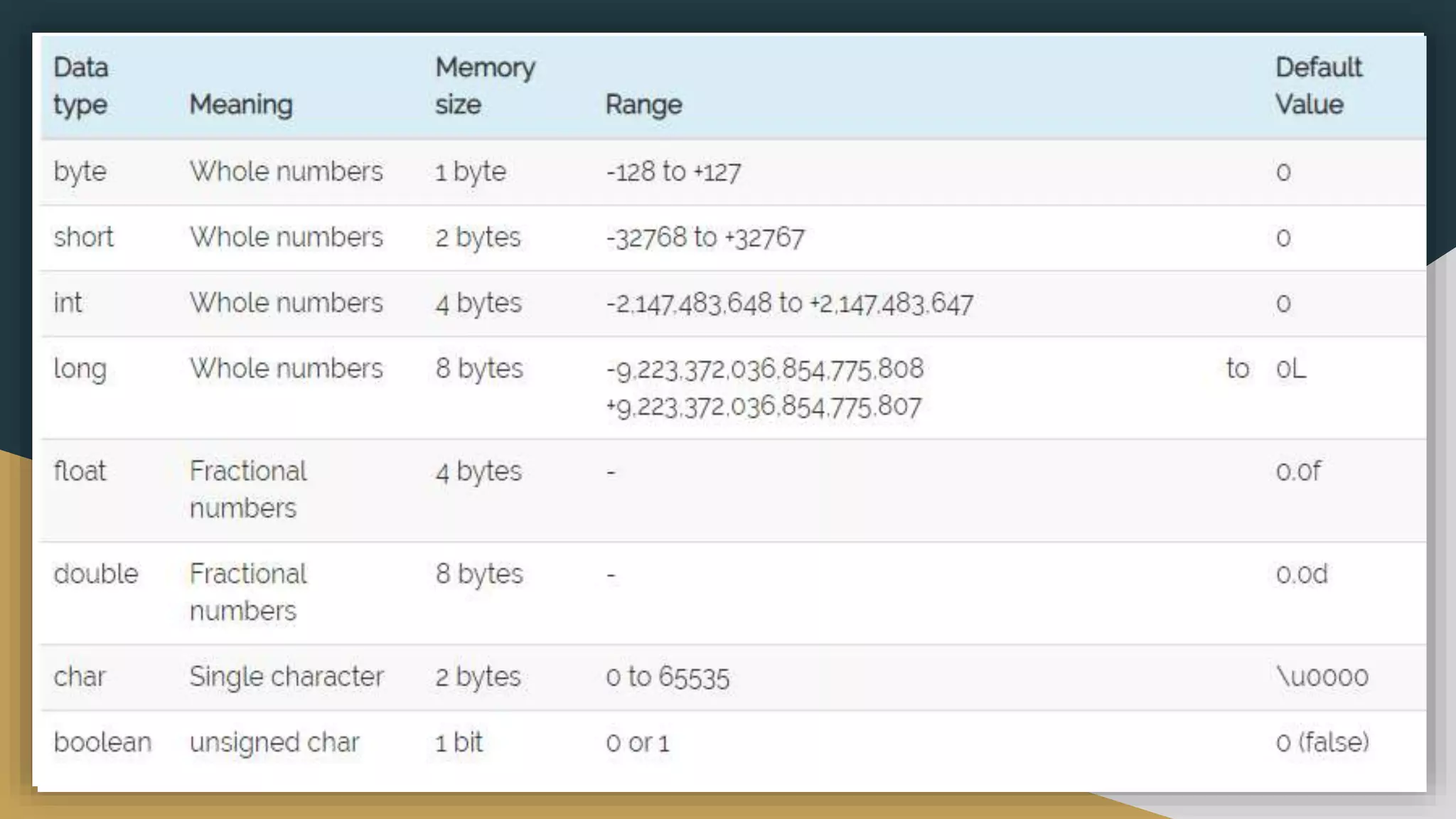
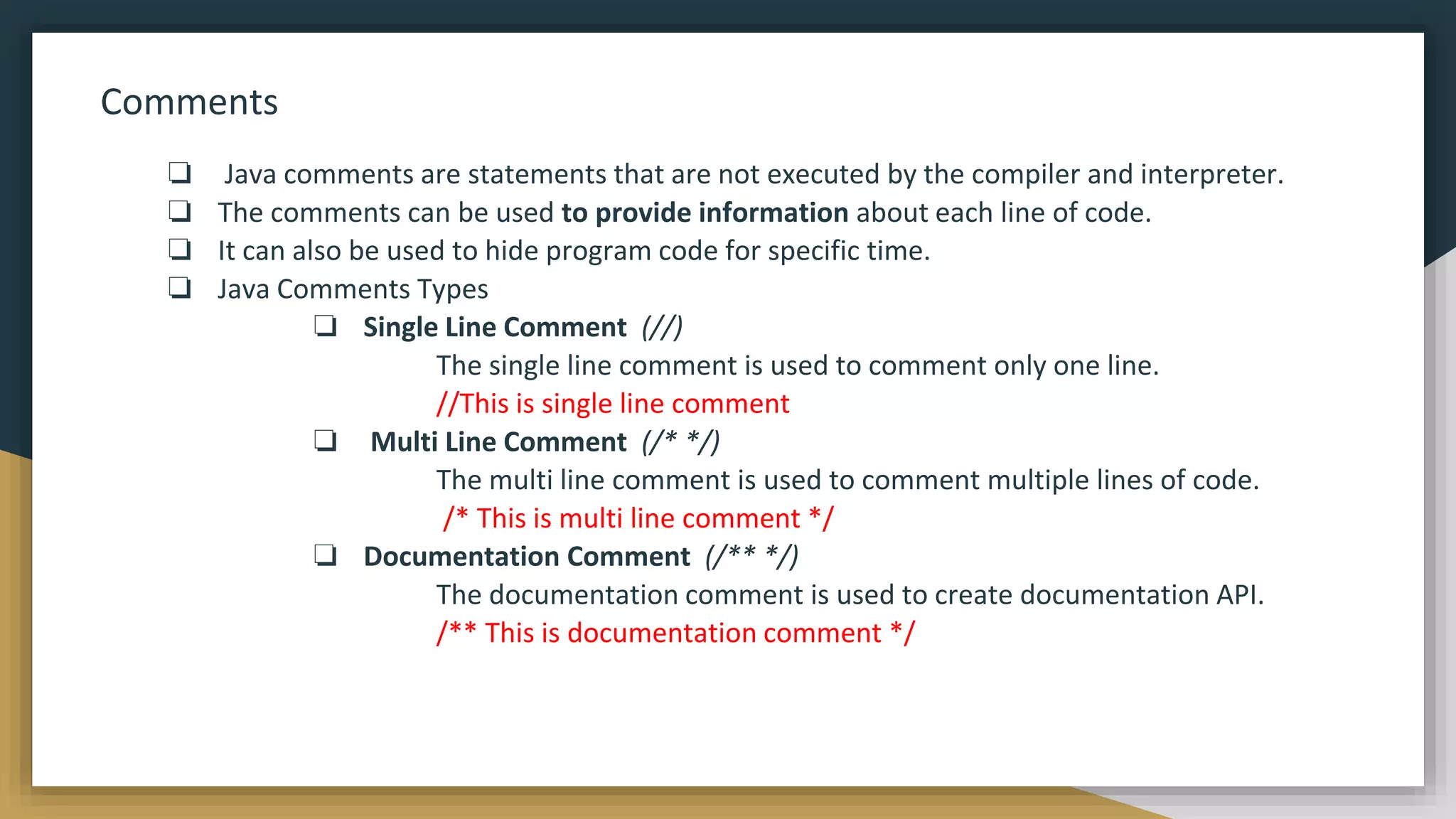
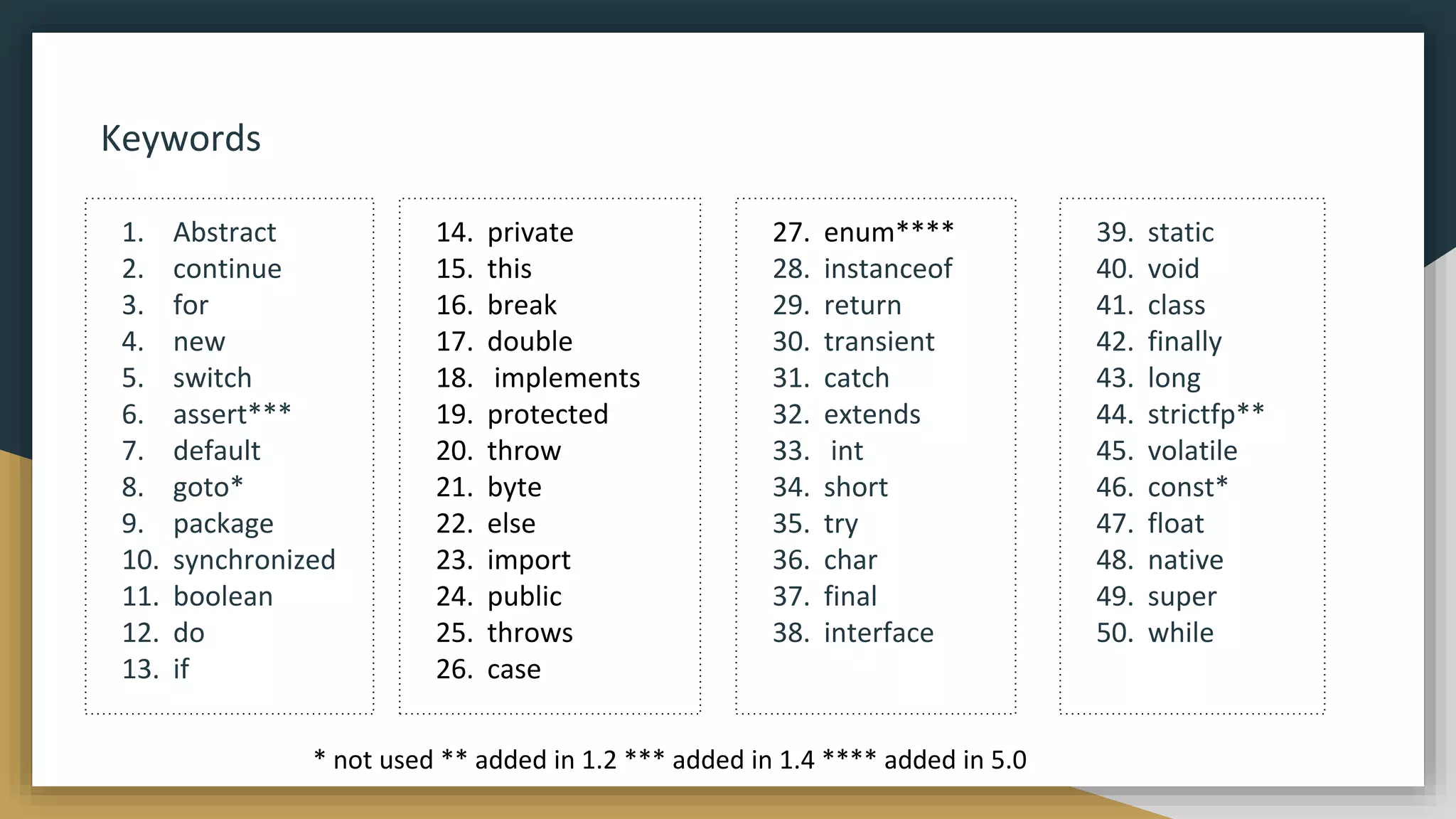
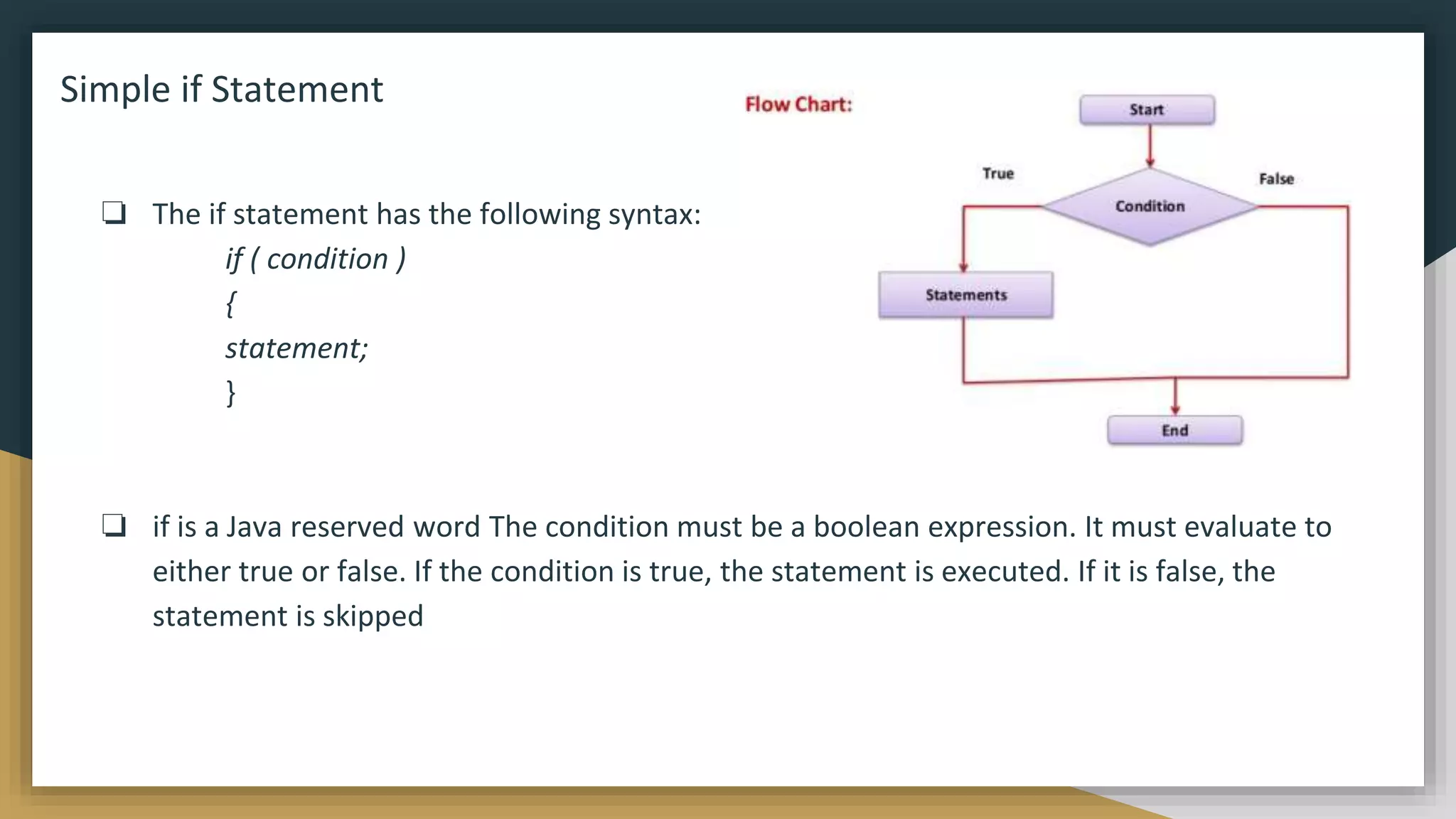
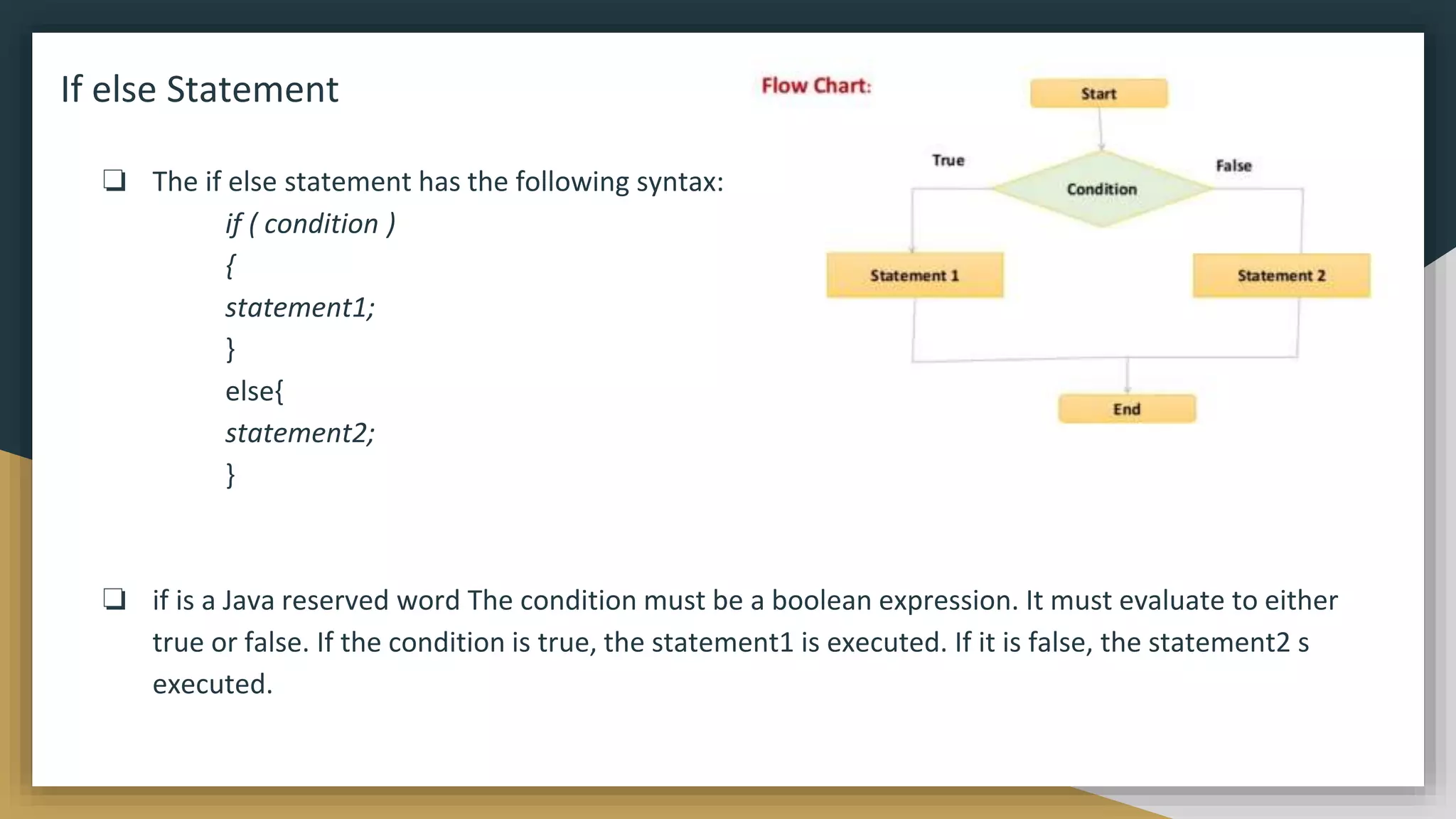
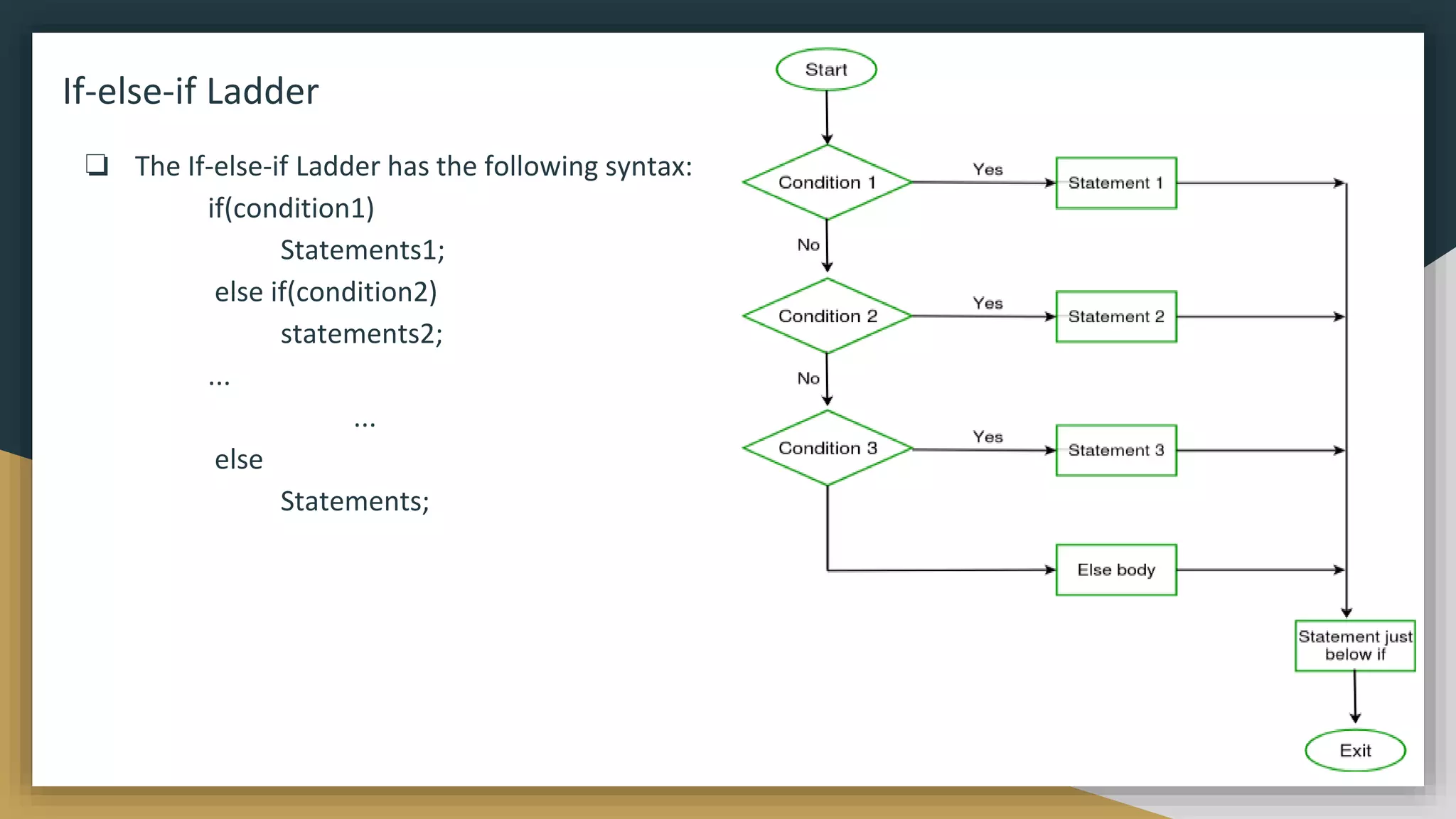
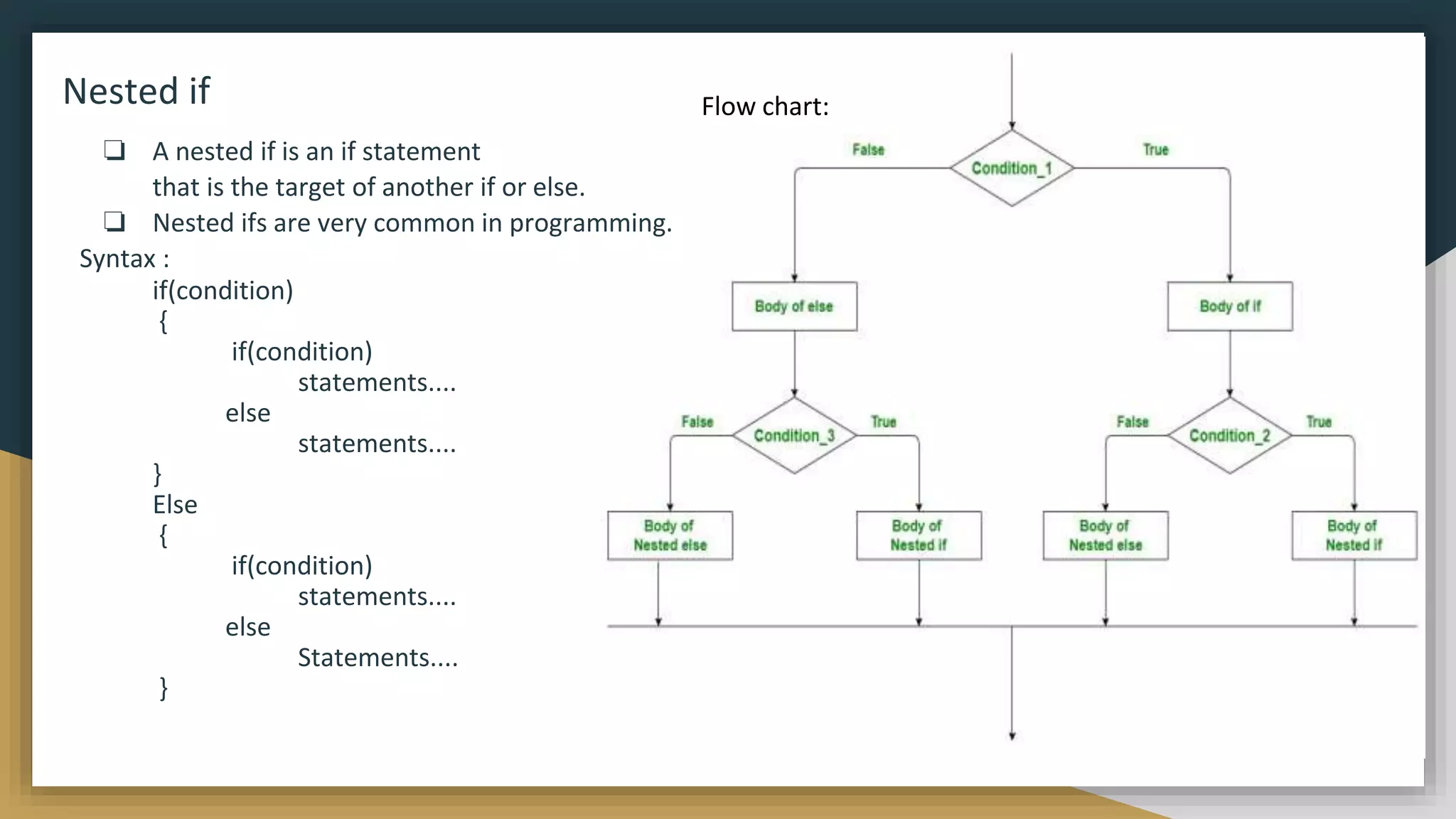
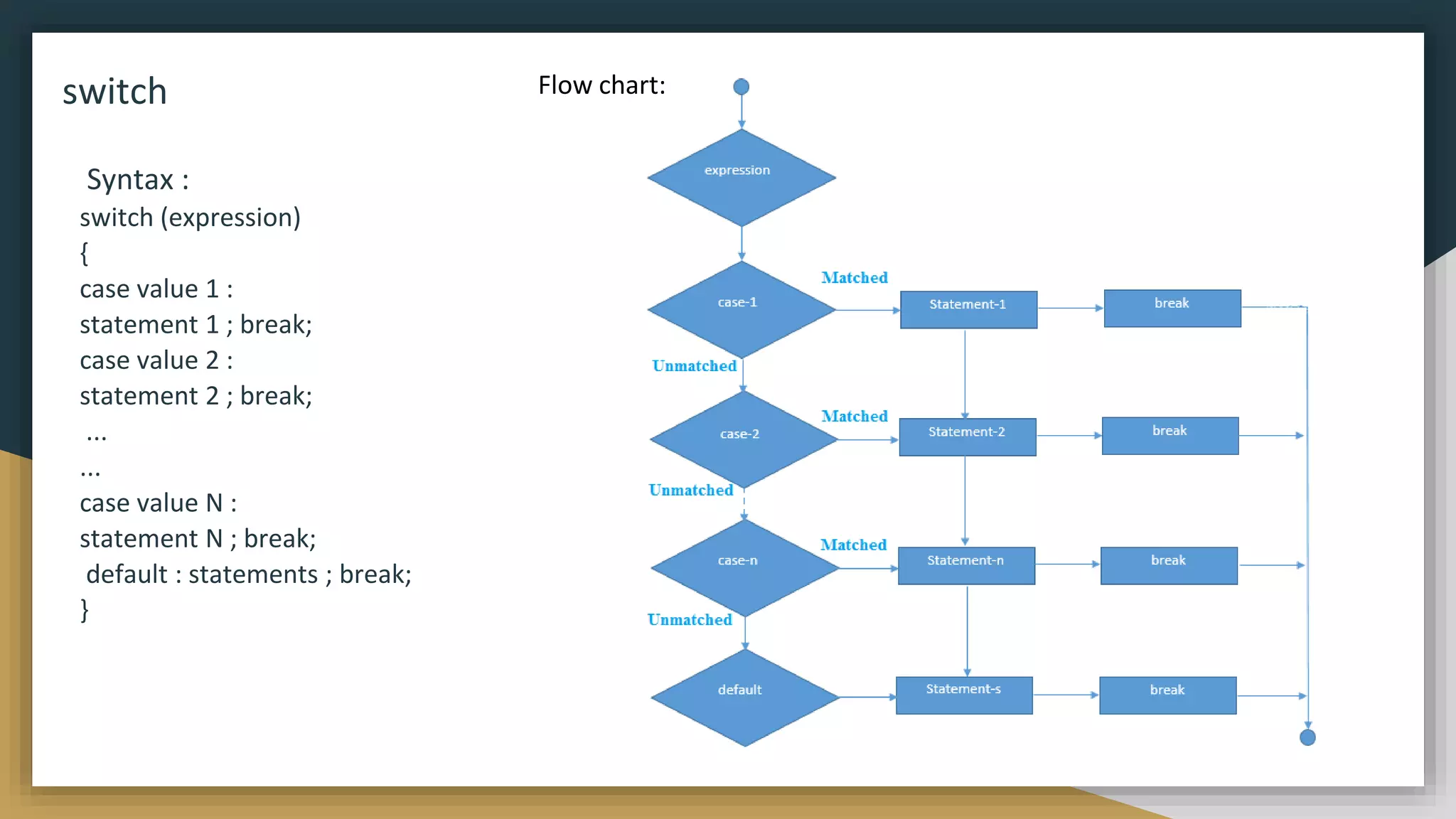
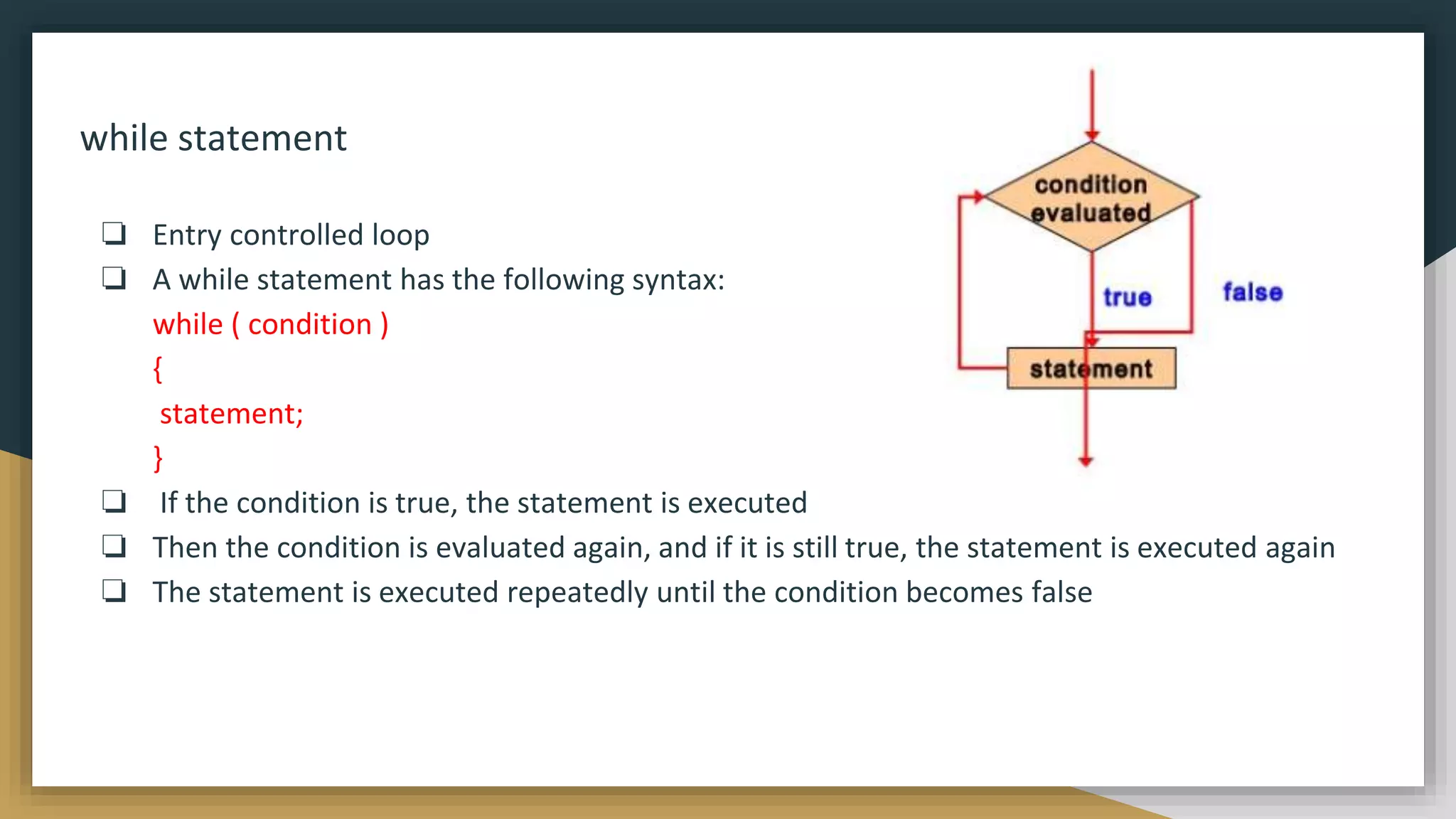
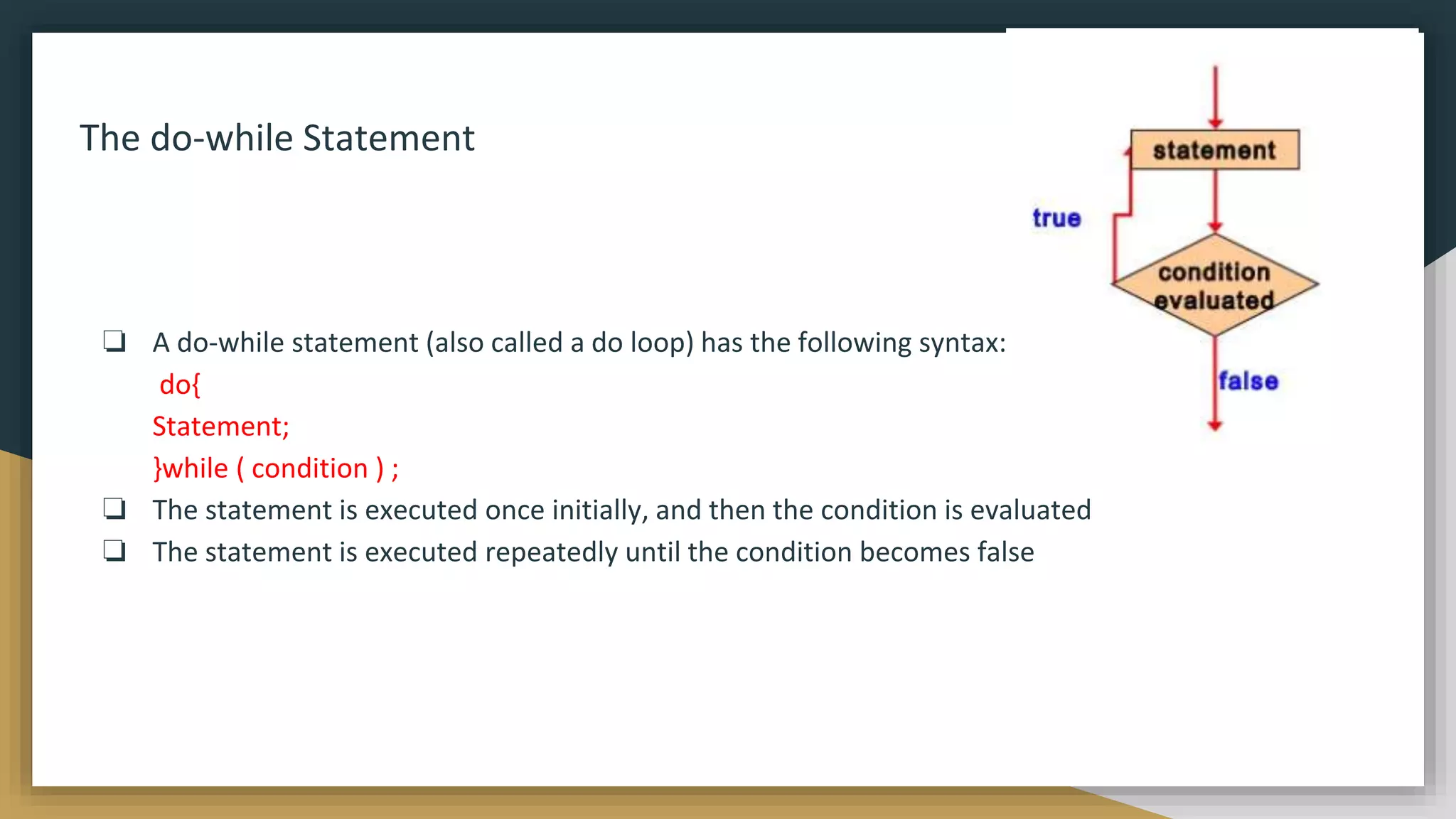
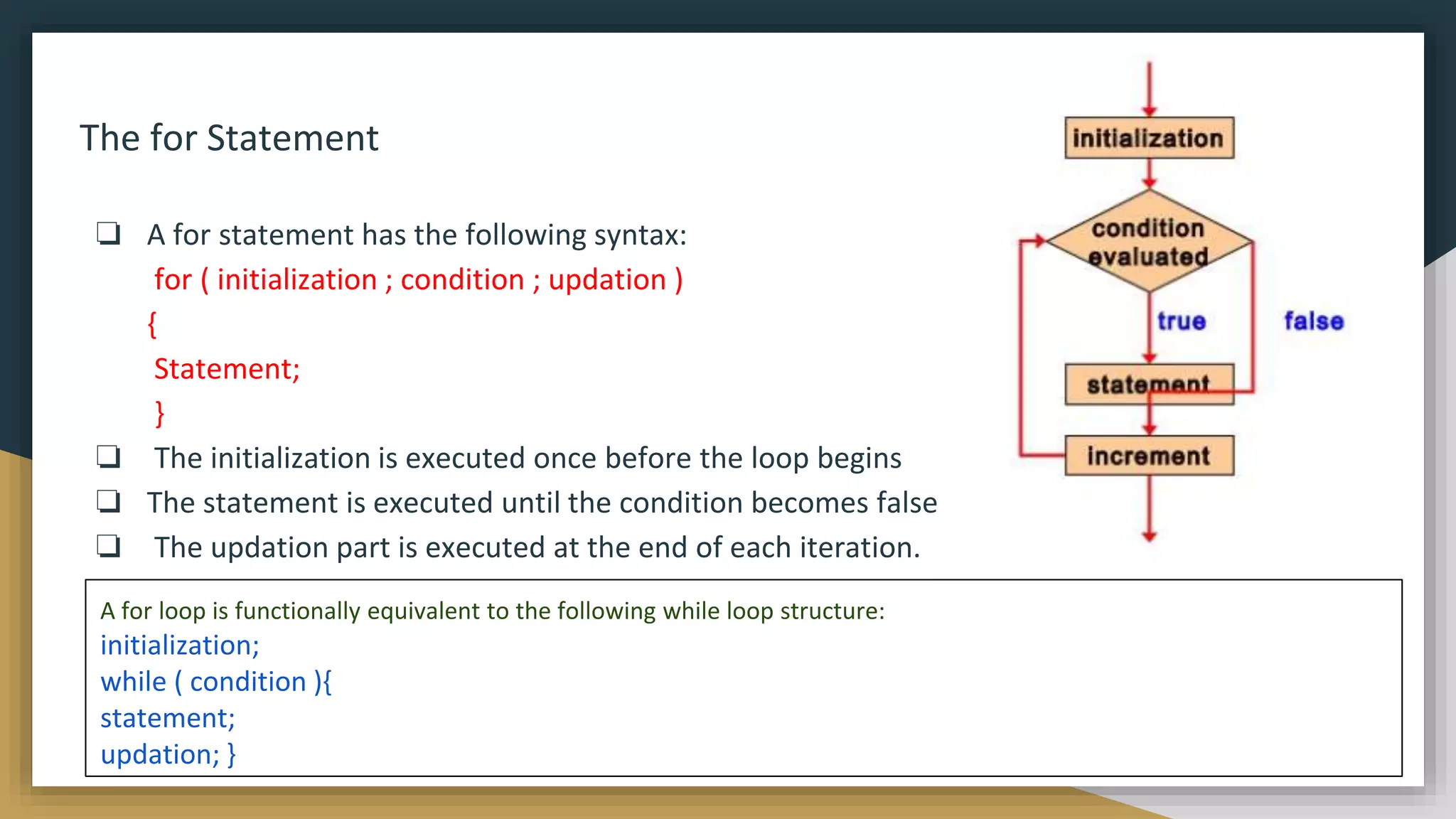
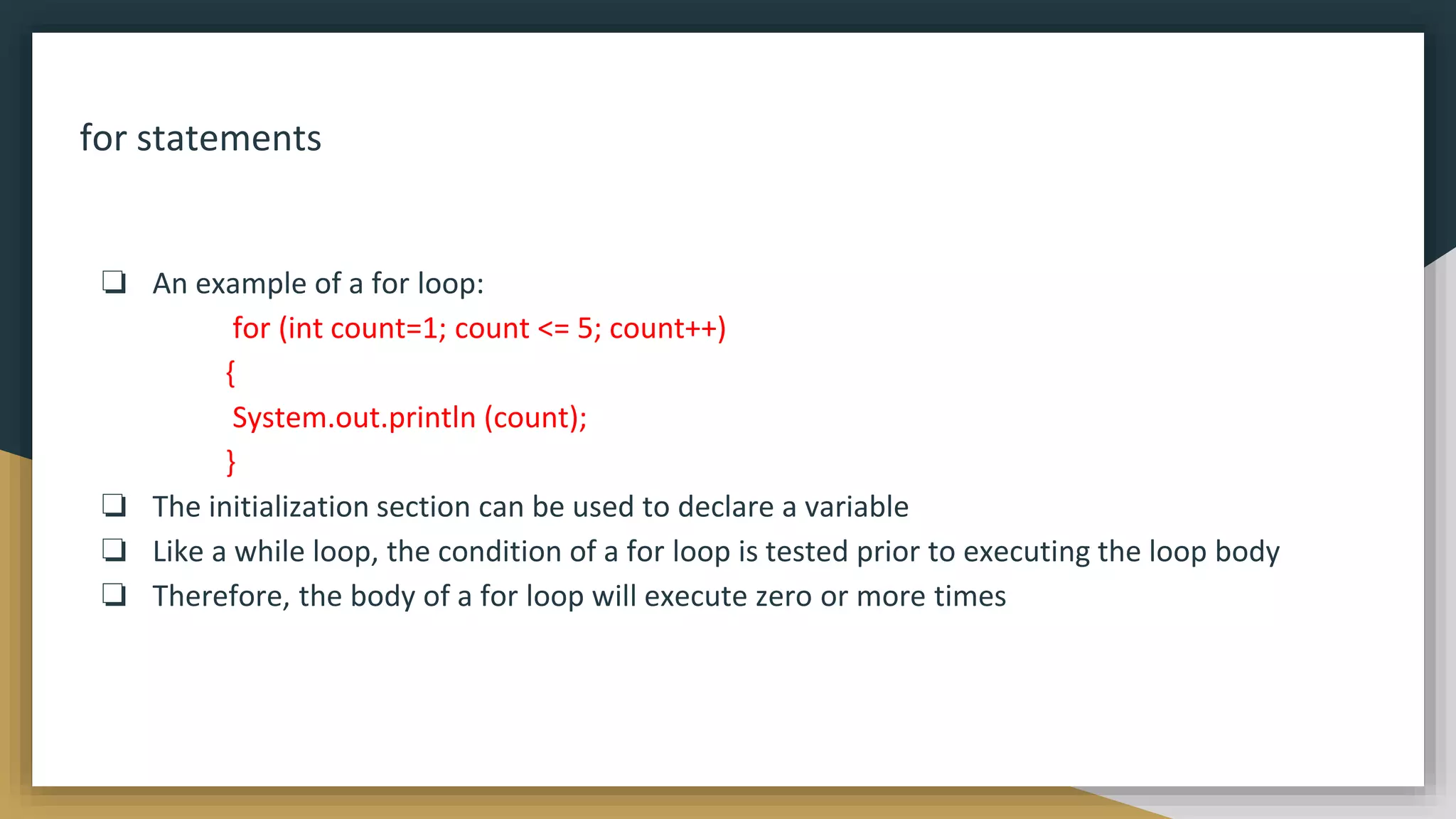
![break statements
❏ We can use break statement in the following
cases.
❏ Inside the switch case to come out of the
switch block.
❏ Within the loops to break the loop execution
based on some condition.
❏ Inside labelled blocks to break that block
execution based on some condition.
❏ The break cannot be used outside the loops
and switch statement.
class A
{
public static void main(String[] args)
{
for(int j=0; j<10; j++)
{
if(j==5)
{
break;
}
System.out.println(j);
}
System.out.println("outside of for loop");
}
}
JUMPS in LOOP](https://image.slidesharecdn.com/java2computerscience-220910084422-843c27be/75/Java-2-computer-science-pptx-56-2048.jpg)
![Continue Jumping Statement
❏ This statement is used only within looping
statements.
❏ When the continue statement is encountered,
then it skip the current iteration and the next
iteration starts.
❏ The remaining statements in the loop are
skipped. The execution starts from the top of
loop again.
❏ We can use continue statement to skip current
iteration and continue the next iteration inside
loops.
class A
{
public static void main(String[] args)
{
for(int j=1; j<=100; j++)
{
if(j%2==0)
{
continue;
}
System.out.println(j);
}
}
}](https://image.slidesharecdn.com/java2computerscience-220910084422-843c27be/75/Java-2-computer-science-pptx-57-2048.jpg)
![Labelled continue and break
❏ In the case of nested loops to break and continue a particular loop we should go for labelled break and continue statements. The Java labelled loops allows
transferring to a particular line or statement.
class A
{
public static void main(String[] args)
{
out:
for(int i=1; i<=100; i++)
{
System.out.println("outer");
for(int j=1; j<=100; j++)
{
System.out.println("nested");
if(j==2)
{
// continue; this will skip second(j==2) iteration of inner for
loop only
continue out; // this will skip current iteration of both for
loops
} } } }
class A
{
public static void main(String[] args)
{
out:
for(int i=1; i<=100; i++)
{
System.out.println("outer");
for(int j=1; j<=100; j++)
{
System.out.println("nested");
if(j==2)
{
// break; this will exit from inner for loop only
break out; // this will exit from both for loops
}
} } }
}](https://image.slidesharecdn.com/java2computerscience-220910084422-843c27be/75/Java-2-computer-science-pptx-58-2048.jpg)
![Return Jumping Statement
❏ The return statement is mainly used in
methods in order to terminate a method
in between and return back to the caller
method.
❏ It is an optional statement. That is, even
if a method doesn't include a return
statement, control returns back to the
caller method after execution of the
method.
❏ Return statement may or may not
return parameters to the caller method.
class A
{
public static void main(String[] args)
{
Test t = new Test();
int sum = t.addition(10,20); //addition() method return
integer value
System.out.println("Sum = "+sum);
t.show("Devavrat"); //show() method does not return
any value
}
int addition(int a,int b)
{
return a+b;
}
void show(String name)
{
System.out.println("Welcome "+name);
return; // not returning anything, it is optional
}
}](https://image.slidesharecdn.com/java2computerscience-220910084422-843c27be/75/Java-2-computer-science-pptx-59-2048.jpg)
![Operators
● An operator is a symbol that operates on one or more arguments to produce a
result.
● Java provides a rich set of operators to manipulate variables
Operands
-An operands are the values on which the operators act upon
-An operand can be:
A numeric variable - integer, floating point or character
Any primitive type variable - numeric and boolean
Reference variable to an object
A literal - numeric value, boolean value, or string.
An array element, "a[2]“
char primitive, which in numeric operations is treated as an unsigned two byte
integer](https://image.slidesharecdn.com/java2computerscience-220910084422-843c27be/75/Java-2-computer-science-pptx-60-2048.jpg)
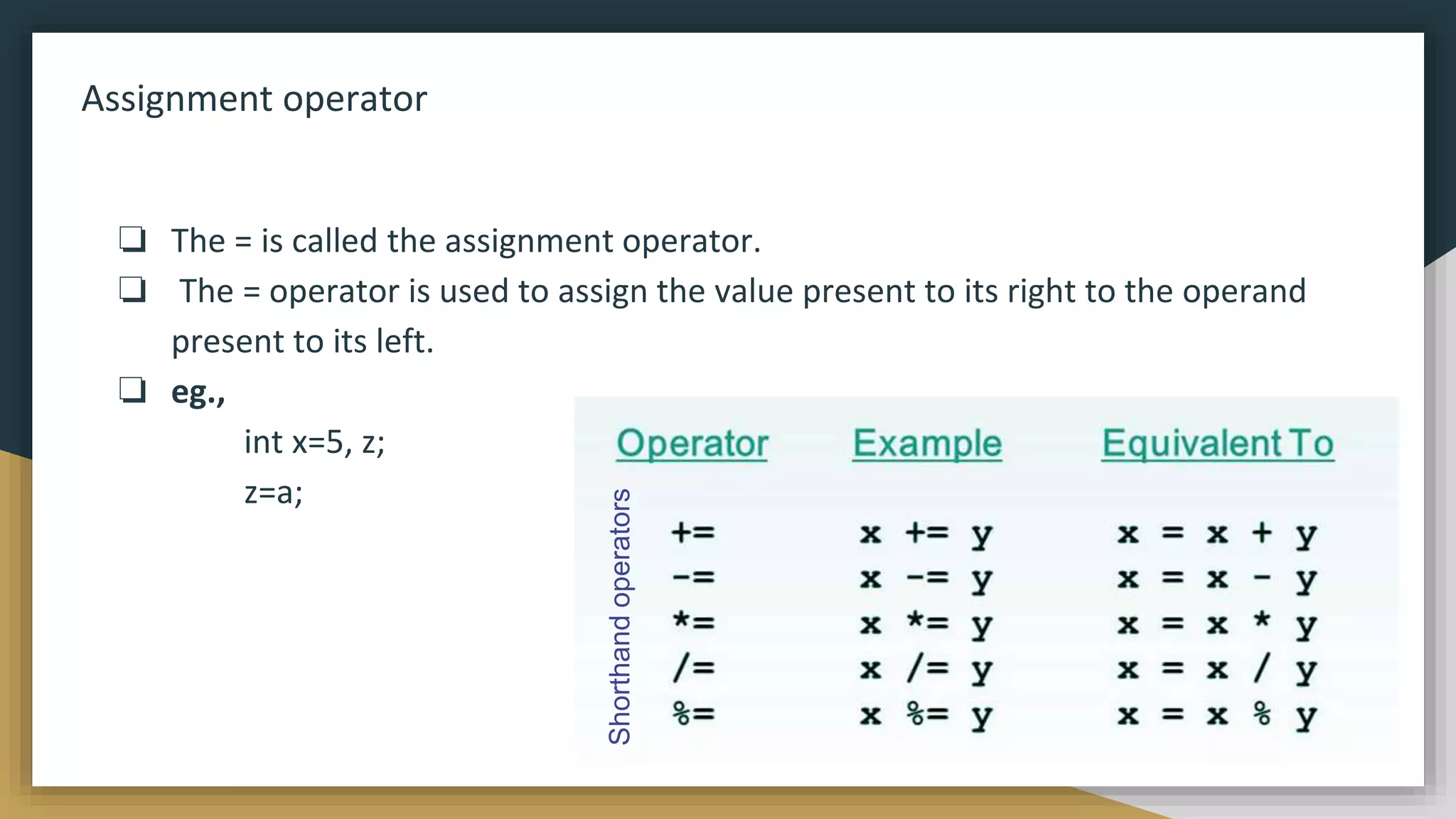
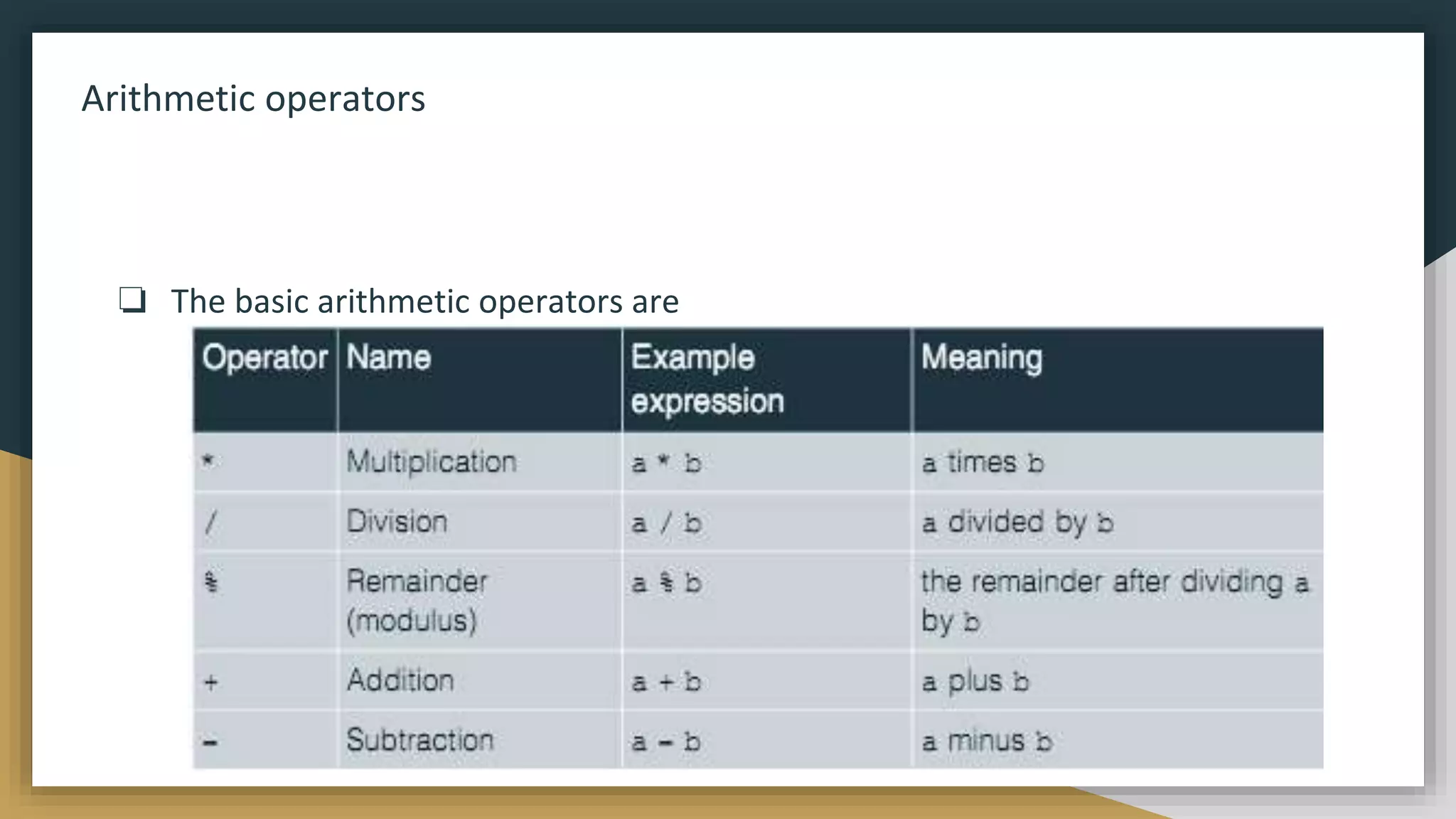
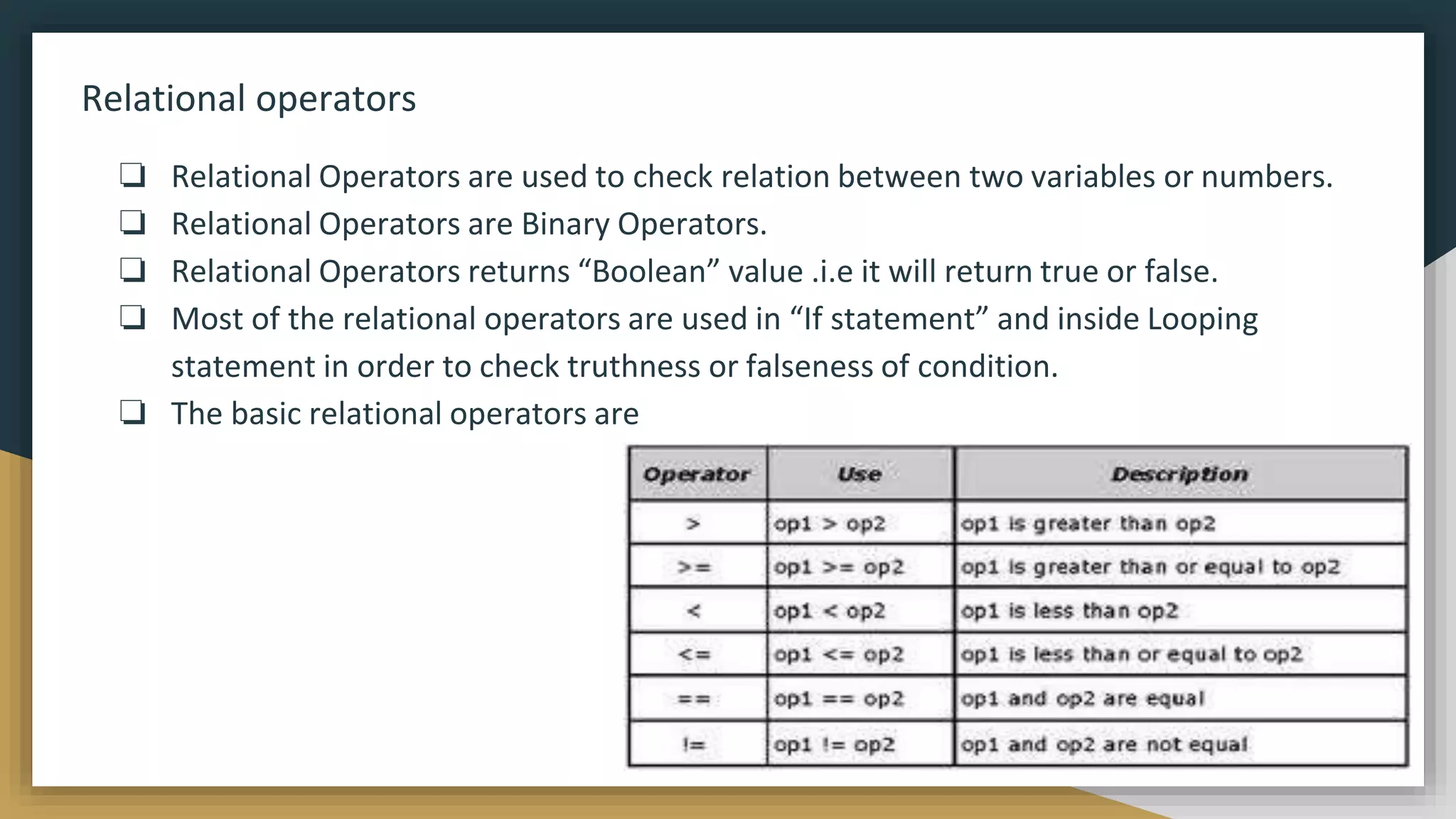
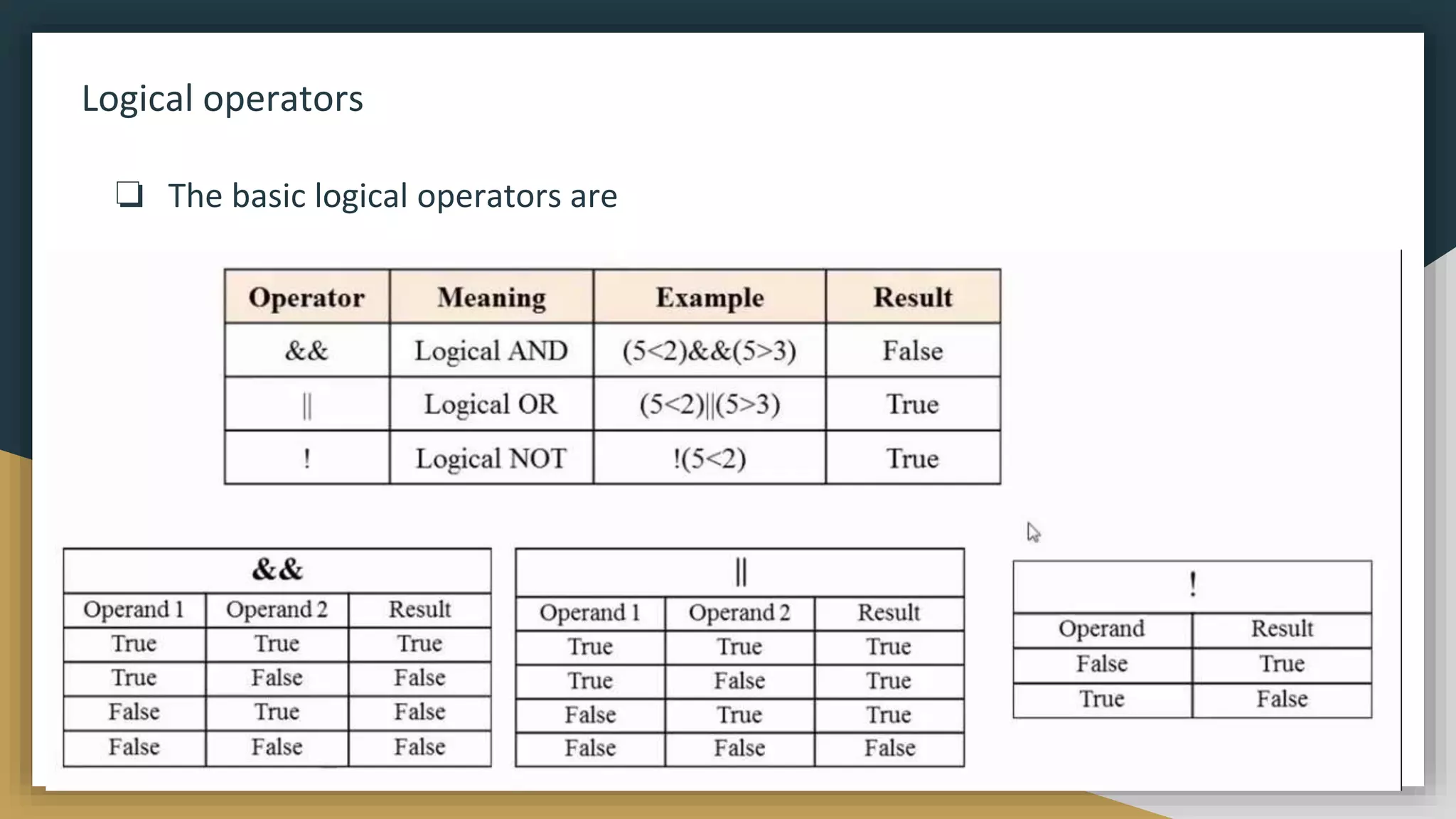
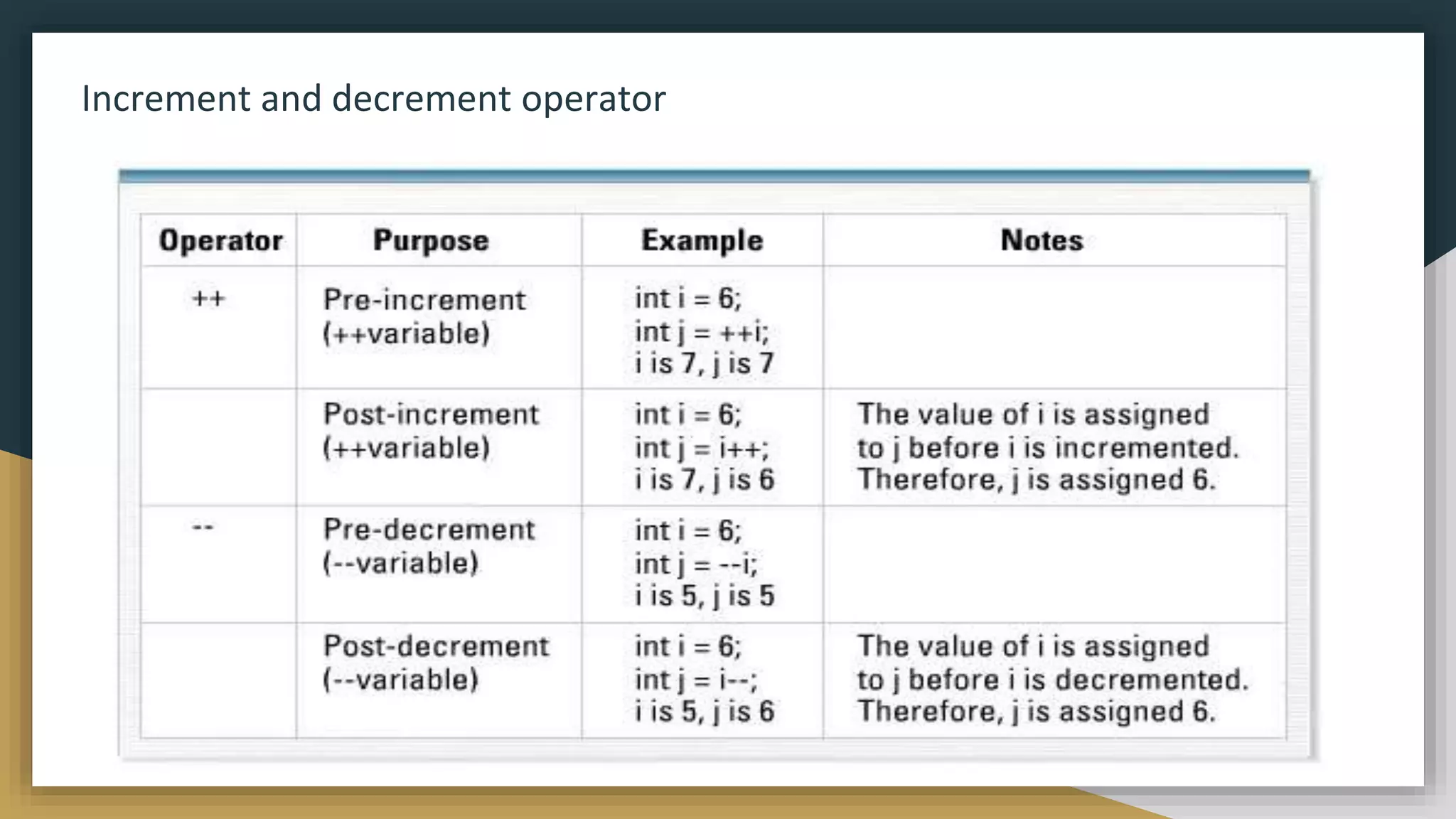
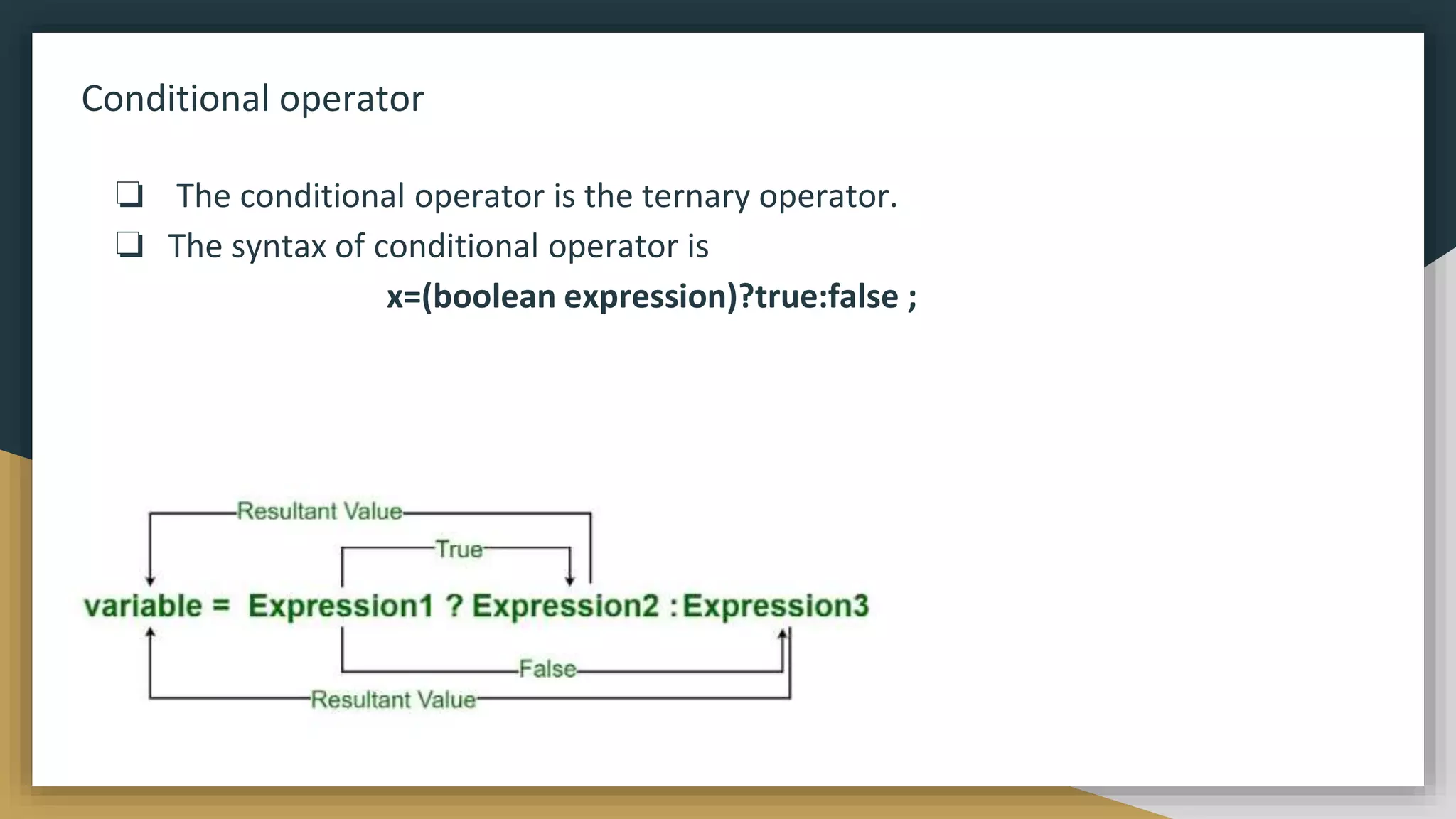
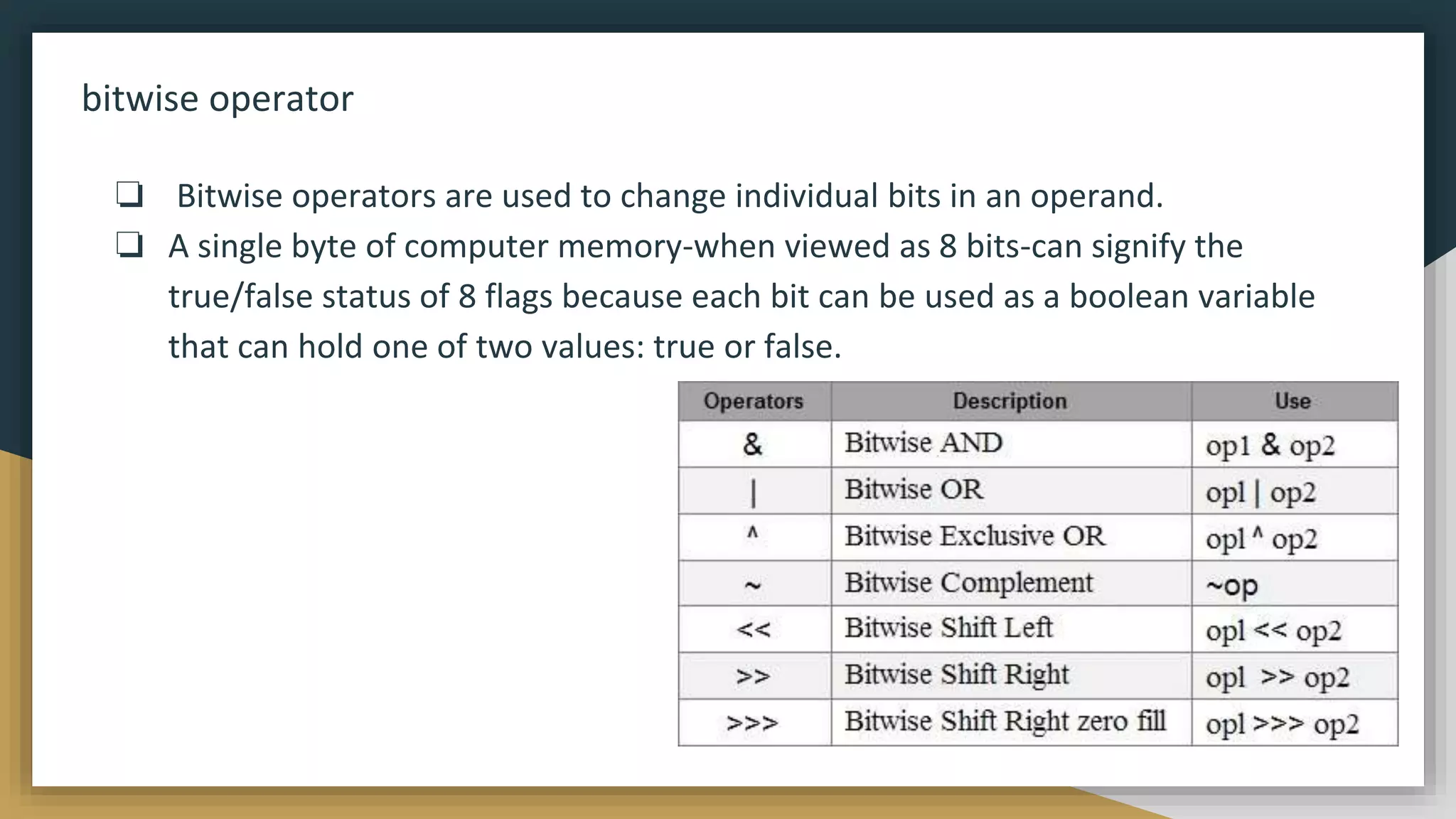
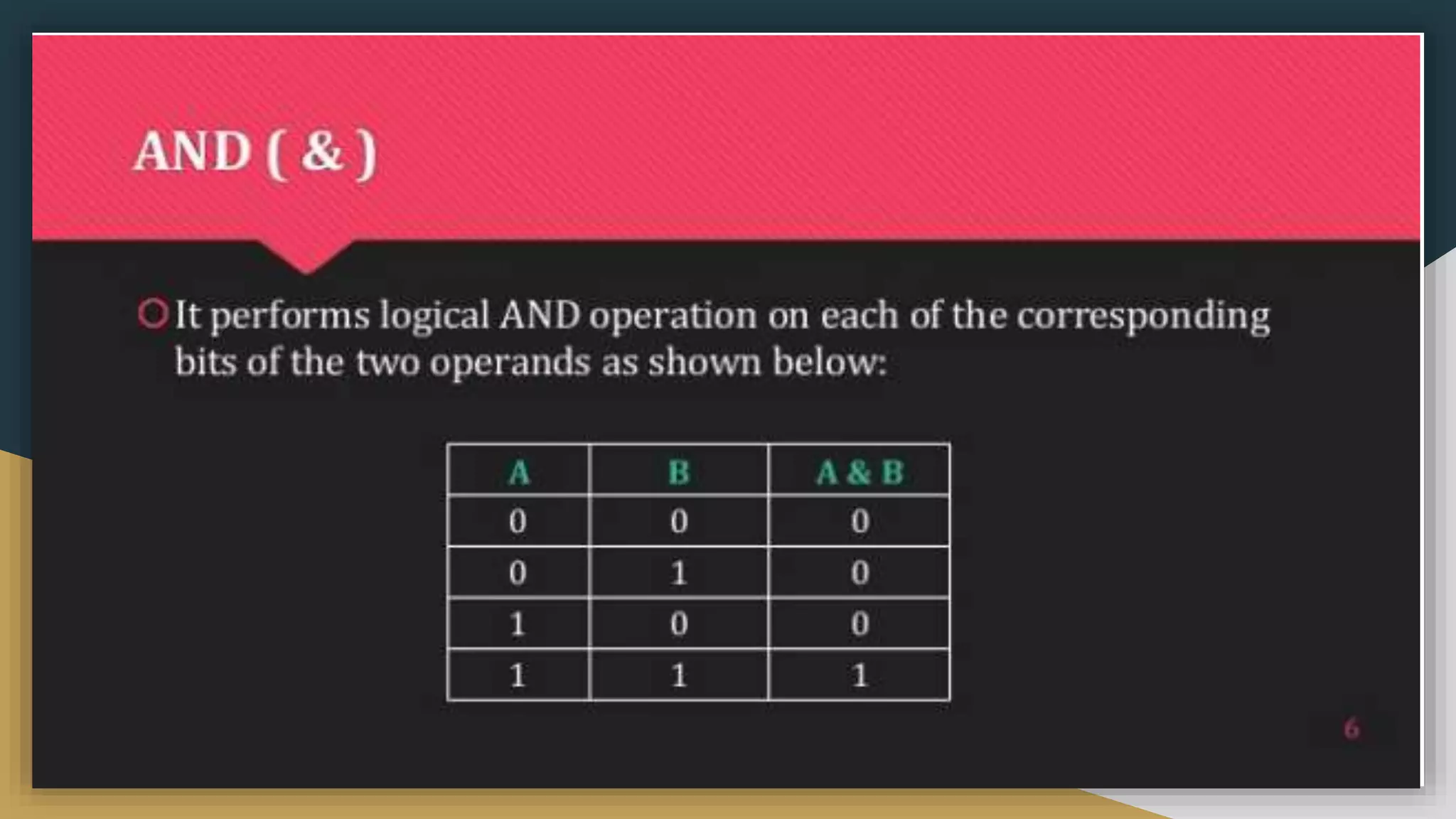
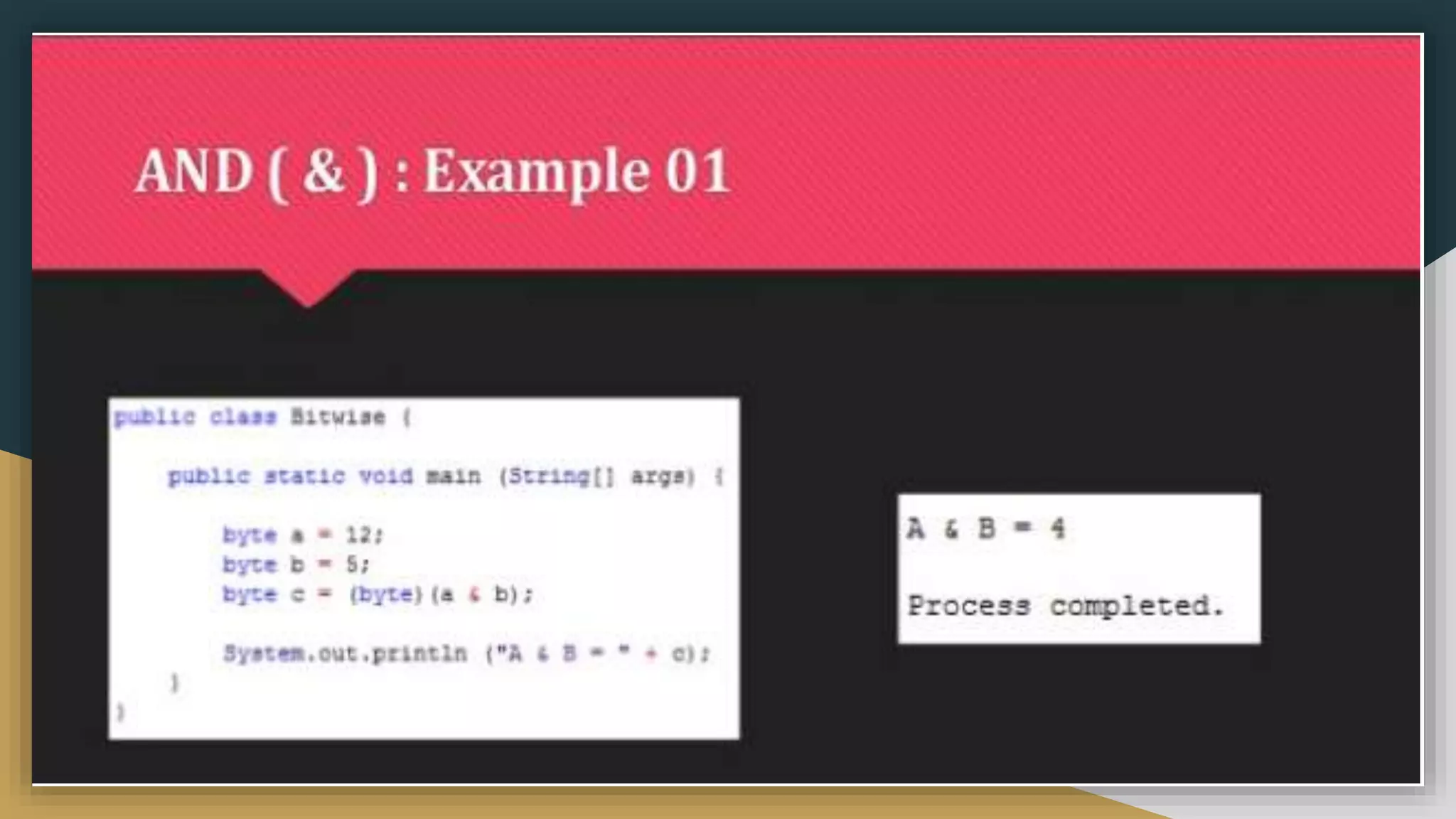
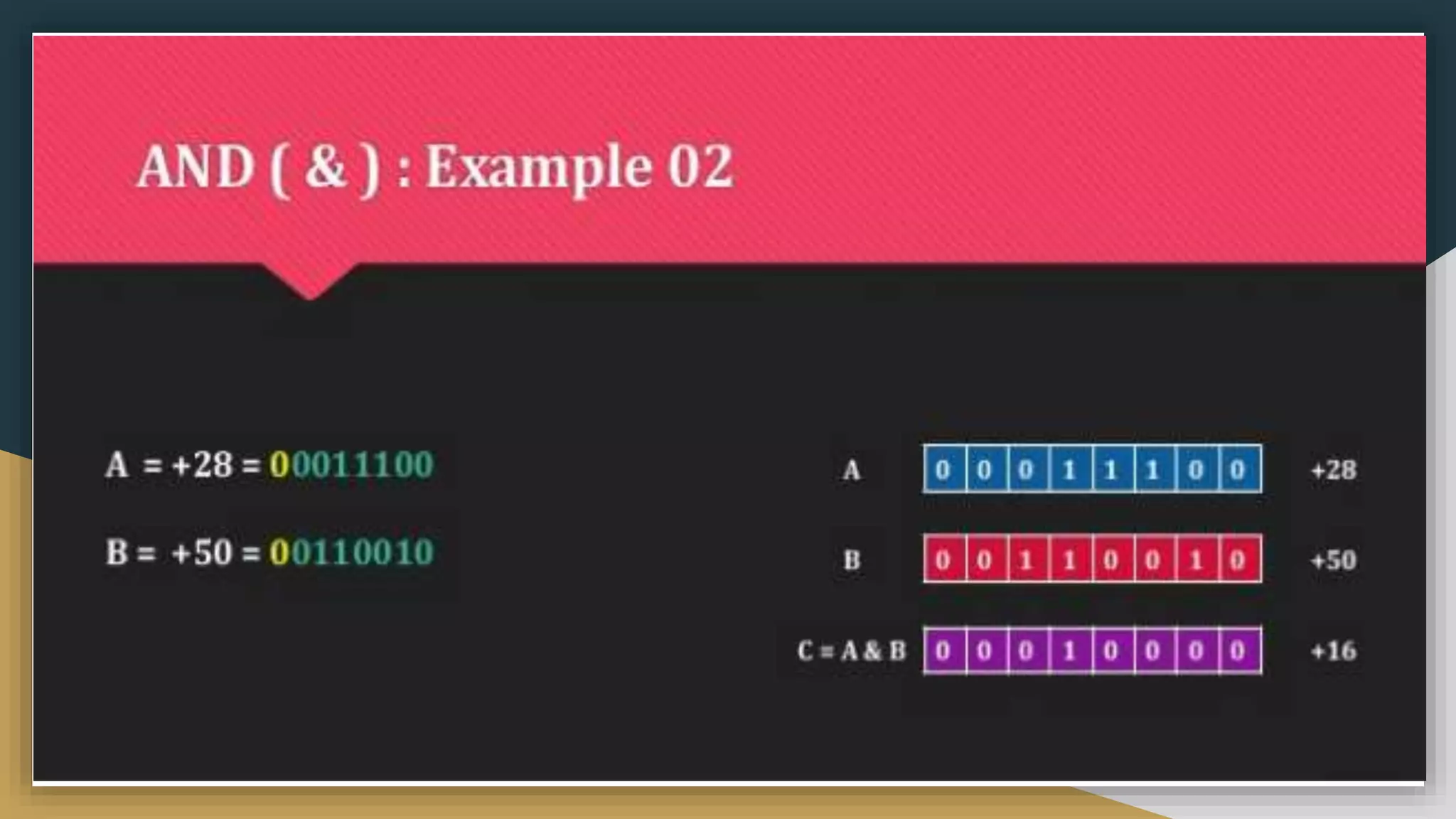
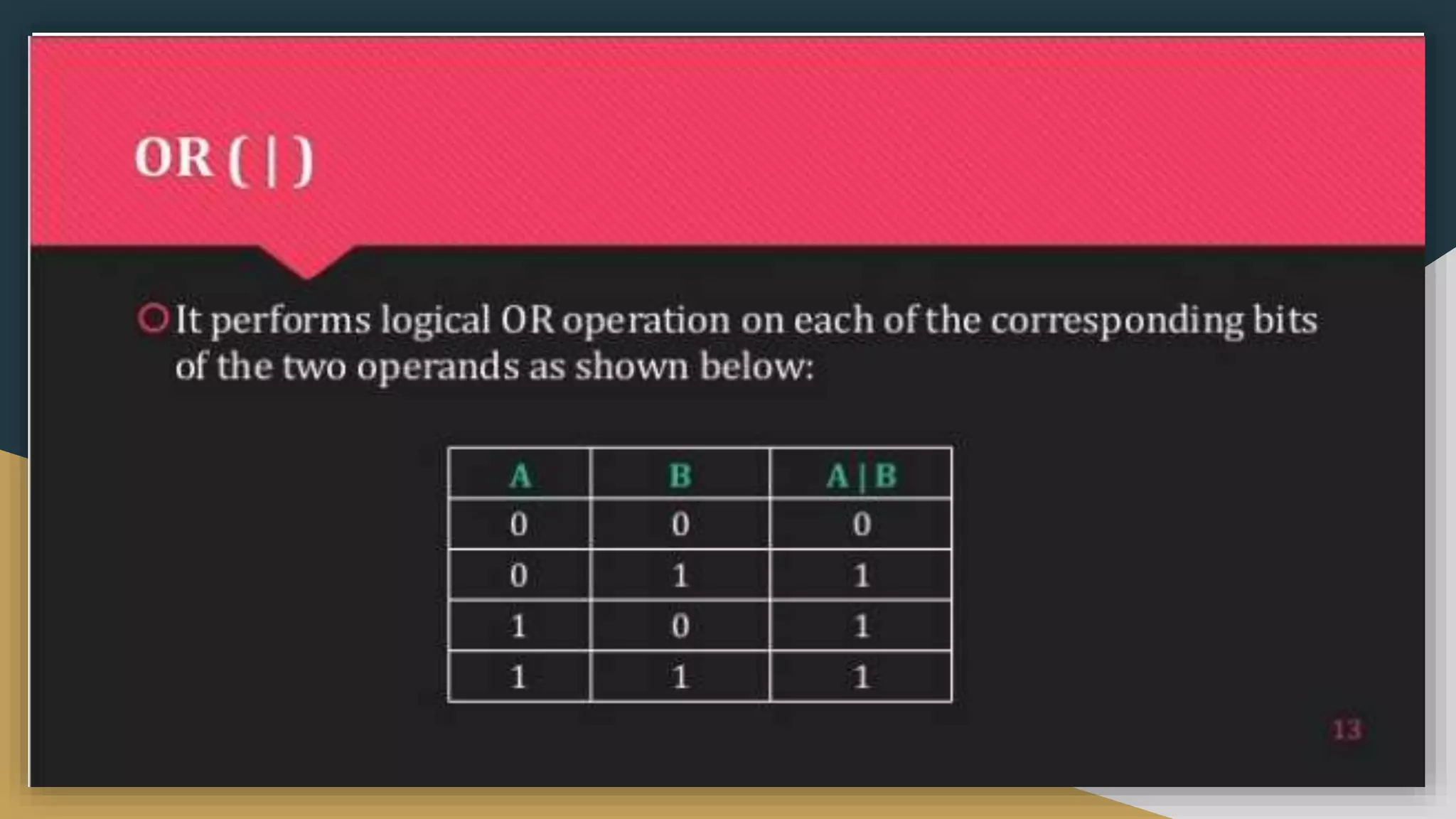
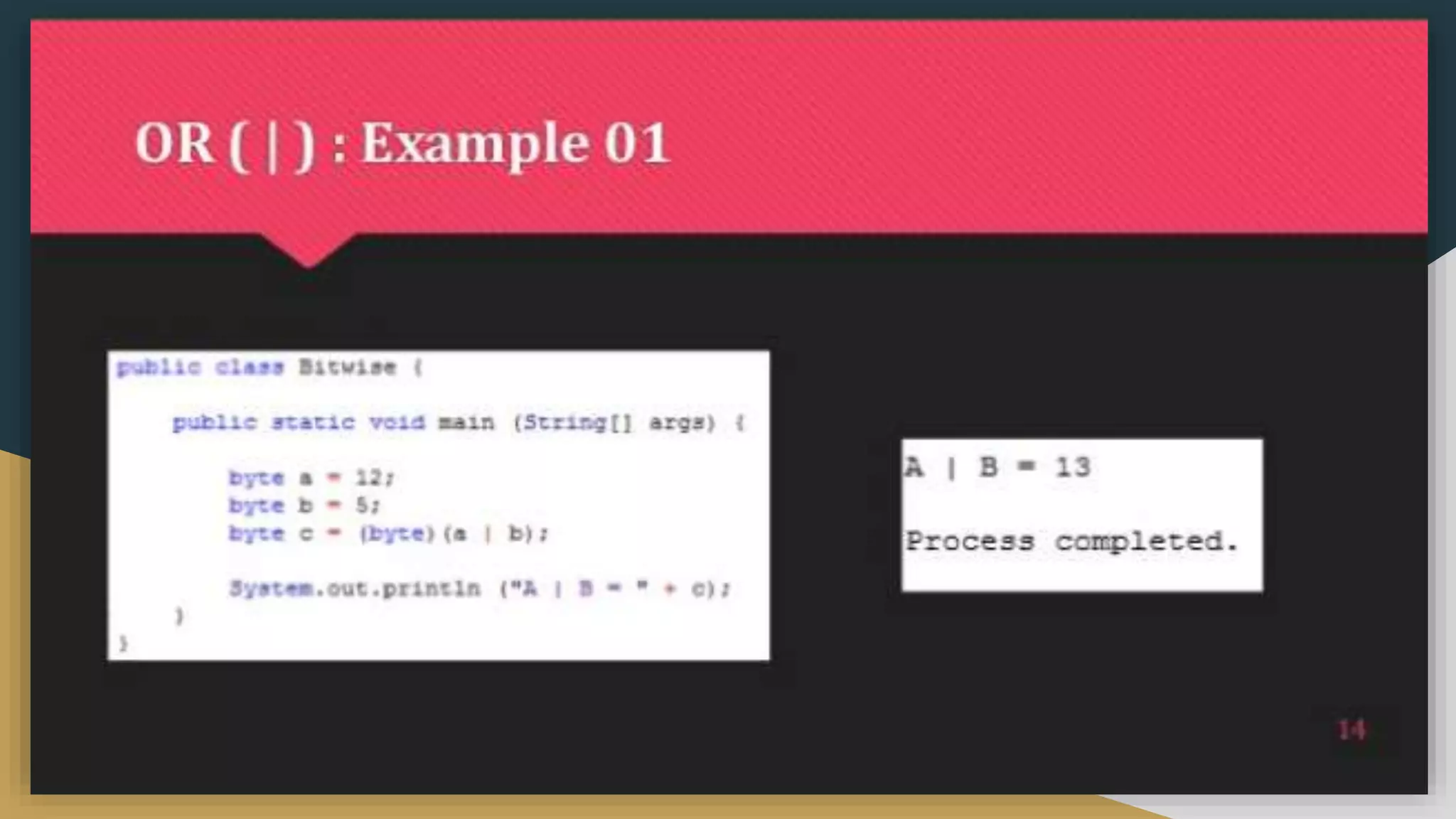
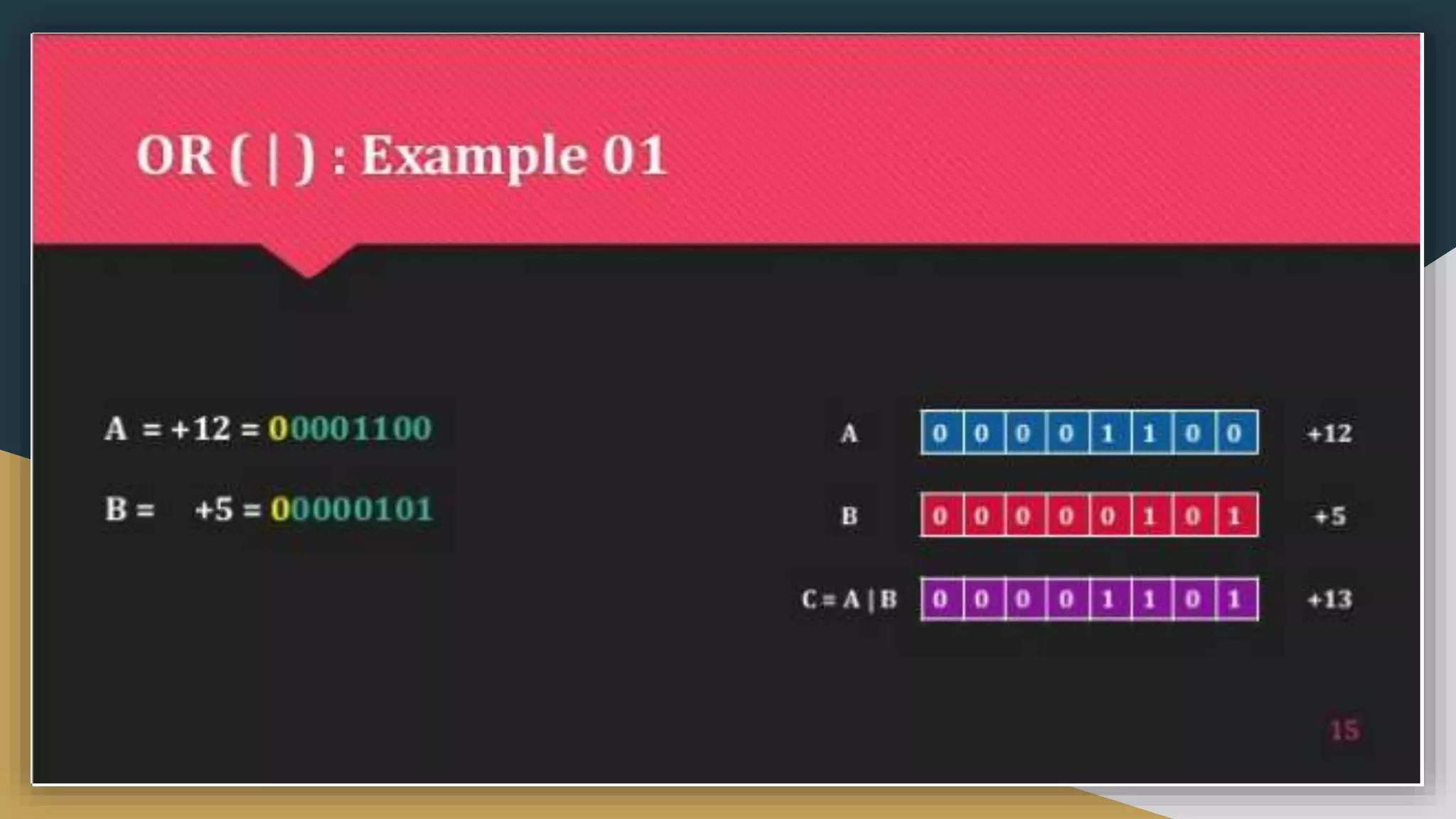
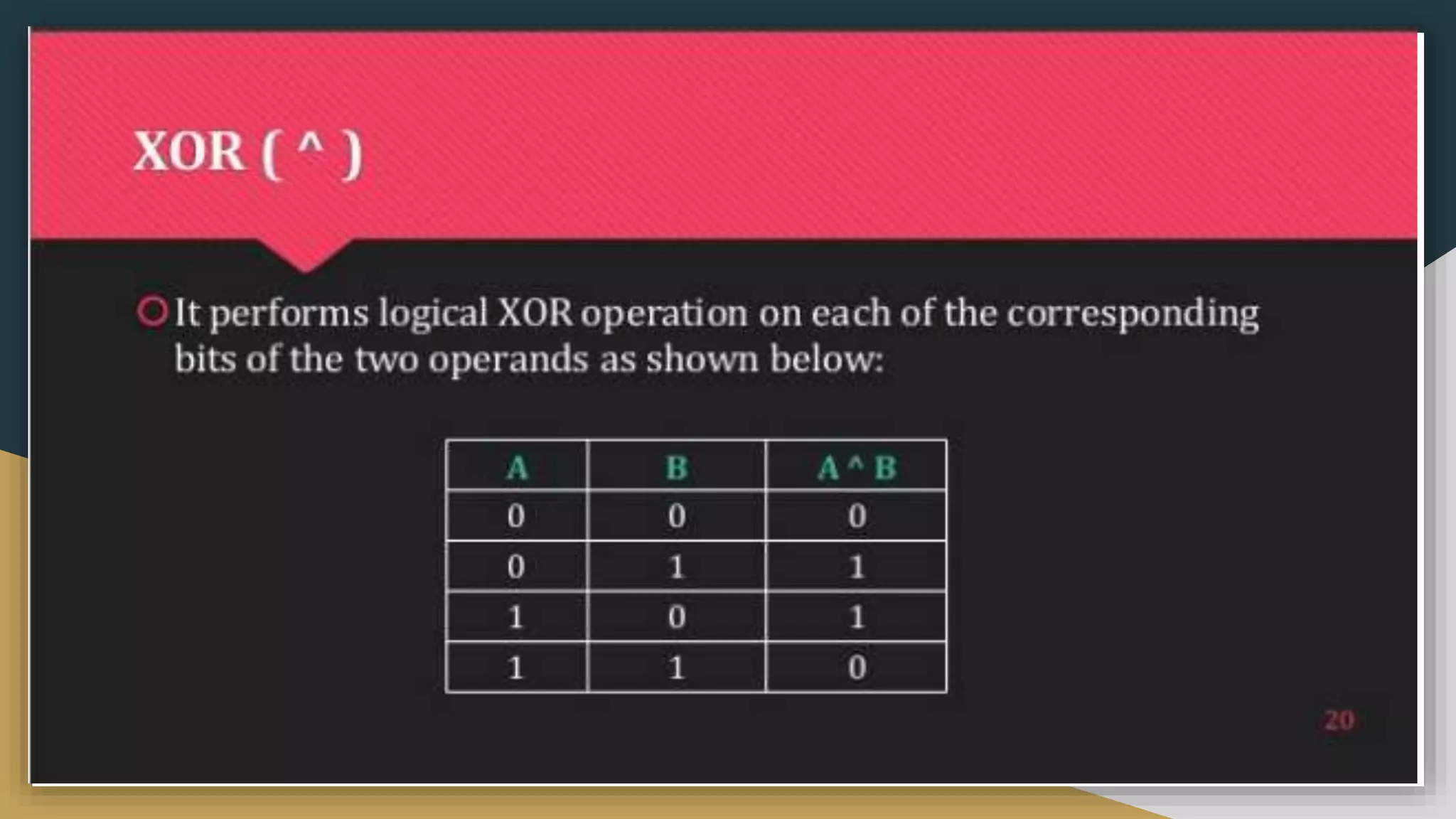
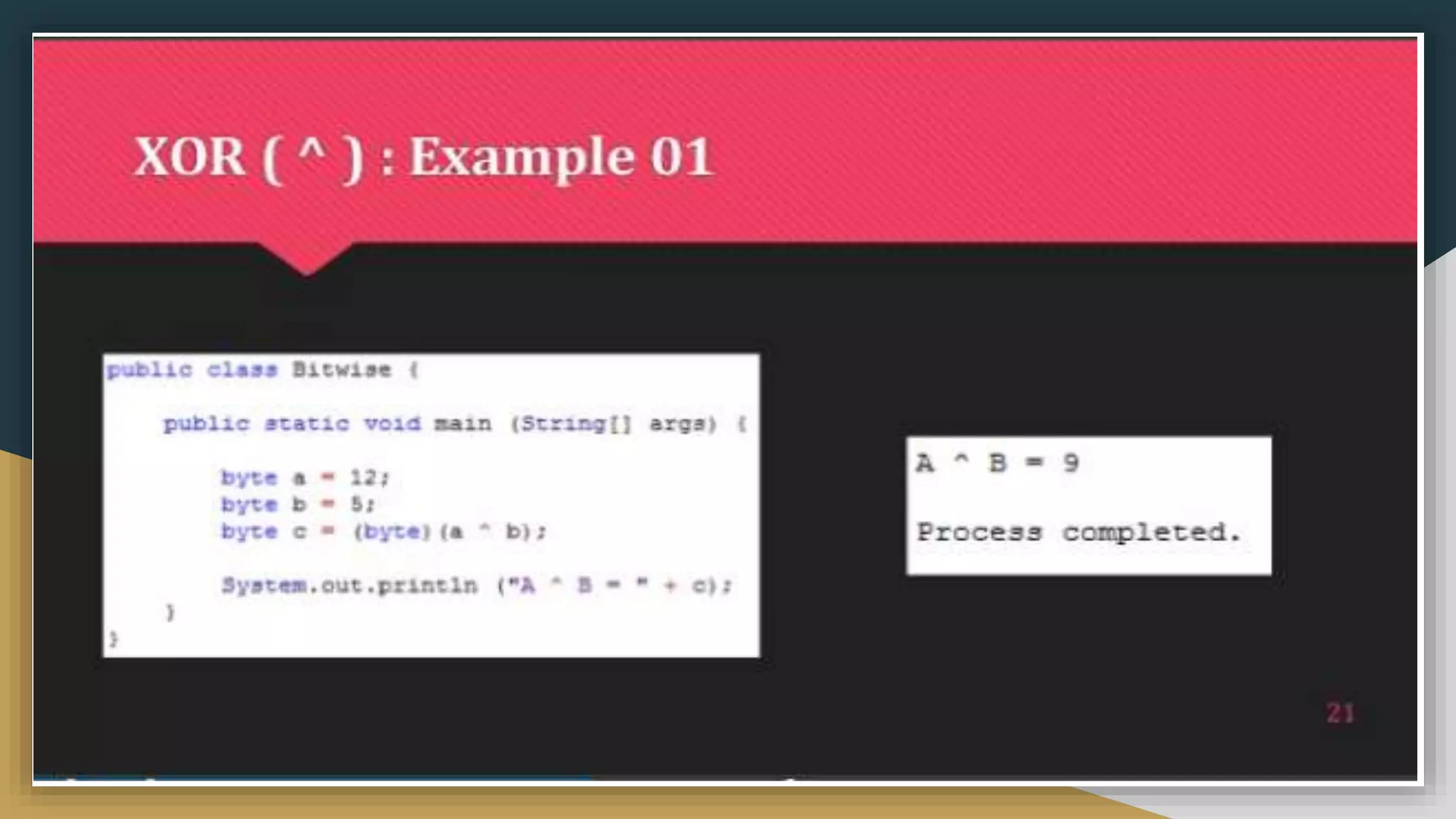
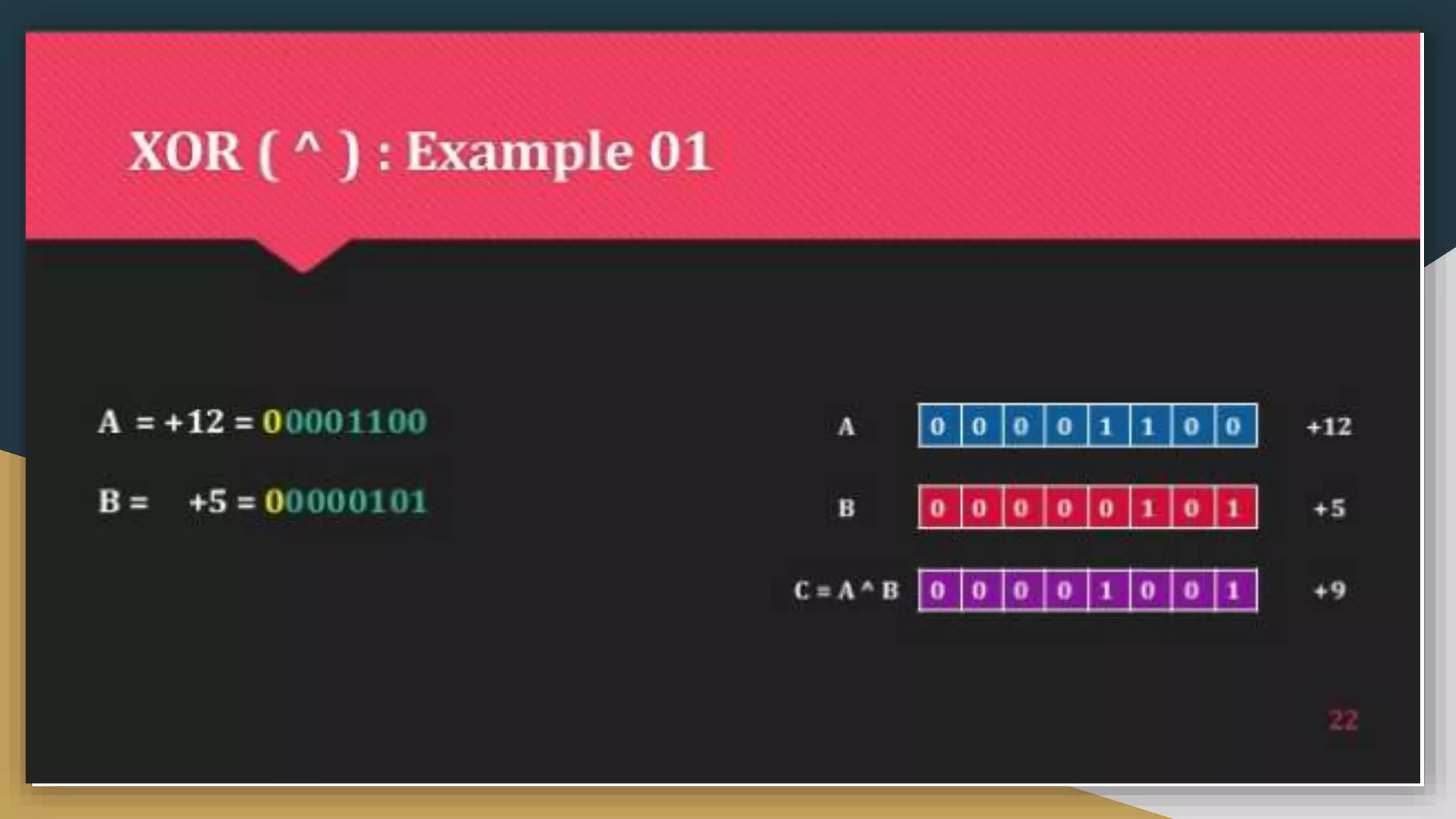
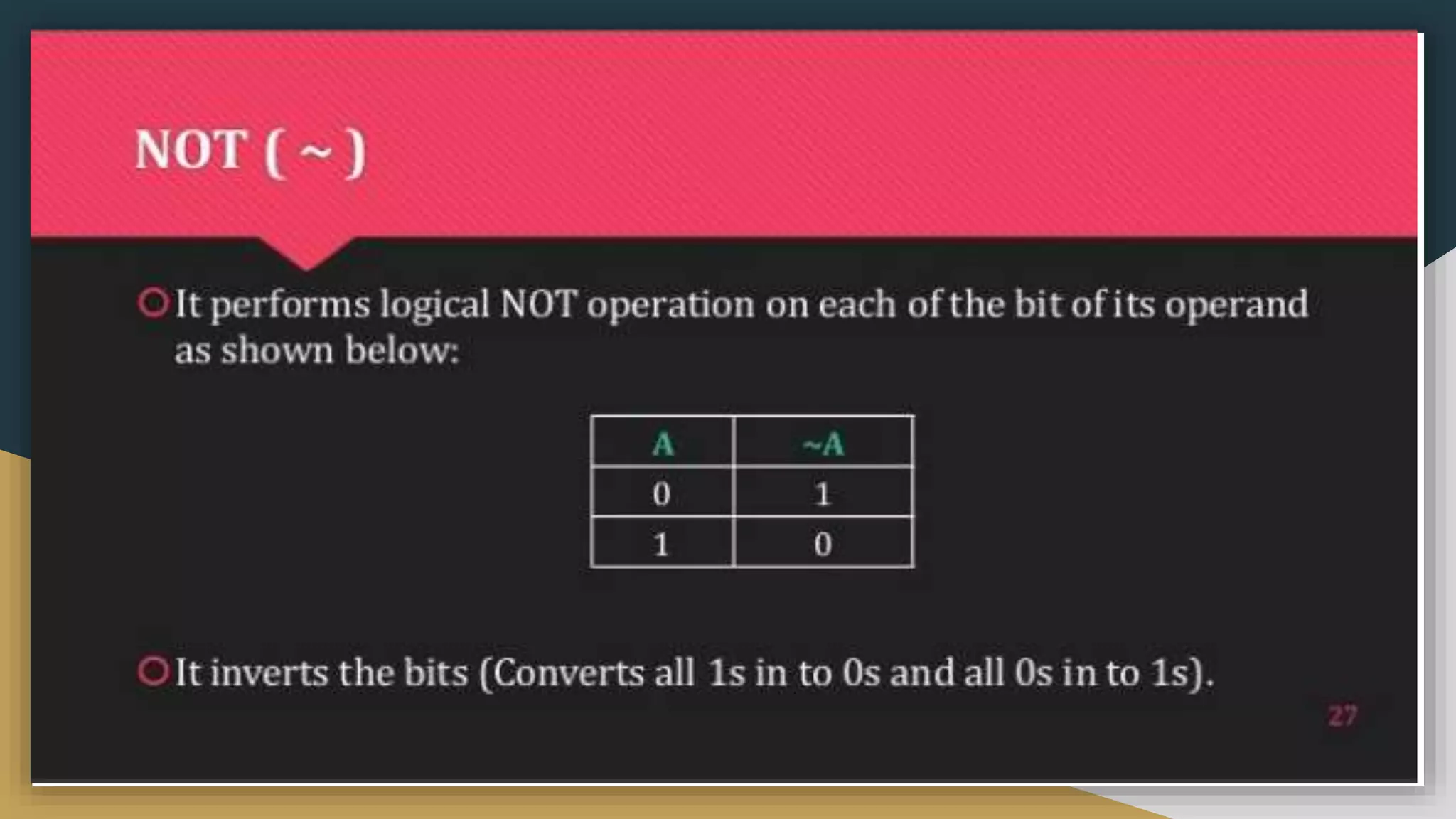
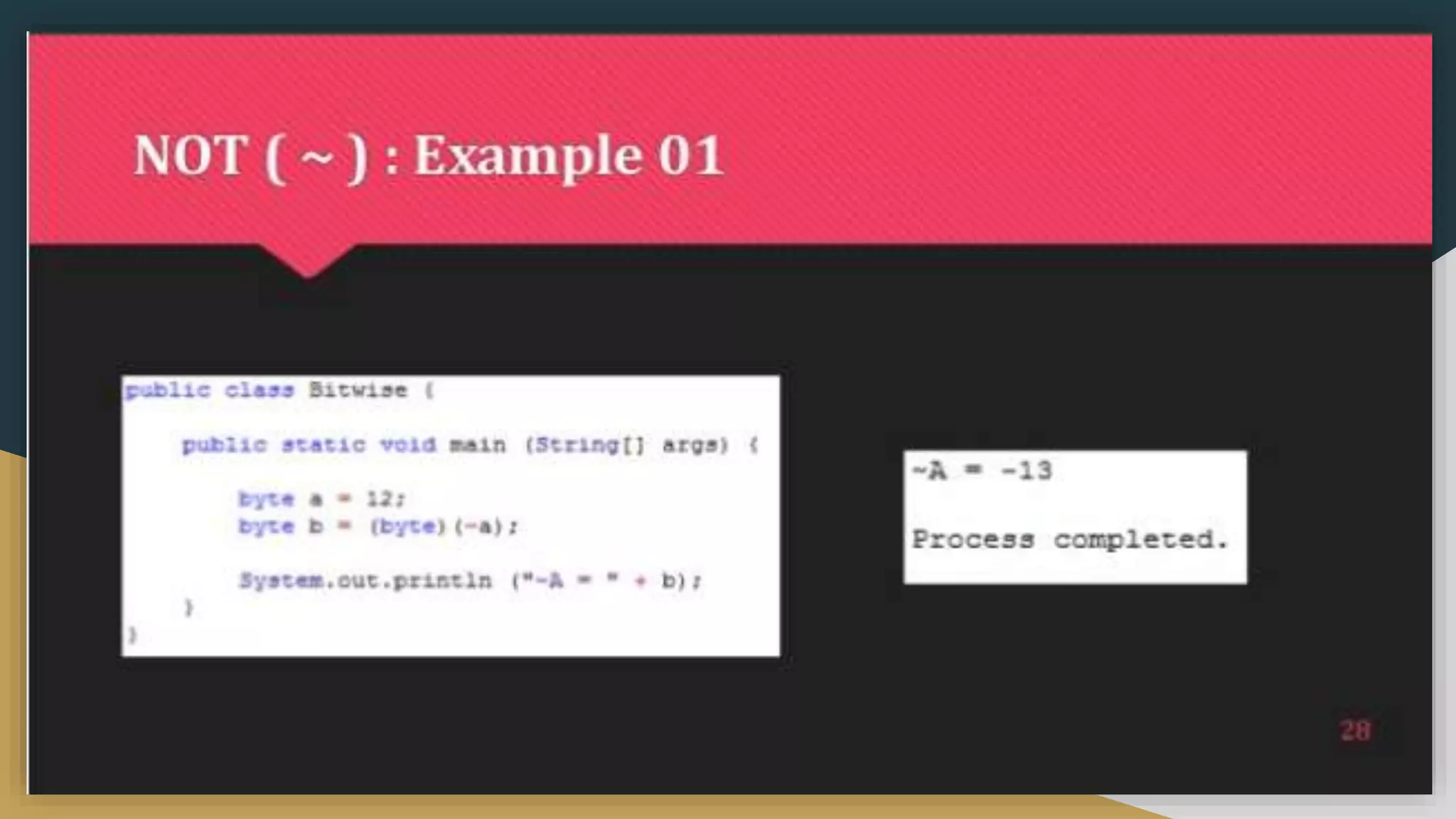
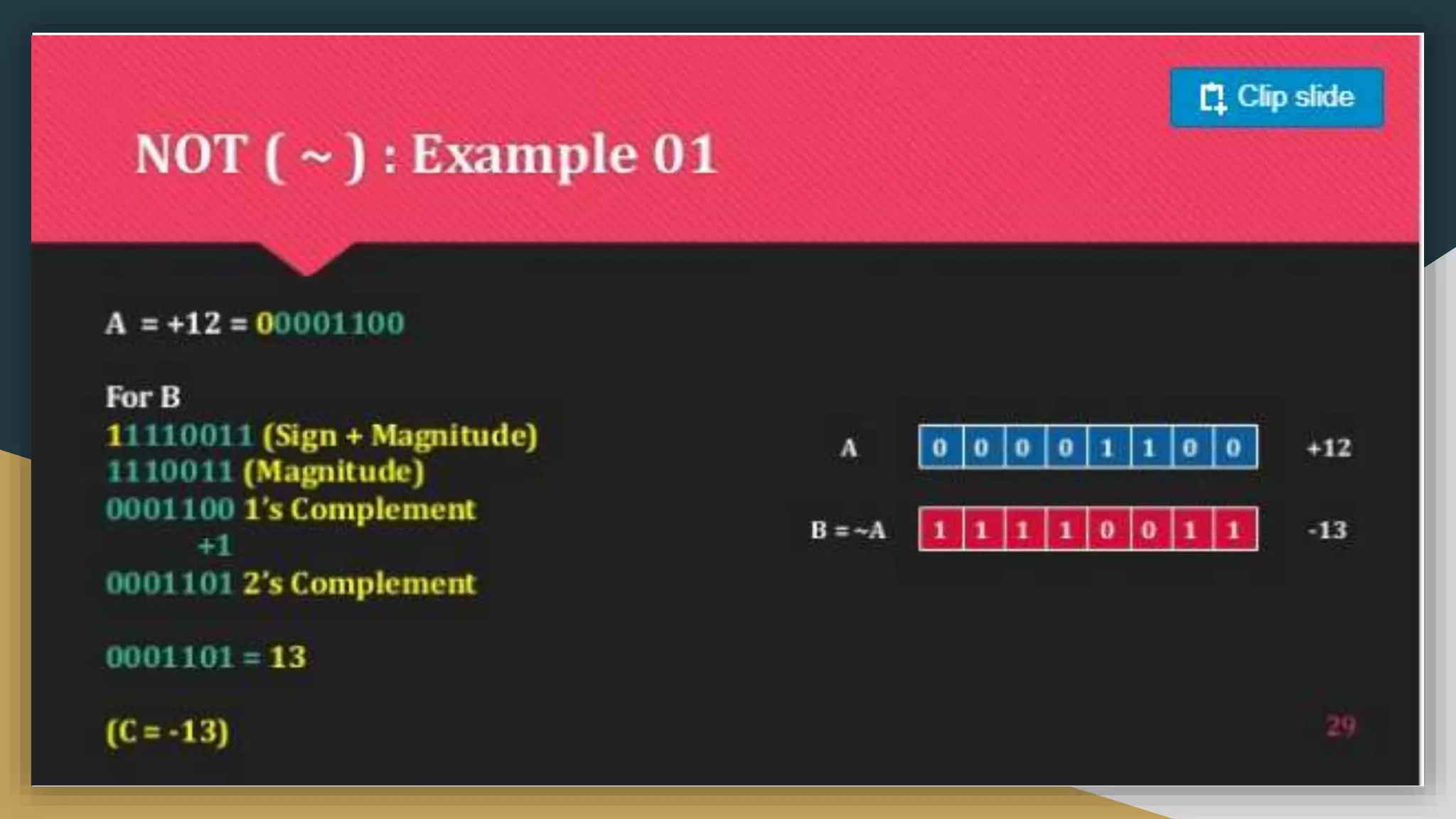
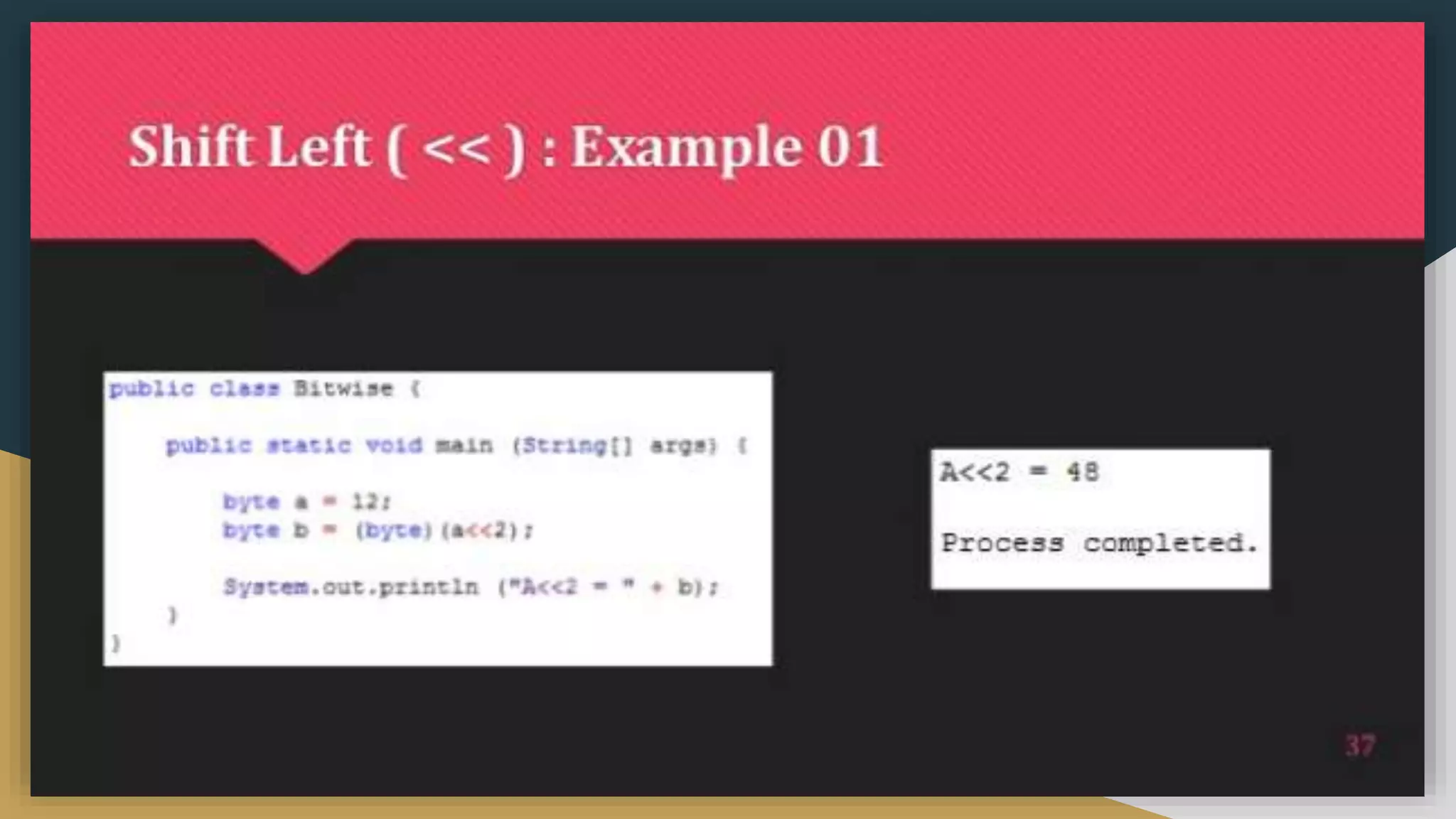
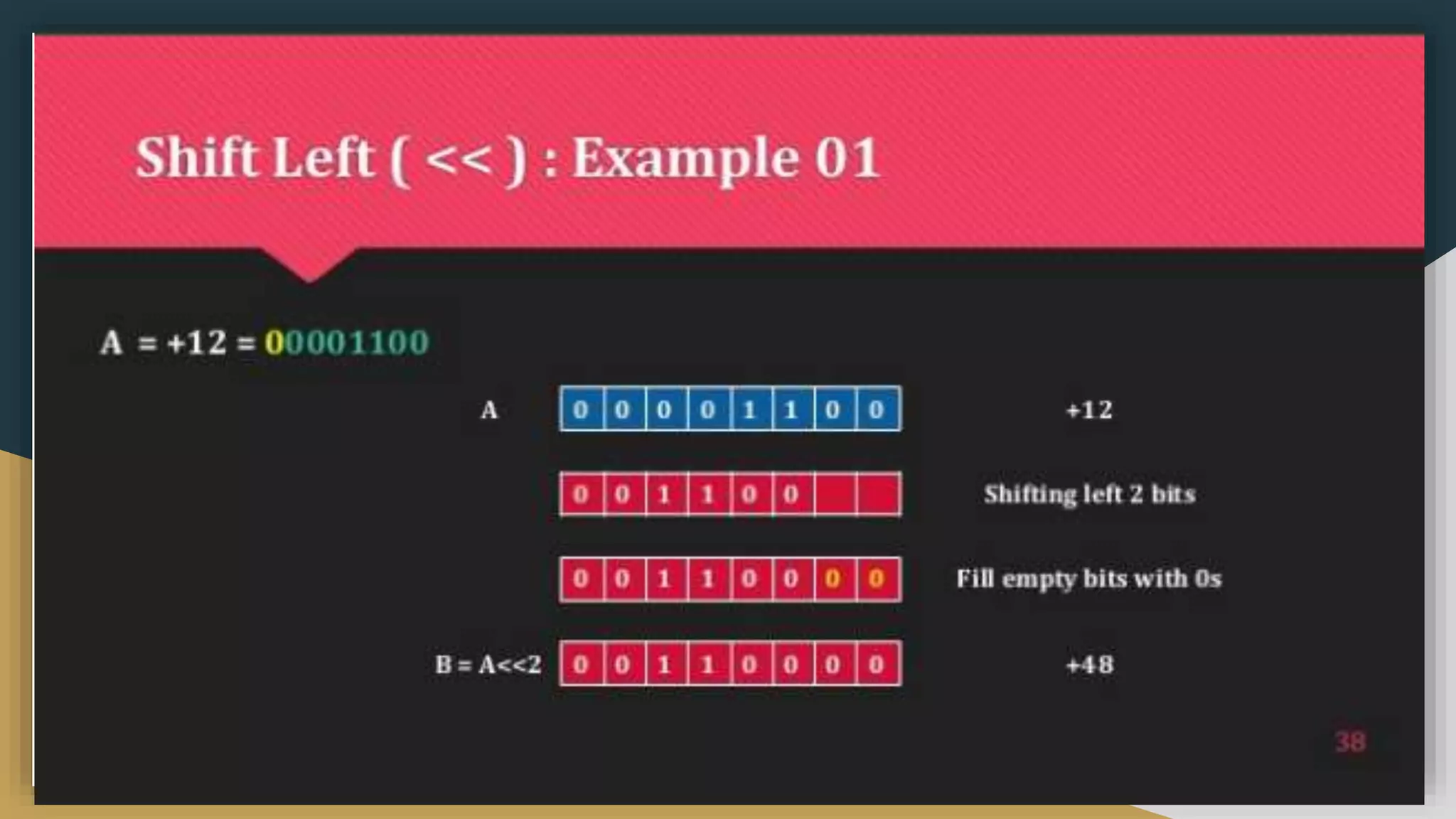
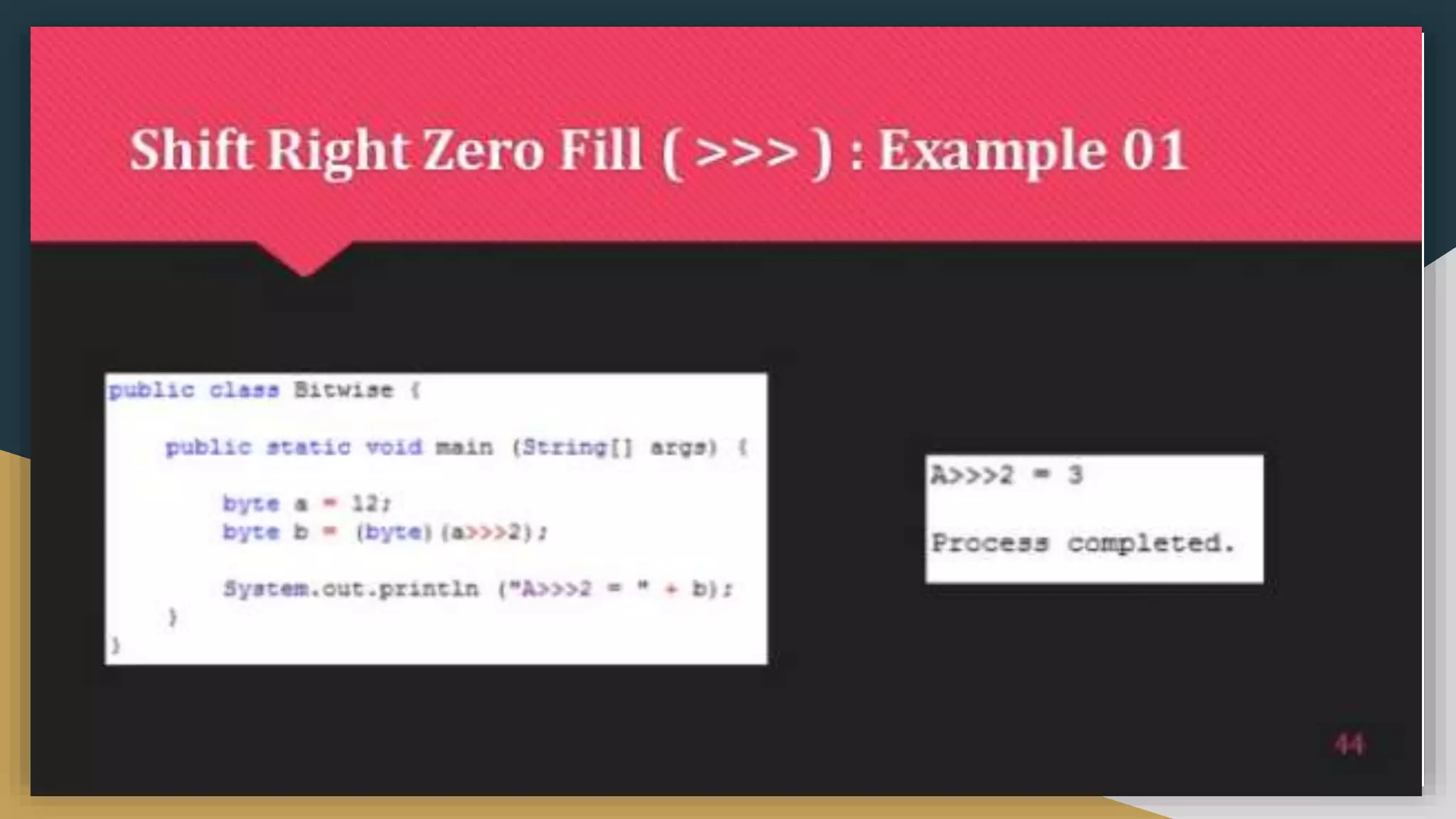
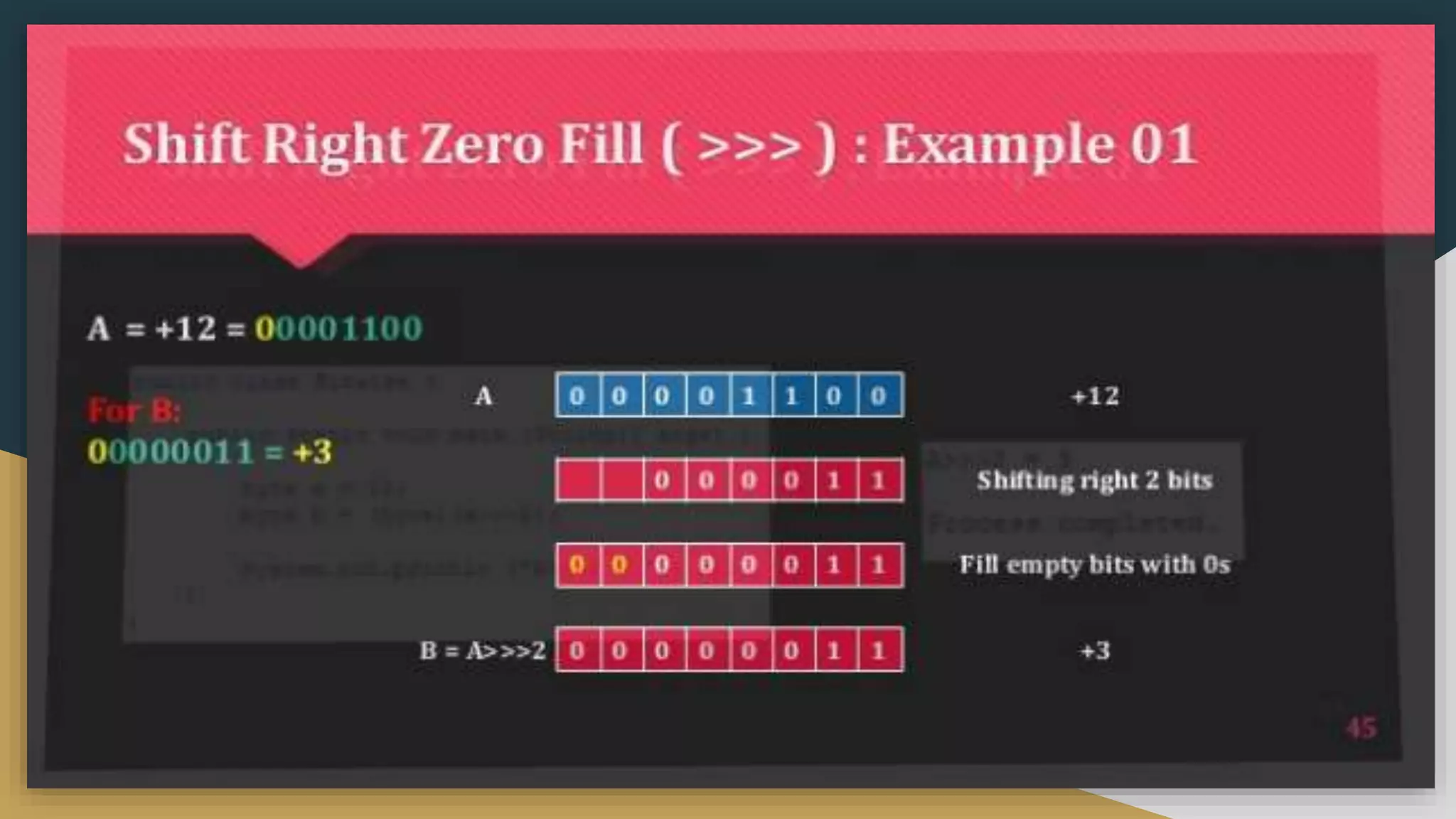
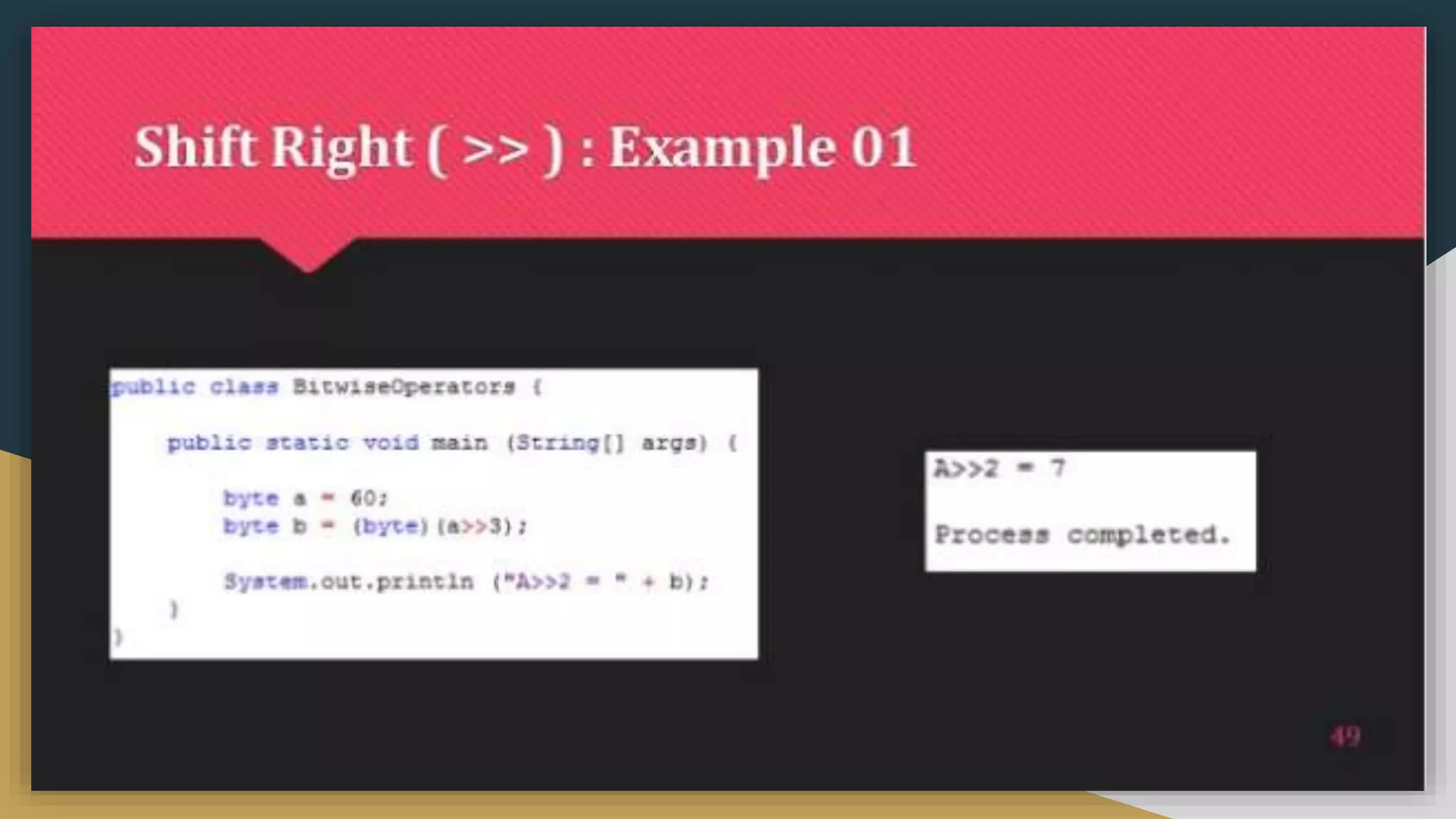
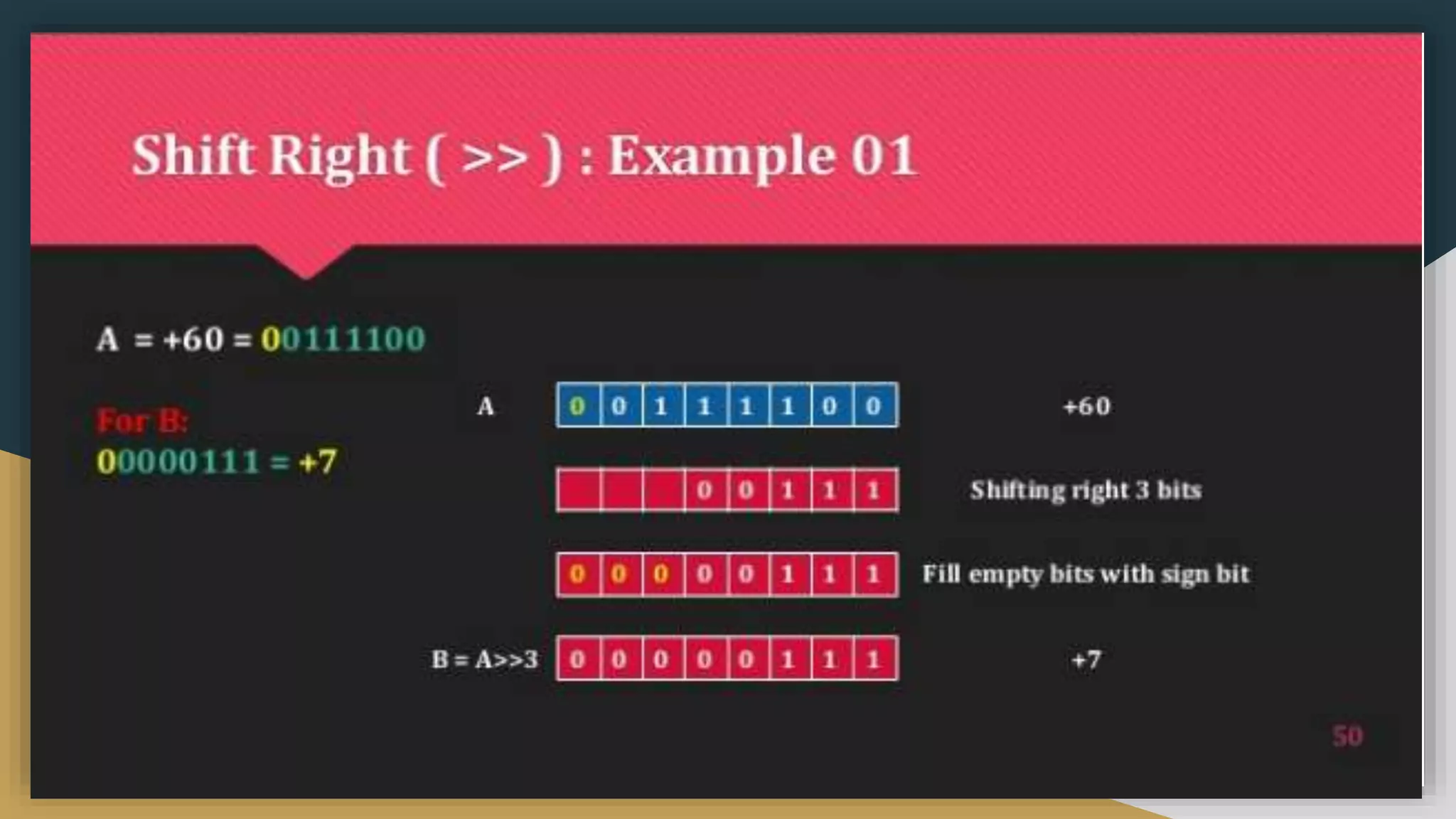
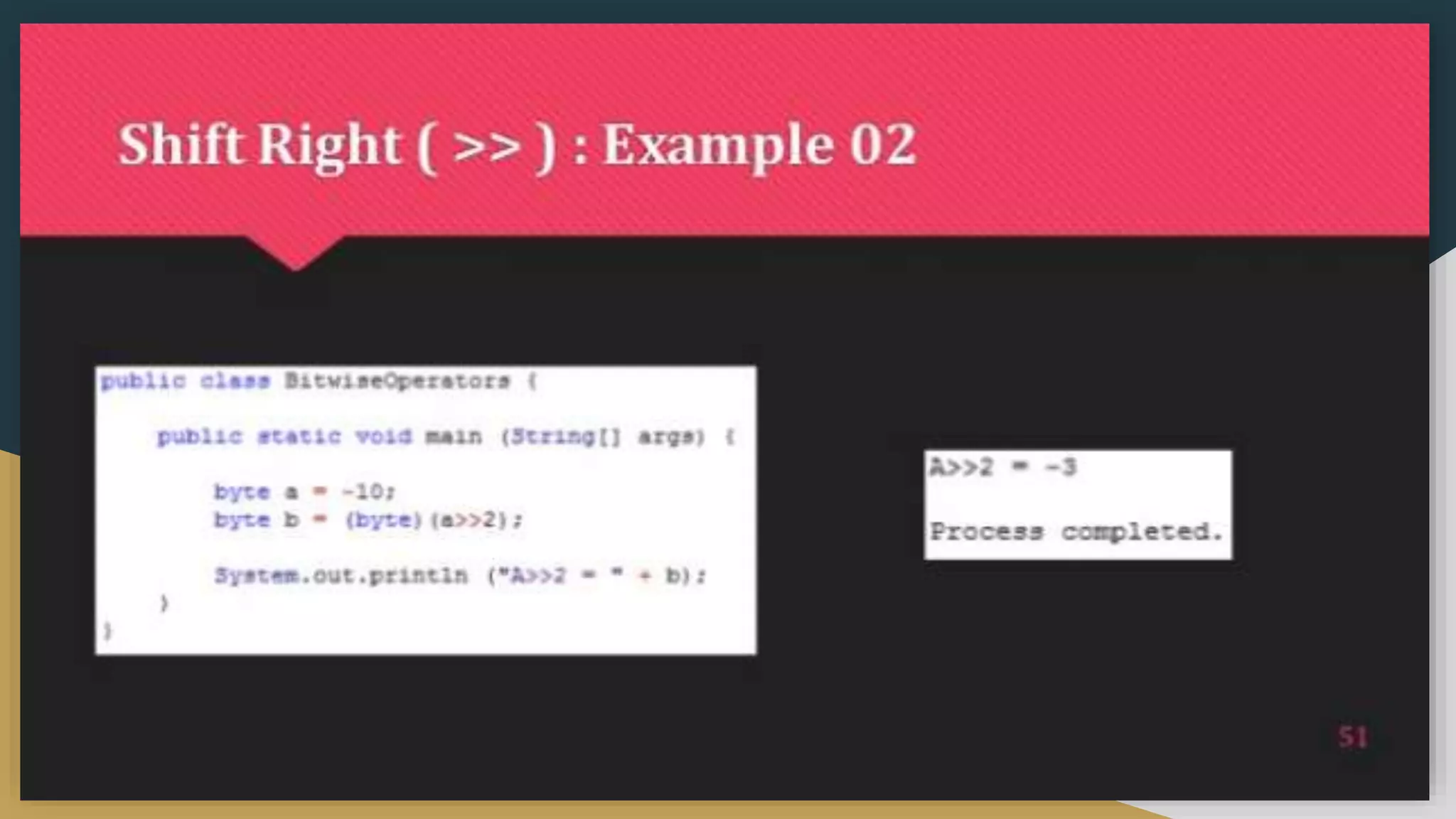
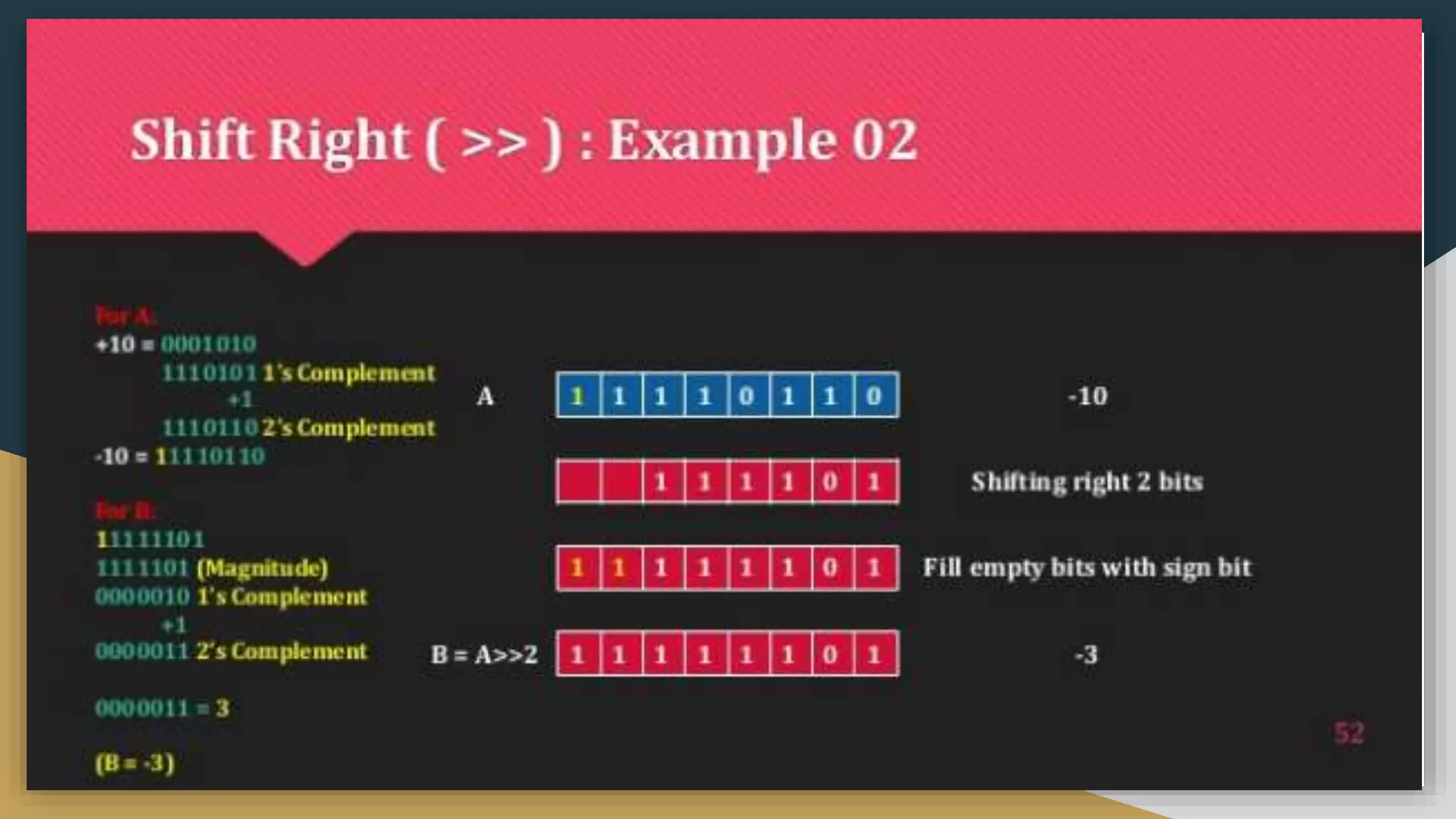
![Comma Operators
public class CommaOperator {
public static void main(String[] args) {
for(int i = 1, j = i + 10; i < 5;i++, j = i * 2) {
System.out.println("i= " + i + " j= " + j);
}](https://image.slidesharecdn.com/java2computerscience-220910084422-843c27be/75/Java-2-computer-science-pptx-95-2048.jpg)
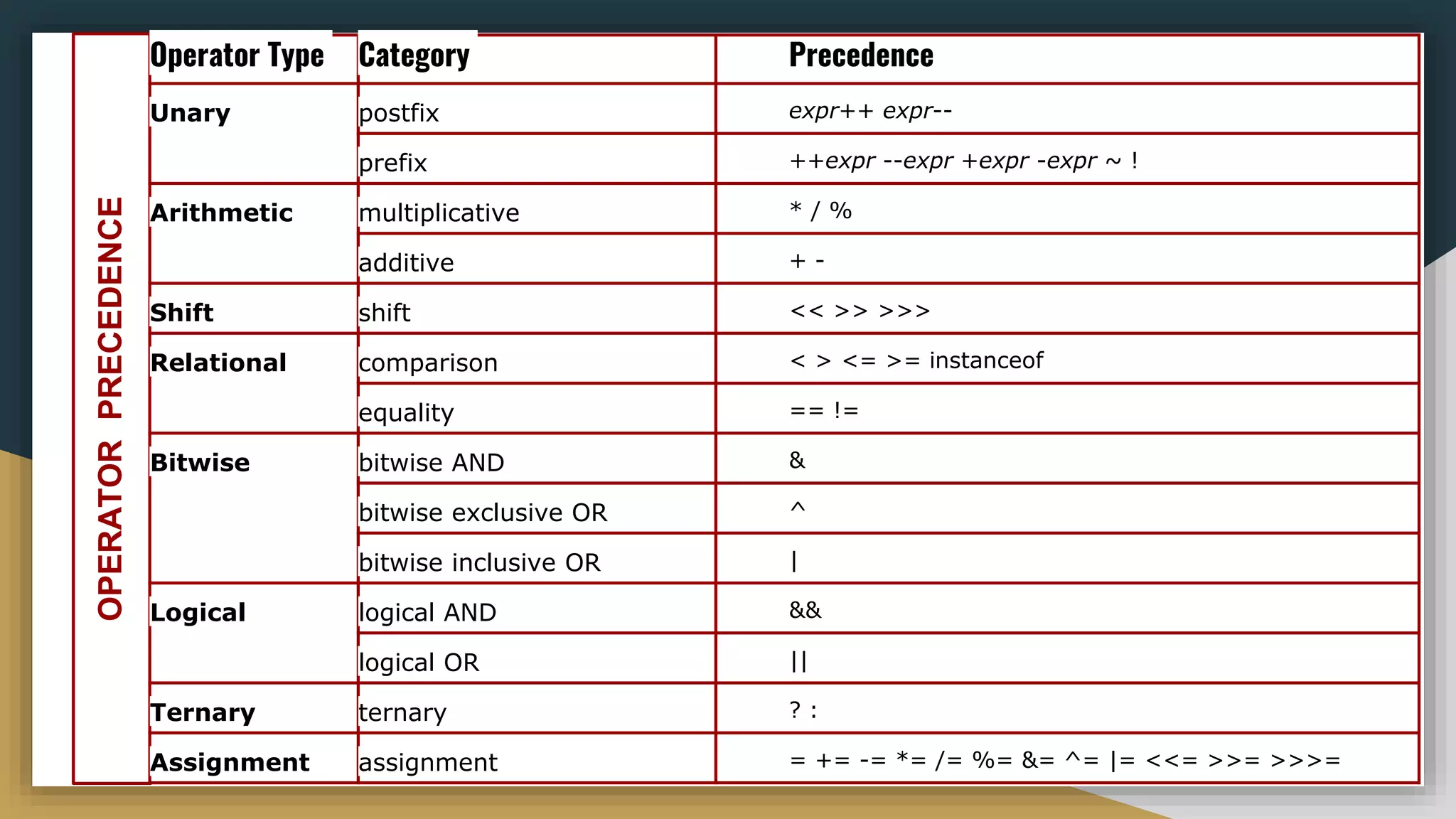
![Casting and conversion
● In implicit casting we converted the data or value into broad data
public class Test {
public static void main(String[] args) {
int i = 100;
long l = i; //no explicit type casting required
float f = l; //no explicit type casting required
System.out.println("Int value "+i);
System.out.println("Long value "+l);
System.out.println("Float value "+f);
} }
Out put:-
Int value 100
Long value 100
Float value 100.0](https://image.slidesharecdn.com/java2computerscience-220910084422-843c27be/75/Java-2-computer-science-pptx-99-2048.jpg)
![Casting and conversion
❏ In explicit casting we converted the data or value into Narrow data
public class Test {
public static void main(String[] args) {
double d = 100.04;
long l = (long)d; //explicit type casting required
int i = (int)l; //explicit type casting required
System.out.println("Double value "+d);
System.out.println("Long value "+l);
System.out.println("Int value "+i); } }
Output
Double value 100.04
Long value 100
Int value 100](https://image.slidesharecdn.com/java2computerscience-220910084422-843c27be/75/Java-2-computer-science-pptx-100-2048.jpg)
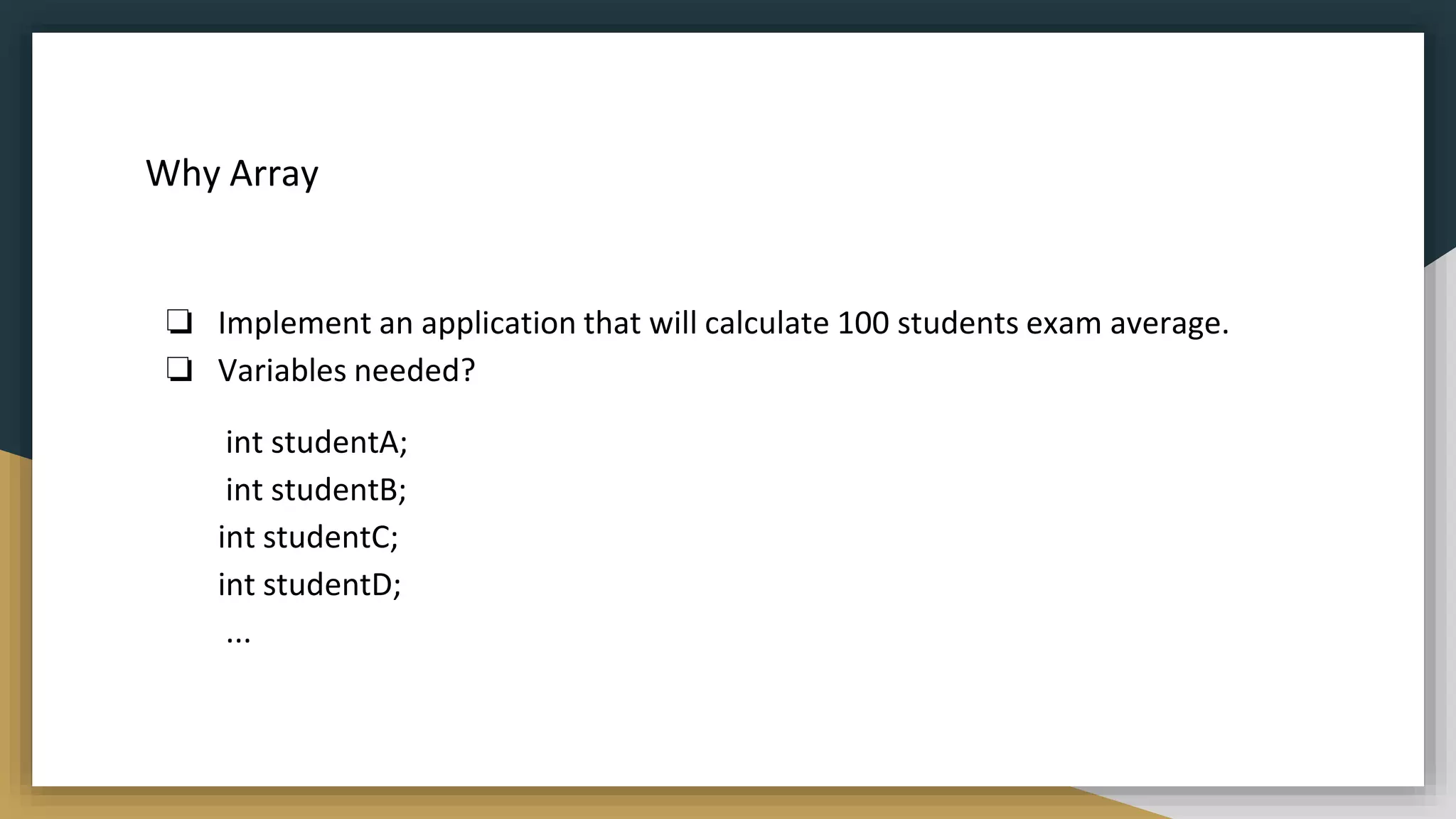
![Why Array
To solve the above problem
❏ Just a list of variables
❏ Declare the array
int [] array;
❏ Initialize the array and set it's size
array = new array[3];
❏ Store values into array
array[0] = 2;
array[1] = 3;
array[2] = 7;](https://image.slidesharecdn.com/java2computerscience-220910084422-843c27be/75/Java-2-computer-science-pptx-103-2048.jpg)
![DECLARATION
Declaring Arrays:
Int[] mark;
Byte[] age;
Double[] height;
Int mark[];
Byte age[];
Double height[];
preferred way
works but not preferred way
Data type
Array Name
*The size of an array must be specified by an int value and not long or short.
*The direct superclass of an array type is Object.](https://image.slidesharecdn.com/java2computerscience-220910084422-843c27be/75/Java-2-computer-science-pptx-104-2048.jpg)
![DECLARATION
❏ Array declaration in C++
int y[10];
❏ Array declaration in Java
int [] y;
y =new int[10];
❏ Storage for the array itself is not
allocated until you use “new”.
❏ For initializing method the
“new” command is not needed.
int [] y={5,3,7,89,2};](https://image.slidesharecdn.com/java2computerscience-220910084422-843c27be/75/Java-2-computer-science-pptx-105-2048.jpg)
![CONSTRUCTION
int [] y;
y=new int[5];
//In single line
int[] y=new int[5];
//length of array can be find using arrayName.length
Int ySize=y.length;](https://image.slidesharecdn.com/java2computerscience-220910084422-843c27be/75/Java-2-computer-science-pptx-106-2048.jpg)
![INITIALIZATION
❏ Initialization is loading the
array with the values.
int[] y=new int[5]
y[0]=32;
y[1]=12;
y[2]=66;
y[3]=54;
y[4]=43;
Index](https://image.slidesharecdn.com/java2computerscience-220910084422-843c27be/75/Java-2-computer-science-pptx-107-2048.jpg)
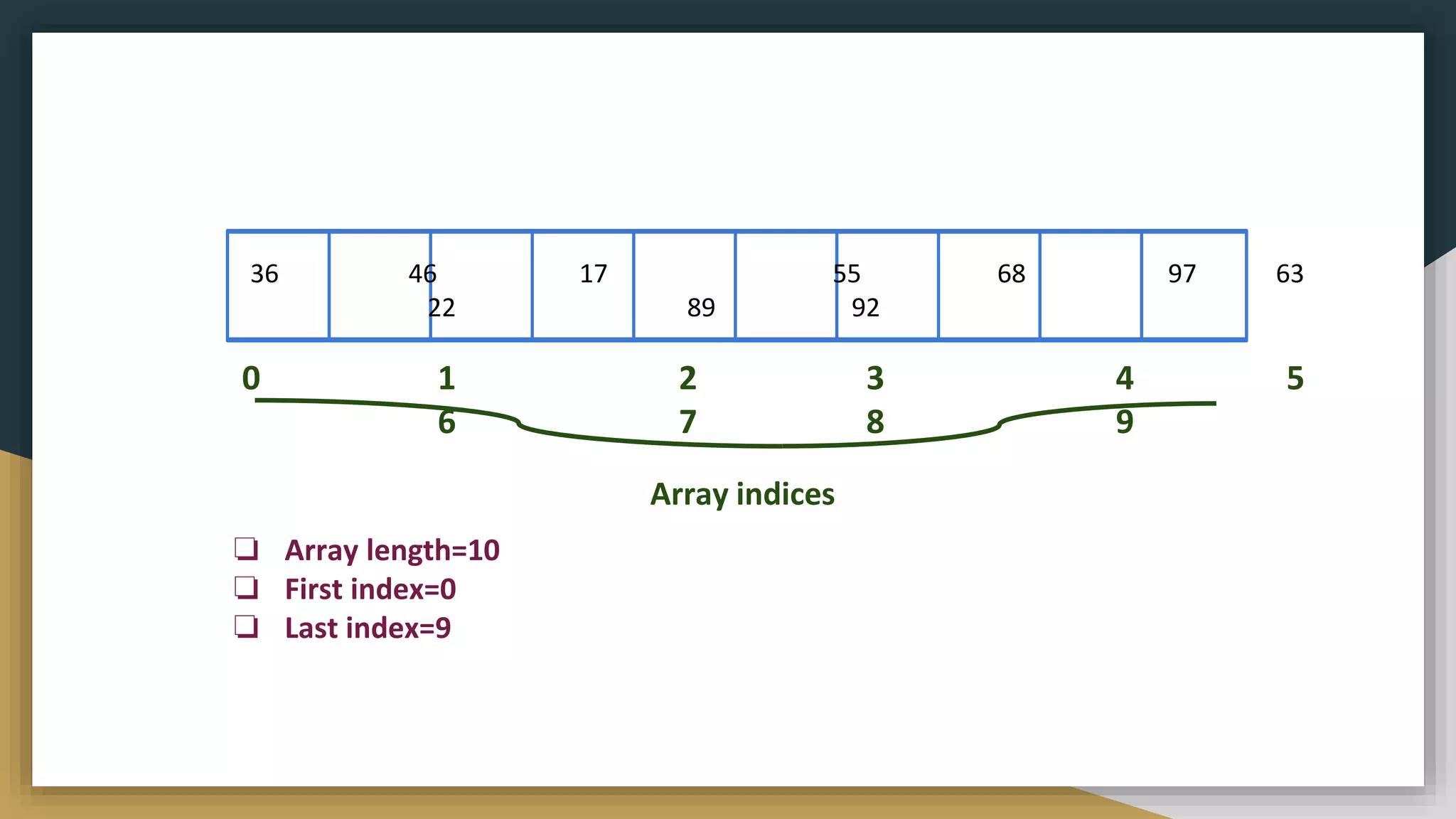
![TWO DIMENSIONAL ARRAY
Int[][] y=new int[2][3];
y[0][0]=32;
y[0][1]=12;
y[0][2]=66;
y[1][0]=54;
y[1][1]=43;
y[1][2]=36;](https://image.slidesharecdn.com/java2computerscience-220910084422-843c27be/75/Java-2-computer-science-pptx-109-2048.jpg)
![TWO DIMENSIONAL ARRAY -NON UNIFORM
Int[][] Mark=new int[2];
Mark[0]=new int[3];
Mark[1]=new int[4];
#having different length for each row](https://image.slidesharecdn.com/java2computerscience-220910084422-843c27be/75/Java-2-computer-science-pptx-110-2048.jpg)
![MULTI DIMENSIONAL ARRAY
Int[][][] y=new int[2][3][2];](https://image.slidesharecdn.com/java2computerscience-220910084422-843c27be/75/Java-2-computer-science-pptx-111-2048.jpg)
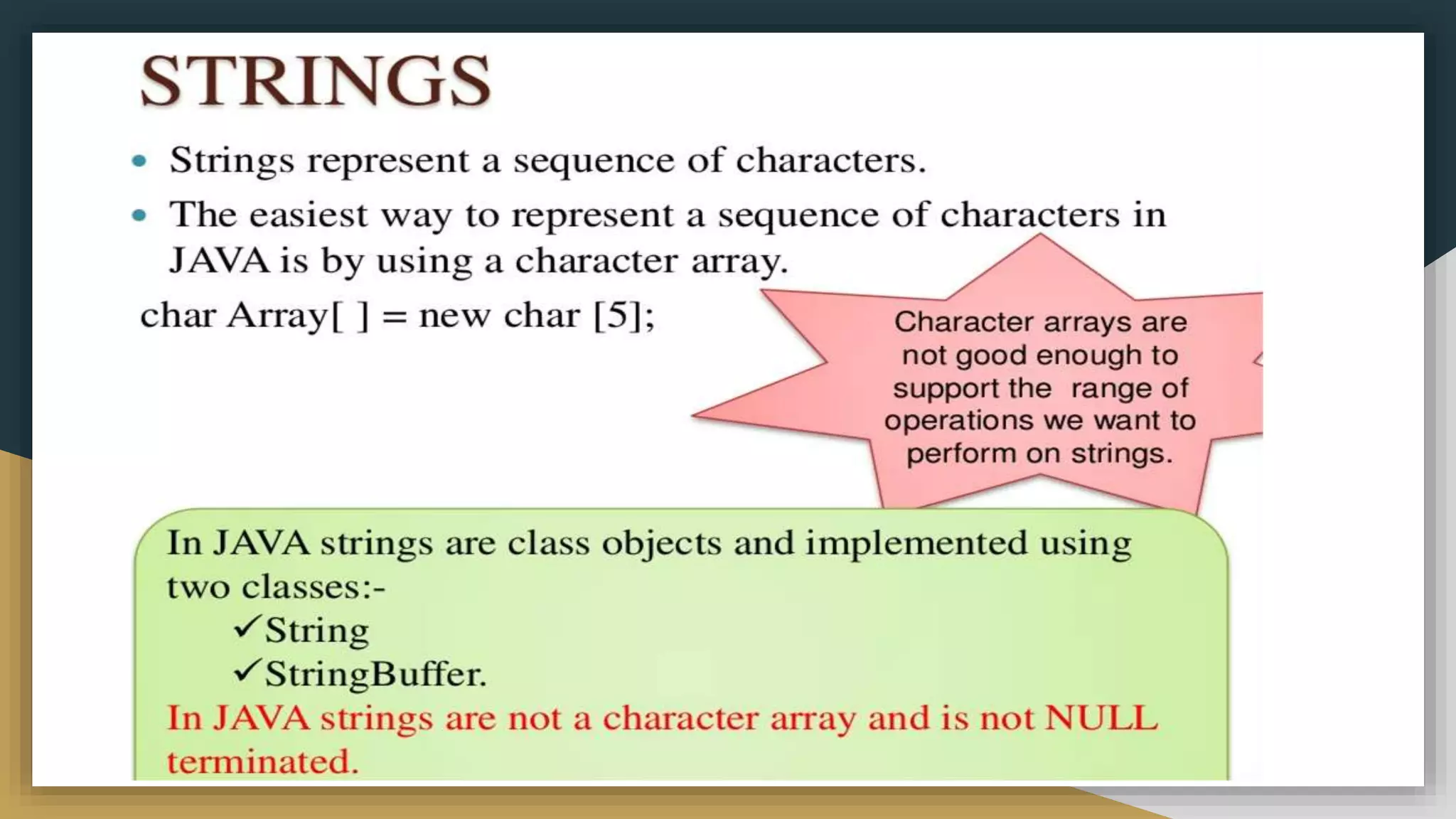
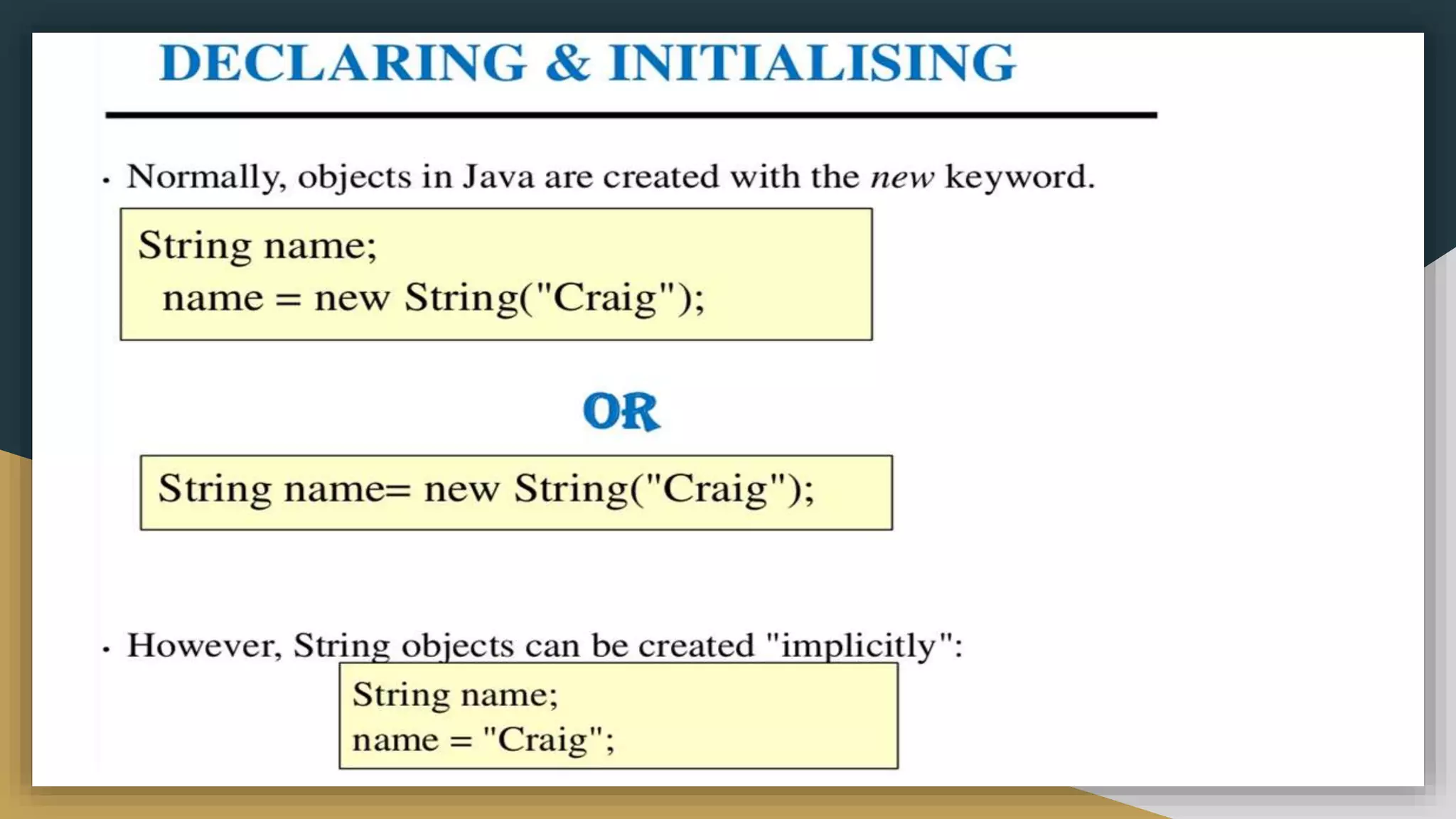
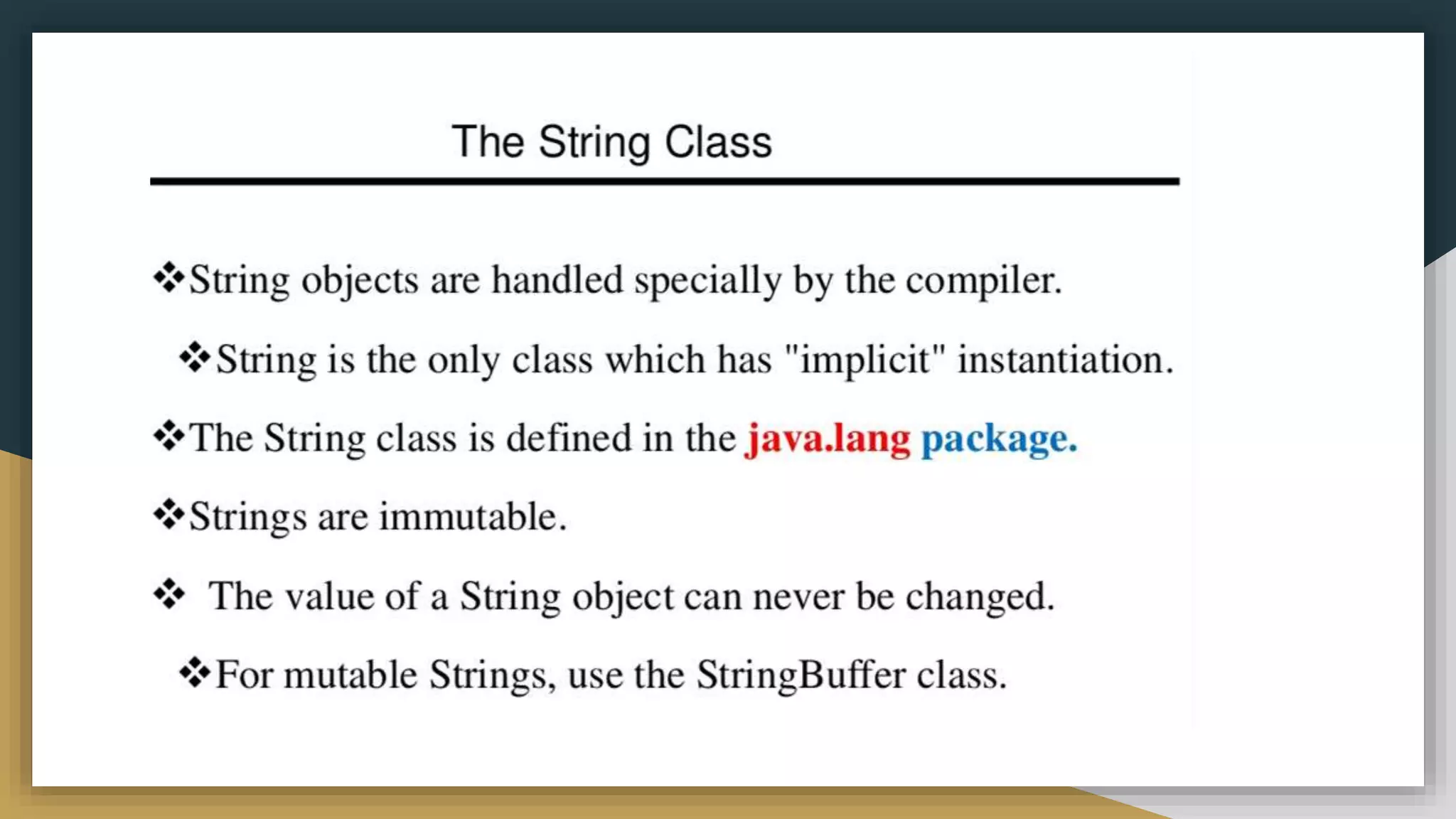
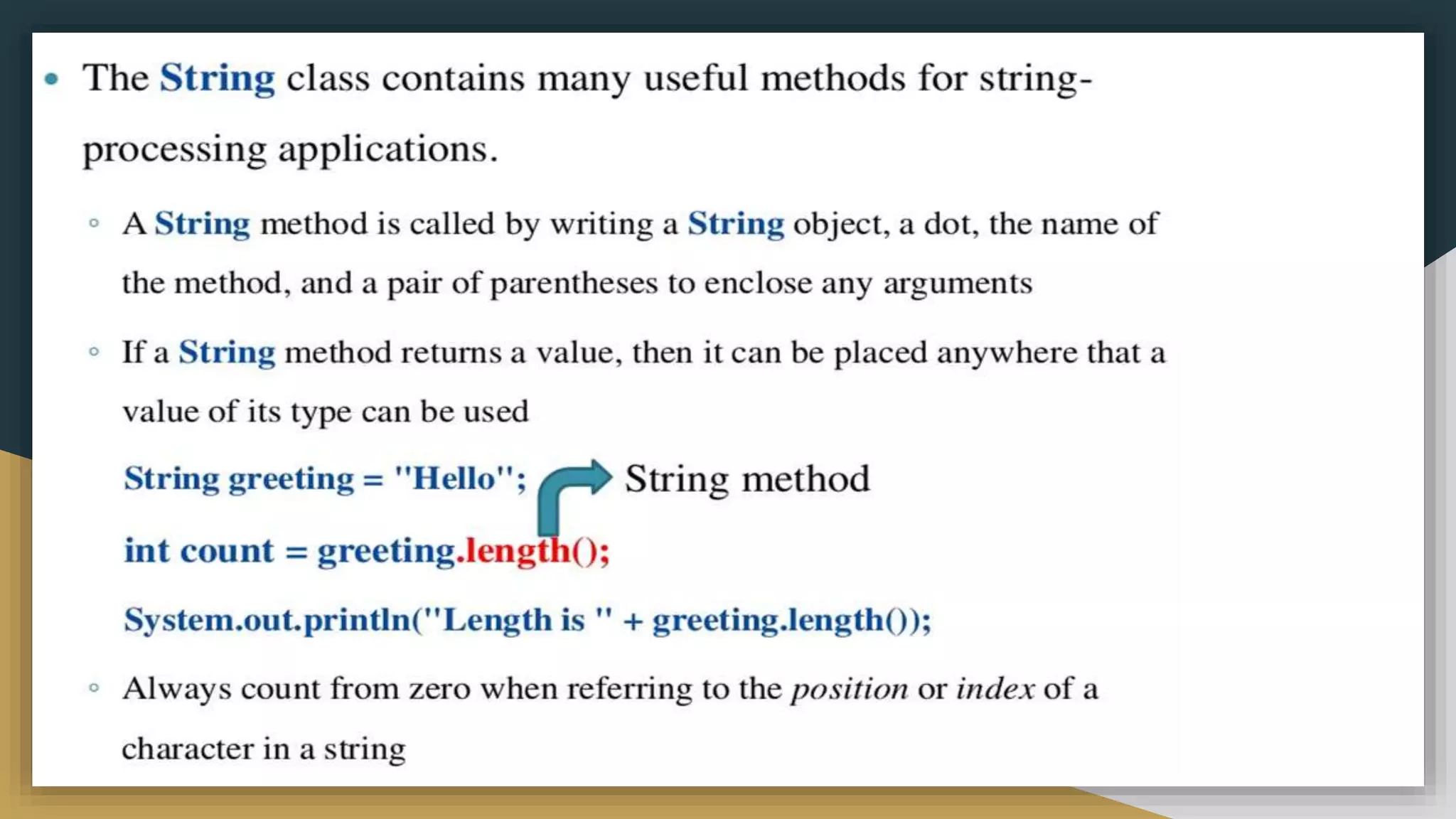
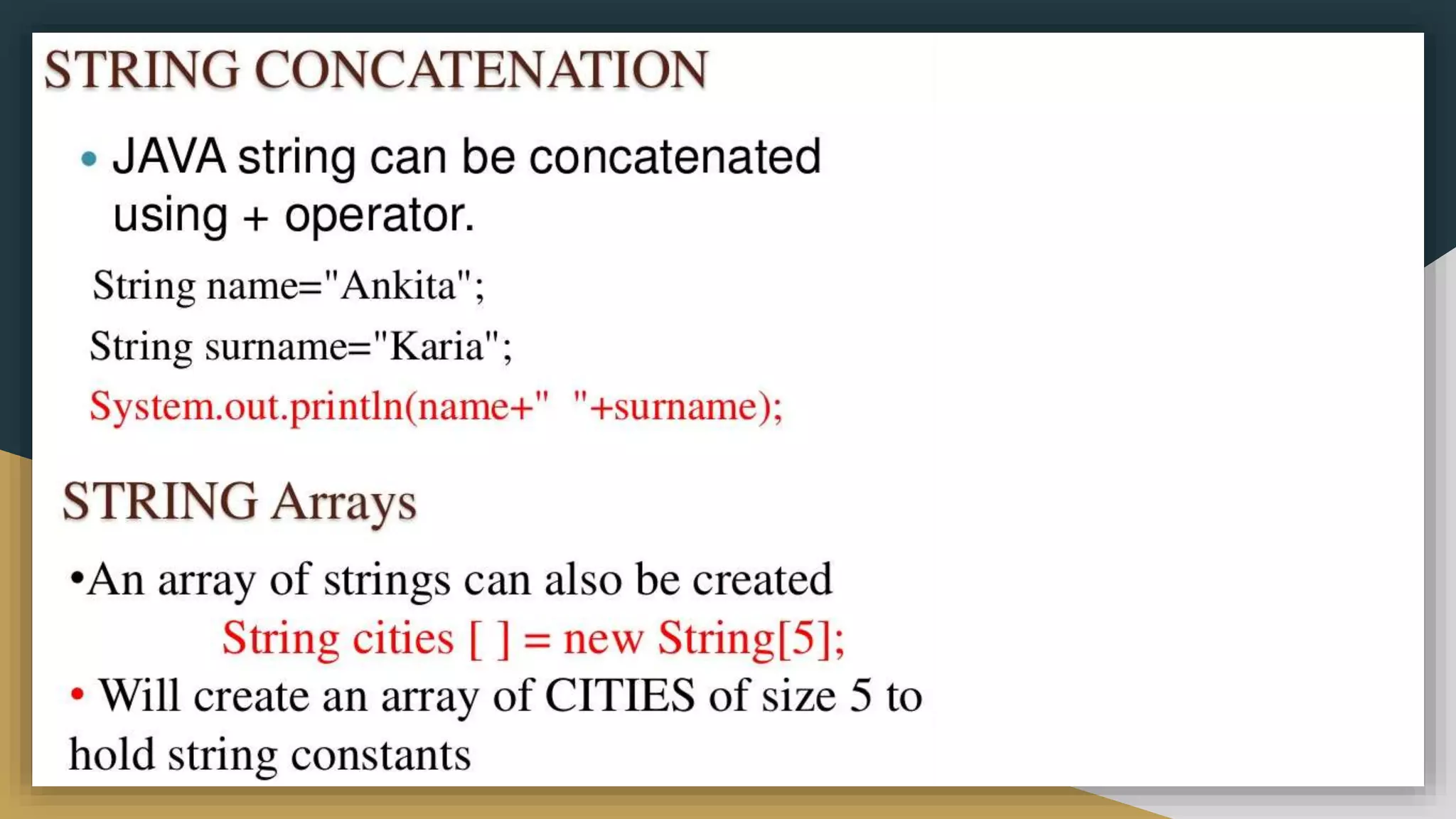
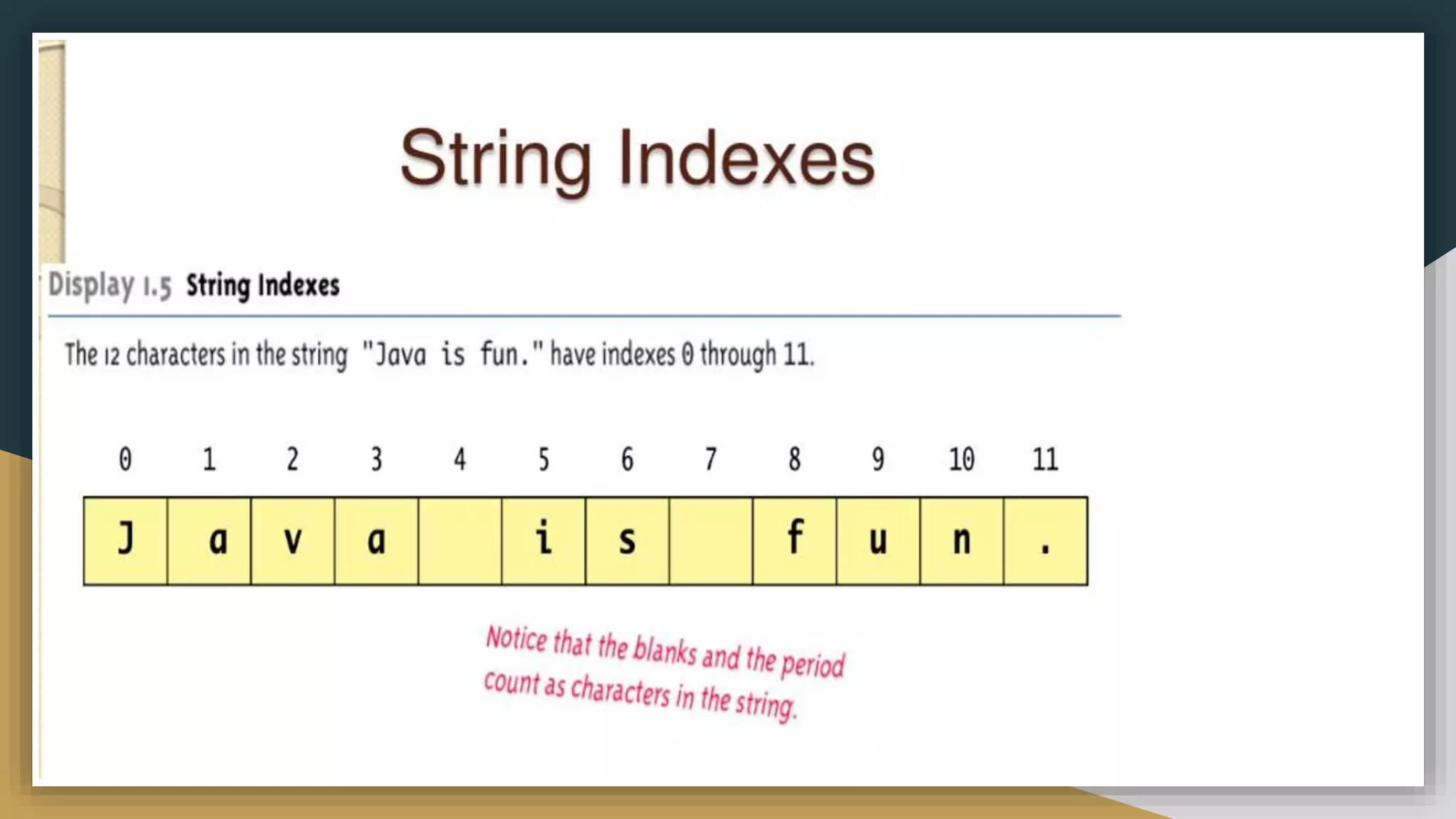
![Class definition
❏ A class is a collection of fields (data) and methods (procedure or function)
that operate on that data.
❏ The basic syntax for a class definition:
class className [extends SuperCLassName] {
[fields declaration]
[methods declaration]
}
❏ An object is an instance of the class.
Person is a class
Alice and Bob are objects of the Person class.](https://image.slidesharecdn.com/java2computerscience-220910084422-843c27be/75/Java-2-computer-science-pptx-120-2048.jpg)
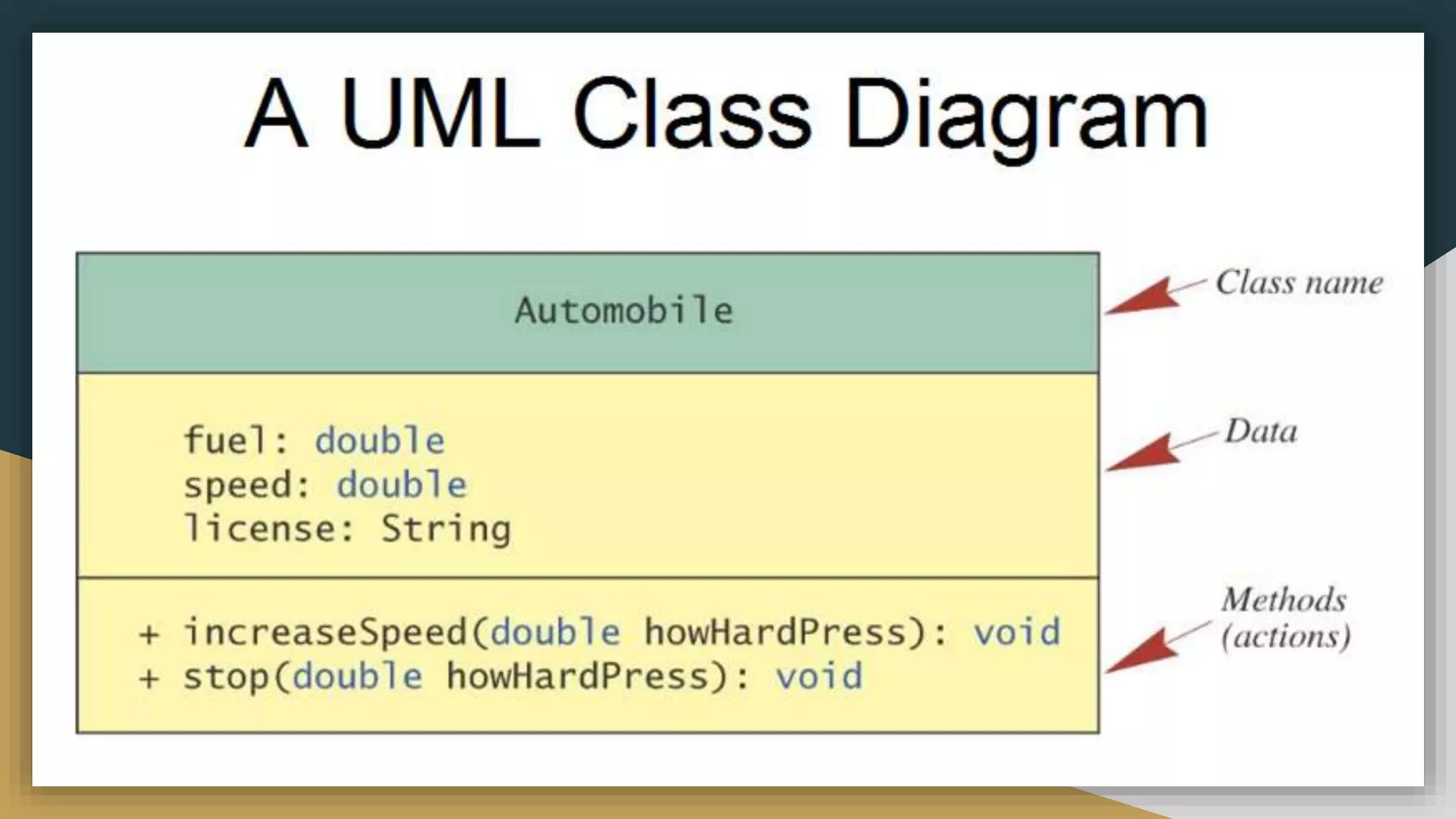
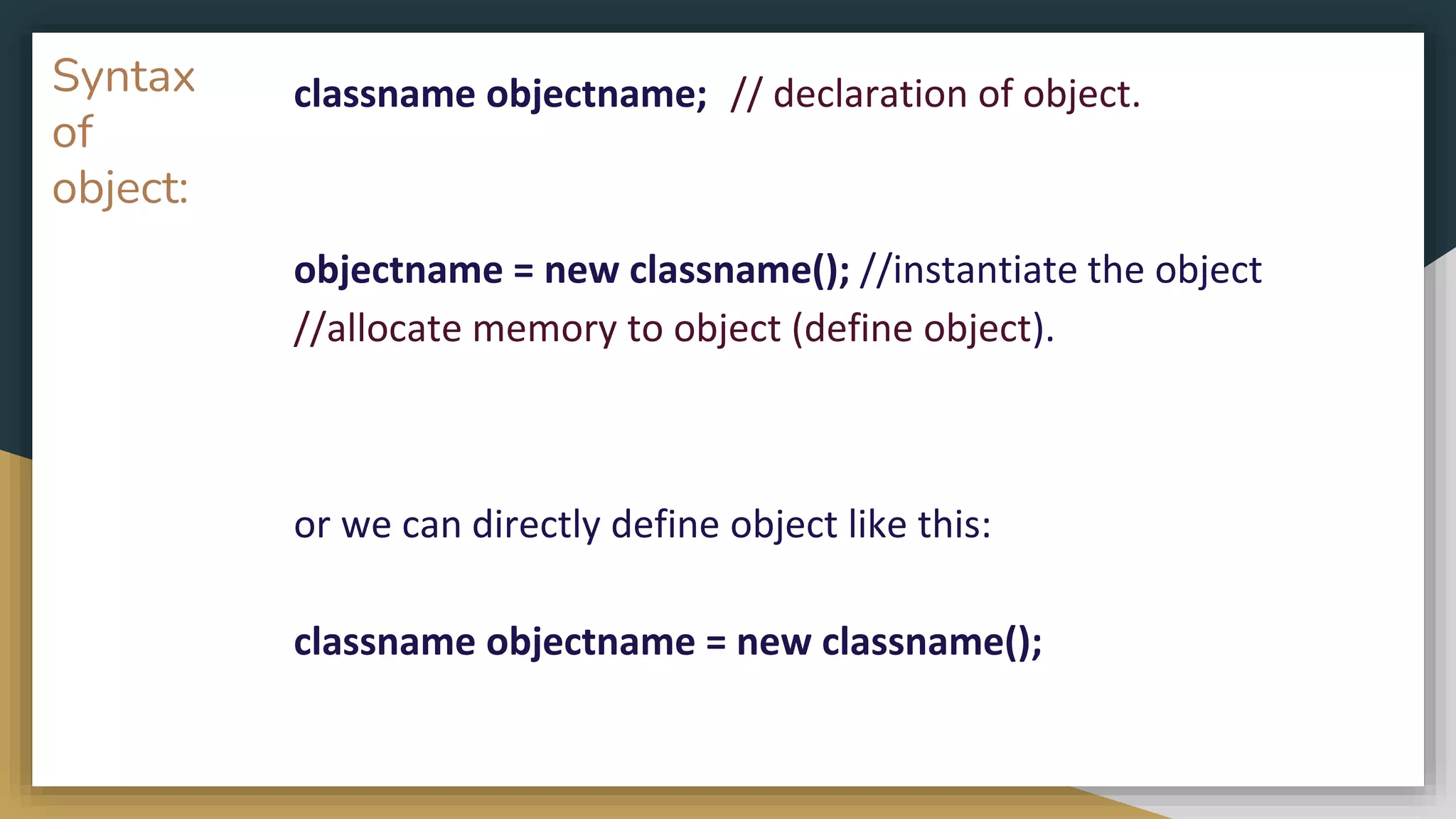
![Example public class MyPoint{
int x = 0;
int y = 0;
void displayPoint() {
System.out.println("Printing the coordinates");
System.out.println(x + " " + y);
}
public static void main(String args[]) {
MyPoint obj; // declaration
obj = new MyPoint(); // allocation of memory to an object
obj.x=10; //access data member using object.
obj.y=20;
obj.displayPoint(); // calling a member method
}}](https://image.slidesharecdn.com/java2computerscience-220910084422-843c27be/75/Java-2-computer-science-pptx-123-2048.jpg)
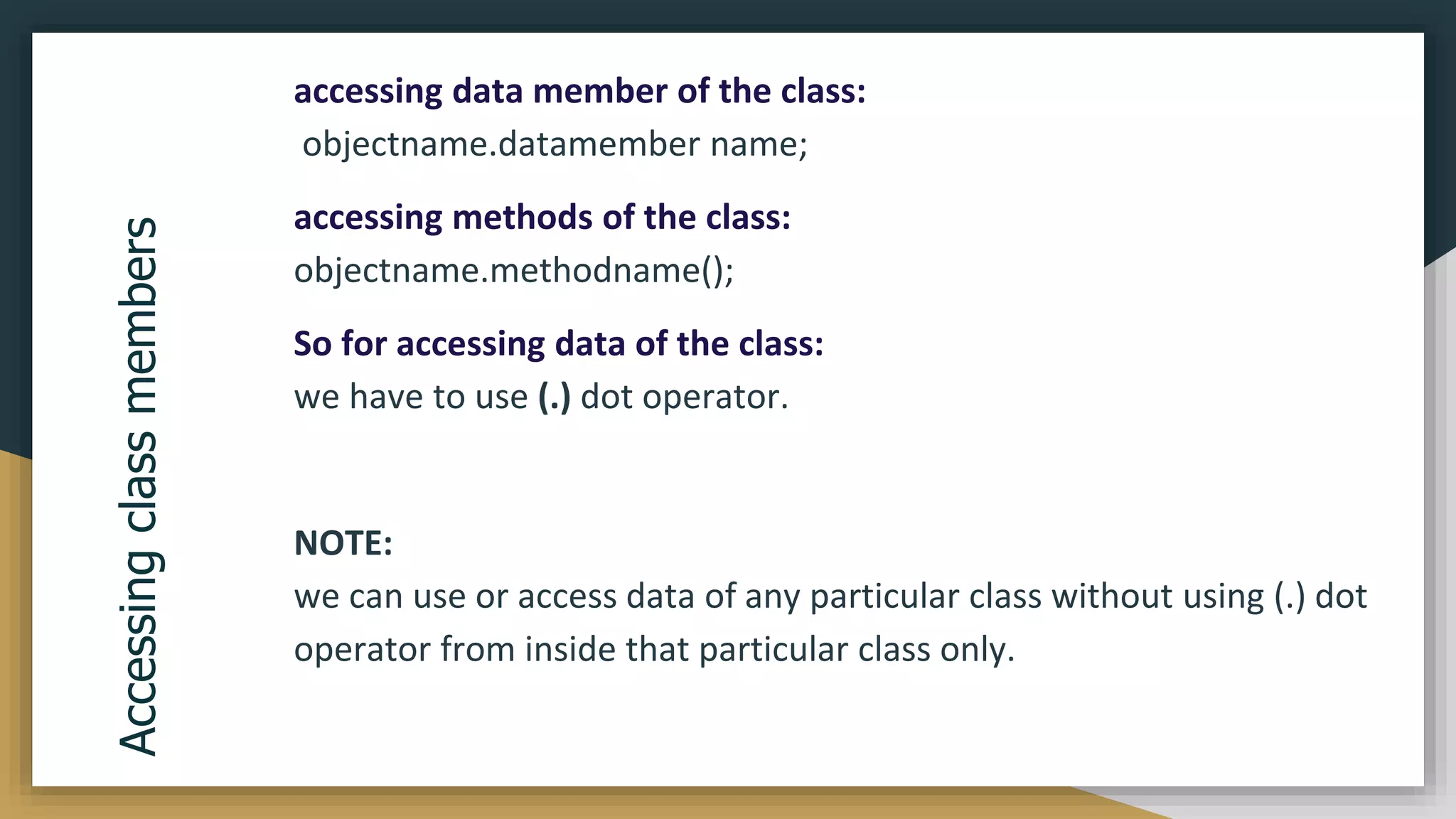
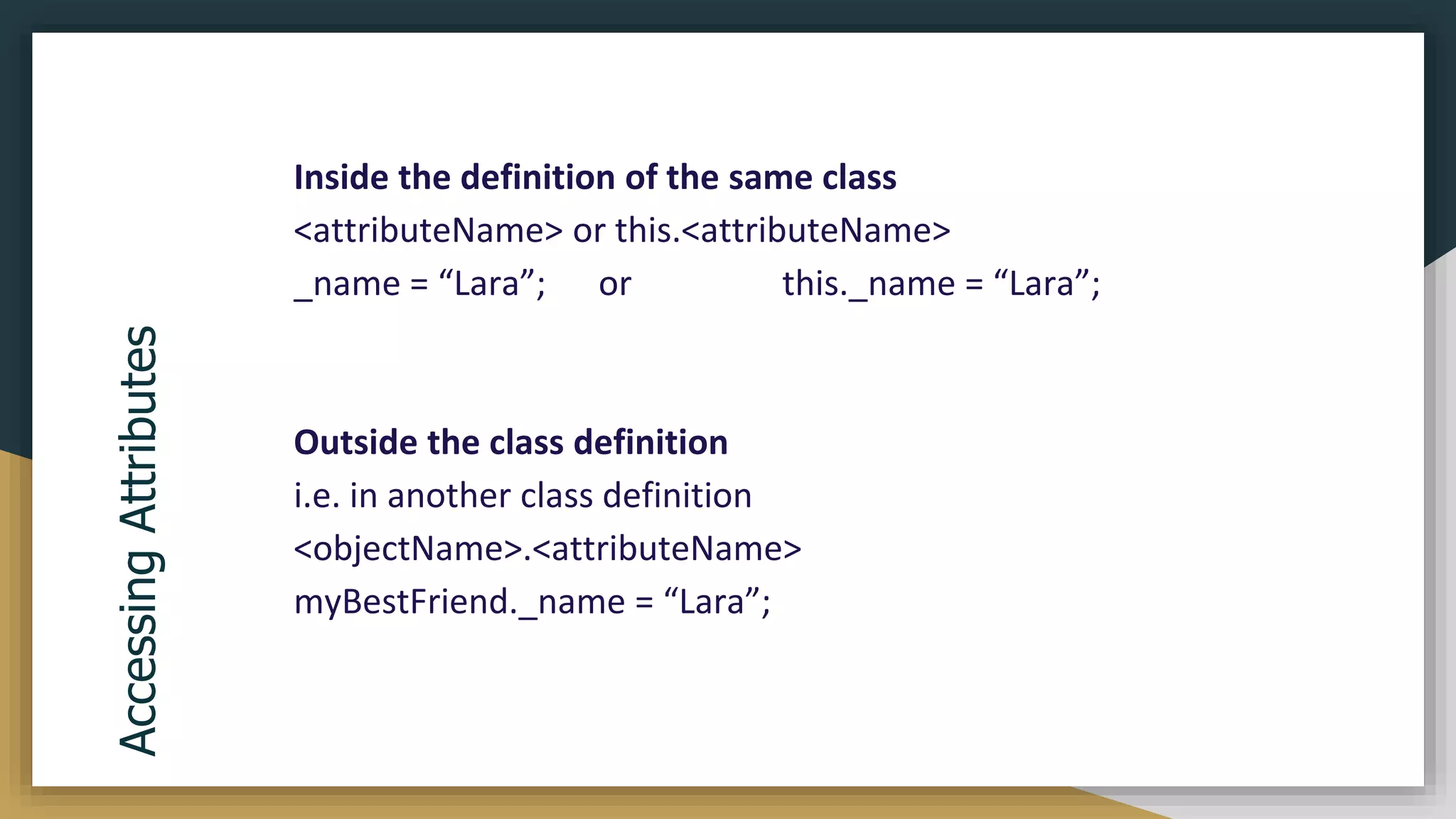
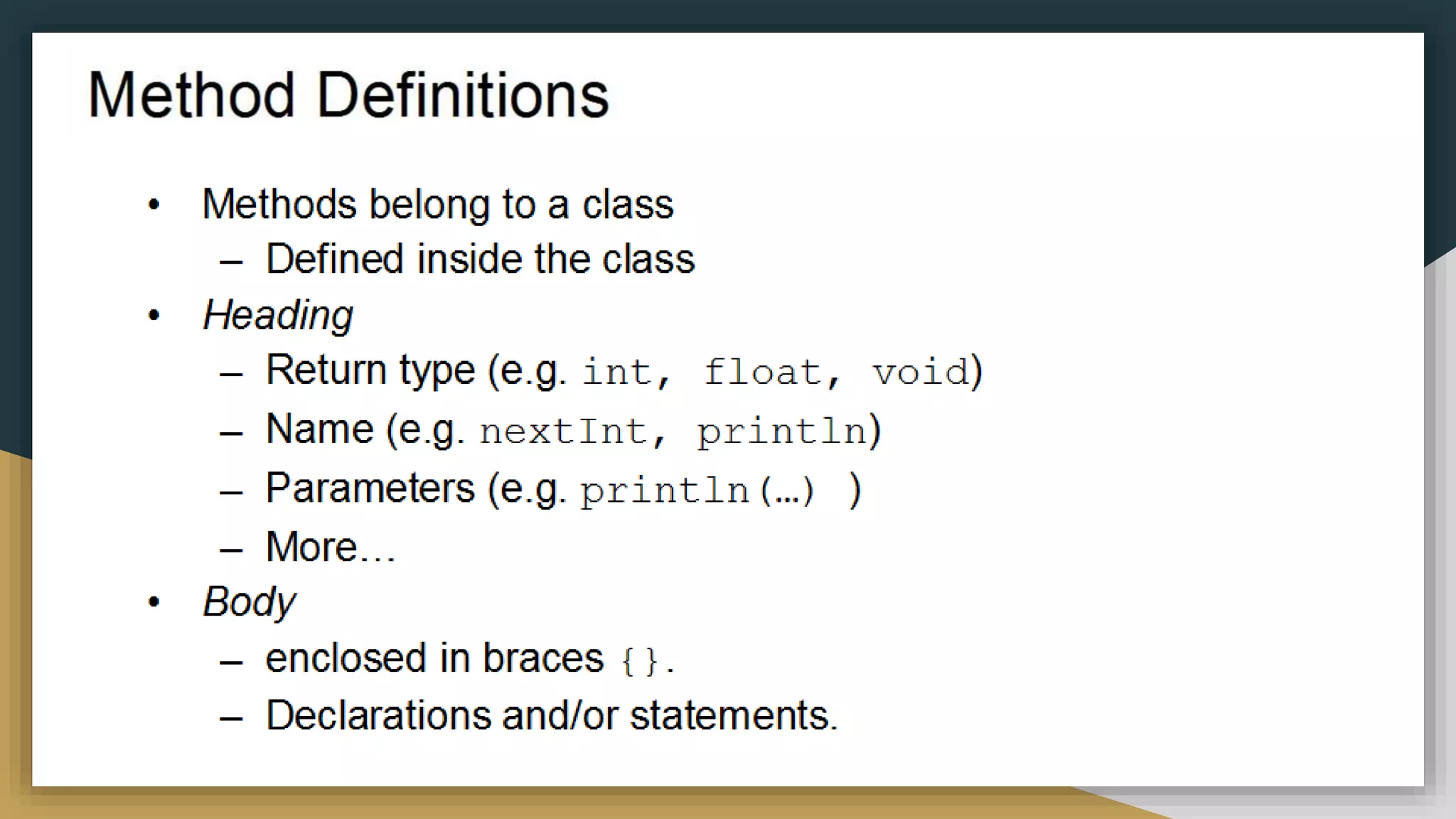
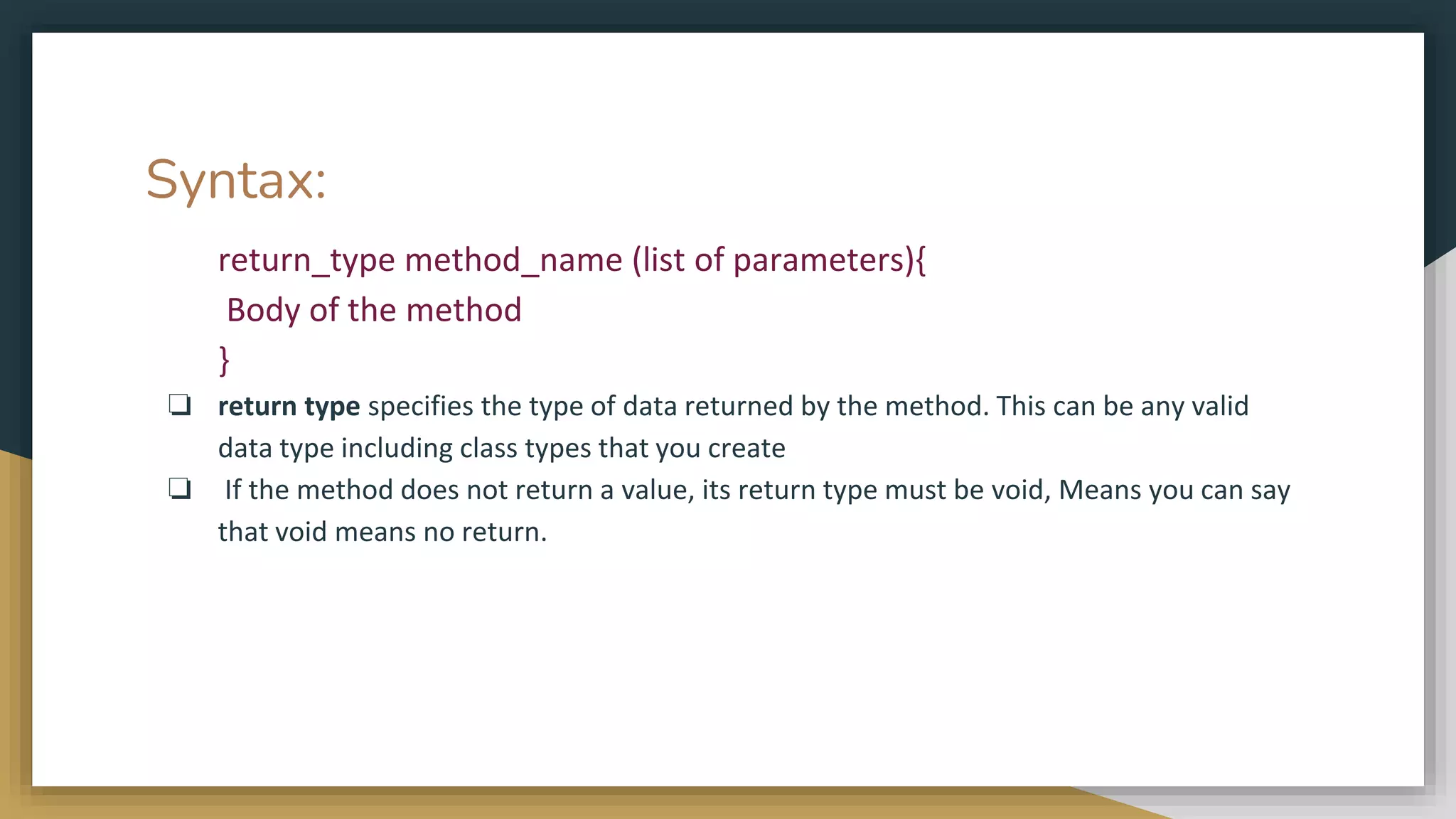
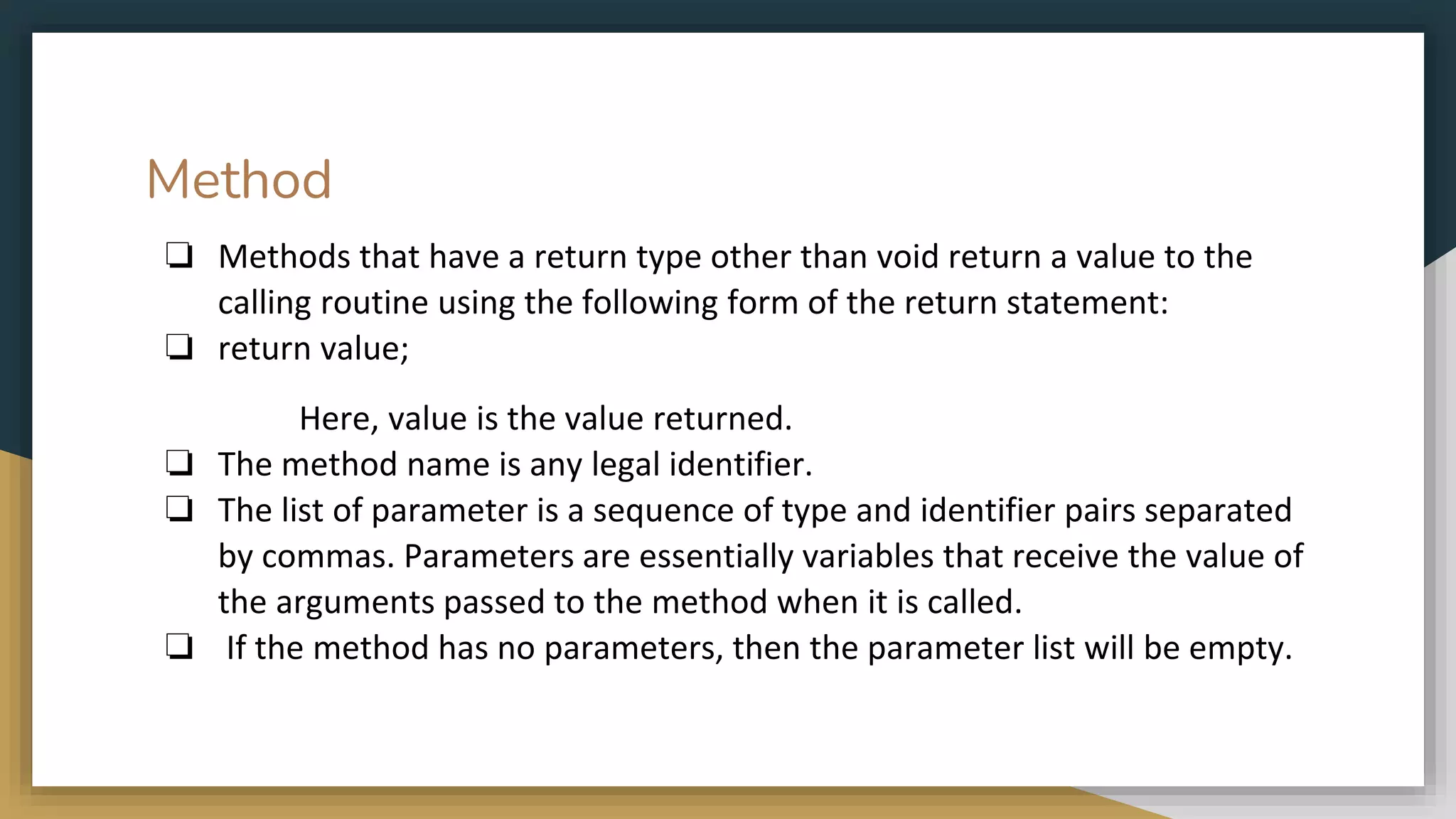
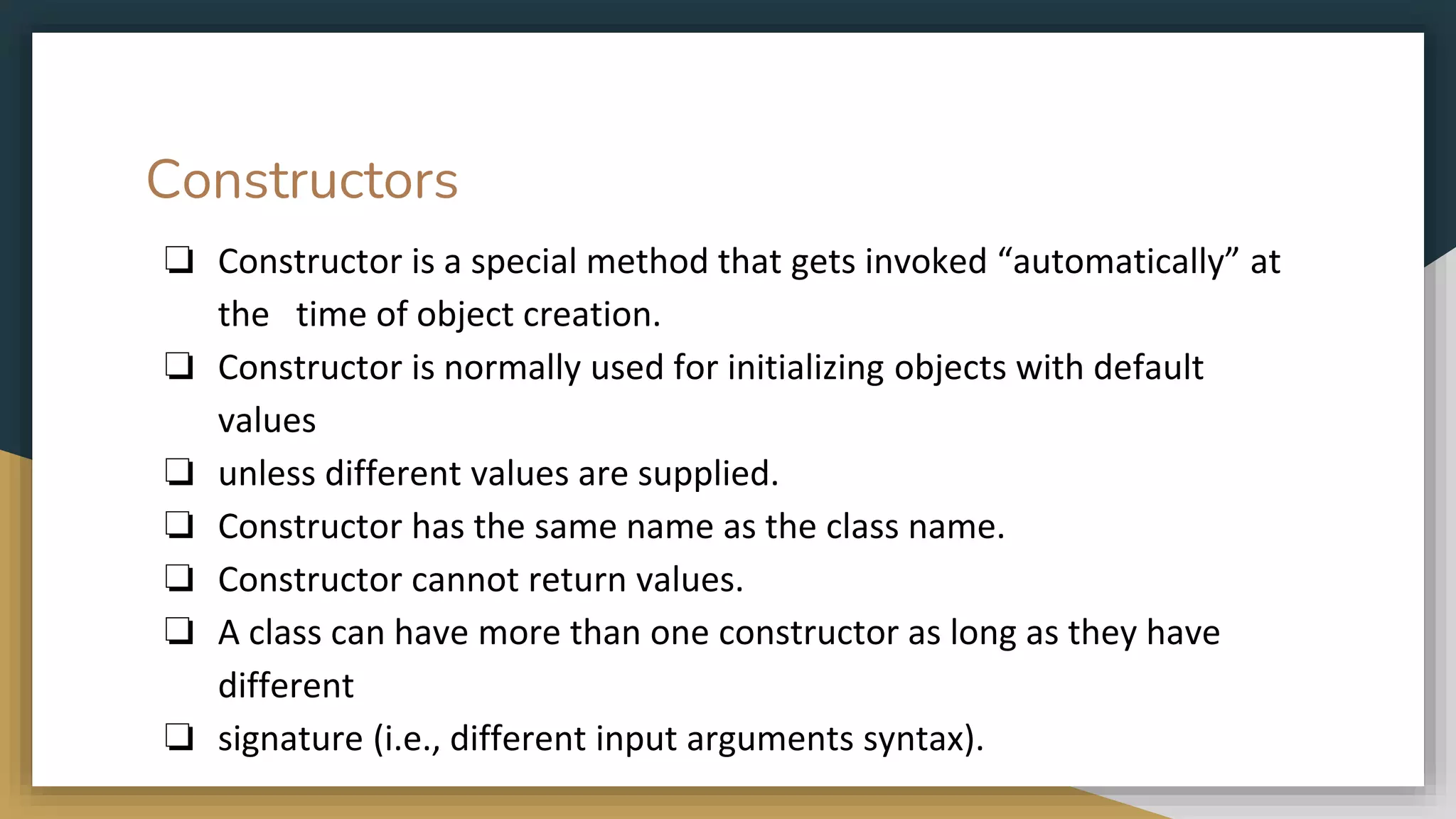
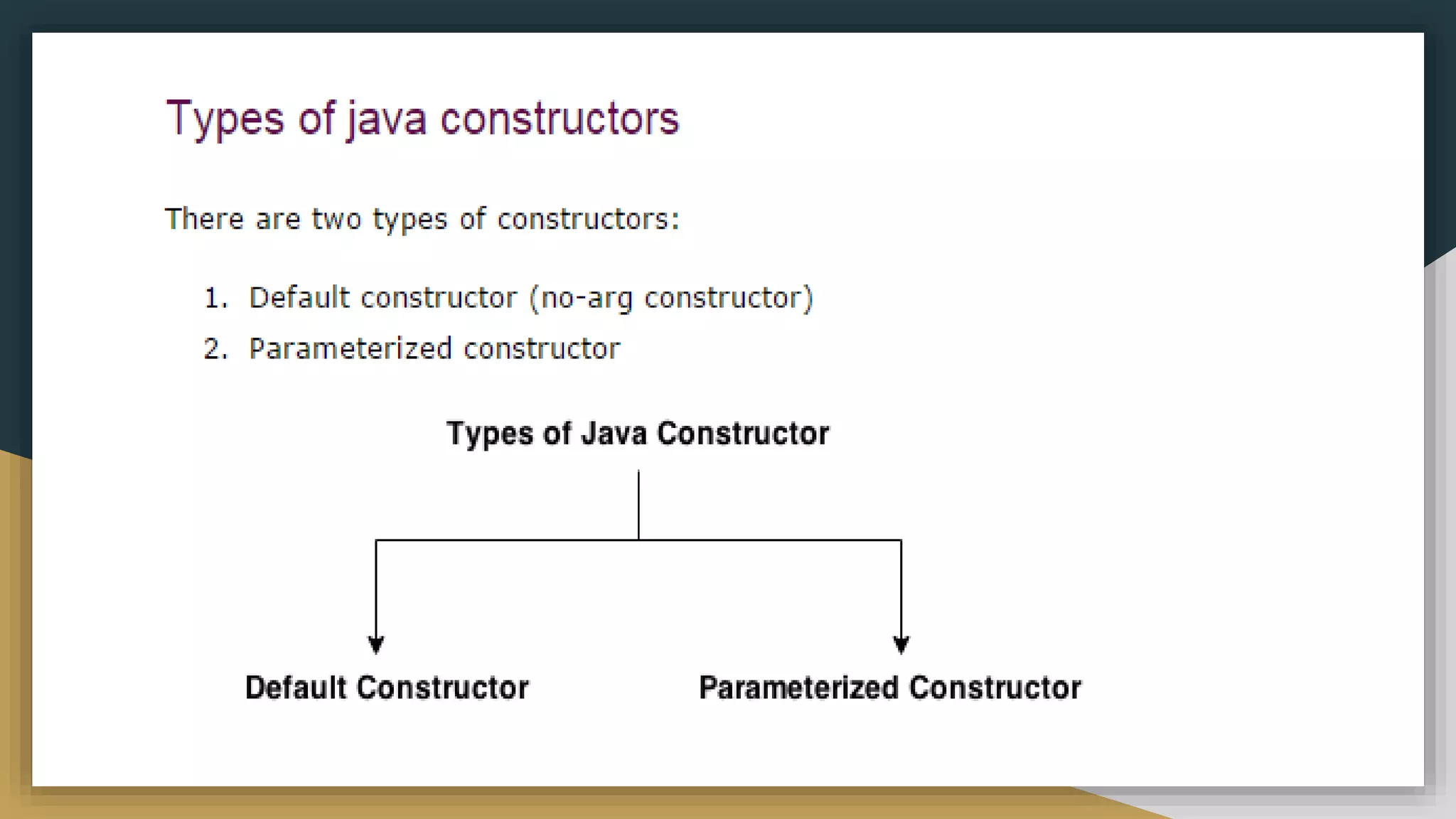
![Default constructor
❏ A constructor that accepts no parameter is
called Default Constructor.
❏ It is not necessary to have a constructor
block in your class definition.
❏ If you don’t explicitly write a constructor, the
compiler automatically inserts one for you.
❏ Following are the motive behind a default
constructor.
❏ Create the Object
❏ Call the super class constructor()
❏ Initialize all the instance variables of the
class object.
public class T {
int a;
String b;
public static void main(String[] args) {
//Default constructor
//is called to create a new object
T t = new T();
//print the default values
System.out.println(t.a);
System.out.println(t.b);
}
}](https://image.slidesharecdn.com/java2computerscience-220910084422-843c27be/75/Java-2-computer-science-pptx-132-2048.jpg)
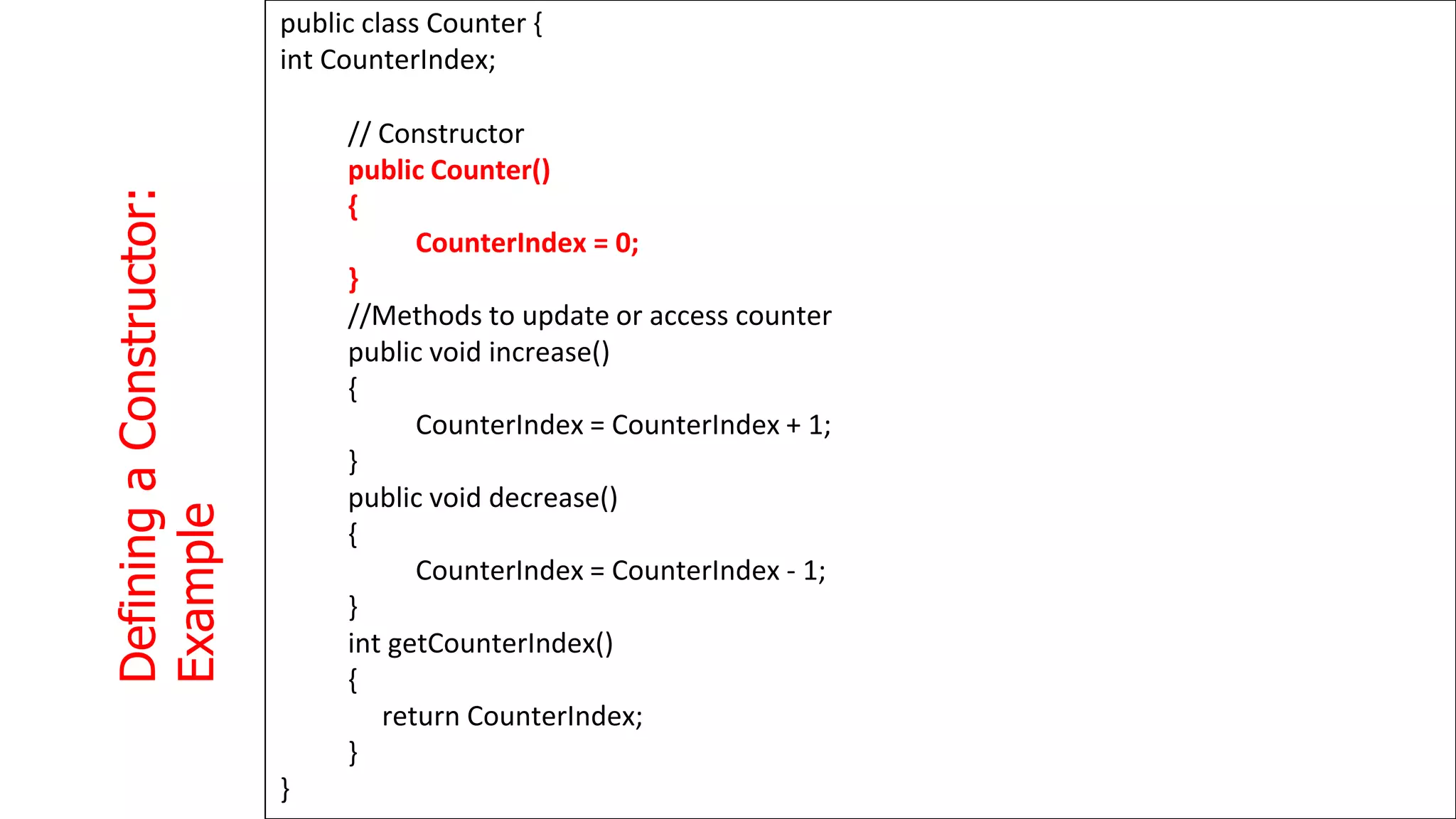
![Trace
counter
value
at
each
statement
and
What
is
the
output
?
1
3
4
class MyClass {
public static void main(String args[])
{
Counter counter1 = new Counter();
counter1.increase();
int a = counter1.getCounterIndex();
counter1.increase();
int b = counter1.getCounterIndex();
if ( a > b )
counter1.increase();
else
counter1.decrease();
System.out.println(counter1.getCounterIndex());
}
}](https://image.slidesharecdn.com/java2computerscience-220910084422-843c27be/75/Java-2-computer-science-pptx-134-2048.jpg)
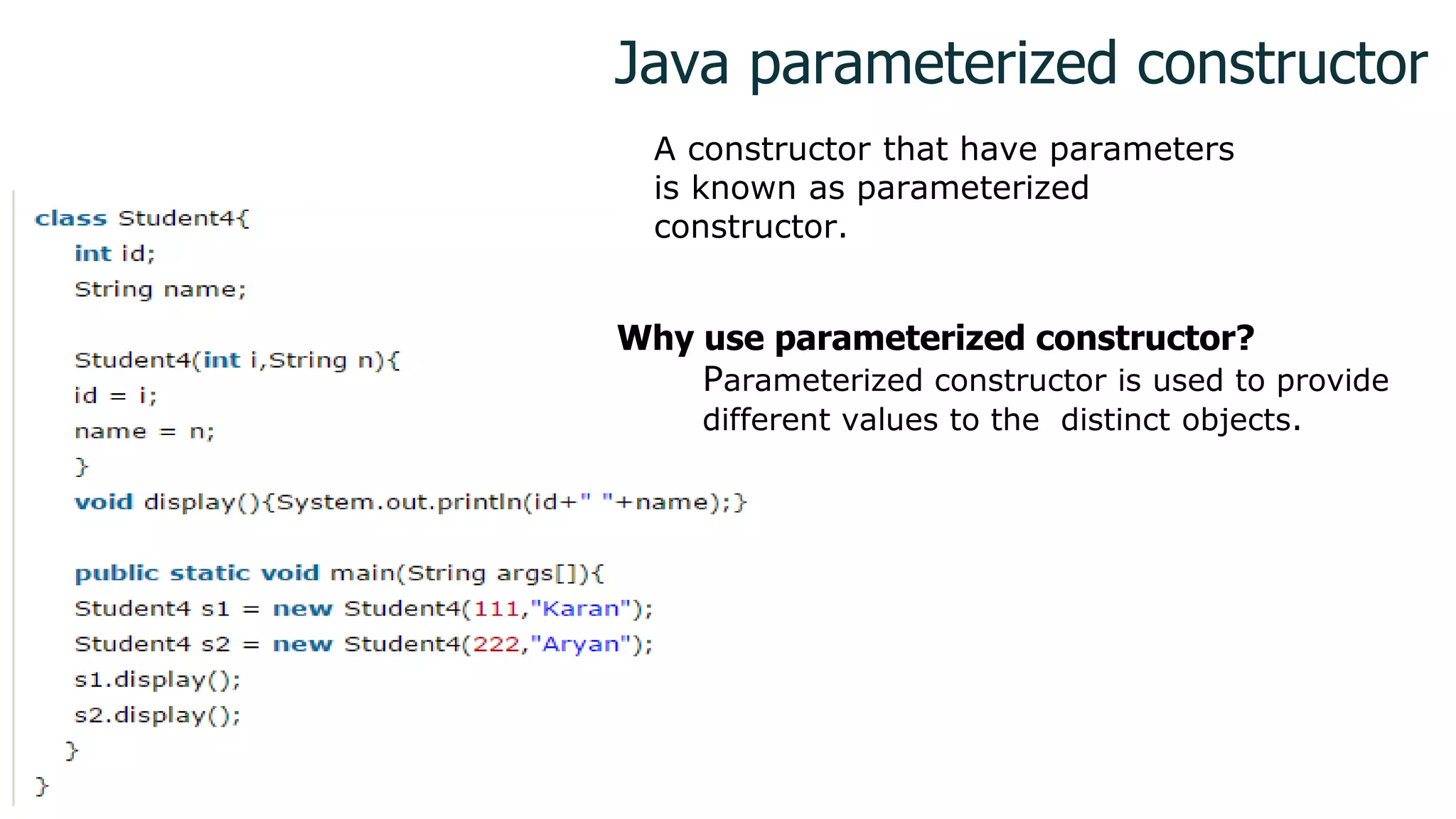
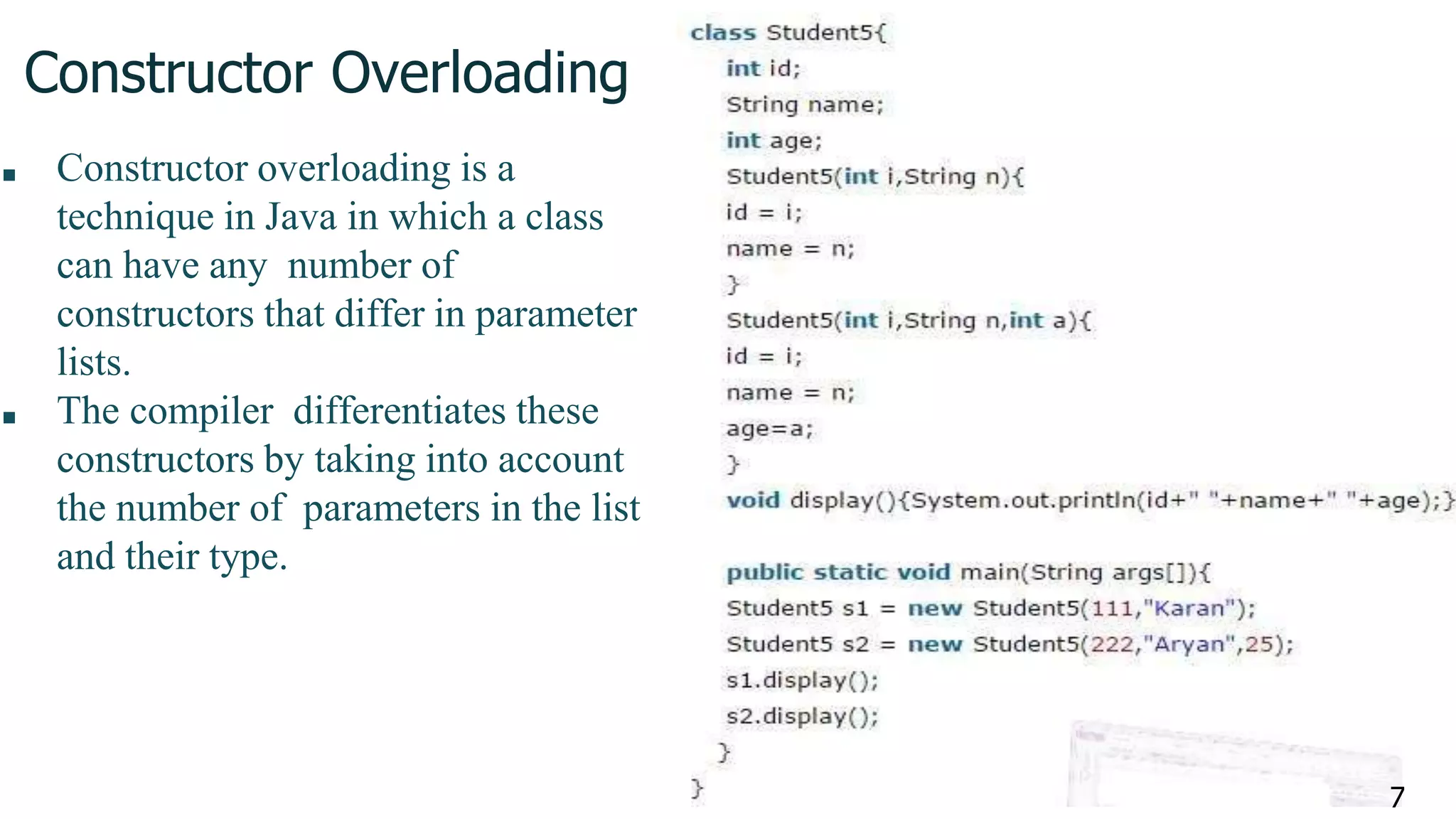
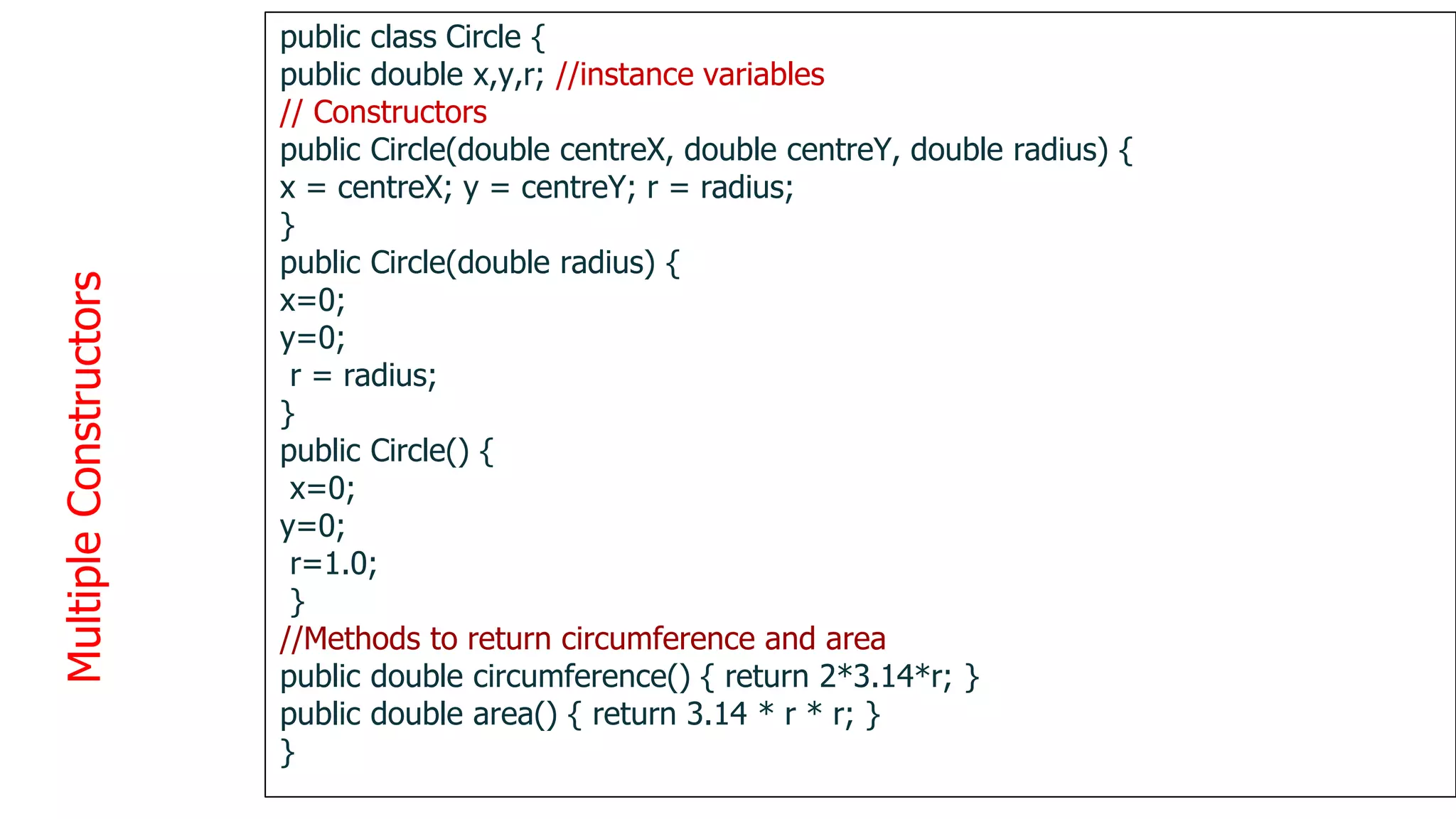
![Initializing
with
constructors
1
3
9
public class TestCircles {
public static void main(String args[]){
Circle circleA = new Circle( 10.0, 12.0, 20.0);
Circle circleB = new Circle(10.0);
Circle circleC = new Circle();
}
}
circleA = new Circle(10, 12, 20) circleB = new
Circle(10)
Centre = (0,0)
Radius=10
circleC = new Circle()
Centre = (0,0)
Radius = 1
Centre = (10,12)
Radius = 20](https://image.slidesharecdn.com/java2computerscience-220910084422-843c27be/75/Java-2-computer-science-pptx-139-2048.jpg)
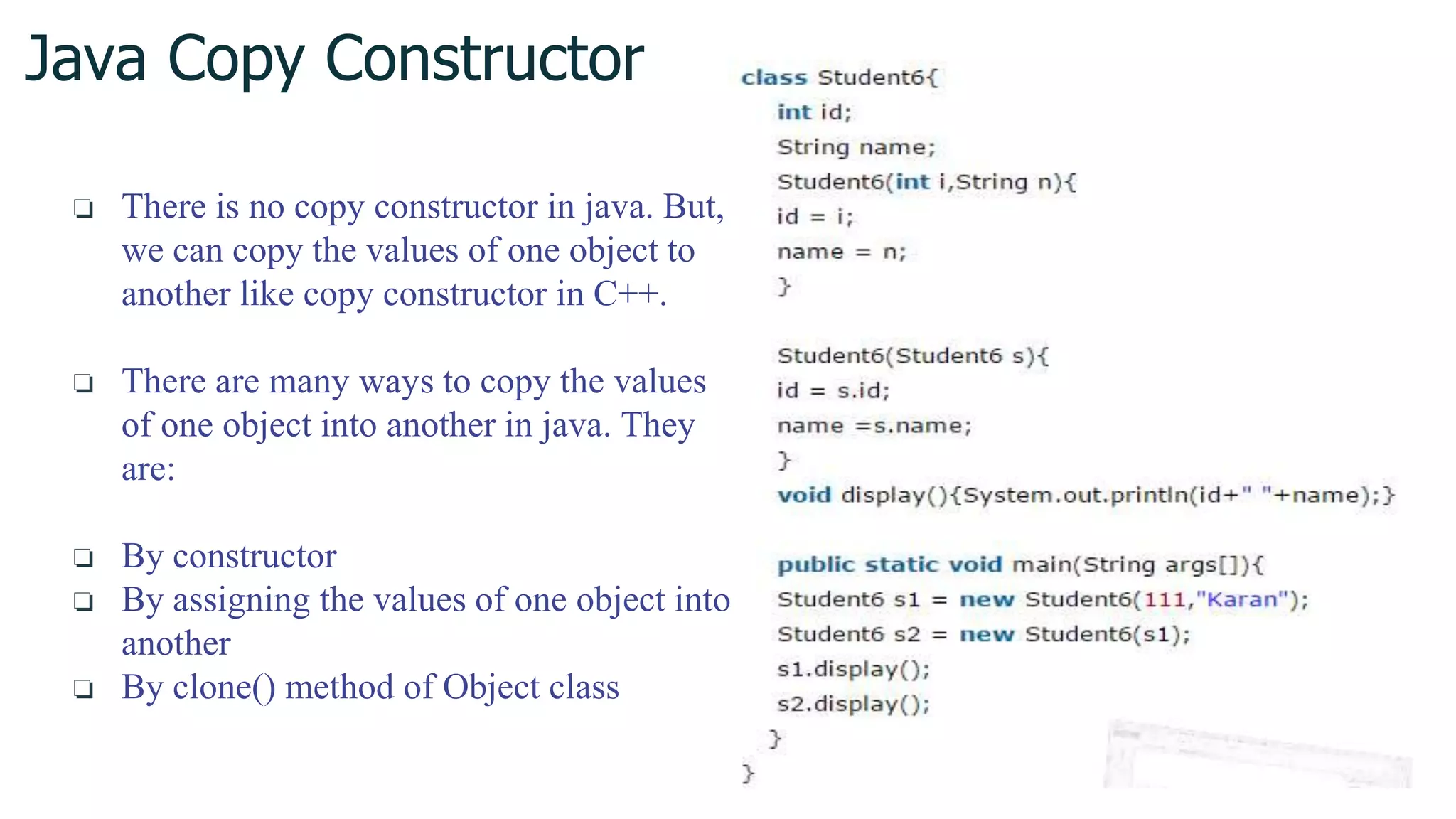
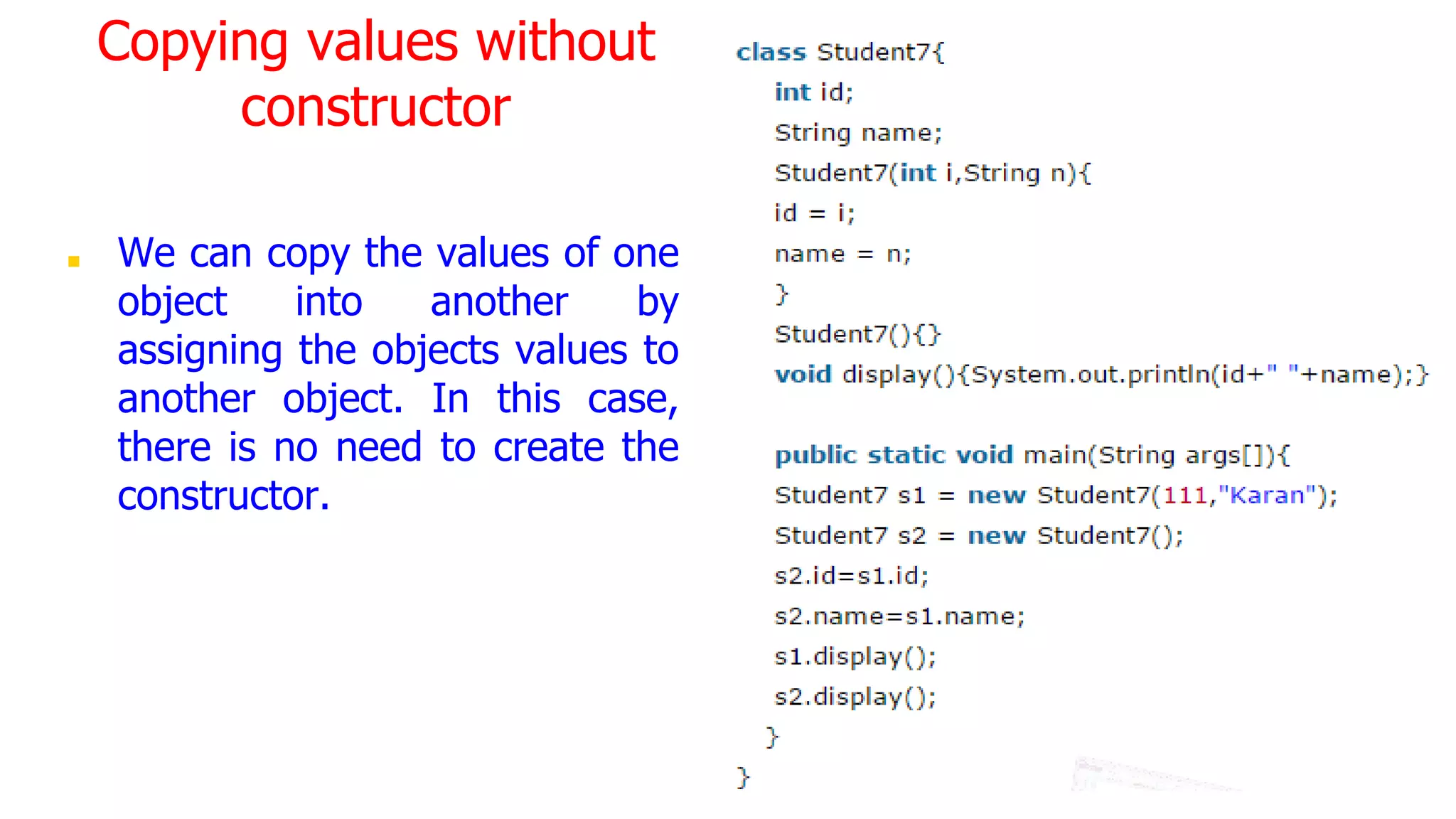
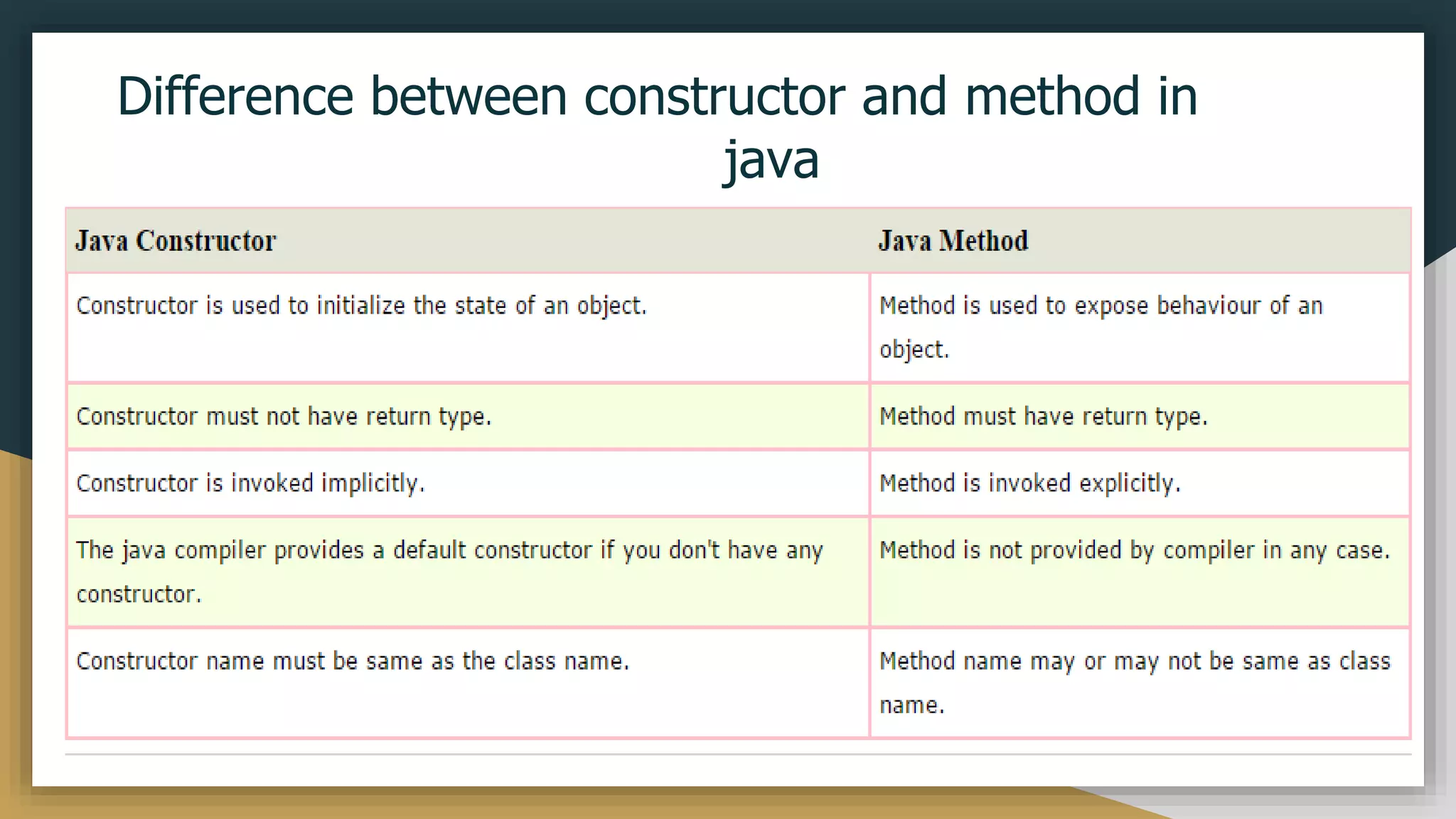
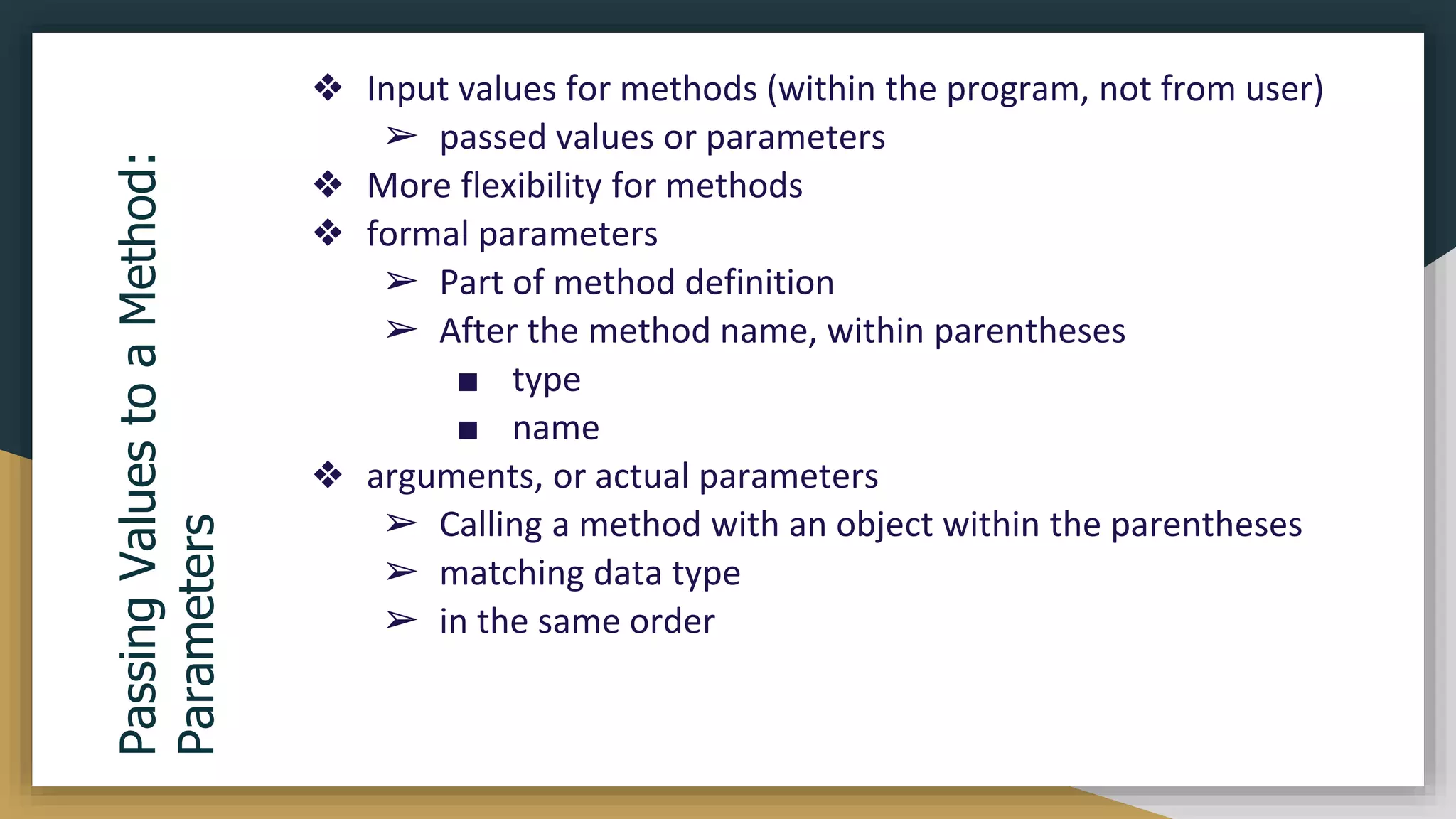
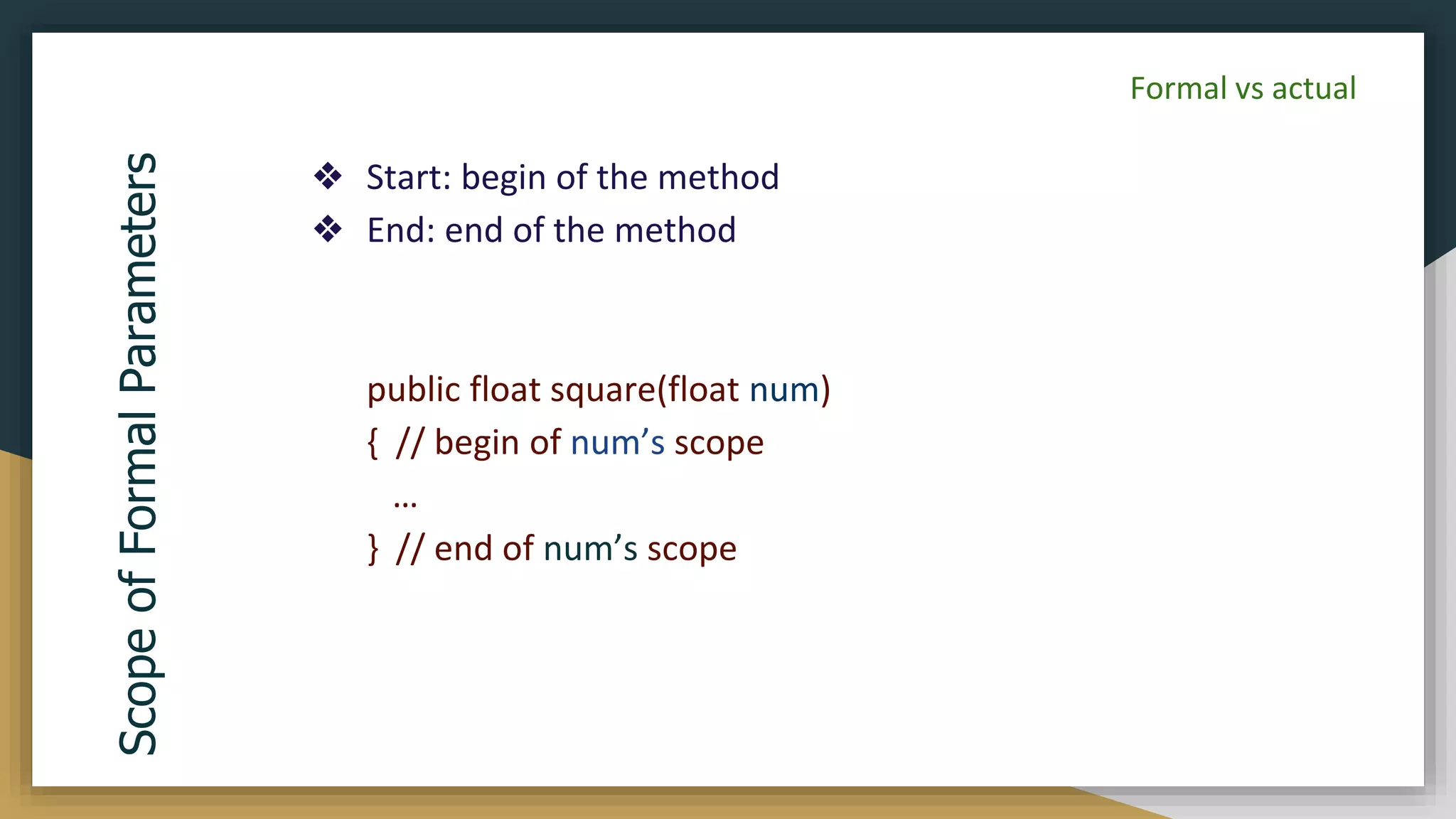
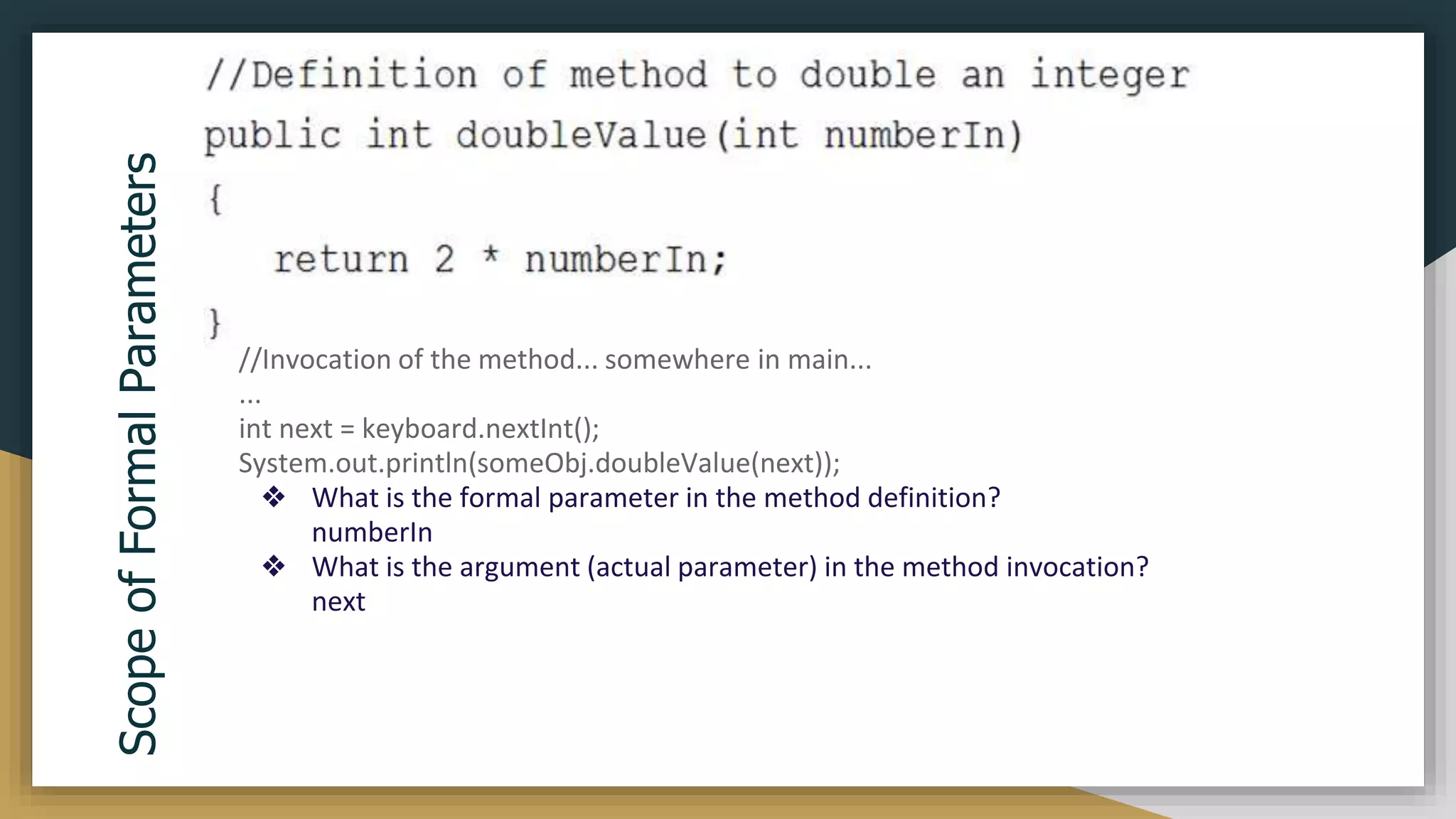
![Example
: By directly passing Object Name
void area(Rectangle r1) {
int areaOfRectangle = r1.length * r1.width;
System.out.println("Area of Rectangle : "
+ areaOfRectangle);
}
class RectangleDemo {
public static void main(String args[]) {
Rectangle r1 = new Rectangle(10, 20);
r1.area(r1);
}](https://image.slidesharecdn.com/java2computerscience-220910084422-843c27be/75/Java-2-computer-science-pptx-147-2048.jpg)
![Different
Ways
of
Passing
Object
as
Parameter
:
By passing Instance Variables one by one
class Rectangle {
int length;
int width;
void area(int length, int width) {
int areaOfRectangle = length * width;
System.out.println("Area of Rectangle : "
+ areaOfRectangle);
}}
class RectangleDemo {
public static void main(String args[]) {
Rectangle r1 = new Rectangle();
Rectangle r2 = new Rectangle();
r1.length = 20;
r1.width = 10;
r2.area(r1.length, r1.width); } }
***We can pass only public data of object to the Method.](https://image.slidesharecdn.com/java2computerscience-220910084422-843c27be/75/Java-2-computer-science-pptx-148-2048.jpg)
![❏ Method Overloading is a feature that allows a class to have more than one method having the same name, if their argument
lists are different( ie. differs in signature.)
❏ In order to overload a method, the argument lists of the methods must differ in either of these:
❏ Number of parameters.
❏ Data type of parameters.
❏ Sequence of Data type of parameters.
public class ExampleOverloading
{
public static void main(String
args[])
{
DisplayOverloading obj = new
DisplayOverloading();
obj.disp('a');
obj.disp('a',10);
}
}
class DisplayOverloading
{
public void disp(char c)
{
System.out.println(c);
}
public void disp(char c, int num)
{
System.out.println(c + " "+num);
} }
Method Overloading](https://image.slidesharecdn.com/java2computerscience-220910084422-843c27be/75/Java-2-computer-science-pptx-149-2048.jpg)
![public class ExampleOverloading
{
public static void main(String
args[])
{
DisplayOverloading2 obj = new
DisplayOverloading2();
obj.disp('a');
obj.disp(5);
}
}
class DisplayOverloading2
{
public void disp(char c)
{
System.out.println(c);
}
public void disp(int c)
{
System.out.println(c );
}
}
Method Overloading
Output
a
5
Example:Data type of parameters.](https://image.slidesharecdn.com/java2computerscience-220910084422-843c27be/75/Java-2-computer-science-pptx-150-2048.jpg)
![public class ExampleOverloading
{
public static void main(String
args[])
{
DisplayOverloading3 obj = new
DisplayOverloading3();
obj.disp('x', 51 );
obj.disp(52, 'y');
}
}
class DisplayOverloading3
{
public void disp(char c, int num)
{
System.out.println("I’m the first definition
of method disp");
}
public void disp(int num, char c)
{
System.out.println("I’m the second
definition of method disp" );
}
}
Method Overloading
Output
I’m the first definition of method disp
I’m the second definition of method disp
Example: Sequence of data type of arguments](https://image.slidesharecdn.com/java2computerscience-220910084422-843c27be/75/Java-2-computer-science-pptx-151-2048.jpg)
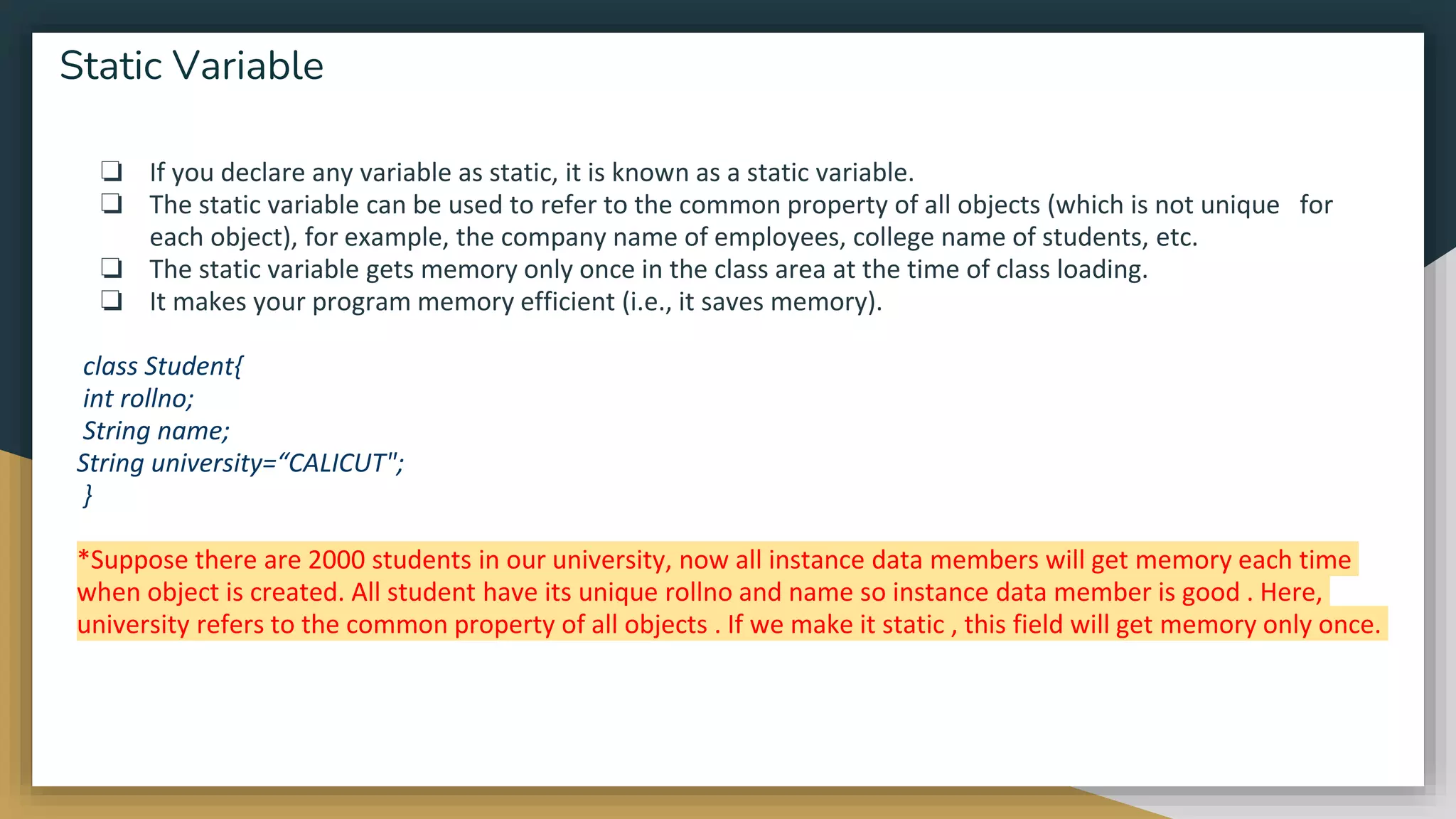
![class Student8{
int rollno;
String name;
static String college ="ITS";
Student8(int r,String n){
rollno = r;
name = n;
}
void display (){
System.out.println(rollno+" "+name+" "+college);
}
public static void main(String args[]){
Student8 s1 = new Student8(111,"Karan");
Student8 s2 = new Student8(222,"Aryan");
s1.display();
s2.display();
} }
Example of static variable](https://image.slidesharecdn.com/java2computerscience-220910084422-843c27be/75/Java-2-computer-science-pptx-154-2048.jpg)
![class Student9{
int rollno;
String name;
static String university = "ITS";
static void change(){
university = “Calicut”;
}
Student9(int r, String n){
rollno = r;
name = n;
}
void display () {
System.out.println(rollno+" "+name+" "+university);
}
Static Methods Example :1
public static void main(String args[]){
Student9.change();
Student9 s1 = new Student9 (111,"Karan");
Student9 s2 = new Student9 (222,"Aryan");
Student9 s3 = new Student9 (333,"Sonoo");
s1.display();
s2.display();
s3.display();
} }
Output:-
111 Karan Calicut
222 Aryan Calicut
333 Sonoo Calicut](https://image.slidesharecdn.com/java2computerscience-220910084422-843c27be/75/Java-2-computer-science-pptx-156-2048.jpg)
![class Calculate{
static int cube(int x){
return x*x*x;
}
public static void main(String args[]){
int result=Calculate.cube(5);
System.out.println(result);
} }
Static Methods Example :2
Output:-
125](https://image.slidesharecdn.com/java2computerscience-220910084422-843c27be/75/Java-2-computer-science-pptx-157-2048.jpg)
![❏ Static block is used for initializing the static variables.
❏ This block gets executed when the class is loaded in the memory.
❏ A class can have multiple Static blocks, which will execute in the same sequence in which they have been written
into the program
Example :- Single static block
As you can see that both the static variables were initialized before we accessed them in the main method.
class A{
static int num;
static String mystr;
static{
num = 26;
mystr = "Static keyword";
}
public static void main(String args[])
{
System.out.println("Value of num: "+num);
System.out.println("Value of mystr: "+mystr); } }
Static Block
Output:-
Value of num: 26
Value of mystr: Static keyword](https://image.slidesharecdn.com/java2computerscience-220910084422-843c27be/75/Java-2-computer-science-pptx-158-2048.jpg)
![❏ A class can be made static only if it is a nested class.
❏ Nested static class doesn’t need reference of Outer class
❏ A static class cannot access non-static members of the Outer class
Example:
public class ClassA {
static class ClassB {
public void func() {
System.out.println("This is a static nested class");
}
}
public static void main(String args[]) {
ClassA.ClassB obj = new ClassA.ClassB();
obj.func();
}
}
Static nested class
Output:-
This is a static nested class](https://image.slidesharecdn.com/java2computerscience-220910084422-843c27be/75/Java-2-computer-science-pptx-159-2048.jpg)
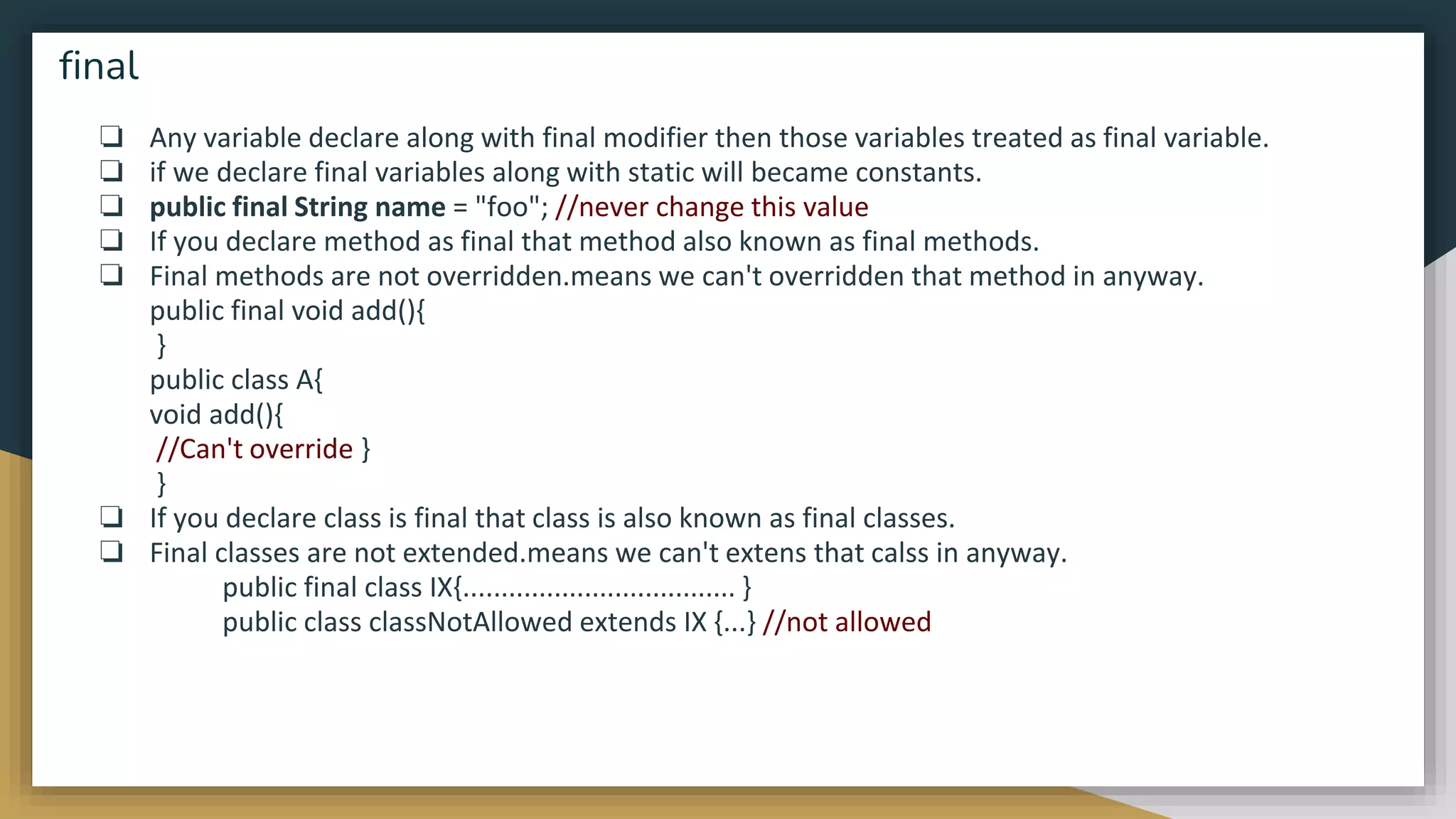
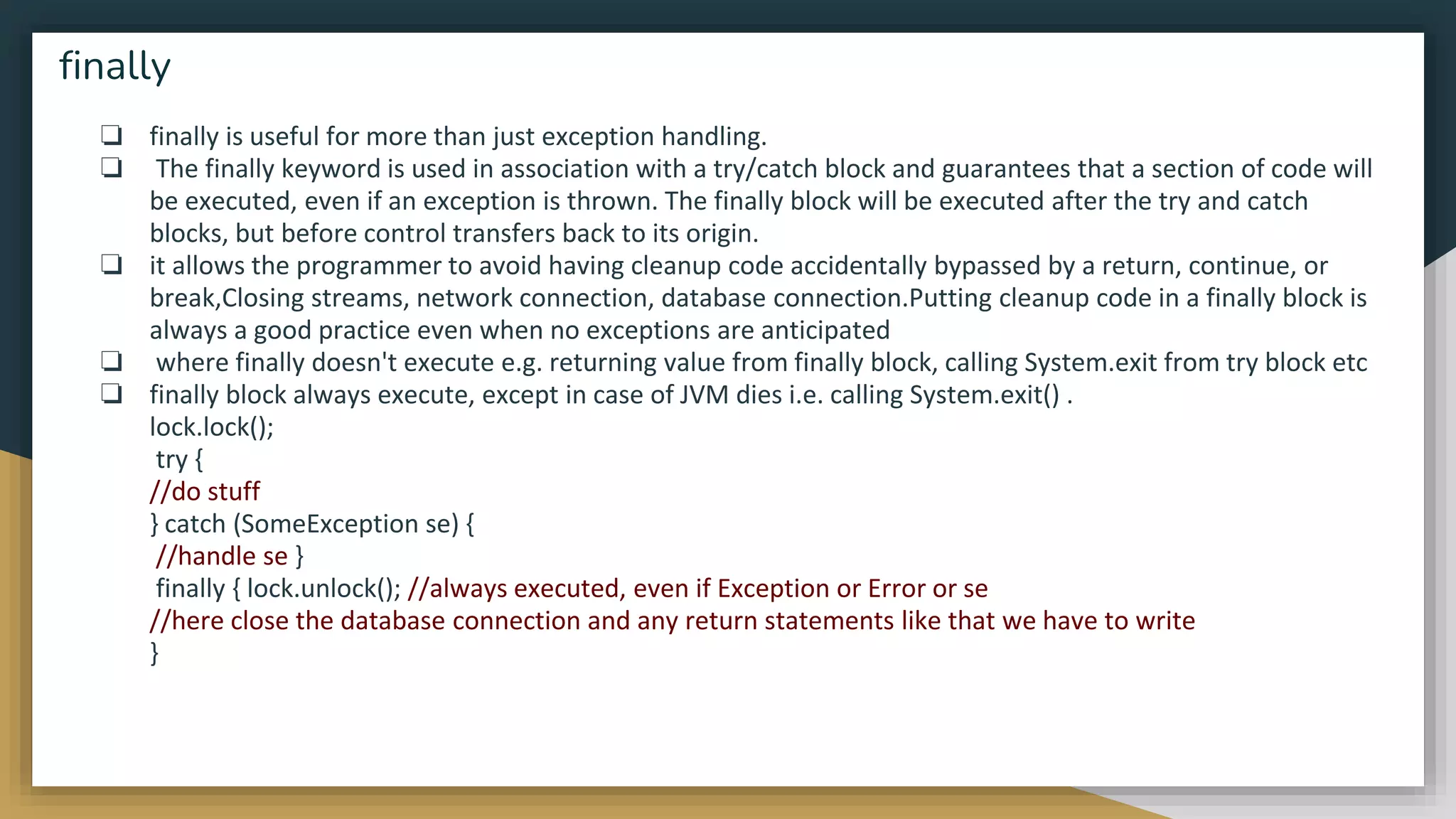
![class B {
Public static void main(String[] args)
{
int k = 55;
try {
System.out.println("In try block");
int z = k / 55;
}
catch (ArithmeticException e) {
System.out.println("In catch block");
System.out.println("Dividing by zero but caught");
}
finally
{
System.out.println("Executes whether exception occurs or not");
} }
}
finally class C {
public static void main(String[] args)
{
int k = 66;
try {
System.out.println("In try block");
int z = k / 0;
// Carefully see flow dosen't come here
System.out.println("Flow dosen't came here");
}
catch (ArithmeticException e) {
System.out.println("In catch block");
System.out.println("Dividing by zero but caught");
}
finally {
System.out.println("Executes whether an exception occurs or
not");
}
}
}
o/p:-
In try block
Executes whether exception occurs or not
o/p:-
In try block
In catch block
Dividing by zero but caught
Executes whether an exception occurs or not](https://image.slidesharecdn.com/java2computerscience-220910084422-843c27be/75/Java-2-computer-science-pptx-162-2048.jpg)
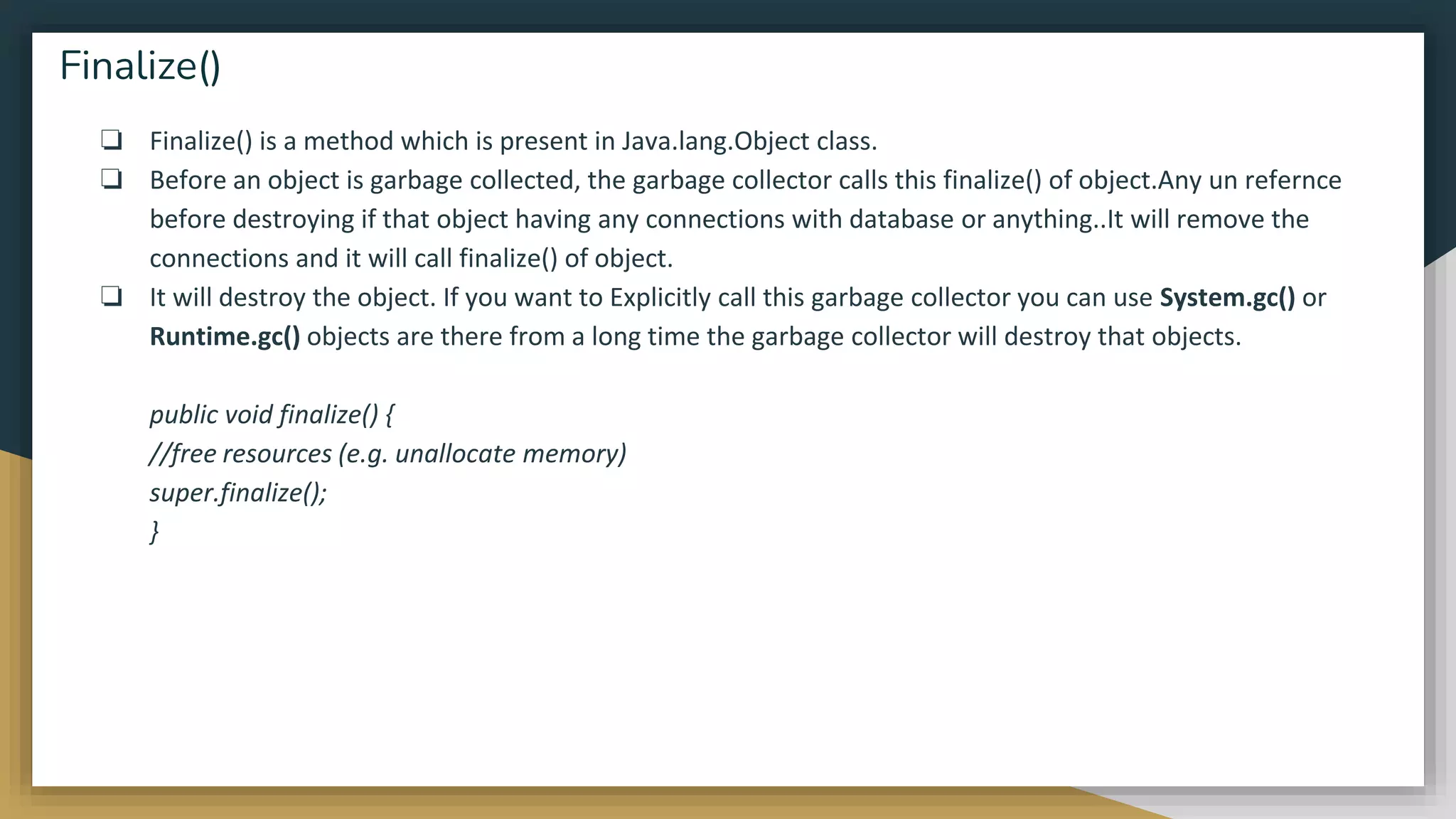
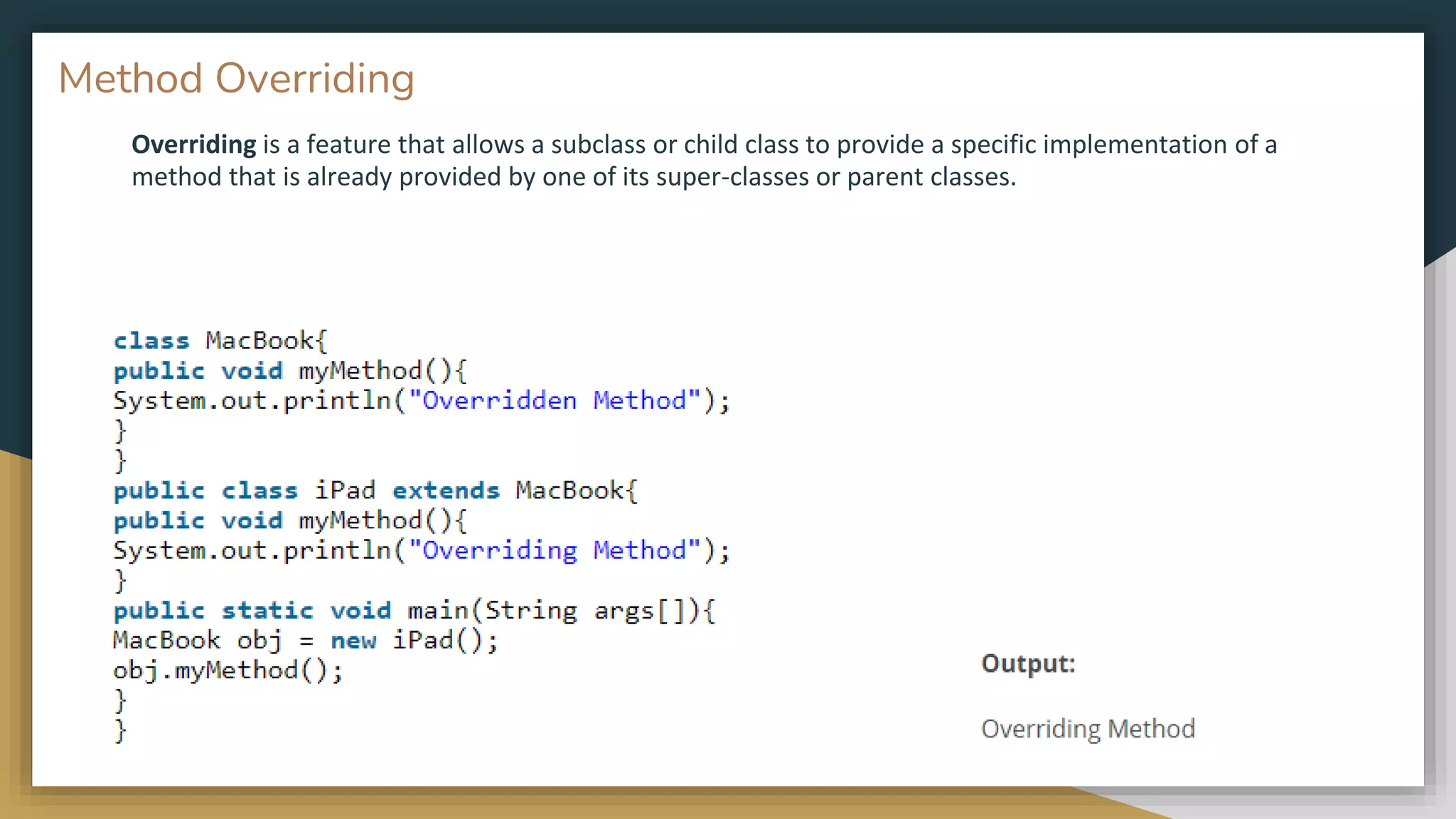
![❏ ‘this’ is a reference variable that refers to the current object.
❏ This keyword can be used for call current class constructor.
class Test
{
int a;
int b;
Test(int a, int b) // Parameterized constructor
{
this.a = a;
this.b = b;
}
void display()
{
//Displaying value of variables a and b
System.out.println("a = " + a + " b = " + b);
}
public static void main(String[] args)
{
Test object = new Test(10, 20);
object.display(); } }
The this reference
o/p:-
a = 10 b = 20
// Java code for using this() to
// invoke current class constructor
class Test
{
int a;
int b;
Test() //Default constructor
{
this(10, 20);
System.out.println("Inside default constructor n");
}
Test(int a, int b) //Parameterized constructor
{
this.a = a;
this.b = b;
System.out.println("Inside parameterized
constructor");
}
public static void main(String[] args)
{
Test object = new Test();
}
}
o/p:-
Inside parameterized constructor
Inside default constructor](https://image.slidesharecdn.com/java2computerscience-220910084422-843c27be/75/Java-2-computer-science-pptx-165-2048.jpg)
![// Java code for using 'this'
// keyword as method parameter
class Test
{
int a;
int b;
Test() //Default constructor
{
a = 10;
b = 20;
}
// Method that receives 'this' keyword as parameter
void display(Test obj)
{
System.out.println("a = " +obj.a + " b = " + obj.b);
}
void get() // Method that returns current class instance
{
display(this);
}
public static void main(String[] args)
{
Test object = new Test();
object.get();
} }
o/p:-
a = 10 b = 20
//Java code for using 'this' keyword
//to return the current class instance
class Test
{
int a;
int b;
Test() //Default constructor
{
a = 10;
b = 20;
}
Test get() //Method that returns current class instance
{
return this;
}
void display() //Displaying value of variables a and b
{
System.out.println("a = " + a + " b = " + b);
}
public static void main(String[] args)
{
Test object = new Test();
object.get().display();
}
}
o/p:-
a = 10 b = 20](https://image.slidesharecdn.com/java2computerscience-220910084422-843c27be/75/Java-2-computer-science-pptx-166-2048.jpg)
![// Java code for using 'this'
// keyword as method parameter
class A
{
B obj;
A(B obj) // Parameterized constructor with object of B as a parameter
{
this.obj = obj;
obj.display(); // calling display method of class B
} }
class B
{
int x = 5;
B() // Default Constructor that create a object of A
{ // with passing this as an argument in the constructor
A obj = new A(this);
}
void display() // method to show value of x
{
System.out.println("Value of x in Class B : " + x);
}
public static void main(String[] args) {
B obj = new B();
}
}
o/p:-
Value of x in Class B : 5
// Java code for using this to invoke current
// class method
class Test {
void display()
{
// calling function show()
this.show();
System.out.println("Inside display function");
}
void show() {
System.out.println("Inside show funcion");
}
public static void main(String args[]) {
Test t1 = new Test();
t1.display();
}
}
o/p:-
Inside show funcion
Inside display function](https://image.slidesharecdn.com/java2computerscience-220910084422-843c27be/75/Java-2-computer-science-pptx-167-2048.jpg)
![class OuterClass {
int x = 10;
class InnerClass {
int y = 5;
}
}
public class MyMainClass {
public static void main(String[] args) {
OuterClass myOuter = new OuterClass();
OuterClass.InnerClass myInner = myOuter.new InnerClass();
System.out.println(myInner.y + myOuter.x);
}
}
// Outputs
15 (5 + 10)
Inner and nested classes](https://image.slidesharecdn.com/java2computerscience-220910084422-843c27be/75/Java-2-computer-science-pptx-169-2048.jpg)
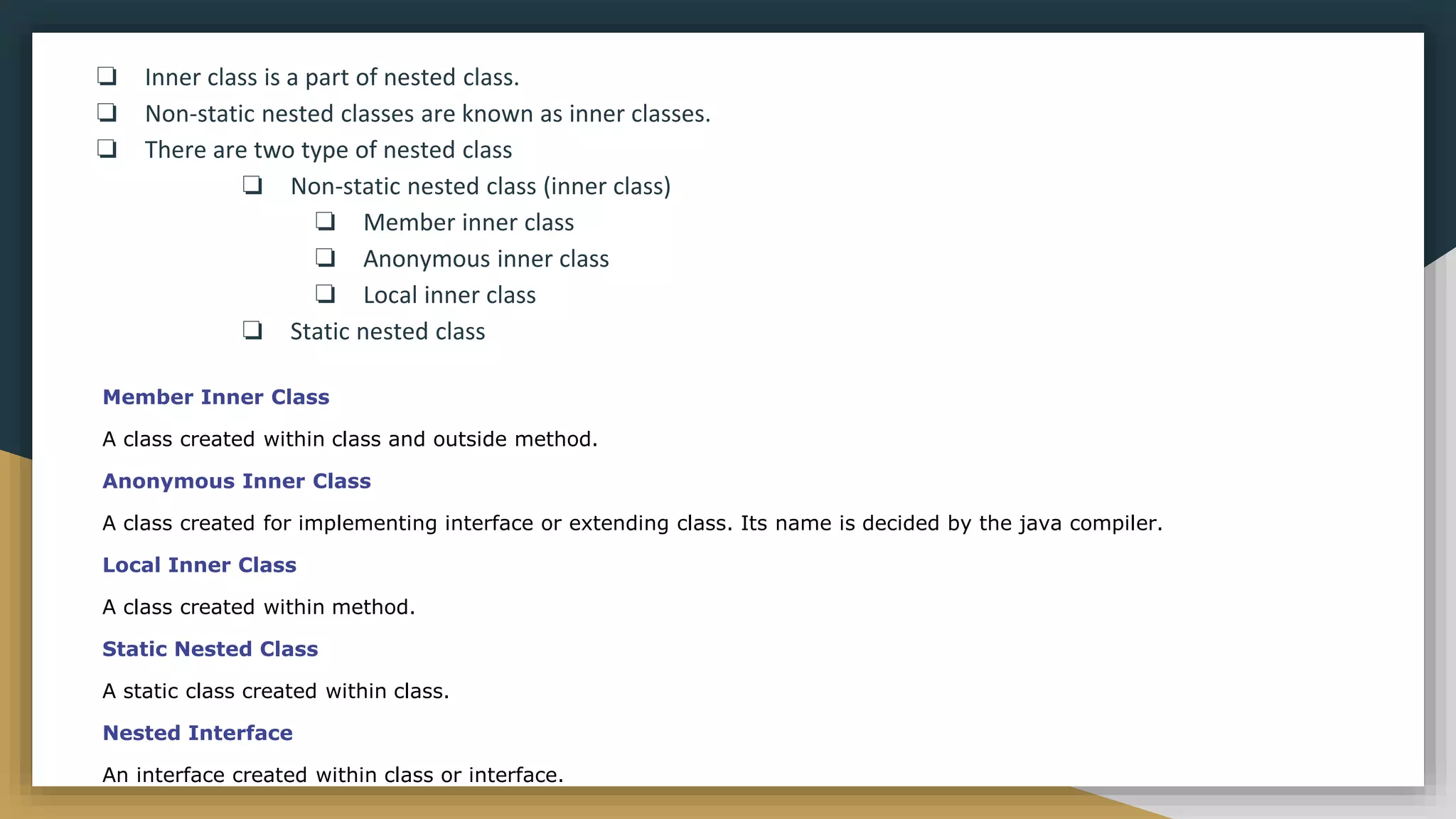
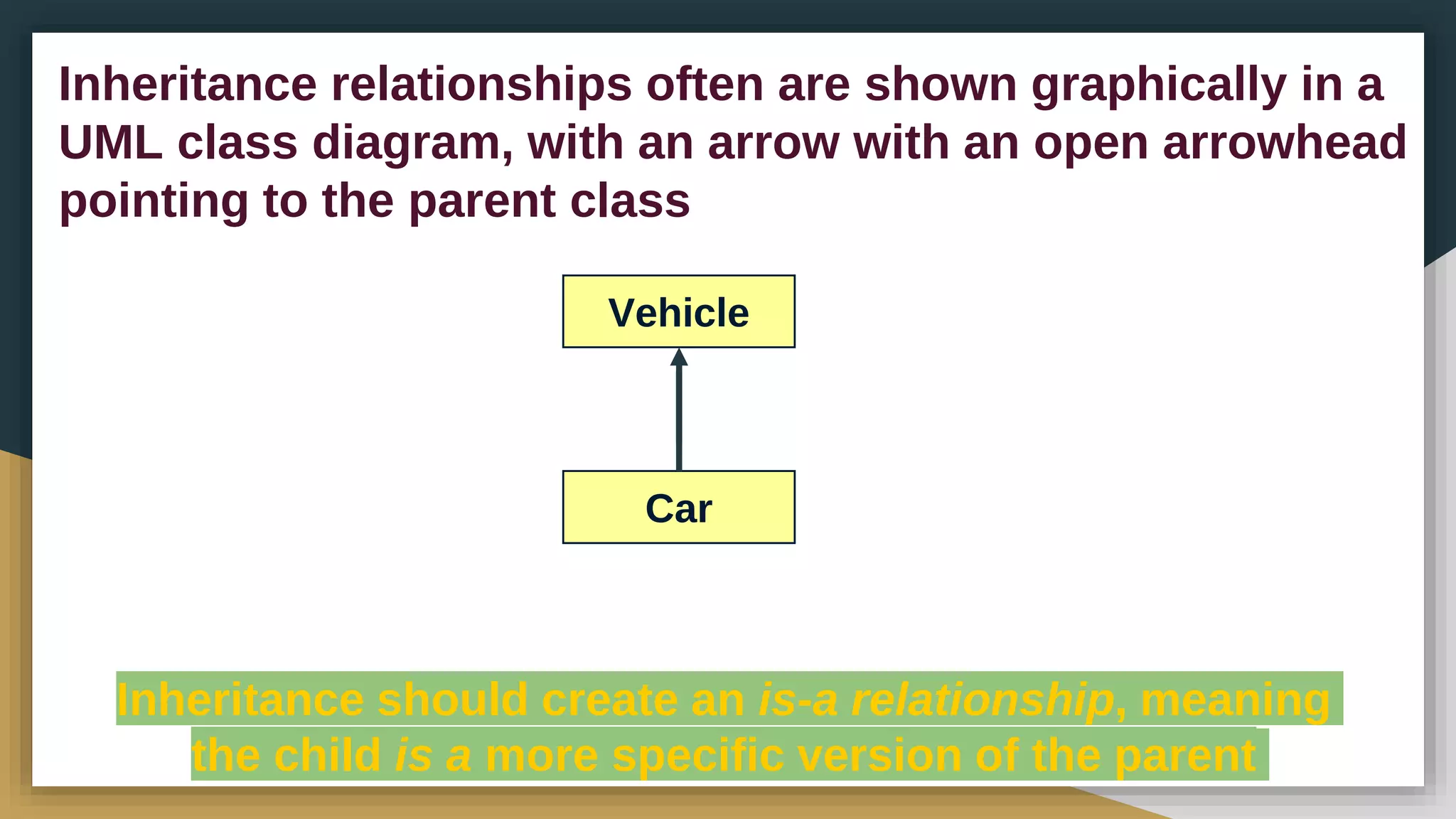
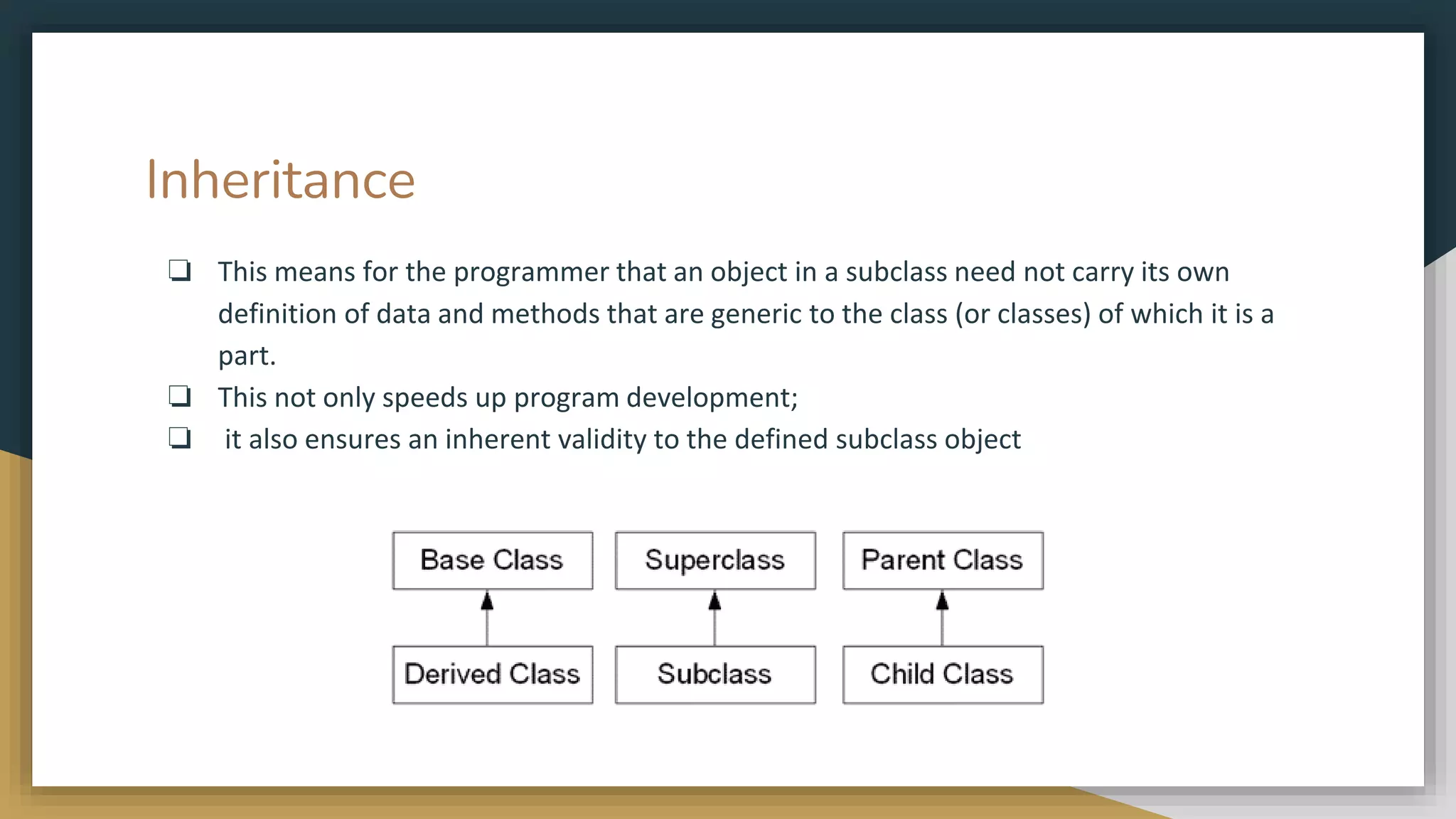
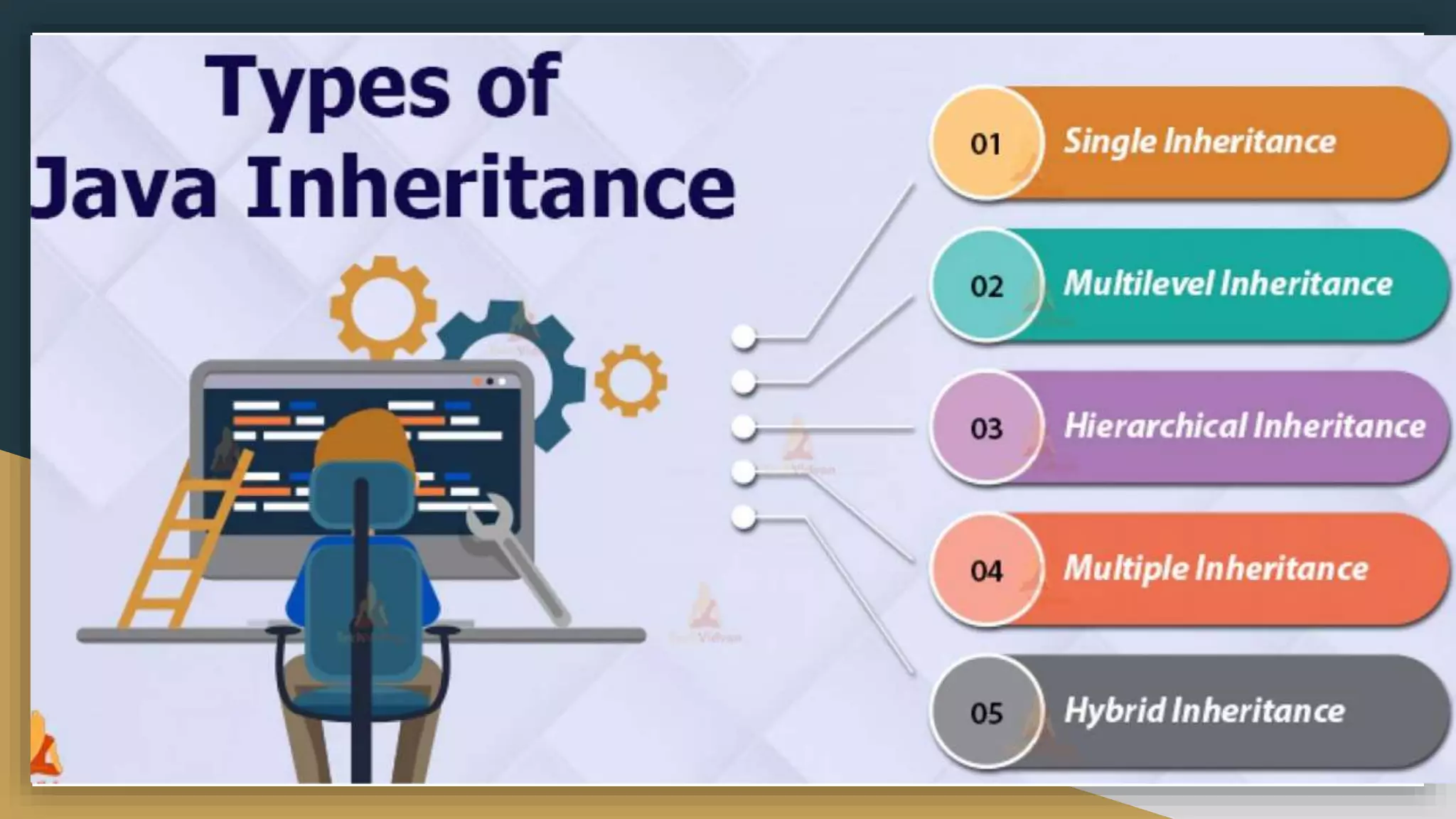
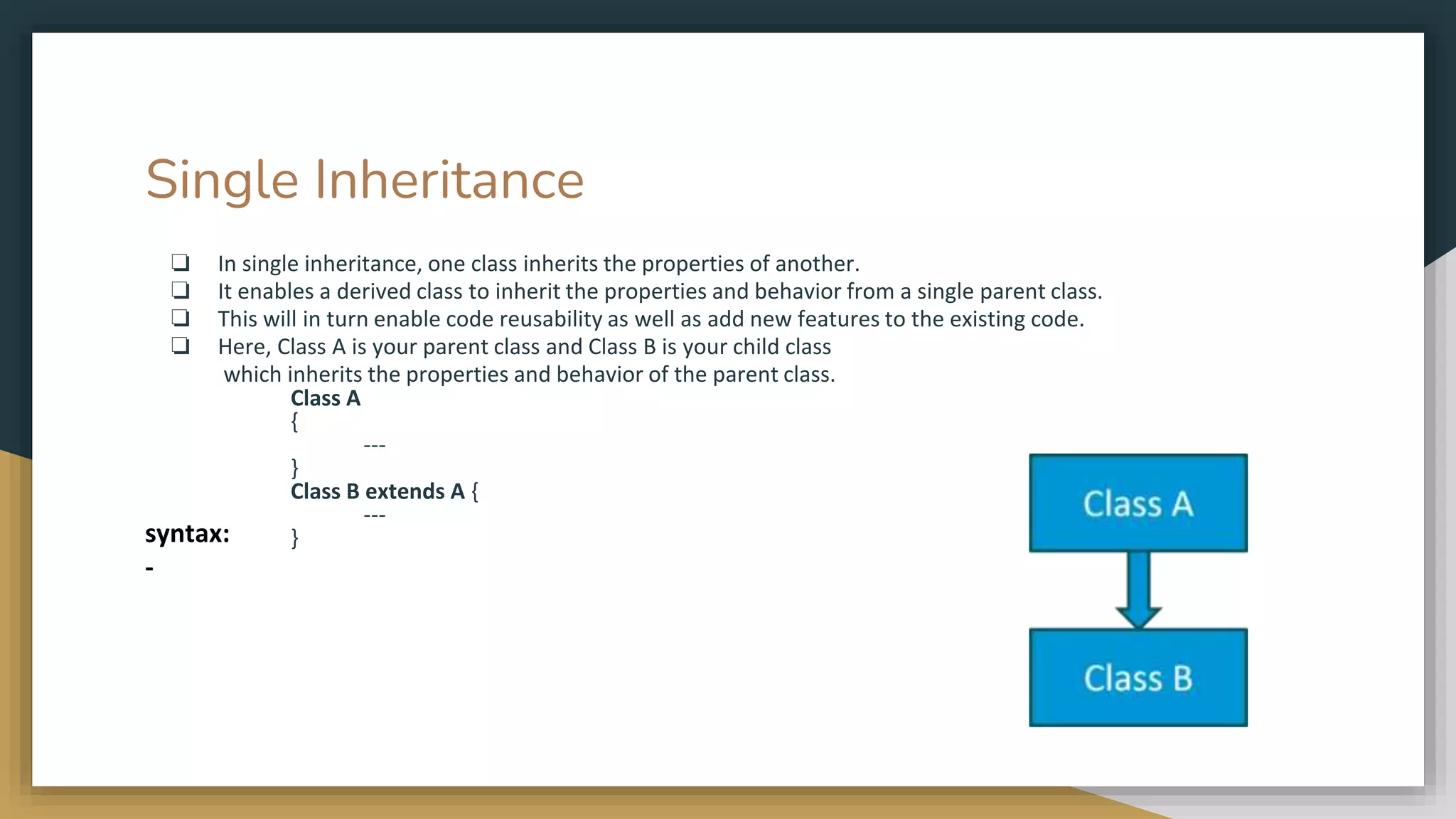
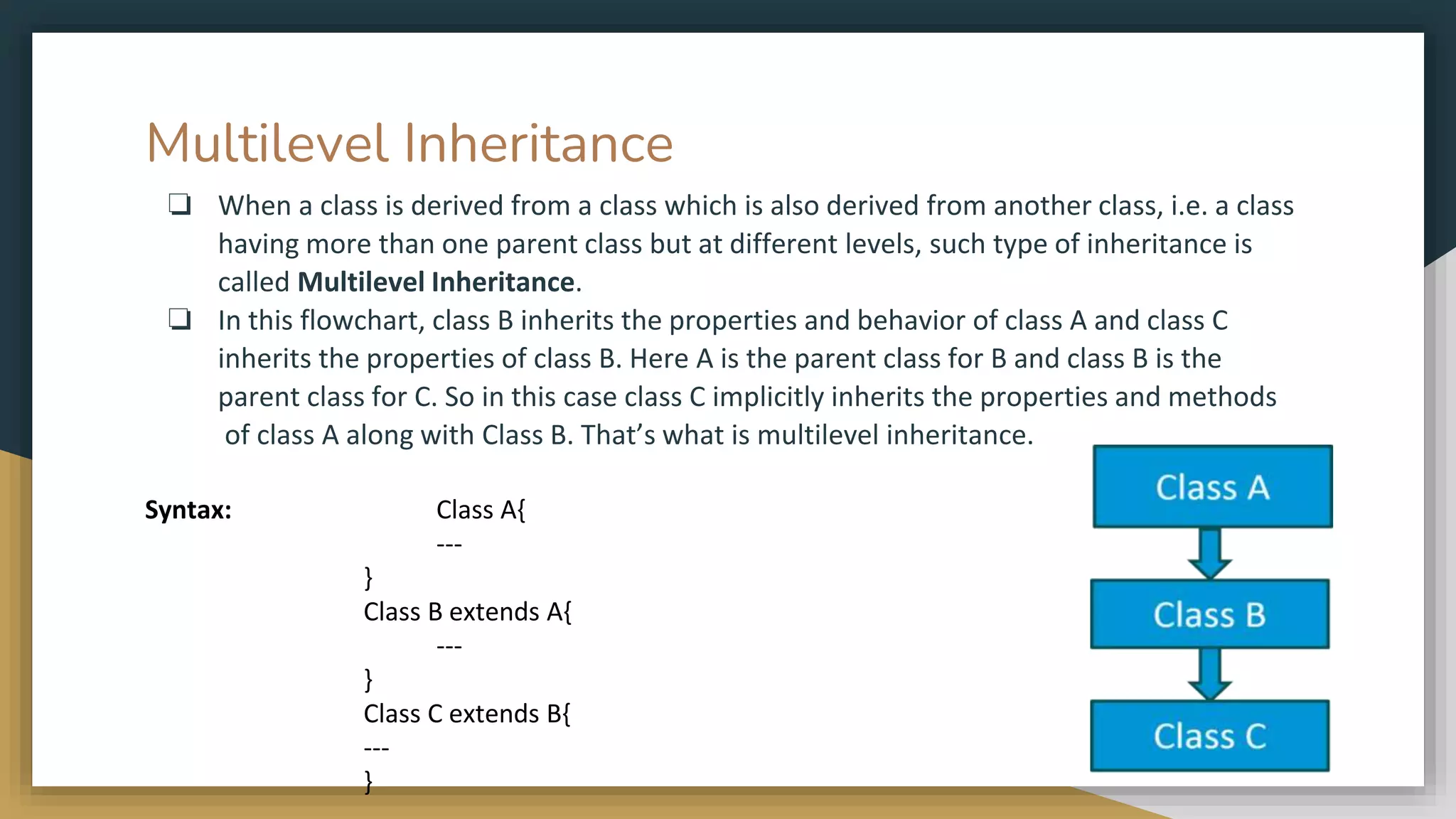
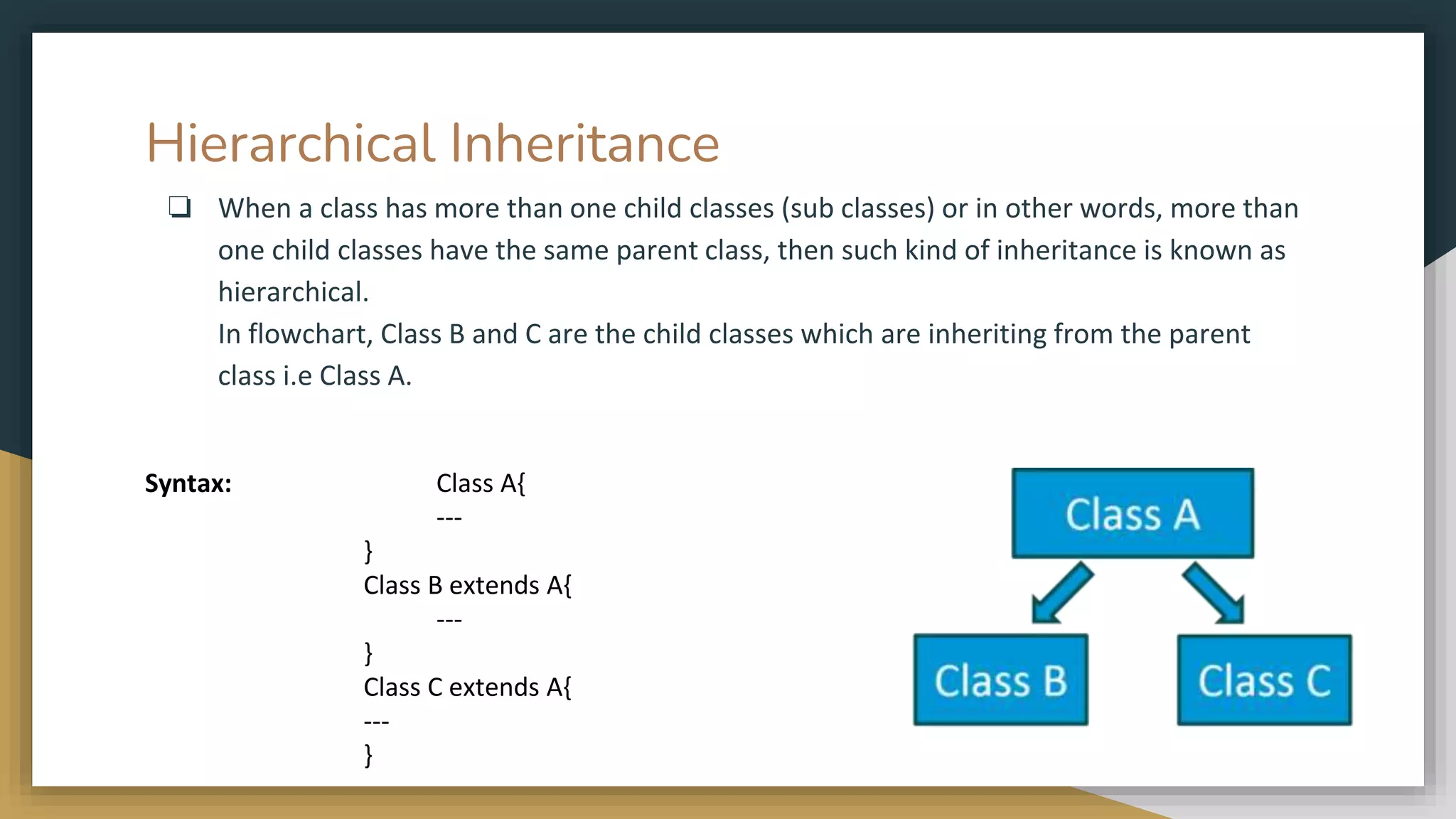
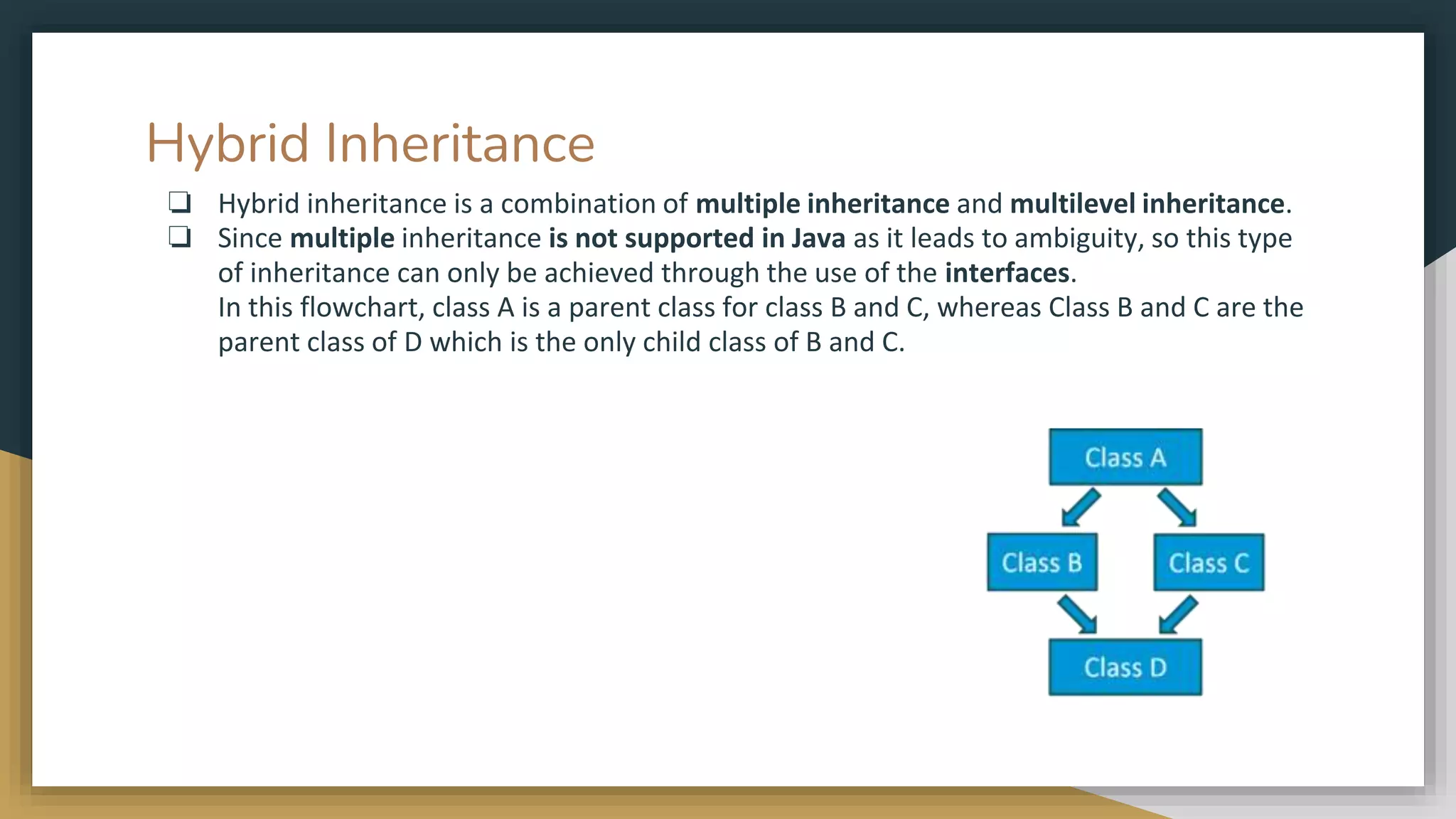
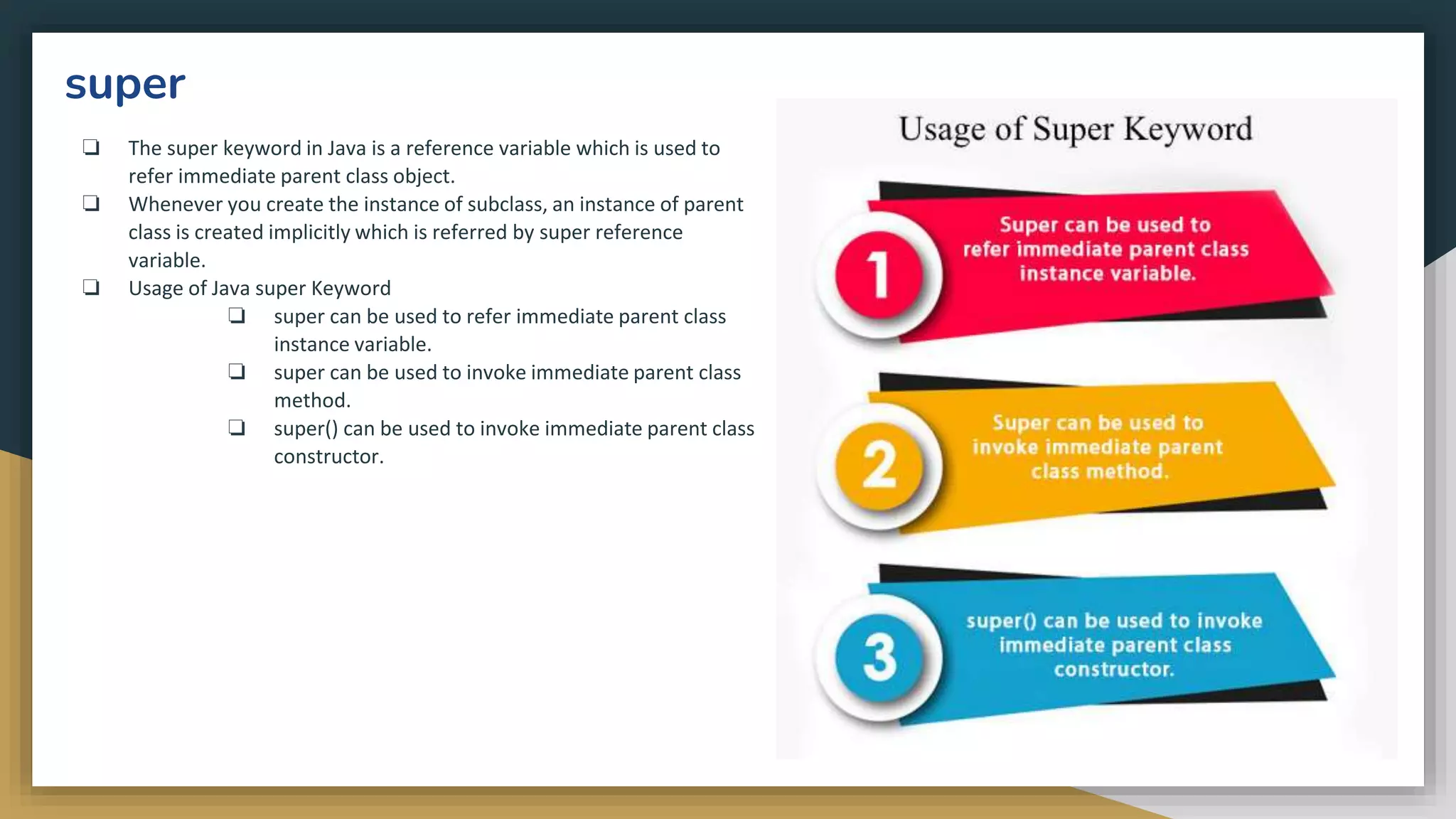
![super
❏ super is used to refer immediate
parent class instance variable.
❏ We can use super keyword to access
the data member or field of parent
class. It is used if parent class and child
class have same fields.
class Animal{
String color="white";
}
class Dog extends Animal{
String color="black";
void printColor(){
System.out.println(color);//prints color of Dog class
System.out.println(super.color);//prints color of Animal class
} }
class TestSuper1{
public static void main(String args[]){
Dog d=new Dog();
d.printColor();
}}
o/p:-
black
white
In the above example, Animal and Dog both classes have a common property color. If we
print color property, it will print the color of current class by default. To access the parent
property, we need to use super keyword.](https://image.slidesharecdn.com/java2computerscience-220910084422-843c27be/75/Java-2-computer-science-pptx-181-2048.jpg)
![super
❏ The super keyword can also be used to
invoke parent class method.
❏ It should be used if subclass contains
the same method as parent class.
❏ In other words, it is used if method is
overridden.
class Animal{
void eat(){System.out.println("eating...");} }
class Dog extends Animal{
void eat(){System.out.println("eating bread...");}
void bark(){System.out.println("barking...");}
void work(){
super.eat();
bark();
} }
class TestSuper2{
public static void main(String args[]){
Dog d=new Dog();
d.work();
}} o/p:-
eating...
barking...
In the above example Animal and Dog both classes have eat() method if we call eat()
method from Dog class, it will call the eat() method of Dog class by default because
priority is given to local.To call the parent class method, we need to use super keyword.](https://image.slidesharecdn.com/java2computerscience-220910084422-843c27be/75/Java-2-computer-science-pptx-182-2048.jpg)
![super
❏ The super keyword can also be used to
invoke the parent class constructor.
Let's see a simple example:
class Animal{
Animal(){System.out.println("animal is created");}
}
class Dog extends Animal{
Dog(){
super(); //super()
System.out.println("dog is created");
}
}
class TestSuper3{
public static void main(String args[]){
Dog d=new Dog();
}}
o/p:-
animal is created
dog is created
super() is added in each class constructor automatically by compiler if there is no super()
or this().](https://image.slidesharecdn.com/java2computerscience-220910084422-843c27be/75/Java-2-computer-science-pptx-183-2048.jpg)
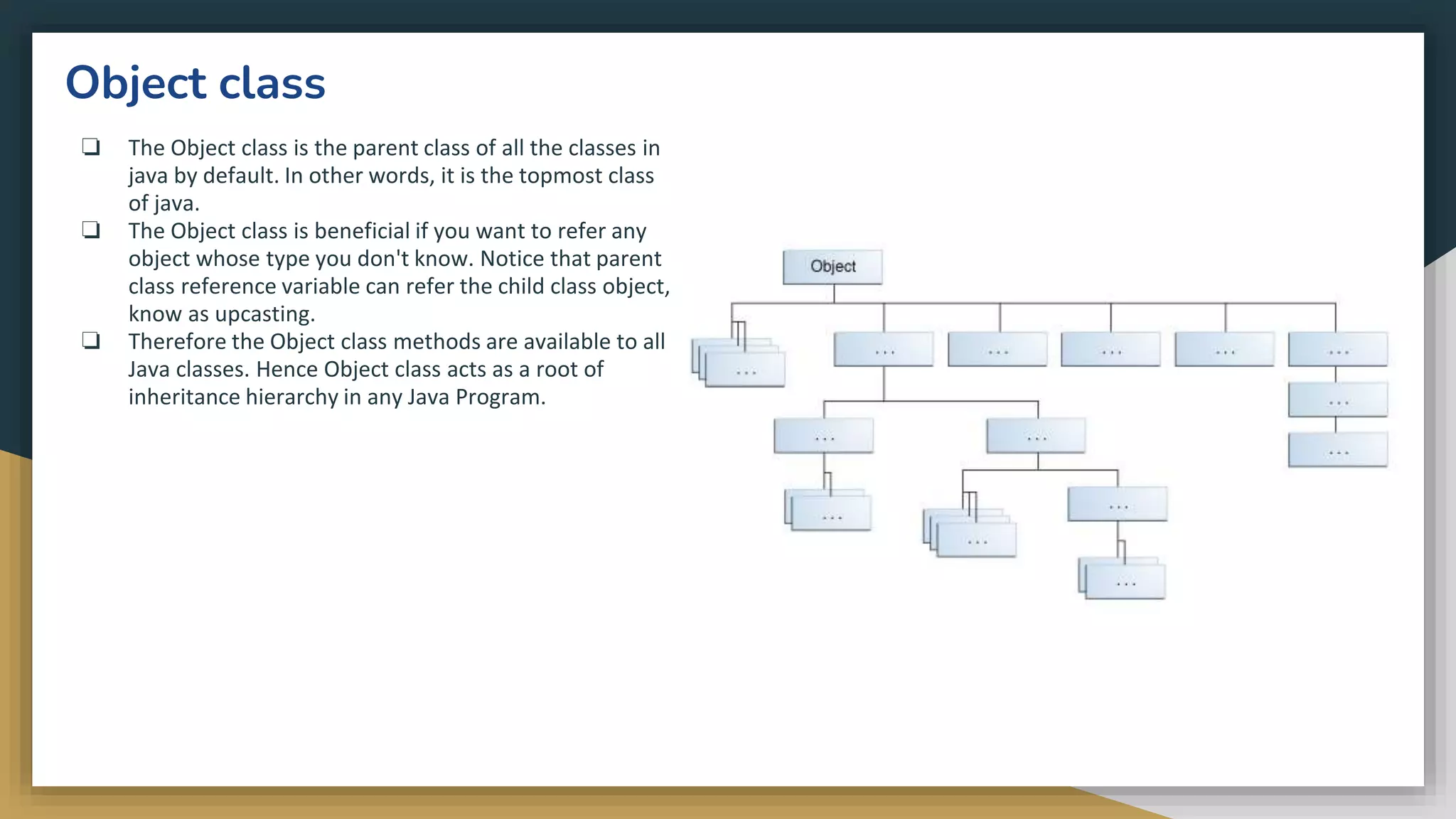
![Object class method example:
getClass() : Returns the class object of “this” object and
used to get actual runtime class of the object. It can
also be used to get metadata of this class. The returned
Class object is the object that is locked by static
synchronized methods of the represented class. As it is
final so we don’t override it.
public class Test
{
public static void main(String[] args)
{
Object obj = new String("HELLO");
Class a = obj.getClass();
System.out.println("Class of Object obj
is : " + a.getName());
}
}
o/p:-
Class of Object obj is :
java.lang.String
Note :After loading a .class file, JVM will create an object of the type java.lang.Class in the
Heap area. We can use this class object to get Class level information. It is widely used in
Reflection](https://image.slidesharecdn.com/java2computerscience-220910084422-843c27be/75/Java-2-computer-science-pptx-186-2048.jpg)
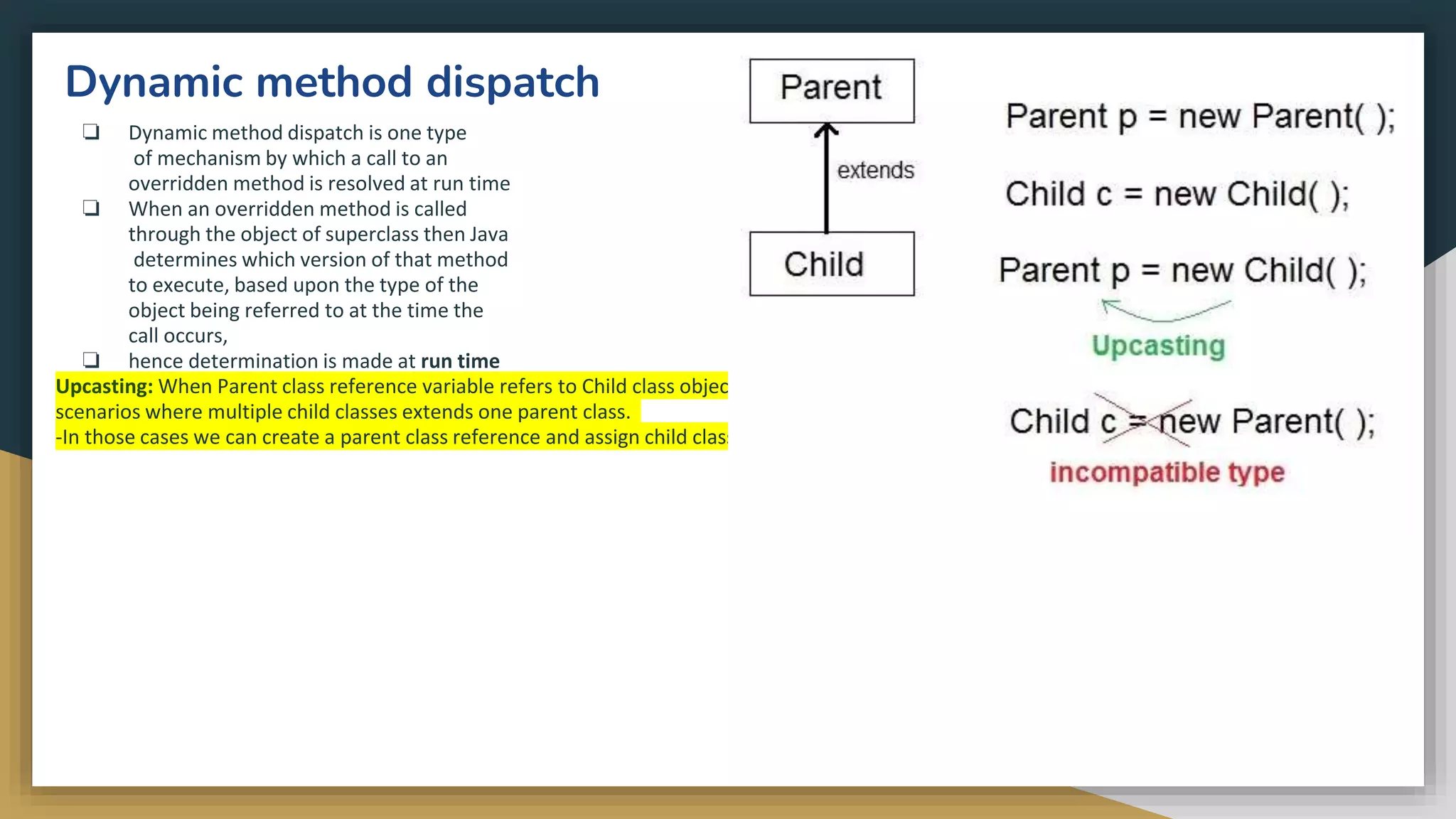
![class Game
{
public void type()
{
System.out.println("Indoor
& outdoor");
}
}
Class Cricket extends Game
{
public void type()
{
System.out.println("outdoor
game");
}
o/p:-
Indoor & outdoor
Outdoor game
Outdoor game
public static void main(String[] args)
{
Game gm = new Game();
Cricket ck = new Cricket();
gm.type();
ck.type();
gm = ck; //gm refers to Cricket
object
gm.type(); //calls Cricket's version
of type
}
}
Notice the last output. This is because of the statement, gm = ck;. Now gm.type() will
call the Cricket class version of type() method. Because here gm refers to the cricket
object](https://image.slidesharecdn.com/java2computerscience-220910084422-843c27be/75/Java-2-computer-science-pptx-188-2048.jpg)
![Abstract method
❏ Method that are declared without any body
within an abstract class is known as abstract
method.
❏ The method body will be defined by its subclass
❏ An abstract class must be declared with an
abstract keyword.
❏ It can have abstract and non-abstract methods.
❏ It cannot be instantiated.It can have constructors
and static methods also.
❏ It can have final methods which will force the
subclass not to change the body of the method.
Syntax
abstract return_type method_name(arguments list);
/* * abstract class and method */
abstract class A {
abstract void doo();//abstract method
}
class B extends A {
void doo() {
System.out.println("hello");
}
}
public class example {
public static void main(String[] y) {
B b=new B();
b.doo();
}
}](https://image.slidesharecdn.com/java2computerscience-220910084422-843c27be/75/Java-2-computer-science-pptx-191-2048.jpg)
![Example
interface printable{
void print();
}
class A6 implements printable{
public void print(){System.out.println("Hello");}
public static void main(String args[]){
A6 obj = new A6();
obj.print();
}
} o/p:-
Hello
A class extends on another class, an interface extends
another interface, but a class implements an interface.
Relationship between class and interface](https://image.slidesharecdn.com/java2computerscience-220910084422-843c27be/75/Java-2-computer-science-pptx-194-2048.jpg)
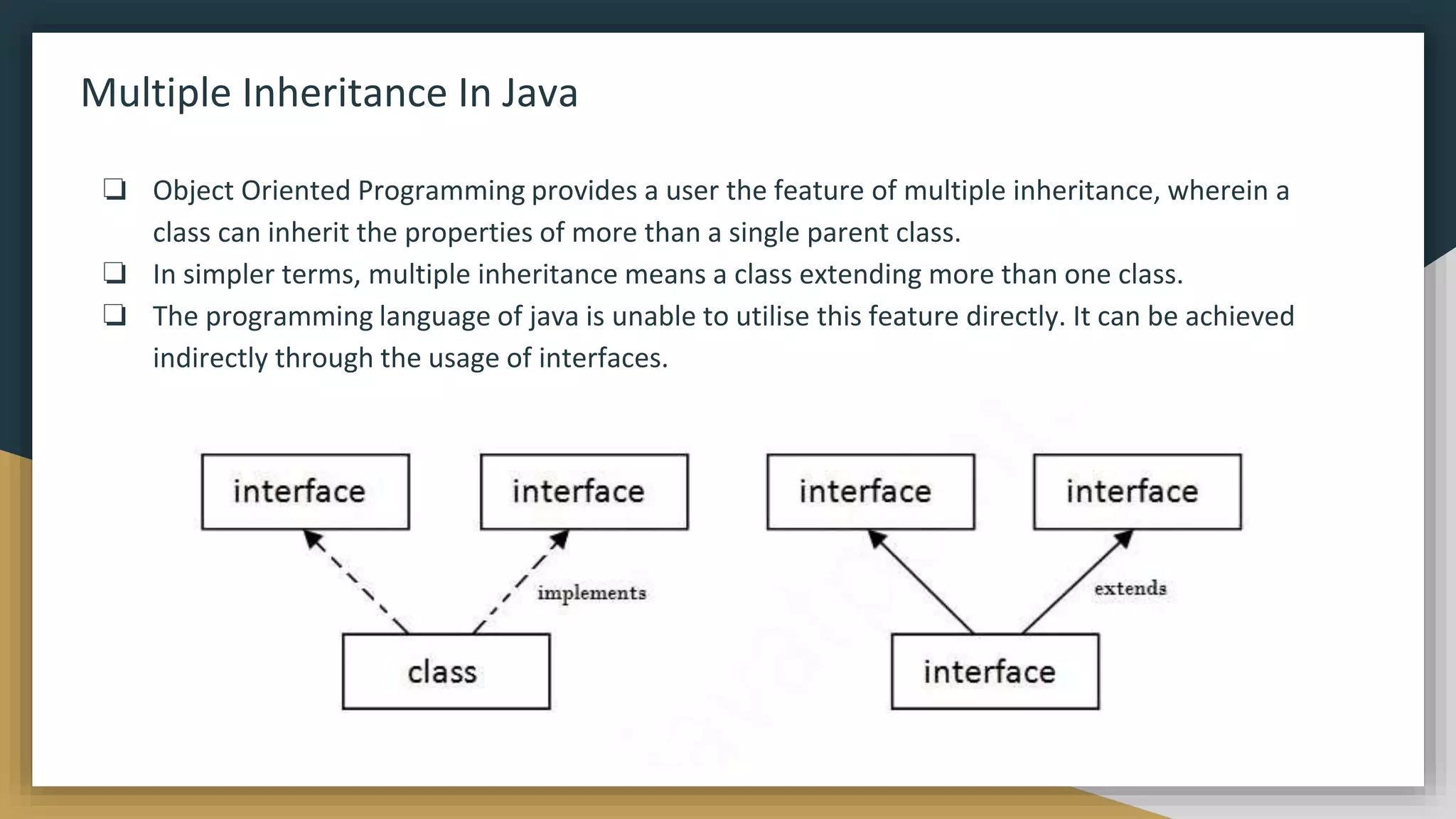
![interface Printable{
void print();
}
interface Showable{
void show();
}
class A7 implements Printable,Showable{
public void print(){System.out.println("Hello");}
public void show(){System.out.println("Welcome");}
public static void main(String args[]){
A7 obj = new A7();
obj.print();
obj.show();
}
}
o/p:-
Hello
Welcome](https://image.slidesharecdn.com/java2computerscience-220910084422-843c27be/75/Java-2-computer-science-pptx-196-2048.jpg)
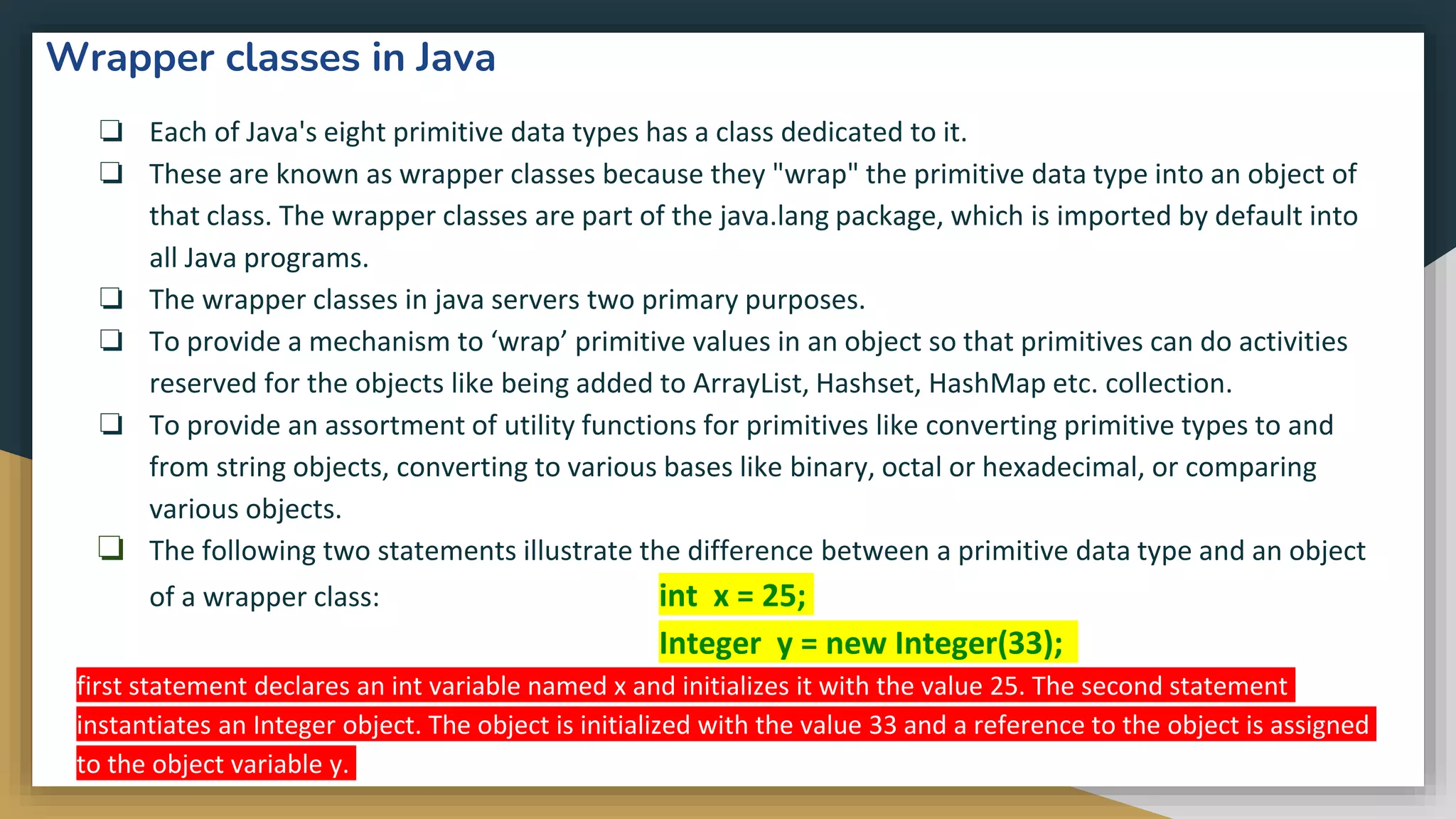
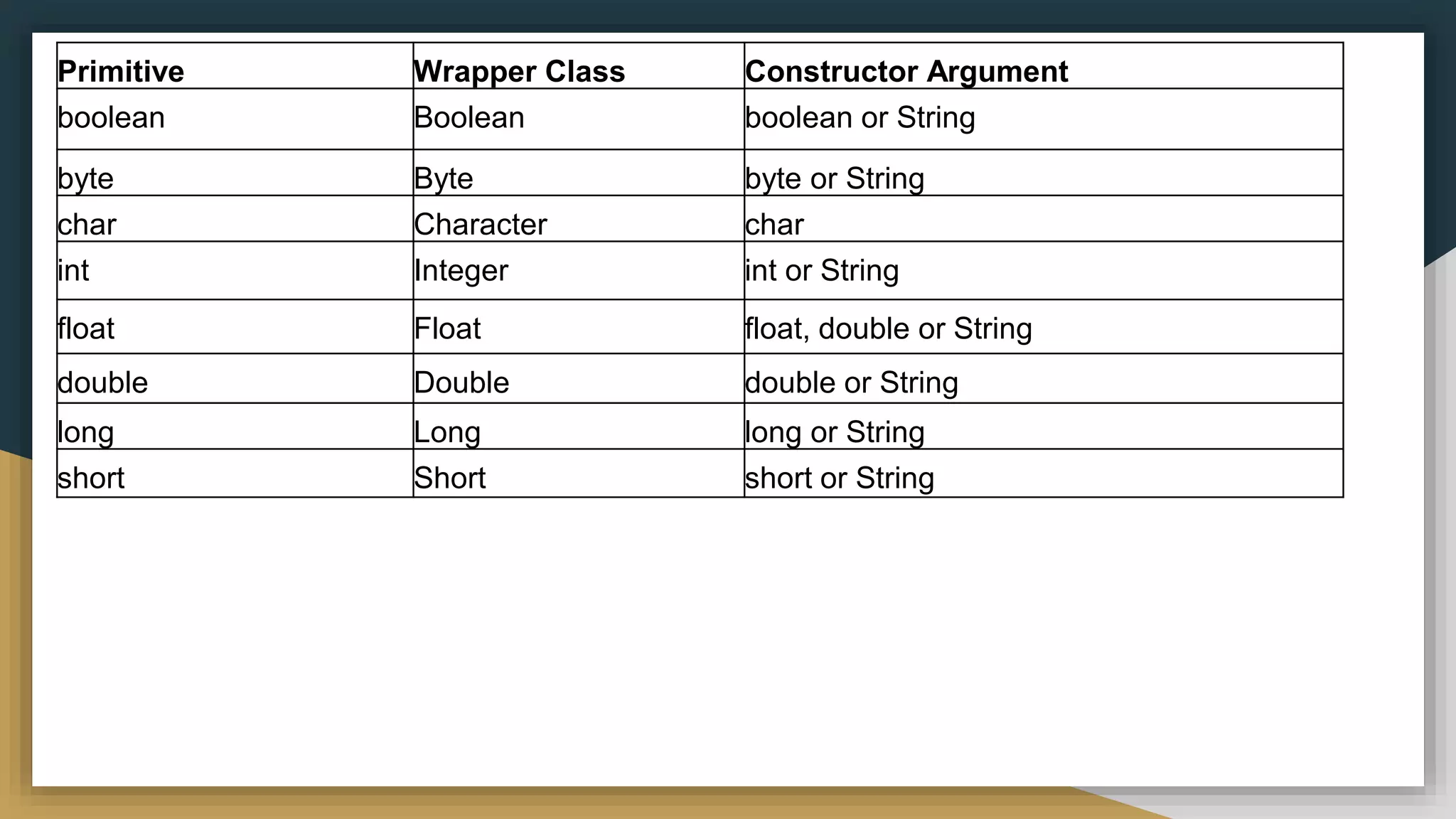
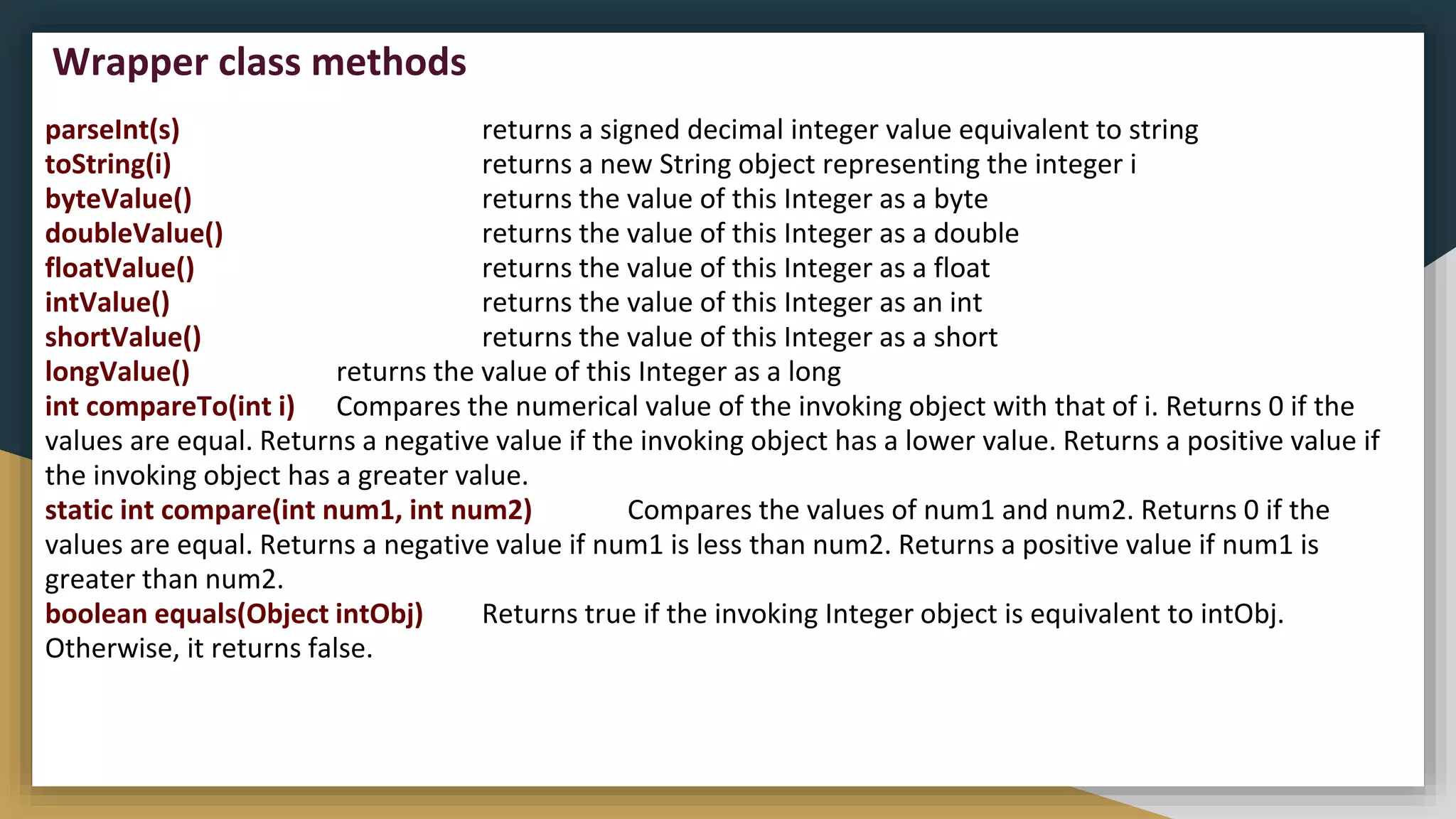
![public class MyClass {
public static void main(String[] args) {
Integer myInt = 100;
String myString = myInt.toString();
System.out.println(myString.length());
}
}
Example:
o/p:-
3](https://image.slidesharecdn.com/java2computerscience-220910084422-843c27be/75/Java-2-computer-science-pptx-200-2048.jpg)