Java 1
Kadarkarai Selvam. I
Why JAVA
● JAVA is platform independent
○ Code is compiled by Compiler and Converted into bytecode
○ This bytecode is platform independent. i.e., Write Once and Run Anywhere
● Object Oriented Programming Language
○ Thinking, Designing and Coding everything as objects
○ Less code, Create usable code, easily understandable code
● Simple and Memory management are taken care by JVM
● Java is secure as the code runs in JVM
JAVA - History
●Originally designed for interactive television. But it is too early
●Initiated in 1991, by Green Team led by James Gosling
●Name changed from GreenTalk, Oak and Java.
●JDK 1.0 was released on January 23, 1996
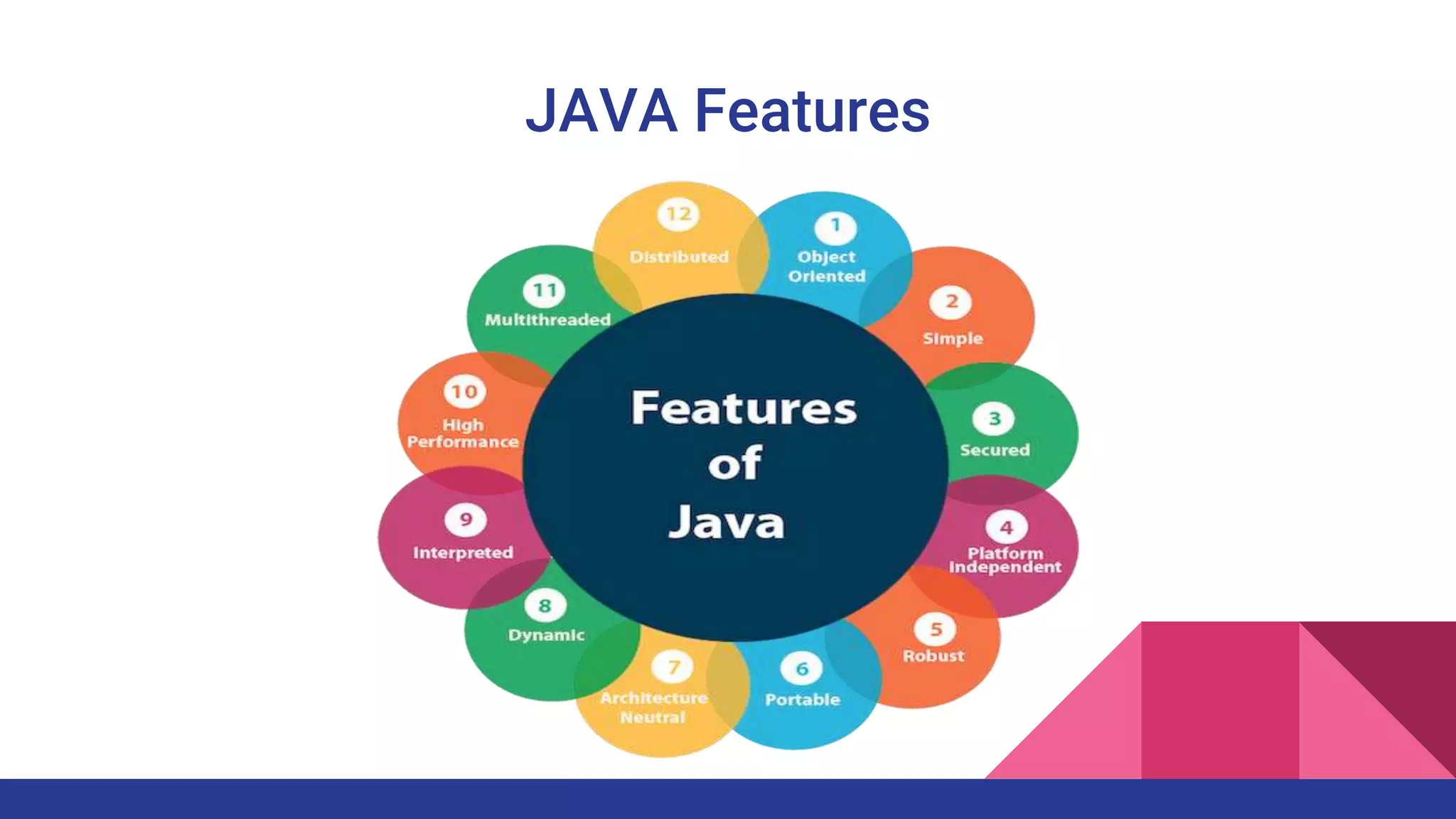
●Main Pricinple of Creating Java
Simple, Robust, Portable, Platform-independent, Secured, High Performance, Multithreaded,
Architecture Neutral, Object-Oriented, Interpreted, and Dynamic
JAVA Features
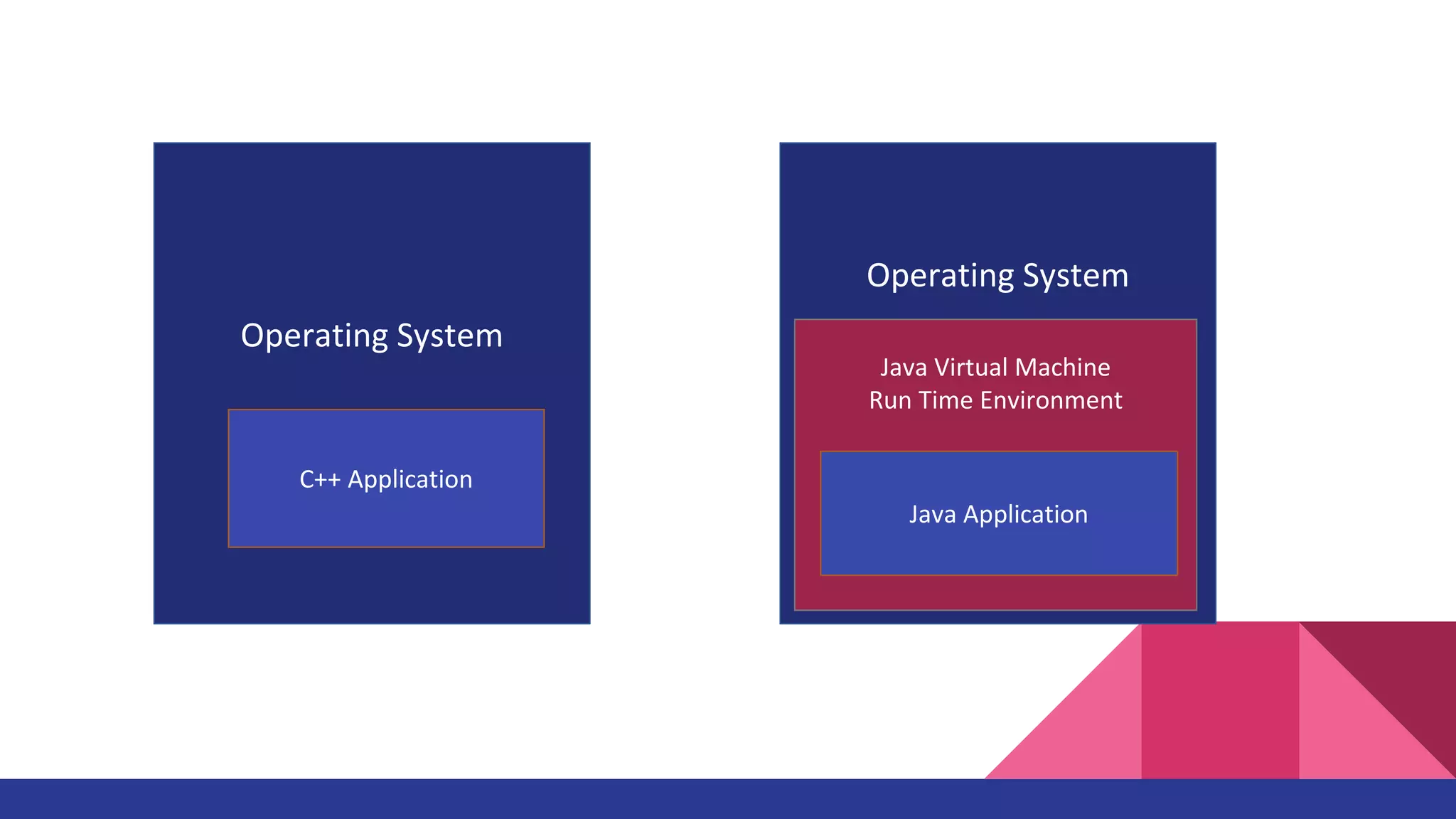
Operating System
C++ Application
Operating System
Java Virtual Machine
Run Time Environment
Java Application
JAVA
❖ JDK (Java Development Kit) is referred to Java SE (Standard Edition)
❖ From Java 11, Oracle provides OpenJDK (free) and Oracle JDK (commercial)
❖ OpenJDK is a free and open-source implementation of JAVA SE Platform
Edition
❖ Oracle provides long term support for its releases. On the other hand,
OpenJDK supports the changes to a release only until the next version is
released
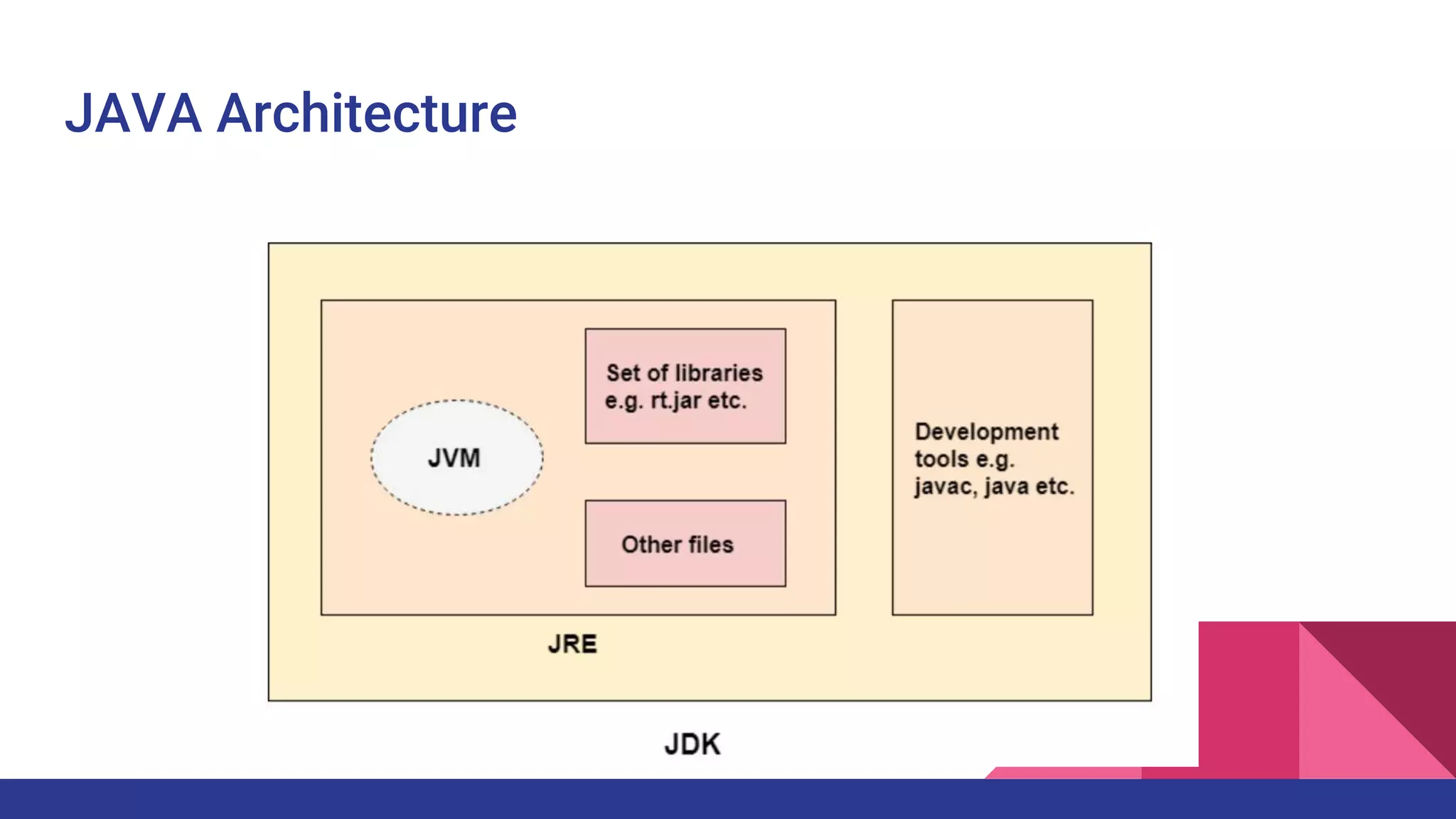
JAVA Architecture
JAVA
❖ Java Virtual Machine (JVM) : Place where Java Bytecode will run
❖ Provide Run time environment and Execute the code
❖ Java Run Time Environment (JRE) : Contains libraries and files used by JVM
❖ Java Development Kit (JDK) : Used to develop Java Application and Applets
❖ JDK is an Implementation of Standard Edition (or) Enterprise Edition (or)
Micro Edition
❖ JDK contains compiler (javac), loader (java), documentation (Javadoc)
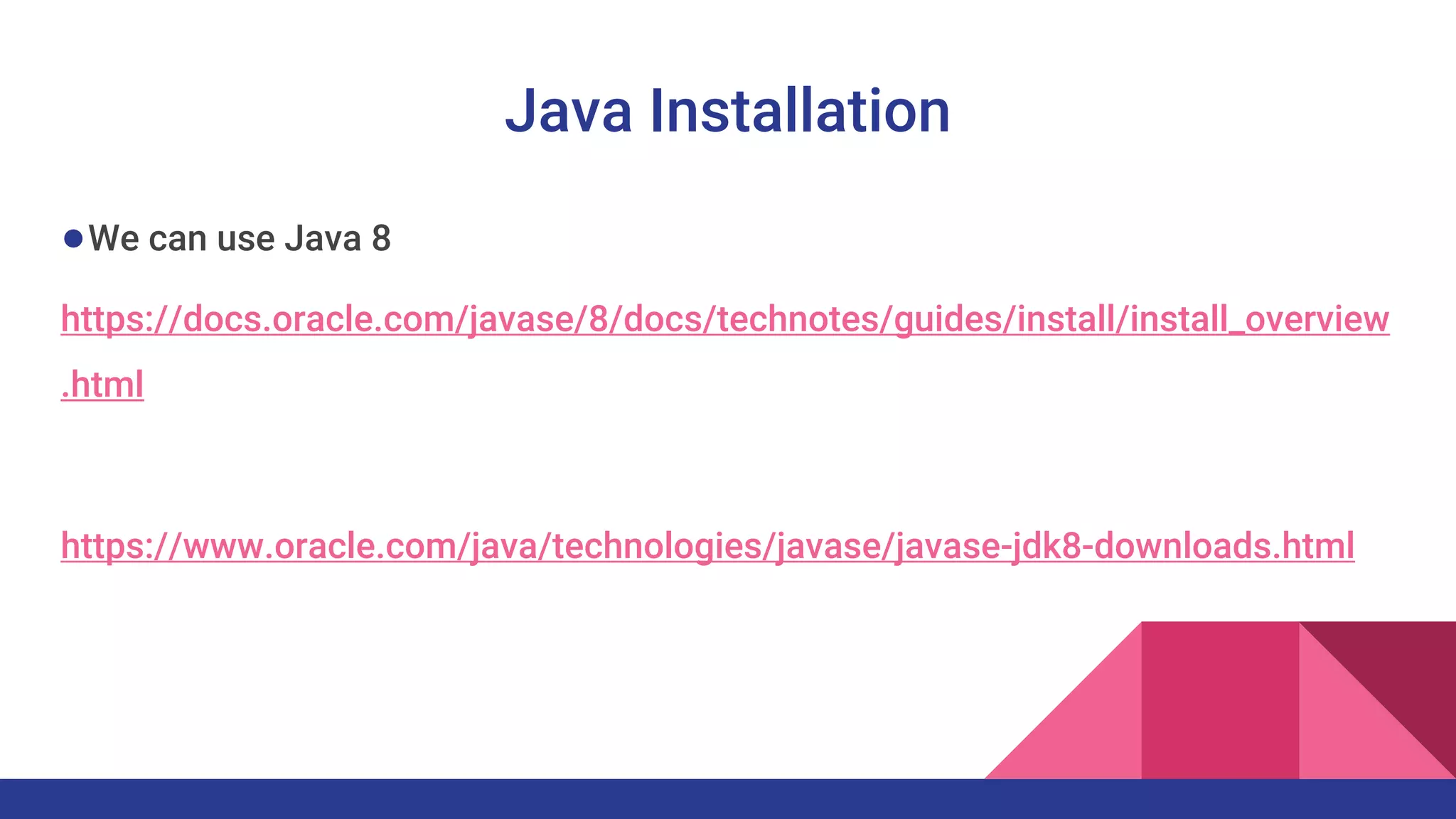
Java Installation
●We can use Java 8
https://docs.oracle.com/javase/8/docs/technotes/guides/install/install_overview
.html
https://www.oracle.com/java/technologies/javase/javase-jdk8-downloads.html
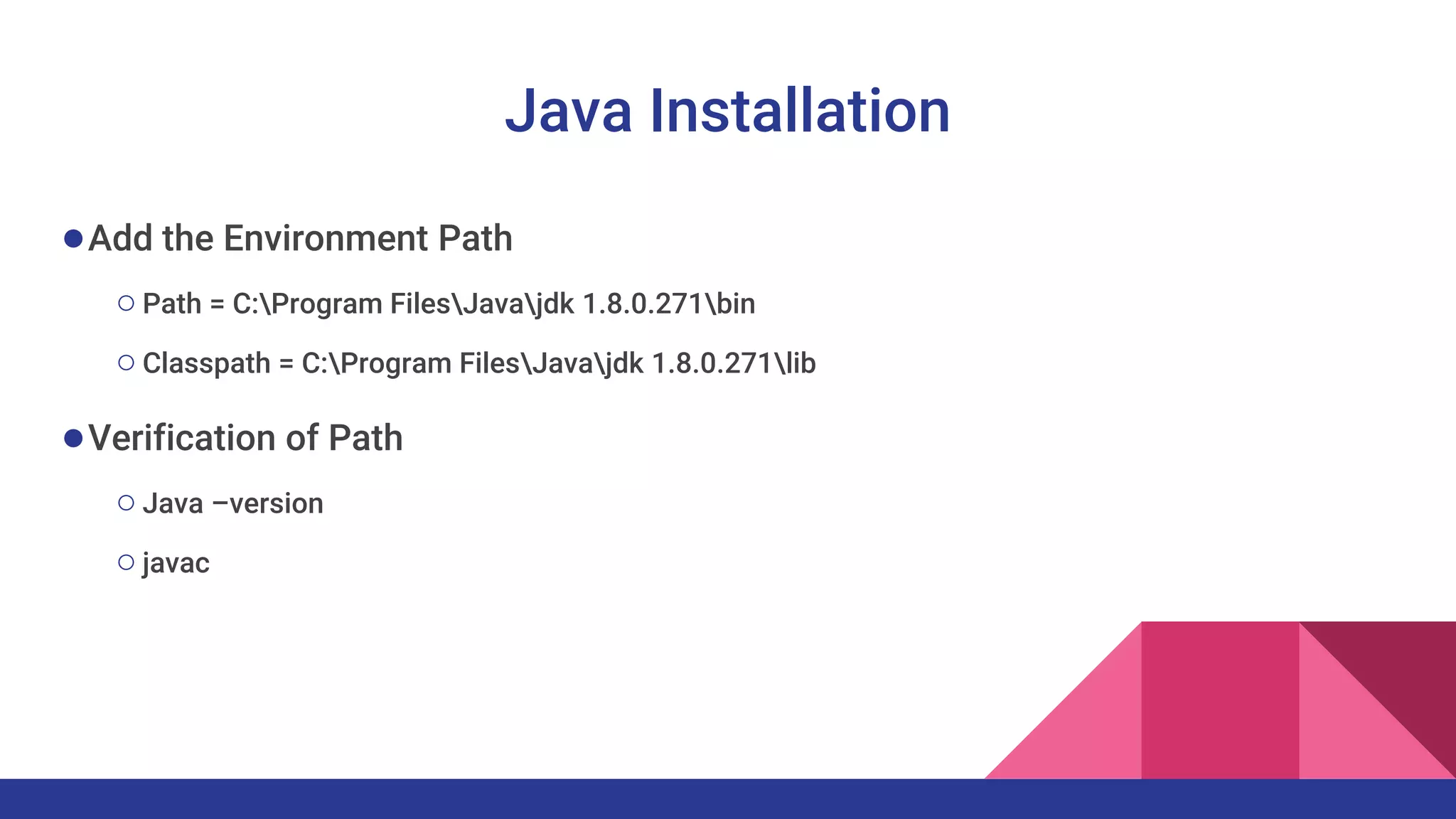
Java Installation
●Add the Environment Path
○Path = C:Program FilesJavajdk 1.8.0.271bin
○Classpath = C:Program FilesJavajdk 1.8.0.271lib
●Verification of Path
○Java –version
○javac
Thank you
For any Assistance
kadarkarai@live.com
+91-9578921178

Java 1

  • 1.
  • 2.
    Why JAVA ● JAVAis platform independent ○ Code is compiled by Compiler and Converted into bytecode ○ This bytecode is platform independent. i.e., Write Once and Run Anywhere ● Object Oriented Programming Language ○ Thinking, Designing and Coding everything as objects ○ Less code, Create usable code, easily understandable code ● Simple and Memory management are taken care by JVM ● Java is secure as the code runs in JVM
  • 3.
    JAVA - History ●Originallydesigned for interactive television. But it is too early ●Initiated in 1991, by Green Team led by James Gosling ●Name changed from GreenTalk, Oak and Java. ●JDK 1.0 was released on January 23, 1996 ●Main Pricinple of Creating Java Simple, Robust, Portable, Platform-independent, Secured, High Performance, Multithreaded, Architecture Neutral, Object-Oriented, Interpreted, and Dynamic
  • 4.
  • 5.
    Operating System C++ Application OperatingSystem Java Virtual Machine Run Time Environment Java Application
  • 6.
    JAVA ❖ JDK (JavaDevelopment Kit) is referred to Java SE (Standard Edition) ❖ From Java 11, Oracle provides OpenJDK (free) and Oracle JDK (commercial) ❖ OpenJDK is a free and open-source implementation of JAVA SE Platform Edition ❖ Oracle provides long term support for its releases. On the other hand, OpenJDK supports the changes to a release only until the next version is released
  • 7.
  • 8.
    JAVA ❖ Java VirtualMachine (JVM) : Place where Java Bytecode will run ❖ Provide Run time environment and Execute the code ❖ Java Run Time Environment (JRE) : Contains libraries and files used by JVM ❖ Java Development Kit (JDK) : Used to develop Java Application and Applets ❖ JDK is an Implementation of Standard Edition (or) Enterprise Edition (or) Micro Edition ❖ JDK contains compiler (javac), loader (java), documentation (Javadoc)
  • 9.
    Java Installation ●We canuse Java 8 https://docs.oracle.com/javase/8/docs/technotes/guides/install/install_overview .html https://www.oracle.com/java/technologies/javase/javase-jdk8-downloads.html
  • 10.
    Java Installation ●Add theEnvironment Path ○Path = C:Program FilesJavajdk 1.8.0.271bin ○Classpath = C:Program FilesJavajdk 1.8.0.271lib ●Verification of Path ○Java –version ○javac
  • 11.
    Thank you For anyAssistance kadarkarai@live.com +91-9578921178