2 Section 1(Ch.1) – Computer Security and Information Assurance – Spring 2007
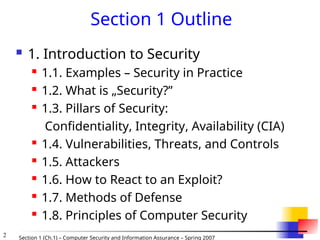
Section 1 Outline
1. Introduction to Security
1.1. Examples – Security in Practice
1.2. What is „Security?”
1.3. Pillars of Security:
Confidentiality, Integrity, Availability (CIA)
1.4. Vulnerabilities, Threats, and Controls
1.5. Attackers
1.6. How to React to an Exploit?
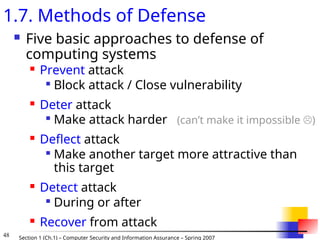
1.7. Methods of Defense
1.8. Principles of Computer Security
3.
3 Section 1(Ch.1) – Computer Security and Information Assurance – Spring 2007
1.Introduction to Security
1.1. Examples – Security in Practice
From CSI/FBI Report 2002
90% detected computer security breaches within the last year
80% acknowledged financial losses
44% were willing and/or able to quantify their financial losses.
These 223 respondents reported $455M in financial losses.
The most serious financial losses occurred through theft of proprietary information and
financial fraud:
26 respondents: $170M
25 respondents: $115M
For the fifth year in a row, more respondents (74%) cited their Internet connection as a
frequent point of attack than cited their internal systems as a frequent point of attack (33%).
34% reported the intrusions to law enforcement. (In 1996, only 16% acknowledged
reporting intrusions to law enforcement.)
[Barbara Edicott-Popovsky and Deborah Frincke, CSSE592/492, U. Washington]
4.
4 Section 1(Ch.1) – Computer Security and Information Assurance – Spring 2007
More from CSI/FBI 2002
40% detected external penetration
40% detected denial of service attacks.
78% detected employee abuse of Internet access privileges
85% percent detected computer viruses.
38% suffered unauthorized access or misuse on their Web sites
within the last twelve months. 21% didn’t know.
[includes insider attacks]
12% reported theft of transaction information.
6% percent reported financial fraud (only 3% in 2000).
[Barbara Edicott-Popovsky and Deborah Frincke, CSSE592/492, U. Washington]
5.
5 Section 1(Ch.1) – Computer Security and Information Assurance – Spring 2007
Critical Infrastructure Areas
… telecommunications, electrical power systems, gas and
oil, banking and finance, transportation, water supply
systems, government services and emergency services.
[Barbara Edicott-Popovsky and Deborah Frincke, CSSE592/492, U. Washington]
6.
6 Section 1(Ch.1) – Computer Security and Information Assurance – Spring 2007
Threat Spectrum
[Barbara Edicott-Popovsky and Deborah Frincke, CSSE592/492, U. Washington]
7.
7 Section 1(Ch.1) – Computer Security and Information Assurance – Spring 2007
Cyberterrorism
The Internet Black Tigers conducted a
successful "denial of service" attack on servers
of Sri Lankan government embassies
Italian sympathizers of the Mexican Zapatista
rebels attacked web pages of Mexican financial
institutions.
Rise of “Hack-tivism”
Freeh, Testimony before Senate, 2000.
[Barbara Edicott-Popovsky and Deborah Frincke, CSSE592/492, U. Washington]
8.
8 Section 1(Ch.1) – Computer Security and Information Assurance – Spring 2007
Threats to Personal Privacy
Buying and selling confidential information
from Social Security files.
Browsing IRS files.
Buying and selling bank account name lists.
A Princeton University student stole ~1800
credit card numbers, customer names, and
user passwords from an e-commerce site.
House Ways and Means Committee, 102nd Congress, 1992.
10., Washington Post, S. Barr, 2 Aug. 1993
(4) Freeh, Testimony 2000
[Barbara Edicott-Popovsky and Deborah Frincke, CSSE592/492, U. Washington]
9.
9 Section 1(Ch.1) – Computer Security and Information Assurance – Spring 2007
Identity Theft
“The theft of computer hard drives from
TriWest Healthcare Alliance could turn
into one of the largest identity thefts on
record if the information is misused, the
Federal Trade Commission said.”
[Barbara Edicott-Popovsky and Deborah Frincke, CSSE592/492, U. Washington]
10.
10 Section 1(Ch.1) – Computer Security and Information Assurance – Spring 2007
1.2. What is „Security?”
You Will Never Own a Perfectly
Secure System.
You Will Never Own a Perfectly Secure
System.
You Will Never Own a Perfectly Secure
System.
[Barbara Edicott-Popovsky and Deborah Frincke, CSSE592/492, U. Washington]
11.
11 Section 1(Ch.1) – Computer Security and Information Assurance – Spring 2007
Well … Maybe If You Do This:
(Even then you have to do it in the right way –
there are standards how to destroy computers to prevent
security/privacy risks...)
[cf. Barbara Edicott-Popovsky and Deborah Frincke, CSSE592/492, U. Washington]
12.
12 Section 1(Ch.1) – Computer Security and Information Assurance – Spring 2007
“Secure” Computer System
To decide whether a computer system is “secure”, you must first decide what “secure”
means to you, then identify the threats you care about.
Some threats are named in the ovals
Virus
Identity
Theft
Denial
of
Service
Espionage
Stolen
Customer
Data
Modified
Databases
Cyberterrorism
Equipment
Theft
[cf. Barbara Edicott-Popovsky and Deborah Frincke, CSSE592/492, U. Washington]
13.
13 Section 1(Ch.1) – Computer Security and Information Assurance – Spring 2007
Confidentiality: Who is authorized?
Integrity: Is data „good?”
Availability: Can one access data whenever
needed?
1.3. Pillars of Security:
Confidentiality, Integrity, Availability
(CIA)
Confidentiality Integrity
Availability
S
S = secure
[cf. Barbara Edicott-Popovsky and Deborah Frincke, CSSE592/492, U. Washington]
14.
14 Section 1(Ch.1) – Computer Security and Information Assurance – Spring 2007
Balancing
CIA
Sensitive
Data
Biographical
Data
Payroll
Data
Health
Data
Packet
Switch
File
Server
Bridge
Gateway
Other
Networks
Need to balance CIA
Ex: Disconnect computer from
Internet to increase
confidentiality (availability
suffers, integrity suffers due to
lost updates)
Ex: Have extensive data checks
by different people/systems to
increase integrity (confidentiality
suffers as more people see data,
availability suffers due to locks
on data under verification)
[Barbara Edicott-Popovsky and Deborah Frincke, CSSE592/492, U. Washington]
Confidentiality Integrity
Availability
S
S = secure
15.
15 Section 1(Ch.1) – Computer Security and Information Assurance – Spring 2007
Confidentiality
Use the “need to know” basis for data access
How do we know who needs what data?
Approach: access control specifies who can access what
How do we know a user is the person she claims to be?
Need her identity and need to verify this identity
Approach: identification and authentication
Analogously: “need to access/use” basis for
access to physical assets
E.g., access to a computer room, use of a desktop
Confidentiality is:
Difficult to ensure
Easiest to assess in terms of success
Binary in nature: Yes / No
16.
16 Section 1(Ch.1) – Computer Security and Information Assurance – Spring 2007
Integrity
Integrity vs. Confidentiality
Integrity - concerned with unauthorized modification of
assets (= resources)
Confidentiality - concered with access to assets
Integrity is more difficult to measure than confidentiality
Not binary – degrees of integrity
Context-dependent - means different things in different
contexts
Could mean any subset of these asset properties:
{ precision / accuracy / currency / consistency /
meaningfulness / usefulness / ...}
Types of integrity—an example
A quotation from a politician
Preserve the quotation (data integrity) but mis-attribute
(origin integrity)
17.
17 Section 1(Ch.1) – Computer Security and Information Assurance – Spring 2007
Availability (1)
Not understood very well yet
„[F]ull implementation of availability is security’s next
challenge”
E.g. Full implemenation of availability for Internet
users (with ensuring security)
Complex
Context-dependent
Could mean any subset of these asset (data or service)
properties :
{ usefulness / sufficient capacity /
progressing at a proper pace /
completed in an acceptable period of time / ...}
[Pfleeger & Pfleeger]
18.
18 Section 1(Ch.1) – Computer Security and Information Assurance – Spring 2007
Availability (2)
We can say that an asset (resource) is
available if:
Timely request response
Fair allocation of resources (no starvation!)
Fault tolerant (no total breakdown)
Easy to use in the intended way
Provides controlled concurrency (concurrency
control, deadlock control, ...)
[Pfleeger
& Pfleeger]
19.
19 Section 1(Ch.1) – Computer Security and Information Assurance – Spring 2007
1.4. Vulnerabilities, Threats, and Controls
Understanding Vulnerabilities, Threats, and
Controls
Vulnerability = a weakness in a security system
Threat = circumstances that have a potential to
cause harm
Controls = means and ways to block a threat,
which tries to exploit one or more vulnerabilities
Most of the class discusses various controls and their
effectiveness
[Pfleeger & Pfleeger]
20.
20 Section 1(Ch.1) – Computer Security and Information Assurance – Spring 2007
Attack
= exploitation of one or more vulnerabilities by a
threat; tries to defeat controls
Attack may be:
Successful
resulting in a breach of security, a system
penetration, etc.
Unsuccessful
when controls block a threat trying to exploit a
vulnerability
[Pfleeger & Pfleeger]
Examples
Fig. 1-1 (p.6)
New Orleans disaster (Hurricane Katrina):
What were city vulnerabilities, threats, and controls
21.
21 Section 1(Ch.1) – Computer Security and Information Assurance – Spring 2007
Kinds of Threats
Kinds of threats:
Interception
an unauthorized party (human or not) gains access
to an asset
Interruption
an asset becomes lost, unavailable, or unusable
Modification
an unauthorized party changes the state of an
asset
Fabrication
an unauthorized party counterfeits an asset
[Pfleeger & Pfleeger]
Examples?
22.
22 Section 1(Ch.1) – Computer Security and Information Assurance – Spring 2007
Levels of Vulnerabilities / Threats
D) for other assets (resources)
including. people using data, s/w, h/w
C) for data
„on top” of s/w, since used by s/w
B) for software
„on top” of h/w, since run on h/w
A) for hardware
[Pfleeger & Pfleeger]
23.
23 Section 1(Ch.1) – Computer Security and Information Assurance – Spring 2007
A) Hardware Level of Vulnerabilities /
Threats
Add / remove a h/w device
Ex: Snooping, wiretapping
Snoop = to look around a place secretly in order to discover things
about it or the people connected with it. [Cambridge Dictionary of
American English]
Ex: Modification, alteration of a system
...
Physical attacks on h/w => need physical security: locks and
guards
Accidental (dropped PC box) or voluntary (bombing a
computer room)
Theft / destruction
Damage the machine (spilled coffe, mice, real bugs)
Steal the machine
„Machinicide:” Axe / hammer the machine
...
24.
24 Section 1(Ch.1) – Computer Security and Information Assurance – Spring 2007
Example of Snooping:
Wardriving / Warwalking, Warchalking,
Wardriving/warwalking -- driving/walking
around with a wireless-enabled notebook
looking for unsecured wireless LANs
Warchalking -- using chalk markings to show
the presence and vulnerabilities of wireless
networks nearby
E.g., a circled "W” -- indicates a WLAN
protected by Wired Equivalent Privacy (WEP)
encryption
[Barbara Edicott-Popovsky and Deborah Frincke, CSSE592/492, U. Washington]
25.
25 Section 1(Ch.1) – Computer Security and Information Assurance – Spring 2007
Example of Snooping:
Tapping Wireless
http://www.oreillynet.com/cs/weblog/view/wlg/448
[Barbara Edicott-Popovsky and Deborah Frincke, CSSE592/492, U. Washington]
26.
26 Section 1(Ch.1) – Computer Security and Information Assurance – Spring 2007
[Barbara Edicott-Popovsky and Deborah Frincke, CSSE592/492, U. Washington]
27.
27 Section 1(Ch.1) – Computer Security and Information Assurance – Spring 2007
Example of System Alteration:
Skimming from ABC.com
Stealing credit card data.
Making counterfeit „blank” credit
card (with a blank magnetic strip).
Magetizing the magnetic strip to
complete producing a counterfeit card.
A legitimate transaction, so it seems...
[Barbara Edicott-Popovsky and Deborah Frincke, CSSE592/492, U. Washington]
28.
28 Section 1(Ch.1) – Computer Security and Information Assurance – Spring 2007
B) Software Level of Vulnerabilities /
Threats
Software Deletion
Easy to delete needed software by mistake
To prevent this: use configuration management
software
Software Modification
Trojan Horses, , Viruses, Logic Bombs,
Trapdoors, Information Leaks (via covert
channels), ...
Software Theft
Unauthorized copying
via P2P, etc.
29.
29 Section 1(Ch.1) – Computer Security and Information Assurance – Spring 2007
Viruses
Mass Mailing Viruses
Macro Viruses
“Back Doors” a.k.a. “Remote Access
Trojans”
Cell phone viruses
Home appliance
viruses
MP3 player viruses
Virus
A hidden, self-replicating section of computer software, usually malicious
logic, that propagates by infecting (i.e., inserting a copy of itself into and
becoming part of) another program. A virus cannot run by itself; it requires that
its host program be run to make the virus active
Many kinds of viruses:
[Barbara Edicott-Popovsky and Deborah Frincke, CSSE592/492, U. Washington]
30.
30 Section 1(Ch.1) – Computer Security and Information Assurance – Spring 2007
Types of Malicious Code
Trapdoors
Trapdoors
Trojan Horses
Trojan Horses
Bacteri
Bacteria
a
Logic Bombs
Logic Bombs
Worms
Worms
Virus
Viruses
es
X
Files
[Barbara Edicott-Popovsky and Deborah Frincke, CSSE592/492, U. Washington]
31.
31 Section 1(Ch.1) – Computer Security and Information Assurance – Spring 2007
Bacterium - A specialized form of virus which does not attach to a specific file.
Usage obscure.
Logic bomb - Malicious [program] logic that activates when specified conditions
are met. Usually intended to cause denial of service or otherwise damage system
resources.
Trapdoor - A hidden computer flaw known to an intruder, or a hidden computer
mechanism (usually software) installed by an intruder, who can activate the trap
door to gain access to the computer without being blocked by security services or
mechanisms.
Trojan horse - A computer program that appears to have a useful function, but also
has a hidden and potentially malicious function that evades security mechanisms,
sometimes by exploiting legitimate authorizations of a system entity that invokes the
program.
Virus - A hidden, self-replicating section of computer software, usually malicious
logic, that propagates by infecting (i.e., inserting a copy of itself into and becoming
part of) another program. A virus cannot run by itself; it requires that its host
program be run to make the virus active.
Worm - A computer program that can run independently, can propagate a complete
working version of itself onto other hosts on a network, and may consume computer
resources destructively.
[…more types of malicious code exist…] [bacterium: http://sun.soci.niu.edu/~rslade/secgloss.htm, other: http://www.ietf.org/rfc/rfc2828.txt]
32.
32 Section 1(Ch.1) – Computer Security and Information Assurance – Spring 2007
C) Data Level of Vulnerabilities /
Threats
How valuable is your data?
Credit card info vs. your home phone number
Source code
Visible data vs. context
„2345” -> Phone extension or a part of SSN?
Adequate protection
Cryptography
Good if intractable for a long time
33.
33 Section 1(Ch.1) – Computer Security and Information Assurance – Spring 2007
Identity Theft Cases in 2003:
Credit card skimmers plus
drivers license, Florida
Faked social security and INS
cards $150-$250
Used 24 aliases – used false id to
secure credit cards, open mail
boxes and bank accounts, cash
fraudulently obtained federal
income tax refund checks, and
launder the proceeds
Bank employee indicted for
stealing depositors' information
to apply over the Internet for
loans
$7M loss, Florida: Stole 12,000
cards from restaurants via
computer networks and social
engineering
Federal Trade Commission:
http://www.consumer.gov/idtheft/
[Barbara Edicott-Popovsky and Deborah Frincke, CSSE592/492, U. Washington]
34.
34 Section 1(Ch.1) – Computer Security and Information Assurance – Spring 2007
Preventing Identity Theft
Handle data carefully
Regular checks of your
credit reports
Put a password on your
credit accounts; don’t
use just “mother’s
maiden name”
Be cautious about
sharing personal
information
From a web site: “Deposit
outgoing mail in post
office collection boxes or
at your local post office,
rather than in an
unsecured mailbox”
Shred, don’t just discard
Practice good
computer security
Anti-virus s/w, firewall,
secure browsers, …
Regularly (daily) updated
Minimize financial info
on your computer
Think before you “click”
Clean up any computer
before you sell/discard it
Need special s/w to
securely destroy
„deleted” data
[Barbara Edicott-Popovsky and Deborah Frincke,
CSSE592/492, U. Washington]
35.
35 Section 1(Ch.1) – Computer Security and Information Assurance – Spring 2007
Preventing Identity Theft:
Government Suggestions
Suggestions from FTC:
Contact the three major credit agencies, check credit,
put “stop” on unapproved new cards, issue “fraud alert”
Close all accounts; open new ones w/o mother’s
maiden name (use password)
File a report in the appropriate jurisdiction and keep
copies of those records
… and now there’s an ID Theft Affidavit, to
To prove to institutions that you are a victim of a
crime, not a criminal
[Barbara Edicott-Popovsky and Deborah Frincke, CSSE592/492, U. Washington]
36.
36 Section 1(Ch.1) – Computer Security and Information Assurance – Spring 2007
Types of Attacks on Data CIA
Disclosure
Attack on data confidentiality
Unauthorized modification / deception
E.g., providing wrong data (attack on data
integrity)
Disruption
DoS (attack on data availability)
Usurpation
Unauthorized use of services (attack on data
confidentiality, integrity or availability)
37.
37 Section 1(Ch.1) – Computer Security and Information Assurance – Spring 2007
Ways of Attacking Data CIA
Examples of Attacks on Data Confidentiality
Tapping / snooping
Examples of Attacks on Data Integrity
Modification: salami attack -> little bits add up
E.g., „shave off” the fractions of cents after interest calculations
Fabrication: replay data -> send the same thing again
E.g., a computer criminal replays a salary deposit to his account
Examples of Attacks on Data Availability
Delay vs. „full” DoS
Examples of Repudiation Attacks on Data:
Repudiation / denial of origin of data: „I never sent it”
Repudiation = refusal to acknowledge or pay a debt or honor a
contract (especially by public authorities). [http://www.onelook.com]
Repudiation / denial of receipt of data: „I never got it”
38.
38 Section 1(Ch.1) – Computer Security and Information Assurance – Spring 2007
D) Vulnerab./Threats at Other Exposure
Points
Network vulnerabilities / threats
Networks multiply vulnerabilties and threats, due to:
their complexity => easier to make
design/implem./usage mistakes
„bringing close” physically distant attackers
Esp. wireless (sub)networks
Access vulnerabilities / threats
Stealing cycles, bandwidth
Malicious physical access
Denial of access to legitimate users
People vulnerabilities / threats
Crucial weak points in security
too often, the weakest links in a security chain
Honest insiders subjected to skillful social engineering
Disgruntled employees
39.
39 Section 1(Ch.1) – Computer Security and Information Assurance – Spring 2007
1.3.5. Attackers
Attackers need MOM
Method
Skill, knowledge, tools, etc. with which to pull off an
attack
Opportunity
Time and access to accomplish an attack
Motive
Reason to perform an attack
40.
40 Section 1(Ch.1) – Computer Security and Information Assurance – Spring 2007
Types of Attackers (1)
Amateurs
Opportunistic attackers
Uses a password he found
Script kiddies
Hackers - nonmalicious
in broad use beyond security community: also malicious
Crackers - malicious
Career criminals
State-supported spies and information warriors
41.
41 Section 1(Ch.1) – Computer Security and Information Assurance – Spring 2007
Types of Attackers (2)
(in: the „Threat Spectrum” slide)
[Barbara Edicott-Popovsky and Deborah Frincke, CSSE592/492, U. Washington]
42.
42 Section 1(Ch.1) – Computer Security and Information Assurance – Spring 2007
Example: Hacking As Social Protest
Hactivism
Electro-Hippies
DDOS attacks on government agencies
SPAM attacks as “retaliation”
[Barbara Edicott-Popovsky and Deborah Frincke, CSSE592/492, U. Washington]
43.
43 Section 1(Ch.1) – Computer Security and Information Assurance – Spring 2007
High
Technical Knowledge
Required
Sophistication of
Hacker Tools
Password Guessing
Password Cracking
Time
Self-Replicating Code
Back Doors
Hijacking Sessions
Sweepers Sniffers
Stealth Diagnotics
DDOS
Packet Forging & Spoofing
New Internet
Attacks
[Barbara Edicott-Popovsky and Deborah Frincke, CSSE592/492, U. Washington]
44.
44 Section 1(Ch.1) – Computer Security and Information Assurance – Spring 2007
1.6. How to React to an Exploit?
Exploit = successful attack
Should you release it to the public?
Include source code / not include source
code
Release to vendor first, etc.
45.
45 Section 1(Ch.1) – Computer Security and Information Assurance – Spring 2007
“To Report or Not To Report:”
Tension between Personal Privacy
and Public Responsibility
An info tech company will typically lose
between ten and one hundred times more
money from shaken consumer confidence than
the hack attack itself represents if they decide to
prosecute the case.
Mike Rasch, VP Global Security, testimony before the
Senate Appropriations Subcommittee, February 2000
reported in The Register and online testimony transcript
[Barbara Edicott-Popovsky and Deborah Frincke, CSSE592/492, U. Washington]
46.
46 Section 1(Ch.1) – Computer Security and Information Assurance – Spring 2007
Further Reluctance to Report
One common fear is that a crucial piece of
equipment, like a main server, say, might be
impounded for evidence by over-zealous
investigators, thereby shutting the company down.
Estimate: fewer than one in ten serious intrusions
are ever reported to the authorities.
Mike Rasch, VP Global Security, testimony before the Senate
Appropriations Subcommittee, February 2000
reported in The Register and online testimony transcript
[Barbara Edicott-Popovsky and Deborah Frincke, CSSE592/492, U. Washington]
47.
47 Section 1(Ch.1) – Computer Security and Information Assurance – Spring 2007
Computer Forensics:
Fighting Computer Crime
Technology
Law
Enforcement
Individual
and Societal
Rights
Judiciary
…
[Barbara Edicott-Popovsky and Deborah Frincke, CSSE592/492, U. Washington]
48.
48 Section 1(Ch.1) – Computer Security and Information Assurance – Spring 2007
1.7. Methods of Defense
Five basic approaches to defense of
computing systems
Prevent attack
Block attack / Close vulnerability
Deter attack
Make attack harder (can’t make it impossible )
Deflect attack
Make another target more attractive than
this target
Detect attack
During or after
Recover from attack
49.
49 Section 1(Ch.1) – Computer Security and Information Assurance – Spring 2007
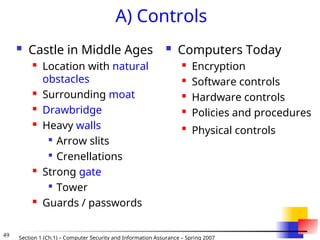
A) Controls
Castle in Middle Ages
Location with natural
obstacles
Surrounding moat
Drawbridge
Heavy walls
Arrow slits
Crenellations
Strong gate
Tower
Guards / passwords
Computers Today
Encryption
Software controls
Hardware controls
Policies and procedures
Physical controls
50.
50 Section 1(Ch.1) – Computer Security and Information Assurance – Spring 2007
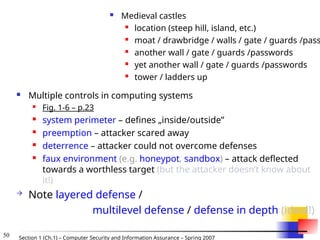
Multiple controls in computing systems
Fig. 1-6 – p.23
system perimeter – defines „inside/outside”
preemption – attacker scared away
deterrence – attacker could not overcome defenses
faux environment (e.g. honeypot, sandbox) – attack deflected
towards a worthless target (but the attacker doesn’t know about
it!)
Note layered defense /
multilevel defense / defense in depth (ideal!)
Medieval castles
location (steep hill, island, etc.)
moat / drawbridge / walls / gate / guards /pass
another wall / gate / guards /passwords
yet another wall / gate / guards /passwords
tower / ladders up
51.
51 Section 1(Ch.1) – Computer Security and Information Assurance – Spring 2007
A.1) Controls: Encryption
Primary controls!
Cleartext scambled into ciphertext (enciphered text)
Protects CIA:
confidentiality – by „masking” data
integrity – by preventing data updates
e.g., checksums included
availability – by using encryption-based protocols
e.g., protocols ensure availablity of resources for
different users
Much more later
[Barbara Edicott-Popovsky and Deborah Frincke, CSSE592/492, U. Washington]
52.
52 Section 1(Ch.1) – Computer Security and Information Assurance – Spring 2007
A.2) Controls: Software Controls
Secondary controls – second only to encryption
Software/program controls include:
OS and network controls
E.g. OS: sandbox / virtual machine
Logs/firewalls, OS/net virus scans, recorders
independent control programs (whole programs)
E.g. password checker, virus scanner, IDS
(intrusion detection system)
internal program controls (part of a program)
E.g. read/write controls in DBMSs
development controls
E.g. quality standards followed by developers
incl. testing
53.
53 Section 1(Ch.1) – Computer Security and Information Assurance – Spring 2007
Considerations for Software Controls:
Impact on user’s interface and workflow
E.g. Asking for a password too often?
54.
54 Section 1(Ch.1) – Computer Security and Information Assurance – Spring 2007
A.3) Controls: Hardware
Controls
Hardware devices to provide higher
degree of security
Locks and cables (for notebooks)
Smart cards, dongles, hadware keys, ...
...
55.
55 Section 1(Ch.1) – Computer Security and Information Assurance – Spring 2007
A.4) Controls: Policies and
Procedures
Policy vs. Procedure
Policy: What is/what is not allowed
Procedure: How you enforce policy
Advantages of policy/procedure controls:
Can replace hardware/software controls
Can be least expensive
Be careful to consider all costs
E.g. help desk costs often ignored for for passwords (=>
look cheap but migh be expensive)
56.
56 Section 1(Ch.1) – Computer Security and Information Assurance – Spring 2007
Policy - must consider:
Alignment with users’ legal and ethical
standards
Probability of use (e.g. due to inconvenience)
Inconvenient: 200 character password,
change password every
week
(Can be) good: biometrics replacing passwords
Periodic reviews
As people and systems, as well as their goals,
change
57.
57 Section 1(Ch.1) – Computer Security and Information Assurance – Spring 2007
A.5) Controls: Physical Controls
Walls, locks
Guards, security cameras
Backup copies and archives
Cables an locks (e.g., for notebooks)
Natural and man-made disaster protection
Fire, flood, and earthquake protection
Accident and terrorism protection
...
58.
58 Section 1(Ch.1) – Computer Security and Information Assurance – Spring 2007
B) Effectiveness of Controls
Awareness of problem
People convined of the need for these controls
Likelihood of use
Too complex/intrusive security tools are often disabled
Overlapping controls
>1 control for a given vulnerability
To provide layered defense – the next layer
compensates for a failure of the previous layer
Periodic reviews
A given control usually becomess less effective with
time
Need to replace ineffective/inefficient controls with
better ones
59.
59 Section 1(Ch.1) – Computer Security and Information Assurance – Spring 2007
1.8. Principles of Computer Security
Principle of Easiest Penetration (p.5)
An intruder must be expected to use any available
means of penetration.
The penetration may not necessarily be by the most
obvious means, nor is it necessarily the one against which
the most solid defense has been installed.
Principle of Adequate Protection (p.16)
Computer items must be protected to a degree
consistent with their value and only until they lose
their value. [modified by LL]
60.
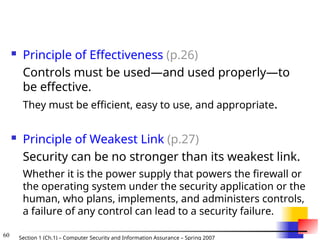
60 Section 1(Ch.1) – Computer Security and Information Assurance – Spring 2007
Principle of Effectiveness (p.26)
Controls must be used—and used properly—to
be effective.
They must be efficient, easy to use, and appropriate.
Principle of Weakest Link (p.27)
Security can be no stronger than its weakest link.
Whether it is the power supply that powers the firewall or
the operating system under the security application or the
human, who plans, implements, and administers controls,
a failure of any control can lead to a security failure.
#13
The first of the current issues deals with the concepts of Confidentiality, Integrity, and Availability.
What are these terms and what are the computer security implications?
Confidentiality - Assurance that information is not disclosed to unauthorized entities or processes. (Who do you want to see your information?)
Integrity - Ensures that data continues to be a proper representation of information and that information processing resources continue to perform the correct operations. (Is what you put in, what you get out?)
Availability - Goal of ensuring that information and information processing resources remain readily accessible to authorized users. (Do you get the Information when you want it?)
#14
In addition to all the rules and regulations, policies and procedures and the related system specific documentation, there are some current computer security issues of which you as the Executive should be made aware.
#30 FIRST, you must begin to think of malicious logic as more than just a virus. Some of this malicious code act as delivery agents. Others act as triggers.
Regardless of their method of use, operational capability or intent - -
All malicious code can be evaluated in the context of three principles:
Understanding these principle allows for successful countermeasures which we will touch on later for each type of code.
- Delivery Method or System Access
- Trigger or Initiation Mechanism
- Payload or effect on system
#31 FIRST, you must begin to think of malicious logic as more than just a virus. Some of this malicious code act as delivery agents. Others act as triggers.
Regardless of their method of use, operational capability or intent - -
All malicious code can be evaluated in the context of three principles:
Understanding these principle allows for successful countermeasures which we will touch on later for each type of code.
- Delivery Method or System Access
- Trigger or Initiation Mechanism
- Payload or effect on system

![3 Section 1 (Ch.1) – Computer Security and Information Assurance – Spring 2007
1.Introduction to Security
1.1. Examples – Security in Practice
From CSI/FBI Report 2002
90% detected computer security breaches within the last year
80% acknowledged financial losses
44% were willing and/or able to quantify their financial losses.
These 223 respondents reported $455M in financial losses.
The most serious financial losses occurred through theft of proprietary information and
financial fraud:
26 respondents: $170M
25 respondents: $115M
For the fifth year in a row, more respondents (74%) cited their Internet connection as a
frequent point of attack than cited their internal systems as a frequent point of attack (33%).
34% reported the intrusions to law enforcement. (In 1996, only 16% acknowledged
reporting intrusions to law enforcement.)
[Barbara Edicott-Popovsky and Deborah Frincke, CSSE592/492, U. Washington]](https://image.slidesharecdn.com/sect1-ch1-intro-260131065218-a098dae5/85/Introduction-to-security-for-computers-science-3-320.jpg)
![4 Section 1 (Ch.1) – Computer Security and Information Assurance – Spring 2007
More from CSI/FBI 2002
40% detected external penetration
40% detected denial of service attacks.
78% detected employee abuse of Internet access privileges
85% percent detected computer viruses.
38% suffered unauthorized access or misuse on their Web sites
within the last twelve months. 21% didn’t know.
[includes insider attacks]
12% reported theft of transaction information.
6% percent reported financial fraud (only 3% in 2000).
[Barbara Edicott-Popovsky and Deborah Frincke, CSSE592/492, U. Washington]](https://image.slidesharecdn.com/sect1-ch1-intro-260131065218-a098dae5/85/Introduction-to-security-for-computers-science-4-320.jpg)
![5 Section 1 (Ch.1) – Computer Security and Information Assurance – Spring 2007
Critical Infrastructure Areas
… telecommunications, electrical power systems, gas and
oil, banking and finance, transportation, water supply
systems, government services and emergency services.
[Barbara Edicott-Popovsky and Deborah Frincke, CSSE592/492, U. Washington]](https://image.slidesharecdn.com/sect1-ch1-intro-260131065218-a098dae5/85/Introduction-to-security-for-computers-science-5-320.jpg)
![6 Section 1 (Ch.1) – Computer Security and Information Assurance – Spring 2007
Threat Spectrum
[Barbara Edicott-Popovsky and Deborah Frincke, CSSE592/492, U. Washington]](https://image.slidesharecdn.com/sect1-ch1-intro-260131065218-a098dae5/85/Introduction-to-security-for-computers-science-6-320.jpg)
![7 Section 1 (Ch.1) – Computer Security and Information Assurance – Spring 2007
Cyberterrorism
The Internet Black Tigers conducted a
successful "denial of service" attack on servers
of Sri Lankan government embassies
Italian sympathizers of the Mexican Zapatista
rebels attacked web pages of Mexican financial
institutions.
Rise of “Hack-tivism”
Freeh, Testimony before Senate, 2000.
[Barbara Edicott-Popovsky and Deborah Frincke, CSSE592/492, U. Washington]](https://image.slidesharecdn.com/sect1-ch1-intro-260131065218-a098dae5/85/Introduction-to-security-for-computers-science-7-320.jpg)
![8 Section 1 (Ch.1) – Computer Security and Information Assurance – Spring 2007
Threats to Personal Privacy
Buying and selling confidential information
from Social Security files.
Browsing IRS files.
Buying and selling bank account name lists.
A Princeton University student stole ~1800
credit card numbers, customer names, and
user passwords from an e-commerce site.
House Ways and Means Committee, 102nd Congress, 1992.
10., Washington Post, S. Barr, 2 Aug. 1993
(4) Freeh, Testimony 2000
[Barbara Edicott-Popovsky and Deborah Frincke, CSSE592/492, U. Washington]](https://image.slidesharecdn.com/sect1-ch1-intro-260131065218-a098dae5/85/Introduction-to-security-for-computers-science-8-320.jpg)
![9 Section 1 (Ch.1) – Computer Security and Information Assurance – Spring 2007
Identity Theft
“The theft of computer hard drives from
TriWest Healthcare Alliance could turn
into one of the largest identity thefts on
record if the information is misused, the
Federal Trade Commission said.”
[Barbara Edicott-Popovsky and Deborah Frincke, CSSE592/492, U. Washington]](https://image.slidesharecdn.com/sect1-ch1-intro-260131065218-a098dae5/85/Introduction-to-security-for-computers-science-9-320.jpg)
![10 Section 1 (Ch.1) – Computer Security and Information Assurance – Spring 2007
1.2. What is „Security?”
You Will Never Own a Perfectly
Secure System.
You Will Never Own a Perfectly Secure
System.
You Will Never Own a Perfectly Secure
System.
[Barbara Edicott-Popovsky and Deborah Frincke, CSSE592/492, U. Washington]](https://image.slidesharecdn.com/sect1-ch1-intro-260131065218-a098dae5/85/Introduction-to-security-for-computers-science-10-320.jpg)
![11 Section 1 (Ch.1) – Computer Security and Information Assurance – Spring 2007
Well … Maybe If You Do This:
(Even then you have to do it in the right way –
there are standards how to destroy computers to prevent
security/privacy risks...)
[cf. Barbara Edicott-Popovsky and Deborah Frincke, CSSE592/492, U. Washington]](https://image.slidesharecdn.com/sect1-ch1-intro-260131065218-a098dae5/85/Introduction-to-security-for-computers-science-11-320.jpg)
![12 Section 1 (Ch.1) – Computer Security and Information Assurance – Spring 2007
“Secure” Computer System
To decide whether a computer system is “secure”, you must first decide what “secure”
means to you, then identify the threats you care about.
Some threats are named in the ovals
Virus
Identity
Theft
Denial
of
Service
Espionage
Stolen
Customer
Data
Modified
Databases
Cyberterrorism
Equipment
Theft
[cf. Barbara Edicott-Popovsky and Deborah Frincke, CSSE592/492, U. Washington]](https://image.slidesharecdn.com/sect1-ch1-intro-260131065218-a098dae5/85/Introduction-to-security-for-computers-science-12-320.jpg)
![13 Section 1 (Ch.1) – Computer Security and Information Assurance – Spring 2007
Confidentiality: Who is authorized?
Integrity: Is data „good?”
Availability: Can one access data whenever
needed?
1.3. Pillars of Security:
Confidentiality, Integrity, Availability
(CIA)
Confidentiality Integrity
Availability
S
S = secure
[cf. Barbara Edicott-Popovsky and Deborah Frincke, CSSE592/492, U. Washington]](https://image.slidesharecdn.com/sect1-ch1-intro-260131065218-a098dae5/85/Introduction-to-security-for-computers-science-13-320.jpg)
![14 Section 1 (Ch.1) – Computer Security and Information Assurance – Spring 2007
Balancing
CIA
Sensitive
Data
Biographical
Data
Payroll
Data
Health
Data
Packet
Switch
File
Server
Bridge
Gateway
Other
Networks
Need to balance CIA
Ex: Disconnect computer from
Internet to increase
confidentiality (availability
suffers, integrity suffers due to
lost updates)
Ex: Have extensive data checks
by different people/systems to
increase integrity (confidentiality
suffers as more people see data,
availability suffers due to locks
on data under verification)
[Barbara Edicott-Popovsky and Deborah Frincke, CSSE592/492, U. Washington]
Confidentiality Integrity
Availability
S
S = secure](https://image.slidesharecdn.com/sect1-ch1-intro-260131065218-a098dae5/85/Introduction-to-security-for-computers-science-14-320.jpg)
![17 Section 1 (Ch.1) – Computer Security and Information Assurance – Spring 2007
Availability (1)
Not understood very well yet
„[F]ull implementation of availability is security’s next
challenge”
E.g. Full implemenation of availability for Internet
users (with ensuring security)
Complex
Context-dependent
Could mean any subset of these asset (data or service)
properties :
{ usefulness / sufficient capacity /
progressing at a proper pace /
completed in an acceptable period of time / ...}
[Pfleeger & Pfleeger]](https://image.slidesharecdn.com/sect1-ch1-intro-260131065218-a098dae5/85/Introduction-to-security-for-computers-science-17-320.jpg)
![18 Section 1 (Ch.1) – Computer Security and Information Assurance – Spring 2007
Availability (2)
We can say that an asset (resource) is
available if:
Timely request response
Fair allocation of resources (no starvation!)
Fault tolerant (no total breakdown)
Easy to use in the intended way
Provides controlled concurrency (concurrency
control, deadlock control, ...)
[Pfleeger
& Pfleeger]](https://image.slidesharecdn.com/sect1-ch1-intro-260131065218-a098dae5/85/Introduction-to-security-for-computers-science-18-320.jpg)
![19 Section 1 (Ch.1) – Computer Security and Information Assurance – Spring 2007
1.4. Vulnerabilities, Threats, and Controls
Understanding Vulnerabilities, Threats, and
Controls
Vulnerability = a weakness in a security system
Threat = circumstances that have a potential to
cause harm
Controls = means and ways to block a threat,
which tries to exploit one or more vulnerabilities
Most of the class discusses various controls and their
effectiveness
[Pfleeger & Pfleeger]](https://image.slidesharecdn.com/sect1-ch1-intro-260131065218-a098dae5/85/Introduction-to-security-for-computers-science-19-320.jpg)
![20 Section 1 (Ch.1) – Computer Security and Information Assurance – Spring 2007
Attack
= exploitation of one or more vulnerabilities by a
threat; tries to defeat controls
Attack may be:
Successful
resulting in a breach of security, a system
penetration, etc.
Unsuccessful
when controls block a threat trying to exploit a
vulnerability
[Pfleeger & Pfleeger]
Examples
Fig. 1-1 (p.6)
New Orleans disaster (Hurricane Katrina):
What were city vulnerabilities, threats, and controls](https://image.slidesharecdn.com/sect1-ch1-intro-260131065218-a098dae5/85/Introduction-to-security-for-computers-science-20-320.jpg)
![21 Section 1 (Ch.1) – Computer Security and Information Assurance – Spring 2007
Kinds of Threats
Kinds of threats:
Interception
an unauthorized party (human or not) gains access
to an asset
Interruption
an asset becomes lost, unavailable, or unusable
Modification
an unauthorized party changes the state of an
asset
Fabrication
an unauthorized party counterfeits an asset
[Pfleeger & Pfleeger]
Examples?](https://image.slidesharecdn.com/sect1-ch1-intro-260131065218-a098dae5/85/Introduction-to-security-for-computers-science-21-320.jpg)
![22 Section 1 (Ch.1) – Computer Security and Information Assurance – Spring 2007
Levels of Vulnerabilities / Threats
D) for other assets (resources)
including. people using data, s/w, h/w
C) for data
„on top” of s/w, since used by s/w
B) for software
„on top” of h/w, since run on h/w
A) for hardware
[Pfleeger & Pfleeger]](https://image.slidesharecdn.com/sect1-ch1-intro-260131065218-a098dae5/85/Introduction-to-security-for-computers-science-22-320.jpg)
![23 Section 1 (Ch.1) – Computer Security and Information Assurance – Spring 2007
A) Hardware Level of Vulnerabilities /
Threats
Add / remove a h/w device
Ex: Snooping, wiretapping
Snoop = to look around a place secretly in order to discover things
about it or the people connected with it. [Cambridge Dictionary of
American English]
Ex: Modification, alteration of a system
...
Physical attacks on h/w => need physical security: locks and
guards
Accidental (dropped PC box) or voluntary (bombing a
computer room)
Theft / destruction
Damage the machine (spilled coffe, mice, real bugs)
Steal the machine
„Machinicide:” Axe / hammer the machine
...](https://image.slidesharecdn.com/sect1-ch1-intro-260131065218-a098dae5/85/Introduction-to-security-for-computers-science-23-320.jpg)
![24 Section 1 (Ch.1) – Computer Security and Information Assurance – Spring 2007
Example of Snooping:
Wardriving / Warwalking, Warchalking,
Wardriving/warwalking -- driving/walking
around with a wireless-enabled notebook
looking for unsecured wireless LANs
Warchalking -- using chalk markings to show
the presence and vulnerabilities of wireless
networks nearby
E.g., a circled "W” -- indicates a WLAN
protected by Wired Equivalent Privacy (WEP)
encryption
[Barbara Edicott-Popovsky and Deborah Frincke, CSSE592/492, U. Washington]](https://image.slidesharecdn.com/sect1-ch1-intro-260131065218-a098dae5/85/Introduction-to-security-for-computers-science-24-320.jpg)
![25 Section 1 (Ch.1) – Computer Security and Information Assurance – Spring 2007
Example of Snooping:
Tapping Wireless
http://www.oreillynet.com/cs/weblog/view/wlg/448
[Barbara Edicott-Popovsky and Deborah Frincke, CSSE592/492, U. Washington]](https://image.slidesharecdn.com/sect1-ch1-intro-260131065218-a098dae5/85/Introduction-to-security-for-computers-science-25-320.jpg)
![26 Section 1 (Ch.1) – Computer Security and Information Assurance – Spring 2007
[Barbara Edicott-Popovsky and Deborah Frincke, CSSE592/492, U. Washington]](https://image.slidesharecdn.com/sect1-ch1-intro-260131065218-a098dae5/85/Introduction-to-security-for-computers-science-26-320.jpg)
![27 Section 1 (Ch.1) – Computer Security and Information Assurance – Spring 2007
Example of System Alteration:
Skimming from ABC.com
Stealing credit card data.
Making counterfeit „blank” credit
card (with a blank magnetic strip).
Magetizing the magnetic strip to
complete producing a counterfeit card.
A legitimate transaction, so it seems...
[Barbara Edicott-Popovsky and Deborah Frincke, CSSE592/492, U. Washington]](https://image.slidesharecdn.com/sect1-ch1-intro-260131065218-a098dae5/85/Introduction-to-security-for-computers-science-27-320.jpg)
![29 Section 1 (Ch.1) – Computer Security and Information Assurance – Spring 2007
Viruses
Mass Mailing Viruses
Macro Viruses
“Back Doors” a.k.a. “Remote Access
Trojans”
Cell phone viruses
Home appliance
viruses
MP3 player viruses
Virus
A hidden, self-replicating section of computer software, usually malicious
logic, that propagates by infecting (i.e., inserting a copy of itself into and
becoming part of) another program. A virus cannot run by itself; it requires that
its host program be run to make the virus active
Many kinds of viruses:
[Barbara Edicott-Popovsky and Deborah Frincke, CSSE592/492, U. Washington]](https://image.slidesharecdn.com/sect1-ch1-intro-260131065218-a098dae5/85/Introduction-to-security-for-computers-science-29-320.jpg)
![30 Section 1 (Ch.1) – Computer Security and Information Assurance – Spring 2007
Types of Malicious Code
Trapdoors
Trapdoors
Trojan Horses
Trojan Horses
Bacteri
Bacteria
a
Logic Bombs
Logic Bombs
Worms
Worms
Virus
Viruses
es
X
Files
[Barbara Edicott-Popovsky and Deborah Frincke, CSSE592/492, U. Washington]](https://image.slidesharecdn.com/sect1-ch1-intro-260131065218-a098dae5/85/Introduction-to-security-for-computers-science-30-320.jpg)
![31 Section 1 (Ch.1) – Computer Security and Information Assurance – Spring 2007
Bacterium - A specialized form of virus which does not attach to a specific file.
Usage obscure.
Logic bomb - Malicious [program] logic that activates when specified conditions
are met. Usually intended to cause denial of service or otherwise damage system
resources.
Trapdoor - A hidden computer flaw known to an intruder, or a hidden computer
mechanism (usually software) installed by an intruder, who can activate the trap
door to gain access to the computer without being blocked by security services or
mechanisms.
Trojan horse - A computer program that appears to have a useful function, but also
has a hidden and potentially malicious function that evades security mechanisms,
sometimes by exploiting legitimate authorizations of a system entity that invokes the
program.
Virus - A hidden, self-replicating section of computer software, usually malicious
logic, that propagates by infecting (i.e., inserting a copy of itself into and becoming
part of) another program. A virus cannot run by itself; it requires that its host
program be run to make the virus active.
Worm - A computer program that can run independently, can propagate a complete
working version of itself onto other hosts on a network, and may consume computer
resources destructively.
[…more types of malicious code exist…] [bacterium: http://sun.soci.niu.edu/~rslade/secgloss.htm, other: http://www.ietf.org/rfc/rfc2828.txt]](https://image.slidesharecdn.com/sect1-ch1-intro-260131065218-a098dae5/85/Introduction-to-security-for-computers-science-31-320.jpg)
![33 Section 1 (Ch.1) – Computer Security and Information Assurance – Spring 2007
Identity Theft Cases in 2003:
Credit card skimmers plus
drivers license, Florida
Faked social security and INS
cards $150-$250
Used 24 aliases – used false id to
secure credit cards, open mail
boxes and bank accounts, cash
fraudulently obtained federal
income tax refund checks, and
launder the proceeds
Bank employee indicted for
stealing depositors' information
to apply over the Internet for
loans
$7M loss, Florida: Stole 12,000
cards from restaurants via
computer networks and social
engineering
Federal Trade Commission:
http://www.consumer.gov/idtheft/
[Barbara Edicott-Popovsky and Deborah Frincke, CSSE592/492, U. Washington]](https://image.slidesharecdn.com/sect1-ch1-intro-260131065218-a098dae5/85/Introduction-to-security-for-computers-science-33-320.jpg)
![34 Section 1 (Ch.1) – Computer Security and Information Assurance – Spring 2007
Preventing Identity Theft
Handle data carefully
Regular checks of your
credit reports
Put a password on your
credit accounts; don’t
use just “mother’s
maiden name”
Be cautious about
sharing personal
information
From a web site: “Deposit
outgoing mail in post
office collection boxes or
at your local post office,
rather than in an
unsecured mailbox”
Shred, don’t just discard
Practice good
computer security
Anti-virus s/w, firewall,
secure browsers, …
Regularly (daily) updated
Minimize financial info
on your computer
Think before you “click”
Clean up any computer
before you sell/discard it
Need special s/w to
securely destroy
„deleted” data
[Barbara Edicott-Popovsky and Deborah Frincke,
CSSE592/492, U. Washington]](https://image.slidesharecdn.com/sect1-ch1-intro-260131065218-a098dae5/85/Introduction-to-security-for-computers-science-34-320.jpg)
![35 Section 1 (Ch.1) – Computer Security and Information Assurance – Spring 2007
Preventing Identity Theft:
Government Suggestions
Suggestions from FTC:
Contact the three major credit agencies, check credit,
put “stop” on unapproved new cards, issue “fraud alert”
Close all accounts; open new ones w/o mother’s
maiden name (use password)
File a report in the appropriate jurisdiction and keep
copies of those records
… and now there’s an ID Theft Affidavit, to
To prove to institutions that you are a victim of a
crime, not a criminal
[Barbara Edicott-Popovsky and Deborah Frincke, CSSE592/492, U. Washington]](https://image.slidesharecdn.com/sect1-ch1-intro-260131065218-a098dae5/85/Introduction-to-security-for-computers-science-35-320.jpg)
![37 Section 1 (Ch.1) – Computer Security and Information Assurance – Spring 2007
Ways of Attacking Data CIA
Examples of Attacks on Data Confidentiality
Tapping / snooping
Examples of Attacks on Data Integrity
Modification: salami attack -> little bits add up
E.g., „shave off” the fractions of cents after interest calculations
Fabrication: replay data -> send the same thing again
E.g., a computer criminal replays a salary deposit to his account
Examples of Attacks on Data Availability
Delay vs. „full” DoS
Examples of Repudiation Attacks on Data:
Repudiation / denial of origin of data: „I never sent it”
Repudiation = refusal to acknowledge or pay a debt or honor a
contract (especially by public authorities). [http://www.onelook.com]
Repudiation / denial of receipt of data: „I never got it”](https://image.slidesharecdn.com/sect1-ch1-intro-260131065218-a098dae5/85/Introduction-to-security-for-computers-science-37-320.jpg)
![41 Section 1 (Ch.1) – Computer Security and Information Assurance – Spring 2007
Types of Attackers (2)
(in: the „Threat Spectrum” slide)
[Barbara Edicott-Popovsky and Deborah Frincke, CSSE592/492, U. Washington]](https://image.slidesharecdn.com/sect1-ch1-intro-260131065218-a098dae5/85/Introduction-to-security-for-computers-science-41-320.jpg)
![42 Section 1 (Ch.1) – Computer Security and Information Assurance – Spring 2007
Example: Hacking As Social Protest
Hactivism
Electro-Hippies
DDOS attacks on government agencies
SPAM attacks as “retaliation”
[Barbara Edicott-Popovsky and Deborah Frincke, CSSE592/492, U. Washington]](https://image.slidesharecdn.com/sect1-ch1-intro-260131065218-a098dae5/85/Introduction-to-security-for-computers-science-42-320.jpg)
![43 Section 1 (Ch.1) – Computer Security and Information Assurance – Spring 2007
High
Technical Knowledge
Required
Sophistication of
Hacker Tools
Password Guessing
Password Cracking
Time
Self-Replicating Code
Back Doors
Hijacking Sessions
Sweepers Sniffers
Stealth Diagnotics
DDOS
Packet Forging & Spoofing
New Internet
Attacks
[Barbara Edicott-Popovsky and Deborah Frincke, CSSE592/492, U. Washington]](https://image.slidesharecdn.com/sect1-ch1-intro-260131065218-a098dae5/85/Introduction-to-security-for-computers-science-43-320.jpg)
![45 Section 1 (Ch.1) – Computer Security and Information Assurance – Spring 2007
“To Report or Not To Report:”
Tension between Personal Privacy
and Public Responsibility
An info tech company will typically lose
between ten and one hundred times more
money from shaken consumer confidence than
the hack attack itself represents if they decide to
prosecute the case.
Mike Rasch, VP Global Security, testimony before the
Senate Appropriations Subcommittee, February 2000
reported in The Register and online testimony transcript
[Barbara Edicott-Popovsky and Deborah Frincke, CSSE592/492, U. Washington]](https://image.slidesharecdn.com/sect1-ch1-intro-260131065218-a098dae5/85/Introduction-to-security-for-computers-science-45-320.jpg)
![46 Section 1 (Ch.1) – Computer Security and Information Assurance – Spring 2007
Further Reluctance to Report
One common fear is that a crucial piece of
equipment, like a main server, say, might be
impounded for evidence by over-zealous
investigators, thereby shutting the company down.
Estimate: fewer than one in ten serious intrusions
are ever reported to the authorities.
Mike Rasch, VP Global Security, testimony before the Senate
Appropriations Subcommittee, February 2000
reported in The Register and online testimony transcript
[Barbara Edicott-Popovsky and Deborah Frincke, CSSE592/492, U. Washington]](https://image.slidesharecdn.com/sect1-ch1-intro-260131065218-a098dae5/85/Introduction-to-security-for-computers-science-46-320.jpg)
![47 Section 1 (Ch.1) – Computer Security and Information Assurance – Spring 2007
Computer Forensics:
Fighting Computer Crime
Technology
Law
Enforcement
Individual
and Societal
Rights
Judiciary
…
[Barbara Edicott-Popovsky and Deborah Frincke, CSSE592/492, U. Washington]](https://image.slidesharecdn.com/sect1-ch1-intro-260131065218-a098dae5/85/Introduction-to-security-for-computers-science-47-320.jpg)
![51 Section 1 (Ch.1) – Computer Security and Information Assurance – Spring 2007
A.1) Controls: Encryption
Primary controls!
Cleartext scambled into ciphertext (enciphered text)
Protects CIA:
confidentiality – by „masking” data
integrity – by preventing data updates
e.g., checksums included
availability – by using encryption-based protocols
e.g., protocols ensure availablity of resources for
different users
Much more later
[Barbara Edicott-Popovsky and Deborah Frincke, CSSE592/492, U. Washington]](https://image.slidesharecdn.com/sect1-ch1-intro-260131065218-a098dae5/85/Introduction-to-security-for-computers-science-51-320.jpg)
![59 Section 1 (Ch.1) – Computer Security and Information Assurance – Spring 2007
1.8. Principles of Computer Security
Principle of Easiest Penetration (p.5)
An intruder must be expected to use any available
means of penetration.
The penetration may not necessarily be by the most
obvious means, nor is it necessarily the one against which
the most solid defense has been installed.
Principle of Adequate Protection (p.16)
Computer items must be protected to a degree
consistent with their value and only until they lose
their value. [modified by LL]](https://image.slidesharecdn.com/sect1-ch1-intro-260131065218-a098dae5/85/Introduction-to-security-for-computers-science-59-320.jpg)