Introduction To Python
Basics, sequences, Dictionaries, Sets
Python
– Python is an interepted language, which can save you considerable time
during program development because no compilation and linking is
necessary.
How to install Python
• Download latest version of python and install it on any drive: say
D:python
• Then follow the steps
–Got to Control Panel -> System -> Advanced system settings
–Click the Environment variables... button
–Edit PATH and append ;d:Python to the end
–Click OK.
–Open command prompt type python and enter
C Vs Python
Syntax comparison
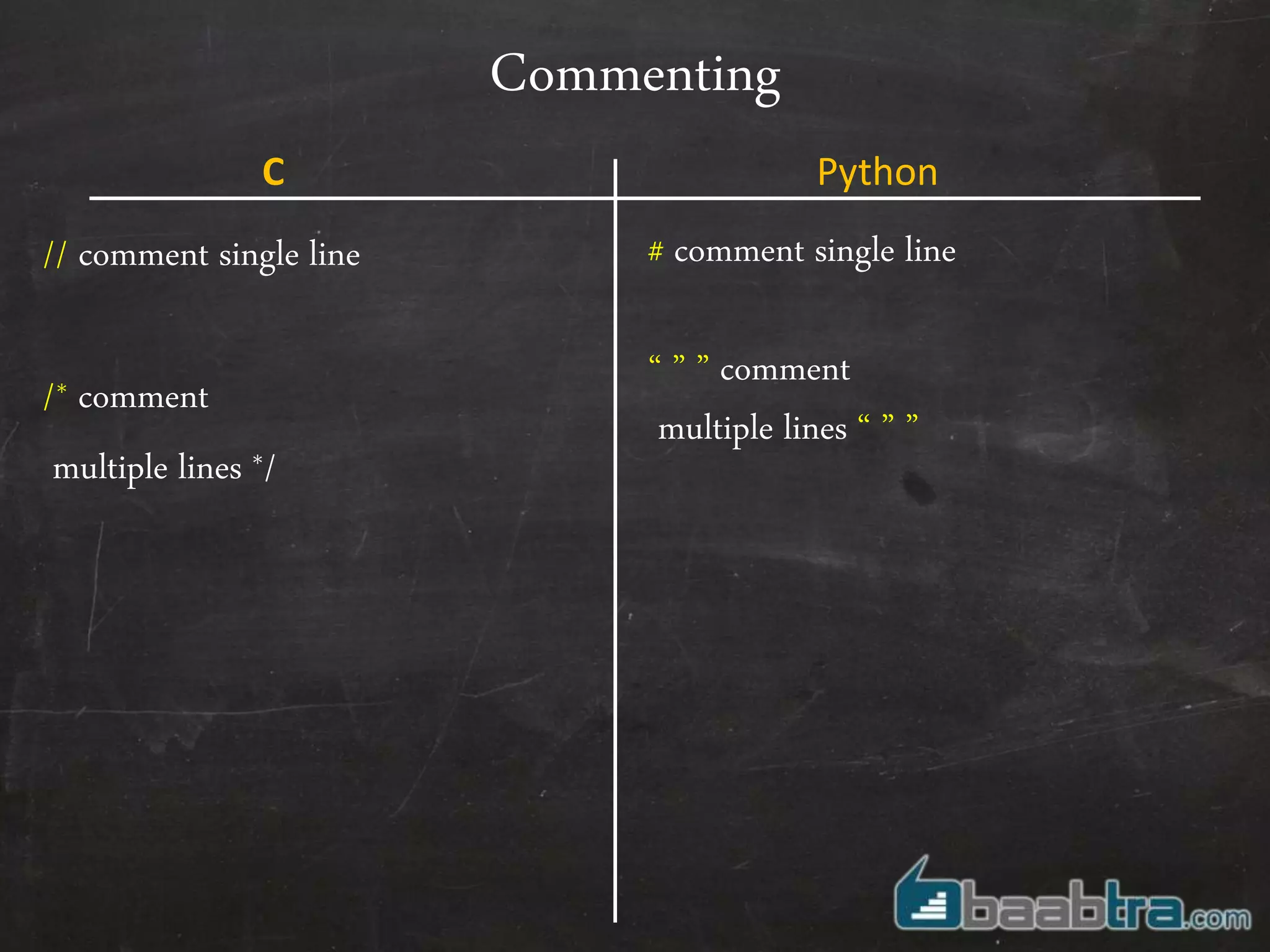
Commenting
// comment single line
/* comment
multiple lines */
# comment single line
“ ” ” comment
multiple lines “ ” ”
C Python
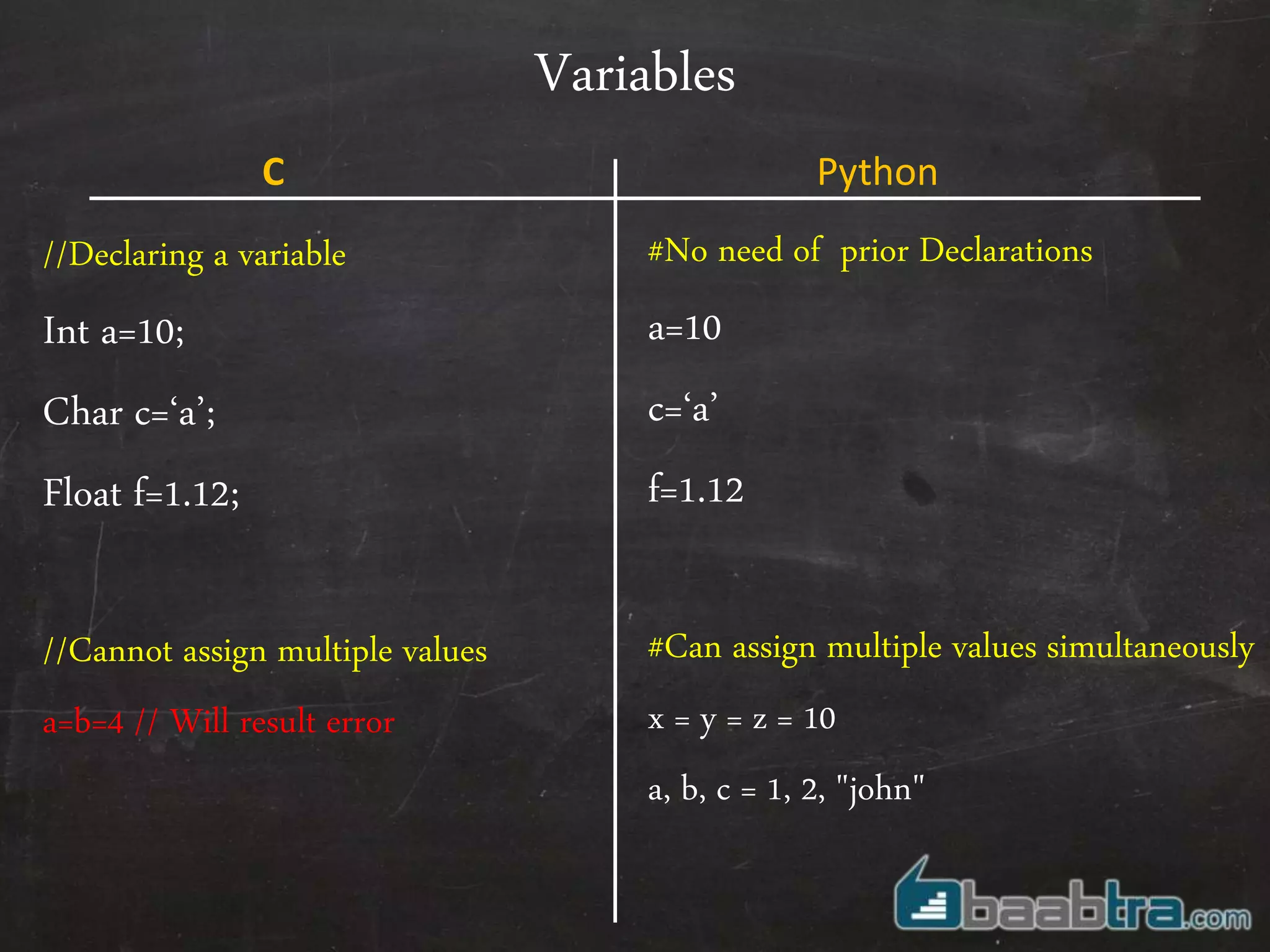
Variables
//Declaring a variable
Int a=10;
Char c=‘a’;
Float f=1.12;
//Cannot assign multiple values
a=b=4 // Will result error
#No need of prior Declarations
a=10
c=‘a’
f=1.12
#Can assign multiple values simultaneously
x = y = z = 10
a, b, c = 1, 2, "john"
C Python
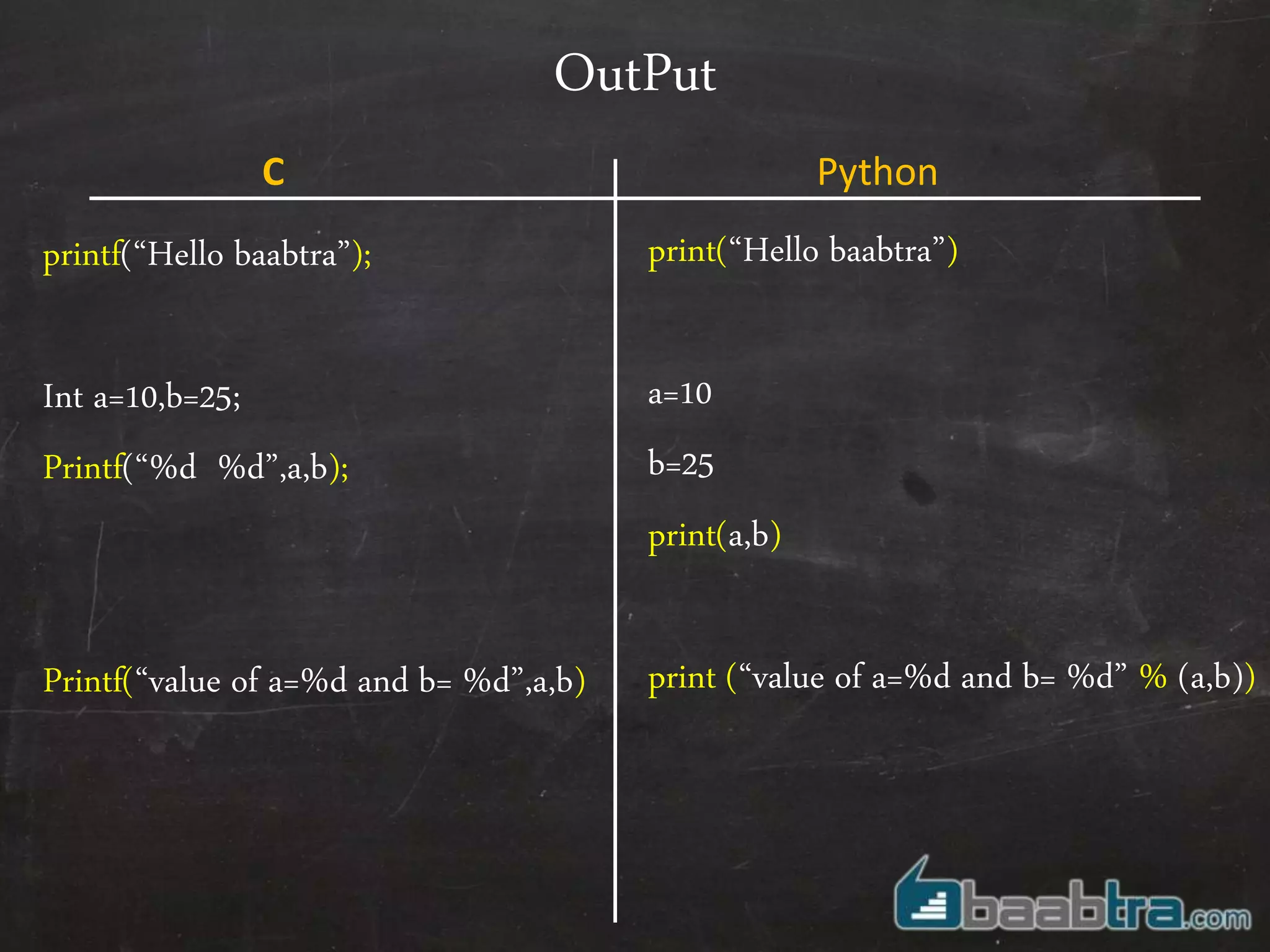
OutPut
printf(“Hello baabtra”);
Int a=10,b=25;
Printf(“%d %d”,a,b);
Printf(“value of a=%d and b= %d”,a,b)
print(“Hello baabtra”)
a=10
b=25
print(a,b)
print (“value of a=%d and b= %d” % (a,b))
C Python
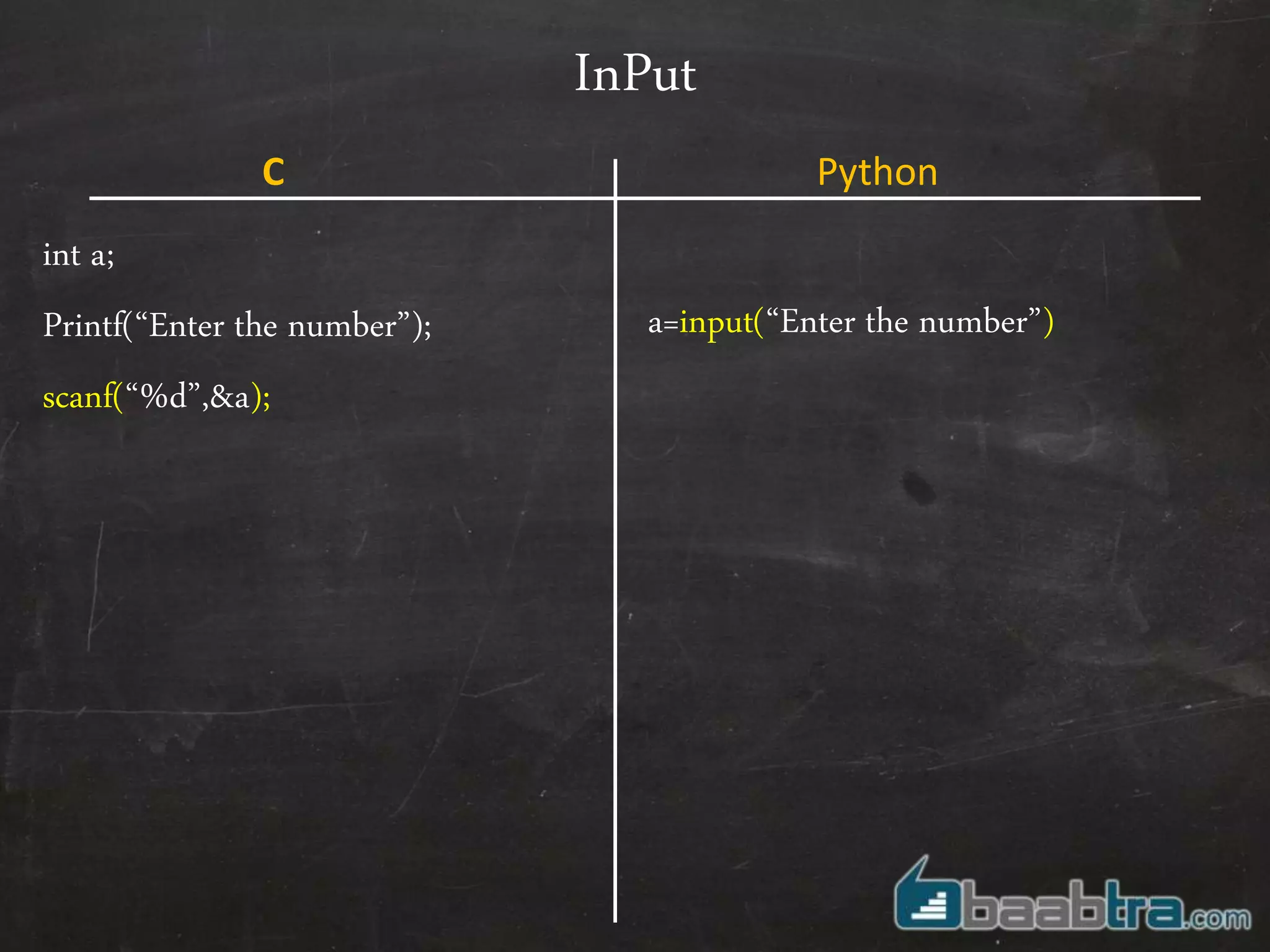
InPut
int a;
Printf(“Enter the number”);
scanf(“%d”,&a);
a=input(“Enter the number”)
C Python
Arrays
int a[]={12,14,15,65,34};
printf(“%d”, a[3]);
No Arrays ! Instead Lists
a = [12,14,15,16,65,34,’baabtra’]
C Python
Arrays
int a[]={12,14,15,65,34};
printf(“%d”, a[3]);
No Arrays ! Instead Lists
a = [12,14,15,16,65,34,’baabtra’]
C Python
[ 12 , 14 , 15 , 16 , 65 , 34 , ’baabtra’ ]
0 1 2 3 4 5 6
-7 -6 -5 -4 -3 -2 -1
Lists in detail
• Print(a[2:5]) # prints 15,16,65
• Print(a[-6:-2]) # prints 14,15,16,65
• Print(a[4:]) # prints 65,34,baabtra
• Print(a[:2]) # prints 12,14,15
• a[2] = a[2] + 23; # Lists are mutable,we can change individual items
• a[0:2] = [1, 12] # We can replace a group of items together
• a[0:2] = [] # We can remove items together
• a[:] = [] # Clear the list
Lists in detail
• a.append(25) # adds an element at the end of list
• b =[55,66,77]
a.extend(b)
a=a+b;
• a.insert(1,99) # Inserts 99 at position 1
• a.pop(0) # pop elements at position 0
# Combines two lists
Strings
char a[]=“baabtra”; a= ‘baabtra’
b=“doesn’t”
C=“baabtra ”mentoring partner””
Strings are character lists, So can be used like any
other lists as we discussed earlier
print (a[0])
a.append(“m”);
C Python
Strings in detail
• String slicing
word=‘hello baabtra’
print(word[6:] # prints baabtra
word[: 6] # prints ‘hello ‘
word2= ‘good morning’ + word[6:]
Print(word2) # prints ‘good morning baabtra‘
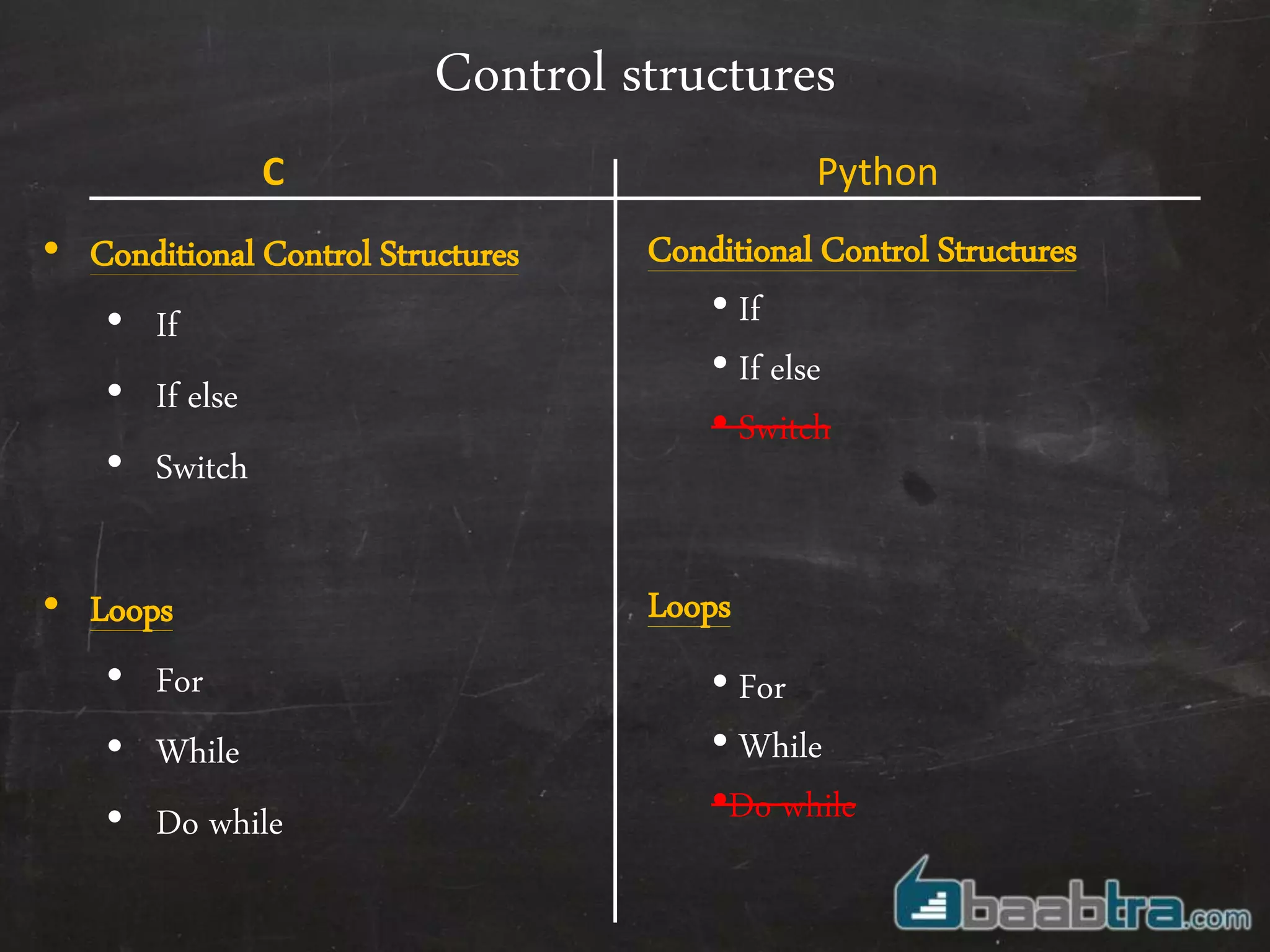
Control structures
• Conditional Control Structures
• If
• If else
• Switch
• Loops
• For
• While
• Do while
Conditional Control Structures
• If
• If else
• Switch
Loops
• For
• While
•Do while
C Python
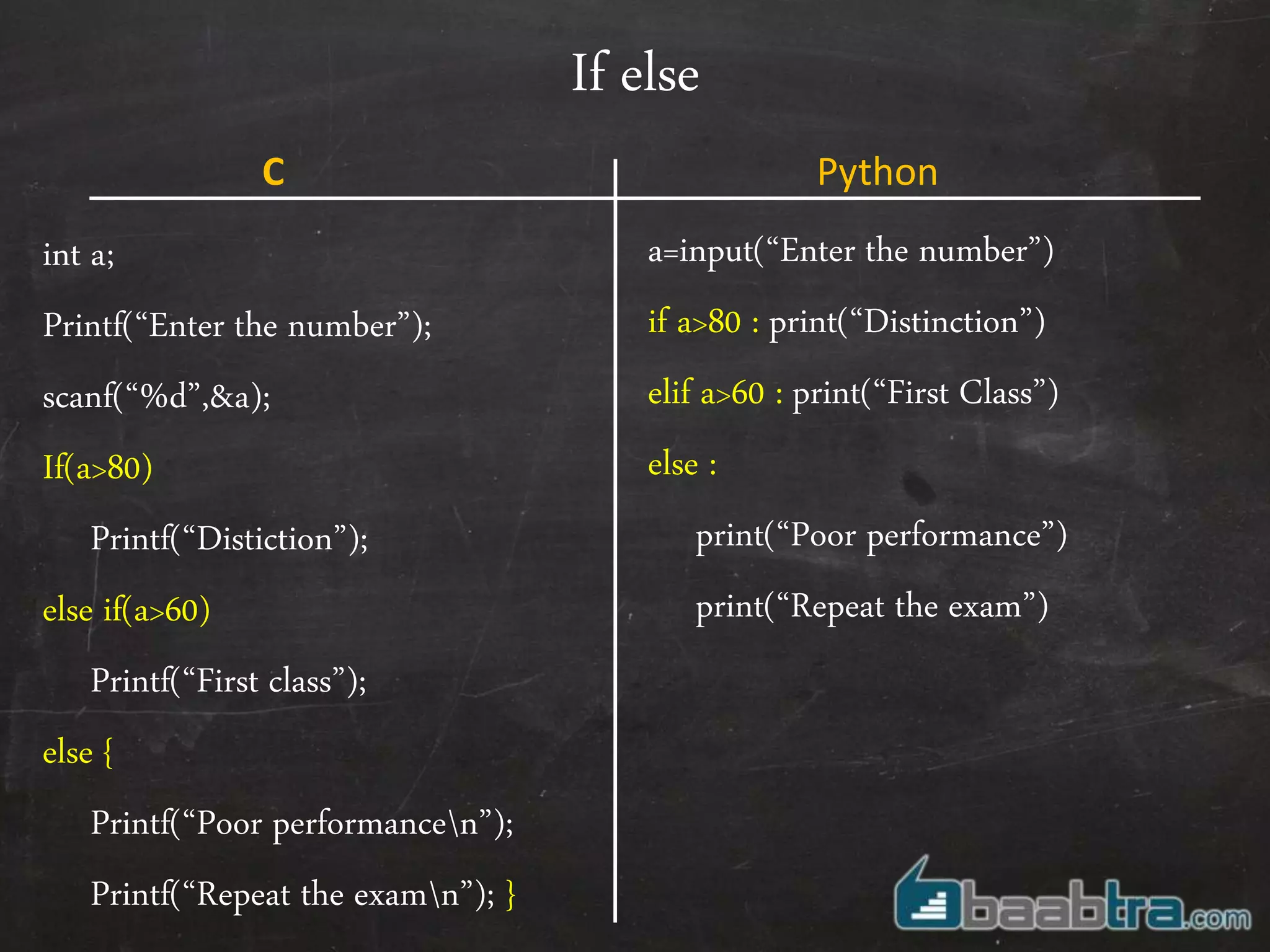
If else
int a;
Printf(“Enter the number”);
scanf(“%d”,&a);
If(a>80)
Printf(“Distiction”);
else if(a>60)
Printf(“First class”);
else {
Printf(“Poor performancen”);
Printf(“Repeat the examn”); }
a=input(“Enter the number”)
if a>80 : print(“Distinction”)
elif a>60 : print(“First Class”)
else :
print(“Poor performance”)
print(“Repeat the exam”)
C Python
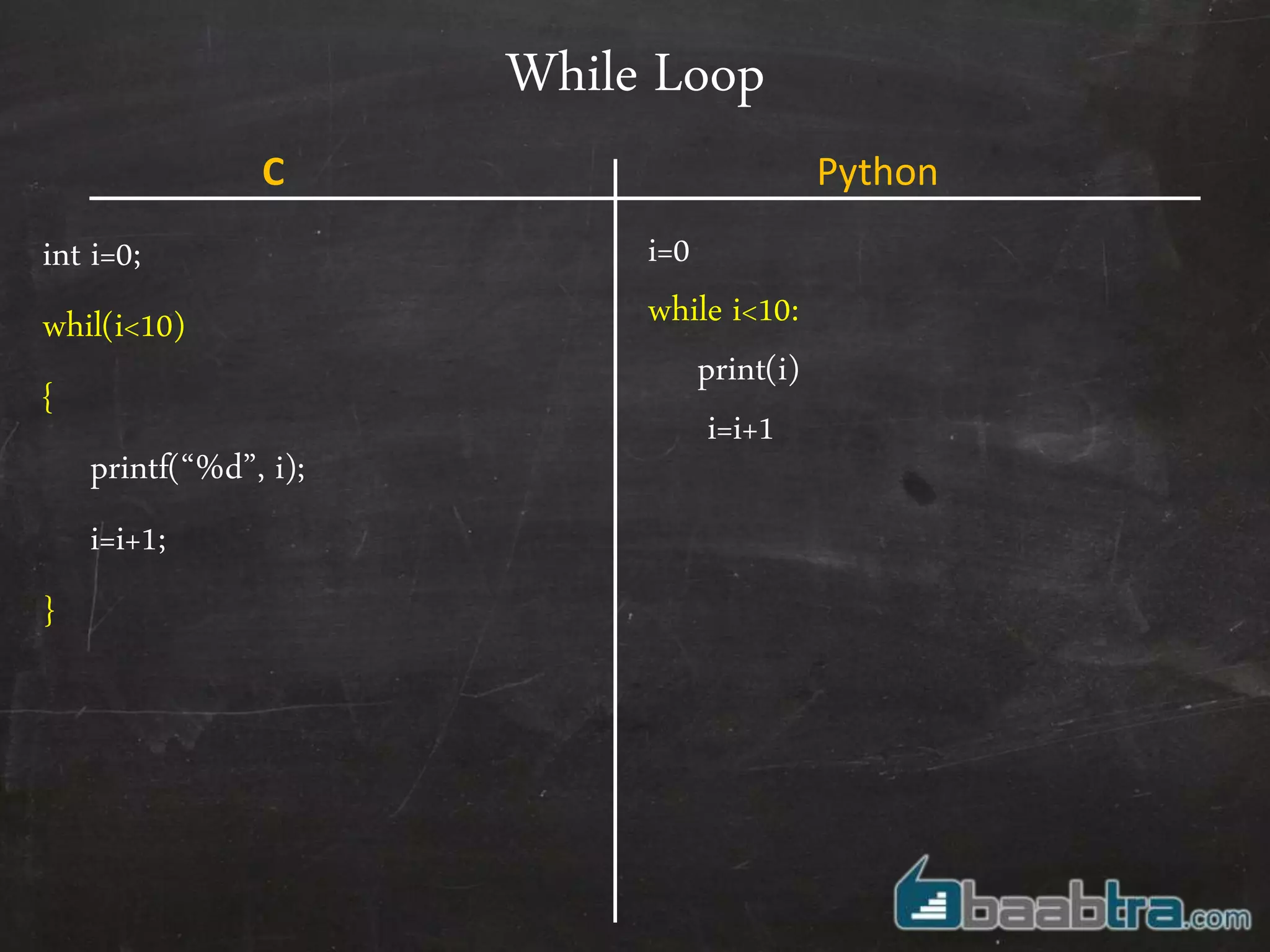
While Loop
int i=0;
whil(i<10)
{
printf(“%d”, i);
i=i+1;
}
i=0
while i<10:
print(i)
i=i+1
C Python
For Loop
int i=0;
for(i=0;i<10;i++)
{
printf(“%d”, i);
}
It’s quite a bit untraditional . We need to
define a range on which loop has to iterate.
This can be done using
Range(10,20) // creating a list with
elements from 10 to 20
For i in range(10) :
print(i) //print numbers up to 10
a=[12,14,16,’baabtra’]
For i in a :
print(i) //prints 12,14,16,baabtra
C Python
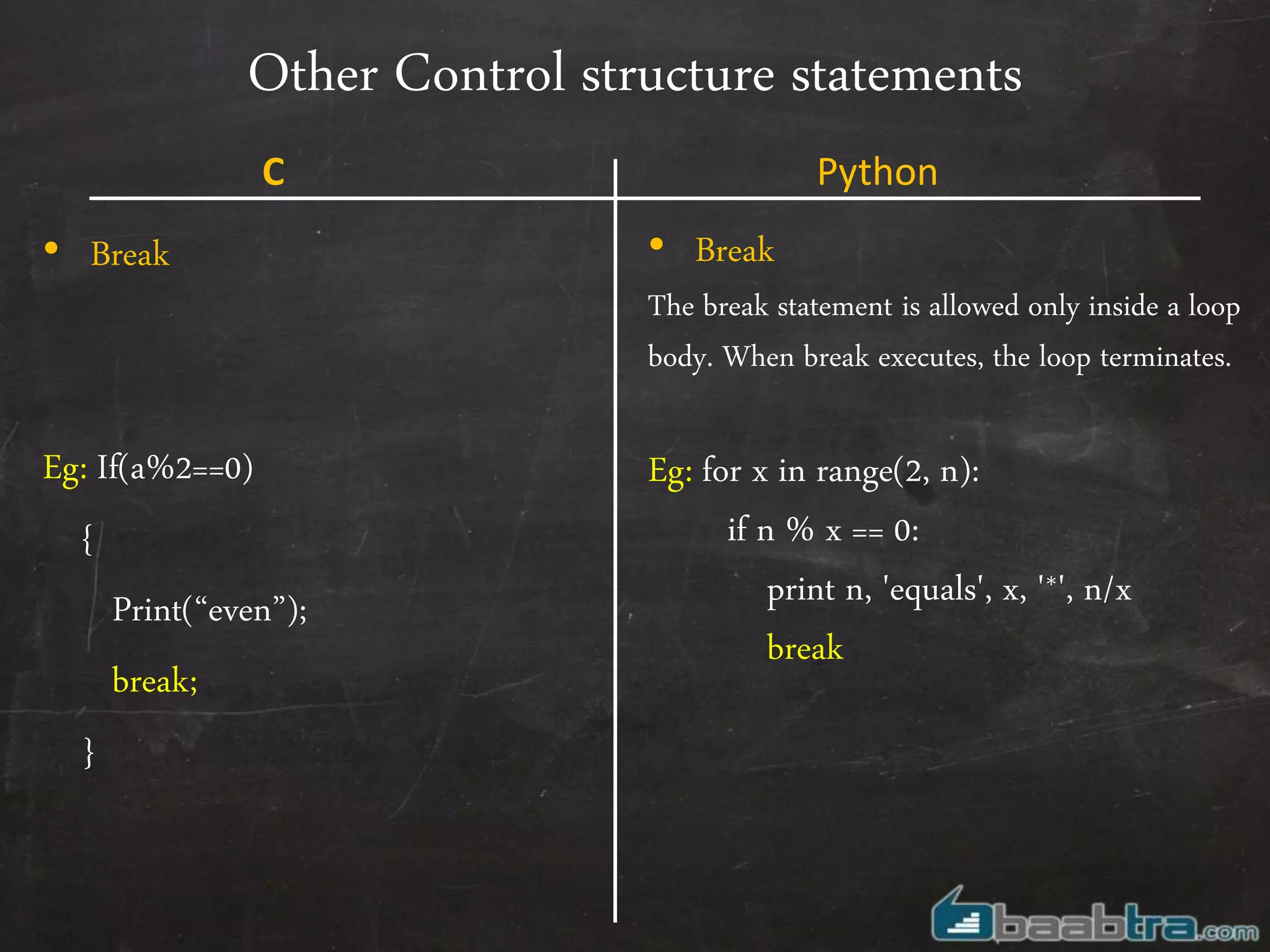
Other Control structure statements
• Break
Eg: If(a%2==0)
{
Print(“even”);
break;
}
• Break
The break statement is allowed only inside a loop
body. When break executes, the loop terminates.
Eg: for x in range(2, n):
if n % x == 0:
print n, 'equals', x, '*', n/x
break
C Python
Other Control structure statements
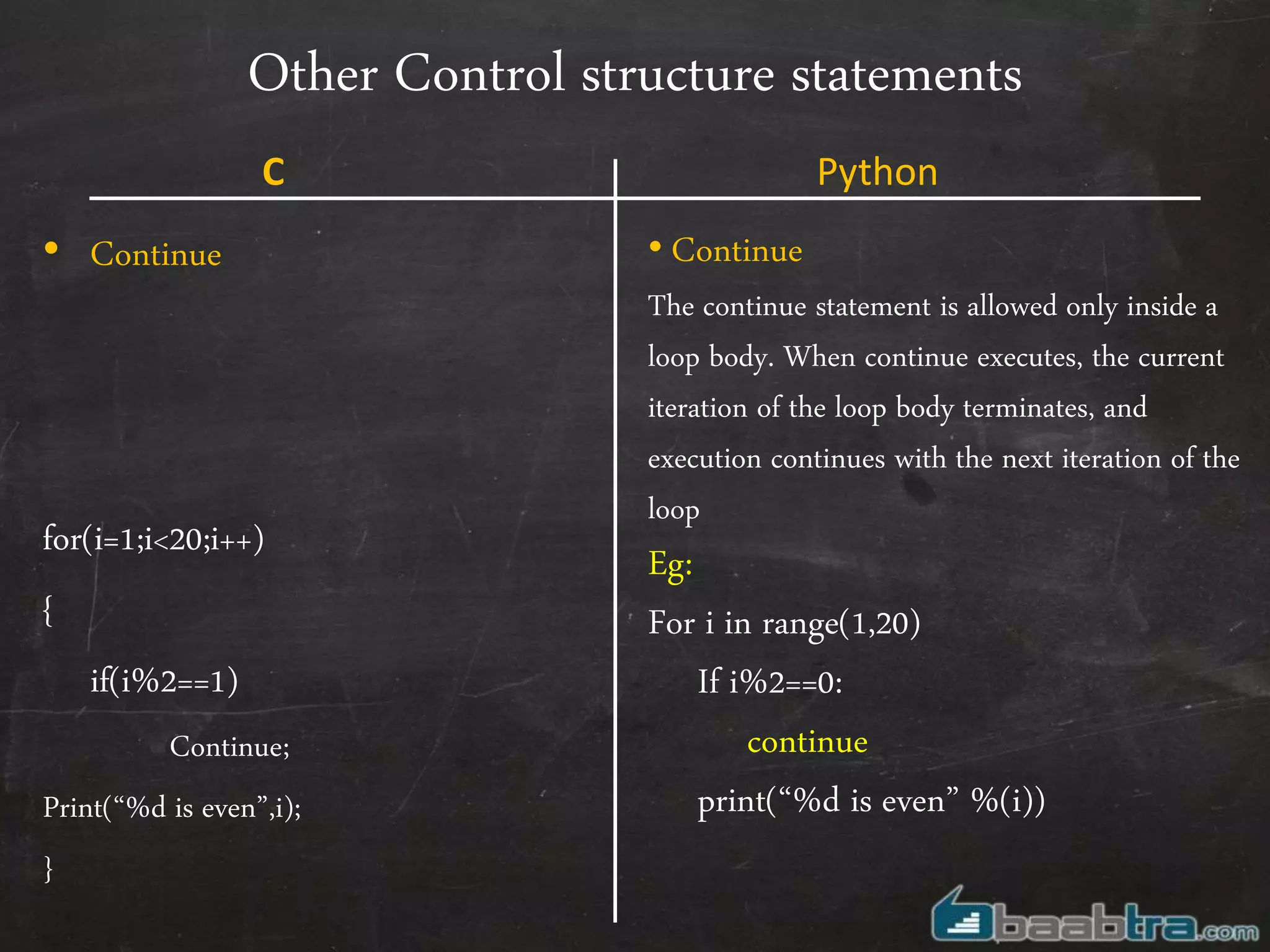
• Continue
for(i=1;i<20;i++)
{
if(i%2==1)
Continue;
Print(“%d is even”,i);
}
• Continue
The continue statement is allowed only inside a
loop body. When continue executes, the current
iteration of the loop body terminates, and
execution continues with the next iteration of the
loop
Eg:
For i in range(1,20)
If i%2==0:
continue
print(“%d is even” %(i))
C Python
Other Control structure statements
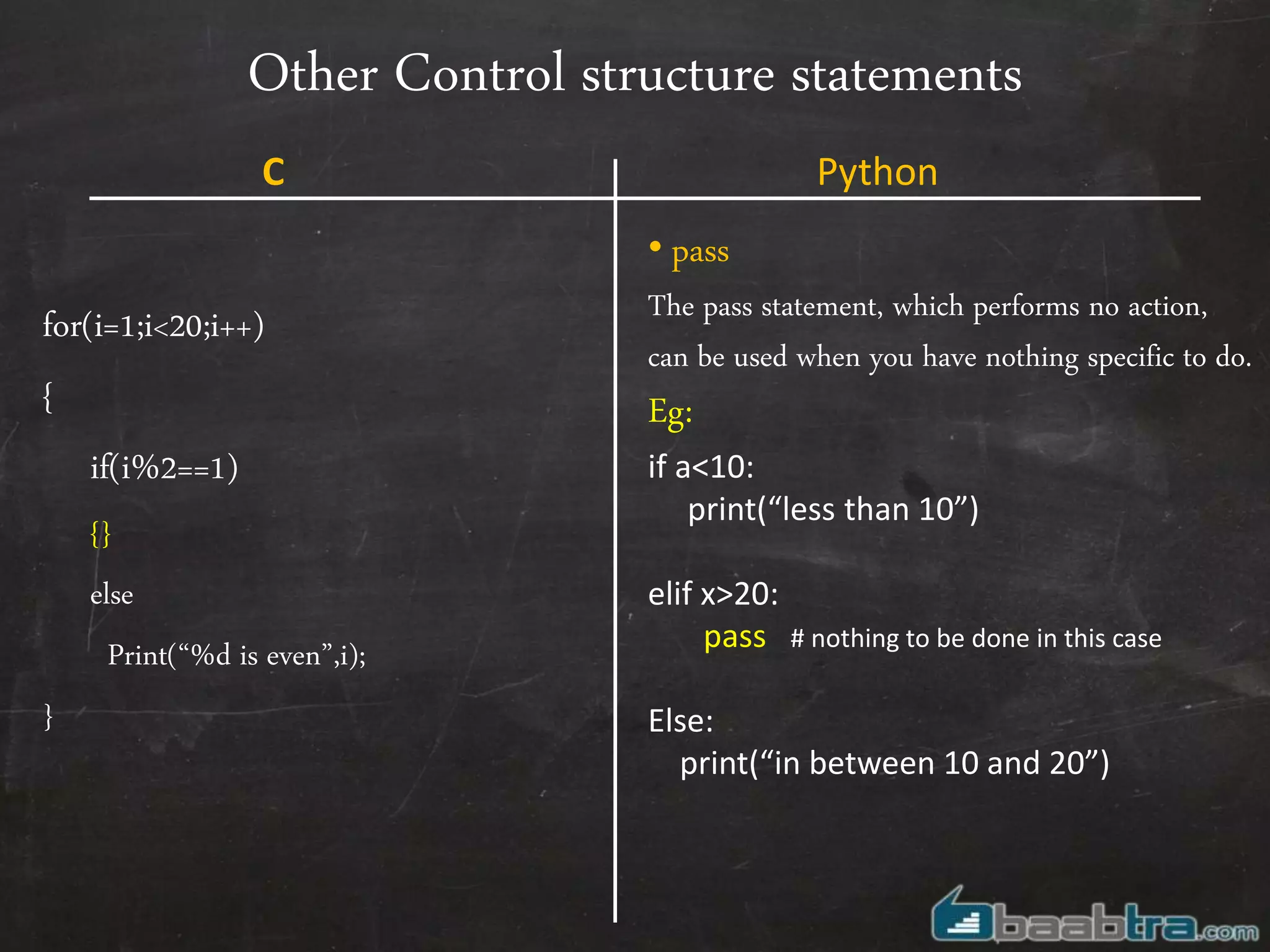
for(i=1;i<20;i++)
{
if(i%2==1)
{}
else
Print(“%d is even”,i);
}
• pass
The pass statement, which performs no action,
can be used when you have nothing specific to do.
Eg:
if a<10:
print(“less than 10”)
elif x>20:
pass # nothing to be done in this case
Else:
print(“in between 10 and 20”)
C Python
Functions
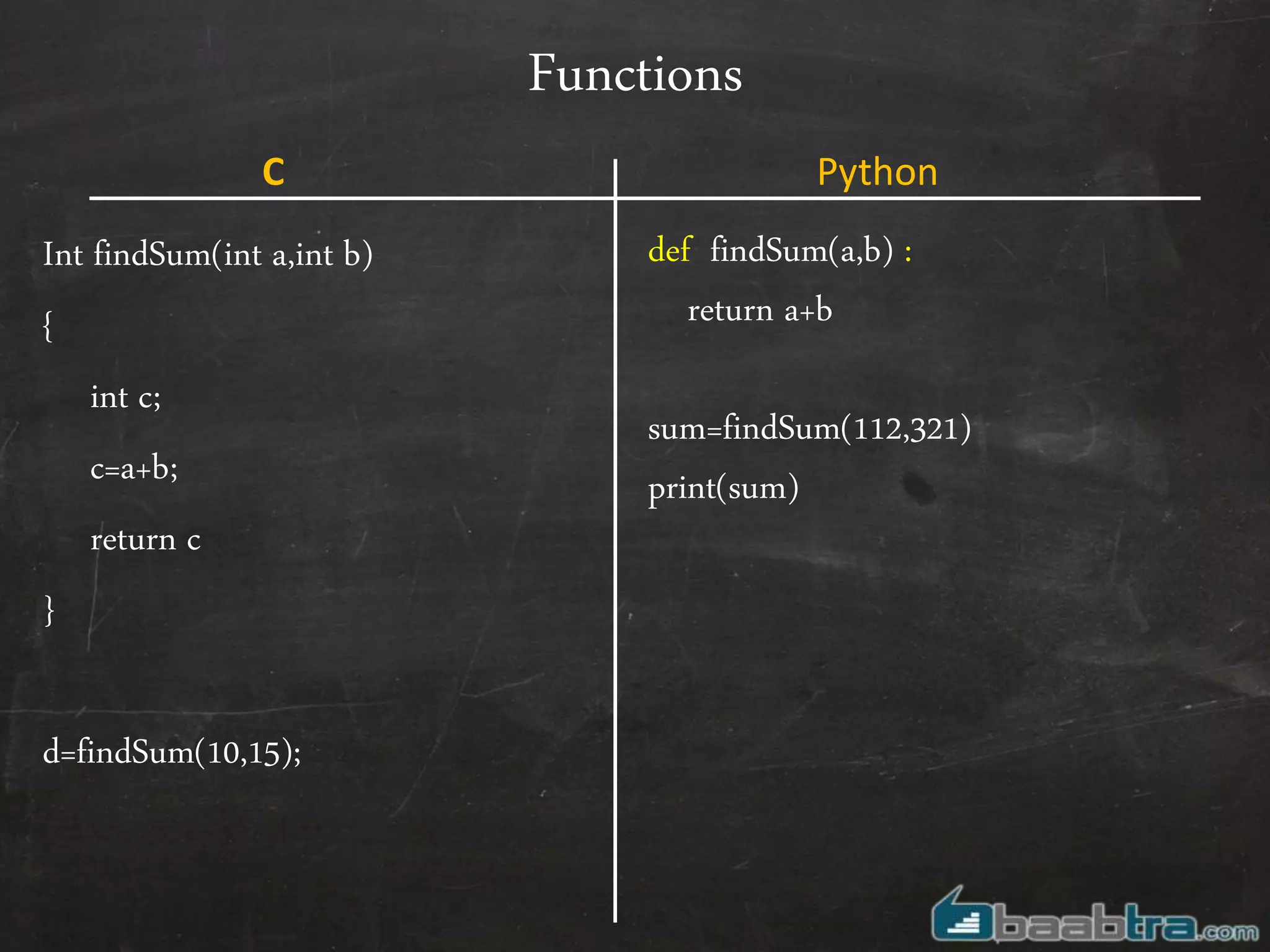
Int findSum(int a,int b)
{
int c;
c=a+b;
return c
}
d=findSum(10,15);
def findSum(a,b) :
return a+b
sum=findSum(112,321)
print(sum)
C Python
Task
• Write a simple python program which will have an array variable as below
• a= [50,15,12,4,2]
• Create 3 functions which will take the above array as argument and returns
the arithmetic output
–Add() //Outputs 83
–Substract() //Outputs 17
–Multiply() //Outputs 72000
That was the comparison !
So what’s new in python?
Sequences
Sequences
• A sequence is an ordered container of items, indexed by non-
negative integers. Python provides built-in sequence types ,they
are:-
– Strings (plain and Unicode), // We already have discussed
– Tuples
– Lists // We already have discussed
Tuples
Tuples
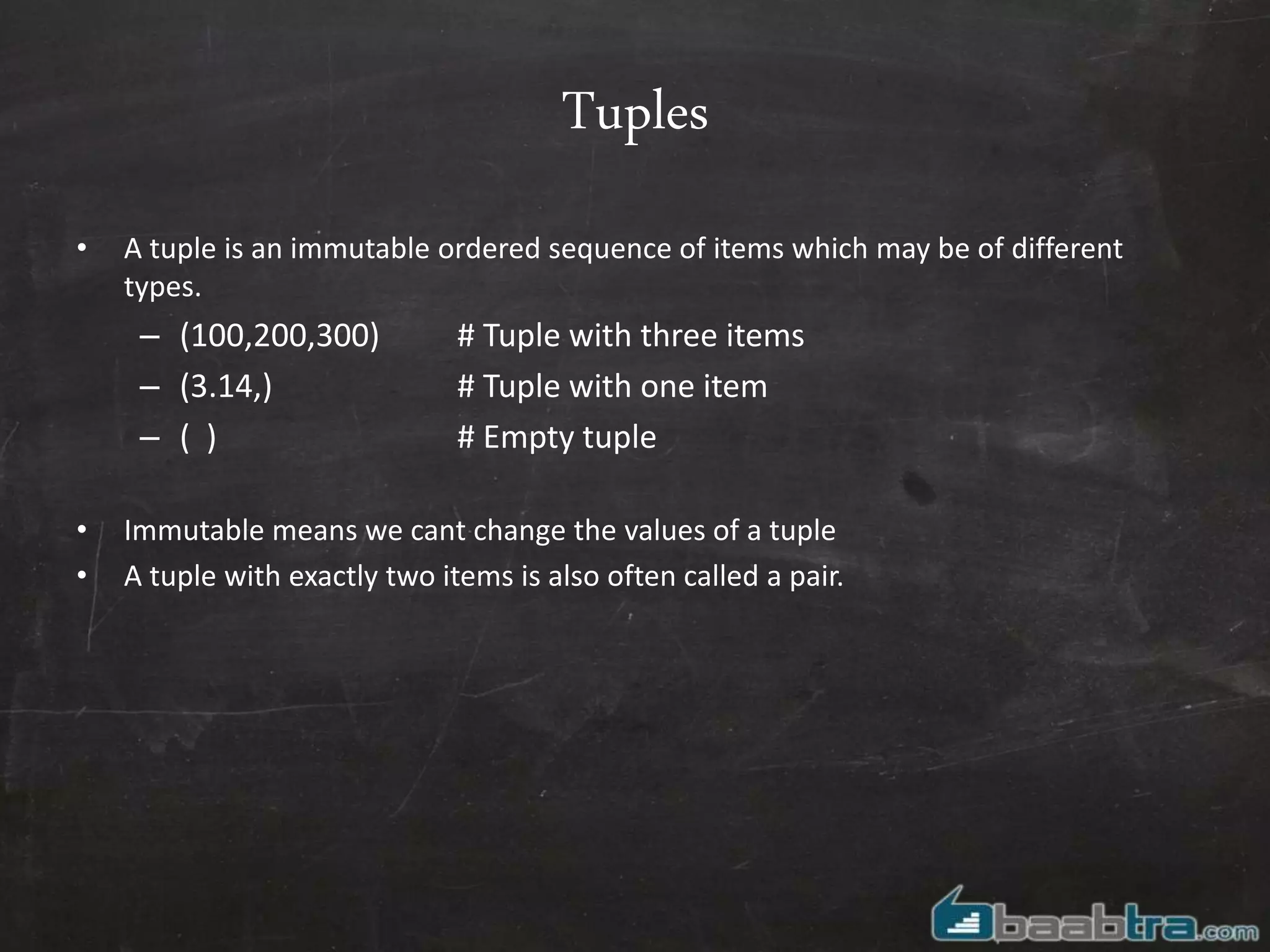
• A tuple is an immutable ordered sequence of items which may be of different
types.
– (100,200,300) # Tuple with three items
– (3.14,) # Tuple with one item
– ( ) # Empty tuple
• Immutable means we cant change the values of a tuple
• A tuple with exactly two items is also often called a pair.
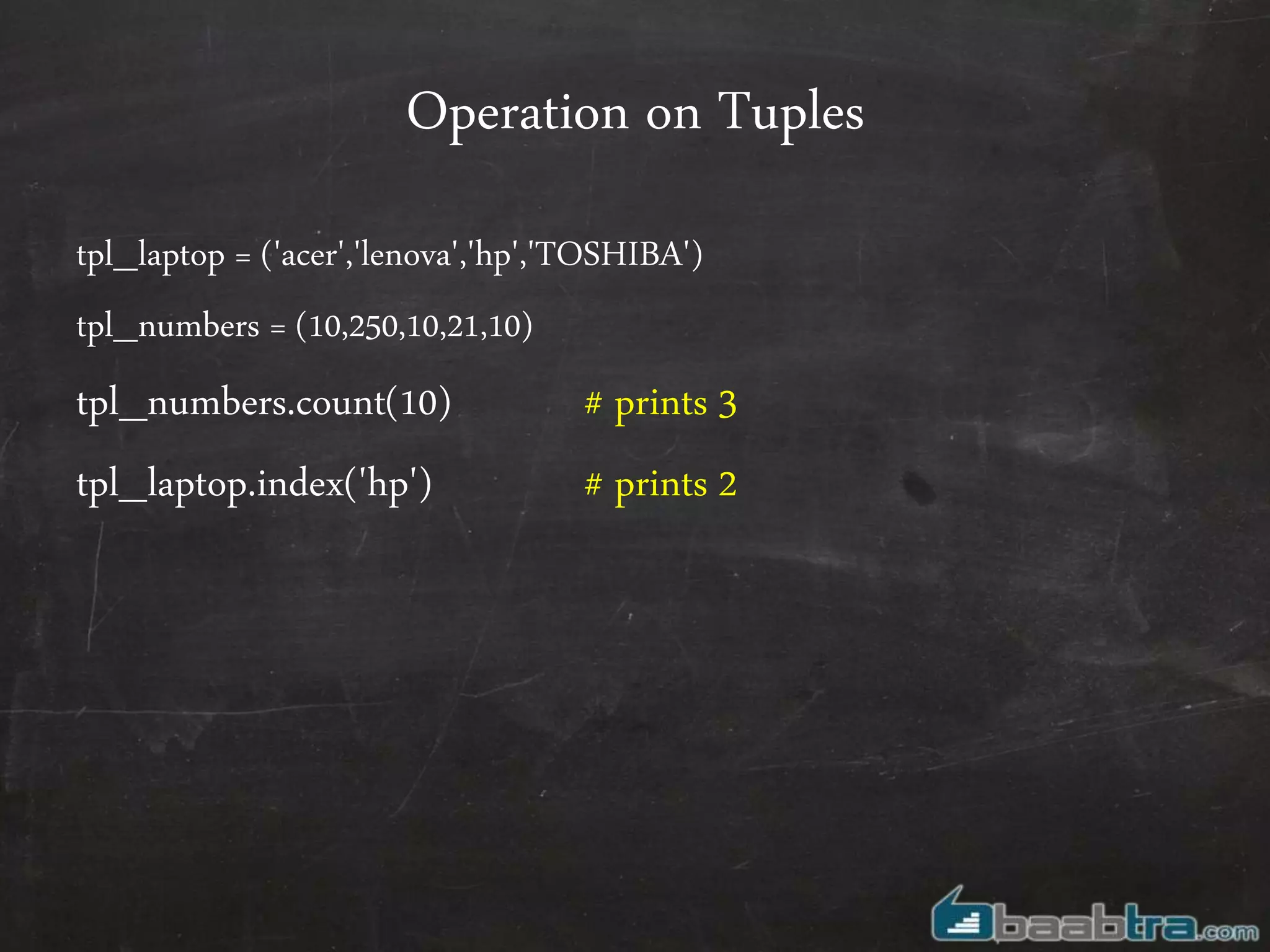
Operation on Tuples
tpl_laptop = ('acer','lenova','hp','TOSHIBA')
tpl_numbers = (10,250,10,21,10)
tpl_numbers.count(10) # prints 3
tpl_laptop.index('hp') # prints 2
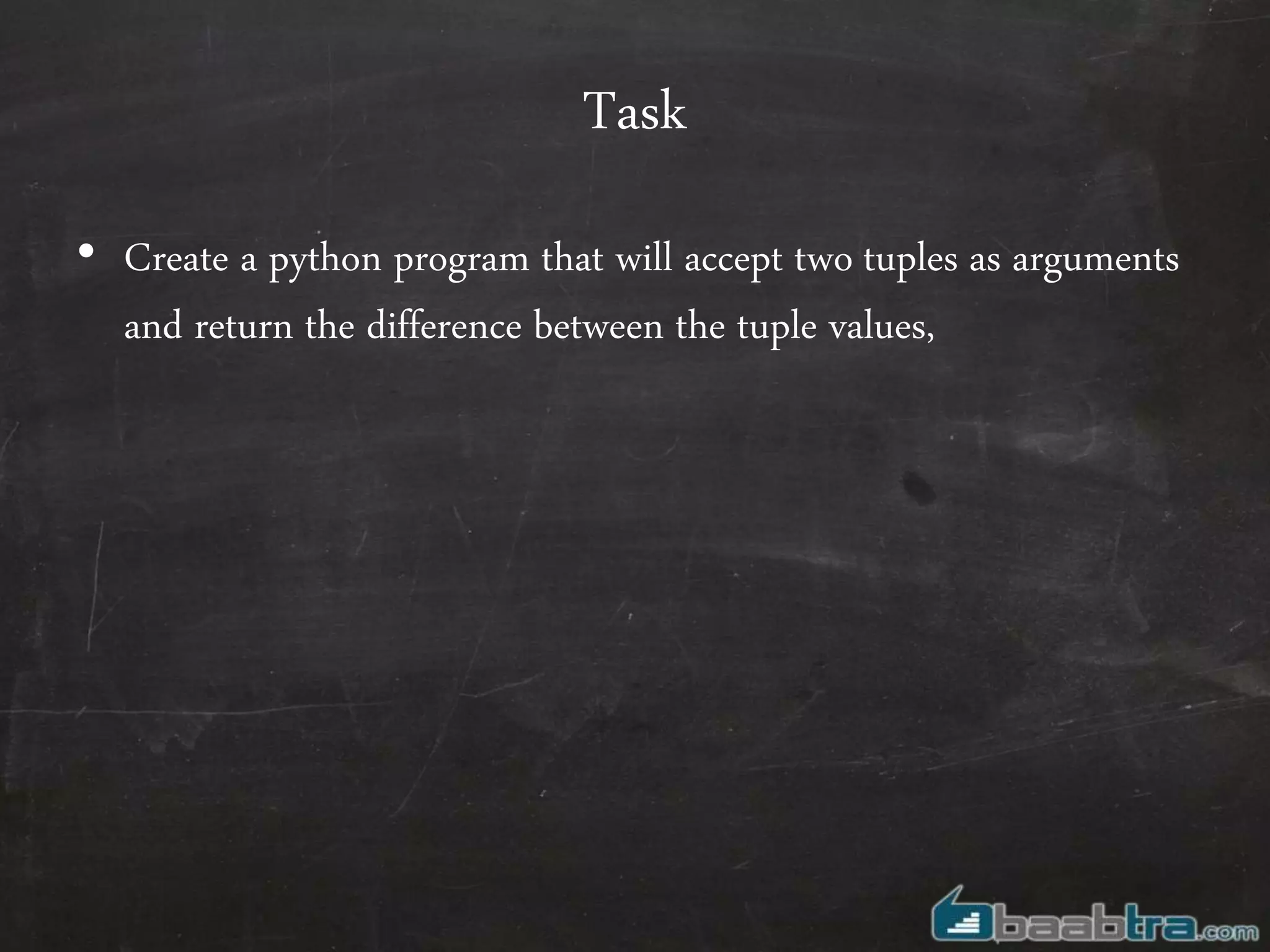
Task
• Create a python program that will accept two tuples as arguments
and return the difference between the tuple values,
Dictionaries
Dictionaries
• A dictionary is an arbitrary collection of objects indexed by nearly
arbitrary values called keys. They are mutable and, unlike
sequences, are unordered.
–Eg :{ 'x':42, 'y':3.14, 'z':7 }
–dict([[1,2],[3,4]]) # similar to {1:2,3:4}
Operation on Dictionaries
• dic={'a':1,'b':2,'c':3}
– len(dic) # returns 3
– del dic['a'] # removes element with key ‘a’
– a in dic # returns ‘True’ .Bur
– dic.items() #Displays elements
– for i in dic.iterkeys():
... print i # Returns key
– for i in dic. itervalues():
... print i # Return values
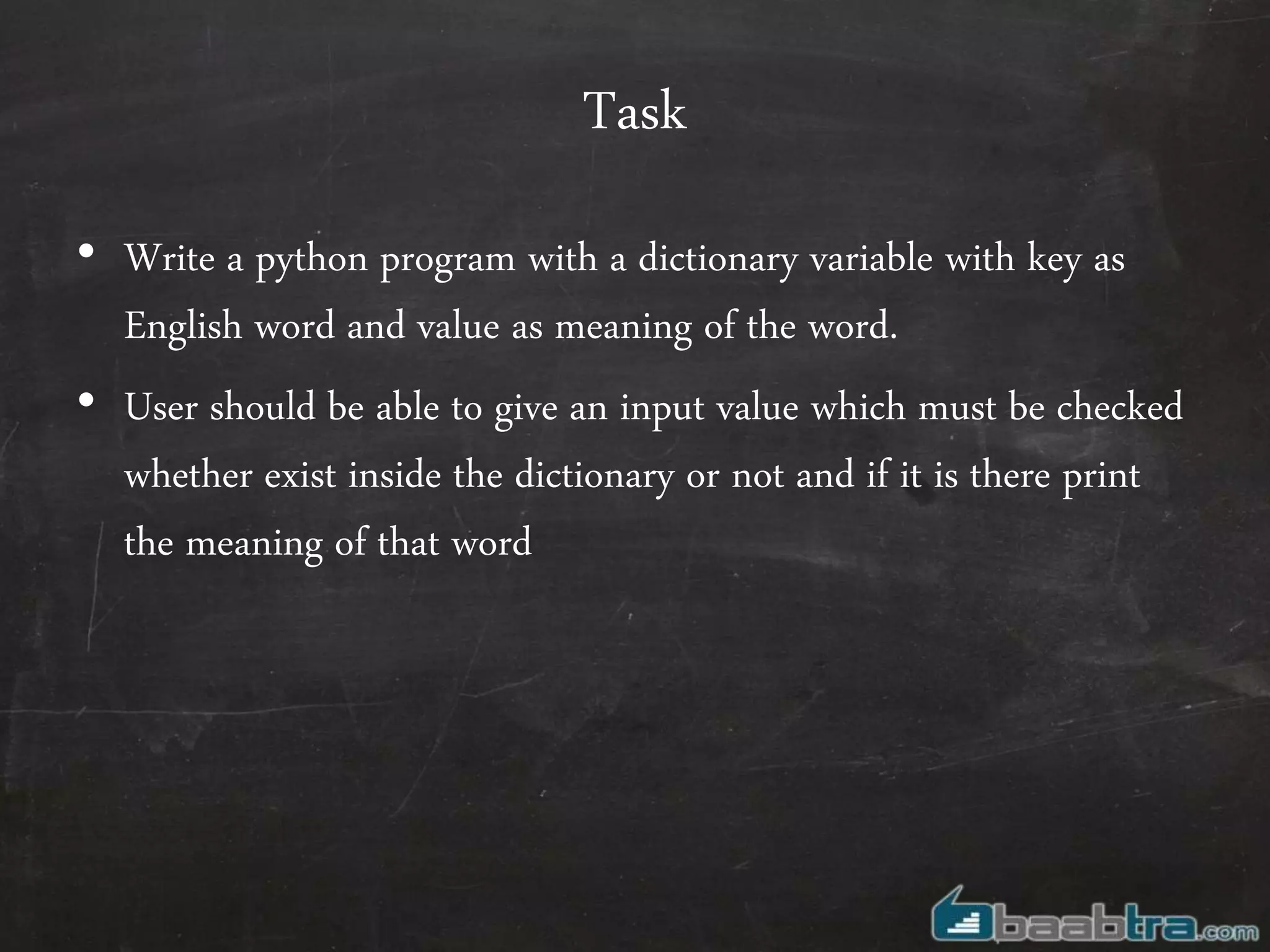
Task
• Write a python program with a dictionary variable with key as
English word and value as meaning of the word.
• User should be able to give an input value which must be checked
whether exist inside the dictionary or not and if it is there print
the meaning of that word
Sets
Sets
• Sets are unordered collections of unique (non duplicate) elements.
– St= set(‘baabtra calicut’)
– print (st) #prints {‘r’,’u’,’t’,’c’,’b’,’a’,’i’,’l’}
Operation on sets
• st1=set(‘baabtracalicut’)
• st2=set(‘baabtra’)
– st1.issubset(st2) #Returns true
– st2.issuperset(st1) #Returns true
– st1. remove(‘mentoringpartner')
– st1. remove(‘calicut)
Questions?
“A good question deserve a good grade…”

Introduction to python

  • 1.
    Introduction To Python Basics,sequences, Dictionaries, Sets
  • 2.
    Python – Python isan interepted language, which can save you considerable time during program development because no compilation and linking is necessary.
  • 3.
    How to installPython • Download latest version of python and install it on any drive: say D:python • Then follow the steps –Got to Control Panel -> System -> Advanced system settings –Click the Environment variables... button –Edit PATH and append ;d:Python to the end –Click OK. –Open command prompt type python and enter
  • 4.
  • 5.
    Commenting // comment singleline /* comment multiple lines */ # comment single line “ ” ” comment multiple lines “ ” ” C Python
  • 6.
    Variables //Declaring a variable Inta=10; Char c=‘a’; Float f=1.12; //Cannot assign multiple values a=b=4 // Will result error #No need of prior Declarations a=10 c=‘a’ f=1.12 #Can assign multiple values simultaneously x = y = z = 10 a, b, c = 1, 2, "john" C Python
  • 7.
    OutPut printf(“Hello baabtra”); Int a=10,b=25; Printf(“%d%d”,a,b); Printf(“value of a=%d and b= %d”,a,b) print(“Hello baabtra”) a=10 b=25 print(a,b) print (“value of a=%d and b= %d” % (a,b)) C Python
  • 8.
    InPut int a; Printf(“Enter thenumber”); scanf(“%d”,&a); a=input(“Enter the number”) C Python
  • 9.
    Arrays int a[]={12,14,15,65,34}; printf(“%d”, a[3]); NoArrays ! Instead Lists a = [12,14,15,16,65,34,’baabtra’] C Python
  • 10.
    Arrays int a[]={12,14,15,65,34}; printf(“%d”, a[3]); NoArrays ! Instead Lists a = [12,14,15,16,65,34,’baabtra’] C Python [ 12 , 14 , 15 , 16 , 65 , 34 , ’baabtra’ ] 0 1 2 3 4 5 6 -7 -6 -5 -4 -3 -2 -1
  • 11.
    Lists in detail •Print(a[2:5]) # prints 15,16,65 • Print(a[-6:-2]) # prints 14,15,16,65 • Print(a[4:]) # prints 65,34,baabtra • Print(a[:2]) # prints 12,14,15 • a[2] = a[2] + 23; # Lists are mutable,we can change individual items • a[0:2] = [1, 12] # We can replace a group of items together • a[0:2] = [] # We can remove items together • a[:] = [] # Clear the list
  • 12.
    Lists in detail •a.append(25) # adds an element at the end of list • b =[55,66,77] a.extend(b) a=a+b; • a.insert(1,99) # Inserts 99 at position 1 • a.pop(0) # pop elements at position 0 # Combines two lists
  • 13.
    Strings char a[]=“baabtra”; a=‘baabtra’ b=“doesn’t” C=“baabtra ”mentoring partner”” Strings are character lists, So can be used like any other lists as we discussed earlier print (a[0]) a.append(“m”); C Python
  • 14.
    Strings in detail •String slicing word=‘hello baabtra’ print(word[6:] # prints baabtra word[: 6] # prints ‘hello ‘ word2= ‘good morning’ + word[6:] Print(word2) # prints ‘good morning baabtra‘
  • 15.
    Control structures • ConditionalControl Structures • If • If else • Switch • Loops • For • While • Do while Conditional Control Structures • If • If else • Switch Loops • For • While •Do while C Python
  • 16.
    If else int a; Printf(“Enterthe number”); scanf(“%d”,&a); If(a>80) Printf(“Distiction”); else if(a>60) Printf(“First class”); else { Printf(“Poor performancen”); Printf(“Repeat the examn”); } a=input(“Enter the number”) if a>80 : print(“Distinction”) elif a>60 : print(“First Class”) else : print(“Poor performance”) print(“Repeat the exam”) C Python
  • 17.
    While Loop int i=0; whil(i<10) { printf(“%d”,i); i=i+1; } i=0 while i<10: print(i) i=i+1 C Python
  • 18.
    For Loop int i=0; for(i=0;i<10;i++) { printf(“%d”,i); } It’s quite a bit untraditional . We need to define a range on which loop has to iterate. This can be done using Range(10,20) // creating a list with elements from 10 to 20 For i in range(10) : print(i) //print numbers up to 10 a=[12,14,16,’baabtra’] For i in a : print(i) //prints 12,14,16,baabtra C Python
  • 19.
    Other Control structurestatements • Break Eg: If(a%2==0) { Print(“even”); break; } • Break The break statement is allowed only inside a loop body. When break executes, the loop terminates. Eg: for x in range(2, n): if n % x == 0: print n, 'equals', x, '*', n/x break C Python
  • 20.
    Other Control structurestatements • Continue for(i=1;i<20;i++) { if(i%2==1) Continue; Print(“%d is even”,i); } • Continue The continue statement is allowed only inside a loop body. When continue executes, the current iteration of the loop body terminates, and execution continues with the next iteration of the loop Eg: For i in range(1,20) If i%2==0: continue print(“%d is even” %(i)) C Python
  • 21.
    Other Control structurestatements for(i=1;i<20;i++) { if(i%2==1) {} else Print(“%d is even”,i); } • pass The pass statement, which performs no action, can be used when you have nothing specific to do. Eg: if a<10: print(“less than 10”) elif x>20: pass # nothing to be done in this case Else: print(“in between 10 and 20”) C Python
  • 22.
    Functions Int findSum(int a,intb) { int c; c=a+b; return c } d=findSum(10,15); def findSum(a,b) : return a+b sum=findSum(112,321) print(sum) C Python
  • 23.
    Task • Write asimple python program which will have an array variable as below • a= [50,15,12,4,2] • Create 3 functions which will take the above array as argument and returns the arithmetic output –Add() //Outputs 83 –Substract() //Outputs 17 –Multiply() //Outputs 72000
  • 24.
    That was thecomparison ! So what’s new in python?
  • 25.
  • 26.
    Sequences • A sequenceis an ordered container of items, indexed by non- negative integers. Python provides built-in sequence types ,they are:- – Strings (plain and Unicode), // We already have discussed – Tuples – Lists // We already have discussed
  • 27.
  • 28.
    Tuples • A tupleis an immutable ordered sequence of items which may be of different types. – (100,200,300) # Tuple with three items – (3.14,) # Tuple with one item – ( ) # Empty tuple • Immutable means we cant change the values of a tuple • A tuple with exactly two items is also often called a pair.
  • 29.
    Operation on Tuples tpl_laptop= ('acer','lenova','hp','TOSHIBA') tpl_numbers = (10,250,10,21,10) tpl_numbers.count(10) # prints 3 tpl_laptop.index('hp') # prints 2
  • 30.
    Task • Create apython program that will accept two tuples as arguments and return the difference between the tuple values,
  • 31.
  • 32.
    Dictionaries • A dictionaryis an arbitrary collection of objects indexed by nearly arbitrary values called keys. They are mutable and, unlike sequences, are unordered. –Eg :{ 'x':42, 'y':3.14, 'z':7 } –dict([[1,2],[3,4]]) # similar to {1:2,3:4}
  • 33.
    Operation on Dictionaries •dic={'a':1,'b':2,'c':3} – len(dic) # returns 3 – del dic['a'] # removes element with key ‘a’ – a in dic # returns ‘True’ .Bur – dic.items() #Displays elements – for i in dic.iterkeys(): ... print i # Returns key – for i in dic. itervalues(): ... print i # Return values
  • 34.
    Task • Write apython program with a dictionary variable with key as English word and value as meaning of the word. • User should be able to give an input value which must be checked whether exist inside the dictionary or not and if it is there print the meaning of that word
  • 35.
  • 36.
    Sets • Sets areunordered collections of unique (non duplicate) elements. – St= set(‘baabtra calicut’) – print (st) #prints {‘r’,’u’,’t’,’c’,’b’,’a’,’i’,’l’}
  • 37.
    Operation on sets •st1=set(‘baabtracalicut’) • st2=set(‘baabtra’) – st1.issubset(st2) #Returns true – st2.issuperset(st1) #Returns true – st1. remove(‘mentoringpartner') – st1. remove(‘calicut)
  • 38.
    Questions? “A good questiondeserve a good grade…”