Python Programming
Mohamed Ramadan
Application Developer
Java Certified Associative
Cognitive Computing certified practitioner
Agile – Design Thinking Certified Practitioner
Day 1
Course Specification
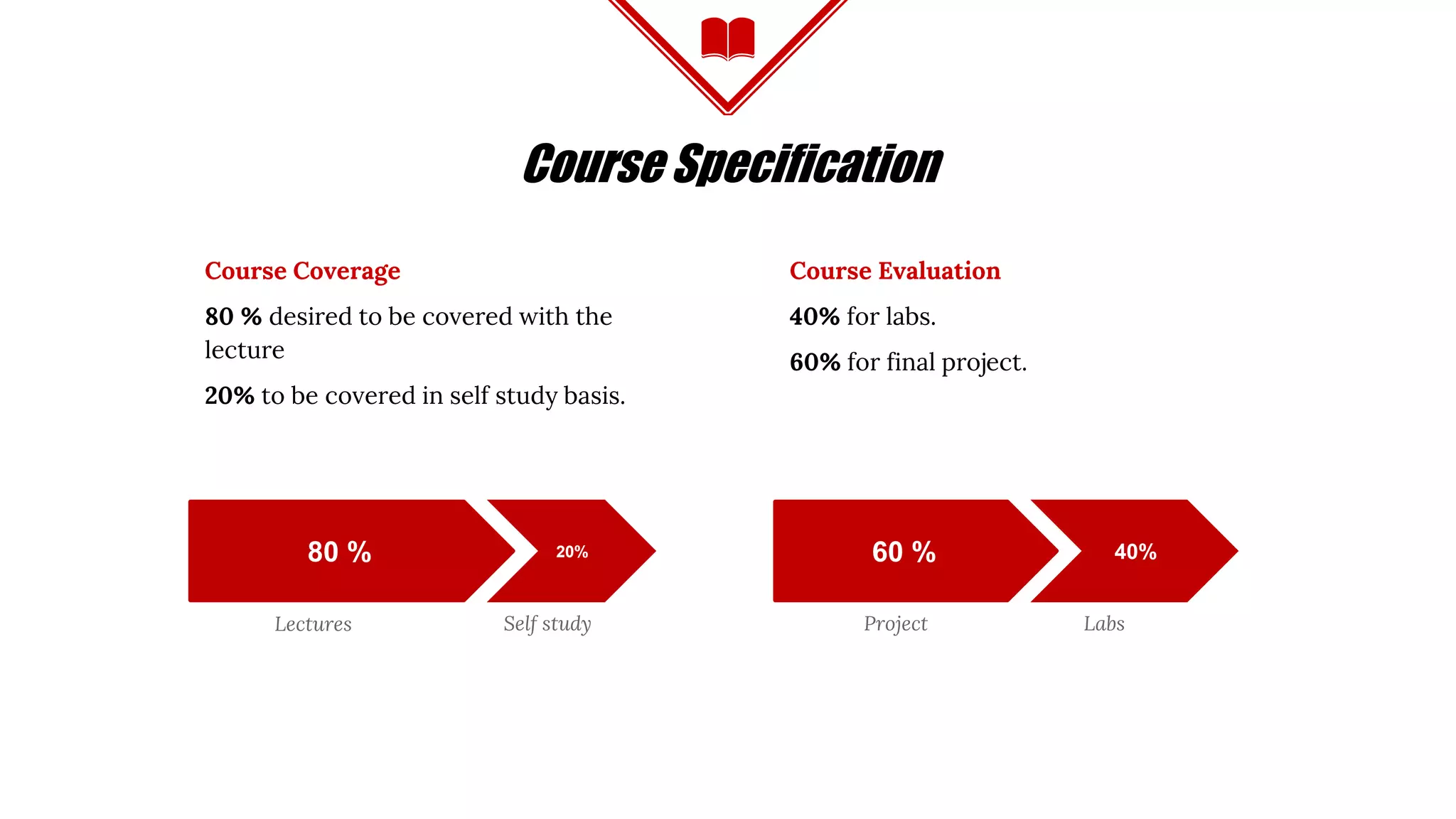
Course Coverage
80 % desired to be covered with the
lecture
20% to be covered in self study basis.
Course Evaluation
40% for labs.
60% for final project.
Lectures
80 % 20% 60 % 40%
Self study Project Labs
AGENDA
INTRODUCTION
◈ When Python
◈ Which Python
◈ Why Python
◈ Who Python
◈ Run Python
◈ How Python
GETTING INTO
◈ Numbers
◈ String
◈ Sequences
⬥ List
⬥ Tuple
⬥ Dictionary
⬥ Array
BASICS
◈ Flow Control
◈ Loop
◈ Functions
◈ Scope
◈ File IO
◈ Lab
Python Was Invented
by Guido Van Rossum
in late 80s
INTRO
WHY PYTHON
◈ Simple Syntax, Easy for Beginners, Strong for Professionals
◈ Clean Code Enforcements through Indentations
◈ Cross Platform running every where (Windows - Linux - Mac)
◈ Many Libraries and Modules to import and use
◈ Large and supportive helpful community
WHO PYTHON
◈ Google, YouTube, Instagram, Dropbox,
Twitter, Reddit, …
INTRO
◈ Python foundations (non profit) sponsored
by Google and Microsoft
Python versions
◈ Python 2.7.12 VS Python 3.5.2
INTRO
WHICH PYTHON
“Python 3 is a nicer and more consistent language, BUT,
there is very limited third-party module support for it.
So, all major frameworks still run on Python 2, and will
continue to do so for a significant time. Therefore, if you
learn Python today, you should learn Python 2, because
that is the version you are going to end up actually
using.” [Laurence Bradford ]
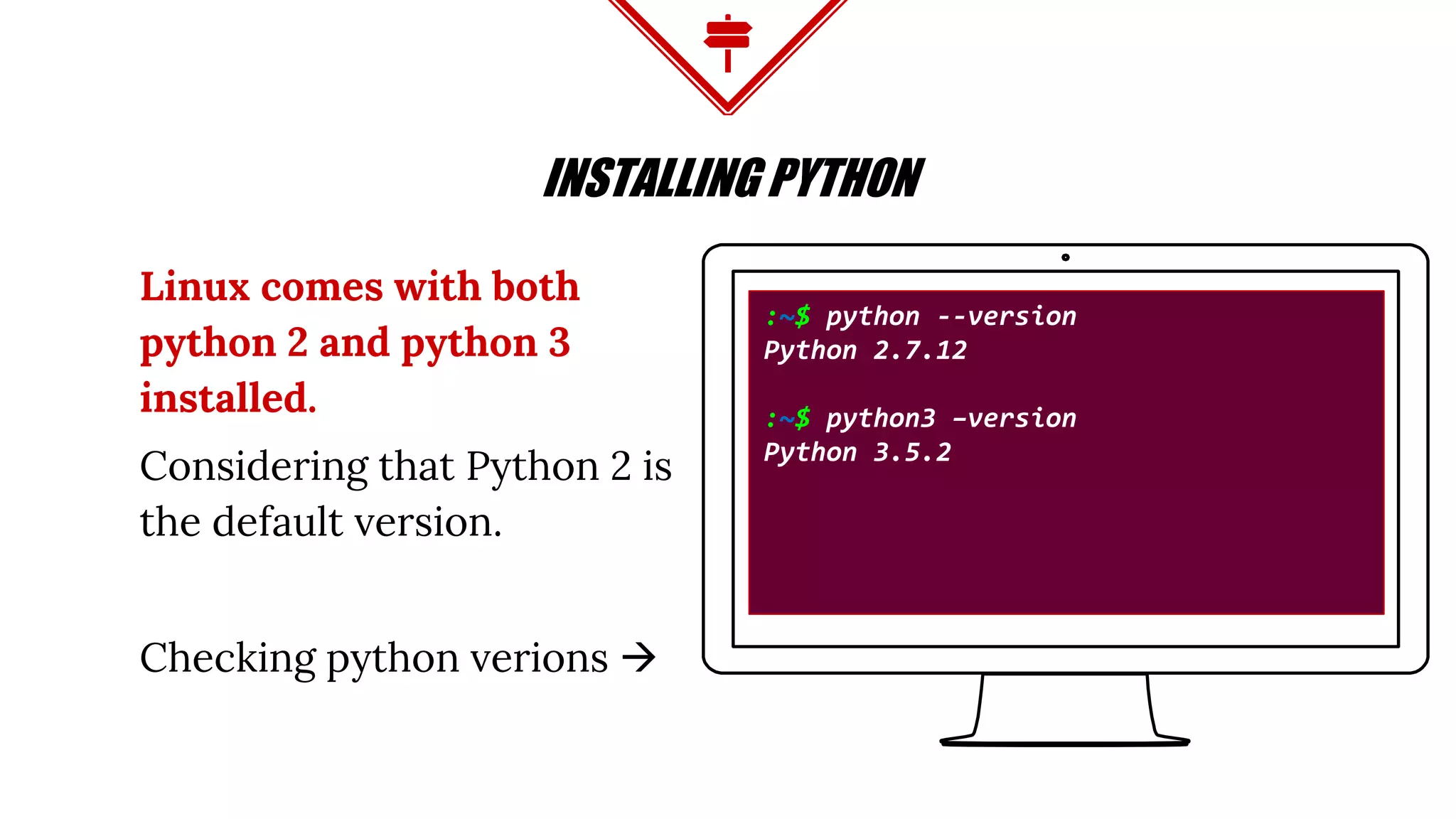
Linux comes with both
python 2 and python 3
installed.
Considering that Python 2 is
the default version.
Checking python verions 
INSTALLING PYTHON
:~$ python --version
Python 2.7.12
:~$ python3 –version
Python 3.5.2
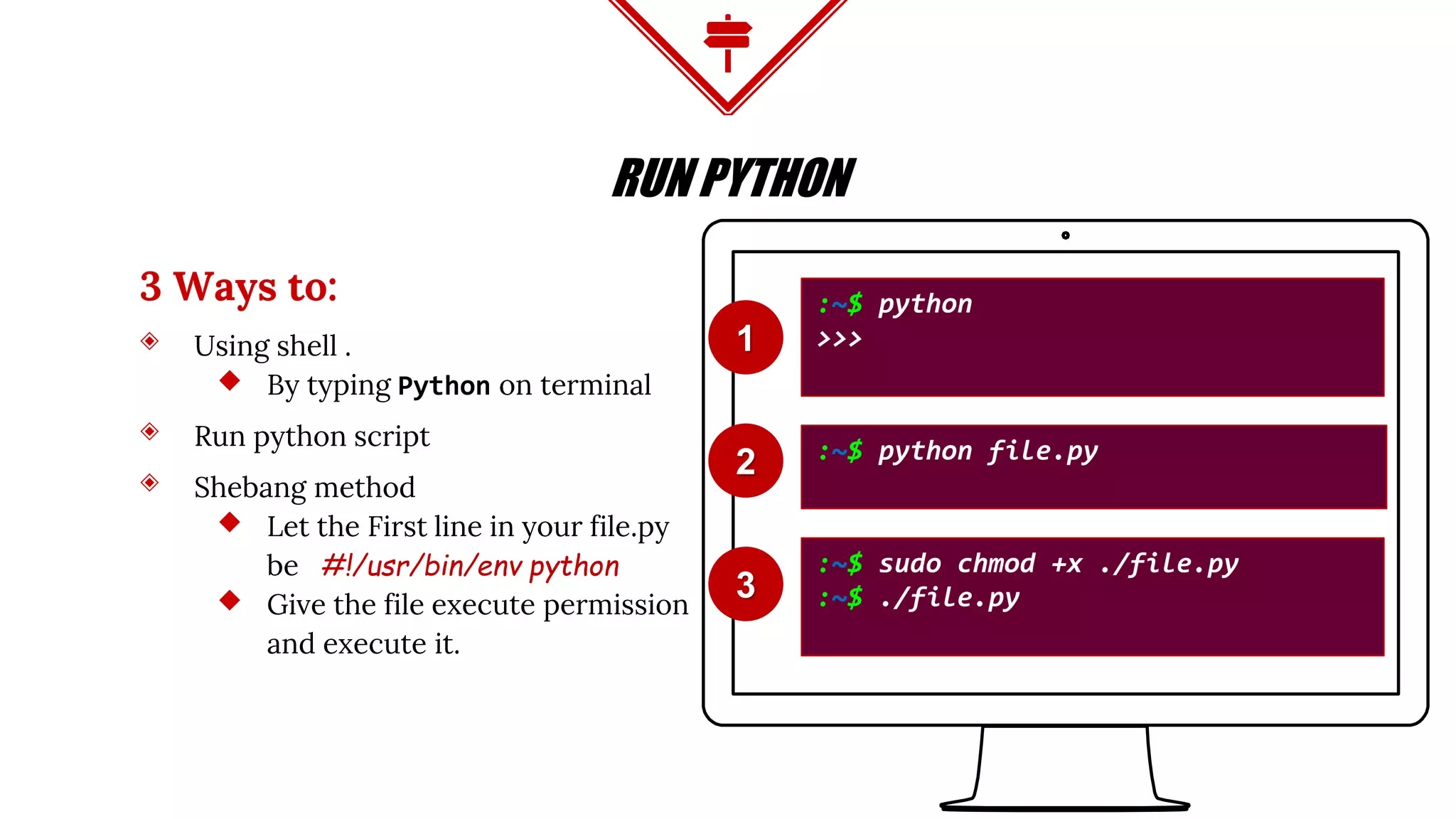
3 Ways to:
◈ Using shell .
⬥ By typing Python on terminal
◈ Run python script
◈ Shebang method
⬥ Let the First line in your file.py
be #!/usr/bin/env python
⬥ Give the file execute permission
and execute it.
RUN PYTHON
:~$ python
>>>
:~$ python file.py
:~$ sudo chmod +x ./file.py
:~$ ./file.py3
2
1
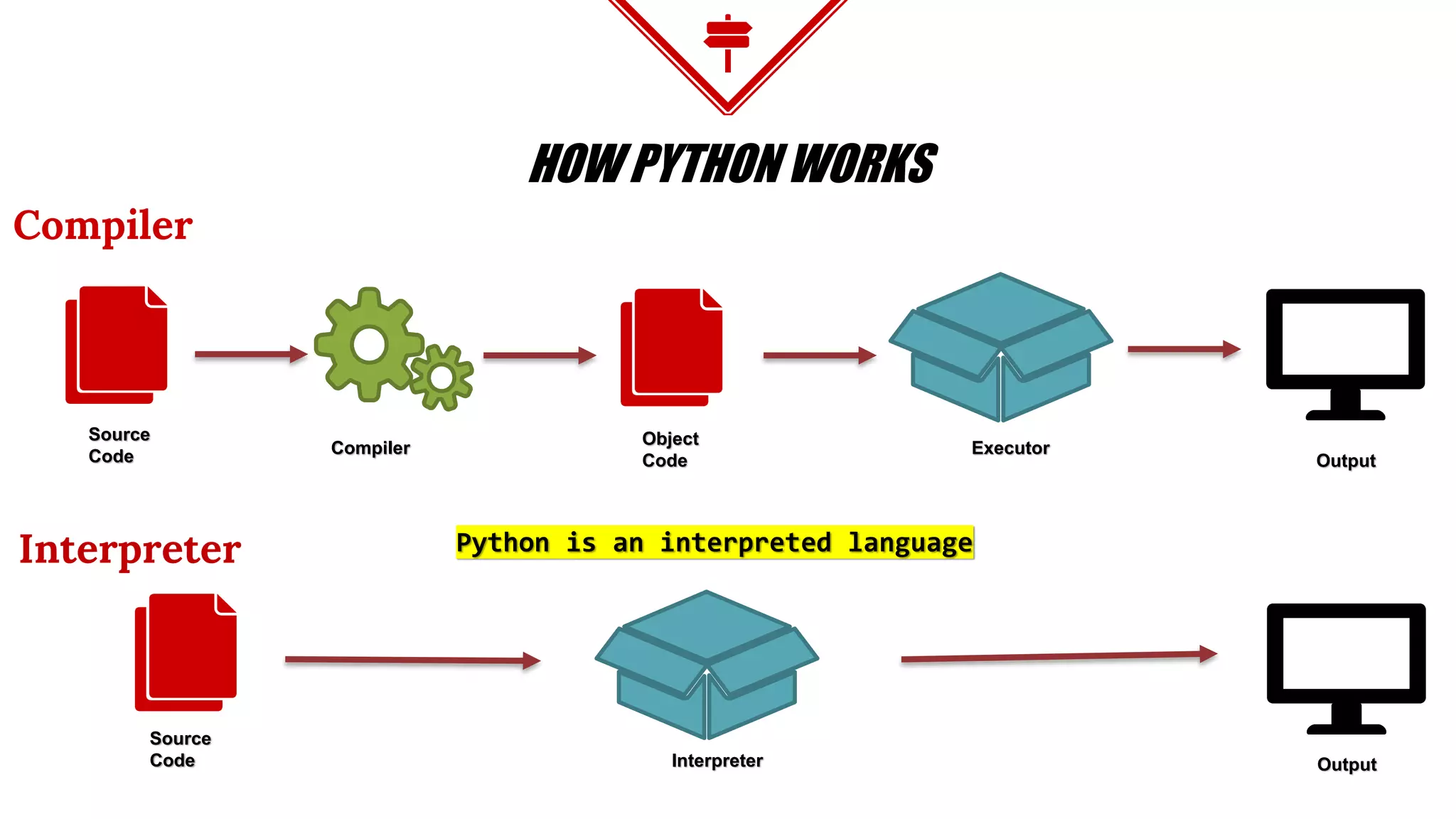
HOW PYTHON WORKS
Compiler
Interpreter
Source
Code
Source
Code
Compiler
Object
Code
Executor
Output
OutputInterpreter
Python is an interpreted language
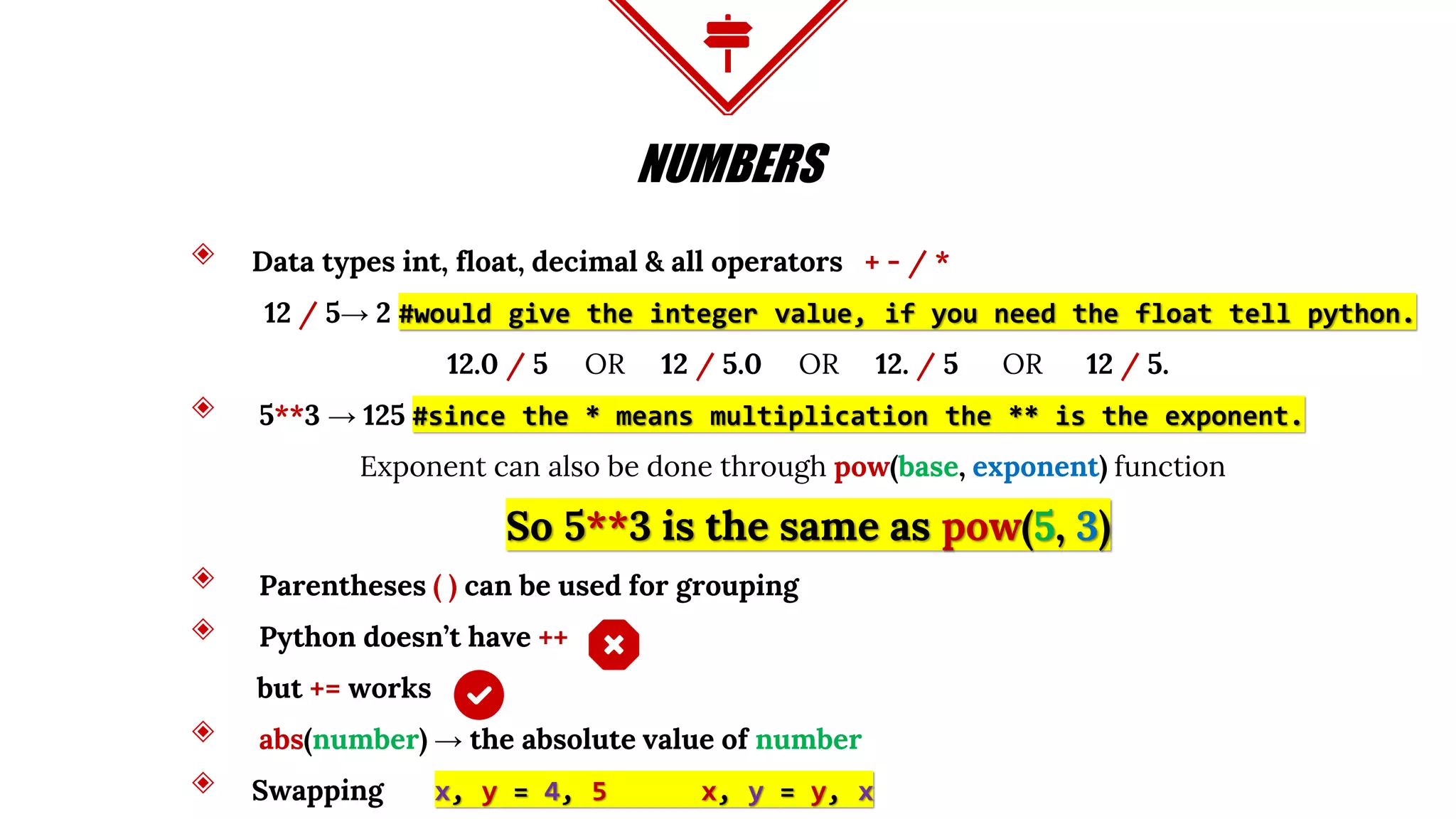
NUMBERS
◈ Data types int, float, decimal & all operators + - / *
12 / 5→ 2 #would give the integer value, if you need the float tell python.
12.0 / 5 OR 12 / 5.0 OR 12. / 5 OR 12 / 5.
◈ 5**3 → 125 #since the * means multiplication the ** is the exponent.
Exponent can also be done through pow(base, exponent) function
So 5**3 is the same as pow(5, 3)
◈ Parentheses ( ) can be used for grouping
◈ Python doesn’t have ++
but += works
◈ abs(number) → the absolute value of number
◈ Swapping x, y = 4, 5 x, y = y, x
STRING
◈ single ‘ ’ Double “ ” and triple “”” “”” quotes
◈ Concatenation with + for same type and comma , for different types
◈ my_str[:3] #[from:before] it doesn’t consider the before index
◈ len(my_str) #return the length of the string
◈ my_str.lower() # to lower case
◈ my_str.upper() # to upper case
◈ my_str.isalpha() # return true if the entire elements were character not
Special character, space or numbers
◈ my_str.isdigit() # return true if the entire value is digital character
STRING CONTINUE
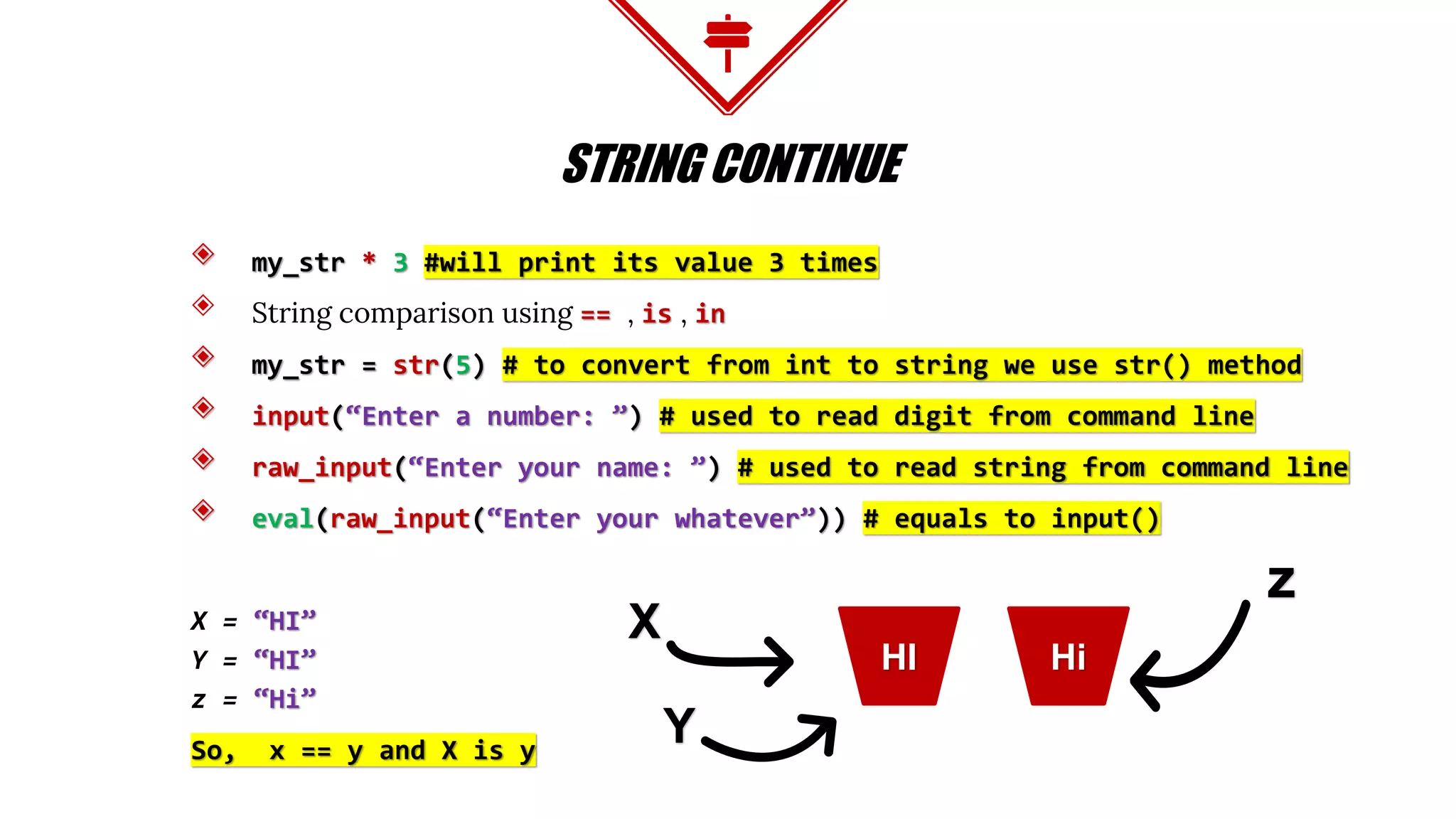
◈ my_str * 3 #will print its value 3 times
◈ String comparison using == , is , in
◈ my_str = str(5) # to convert from int to string we use str() method
◈ input(“Enter a number: ”) # used to read digit from command line
◈ raw_input(“Enter your name: ”) # used to read string from command line
◈ eval(raw_input(“Enter your whatever”)) # equals to input()
X = “HI”
Y = “HI”
z = “Hi”
So, x == y and X is y
HiHI
X
Y
z
LISTS
◈ my_list = [] #empty list
◈ my_list = [10, ‘Howdy’, [‘Strawberry’, ‘Peach’]] #different type list
◈ Lists are mutable (can be changed either shrink or expand)
◈ list1 = list2 #this doesn't create a copy but just a reference
List Object Methods:
◈ my_list.append(obj) #Appends object obj to list
◈ my_list.count(obj) #Returns count of how many times obj occurs in list
◈ my_list.extend(seq) #Appends the contents of seq to list
◈ my_list.insert(index, obj) #Inserts object obj into list at offset index
LISTS CONTINUE
◈ my_list.pop() #Removes and returns last obj from list where
◈ my_list.remove(obj) #Removes object obj from list
◈ my_list.reverse() #Reverses objects of list in place
◈ my_list.sort() #Sorts objects of list
◈ Another way to Sort
sorted(my_list, cmp=None, key=None, reverse=False)
◈ Lists compared like the string using == operator and we can’t use is operator
List1 = [1,2]
List2 = [1,2]
So, list1 == list2 but not X is y
1,21,2
list1
list2
LIST CONTINUE
range(start, end, step)
Generates a list
Examples:
range(1, 5, 2) → [1, 3] #starts from 1 before 5 stepping 2
range(1, 5) → [1, 2, 3, 4] #starts from 1 before 5
range(5) → [0, 1, 2, 3, 4] #starts from 0 before 5
LIST CONTINUE
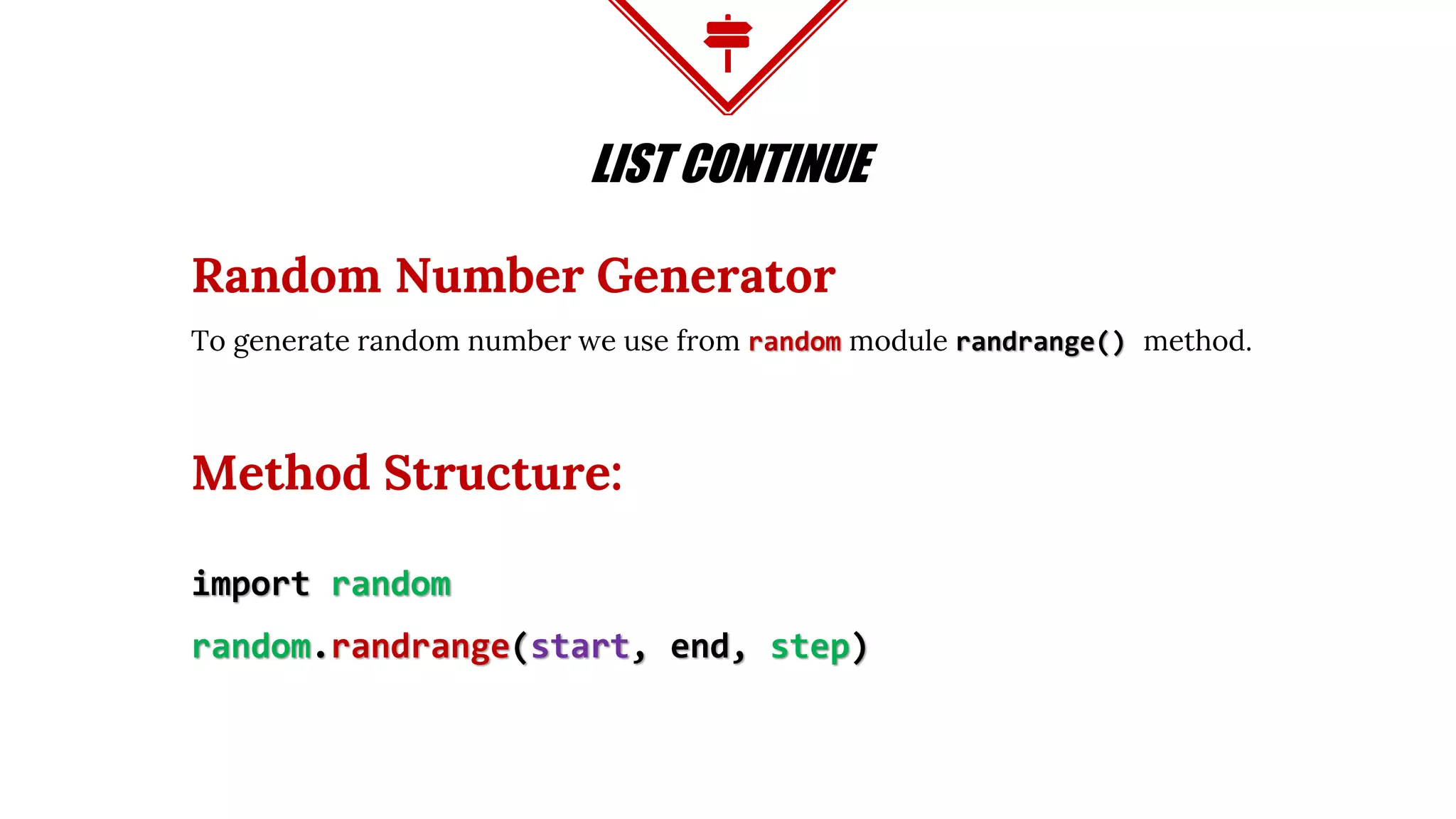
Random Number Generator
To generate random number we use from random module randrange() method.
Method Structure:
import random
random.randrange(start, end, step)
TUPLE
Tuples are immutable cannot be changed like Lists. Once created it is fixed.
my_tuple = () #empty tuple
my_tuple = (10, ‘Howdy’, [‘Strawberry’, ‘Peach’]) #different type tuple.
We can access tuple element the same way in Lists using [ ]
Example:
my_tuple[2][1] → // this would result ‘Peach
TUPLE CONTINUE
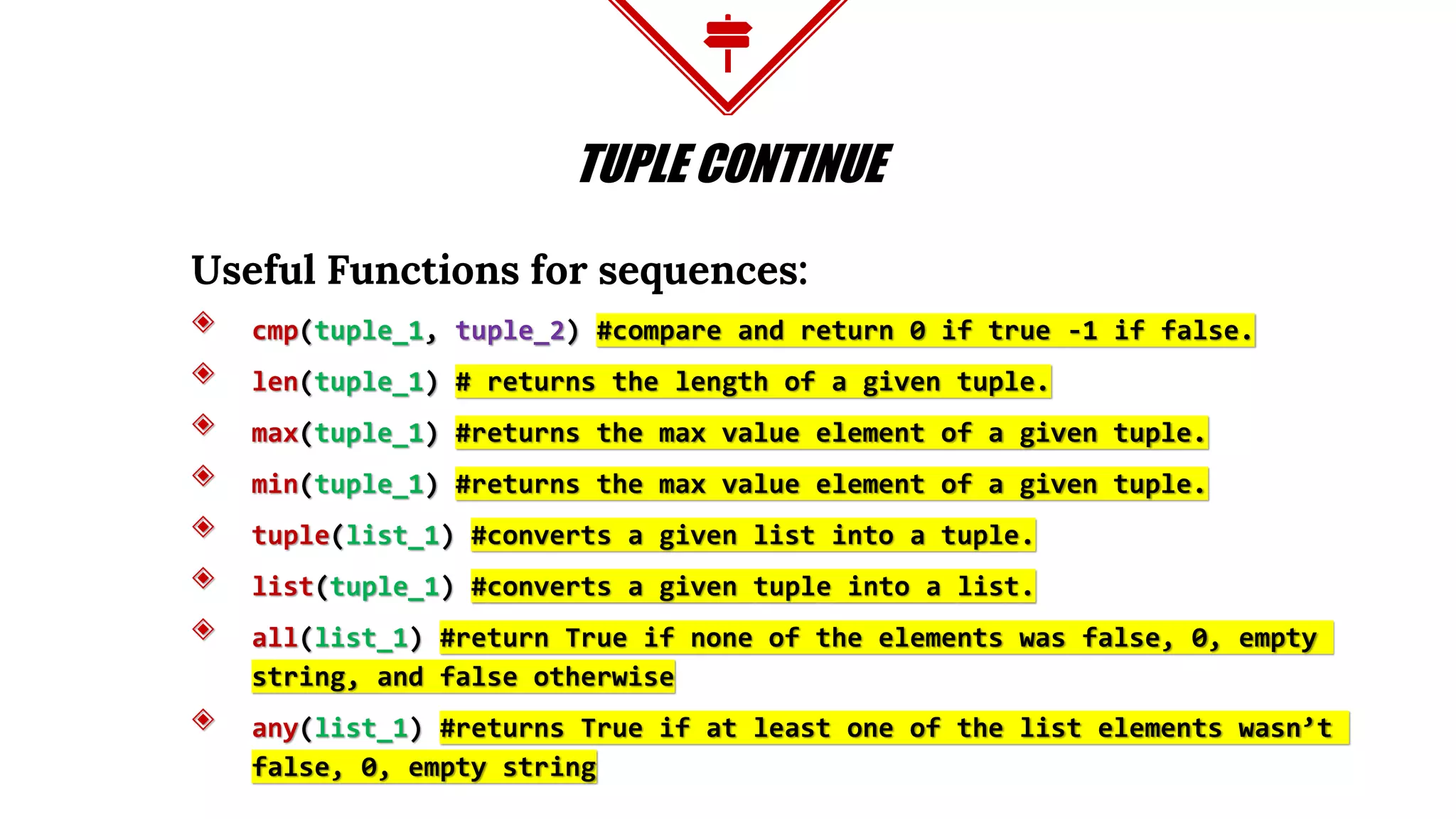
Useful Functions for sequences:
◈ cmp(tuple_1, tuple_2) #compare and return 0 if true -1 if false.
◈ len(tuple_1) # returns the length of a given tuple.
◈ max(tuple_1) #returns the max value element of a given tuple.
◈ min(tuple_1) #returns the max value element of a given tuple.
◈ tuple(list_1) #converts a given list into a tuple.
◈ list(tuple_1) #converts a given tuple into a list.
◈ all(list_1) #return True if none of the elements was false, 0, empty
string, and false otherwise
◈ any(list_1) #returns True if at least one of the list elements wasn’t
false, 0, empty string
DICTIONARY
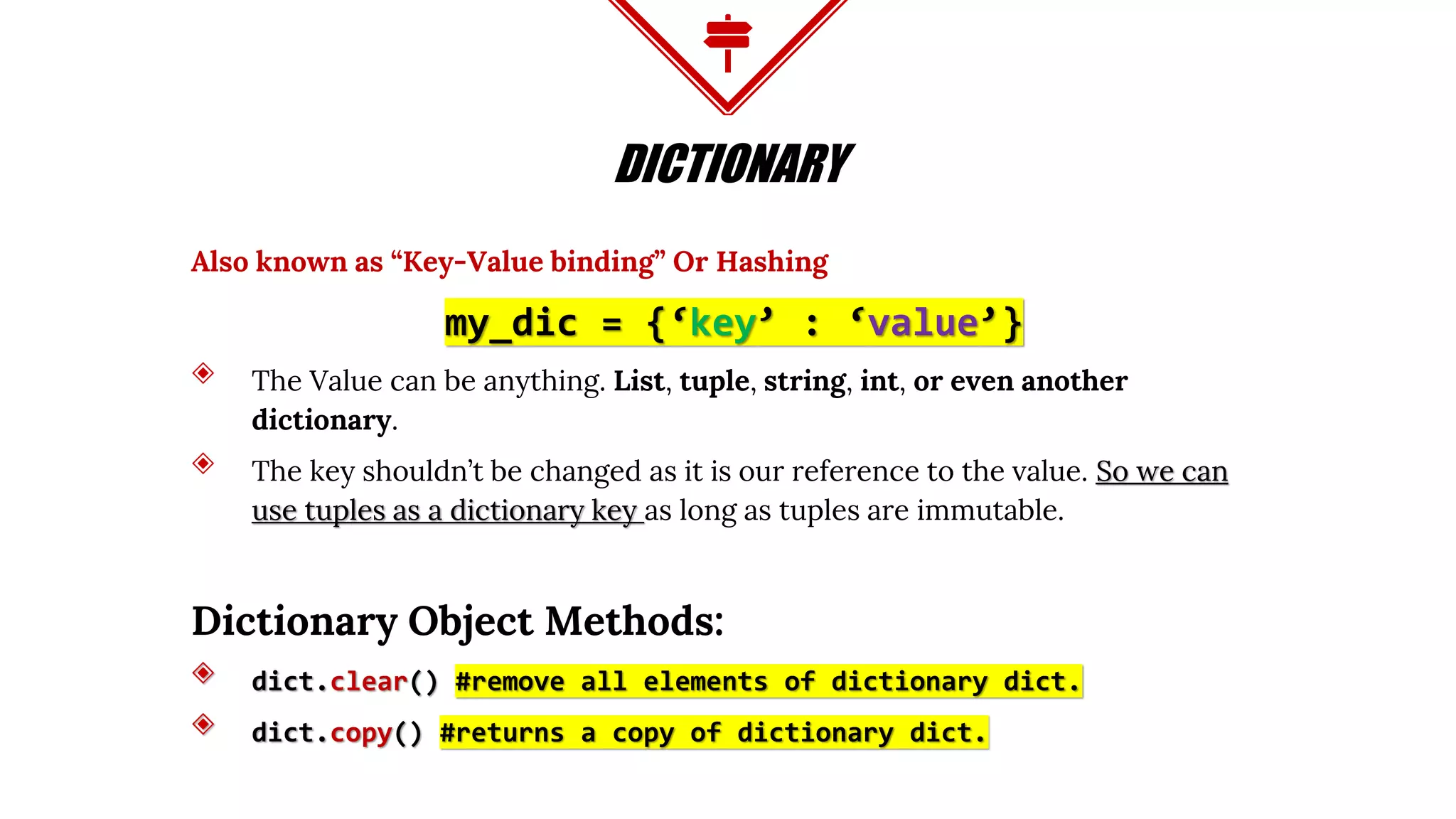
Also known as “Key-Value binding” Or Hashing
my_dic = {‘key’ : ‘value’}
◈ The Value can be anything. List, tuple, string, int, or even another
dictionary.
◈ The key shouldn’t be changed as it is our reference to the value. So we can
use tuples as a dictionary key as long as tuples are immutable.
Dictionary Object Methods:
◈ dict.clear() #remove all elements of dictionary dict.
◈ dict.copy() #returns a copy of dictionary dict.
DICTIONARY CONTINUE
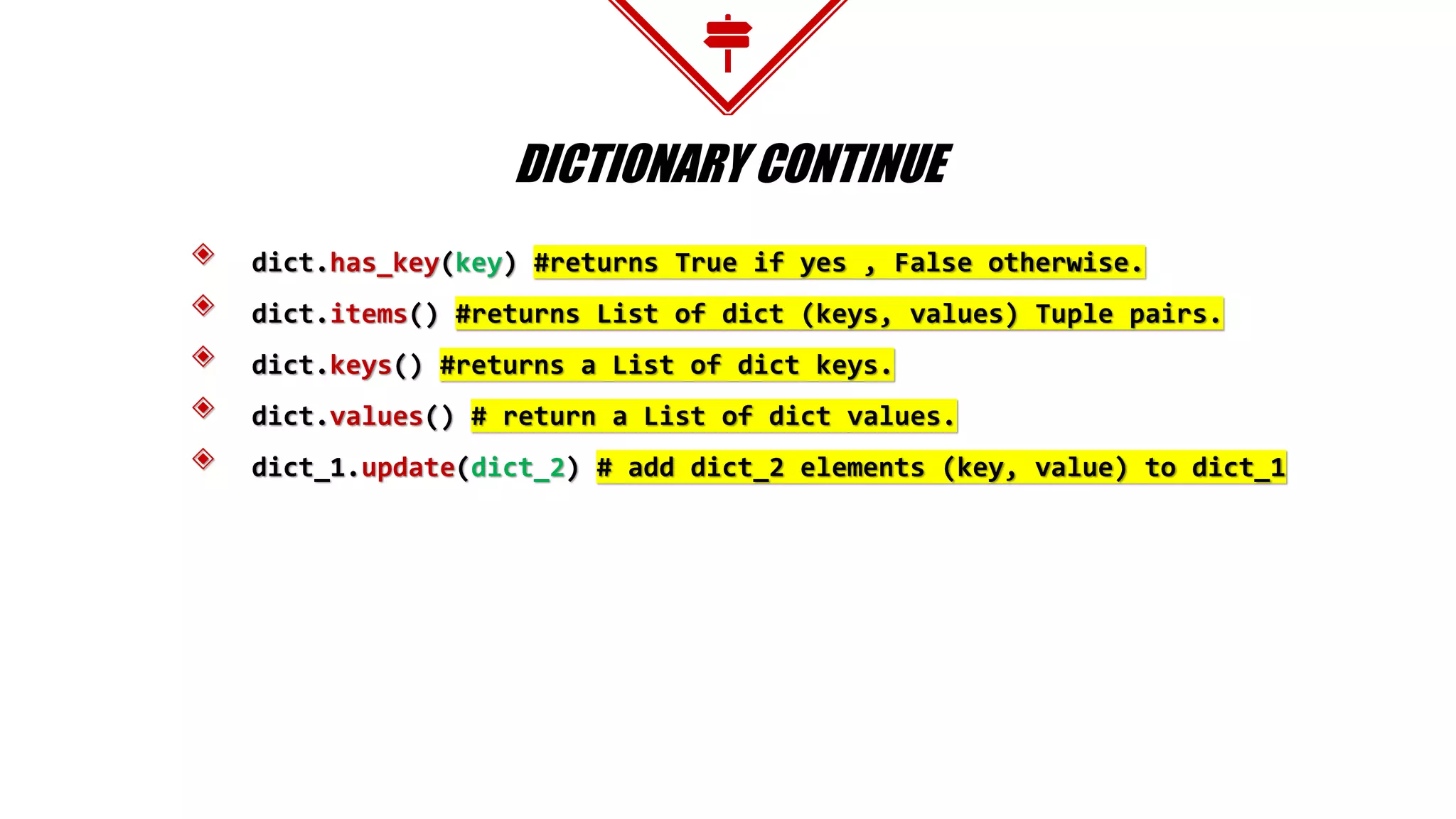
◈ dict.has_key(key) #returns True if yes , False otherwise.
◈ dict.items() #returns List of dict (keys, values) Tuple pairs.
◈ dict.keys() #returns a List of dict keys.
◈ dict.values() # return a List of dict values.
◈ dict_1.update(dict_2) # add dict_2 elements (key, value) to dict_1
ARRAY ( ONE TYPE LIST )
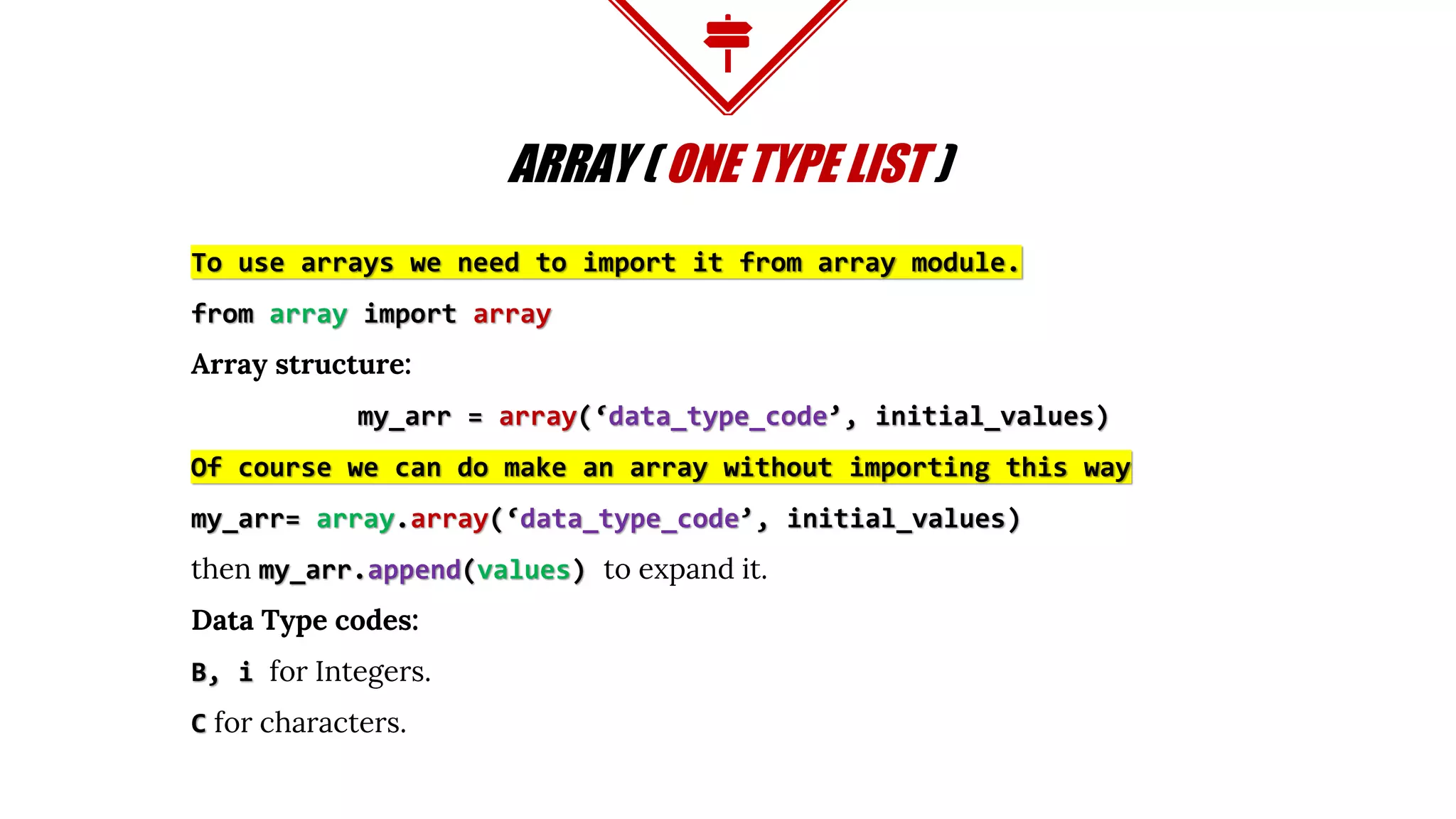
To use arrays we need to import it from array module.
from array import array
Array structure:
my_arr = array(‘data_type_code’, initial_values)
Of course we can do make an array without importing this way
my_arr= array.array(‘data_type_code’, initial_values)
then my_arr.append(values) to expand it.
Data Type codes:
B, i for Integers.
C for characters.
Break
You can get in life what you have the courage
to ask for.
00:15:00 minutes
FLOW CONTROL
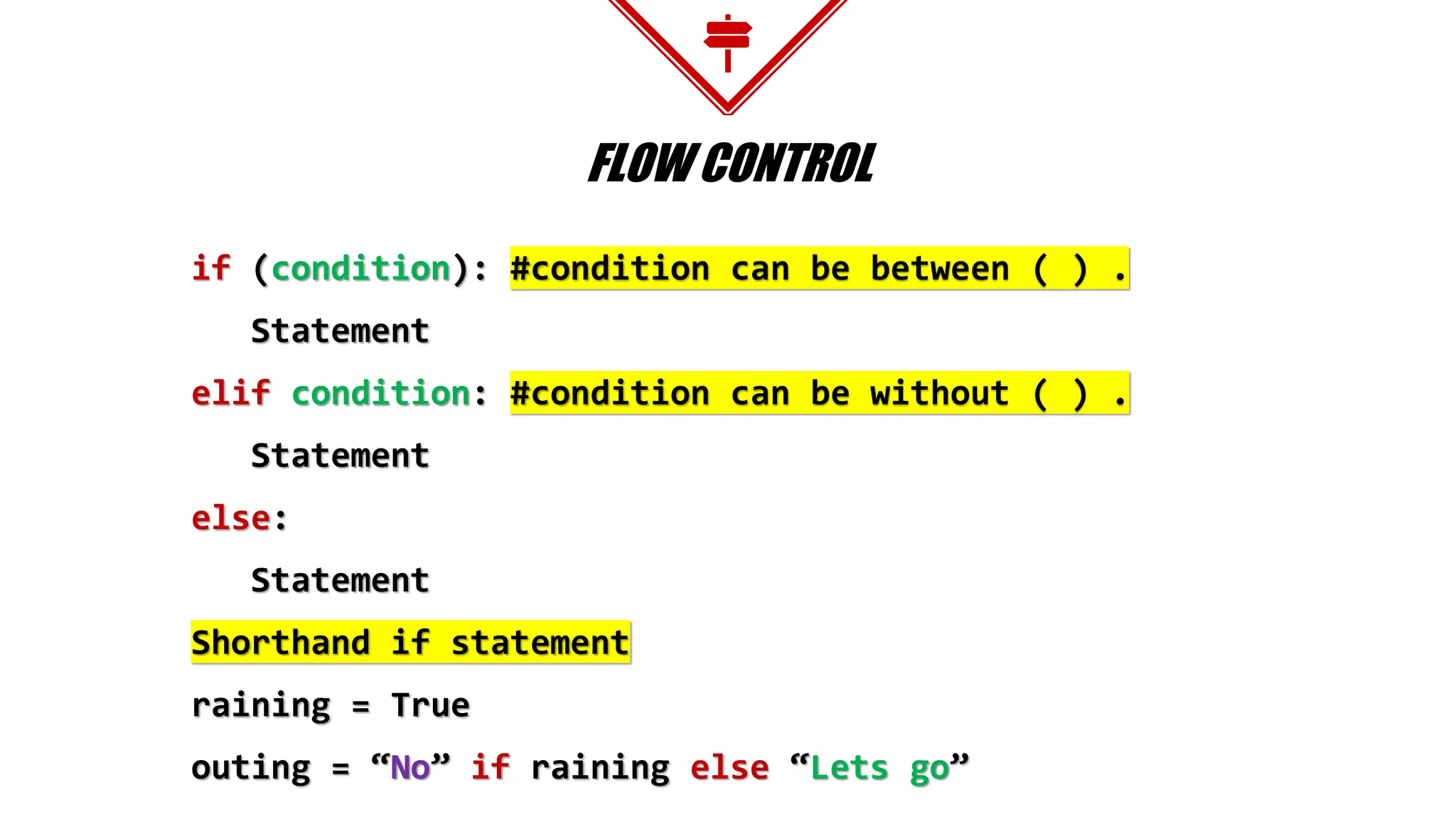
if (condition): #condition can be between ( ) .
Statement
elif condition: #condition can be without ( ) .
Statement
else:
Statement
Shorthand if statement
raining = True
outing = “No” if raining else “Lets go”
FOR LOOP
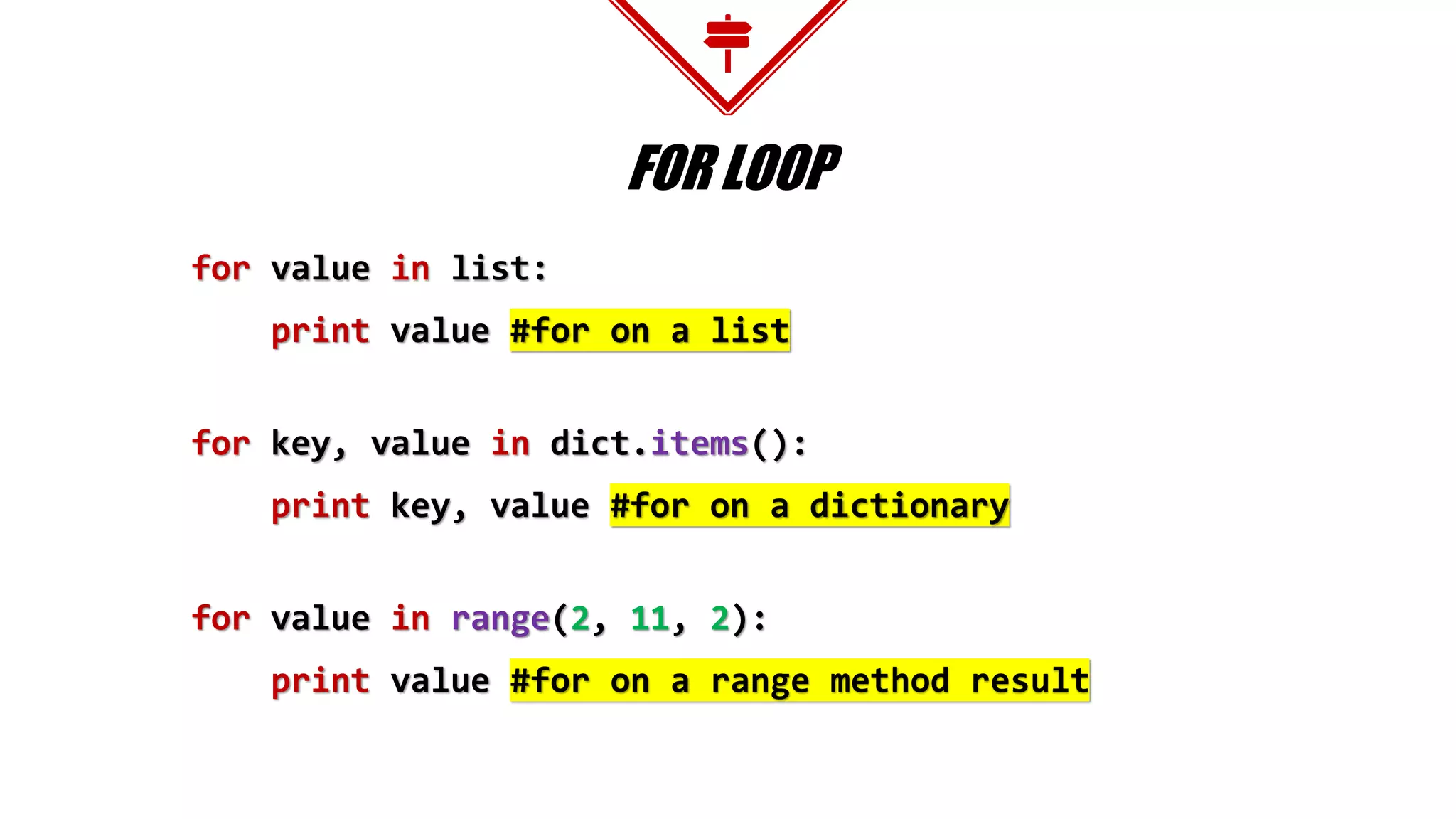
for value in list:
print value #for on a list
for key, value in dict.items():
print key, value #for on a dictionary
for value in range(2, 11, 2):
print value #for on a range method result
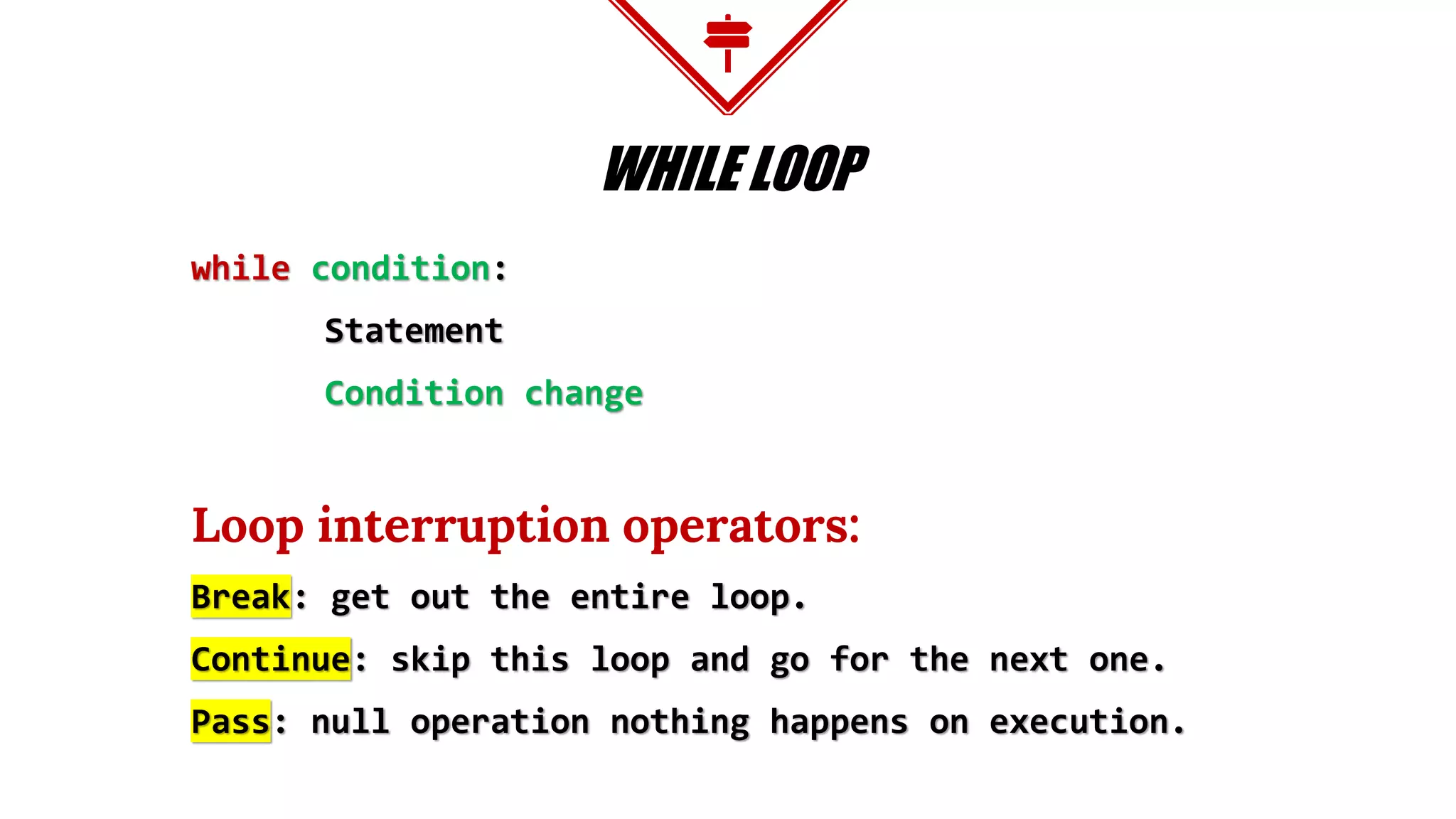
WHILE LOOP
while condition:
Statement
Condition change
Loop interruption operators:
Break: get out the entire loop.
Continue: skip this loop and go for the next one.
Pass: null operation nothing happens on execution.
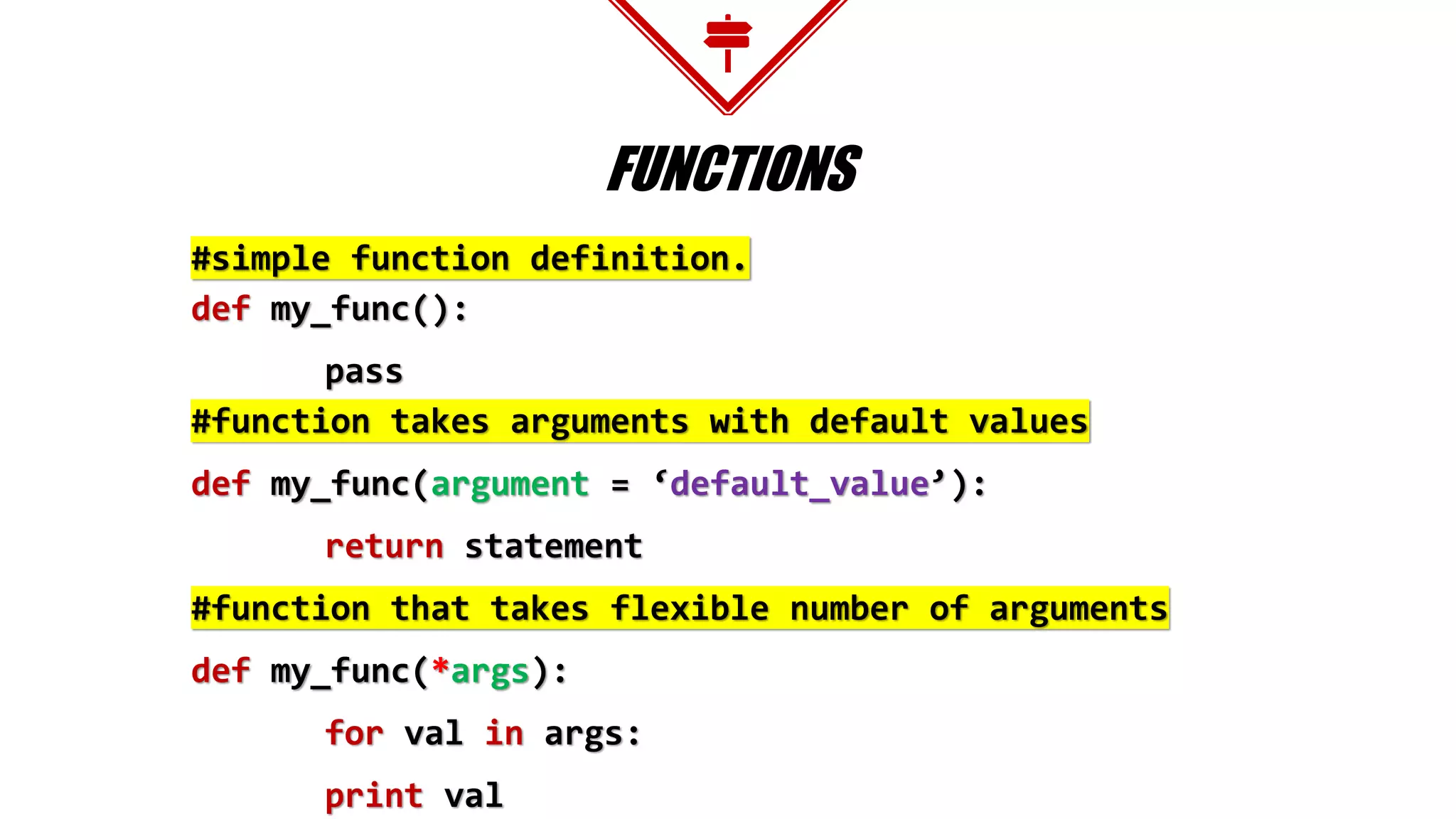
FUNCTIONS
#simple function definition.
def my_func():
pass
#function takes arguments with default values
def my_func(argument = ‘default_value’):
return statement
#function that takes flexible number of arguments
def my_func(*args):
for val in args:
print val
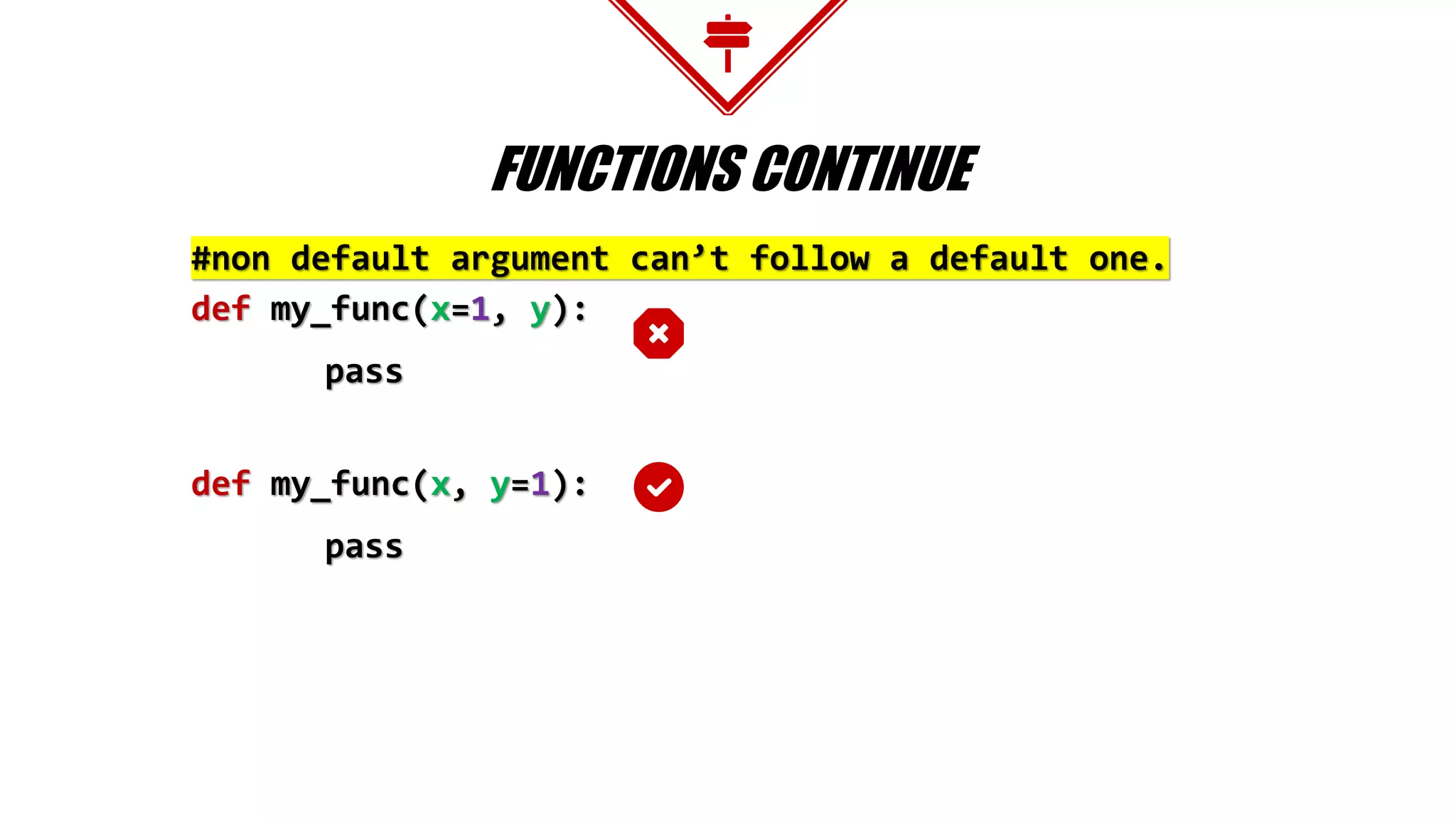
FUNCTIONS CONTINUE
#non default argument can’t follow a default one.
def my_func(x=1, y):
pass
def my_func(x, y=1):
pass
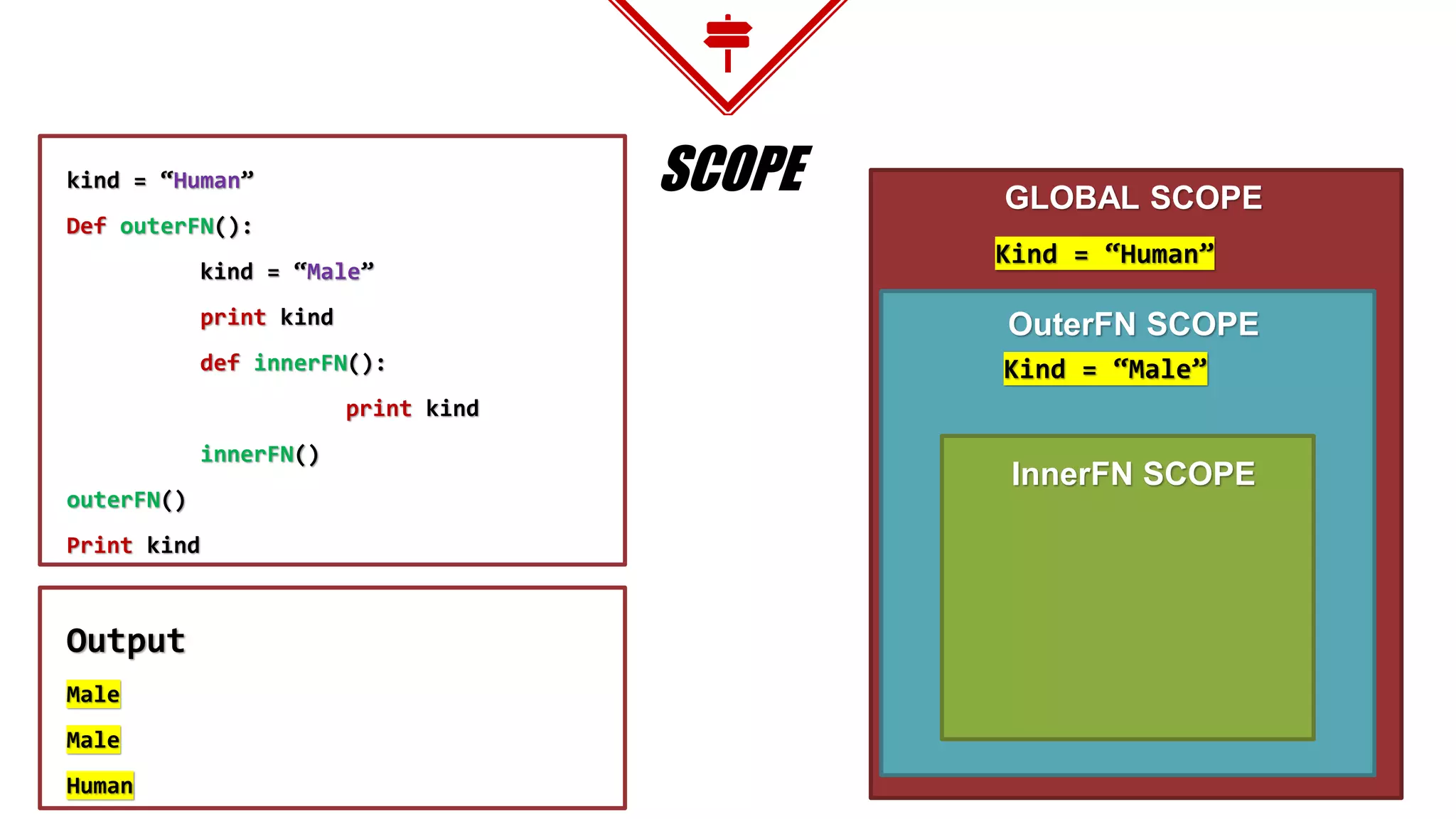
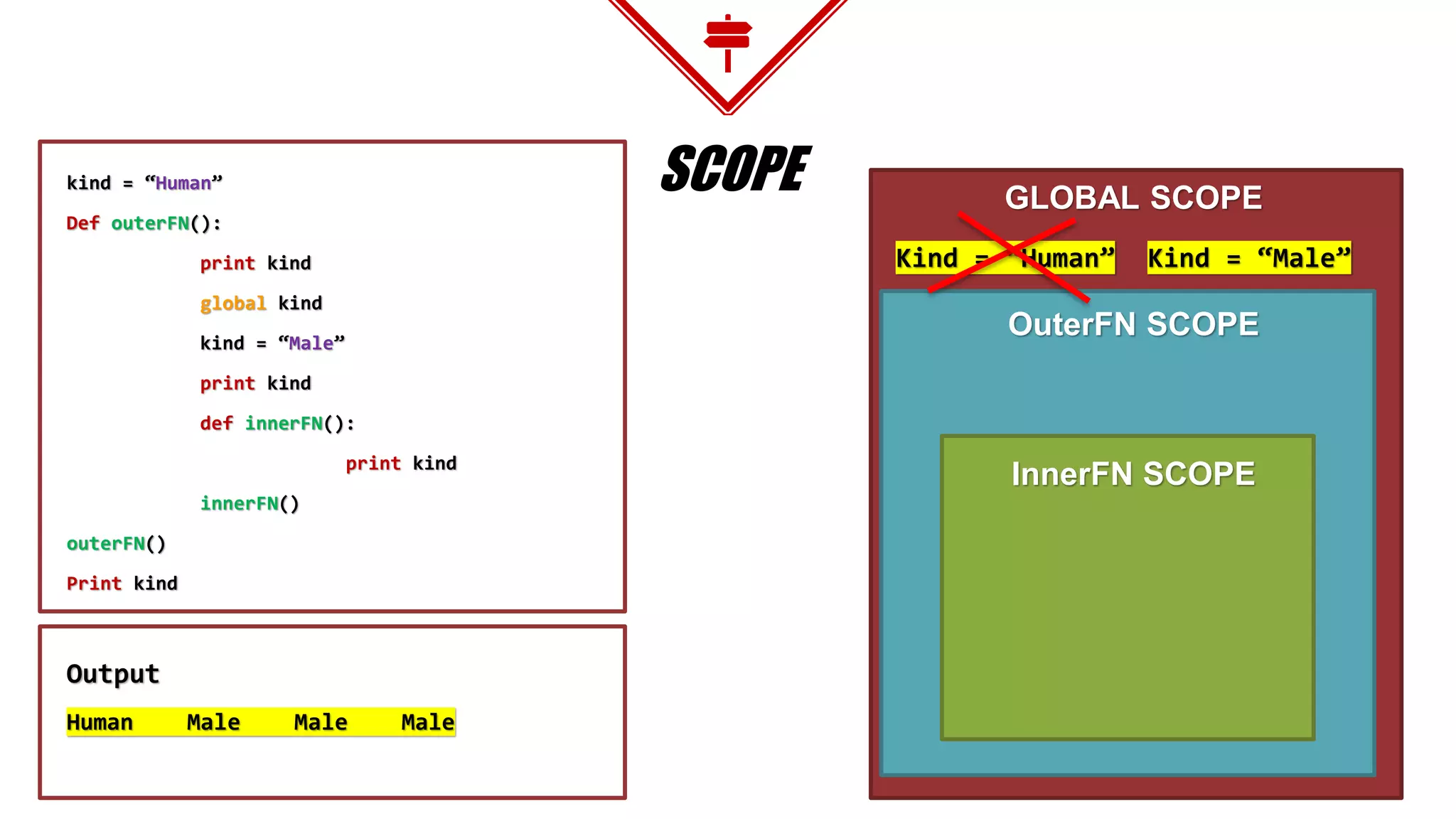
SCOPEkind = “Human”
Def outerFN():
kind = “Male”
print kind
def innerFN():
print kind
innerFN()
outerFN()
Print kind
Output
Male
Male
Human
GLOBAL SCOPE
OuterFN SCOPE
InnerFN SCOPE
Kind = “Human”
Kind = “Male”
SCOPEkind = “Human”
Def outerFN():
print kind
global kind
kind = “Male”
print kind
def innerFN():
print kind
innerFN()
outerFN()
Print kind
Output
Human Male Male Male
GLOBAL SCOPE
OuterFN SCOPE
InnerFN SCOPE
Kind = “Human” Kind = “Male”
FILES I/O
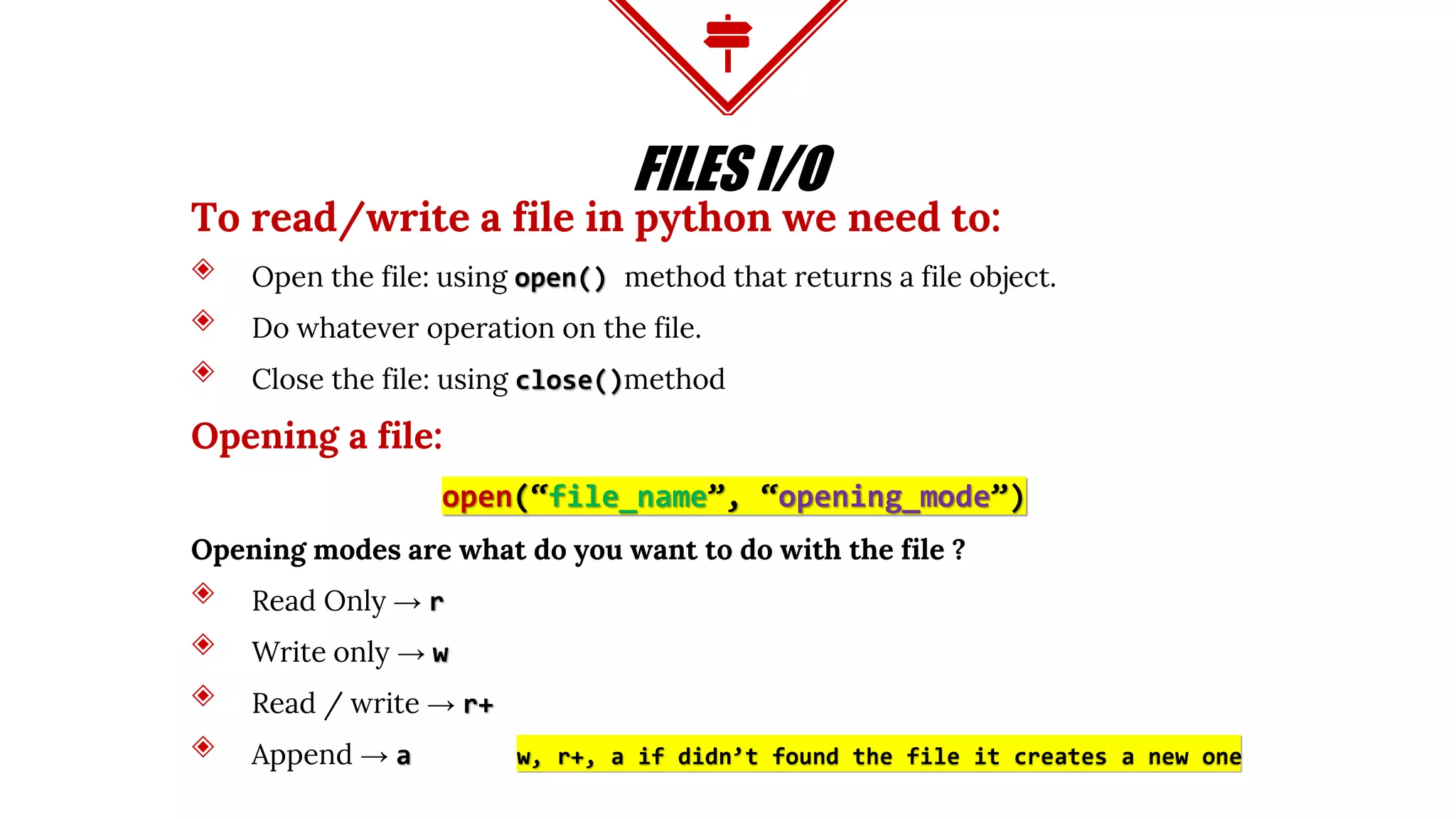
To read/write a file in python we need to:
◈ Open the file: using open() method that returns a file object.
◈ Do whatever operation on the file.
◈ Close the file: using close()method
Opening a file:
open(“file_name”, “opening_mode”)
Opening modes are what do you want to do with the file ?
◈ Read Only → r
◈ Write only → w
◈ Read / write → r+
◈ Append → a w, r+, a if didn’t found the file it creates a new one
FILES I/O
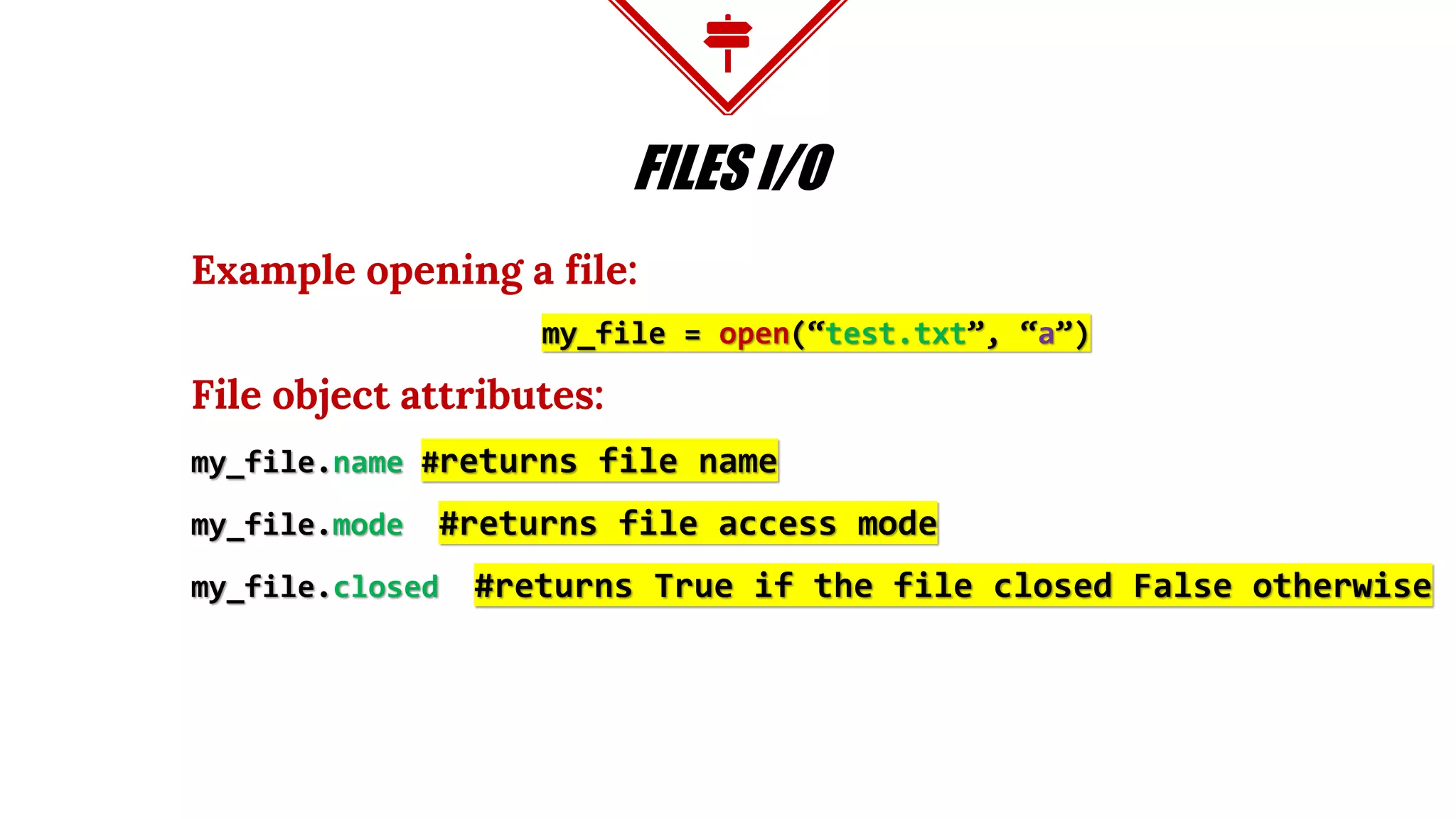
Example opening a file:
my_file = open(“test.txt”, “a”)
File object attributes:
my_file.name #returns file name
my_file.mode #returns file access mode
my_file.closed #returns True if the file closed False otherwise
FILES I/O
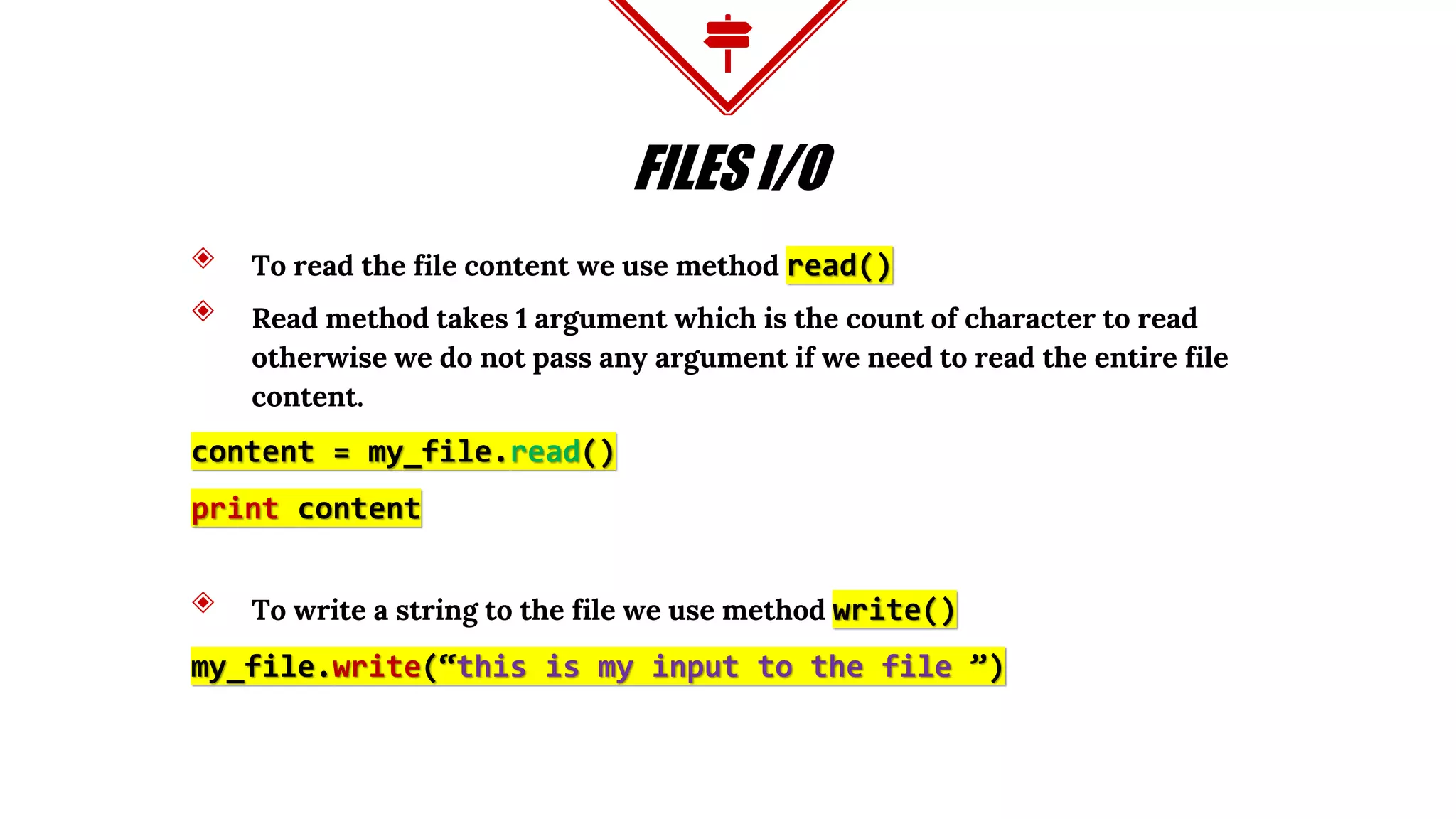
◈ To read the file content we use method read()
◈ Read method takes 1 argument which is the count of character to read
otherwise we do not pass any argument if we need to read the entire file
content.
content = my_file.read()
print content
◈ To write a string to the file we use method write()
my_file.write(“this is my input to the file ”)
FILES I/O
◈ After we done with our file object we should close it using method close()
my_file.close()
◈ We can rename and delete files using os module utilities
◈ Rename a file
import os
os.rename(“current_file_name”, “new_file_name”)
◈ Remove a file
os.remove(“file_name”)
LAB TIME
Problem
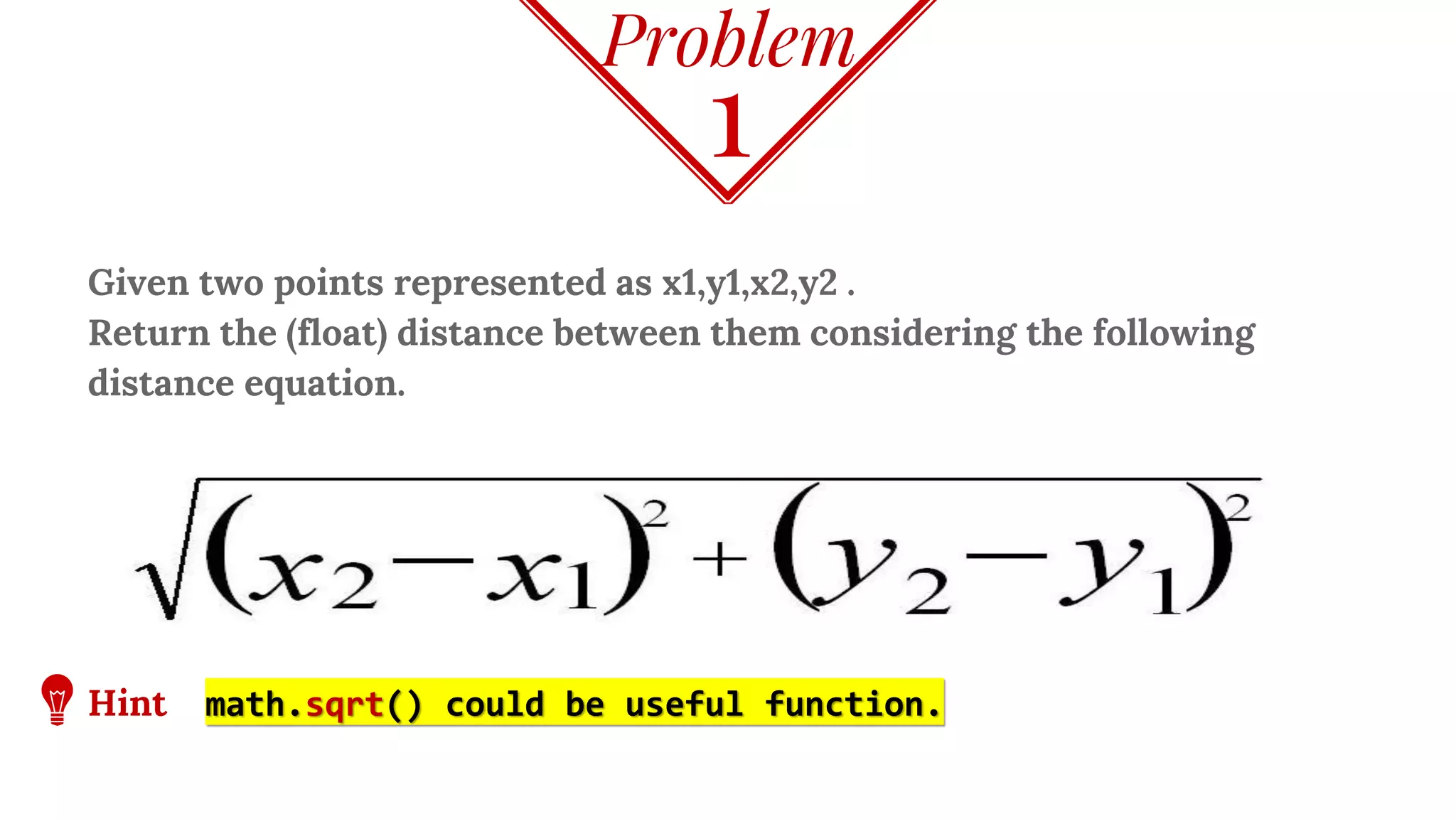
Given two points represented as x1,y1,x2,y2 .
Return the (float) distance between them considering the following
distance equation.
1
Hint math.sqrt() could be useful function.
Problem
The program takes a string and remove the vowels character from it then
print its new version
Implementation hint:
So, “Mobile” becomes “Mbl”
2
Problem
The program takes a string and a character and returns a list with all the
locations that character was found in the given string.
Implementation hint:
String “Google” char ‘o’
Outoupt: [1,2]
3
Problem
Given a list of numbers, create a function that returns a list where all similar
adjacent elements have been reduced to a single element.
So [1, 2, 2, 3, 2] returns [1, 2, 3].
4
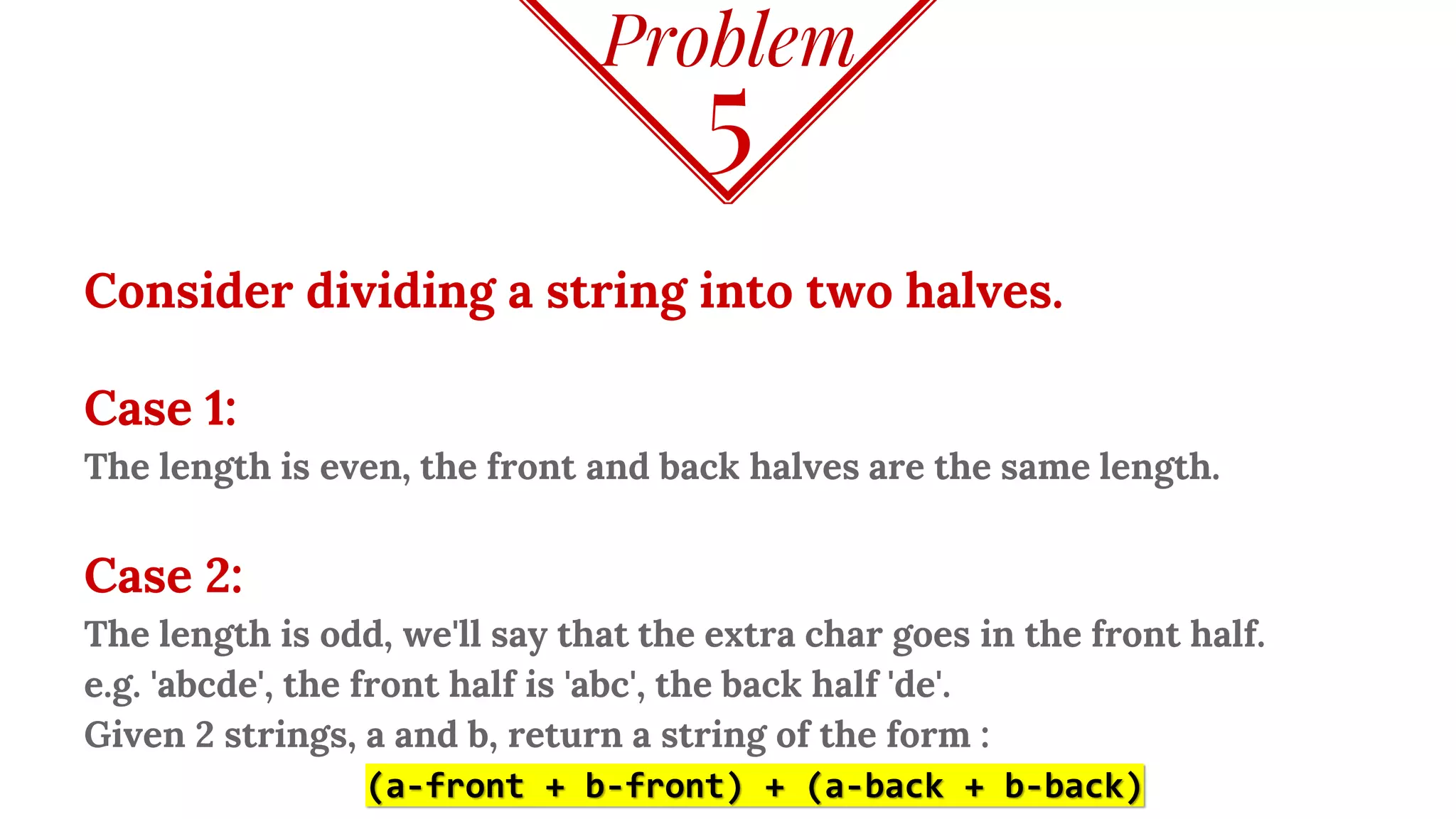
Problem
Consider dividing a string into two halves.
Case 1:
The length is even, the front and back halves are the same length.
Case 2:
The length is odd, we'll say that the extra char goes in the front half.
e.g. 'abcde', the front half is 'abc', the back half 'de'.
Given 2 strings, a and b, return a string of the form :
(a-front + b-front) + (a-back + b-back)
5
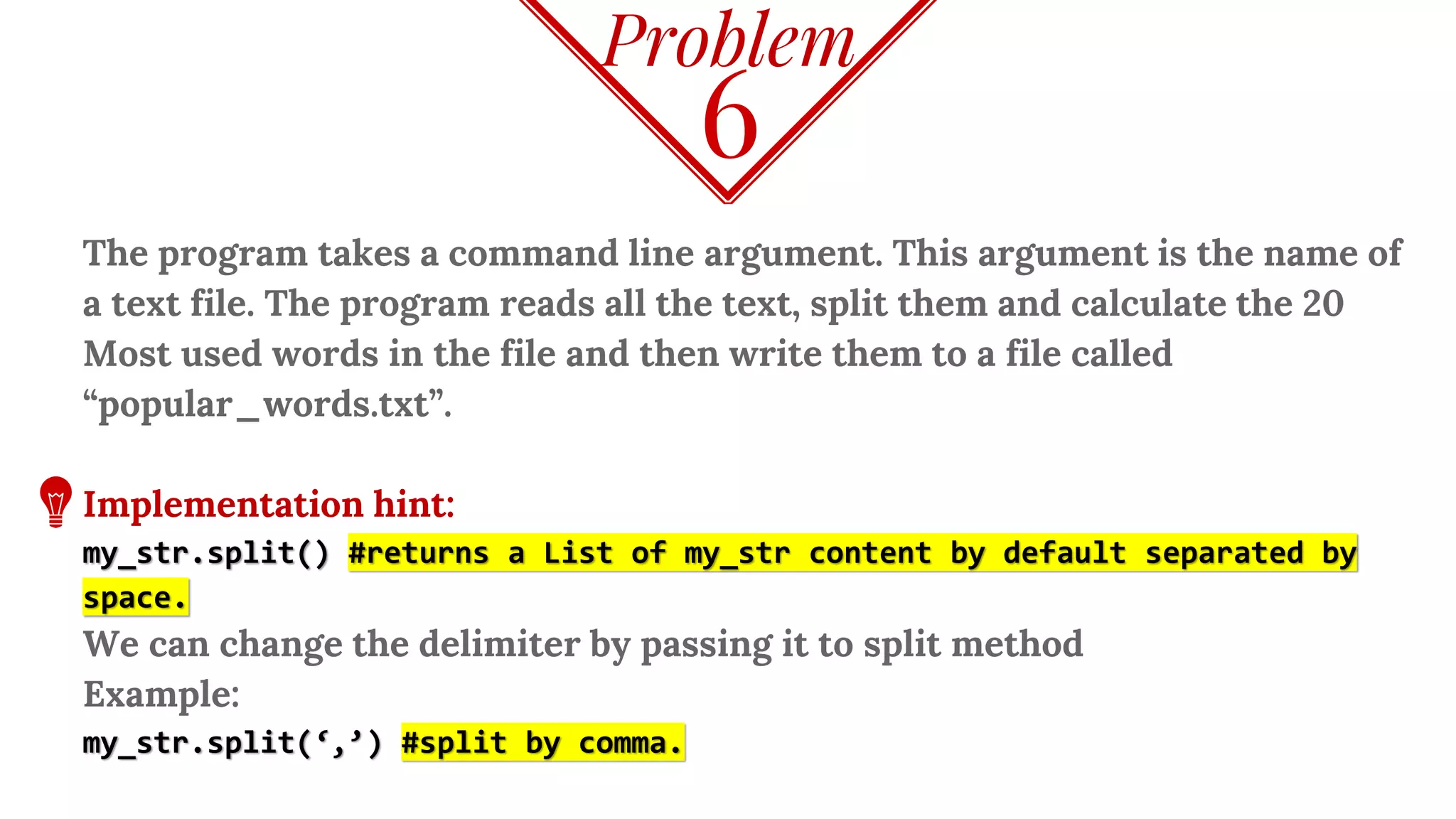
Problem
The program takes a command line argument. This argument is the name of
a text file. The program reads all the text, split them and calculate the 20
Most used words in the file and then write them to a file called
“popular_words.txt”.
Implementation hint:
my_str.split() #returns a List of my_str content by default separated by
space.
We can change the delimiter by passing it to split method
Example:
my_str.split(‘,’) #split by comma.
6
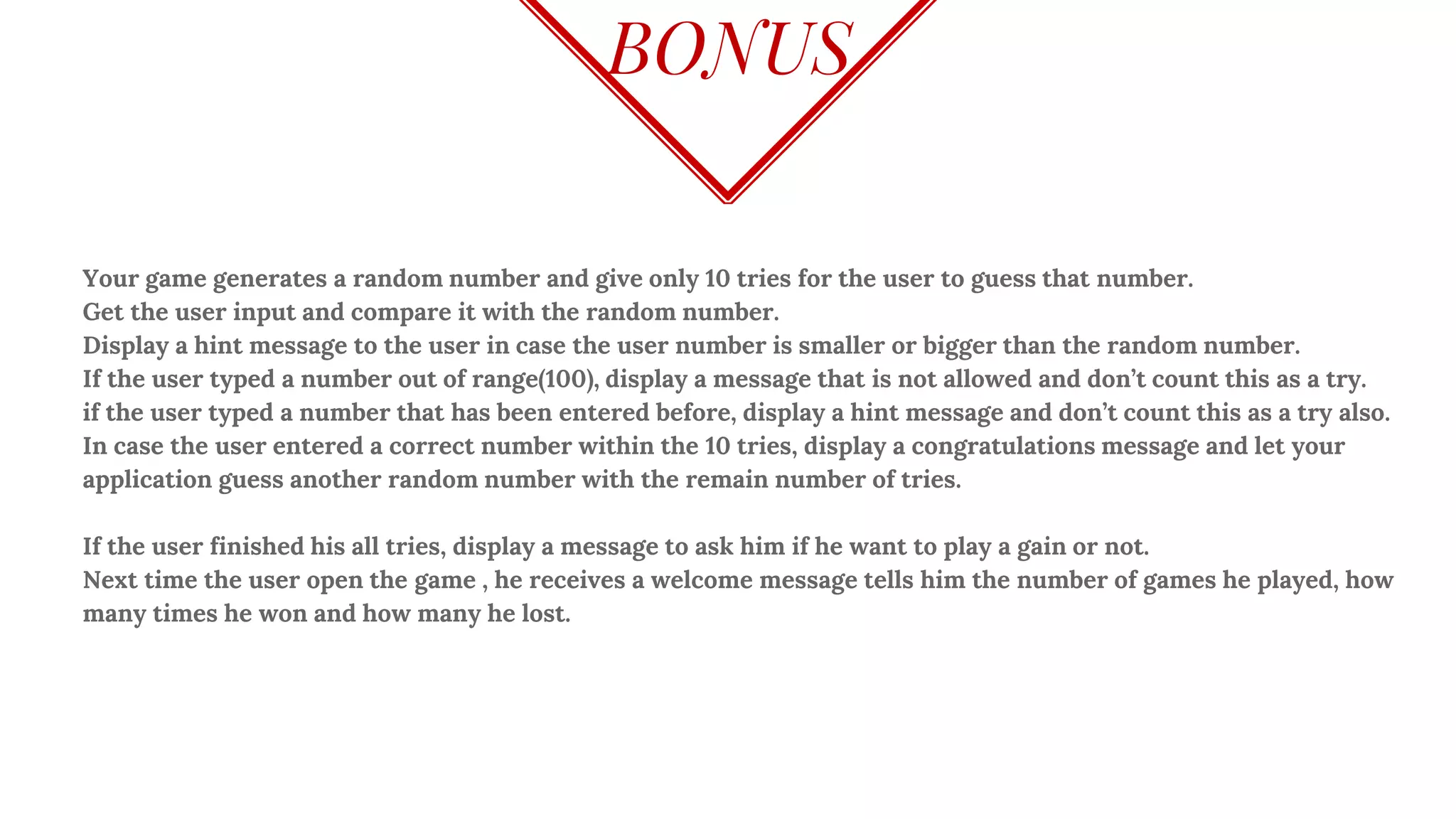
BONUS
Your game generates a random number and give only 10 tries for the user to guess that number.
Get the user input and compare it with the random number.
Display a hint message to the user in case the user number is smaller or bigger than the random number.
If the user typed a number out of range(100), display a message that is not allowed and don’t count this as a try.
if the user typed a number that has been entered before, display a hint message and don’t count this as a try also.
In case the user entered a correct number within the 10 tries, display a congratulations message and let your
application guess another random number with the remain number of tries.
If the user finished his all tries, display a message to ask him if he want to play a gain or not.
Next time the user open the game , he receives a welcome message tells him the number of games he played, how
many times he won and how many he lost.
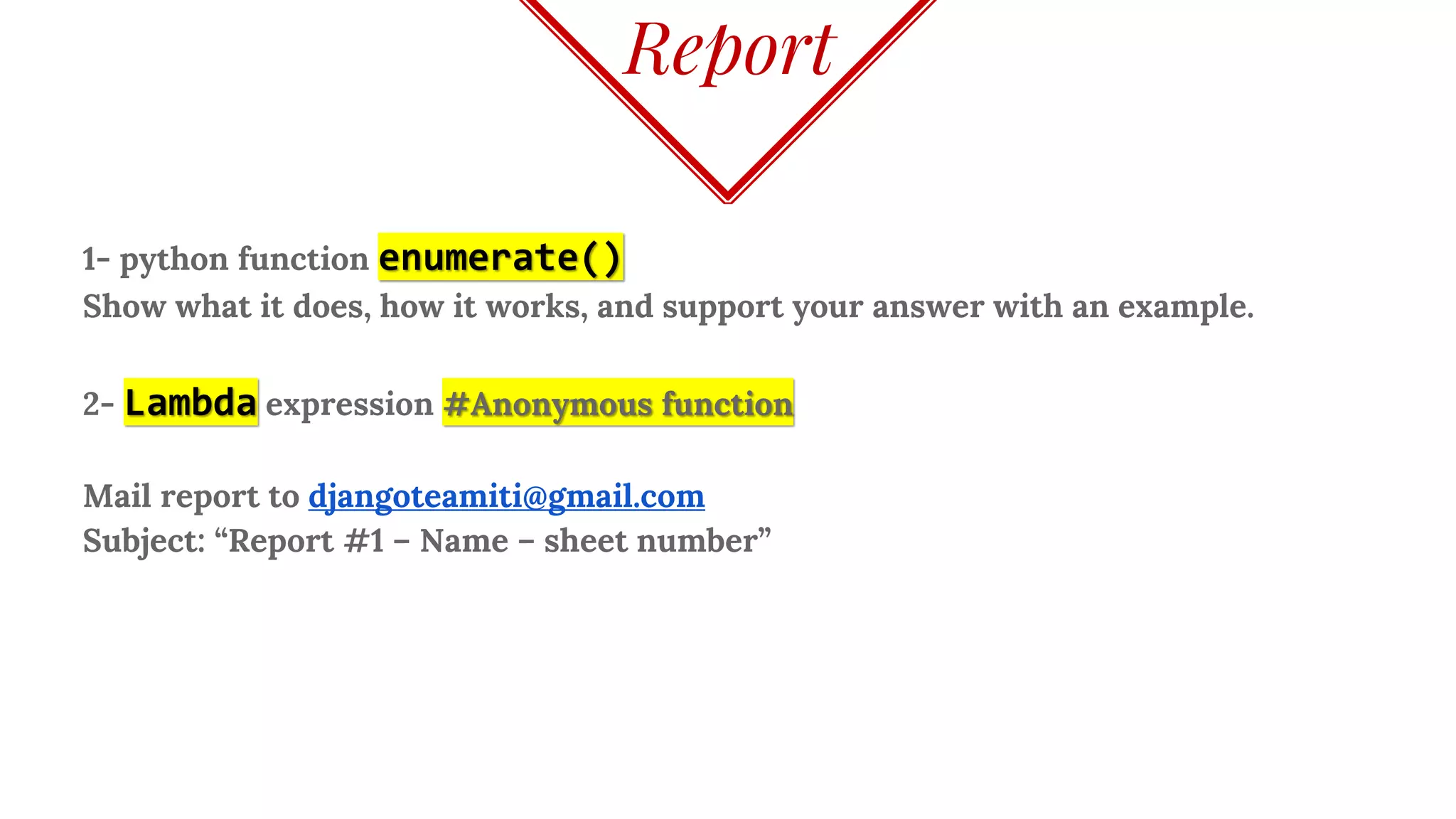
Report
1- python function enumerate()
Show what it does, how it works, and support your answer with an example.
2- Lambda expression #Anonymous function
Mail report to djangoteamiti@gmail.com
Subject: “Report #1 – Name – sheet number”
Mohamed Ramadan
That’s all for day 1
Thank you!

Python Part 1

  • 1.
    Python Programming Mohamed Ramadan ApplicationDeveloper Java Certified Associative Cognitive Computing certified practitioner Agile – Design Thinking Certified Practitioner Day 1
  • 2.
    Course Specification Course Coverage 80% desired to be covered with the lecture 20% to be covered in self study basis. Course Evaluation 40% for labs. 60% for final project. Lectures 80 % 20% 60 % 40% Self study Project Labs
  • 3.
    AGENDA INTRODUCTION ◈ When Python ◈Which Python ◈ Why Python ◈ Who Python ◈ Run Python ◈ How Python GETTING INTO ◈ Numbers ◈ String ◈ Sequences ⬥ List ⬥ Tuple ⬥ Dictionary ⬥ Array BASICS ◈ Flow Control ◈ Loop ◈ Functions ◈ Scope ◈ File IO ◈ Lab
  • 4.
    Python Was Invented byGuido Van Rossum in late 80s
  • 5.
    INTRO WHY PYTHON ◈ SimpleSyntax, Easy for Beginners, Strong for Professionals ◈ Clean Code Enforcements through Indentations ◈ Cross Platform running every where (Windows - Linux - Mac) ◈ Many Libraries and Modules to import and use ◈ Large and supportive helpful community WHO PYTHON ◈ Google, YouTube, Instagram, Dropbox, Twitter, Reddit, …
  • 6.
    INTRO ◈ Python foundations(non profit) sponsored by Google and Microsoft Python versions ◈ Python 2.7.12 VS Python 3.5.2
  • 7.
    INTRO WHICH PYTHON “Python 3is a nicer and more consistent language, BUT, there is very limited third-party module support for it. So, all major frameworks still run on Python 2, and will continue to do so for a significant time. Therefore, if you learn Python today, you should learn Python 2, because that is the version you are going to end up actually using.” [Laurence Bradford ]
  • 8.
    Linux comes withboth python 2 and python 3 installed. Considering that Python 2 is the default version. Checking python verions  INSTALLING PYTHON :~$ python --version Python 2.7.12 :~$ python3 –version Python 3.5.2
  • 9.
    3 Ways to: ◈Using shell . ⬥ By typing Python on terminal ◈ Run python script ◈ Shebang method ⬥ Let the First line in your file.py be #!/usr/bin/env python ⬥ Give the file execute permission and execute it. RUN PYTHON :~$ python >>> :~$ python file.py :~$ sudo chmod +x ./file.py :~$ ./file.py3 2 1
  • 10.
  • 11.
    NUMBERS ◈ Data typesint, float, decimal & all operators + - / * 12 / 5→ 2 #would give the integer value, if you need the float tell python. 12.0 / 5 OR 12 / 5.0 OR 12. / 5 OR 12 / 5. ◈ 5**3 → 125 #since the * means multiplication the ** is the exponent. Exponent can also be done through pow(base, exponent) function So 5**3 is the same as pow(5, 3) ◈ Parentheses ( ) can be used for grouping ◈ Python doesn’t have ++ but += works ◈ abs(number) → the absolute value of number ◈ Swapping x, y = 4, 5 x, y = y, x
  • 12.
    STRING ◈ single ‘’ Double “ ” and triple “”” “”” quotes ◈ Concatenation with + for same type and comma , for different types ◈ my_str[:3] #[from:before] it doesn’t consider the before index ◈ len(my_str) #return the length of the string ◈ my_str.lower() # to lower case ◈ my_str.upper() # to upper case ◈ my_str.isalpha() # return true if the entire elements were character not Special character, space or numbers ◈ my_str.isdigit() # return true if the entire value is digital character
  • 13.
    STRING CONTINUE ◈ my_str* 3 #will print its value 3 times ◈ String comparison using == , is , in ◈ my_str = str(5) # to convert from int to string we use str() method ◈ input(“Enter a number: ”) # used to read digit from command line ◈ raw_input(“Enter your name: ”) # used to read string from command line ◈ eval(raw_input(“Enter your whatever”)) # equals to input() X = “HI” Y = “HI” z = “Hi” So, x == y and X is y HiHI X Y z
  • 14.
    LISTS ◈ my_list =[] #empty list ◈ my_list = [10, ‘Howdy’, [‘Strawberry’, ‘Peach’]] #different type list ◈ Lists are mutable (can be changed either shrink or expand) ◈ list1 = list2 #this doesn't create a copy but just a reference List Object Methods: ◈ my_list.append(obj) #Appends object obj to list ◈ my_list.count(obj) #Returns count of how many times obj occurs in list ◈ my_list.extend(seq) #Appends the contents of seq to list ◈ my_list.insert(index, obj) #Inserts object obj into list at offset index
  • 15.
    LISTS CONTINUE ◈ my_list.pop()#Removes and returns last obj from list where ◈ my_list.remove(obj) #Removes object obj from list ◈ my_list.reverse() #Reverses objects of list in place ◈ my_list.sort() #Sorts objects of list ◈ Another way to Sort sorted(my_list, cmp=None, key=None, reverse=False) ◈ Lists compared like the string using == operator and we can’t use is operator List1 = [1,2] List2 = [1,2] So, list1 == list2 but not X is y 1,21,2 list1 list2
  • 16.
    LIST CONTINUE range(start, end,step) Generates a list Examples: range(1, 5, 2) → [1, 3] #starts from 1 before 5 stepping 2 range(1, 5) → [1, 2, 3, 4] #starts from 1 before 5 range(5) → [0, 1, 2, 3, 4] #starts from 0 before 5
  • 17.
    LIST CONTINUE Random NumberGenerator To generate random number we use from random module randrange() method. Method Structure: import random random.randrange(start, end, step)
  • 18.
    TUPLE Tuples are immutablecannot be changed like Lists. Once created it is fixed. my_tuple = () #empty tuple my_tuple = (10, ‘Howdy’, [‘Strawberry’, ‘Peach’]) #different type tuple. We can access tuple element the same way in Lists using [ ] Example: my_tuple[2][1] → // this would result ‘Peach
  • 19.
    TUPLE CONTINUE Useful Functionsfor sequences: ◈ cmp(tuple_1, tuple_2) #compare and return 0 if true -1 if false. ◈ len(tuple_1) # returns the length of a given tuple. ◈ max(tuple_1) #returns the max value element of a given tuple. ◈ min(tuple_1) #returns the max value element of a given tuple. ◈ tuple(list_1) #converts a given list into a tuple. ◈ list(tuple_1) #converts a given tuple into a list. ◈ all(list_1) #return True if none of the elements was false, 0, empty string, and false otherwise ◈ any(list_1) #returns True if at least one of the list elements wasn’t false, 0, empty string
  • 20.
    DICTIONARY Also known as“Key-Value binding” Or Hashing my_dic = {‘key’ : ‘value’} ◈ The Value can be anything. List, tuple, string, int, or even another dictionary. ◈ The key shouldn’t be changed as it is our reference to the value. So we can use tuples as a dictionary key as long as tuples are immutable. Dictionary Object Methods: ◈ dict.clear() #remove all elements of dictionary dict. ◈ dict.copy() #returns a copy of dictionary dict.
  • 21.
    DICTIONARY CONTINUE ◈ dict.has_key(key)#returns True if yes , False otherwise. ◈ dict.items() #returns List of dict (keys, values) Tuple pairs. ◈ dict.keys() #returns a List of dict keys. ◈ dict.values() # return a List of dict values. ◈ dict_1.update(dict_2) # add dict_2 elements (key, value) to dict_1
  • 22.
    ARRAY ( ONETYPE LIST ) To use arrays we need to import it from array module. from array import array Array structure: my_arr = array(‘data_type_code’, initial_values) Of course we can do make an array without importing this way my_arr= array.array(‘data_type_code’, initial_values) then my_arr.append(values) to expand it. Data Type codes: B, i for Integers. C for characters.
  • 23.
    Break You can getin life what you have the courage to ask for. 00:15:00 minutes
  • 24.
    FLOW CONTROL if (condition):#condition can be between ( ) . Statement elif condition: #condition can be without ( ) . Statement else: Statement Shorthand if statement raining = True outing = “No” if raining else “Lets go”
  • 25.
    FOR LOOP for valuein list: print value #for on a list for key, value in dict.items(): print key, value #for on a dictionary for value in range(2, 11, 2): print value #for on a range method result
  • 26.
    WHILE LOOP while condition: Statement Conditionchange Loop interruption operators: Break: get out the entire loop. Continue: skip this loop and go for the next one. Pass: null operation nothing happens on execution.
  • 27.
    FUNCTIONS #simple function definition. defmy_func(): pass #function takes arguments with default values def my_func(argument = ‘default_value’): return statement #function that takes flexible number of arguments def my_func(*args): for val in args: print val
  • 28.
    FUNCTIONS CONTINUE #non defaultargument can’t follow a default one. def my_func(x=1, y): pass def my_func(x, y=1): pass
  • 29.
    SCOPEkind = “Human” DefouterFN(): kind = “Male” print kind def innerFN(): print kind innerFN() outerFN() Print kind Output Male Male Human GLOBAL SCOPE OuterFN SCOPE InnerFN SCOPE Kind = “Human” Kind = “Male”
  • 30.
    SCOPEkind = “Human” DefouterFN(): print kind global kind kind = “Male” print kind def innerFN(): print kind innerFN() outerFN() Print kind Output Human Male Male Male GLOBAL SCOPE OuterFN SCOPE InnerFN SCOPE Kind = “Human” Kind = “Male”
  • 31.
    FILES I/O To read/writea file in python we need to: ◈ Open the file: using open() method that returns a file object. ◈ Do whatever operation on the file. ◈ Close the file: using close()method Opening a file: open(“file_name”, “opening_mode”) Opening modes are what do you want to do with the file ? ◈ Read Only → r ◈ Write only → w ◈ Read / write → r+ ◈ Append → a w, r+, a if didn’t found the file it creates a new one
  • 32.
    FILES I/O Example openinga file: my_file = open(“test.txt”, “a”) File object attributes: my_file.name #returns file name my_file.mode #returns file access mode my_file.closed #returns True if the file closed False otherwise
  • 33.
    FILES I/O ◈ Toread the file content we use method read() ◈ Read method takes 1 argument which is the count of character to read otherwise we do not pass any argument if we need to read the entire file content. content = my_file.read() print content ◈ To write a string to the file we use method write() my_file.write(“this is my input to the file ”)
  • 34.
    FILES I/O ◈ Afterwe done with our file object we should close it using method close() my_file.close() ◈ We can rename and delete files using os module utilities ◈ Rename a file import os os.rename(“current_file_name”, “new_file_name”) ◈ Remove a file os.remove(“file_name”)
  • 35.
  • 36.
    Problem Given two pointsrepresented as x1,y1,x2,y2 . Return the (float) distance between them considering the following distance equation. 1 Hint math.sqrt() could be useful function.
  • 37.
    Problem The program takesa string and remove the vowels character from it then print its new version Implementation hint: So, “Mobile” becomes “Mbl” 2
  • 38.
    Problem The program takesa string and a character and returns a list with all the locations that character was found in the given string. Implementation hint: String “Google” char ‘o’ Outoupt: [1,2] 3
  • 39.
    Problem Given a listof numbers, create a function that returns a list where all similar adjacent elements have been reduced to a single element. So [1, 2, 2, 3, 2] returns [1, 2, 3]. 4
  • 40.
    Problem Consider dividing astring into two halves. Case 1: The length is even, the front and back halves are the same length. Case 2: The length is odd, we'll say that the extra char goes in the front half. e.g. 'abcde', the front half is 'abc', the back half 'de'. Given 2 strings, a and b, return a string of the form : (a-front + b-front) + (a-back + b-back) 5
  • 41.
    Problem The program takesa command line argument. This argument is the name of a text file. The program reads all the text, split them and calculate the 20 Most used words in the file and then write them to a file called “popular_words.txt”. Implementation hint: my_str.split() #returns a List of my_str content by default separated by space. We can change the delimiter by passing it to split method Example: my_str.split(‘,’) #split by comma. 6
  • 42.
    BONUS Your game generatesa random number and give only 10 tries for the user to guess that number. Get the user input and compare it with the random number. Display a hint message to the user in case the user number is smaller or bigger than the random number. If the user typed a number out of range(100), display a message that is not allowed and don’t count this as a try. if the user typed a number that has been entered before, display a hint message and don’t count this as a try also. In case the user entered a correct number within the 10 tries, display a congratulations message and let your application guess another random number with the remain number of tries. If the user finished his all tries, display a message to ask him if he want to play a gain or not. Next time the user open the game , he receives a welcome message tells him the number of games he played, how many times he won and how many he lost.
  • 43.
    Report 1- python functionenumerate() Show what it does, how it works, and support your answer with an example. 2- Lambda expression #Anonymous function Mail report to djangoteamiti@gmail.com Subject: “Report #1 – Name – sheet number”
  • 44.
    Mohamed Ramadan That’s allfor day 1 Thank you!