Presented By: Prashant Trivedi
Introduction To
CI/CD
01 What is CI/CD?
02 Why CI/CD?
03 CI/CD Lifecycle
04 Continuous Delivery vs Continuous Deployment
05 Implementing CI/CD with Jenkins
Our Agenda
c
What is
CI/CD?
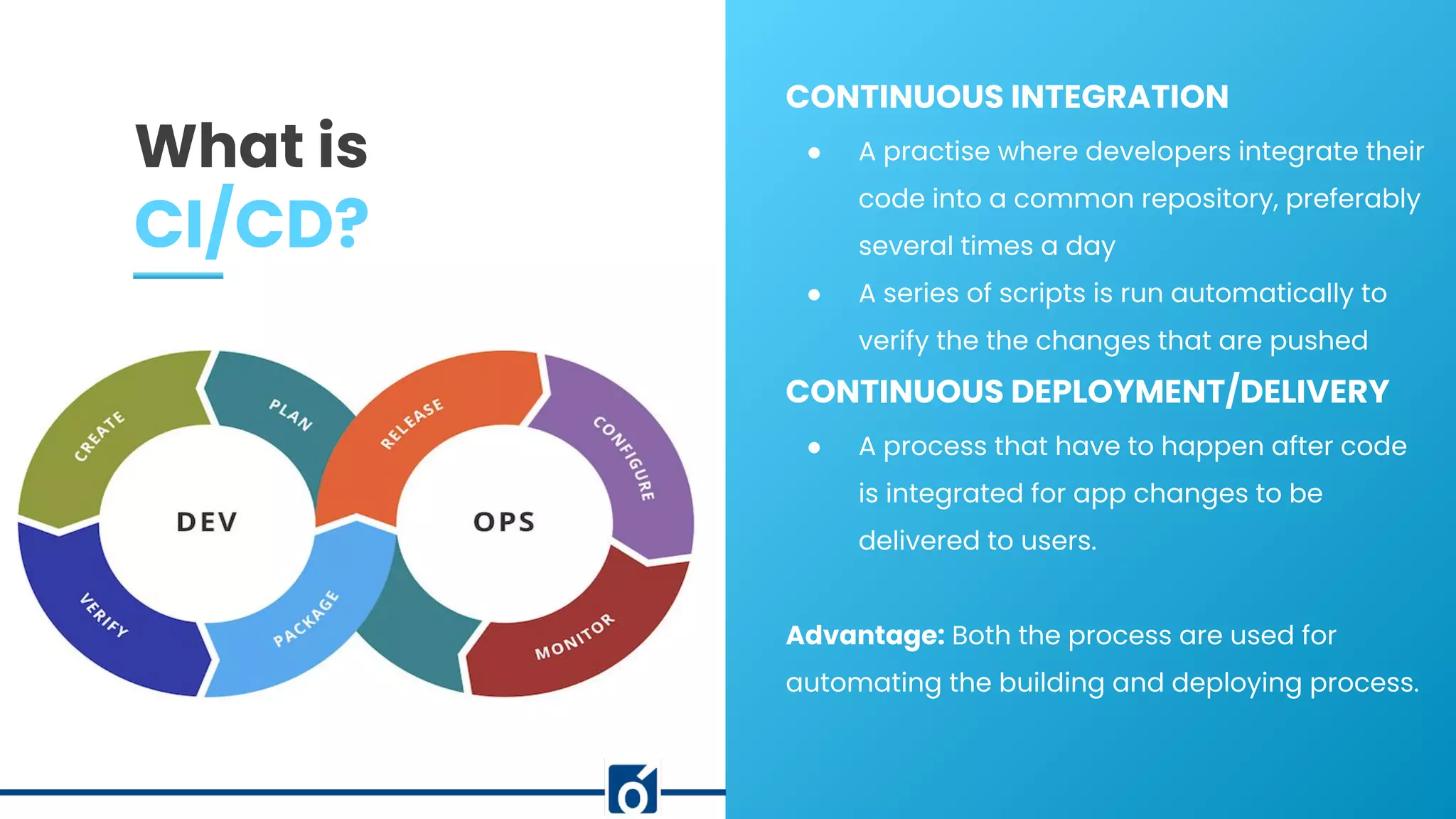
CONTINUOUS INTEGRATION
● A practise where developers integrate their
code into a common repository, preferably
several times a day
● A series of scripts is run automatically to
verify the the changes that are pushed
CONTINUOUS DEPLOYMENT/DELIVERY
● A process that have to happen after code
is integrated for app changes to be
delivered to users.
Advantage: Both the process are used for
automating the building and deploying process.
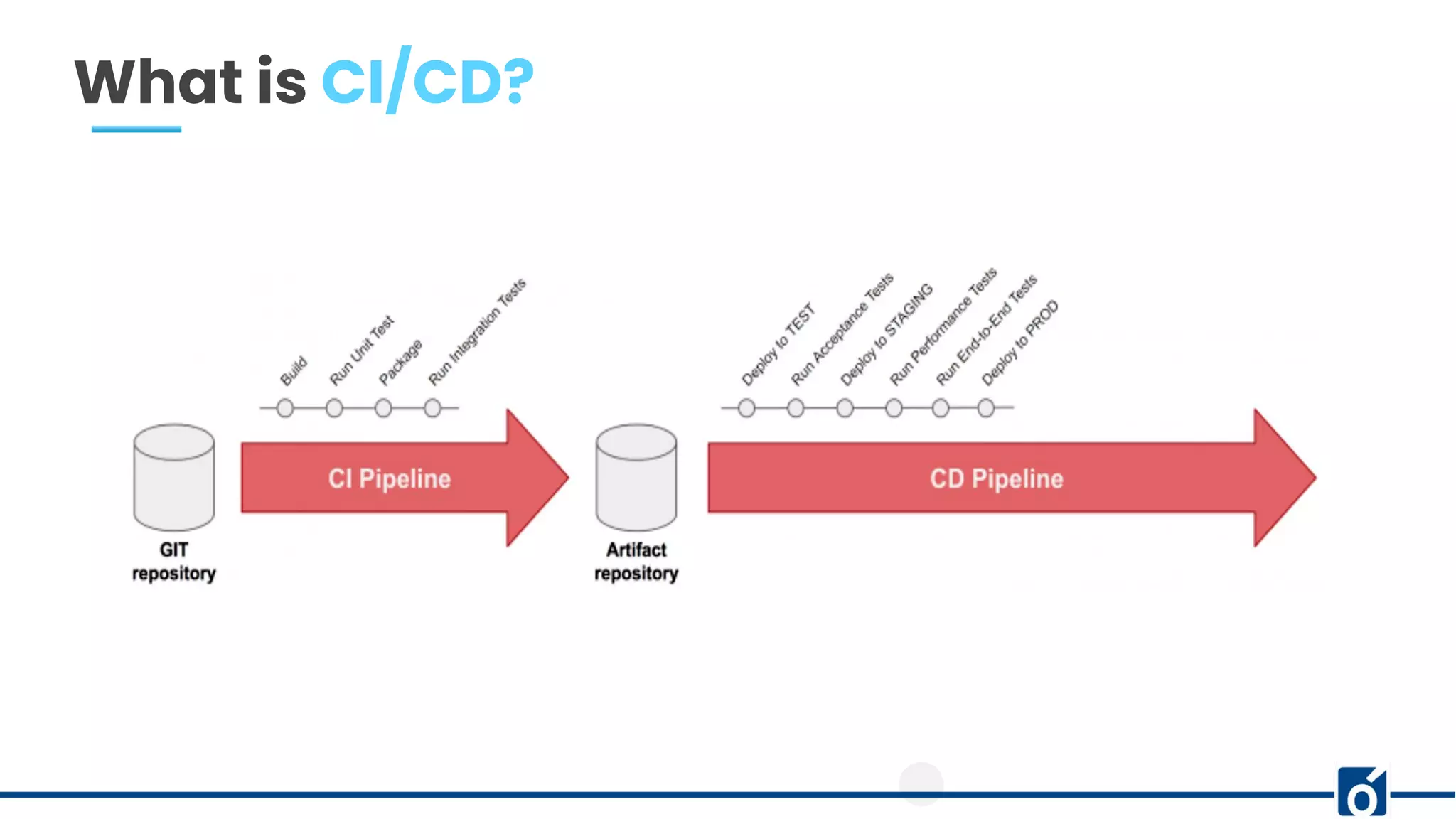
What is CI/CD?
Phases
CI
● Push the code to a VCS
● The build server checks the code as soon as it is pushed
● Devs gets the feedback (passed/failed)
● Code get packaged and stored in a repository
CD
● Ensure that the software can be released reliably
● Deployments are quick and often
● Helps in automated deployment
Tools: Huge List but will we go with Jenkins
What is CI/CD?
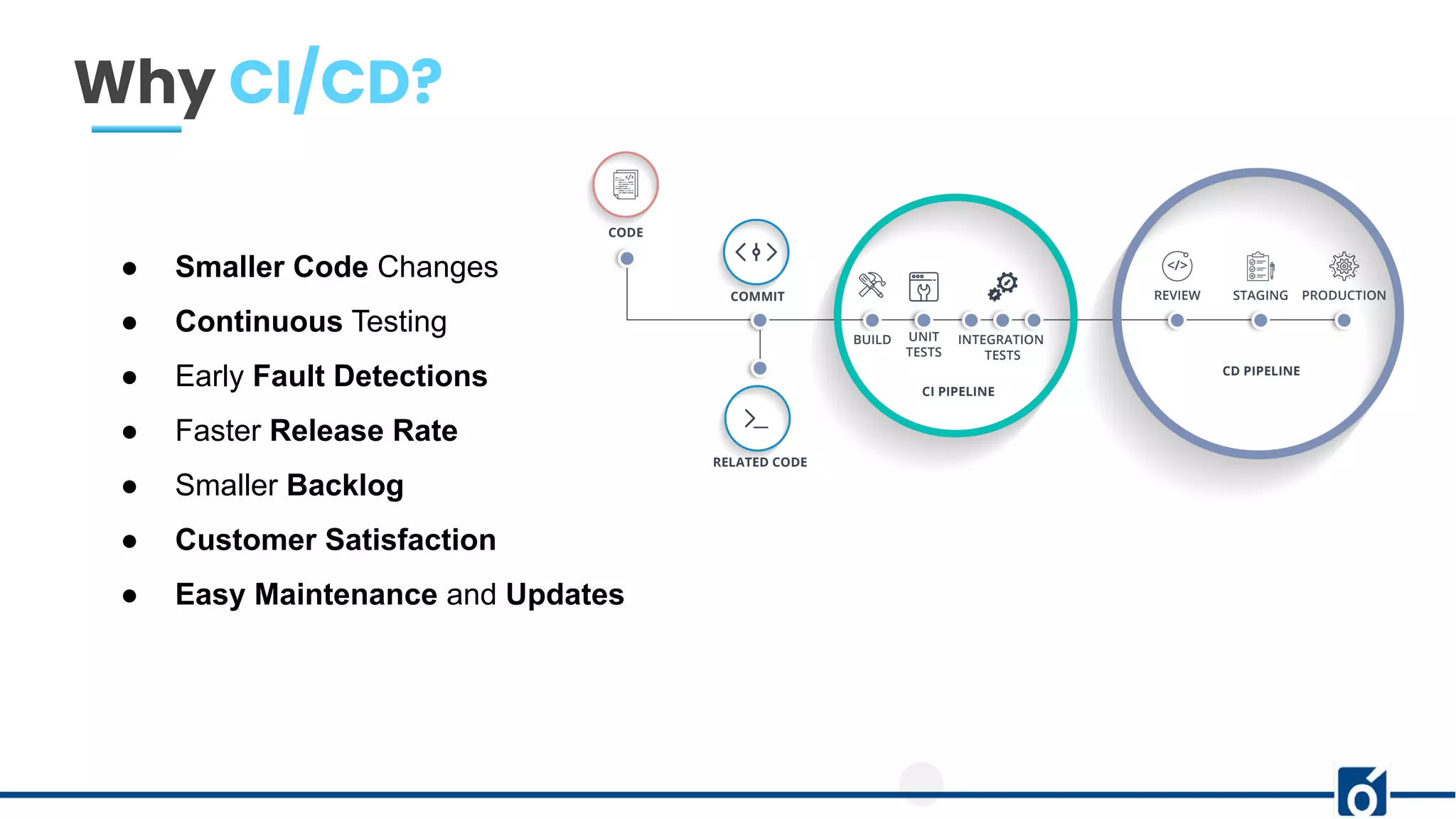
Why CI/CD?
● Smaller Code Changes
● Continuous Testing
● Early Fault Detections
● Faster Release Rate
● Smaller Backlog
● Customer Satisfaction
● Easy Maintenance and Updates
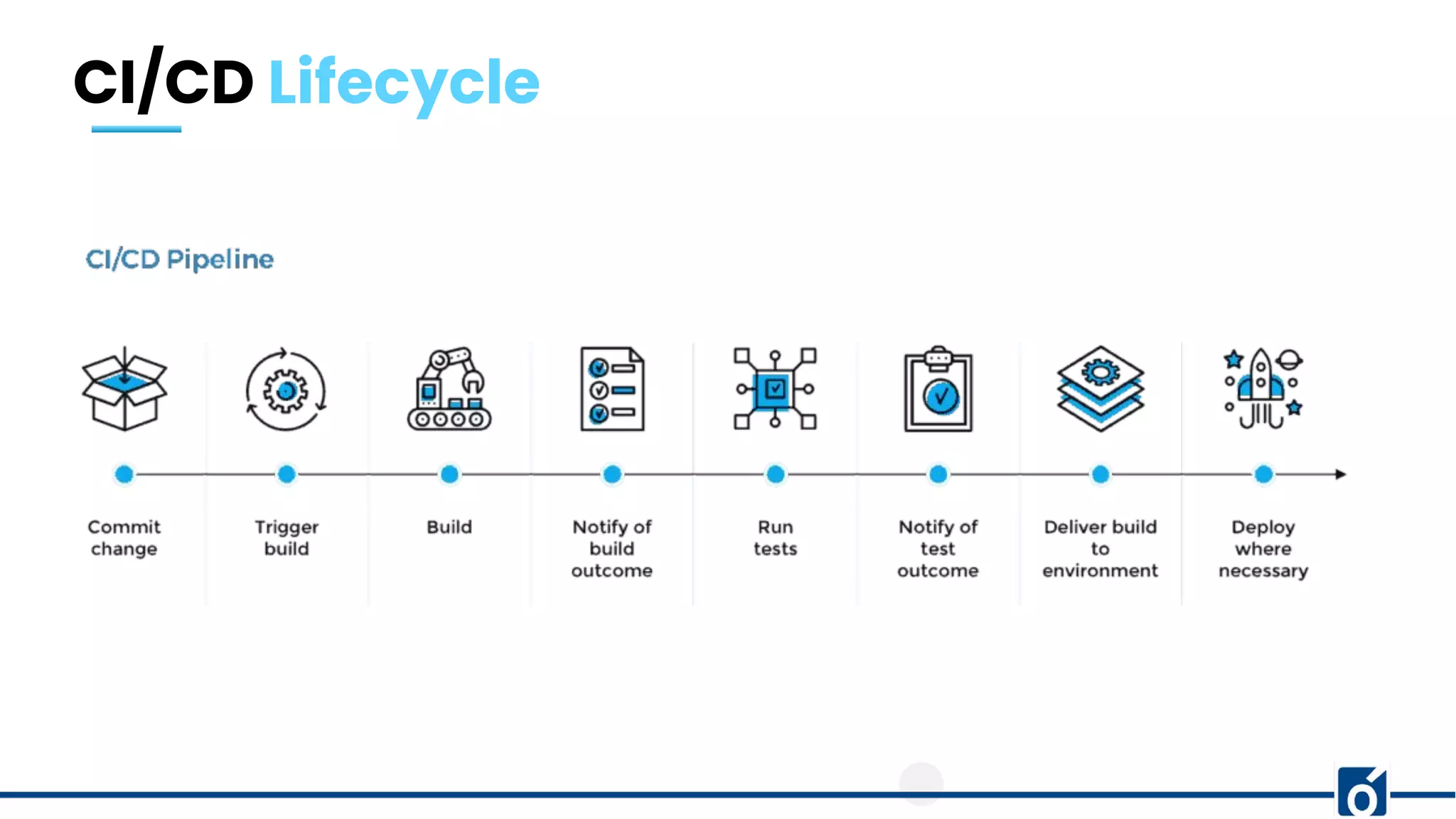
CI/CD Lifecycle
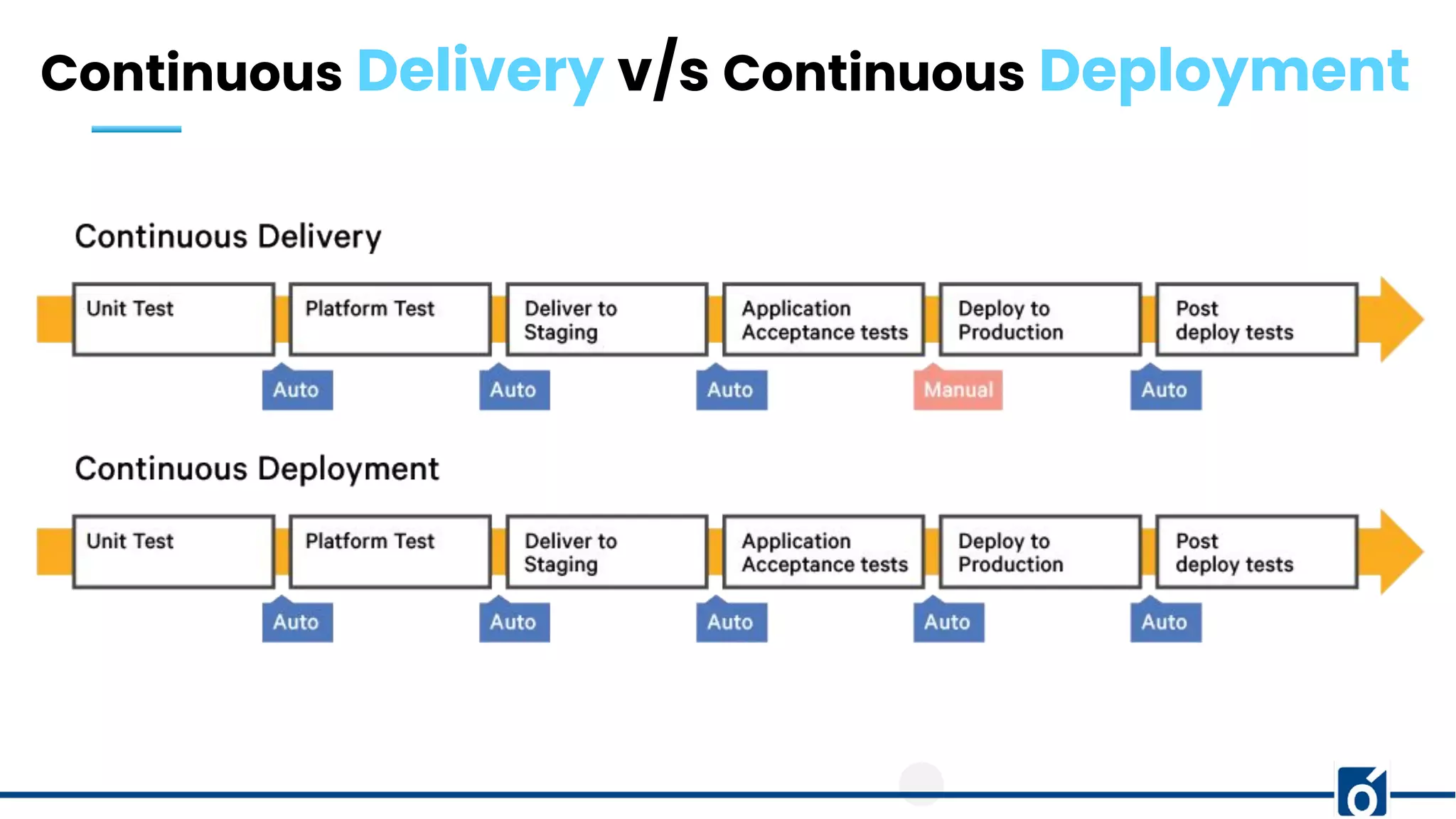
Continuous Delivery v/s Continuous Deployment
Continuous Delivery
● Ability to deploy often using automation
● Involves a manual step to “approve” a deployment
● Deployment is still automated and repeated
Continuous Deployment
● Full automation
● Code Changes deployed all the way to Production
● No manual intervention of approvals
Continuous Delivery v/s Continuous Deployment
CI & CD pipelines using Jenkins
● What is Jenkins
● Why Jenkins
● Installation
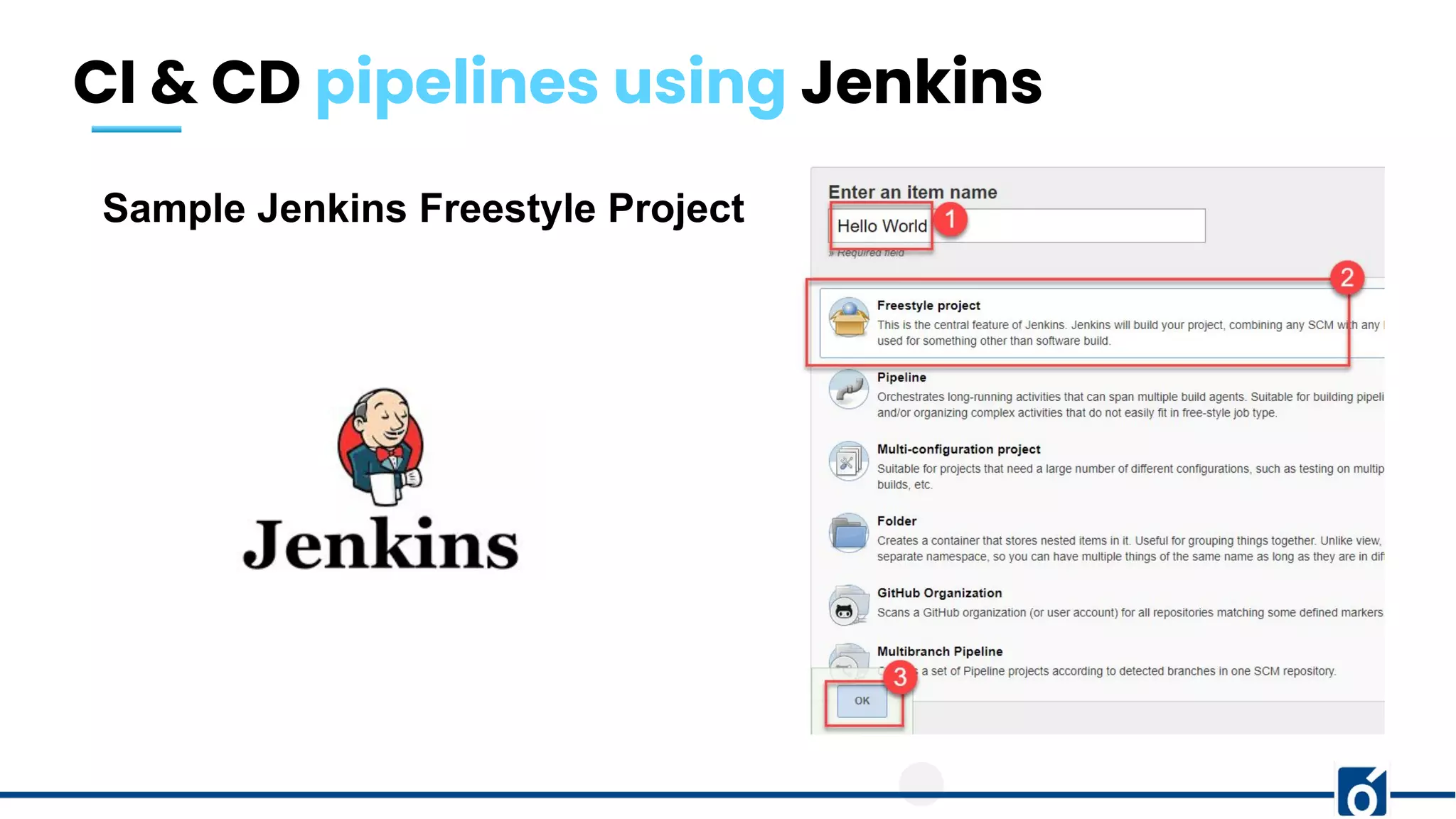
● Sample Freestyle Project
CI & CD pipelines using Jenkins
What is Jenkins
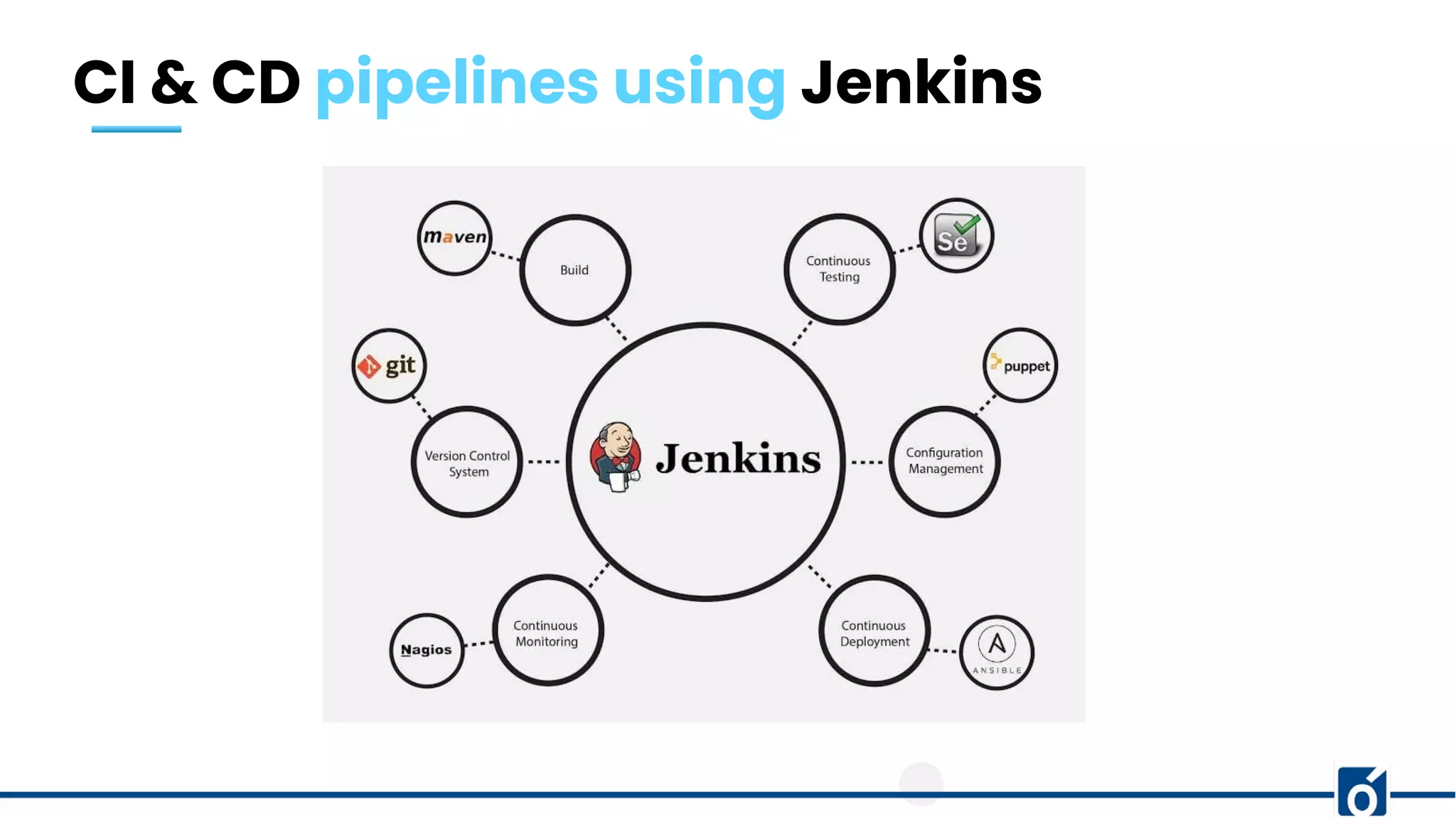
● The leading open source automation server.
● Jenkins provides hundreds of plugins to support building, deploying and automating
any project.
● Enables developers around the world to reliably build, test, and deploy their
software.
● Written in Java
CI & CD pipelines using Jenkins
Jenkins Installation
Step1: Install Java
Step2: Install Jenkins
Jenkins Linux Installation
CI & CD pipelines using Jenkins
Sample Jenkins Freestyle Project
Thank You!

Introduction to CICD

  • 1.
    Presented By: PrashantTrivedi Introduction To CI/CD
  • 2.
    01 What isCI/CD? 02 Why CI/CD? 03 CI/CD Lifecycle 04 Continuous Delivery vs Continuous Deployment 05 Implementing CI/CD with Jenkins Our Agenda
  • 3.
    c What is CI/CD? CONTINUOUS INTEGRATION ●A practise where developers integrate their code into a common repository, preferably several times a day ● A series of scripts is run automatically to verify the the changes that are pushed CONTINUOUS DEPLOYMENT/DELIVERY ● A process that have to happen after code is integrated for app changes to be delivered to users. Advantage: Both the process are used for automating the building and deploying process.
  • 4.
    What is CI/CD? Phases CI ●Push the code to a VCS ● The build server checks the code as soon as it is pushed ● Devs gets the feedback (passed/failed) ● Code get packaged and stored in a repository CD ● Ensure that the software can be released reliably ● Deployments are quick and often ● Helps in automated deployment Tools: Huge List but will we go with Jenkins
  • 5.
  • 6.
    Why CI/CD? ● SmallerCode Changes ● Continuous Testing ● Early Fault Detections ● Faster Release Rate ● Smaller Backlog ● Customer Satisfaction ● Easy Maintenance and Updates
  • 7.
  • 8.
    Continuous Delivery v/sContinuous Deployment Continuous Delivery ● Ability to deploy often using automation ● Involves a manual step to “approve” a deployment ● Deployment is still automated and repeated Continuous Deployment ● Full automation ● Code Changes deployed all the way to Production ● No manual intervention of approvals
  • 9.
    Continuous Delivery v/sContinuous Deployment
  • 10.
    CI & CDpipelines using Jenkins ● What is Jenkins ● Why Jenkins ● Installation ● Sample Freestyle Project
  • 11.
    CI & CDpipelines using Jenkins What is Jenkins ● The leading open source automation server. ● Jenkins provides hundreds of plugins to support building, deploying and automating any project. ● Enables developers around the world to reliably build, test, and deploy their software. ● Written in Java
  • 12.
    CI & CDpipelines using Jenkins
  • 13.
    CI & CDpipelines using Jenkins Jenkins Installation Step1: Install Java Step2: Install Jenkins Jenkins Linux Installation
  • 14.
    CI & CDpipelines using Jenkins Sample Jenkins Freestyle Project
  • 15.