
Introduction to Apigility 
API Development made easy 
Thomas Dutrion / @tdutrion - September 2014
About me 
PHP Fan 
Founder and developer/architect at Engineor 
Working with Zend Framework since 2009 
@tdutrion / @engineor / thomas@engineor.com
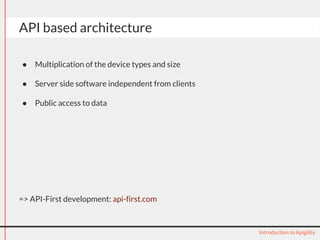
API based architecture 
● Multiplication of the device types and size 
● Server side software independent from clients 
● Public access to data 
=> API-First development: api-first.com 
Introduction to Apigility
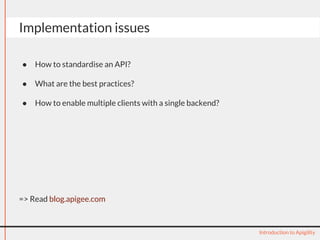
Implementation issues 
● How to standardise an API? 
● What are the best practices? 
● How to enable multiple clients with a single backend? 
=> Read blog.apigee.com 
Introduction to Apigility
API basics 
Introduction to Apigility
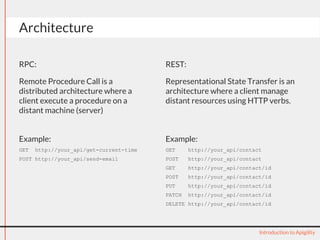
Architecture 
RPC: 
Remote Procedure Call is a 
distributed architecture where a 
client execute a procedure on a 
distant machine (server) 
REST: 
Representational State Transfer is an 
architecture where a client manage 
distant resources using HTTP verbs. 
Introduction to Apigility 
Example: 
GET http://your_api/get-current-time 
POST http://your_api/send-email 
Example: 
GET http://your_api/contact 
POST http://your_api/contact 
GET http://your_api/contact/id 
POST http://your_api/contact/id 
PUT http://your_api/contact/id 
PATCH http://your_api/contact/id 
DELETE http://your_api/contact/id
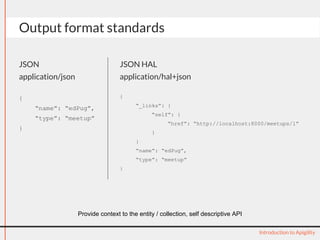
Output format standards 
JSON 
application/json 
{ 
“name”: “edPug”, 
“type”: “meetup” 
} 
JSON HAL 
application/hal+json 
{ 
“_links”: { 
“self”: { 
“href”: “http://localhost:8000/meetups/1” 
} 
} 
“name”: “edPug”, 
“type”: “meetup” 
} 
Introduction to Apigility 
Provide context to the entity / collection, self descriptive API
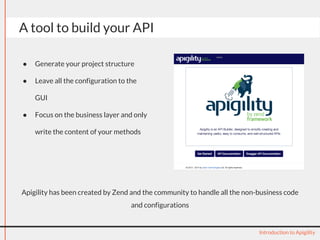
A tool to build your API 
● Generate your project structure 
● Leave all the configuration to the 
GUI 
● Focus on the business layer and only 
write the content of your methods 
Apigility has been created by Zend and the community to handle all the non-business code 
Introduction to Apigility 
and configurations
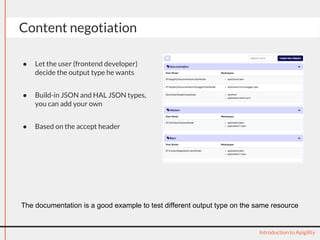
Content negotiation 
● Let the user (frontend developer) 
decide the output type he wants 
● Build-in JSON and HAL JSON types, 
you can add your own 
● Based on the accept header 
The documentation is a good example to test different output type on the same resource 
Introduction to Apigility
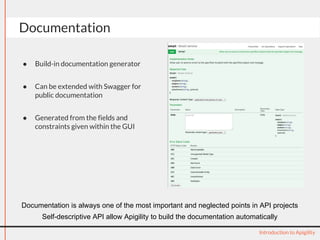
Documentation 
● Build-in documentation generator 
● Can be extended with Swagger for 
public documentation 
● Generated from the fields and 
constraints given within the GUI 
Documentation is always one of the most important and neglected points in API projects 
Self-descriptive API allow Apigility to build the documentation automatically 
Introduction to Apigility
application/problem+json 
{ 
“type”: 
“/api/problems/forbidden”, 
“title”: “Forbidden”, 
“detail”: “Your API key is 
missing or invalid.”, 
“status”: 403, 
“authenticationUrl”: 
“/api/oauth” 
} 
Error handling 
https://tools.ietf.org/html/draft-nottingham-http-problem-07 
Introduction to Apigility 
HTTP Problem RFC 
● Standard error message 
● Use http status code 
● Help your frontend developers to 
deal with errors
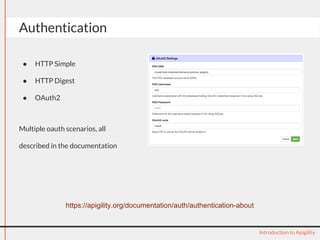
Authentication 
● HTTP Simple 
● HTTP Digest 
● OAuth2 
Multiple oauth scenarios, all 
described in the documentation 
Introduction to Apigility 
https://apigility.org/documentation/auth/authentication-about
Versioning 
● https://blog.apigee.com/detail/restful_api_design_how_many_versions 
● https://blog.apigee. 
com/detail/api_restful_design_question_verisioning_number_in_the_url 
Apigility provides a built in versioning 
You can specify the version through url or headers at your convenience 
Introduction to Apigility 
https://apigility.org/documentation/api-primer/versioning
Concrete introduction to Apigility 
History: 
● Announced during the ZendCon 
US in October 2013 
● First release 8th October 2013 
(version 0.6.0) 
● Currently version 1.0.4 
Introduction to Apigility 
Problems solved: 
● Standardising APIs 
● Rapid API centric application 
development 
● APIs for file upload as well 
● Give access to fast and clean API 
development for non developers 
(database connected API)
Installation 
● Using Composer 
● Using the auto installer 
● Using the archive download 
● Using the skeleton or as a dependance 
Watch the demo: https://www.youtube.com/watch?v=cE2rwGi437I 
Introduction to Apigility
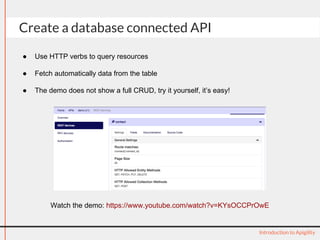
Create a database connected API 
Watch the demo: https://www.youtube.com/watch?v=KYsOCCPrOwE 
Introduction to Apigility 
● Use HTTP verbs to query resources 
● Fetch automatically data from the table 
● The demo does not show a full CRUD, try it yourself, it’s easy!
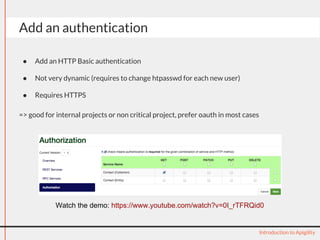
Add an authentication 
● Add an HTTP Basic authentication 
● Not very dynamic (requires to change htpasswd for each new user) 
● Requires HTTPS 
=> good for internal projects or non critical project, prefer oauth in most cases 
Watch the demo: https://www.youtube.com/watch?v=0I_rTFRQid0 
Introduction to Apigility
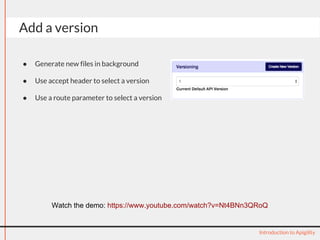
Add a version 
● Generate new files in background 
● Use accept header to select a version 
● Use a route parameter to select a version 
Watch the demo: https://www.youtube.com/watch?v=Nt4BNn3QRoQ 
Introduction to Apigility
Live demonstration 
Introduction to Apigility
Questions? 
Feel free to comment the presentation: http://www.slideshare.net/engineor/introduction-to-apigility 
Thanks to: 
● Enrico Zimuel / @ezimuel - https://speakerdeck.com/ezimuel/apigility-the-api-builder-for-php 
● Enrico Zimuel / @ezimuel - http://goo.gl/io7nqO 
● Rob Allen / @akrabat - http://akrabat.com/wp-content/uploads/20140318-phpne-apigility-intro.pdf 
Introduction to Apigility

Introduction to Apigility

  • 1.
    Introduction to Apigility API Development made easy Thomas Dutrion / @tdutrion - September 2014
  • 2.
    About me PHPFan Founder and developer/architect at Engineor Working with Zend Framework since 2009 @tdutrion / @engineor / thomas@engineor.com
  • 3.
    API based architecture ● Multiplication of the device types and size ● Server side software independent from clients ● Public access to data => API-First development: api-first.com Introduction to Apigility
  • 4.
    Implementation issues ●How to standardise an API? ● What are the best practices? ● How to enable multiple clients with a single backend? => Read blog.apigee.com Introduction to Apigility
  • 5.
  • 6.
    Architecture RPC: RemoteProcedure Call is a distributed architecture where a client execute a procedure on a distant machine (server) REST: Representational State Transfer is an architecture where a client manage distant resources using HTTP verbs. Introduction to Apigility Example: GET http://your_api/get-current-time POST http://your_api/send-email Example: GET http://your_api/contact POST http://your_api/contact GET http://your_api/contact/id POST http://your_api/contact/id PUT http://your_api/contact/id PATCH http://your_api/contact/id DELETE http://your_api/contact/id
  • 7.
    Output format standards JSON application/json { “name”: “edPug”, “type”: “meetup” } JSON HAL application/hal+json { “_links”: { “self”: { “href”: “http://localhost:8000/meetups/1” } } “name”: “edPug”, “type”: “meetup” } Introduction to Apigility Provide context to the entity / collection, self descriptive API
  • 8.
    A tool tobuild your API ● Generate your project structure ● Leave all the configuration to the GUI ● Focus on the business layer and only write the content of your methods Apigility has been created by Zend and the community to handle all the non-business code Introduction to Apigility and configurations
  • 9.
    Content negotiation ●Let the user (frontend developer) decide the output type he wants ● Build-in JSON and HAL JSON types, you can add your own ● Based on the accept header The documentation is a good example to test different output type on the same resource Introduction to Apigility
  • 10.
    Documentation ● Build-indocumentation generator ● Can be extended with Swagger for public documentation ● Generated from the fields and constraints given within the GUI Documentation is always one of the most important and neglected points in API projects Self-descriptive API allow Apigility to build the documentation automatically Introduction to Apigility
  • 11.
    application/problem+json { “type”: “/api/problems/forbidden”, “title”: “Forbidden”, “detail”: “Your API key is missing or invalid.”, “status”: 403, “authenticationUrl”: “/api/oauth” } Error handling https://tools.ietf.org/html/draft-nottingham-http-problem-07 Introduction to Apigility HTTP Problem RFC ● Standard error message ● Use http status code ● Help your frontend developers to deal with errors
  • 12.
    Authentication ● HTTPSimple ● HTTP Digest ● OAuth2 Multiple oauth scenarios, all described in the documentation Introduction to Apigility https://apigility.org/documentation/auth/authentication-about
  • 13.
    Versioning ● https://blog.apigee.com/detail/restful_api_design_how_many_versions ● https://blog.apigee. com/detail/api_restful_design_question_verisioning_number_in_the_url Apigility provides a built in versioning You can specify the version through url or headers at your convenience Introduction to Apigility https://apigility.org/documentation/api-primer/versioning
  • 14.
    Concrete introduction toApigility History: ● Announced during the ZendCon US in October 2013 ● First release 8th October 2013 (version 0.6.0) ● Currently version 1.0.4 Introduction to Apigility Problems solved: ● Standardising APIs ● Rapid API centric application development ● APIs for file upload as well ● Give access to fast and clean API development for non developers (database connected API)
  • 15.
    Installation ● UsingComposer ● Using the auto installer ● Using the archive download ● Using the skeleton or as a dependance Watch the demo: https://www.youtube.com/watch?v=cE2rwGi437I Introduction to Apigility
  • 16.
    Create a databaseconnected API Watch the demo: https://www.youtube.com/watch?v=KYsOCCPrOwE Introduction to Apigility ● Use HTTP verbs to query resources ● Fetch automatically data from the table ● The demo does not show a full CRUD, try it yourself, it’s easy!
  • 17.
    Add an authentication ● Add an HTTP Basic authentication ● Not very dynamic (requires to change htpasswd for each new user) ● Requires HTTPS => good for internal projects or non critical project, prefer oauth in most cases Watch the demo: https://www.youtube.com/watch?v=0I_rTFRQid0 Introduction to Apigility
  • 18.
    Add a version ● Generate new files in background ● Use accept header to select a version ● Use a route parameter to select a version Watch the demo: https://www.youtube.com/watch?v=Nt4BNn3QRoQ Introduction to Apigility
  • 19.
  • 20.
    Questions? Feel freeto comment the presentation: http://www.slideshare.net/engineor/introduction-to-apigility Thanks to: ● Enrico Zimuel / @ezimuel - https://speakerdeck.com/ezimuel/apigility-the-api-builder-for-php ● Enrico Zimuel / @ezimuel - http://goo.gl/io7nqO ● Rob Allen / @akrabat - http://akrabat.com/wp-content/uploads/20140318-phpne-apigility-intro.pdf Introduction to Apigility