
Introducing... MQTT
              Andy Piper
WebSphere Messaging Community Lead, IBM
What's this all
   about?
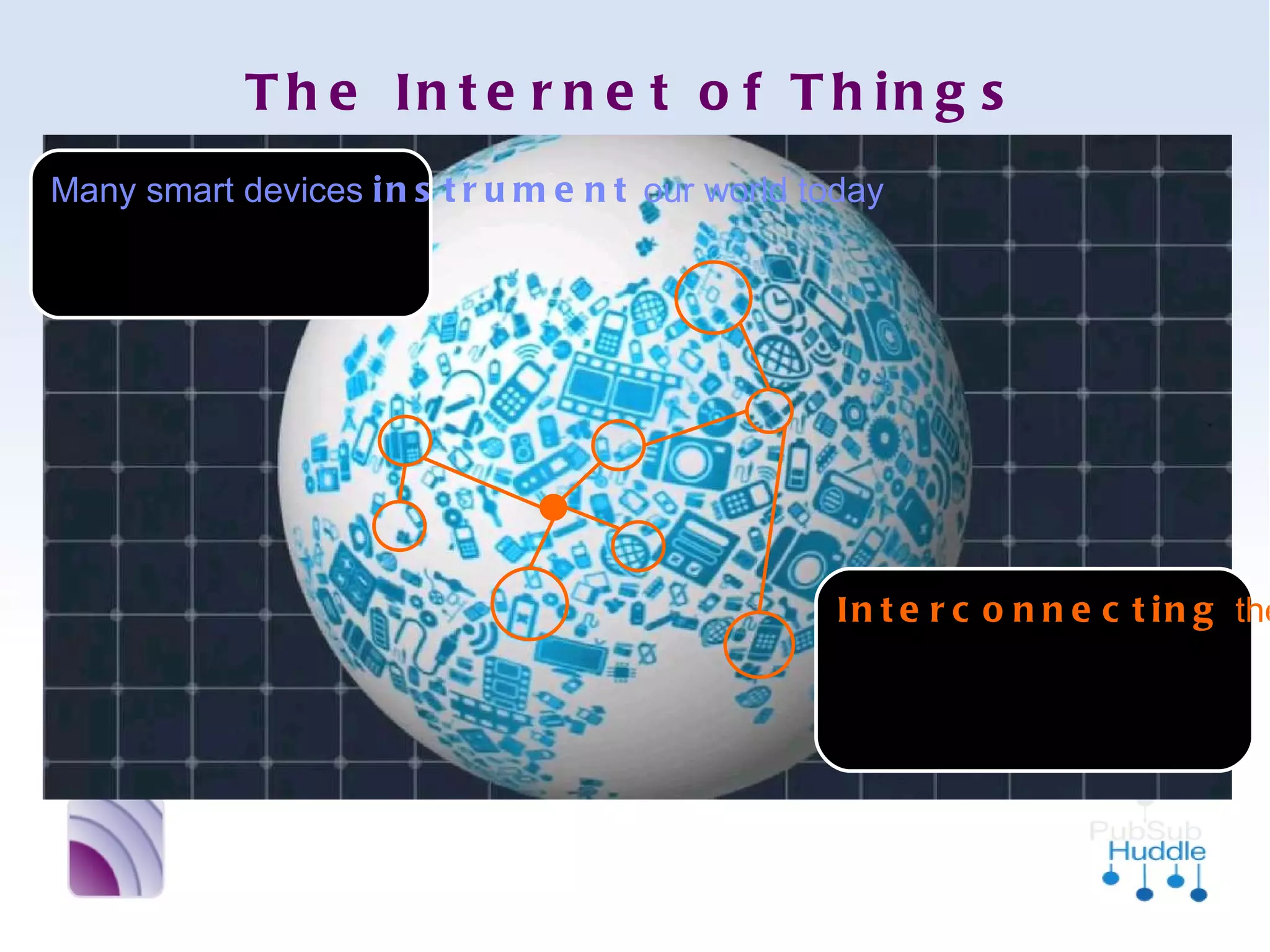
The Internet of Things
Many smart devices
instrument our
world today


                            Interconnecting these
                            smart devices creates
                            a Central Nervous
                            System
MQTT =
MQ Telemetry
 Transport
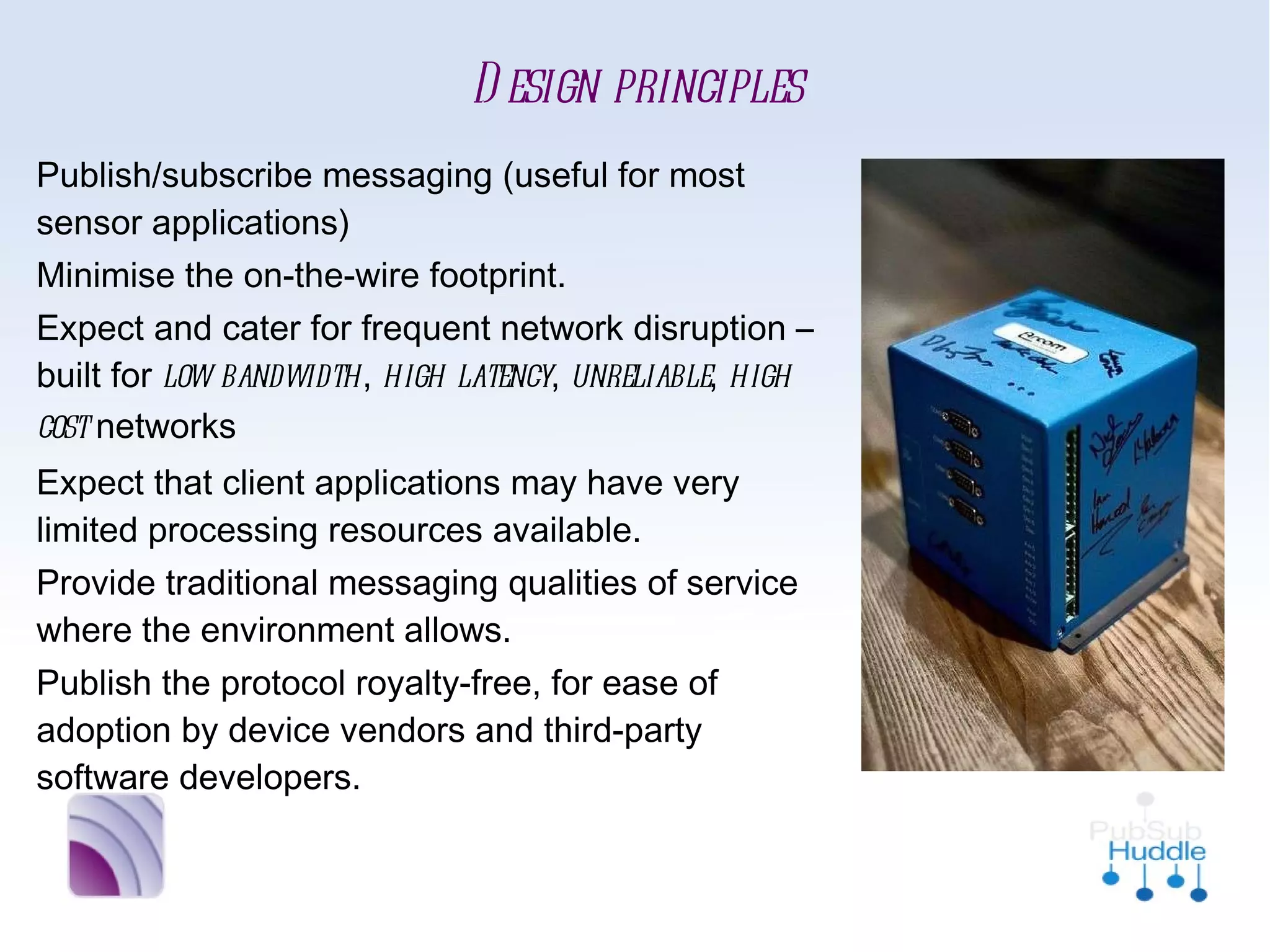
Design principles
■   Publish/subscribe messaging (useful for
    most sensor applications)
■   Minimise the on-the-wire footprint.
■   Expect and cater for frequent network
    disruption – built for low bandwidth, high
    latency, unreliable, high cost networks
■   Expect that client applications may have
    very limited processing resources available.
■   Provide traditional messaging qualities of
    service where the environment allows.
■   Publish the protocol royalty-free, for ease
    of adoption by device vendors and third-
    party software developers.
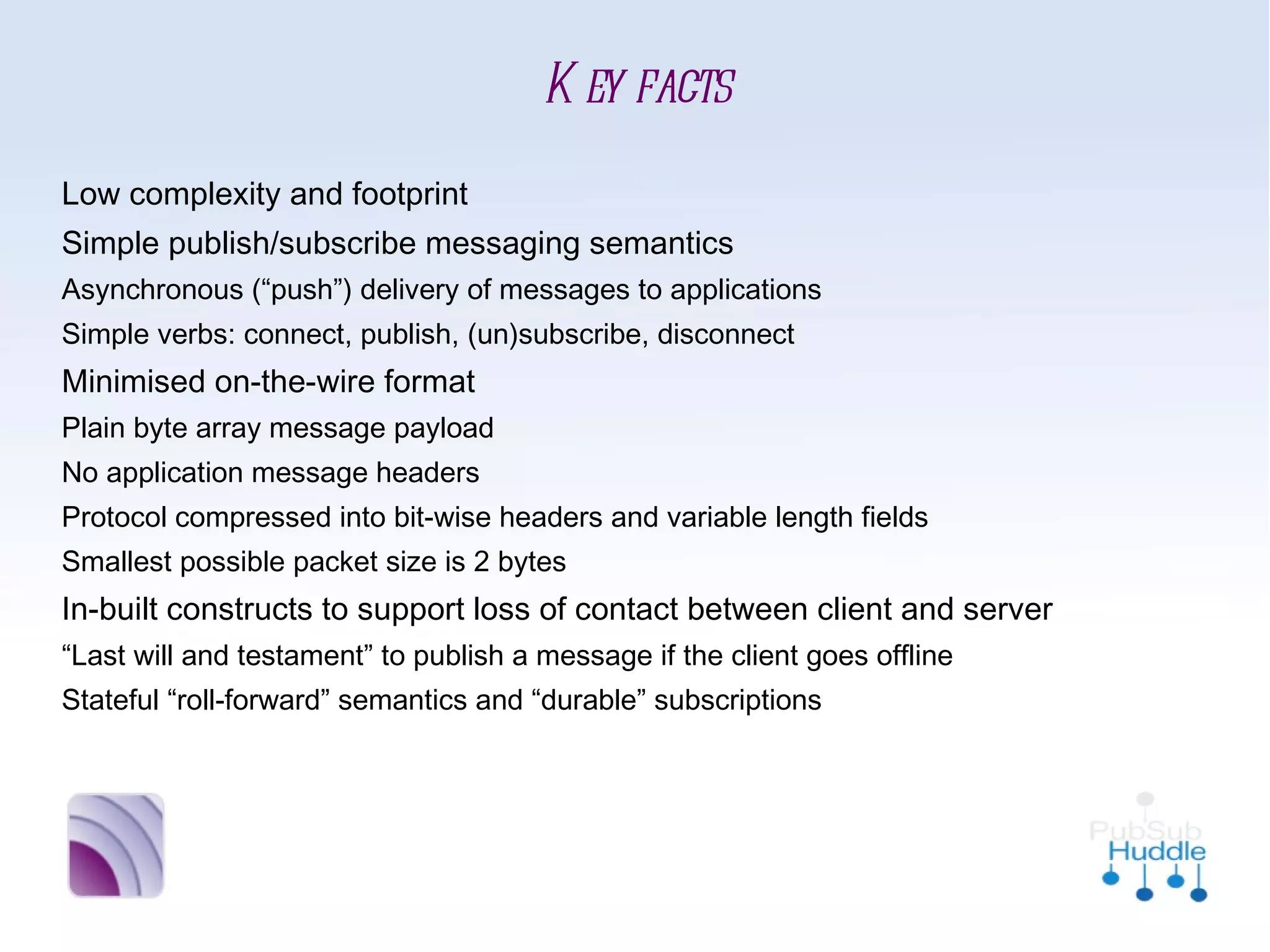
Key facts
■   Low complexity and footprint
■   Simple publish/subscribe messaging semantics
        
             Asynchronous (“push”) delivery of messages to applications
        
             Simple verbs: connect, publish, (un)subscribe, disconnect

    Minimised on-the-wire format
        
             Plain byte array message payload
        
             No application message headers
        
             Protocol compressed into bit-wise headers and variable length
             fields
        
             Smallest possible packet size is 2 bytes
■   In-built constructs to support loss of contact between client and
    server
        
             “Last will and testament” to publish a message if the client goes
             offline
        
             Stateful “roll-forward” semantics and “durable” subscriptions
What about
that HTTP thing?
Good point.
Here's a (very) quick
    comparison
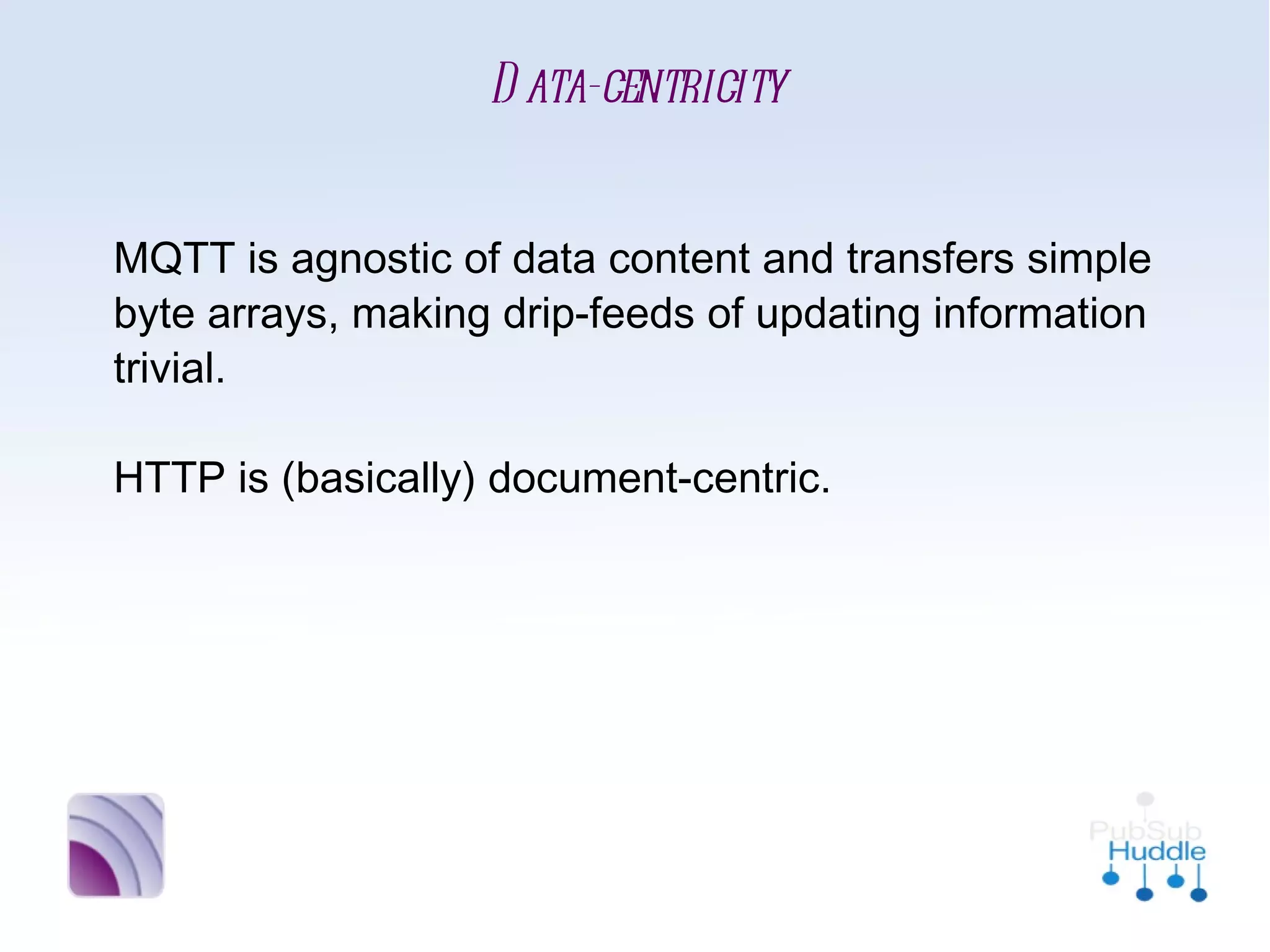
Data-centricity


MQTT is agnostic of data content and transfers
simple byte arrays, making drip-feeds of
updating information trivial.

HTTP is (basically) document-centric.
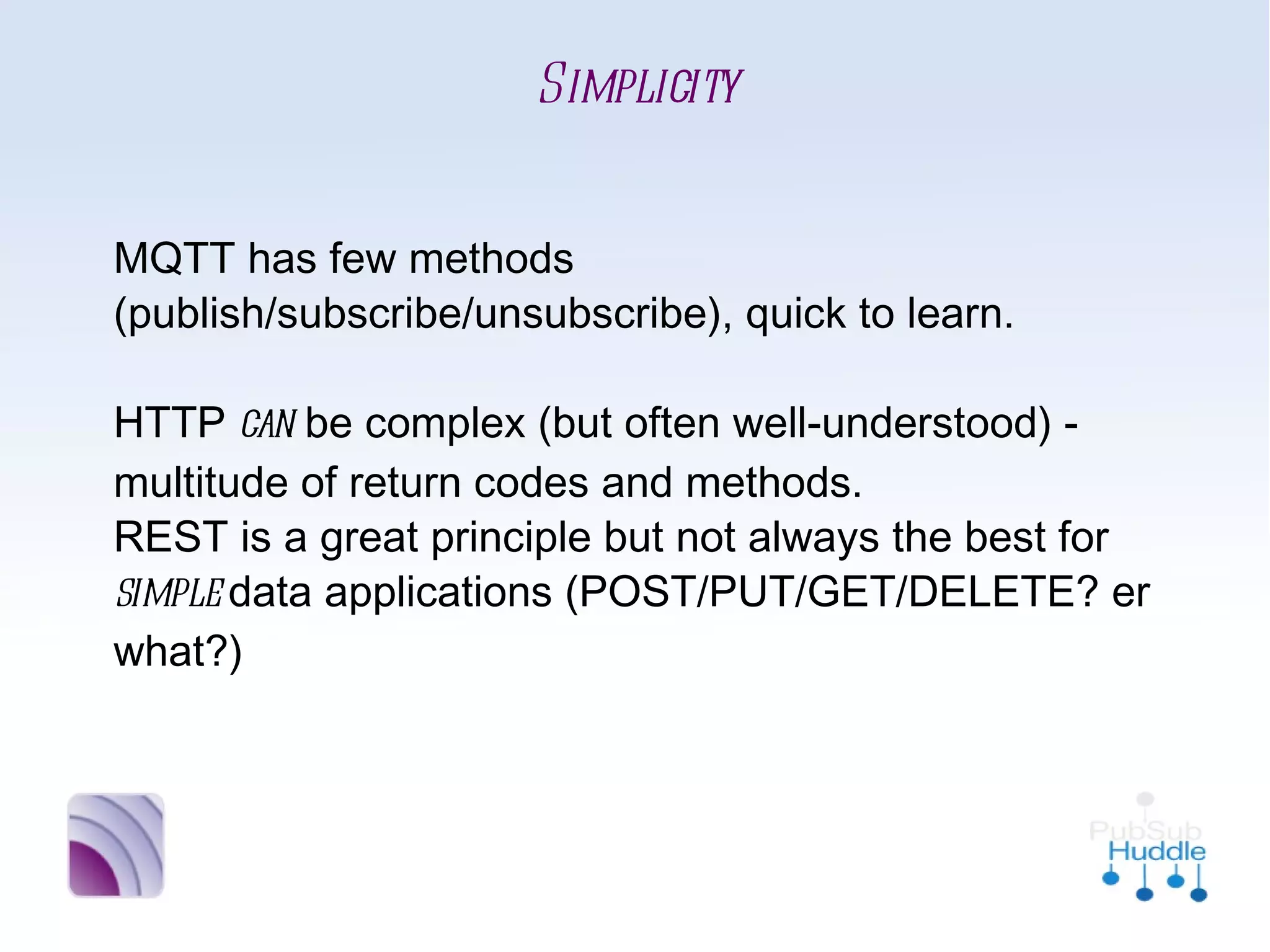
Simplicity


MQTT has few methods
(publish/subscribe/unsubscribe), quick to learn.

HTTP can be complex (but often well-understood)
- multitude of return codes and methods. 
REST is a great principle but not always the best
for simple data applications
(POST/PUT/GET/DELETE? er what?)
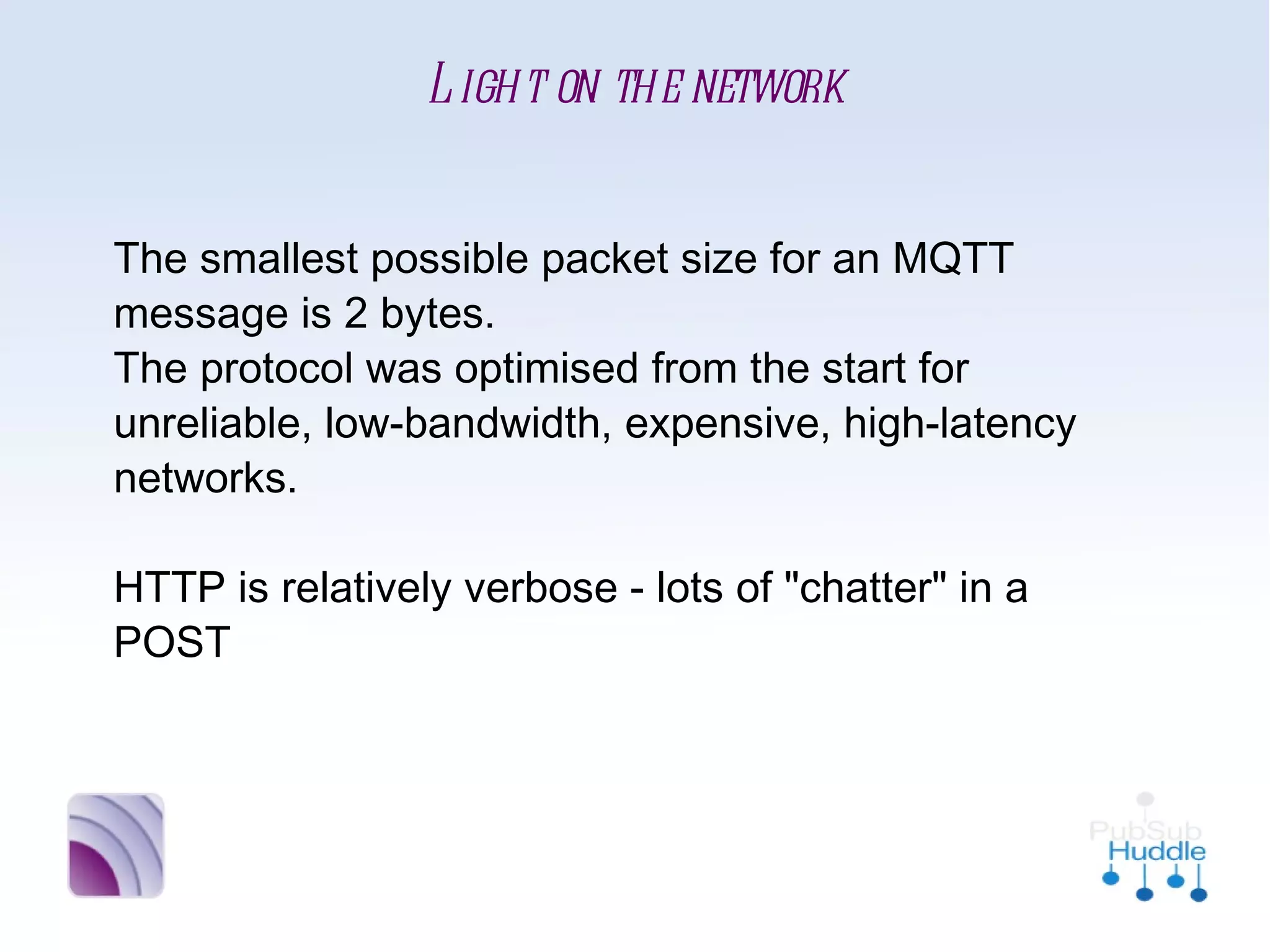
Light on the network


The smallest possible packet size for an MQTT
message is 2 bytes. 
The protocol was optimised from the start for
unreliable, low-bandwidth, expensive, high-
latency networks.

HTTP is relatively verbose - lots of "chatter" in a
POST
Easy distribution of data


MQTT distributes 1-to-none, 1-to-1 or 1-to-n
via the publish/subscribe mechanism
→ very efficient

HTTP is point-to-point (can be
mediated/clustered but no distribution
mechanism). To distribute to multiple receivers a
large number of POSTs may be required.
Lightweight Stack (CPU/Mem)


MQTT has been trivially implemented on tiny to
larger platforms in very small libraries
[IBM ref implementation = ~80Kb for full broker]

HTTP (often with associated XML or JSON
libraries for SOAP and REST etc) can be relatively
large on top of OS network libraries
Plus... even if the client is small, consider
whether it is really necessary to run an HTTP
server on every device
Variable Quality-of-Service


MQTT supports fire-and-forget or fire-and-
confirm (aka QoS 0/1/2)

HTTP has no retry / confirmation / attempt at
once-only delivery. It is basically brittle, i.e. retry
needs to be written in at the application level.
Applications must also handle timeouts.
Alrighty then...
so where is MQTT in
        use?
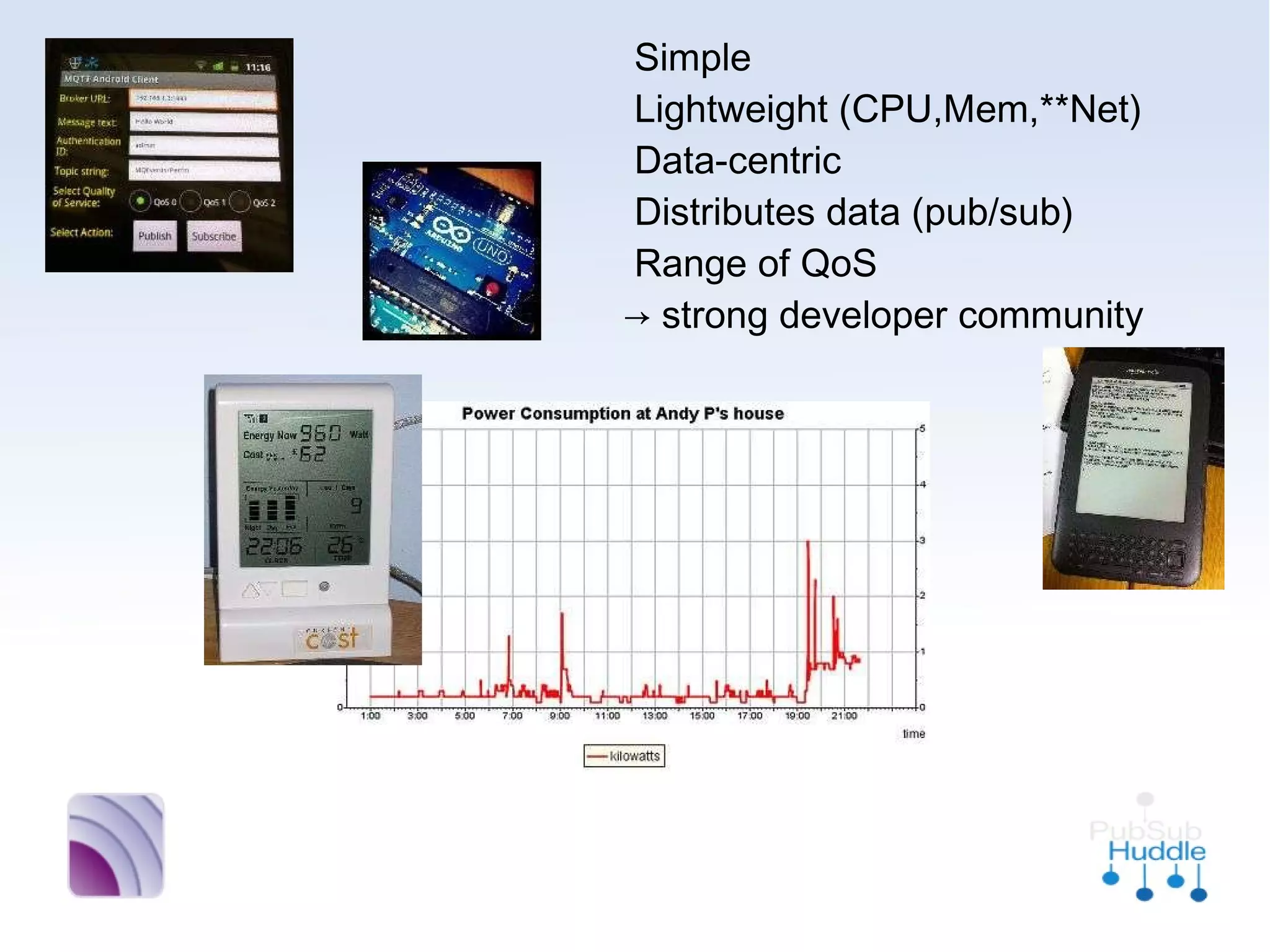
•
  Simple
•
  Lightweight (CPU,Mem,**Net)
•
  Data-centric
•
  Distributes data (pub/sub)
•
  Range of QoS
  → strong developer community
“strong developer
 community” huh...
Ok, to be fair, I have
no knowledge of their
physical strength, but
they are all awesome...
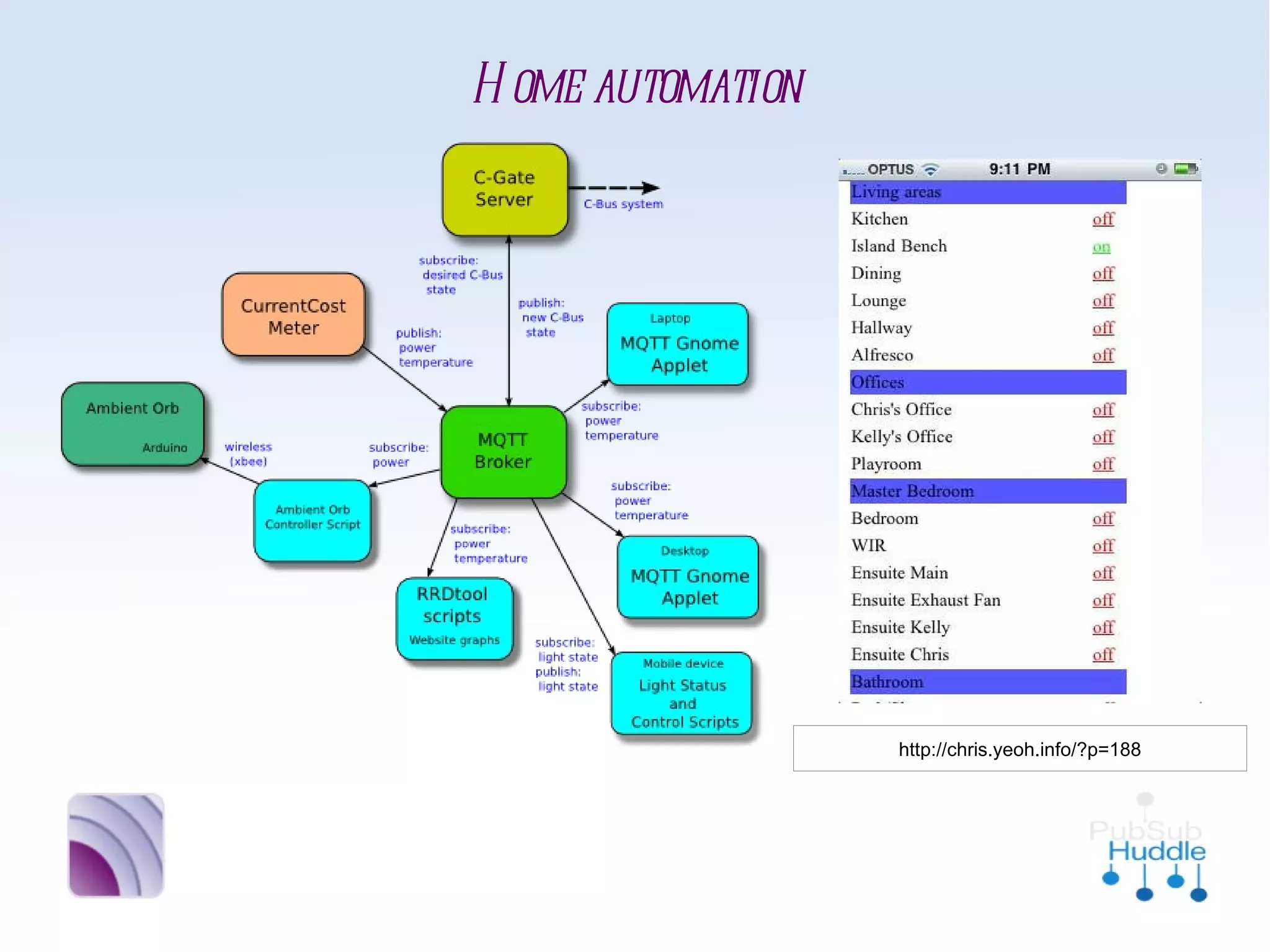
Home automation


              http://chris.yeoh.info/?p=188
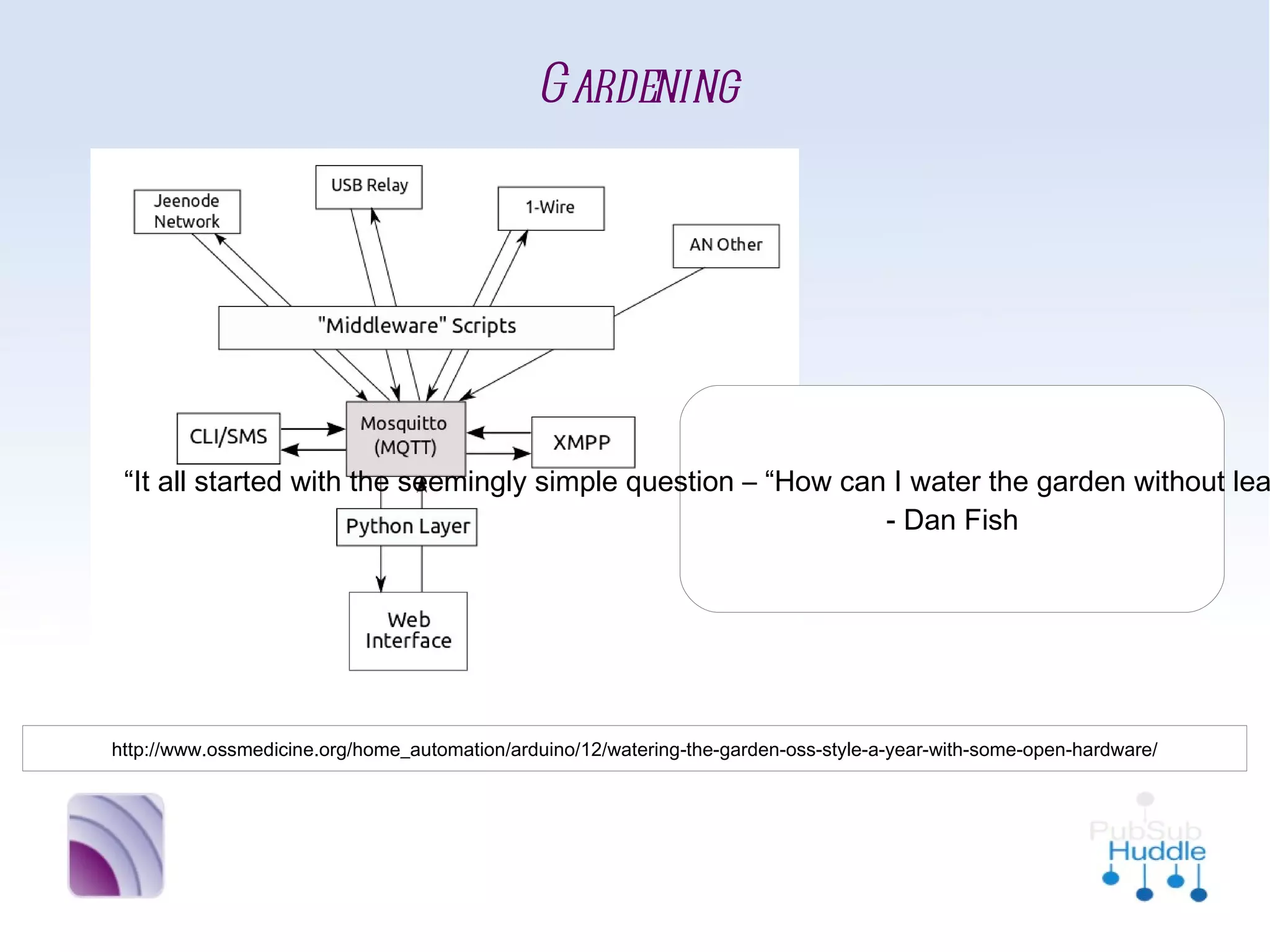
Gardening


                                                                 “It all started with the seemingly
                                                                simple question – “How can I water
                                                                  the garden without leaving my
                                                                 laptop/phone/sofa using tech?””
                                                                               - Dan Fish


http://www.ossmedicine.org/home_automation/arduino/12/watering-the-garden-oss-style-a-year-with-some-open-hardware/
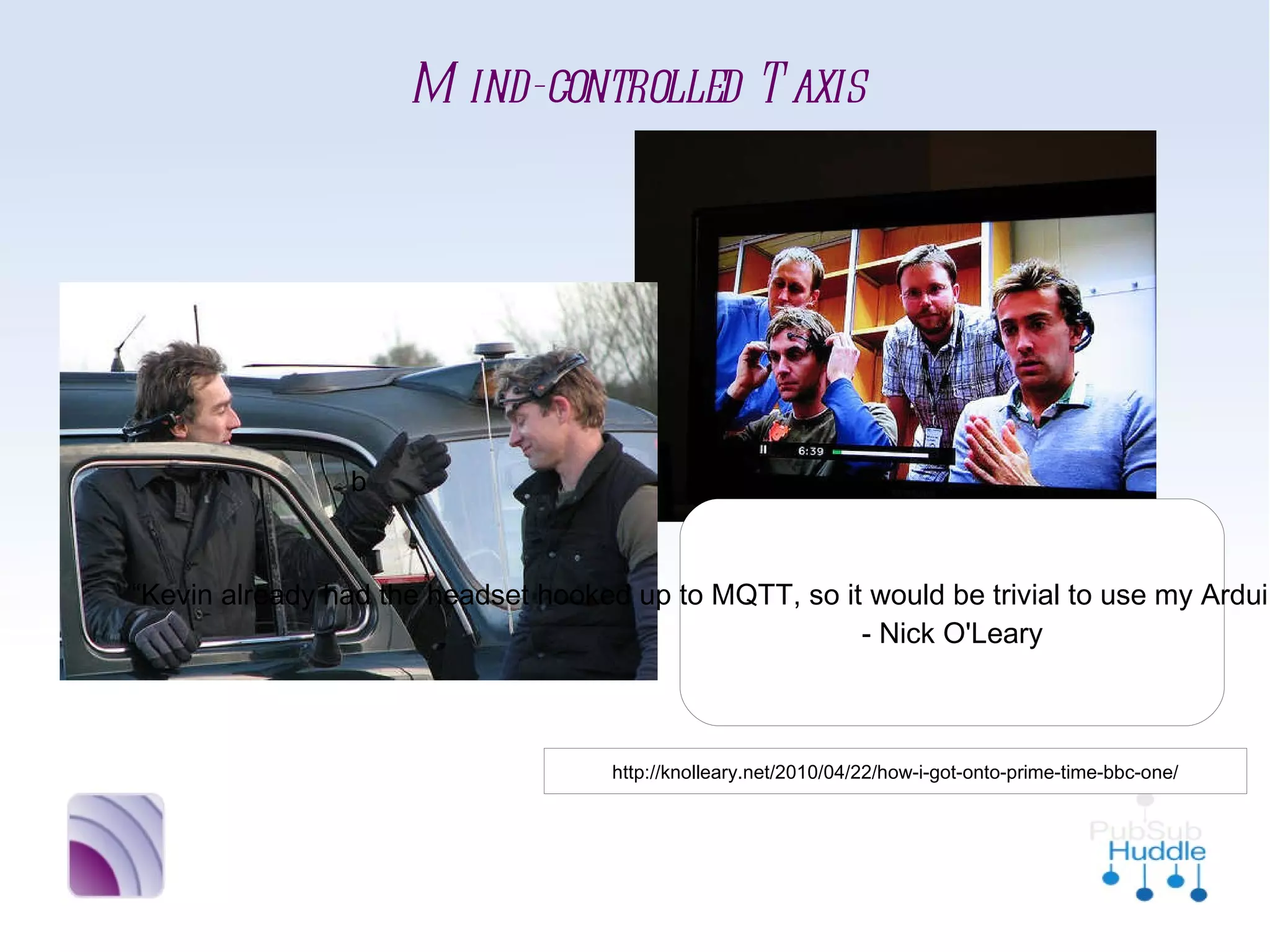
Mind-controlled Taxis


 b

                       “Kevin already had the headset
                     hooked up to MQTT, so it would be
                       trivial to use my Arduino MQTT
                       library to get them all talking.”
                                 - Nick O'Leary


       http://knolleary.net/2010/04/22/how-i-got-onto-prime-time-bbc-one/
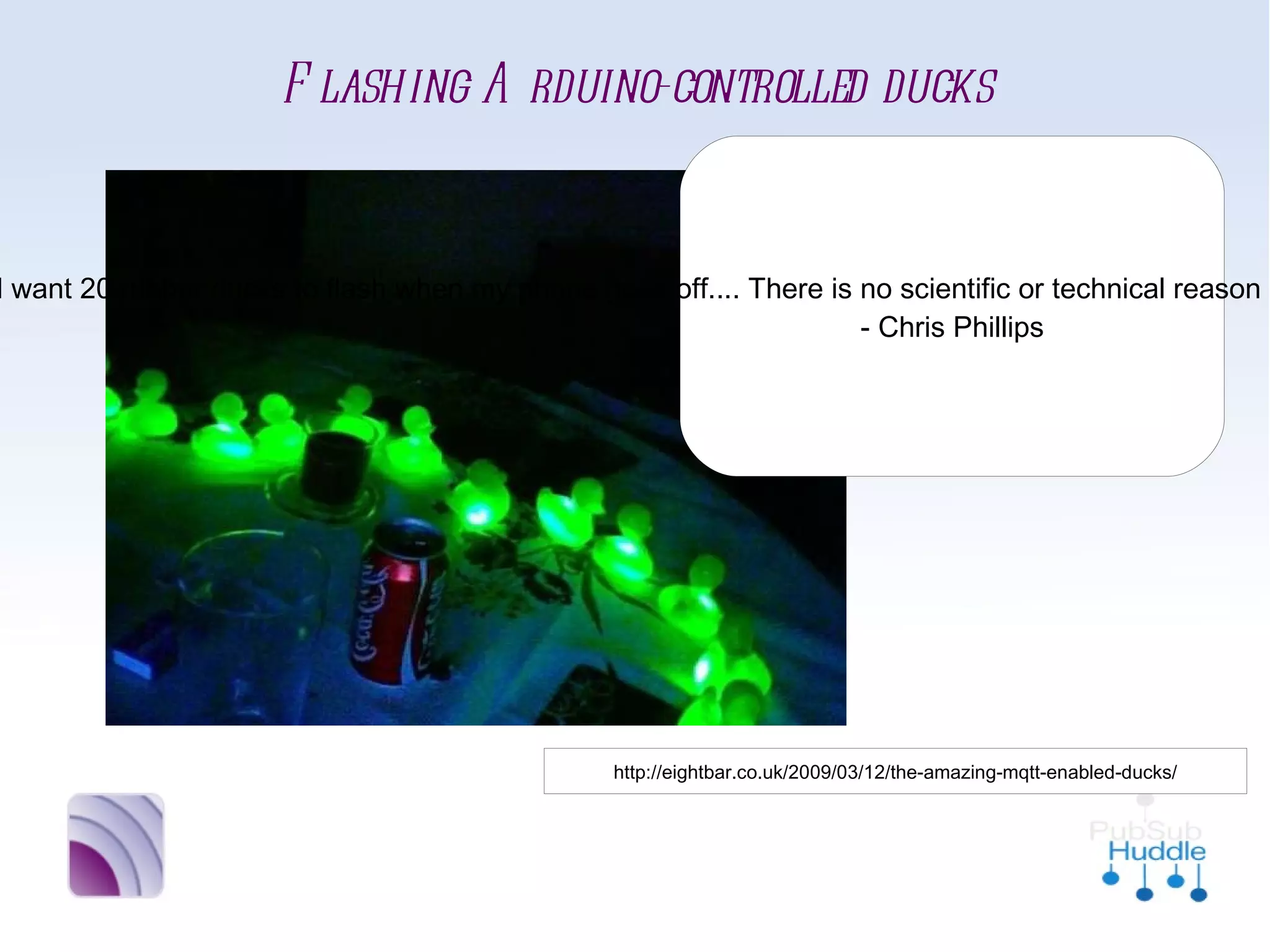
Flashing Arduino-controlled ducks
                                “Now, you may wonder why I
                              would want 20 rubber ducks to
                             flash when my phone goes off....
                             There is no scientific or technical
                             reason in itself. I just had a Mini
                              Cooper’s worth of rubber ducks
                               sitting around, unemployed.”
                                       - Chris Phillips


              http://eightbar.co.uk/2009/03/12/the-amazing-mqtt-enabled-ducks/
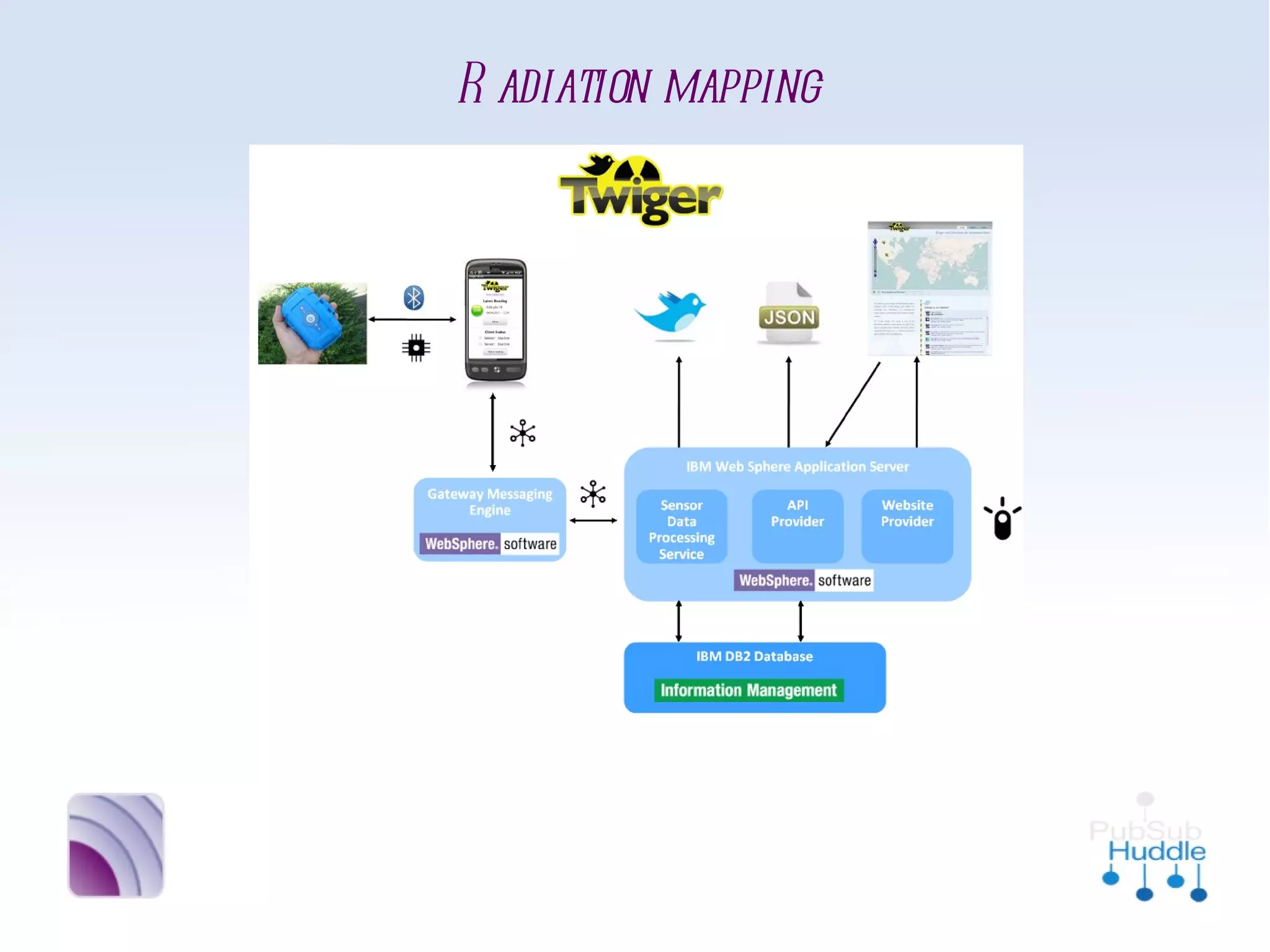
Radiation mapping
News News News News News...
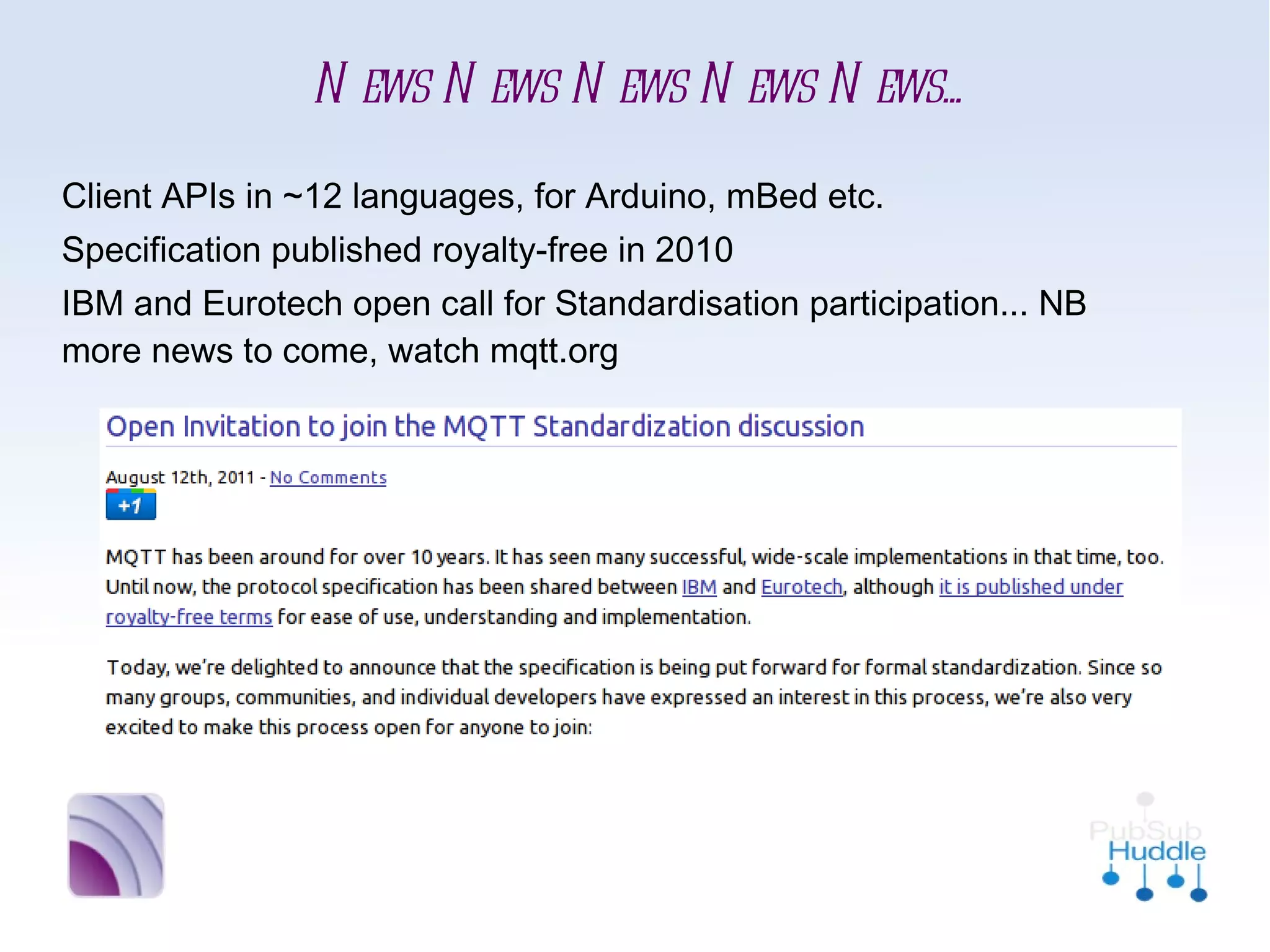
■   Client APIs in ~12 languages, for Arduino, mBed etc.
■   Specification published royalty-free in 2010
■   IBM and Eurotech open call for Standardisation
    participation... NB more news to come, watch mqtt.org
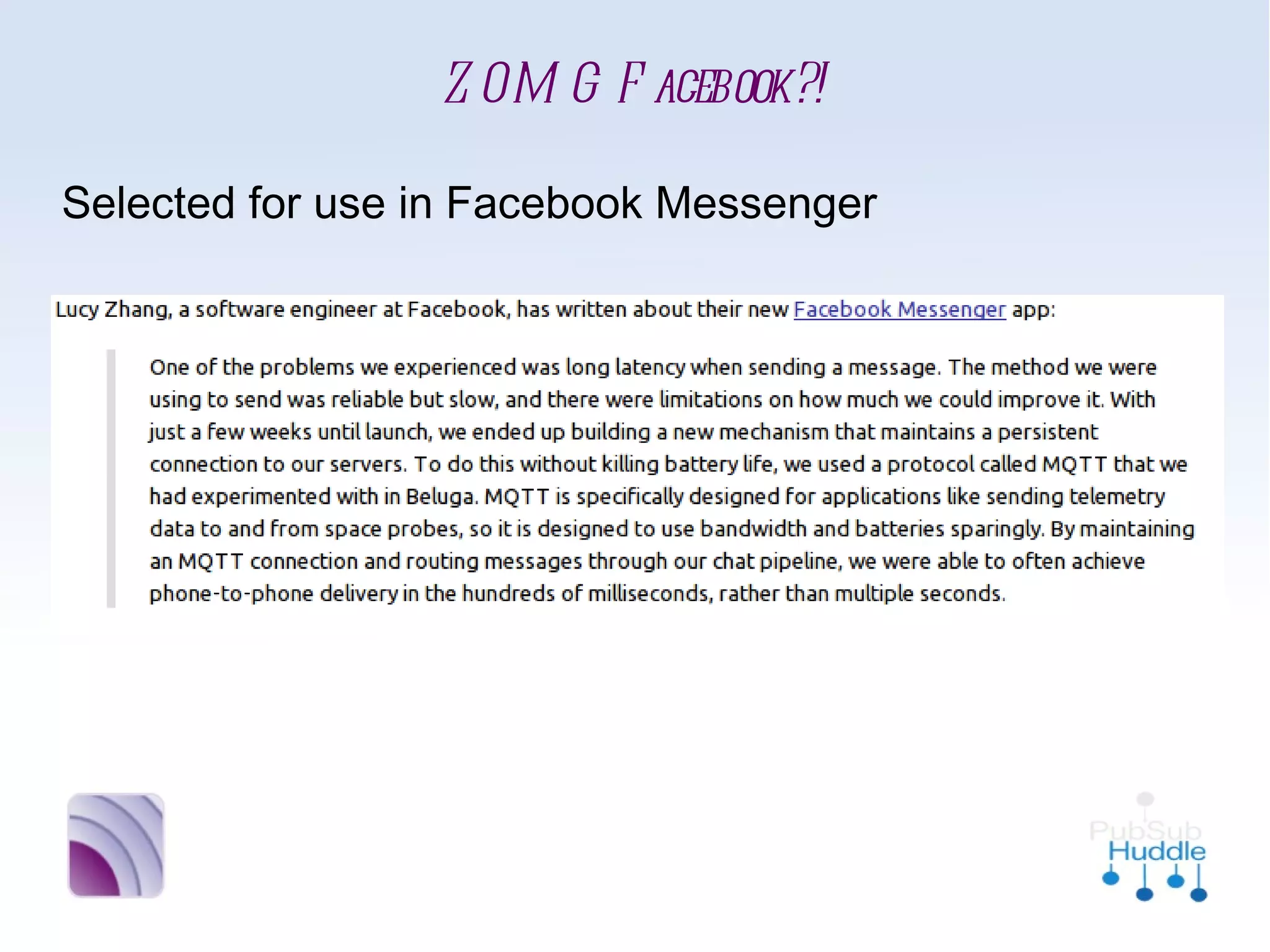
ZOMG Facebook?!
■   Selected for use in Facebook Messenger
This sounds
     moderately
interesting (and fun)
    Lemme at it!
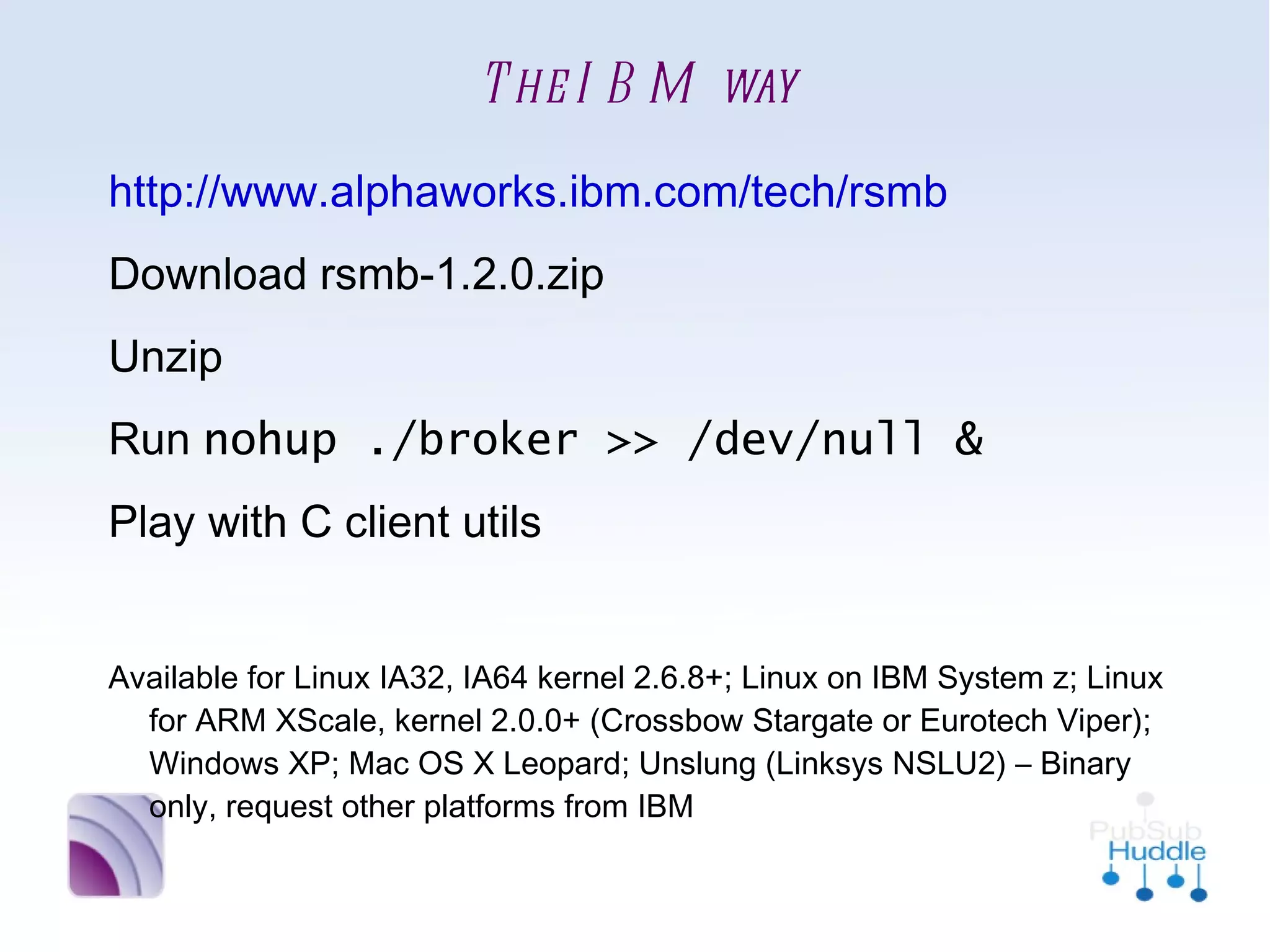
The IBM way
•
    http://www.alphaworks.ibm.com/tech/rsmb
•
    Download rsmb-1.2.0.zip
•
    Unzip
•
    Run nohup ./broker >> /dev/null &
•
    Play with C client utils

•
    Available for Linux IA32, IA64 kernel 2.6.8+; Linux on IBM
      System z; Linux for ARM XScale, kernel 2.0.0+ (Crossbow
      Stargate or Eurotech Viper); Windows XP; Mac OS X Leopard;
      Unslung (Linksys NSLU2) – Binary only, request other
      platforms from IBM
Alternatively...
•
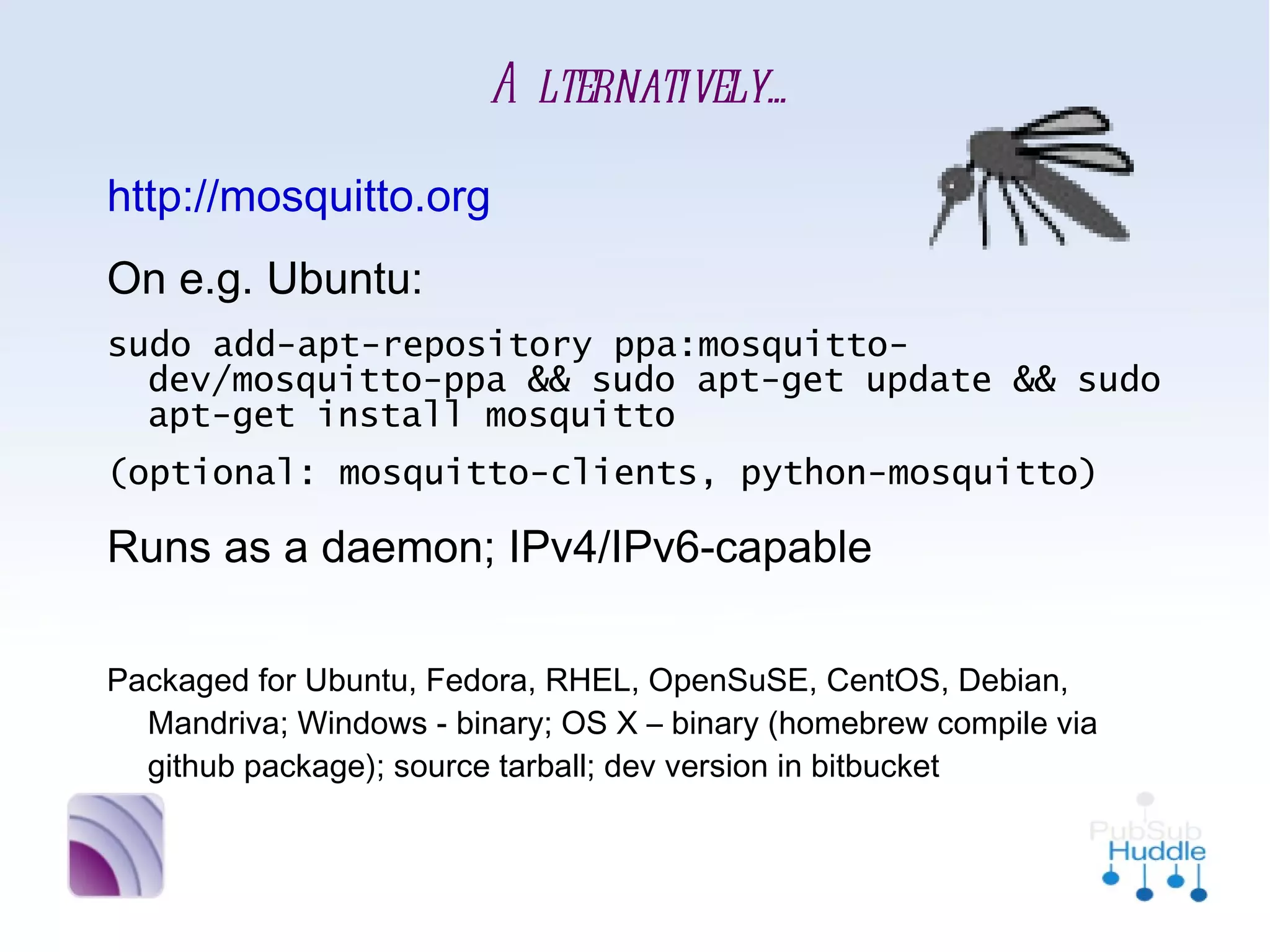
    http://mosquitto.org
•
    On e.g. Ubuntu:
    sudo add-apt-repository ppa:mosquitto-
      dev/mosquitto-ppa && sudo apt-get update &&
      sudo apt-get install mosquitto
    (optional: mosquitto-clients, python-mosquitto)
•
    Runs as a daemon; IPv4/IPv6-capable

•
    Packaged for Ubuntu, Fedora, RHEL, OpenSuSE, CentOS, Debian,
      Mandriva; Windows - binary; OS X – binary (homebrew compile
      via github package); source tarball; dev version in bitbucket
Show us the code!

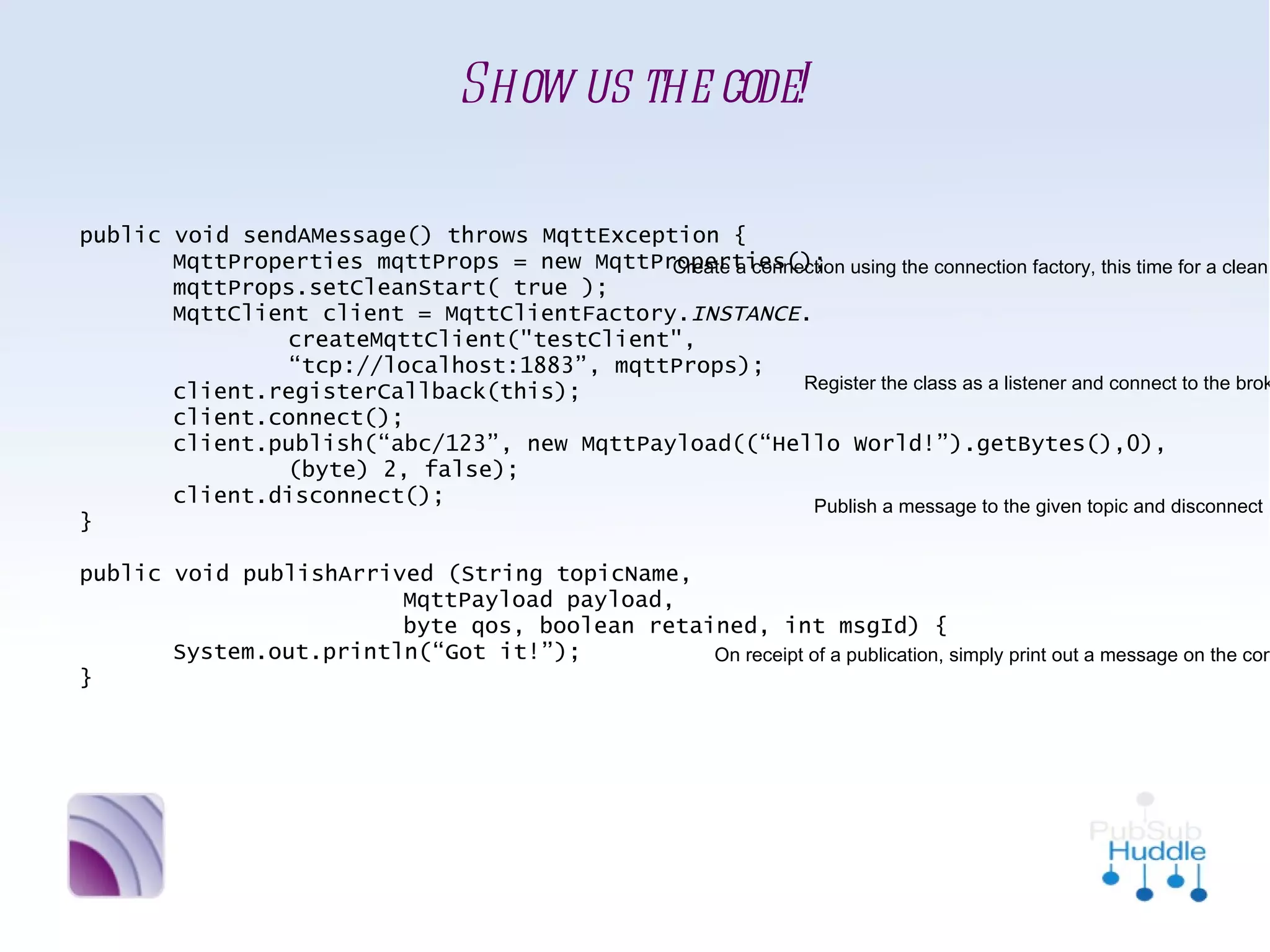
public void sendAMessage() throws MqttException {
       MqttProperties mqttProps = new MqttProperties();     Create a connection using the
       mqttProps.setCleanStart( true );                     connection factory, this time
       MqttClient client = MqttClientFactory. INSTANCE.     for a clean starting client
               createMqttClient("testClient",
               “tcp://localhost:1883”, mqttProps);
                                                           Register the class as a listener and
       client.registerCallback(this);
                                                           connect to the broker
       client.connect();
       client.publish(“abc/123”, new MqttPayload((“Hello World!”).getBytes(),0),
               (byte) 2, false);
       client.disconnect();                                   Publish a message to the
}                                                             given topic and disconnect

public void publishArrived (String topicName,
                        MqttPayload payload,
                        byte qos, boolean retained, int msgId) {
       System.out.println(“Got it!”);                                       On receipt of a
}                                                                           publication, simply
                                                                            print out a message on
                                                                            the console to say we
                                                                            received it
Moar code plz
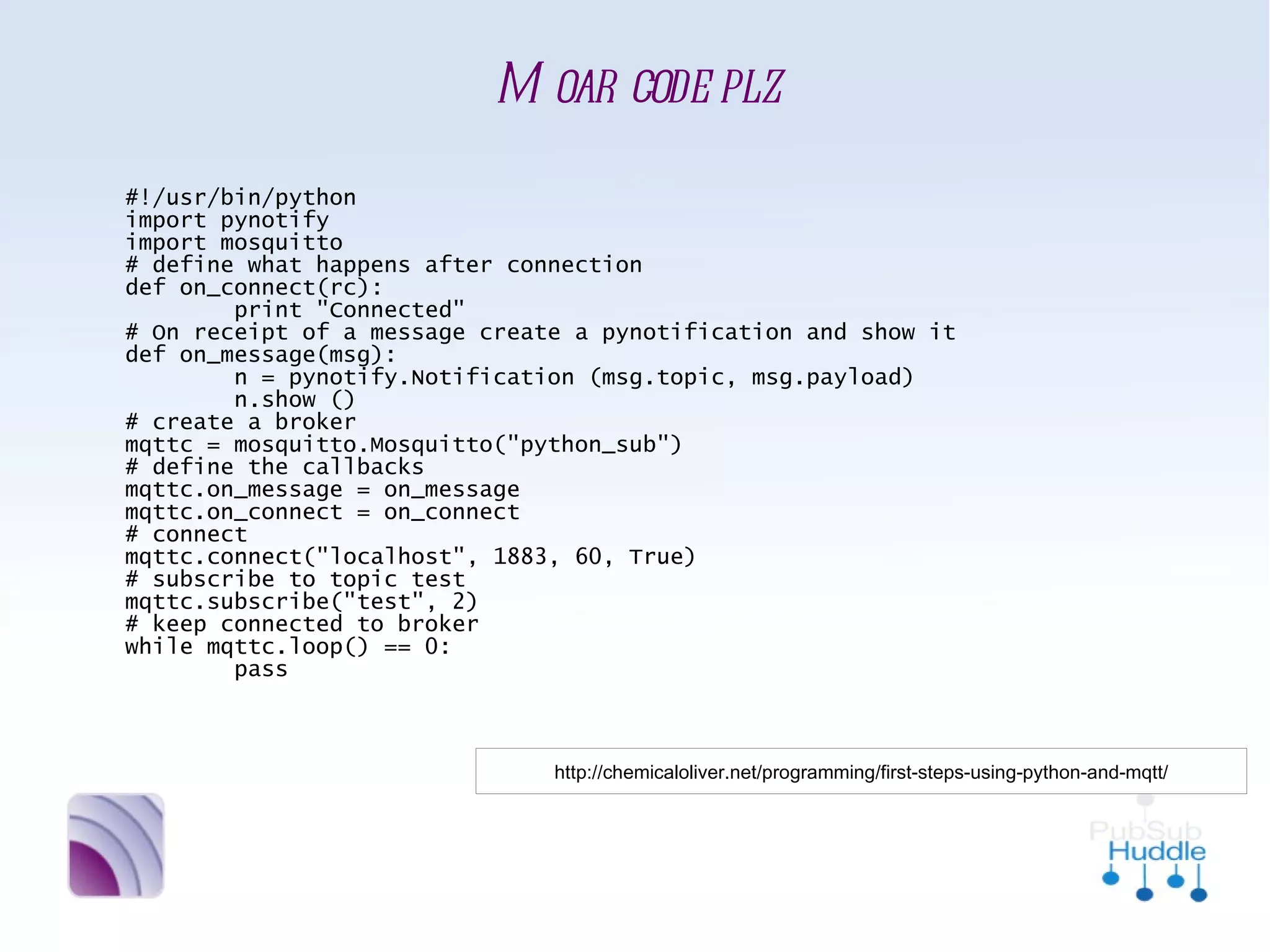
#!/usr/bin/python
import pynotify
import mosquitto
# define what happens after connection
def on_connect(rc):
        print "Connected"
# On receipt of a message create a pynotification and show it
def on_message(msg):
        n = pynotify.Notification (msg.topic, msg.payload)
        n.show ()
# create a broker
mqttc = mosquitto.Mosquitto("python_sub")
# define the callbacks
mqttc.on_message = on_message
mqttc.on_connect = on_connect
# connect
mqttc.connect("localhost", 1883, 60, True)
# subscribe to topic test
mqttc.subscribe("test", 2)
# keep connected to broker
while mqttc.loop() == 0:
        pass


                           http://chemicaloliver.net/programming/first-steps-using-python-and-mqtt/
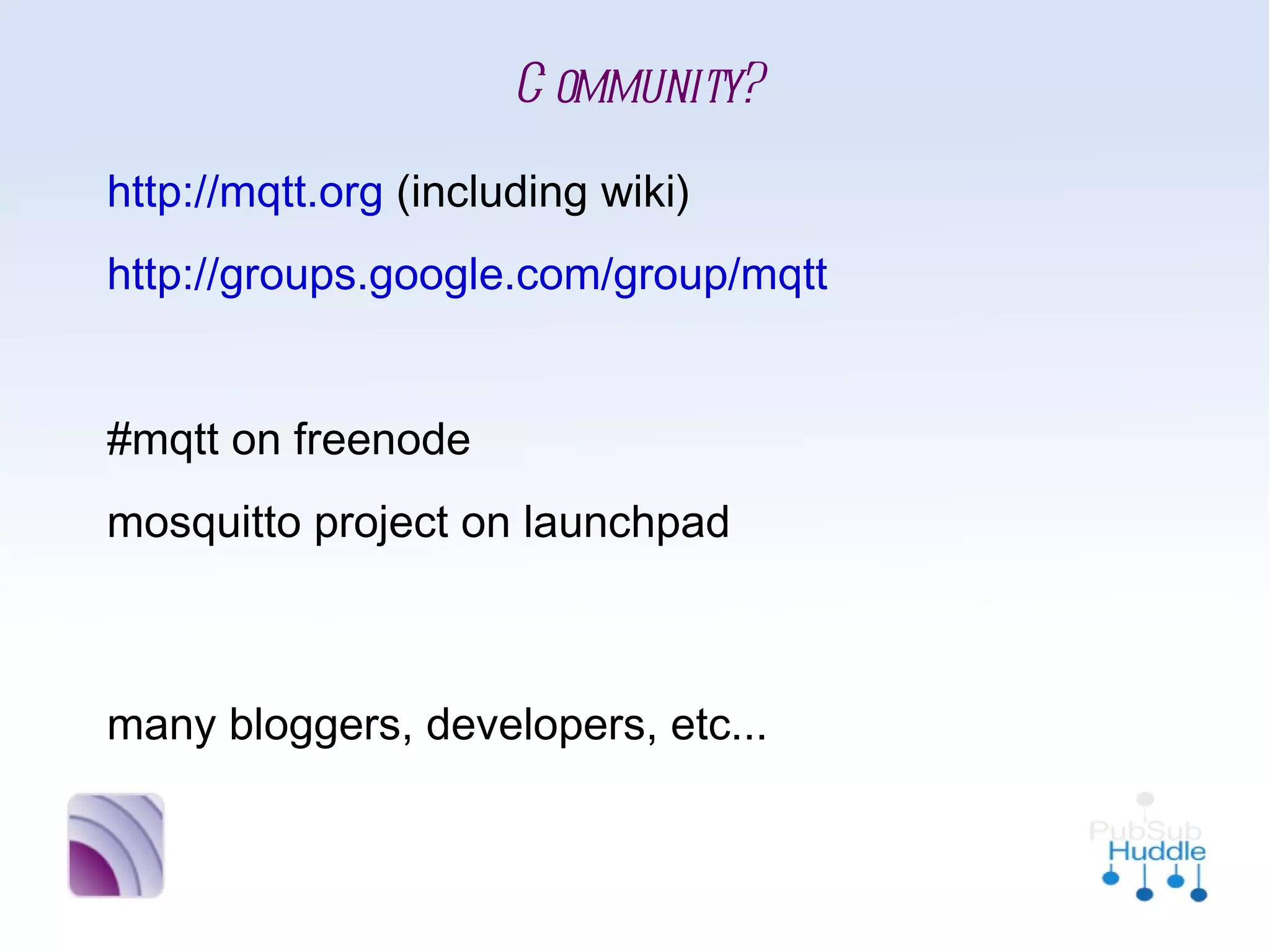
Community?
•
    http://mqtt.org (including wiki)
•
    http://groups.google.com/group/mqtt
•


•
    #mqtt on freenode
•
    mosquitto project on launchpad


•
    many bloggers, developers, etc...
More random-but-cool schtuffs
•
    File sync over MQTT?
     http://mquin.livejournal.com/177855.html

•
    Desktop notifications
     http://ceit.uq.edu.au/content/mqtt-and-growl and
     http://chemicaloliver.net/programming/first-steps-using-python-and-mqtt/

•
    Web thermometers
     http://chemicaloliver.net/internet/mqtt-and-websocket-thermometer-using-the-html5-me

•
    Digital-to-analogue readouts
     http://chemicaloliver.net/arduino/mqtt-and-ammeters/

•
    CEIT @ UQ research projects
     http://ceit.uq.edu.au/content/messaging-protocol-applications

•
    LEGO microscope control
     http://eprints.soton.ac.uk/45432/
KTHXBAI!
     Andy Piper
     @andypiper
http://andypiper.co.uk
Thanks!!
•
    Roger Light @ralight (mosquitto awesomeness++)
•
    Nick O'Leary @knolleary (Arduino/MQTT awesomeness –
      images from Flickr)
•
    Chris Yeoh @ckbyeoh (home hacking awesomeness)
•
    Benjamin Hardill @hardillb (TV hacking awesomeness)
•
    Chris Phillips @cminion (Rubber Duck awesomeness)
•
    Oliver Smith @chemicaloliver (lots of webby awesomeness)
•
    Dan Fish @ossmedicine (garden awesomeness)

Introducing MQTT

  • 1.
    Introducing... MQTT Andy Piper WebSphere Messaging Community Lead, IBM
  • 2.
  • 3.
    The Internet ofThings Many smart devices instrument our world today Interconnecting these smart devices creates a Central Nervous System
  • 4.
  • 5.
    Design principles ■ Publish/subscribe messaging (useful for most sensor applications) ■ Minimise the on-the-wire footprint. ■ Expect and cater for frequent network disruption – built for low bandwidth, high latency, unreliable, high cost networks ■ Expect that client applications may have very limited processing resources available. ■ Provide traditional messaging qualities of service where the environment allows. ■ Publish the protocol royalty-free, for ease of adoption by device vendors and third- party software developers.
  • 6.
    Key facts ■ Low complexity and footprint ■ Simple publish/subscribe messaging semantics  Asynchronous (“push”) delivery of messages to applications  Simple verbs: connect, publish, (un)subscribe, disconnect  Minimised on-the-wire format  Plain byte array message payload  No application message headers  Protocol compressed into bit-wise headers and variable length fields  Smallest possible packet size is 2 bytes ■ In-built constructs to support loss of contact between client and server  “Last will and testament” to publish a message if the client goes offline  Stateful “roll-forward” semantics and “durable” subscriptions
  • 7.
  • 8.
    Good point. Here's a(very) quick comparison
  • 9.
    Data-centricity MQTT is agnosticof data content and transfers simple byte arrays, making drip-feeds of updating information trivial. HTTP is (basically) document-centric.
  • 10.
    Simplicity MQTT has fewmethods (publish/subscribe/unsubscribe), quick to learn. HTTP can be complex (but often well-understood) - multitude of return codes and methods.  REST is a great principle but not always the best for simple data applications (POST/PUT/GET/DELETE? er what?)
  • 11.
    Light on thenetwork The smallest possible packet size for an MQTT message is 2 bytes.  The protocol was optimised from the start for unreliable, low-bandwidth, expensive, high- latency networks. HTTP is relatively verbose - lots of "chatter" in a POST
  • 12.
    Easy distribution ofdata MQTT distributes 1-to-none, 1-to-1 or 1-to-n via the publish/subscribe mechanism → very efficient HTTP is point-to-point (can be mediated/clustered but no distribution mechanism). To distribute to multiple receivers a large number of POSTs may be required.
  • 13.
    Lightweight Stack (CPU/Mem) MQTThas been trivially implemented on tiny to larger platforms in very small libraries [IBM ref implementation = ~80Kb for full broker] HTTP (often with associated XML or JSON libraries for SOAP and REST etc) can be relatively large on top of OS network libraries Plus... even if the client is small, consider whether it is really necessary to run an HTTP server on every device
  • 14.
    Variable Quality-of-Service MQTT supportsfire-and-forget or fire-and- confirm (aka QoS 0/1/2) HTTP has no retry / confirmation / attempt at once-only delivery. It is basically brittle, i.e. retry needs to be written in at the application level. Applications must also handle timeouts.
  • 15.
  • 16.
    • Simple • Lightweight (CPU,Mem,**Net) • Data-centric • Distributes data (pub/sub) • Range of QoS → strong developer community
  • 17.
  • 18.
    Ok, to befair, I have no knowledge of their physical strength, but they are all awesome...
  • 19.
    Home automation http://chris.yeoh.info/?p=188
  • 20.
    Gardening “It all started with the seemingly simple question – “How can I water the garden without leaving my laptop/phone/sofa using tech?”” - Dan Fish http://www.ossmedicine.org/home_automation/arduino/12/watering-the-garden-oss-style-a-year-with-some-open-hardware/
  • 21.
    Mind-controlled Taxis b “Kevin already had the headset hooked up to MQTT, so it would be trivial to use my Arduino MQTT library to get them all talking.” - Nick O'Leary http://knolleary.net/2010/04/22/how-i-got-onto-prime-time-bbc-one/
  • 22.
    Flashing Arduino-controlled ducks “Now, you may wonder why I would want 20 rubber ducks to flash when my phone goes off.... There is no scientific or technical reason in itself. I just had a Mini Cooper’s worth of rubber ducks sitting around, unemployed.” - Chris Phillips http://eightbar.co.uk/2009/03/12/the-amazing-mqtt-enabled-ducks/
  • 23.
  • 24.
    News News NewsNews News... ■ Client APIs in ~12 languages, for Arduino, mBed etc. ■ Specification published royalty-free in 2010 ■ IBM and Eurotech open call for Standardisation participation... NB more news to come, watch mqtt.org
  • 25.
    ZOMG Facebook?! ■ Selected for use in Facebook Messenger
  • 26.
    This sounds moderately interesting (and fun) Lemme at it!
  • 27.
    The IBM way • http://www.alphaworks.ibm.com/tech/rsmb • Download rsmb-1.2.0.zip • Unzip • Run nohup ./broker >> /dev/null & • Play with C client utils • Available for Linux IA32, IA64 kernel 2.6.8+; Linux on IBM System z; Linux for ARM XScale, kernel 2.0.0+ (Crossbow Stargate or Eurotech Viper); Windows XP; Mac OS X Leopard; Unslung (Linksys NSLU2) – Binary only, request other platforms from IBM
  • 28.
    Alternatively... • http://mosquitto.org • On e.g. Ubuntu: sudo add-apt-repository ppa:mosquitto- dev/mosquitto-ppa && sudo apt-get update && sudo apt-get install mosquitto (optional: mosquitto-clients, python-mosquitto) • Runs as a daemon; IPv4/IPv6-capable • Packaged for Ubuntu, Fedora, RHEL, OpenSuSE, CentOS, Debian, Mandriva; Windows - binary; OS X – binary (homebrew compile via github package); source tarball; dev version in bitbucket
  • 29.
    Show us thecode! public void sendAMessage() throws MqttException { MqttProperties mqttProps = new MqttProperties(); Create a connection using the mqttProps.setCleanStart( true ); connection factory, this time MqttClient client = MqttClientFactory. INSTANCE. for a clean starting client createMqttClient("testClient", “tcp://localhost:1883”, mqttProps); Register the class as a listener and client.registerCallback(this); connect to the broker client.connect(); client.publish(“abc/123”, new MqttPayload((“Hello World!”).getBytes(),0), (byte) 2, false); client.disconnect(); Publish a message to the } given topic and disconnect public void publishArrived (String topicName, MqttPayload payload, byte qos, boolean retained, int msgId) { System.out.println(“Got it!”); On receipt of a } publication, simply print out a message on the console to say we received it
  • 30.
    Moar code plz #!/usr/bin/python importpynotify import mosquitto # define what happens after connection def on_connect(rc): print "Connected" # On receipt of a message create a pynotification and show it def on_message(msg): n = pynotify.Notification (msg.topic, msg.payload) n.show () # create a broker mqttc = mosquitto.Mosquitto("python_sub") # define the callbacks mqttc.on_message = on_message mqttc.on_connect = on_connect # connect mqttc.connect("localhost", 1883, 60, True) # subscribe to topic test mqttc.subscribe("test", 2) # keep connected to broker while mqttc.loop() == 0: pass http://chemicaloliver.net/programming/first-steps-using-python-and-mqtt/
  • 31.
    Community? • http://mqtt.org (including wiki) • http://groups.google.com/group/mqtt • • #mqtt on freenode • mosquitto project on launchpad • many bloggers, developers, etc...
  • 32.
    More random-but-cool schtuffs • File sync over MQTT? http://mquin.livejournal.com/177855.html • Desktop notifications http://ceit.uq.edu.au/content/mqtt-and-growl and http://chemicaloliver.net/programming/first-steps-using-python-and-mqtt/ • Web thermometers http://chemicaloliver.net/internet/mqtt-and-websocket-thermometer-using-the-html5-me • Digital-to-analogue readouts http://chemicaloliver.net/arduino/mqtt-and-ammeters/ • CEIT @ UQ research projects http://ceit.uq.edu.au/content/messaging-protocol-applications • LEGO microscope control http://eprints.soton.ac.uk/45432/
  • 33.
    KTHXBAI! Andy Piper @andypiper http://andypiper.co.uk
  • 34.
    Thanks!! • Roger Light @ralight (mosquitto awesomeness++) • Nick O'Leary @knolleary (Arduino/MQTT awesomeness – images from Flickr) • Chris Yeoh @ckbyeoh (home hacking awesomeness) • Benjamin Hardill @hardillb (TV hacking awesomeness) • Chris Phillips @cminion (Rubber Duck awesomeness) • Oliver Smith @chemicaloliver (lots of webby awesomeness) • Dan Fish @ossmedicine (garden awesomeness)