INTRODUCTION TO
OPERATING SYSTEMS
1.1 General Definition
• An OS is a program which acts as an interface
between computer system users and the
computer hardware.
• It provides a user-friendly environment in which
a user may easily develop and execute
programs.
• Otherwise, hardware knowledge would be
mandatory for computer programming.
• So, it can be said that an OS hides the
complexity of hardware from uninterested users.
1.1 General Definition
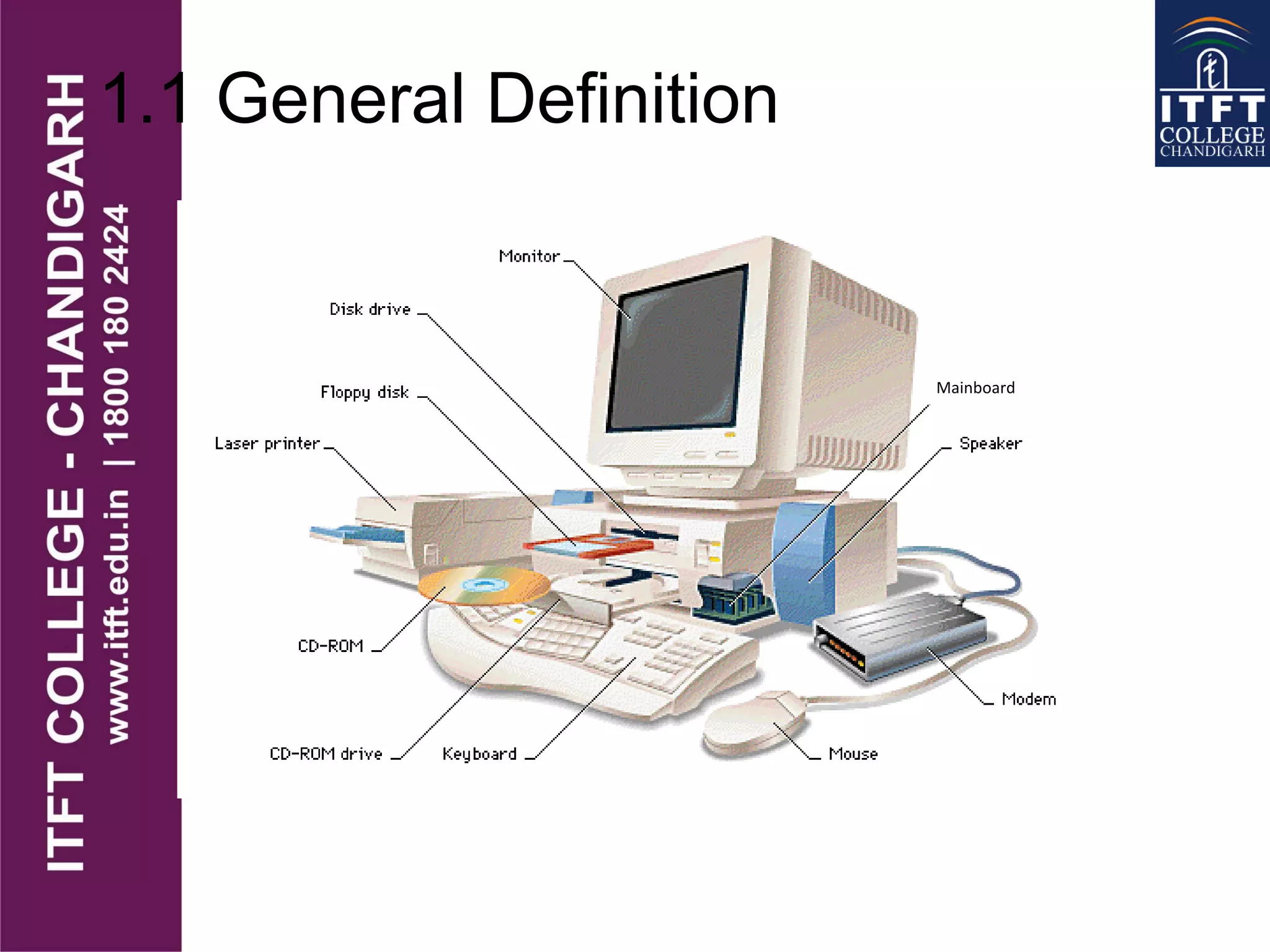
• In general, a computer system has some
resources which may be utilized to solve a
problem. They are
• Memory
• Processor(s)
• I/O
• File System
• etc.
1.1 General Definition
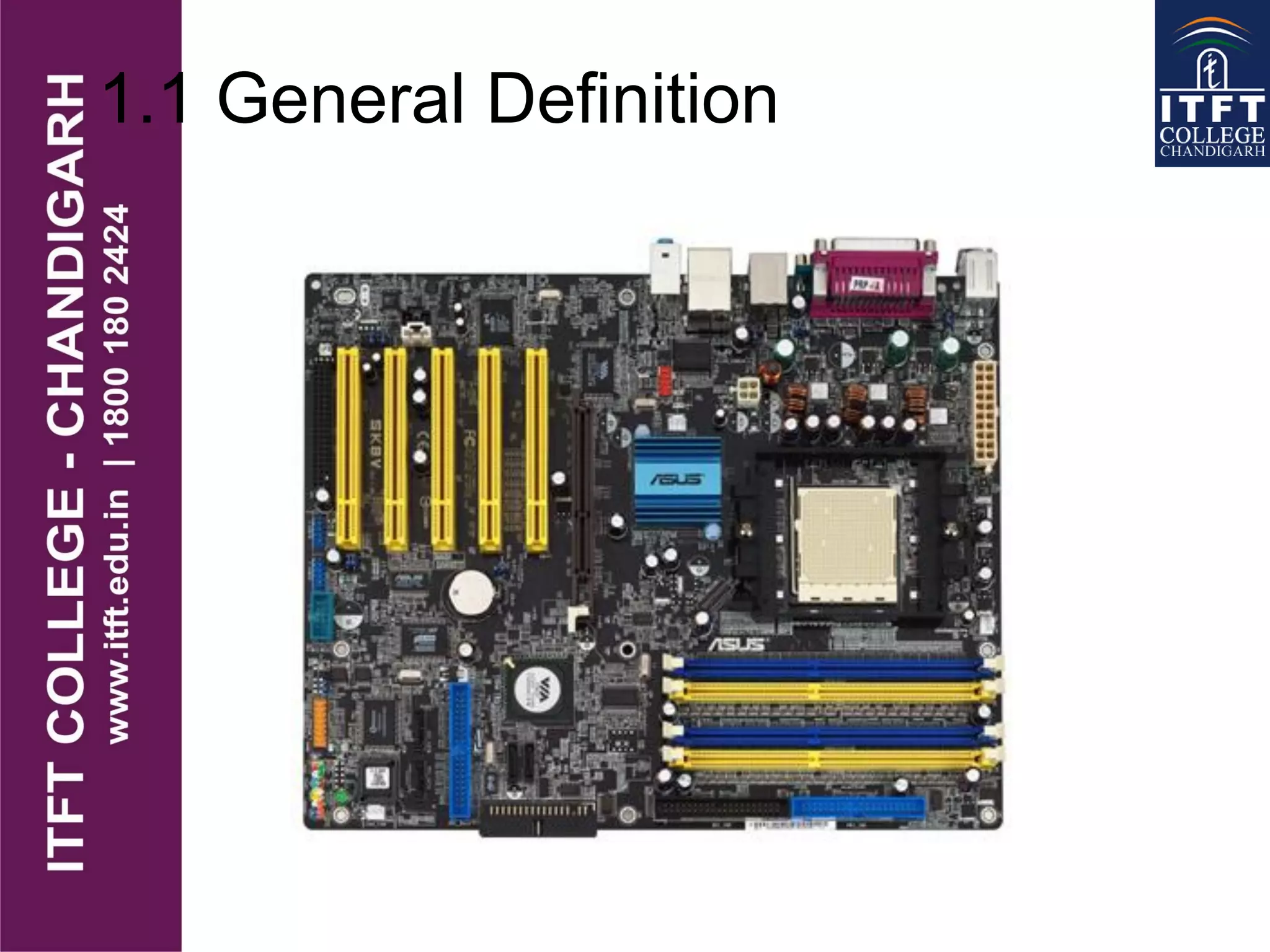
Mainboard
1.1 General Definition
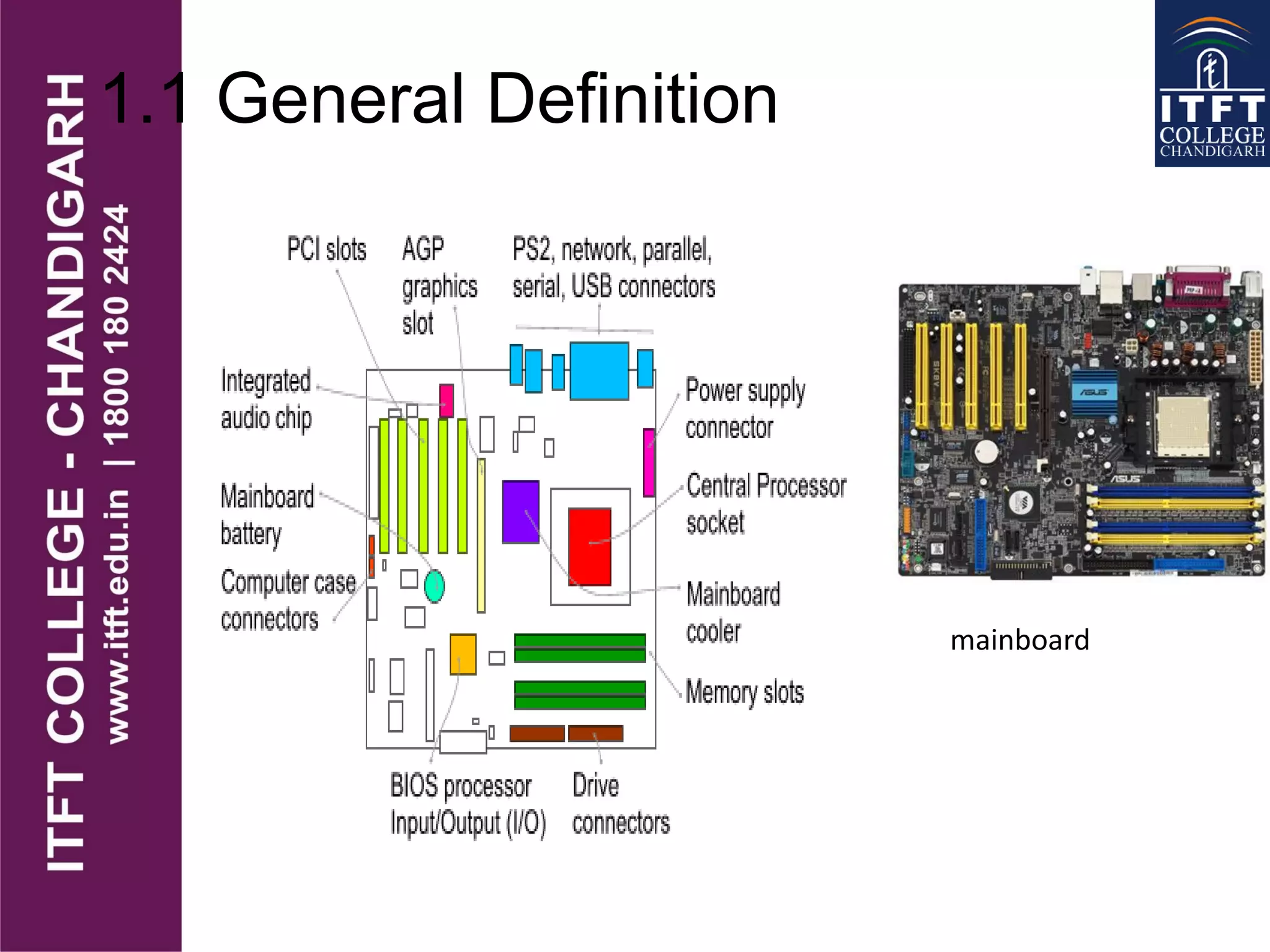
mainboard
1.1 General Definition
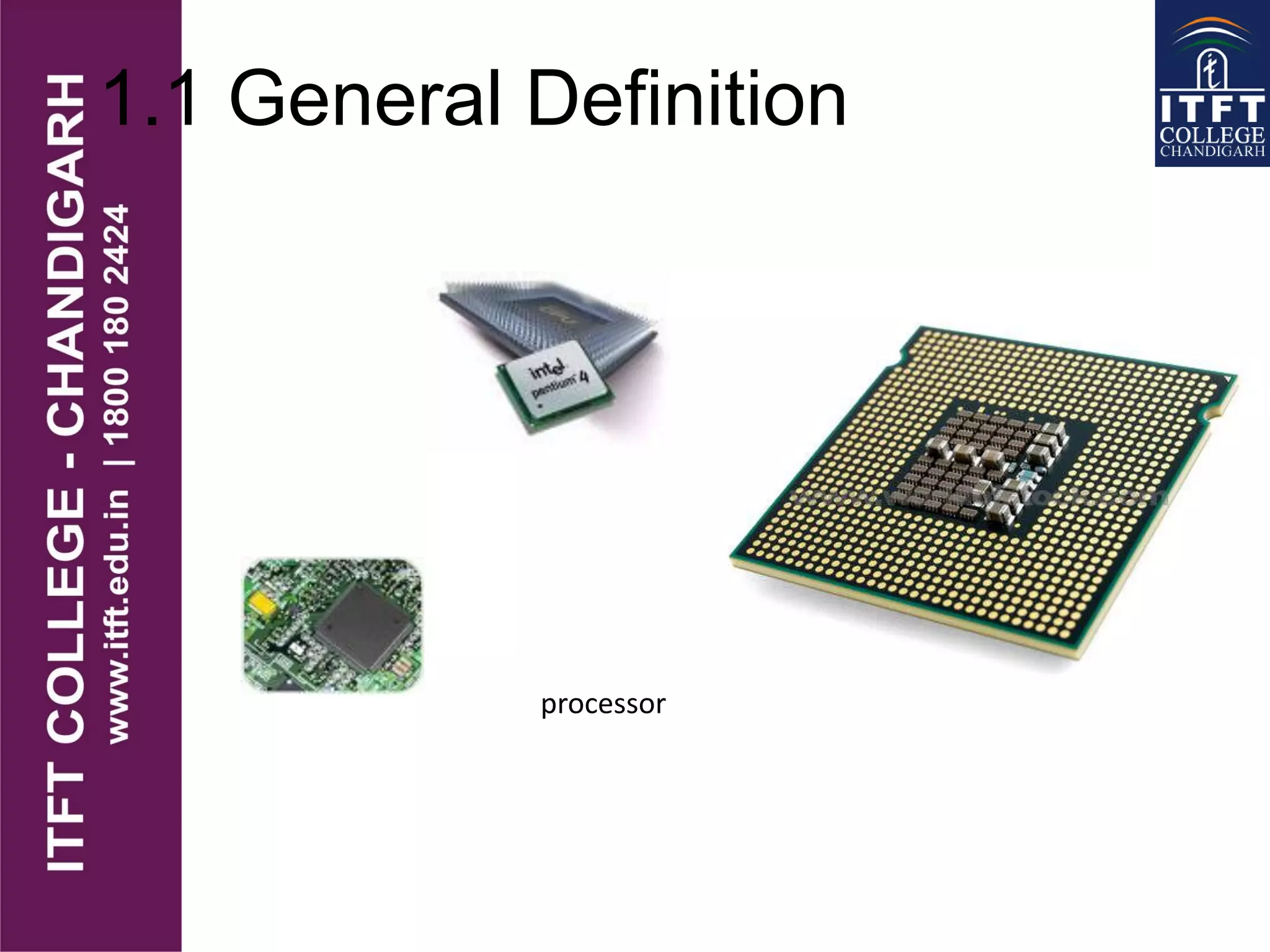
processor
1.1 General Definition
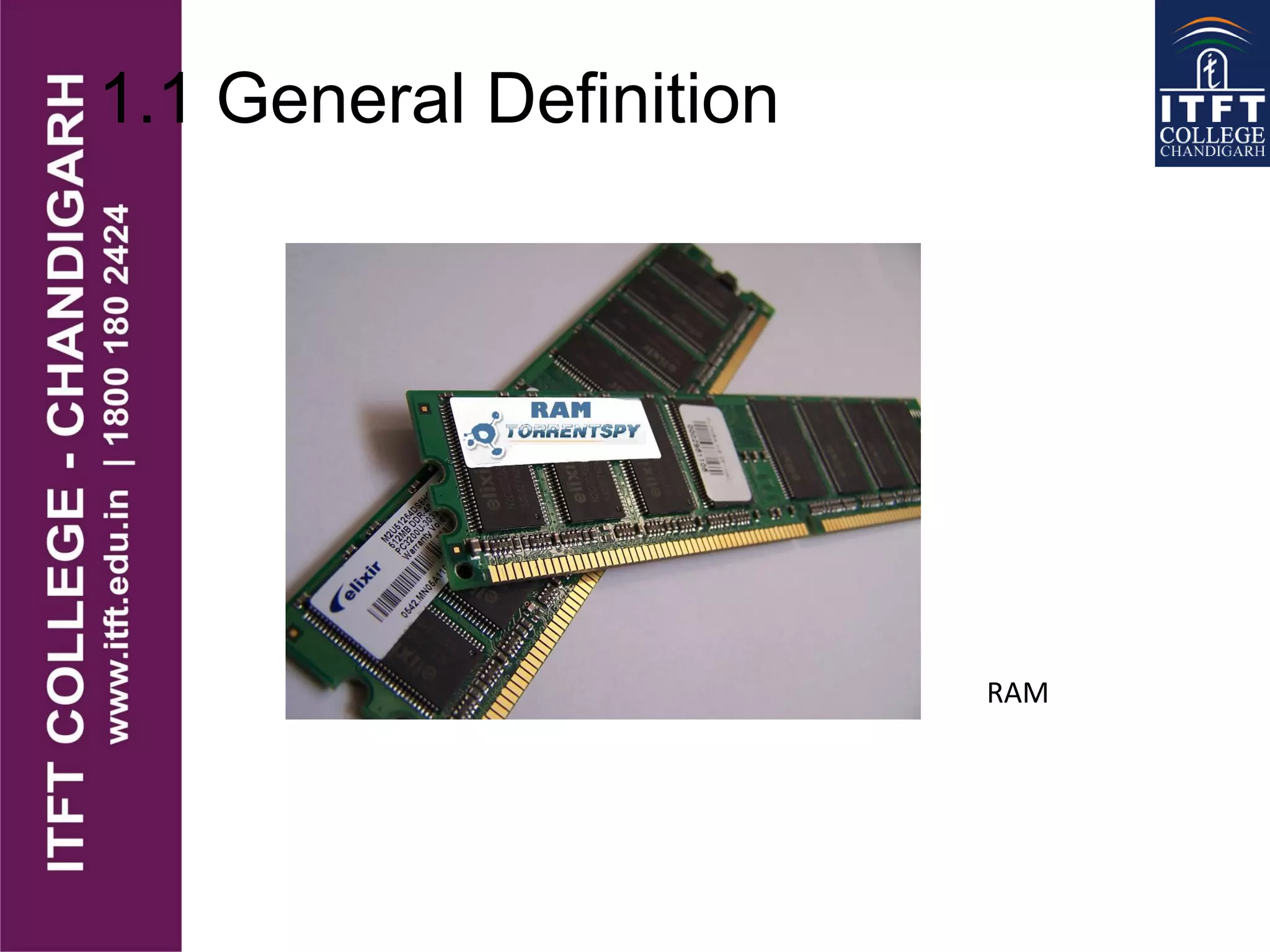
RAM
1.1 General Definition
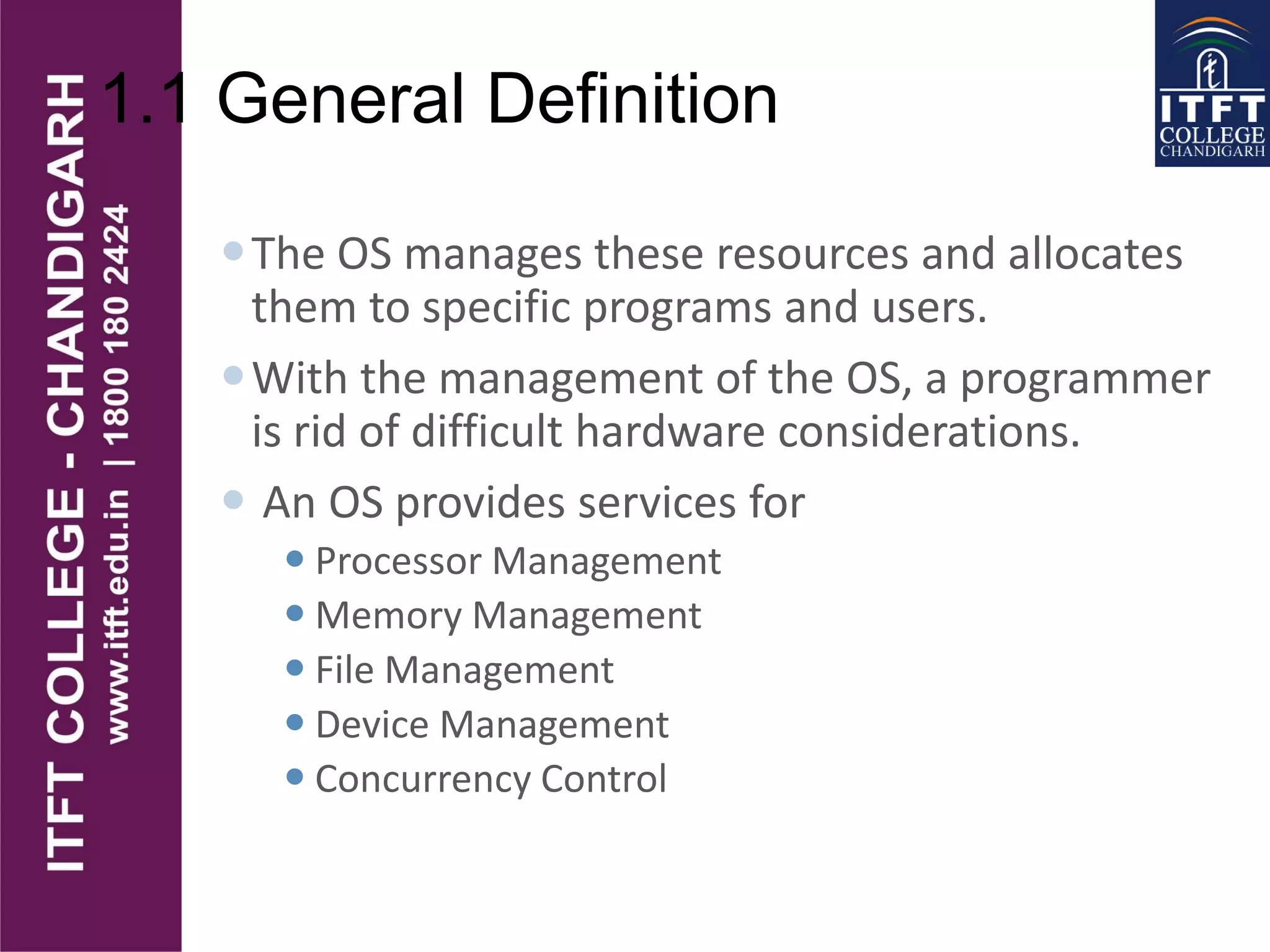
The OS manages these resources and allocates
them to specific programs and users.
With the management of the OS, a programmer
is rid of difficult hardware considerations.
 An OS provides services for
 Processor Management
 Memory Management
 File Management
 Device Management
 Concurrency Control
1.1 General Definition
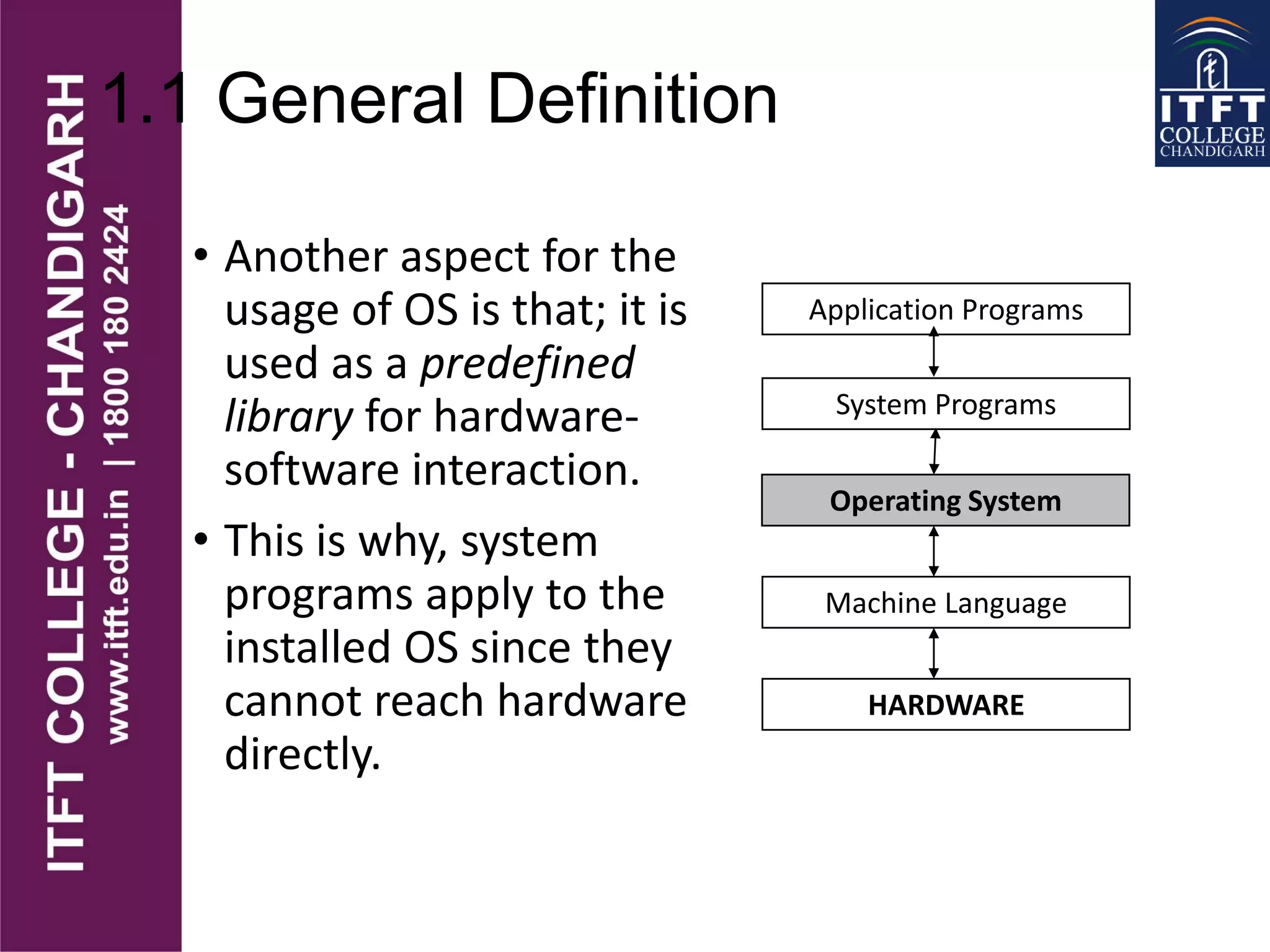
• Another aspect for the
usage of OS is that; it is
used as a predefined
library for hardware-
software interaction.
• This is why, system
programs apply to the
installed OS since they
cannot reach hardware
directly.
Application Programs
System Programs
Operating System
Machine Language
HARDWARE
1.2 History of Operating Systems
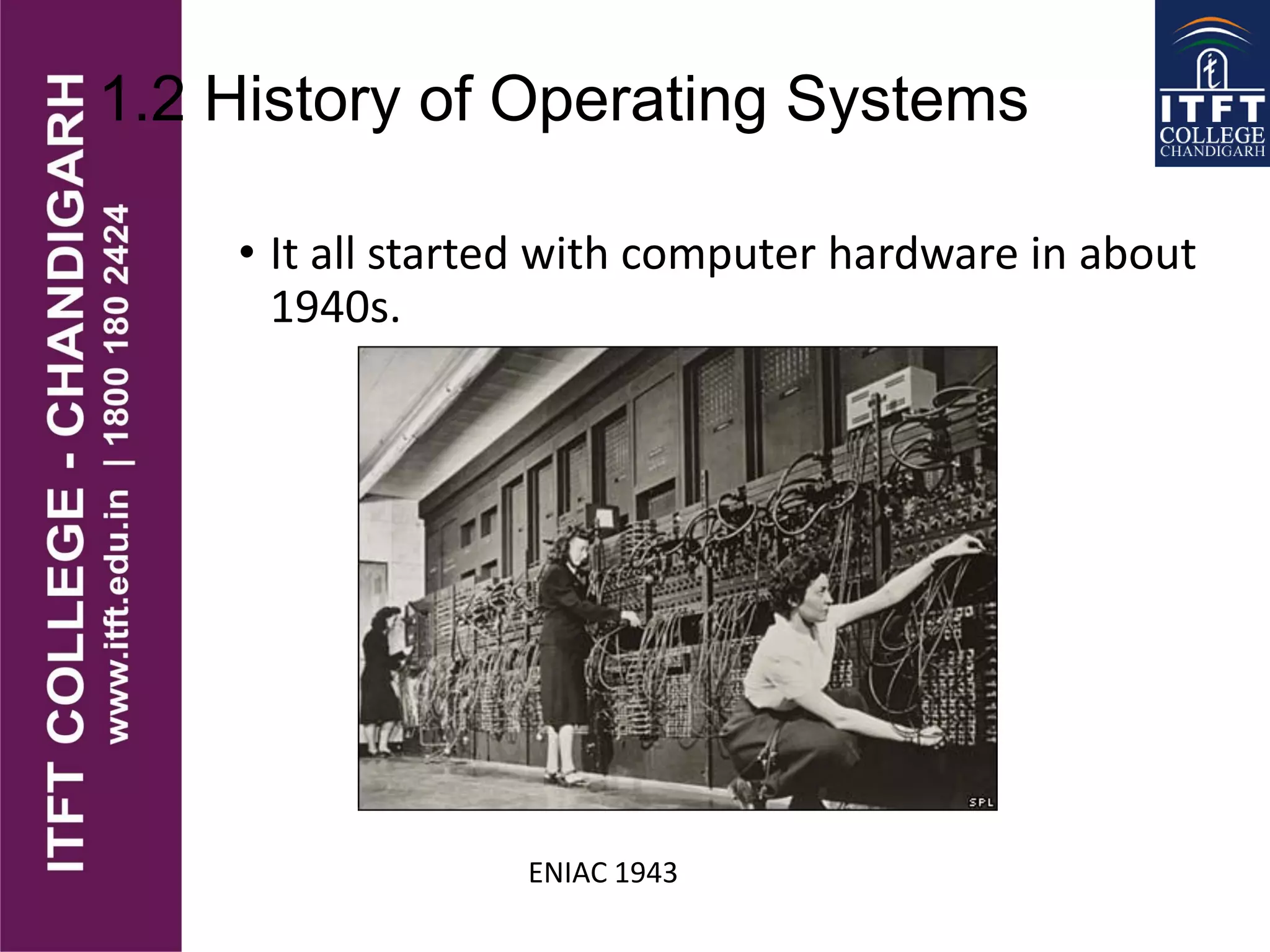
• It all started with computer hardware in about
1940s.
ENIAC 1943
1.2 History of Operating Systems
• ENIAC (Electronic Numerical Integrator and
Computer), at the U.S. Army's Aberdeen
Proving Ground in Maryland.
• built in the 1940s,
• weighed 30 tons,
• was eight feet high, three feet deep, and 100 feet
long
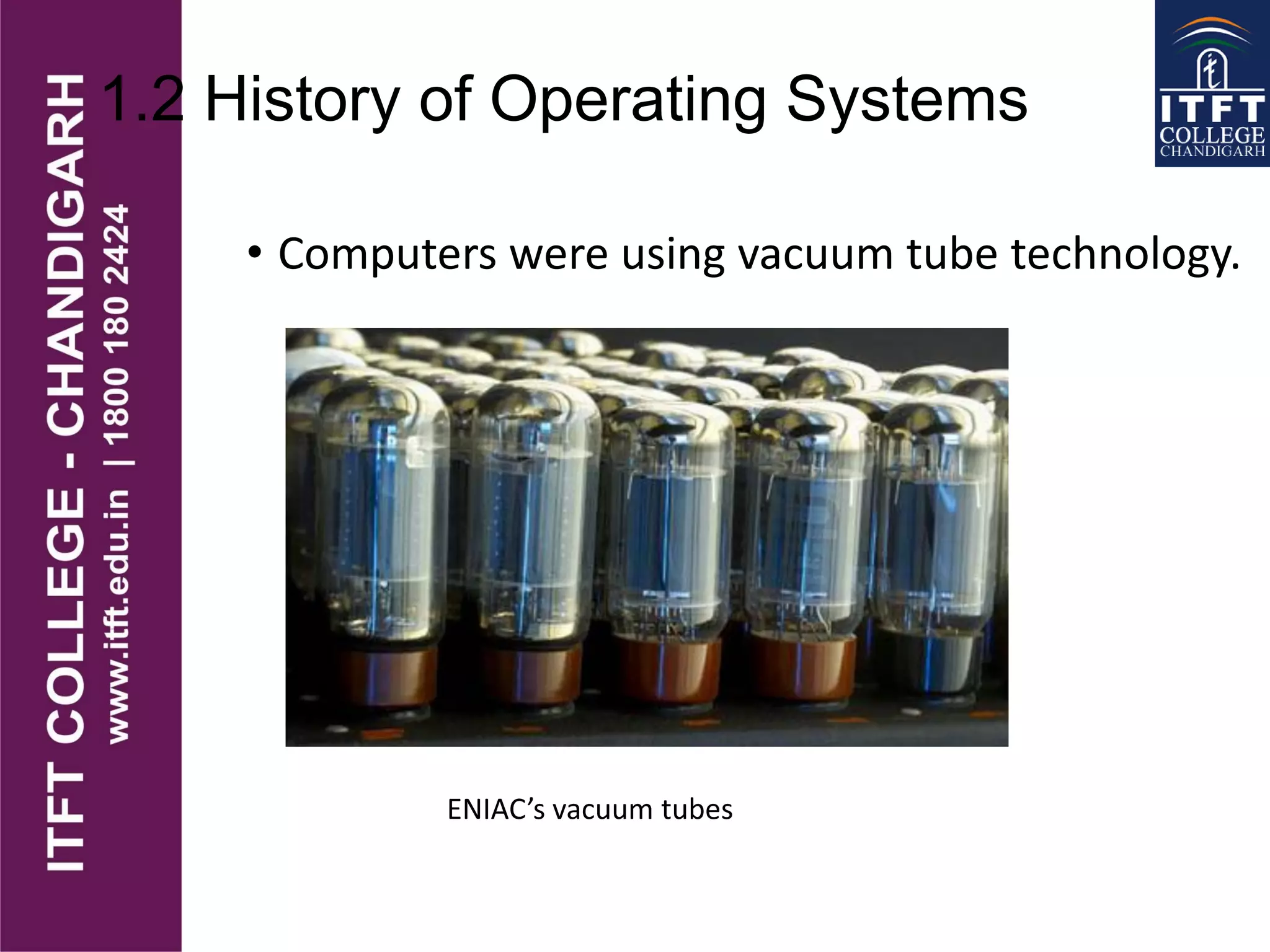
• contained over 18,000 vacuum tubes that were
cooled by 80 air blowers.
1.2 History of Operating Systems
• Computers were using vacuum tube technology.
ENIAC’s vacuum tubes
1.2 History of Operating Systems
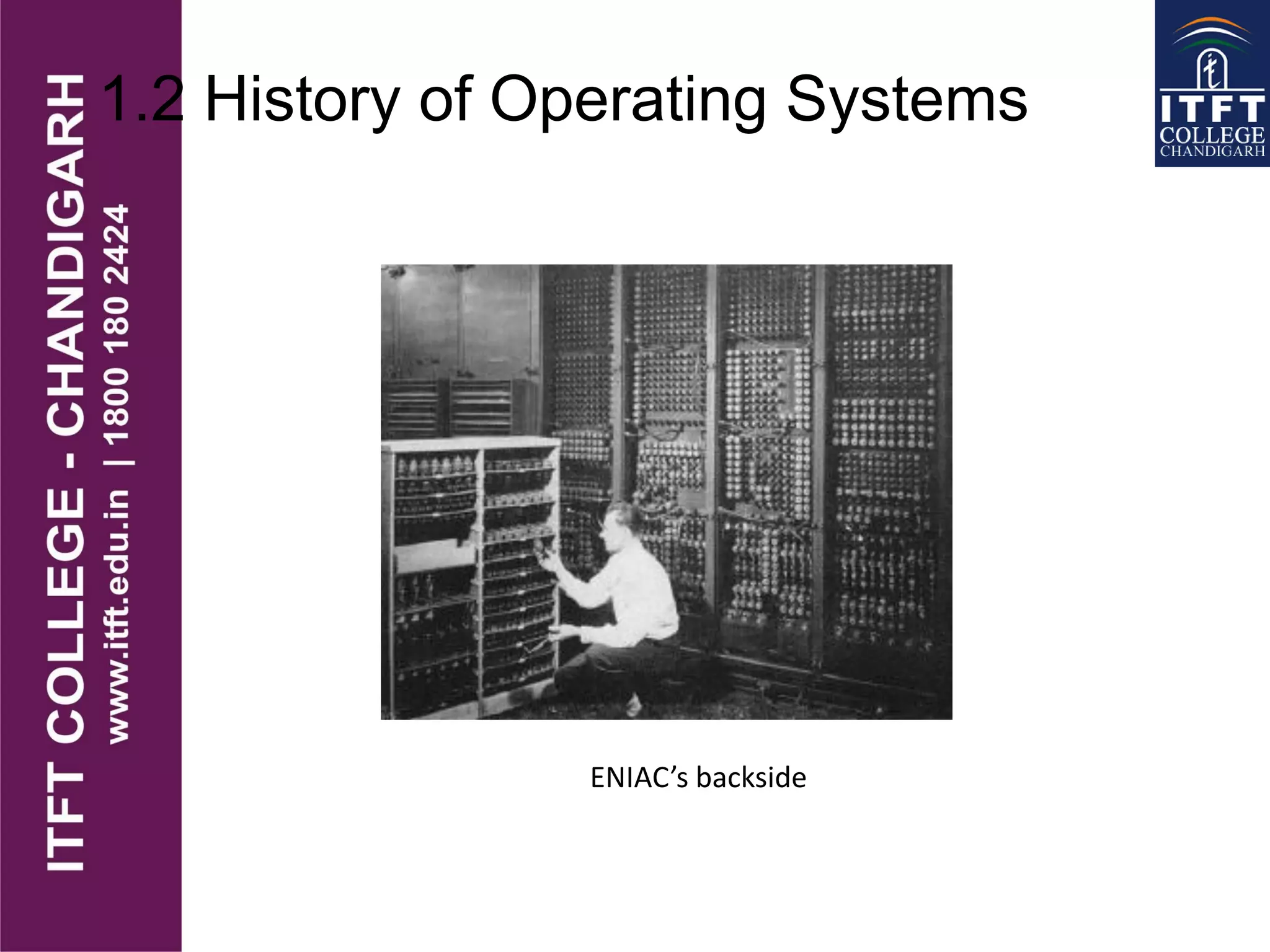
ENIAC’s backside
1.2 History of Operating Systems
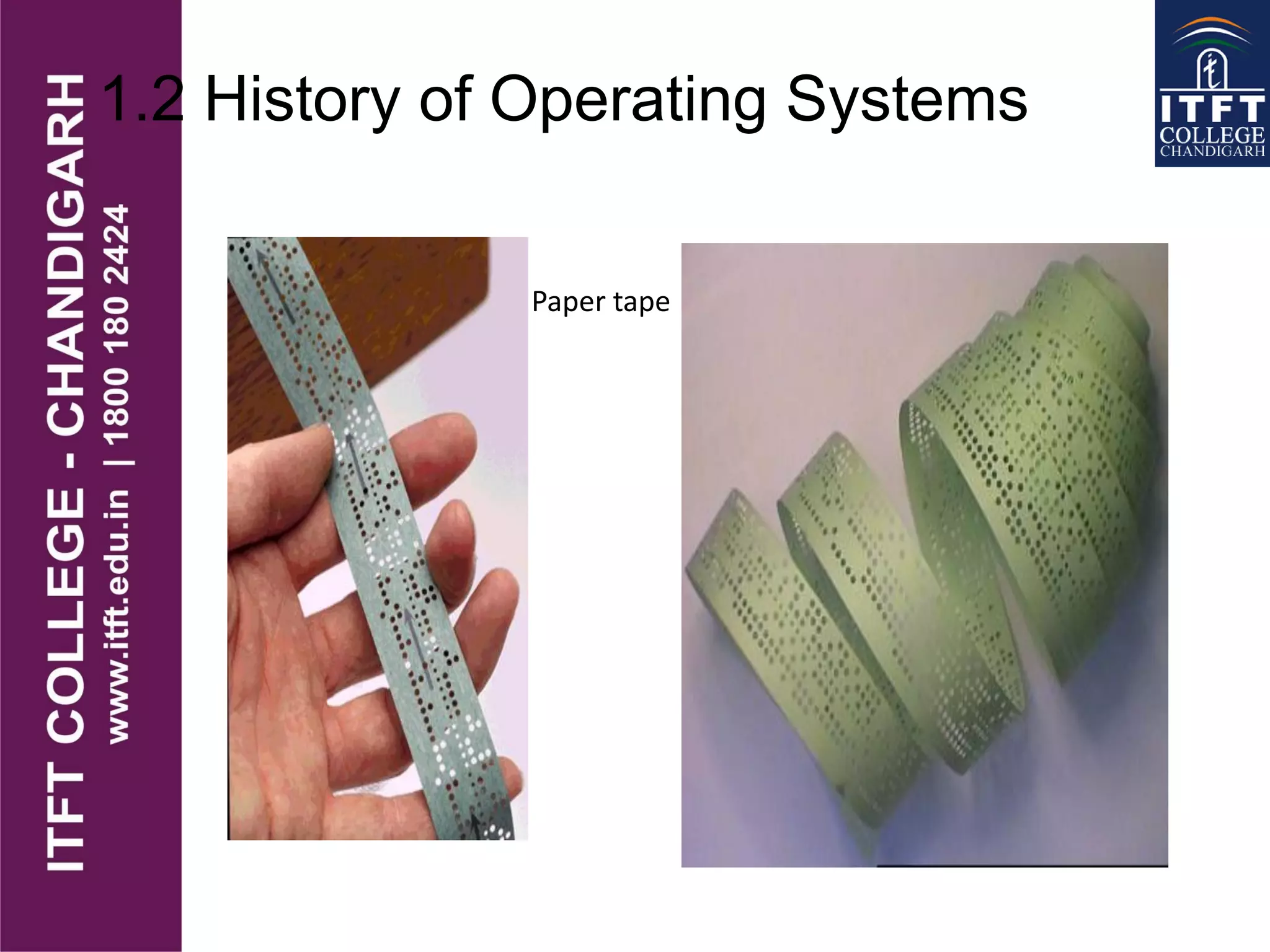
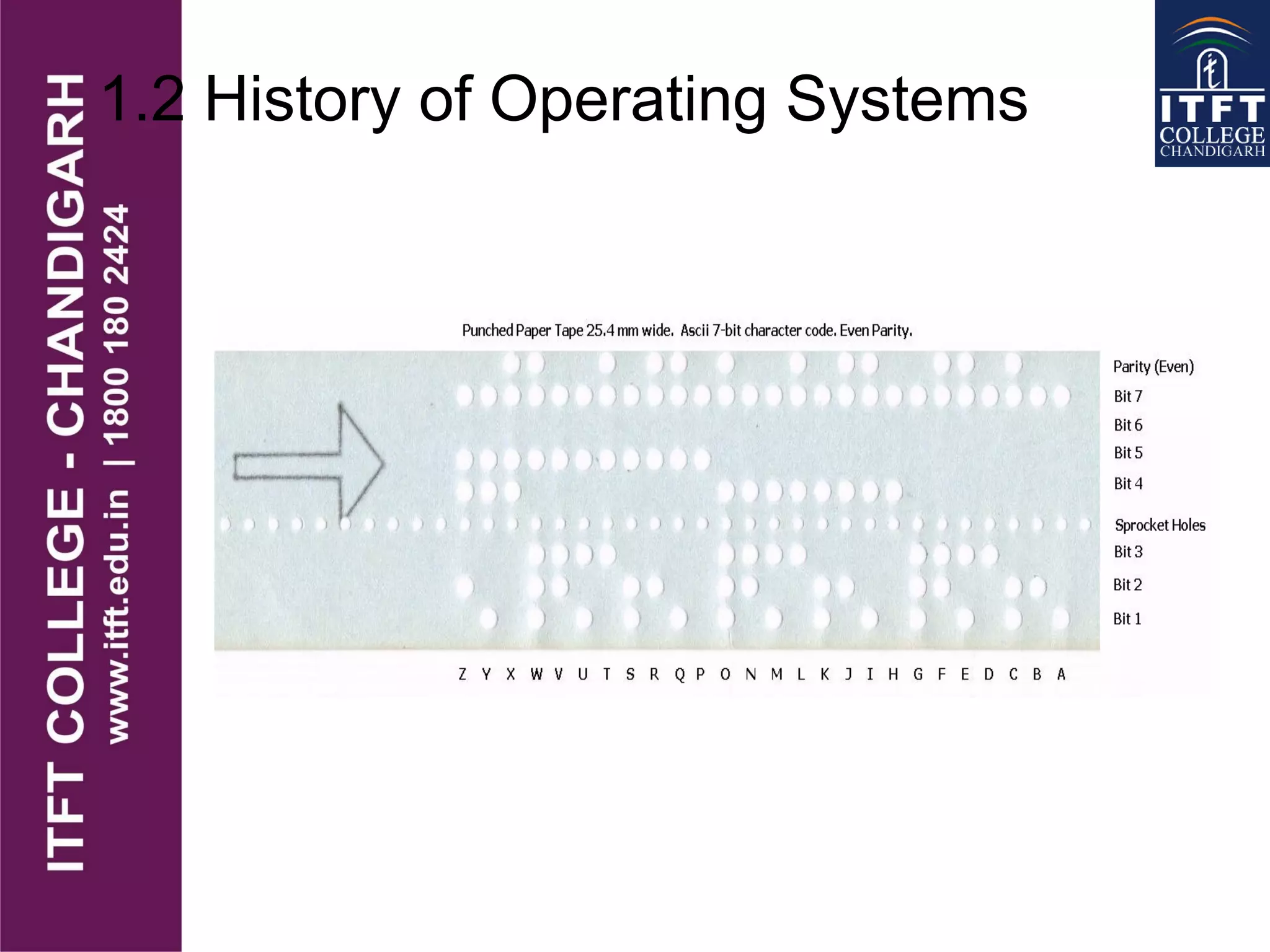
Paper tape
1.2 History of Operating Systems
Babbage’s analytical engine
(designed in 1840’s by Charles Babbage, but cold not be constructed by him.
An earlier and simpler version is constructed in 2002, in London )
http://www.computerhistory.org/babbage/
1.2 History of Operating Systems
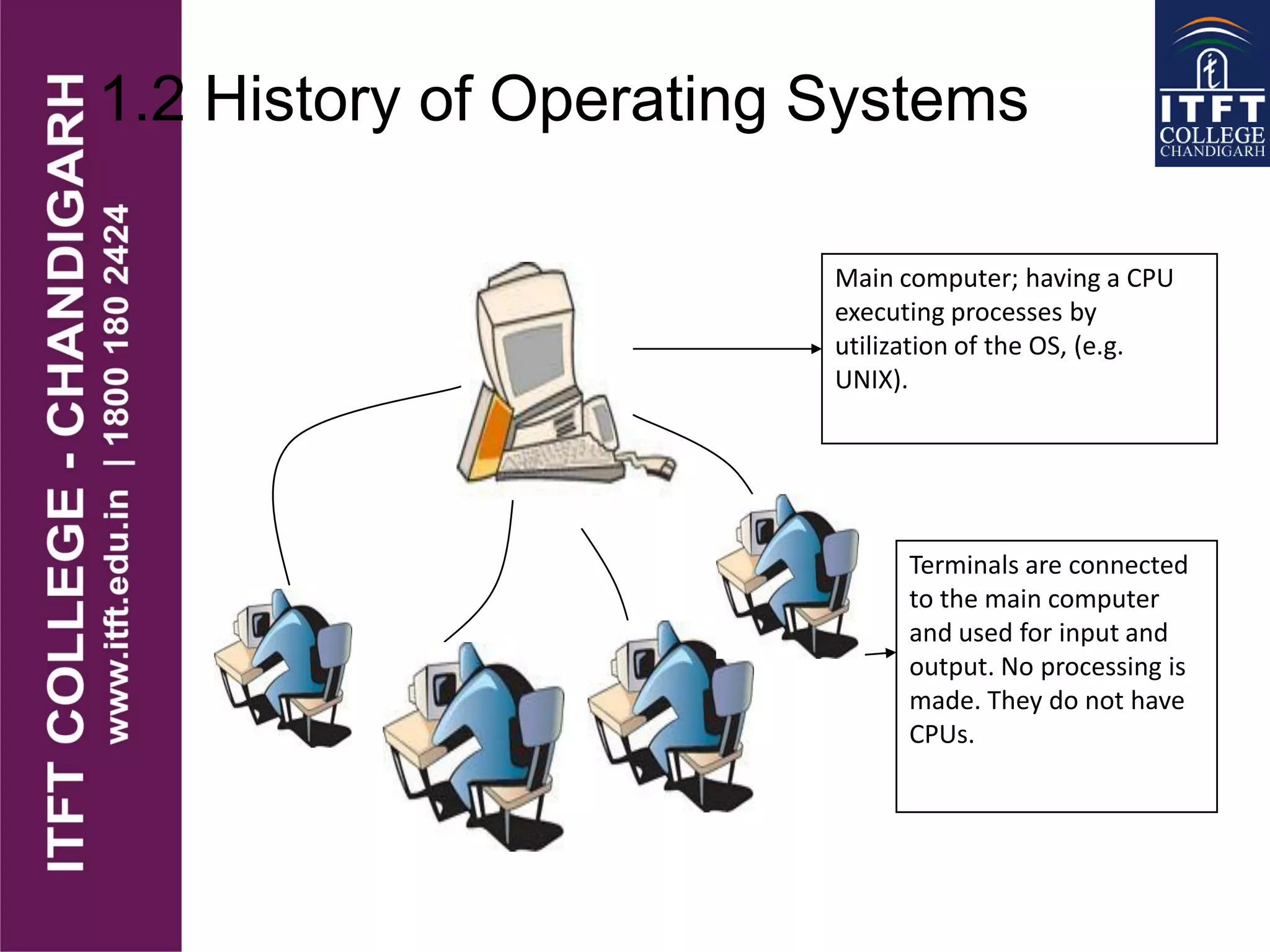
Terminals are connected
to the main computer
and used for input and
output. No processing is
made. They do not have
CPUs.
Main computer; having a CPU
executing processes by
utilization of the OS, (e.g.
UNIX).
1.2 History of Operating Systems
• Another computer system is the
multiprocessor system having multiple
processors sharing memory and peripheral
devices.
• With this configuration, they have greater
computing power and higher reliability.
1.2 History of Operating Systems
• Multiprocessor systems are classified into
two as tightly-coupled and loosely-coupled
(distributed).
• In the tightly-coupled one, each processor is
assigned a specific duty but processors work
in close association, possibly sharing the
same memory.
• In the loosely coupled one, each processor
has its own memory and copy of the OS.
1.2 History of Operating Systems
• Use of the networks required OSs
appropriate for them.
• In network systems, each process runs in its
own machine but the OS have access to other
machines.
• By this way, file sharing, messaging, etc.
became possible.
• In networks, users are aware of the fact that
s/he is working in a network and when
information is exchanged. The user explicitly
handles the transfer of information.

ITFT_Introduction to Operating system

  • 1.
  • 2.
    1.1 General Definition •An OS is a program which acts as an interface between computer system users and the computer hardware. • It provides a user-friendly environment in which a user may easily develop and execute programs. • Otherwise, hardware knowledge would be mandatory for computer programming. • So, it can be said that an OS hides the complexity of hardware from uninterested users.
  • 3.
    1.1 General Definition •In general, a computer system has some resources which may be utilized to solve a problem. They are • Memory • Processor(s) • I/O • File System • etc.
  • 4.
  • 5.
  • 6.
  • 7.
  • 8.
  • 9.
    1.1 General Definition TheOS manages these resources and allocates them to specific programs and users. With the management of the OS, a programmer is rid of difficult hardware considerations.  An OS provides services for  Processor Management  Memory Management  File Management  Device Management  Concurrency Control
  • 10.
    1.1 General Definition •Another aspect for the usage of OS is that; it is used as a predefined library for hardware- software interaction. • This is why, system programs apply to the installed OS since they cannot reach hardware directly. Application Programs System Programs Operating System Machine Language HARDWARE
  • 11.
    1.2 History ofOperating Systems • It all started with computer hardware in about 1940s. ENIAC 1943
  • 12.
    1.2 History ofOperating Systems • ENIAC (Electronic Numerical Integrator and Computer), at the U.S. Army's Aberdeen Proving Ground in Maryland. • built in the 1940s, • weighed 30 tons, • was eight feet high, three feet deep, and 100 feet long • contained over 18,000 vacuum tubes that were cooled by 80 air blowers.
  • 13.
    1.2 History ofOperating Systems • Computers were using vacuum tube technology. ENIAC’s vacuum tubes
  • 14.
    1.2 History ofOperating Systems ENIAC’s backside
  • 15.
    1.2 History ofOperating Systems Paper tape
  • 16.
    1.2 History ofOperating Systems
  • 17.
    1.2 History ofOperating Systems Babbage’s analytical engine (designed in 1840’s by Charles Babbage, but cold not be constructed by him. An earlier and simpler version is constructed in 2002, in London ) http://www.computerhistory.org/babbage/
  • 18.
    1.2 History ofOperating Systems Terminals are connected to the main computer and used for input and output. No processing is made. They do not have CPUs. Main computer; having a CPU executing processes by utilization of the OS, (e.g. UNIX).
  • 19.
    1.2 History ofOperating Systems • Another computer system is the multiprocessor system having multiple processors sharing memory and peripheral devices. • With this configuration, they have greater computing power and higher reliability.
  • 20.
    1.2 History ofOperating Systems • Multiprocessor systems are classified into two as tightly-coupled and loosely-coupled (distributed). • In the tightly-coupled one, each processor is assigned a specific duty but processors work in close association, possibly sharing the same memory. • In the loosely coupled one, each processor has its own memory and copy of the OS.
  • 21.
    1.2 History ofOperating Systems • Use of the networks required OSs appropriate for them. • In network systems, each process runs in its own machine but the OS have access to other machines. • By this way, file sharing, messaging, etc. became possible. • In networks, users are aware of the fact that s/he is working in a network and when information is exchanged. The user explicitly handles the transfer of information.