Interface Python with Mysql
Introduction
• When you design real life applications, you are
bound to encounter situations wherein you need to
manipulate data stored in a database through an
application designed by you.
• In order to connect to a database from within the
python , you need a library that provides connectivity
functionality. There are so many libraries , but we
will use mysql connector library.
Installing MYSQL Connector
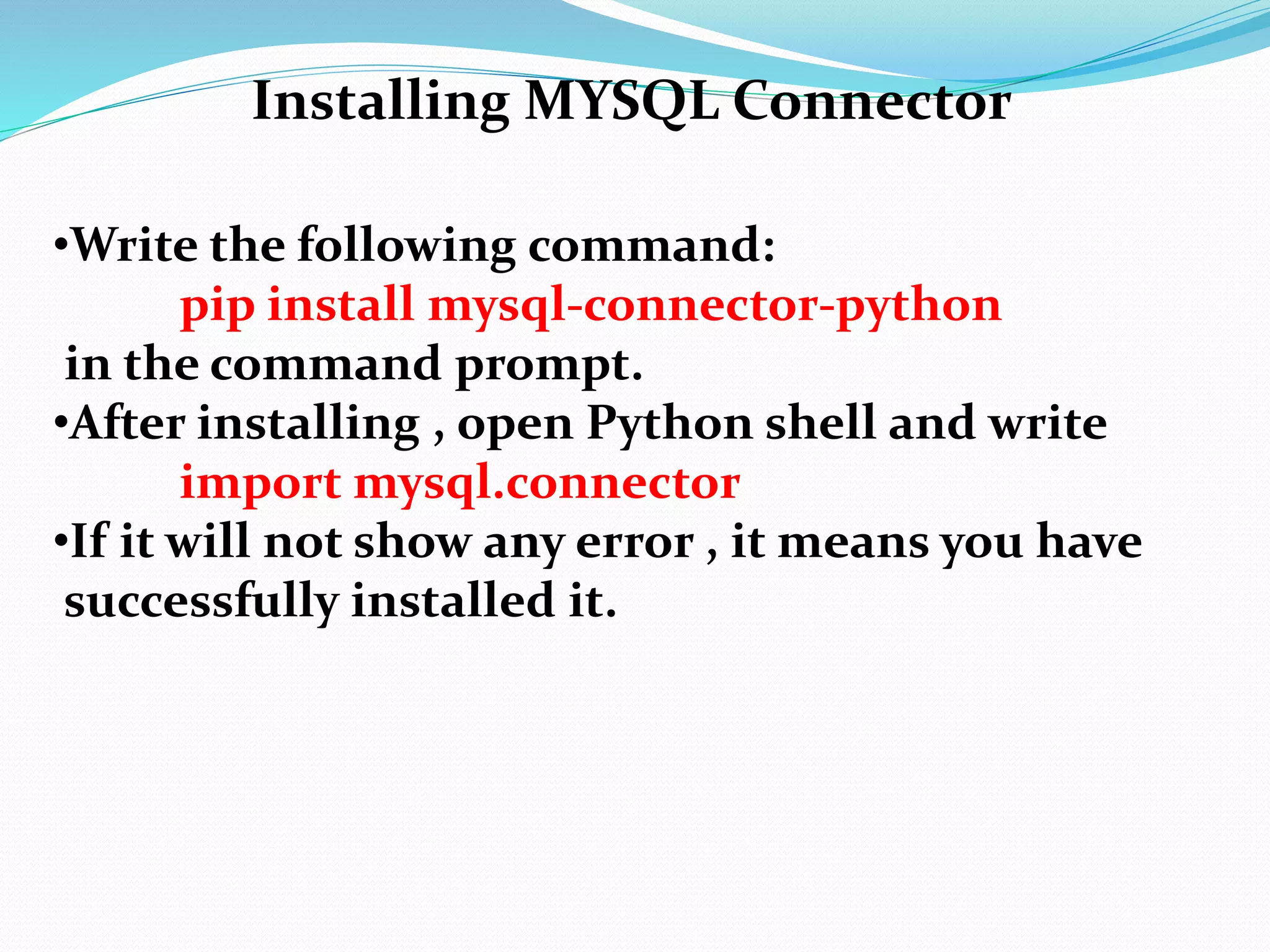
•Write the following command:
pip install mysql-connector-python
in the command prompt.
•After installing , open Python shell and write
import mysql.connector
•If it will not show any error , it means you have
successfully installed it.
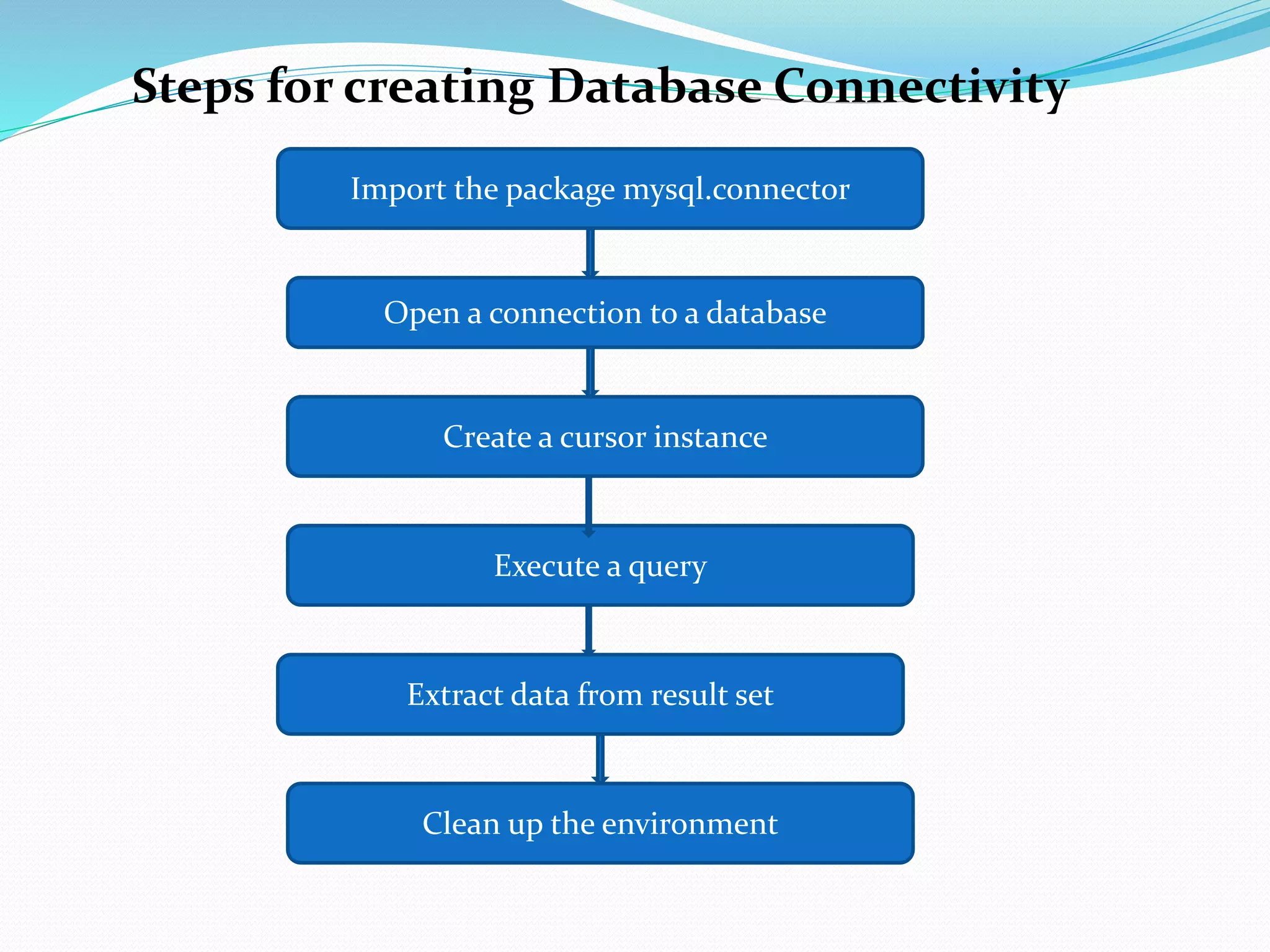
Steps for creating Database Connectivity
Import the package mysql.connector
Open a connection to a database
Create a cursor instance
Execute a query
Extract data from result set
Clean up the environment
import mysql.connector
or
import mysql.connector as sqltor
Member Aliasing
import mysql.connector
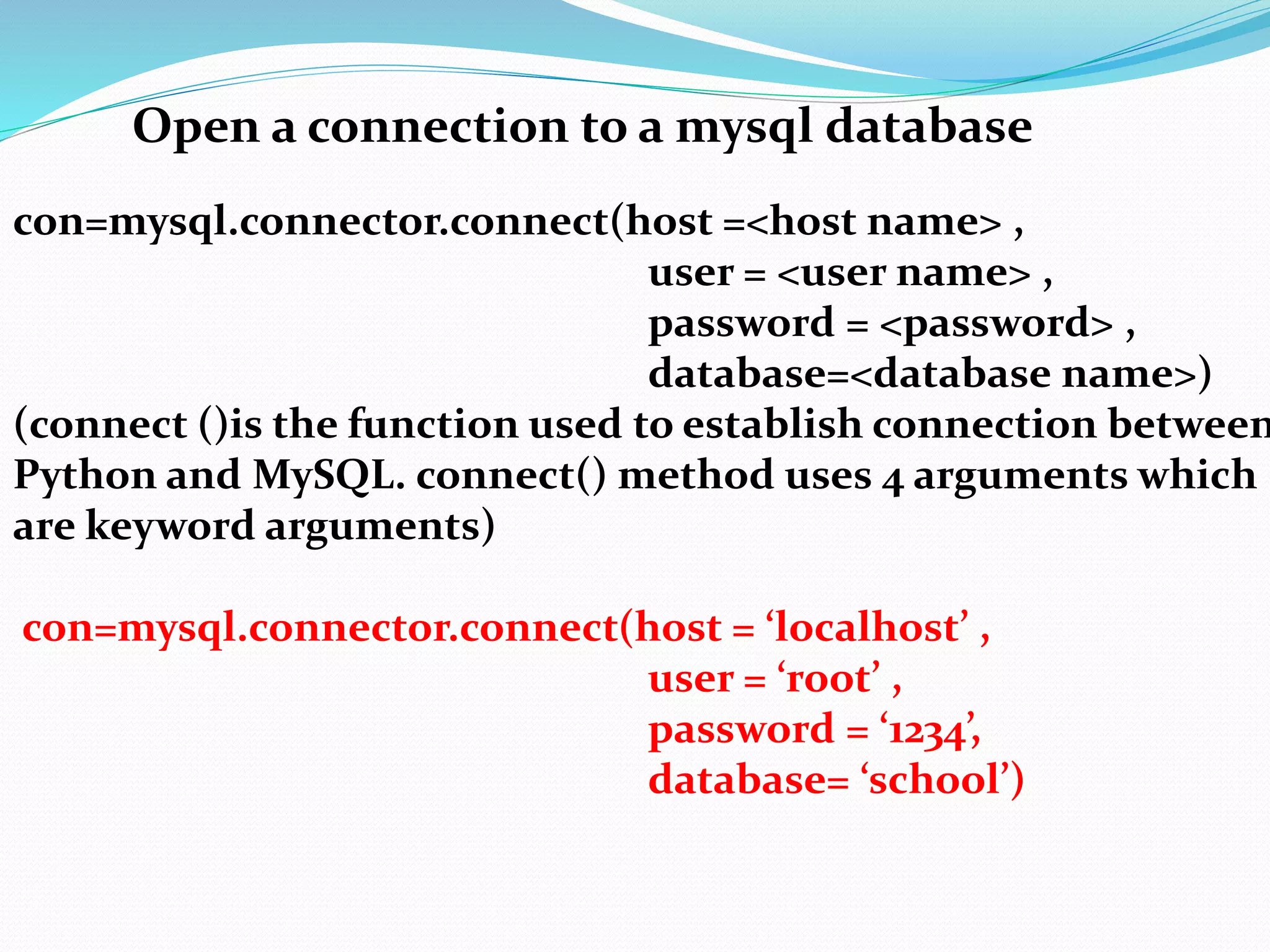
Open a connection to a mysql database
con=mysql.connector.connect(host =<host name> ,
user = <user name> ,
password = <password> ,
database=<database name>)
(connect ()is the function used to establish connection between
Python and MySQL. connect() method uses 4 arguments which
are keyword arguments)
con=mysql.connector.connect(host = ‘localhost’ ,
user = ‘root’ ,
password = ‘1234’,
database= ‘school’)
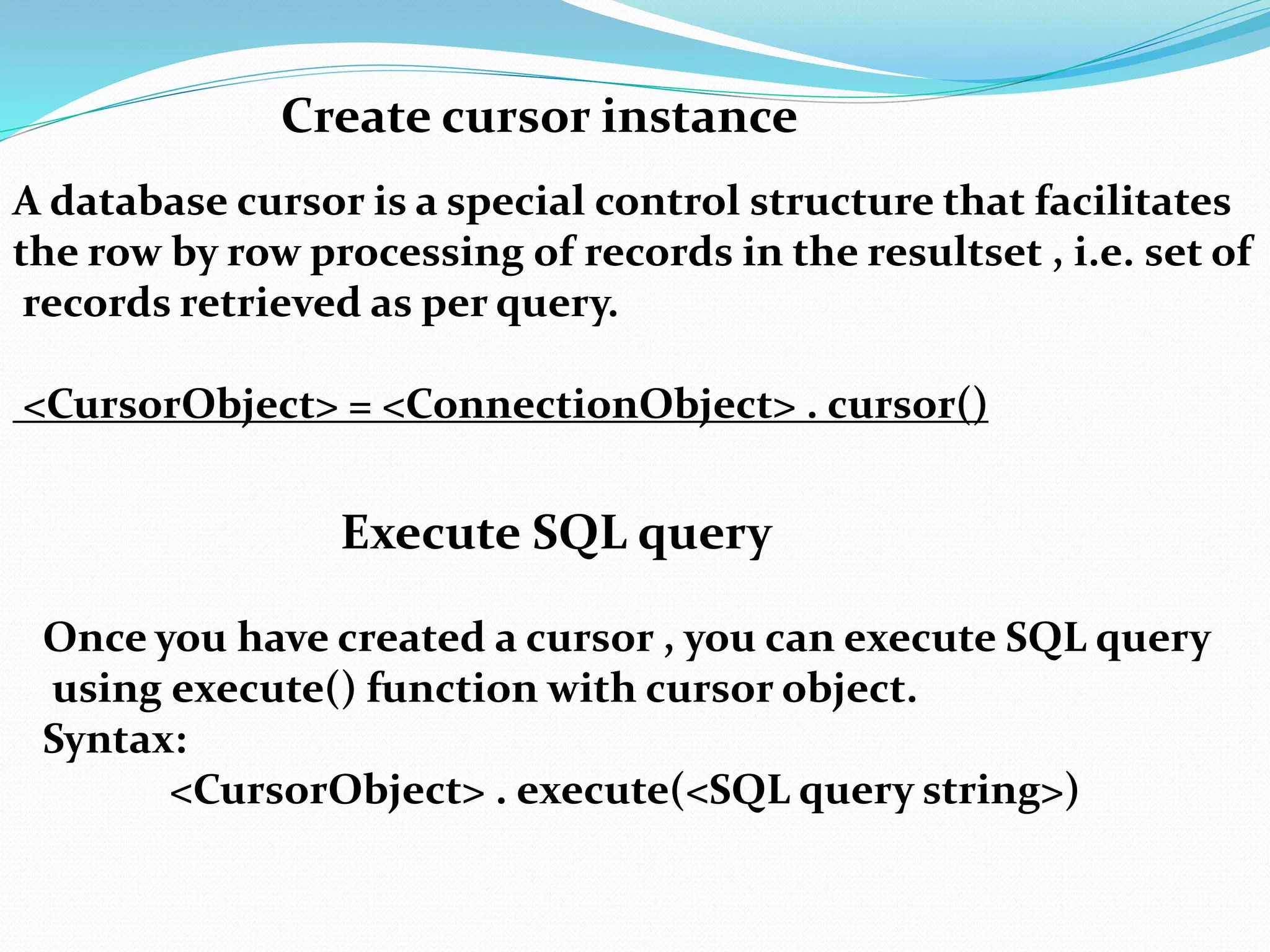
Create cursor instance
A database cursor is a special control structure that facilitates
the row by row processing of records in the resultset , i.e. set of
records retrieved as per query.
<CursorObject> = <ConnectionObject> . cursor()
Execute SQL query
Once you have created a cursor , you can execute SQL query
using execute() function with cursor object.
Syntax:
<CursorObject> . execute(<SQL query string>)
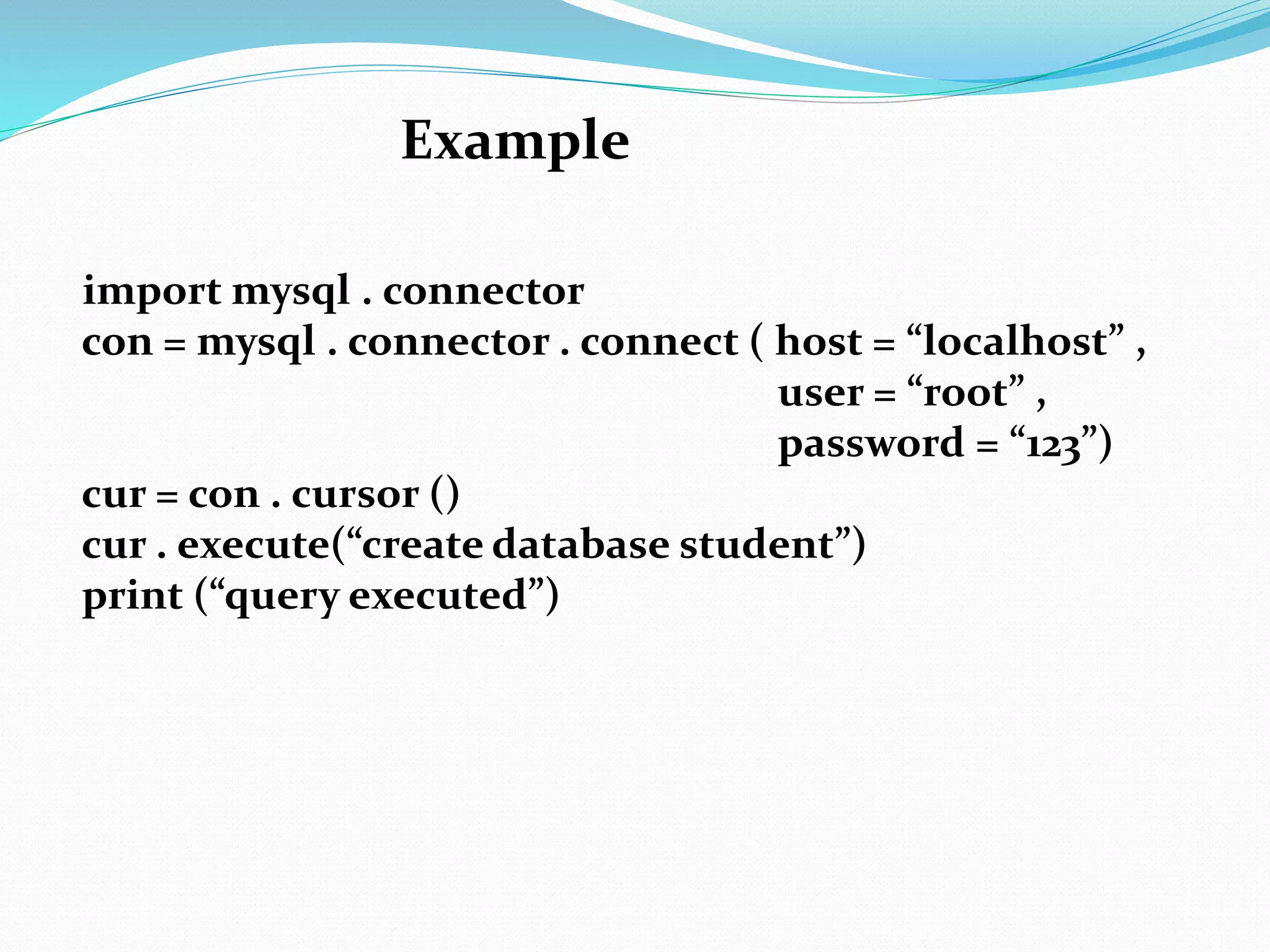
Example
import mysql . connector
con = mysql . connector . connect ( host = “localhost” ,
user = “root” ,
password = “123”)
cur = con . cursor ()
cur . execute(“create database student”)
print (“query executed”)
Extract data from resultset
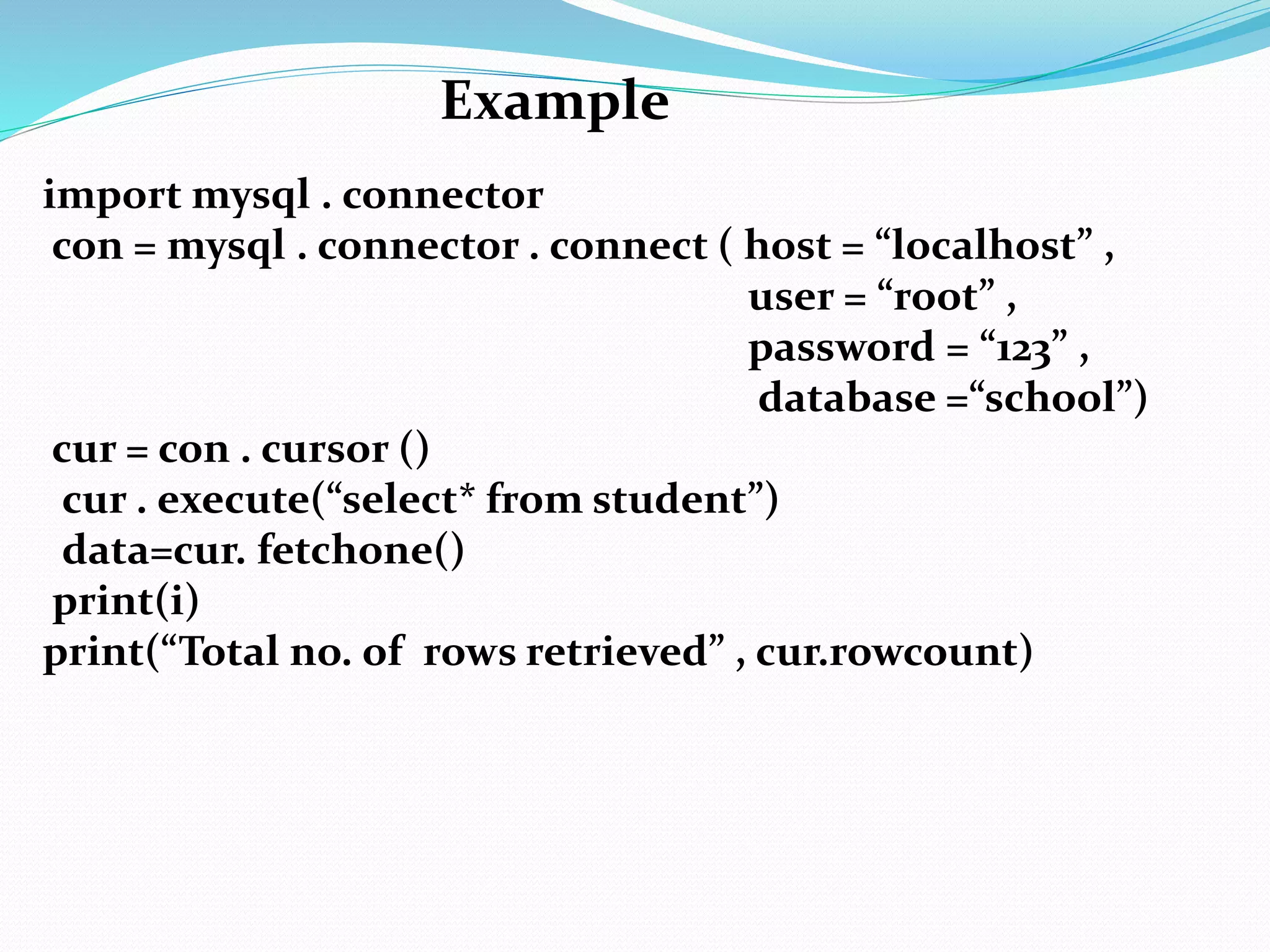
data = cursor . fetchall() – Returns all the records retrieved as
per query in a tuple form.
data = cursor . fetchone() – It will return one record from the
resultset as a tuple. First time , it will fetch the first record,
next time it will fetch the second record. If there is nothing to
fetch then it will return None
data = cursor . fetchmany(n) – This method fetches n records
in the form of a tuple. If nothing is mention then it will return
one value. If there is nothing to fetch then it will return [].
variable = cursor . rowcount – This property of a cursor returns
the number of rows retrieved.
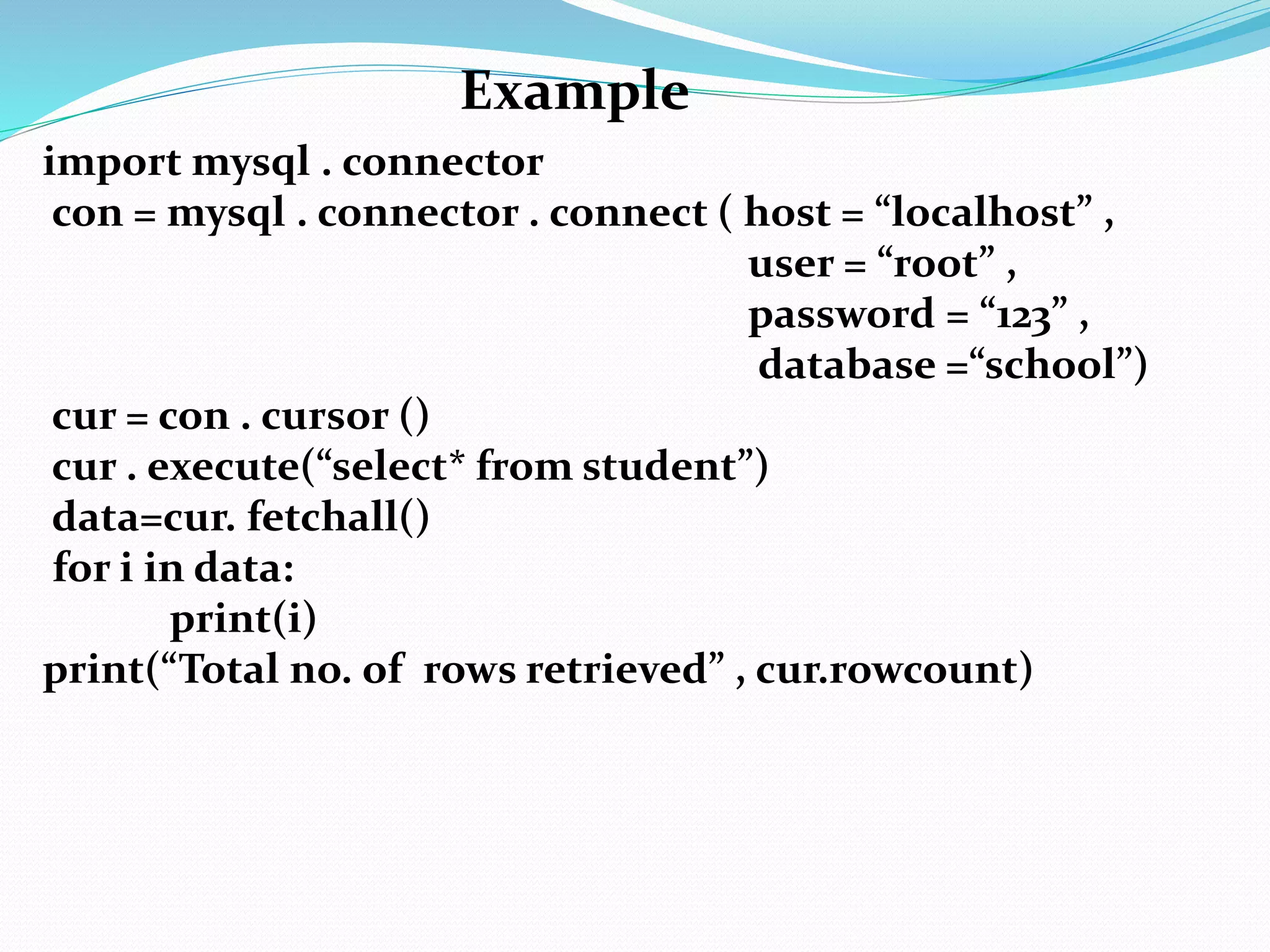
import mysql . connector
con = mysql . connector . connect ( host = “localhost” ,
user = “root” ,
password = “123” ,
database =“school”)
cur = con . cursor ()
cur . execute(“select* from student”)
data=cur. fetchall()
for i in data:
print(i)
print(“Total no. of rows retrieved” , cur.rowcount)
Example
import mysql . connector
con = mysql . connector . connect ( host = “localhost” ,
user = “root” ,
password = “123” ,
database =“school”)
cur = con . cursor ()
cur . execute(“select* from student”)
data=cur. fetchone()
print(i)
print(“Total no. of rows retrieved” , cur.rowcount)
Example
import mysql . connector
con = mysql . connector . connect ( host = “localhost” ,
user = “root” ,
password = “123” ,
database =“school”)
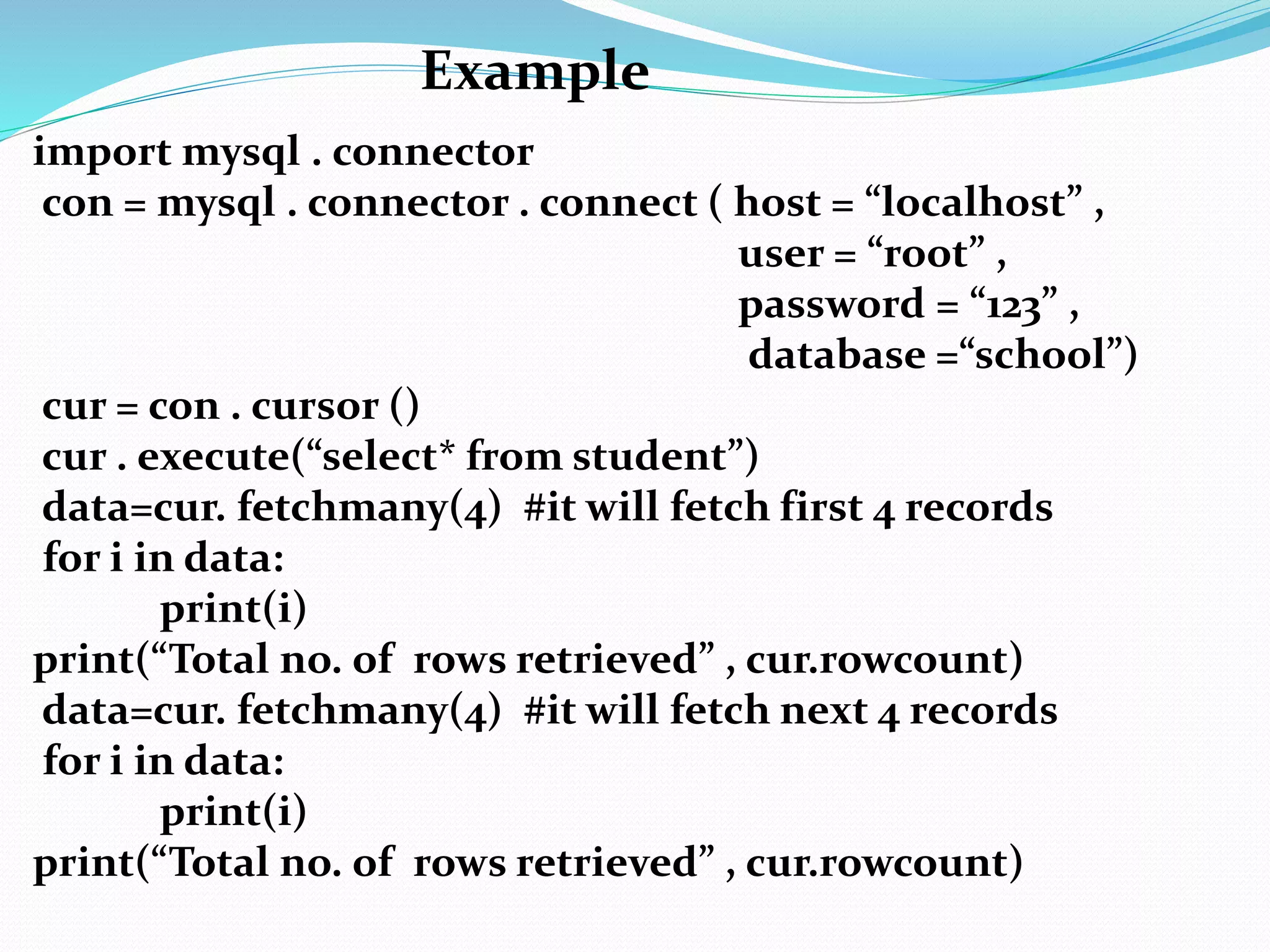
cur = con . cursor ()
cur . execute(“select* from student”)
data=cur. fetchmany(4) #it will fetch first 4 records
for i in data:
print(i)
print(“Total no. of rows retrieved” , cur.rowcount)
data=cur. fetchmany(4) #it will fetch next 4 records
for i in data:
print(i)
print(“Total no. of rows retrieved” , cur.rowcount)
Example
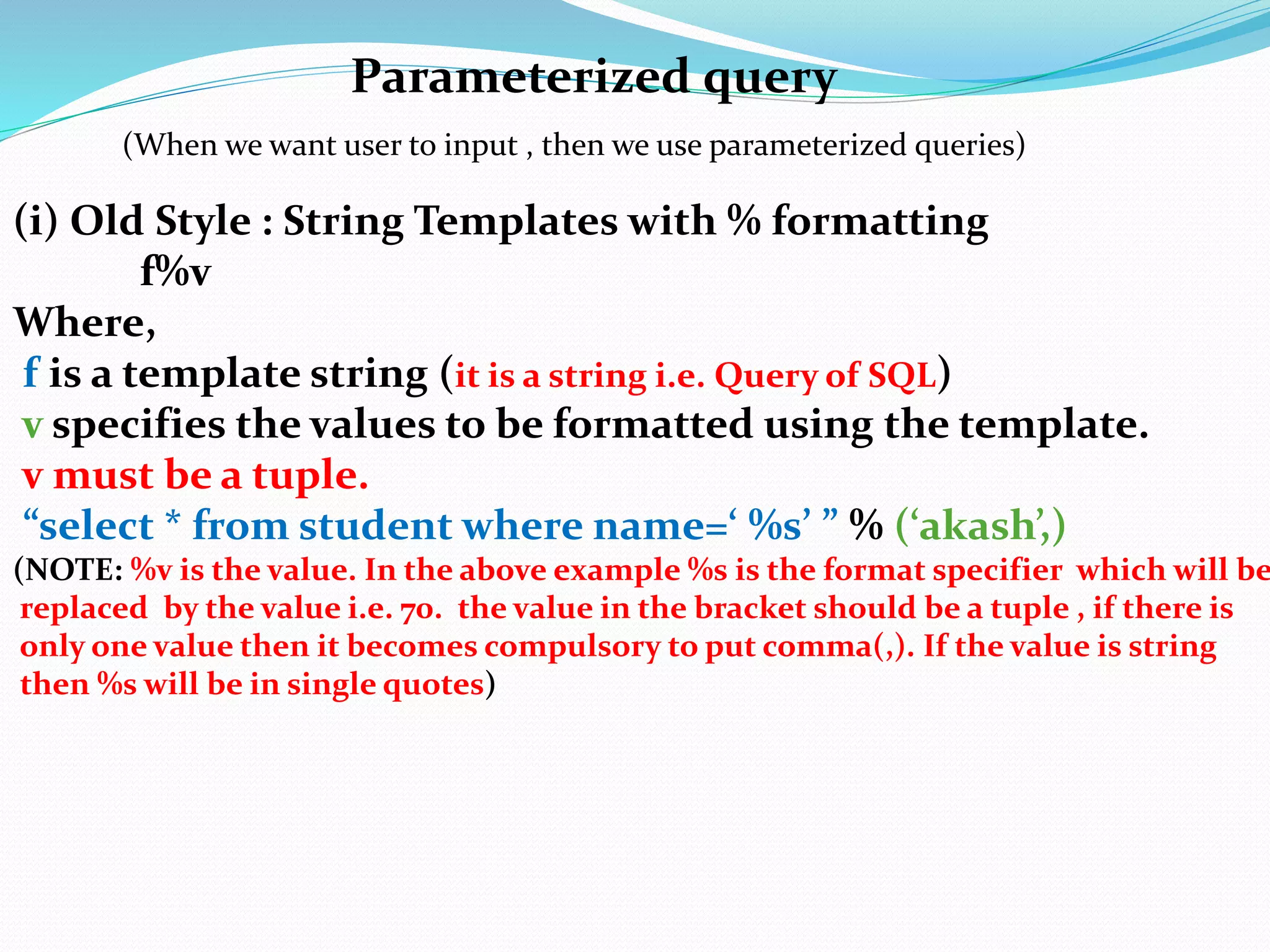
Parameterized query
(i) Old Style : String Templates with % formatting
f%v
Where,
f is a template string (it is a string i.e. Query of SQL)
v specifies the values to be formatted using the template.
v must be a tuple.
“select * from student where name=‘ %s’ ” % (‘akash’,)
(NOTE: %v is the value. In the above example %s is the format specifier which will be
replaced by the value i.e. 70. the value in the bracket should be a tuple , if there is
only one value then it becomes compulsory to put comma(,). If the value is string
then %s will be in single quotes)
(When we want user to input , then we use parameterized queries)
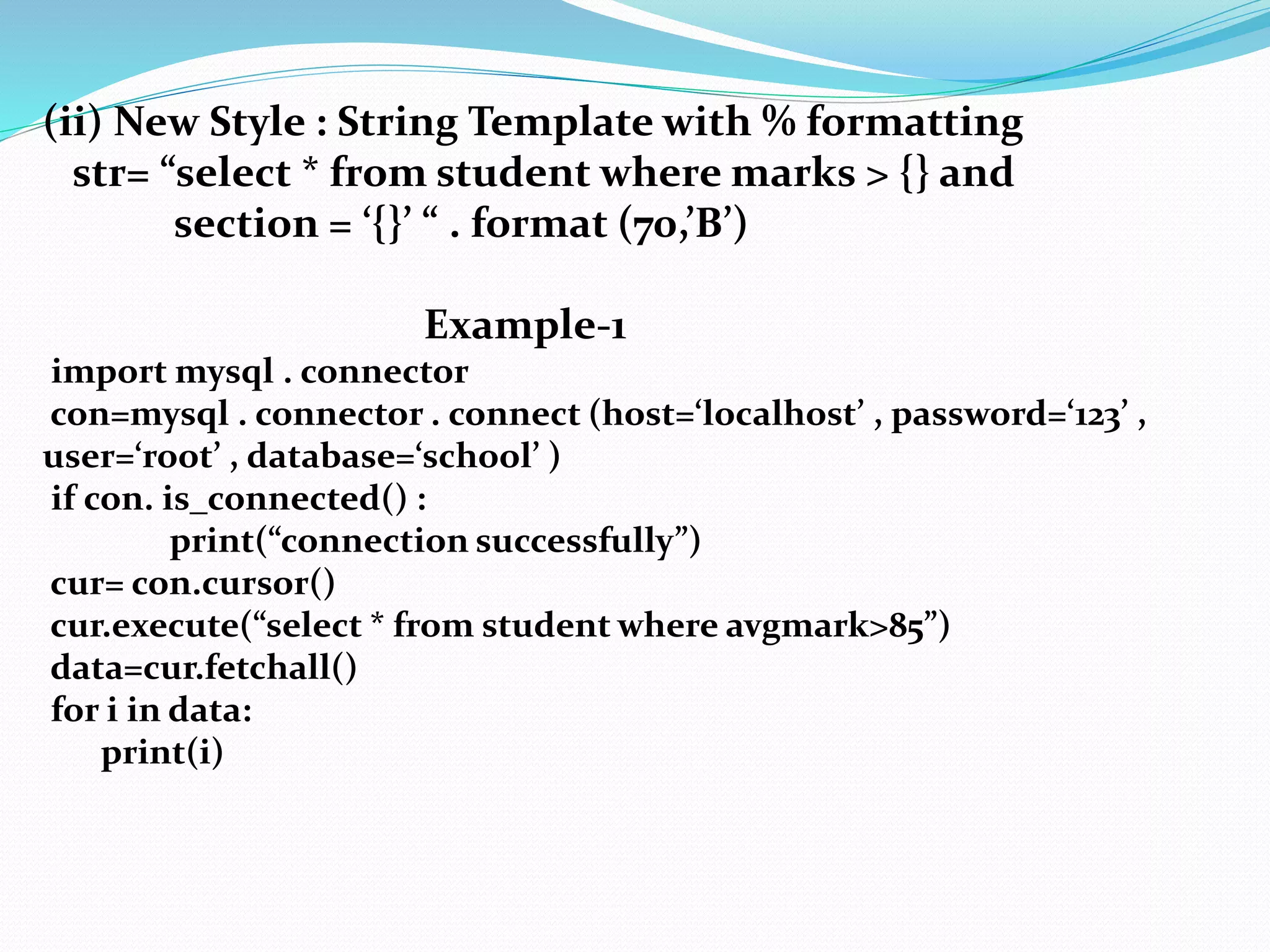
(ii) New Style : String Template with % formatting
str= “select * from student where marks > {} and
section = ‘{}’ “ . format (70,’B’)
Example-1
import mysql . connector
con=mysql . connector . connect (host=‘localhost’ , password=‘123’ ,
user=‘root’ , database=‘school’ )
if con. is_connected() :
print(“connection successfully”)
cur= con.cursor()
cur.execute(“select * from student where avgmark>85”)
data=cur.fetchall()
for i in data:
print(i)
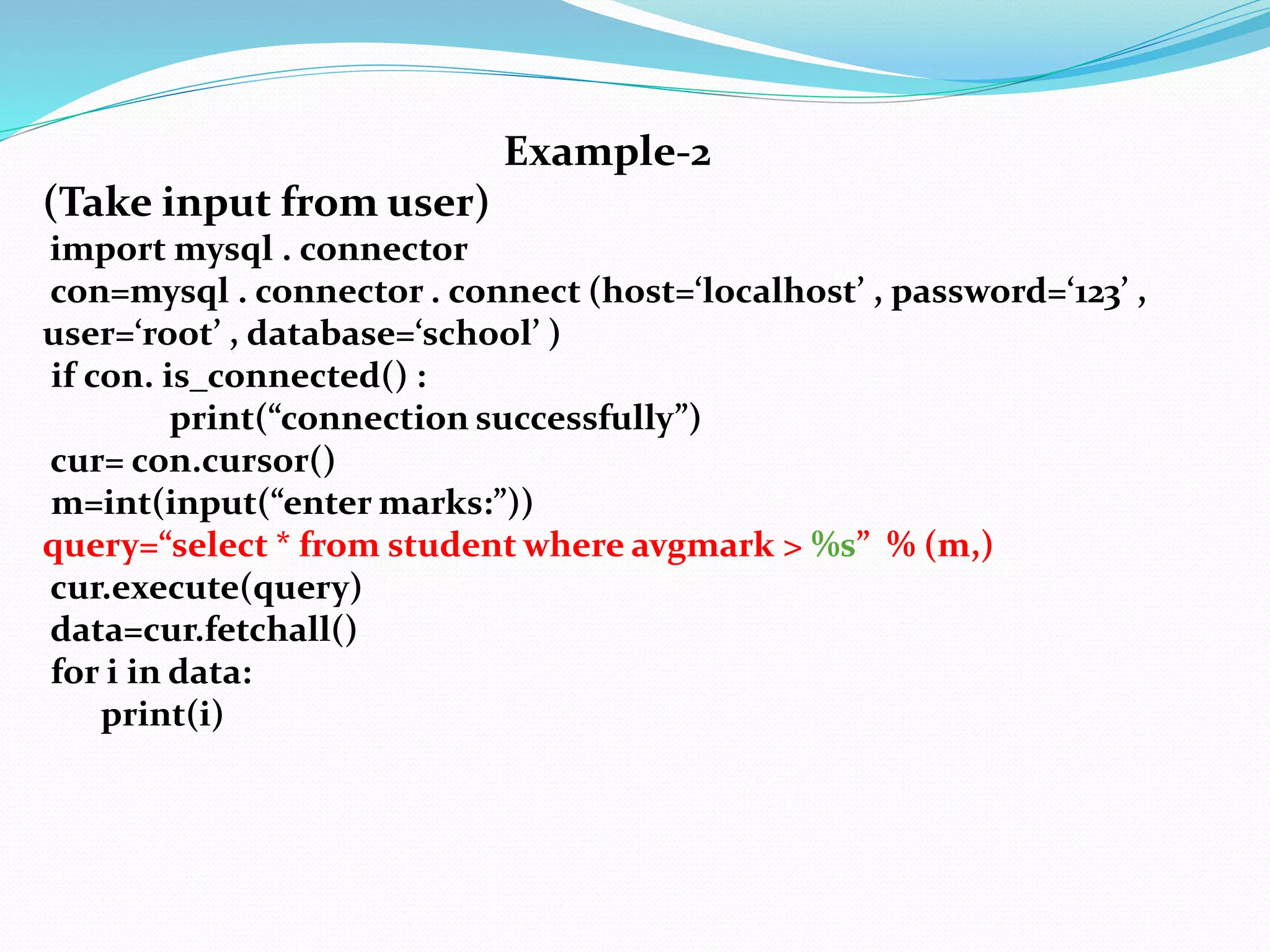
Example-2
(Take input from user)
import mysql . connector
con=mysql . connector . connect (host=‘localhost’ , password=‘123’ ,
user=‘root’ , database=‘school’ )
if con. is_connected() :
print(“connection successfully”)
cur= con.cursor()
m=int(input(“enter marks:”))
query=“select * from student where avgmark > %s” % (m,)
cur.execute(query)
data=cur.fetchall()
for i in data:
print(i)
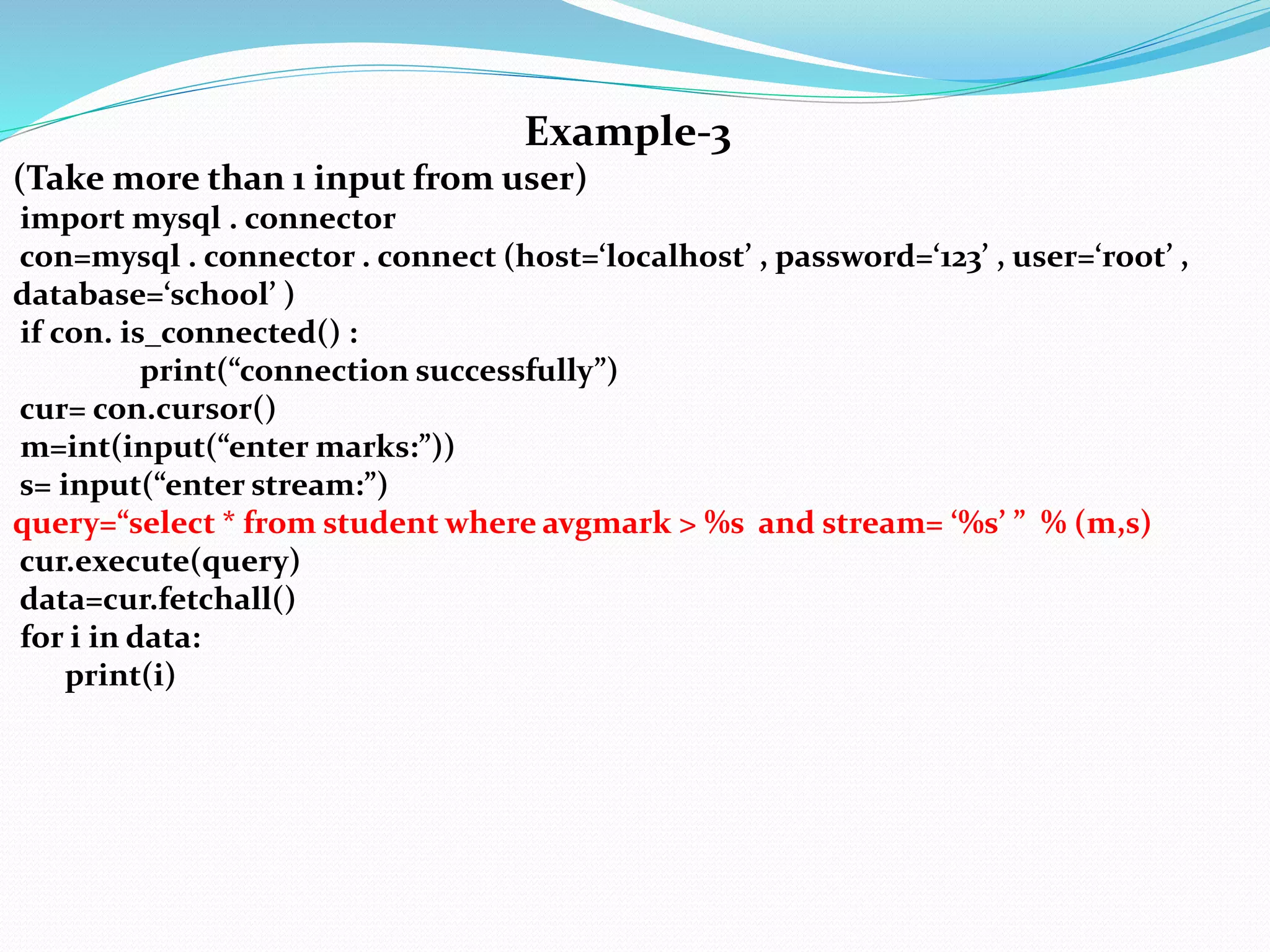
Example-3
(Take more than 1 input from user)
import mysql . connector
con=mysql . connector . connect (host=‘localhost’ , password=‘123’ , user=‘root’ ,
database=‘school’ )
if con. is_connected() :
print(“connection successfully”)
cur= con.cursor()
m=int(input(“enter marks:”))
s= input(“enter stream:”)
query=“select * from student where avgmark > %s and stream= ‘%s’ ” % (m,s)
cur.execute(query)
data=cur.fetchall()
for i in data:
print(i)
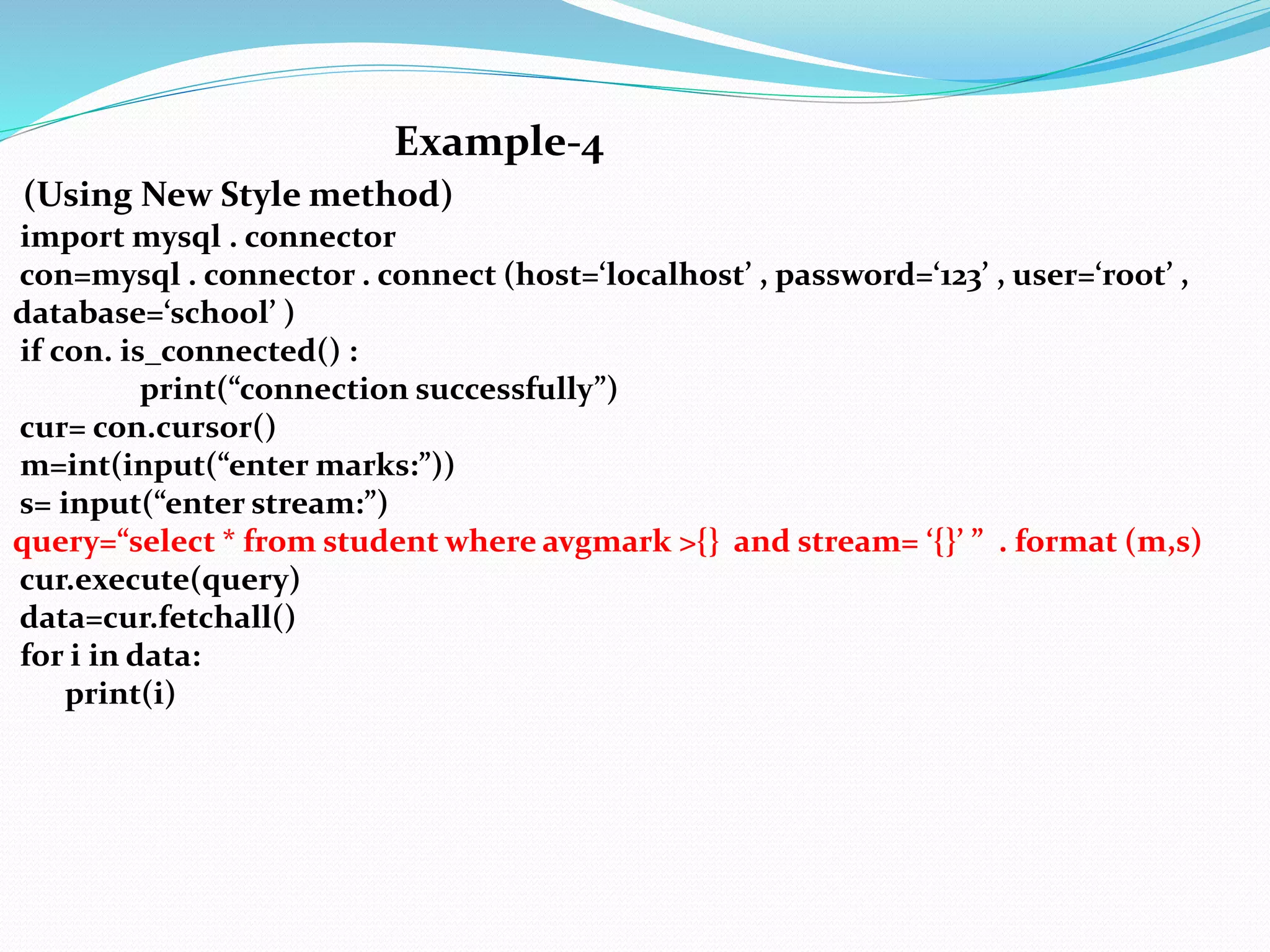
Example-4
(Using New Style method)
import mysql . connector
con=mysql . connector . connect (host=‘localhost’ , password=‘123’ , user=‘root’ ,
database=‘school’ )
if con. is_connected() :
print(“connection successfully”)
cur= con.cursor()
m=int(input(“enter marks:”))
s= input(“enter stream:”)
query=“select * from student where avgmark >{} and stream= ‘{}’ ” . format (m,s)
cur.execute(query)
data=cur.fetchall()
for i in data:
print(i)
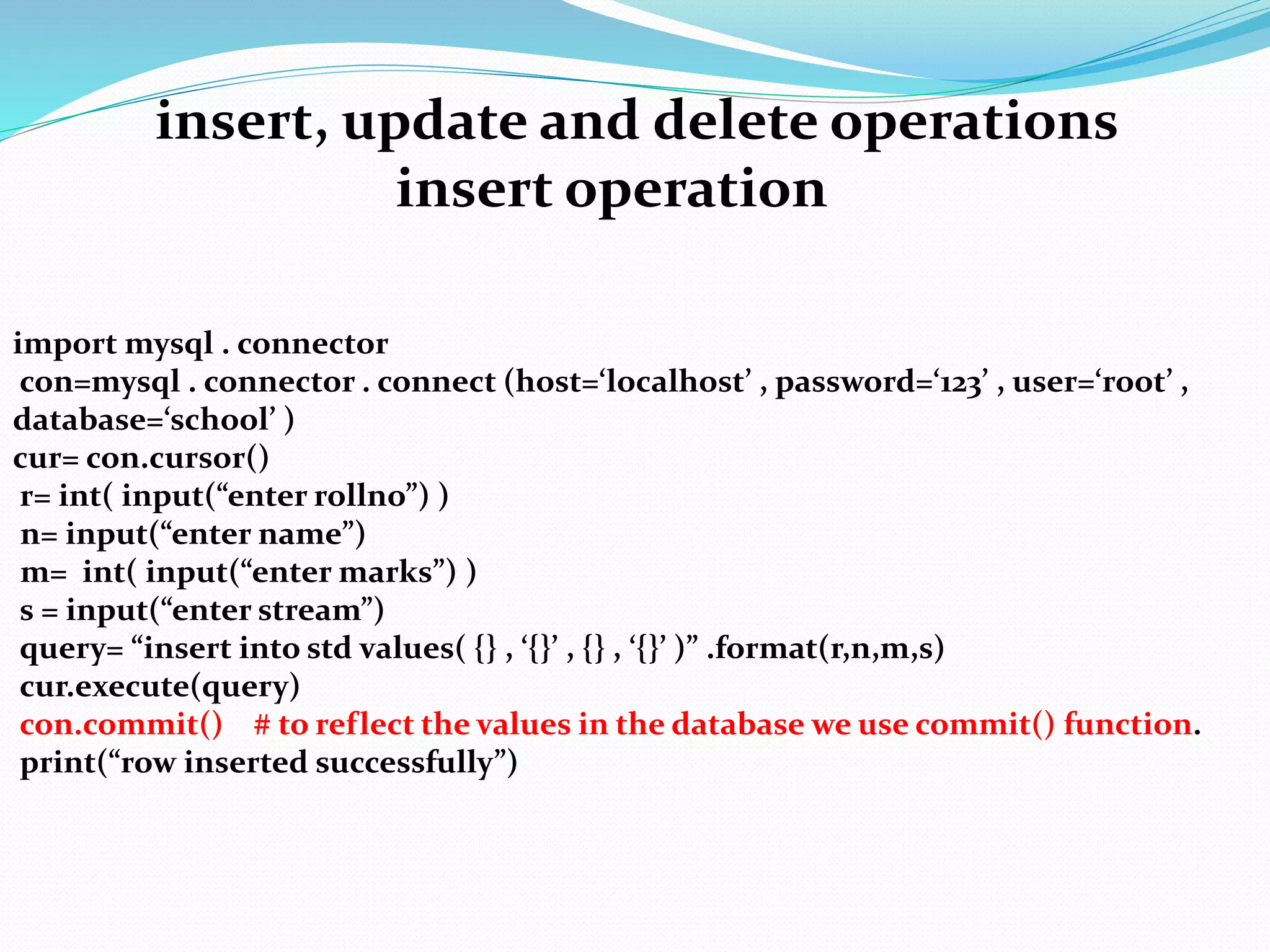
insert, update and delete operations
insert operation
import mysql . connector
con=mysql . connector . connect (host=‘localhost’ , password=‘123’ , user=‘root’ ,
database=‘school’ )
cur= con.cursor()
r= int( input(“enter rollno”) )
n= input(“enter name”)
m= int( input(“enter marks”) )
s = input(“enter stream”)
query= “insert into std values( {} , ‘{}’ , {} , ‘{}’ )” .format(r,n,m,s)
cur.execute(query)
con.commit() # to reflect the values in the database we use commit() function.
print(“row inserted successfully”)
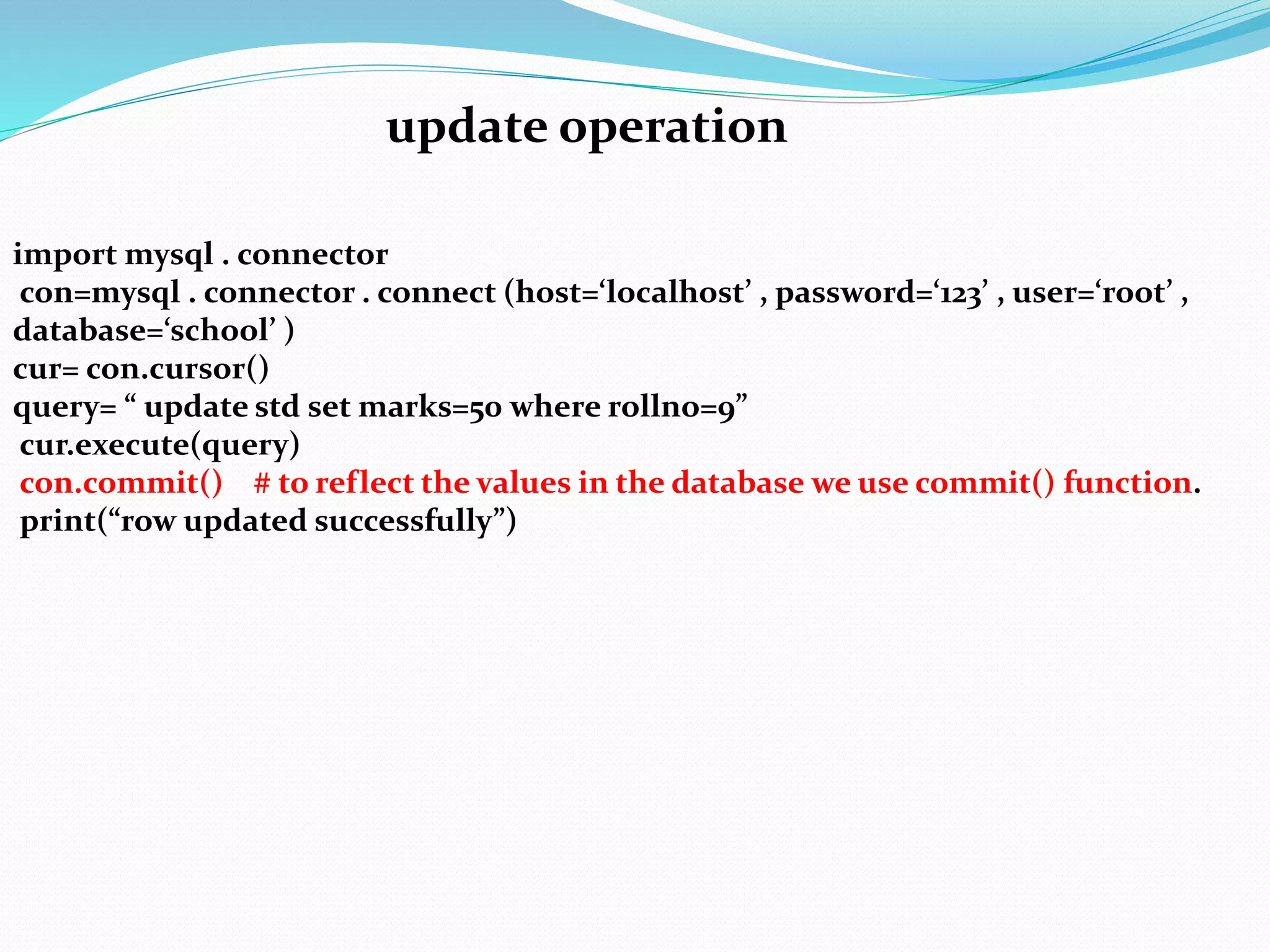
update operation
import mysql . connector
con=mysql . connector . connect (host=‘localhost’ , password=‘123’ , user=‘root’ ,
database=‘school’ )
cur= con.cursor()
query= “ update std set marks=50 where rollno=9”
cur.execute(query)
con.commit() # to reflect the values in the database we use commit() function.
print(“row updated successfully”)
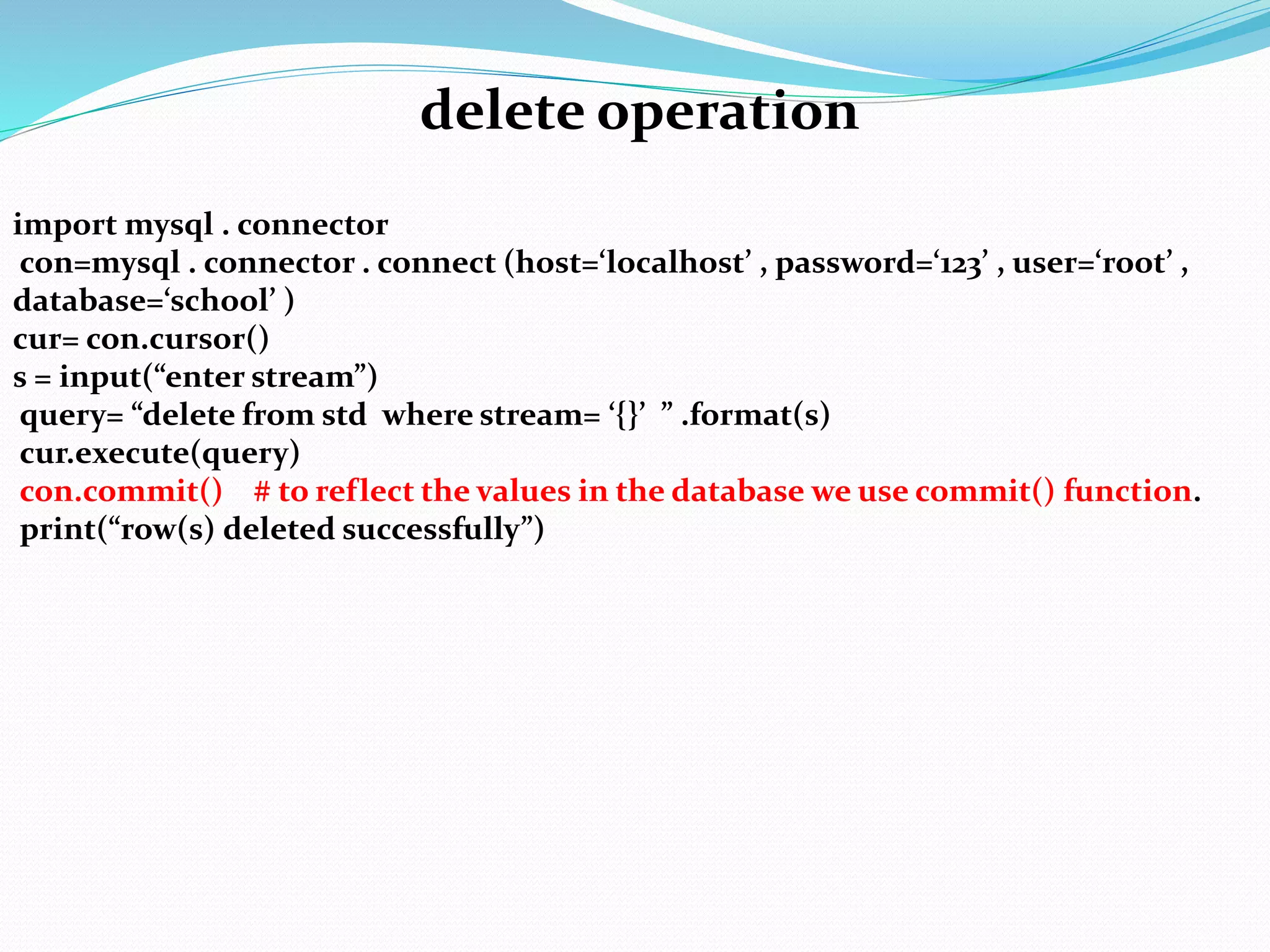
import mysql . connector
con=mysql . connector . connect (host=‘localhost’ , password=‘123’ , user=‘root’ ,
database=‘school’ )
cur= con.cursor()
s = input(“enter stream”)
query= “delete from std where stream= ‘{}’ ” .format(s)
cur.execute(query)
con.commit() # to reflect the values in the database we use commit() function.
print(“row(s) deleted successfully”)
delete operation
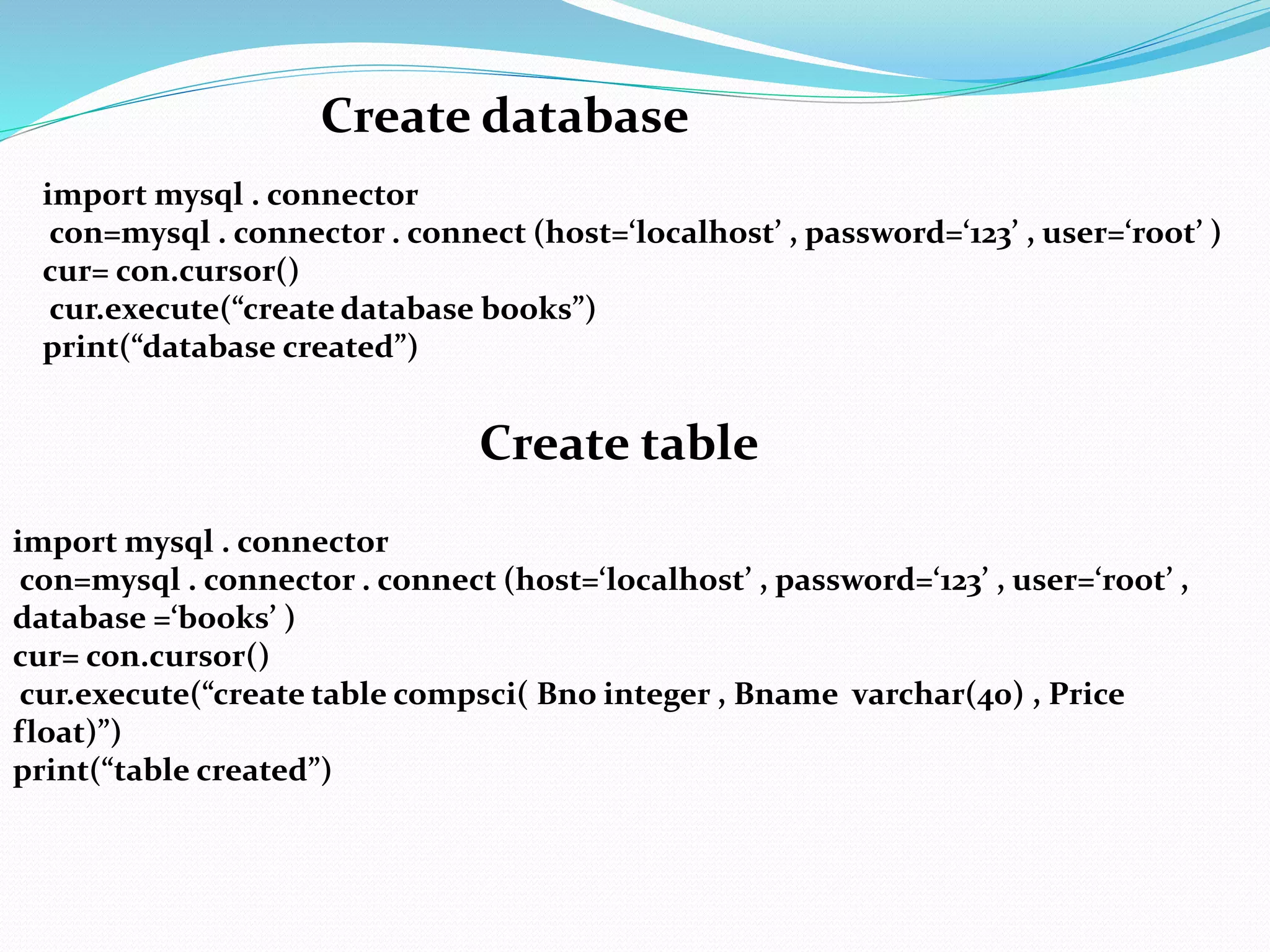
Create database
import mysql . connector
con=mysql . connector . connect (host=‘localhost’ , password=‘123’ , user=‘root’ )
cur= con.cursor()
cur.execute(“create database books”)
print(“database created”)
Create table
import mysql . connector
con=mysql . connector . connect (host=‘localhost’ , password=‘123’ , user=‘root’ ,
database =‘books’ )
cur= con.cursor()
cur.execute(“create table compsci( Bno integer , Bname varchar(40) , Price
float)”)
print(“table created”)
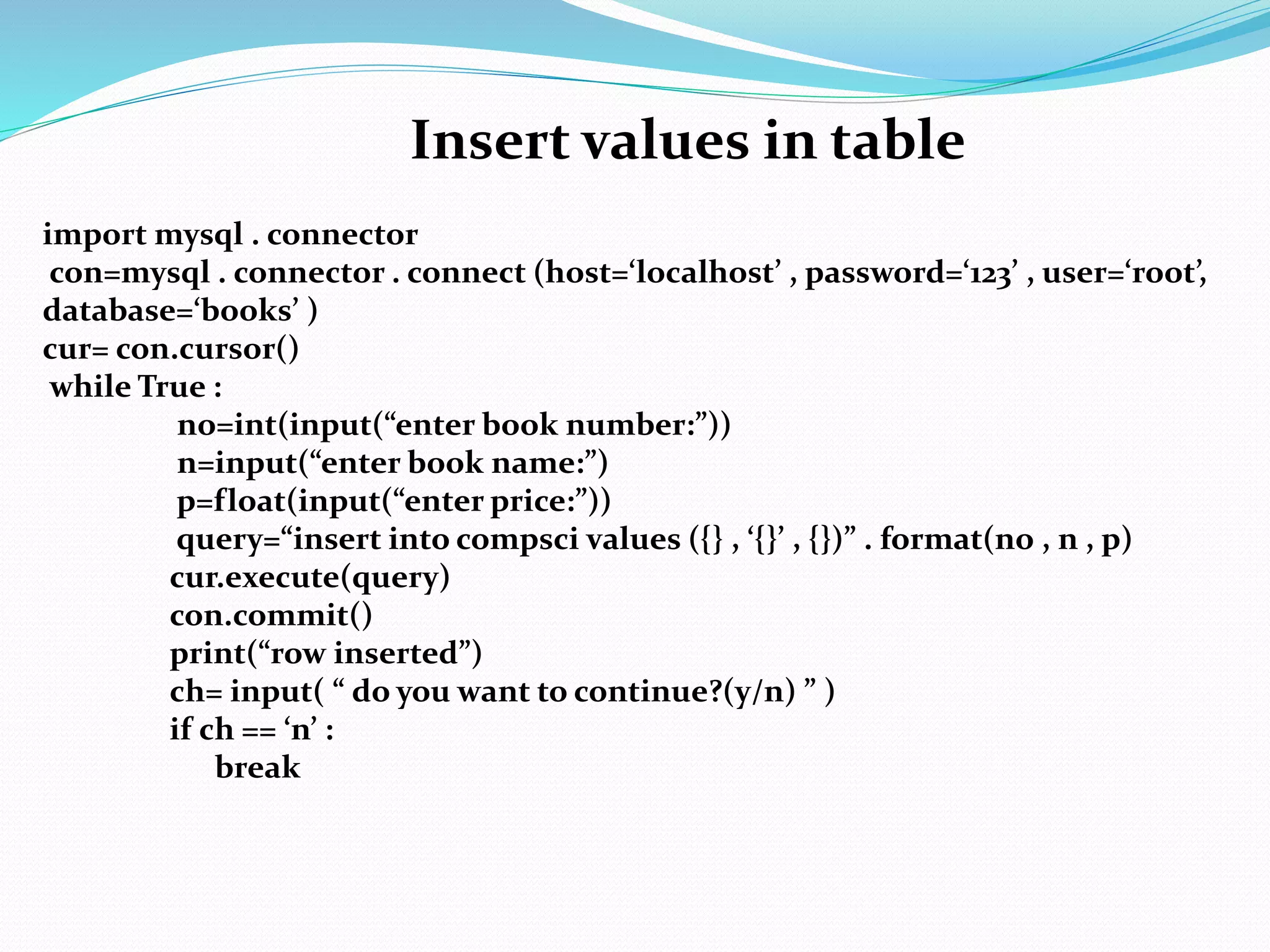
Insert values in table
import mysql . connector
con=mysql . connector . connect (host=‘localhost’ , password=‘123’ , user=‘root’,
database=‘books’ )
cur= con.cursor()
while True :
no=int(input(“enter book number:”))
n=input(“enter book name:”)
p=float(input(“enter price:”))
query=“insert into compsci values ({} , ‘{}’ , {})” . format(no , n , p)
cur.execute(query)
con.commit()
print(“row inserted”)
ch= input( “ do you want to continue?(y/n) ” )
if ch == ‘n’ :
break

interface with mysql.pptx

  • 1.
    Interface Python withMysql Introduction • When you design real life applications, you are bound to encounter situations wherein you need to manipulate data stored in a database through an application designed by you. • In order to connect to a database from within the python , you need a library that provides connectivity functionality. There are so many libraries , but we will use mysql connector library.
  • 2.
    Installing MYSQL Connector •Writethe following command: pip install mysql-connector-python in the command prompt. •After installing , open Python shell and write import mysql.connector •If it will not show any error , it means you have successfully installed it.
  • 3.
    Steps for creatingDatabase Connectivity Import the package mysql.connector Open a connection to a database Create a cursor instance Execute a query Extract data from result set Clean up the environment
  • 4.
    import mysql.connector or import mysql.connectoras sqltor Member Aliasing import mysql.connector
  • 5.
    Open a connectionto a mysql database con=mysql.connector.connect(host =<host name> , user = <user name> , password = <password> , database=<database name>) (connect ()is the function used to establish connection between Python and MySQL. connect() method uses 4 arguments which are keyword arguments) con=mysql.connector.connect(host = ‘localhost’ , user = ‘root’ , password = ‘1234’, database= ‘school’)
  • 6.
    Create cursor instance Adatabase cursor is a special control structure that facilitates the row by row processing of records in the resultset , i.e. set of records retrieved as per query. <CursorObject> = <ConnectionObject> . cursor() Execute SQL query Once you have created a cursor , you can execute SQL query using execute() function with cursor object. Syntax: <CursorObject> . execute(<SQL query string>)
  • 7.
    Example import mysql .connector con = mysql . connector . connect ( host = “localhost” , user = “root” , password = “123”) cur = con . cursor () cur . execute(“create database student”) print (“query executed”)
  • 8.
    Extract data fromresultset data = cursor . fetchall() – Returns all the records retrieved as per query in a tuple form. data = cursor . fetchone() – It will return one record from the resultset as a tuple. First time , it will fetch the first record, next time it will fetch the second record. If there is nothing to fetch then it will return None data = cursor . fetchmany(n) – This method fetches n records in the form of a tuple. If nothing is mention then it will return one value. If there is nothing to fetch then it will return []. variable = cursor . rowcount – This property of a cursor returns the number of rows retrieved.
  • 9.
    import mysql .connector con = mysql . connector . connect ( host = “localhost” , user = “root” , password = “123” , database =“school”) cur = con . cursor () cur . execute(“select* from student”) data=cur. fetchall() for i in data: print(i) print(“Total no. of rows retrieved” , cur.rowcount) Example
  • 10.
    import mysql .connector con = mysql . connector . connect ( host = “localhost” , user = “root” , password = “123” , database =“school”) cur = con . cursor () cur . execute(“select* from student”) data=cur. fetchone() print(i) print(“Total no. of rows retrieved” , cur.rowcount) Example
  • 11.
    import mysql .connector con = mysql . connector . connect ( host = “localhost” , user = “root” , password = “123” , database =“school”) cur = con . cursor () cur . execute(“select* from student”) data=cur. fetchmany(4) #it will fetch first 4 records for i in data: print(i) print(“Total no. of rows retrieved” , cur.rowcount) data=cur. fetchmany(4) #it will fetch next 4 records for i in data: print(i) print(“Total no. of rows retrieved” , cur.rowcount) Example
  • 12.
    Parameterized query (i) OldStyle : String Templates with % formatting f%v Where, f is a template string (it is a string i.e. Query of SQL) v specifies the values to be formatted using the template. v must be a tuple. “select * from student where name=‘ %s’ ” % (‘akash’,) (NOTE: %v is the value. In the above example %s is the format specifier which will be replaced by the value i.e. 70. the value in the bracket should be a tuple , if there is only one value then it becomes compulsory to put comma(,). If the value is string then %s will be in single quotes) (When we want user to input , then we use parameterized queries)
  • 13.
    (ii) New Style: String Template with % formatting str= “select * from student where marks > {} and section = ‘{}’ “ . format (70,’B’) Example-1 import mysql . connector con=mysql . connector . connect (host=‘localhost’ , password=‘123’ , user=‘root’ , database=‘school’ ) if con. is_connected() : print(“connection successfully”) cur= con.cursor() cur.execute(“select * from student where avgmark>85”) data=cur.fetchall() for i in data: print(i)
  • 14.
    Example-2 (Take input fromuser) import mysql . connector con=mysql . connector . connect (host=‘localhost’ , password=‘123’ , user=‘root’ , database=‘school’ ) if con. is_connected() : print(“connection successfully”) cur= con.cursor() m=int(input(“enter marks:”)) query=“select * from student where avgmark > %s” % (m,) cur.execute(query) data=cur.fetchall() for i in data: print(i)
  • 15.
    Example-3 (Take more than1 input from user) import mysql . connector con=mysql . connector . connect (host=‘localhost’ , password=‘123’ , user=‘root’ , database=‘school’ ) if con. is_connected() : print(“connection successfully”) cur= con.cursor() m=int(input(“enter marks:”)) s= input(“enter stream:”) query=“select * from student where avgmark > %s and stream= ‘%s’ ” % (m,s) cur.execute(query) data=cur.fetchall() for i in data: print(i)
  • 16.
    Example-4 (Using New Stylemethod) import mysql . connector con=mysql . connector . connect (host=‘localhost’ , password=‘123’ , user=‘root’ , database=‘school’ ) if con. is_connected() : print(“connection successfully”) cur= con.cursor() m=int(input(“enter marks:”)) s= input(“enter stream:”) query=“select * from student where avgmark >{} and stream= ‘{}’ ” . format (m,s) cur.execute(query) data=cur.fetchall() for i in data: print(i)
  • 17.
    insert, update anddelete operations insert operation import mysql . connector con=mysql . connector . connect (host=‘localhost’ , password=‘123’ , user=‘root’ , database=‘school’ ) cur= con.cursor() r= int( input(“enter rollno”) ) n= input(“enter name”) m= int( input(“enter marks”) ) s = input(“enter stream”) query= “insert into std values( {} , ‘{}’ , {} , ‘{}’ )” .format(r,n,m,s) cur.execute(query) con.commit() # to reflect the values in the database we use commit() function. print(“row inserted successfully”)
  • 18.
    update operation import mysql. connector con=mysql . connector . connect (host=‘localhost’ , password=‘123’ , user=‘root’ , database=‘school’ ) cur= con.cursor() query= “ update std set marks=50 where rollno=9” cur.execute(query) con.commit() # to reflect the values in the database we use commit() function. print(“row updated successfully”)
  • 19.
    import mysql .connector con=mysql . connector . connect (host=‘localhost’ , password=‘123’ , user=‘root’ , database=‘school’ ) cur= con.cursor() s = input(“enter stream”) query= “delete from std where stream= ‘{}’ ” .format(s) cur.execute(query) con.commit() # to reflect the values in the database we use commit() function. print(“row(s) deleted successfully”) delete operation
  • 20.
    Create database import mysql. connector con=mysql . connector . connect (host=‘localhost’ , password=‘123’ , user=‘root’ ) cur= con.cursor() cur.execute(“create database books”) print(“database created”) Create table import mysql . connector con=mysql . connector . connect (host=‘localhost’ , password=‘123’ , user=‘root’ , database =‘books’ ) cur= con.cursor() cur.execute(“create table compsci( Bno integer , Bname varchar(40) , Price float)”) print(“table created”)
  • 21.
    Insert values intable import mysql . connector con=mysql . connector . connect (host=‘localhost’ , password=‘123’ , user=‘root’, database=‘books’ ) cur= con.cursor() while True : no=int(input(“enter book number:”)) n=input(“enter book name:”) p=float(input(“enter price:”)) query=“insert into compsci values ({} , ‘{}’ , {})” . format(no , n , p) cur.execute(query) con.commit() print(“row inserted”) ch= input( “ do you want to continue?(y/n) ” ) if ch == ‘n’ : break