Presenter: PopAi AI Creation
Integrating Salesforce with Okta Using SAML 2.0
Content 1. Understanding SAML 2.0
2. Configuring Okta for Salesforce Integration
3. Troubleshooting and Best Practices
Section 1
Understanding SAML 2.0
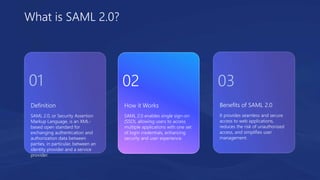
Definition
SAML 2.0, or Security Assertion
Markup Language, is an XML-
based open standard for
exchanging authentication and
authorization data between
parties, in particular, between an
identity provider and a service
provider.
Benefits of SAML 2.0
It provides seamless and secure
access to web applications,
reduces the risk of unauthorized
access, and simplifies user
management.
How it Works
SAML 2.0 enables single sign-on
(SSO), allowing users to access
multiple applications with one set
of login credentials, enhancing
security and user experience.
What is SAML 2.0?
01 02 03
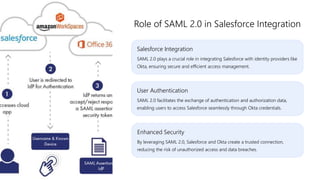
Salesforce Integration
SAML 2.0 plays a crucial role in integrating Salesforce with identity providers like
Okta, ensuring secure and efficient access management.
Role of SAML 2.0 in Salesforce Integration
User Authentication
SAML 2.0 facilitates the exchange of authentication and authorization data,
enabling users to access Salesforce seamlessly through Okta credentials.
Enhanced Security
By leveraging SAML 2.0, Salesforce and Okta create a trusted connection,
reducing the risk of unauthorized access and data breaches.
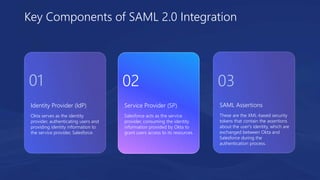
Identity Provider (IdP)
Okta serves as the identity
provider, authenticating users and
providing identity information to
the service provider, Salesforce.
SAML Assertions
These are the XML-based security
tokens that contain the assertions
about the user's identity, which are
exchanged between Okta and
Salesforce during the
authentication process.
Service Provider (SP)
Salesforce acts as the service
provider, consuming the identity
information provided by Okta to
grant users access to its resources.
Key Components of SAML 2.0 Integration
01 02 03
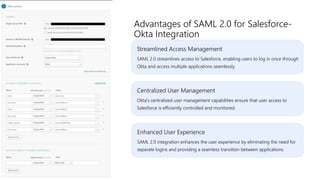
Streamlined Access Management
SAML 2.0 streamlines access to Salesforce, enabling users to log in once through
Okta and access multiple applications seamlessly.
Advantages of SAML 2.0 for Salesforce-
Okta Integration
Centralized User Management
Okta's centralized user management capabilities ensure that user access to
Salesforce is efficiently controlled and monitored.
Enhanced User Experience
SAML 2.0 integration enhances the user experience by eliminating the need for
separate logins and providing a seamless transition between applications.
Section 2
Configuring Okta for Salesforce Integration
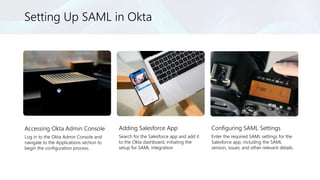
Setting Up SAML in Okta
Accessing Okta Admin Console
Log in to the Okta Admin Console and
navigate to the Applications section to
begin the configuration process.
Adding Salesforce App
Search for the Salesforce app and add it
to the Okta dashboard, initiating the
setup for SAML integration.
Configuring SAML Settings
Enter the required SAML settings for the
Salesforce app, including the SAML
version, issuer, and other relevant details.
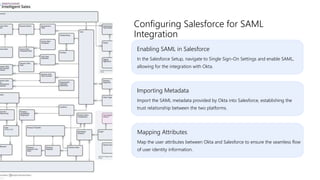
Enabling SAML in Salesforce
In the Salesforce Setup, navigate to Single Sign-On Settings and enable SAML,
allowing for the integration with Okta.
Configuring Salesforce for SAML
Integration
Importing Metadata
Import the SAML metadata provided by Okta into Salesforce, establishing the
trust relationship between the two platforms.
Mapping Attributes
Map the user attributes between Okta and Salesforce to ensure the seamless flow
of user identity information.
User Authentication
Test the SAML integration by
logging in to Salesforce using
Okta credentials, ensuring that the
authentication process is
successful.
Error Handling
Address any potential errors or
misconfigurations that may arise
during the testing phase, ensuring
a smooth and reliable integration.
User Provisioning
Validate the provisioning of user
accounts from Okta to Salesforce,
confirming that user access is
appropriately managed and
synchronized.
Testing and Validation
01 02 03
Regular Monitoring
Establish a practice of regularly monitoring the SAML integration between Okta
and Salesforce to identify and address any issues promptly.
Best Practices for SAML Integration
Security Considerations
Implement best practices for securing SAML assertions and maintaining the
integrity of the SAML communication channel.
User Training
Provide comprehensive training to users on the SAML-based single sign-on
process to ensure a smooth transition and optimal user experience.
Section 3
Troubleshooting and Best Practices
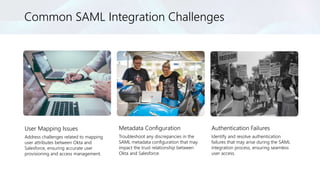
Common SAML Integration Challenges
User Mapping Issues
Address challenges related to mapping
user attributes between Okta and
Salesforce, ensuring accurate user
provisioning and access management.
Metadata Configuration
Troubleshoot any discrepancies in the
SAML metadata configuration that may
impact the trust relationship between
Okta and Salesforce.
Authentication Failures
Identify and resolve authentication
failures that may arise during the SAML
integration process, ensuring seamless
user access.
Performance Tuning
Implement performance optimization measures to enhance the speed and
reliability of the SAML integration between Okta and Salesforce.
Optimizing SAML Integration
Performance
Scalability Considerations
Address scalability challenges to accommodate the growing user base and ensure
that the SAML integration remains efficient and responsive.
Load Testing
Conduct load testing to evaluate the performance of the SAML integration under
varying user loads and optimize the system accordingly.
Documentation and
Governance
Establish comprehensive
documentation and governance
practices to ensure the effective
management of the SAML 2.0
integration.
Continuous Improvement
Implement a process for
continuous improvement,
incorporating feedback and
insights to enhance the SAML
integration over time.
Regular Auditing
Conduct regular audits of the
SAML configuration and user
access to identify and mitigate any
security or compliance risks.
Best Practices for SAML 2.0 Management
01 02 03
Emerging Standards
Explore emerging SAML 2.0
standards and innovations to stay
abreast of advancements in
identity and access management.
User Feedback and
Experience
Gather user feedback and insights
to drive ongoing improvements
and innovations in the SAML 2.0
integration for enhanced user
experience.
Integration with Other
Platforms
Consider the potential for
extending SAML 2.0 integration to
other platforms and applications
within the organizational
ecosystem.
Future Considerations and Innovations
01 02 03
Thank You

Integrating Salesforce with Okta Using SAML 2.0.pptx

  • 1.
    Presenter: PopAi AICreation Integrating Salesforce with Okta Using SAML 2.0
  • 2.
    Content 1. UnderstandingSAML 2.0 2. Configuring Okta for Salesforce Integration 3. Troubleshooting and Best Practices
  • 3.
  • 4.
    Definition SAML 2.0, orSecurity Assertion Markup Language, is an XML- based open standard for exchanging authentication and authorization data between parties, in particular, between an identity provider and a service provider. Benefits of SAML 2.0 It provides seamless and secure access to web applications, reduces the risk of unauthorized access, and simplifies user management. How it Works SAML 2.0 enables single sign-on (SSO), allowing users to access multiple applications with one set of login credentials, enhancing security and user experience. What is SAML 2.0? 01 02 03
  • 5.
    Salesforce Integration SAML 2.0plays a crucial role in integrating Salesforce with identity providers like Okta, ensuring secure and efficient access management. Role of SAML 2.0 in Salesforce Integration User Authentication SAML 2.0 facilitates the exchange of authentication and authorization data, enabling users to access Salesforce seamlessly through Okta credentials. Enhanced Security By leveraging SAML 2.0, Salesforce and Okta create a trusted connection, reducing the risk of unauthorized access and data breaches.
  • 6.
    Identity Provider (IdP) Oktaserves as the identity provider, authenticating users and providing identity information to the service provider, Salesforce. SAML Assertions These are the XML-based security tokens that contain the assertions about the user's identity, which are exchanged between Okta and Salesforce during the authentication process. Service Provider (SP) Salesforce acts as the service provider, consuming the identity information provided by Okta to grant users access to its resources. Key Components of SAML 2.0 Integration 01 02 03
  • 7.
    Streamlined Access Management SAML2.0 streamlines access to Salesforce, enabling users to log in once through Okta and access multiple applications seamlessly. Advantages of SAML 2.0 for Salesforce- Okta Integration Centralized User Management Okta's centralized user management capabilities ensure that user access to Salesforce is efficiently controlled and monitored. Enhanced User Experience SAML 2.0 integration enhances the user experience by eliminating the need for separate logins and providing a seamless transition between applications.
  • 8.
    Section 2 Configuring Oktafor Salesforce Integration
  • 9.
    Setting Up SAMLin Okta Accessing Okta Admin Console Log in to the Okta Admin Console and navigate to the Applications section to begin the configuration process. Adding Salesforce App Search for the Salesforce app and add it to the Okta dashboard, initiating the setup for SAML integration. Configuring SAML Settings Enter the required SAML settings for the Salesforce app, including the SAML version, issuer, and other relevant details.
  • 10.
    Enabling SAML inSalesforce In the Salesforce Setup, navigate to Single Sign-On Settings and enable SAML, allowing for the integration with Okta. Configuring Salesforce for SAML Integration Importing Metadata Import the SAML metadata provided by Okta into Salesforce, establishing the trust relationship between the two platforms. Mapping Attributes Map the user attributes between Okta and Salesforce to ensure the seamless flow of user identity information.
  • 11.
    User Authentication Test theSAML integration by logging in to Salesforce using Okta credentials, ensuring that the authentication process is successful. Error Handling Address any potential errors or misconfigurations that may arise during the testing phase, ensuring a smooth and reliable integration. User Provisioning Validate the provisioning of user accounts from Okta to Salesforce, confirming that user access is appropriately managed and synchronized. Testing and Validation 01 02 03
  • 12.
    Regular Monitoring Establish apractice of regularly monitoring the SAML integration between Okta and Salesforce to identify and address any issues promptly. Best Practices for SAML Integration Security Considerations Implement best practices for securing SAML assertions and maintaining the integrity of the SAML communication channel. User Training Provide comprehensive training to users on the SAML-based single sign-on process to ensure a smooth transition and optimal user experience.
  • 13.
  • 14.
    Common SAML IntegrationChallenges User Mapping Issues Address challenges related to mapping user attributes between Okta and Salesforce, ensuring accurate user provisioning and access management. Metadata Configuration Troubleshoot any discrepancies in the SAML metadata configuration that may impact the trust relationship between Okta and Salesforce. Authentication Failures Identify and resolve authentication failures that may arise during the SAML integration process, ensuring seamless user access.
  • 15.
    Performance Tuning Implement performanceoptimization measures to enhance the speed and reliability of the SAML integration between Okta and Salesforce. Optimizing SAML Integration Performance Scalability Considerations Address scalability challenges to accommodate the growing user base and ensure that the SAML integration remains efficient and responsive. Load Testing Conduct load testing to evaluate the performance of the SAML integration under varying user loads and optimize the system accordingly.
  • 16.
    Documentation and Governance Establish comprehensive documentationand governance practices to ensure the effective management of the SAML 2.0 integration. Continuous Improvement Implement a process for continuous improvement, incorporating feedback and insights to enhance the SAML integration over time. Regular Auditing Conduct regular audits of the SAML configuration and user access to identify and mitigate any security or compliance risks. Best Practices for SAML 2.0 Management 01 02 03
  • 17.
    Emerging Standards Explore emergingSAML 2.0 standards and innovations to stay abreast of advancements in identity and access management. User Feedback and Experience Gather user feedback and insights to drive ongoing improvements and innovations in the SAML 2.0 integration for enhanced user experience. Integration with Other Platforms Consider the potential for extending SAML 2.0 integration to other platforms and applications within the organizational ecosystem. Future Considerations and Innovations 01 02 03
  • 18.