Programming Data
(ADO.Net, Linq, EF)
Eng. Mahmoud Ouf
Lecture 3
mmouf@2018
Introduction To LINQ
• Problems in accessing Data from Different DataSource:
We Can’t programmatically interact with a database at the native language
level
Trouble caused by conflict data types utilized versus the native language of
the program
mmouf@2018
LINQ
• Microsoft’s technology to provide a language-level support mechanism for
querying data of all types.
in-memory arrays and collections,
databases,
XML documents, and more.
• The returned Set of objects is called “sequence”
• Most sequence are of type IEnumerable<T>
• LINQ is not for query as in its name, We can better think of it as Data
Integration Engine (DIE)
mmouf@2018
LINQ Definition
• LINQ is a uniform programming model for any kind of data.
• LINQ enables you to query and manipulate data with a consistent model
that is independent from data sources.
• LINQ is just another tool for embedding SQL queries into code.
• LINQ is yet another data abstraction layer.
LINQ is all the previous and more
• LINQ is a methodology that simplifies and unifies the implementation of
any kind of data access.
• LINQ does not force you to use a specific architecture; it facilitates the
implementation of several existing architectures for accessing data.
mmouf@2018
LINQ
mmouf@2018
LINQ Query Expression
• Query expressions are written in a declarative query syntax introduced in
C# 3.0
• Use the same basic query expression patterns to query and transform data
in SQL databases, ADO.NET Datasets, XML documents and streams, and
.NET collections
• All LINQ query operations consist of three distinct actions:
1. Obtain the data source.
2. Create the query.
3. Execute the query.
mmouf@2018
LINQ Query Expression
• LINQ use deffered execution:
• A query is not executed until you iterate over the query variable in a
foreach statement, this is named deffered execution.
• The benefit of this approach is that you are able to apply the same LINQ
query multiple times to the same container, and rest assured you are
obtaining the latest and greatest results
mmouf@2018
LINQ Query Expression
• The general form of the query expression is:
• from id in source
• {Where condition |
• Orderby ordering, ordering, ... [Ascending | Descending] }
• Select expr | ;
mmouf@2018
LINQ Query Expression
class LINQQueryExpressions
{
static void Main()
{
// Specify the data source.
int[] scores = new int[] { 97, 92, 81, 60 };
// Define the query expression.
IEnumerable<int> scoreQuery =
from score in scores
where score > 80
select score;
// Execute the query.
foreach (int i in scoreQuery)
{
Console.Write(i + " ");
} mmouf@2018
LINQ Query Expression
//Make a change
Scores[0] = 50;
Console.WriteLine();
// Re-Execute the query.
foreach (int i in scoreQuery)
{
Console.Write(i + " ");
}
}
}
// Output: 97 92 81
// 92 81
mmouf@2018
LINQ and Implicitly Typed Local Variable
static void QueryOverInts()
{
int[] numbers = {10, 20, 30, 40, 1, 2, 3, 8};
// Use implicit typing here...
var subset = from i in numbers where i < 10 select i;
// ...and here.
foreach (var i in subset)
Console.WriteLine("Item: {0} ", i);
}
mmouf@2018
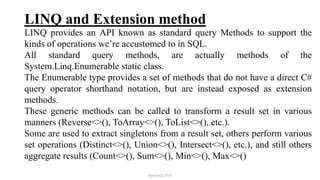
LINQ and Extension method
LINQ provides an API known as standard query Methods to support the
kinds of operations we’re accustomed to in SQL.
All standard query methods, are actually methods of the
System.Linq.Enumerable static class.
The Enumerable type provides a set of methods that do not have a direct C#
query operator shorthand notation, but are instead exposed as extension
methods.
These generic methods can be called to transform a result set in various
manners (Reverse<>(), ToArray<>(), ToList<>(), etc.).
Some are used to extract singletons from a result set, others perform various
set operations (Distinct<>(), Union<>(), Intersect<>(), etc.), and still others
aggregate results (Count<>(), Sum<>(), Min<>(), Max<>()
mmouf@2018
LINQ and Extension method
static void GetCount()
{
string[] currentVideoGames = {"Morrowind", "BioShock", "Half Life 2: Episode
1", "The Darkness", "Daxter", "System Shock 2"};
// Get count from the query.
int numb = (from g in currentVideoGames
where g.Length > 6
orderby g
select g).Count<string>();
// numb is the value 5.
Console.WriteLine("{0} items honor the LINQ query.", numb);
}
mmouf@2018
Returning the Result of a LINQ Query
It is possible to define a field within a class (or structure) whose value is the
result of a LINQ query.
To do so, however, you cannot make use of implicit typing (as the var
keyword cannot be used for fields), and the target of the LINQ query cannot
be instance-level data; therefore, it must be static.
class LINQBasedFieldsAreClunky
{
private static string[] currentVideoGames = {"Morrowind",
"Uncharted 2", "Fallout 3", "Daxter", "System Shock 2"};
// Can’t use implicit typing here! Must know type of subset!
private IEnumerable<string> subset = from g in currentVideoGames
where g.Contains(" ") orderby g select g;
mmouf@2018
Returning the Result of a LINQ Query
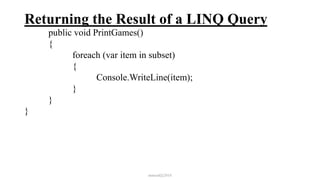
public void PrintGames()
{
foreach (var item in subset)
{
Console.WriteLine(item);
}
}
}
mmouf@2018
Returning the Result of a LINQ Query
Implicitly typed variables cannot be used to define parameters, return values,
or fields of a class or structure.
So, how you could return a query result to an external caller?. The answer is,
it depends. If you have a result set consisting of strongly typed data, such as
an array of strings or a List<T> of Cars, you could abandon the use of the
var keyword and use a proper IEnumerable<T> or IEnumerable type
class Program
{
static void Main(string[] args)
{
Console.WriteLine("***** LINQ Return Values *****n");
IEnumerable<string> subset = GetStringSubset();
foreach (string item in subset)
{
mmouf@2018
Returning the Result of a LINQ Query
Console.WriteLine(item);
}
Console.ReadLine();
}
static IEnumerable<string> GetStringSubset()
{
string[] colors = {"Light Red", "Green","Yellow", "Dark Red", "Red",
"Purple"};
// Note subset is an IEnumerable<string>-compatible object.
IEnumerable<string> theRedColors = from c in colors
where c.Contains("Red") select c;
return theRedColors;
}
}
mmouf@2018
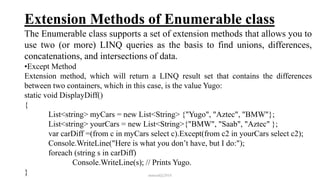
Extension Methods of Enumerable class
The Enumerable class supports a set of extension methods that allows you to
use two (or more) LINQ queries as the basis to find unions, differences,
concatenations, and intersections of data.
•Except Method
Extension method, which will return a LINQ result set that contains the differences
between two containers, which in this case, is the value Yugo:
static void DisplayDiff()
{
List<string> myCars = new List<String> {"Yugo", "Aztec", "BMW"};
List<string> yourCars = new List<String>{"BMW", "Saab", "Aztec" };
var carDiff =(from c in myCars select c).Except(from c2 in yourCars select c2);
Console.WriteLine("Here is what you don’t have, but I do:");
foreach (string s in carDiff)
Console.WriteLine(s); // Prints Yugo.
} mmouf@2018
Extension Methods of Enumerable class
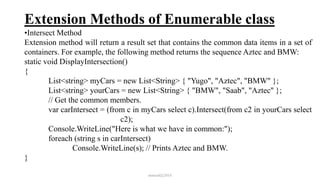
•Intersect Method
Extension method will return a result set that contains the common data items in a set of
containers. For example, the following method returns the sequence Aztec and BMW:
static void DisplayIntersection()
{
List<string> myCars = new List<String> { "Yugo", "Aztec", "BMW" };
List<string> yourCars = new List<String> { "BMW", "Saab", "Aztec" };
// Get the common members.
var carIntersect = (from c in myCars select c).Intersect(from c2 in yourCars select
c2);
Console.WriteLine("Here is what we have in common:");
foreach (string s in carIntersect)
Console.WriteLine(s); // Prints Aztec and BMW.
}
mmouf@2018
Extension Methods of Enumerable class
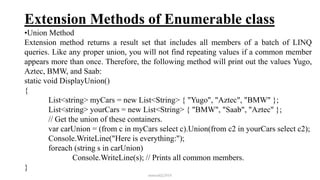
•Union Method
Extension method returns a result set that includes all members of a batch of LINQ
queries. Like any proper union, you will not find repeating values if a common member
appears more than once. Therefore, the following method will print out the values Yugo,
Aztec, BMW, and Saab:
static void DisplayUnion()
{
List<string> myCars = new List<String> { "Yugo", "Aztec", "BMW" };
List<string> yourCars = new List<String> { "BMW", "Saab", "Aztec" };
// Get the union of these containers.
var carUnion = (from c in myCars select c).Union(from c2 in yourCars select c2);
Console.WriteLine("Here is everything:");
foreach (string s in carUnion)
Console.WriteLine(s); // Prints all common members.
}
mmouf@2018
Extension Methods of Enumerable class
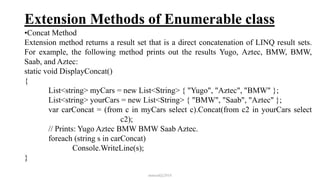
•Concat Method
Extension method returns a result set that is a direct concatenation of LINQ result sets.
For example, the following method prints out the results Yugo, Aztec, BMW, BMW,
Saab, and Aztec:
static void DisplayConcat()
{
List<string> myCars = new List<String> { "Yugo", "Aztec", "BMW" };
List<string> yourCars = new List<String> { "BMW", "Saab", "Aztec" };
var carConcat = (from c in myCars select c).Concat(from c2 in yourCars select
c2);
// Prints: Yugo Aztec BMW BMW Saab Aztec.
foreach (string s in carConcat)
Console.WriteLine(s);
}
mmouf@2018
Extension Methods of Enumerable class
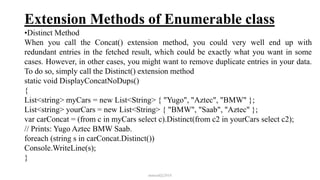
•Distinct Method
When you call the Concat() extension method, you could very well end up with
redundant entries in the fetched result, which could be exactly what you want in some
cases. However, in other cases, you might want to remove duplicate entries in your data.
To do so, simply call the Distinct() extension method
static void DisplayConcatNoDups()
{
List<string> myCars = new List<String> { "Yugo", "Aztec", "BMW" };
List<string> yourCars = new List<String> { "BMW", "Saab", "Aztec" };
var carConcat = (from c in myCars select c).Distinct(from c2 in yourCars select c2);
// Prints: Yugo Aztec BMW Saab.
foreach (string s in carConcat.Distinct())
Console.WriteLine(s);
}
mmouf@2018
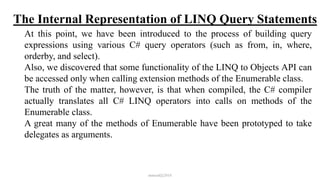
The Internal Representation of LINQ Query Statements
At this point, we have been introduced to the process of building query
expressions using various C# query operators (such as from, in, where,
orderby, and select).
Also, we discovered that some functionality of the LINQ to Objects API can
be accessed only when calling extension methods of the Enumerable class.
The truth of the matter, however, is that when compiled, the C# compiler
actually translates all C# LINQ operators into calls on methods of the
Enumerable class.
A great many of the methods of Enumerable have been prototyped to take
delegates as arguments.
mmouf@2018
Building Query Expressions Using the Enumerable
Type and Lambda Expressions
Consider the following QueryStringsWithEnumerableAndLambdas()
method, which is processing the local string array now making direct use of
the Enumerable extension methods.
static void QueryStringsWithEnumerableAndLambdas()
{
string[] currentVideoGames = {"Morrowind", "Uncharted 2", "Fallout 3",
"Daxter", "System Shock 2"};
// Build a query expression using extension methods
// granted to the Array via the Enumerable type.
var subset = currentVideoGames.Where(game => game.Contains("
")).OrderBy(game => game).Select(game => game);
mmouf@2018
Building Query Expressions Using the Enumerable
Type and Lambda Expressions
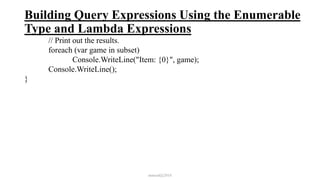
// Print out the results.
foreach (var game in subset)
Console.WriteLine("Item: {0}", game);
Console.WriteLine();
}
mmouf@2018
LINQ to Object
•Linq and Array
static void QueryOverStrings()
{
// Assume we have an array of strings. (Step 1)
string[] currentVideoGames = {"Morrowind", "BioShock", "Half Life 2: Episode 1", "The
Darkness", "Daxter", "System Shock 2"};
// Build a query expression to represent the items in the array
// that have more than 6 letters. (Step 2)
IEnumerable<string> subset = from g in currentVideoGames
where g.Length > 6 orderby g select g;
// Print out the results. (Step 3)
foreach (string s in subset)
Console.WriteLine("Item: {0}", s);
}
mmouf@2018
LINQ to Object
•Linq and Generic Collection
class Car
{
public string PetName = string.Empty;
public string Color = string.Empty;
public int Speed;
public string Make = string.Empty;
}
static void Main(string[] args)
{
// Make a List<> of Car objects using object init syntax. (Step 1)
List<Car> myCars = new List<Car>() {
new Car{ PetName = "Henry", Color = "Silver", Speed = 100, Make = "BMW"},
new Car{ PetName = "Daisy", Color = "Tan", Speed = 90, Make = "BMW"},
new Car{ PetName = "Mary", Color = "Black", Speed = 55, Make = "VW"},
new Car{ PetName = "Clunker", Color = "Rust", Speed = 5, Make = "Yugo"},
new Car{ PetName = "Melvin", Color = "White", Speed = 43, Make = "Ford"} };
mmouf@2018
LINQ to Object
•Linq and Generic Collection
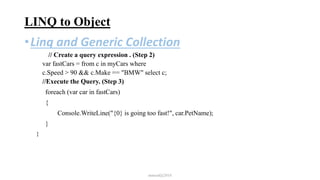
// Create a query expression . (Step 2)
var fastCars = from c in myCars where
c.Speed > 90 && c.Make == "BMW" select c;
//Execute the Query. (Step 3)
foreach (var car in fastCars)
{
Console.WriteLine("{0} is going too fast!", car.PetName);
}
}
mmouf@2018
LINQ to Object
•Linq and Non-Generic Collection
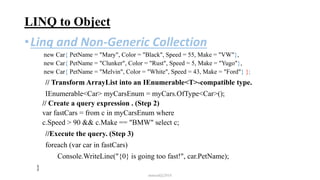
LINQ are designed to work with any type implementing IEnumerable<T>, The Non-Generic collection
doesn’t implement IEnumerable<T>. So, need to transform it to a Generic Collection First
class Car
{
public string PetName = string.Empty;
public string Color = string.Empty;
public int Speed;
public string Make = string.Empty;
}
static void Main(string[] args)
{
// Make a List<> of Car objects using object init syntax. (Step 1)
ArrayList<Car> myCars = new ArrayList<Car>() {
new Car{ PetName = "Henry", Color = "Silver", Speed = 100, Make = "BMW"},
new Car{ PetName = "Daisy", Color = "Tan", Speed = 90, Make = "BMW"},
mmouf@2018
LINQ to Object
•Linq and Non-Generic Collection
new Car{ PetName = "Mary", Color = "Black", Speed = 55, Make = "VW"},
new Car{ PetName = "Clunker", Color = "Rust", Speed = 5, Make = "Yugo"},
new Car{ PetName = "Melvin", Color = "White", Speed = 43, Make = "Ford"} };
// Transform ArrayList into an IEnumerable<T>-compatible type.
IEnumerable<Car> myCarsEnum = myCars.OfType<Car>();
// Create a query expression . (Step 2)
var fastCars = from c in myCarsEnum where
c.Speed > 90 && c.Make == "BMW" select c;
//Execute the query. (Step 3)
foreach (var car in fastCars)
Console.WriteLine("{0} is going too fast!", car.PetName);
}
mmouf@2018
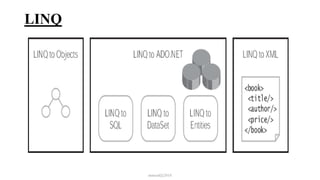
LINQ to ADO.NET
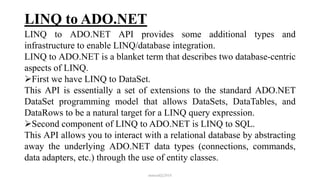
LINQ to ADO.NET API provides some additional types and
infrastructure to enable LINQ/database integration.
LINQ to ADO.NET is a blanket term that describes two database-centric
aspects of LINQ.
First we have LINQ to DataSet.
This API is essentially a set of extensions to the standard ADO.NET
DataSet programming model that allows DataSets, DataTables, and
DataRows to be a natural target for a LINQ query expression.
Second component of LINQ to ADO.NET is LINQ to SQL.
This API allows you to interact with a relational database by abstracting
away the underlying ADO.NET data types (connections, commands,
data adapters, etc.) through the use of entity classes.
mmouf@2018
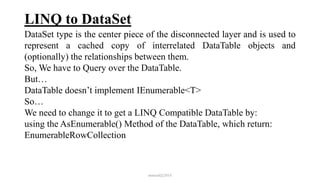
LINQ to DataSet
DataSet type is the center piece of the disconnected layer and is used to
represent a cached copy of interrelated DataTable objects and
(optionally) the relationships between them.
So, We have to Query over the DataTable.
But…
DataTable doesn’t implement IEnumerable<T>
So…
We need to change it to get a LINQ Compatible DataTable by:
using the AsEnumerable() Method of the DataTable, which return:
EnumerableRowCollection
mmouf@2018
LINQ to DataSet
public static void Main
{
//Assume there is a dataset (ds) contains a DataTable (Department)
// Get a DataTable containing the current Table
DataTable dept = ds.Tables[“Department”];
// Get enumerable version of DataTable.
EnumerableRowCollection enumData = dept.AsEnumerable();
// OR Store return value as IEnumerable<T>.
IEnumerable<DataRow> enumData = dept.AsEnumerable();
//OR Store return value implicitly.
var enumData = dept.AsEnumerable();
mmouf@2018
LINQ to DataSet
//Query on the LINQ Compatible DataTable
var query = from d in enumData
select new
{
DepartmentId = (int)d["DepartmentId"],
DepartmentName = (string)d["Name"]
};
//Execute the Query
foreach (var q in query)
Console.WriteLine("Department Id = {0} , Name = {1}",
q.DepartmentId, q.DepartmentName);
}
mmouf@2018
LINQ to DataSet
public static void Main
{
//Assume there is a dataset (ds) contains a 2 DataTables
//(Department) and (Employee) with a relation between them
// Get a DataTable containing the current Table
DataTable dept = ds.Tables["Department"];
DataTable emp = ds.Tables["Employee"];
// Get enumerable version of DataTable.
EnumerableRowCollection enumDept = dept.AsEnumerable();
EnumerableRowCollection enumEmp = emp.AsEnumerable();
mmouf@2018
LINQ to DataSet
//Query on the LINQ Compatible DataTable
var query = from d in enumDept
join e in enumEmp
on (int)d["DepartmentId“] equals(int)e["DepartmentId“]
select new
{
EmployeeId = (int)e["EmployeeId“],
Name = (string)e["Name“],
DepartmentId = (int)d["DepartmentId“],
DepartmentName = (string)d["Name“]
};
mmouf@2018
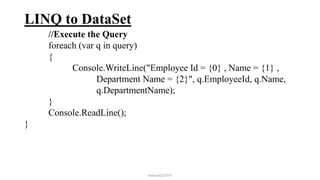
LINQ to DataSet
//Execute the Query
foreach (var q in query)
{
Console.WriteLine("Employee Id = {0} , Name = {1} ,
Department Name = {2}", q.EmployeeId, q.Name,
q.DepartmentName);
}
Console.ReadLine();
}
mmouf@2018

Intake 38 data access 3

  • 1.
    Programming Data (ADO.Net, Linq,EF) Eng. Mahmoud Ouf Lecture 3 mmouf@2018
  • 2.
    Introduction To LINQ •Problems in accessing Data from Different DataSource: We Can’t programmatically interact with a database at the native language level Trouble caused by conflict data types utilized versus the native language of the program mmouf@2018
  • 3.
    LINQ • Microsoft’s technologyto provide a language-level support mechanism for querying data of all types. in-memory arrays and collections, databases, XML documents, and more. • The returned Set of objects is called “sequence” • Most sequence are of type IEnumerable<T> • LINQ is not for query as in its name, We can better think of it as Data Integration Engine (DIE) mmouf@2018
  • 4.
    LINQ Definition • LINQis a uniform programming model for any kind of data. • LINQ enables you to query and manipulate data with a consistent model that is independent from data sources. • LINQ is just another tool for embedding SQL queries into code. • LINQ is yet another data abstraction layer. LINQ is all the previous and more • LINQ is a methodology that simplifies and unifies the implementation of any kind of data access. • LINQ does not force you to use a specific architecture; it facilitates the implementation of several existing architectures for accessing data. mmouf@2018
  • 5.
  • 6.
    LINQ Query Expression •Query expressions are written in a declarative query syntax introduced in C# 3.0 • Use the same basic query expression patterns to query and transform data in SQL databases, ADO.NET Datasets, XML documents and streams, and .NET collections • All LINQ query operations consist of three distinct actions: 1. Obtain the data source. 2. Create the query. 3. Execute the query. mmouf@2018
  • 7.
    LINQ Query Expression •LINQ use deffered execution: • A query is not executed until you iterate over the query variable in a foreach statement, this is named deffered execution. • The benefit of this approach is that you are able to apply the same LINQ query multiple times to the same container, and rest assured you are obtaining the latest and greatest results mmouf@2018
  • 8.
    LINQ Query Expression •The general form of the query expression is: • from id in source • {Where condition | • Orderby ordering, ordering, ... [Ascending | Descending] } • Select expr | ; mmouf@2018
  • 9.
    LINQ Query Expression classLINQQueryExpressions { static void Main() { // Specify the data source. int[] scores = new int[] { 97, 92, 81, 60 }; // Define the query expression. IEnumerable<int> scoreQuery = from score in scores where score > 80 select score; // Execute the query. foreach (int i in scoreQuery) { Console.Write(i + " "); } mmouf@2018
  • 10.
    LINQ Query Expression //Makea change Scores[0] = 50; Console.WriteLine(); // Re-Execute the query. foreach (int i in scoreQuery) { Console.Write(i + " "); } } } // Output: 97 92 81 // 92 81 mmouf@2018
  • 11.
    LINQ and ImplicitlyTyped Local Variable static void QueryOverInts() { int[] numbers = {10, 20, 30, 40, 1, 2, 3, 8}; // Use implicit typing here... var subset = from i in numbers where i < 10 select i; // ...and here. foreach (var i in subset) Console.WriteLine("Item: {0} ", i); } mmouf@2018
  • 12.
    LINQ and Extensionmethod LINQ provides an API known as standard query Methods to support the kinds of operations we’re accustomed to in SQL. All standard query methods, are actually methods of the System.Linq.Enumerable static class. The Enumerable type provides a set of methods that do not have a direct C# query operator shorthand notation, but are instead exposed as extension methods. These generic methods can be called to transform a result set in various manners (Reverse<>(), ToArray<>(), ToList<>(), etc.). Some are used to extract singletons from a result set, others perform various set operations (Distinct<>(), Union<>(), Intersect<>(), etc.), and still others aggregate results (Count<>(), Sum<>(), Min<>(), Max<>() mmouf@2018
  • 13.
    LINQ and Extensionmethod static void GetCount() { string[] currentVideoGames = {"Morrowind", "BioShock", "Half Life 2: Episode 1", "The Darkness", "Daxter", "System Shock 2"}; // Get count from the query. int numb = (from g in currentVideoGames where g.Length > 6 orderby g select g).Count<string>(); // numb is the value 5. Console.WriteLine("{0} items honor the LINQ query.", numb); } mmouf@2018
  • 14.
    Returning the Resultof a LINQ Query It is possible to define a field within a class (or structure) whose value is the result of a LINQ query. To do so, however, you cannot make use of implicit typing (as the var keyword cannot be used for fields), and the target of the LINQ query cannot be instance-level data; therefore, it must be static. class LINQBasedFieldsAreClunky { private static string[] currentVideoGames = {"Morrowind", "Uncharted 2", "Fallout 3", "Daxter", "System Shock 2"}; // Can’t use implicit typing here! Must know type of subset! private IEnumerable<string> subset = from g in currentVideoGames where g.Contains(" ") orderby g select g; mmouf@2018
  • 15.
    Returning the Resultof a LINQ Query public void PrintGames() { foreach (var item in subset) { Console.WriteLine(item); } } } mmouf@2018
  • 16.
    Returning the Resultof a LINQ Query Implicitly typed variables cannot be used to define parameters, return values, or fields of a class or structure. So, how you could return a query result to an external caller?. The answer is, it depends. If you have a result set consisting of strongly typed data, such as an array of strings or a List<T> of Cars, you could abandon the use of the var keyword and use a proper IEnumerable<T> or IEnumerable type class Program { static void Main(string[] args) { Console.WriteLine("***** LINQ Return Values *****n"); IEnumerable<string> subset = GetStringSubset(); foreach (string item in subset) { mmouf@2018
  • 17.
    Returning the Resultof a LINQ Query Console.WriteLine(item); } Console.ReadLine(); } static IEnumerable<string> GetStringSubset() { string[] colors = {"Light Red", "Green","Yellow", "Dark Red", "Red", "Purple"}; // Note subset is an IEnumerable<string>-compatible object. IEnumerable<string> theRedColors = from c in colors where c.Contains("Red") select c; return theRedColors; } } mmouf@2018
  • 18.
    Extension Methods ofEnumerable class The Enumerable class supports a set of extension methods that allows you to use two (or more) LINQ queries as the basis to find unions, differences, concatenations, and intersections of data. •Except Method Extension method, which will return a LINQ result set that contains the differences between two containers, which in this case, is the value Yugo: static void DisplayDiff() { List<string> myCars = new List<String> {"Yugo", "Aztec", "BMW"}; List<string> yourCars = new List<String>{"BMW", "Saab", "Aztec" }; var carDiff =(from c in myCars select c).Except(from c2 in yourCars select c2); Console.WriteLine("Here is what you don’t have, but I do:"); foreach (string s in carDiff) Console.WriteLine(s); // Prints Yugo. } mmouf@2018
  • 19.
    Extension Methods ofEnumerable class •Intersect Method Extension method will return a result set that contains the common data items in a set of containers. For example, the following method returns the sequence Aztec and BMW: static void DisplayIntersection() { List<string> myCars = new List<String> { "Yugo", "Aztec", "BMW" }; List<string> yourCars = new List<String> { "BMW", "Saab", "Aztec" }; // Get the common members. var carIntersect = (from c in myCars select c).Intersect(from c2 in yourCars select c2); Console.WriteLine("Here is what we have in common:"); foreach (string s in carIntersect) Console.WriteLine(s); // Prints Aztec and BMW. } mmouf@2018
  • 20.
    Extension Methods ofEnumerable class •Union Method Extension method returns a result set that includes all members of a batch of LINQ queries. Like any proper union, you will not find repeating values if a common member appears more than once. Therefore, the following method will print out the values Yugo, Aztec, BMW, and Saab: static void DisplayUnion() { List<string> myCars = new List<String> { "Yugo", "Aztec", "BMW" }; List<string> yourCars = new List<String> { "BMW", "Saab", "Aztec" }; // Get the union of these containers. var carUnion = (from c in myCars select c).Union(from c2 in yourCars select c2); Console.WriteLine("Here is everything:"); foreach (string s in carUnion) Console.WriteLine(s); // Prints all common members. } mmouf@2018
  • 21.
    Extension Methods ofEnumerable class •Concat Method Extension method returns a result set that is a direct concatenation of LINQ result sets. For example, the following method prints out the results Yugo, Aztec, BMW, BMW, Saab, and Aztec: static void DisplayConcat() { List<string> myCars = new List<String> { "Yugo", "Aztec", "BMW" }; List<string> yourCars = new List<String> { "BMW", "Saab", "Aztec" }; var carConcat = (from c in myCars select c).Concat(from c2 in yourCars select c2); // Prints: Yugo Aztec BMW BMW Saab Aztec. foreach (string s in carConcat) Console.WriteLine(s); } mmouf@2018
  • 22.
    Extension Methods ofEnumerable class •Distinct Method When you call the Concat() extension method, you could very well end up with redundant entries in the fetched result, which could be exactly what you want in some cases. However, in other cases, you might want to remove duplicate entries in your data. To do so, simply call the Distinct() extension method static void DisplayConcatNoDups() { List<string> myCars = new List<String> { "Yugo", "Aztec", "BMW" }; List<string> yourCars = new List<String> { "BMW", "Saab", "Aztec" }; var carConcat = (from c in myCars select c).Distinct(from c2 in yourCars select c2); // Prints: Yugo Aztec BMW Saab. foreach (string s in carConcat.Distinct()) Console.WriteLine(s); } mmouf@2018
  • 23.
    The Internal Representationof LINQ Query Statements At this point, we have been introduced to the process of building query expressions using various C# query operators (such as from, in, where, orderby, and select). Also, we discovered that some functionality of the LINQ to Objects API can be accessed only when calling extension methods of the Enumerable class. The truth of the matter, however, is that when compiled, the C# compiler actually translates all C# LINQ operators into calls on methods of the Enumerable class. A great many of the methods of Enumerable have been prototyped to take delegates as arguments. mmouf@2018
  • 24.
    Building Query ExpressionsUsing the Enumerable Type and Lambda Expressions Consider the following QueryStringsWithEnumerableAndLambdas() method, which is processing the local string array now making direct use of the Enumerable extension methods. static void QueryStringsWithEnumerableAndLambdas() { string[] currentVideoGames = {"Morrowind", "Uncharted 2", "Fallout 3", "Daxter", "System Shock 2"}; // Build a query expression using extension methods // granted to the Array via the Enumerable type. var subset = currentVideoGames.Where(game => game.Contains(" ")).OrderBy(game => game).Select(game => game); mmouf@2018
  • 25.
    Building Query ExpressionsUsing the Enumerable Type and Lambda Expressions // Print out the results. foreach (var game in subset) Console.WriteLine("Item: {0}", game); Console.WriteLine(); } mmouf@2018
  • 26.
    LINQ to Object •Linqand Array static void QueryOverStrings() { // Assume we have an array of strings. (Step 1) string[] currentVideoGames = {"Morrowind", "BioShock", "Half Life 2: Episode 1", "The Darkness", "Daxter", "System Shock 2"}; // Build a query expression to represent the items in the array // that have more than 6 letters. (Step 2) IEnumerable<string> subset = from g in currentVideoGames where g.Length > 6 orderby g select g; // Print out the results. (Step 3) foreach (string s in subset) Console.WriteLine("Item: {0}", s); } mmouf@2018
  • 27.
    LINQ to Object •Linqand Generic Collection class Car { public string PetName = string.Empty; public string Color = string.Empty; public int Speed; public string Make = string.Empty; } static void Main(string[] args) { // Make a List<> of Car objects using object init syntax. (Step 1) List<Car> myCars = new List<Car>() { new Car{ PetName = "Henry", Color = "Silver", Speed = 100, Make = "BMW"}, new Car{ PetName = "Daisy", Color = "Tan", Speed = 90, Make = "BMW"}, new Car{ PetName = "Mary", Color = "Black", Speed = 55, Make = "VW"}, new Car{ PetName = "Clunker", Color = "Rust", Speed = 5, Make = "Yugo"}, new Car{ PetName = "Melvin", Color = "White", Speed = 43, Make = "Ford"} }; mmouf@2018
  • 28.
    LINQ to Object •Linqand Generic Collection // Create a query expression . (Step 2) var fastCars = from c in myCars where c.Speed > 90 && c.Make == "BMW" select c; //Execute the Query. (Step 3) foreach (var car in fastCars) { Console.WriteLine("{0} is going too fast!", car.PetName); } } mmouf@2018
  • 29.
    LINQ to Object •Linqand Non-Generic Collection LINQ are designed to work with any type implementing IEnumerable<T>, The Non-Generic collection doesn’t implement IEnumerable<T>. So, need to transform it to a Generic Collection First class Car { public string PetName = string.Empty; public string Color = string.Empty; public int Speed; public string Make = string.Empty; } static void Main(string[] args) { // Make a List<> of Car objects using object init syntax. (Step 1) ArrayList<Car> myCars = new ArrayList<Car>() { new Car{ PetName = "Henry", Color = "Silver", Speed = 100, Make = "BMW"}, new Car{ PetName = "Daisy", Color = "Tan", Speed = 90, Make = "BMW"}, mmouf@2018
  • 30.
    LINQ to Object •Linqand Non-Generic Collection new Car{ PetName = "Mary", Color = "Black", Speed = 55, Make = "VW"}, new Car{ PetName = "Clunker", Color = "Rust", Speed = 5, Make = "Yugo"}, new Car{ PetName = "Melvin", Color = "White", Speed = 43, Make = "Ford"} }; // Transform ArrayList into an IEnumerable<T>-compatible type. IEnumerable<Car> myCarsEnum = myCars.OfType<Car>(); // Create a query expression . (Step 2) var fastCars = from c in myCarsEnum where c.Speed > 90 && c.Make == "BMW" select c; //Execute the query. (Step 3) foreach (var car in fastCars) Console.WriteLine("{0} is going too fast!", car.PetName); } mmouf@2018
  • 31.
    LINQ to ADO.NET LINQto ADO.NET API provides some additional types and infrastructure to enable LINQ/database integration. LINQ to ADO.NET is a blanket term that describes two database-centric aspects of LINQ. First we have LINQ to DataSet. This API is essentially a set of extensions to the standard ADO.NET DataSet programming model that allows DataSets, DataTables, and DataRows to be a natural target for a LINQ query expression. Second component of LINQ to ADO.NET is LINQ to SQL. This API allows you to interact with a relational database by abstracting away the underlying ADO.NET data types (connections, commands, data adapters, etc.) through the use of entity classes. mmouf@2018
  • 32.
    LINQ to DataSet DataSettype is the center piece of the disconnected layer and is used to represent a cached copy of interrelated DataTable objects and (optionally) the relationships between them. So, We have to Query over the DataTable. But… DataTable doesn’t implement IEnumerable<T> So… We need to change it to get a LINQ Compatible DataTable by: using the AsEnumerable() Method of the DataTable, which return: EnumerableRowCollection mmouf@2018
  • 33.
    LINQ to DataSet publicstatic void Main { //Assume there is a dataset (ds) contains a DataTable (Department) // Get a DataTable containing the current Table DataTable dept = ds.Tables[“Department”]; // Get enumerable version of DataTable. EnumerableRowCollection enumData = dept.AsEnumerable(); // OR Store return value as IEnumerable<T>. IEnumerable<DataRow> enumData = dept.AsEnumerable(); //OR Store return value implicitly. var enumData = dept.AsEnumerable(); mmouf@2018
  • 34.
    LINQ to DataSet //Queryon the LINQ Compatible DataTable var query = from d in enumData select new { DepartmentId = (int)d["DepartmentId"], DepartmentName = (string)d["Name"] }; //Execute the Query foreach (var q in query) Console.WriteLine("Department Id = {0} , Name = {1}", q.DepartmentId, q.DepartmentName); } mmouf@2018
  • 35.
    LINQ to DataSet publicstatic void Main { //Assume there is a dataset (ds) contains a 2 DataTables //(Department) and (Employee) with a relation between them // Get a DataTable containing the current Table DataTable dept = ds.Tables["Department"]; DataTable emp = ds.Tables["Employee"]; // Get enumerable version of DataTable. EnumerableRowCollection enumDept = dept.AsEnumerable(); EnumerableRowCollection enumEmp = emp.AsEnumerable(); mmouf@2018
  • 36.
    LINQ to DataSet //Queryon the LINQ Compatible DataTable var query = from d in enumDept join e in enumEmp on (int)d["DepartmentId“] equals(int)e["DepartmentId“] select new { EmployeeId = (int)e["EmployeeId“], Name = (string)e["Name“], DepartmentId = (int)d["DepartmentId“], DepartmentName = (string)d["Name“] }; mmouf@2018
  • 37.
    LINQ to DataSet //Executethe Query foreach (var q in query) { Console.WriteLine("Employee Id = {0} , Name = {1} , Department Name = {2}", q.EmployeeId, q.Name, q.DepartmentName); } Console.ReadLine(); } mmouf@2018