CIS282
Indexes
 Help to select and find records
 Serve as a “cross-reference”
 Can be based on one or more fields
Types of Indexes
 Clustered: How table is physically ordered
 Only one per table
 Non-Clustered: Index is maintained separately from
table (data)
 Can be stored in a separate file group to speed access
(find pointers using one drive, find records on a second
drive)
Index Organization
 Data in SQL Server is organized by ‘pages’
 When an index entry is inserted in a full page the data
is split between two pages
 By default each page is filled to allow two additions
Fill Factor
 Allows you to specify how much ‘room’ to leave open
on each page
 Specify the percentage of each page that is used initially
to store data
 Impacts how often page splits occur
 OLTP should have low percentage
 OLAP should have high percentage
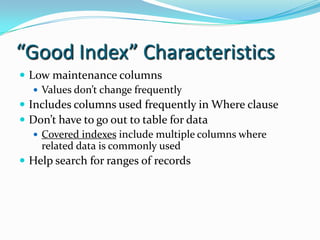
“Good Index” Characteristics
 Low maintenance columns
 Values don’t change frequently
 Includes columns used frequently in Where clause
 Don’t have to go out to table for data
 Covered indexes include multiple columns where
related data is commonly used
 Help search for ranges of records
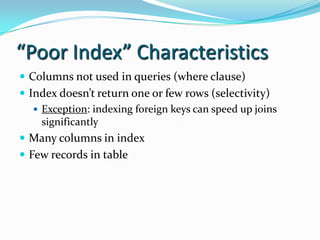
“Poor Index” Characteristics
 Columns not used in queries (where clause)
 Index doesn’t return one or few rows (selectivity)
 Exception: indexing foreign keys can speed up joins
significantly
 Many columns in index
 Few records in table
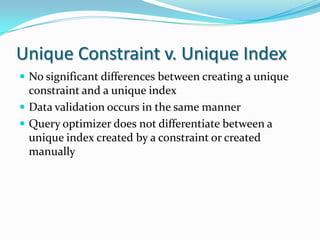
Unique Constraint v. Unique Index
 No significant differences between creating a unique
constraint and a unique index
 Data validation occurs in the same manner
 Query optimizer does not differentiate between a
unique index created by a constraint or created
manually
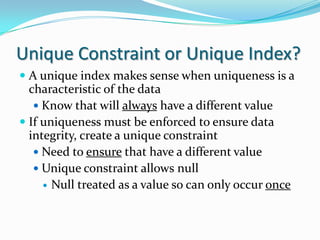
Unique Constraint or Unique Index?
 A unique index makes sense when uniqueness is a
characteristic of the data
 Know that will always have a different value
 If uniqueness must be enforced to ensure data
integrity, create a unique constraint
 Need to ensure that have a different value
 Unique constraint allows null
 Null treated as a value so can only occur once

Indexes

  • 1.
  • 2.
    Indexes  Help toselect and find records  Serve as a “cross-reference”  Can be based on one or more fields
  • 3.
    Types of Indexes Clustered: How table is physically ordered  Only one per table  Non-Clustered: Index is maintained separately from table (data)  Can be stored in a separate file group to speed access (find pointers using one drive, find records on a second drive)
  • 4.
    Index Organization  Datain SQL Server is organized by ‘pages’  When an index entry is inserted in a full page the data is split between two pages  By default each page is filled to allow two additions
  • 5.
    Fill Factor  Allowsyou to specify how much ‘room’ to leave open on each page  Specify the percentage of each page that is used initially to store data  Impacts how often page splits occur  OLTP should have low percentage  OLAP should have high percentage
  • 6.
    “Good Index” Characteristics Low maintenance columns  Values don’t change frequently  Includes columns used frequently in Where clause  Don’t have to go out to table for data  Covered indexes include multiple columns where related data is commonly used  Help search for ranges of records
  • 7.
    “Poor Index” Characteristics Columns not used in queries (where clause)  Index doesn’t return one or few rows (selectivity)  Exception: indexing foreign keys can speed up joins significantly  Many columns in index  Few records in table
  • 8.
    Unique Constraint v.Unique Index  No significant differences between creating a unique constraint and a unique index  Data validation occurs in the same manner  Query optimizer does not differentiate between a unique index created by a constraint or created manually
  • 9.
    Unique Constraint orUnique Index?  A unique index makes sense when uniqueness is a characteristic of the data  Know that will always have a different value  If uniqueness must be enforced to ensure data integrity, create a unique constraint  Need to ensure that have a different value  Unique constraint allows null  Null treated as a value so can only occur once