Incorporating User Experience
(UX) into Your Projects
Karl Kaufmann @karolus
Most business models have focused on self
interest instead of user experience
-TIM COOK, CEO, APPLE
Overview
• Why UX is important to you
• What User Experience (UX) is (and not)
• Core Principles
• Workflow
• Examples
What is UX & Why it Matters
User experience (UX) is the basis for all Web activity, and thus
underpins everything we do in Web design and development.
Successful projects bake UX in from the ground up, from discovery
through planning, iteration, testing and deployment.
No matter how beautiful our code may be, of what use is it 

if it’s irrelevant to our users?
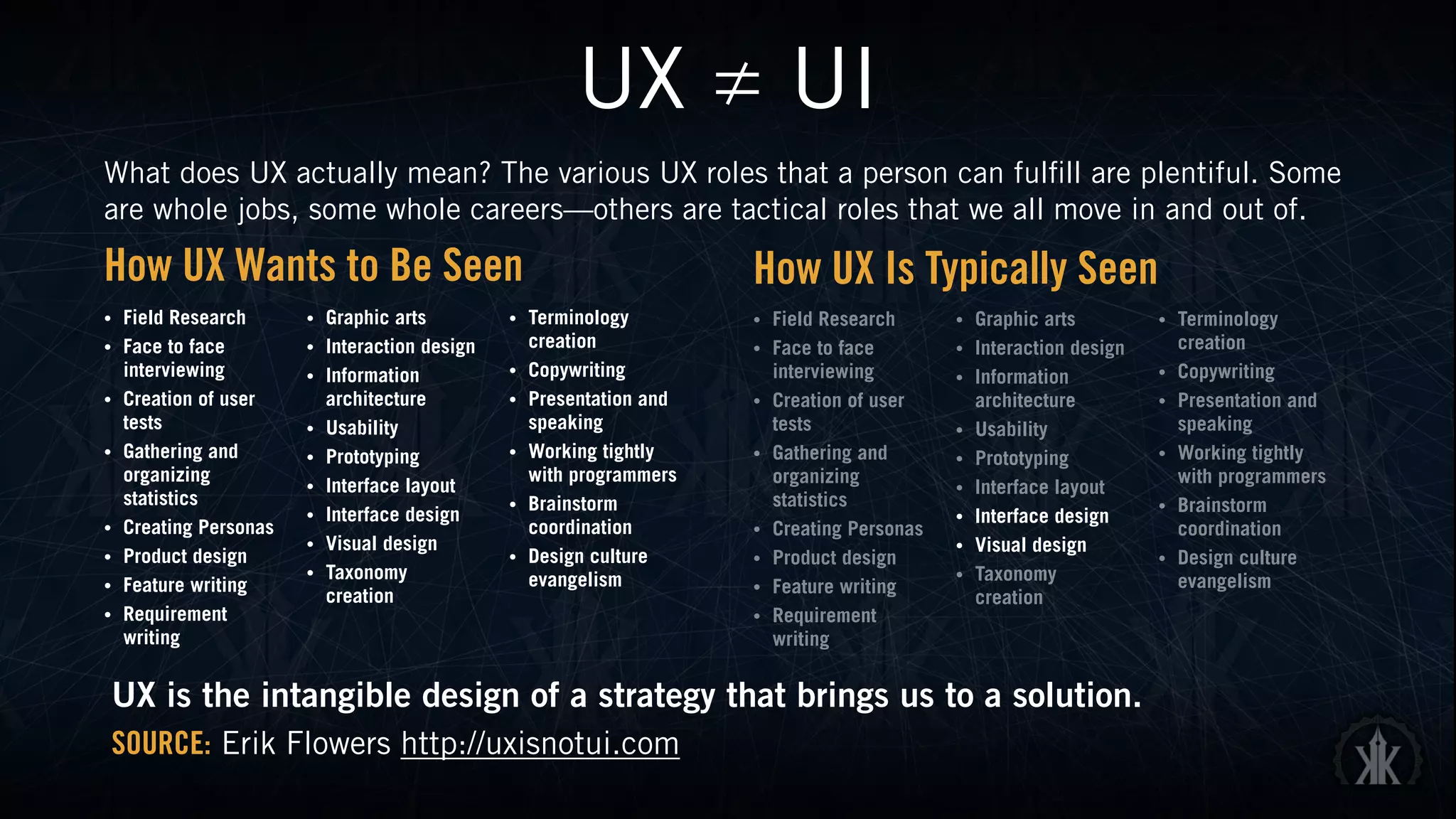
UX ≠ UI
What does UX actually mean? The various UX roles that a person can fulfill are plentiful. Some
are whole jobs, some whole careers—others are tactical roles that we all move in and out of.
• Field Research
• Face to face
interviewing
• Creation of user
tests
• Gathering and
organizing
statistics
• Creating Personas
• Product design
• Feature writing
• Requirement
writing
• Graphic arts
• Interaction design
• Information
architecture
• Usability
• Prototyping
• Interface layout
• Interface design
• Visual design
• Taxonomy
creation
• Terminology
creation
• Copywriting
• Presentation and
speaking
• Working tightly
with programmers
• Brainstorm
coordination
• Design culture
evangelism
How UX Wants to Be Seen How UX Is Typically Seen
• Field Research
• Face to face
interviewing
• Creation of user
tests
• Gathering and
organizing
statistics
• Creating Personas
• Product design
• Feature writing
• Requirement
writing
• Graphic arts
• Interaction design
• Information
architecture
• Usability
• Prototyping
• Interface layout
• Interface design
• Visual design
• Taxonomy
creation
• Terminology
creation
• Copywriting
• Presentation and
speaking
• Working tightly
with programmers
• Brainstorm
coordination
• Design culture
evangelism
UX is the intangible design of a strategy that brings us to a solution.
SOURCE: Erik Flowers http://uxisnotui.com
Core UX Principles
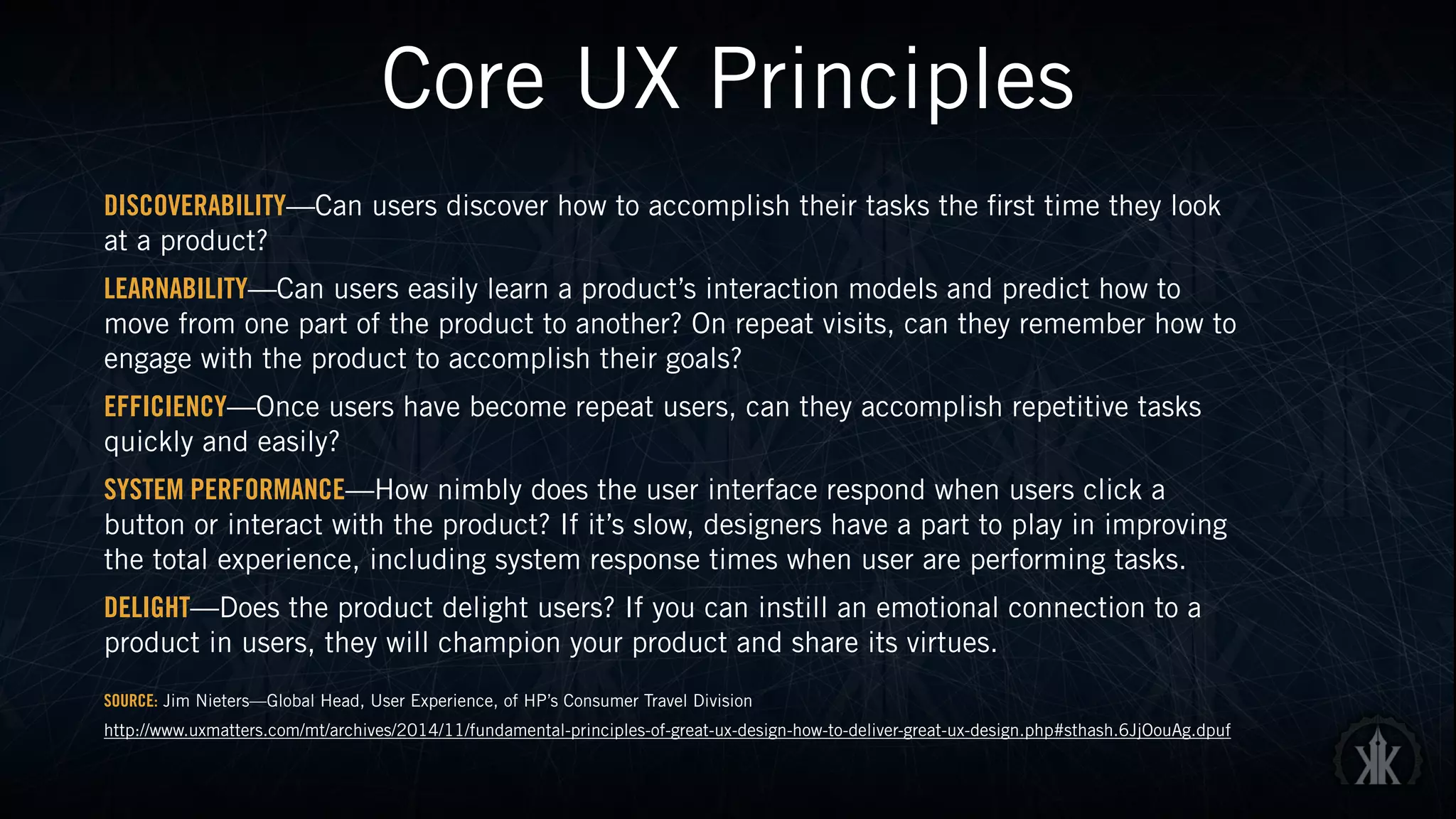
DISCOVERABILITY—Can users discover how to accomplish their tasks the first time they look
at a product?
LEARNABILITY—Can users easily learn a product’s interaction models and predict how to
move from one part of the product to another? On repeat visits, can they remember how to
engage with the product to accomplish their goals?
EFFICIENCY—Once users have become repeat users, can they accomplish repetitive tasks
quickly and easily?
SYSTEM PERFORMANCE—How nimbly does the user interface respond when users click a
button or interact with the product? If it’s slow, designers have a part to play in improving
the total experience, including system response times when user are performing tasks.
DELIGHT—Does the product delight users? If you can instill an emotional connection to a
product in users, they will champion your product and share its virtues.
SOURCE: Jim Nieters—Global Head, User Experience, of HP’s Consumer Travel Division
http://www.uxmatters.com/mt/archives/2014/11/fundamental-principles-of-great-ux-design-how-to-deliver-great-ux-design.php#sthash.6JjOouAg.dpuf
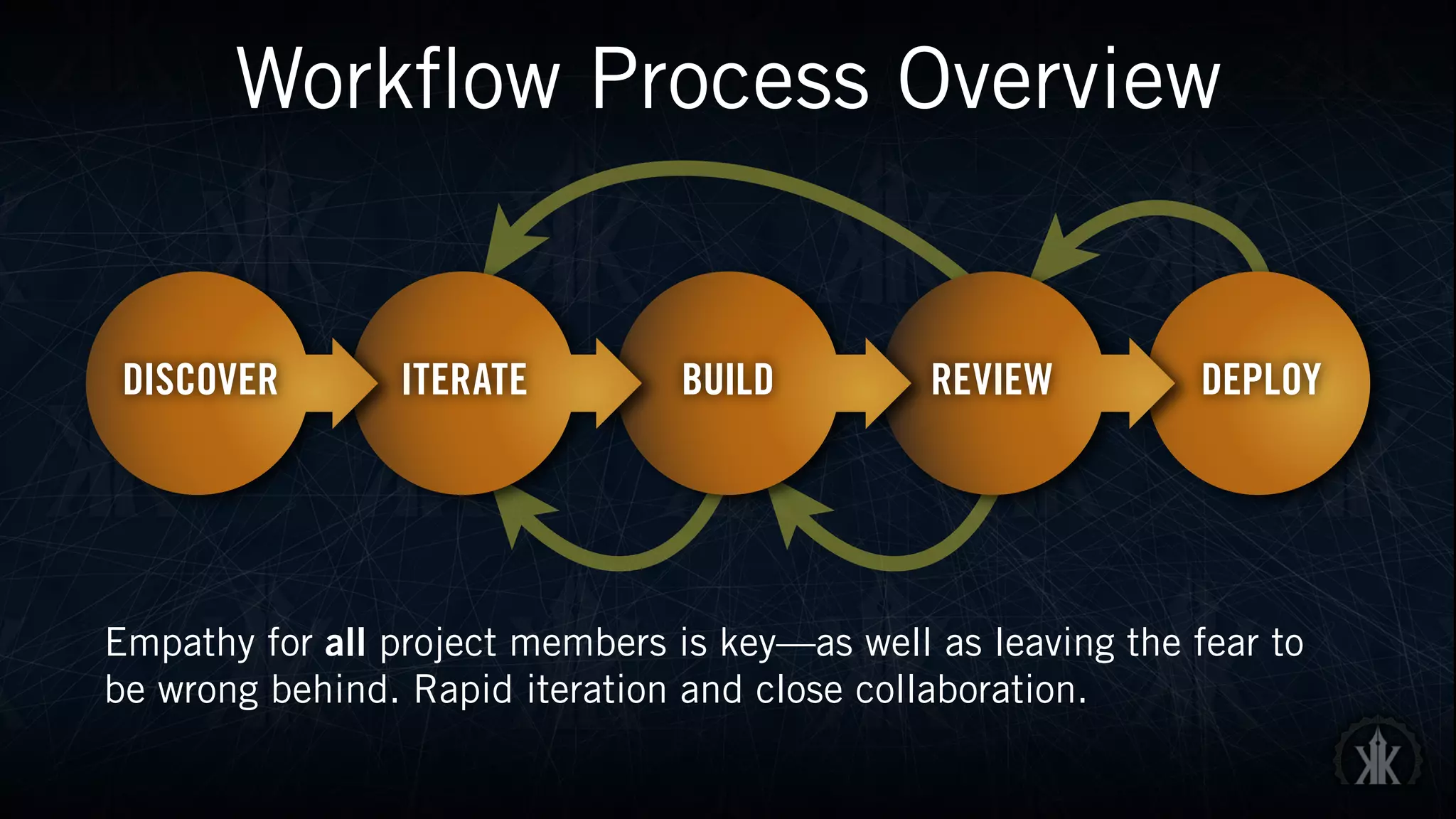
Workflow Process Overview
Empathy for all project members is key—as well as leaving the fear to
be wrong behind. Rapid iteration and close collaboration.
Discover
• User and stakeholder interviews—find the actual goal, not a vague
desired result
• Requirements gathering
• Securing buy-in from key stakeholders
• Personas—don’t have to be elaborate, but offer an effective method to
gauge the effectiveness of your product in real-world situations
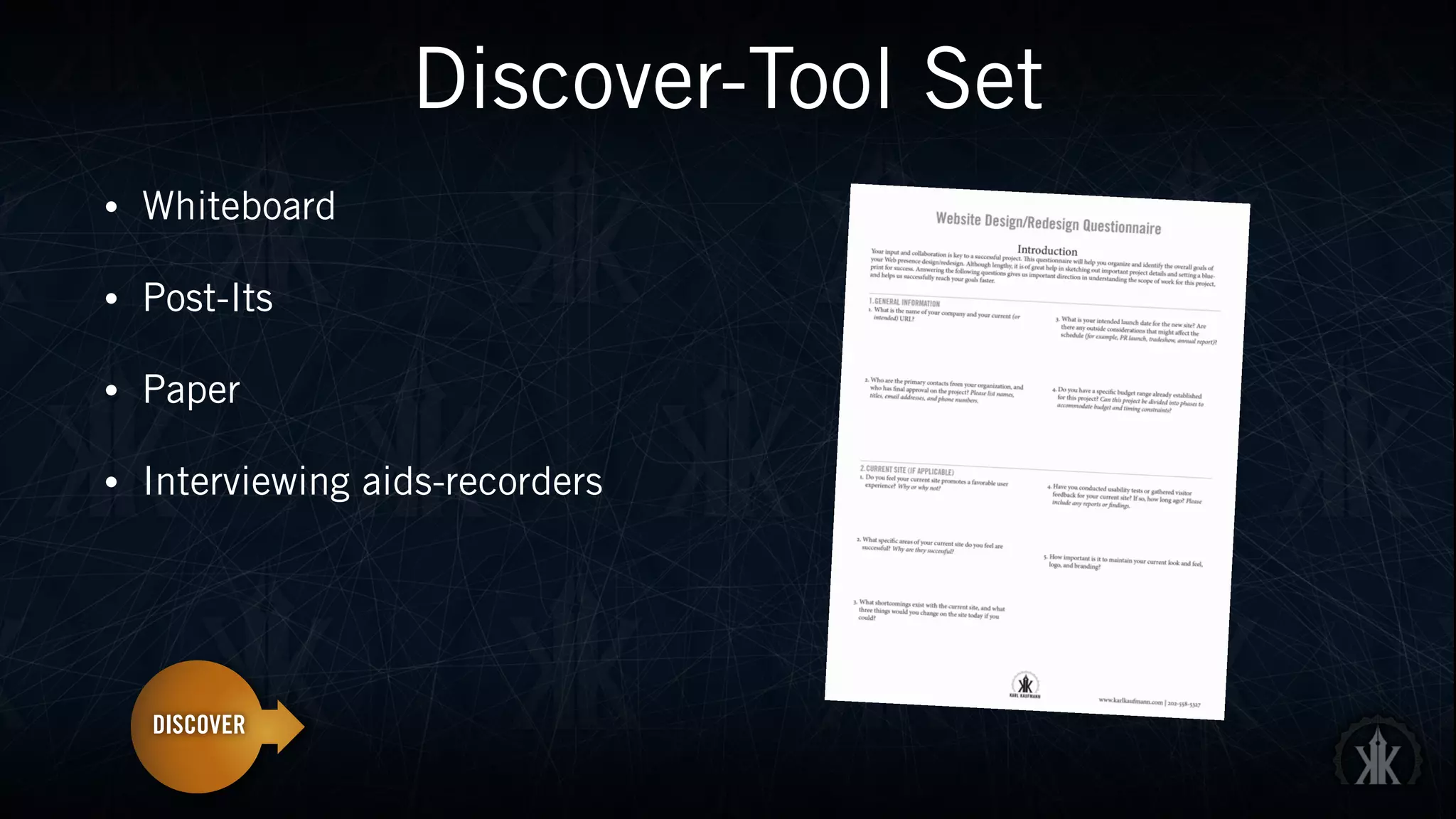
Discover-Tool Set
• Whiteboard
• Post-Its
• Paper
• Interviewing aids-recorders
Iterate
• Incorporate research and requirements into prototype
• Use (low fidelity) tools that allow you to rapidly test ideas
• Sprints are excellent methods to generate ideas
• When possible, involve stakeholders here as well.
Iterate-Tool Set
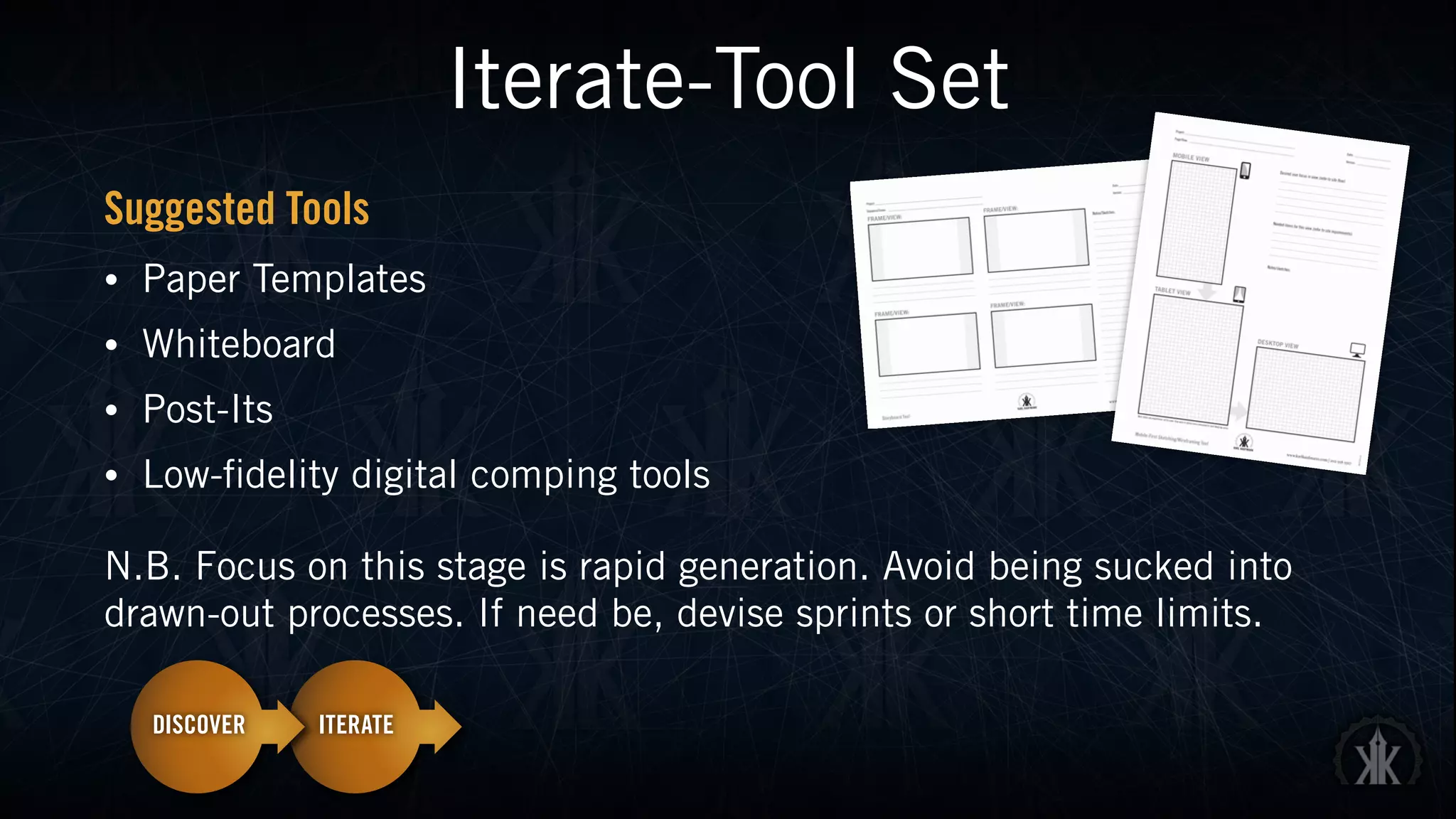
Suggested Tools
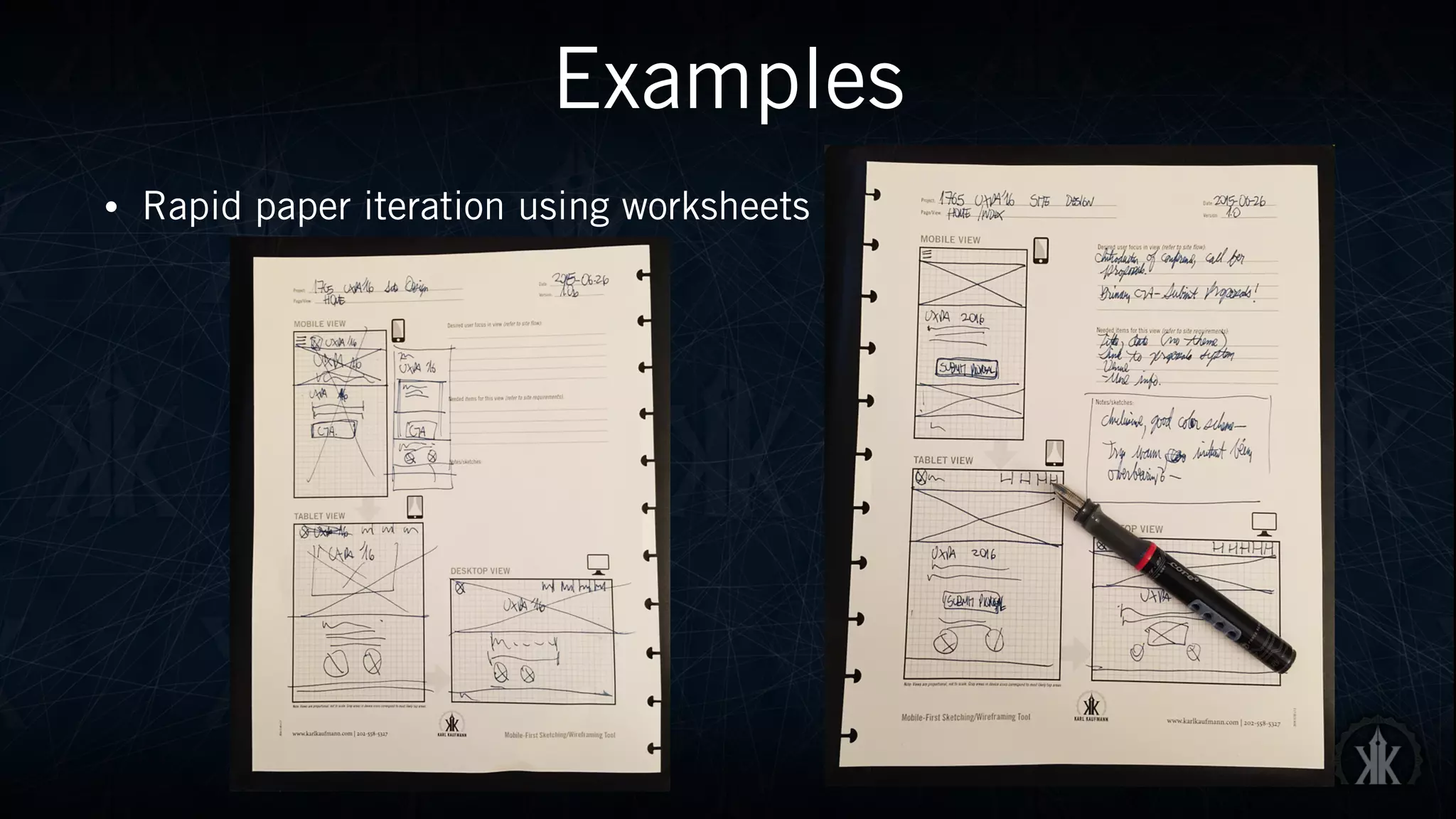
• Paper Templates
• Whiteboard
• Post-Its
• Low-fidelity digital comping tools
N.B. Focus on this stage is rapid generation. Avoid being sucked into
drawn-out processes. If need be, devise sprints or short time limits.
Build
• Incorporate your best prototype(s) into your product
• Test repeatedly, and as often as feasible
• Guerilla UX—random testing can uncover valuable insights
• Modularity—use systems that allow for easy modifications
• If major issues are discovered—iterate again!
Build-Tool Set
Suggested Tools
• Code/Image editors of choice
• Spirit of collaboration—do what you can to break down barriers
between team members (and clients)
• Array of devices the product will be used on
N.B. Allow your builds to be revised, if at all possible. Developing
tunnel vision on a given path can have disastrous consequences.
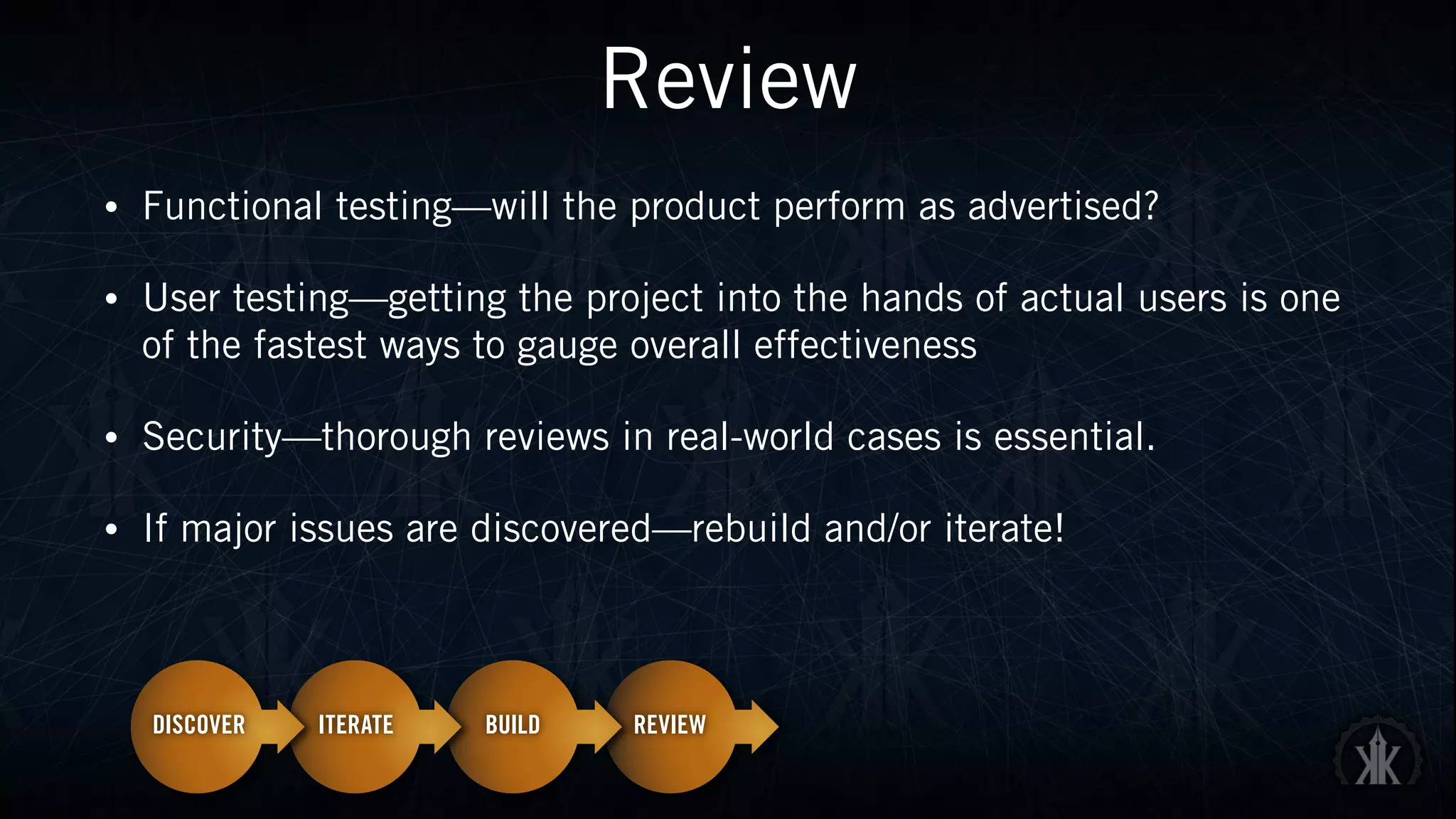
Review
• Functional testing—will the product perform as advertised?
• User testing—getting the project into the hands of actual users is one
of the fastest ways to gauge overall effectiveness
• Security—thorough reviews in real-world cases is essential.
• If major issues are discovered—rebuild and/or iterate!
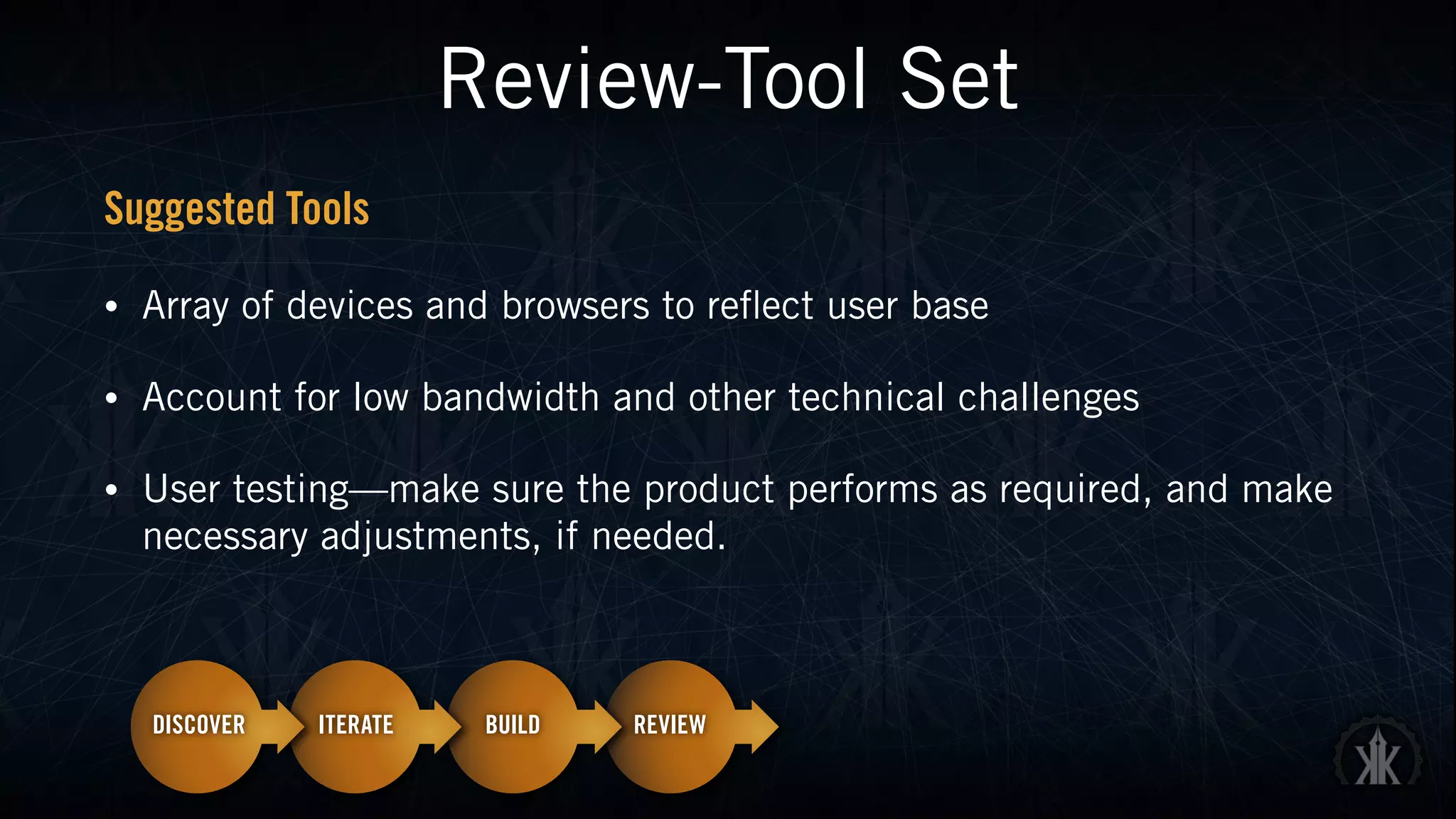
Review-Tool Set
Suggested Tools
• Array of devices and browsers to reflect user base
• Account for low bandwidth and other technical challenges
• User testing—make sure the product performs as required, and make
necessary adjustments, if needed.
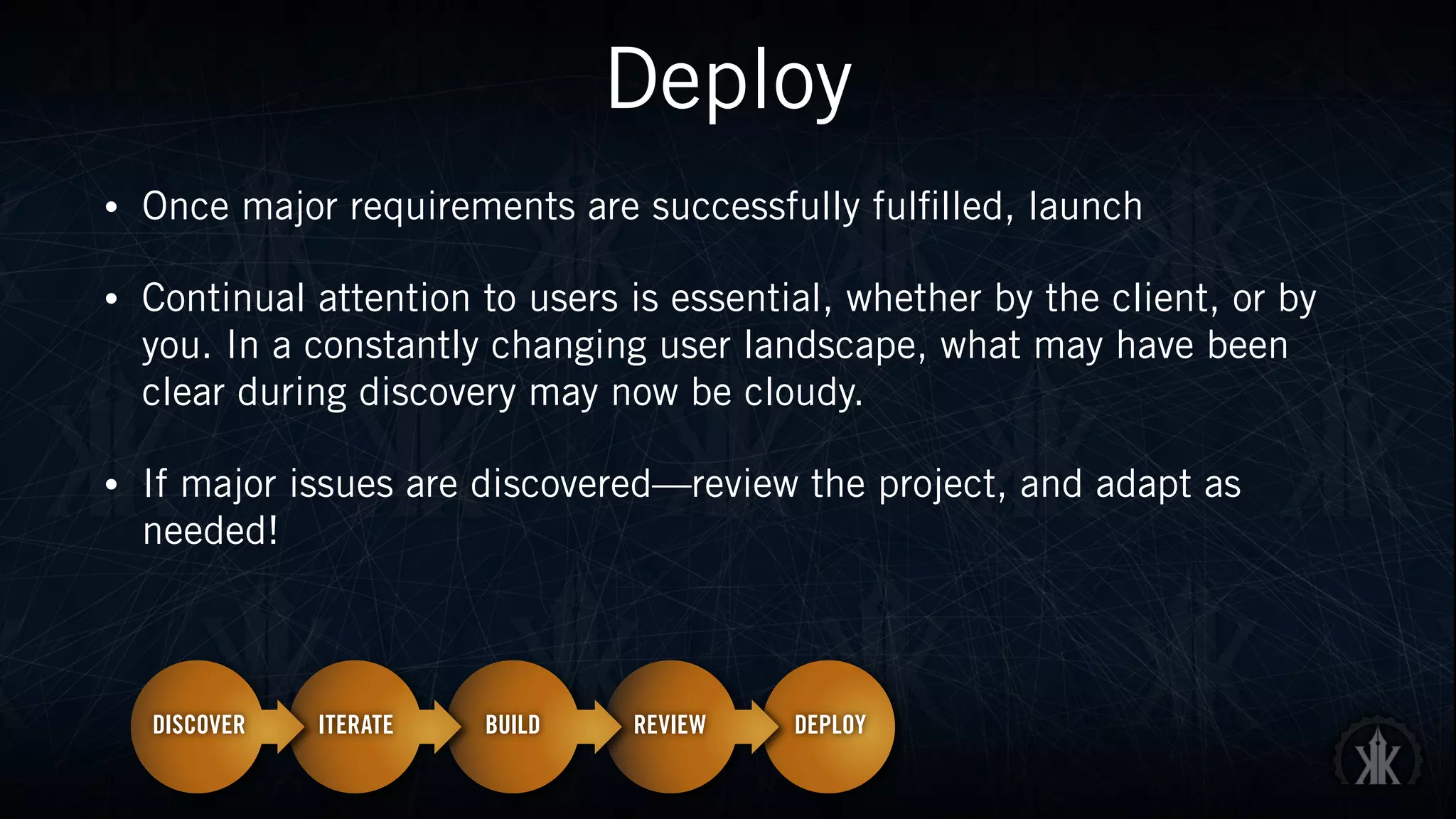
Deploy
• Once major requirements are successfully fulfilled, launch
• Continual attention to users is essential, whether by the client, or by
you. In a constantly changing user landscape, what may have been
clear during discovery may now be cloudy.
• If major issues are discovered—review the project, and adapt as
needed!
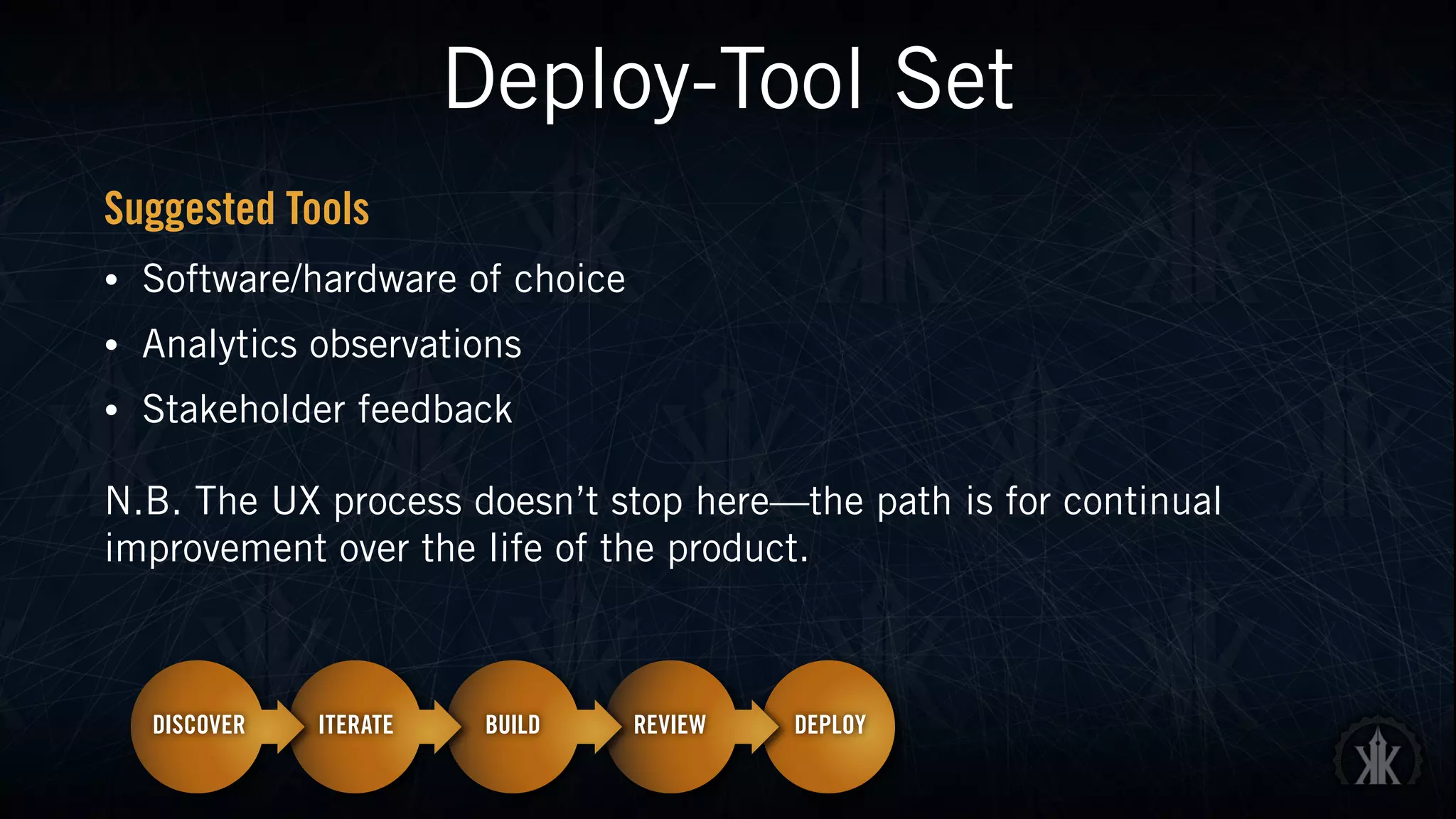
Deploy-Tool Set
Suggested Tools
• Software/hardware of choice
• Analytics observations
• Stakeholder feedback
N.B. The UX process doesn’t stop here—the path is for continual
improvement over the life of the product.
Examples
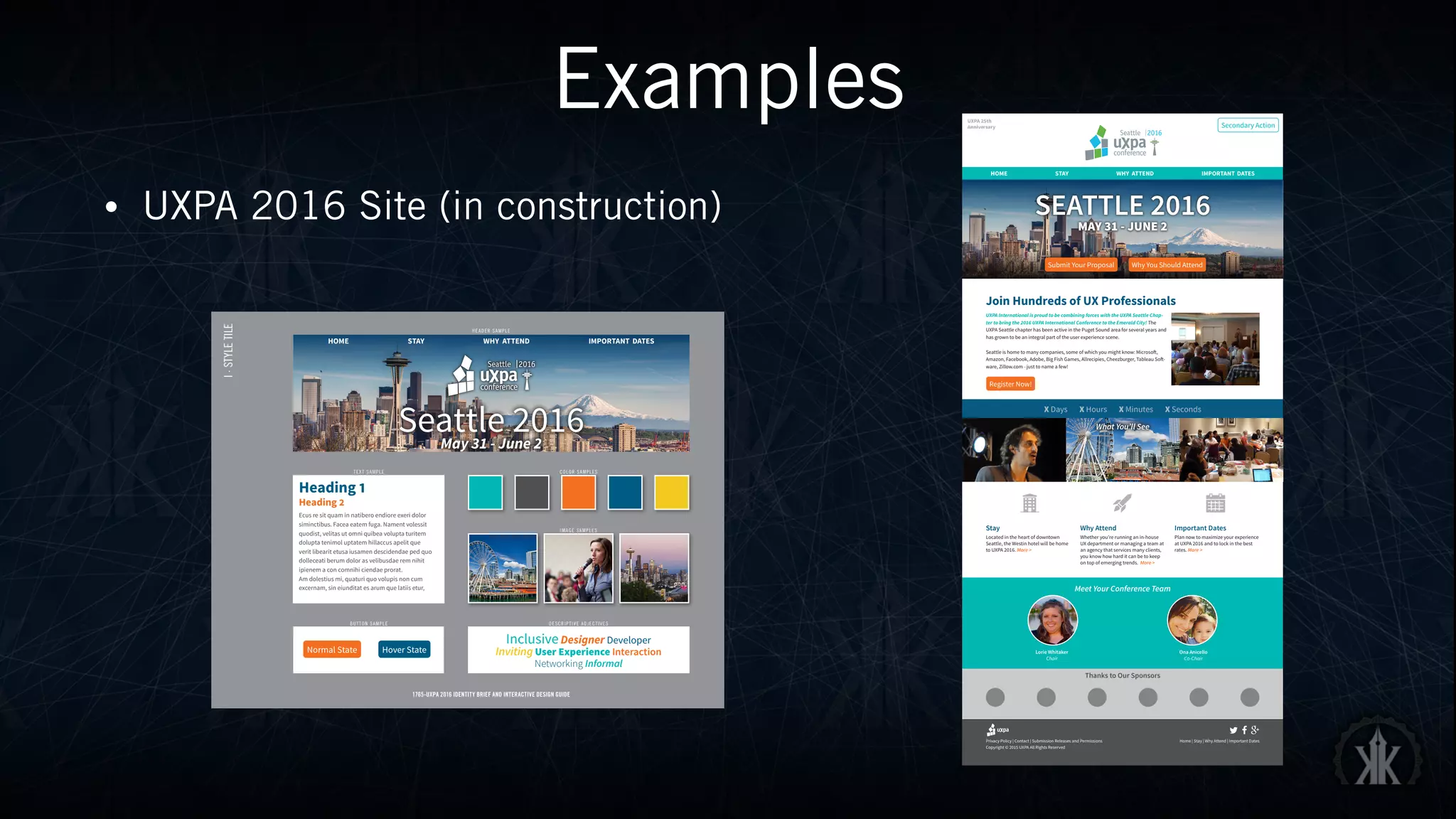
• UXPA 2016 Site (in construction)
Privacy Policy | Contact | Submission Releases and Permissions
Copyright © 2015 UXPA All Rights Reserved
Home | Stay | Why Attend | Important Dates
+
Join Hundreds of UX Professionals
UXPA International is proud to be combining forces with the UXPA Seattle Chap-
ter to bring the 2016 UXPA International Conference to the Emerald City! The
UXPA Seattle chapter has been active in the Puget Sound area for several years and
has grown to be an integral part of the user experience scene.
Seattle is home to many companies, some of which you might know: Microsoft,
Amazon, Facebook, Adobe, Big Fish Games, Allrecipies, Cheezburger, Tableau Soft-
ware, Zillow.com - just to name a few!
Meet Your Conference Team
Lorie Whitaker
Chair
Ona Anicello
Co-Chair
Register Now!
Stay
Located in the heart of downtown
Seattle, the Westin hotel will be home
to UXPA 2016. More >
Why Attend
Whether you’re running an in-house
UX department or managing a team at
an agency that services many clients,
you know how hard it can be to keep
on top of emerging trends. More >
Important Dates
Plan now to maximize your experience
at UXPA 2016 and to lock in the best
rates. More >
HOME STAY WHY ATTEND IMPORTANT DATES
SEATTLE 2016
MAY 31 - JUNE 2
X Days X Hours X Minutes X Seconds
UXPA 25th
Anniversary
Why You Should AttendSubmit Your Proposal
Thanks to Our Sponsors
Secondary Action
What You’ll See
I·STYLETILE
1765-UXPA 2016 IDENTITY BRIEF AND INTERACTIVE DESIGN GUIDE
HEADER SAMPLE
TEXT SAMPLE COLOR SAMPLES
IMAGE SAMPLES
DESCRIPTIVE ADJECTIVESBUTTON SAMPLE
Heading 1
Heading 2
Ecus re sit quam in natibero endiore exeri dolor
siminctibus. Facea eatem fuga. Nament volessit
quodist, velitas ut omni quibea volupta turitem
dolupta tenimol uptatem hillaccus apelit que
verit libearit etusa iusamen descidendae ped quo
dolleceati berum dolor as velibusdae rem nihit
ipienem a con comnihi ciendae prorat.
Am dolestius mi, quaturi quo volupis non cum
excernam, sin eiunditat es arum que latiis etur,
InclusiveDesigner Developer
Inviting User Experience Interaction
Networking Informal
HOME STAY WHY ATTEND IMPORTANT DATES
Seattle 2016May 31 - June 2
Normal State Hover State
Examples
• Rapid paper iteration using worksheets
Epilogue
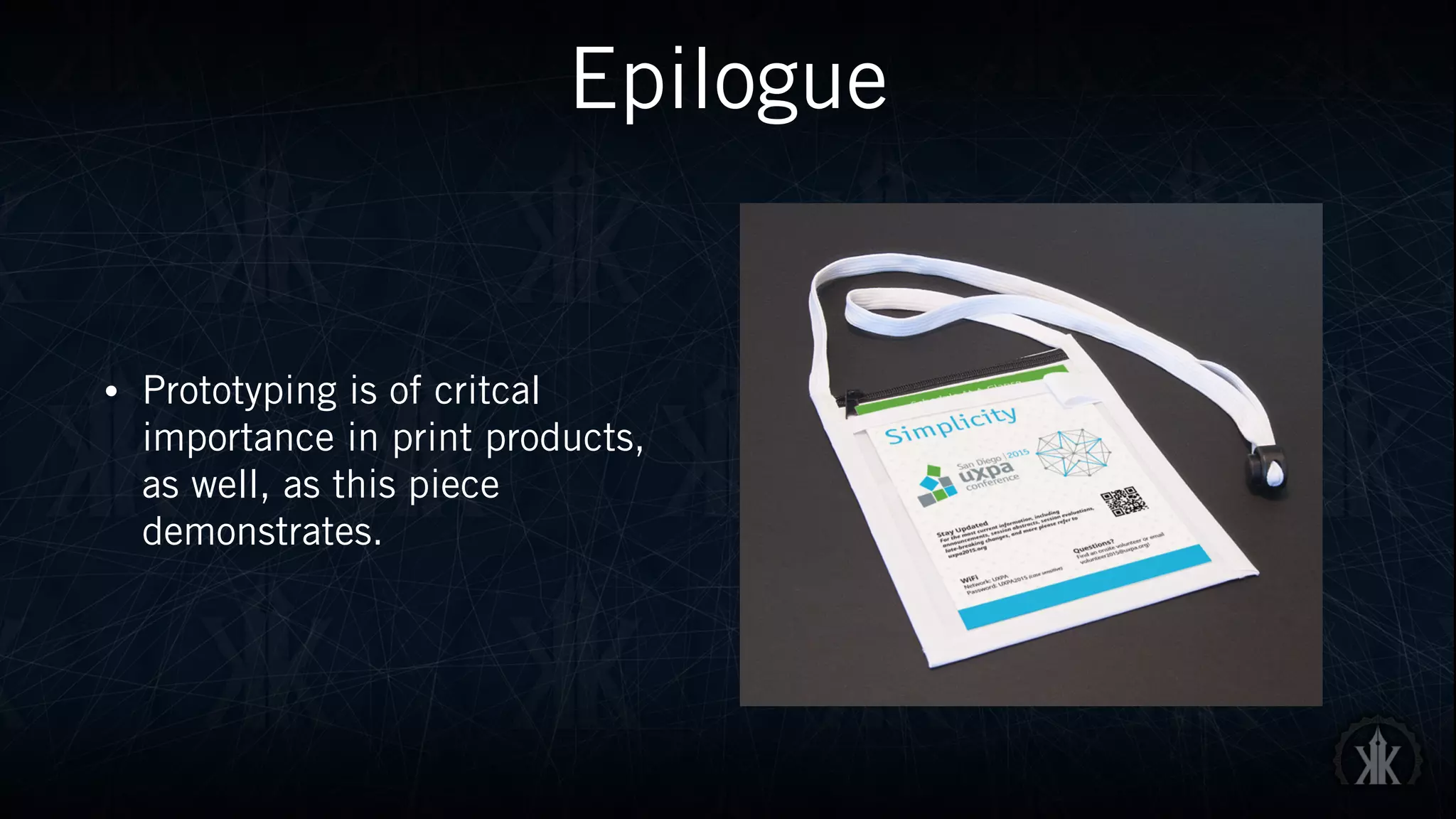
• Prototyping is of critcal
importance in print products, 

as well, as this piece
demonstrates.
Conclusion
Incorporating user experience into your project from the outset, and not
as a single step, goes a long way toward ensuring success. It’s not a
rigid framework, but a concentrated focus on the main reason for your
project—satisfied end users.
Wrap-Up
Suggested Resources
• The User Experience Team of One: A Research and Design Survival Guide (Rosenfeld) Leah
Buley, July 2013
• Don’t Make Me Think, Revisited: A Common Sense Approach to Web Usability (3rd Edition)
(Voices That Matter) Steve Krug, January 2013
• The Design of Everyday Things: Revised and Expanded Edition (Basic Books) Don Norman
Nov 5, 2013
• A Project Guide to UX Design: For user experience designers in the field or in the making
(2nd Edition) (Voices That Matter) 2nd Edition Russ Unger and Carolyn Chandler,
March 2012
Thank You
@karolus
kkaufmann@karlkaufmann.com
karlkaufmann.com

Incorporating UX into Your Projects

  • 1.
    Incorporating User Experience (UX)into Your Projects Karl Kaufmann @karolus
  • 2.
    Most business modelshave focused on self interest instead of user experience -TIM COOK, CEO, APPLE
  • 3.
    Overview • Why UXis important to you • What User Experience (UX) is (and not) • Core Principles • Workflow • Examples
  • 4.
    What is UX& Why it Matters User experience (UX) is the basis for all Web activity, and thus underpins everything we do in Web design and development. Successful projects bake UX in from the ground up, from discovery through planning, iteration, testing and deployment. No matter how beautiful our code may be, of what use is it 
 if it’s irrelevant to our users?
  • 5.
    UX ≠ UI Whatdoes UX actually mean? The various UX roles that a person can fulfill are plentiful. Some are whole jobs, some whole careers—others are tactical roles that we all move in and out of. • Field Research • Face to face interviewing • Creation of user tests • Gathering and organizing statistics • Creating Personas • Product design • Feature writing • Requirement writing • Graphic arts • Interaction design • Information architecture • Usability • Prototyping • Interface layout • Interface design • Visual design • Taxonomy creation • Terminology creation • Copywriting • Presentation and speaking • Working tightly with programmers • Brainstorm coordination • Design culture evangelism How UX Wants to Be Seen How UX Is Typically Seen • Field Research • Face to face interviewing • Creation of user tests • Gathering and organizing statistics • Creating Personas • Product design • Feature writing • Requirement writing • Graphic arts • Interaction design • Information architecture • Usability • Prototyping • Interface layout • Interface design • Visual design • Taxonomy creation • Terminology creation • Copywriting • Presentation and speaking • Working tightly with programmers • Brainstorm coordination • Design culture evangelism UX is the intangible design of a strategy that brings us to a solution. SOURCE: Erik Flowers http://uxisnotui.com
  • 6.
    Core UX Principles DISCOVERABILITY—Canusers discover how to accomplish their tasks the first time they look at a product? LEARNABILITY—Can users easily learn a product’s interaction models and predict how to move from one part of the product to another? On repeat visits, can they remember how to engage with the product to accomplish their goals? EFFICIENCY—Once users have become repeat users, can they accomplish repetitive tasks quickly and easily? SYSTEM PERFORMANCE—How nimbly does the user interface respond when users click a button or interact with the product? If it’s slow, designers have a part to play in improving the total experience, including system response times when user are performing tasks. DELIGHT—Does the product delight users? If you can instill an emotional connection to a product in users, they will champion your product and share its virtues. SOURCE: Jim Nieters—Global Head, User Experience, of HP’s Consumer Travel Division http://www.uxmatters.com/mt/archives/2014/11/fundamental-principles-of-great-ux-design-how-to-deliver-great-ux-design.php#sthash.6JjOouAg.dpuf
  • 7.
    Workflow Process Overview Empathyfor all project members is key—as well as leaving the fear to be wrong behind. Rapid iteration and close collaboration.
  • 8.
    Discover • User andstakeholder interviews—find the actual goal, not a vague desired result • Requirements gathering • Securing buy-in from key stakeholders • Personas—don’t have to be elaborate, but offer an effective method to gauge the effectiveness of your product in real-world situations
  • 9.
    Discover-Tool Set • Whiteboard •Post-Its • Paper • Interviewing aids-recorders
  • 10.
    Iterate • Incorporate researchand requirements into prototype • Use (low fidelity) tools that allow you to rapidly test ideas • Sprints are excellent methods to generate ideas • When possible, involve stakeholders here as well.
  • 11.
    Iterate-Tool Set Suggested Tools •Paper Templates • Whiteboard • Post-Its • Low-fidelity digital comping tools N.B. Focus on this stage is rapid generation. Avoid being sucked into drawn-out processes. If need be, devise sprints or short time limits.
  • 12.
    Build • Incorporate yourbest prototype(s) into your product • Test repeatedly, and as often as feasible • Guerilla UX—random testing can uncover valuable insights • Modularity—use systems that allow for easy modifications • If major issues are discovered—iterate again!
  • 13.
    Build-Tool Set Suggested Tools •Code/Image editors of choice • Spirit of collaboration—do what you can to break down barriers between team members (and clients) • Array of devices the product will be used on N.B. Allow your builds to be revised, if at all possible. Developing tunnel vision on a given path can have disastrous consequences.
  • 14.
    Review • Functional testing—willthe product perform as advertised? • User testing—getting the project into the hands of actual users is one of the fastest ways to gauge overall effectiveness • Security—thorough reviews in real-world cases is essential. • If major issues are discovered—rebuild and/or iterate!
  • 15.
    Review-Tool Set Suggested Tools •Array of devices and browsers to reflect user base • Account for low bandwidth and other technical challenges • User testing—make sure the product performs as required, and make necessary adjustments, if needed.
  • 16.
    Deploy • Once majorrequirements are successfully fulfilled, launch • Continual attention to users is essential, whether by the client, or by you. In a constantly changing user landscape, what may have been clear during discovery may now be cloudy. • If major issues are discovered—review the project, and adapt as needed!
  • 17.
    Deploy-Tool Set Suggested Tools •Software/hardware of choice • Analytics observations • Stakeholder feedback N.B. The UX process doesn’t stop here—the path is for continual improvement over the life of the product.
  • 18.
    Examples • UXPA 2016Site (in construction) Privacy Policy | Contact | Submission Releases and Permissions Copyright © 2015 UXPA All Rights Reserved Home | Stay | Why Attend | Important Dates + Join Hundreds of UX Professionals UXPA International is proud to be combining forces with the UXPA Seattle Chap- ter to bring the 2016 UXPA International Conference to the Emerald City! The UXPA Seattle chapter has been active in the Puget Sound area for several years and has grown to be an integral part of the user experience scene. Seattle is home to many companies, some of which you might know: Microsoft, Amazon, Facebook, Adobe, Big Fish Games, Allrecipies, Cheezburger, Tableau Soft- ware, Zillow.com - just to name a few! Meet Your Conference Team Lorie Whitaker Chair Ona Anicello Co-Chair Register Now! Stay Located in the heart of downtown Seattle, the Westin hotel will be home to UXPA 2016. More > Why Attend Whether you’re running an in-house UX department or managing a team at an agency that services many clients, you know how hard it can be to keep on top of emerging trends. More > Important Dates Plan now to maximize your experience at UXPA 2016 and to lock in the best rates. More > HOME STAY WHY ATTEND IMPORTANT DATES SEATTLE 2016 MAY 31 - JUNE 2 X Days X Hours X Minutes X Seconds UXPA 25th Anniversary Why You Should AttendSubmit Your Proposal Thanks to Our Sponsors Secondary Action What You’ll See I·STYLETILE 1765-UXPA 2016 IDENTITY BRIEF AND INTERACTIVE DESIGN GUIDE HEADER SAMPLE TEXT SAMPLE COLOR SAMPLES IMAGE SAMPLES DESCRIPTIVE ADJECTIVESBUTTON SAMPLE Heading 1 Heading 2 Ecus re sit quam in natibero endiore exeri dolor siminctibus. Facea eatem fuga. Nament volessit quodist, velitas ut omni quibea volupta turitem dolupta tenimol uptatem hillaccus apelit que verit libearit etusa iusamen descidendae ped quo dolleceati berum dolor as velibusdae rem nihit ipienem a con comnihi ciendae prorat. Am dolestius mi, quaturi quo volupis non cum excernam, sin eiunditat es arum que latiis etur, InclusiveDesigner Developer Inviting User Experience Interaction Networking Informal HOME STAY WHY ATTEND IMPORTANT DATES Seattle 2016May 31 - June 2 Normal State Hover State
  • 19.
    Examples • Rapid paperiteration using worksheets
  • 20.
    Epilogue • Prototyping isof critcal importance in print products, 
 as well, as this piece demonstrates.
  • 21.
    Conclusion Incorporating user experienceinto your project from the outset, and not as a single step, goes a long way toward ensuring success. It’s not a rigid framework, but a concentrated focus on the main reason for your project—satisfied end users.
  • 22.
    Wrap-Up Suggested Resources • TheUser Experience Team of One: A Research and Design Survival Guide (Rosenfeld) Leah Buley, July 2013 • Don’t Make Me Think, Revisited: A Common Sense Approach to Web Usability (3rd Edition) (Voices That Matter) Steve Krug, January 2013 • The Design of Everyday Things: Revised and Expanded Edition (Basic Books) Don Norman Nov 5, 2013 • A Project Guide to UX Design: For user experience designers in the field or in the making (2nd Edition) (Voices That Matter) 2nd Edition Russ Unger and Carolyn Chandler, March 2012
  • 23.