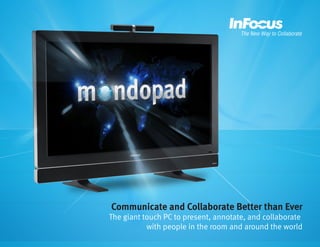
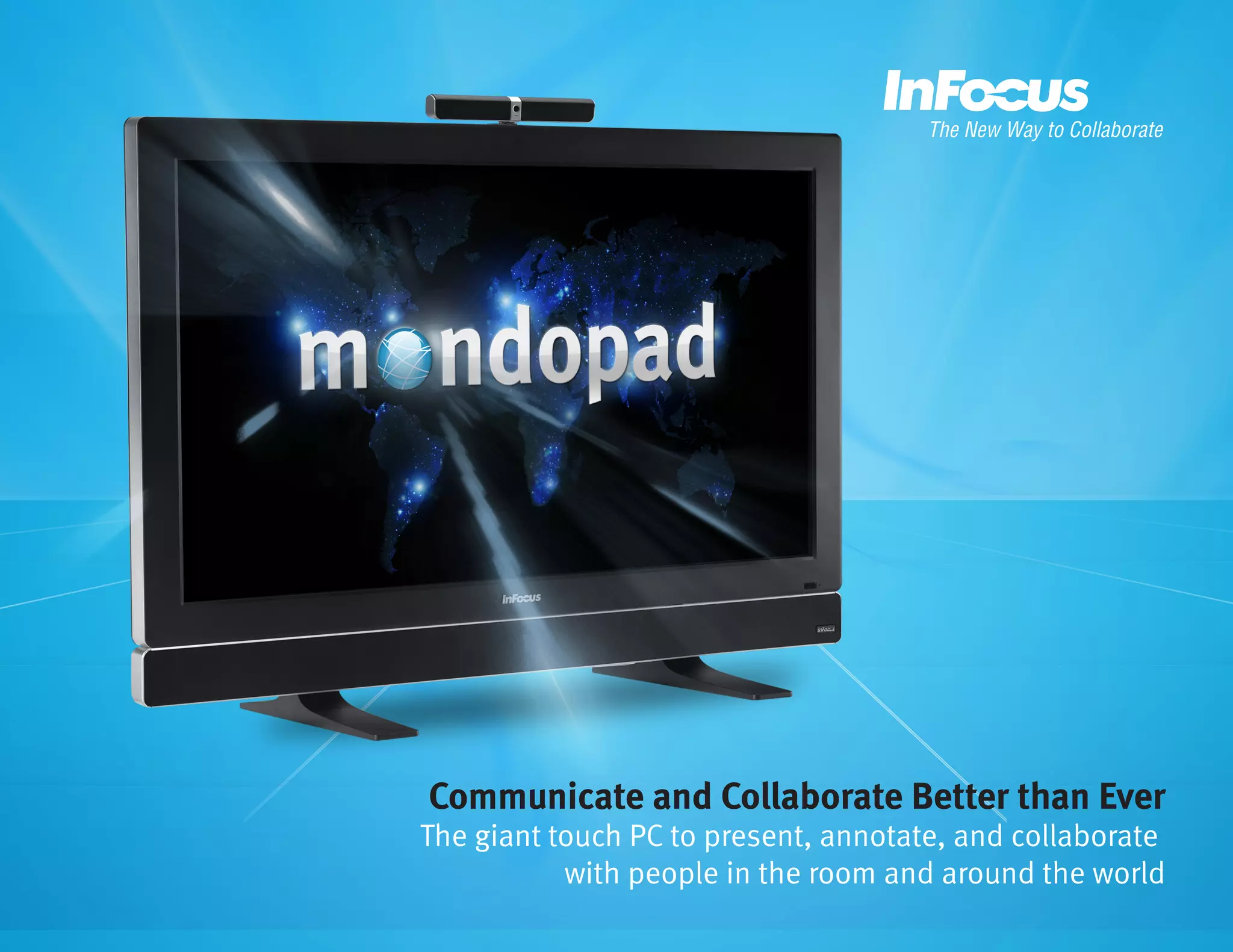
Communicate and Collaborate Better than Ever

The giant touch PC to present, annotate, and collaborate
with people in the room and around the world
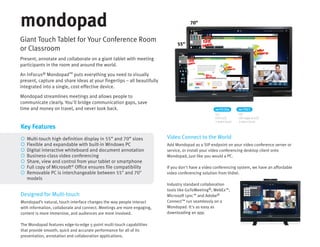
Giant Touch Tablet for Your Conference Room
or Classroom
Present, annotate and collaborate on a giant tablet with meeting
participants in the room and around the world.
An InFocus® Mondopad™ puts everything you need to visually
present, capture and share ideas at your fingertips – all beautifully
integrated into a single, cost-effective device.
Mondopad streamlines meetings and allows people to
communicate clearly. You'll bridge communication gaps, save
time and money on travel, and never look back.

Key Features








Multi-touch high definition display in 55” and 70” sizes
Flexible and expandable with built-in Windows PC
Digital interactive whiteboard and document annotation
Business-class video conferencing
Share, view and control from your tablet or smartphone
Full copy of Microsoft® Office ensures file compatibility
Removable PC is interchangeable between 55" and 70"
models

Designed for Multi-touch
Mondopad’s natural, touch interface changes the way people interact
with information, collaborate and connect. Meetings are more engaging,
content is more immersive, and audiences are more involved.
The Mondopad features edge-to-edge 5-point multi-touch capabilities
that provide smooth, quick and accurate performance for all of its
presentation, annotation and collaboration applications.

inf5520a

inf7021

55”
CCFL LCD
5-point touch

70”
LED edge-lit LCD
5-point touch

Video Connect to the World
Add Mondopad as a SIP endpoint on your video conference server or
service, or install your video conferencing desktop client onto
Mondopad, just like you would a PC.
If you don't have a video conferencing system, we have an affordable
video conferencing solution from Vidtel.
Industry standard collaboration
tools like GoToMeeting®, WebEx™,
Microsoft Lync™ and Adobe®
Connect™ run seamlessly on a
Mondopad. It's as easy as
downloading an app.
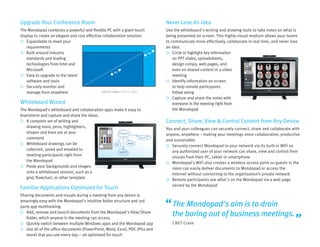
Upgrade Your Conference Room

Never Lose An Idea

The Mondopad combines a powerful and flexible PC with a giant touch
display to create an elegant and cost effective collaboration solution.
 Expandable to meet your
requirements
 Built around industry
standards and leading
technologies from Intel and
Microsoft
55”
 Easy to upgrade to the latest
software and tools
 Securely monitor and
Full HD 1080p (1920 x 1080)
manage from anywhere

Use the whiteboard's writing and drawing tools to take notes on what is
being presented on screen. This highly-visual medium allows your teams
to communicate more effectively, collaborate in real time, and never lose
an idea.
 Circle or highlight key information
on PPT slides, spreadsheets,
design comps, web pages, and
even on shared content in a video
meeting
 Identify information on-screen
to help remote participants
follow along
 Capture and share the notes with
everyone in the meeting right from
the Mondopad

70”

Whiteboard Wizard
The Mondopad's whiteboard and collaboration apps make it easy to
brainstorm and capture and share the ideas.
 A complete set of writing and
drawing tools, pens, highlighters,
shapes and lines are at your
command
 Whiteboard drawings can be
collected, saved and emailed to
meeting participants right from
the Mondopad
 Paste your backgrounds and images
onto a whiteboard session, such as a
grid, flowchart, or other template

Familiar Applications Optimized for Touch
Sharing documents and visuals during a meeting from any device is
amazingly easy with the Mondopad's intuitive folder structure and 3rd
party app multitasking.
 Add, remove and launch documents from the Mondopad's View/Share
folder, which anyone in the meeting can access
 Quickly switch between multiple Windows apps and the Mondopad app
 Use all of the office documents (PowerPoint, Word, Excel, PDF, JPGs and
more) that you use every day -- all optimized for touch

Connect, Share, View & Control Content from Any Device
You and your colleagues can securely connect, share and collaborate with
anyone, anywhere – making your meetings more collaborative, productive
and sustainable.
 Securely connect Mondopad to your network via its built-in WiFi so
any authorized user of your network can share, view and control their
visuals from their PC, tablet or smartphone
 Mondopad's WiFi also creates a wireless access point so guests in the
room can easily deliver documents to Mondopad or access the
Internet without connecting to the organization’s private network
 Remote participants see what's on the Mondopad via a web page
served by the Mondopad

The Mondopad's aim is to drain
the boring out of business meetings.
CNET Crave
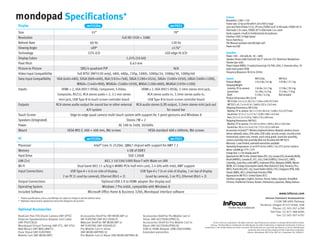
Specifications*
Display
Size
Resolution
Refresh Rate
Viewing Angle
Technology
Display Colors
Pixel Pitch
Picture-in-Picture
Video Input Compatibility
Data Input Compatibility
Inputs

inf5520a

inf7021

55”

70”
Full HD 1920 × 1080

60 Hz
±89°
CCFL LCD

120 Hz
±176°
LED edge-lit LCD
1.07G (10-bit)
0.63 mm

SBS/4 quadrant PiP
N/A
Full NTSC (INF5520 only), 480i, 480p, 720p, 1080i, 1080p/24, 1080p/30, 1080p/60
VGA (640×480), SVGA (800×600), XGA (1024×768), SXGA (1280×1024), SXGA+ (1400×1050), UXGA (1600×1200),
WXGA+ (1440×900), WSXGA+ (1680×1050), WXGA (1280×800), WUXGA (1920×1200)
HDMI × 2, VGA (HD15 VESA), Component, S-Video,
Composite, RS232, RCA stereo audio × 2, 3.5 mm stereo
mini-jack, USB Type-B to touch screen controller board

Outputs
Touch Screen
Speakers (Integrated)
Power
Mount

HDMI x 2, VGA (HD15 VESA), 3.5mm stereo mini-jack,
RCA stereo audio in, 3.5mm stereo audio in,
USB Type-B to touch screen controller board

RCA stereo audio output for sound bar or other external RCA audio stereo (L/R) output, 3.5mm stereo mini jack out
A/V system
for sound bar
Edge-to-edge quad camera multi-touch system with support for 5 point gestures and Windows 8
Stereo 7W × 2
AC 100 to 240V, 50/60Hz
VESA MIS-F, 400 × 400 mm, M6 screws
VESA standard 400 x 400mm, M6 screws

PC
Processor
Memory
Hard Drive
LAN (2×)
Wi-Fi
Input Connections

Camera
Resolution: 1280 × 720
Frame rate: 22 fps at HD with H.264+YUV (2-way)
Lens and Field of View: F/2.0, 3P Lens; FOV(D) 56.8° in HD mode, FOV(D) 50° in
VGA mode 1.0× zoom, FOV(D) 30° in VGA mode 1.6× zoom
Audio support: 4 built-in Unidirectional microphones
Interface: USB 2.0 High Speed
Focus: Auto focus
Tilt: Manual up/down and left/right ±40°
Power via USB

inf5520a

inf7021

Intel® Core i5-2520m, QM67 chipset with support for AMT 7.1
4 GB of DDR3
SSD 120GB
802.3 10/100/1000 Base-T with Wake on LAN
Dual band 802.11 a/b/g/n MIMO PCIe half mini card, 2.4 GHz with Intel, AMT support
USB Type-A × 6 (4 on side of display,

USB Type-A x 7 (4 on side of display, 1 on top of display

2 on PC (1 used by camera)), Ethernet (RJ45 × 2)

(used by camera), 2 on PC), Ethernet (RJ45 × 2)

Output Connections
Operating System
Included Software

Optional USB 2.0 to HDMI adapter (for display out)
Windows 7 Pro 64bit, compatible with Windows 8
Microsoft Office Home & Business 32bit, Mondopad interface software

Optional Accessories
Accessories Shelf for INF-MOBCART or
INF-FLRSTND (INF-ACCYSHELF)
Webcam Shelf for INF-MOBCART or
INF-FLRSTND (INF-VIDSHELF)
Pro Mobile Cart in Silver
(INF-MOBCARTPRO-S)
Pro Mobile Cart in Black (INF-MOBCARTPRO-B)

System
INF5520a
INF7021
Product Weight
134.4 lbs / 61 kg
170 lbs / 77.1 kg
Shipping Weight
(monitor, PC & camera)
136 lbs / 61.7 kg
173 lbs / 78.5 kg
(sound bar)
14.3 lbs / 6.5 kg
17.4 lbs / 7.9 kg
(feet)
9.3 lbs / 4.2 kg
Not included
Product Dimensions (W x D x H)
INF5520a: 53 x 5.5 x 38.3 in / 1346 x 140 x 973 mm
INF7021: 65.7 x 4 x 45 in / 1669 x 102 x 1143 mm
Shipping Dimensions: INF5520a
Monitor, PC & camera: 58.7 x 13.9 x 38.4 in / 1490 x 352 x 975 mm
Sound bar: 57.5 x 7.1 x 5.7 in / 1430 x 180 x 145 mm
Feet: 22.1 x 5.3 x 15.9 in / 560 x 135 x 405 mm
Shipping Dimensions: INF7021
Monitor, PC & camera: 73 x 10.5 x 49 in / 1854 x 267 x 1245 mm
Sound bar: 30.4 x 12.3 x 6.7 in / 772 x 313 x 169 mm
Accessories Included**: Wireless keyboard (where allowed), wireless mouse
(where allowed), stylus, VGA cable, USB cable, security screws, security screw
removal tool, power cord, remote, quick setup guide, sound bar assembly,
camera assembly, foot assembly (feet not inlcuded with INF7021)
Warranty: 1 year limited, extended warranties available
Operating Temperature: 41 to 95°F at 0 to 10K ft / 5 to 35°C at 0 to 3,048 m
Noise: <40dBA @ 77°F / 25°C
Energy Star: 5.1 for display and PC
Approvals for INF5520a: United States (FCC, UL), Europe (CE), Australia (RCM),
Brazil (ANATEL), Canada (IC, FCC, cUL), Chile (SUBTEL), China (CCC, CMIT),
Columbia, Costa Rica, India (WPC), Indonesia (PLG), Malaysia (SIRM), Mexico
(NOM, SCT, Energy Consumption label), New Zealand (C-tick), Panama, Peru
(MTC), Puerto Rico (FCC, UL), Saudi Arabia (SASO, CITC), Singapore (PSB, IDA),
Taiwan (BMSI, NCC), United Arab Emirates (TRA)
Approvals for INF7021: United States (FCC)
Interface Languages: English, German, French, Italian, Spanish, Simplified
Chinese, Traditional Chinese, Korean, Vietnamese, Japanese, Malay, Bahasa

www.infocus.com
InFocus Corporate Headquarters

* Product specifications, terms, and offerings are subject to change at any time without notice.
** Keyboard, mouse and/or speaker bar may not be shipped to all countries.

RealCam Pan/Tilt/Zoom Camera (INF-SPTZ)
Polycom Speakerphone Adapter and Cable
(INF-POLYCBLE)
Mondopad Virtual Training (INF-VT2, INF-VT4)
Wall Mount (INF-WALLMNT2)
Floor Stand (INF-FLRSTND)
Mobile Cart (INF-MOBCART)

Soundbar
Power: 100 – 240 volts AC, 50 – 60Hz
Speaker Drivers (L&R Channel): Two 3" and one 3/4" Aluminum Neodymium
Tweeter (per side)
Power Output (RMS): 25 watts/channel @ 1% THD, 1KHz, 2-channels drive, 70
watts total system PEAK
Frequency Response: 90 Hz to 20 KHz

Accessories Shelf for Pro Mobile Cart in
Silver (INF-ACCYSHELFPRO-S)
Accessories Shelf for Pro Mobile Cart in
Black (INF-ACCYSHELFPRO-B)
USB to HDMI Adapter (HW-USB2HDMI)
Extended warranties

13190 SW 68th Parkway
Portland, Oregon 97223-8368, USA
Phone: (1) 503-207-4700
Toll Free: (1) 877-388-8385
Fax: (1) 503-207-4707
©2013 InFocus Corporation. All rights reserved. Specifications are subject to change without further notice.
InFocus, The New Way to Collaborate and Mondopad are either trademarks or registered trademarks of InFocus
Corporation in the United States and other countries. All trademarks are used with permission or are for identification
purposes only and are the property of their respective companies.
InFocus_Mondopad_INF5520a_INF7021_Datasheet_EN_20AUG13.

InFocus Mondopad

  • 1.
    Communicate and CollaborateBetter than Ever The giant touch PC to present, annotate, and collaborate with people in the room and around the world
  • 2.
    Giant Touch Tabletfor Your Conference Room or Classroom Present, annotate and collaborate on a giant tablet with meeting participants in the room and around the world. An InFocus® Mondopad™ puts everything you need to visually present, capture and share ideas at your fingertips – all beautifully integrated into a single, cost-effective device. Mondopad streamlines meetings and allows people to communicate clearly. You'll bridge communication gaps, save time and money on travel, and never look back. Key Features        Multi-touch high definition display in 55” and 70” sizes Flexible and expandable with built-in Windows PC Digital interactive whiteboard and document annotation Business-class video conferencing Share, view and control from your tablet or smartphone Full copy of Microsoft® Office ensures file compatibility Removable PC is interchangeable between 55" and 70" models Designed for Multi-touch Mondopad’s natural, touch interface changes the way people interact with information, collaborate and connect. Meetings are more engaging, content is more immersive, and audiences are more involved. The Mondopad features edge-to-edge 5-point multi-touch capabilities that provide smooth, quick and accurate performance for all of its presentation, annotation and collaboration applications. inf5520a inf7021 55” CCFL LCD 5-point touch 70” LED edge-lit LCD 5-point touch Video Connect to the World Add Mondopad as a SIP endpoint on your video conference server or service, or install your video conferencing desktop client onto Mondopad, just like you would a PC. If you don't have a video conferencing system, we have an affordable video conferencing solution from Vidtel. Industry standard collaboration tools like GoToMeeting®, WebEx™, Microsoft Lync™ and Adobe® Connect™ run seamlessly on a Mondopad. It's as easy as downloading an app.
  • 3.
    Upgrade Your ConferenceRoom Never Lose An Idea The Mondopad combines a powerful and flexible PC with a giant touch display to create an elegant and cost effective collaboration solution.  Expandable to meet your requirements  Built around industry standards and leading technologies from Intel and Microsoft 55”  Easy to upgrade to the latest software and tools  Securely monitor and Full HD 1080p (1920 x 1080) manage from anywhere Use the whiteboard's writing and drawing tools to take notes on what is being presented on screen. This highly-visual medium allows your teams to communicate more effectively, collaborate in real time, and never lose an idea.  Circle or highlight key information on PPT slides, spreadsheets, design comps, web pages, and even on shared content in a video meeting  Identify information on-screen to help remote participants follow along  Capture and share the notes with everyone in the meeting right from the Mondopad 70” Whiteboard Wizard The Mondopad's whiteboard and collaboration apps make it easy to brainstorm and capture and share the ideas.  A complete set of writing and drawing tools, pens, highlighters, shapes and lines are at your command  Whiteboard drawings can be collected, saved and emailed to meeting participants right from the Mondopad  Paste your backgrounds and images onto a whiteboard session, such as a grid, flowchart, or other template Familiar Applications Optimized for Touch Sharing documents and visuals during a meeting from any device is amazingly easy with the Mondopad's intuitive folder structure and 3rd party app multitasking.  Add, remove and launch documents from the Mondopad's View/Share folder, which anyone in the meeting can access  Quickly switch between multiple Windows apps and the Mondopad app  Use all of the office documents (PowerPoint, Word, Excel, PDF, JPGs and more) that you use every day -- all optimized for touch Connect, Share, View & Control Content from Any Device You and your colleagues can securely connect, share and collaborate with anyone, anywhere – making your meetings more collaborative, productive and sustainable.  Securely connect Mondopad to your network via its built-in WiFi so any authorized user of your network can share, view and control their visuals from their PC, tablet or smartphone  Mondopad's WiFi also creates a wireless access point so guests in the room can easily deliver documents to Mondopad or access the Internet without connecting to the organization’s private network  Remote participants see what's on the Mondopad via a web page served by the Mondopad The Mondopad's aim is to drain the boring out of business meetings. CNET Crave
  • 4.
    Specifications* Display Size Resolution Refresh Rate Viewing Angle Technology DisplayColors Pixel Pitch Picture-in-Picture Video Input Compatibility Data Input Compatibility Inputs inf5520a inf7021 55” 70” Full HD 1920 × 1080 60 Hz ±89° CCFL LCD 120 Hz ±176° LED edge-lit LCD 1.07G (10-bit) 0.63 mm SBS/4 quadrant PiP N/A Full NTSC (INF5520 only), 480i, 480p, 720p, 1080i, 1080p/24, 1080p/30, 1080p/60 VGA (640×480), SVGA (800×600), XGA (1024×768), SXGA (1280×1024), SXGA+ (1400×1050), UXGA (1600×1200), WXGA+ (1440×900), WSXGA+ (1680×1050), WXGA (1280×800), WUXGA (1920×1200) HDMI × 2, VGA (HD15 VESA), Component, S-Video, Composite, RS232, RCA stereo audio × 2, 3.5 mm stereo mini-jack, USB Type-B to touch screen controller board Outputs Touch Screen Speakers (Integrated) Power Mount HDMI x 2, VGA (HD15 VESA), 3.5mm stereo mini-jack, RCA stereo audio in, 3.5mm stereo audio in, USB Type-B to touch screen controller board RCA stereo audio output for sound bar or other external RCA audio stereo (L/R) output, 3.5mm stereo mini jack out A/V system for sound bar Edge-to-edge quad camera multi-touch system with support for 5 point gestures and Windows 8 Stereo 7W × 2 AC 100 to 240V, 50/60Hz VESA MIS-F, 400 × 400 mm, M6 screws VESA standard 400 x 400mm, M6 screws PC Processor Memory Hard Drive LAN (2×) Wi-Fi Input Connections Camera Resolution: 1280 × 720 Frame rate: 22 fps at HD with H.264+YUV (2-way) Lens and Field of View: F/2.0, 3P Lens; FOV(D) 56.8° in HD mode, FOV(D) 50° in VGA mode 1.0× zoom, FOV(D) 30° in VGA mode 1.6× zoom Audio support: 4 built-in Unidirectional microphones Interface: USB 2.0 High Speed Focus: Auto focus Tilt: Manual up/down and left/right ±40° Power via USB inf5520a inf7021 Intel® Core i5-2520m, QM67 chipset with support for AMT 7.1 4 GB of DDR3 SSD 120GB 802.3 10/100/1000 Base-T with Wake on LAN Dual band 802.11 a/b/g/n MIMO PCIe half mini card, 2.4 GHz with Intel, AMT support USB Type-A × 6 (4 on side of display, USB Type-A x 7 (4 on side of display, 1 on top of display 2 on PC (1 used by camera)), Ethernet (RJ45 × 2) (used by camera), 2 on PC), Ethernet (RJ45 × 2) Output Connections Operating System Included Software Optional USB 2.0 to HDMI adapter (for display out) Windows 7 Pro 64bit, compatible with Windows 8 Microsoft Office Home & Business 32bit, Mondopad interface software Optional Accessories Accessories Shelf for INF-MOBCART or INF-FLRSTND (INF-ACCYSHELF) Webcam Shelf for INF-MOBCART or INF-FLRSTND (INF-VIDSHELF) Pro Mobile Cart in Silver (INF-MOBCARTPRO-S) Pro Mobile Cart in Black (INF-MOBCARTPRO-B) System INF5520a INF7021 Product Weight 134.4 lbs / 61 kg 170 lbs / 77.1 kg Shipping Weight (monitor, PC & camera) 136 lbs / 61.7 kg 173 lbs / 78.5 kg (sound bar) 14.3 lbs / 6.5 kg 17.4 lbs / 7.9 kg (feet) 9.3 lbs / 4.2 kg Not included Product Dimensions (W x D x H) INF5520a: 53 x 5.5 x 38.3 in / 1346 x 140 x 973 mm INF7021: 65.7 x 4 x 45 in / 1669 x 102 x 1143 mm Shipping Dimensions: INF5520a Monitor, PC & camera: 58.7 x 13.9 x 38.4 in / 1490 x 352 x 975 mm Sound bar: 57.5 x 7.1 x 5.7 in / 1430 x 180 x 145 mm Feet: 22.1 x 5.3 x 15.9 in / 560 x 135 x 405 mm Shipping Dimensions: INF7021 Monitor, PC & camera: 73 x 10.5 x 49 in / 1854 x 267 x 1245 mm Sound bar: 30.4 x 12.3 x 6.7 in / 772 x 313 x 169 mm Accessories Included**: Wireless keyboard (where allowed), wireless mouse (where allowed), stylus, VGA cable, USB cable, security screws, security screw removal tool, power cord, remote, quick setup guide, sound bar assembly, camera assembly, foot assembly (feet not inlcuded with INF7021) Warranty: 1 year limited, extended warranties available Operating Temperature: 41 to 95°F at 0 to 10K ft / 5 to 35°C at 0 to 3,048 m Noise: <40dBA @ 77°F / 25°C Energy Star: 5.1 for display and PC Approvals for INF5520a: United States (FCC, UL), Europe (CE), Australia (RCM), Brazil (ANATEL), Canada (IC, FCC, cUL), Chile (SUBTEL), China (CCC, CMIT), Columbia, Costa Rica, India (WPC), Indonesia (PLG), Malaysia (SIRM), Mexico (NOM, SCT, Energy Consumption label), New Zealand (C-tick), Panama, Peru (MTC), Puerto Rico (FCC, UL), Saudi Arabia (SASO, CITC), Singapore (PSB, IDA), Taiwan (BMSI, NCC), United Arab Emirates (TRA) Approvals for INF7021: United States (FCC) Interface Languages: English, German, French, Italian, Spanish, Simplified Chinese, Traditional Chinese, Korean, Vietnamese, Japanese, Malay, Bahasa www.infocus.com InFocus Corporate Headquarters * Product specifications, terms, and offerings are subject to change at any time without notice. ** Keyboard, mouse and/or speaker bar may not be shipped to all countries. RealCam Pan/Tilt/Zoom Camera (INF-SPTZ) Polycom Speakerphone Adapter and Cable (INF-POLYCBLE) Mondopad Virtual Training (INF-VT2, INF-VT4) Wall Mount (INF-WALLMNT2) Floor Stand (INF-FLRSTND) Mobile Cart (INF-MOBCART) Soundbar Power: 100 – 240 volts AC, 50 – 60Hz Speaker Drivers (L&R Channel): Two 3" and one 3/4" Aluminum Neodymium Tweeter (per side) Power Output (RMS): 25 watts/channel @ 1% THD, 1KHz, 2-channels drive, 70 watts total system PEAK Frequency Response: 90 Hz to 20 KHz Accessories Shelf for Pro Mobile Cart in Silver (INF-ACCYSHELFPRO-S) Accessories Shelf for Pro Mobile Cart in Black (INF-ACCYSHELFPRO-B) USB to HDMI Adapter (HW-USB2HDMI) Extended warranties 13190 SW 68th Parkway Portland, Oregon 97223-8368, USA Phone: (1) 503-207-4700 Toll Free: (1) 877-388-8385 Fax: (1) 503-207-4707 ©2013 InFocus Corporation. All rights reserved. Specifications are subject to change without further notice. InFocus, The New Way to Collaborate and Mondopad are either trademarks or registered trademarks of InFocus Corporation in the United States and other countries. All trademarks are used with permission or are for identification purposes only and are the property of their respective companies. InFocus_Mondopad_INF5520a_INF7021_Datasheet_EN_20AUG13.