IMPLEMENTING ZERO
TRUST AND
MITIGATING INSIDER
THREATS
BEST PRACTICES FOR
MICROSOFT CLOUD
ENVIRONMENTS
Michael Noel, CCO
THE EVOLVING THREAT LANDSCAPE
• Why You Should Be Very Concerned
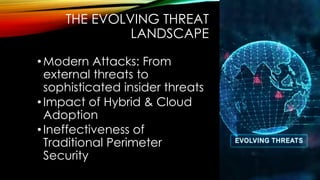
THE EVOLVING THREAT
LANDSCAPE
•Modern Attacks: From
external threats to
sophisticated insider threats
•Impact of Hybrid & Cloud
Adoption
•Ineffectiveness of
Traditional Perimeter
Security
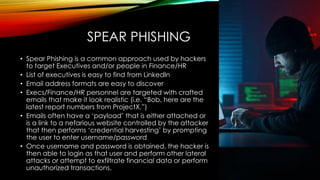
SPEAR PHISHING
• Spear Phishing is a common approach used by hackers
to target Executives and/or people in Finance/HR
• List of executives is easy to find from LinkedIn
• Email address formats are easy to discover
• Execs/Finance/HR personnel are targeted with crafted
emails that make it look realistic (i.e. “Bob, here are the
latest report numbers from ProjectX.”)
• Emails often have a ‘payload’ that is either attached or
is a link to a nefarious website controlled by the attacker
that then performs ‘credential harvesting’ by prompting
the user to enter username/password
• Once username and password is obtained, the hacker is
then able to login as that user and perform other lateral
attacks or attempt to exfiltrate financial data or perform
unauthorized transactions.
STATE SPONSORED ATTACKS
• A rising number of hacking cases is
coming from well-organized and well-
funded hacking ‘farms’ that are
sponsored by nation-states
• These hacking organizations are
designed to steal trade and/or national
secrets from organizations in a
competing state
• Targets are not only defense or NGOs,
but also include ‘regular’ organizations
that can be targeted for financial
reasons for stealing intellectual property
(IP.)
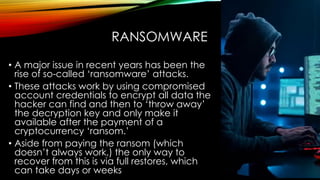
RANSOMWARE
• A major issue in recent years has been the
rise of so-called ‘ransomware’ attacks.
• These attacks work by using compromised
account credentials to encrypt all data the
hacker can find and then to ‘throw away’
the decryption key and only make it
available after the payment of a
cryptocurrency ‘ransom.’
• Aside from paying the ransom (which
doesn’t always work,) the only way to
recover from this is via full restores, which
can take days or weeks
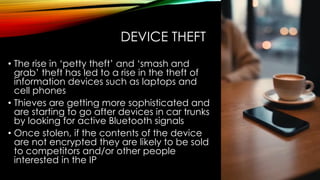
DEVICE THEFT
• The rise in ‘petty theft’ and ‘smash and
grab’ theft has led to a rise in the theft of
information devices such as laptops and
cell phones
• Thieves are getting more sophisticated and
are starting to go after devices in car trunks
by looking for active Bluetooth signals
• Once stolen, if the contents of the device
are not encrypted they are likely to be sold
to competitors and/or other people
interested in the IP
INTELLECTUAL PROPERTY LOSS
THROUGH “OVERSHARING”
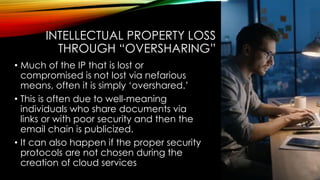
• Much of the IP that is lost or
compromised is not lost via nefarious
means, often it is simply ‘overshared.’
• This is often due to well-meaning
individuals who share documents via
links or with poor security and then the
email chain is publicized.
• It can also happen if the proper security
protocols are not chosen during the
creation of cloud services
PASSWORDS ARE NOT AS SECURE
AS YOU THINK
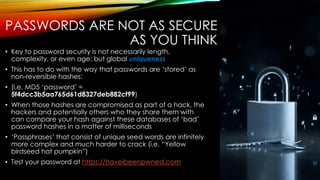
• Key to password security is not necessarily length,
complexity, or even age; but global uniqueness
• This has to do with the way that passwords are ‘stored’ as
non-reversible hashes:
• (i.e. MD5 ‘password’ =
5f4dcc3b5aa765d61d8327deb882cf99)
• When those hashes are compromised as part of a hack, the
hackers and potentially others who they share them with
can compare your hash against these databases of ‘bad’
password hashes in a matter of milliseconds
• ‘Passphrases’ that consist of unique seed words are infinitely
more complex and much harder to crack (i.e. “Yellow
birdseed hat pumpkin”)
• Test your password at https://haveibeenpwned.com
CACHED CREDENTIALS
• Exploiting Cached credentials on
workstations are a common attack
vector
• Any user with local admin rights to a
workstation (obtained legitimately or
via phishing) can access the cached
credentials of any other user who
logged in at some point. If the
passwords are not sufficiently complex
or match any darknet database
entries, they are EASILY cracked.
LATERAL ATTACKS
• Once a hacker has access to some small
portion of your organization, they typically try to
then perform ‘lateral’ attacks on other system,
especially ones that provide for better access.
• The goal is to get access to highly privileged
accounts such as the Active Directory ‘Domain
Admins.’
• “Golden Ticket” attacks using hacking tools
such as Mimikatz can then leverage elevated
domain rights (i.e. Domain Admin) to hack the
krbst account and create non-expiring ‘Golden
Tickets’ that give unfettered rights to all domain
resources
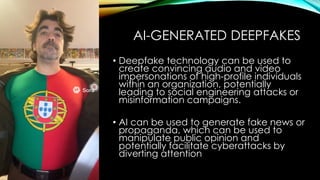
AI-GENERATED DEEPFAKES
• Deepfake technology can be used to
create convincing audio and video
impersonations of high-profile individuals
within an organization, potentially
leading to social engineering attacks or
misinformation campaigns.
• AI can be used to generate fake news or
propaganda, which can be used to
manipulate public opinion and
potentially facilitate cyberattacks by
diverting attention
INSIDER THREATS AND ZERO TRUST
• What do I do to protect my organization?
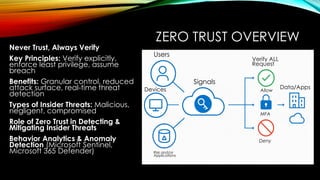
ZERO TRUST OVERVIEW
Never Trust, Always Verify
Key Principles: Verify explicitly,
enforce least privilege, assume
breach
Benefits: Granular control, reduced
attack surface, real-time threat
detection
Types of Insider Threats: Malicious,
negligent, compromised
Role of Zero Trust in Detecting &
Mitigating Insider Threats
Behavior Analytics & Anomaly
Detection (Microsoft Sentinel,
Microsoft 365 Defender)
Signals
Verify ALL
Request
Users
Devices
Risk and/or
Applications
Allow
Deny
MFA
Data/Apps
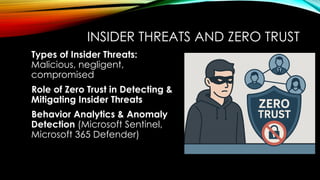
INSIDER THREATS AND ZERO TRUST
Types of Insider Threats:
Malicious, negligent,
compromised
Role of Zero Trust in Detecting &
Mitigating Insider Threats
Behavior Analytics & Anomaly
Detection (Microsoft Sentinel,
Microsoft 365 Defender)
SECURING IDENTITIES & ENDPOINTS
Azure AD Conditional Access: Policy-
based, risk-based sign-in policies
Multi-Factor Authentication (MFA):
Strengthening identity boundaries
Microsoft Endpoint Manager (Intune):
Enforcing device compliance, posture
checks
Defender for Endpoint: Advanced
threat detection & response
ZERO TRUST FOR APPLICATIONS & DATA
Microsoft Defender for Cloud: Security
posture management, threat
protection
Role-Based Access Control (RBAC):
Limiting privileges to what is needed
Information Protection (MIP / Purview):
Classification, labeling, and encryption
Data Loss Prevention (DLP): Preventing
sensitive data exfiltration
CONTINUOUS MONITORING &
AUTOMATED RESPONSE
Threat Detection & Analytics: Microsoft
Sentinel, KQL queries, AI-driven insights
Real-time Alerting: Configuring
automation, playbooks
Automated Remediation: Using Logic
Apps, Azure Functions for auto-
responses
Incident Response Best Practices:
Retrospective analysis, alert tuning
STEP-BY-STEP IMPLEMENTATION
ROADMAP
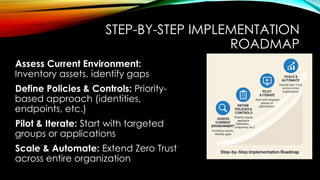
Assess Current Environment:
Inventory assets, identify gaps
Define Policies & Controls: Priority-

based approach (identities,
endpoints, etc.)
Pilot & Iterate: Start with targeted
groups or applications
Scale & Automate: Extend Zero Trust
across entire organization
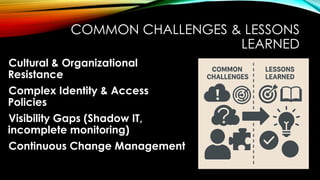
COMMON CHALLENGES & LESSONS
LEARNED
Cultural & Organizational
Resistance
Complex Identity & Access
Policies
Visibility Gaps (Shadow IT,
incomplete monitoring)
Continuous Change Management
MICROSOFT ZERO TRUST ARCHITECTURE
PILLARS AND TOOLSETS
• Examining Microsoft Zero Trust Options
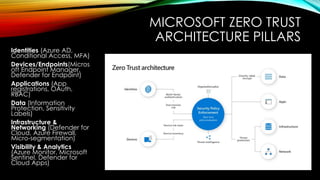
MICROSOFT ZERO TRUST
ARCHITECTURE PILLARS
Identities (Azure AD,
Conditional Access, MFA)
Devices/Endpoints(Micros
oft Endpoint Manager,
Defender for Endpoint)
Applications (App
registrations, OAuth,
RBAC)
Data (Information
Protection, Sensitivity
Labels)
Infrastructure &
Networking (Defender for
Cloud, Azure Firewall,
Micro-segmentation)
Visibility & Analytics
(Azure Monitor, Microsoft
Sentinel, Defender for
Cloud Apps)
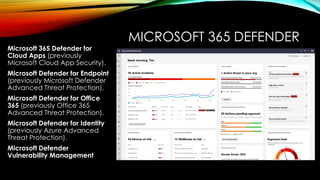
MICROSOFT 365 DEFENDER
Microsoft 365 Defender for
Cloud Apps (previously
Microsoft Cloud App Security).
Microsoft Defender for Endpoint
(previously Microsoft Defender
Advanced Threat Protection).
Microsoft Defender for Office
365 (previously Office 365
Advanced Threat Protection).
Microsoft Defender for Identity
(previously Azure Advanced
Threat Protection).
Microsoft Defender
Vulnerability Management
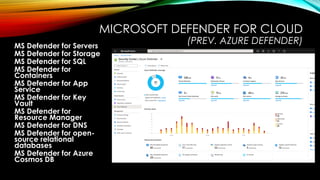
MICROSOFT DEFENDER FOR CLOUD
(PREV. AZURE DEFENDER)
MS Defender for Servers
MS Defender for Storage
MS Defender for SQL
MS Defender for
Containers
MS Defender for App
Service
MS Defender for Key
Vault
MS Defender for
Resource Manager
MS Defender for DNS
MS Defender for open-
source relational
databases
MS Defender for Azure
Cosmos DB
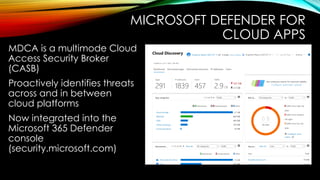
MICROSOFT DEFENDER FOR
CLOUD APPS
MDCA is a multimode Cloud
Access Security Broker
(CASB)
Proactively identifies threats
across and in between
cloud platforms
Now integrated into the
Microsoft 365 Defender
console
(security.microsoft.com)
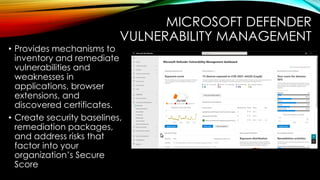
MICROSOFT DEFENDER
VULNERABILITY MANAGEMENT
• Provides mechanisms to
inventory and remediate
vulnerabilities and
weaknesses in
applications, browser
extensions, and
discovered certificates.
• Create security baselines,
remediation packages,
and address risks that
factor into your
organization’s Secure
Score
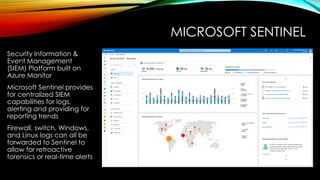
MICROSOFT SENTINEL
Security Information &
Event Management
(SIEM) Platform built on
Azure Monitor
Microsoft Sentinel provides
for centralized SIEM
capabilities for logs,
alerting and providing for
reporting trends
Firewall, switch, Windows,
and Linux logs can all be
forwarded to Sentinel to
allow for retroactive
forensics or real-time alerts
AZURE AD ENTITLEMENT
MANAGEMENT
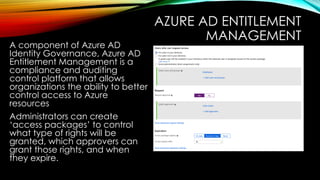
A component of Azure AD
Identity Governance, Azure AD
Entitlement Management is a
compliance and auditing
control platform that allows
organizations the ability to better
control access to Azure
resources
Administrators can create
‘access packages’ to control
what type of rights will be
granted, which approvers can
grant those rights, and when
they expire.
AZURE AD PRIVILEGED IDENTITY
MANAGEMENT (PIM)
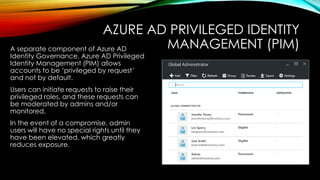
A separate component of Azure AD
Identity Governance, Azure AD Privileged
Identity Management (PIM) allows
accounts to be ‘privileged by request’
and not by default.
Users can initiate requests to raise their
privileged roles, and these requests can
be moderated by admins and/or
monitored.
In the event of a compromise, admin
users will have no special rights until they
have been elevated, which greatly
reduces exposure.
MULTI-FACTOR AUTHENTICATION
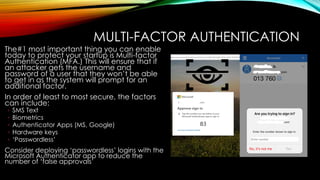
The#1 most important thing you can enable
today to protect your startup is Multi-factor
Authentication (MFA.) This will ensure that if
an attacker gets the username and
password of a user that they won’t be able
to get in as the system will prompt for an
additional factor.
In order of least to most secure, the factors
can include:
◦ SMS Text
◦ Biometrics
◦ Authenticator Apps (MS, Google)
◦ Hardware keys
◦ ‘Passwordless’
Consider deploying ‘passwordless’ logins with the
Microsoft Authenticator app to reduce the
number of ‘false approvals’
GLOBAL SECURE ACCESS
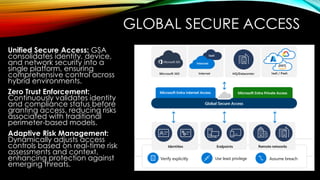
Unified Secure Access: GSA
consolidates identity, device,
and network security into a
single platform, ensuring
comprehensive control across
hybrid environments.
Zero Trust Enforcement:
Continuously validates identity
and compliance status before
granting access, reducing risks
associated with traditional
perimeter-based models.
Adaptive Risk Management:
Dynamically adjusts access
controls based on real-time risk
assessments and context,
enhancing protection against
emerging threats.
KEY TAKEAWAYS
Zero Trust Is a Journey: Embrace
iterative implementation
Microsoft Ecosystem: End-to-end tools
that enforce Zero Trust across identities,
endpoints, apps, and data
Insider Threat Mitigation: Continuous
verification and behavior analytics are
critical
Automation & AI: Essential for scaling
security operations
OBRIGADO! PERGUNTAS?
CCO.com
Linkedin.com/in/michaeltnoel
SharingTheGlobe.com
Slideshare.net/michaeltnoel
@SharingTheGlobe
Michael Noel

Implementing Zero Trust: Best Practices for Microsoft Cloud Environments

  • 1.
    IMPLEMENTING ZERO TRUST AND MITIGATINGINSIDER THREATS BEST PRACTICES FOR MICROSOFT CLOUD ENVIRONMENTS Michael Noel, CCO
  • 4.
    THE EVOLVING THREATLANDSCAPE • Why You Should Be Very Concerned
  • 5.
    THE EVOLVING THREAT LANDSCAPE •ModernAttacks: From external threats to sophisticated insider threats •Impact of Hybrid & Cloud Adoption •Ineffectiveness of Traditional Perimeter Security
  • 6.
    SPEAR PHISHING • SpearPhishing is a common approach used by hackers to target Executives and/or people in Finance/HR • List of executives is easy to find from LinkedIn • Email address formats are easy to discover • Execs/Finance/HR personnel are targeted with crafted emails that make it look realistic (i.e. “Bob, here are the latest report numbers from ProjectX.”) • Emails often have a ‘payload’ that is either attached or is a link to a nefarious website controlled by the attacker that then performs ‘credential harvesting’ by prompting the user to enter username/password • Once username and password is obtained, the hacker is then able to login as that user and perform other lateral attacks or attempt to exfiltrate financial data or perform unauthorized transactions.
  • 7.
    STATE SPONSORED ATTACKS •A rising number of hacking cases is coming from well-organized and well- funded hacking ‘farms’ that are sponsored by nation-states • These hacking organizations are designed to steal trade and/or national secrets from organizations in a competing state • Targets are not only defense or NGOs, but also include ‘regular’ organizations that can be targeted for financial reasons for stealing intellectual property (IP.)
  • 8.
    RANSOMWARE • A majorissue in recent years has been the rise of so-called ‘ransomware’ attacks. • These attacks work by using compromised account credentials to encrypt all data the hacker can find and then to ‘throw away’ the decryption key and only make it available after the payment of a cryptocurrency ‘ransom.’ • Aside from paying the ransom (which doesn’t always work,) the only way to recover from this is via full restores, which can take days or weeks
  • 9.
    DEVICE THEFT • Therise in ‘petty theft’ and ‘smash and grab’ theft has led to a rise in the theft of information devices such as laptops and cell phones • Thieves are getting more sophisticated and are starting to go after devices in car trunks by looking for active Bluetooth signals • Once stolen, if the contents of the device are not encrypted they are likely to be sold to competitors and/or other people interested in the IP
  • 10.
    INTELLECTUAL PROPERTY LOSS THROUGH“OVERSHARING” • Much of the IP that is lost or compromised is not lost via nefarious means, often it is simply ‘overshared.’ • This is often due to well-meaning individuals who share documents via links or with poor security and then the email chain is publicized. • It can also happen if the proper security protocols are not chosen during the creation of cloud services
  • 11.
    PASSWORDS ARE NOTAS SECURE AS YOU THINK • Key to password security is not necessarily length, complexity, or even age; but global uniqueness • This has to do with the way that passwords are ‘stored’ as non-reversible hashes: • (i.e. MD5 ‘password’ = 5f4dcc3b5aa765d61d8327deb882cf99) • When those hashes are compromised as part of a hack, the hackers and potentially others who they share them with can compare your hash against these databases of ‘bad’ password hashes in a matter of milliseconds • ‘Passphrases’ that consist of unique seed words are infinitely more complex and much harder to crack (i.e. “Yellow birdseed hat pumpkin”) • Test your password at https://haveibeenpwned.com
  • 12.
    CACHED CREDENTIALS • ExploitingCached credentials on workstations are a common attack vector • Any user with local admin rights to a workstation (obtained legitimately or via phishing) can access the cached credentials of any other user who logged in at some point. If the passwords are not sufficiently complex or match any darknet database entries, they are EASILY cracked.
  • 13.
    LATERAL ATTACKS • Oncea hacker has access to some small portion of your organization, they typically try to then perform ‘lateral’ attacks on other system, especially ones that provide for better access. • The goal is to get access to highly privileged accounts such as the Active Directory ‘Domain Admins.’ • “Golden Ticket” attacks using hacking tools such as Mimikatz can then leverage elevated domain rights (i.e. Domain Admin) to hack the krbst account and create non-expiring ‘Golden Tickets’ that give unfettered rights to all domain resources
  • 14.
    AI-GENERATED DEEPFAKES • Deepfaketechnology can be used to create convincing audio and video impersonations of high-profile individuals within an organization, potentially leading to social engineering attacks or misinformation campaigns. • AI can be used to generate fake news or propaganda, which can be used to manipulate public opinion and potentially facilitate cyberattacks by diverting attention
  • 16.
    INSIDER THREATS ANDZERO TRUST • What do I do to protect my organization?
  • 17.
    ZERO TRUST OVERVIEW NeverTrust, Always Verify Key Principles: Verify explicitly, enforce least privilege, assume breach Benefits: Granular control, reduced attack surface, real-time threat detection Types of Insider Threats: Malicious, negligent, compromised Role of Zero Trust in Detecting & Mitigating Insider Threats Behavior Analytics & Anomaly Detection (Microsoft Sentinel, Microsoft 365 Defender) Signals Verify ALL Request Users Devices Risk and/or Applications Allow Deny MFA Data/Apps
  • 18.
    INSIDER THREATS ANDZERO TRUST Types of Insider Threats: Malicious, negligent, compromised Role of Zero Trust in Detecting & Mitigating Insider Threats Behavior Analytics & Anomaly Detection (Microsoft Sentinel, Microsoft 365 Defender)
  • 19.
    SECURING IDENTITIES &ENDPOINTS Azure AD Conditional Access: Policy- based, risk-based sign-in policies Multi-Factor Authentication (MFA): Strengthening identity boundaries Microsoft Endpoint Manager (Intune): Enforcing device compliance, posture checks Defender for Endpoint: Advanced threat detection & response
  • 20.
    ZERO TRUST FORAPPLICATIONS & DATA Microsoft Defender for Cloud: Security posture management, threat protection Role-Based Access Control (RBAC): Limiting privileges to what is needed Information Protection (MIP / Purview): Classification, labeling, and encryption Data Loss Prevention (DLP): Preventing sensitive data exfiltration
  • 21.
    CONTINUOUS MONITORING & AUTOMATEDRESPONSE Threat Detection & Analytics: Microsoft Sentinel, KQL queries, AI-driven insights Real-time Alerting: Configuring automation, playbooks Automated Remediation: Using Logic Apps, Azure Functions for auto- responses Incident Response Best Practices: Retrospective analysis, alert tuning
  • 22.
    STEP-BY-STEP IMPLEMENTATION ROADMAP Assess CurrentEnvironment: Inventory assets, identify gaps Define Policies & Controls: Priority- based approach (identities, endpoints, etc.) Pilot & Iterate: Start with targeted groups or applications Scale & Automate: Extend Zero Trust across entire organization
  • 23.
    COMMON CHALLENGES &LESSONS LEARNED Cultural & Organizational Resistance Complex Identity & Access Policies Visibility Gaps (Shadow IT, incomplete monitoring) Continuous Change Management
  • 24.
    MICROSOFT ZERO TRUSTARCHITECTURE PILLARS AND TOOLSETS • Examining Microsoft Zero Trust Options
  • 25.
    MICROSOFT ZERO TRUST ARCHITECTUREPILLARS Identities (Azure AD, Conditional Access, MFA) Devices/Endpoints(Micros oft Endpoint Manager, Defender for Endpoint) Applications (App registrations, OAuth, RBAC) Data (Information Protection, Sensitivity Labels) Infrastructure & Networking (Defender for Cloud, Azure Firewall, Micro-segmentation) Visibility & Analytics (Azure Monitor, Microsoft Sentinel, Defender for Cloud Apps)
  • 26.
    MICROSOFT 365 DEFENDER Microsoft365 Defender for Cloud Apps (previously Microsoft Cloud App Security). Microsoft Defender for Endpoint (previously Microsoft Defender Advanced Threat Protection). Microsoft Defender for Office 365 (previously Office 365 Advanced Threat Protection). Microsoft Defender for Identity (previously Azure Advanced Threat Protection). Microsoft Defender Vulnerability Management
  • 27.
    MICROSOFT DEFENDER FORCLOUD (PREV. AZURE DEFENDER) MS Defender for Servers MS Defender for Storage MS Defender for SQL MS Defender for Containers MS Defender for App Service MS Defender for Key Vault MS Defender for Resource Manager MS Defender for DNS MS Defender for open- source relational databases MS Defender for Azure Cosmos DB
  • 28.
    MICROSOFT DEFENDER FOR CLOUDAPPS MDCA is a multimode Cloud Access Security Broker (CASB) Proactively identifies threats across and in between cloud platforms Now integrated into the Microsoft 365 Defender console (security.microsoft.com)
  • 29.
    MICROSOFT DEFENDER VULNERABILITY MANAGEMENT •Provides mechanisms to inventory and remediate vulnerabilities and weaknesses in applications, browser extensions, and discovered certificates. • Create security baselines, remediation packages, and address risks that factor into your organization’s Secure Score
  • 30.
    MICROSOFT SENTINEL Security Information& Event Management (SIEM) Platform built on Azure Monitor Microsoft Sentinel provides for centralized SIEM capabilities for logs, alerting and providing for reporting trends Firewall, switch, Windows, and Linux logs can all be forwarded to Sentinel to allow for retroactive forensics or real-time alerts
  • 31.
    AZURE AD ENTITLEMENT MANAGEMENT Acomponent of Azure AD Identity Governance, Azure AD Entitlement Management is a compliance and auditing control platform that allows organizations the ability to better control access to Azure resources Administrators can create ‘access packages’ to control what type of rights will be granted, which approvers can grant those rights, and when they expire.
  • 32.
    AZURE AD PRIVILEGEDIDENTITY MANAGEMENT (PIM) A separate component of Azure AD Identity Governance, Azure AD Privileged Identity Management (PIM) allows accounts to be ‘privileged by request’ and not by default. Users can initiate requests to raise their privileged roles, and these requests can be moderated by admins and/or monitored. In the event of a compromise, admin users will have no special rights until they have been elevated, which greatly reduces exposure.
  • 33.
    MULTI-FACTOR AUTHENTICATION The#1 mostimportant thing you can enable today to protect your startup is Multi-factor Authentication (MFA.) This will ensure that if an attacker gets the username and password of a user that they won’t be able to get in as the system will prompt for an additional factor. In order of least to most secure, the factors can include: ◦ SMS Text ◦ Biometrics ◦ Authenticator Apps (MS, Google) ◦ Hardware keys ◦ ‘Passwordless’ Consider deploying ‘passwordless’ logins with the Microsoft Authenticator app to reduce the number of ‘false approvals’
  • 34.
    GLOBAL SECURE ACCESS UnifiedSecure Access: GSA consolidates identity, device, and network security into a single platform, ensuring comprehensive control across hybrid environments. Zero Trust Enforcement: Continuously validates identity and compliance status before granting access, reducing risks associated with traditional perimeter-based models. Adaptive Risk Management: Dynamically adjusts access controls based on real-time risk assessments and context, enhancing protection against emerging threats.
  • 35.
    KEY TAKEAWAYS Zero TrustIs a Journey: Embrace iterative implementation Microsoft Ecosystem: End-to-end tools that enforce Zero Trust across identities, endpoints, apps, and data Insider Threat Mitigation: Continuous verification and behavior analytics are critical Automation & AI: Essential for scaling security operations
  • 37.