IM2044 – Week 12
Dr. Andres Baravalle
Before we start
• As I mentioned in class on Friday, I will not
be able to teach the class on Friday 10th
May
• After discussing with the students in class,
you will be able to take the class on any
one of these dates:
– Thursday 9th May in ITC09 at 13:00 OR
– Tuesday 14th May in ITC02 ITC07 at 10:00
Lecture content
• Don’t make me think!
• Feedback
• 2012-2013 dissertation supervisions

3
Usability heuristics
• The first law of Usability Engineering
(according to Steve Krug) is...
• Don’t Make Me Think

4
#1: Users don’t read web pages
• Users don’t read web pages – they just
scan

5
#2: Don’t make optimal choices
• Optimal choices are in most cases a waste
of resources
• Typically is not needed to commit the
resources needed to have an optimal
interface rather than a good interface
– People don’t look for perfect plans – they look
for good enough plans
– Are you really going to look for a second price
when you find a book in Amazon at £ 3?
6
#3: Users have no understanding of how
things work
• Nor they should need to, in many cases
– Knowing the TCP/IP stack is not going to help
you to send an email

• Don’t design interfaces that require
learning from users – most probably users
are NOT going to learn how to use your
interface

7
The trunk test
• Imagine you are blindfolded in the trunk of
a car
• Driven around
• Dumped somewhere
– Once you are out, you need to assess your
situation

8
The trunk test (2)
• A usable web site will allow you to “survive” a
trunk test
• On a usable web page you’ll be always able to
answer these questions:
–
–
–
–
–
–

What site is this
What page I’m on
What are the main sections
What are my options
Where I am
How can I search
9
The trunk test (3)
• You can use this approach by printing a
set of pages and asking users to circle
some or all of those areas
• You can compare user’s performance on
different web pages to have an indicator of
their usability

10
Designing home pages
• A typical home page will include:
–
–
–
–
–
–
–
–

Site identity and mission
Site hierarchy
Site search
Teases (e.g. Featured content)
Timely content
Deals (including ads)
Shortcuts to content
Registration

• A home page should always pass the “trunk
test”!
11
Usability evaluation methods
• Usability inquiry: focus on talking to and/or
observing users
• Usability inspection: focus on expert
analysis
• Usability testing: focus on testing
interfaces with users

12
Always, always, always TEST
• Testing one user is better than testing
none!

13
Test soon, test often
• Testing one user early is better than
testing 50 at the end

14
Testing is iterative
• No point in testing if you don’t correct the
errors that you find...

15
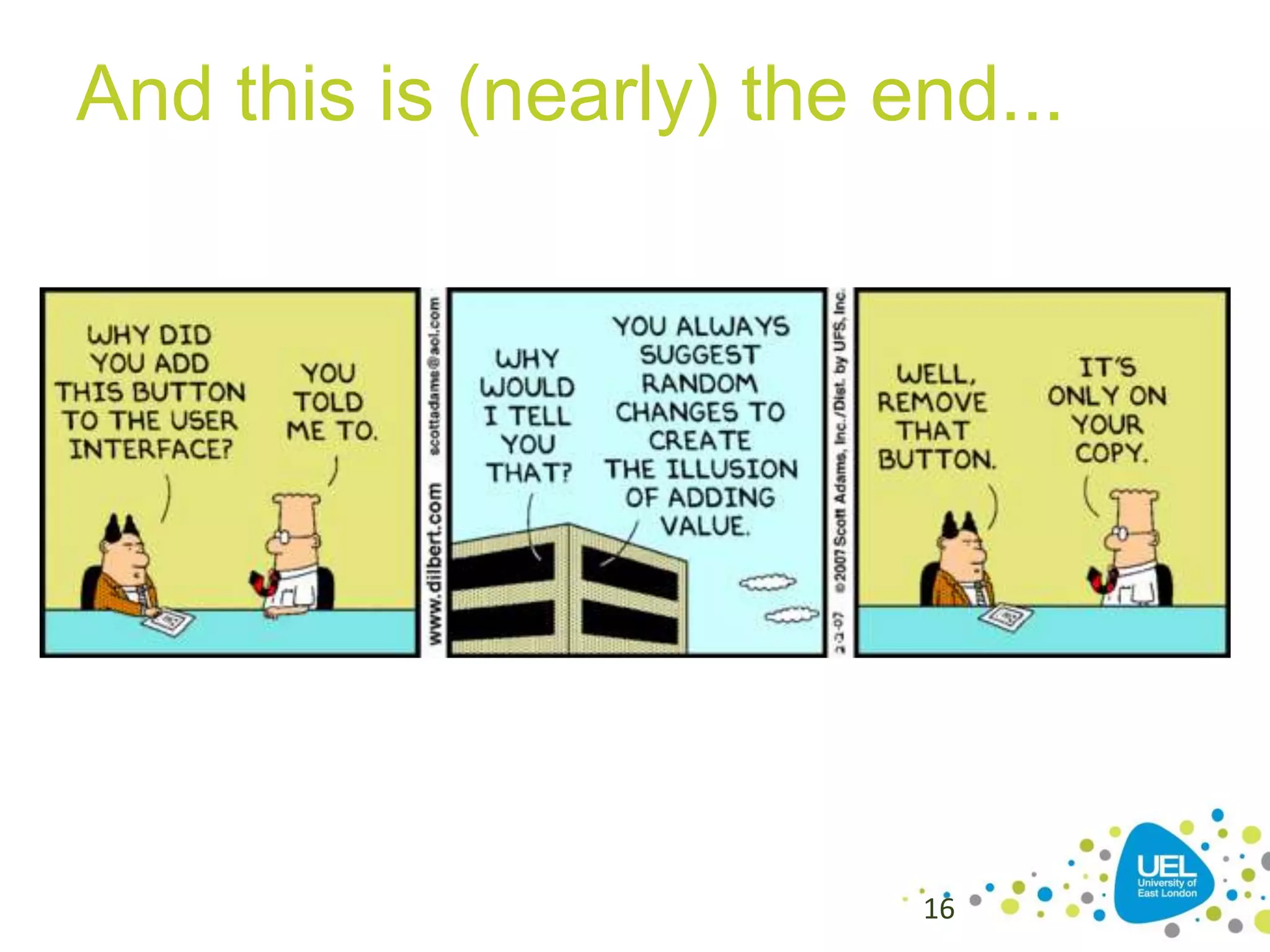
And this is (nearly) the end...

16
Feedback
• Module feedback available on UELplus
• Please submit the feedback – let us know
what you liked and how we can improve

17
Bibliography
• Krug, S. (2009) Don’t Make Me Think

18
SUPERVISIONS

19
Final year supervision
• This is for September 2014
• I’m happy to consider supervising (in
2013-2014) students in the following
areas:
– Web APPLICATIONS development
– Open Source technologies
– Usability, accessibility and HCI

20
Remember!
• It’s your research/dissertation – you have
to pick something that you enjoy
– I’m open to supervise thesis in my areas of
interest
– I’m not interested in supervising thesis that
are not interesting for me too

21
Supervision meetings
• I hold all my supervision
meetings on one day (currently
Tuesdays)
–It is not negotiable

• If you are not free on that day I
cannot supervise you
22
Where to find more
• A selection of available dissertation topics
is available here:
baravalle.com/teaching

You can write me at a.baravalle@uel.ac.uk

23

Don’t make me think

  • 1.
    IM2044 – Week12 Dr. Andres Baravalle
  • 2.
    Before we start •As I mentioned in class on Friday, I will not be able to teach the class on Friday 10th May • After discussing with the students in class, you will be able to take the class on any one of these dates: – Thursday 9th May in ITC09 at 13:00 OR – Tuesday 14th May in ITC02 ITC07 at 10:00
  • 3.
    Lecture content • Don’tmake me think! • Feedback • 2012-2013 dissertation supervisions 3
  • 4.
    Usability heuristics • Thefirst law of Usability Engineering (according to Steve Krug) is... • Don’t Make Me Think 4
  • 5.
    #1: Users don’tread web pages • Users don’t read web pages – they just scan 5
  • 6.
    #2: Don’t makeoptimal choices • Optimal choices are in most cases a waste of resources • Typically is not needed to commit the resources needed to have an optimal interface rather than a good interface – People don’t look for perfect plans – they look for good enough plans – Are you really going to look for a second price when you find a book in Amazon at £ 3? 6
  • 7.
    #3: Users haveno understanding of how things work • Nor they should need to, in many cases – Knowing the TCP/IP stack is not going to help you to send an email • Don’t design interfaces that require learning from users – most probably users are NOT going to learn how to use your interface 7
  • 8.
    The trunk test •Imagine you are blindfolded in the trunk of a car • Driven around • Dumped somewhere – Once you are out, you need to assess your situation 8
  • 9.
    The trunk test(2) • A usable web site will allow you to “survive” a trunk test • On a usable web page you’ll be always able to answer these questions: – – – – – – What site is this What page I’m on What are the main sections What are my options Where I am How can I search 9
  • 10.
    The trunk test(3) • You can use this approach by printing a set of pages and asking users to circle some or all of those areas • You can compare user’s performance on different web pages to have an indicator of their usability 10
  • 11.
    Designing home pages •A typical home page will include: – – – – – – – – Site identity and mission Site hierarchy Site search Teases (e.g. Featured content) Timely content Deals (including ads) Shortcuts to content Registration • A home page should always pass the “trunk test”! 11
  • 12.
    Usability evaluation methods •Usability inquiry: focus on talking to and/or observing users • Usability inspection: focus on expert analysis • Usability testing: focus on testing interfaces with users 12
  • 13.
    Always, always, alwaysTEST • Testing one user is better than testing none! 13
  • 14.
    Test soon, testoften • Testing one user early is better than testing 50 at the end 14
  • 15.
    Testing is iterative •No point in testing if you don’t correct the errors that you find... 15
  • 16.
    And this is(nearly) the end... 16
  • 17.
    Feedback • Module feedbackavailable on UELplus • Please submit the feedback – let us know what you liked and how we can improve 17
  • 18.
    Bibliography • Krug, S.(2009) Don’t Make Me Think 18
  • 19.
  • 20.
    Final year supervision •This is for September 2014 • I’m happy to consider supervising (in 2013-2014) students in the following areas: – Web APPLICATIONS development – Open Source technologies – Usability, accessibility and HCI 20
  • 21.
    Remember! • It’s yourresearch/dissertation – you have to pick something that you enjoy – I’m open to supervise thesis in my areas of interest – I’m not interested in supervising thesis that are not interesting for me too 21
  • 22.
    Supervision meetings • Ihold all my supervision meetings on one day (currently Tuesdays) –It is not negotiable • If you are not free on that day I cannot supervise you 22
  • 23.
    Where to findmore • A selection of available dissertation topics is available here: baravalle.com/teaching You can write me at a.baravalle@uel.ac.uk 23