• To understandwhy programming languages use data types.
• To use type casting in Python to enable numerical inputs.
• To understand the importance of annotating code.
• To use a textual programming language to solve a variety of
computational problems.
Learning Objective
Success Criteria
3.
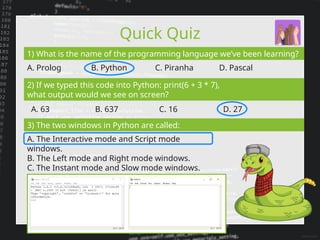
Quick Quiz
1) Whatis the name of the programming language we’ve been learning?
A. Prolog B. Python C. Piranha D. Pascal
2) If we typed this code into Python: print(6 + 3 * 7),
what output would we see on screen?
A. 63 B. 637 C. 16 D. 27
3) The two windows in Python are called:
A. The Interactive mode and Script mode
windows.
B. The Left mode and Right mode windows.
C. The Instant mode and Slow mode windows.
D. The Open mode and Close mode windows.
4.
Data Disaster
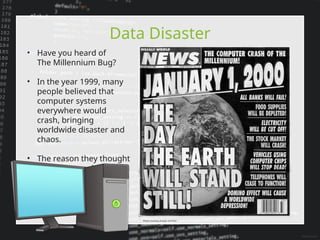
• Haveyou heard of
The Millennium Bug?
• In the year 1999, many
people believed that
computer systems
everywhere would
crash, bringing
worldwide disaster and
chaos.
• The reason they thought
this was very simple…
Photo courtesy of paal, via Flickr
5.
Data Disaster
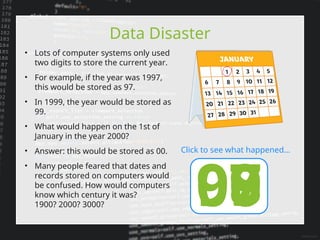
• Lotsof computer systems only used
two digits to store the current year.
• For example, if the year was 1997,
this would be stored as 97.
• In 1999, the year would be stored as
99.
• What would happen on the 1st of
January in the year 2000?
• Answer: this would be stored as 00.
• Many people feared that dates and
records stored on computers would
be confused. How would computers
know which century it was?
1900? 2000? 3000? 97
98
99
00
Click to see what happened…
6.
Data Disaster
• Thankfullynot. However, some
computer systems and displays got
the dates mixed up, displaying the
year 1900 instead of 2000.
• For us today, it is a useful reminder of
how computers store information
(data).
• The way that a computer processes
information depends on the type of
information. We call this the data
type.
• So what actually happened on 1st January 2000?
Did the Millennium Bug bring the world to a standstill?
7.
Data Types
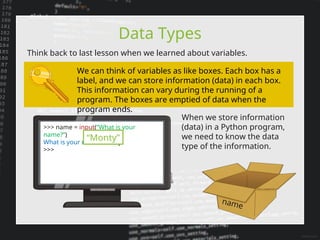
Think backto last lesson when we learned about variables.
When we store information
(data) in a Python program,
we need to know the data
type of the information.
We can think of variables as like boxes. Each box has a
label, and we can store information (data) in each box.
This information can vary during the running of a
program. The boxes are emptied of data when the
program ends.
name
>>> name = input(“What is your
name?”)
What is your name? Monty
>>>
“Monty”
8.
Data Types
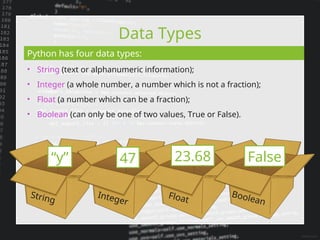
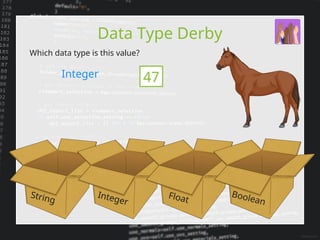
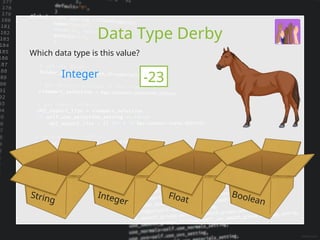
Python hasfour data types:
“y” 47 23.68 False
String
Integer
Float
Boolean
• String (text or alphanumeric information);
• Integer (a whole number, a number which is not a fraction);
• Float (a number which can be a fraction);
• Boolean (can only be one of two values, True or False).
Data Types inPython
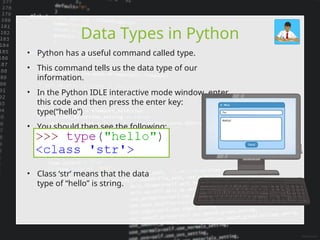
• Python has a useful command called type.
• This command tells us the data type of our
information.
• In the Python IDLE interactive mode window, enter
this code and then press the enter key:
type(“hello”)
• You should then see the following:
• Class ‘str’ means that the data
type of “hello” is string.
16.
Data Types inPython
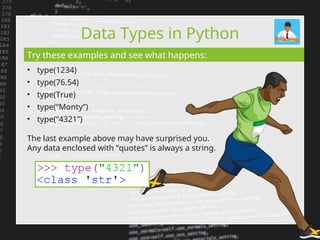
• type(1234)
• type(76.54)
• type(True)
• type(“Monty”)
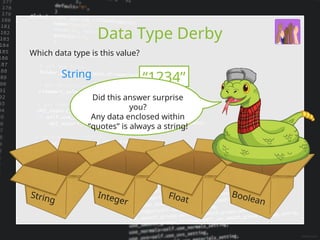
• type(“4321”)
Try these examples and see what happens:
The last example above may have surprised you.
Any data enclosed with “quotes” is always a string.
17.
Type Casting
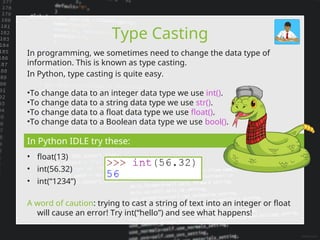
In programming,we sometimes need to change the data type of
information. This is known as type casting.
In Python, type casting is quite easy.
•To change data to an integer data type we use int().
•To change data to a string data type we use str().
•To change data to a float data type we use float().
•To change data to a Boolean data type we use bool().
In Python IDLE try these:
• float(13)
• int(56.32)
• int(“1234”)
A word of caution: trying to cast a string of text into an integer or float
will cause an error! Try int(“hello”) and see what happens!
18.
Type Casting
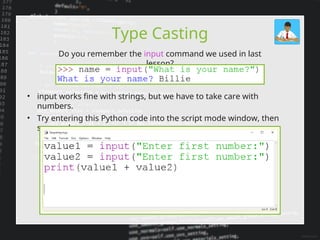
Do youremember the input command we used in last
lesson?
• input works fine with strings, but we have to take care with
numbers.
• Try entering this Python code into the script mode window, then
save and run your program:
19.
Type Casting
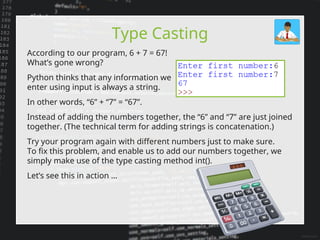
According toour program, 6 + 7 = 67!
What’s gone wrong?
Python thinks that any information we
enter using input is always a string.
In other words, “6” + “7” = “67”.
Instead of adding the numbers together, the “6” and “7” are just joined
together. (The technical term for adding strings is concatenation.)
Try your program again with different numbers just to make sure.
To fix this problem, and enable us to add our numbers together, we
simply make use of the type casting method int().
Let’s see this in action …
20.
Type Casting
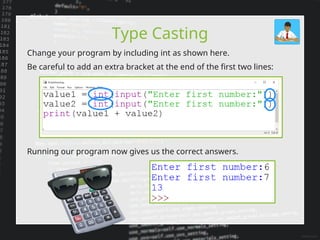
Change yourprogram by including int as shown here.
Be careful to add an extra bracket at the end of the first two lines:
Running our program now gives us the correct answers.
21.
Awesome Annotation
• Sofar, our Python programs have been quite short.
• More complex programs can have hundreds of lines of code (or even
thousands).
• When programs start to get longer, or if we come back to a program
that
we’ve not looked at for a while, it’s easy to forget how our code works or
why we did things in a certain way.
• Therefore, we need a method to help us remember what our code does,
and to explain it to others.
• Programmers use annotation to explain their code.
• It’s very easy to add annotation. In Python, we use a # (you might call it a
hashtag…) at the start of each line of annotation.
• When we run our programs, Python ignores any lines that start with a #.
• Annotation is for humans, not computers.
• Using annotations is very good programming practice, and will help you
make less errors with your code. Let’s add annotation to our program…
22.
Awesome Annotation
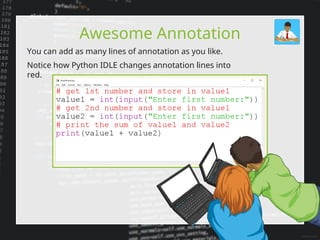
You canadd as many lines of annotation as you like.
Notice how Python IDLE changes annotation lines into
red.
23.
Snakes Alive!
• ThePython programming language first appeared in February
1991.
• In a sense, we could say that this was when Python was born.
• Have you ever wondered how many days you’ve been alive?
Or hours, minutes or seconds?
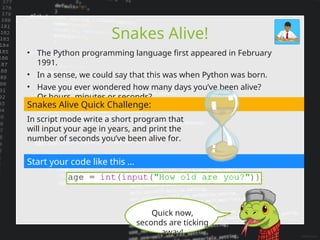
Snakes Alive Quick Challenge:
In script mode write a short program that
will input your age in years, and print the
number of seconds you’ve been alive for.
Start your code like this …
Quick now,
seconds are ticking
away!
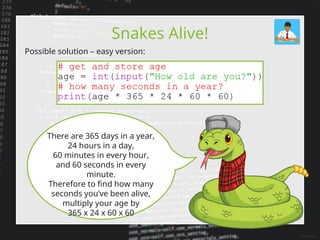
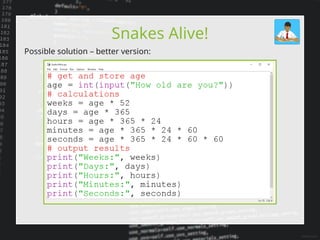
24.
Snakes Alive!
Possible solution– easy version:
There are 365 days in a year,
24 hours in a day,
60 minutes in every hour,
and 60 seconds in every
minute.
Therefore to find how many
seconds you’ve been alive,
multiply your age by
365 x 24 x 60 x 60
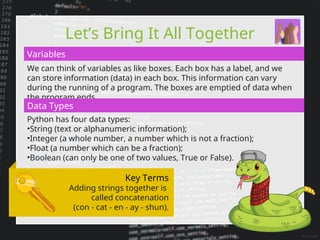
Let’s Bring ItAll Together
We can think of variables as like boxes. Each box has a label, and we
can store information (data) in each box. This information can vary
during the running of a program. The boxes are emptied of data when
the program ends.
Variables
Data Types
Python has four data types:
•String (text or alphanumeric information);
•Integer (a whole number, a number which is not a fraction);
•Float (a number which can be a fraction);
•Boolean (can only be one of two values, True or False).
Key Terms
Adding strings together is
called concatenation
(con - cat - en - ay - shun).
27.
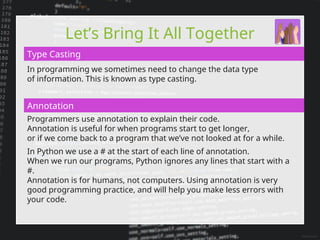
Let’s Bring ItAll Together
In programming we sometimes need to change the data type
of information. This is known as type casting.
Programmers use annotation to explain their code.
Annotation is useful for when programs start to get longer,
or if we come back to a program that we’ve not looked at for a while.
In Python we use a # at the start of each line of annotation.
When we run our programs, Python ignores any lines that start with a
#.
Annotation is for humans, not computers. Using annotation is very
good programming practice, and will help you make less errors with
your code.
Type Casting
Annotation
28.
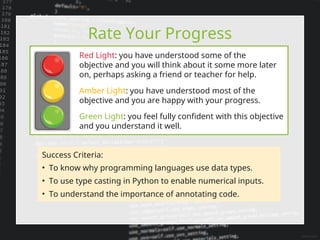
Rate Your Progress
GreenLight: you feel fully confident with this objective
and you understand it well.
Red Light: you have understood some of the
objective and you will think about it some more later
on, perhaps asking a friend or teacher for help.
Amber Light: you have understood most of the
objective and you are happy with your progress.
Success Criteria:
• To know why programming languages use data types.
• To use type casting in Python to enable numerical inputs.
• To understand the importance of annotating code.
29.
Nailing It Down
Wehave learned a lot today about data types and annotation in
Python.
There are many other programming languages, some are easier to
learn than others.
You can find out about different languages at this interesting website:
http://rosettacode.org/wiki/Rosetta_Code
The purpose of this website is to present solutions to the same
problems for lots of different programming languages.
See if you can find out how the Fibonacci
Sequence is coded in Python and other
languages:
http://rosettacode.org/wiki/Fibonacci_sequence