IV B.TECH II Sem-ECE-R15
Prepared by
Ms.G.Bhavana, Asst.Professsor
Ms.U.Dhanalakshmi, Asst.Professsor
INSTITUTE OF AERONAUTICAL ENGINEERING
(Autonomous)
DUNDIGAL, HYDERABAD - 500043
Satellite Communications
UNIT 1
Communication satellites
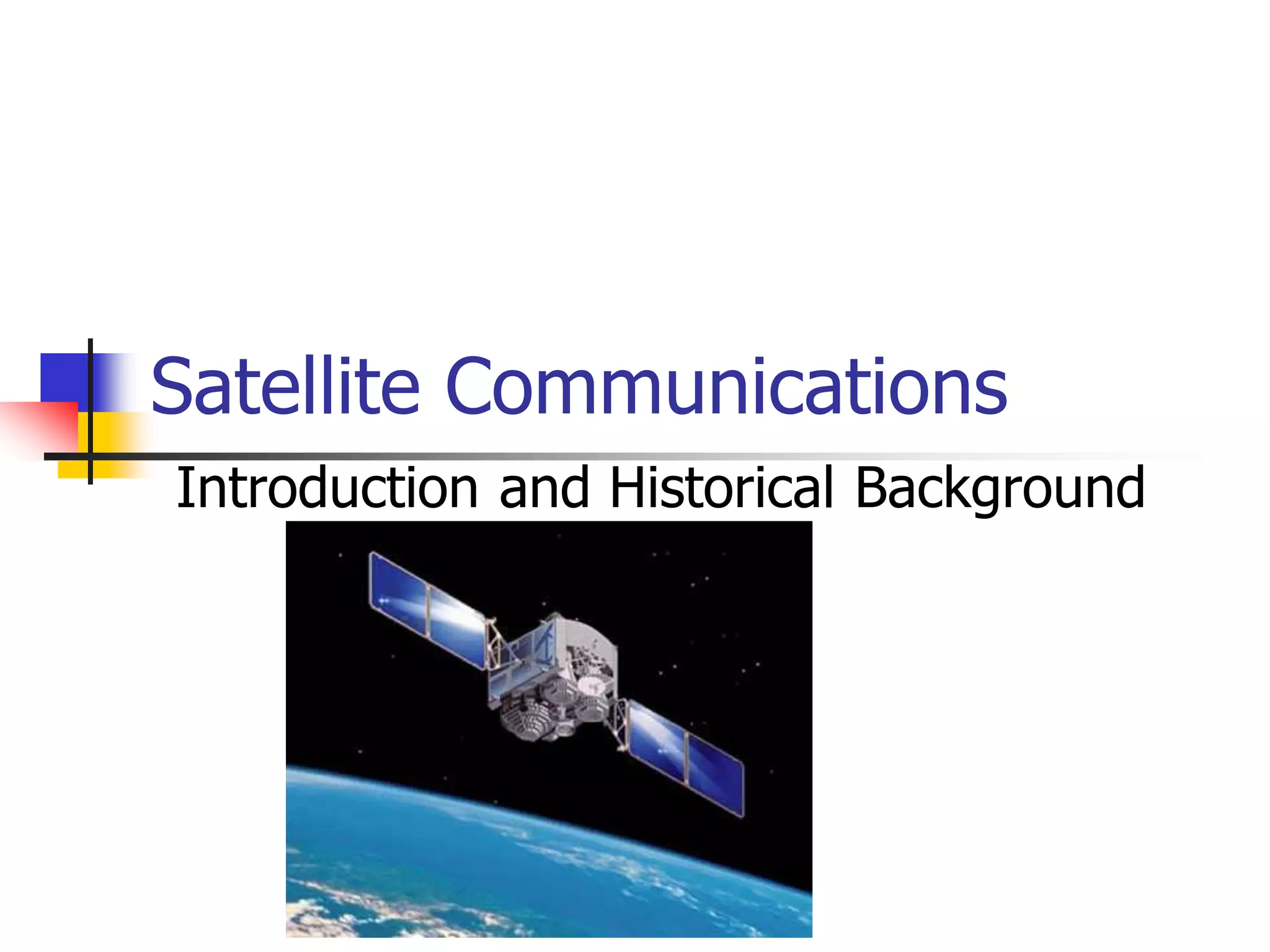
Satellite Communications
Introduction and Historical Background
Satellite Introduction
 Satellite: In astronomical terms, a
satellite is a celestial body that orbits
around a planet.
 Example: The moon is a satellite of Earth.
 In aerospace terms, a satellite is a
space vehicle launched by humans and
orbits around Earth or another celestial
body.
Introduction
 Communications Satellite: It is a microwave
repeater in the sky that consists of a diverse
combination of one or more components including
transmitter, receiver, amplifier, regenerator, filter
onboard computer, multiplexer, demultiplexer,
antenna, waveguide etc.
 A satellite radio repeater is also called
transponder. This is usually a combination of
transmitter and receiver.
What is a satellite system?
 A satellite system consists of one or
more satellites, a ground-based station
to control the operation of the system,
and a user network earth stations that
provides the interface facilities for the
transmission and reception of terrestrial
communications traffic.
How a satellite works?
 A satellite stays in orbit because the gravitational
pull of the earth is balanced
by the centripetal force of the revolving
satellite.
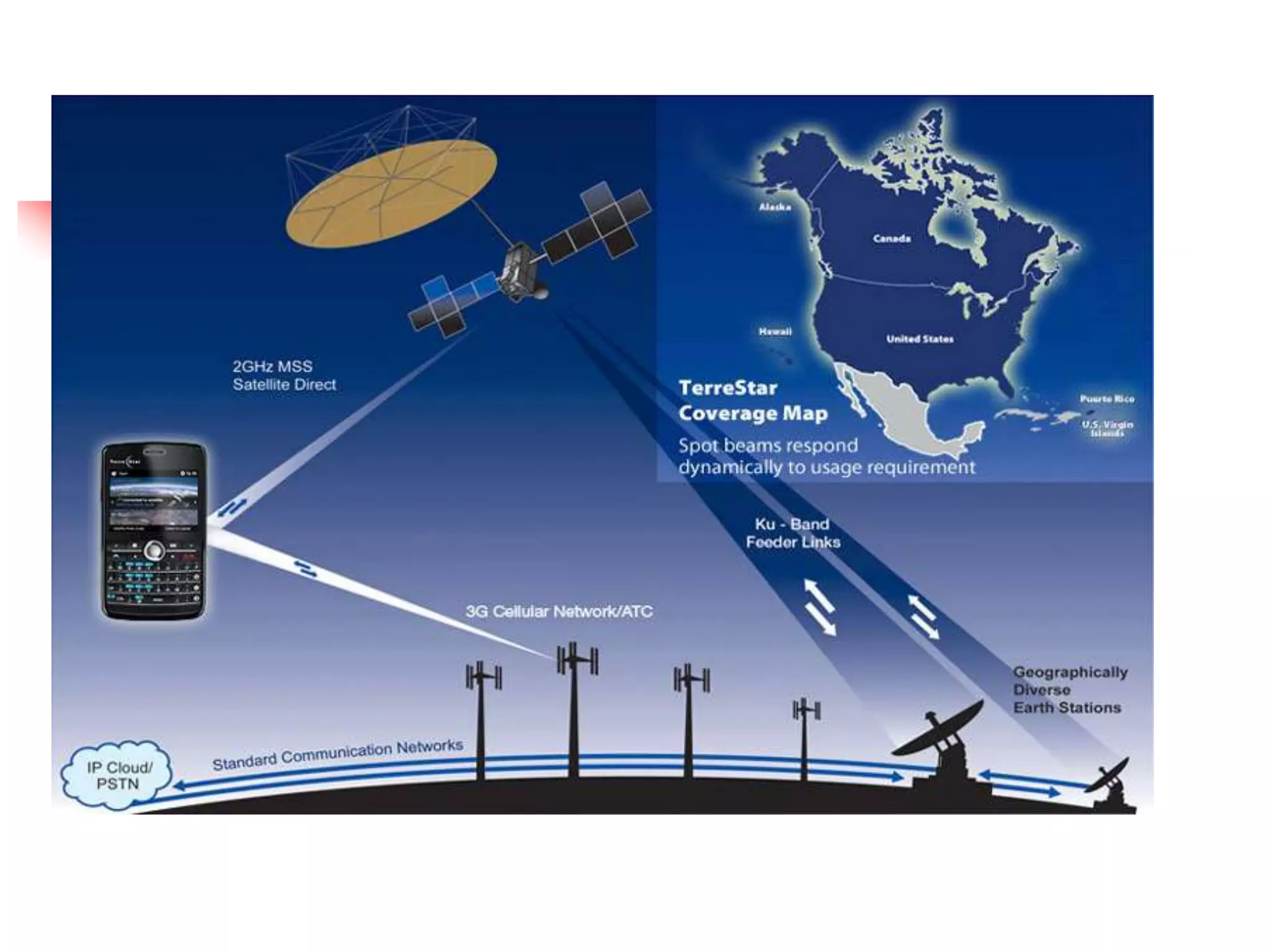
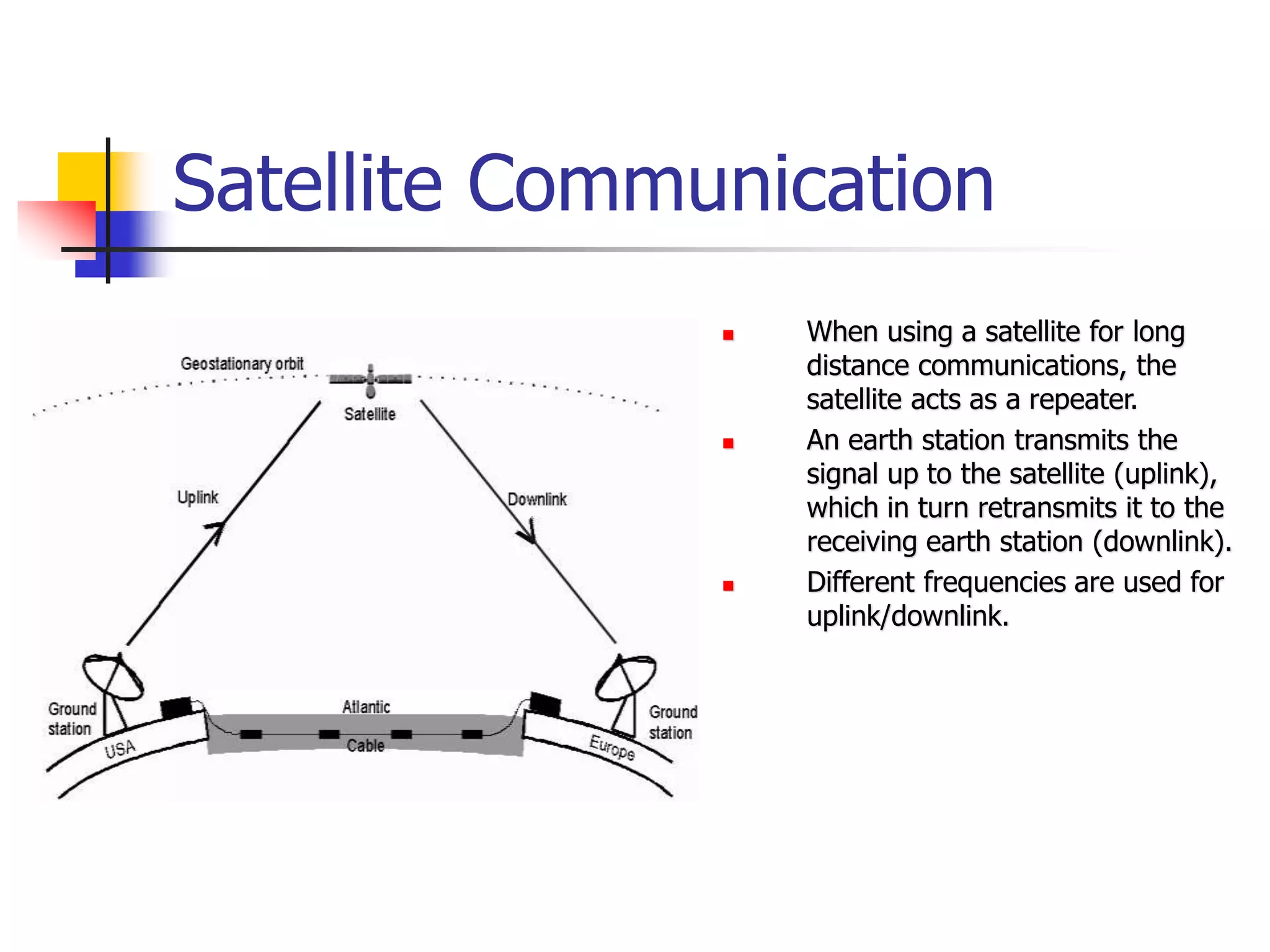
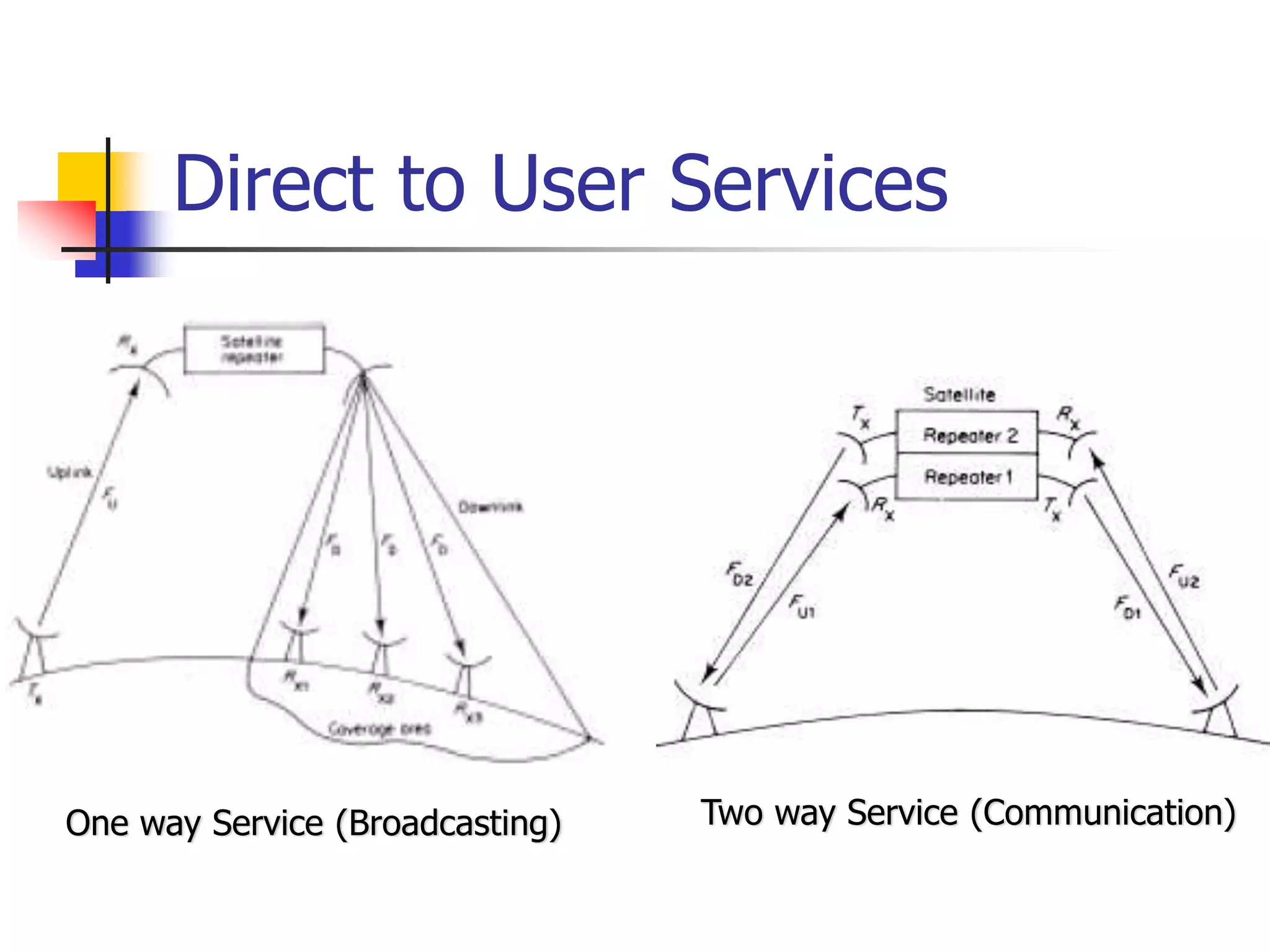
 One Earth station transmits the signals to the
satellite at Up link frequency. Up link frequency
is the frequency at which Earth station is
communicating with a satellite.
 The satellite transponder process the signal and
sends it to the second Earth station at another
frequency called downlink frequency.
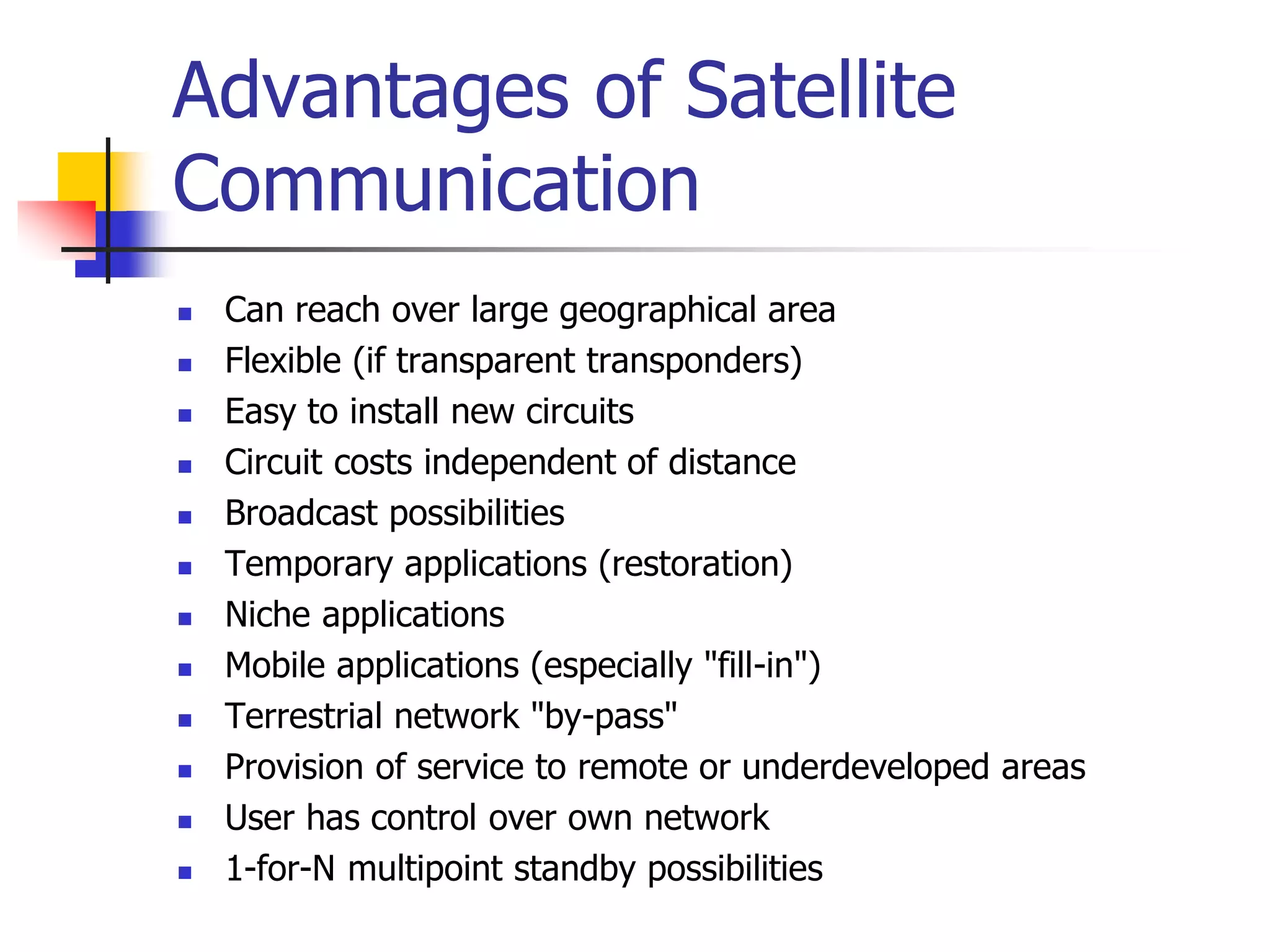
Advantages of Satellite Communications
over Terrestrial Communications
 The coverage area greatly exceeds.
 Transmission cost of a satellite is independent
of the distance from the center of the
coverage area.
 Satellite-to-satellite communication is very
precise.
 Higher bandwidths are available for use.
Disadvantages of Satellite
Communications
 Launching satellites into orbits is costly.
 Satellite bandwidth is gradually
becoming used up.
 The propagation delay is larger.
Regions of Space
Space is defined as a place free from obstacles
It can be divided into three regions:
 Air Space -> region below 100 km from earth’s surface
 Outer Space -> also called cosmic space and ranges from
100 km up till 42, 000 km. It is mostly used by
communication satellites.
 Deep Space -> Regions beyond 42,000 km fall in this
category
Active and Passive Satellites
Active satellites are used for linking and also for
processing the signals.
The linkage is known as bent pipe technology where processing
like frequency translation, power amplification etc take place.
Active satellites employ ‘Regenerative Technology’ which
consists of demodulation, processing, frequency translation,
switching and power amplification are carried out. Block used
for this purpose is called transponder.
 Passive satellites do-not have on-board processing and
are just used to link two stations through space.
Low cost - Loss of power – not useful for communication
applications.
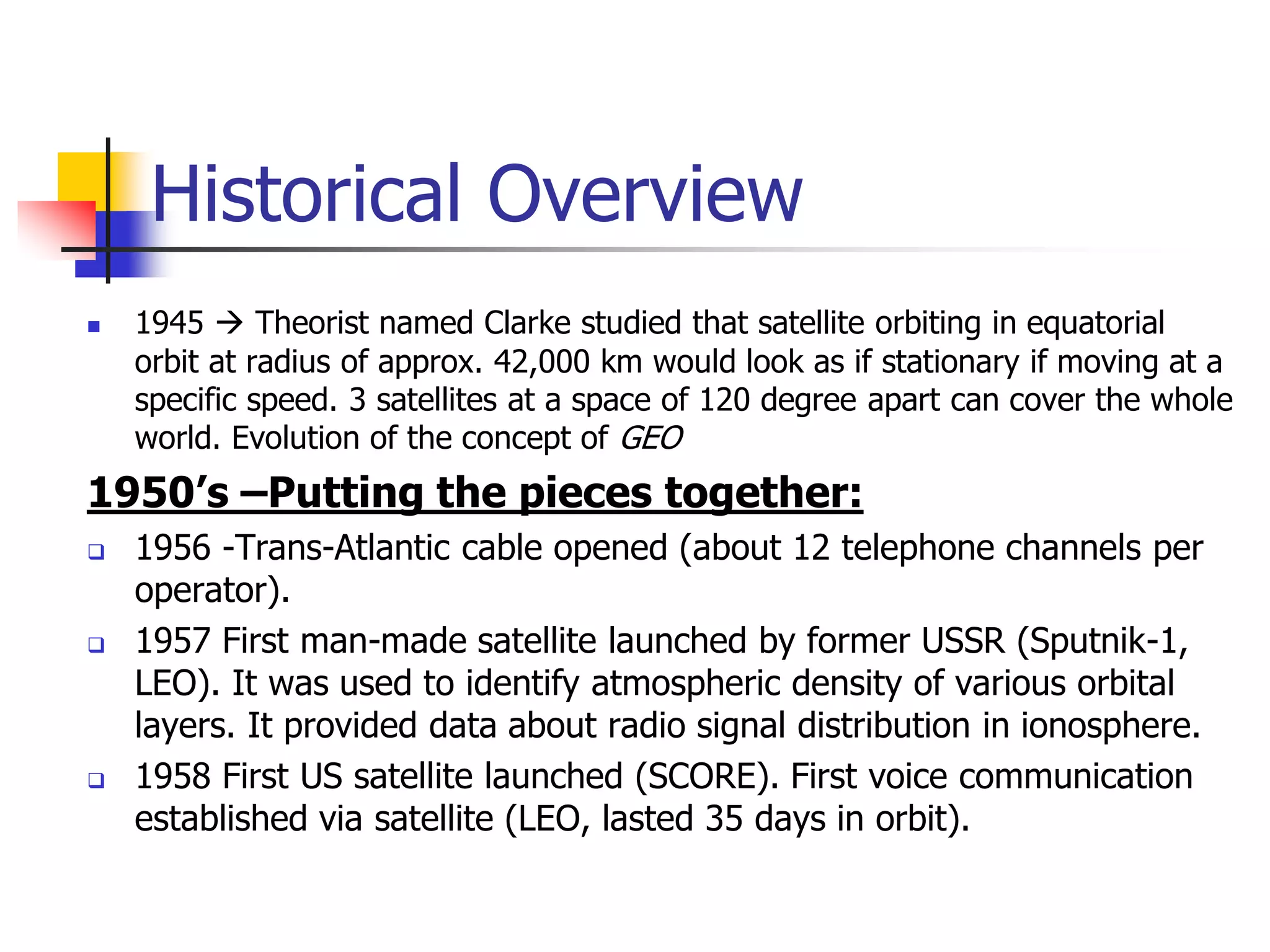
Historical Overview
 1945  Theorist named Clarke studied that satellite orbiting in equatorial
orbit at radius of approx. 42,000 km would look as if stationary if moving at a
specific speed. 3 satellites at a space of 120 degree apart can cover the whole
world. Evolution of the concept of GEO
1950’s –Putting the pieces together:
 1956 -Trans-Atlantic cable opened (about 12 telephone channels per
operator).
 1957 First man-made satellite launched by former USSR (Sputnik-1,
LEO). It was used to identify atmospheric density of various orbital
layers. It provided data about radio signal distribution in ionosphere.
 1958 First US satellite launched (SCORE). First voice communication
established via satellite (LEO, lasted 35 days in orbit).
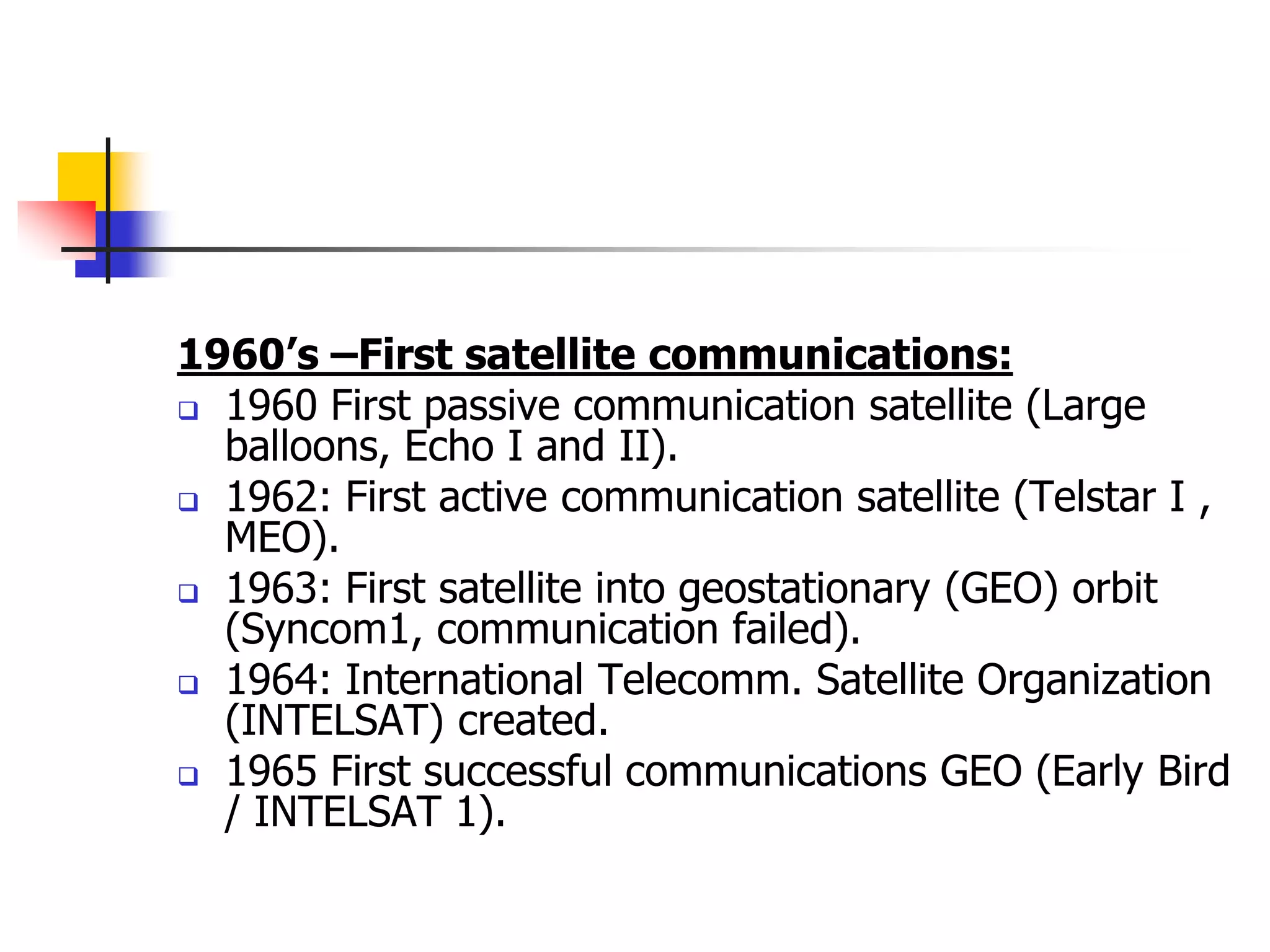
1960’s –First satellite communications:
 1960 First passive communication satellite (Large
balloons, Echo I and II).
 1962: First active communication satellite (Telstar I ,
MEO).
 1963: First satellite into geostationary (GEO) orbit
(Syncom1, communication failed).
 1964: International Telecomm. Satellite Organization
(INTELSAT) created.
 1965 First successful communications GEO (Early Bird
/ INTELSAT 1).
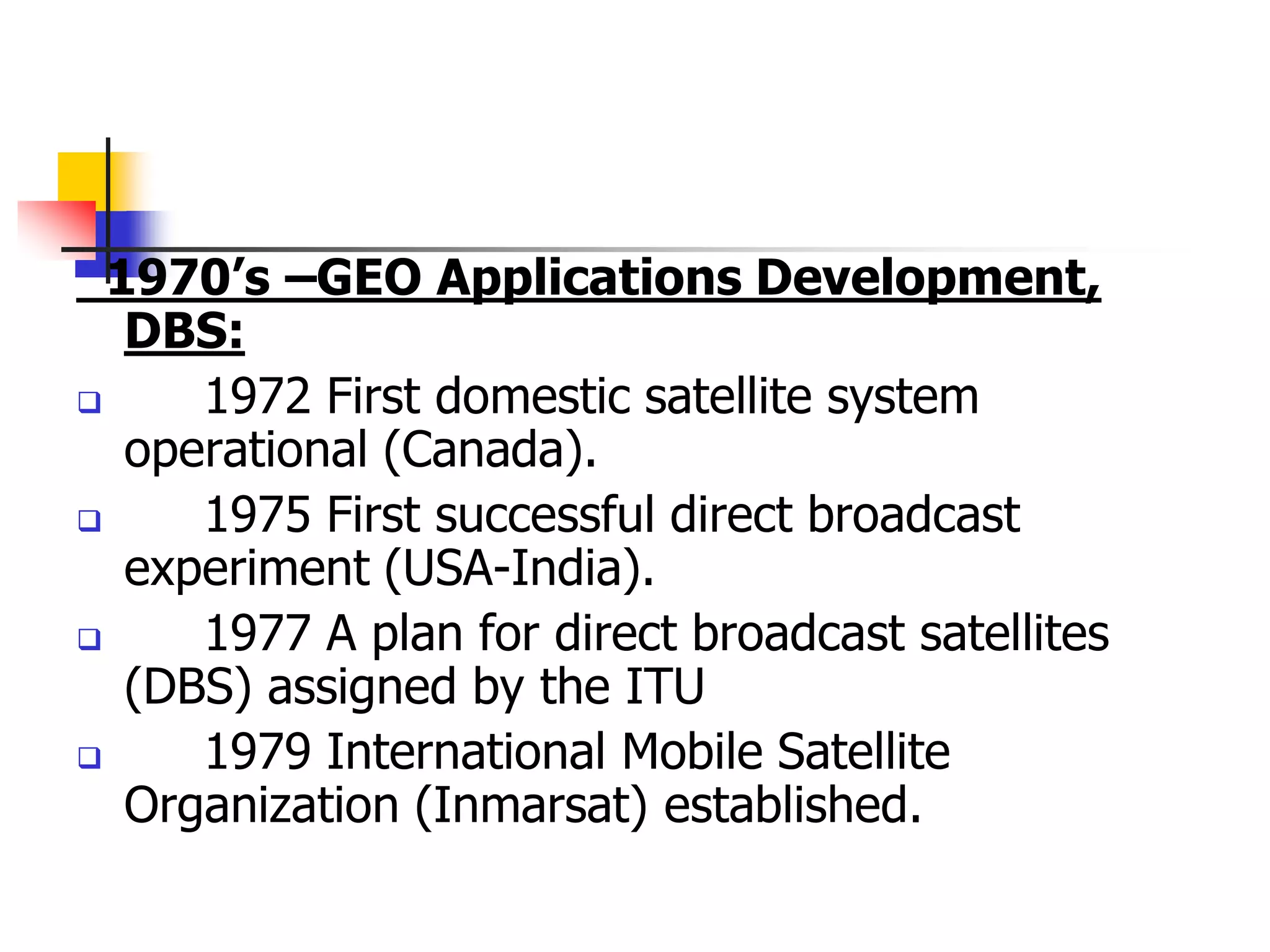
1970’s –GEO Applications Development,
DBS:
 1972 First domestic satellite system
operational (Canada).
 1975 First successful direct broadcast
experiment (USA-India).
 1977 A plan for direct broadcast satellites
(DBS) assigned by the ITU
 1979 International Mobile Satellite
Organization (Inmarsat) established.
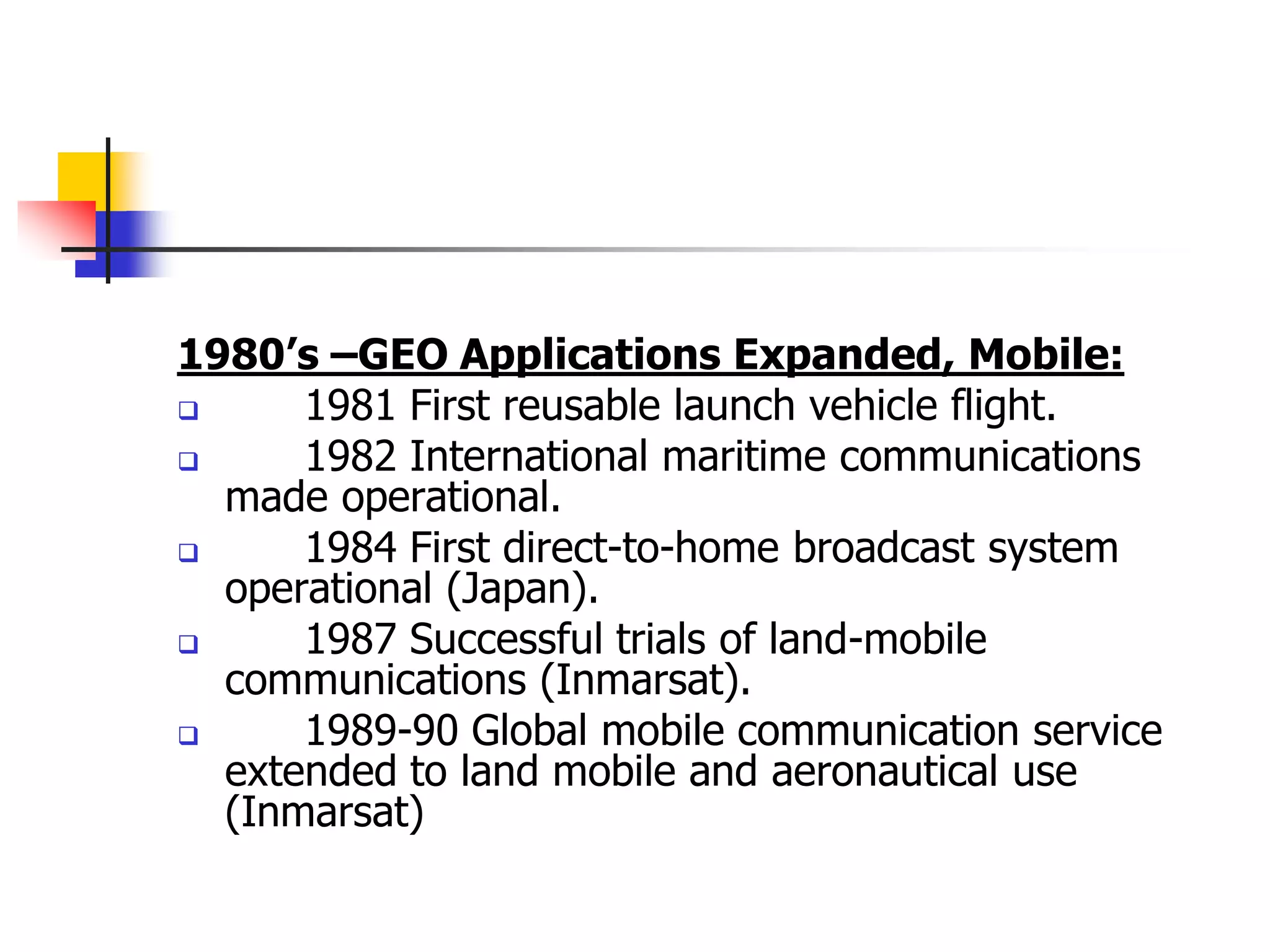
1980’s –GEO Applications Expanded, Mobile:
 1981 First reusable launch vehicle flight.
 1982 International maritime communications
made operational.
 1984 First direct-to-home broadcast system
operational (Japan).
 1987 Successful trials of land-mobile
communications (Inmarsat).
 1989-90 Global mobile communication service
extended to land mobile and aeronautical use
(Inmarsat)
 1990+’s NGSO applications development and GEO
expansion
1990-95:
 Proposals of non-geostationary (NGSO) systems for mobile
communications.
 Continuing growth of VSATs around the world
 Spectrum allocation for non-GEO systems.
 Continuing growth of DBS. DirectTV created.
1997:
Launch of first batch of LEO for hand-held terminals (Iridium).
Voice-service portables and paging-service pocket size mobile
terminals launched (Inmarsat).
1998-2000:
Mobile LEO systems initiate service and fail afterwards
(Iridium,Globalstar).
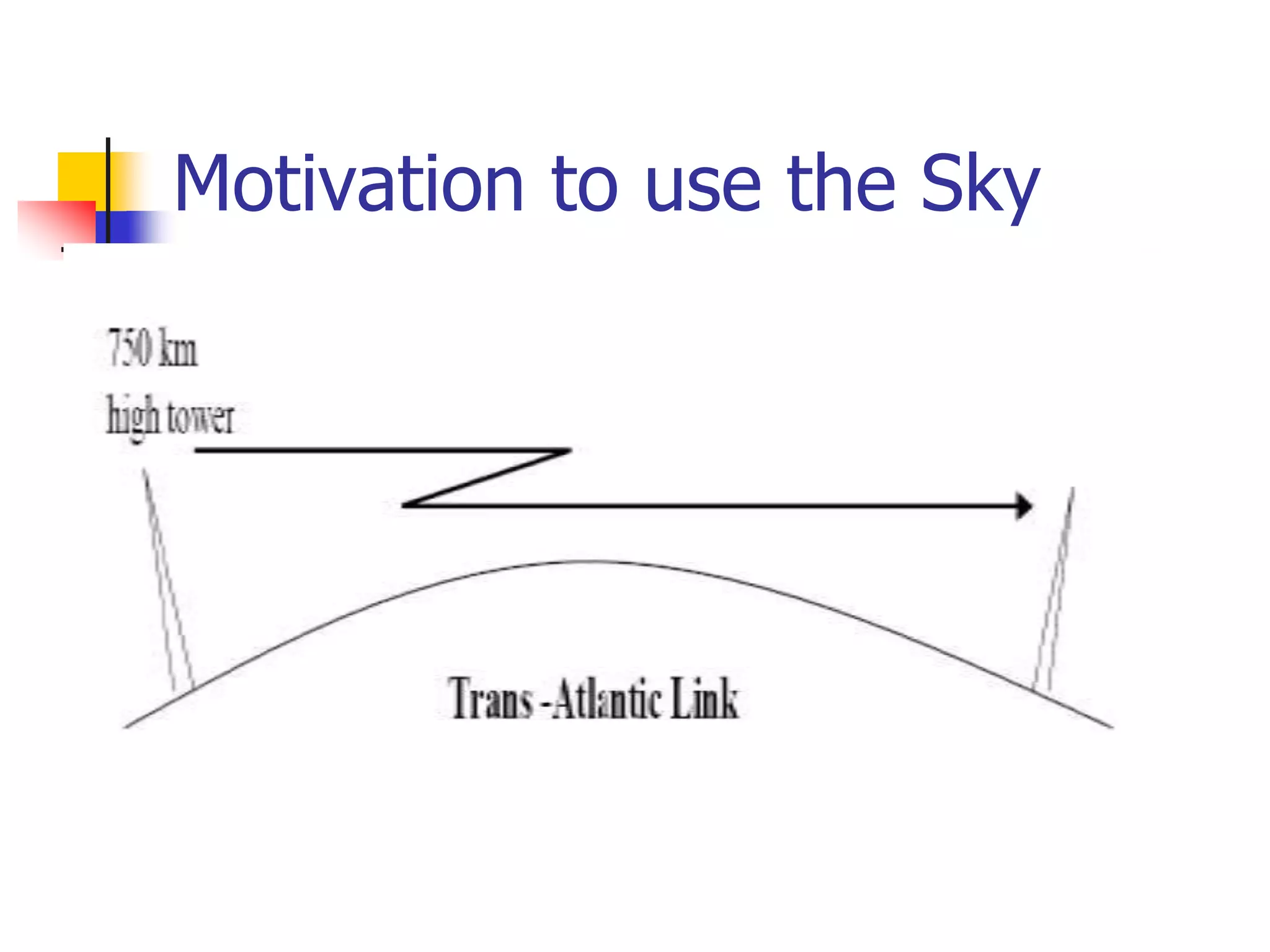
Motivation to use the Sky
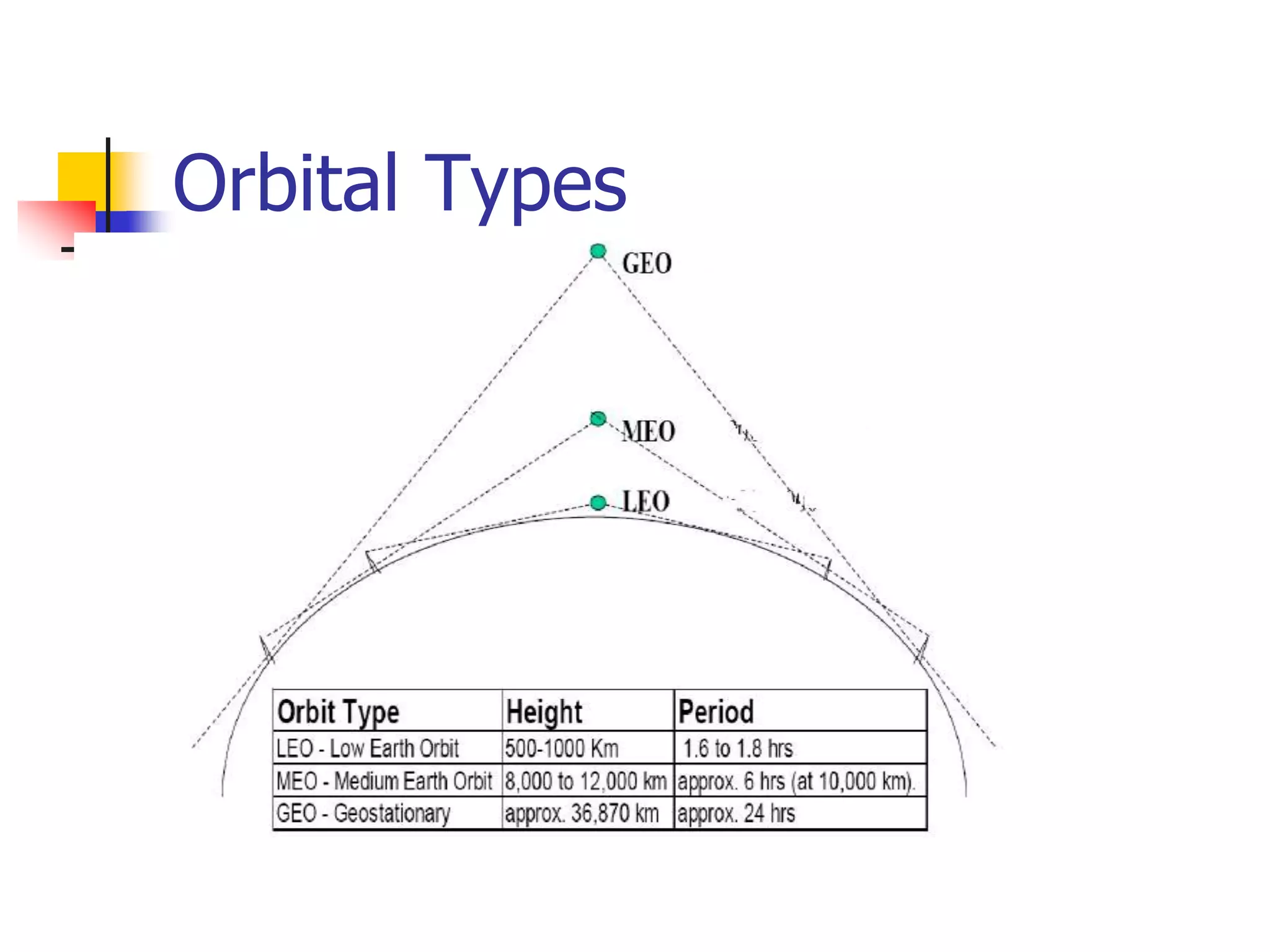
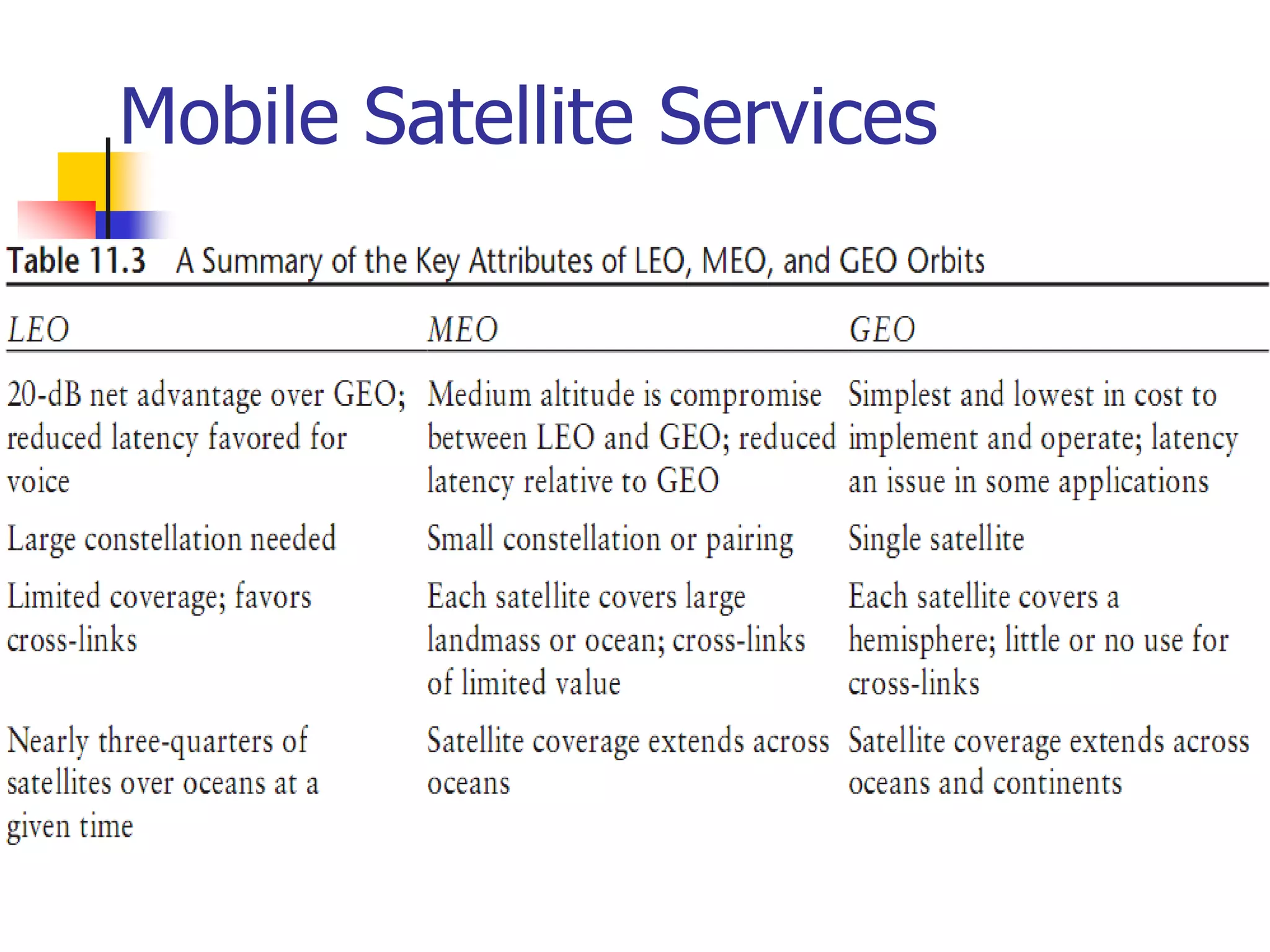
Orbital Types
Satellites
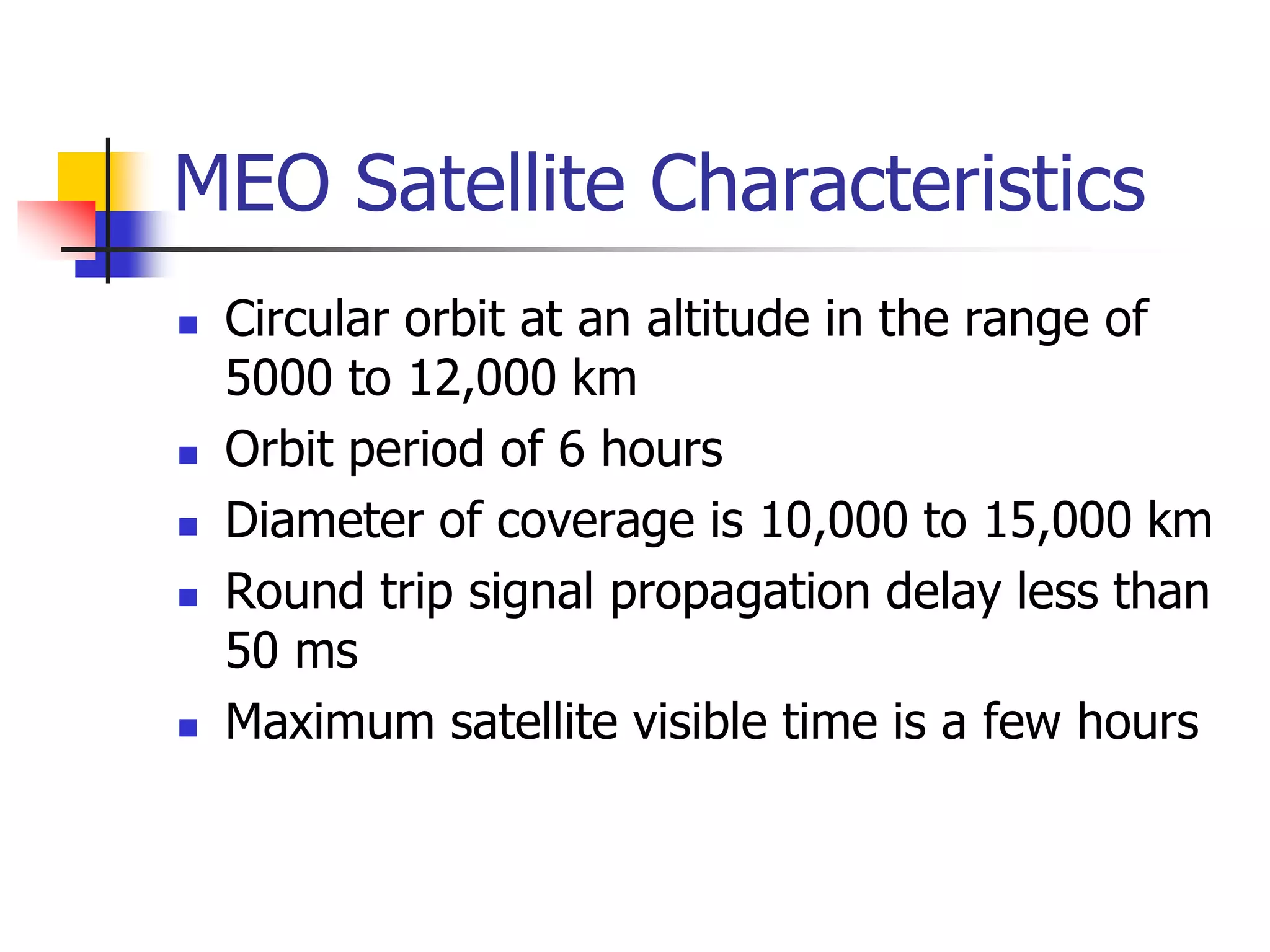
 Several types
 LEOs - Low earth orbit
 MEOs - Medium earth orbit
 GEOs - Geostationary earth orbit
GEOs
 Originally proposed by Arthur C. Clarke
 Circular orbits above the equator
 Angular separation about 2 degrees -
allows 180 satellites
 Orbital height above the earth about
23000 miles/35000km
 Round trip time to satellite about 0.24
seconds
GEOs (2)
 GEO satellites require more power for
communications
 The signal to noise ratio for GEOs is
worse because of the distances involved
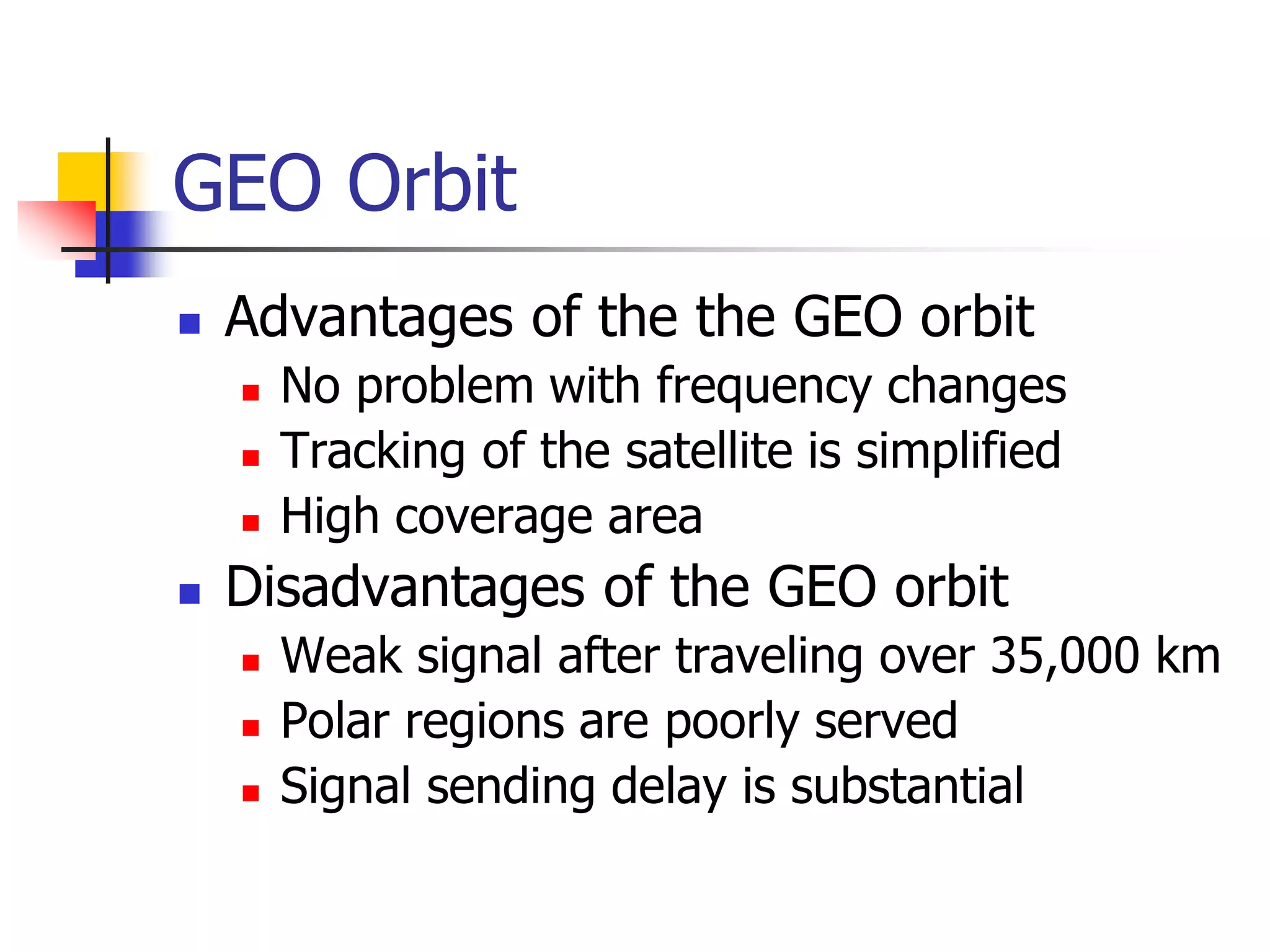
 A few GEOs can cover most of the
surface of the earth
 Note that polar regions cannot be
“seen” by GEOs
GEOs (3)
 Since they appear stationary, GEOs do
not require tracking
 GEOs are good for broadcasting to wide
areas
Early experiments
 US Navy bounced messages off the
moon
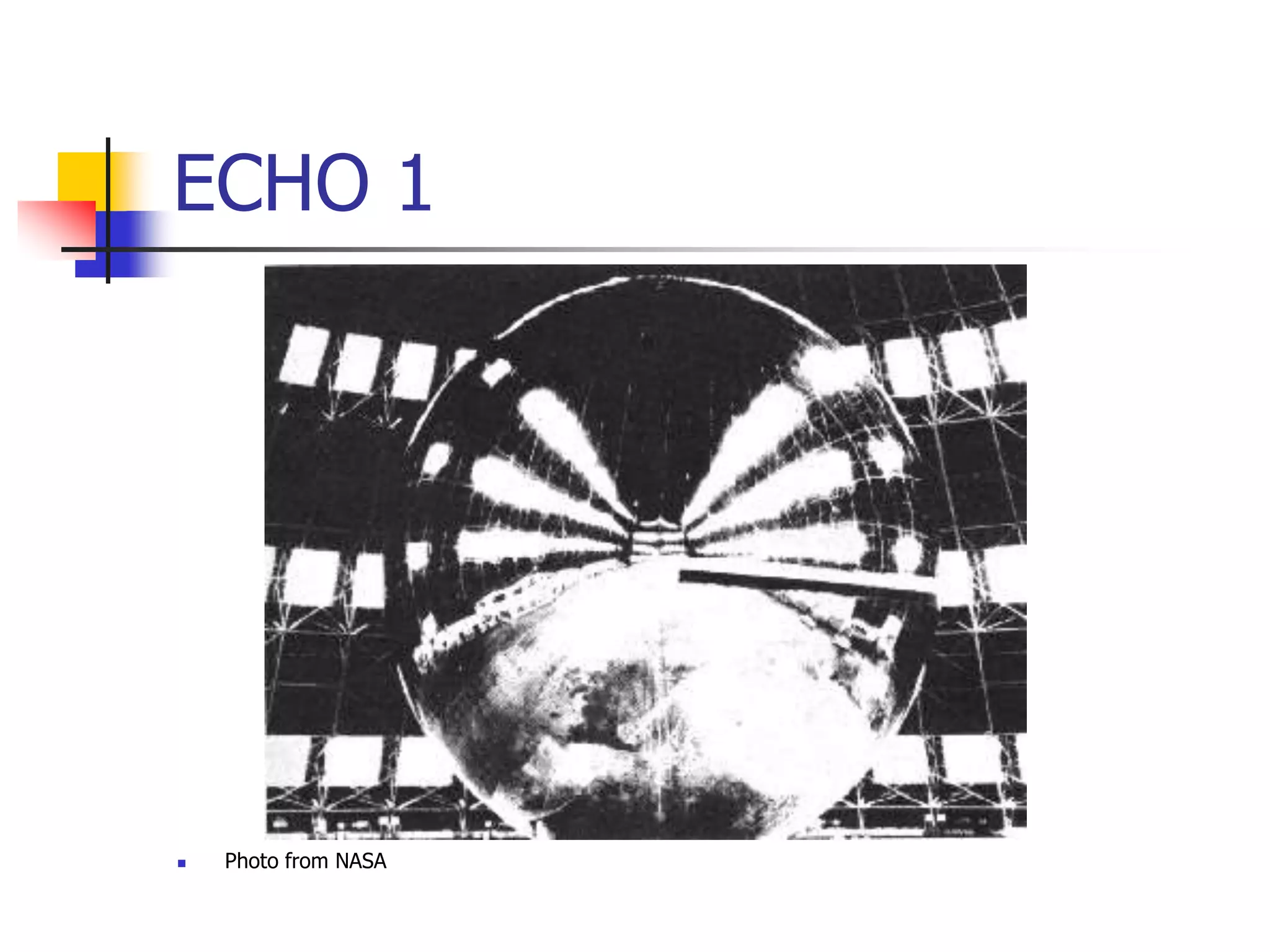
 ECHO 1 “balloon” satellite - passive
 ECHO 2 - 2nd passive satellite
 All subsequent satellites used active
communications
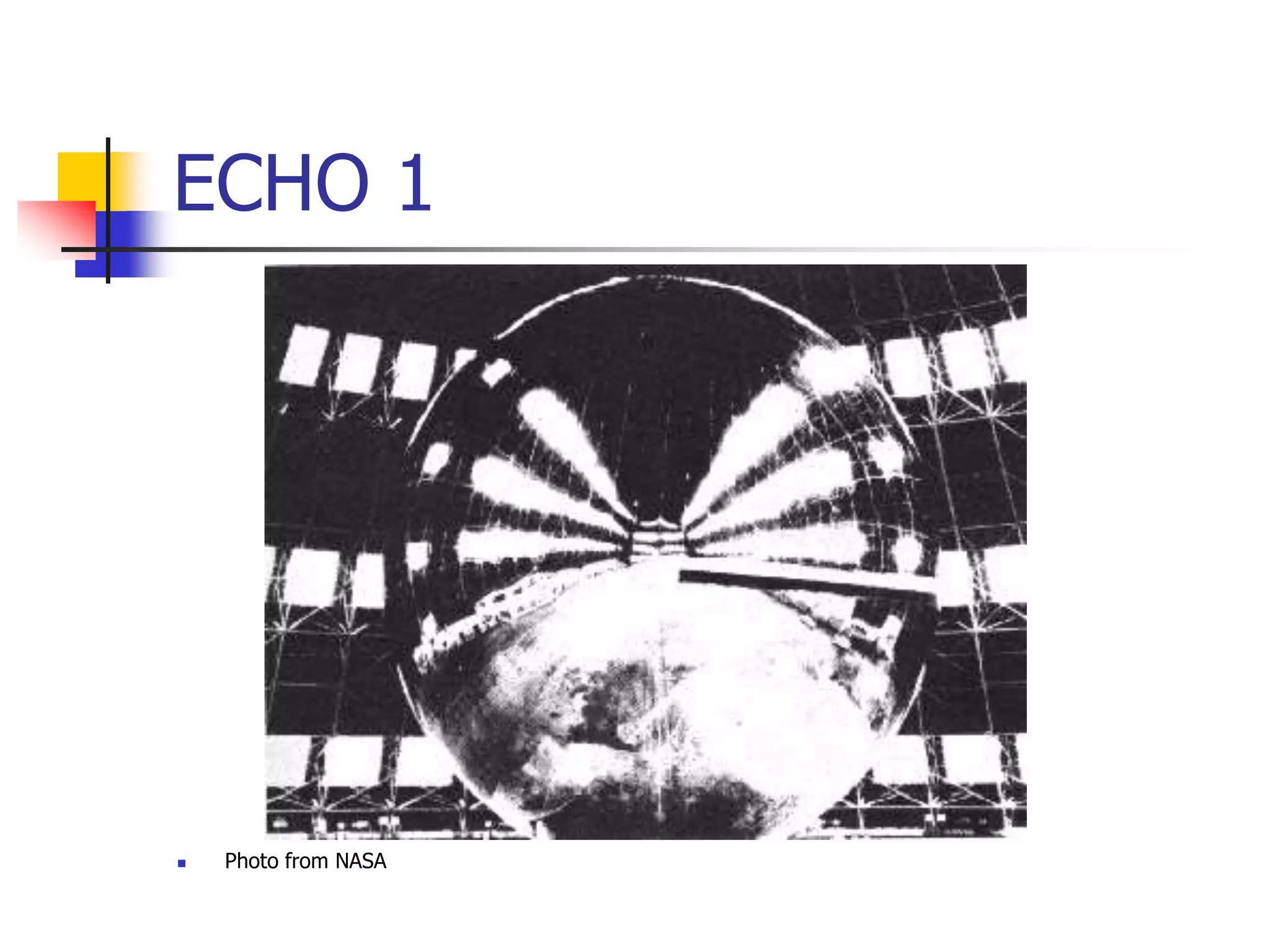
ECHO 1
 Photo from NASA
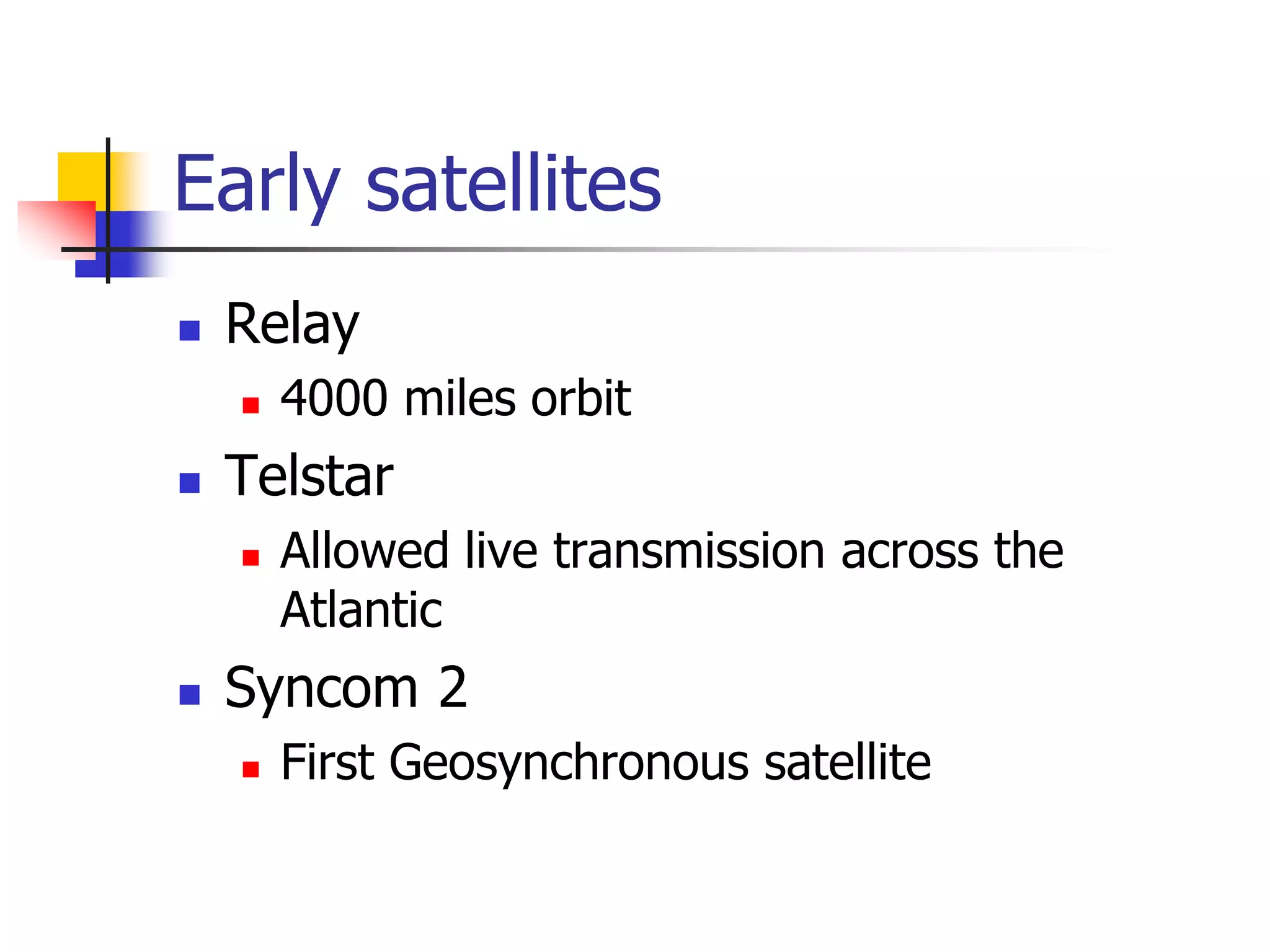
Early satellites
 Relay
 4000 miles orbit
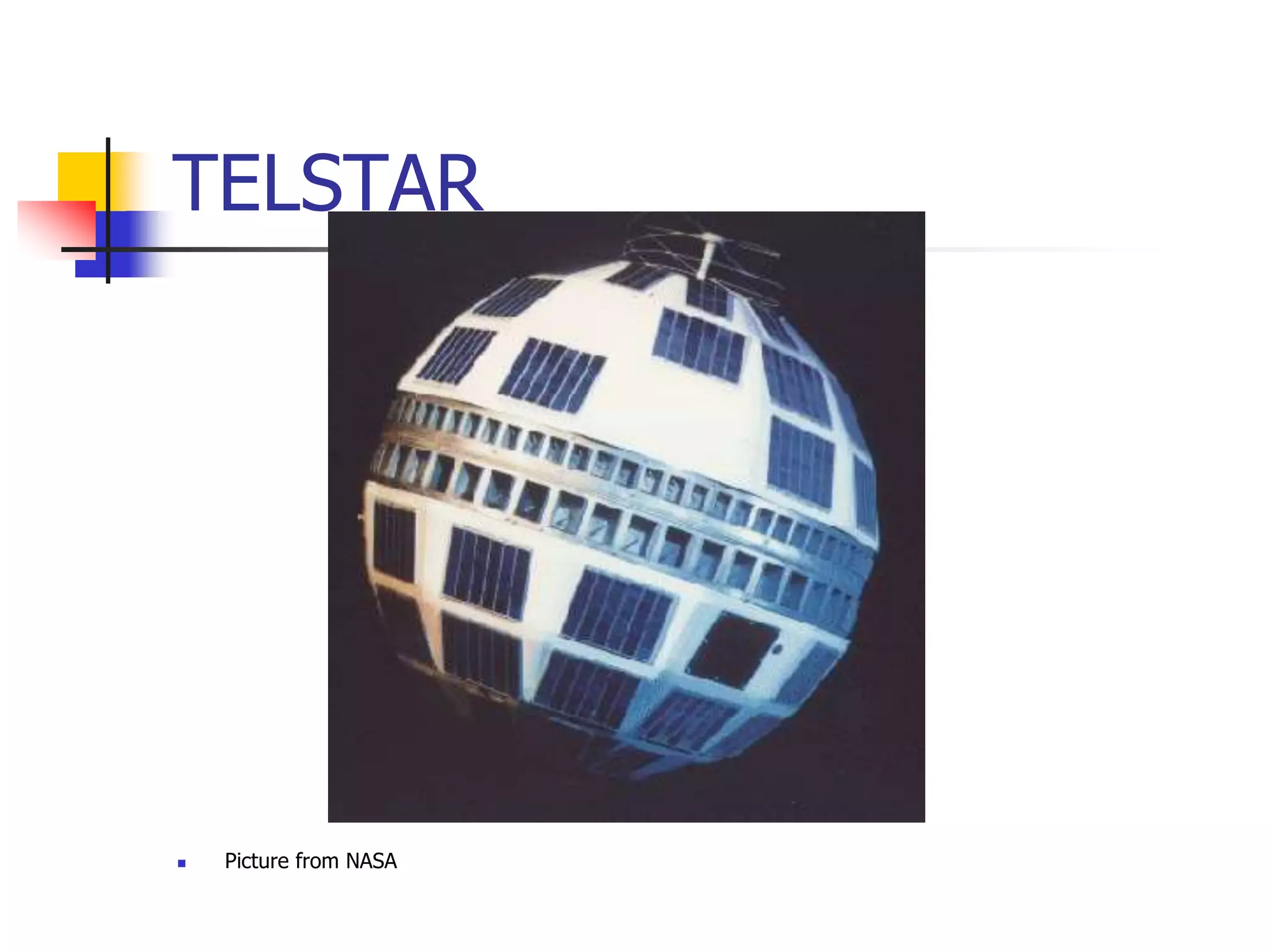
 Telstar
 Allowed live transmission across the
Atlantic
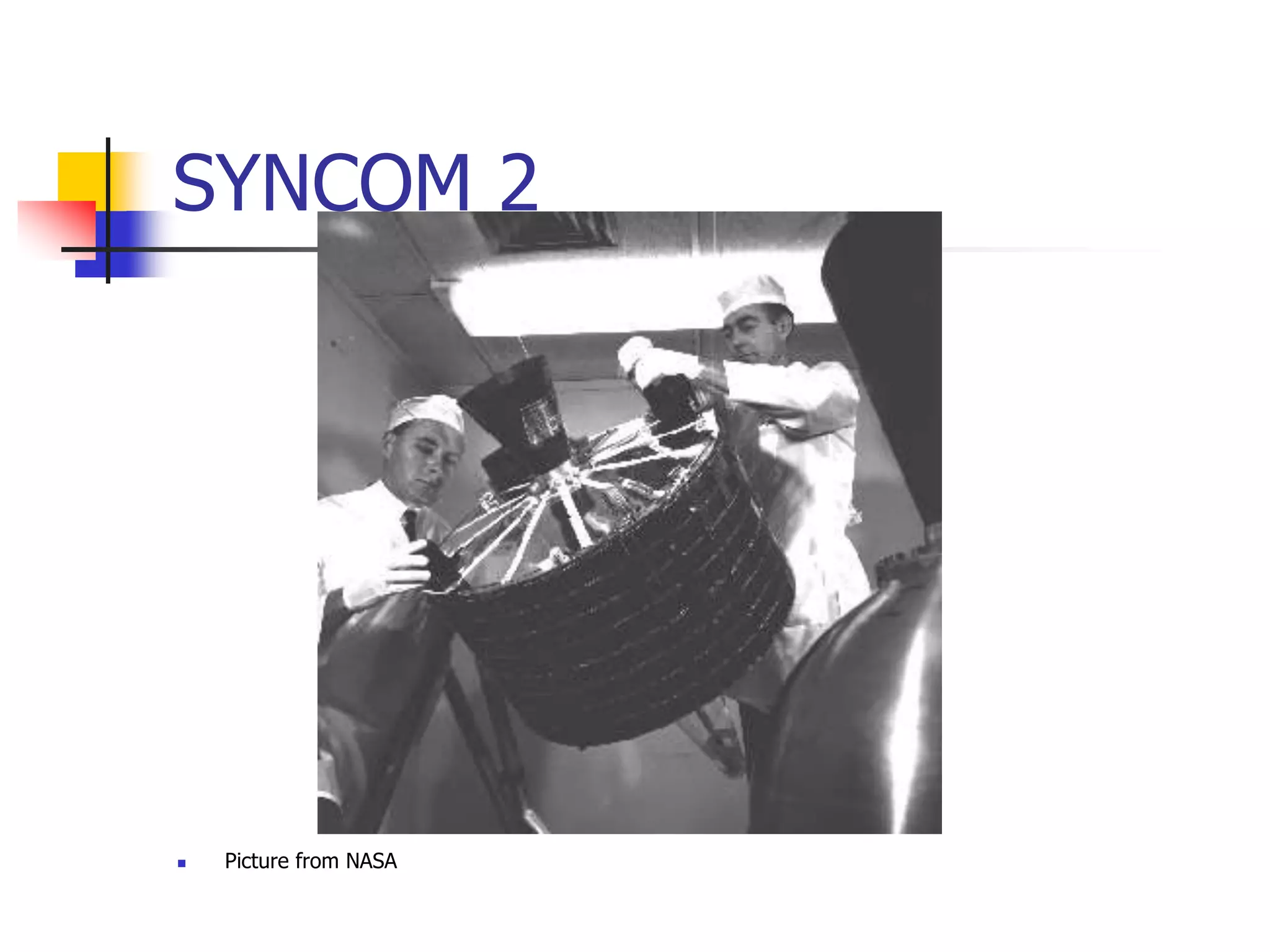
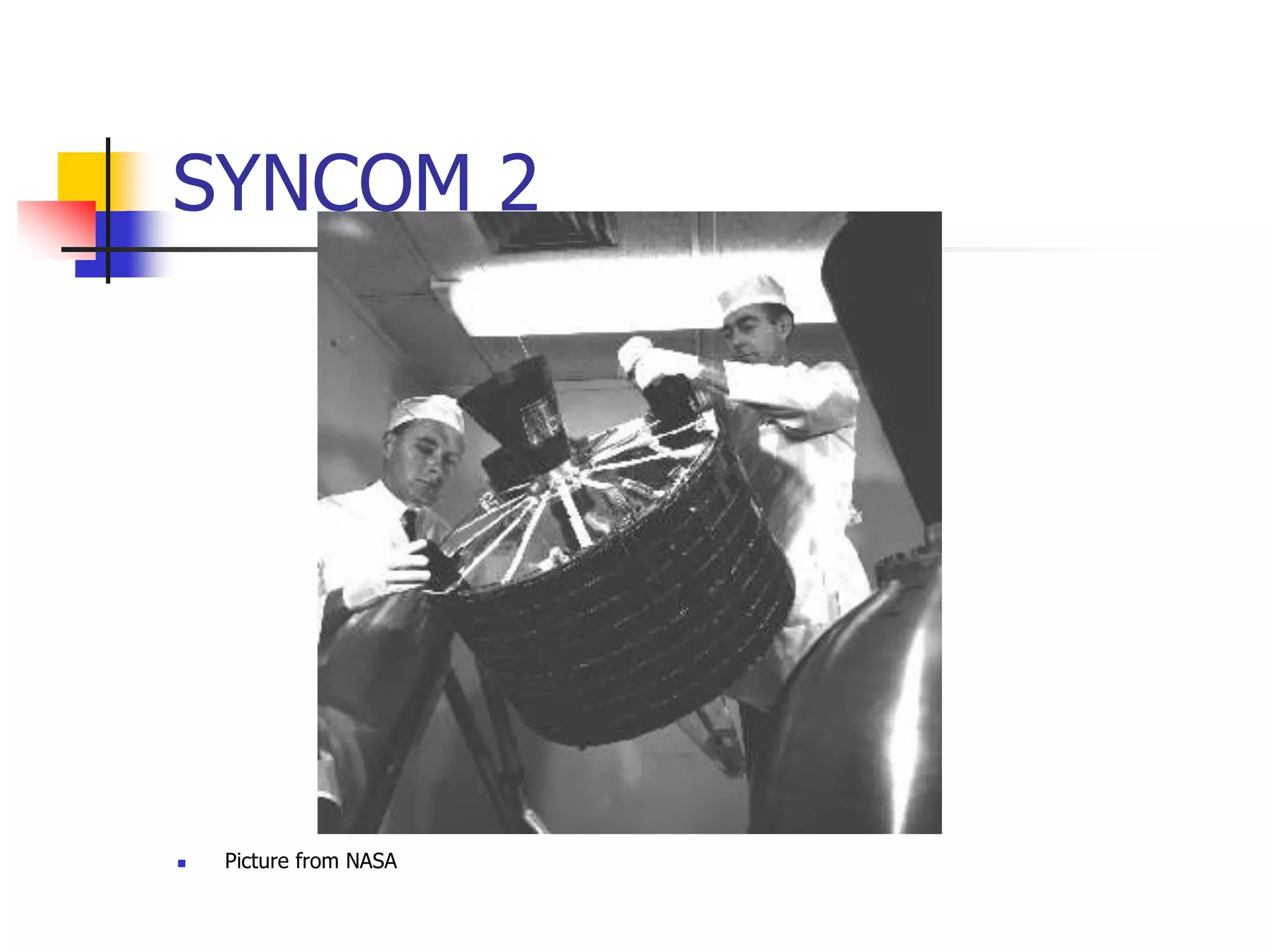
 Syncom 2
 First Geosynchronous satellite
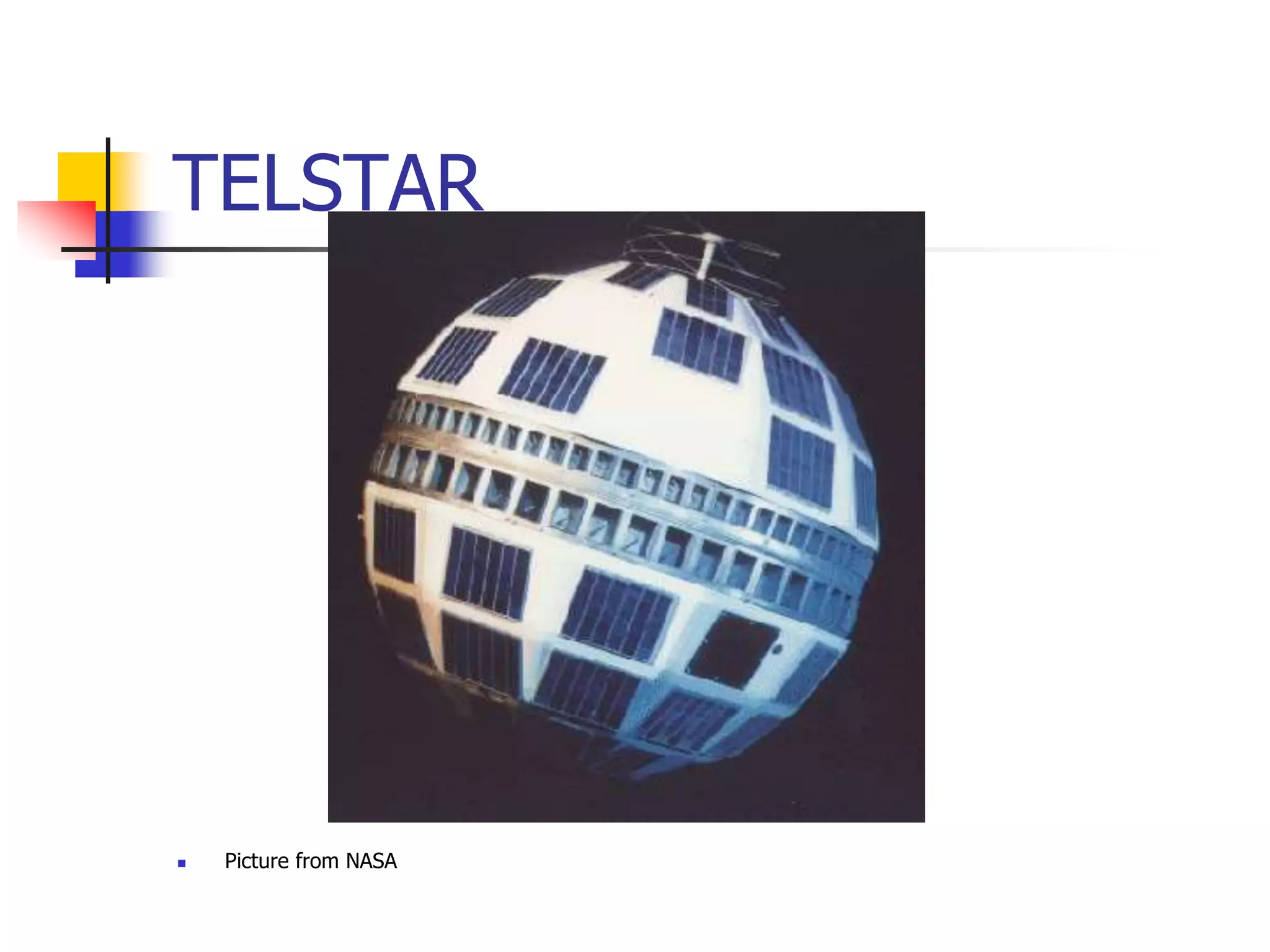
TELSTAR
 Picture from NASA
SYNCOM 2
 Picture from NASA
Major problems for satellites
 Positioning in orbit
 Stability
 Power
 Communications
 Harsh environment
Positioning
 This can be achieved by several methods
 One method is to use small rocket motors
 These use fuel - over half of the weight of
most satellites is made up of fuel
 Often it is the fuel availability which
determines the lifetime of a satellite
 Commercial life of a satellite typically 10-15
years
Satellite communications
Introduction
Satellites
 Several types
 LEOs - Low earth orbit
 MEOs - Medium earth orbit
 GEOs - Geostationary earth orbit
GEOs
 Originally proposed by Arthur C. Clarke
 Circular orbits above the equator
 Angular separation about 2 degrees -
allows 180 satellites
 Orbital height above the earth about
23000 miles/35000km
 Round trip time to satellite about 0.24
seconds
GEOs (2)
 GEO satellites require more power for
communications
 The signal to noise ratio for GEOs is
worse because of the distances involved
 A few GEOs can cover most of the
surface of the earth
 Note that polar regions cannot be
“seen” by GEOs
GEOs (3)
 Since they appear stationary, GEOs do
not require tracking
 GEOs are good for broadcasting to wide
areas
Early experiments
 US Navy bounced messages off the
moon
 ECHO 1 “balloon” satellite - passive
 ECHO 2 - 2nd passive satellite
 All subsequent satellites used active
communications
ECHO 1
 Photo from NASA
Early satellites
 Relay
 4000 miles orbit
 Telstar
 Allowed live transmission across the
Atlantic
 Syncom 2
 First Geosynchronous satellite
TELSTAR
 Picture from NASA
SYNCOM 2
 Picture from NASA
Major problems for satellites
 Positioning in orbit
 Stability
 Power
 Communications
 Harsh environment
Positioning
 This can be achieved by several methods
 One method is to use small rocket motors
 These use fuel - over half of the weight of
most satellites is made up of fuel
 Often it is the fuel availability which
determines the lifetime of a satellite
 Commercial life of a satellite typically 10-15
years
Stability
 It is vital that satellites are stabilised
 to ensure that solar panels are aligned properly
 to ensure that communications antennae are
aligned properly
 Early satellites used spin stabilisation
 Either this required an inefficient omni-directional
aerial
 Or antennae were precisely counter-rotated in
order to provide stable communications
Stability (2)
 Modern satellites use reaction wheel
stabilisation - a form of gyroscopic
stabilisation Other methods of
stabilisation are also possible
 including:
 eddy currrent stabilisation
 (forces act on the satellite as it moves
through the earth’s magnetic field)
Reaction wheel stabilisation
 Heavy wheels which rotate at high speed -
often in groups of 4.
 3 are orthogonal, and the 4th (spare) is a
backup at an angle to the others
 Driven by electric motors - as they speed up
or slow down the satellite rotates
 If the speed of the wheels is inappropriate,
rocket motors must be used to stabilise the
satellite - which uses fuel
Power
 Modern satellites use a variety of power
means
 Solar panels are now quite efficient, so solar
power is used to generate electricity
 Batteries are needed as sometimes the
satellites are behind the earth - this happens
about half the time for a LEO satellite
 Nuclear power has been used - but not
recommended
Harsh Environment
 Satellite components need to be
specially “hardened”
 Circuits which work on the ground will
fail very rapidly in space
 Temperature is also a problem - so
satellites use electric heaters to keep
circuits and other vital parts warmed up
- they also need to control the
temperature carefully
Alignment
 There are a number of components
which need alignment
 Solar panels
 Antennae
 These have to point at different parts of
the sky at different times, so the
problem is not trivial
Antennae alignment
 A parabolic dish can be used which is
pointing in the correct general direction
 Different feeder “horns” can be used to
direct outgoing beams more precisely
 Similarly for incoming beams
 A modern satellite should be capable of
at least 50 differently directed beams
Satellite - satellite
communication
 It is also possible for satellites to
communicate with other satellites
 Communication can be by microwave or
by optical laser
LEOs
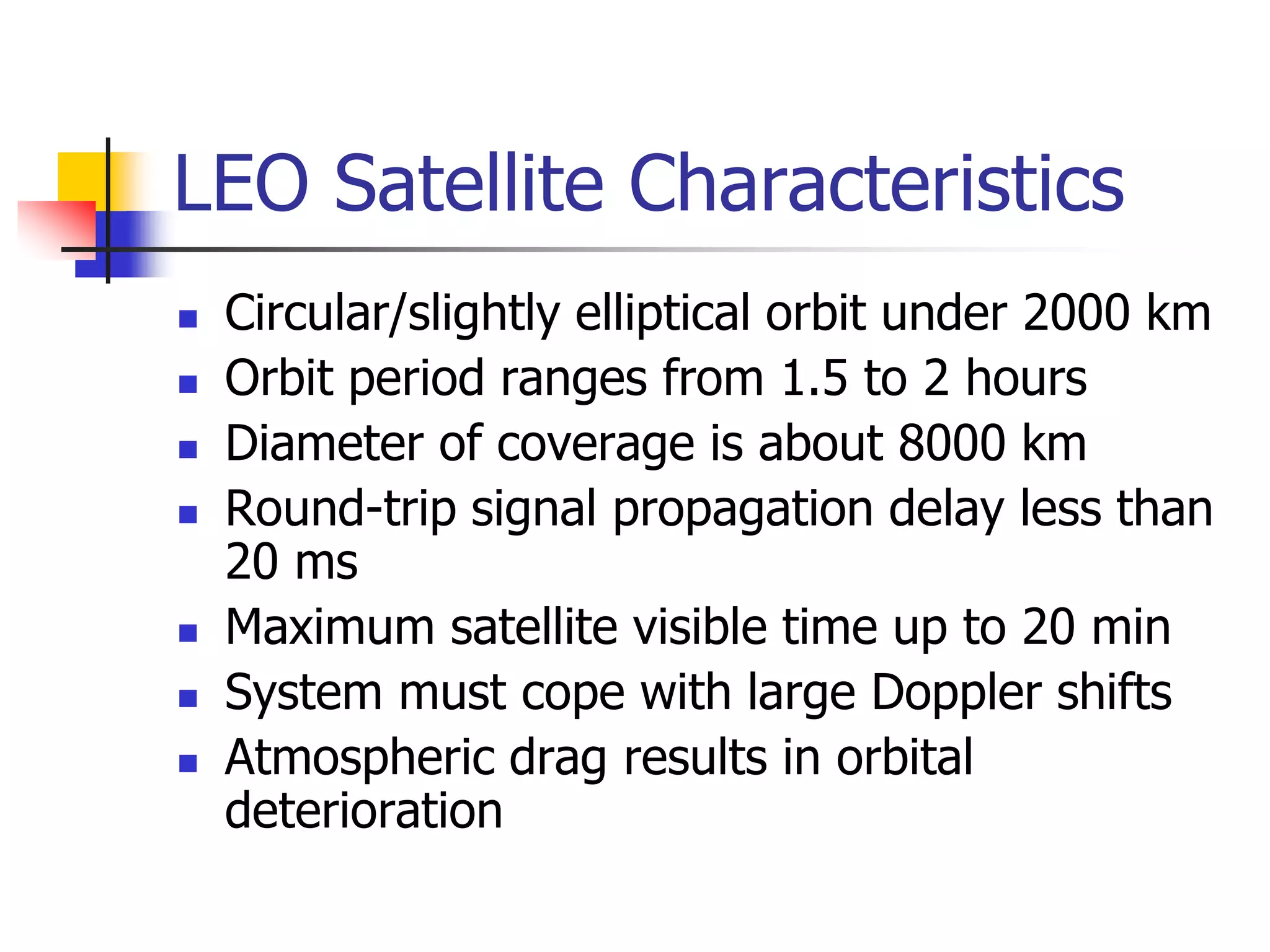
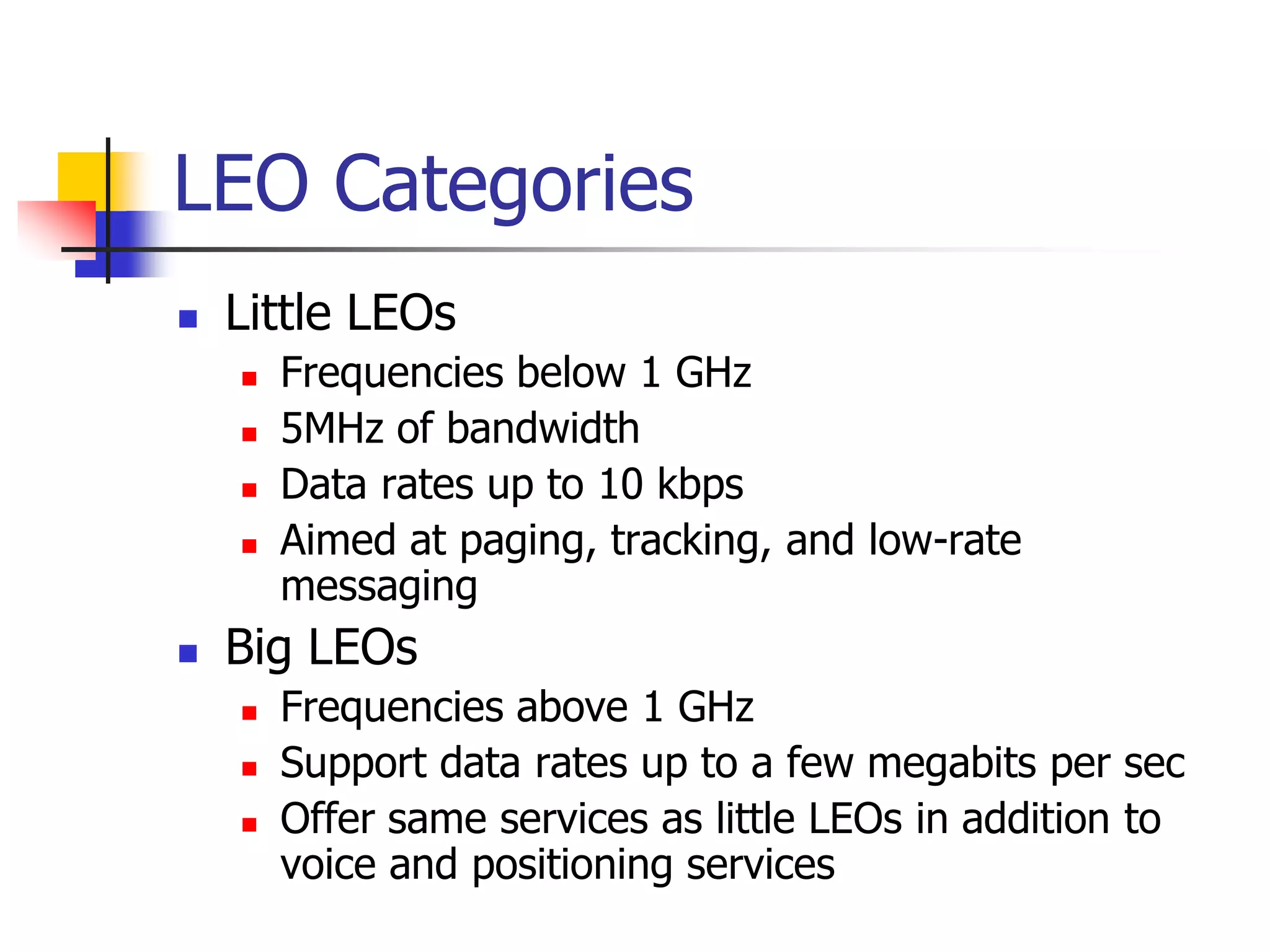
 Low earth orbit satellites - say between
100 - 1500 miles
 Signal to noise should be better with
LEOs
 Shorter delays - between 1 - 10 ms
typical
 Because LEOs move relative to the
earth, they require tracking
Orbits
 Circular orbits are simplest
 Inclined orbits are useful for coverage
of equatorial regions
 Elliptical orbits can be used to give
quasi stationary behaviour viewed from
earth
 using 3 or 4 satellites
 Orbit changes can be used to extend
the life of satellites
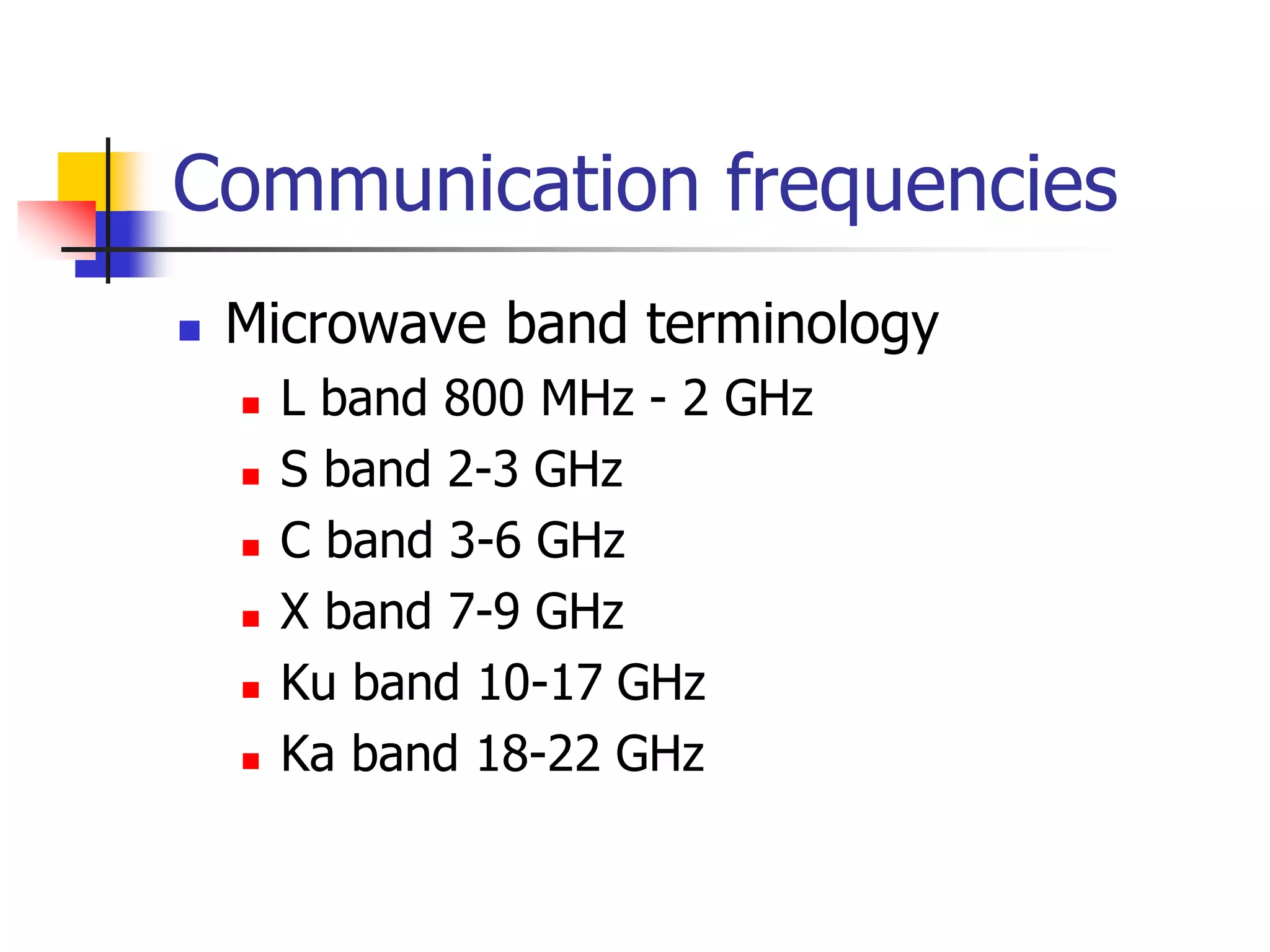
Communication frequencies
 Microwave band terminology
 L band 800 MHz - 2 GHz
 S band 2-3 GHz
 C band 3-6 GHz
 X band 7-9 GHz
 Ku band 10-17 GHz
 Ka band 18-22 GHz
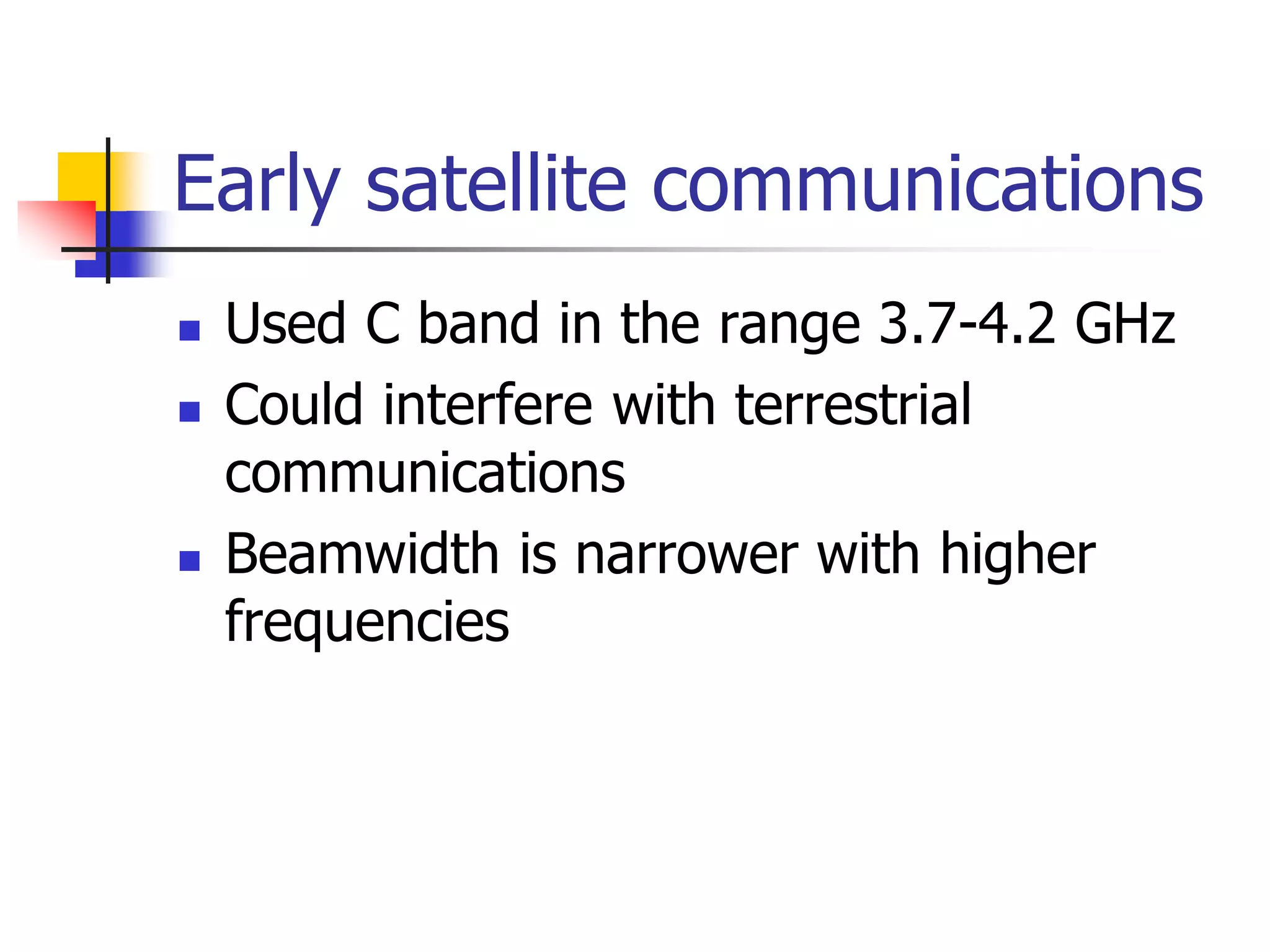
Early satellite communications
 Used C band in the range 3.7-4.2 GHz
 Could interfere with terrestrial
communications
 Beamwidth is narrower with higher
frequencies
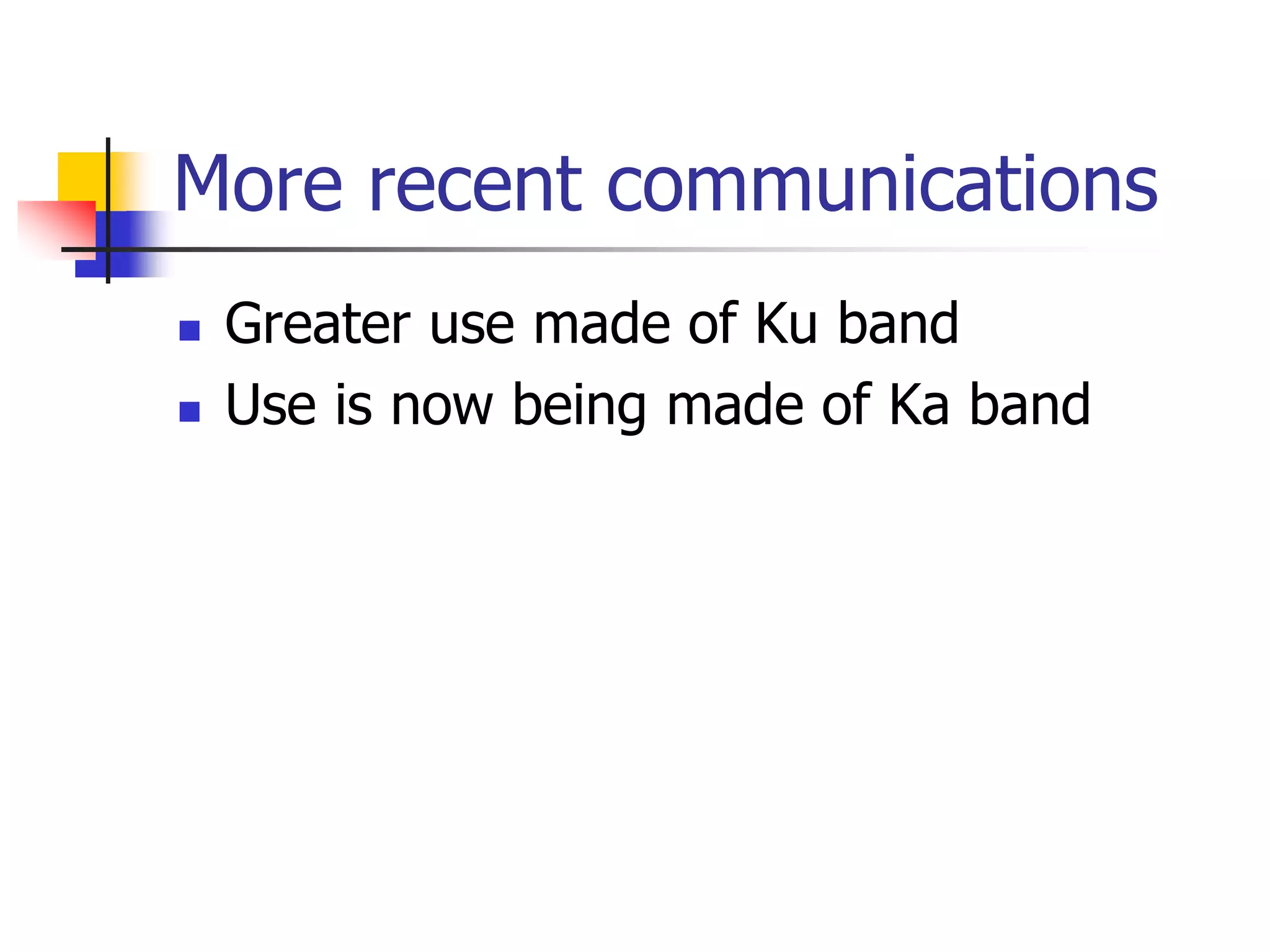
More recent communications
 Greater use made of Ku band
 Use is now being made of Ka band
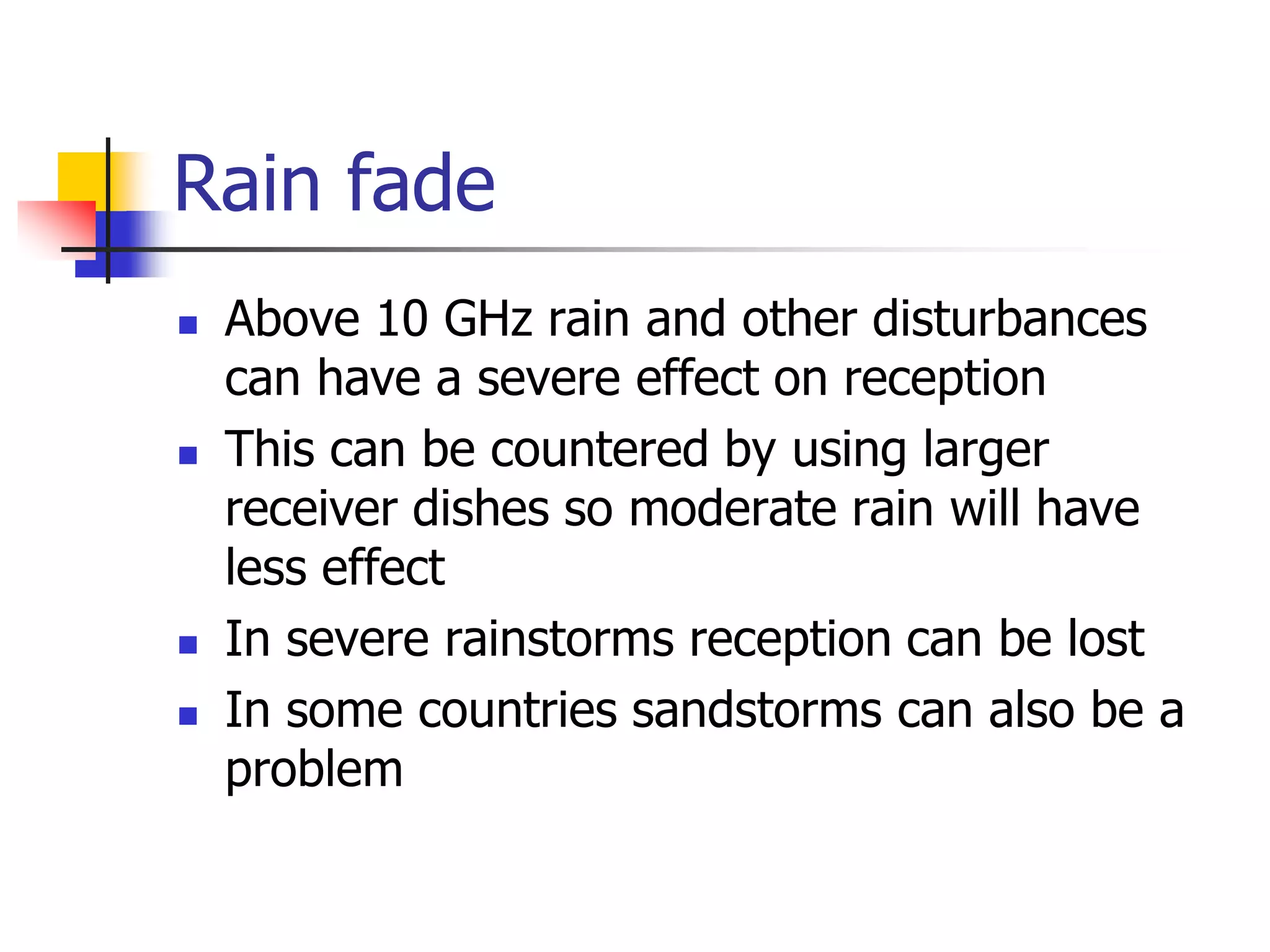
Rain fade
 Above 10 GHz rain and other disturbances
can have a severe effect on reception
 This can be countered by using larger
receiver dishes so moderate rain will have
less effect
 In severe rainstorms reception can be lost
 In some countries sandstorms can also be a
problem
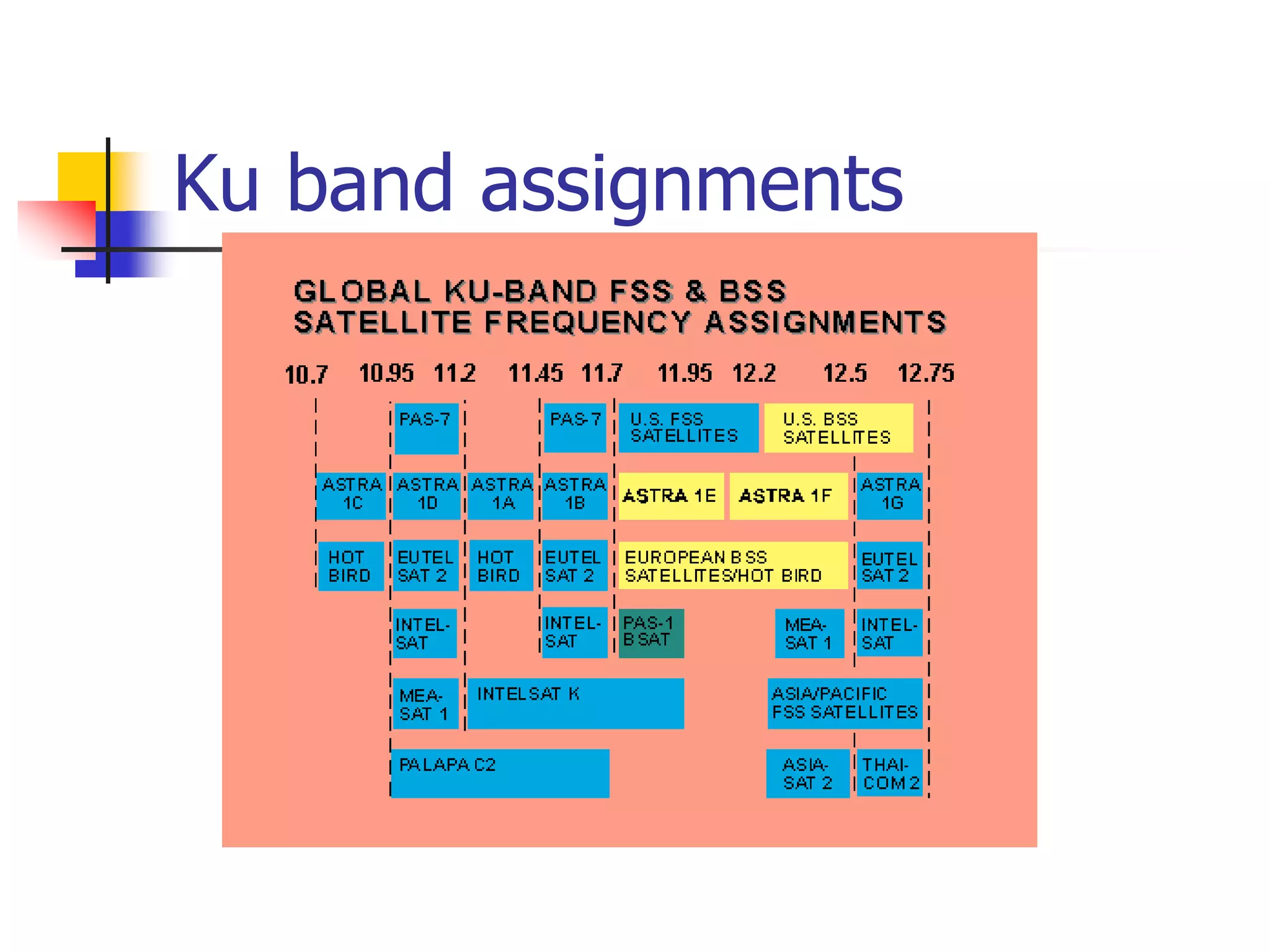
Ku band assignments
Satellite management
 Satellites do not just “stay” in their
orbits
 They are pushed around by various
forces
 They require active management
Systems of satellites
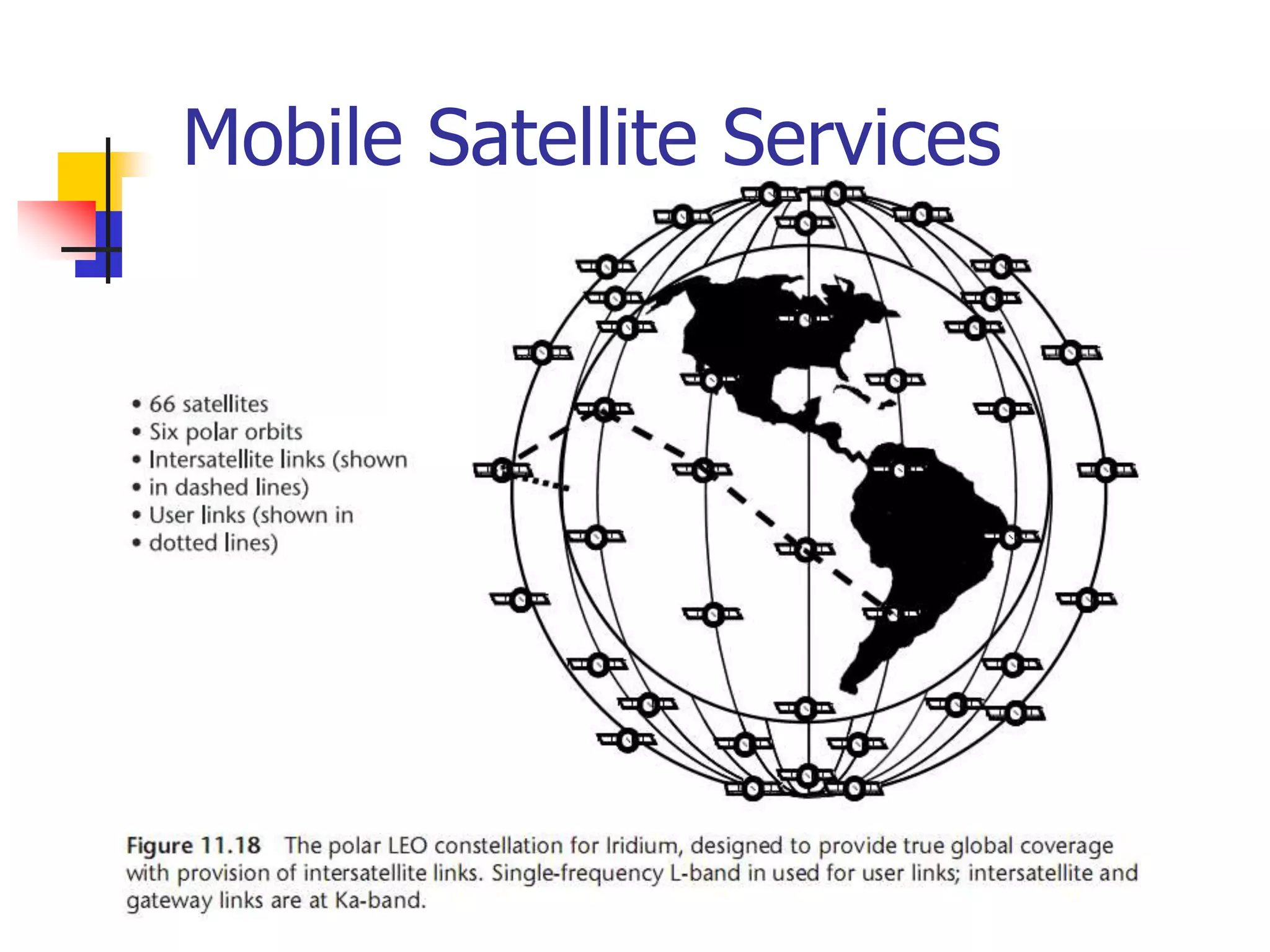
 Example - Iridium
 Deploy many satellites to give world
wide coverage - including polar regions
 So far have not proved commercially
viable
 Other systems “coming along” -
Teldesic
The future
 Because Iridium has not been a
commercial success the future of
satellites is uncertain
 Satellites still have major advantages
for wide area distribution of data
Chronology
 1945 Arthur C. Clarke Article: "Extra-Terrestrial Relays"
 1955 John R. Pierce Article: "Orbital Radio Relays"
 1956 First Trans-Atlantic Telephone Cable: TAT-1
 1957 Sputnik: Russia launches the first earth satellite.
 1962 TELSTAR and RELAY launched
 1962 Communications Satellite Act (U.S.)
 1963 SYNCOM launched
 1965 COMSAT's EARLY BIRD: 1st commercial communications
satellite
 1969 INTELSAT-III series provides global coverage
Chronology (2)
 1972 ANIK: 1st Domestic Communications Satellite (Canada)
 1974 WESTAR: 1st U.S. Domestic Communications Satellite
 1975 RCA SATCOM: 1st operational body-stabilized comm.
satellite
 1976 MARISAT: 1st mobile communications satellite
 1988 TAT-8: 1st Fiber-Optic Trans-Atlantic telephone cable
 1994 GPS system deployed by USAF
 1998-2001 Iridium
UNIT 2
Satellite subsystems
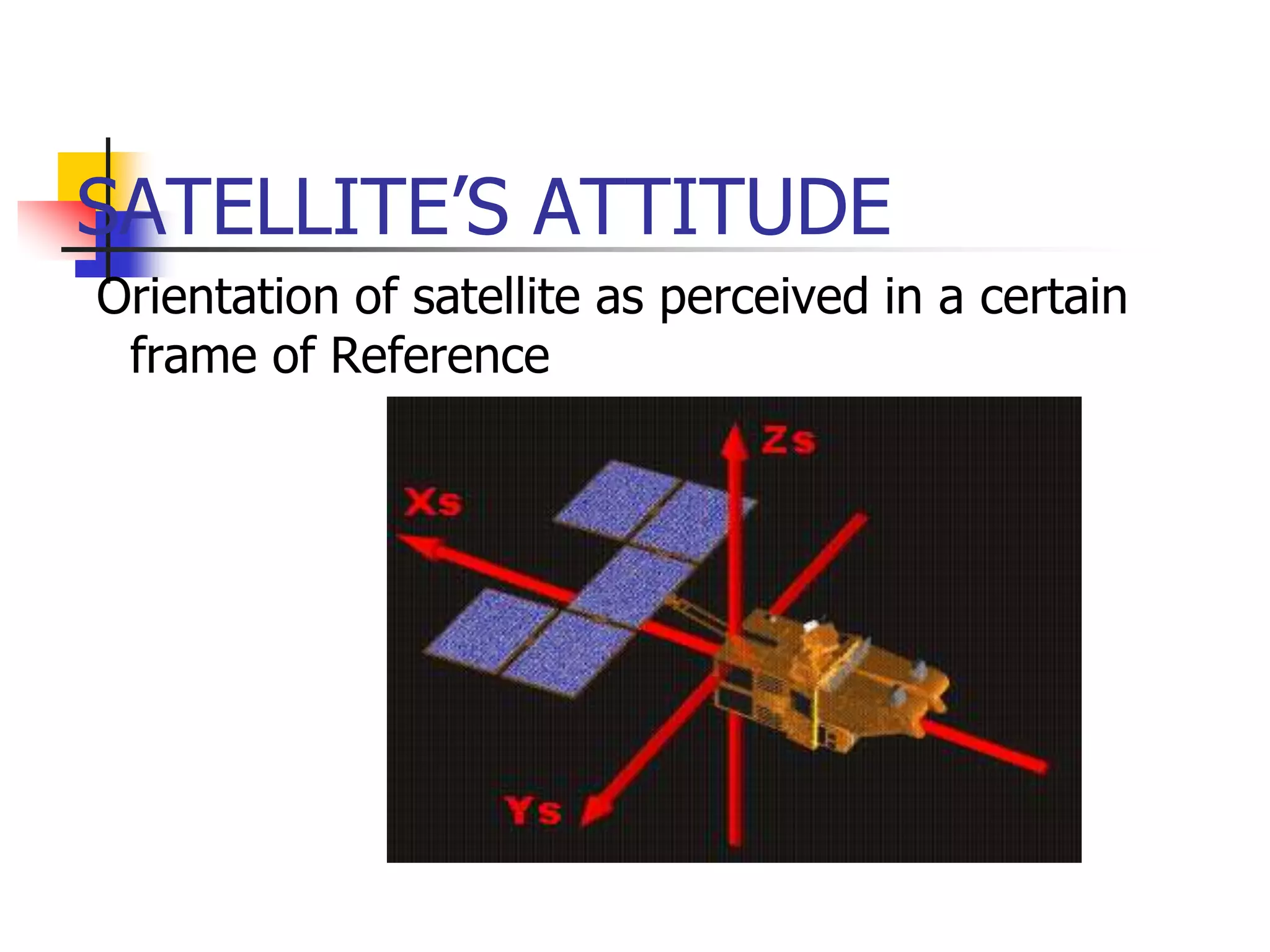
SATELLITE’S ATTITUDE
Orientation of satellite as perceived in a certain
frame of Reference
CHANGE IN ATTITUDE
Satellite tends to change its orientation
because of environmental torques
 Drag of residual atmosphere
 Solar radiation pressure
 Gravity gradient
 Interaction of Satellite electronics with
earth’s magnetic field
ATTITUDE CONTROL
Needed because-
 Payload requirements
 Eg. Focusing the satellite camera to a particular
location on earth
 Communication requirements
 Pointing the antenna towards ground
 Power system requirements
 Tracking the sun to achieve maximum power
generation
Components of ADCS
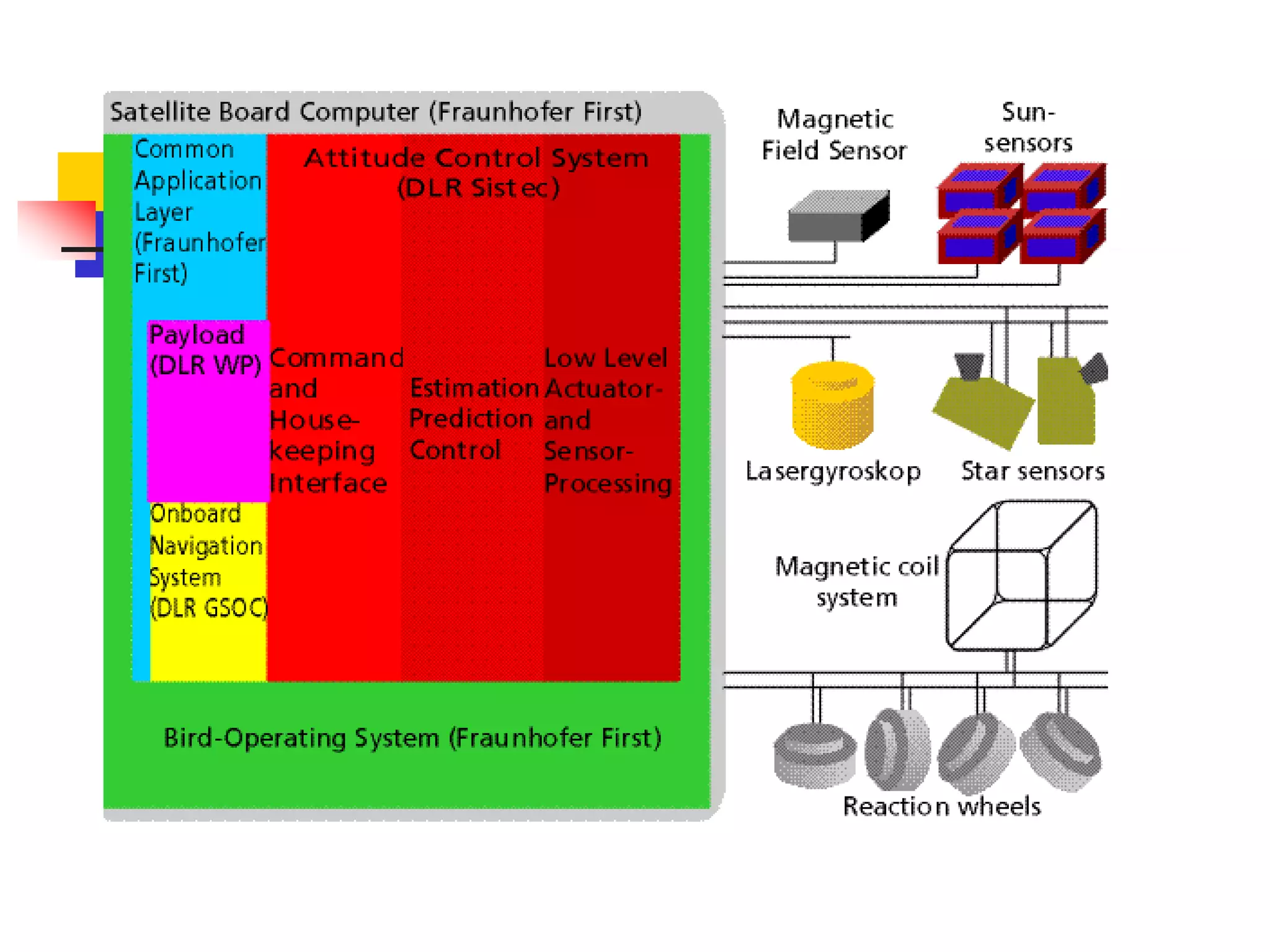
 Sensors- To determine the orientation
and position of the satellite
 Algorithms-To calculate the deviation
from the desired orientation and to
generate actuation command to counter
the deviation
 Actuators-To act upon the signals
given by the control algorithms and to
produce the necessary torqes
SENSORS
 Measure the attitude of the satellite
Types:
 Gyroscopes:
 Sense rotation in 3-D space without reliance on
observation of external objects
 Consists of a spinning mass, also includes laser gyros
utilizing coherent light reflected around a closed path
 Gyros require initialization by some other means as
they can only measure “changes” in orientation
SENSORS contd…
 All gyro instruments are subject to drift and can
maintain orientation for limited times only (typically
tens of hours or less)
 Horizon indicators
 Optical instrument that detects light at the horizon
 Can be a scanning or staring instrument
 Infrared is often used which can function even on
the dark side of earth
 Tends to be less precise than sensors based on
stellar observation
SENSORS contd…
 Orbital gyro compassing
 Uses a horizon sensor to sense the direction of
earth’s centre
 Uses a gyro to sense rotation about an axis
normal to orbital plane
 Hence it provides pitch and roll measurements
 Sun Sensor
 Senses the direction of Sun
 Can be simple as solar cells and shades or
complex as a steerable telescope
SENSORS contd…
 Star Trackers
 Optical device measuring the direction to one or
more stars (using a photocell or solid state camera to
observe the star)
 Require high sensitivity ,may become confused by
sunlight reflected from the exhaust gases emitted by
thrusters
 Global Positioning System(GPS)
 Required for position measurements
 Determines position and speed of the satellite in
space
CONTROL ALGORITHMS
Control Algorithms are computer
programs that receive input data
from vehicle sensors and derive
the appropriate torque commands
to the actuators to rotate the
vehicle to the desired attitude
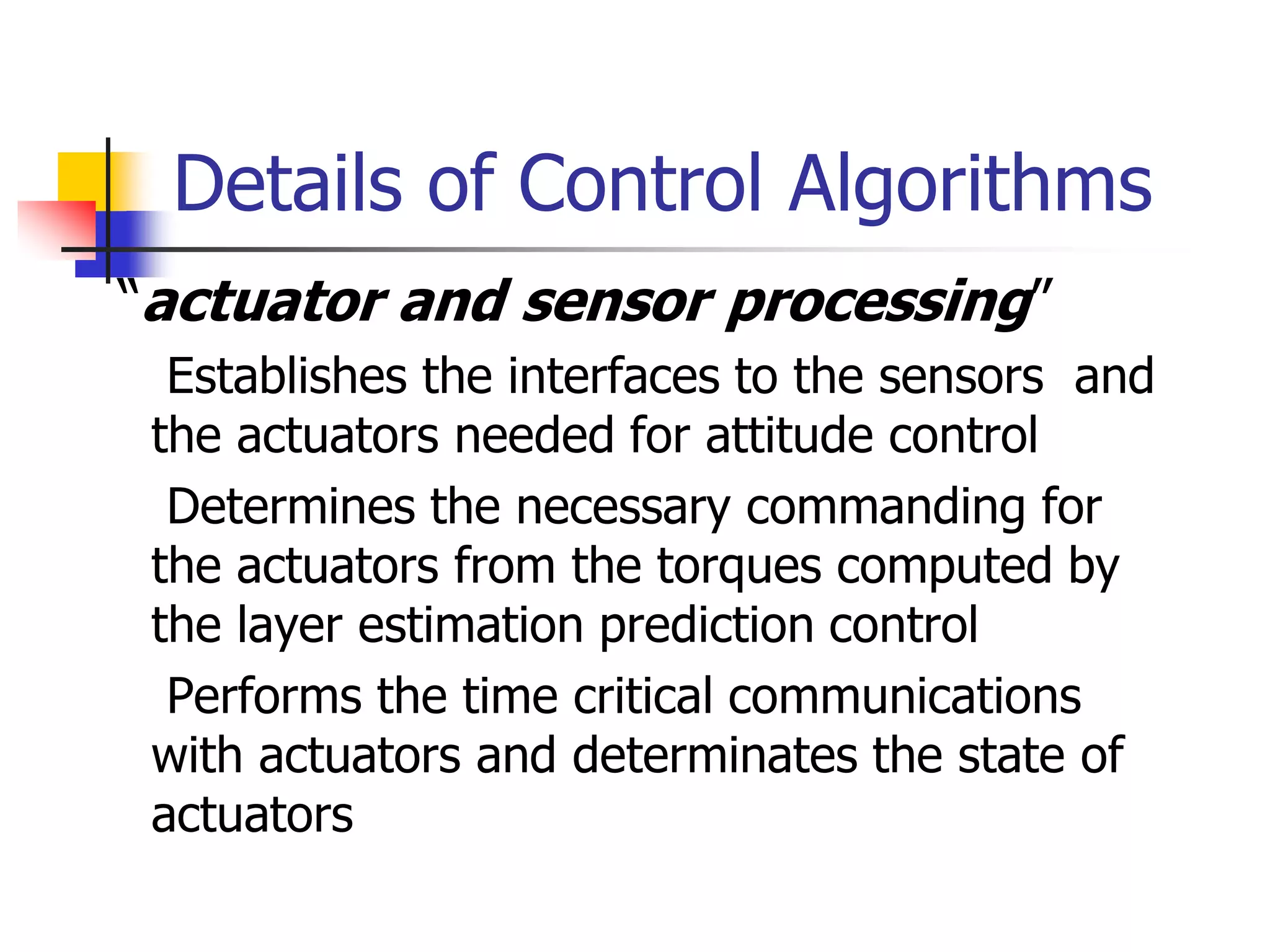
Details of Control Algorithms
 “actuator and sensor processing”
 Establishes the interfaces to the sensors and
the actuators needed for attitude control
 Determines the necessary commanding for
the actuators from the torques computed by
the layer estimation prediction control
 Performs the time critical communications
with actuators and determinates the state of
actuators
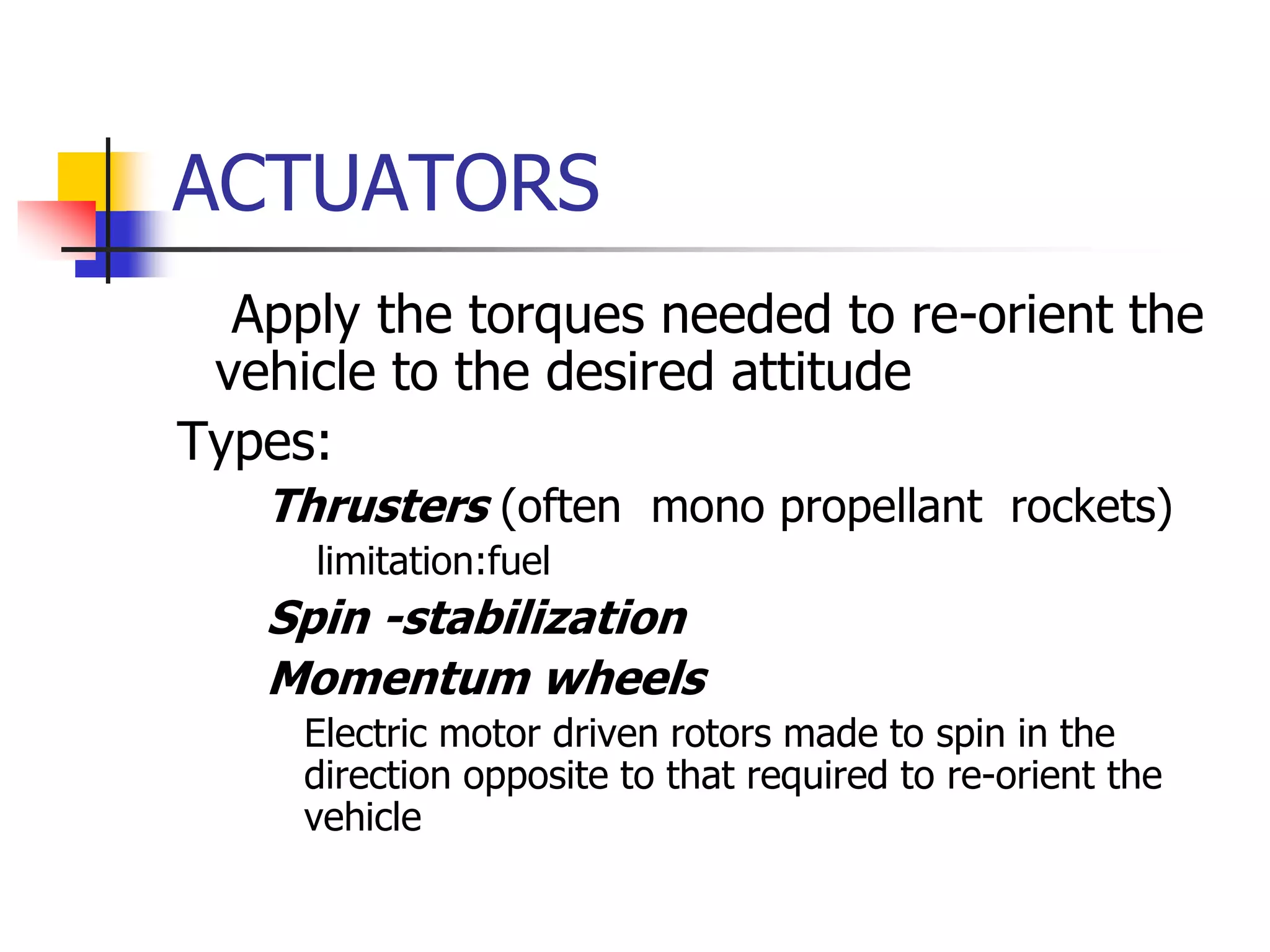
ACTUATORS
 Apply the torques needed to re-orient the
vehicle to the desired attitude
Types:
 Thrusters (often mono propellant rockets)
 limitation:fuel
 Spin -stabilization
 Momentum wheels
 Electric motor driven rotors made to spin in the
direction opposite to that required to re-orient the
vehicle
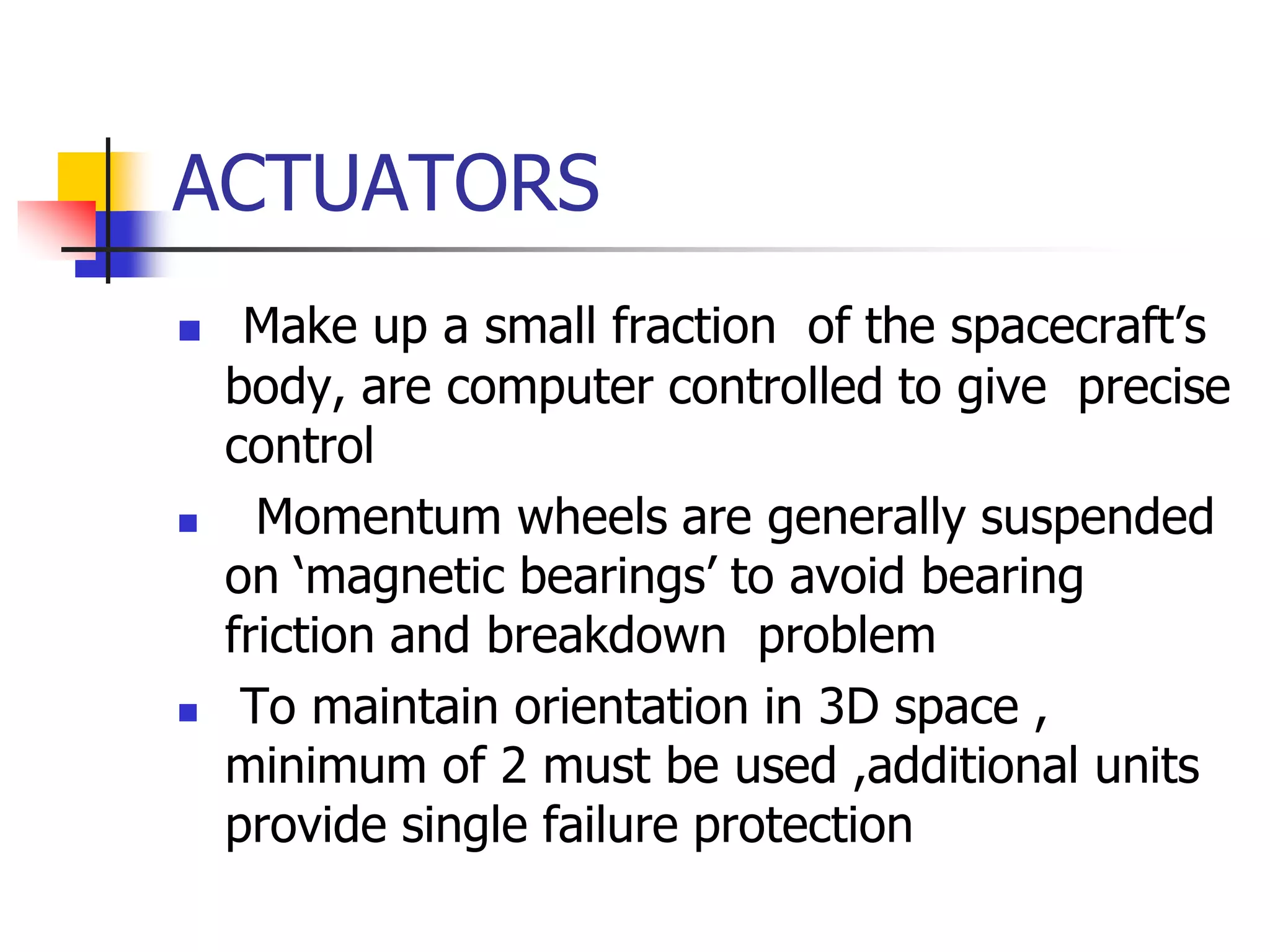
ACTUATORS
 Make up a small fraction of the spacecraft’s
body, are computer controlled to give precise
control
 Momentum wheels are generally suspended
on ‘magnetic bearings’ to avoid bearing
friction and breakdown problem
 To maintain orientation in 3D space ,
minimum of 2 must be used ,additional units
provide single failure protection
ACTUATORS
 Control Moment Gyros
 Include rotors spun at constant speed mounted on
Gimbals
 Provides control about the two axes orthogonal to
the gyro spin axes, triaxial control still requires 2
units
 CMG is a bit more expensive in cost and mass
since , gimbals and their drive motors must be
provided
 Max. torque exerted by CMG is greater than than
for a momentum wheel (suitable for larger
spacecraft)
ACTUATORS
 Drawback: additional complexity increases
failure points
 Solar Sails
 Produce thrust as a reaction force induced
by reflecting incident light
 Used to make small attitude control and
velocity adjustments
 Saves larger amounts of fuel by
producing control moments
ACTUATORS
 Pure passive Attitude Control
 Gravity gradient Stabilization
 Magnetic Field
Main advantage is that no power or fuel is
required to achieve attitude control
REFERENCE SYSTEM
The three critical flight dynamics parameters
are rotations in three dimensions around the
vehicle’s coordinate system origin ,the centre
of mass. These angles are pitch, roll and yaw.
Pitch: rotation around the lateral or transverse
axis. Ex. Nose pitches up and the tail down or
vice versa.
Roll: rotation around longitudinal axis.
Yaw: rotation about the vertical axis.
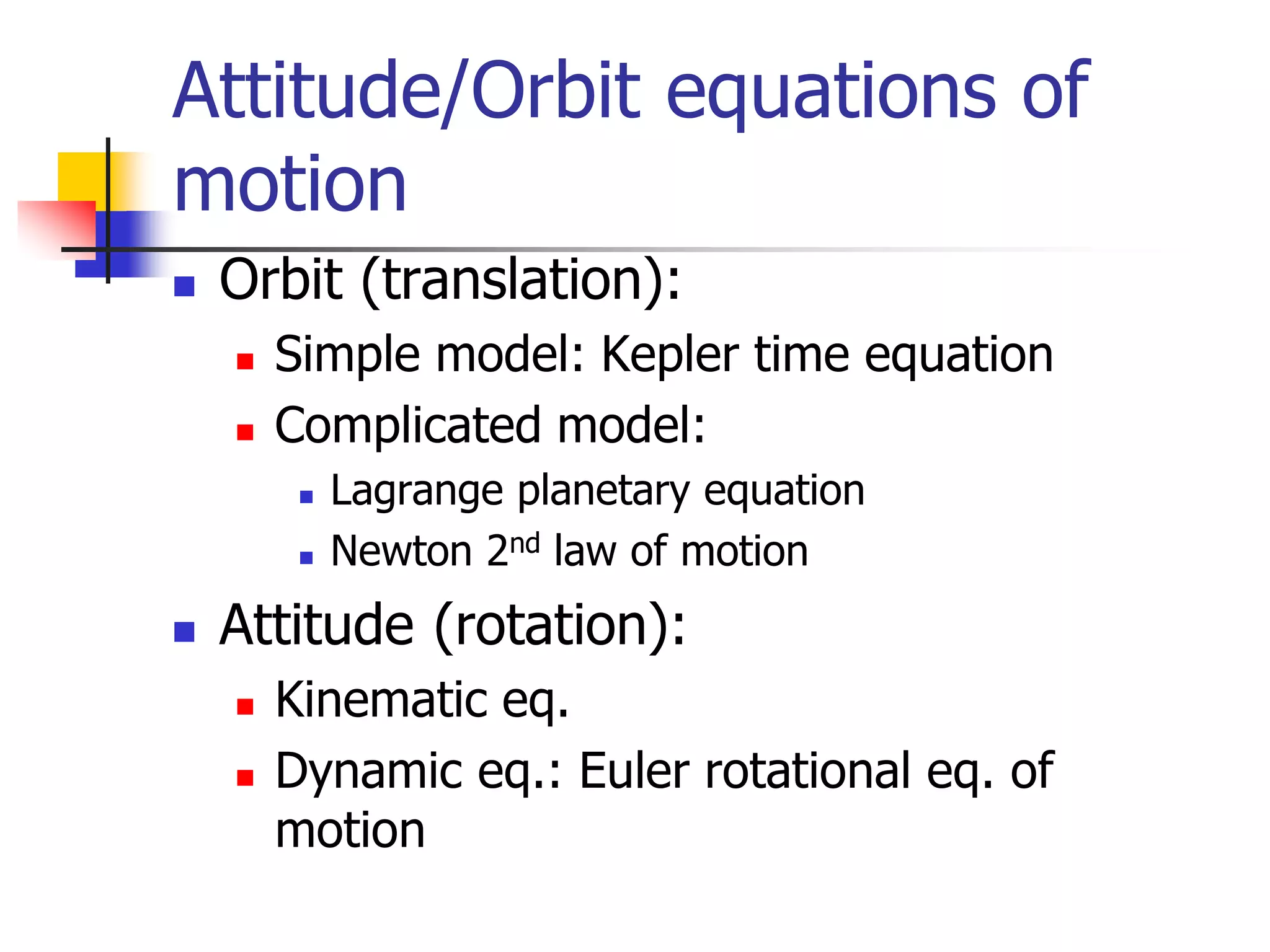
 Orbit (translation):
 Simple model: Kepler time equation
 Complicated model:
 Lagrange planetary equation
 Newton 2nd law of motion
 Attitude (rotation):
 Kinematic eq.
 Dynamic eq.: Euler rotational eq. of
motion
Attitude/Orbit equations of
motion
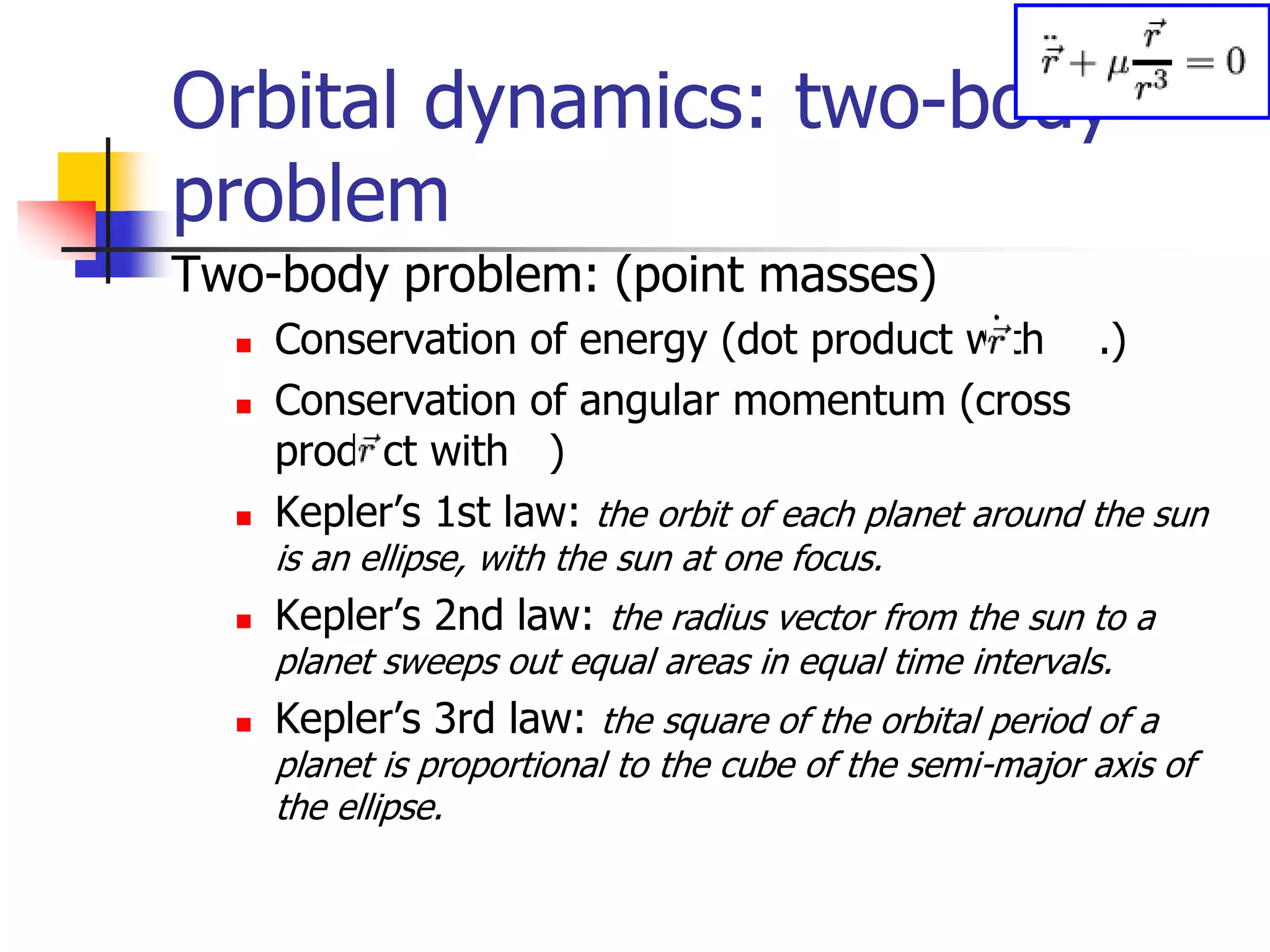
Orbital dynamics: two-body
problem
Two-body problem: (point masses)
 Conservation of energy (dot product with .)
 Conservation of angular momentum (cross
product with )
 Kepler’s 1st law: the orbit of each planet around the sun
is an ellipse, with the sun at one focus.
 Kepler’s 2nd law: the radius vector from the sun to a
planet sweeps out equal areas in equal time intervals.
 Kepler’s 3rd law: the square of the orbital period of a
planet is proportional to the cube of the semi-major axis of
the ellipse.
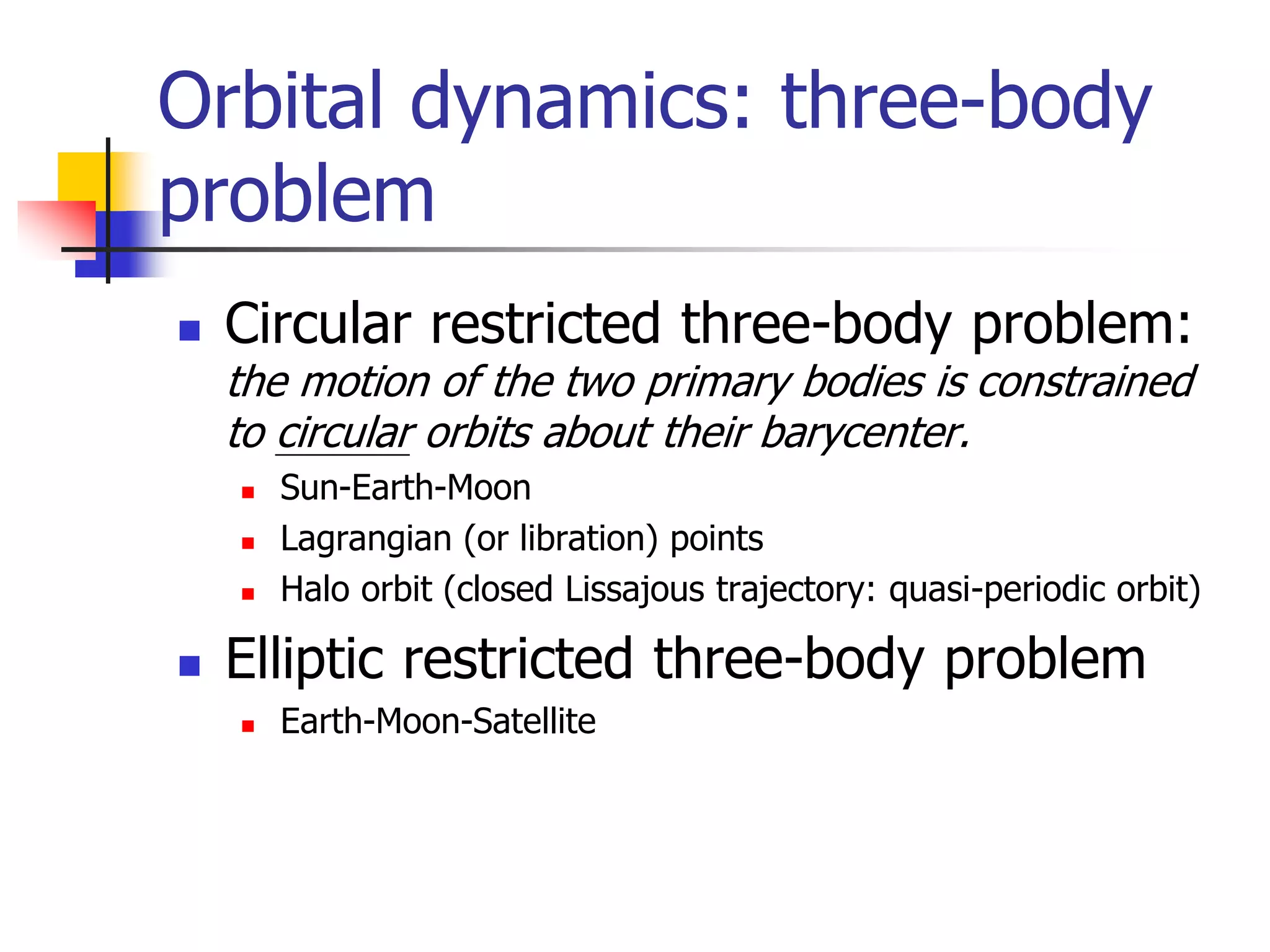
Orbital dynamics: three-body
problem
 Circular restricted three-body problem:
the motion of the two primary bodies is constrained
to circular orbits about their barycenter.
 Sun-Earth-Moon
 Lagrangian (or libration) points
 Halo orbit (closed Lissajous trajectory: quasi-periodic orbit)
 Elliptic restricted three-body problem
 Earth-Moon-Satellite
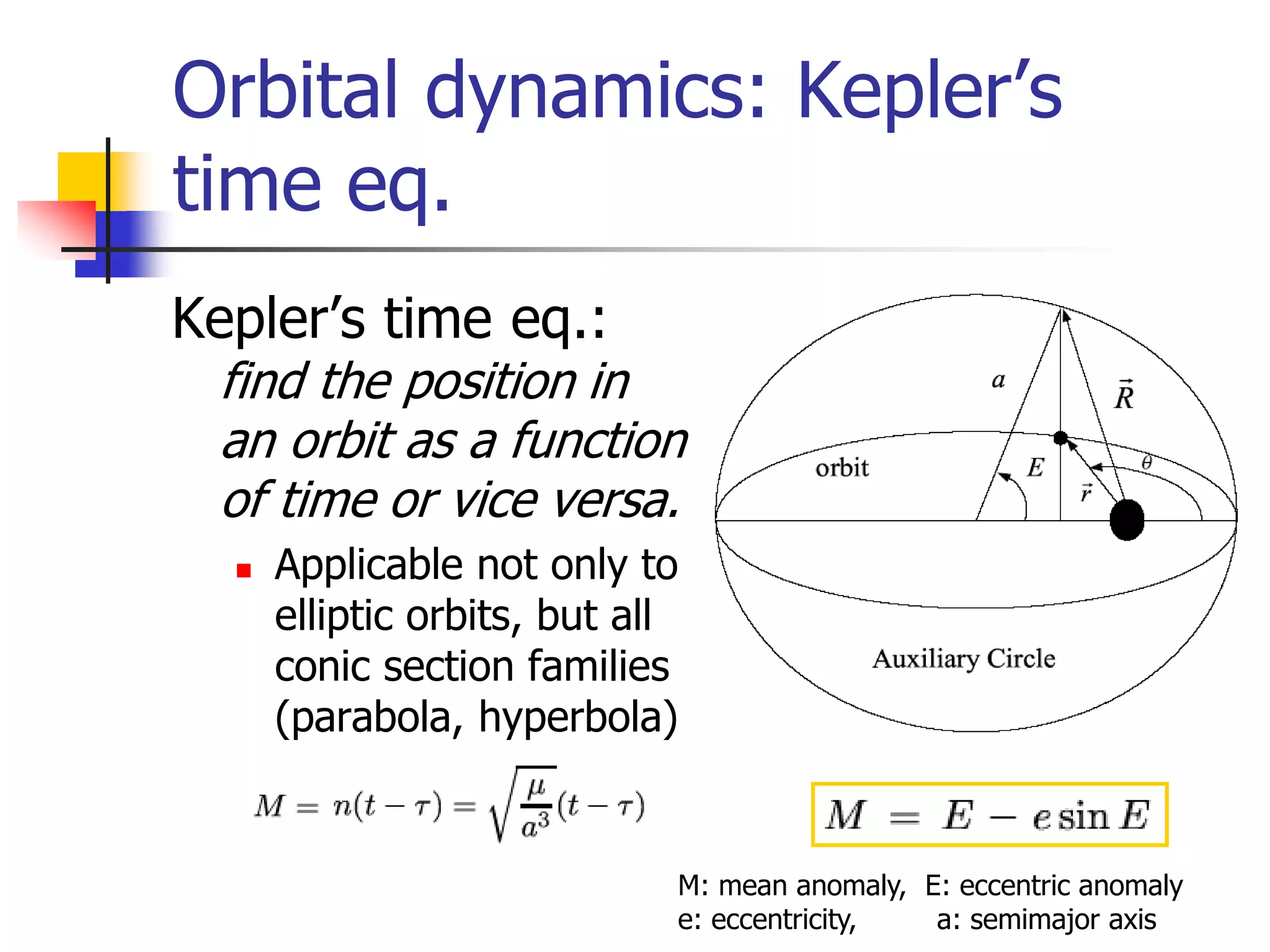
Orbital dynamics: Kepler’s
time eq.
Kepler’s time eq.:
find the position in
an orbit as a function
of time or vice versa.
 Applicable not only to
elliptic orbits, but all
conic section families
(parabola, hyperbola)
M: mean anomaly, E: eccentric anomaly
e: eccentricity, a: semimajor axis
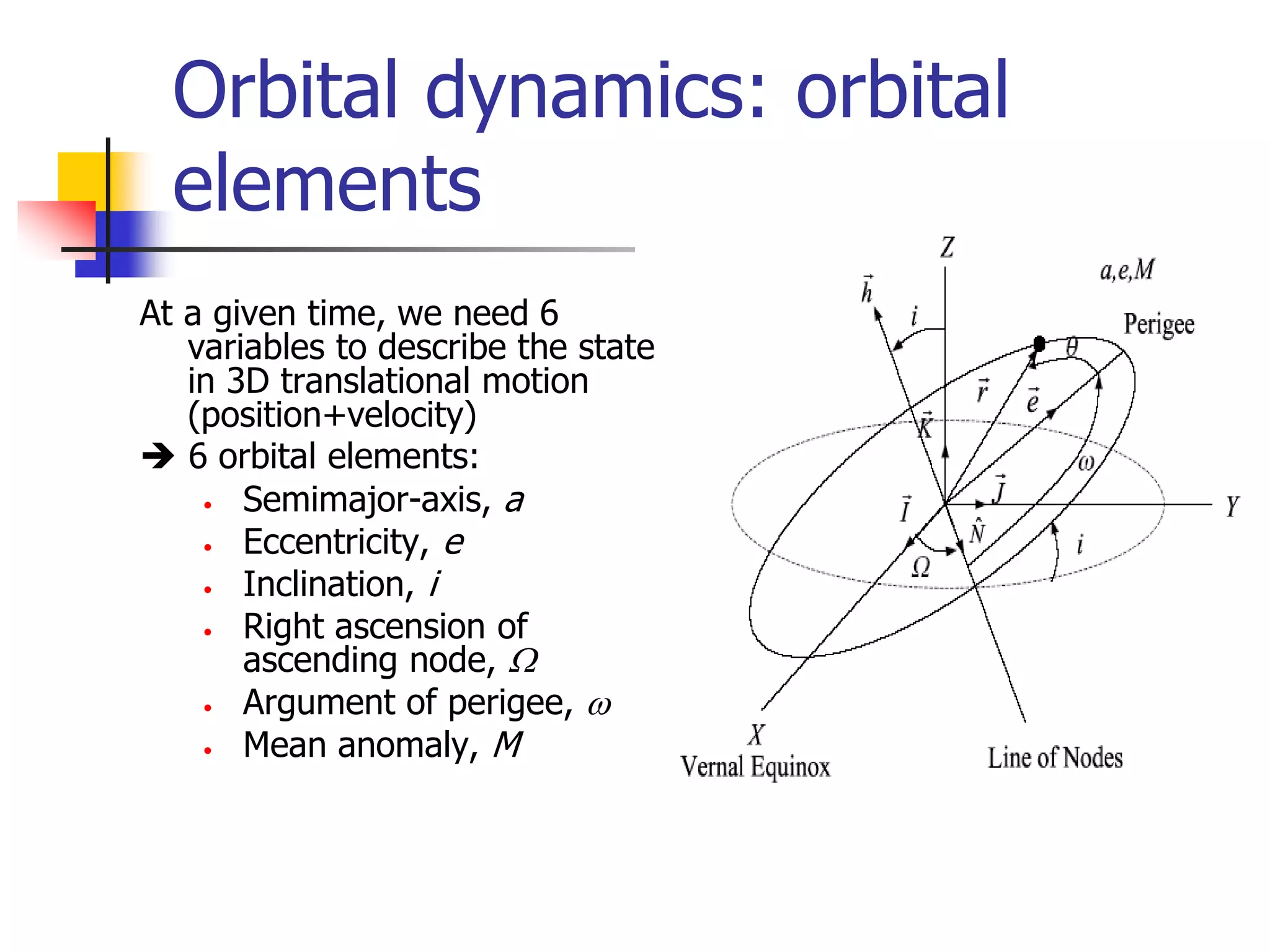
Orbital dynamics: orbital
elements
At a given time, we need 6
variables to describe the state
in 3D translational motion
(position+velocity)
 6 orbital elements:
• Semimajor-axis, a
• Eccentricity, e
• Inclination, i
• Right ascension of
ascending node, W
• Argument of perigee, w
• Mean anomaly, M
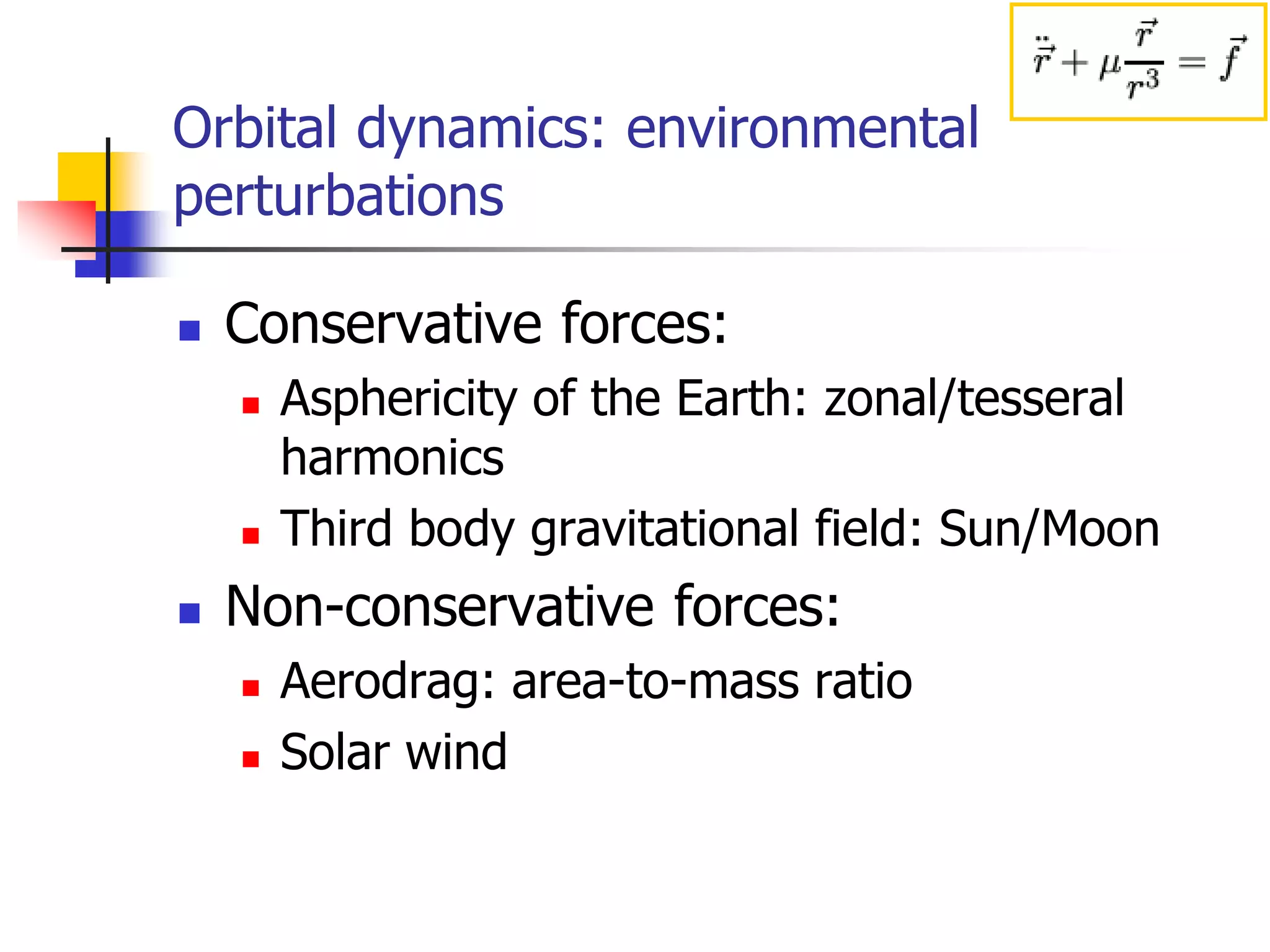
Orbital dynamics: environmental
perturbations
 Conservative forces:
 Asphericity of the Earth: zonal/tesseral
harmonics
 Third body gravitational field: Sun/Moon
 Non-conservative forces:
 Aerodrag: area-to-mass ratio
 Solar wind
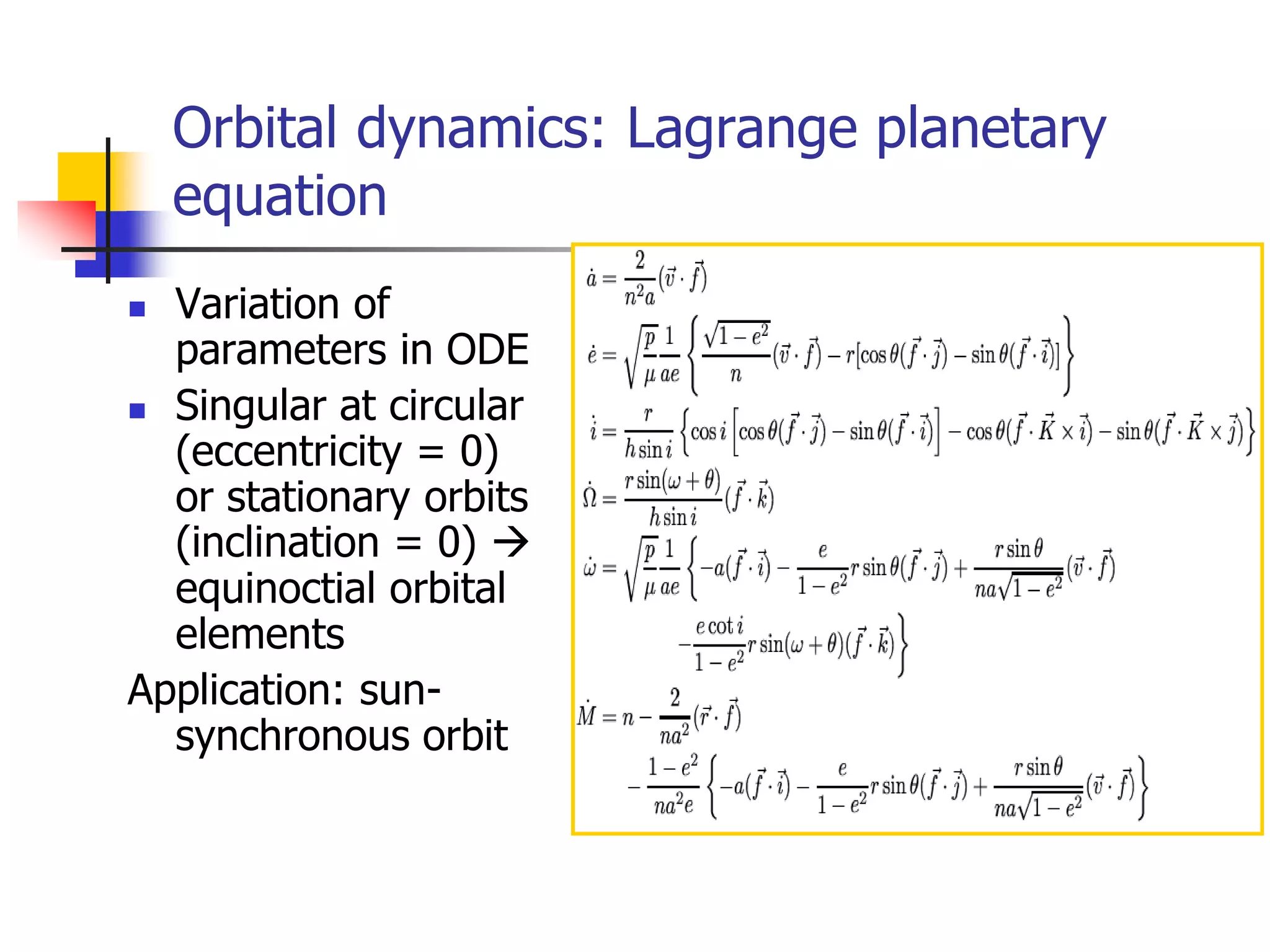
Orbital dynamics: Lagrange planetary
equation
 Variation of
parameters in ODE
 Singular at circular
(eccentricity = 0)
or stationary orbits
(inclination = 0) 
equinoctial orbital
elements
Application: sun-
synchronous orbit
Orbital Maneuvers
 Launch vehicle trajectories:
Vertical flight
First-stage powered flight
First-stage separation
Second-stage powered flight
Second-stage separation
Coasting flight
Third-stage powered flight
Orbit injection
 Orbit injection
 Single-impulse maneuvers
 Hohmann transfer: two-impulse elliptic transfer (fuel
optimal among two-impulse maneuvers between two
coplanar circular orbits)
 Interplanetary flight: 1) Earth escape, 2) heliocentric orbital
transfer, and 3) planet encounter
 Orbital rendezvous: Clohessy-Wiltshire (or Hill’s) eq.
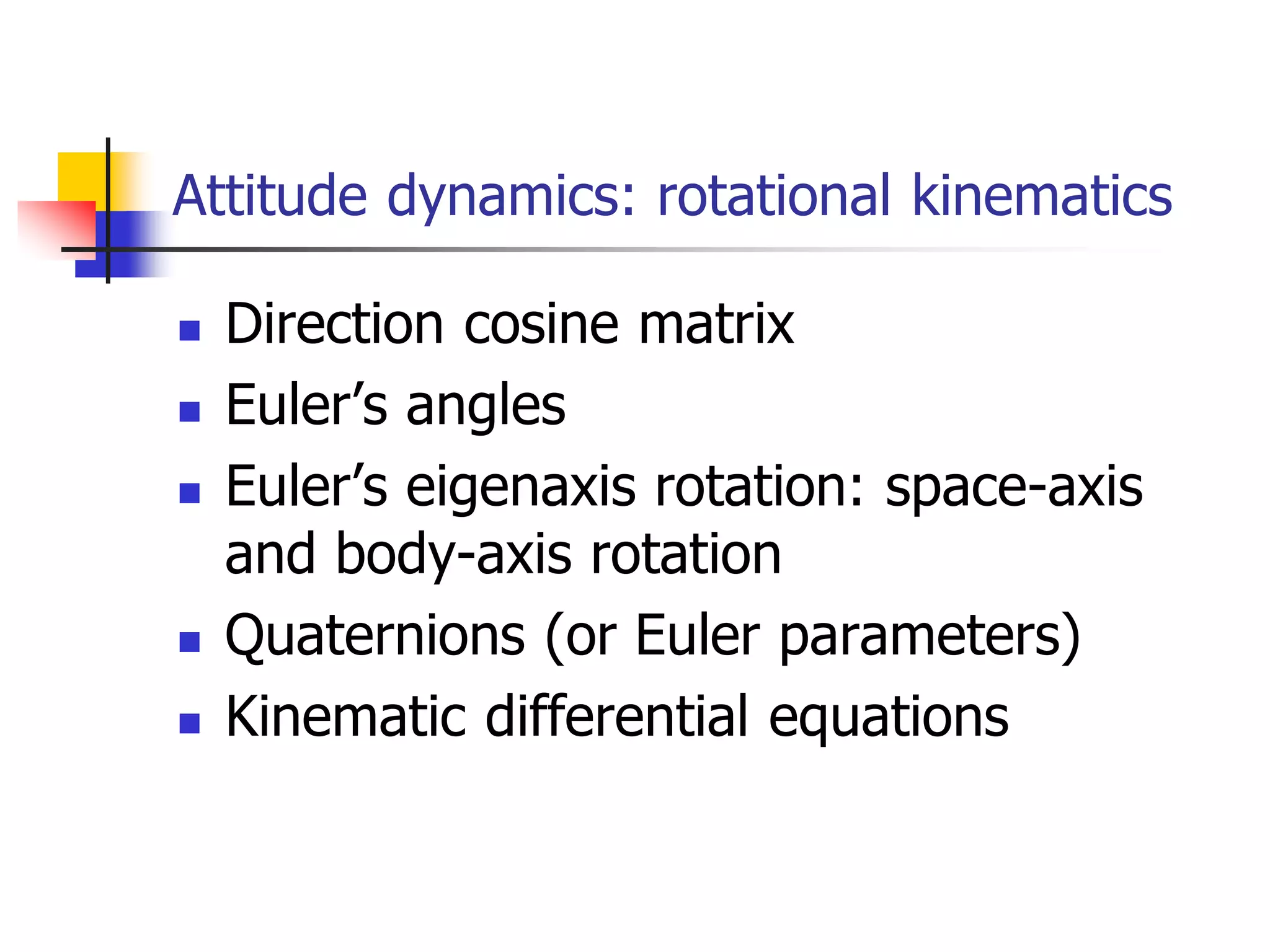
Attitude dynamics: rotational kinematics
 Direction cosine matrix
 Euler’s angles
 Euler’s eigenaxis rotation: space-axis
and body-axis rotation
 Quaternions (or Euler parameters)
 Kinematic differential equations
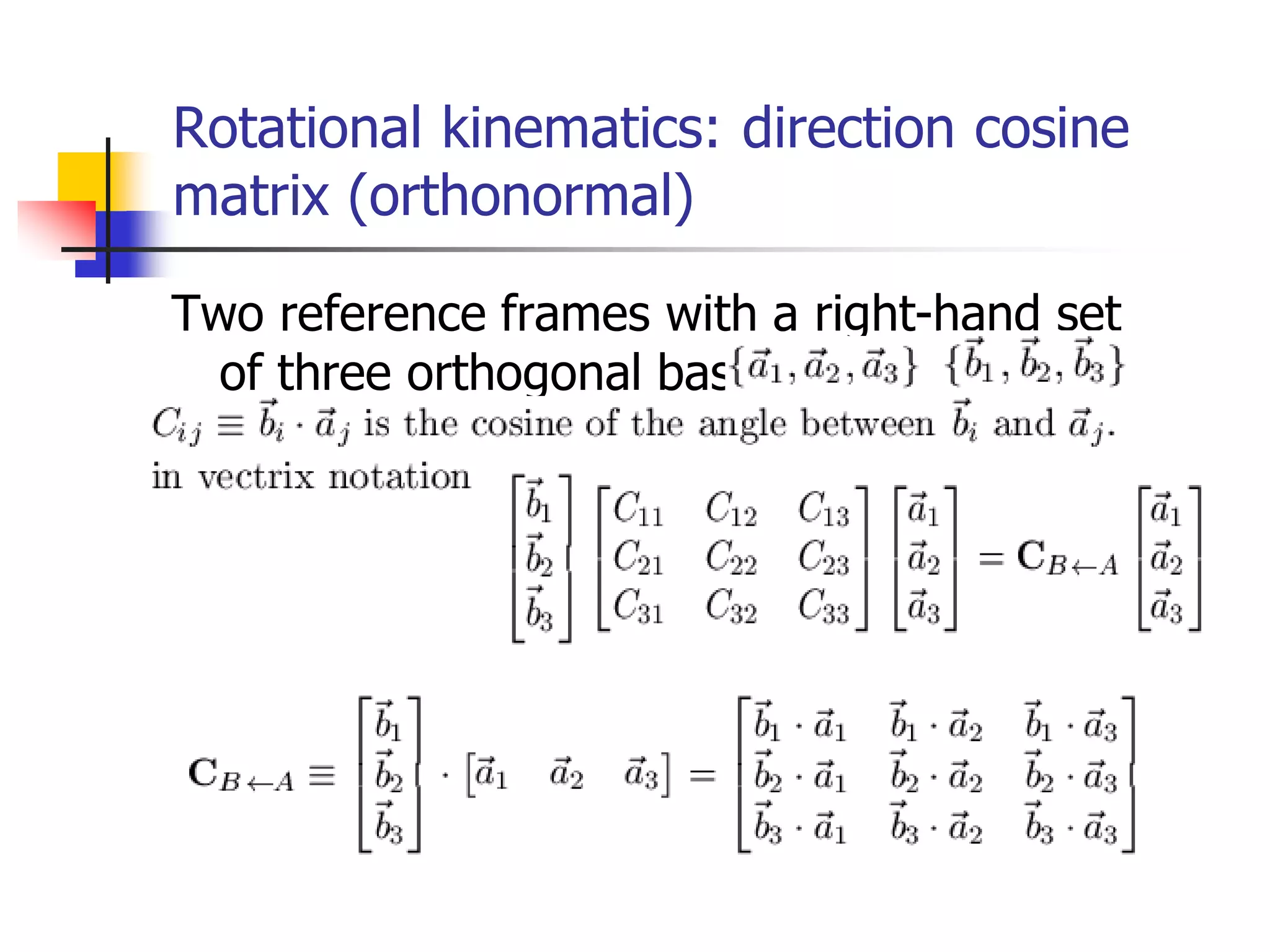
Rotational kinematics: direction cosine
matrix (orthonormal)
Two reference frames with a right-hand set
of three orthogonal bases:
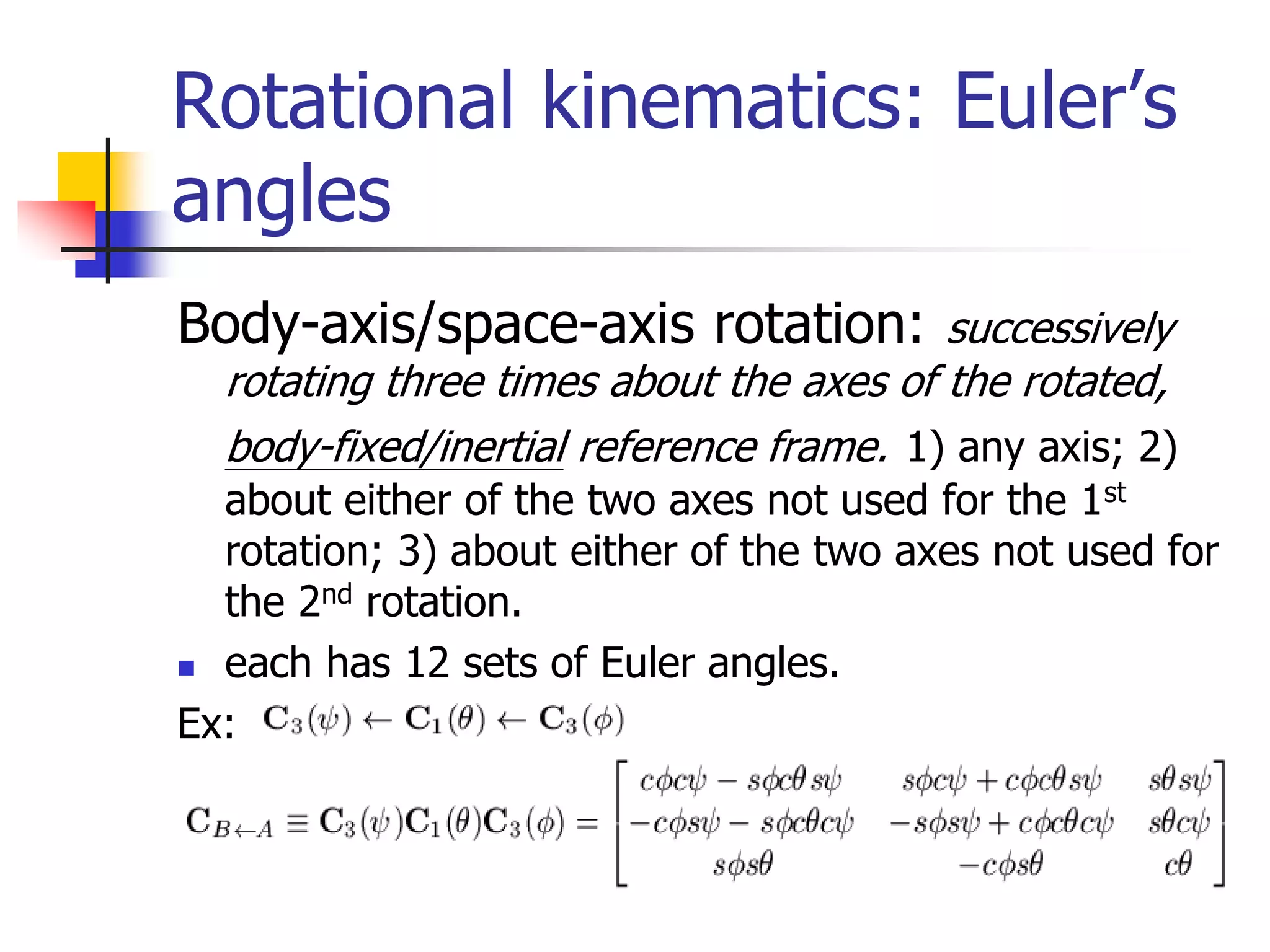
Rotational kinematics: Euler’s
angles
Body-axis/space-axis rotation: successively
rotating three times about the axes of the rotated,
body-fixed/inertial reference frame. 1) any axis; 2)
about either of the two axes not used for the 1st
rotation; 3) about either of the two axes not used for
the 2nd rotation.
 each has 12 sets of Euler angles.
Ex:
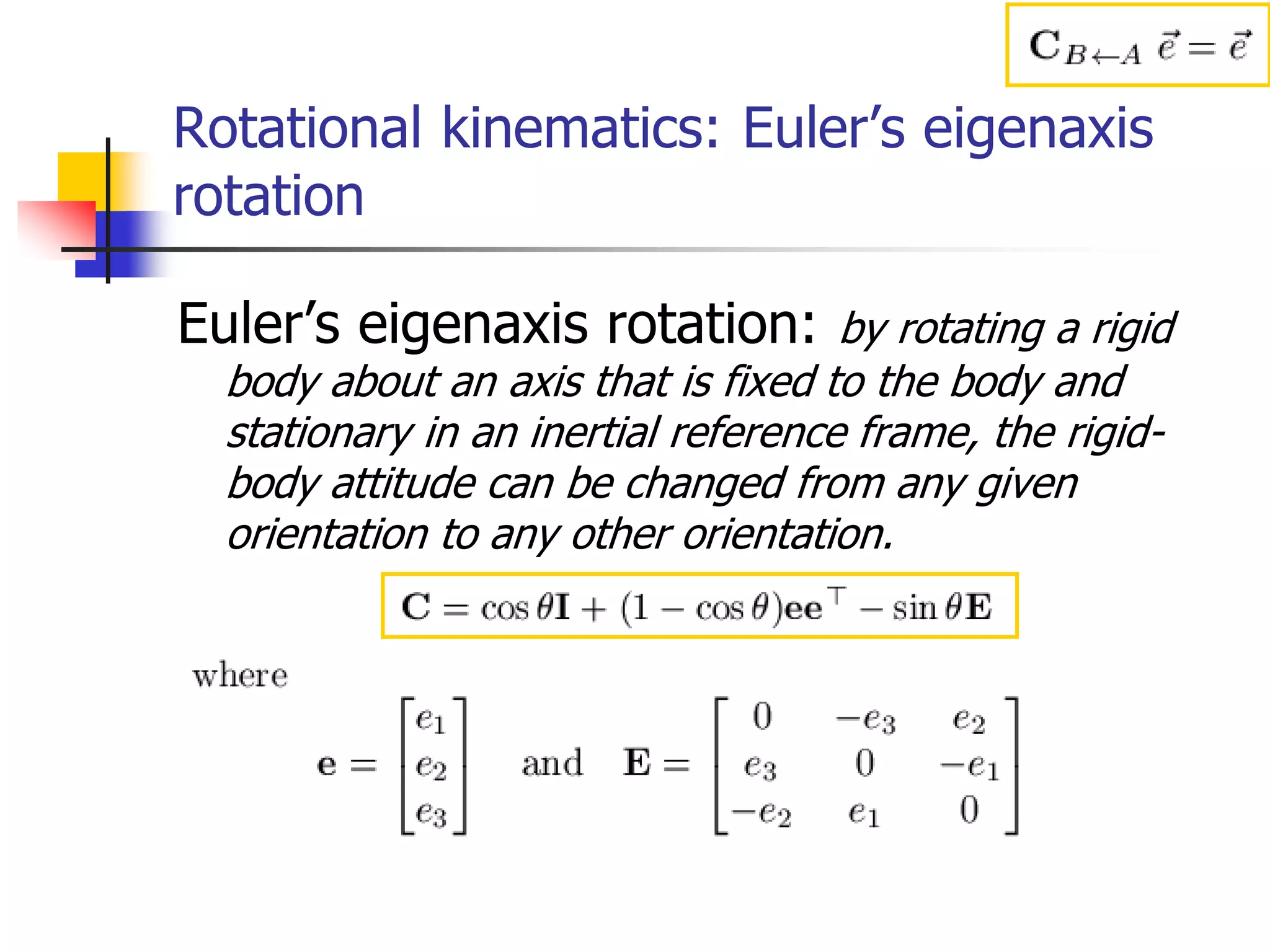
Rotational kinematics: Euler’s eigenaxis
rotation
Euler’s eigenaxis rotation: by rotating a rigid
body about an axis that is fixed to the body and
stationary in an inertial reference frame, the rigid-
body attitude can be changed from any given
orientation to any other orientation.
Rotational kinematics:
quaternions
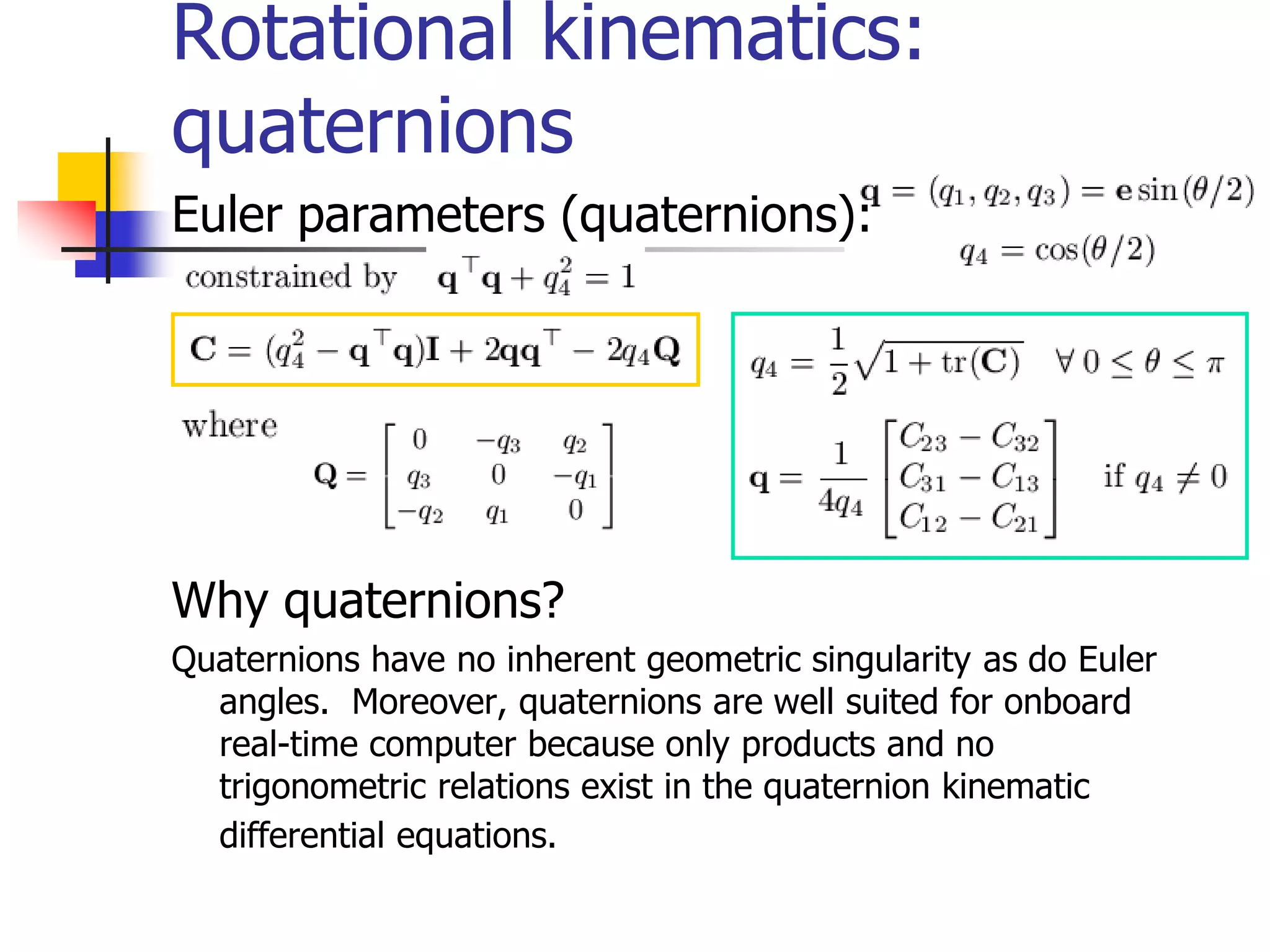
Euler parameters (quaternions):
Why quaternions?
Quaternions have no inherent geometric singularity as do Euler
angles. Moreover, quaternions are well suited for onboard
real-time computer because only products and no
trigonometric relations exist in the quaternion kinematic
differential equations.
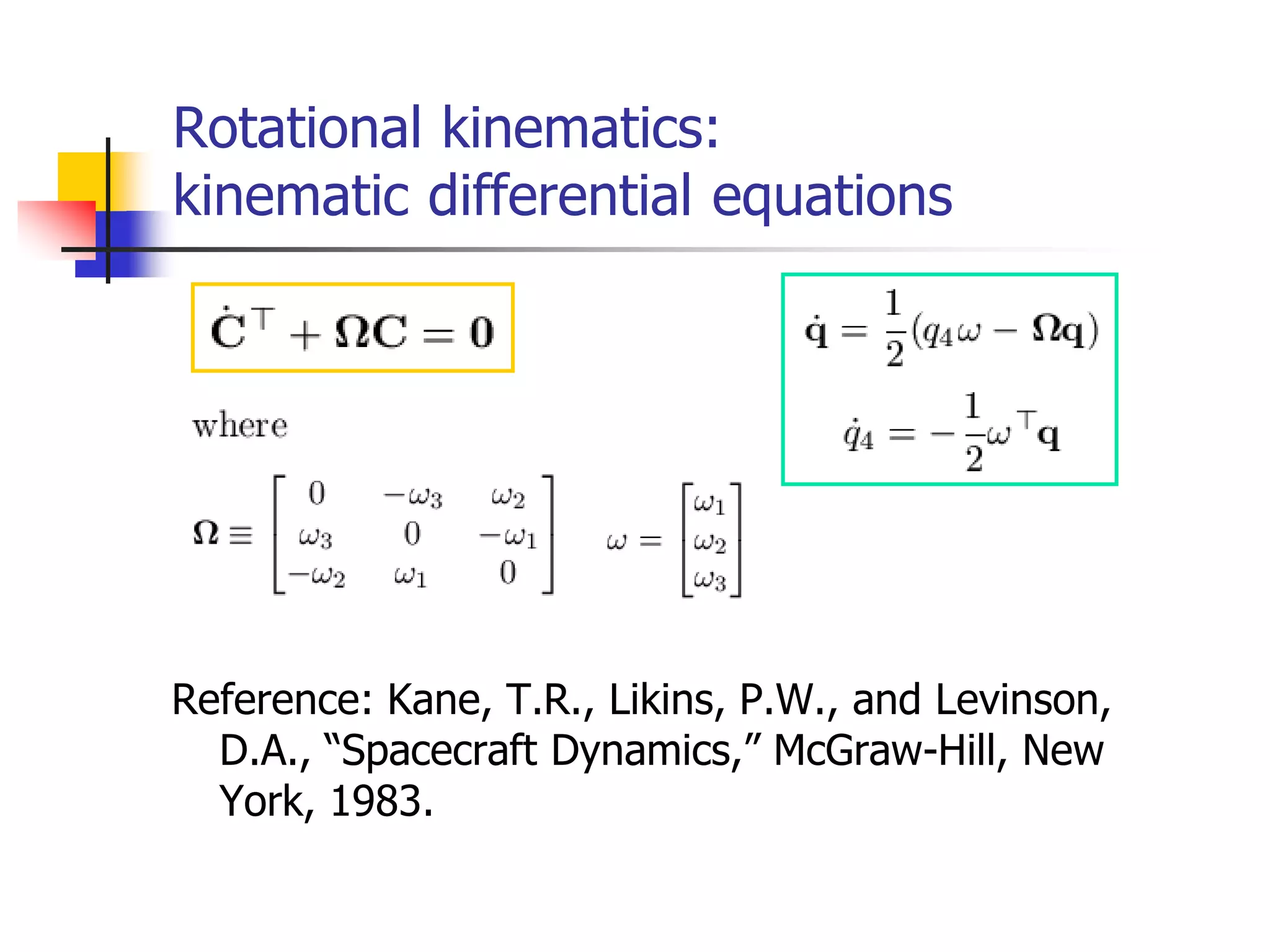
Rotational kinematics:
kinematic differential equations
Reference: Kane, T.R., Likins, P.W., and Levinson,
D.A., “Spacecraft Dynamics,” McGraw-Hill, New
York, 1983.
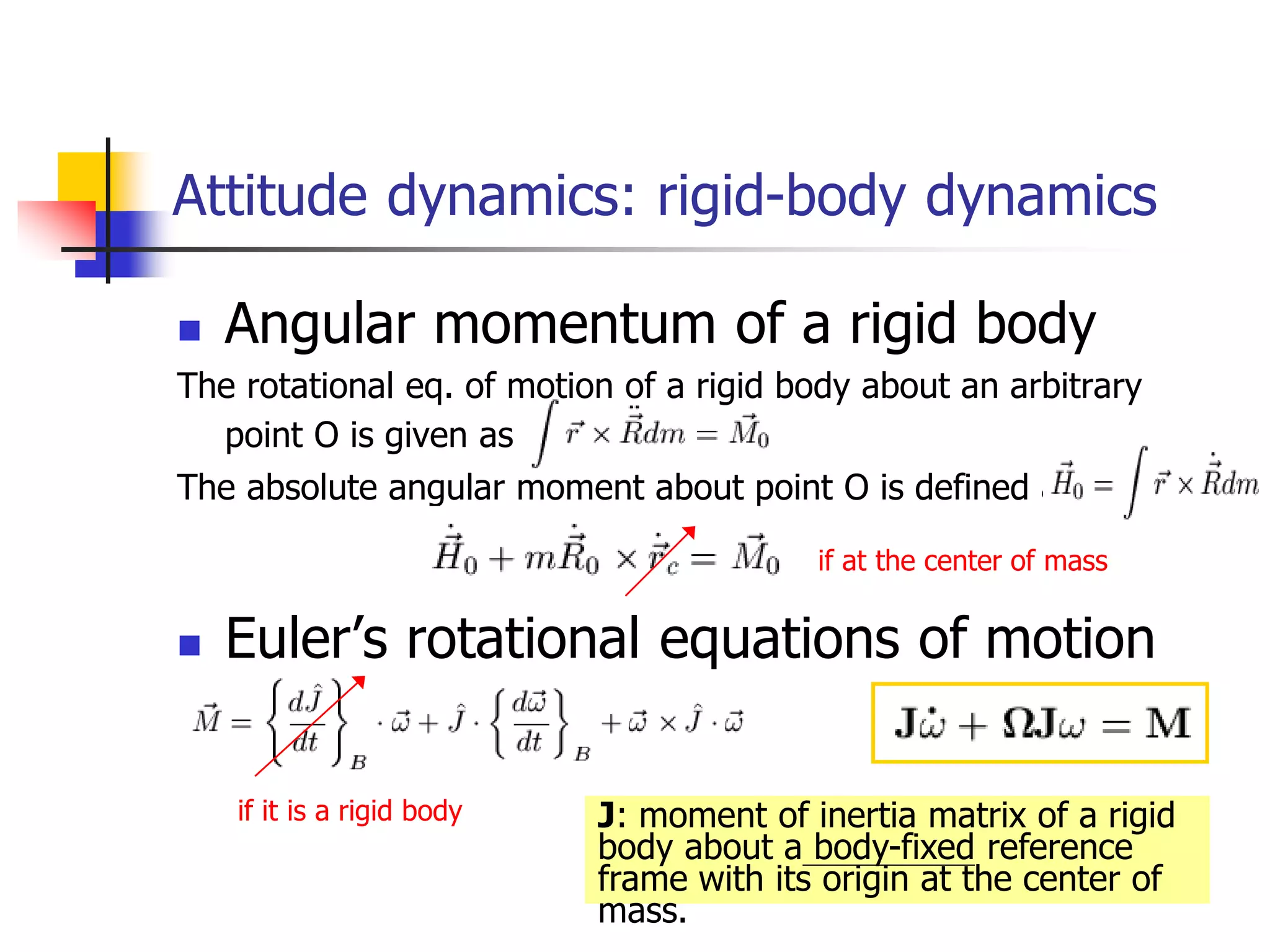
 Angular momentum of a rigid body
The rotational eq. of motion of a rigid body about an arbitrary
point O is given as
The absolute angular moment about point O is defined as
 Euler’s rotational equations of motion
Attitude dynamics: rigid-body dynamics
if at the center of mass
if it is a rigid body J: moment of inertia matrix of a rigid
body about a body-fixed reference
frame with its origin at the center of
mass.
Attitude dynamics:
general torque-free motion (M=0)
 Angular velocity vector must lie on 1) angular
momentum ellipsoid, and 2) kinetic energy ellipsoid
at the same time  intersection: polhode (seen from
body-fixed reference frame)
 Analytical closed-form solution to the torque-free
motion of an asymmetric rigid body is expressed in
terms of Jacobi elliptic functions.
 Stability of torque-free motion about principal axes: 1)
major axis: stable; 2) intermediate axis: unstable; 3)
minor axis: stable only if no energy dissipation.
Attitude dynamics:
constant body-fixed torque (M=const.)
 Spinning axisymmetric body
 Possesses a gyrostatic stiffness to external
disturbances (e.g., football)
 The path of the tip of the axis of symmetry in
space is an epicycloid.
 Asymmetric rigid body
 About major or minor axis
 About intermediate axis
Gravitational Orbit-Attitude Coupling
 Why coupling? Because the rigid body is not
a point mass.
 Derivation: expand the Earth gravitational
force in terms of Legendre polynomial, then
the corresponding torque appears in higher
order terms of the moment of inertia dyadic.
 Significant when the characteristic size of the
satellite is larger than 22 km.
 Conclusion: don’t worry about this effect now.
 Orbit: Newton’s 2nd law of motion
 Attitude a): kinematic equation
 Attitude b): dynamic equation
Solve Attitude/Orbit dynamics numerically
Cowell’s formulation (Encke’s
method)
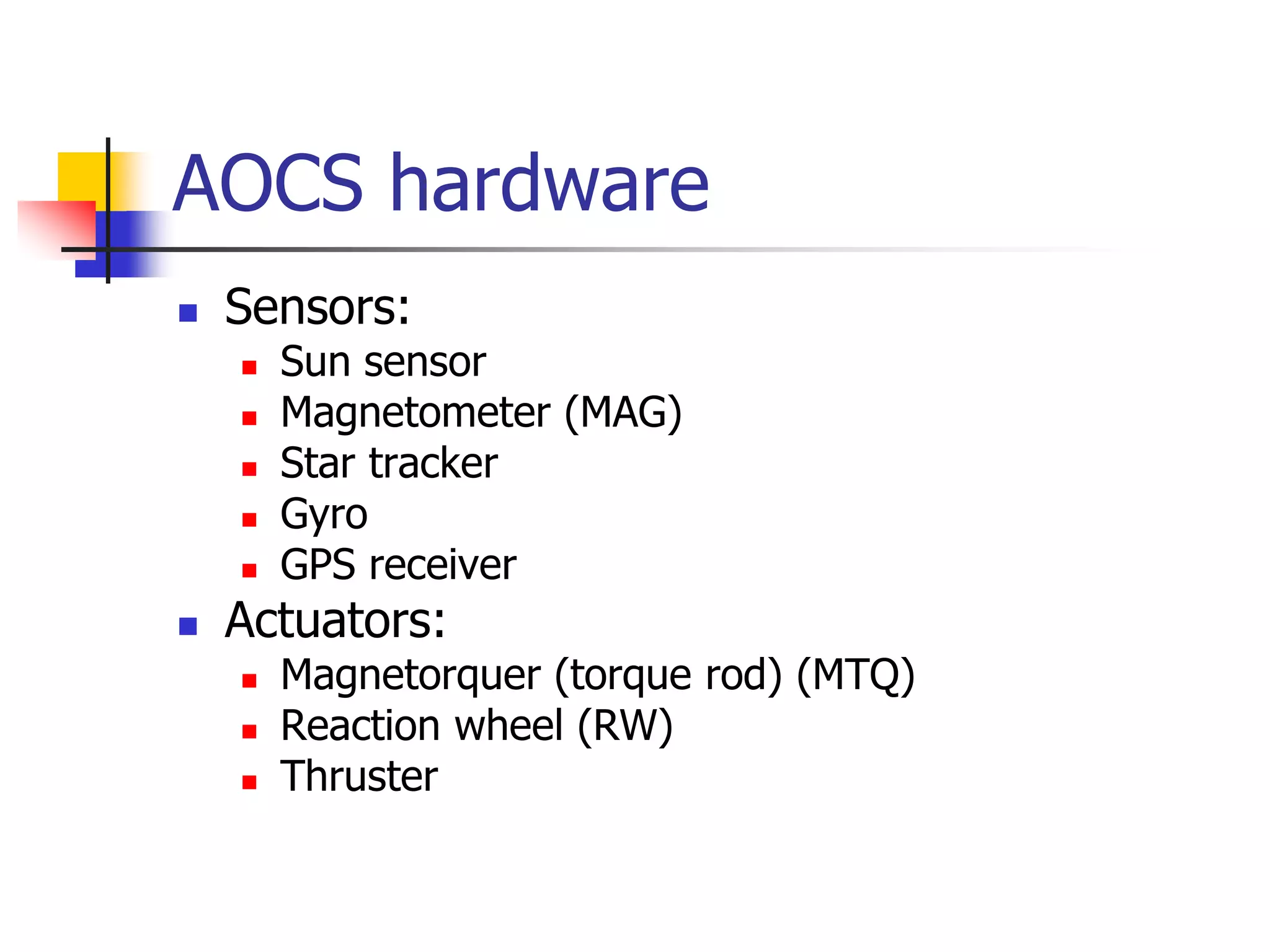
AOCS hardware
 Sensors:
 Sun sensor
 Magnetometer (MAG)
 Star tracker
 Gyro
 GPS receiver
 Actuators:
 Magnetorquer (torque rod) (MTQ)
 Reaction wheel (RW)
 Thruster
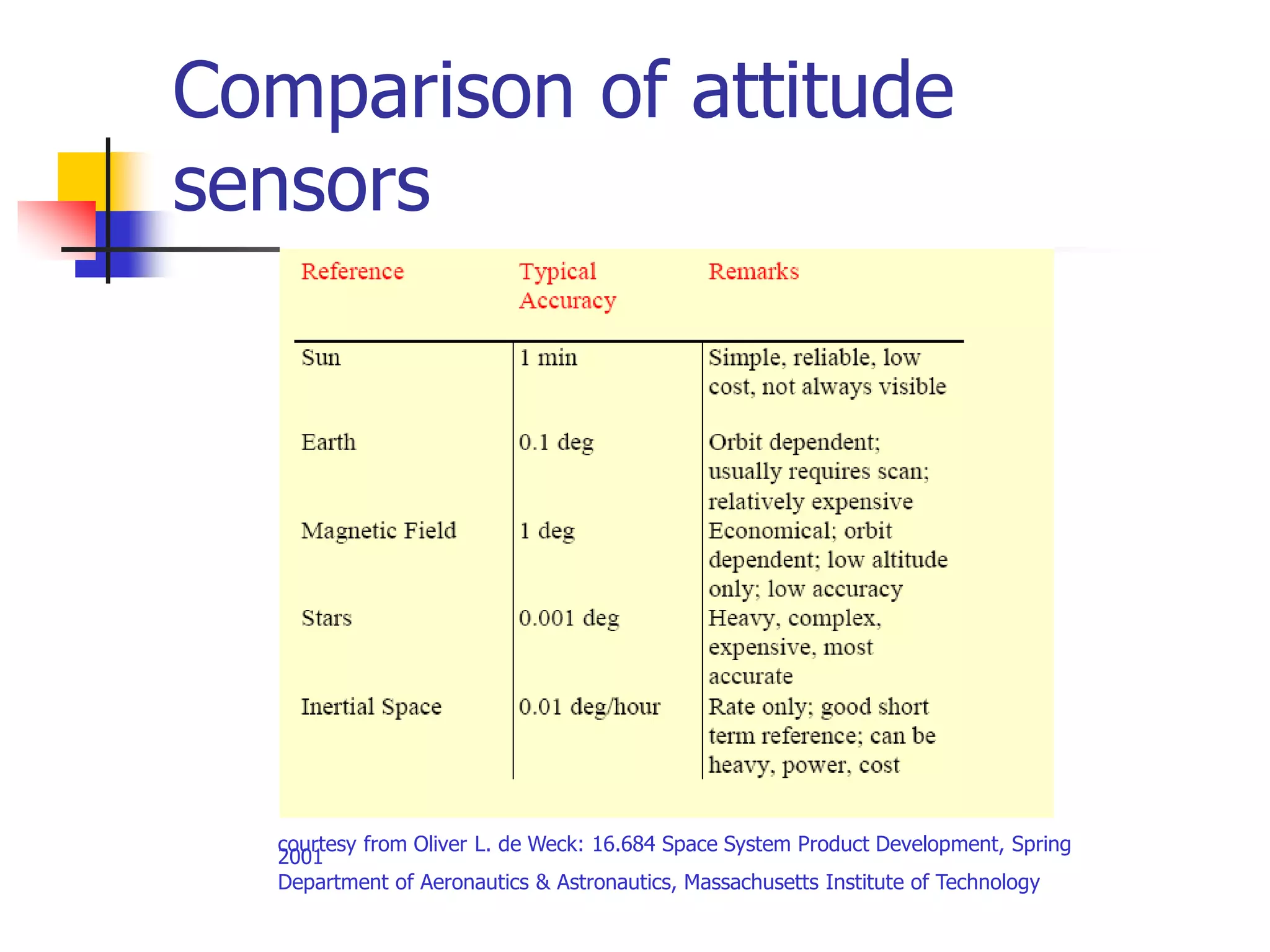
Comparison of attitude
sensors
courtesy from Oliver L. de Weck: 16.684 Space System Product Development, Spring
2001
Department of Aeronautics & Astronautics, Massachusetts Institute of Technology
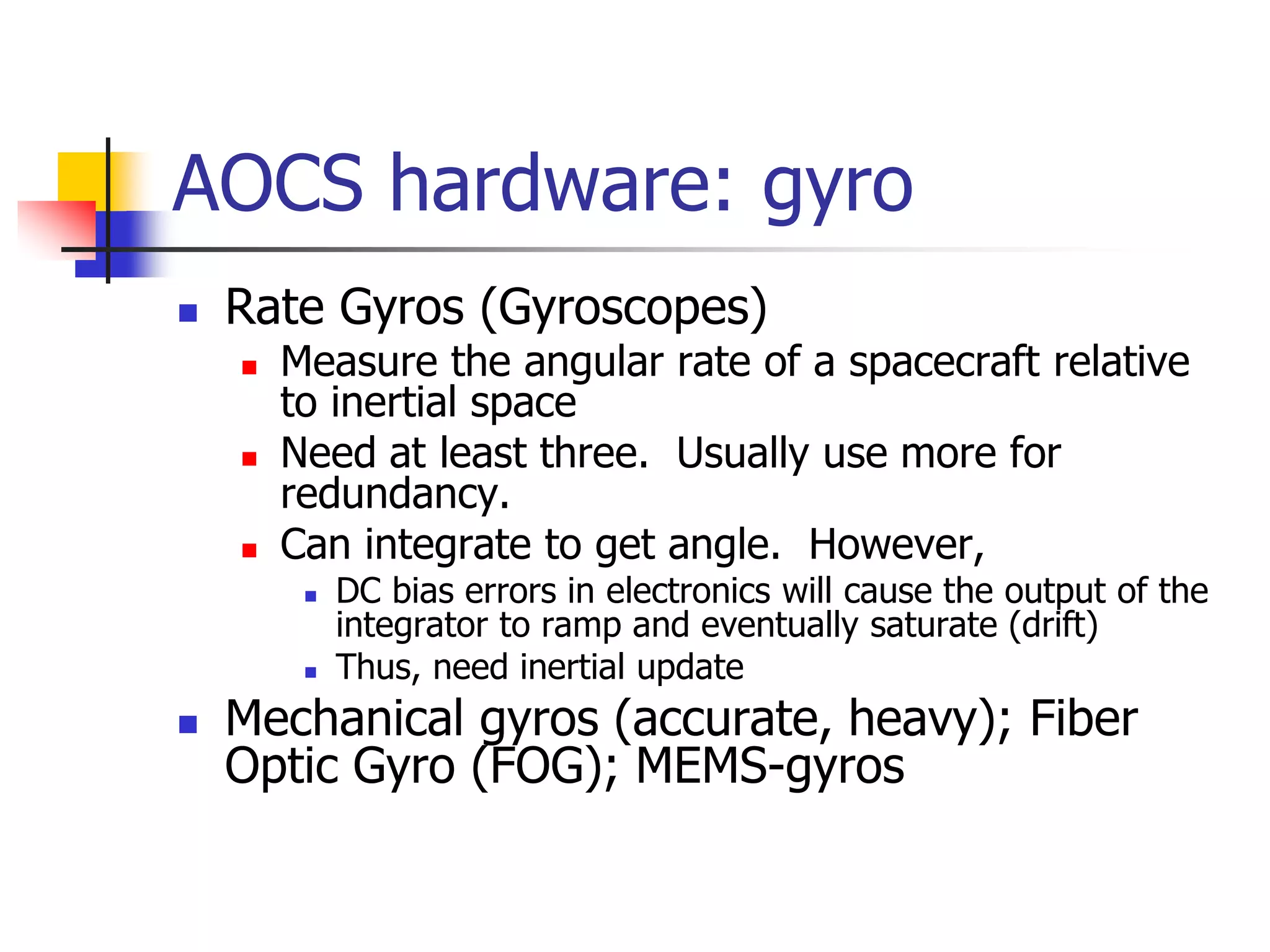
AOCS hardware: gyro
 Rate Gyros (Gyroscopes)
 Measure the angular rate of a spacecraft relative
to inertial space
 Need at least three. Usually use more for
redundancy.
 Can integrate to get angle. However,
 DC bias errors in electronics will cause the output of the
integrator to ramp and eventually saturate (drift)
 Thus, need inertial update
 Mechanical gyros (accurate, heavy); Fiber
Optic Gyro (FOG); MEMS-gyros
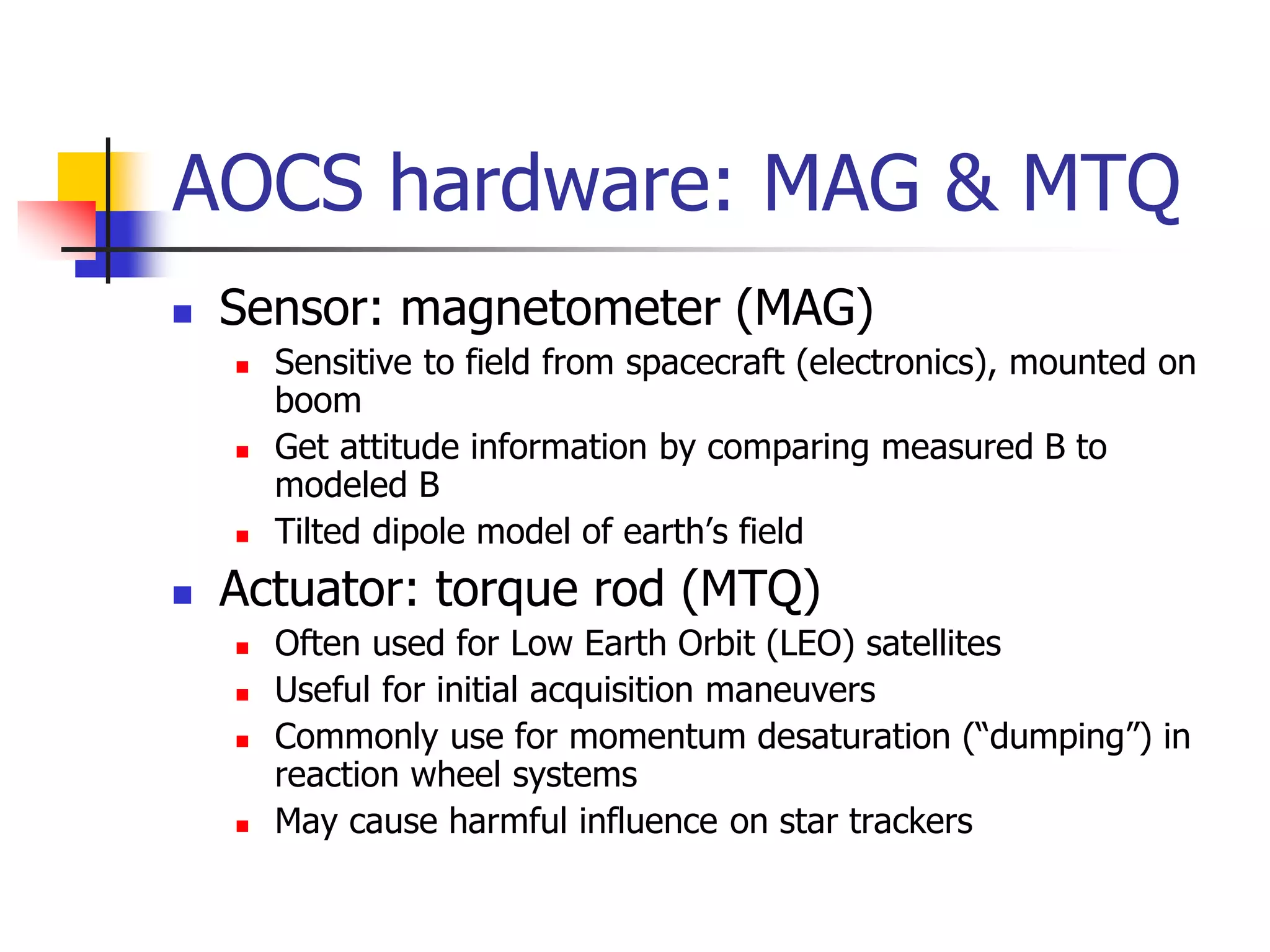
AOCS hardware: MAG & MTQ
 Sensor: magnetometer (MAG)
 Sensitive to field from spacecraft (electronics), mounted on
boom
 Get attitude information by comparing measured B to
modeled B
 Tilted dipole model of earth’s field
 Actuator: torque rod (MTQ)
 Often used for Low Earth Orbit (LEO) satellites
 Useful for initial acquisition maneuvers
 Commonly use for momentum desaturation (“dumping”) in
reaction wheel systems
 May cause harmful influence on star trackers
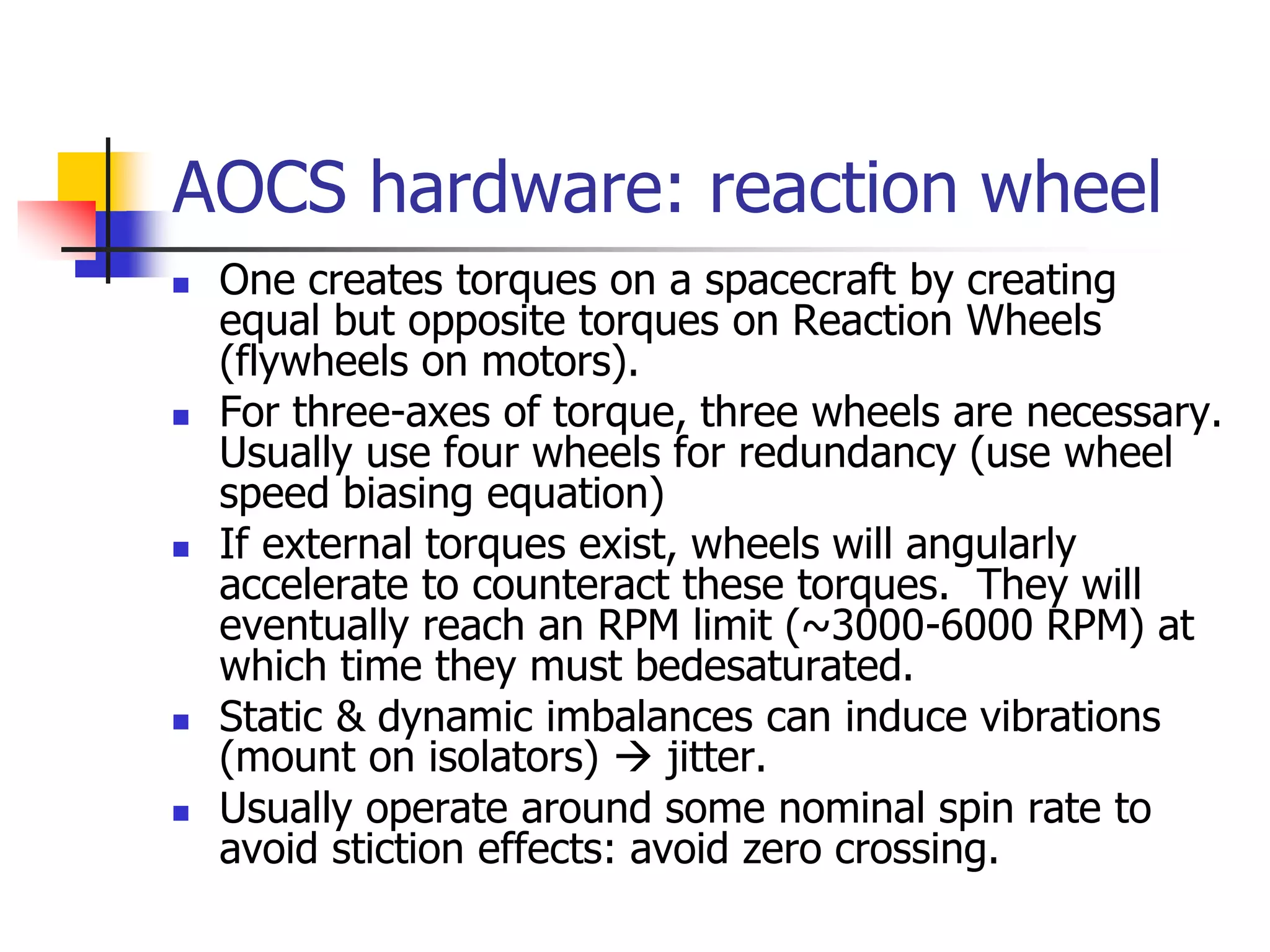
AOCS hardware: reaction wheel
 One creates torques on a spacecraft by creating
equal but opposite torques on Reaction Wheels
(flywheels on motors).
 For three-axes of torque, three wheels are necessary.
Usually use four wheels for redundancy (use wheel
speed biasing equation)
 If external torques exist, wheels will angularly
accelerate to counteract these torques. They will
eventually reach an RPM limit (~3000-6000 RPM) at
which time they must bedesaturated.
 Static & dynamic imbalances can induce vibrations
(mount on isolators)  jitter.
 Usually operate around some nominal spin rate to
avoid stiction effects: avoid zero crossing.
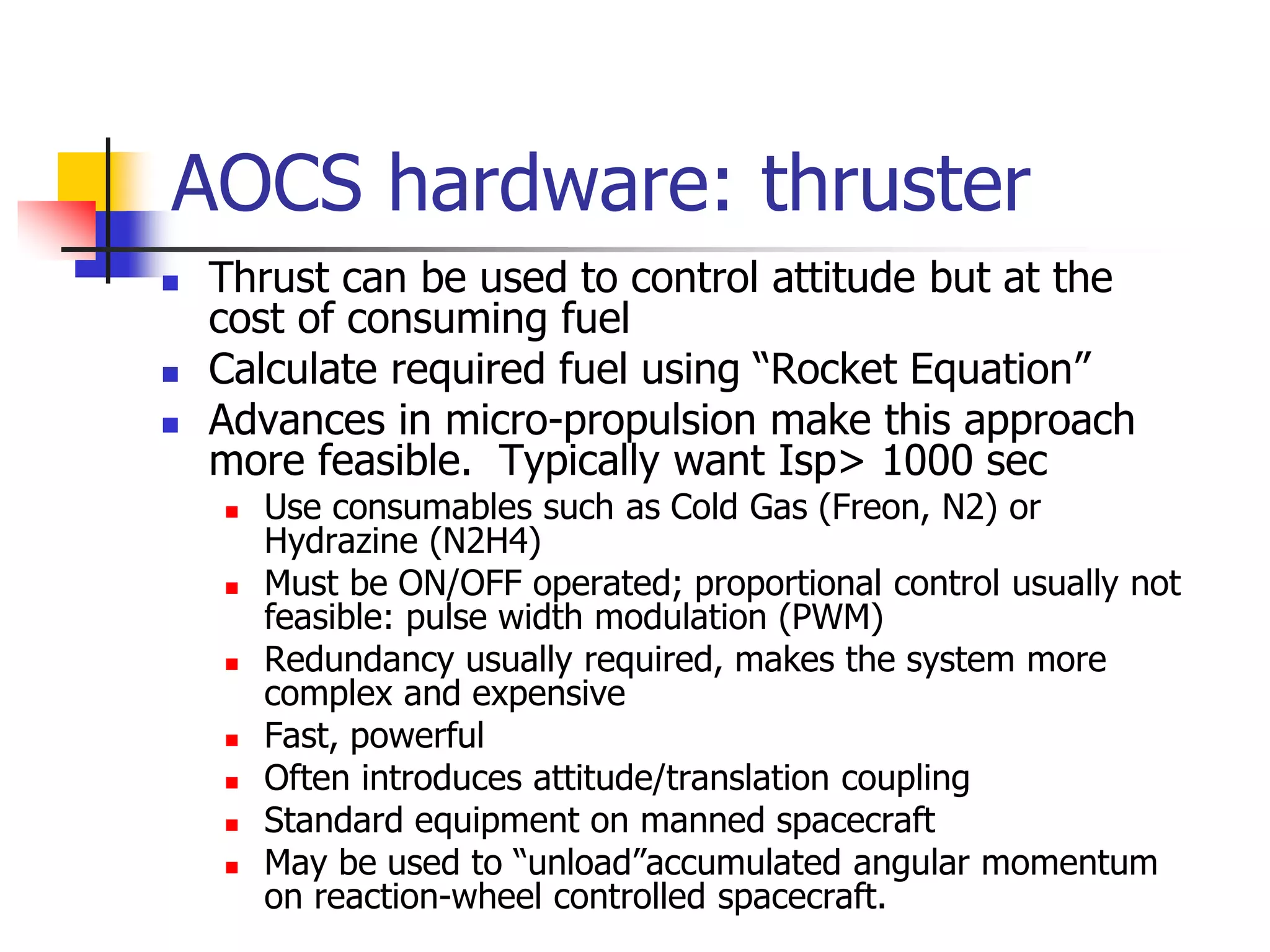
AOCS hardware: thruster
 Thrust can be used to control attitude but at the
cost of consuming fuel
 Calculate required fuel using “Rocket Equation”
 Advances in micro-propulsion make this approach
more feasible. Typically want Isp> 1000 sec
 Use consumables such as Cold Gas (Freon, N2) or
Hydrazine (N2H4)
 Must be ON/OFF operated; proportional control usually not
feasible: pulse width modulation (PWM)
 Redundancy usually required, makes the system more
complex and expensive
 Fast, powerful
 Often introduces attitude/translation coupling
 Standard equipment on manned spacecraft
 May be used to “unload”accumulated angular momentum
on reaction-wheel controlled spacecraft.
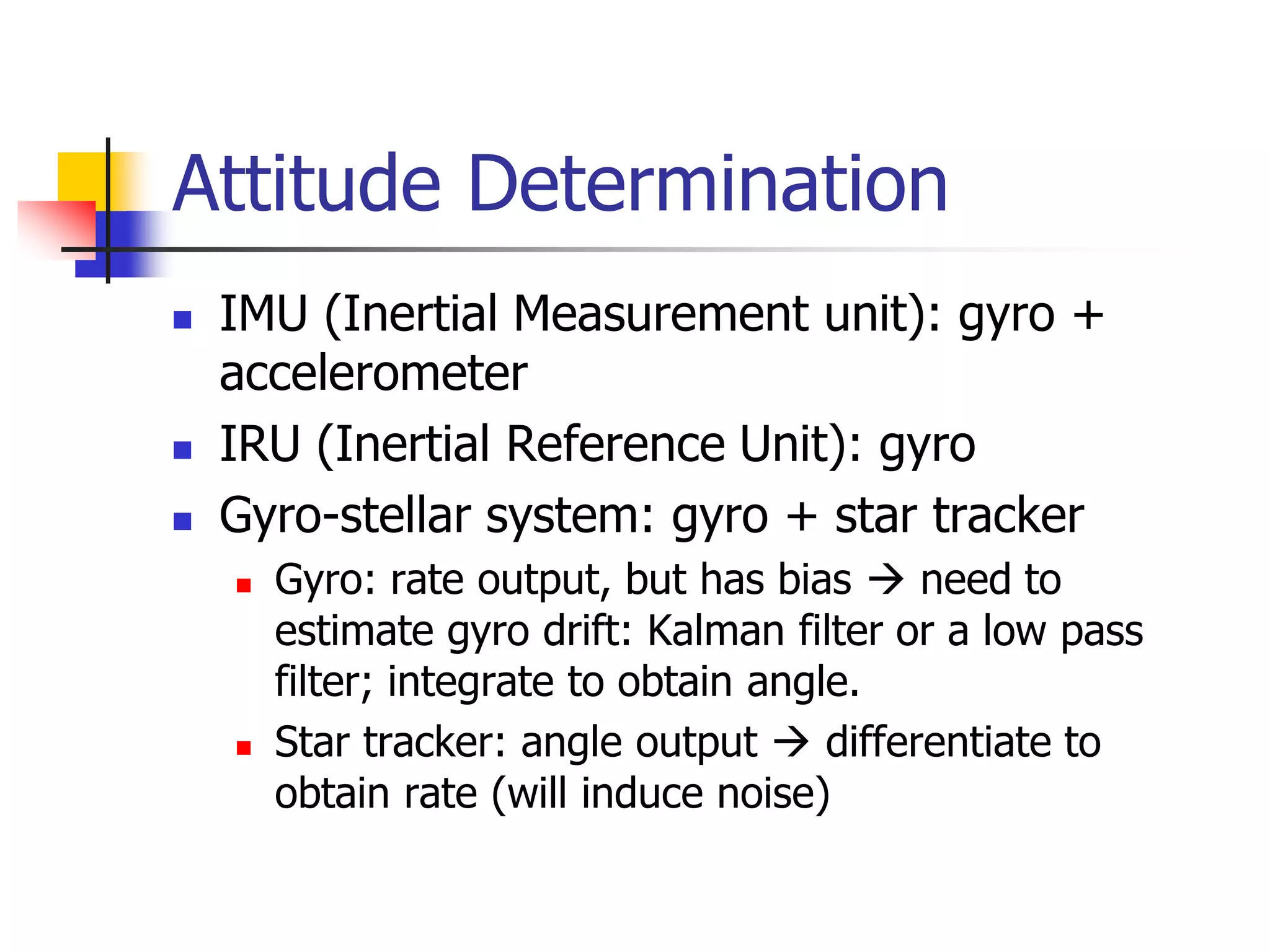
Attitude Determination
 IMU (Inertial Measurement unit): gyro +
accelerometer
 IRU (Inertial Reference Unit): gyro
 Gyro-stellar system: gyro + star tracker
 Gyro: rate output, but has bias  need to
estimate gyro drift: Kalman filter or a low pass
filter; integrate to obtain angle.
 Star tracker: angle output  differentiate to
obtain rate (will induce noise)
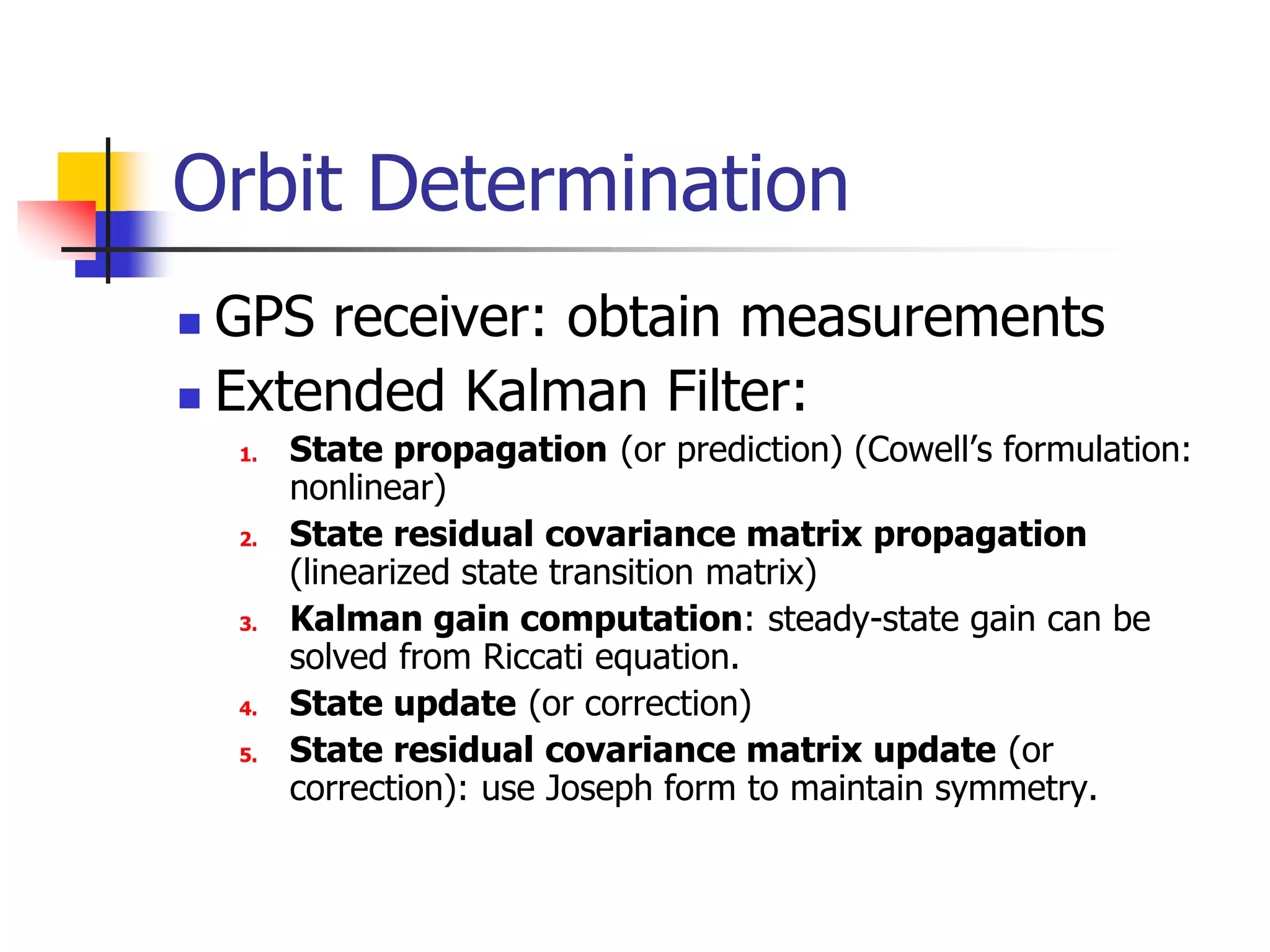
Orbit Determination
 GPS receiver: obtain measurements
 Extended Kalman Filter:
1. State propagation (or prediction) (Cowell’s formulation:
nonlinear)
2. State residual covariance matrix propagation
(linearized state transition matrix)
3. Kalman gain computation: steady-state gain can be
solved from Riccati equation.
4. State update (or correction)
5. State residual covariance matrix update (or
correction): use Joseph form to maintain symmetry.
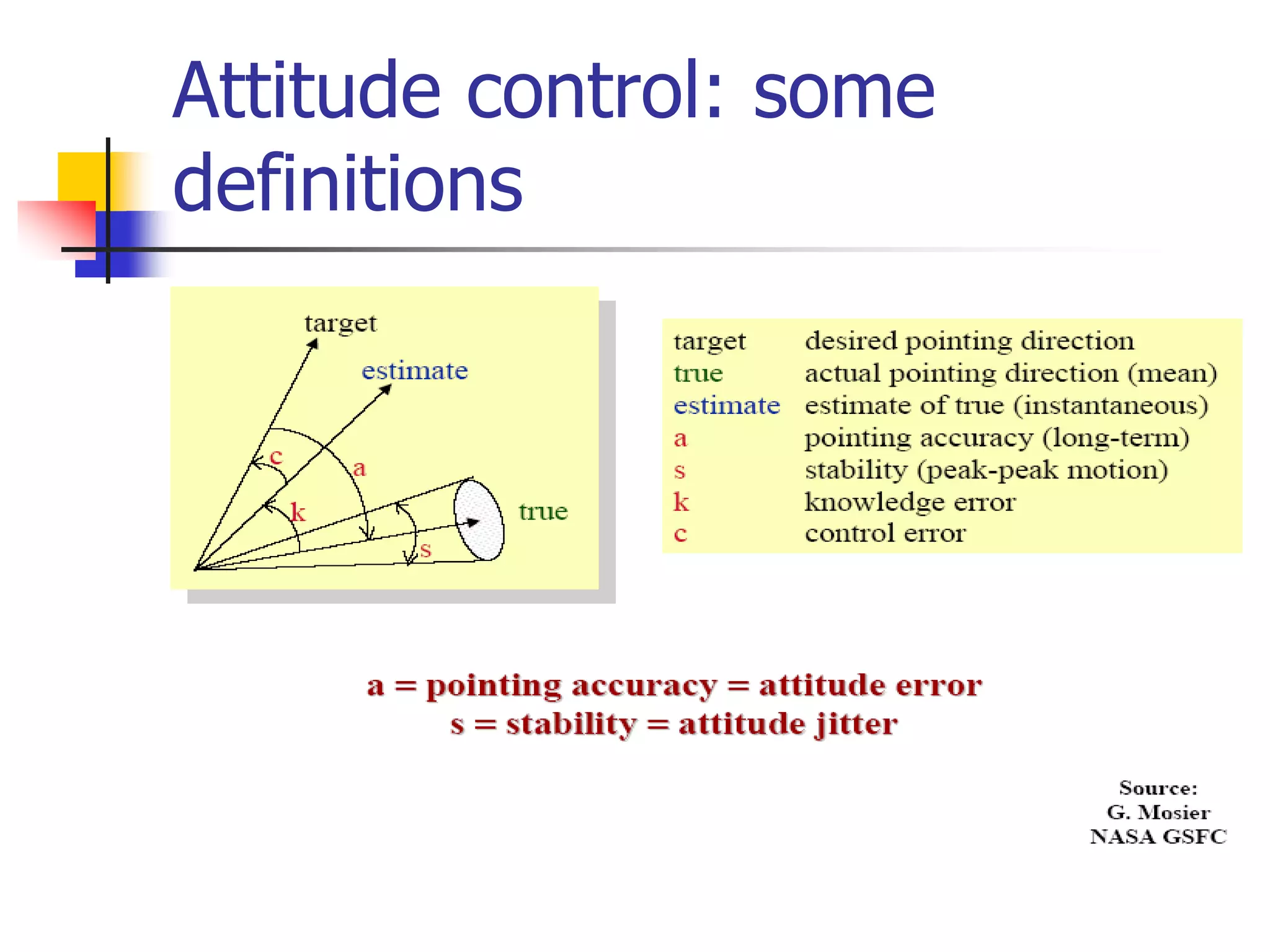
Attitude control: some
definitions
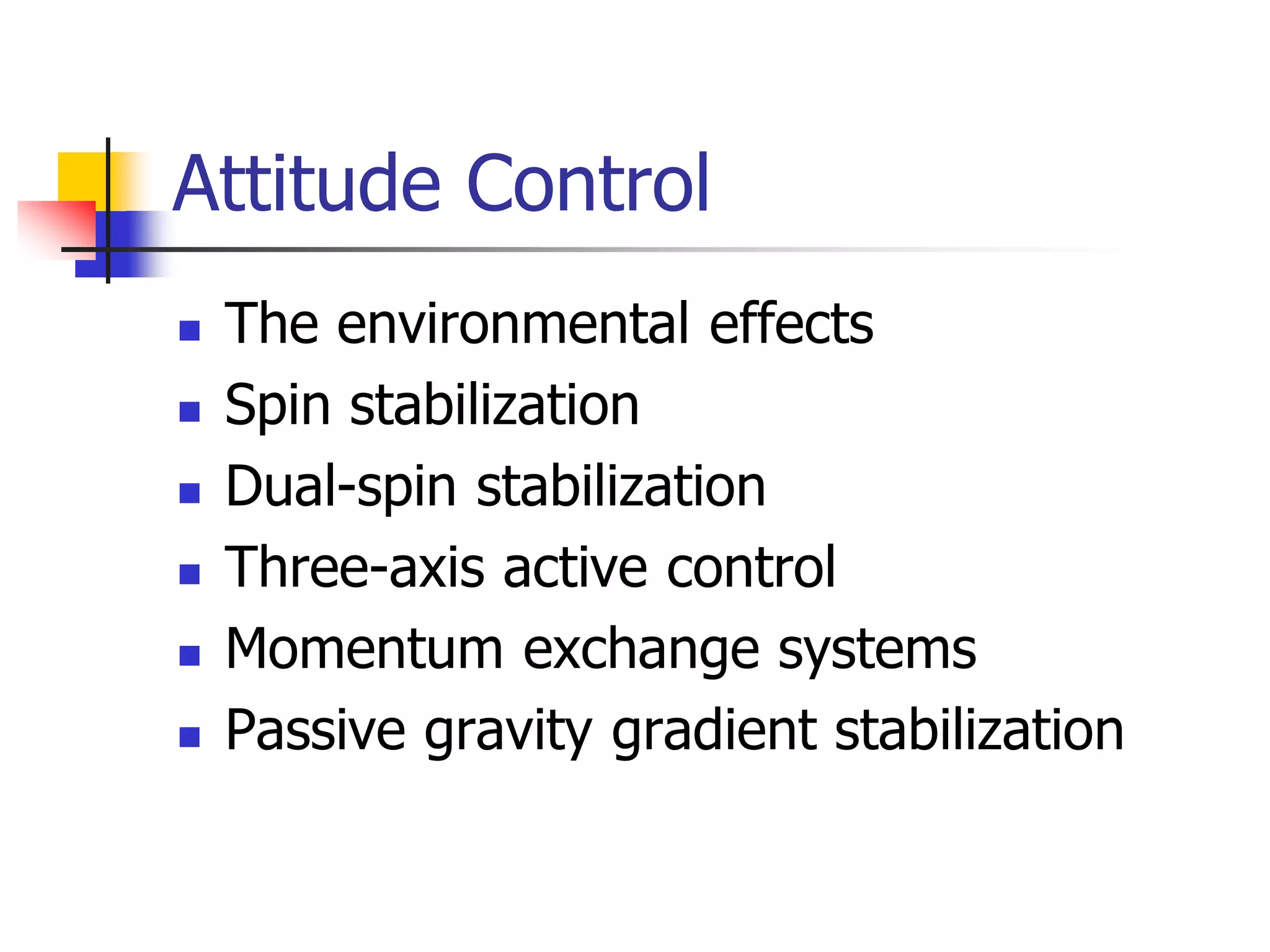
Attitude Control
 The environmental effects
 Spin stabilization
 Dual-spin stabilization
 Three-axis active control
 Momentum exchange systems
 Passive gravity gradient stabilization
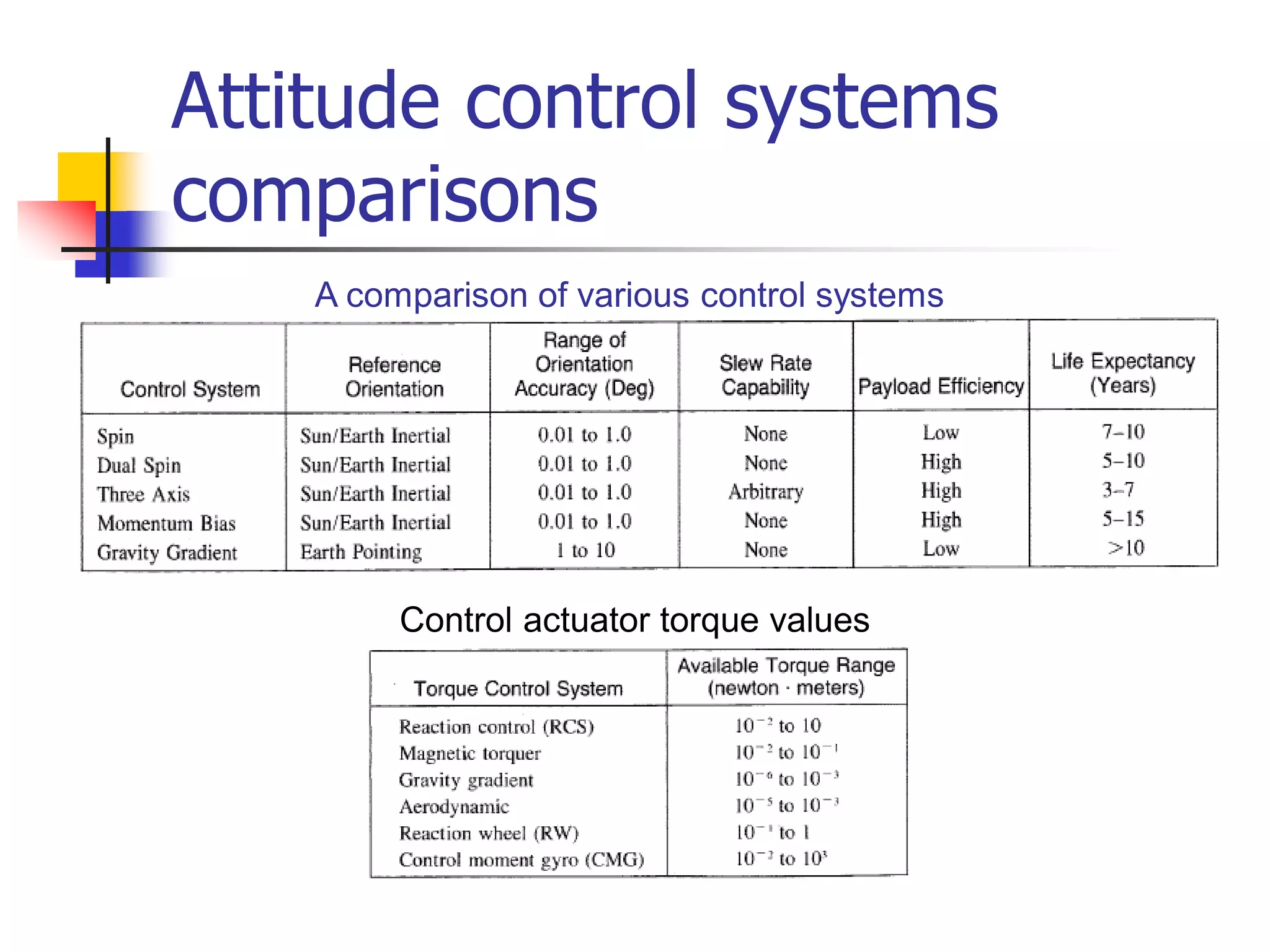
Attitude control systems
comparisons
Control actuator torque values
A comparison of various control systems
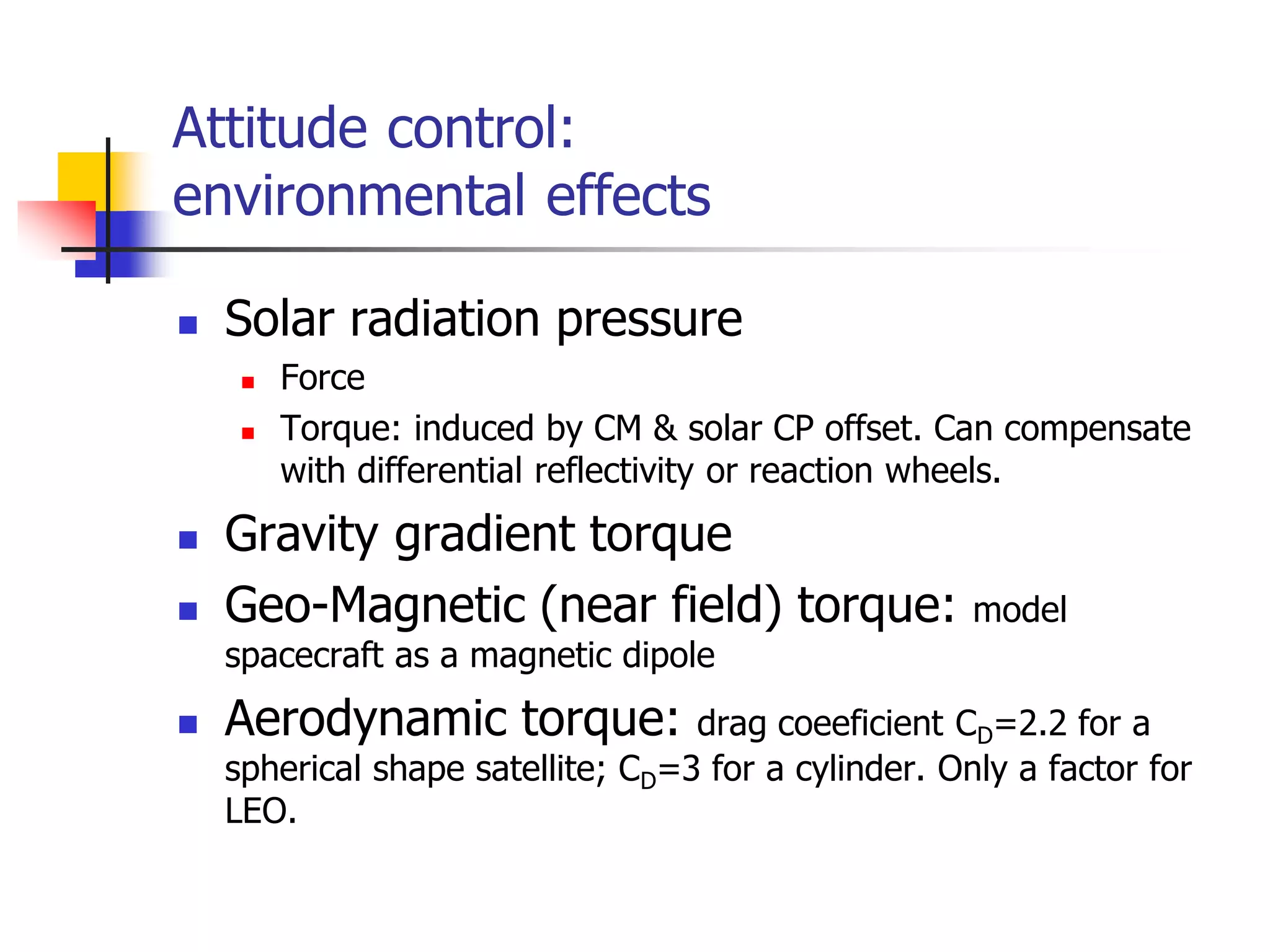
Attitude control:
environmental effects
 Solar radiation pressure
 Force
 Torque: induced by CM & solar CP offset. Can compensate
with differential reflectivity or reaction wheels.
 Gravity gradient torque
 Geo-Magnetic (near field) torque: model
spacecraft as a magnetic dipole
 Aerodynamic torque: drag coeeficient CD=2.2 for a
spherical shape satellite; CD=3 for a cylinder. Only a factor for
LEO.
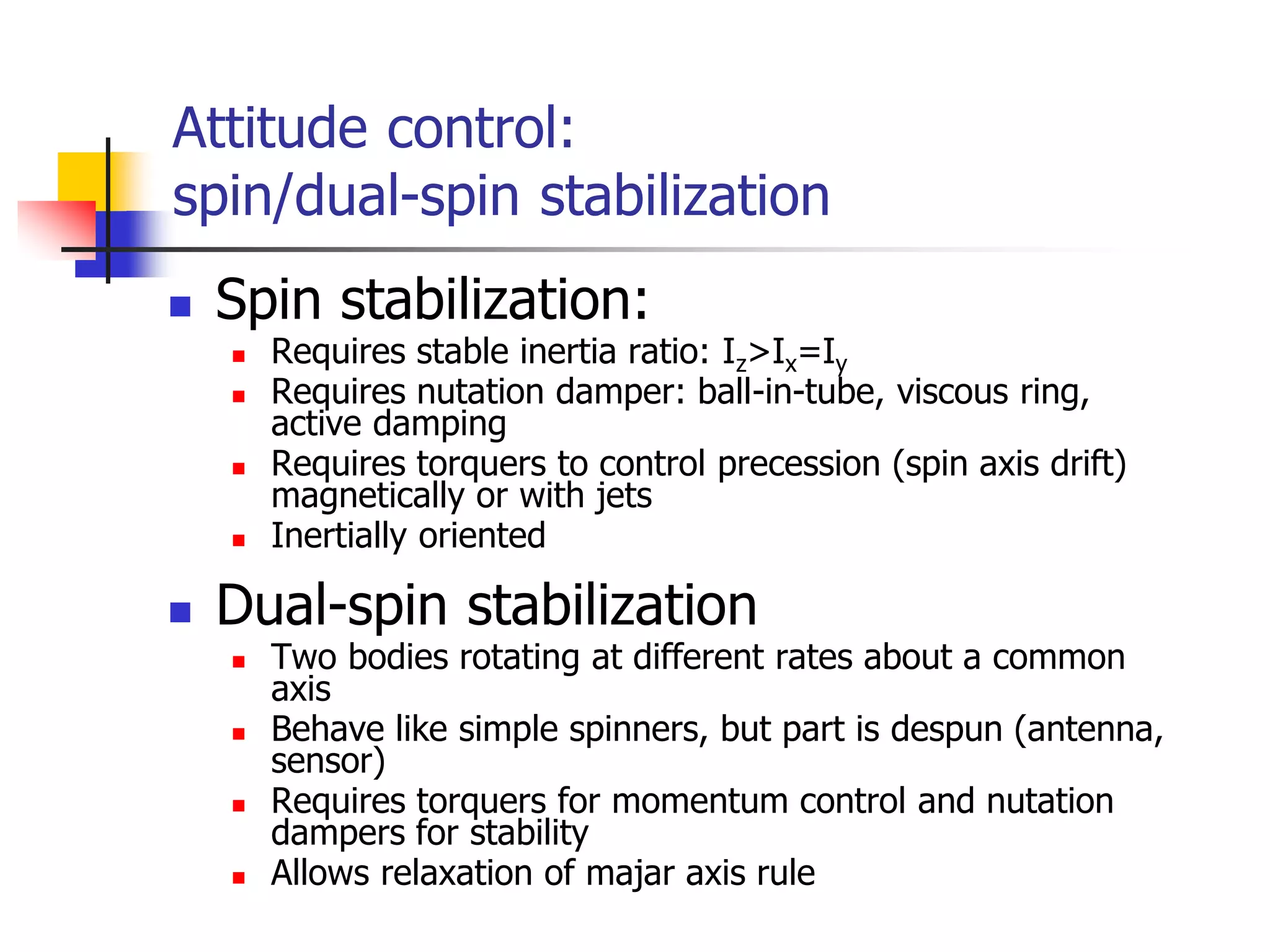
 Spin stabilization:
 Requires stable inertia ratio: Iz>Ix=Iy
 Requires nutation damper: ball-in-tube, viscous ring,
active damping
 Requires torquers to control precession (spin axis drift)
magnetically or with jets
 Inertially oriented
 Dual-spin stabilization
 Two bodies rotating at different rates about a common
axis
 Behave like simple spinners, but part is despun (antenna,
sensor)
 Requires torquers for momentum control and nutation
dampers for stability
 Allows relaxation of majar axis rule
Attitude control:
spin/dual-spin stabilization
Attitude control:
three-axis active control
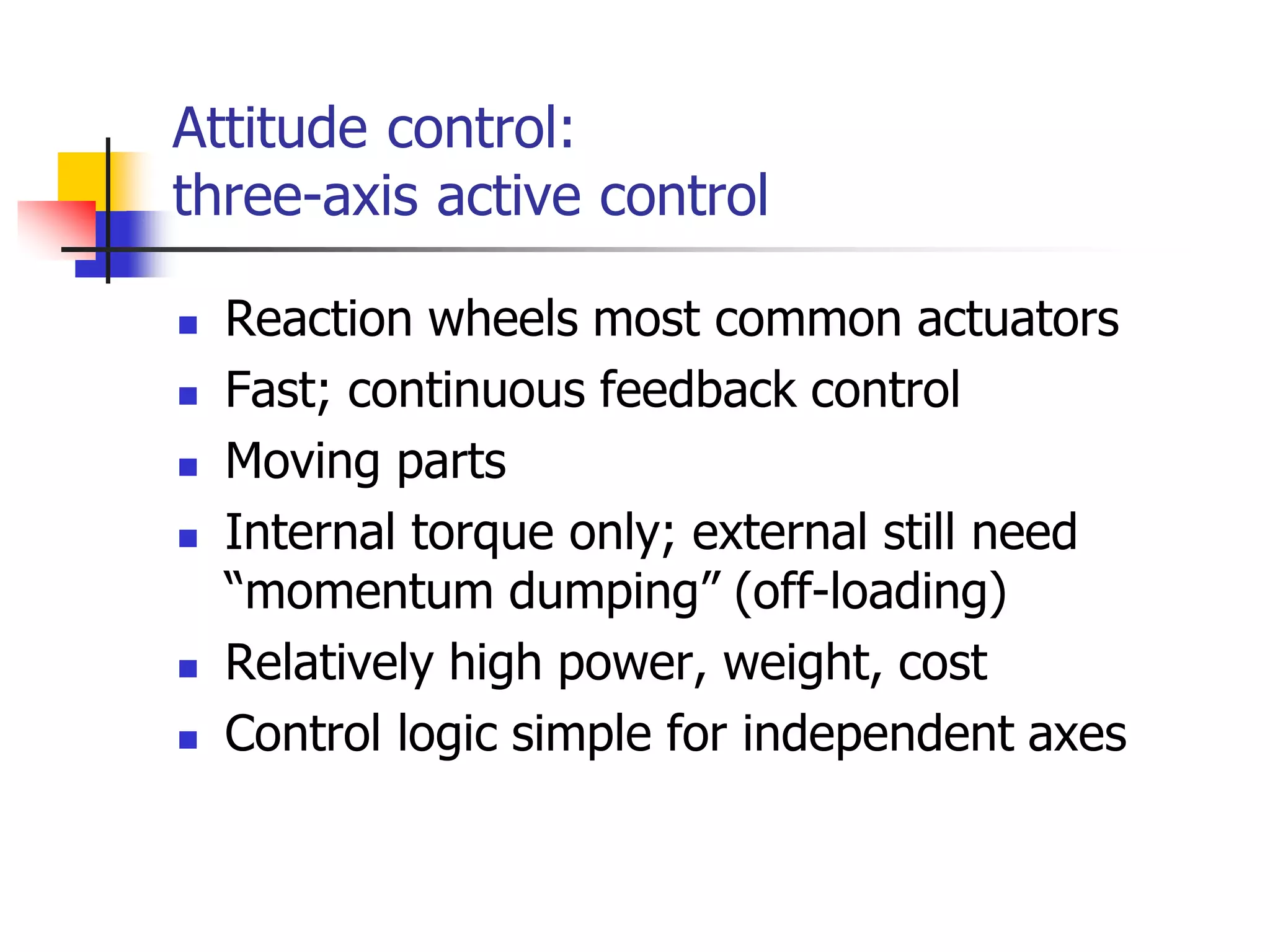
 Reaction wheels most common actuators
 Fast; continuous feedback control
 Moving parts
 Internal torque only; external still need
“momentum dumping” (off-loading)
 Relatively high power, weight, cost
 Control logic simple for independent axes
Attitude control:
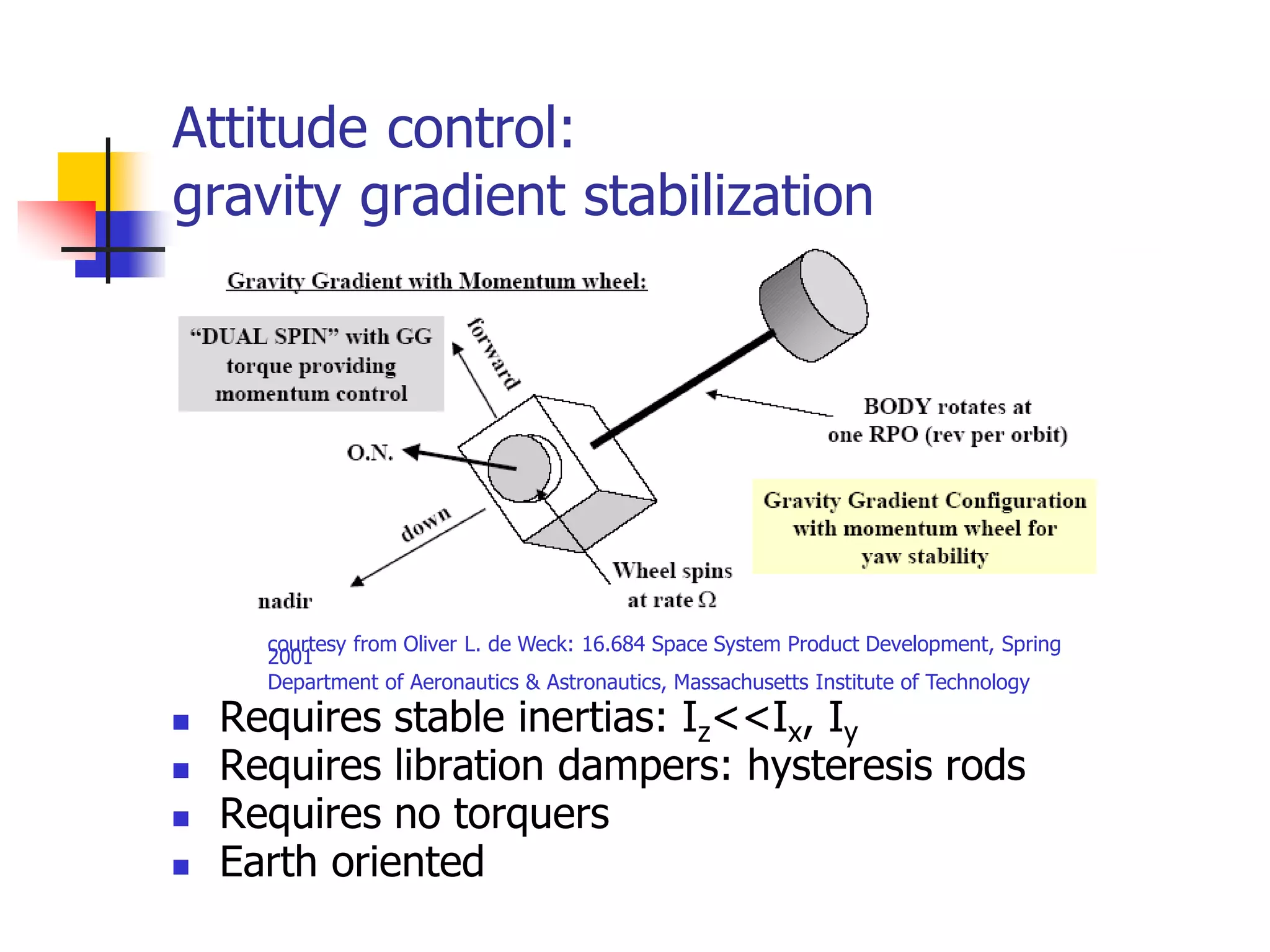
gravity gradient stabilization
 Requires stable inertias: Iz<<Ix, Iy
 Requires libration dampers: hysteresis rods
 Requires no torquers
 Earth oriented
courtesy from Oliver L. de Weck: 16.684 Space System Product Development, Spring
2001
Department of Aeronautics & Astronautics, Massachusetts Institute of Technology
Attitude control:
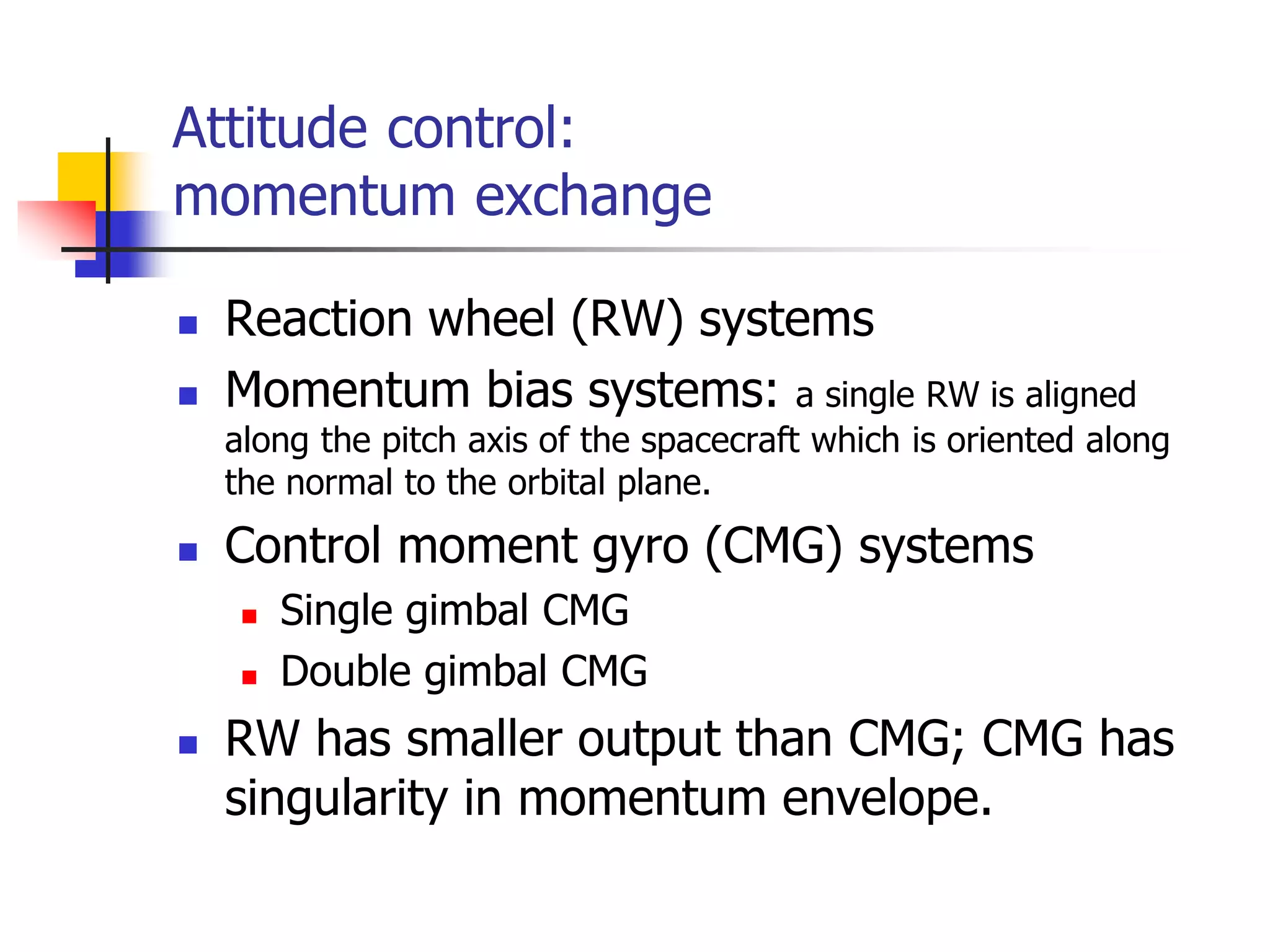
momentum exchange
 Reaction wheel (RW) systems
 Momentum bias systems: a single RW is aligned
along the pitch axis of the spacecraft which is oriented along
the normal to the orbital plane.
 Control moment gyro (CMG) systems
 Single gimbal CMG
 Double gimbal CMG
 RW has smaller output than CMG; CMG has
singularity in momentum envelope.
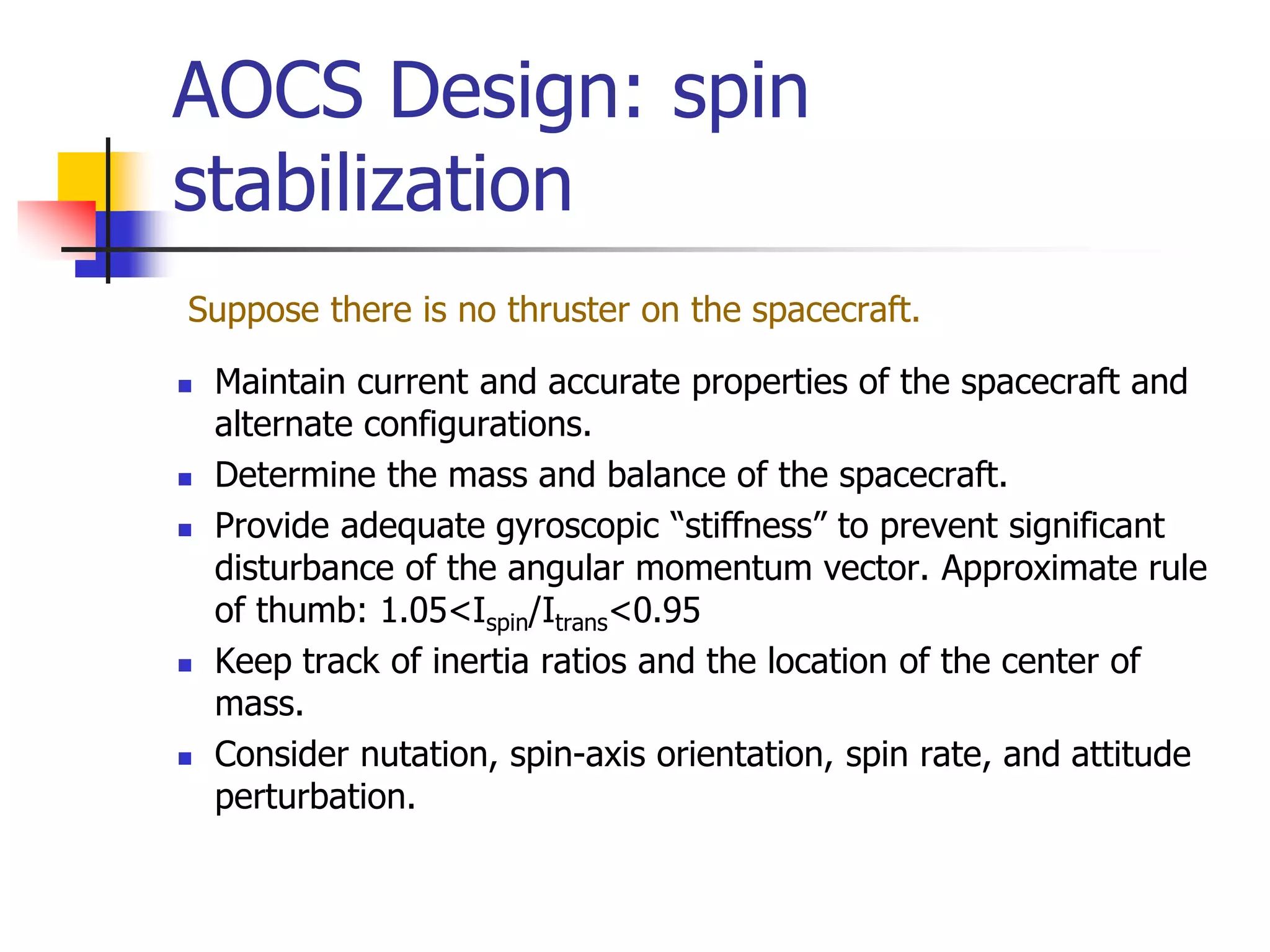
AOCS Design: spin
stabilization
Suppose there is no thruster on the spacecraft.
 Maintain current and accurate properties of the spacecraft and
alternate configurations.
 Determine the mass and balance of the spacecraft.
 Provide adequate gyroscopic “stiffness” to prevent significant
disturbance of the angular momentum vector. Approximate rule
of thumb: 1.05<Ispin/Itrans<0.95
 Keep track of inertia ratios and the location of the center of
mass.
 Consider nutation, spin-axis orientation, spin rate, and attitude
perturbation.
AOCS Design: dual-spin
stabilization
1. Energy dissipation of the spacecraft should be managed.
2. The center of mass of the spinner should be as close to the
bearing axis as possible.
3. The bearing axis should be the principal axis of the spinning
part to prevent forced oscillations and nutation due to center
of mass offset and cross products of inertia of the spinner.
4. The spinner should be dynamically symmetric (equal
transverse moments of inertia) or the stability of spin about
the minor principal axis of the spacecraft must be reevaluated
by numerical simulation.
5. For the general case when the despun body has significant
cross products of inertia or if its center of mass is not on the
bearing axis, simulation of the system equations is
recommended.
AOCS Design: three-axis active control
1. Ensure that all closed loop control systems exhibit acceptable
transient response.
2. Control system torque capability must be sufficiently large to
correct initial condition errors and maintain attitude limits
within specified values in the presence of the maximum
environmental disturbances.
3. The control logic must be consistent with the minimum
impulse size and lifetime specification of the thrusters.
4. Evaluate system performance incorporating as many hardware
elements in a simulation as possible,
5. Combine the normal tolerances statistically with the beginning
and end-of-life center of mass location and moment of inertia
characteristics.
FormoSat-2 follow-on
animation
 ASH (Acquisition Safe Hold) mode
animation: one-axis stabilization 
SLO (Sun LOck)/STR (Sun TRack)
 Normal mode animation: (active
three-axis active attitude control)
GAP (Geocentric Attitude Pointing) 
MAN (MANeuver)  FIP (FIne
Pointing)  SUP (SUn Pointing) 
GAP
Link Budgets
 It is a theoretical calculation of end-to-end
performance for a communications path
under a specific set of conditions.
 Sometimes the conditions are stated; most
often at least some of them are implied or
assumed.
 Every link budget implies everything not
included is irrelevant.
 Sometimes this is true
What Is a Link Budget
Why is a Link Budget
Important
 A link budget is used to predict
performance before the link is
established.
 Show in advance if it will be acceptable
 Show if one option is better than another
 Provide a criterion to evaluate actual
performance
Link Budget Components
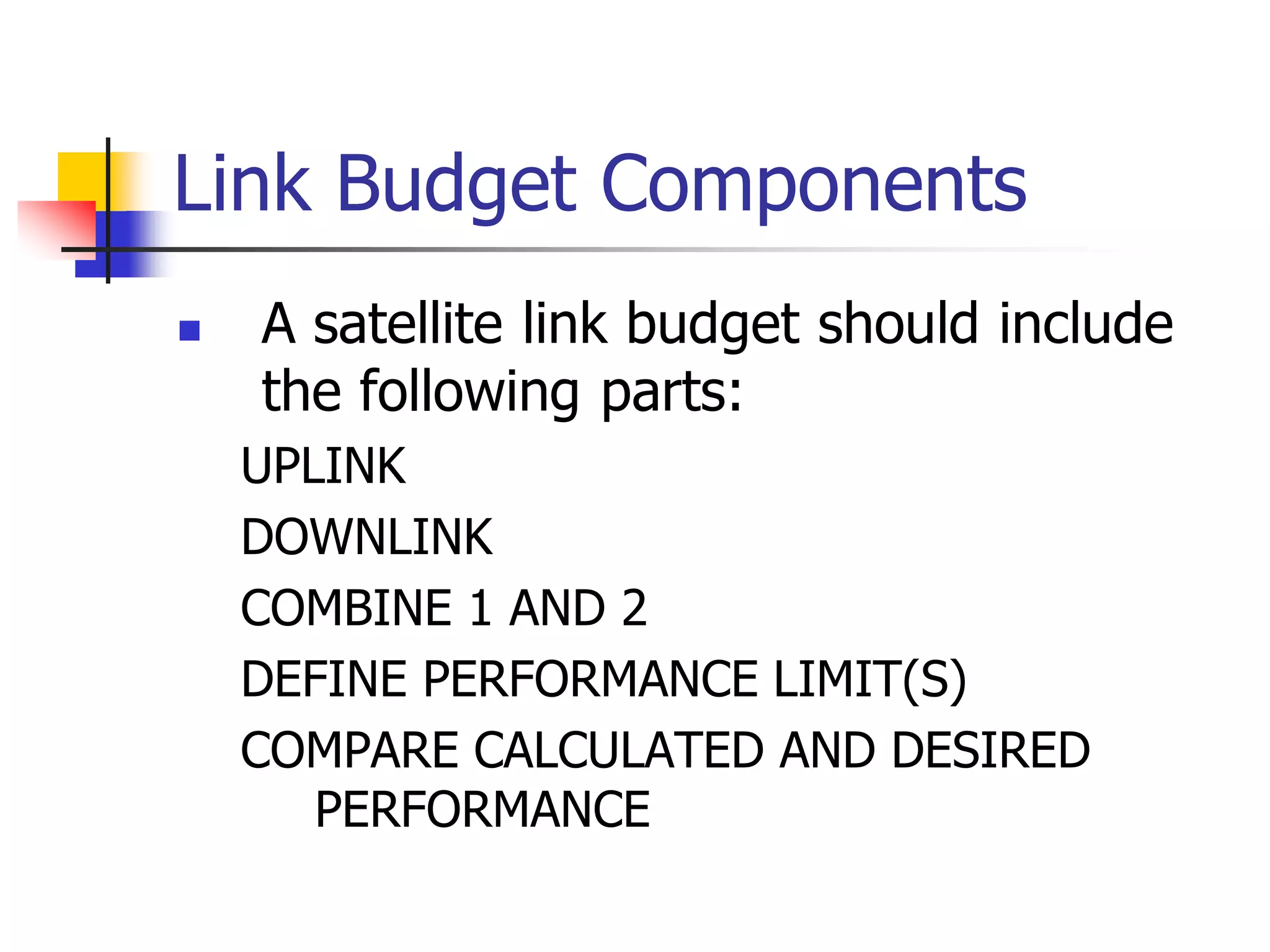
 A satellite link budget should include
the following parts:
UPLINK
DOWNLINK
COMBINE 1 AND 2
DEFINE PERFORMANCE LIMIT(S)
COMPARE CALCULATED AND DESIRED
PERFORMANCE
EXAMPLE PART 1
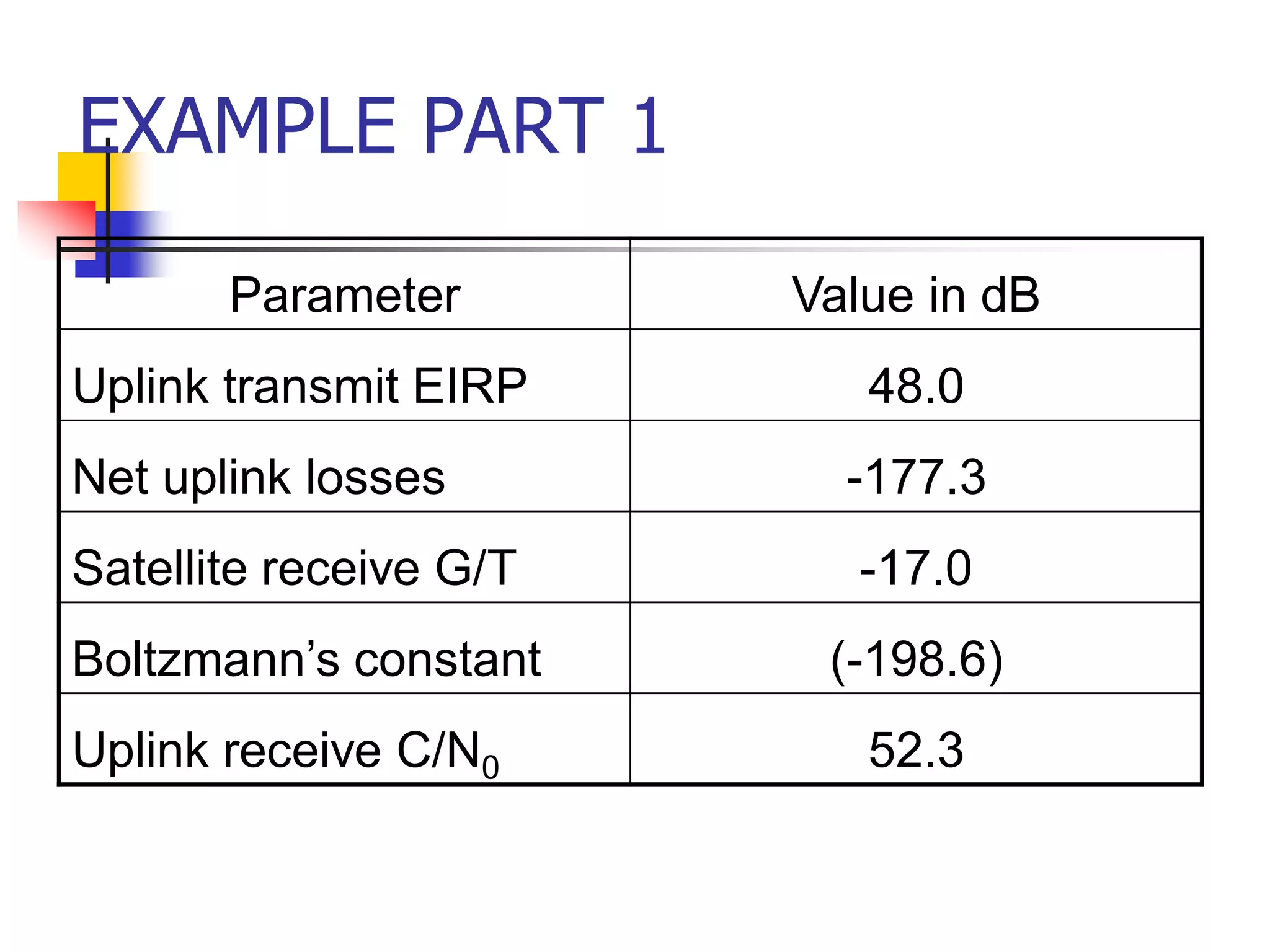
Parameter Value in dB
Uplink transmit EIRP 48.0
Net uplink losses -177.3
Satellite receive G/T -17.0
Boltzmann’s constant (-198.6)
Uplink receive C/N0 52.3
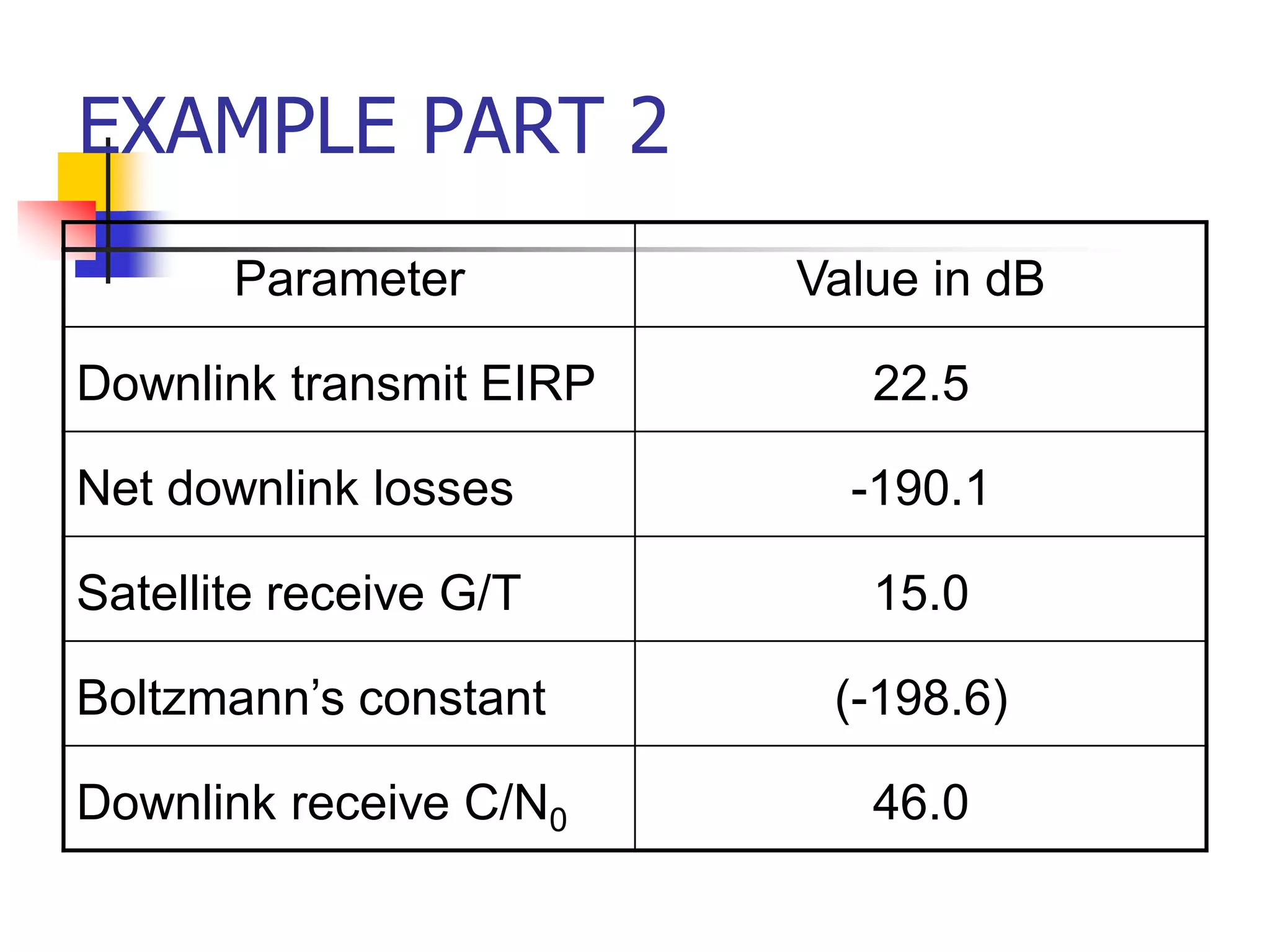
EXAMPLE PART 2
Parameter Value in dB
Downlink transmit EIRP 22.5
Net downlink losses -190.1
Satellite receive G/T 15.0
Boltzmann’s constant (-198.6)
Downlink receive C/N0 46.0
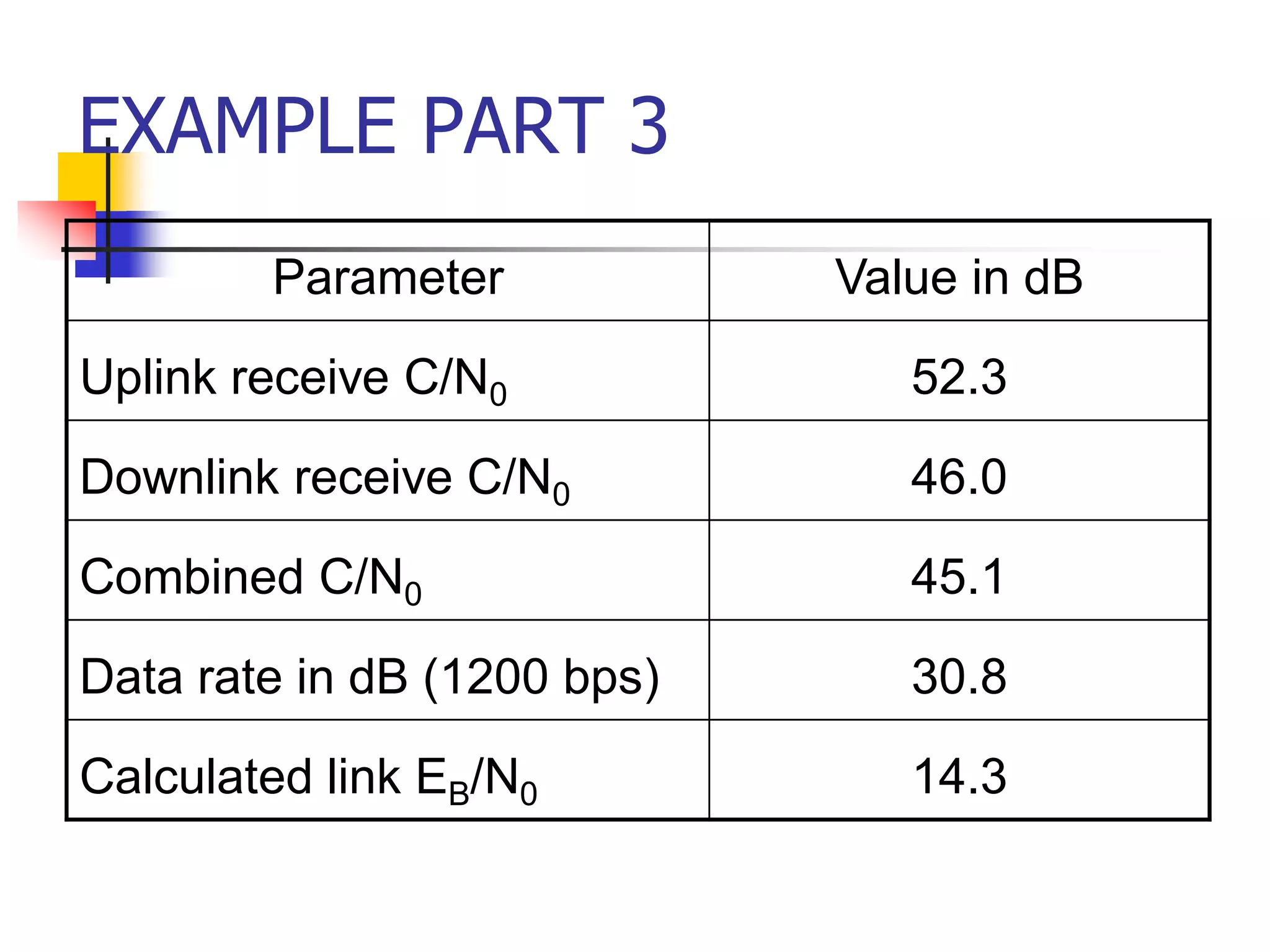
EXAMPLE PART 3
Parameter Value in dB
Uplink receive C/N0 52.3
Downlink receive C/N0 46.0
Combined C/N0 45.1
Data rate in dB (1200 bps) 30.8
Calculated link EB/N0 14.3
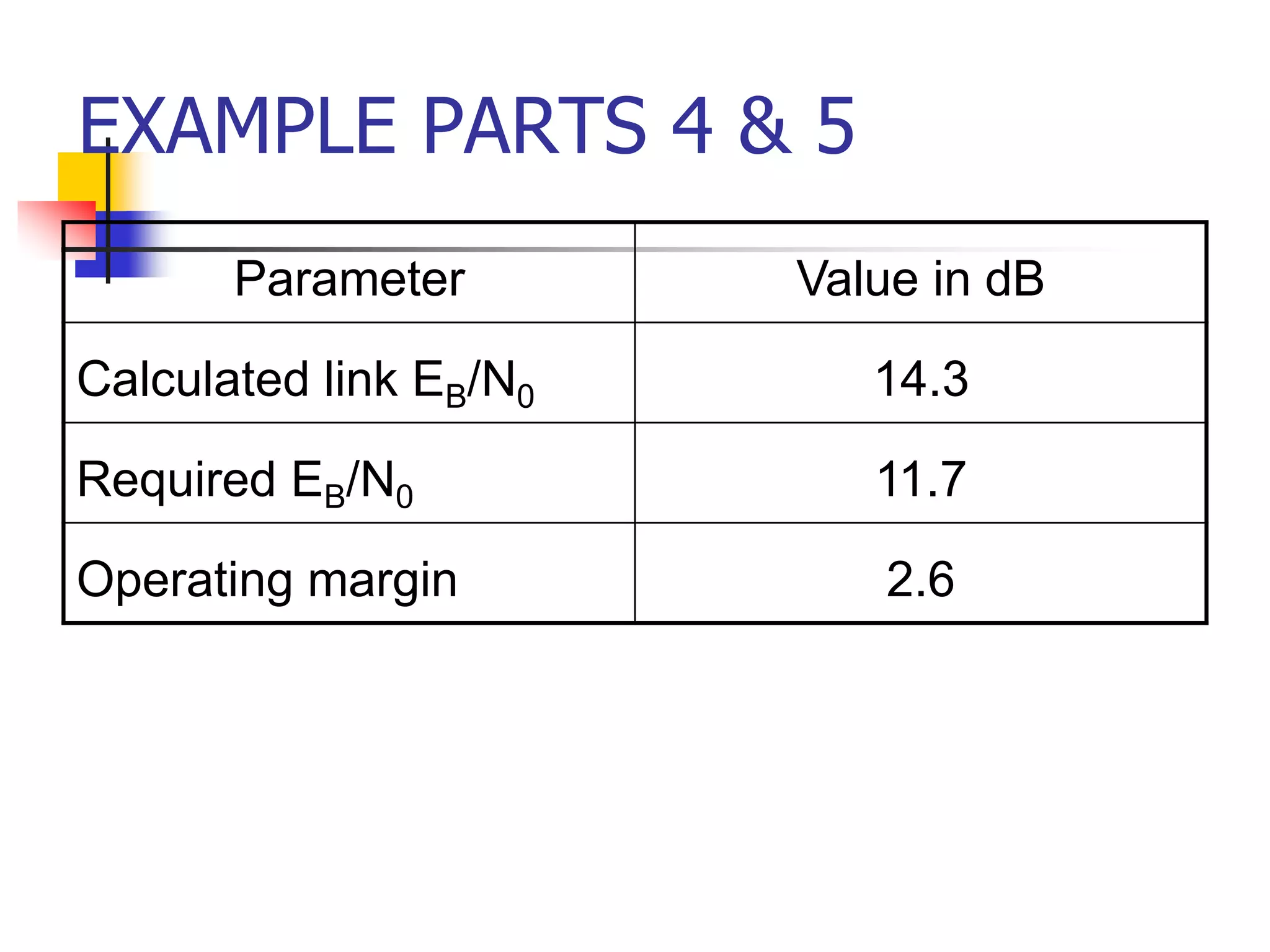
EXAMPLE PARTS 4 & 5
Parameter Value in dB
Calculated link EB/N0 14.3
Required EB/N0 11.7
Operating margin 2.6
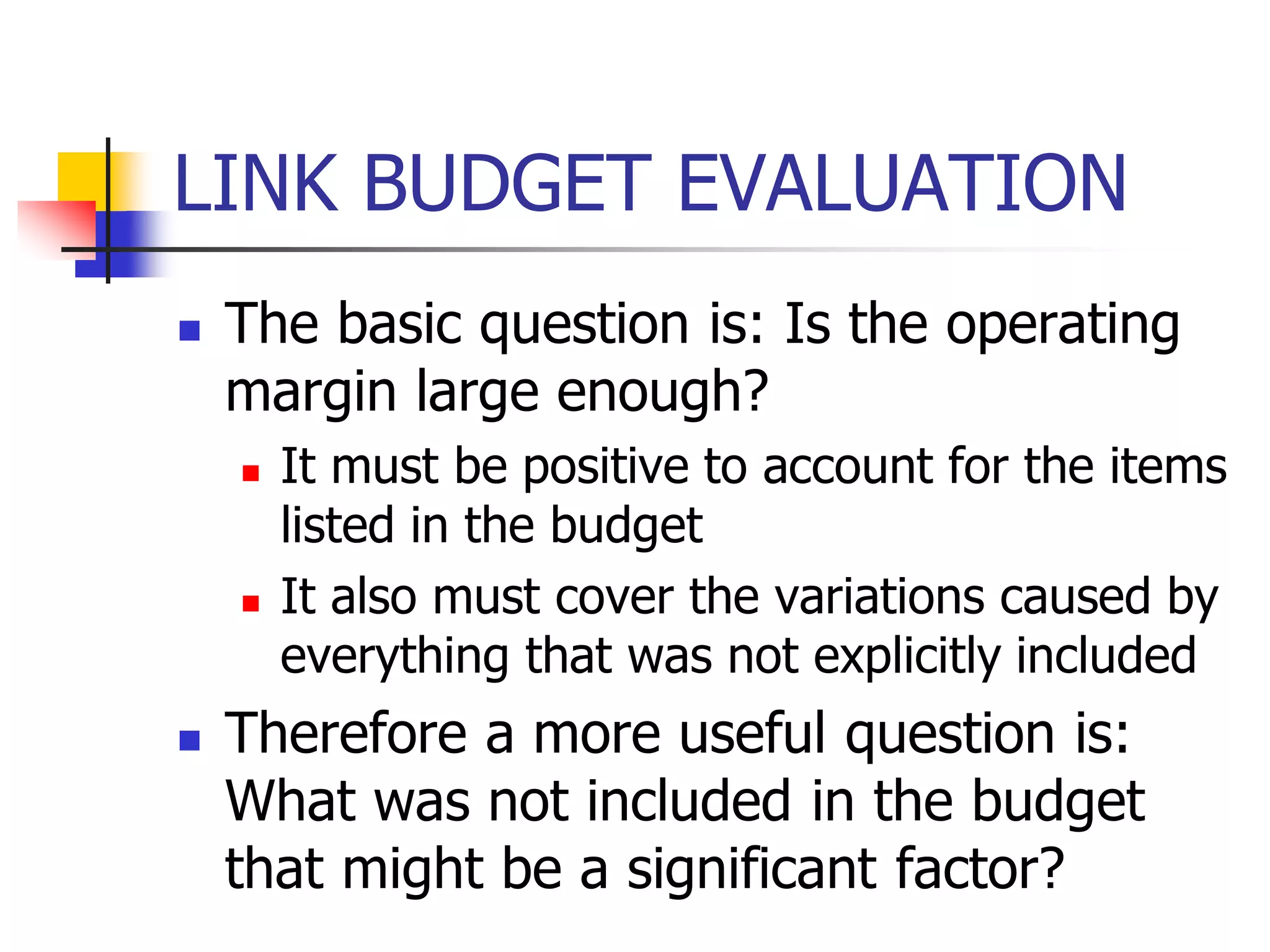
LINK BUDGET EVALUATION
 The basic question is: Is the operating
margin large enough?
 It must be positive to account for the items
listed in the budget
 It also must cover the variations caused by
everything that was not explicitly included
 Therefore a more useful question is:
What was not included in the budget
that might be a significant factor?
EVALUATION (continued)
 Some factors I consider important are:
 Satellite non-linearity (NPR)
 Satellite transmit power for your signal
 Interference (including CDMA if
implemented)
 Allowance for future (worse) conditions
 Lifetime of the system under evaluation
 How closely can it be maintained at the
parameters used in the budget
Design of the Satellite Link
 The satellite link is probably the most basic in
microwave communications since a line-of-sight path
typically exists between the Earth and space.
 This means that an imaginary line extending between
the transmitting or receiving Earth station and the
satellite antenna passes only through the atmosphere
and not ground obstacles.
 Such a link is governed by free-space propagation
with only limited variation with respect to time due to
various constituents of the atmosphere.
Design of the Satellite Link
 Free-space attenuation is determined by
the inverse square law, which states that the power
received is inversely proportional to the square of the
distance.
 The same law applies to the amount of light that
reaches our eyes from a distant point source such as
an automobile headlight or star.
 There are, however, a number of additional effects
that produce a significant amount of degradation and
time variation.
 These include rain, terrain effects such as absorption
by trees and walls, and some less-obvious
impairment produced by unstable conditions of the
air and ionosphere.
Design of the Satellite Link
 It is the job of the communication engineer to
identify all of the significant contributions to
performance and make sure that they are
properly taken into account.
 The required factors include the performance
of the satellite itself, the configuration and
performance of the uplink and downlink Earth
stations, and the impact of the propagation
medium in the frequency band of interest.
Design of the Satellite Link
 Also important is the efficient transfer of user
information across the relevant interfaces at
the Earth stations, involving such issues as
the precise nature of this information, data
protocol, timing, and the telecommunications
interface standards that apply to the service.
 A proper engineering methodology
guarantees that the application will go into
operation as planned, meeting its objectives
for quality and reliability.
Design of the Satellite Link
 The RF carrier in any microwave communications link
begins at the transmitting electronics and propagates
from the transmitting antenna through the medium of
free space and absorptive atmosphere to the receiving
antenna, where it is recovered by the receiving
electronics.
 The carrier is modulated by a baseband signal that
transfers information for the particular application.
 The first step in designing the microwave link is to
identify the overall requirements and the critical
components that determine performance.
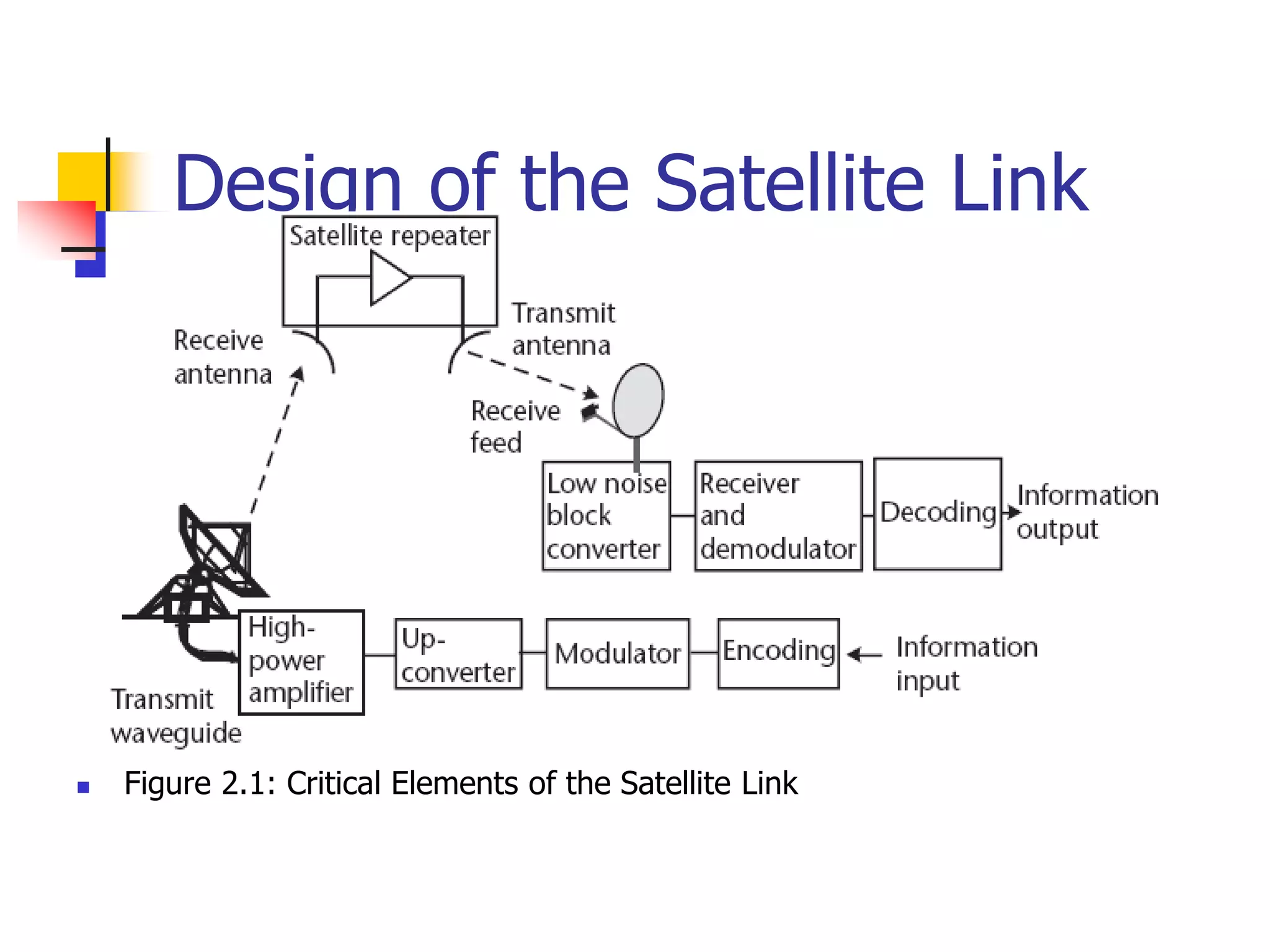
 For this purpose, we use the basic arrangement of the
link shown in Figure.
Design of the Satellite Link
 Figure 2.1: Critical Elements of the Satellite Link
Design of the Satellite Link
 The example shows a large hub type Earth
station in the uplink and a small VSAT in
the downlink; the satellite is represented
by a simple frequency translating type
repeater (e.g., a bent pipe).
 Most geostationary satellites employ bent-
pipe repeaters since these allow the
widest range of services and
communication techniques.
Design of the Satellite Link
 Bidirectional (duplex) communication
occurs with a separate transmission from
each Earth station.
 Due to the analog nature of the radio
frequency link, each element contributes a
gain or loss to the link and may add noise
and interference as well.
Design of the Satellite Link
 The result in the overall performance is presented in
terms of the ratio of carrier power to noise (the carrier-
to-noise ratio, C/N) and, ultimately, information quality
(bit error rate, video impairment, or audio fidelity).
 Done properly, this analysis can predict if the link will
work with satisfactory quality based on the specifications
of the ground and space components.
 Any uncertainty can be covered by providing an
appropriate amount of link margin, which is over and
above the C/N needed to deal with propagation effects
and nonlinearity in the Earth stations and satellite
repeater.
Link Budget and their
Interpretation
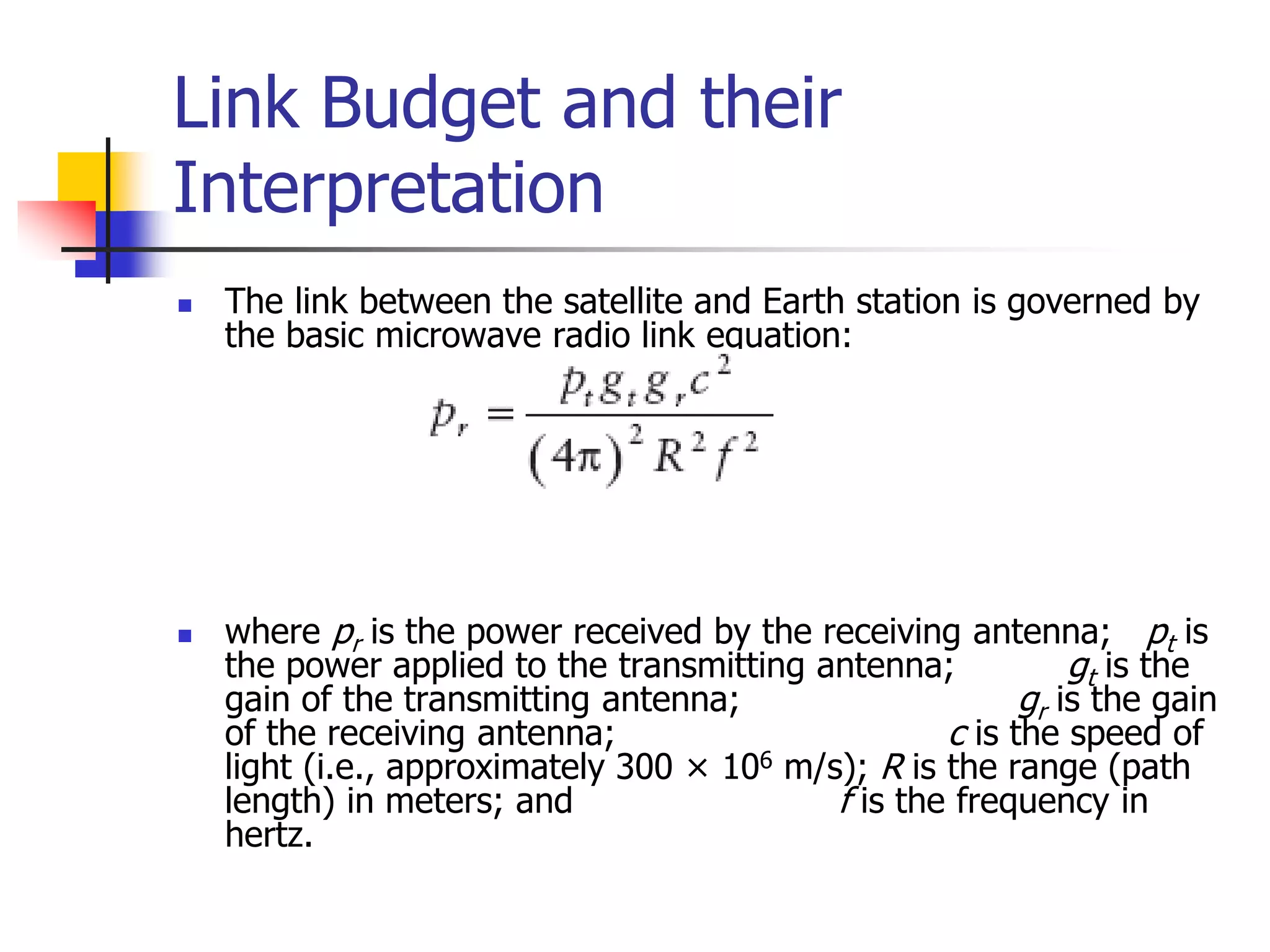
 The link between the satellite and Earth station is governed by
the basic microwave radio link equation:
 where pr is the power received by the receiving antenna; pt is
the power applied to the transmitting antenna; gt is the
gain of the transmitting antenna; gr is the gain
of the receiving antenna; c is the speed of
light (i.e., approximately 300 × 106 m/s); R is the range (path
length) in meters; and f is the frequency in
hertz.
Link Budget and their
Interpretation
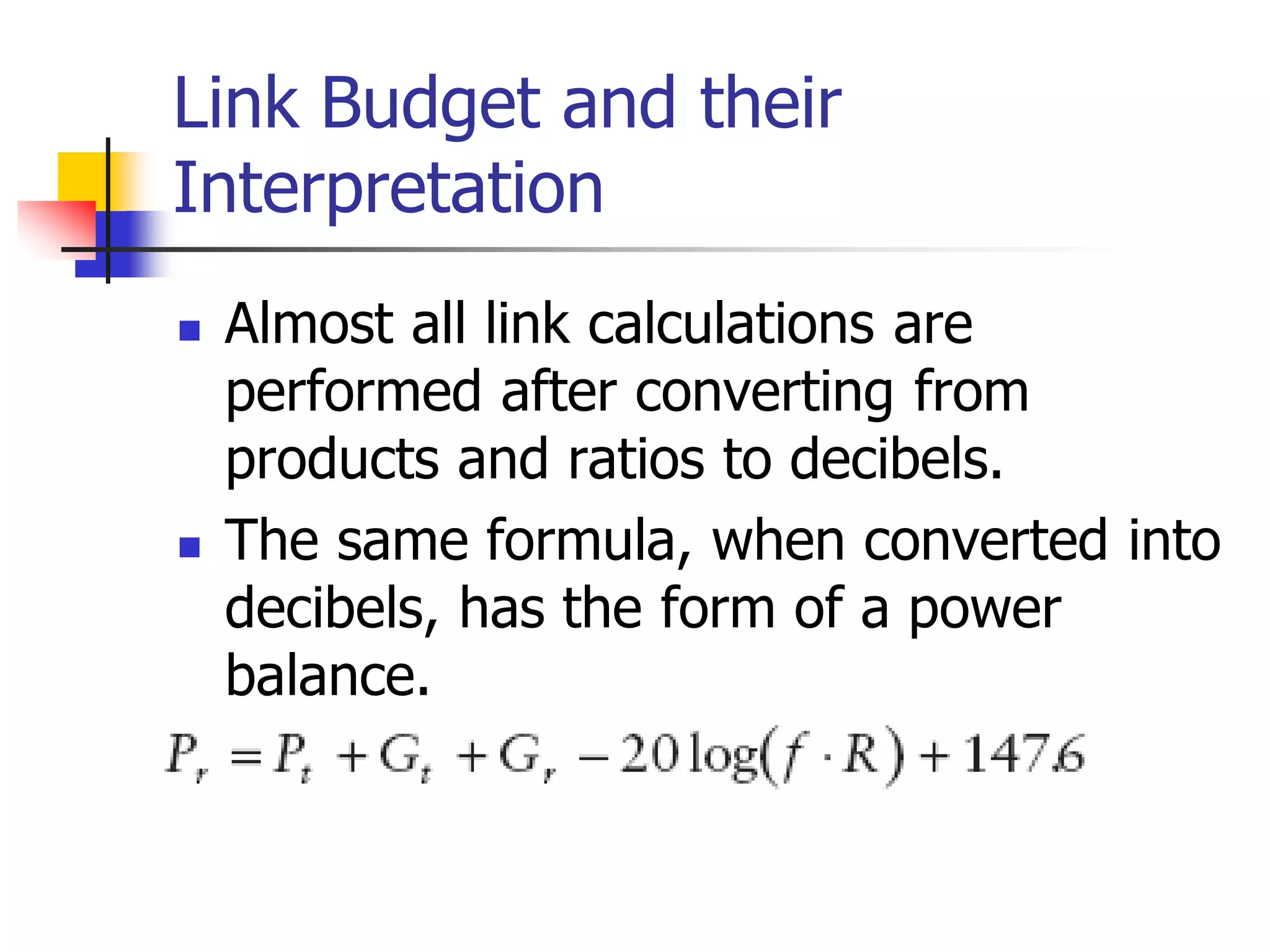
 Almost all link calculations are
performed after converting from
products and ratios to decibels.
 The same formula, when converted into
decibels, has the form of a power
balance.
Link Budget and their
Interpretation
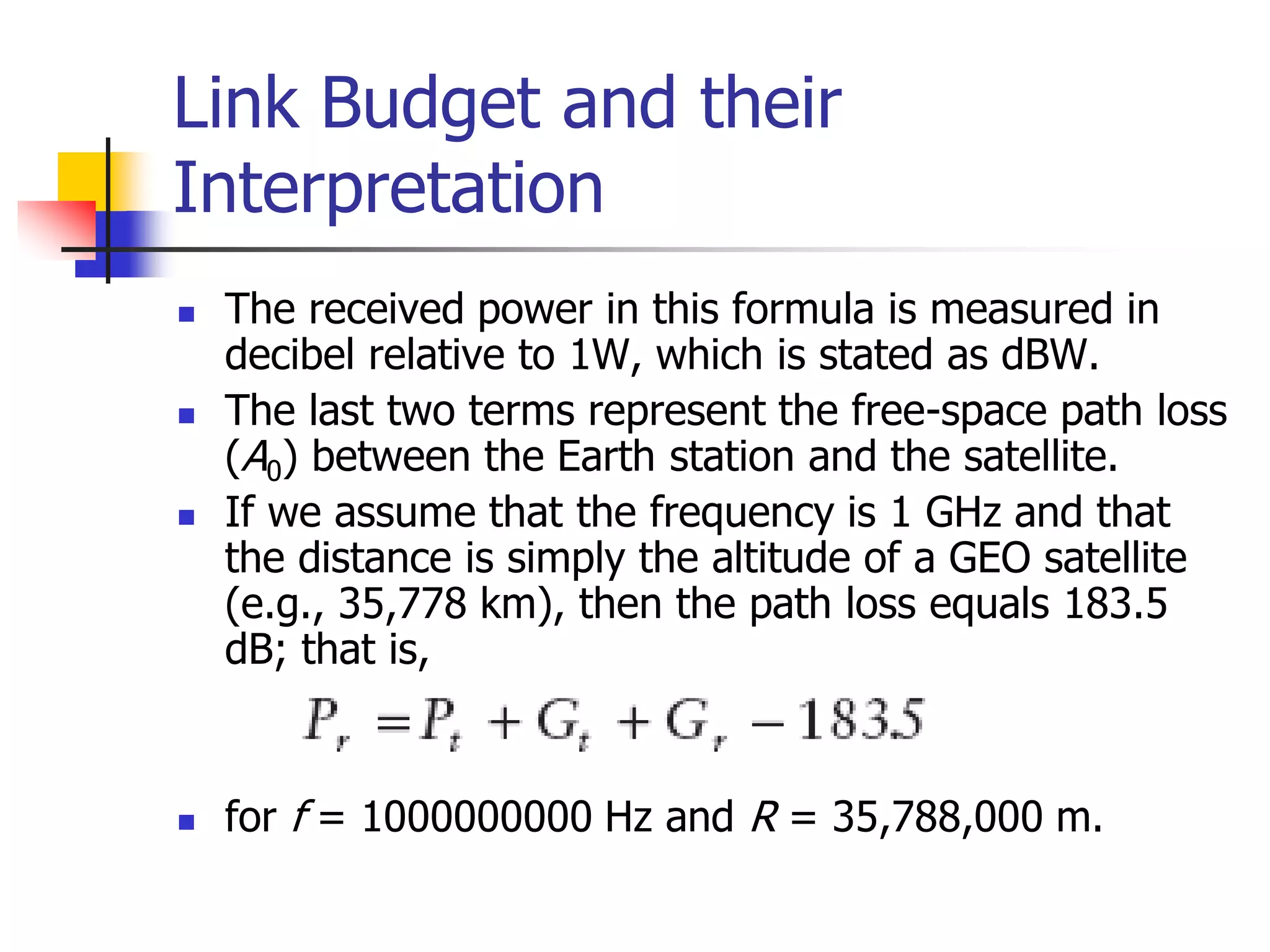
 The received power in this formula is measured in
decibel relative to 1W, which is stated as dBW.
 The last two terms represent the free-space path loss
(A0) between the Earth station and the satellite.
 If we assume that the frequency is 1 GHz and that
the distance is simply the altitude of a GEO satellite
(e.g., 35,778 km), then the path loss equals 183.5
dB; that is,
 for f = 1000000000 Hz and R = 35,788,000 m.
Link Budget and their
Interpretation
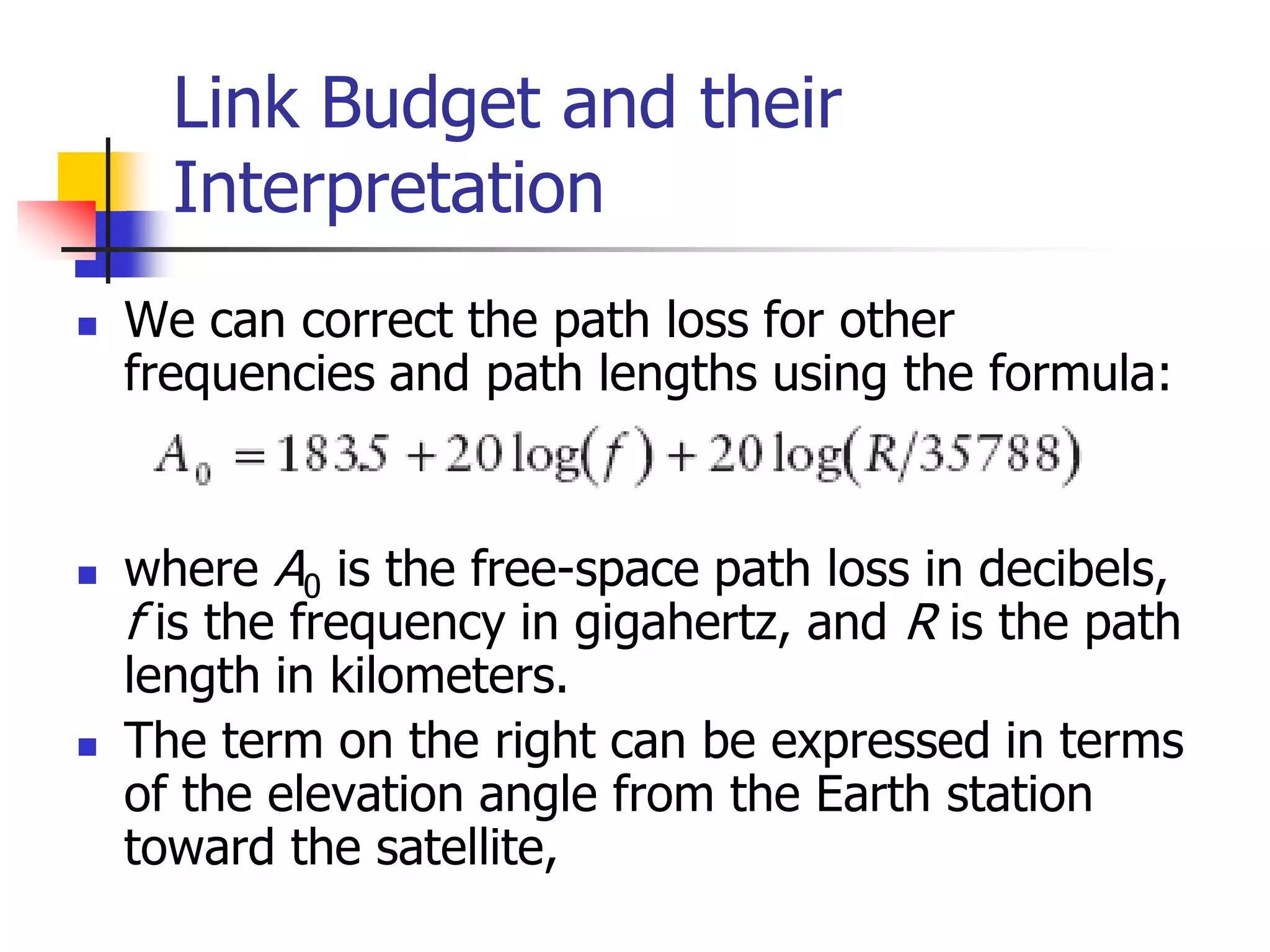
 We can correct the path loss for other
frequencies and path lengths using the formula:
 where A0 is the free-space path loss in decibels,
f is the frequency in gigahertz, and R is the path
length in kilometers.
 The term on the right can be expressed in terms
of the elevation angle from the Earth station
toward the satellite,
Link Budget and their
Interpretation
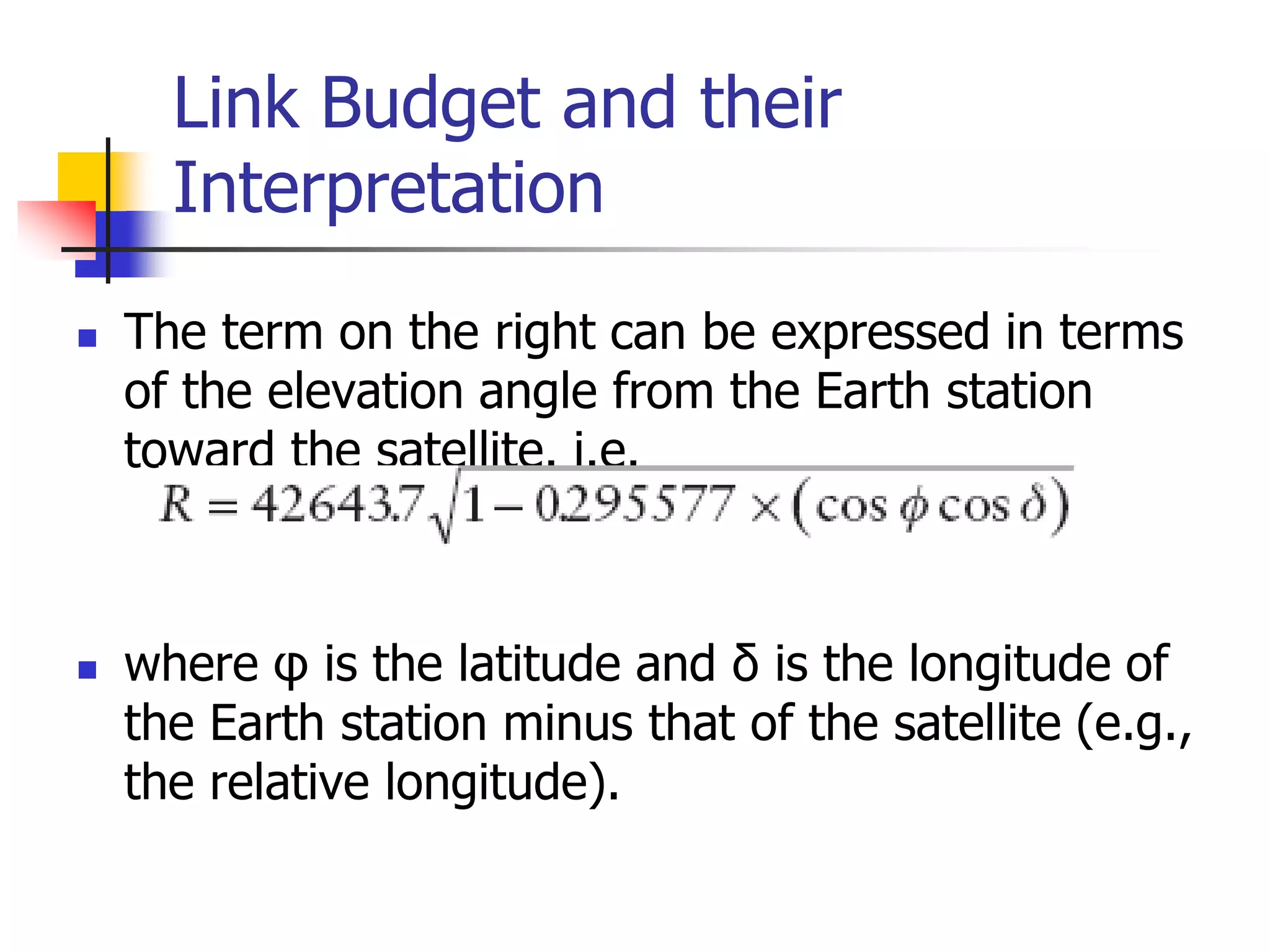
 The term on the right can be expressed in terms
of the elevation angle from the Earth station
toward the satellite. i.e.
 where φ is the latitude and δ is the longitude of
the Earth station minus that of the satellite (e.g.,
the relative longitude).
Link Budget and their
Interpretation
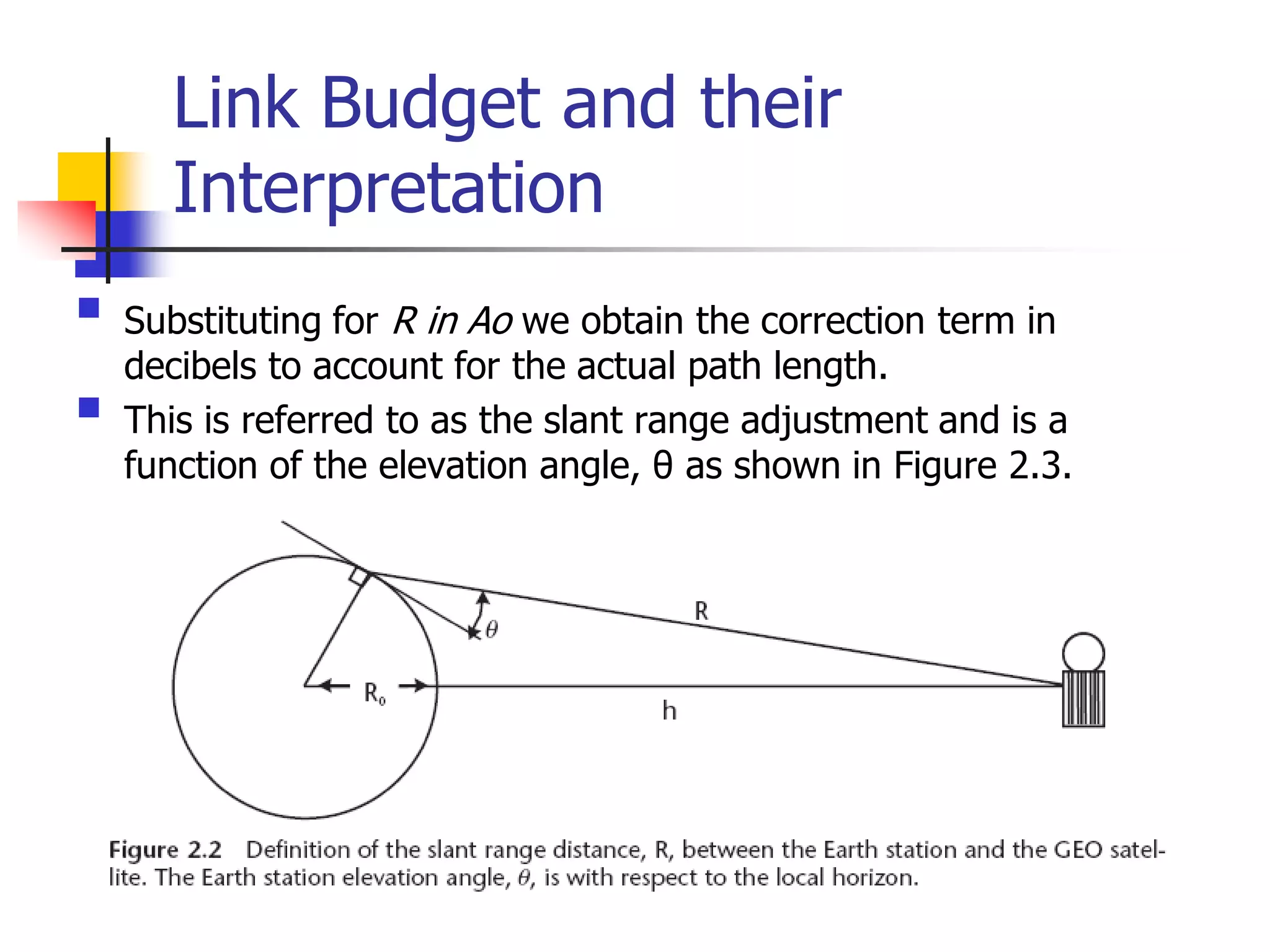
 Substituting for R in Ao we obtain the correction term in
decibels to account for the actual path length.
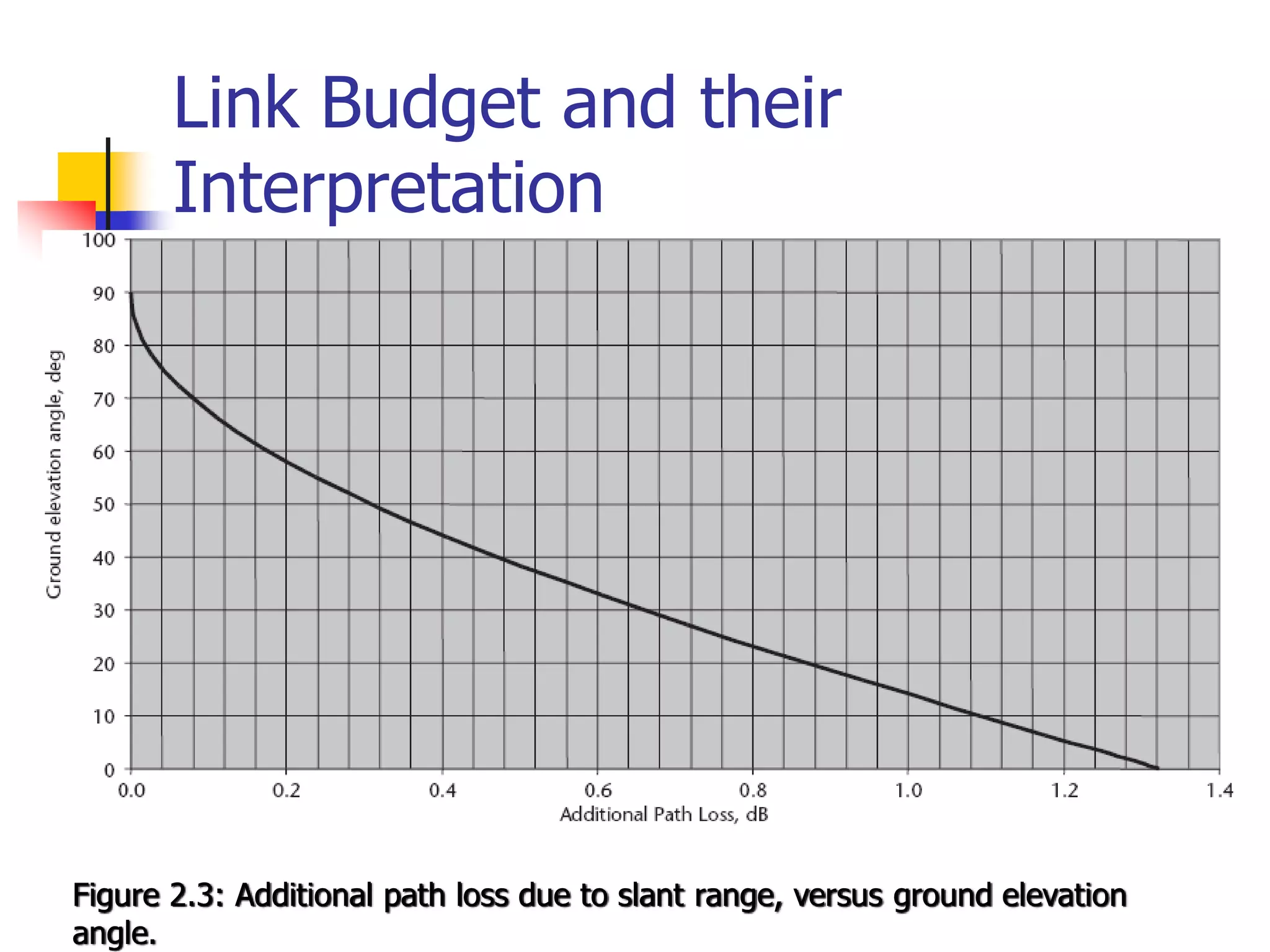
 This is referred to as the slant range adjustment and is a
function of the elevation angle, θ as shown in Figure 2.3.
Link Budget and their
Interpretation
Figure 2.3: Additional path loss due to slant range, versus ground elevation
angle.
Atmospheric Effects on Link
Budget and their Interpretation
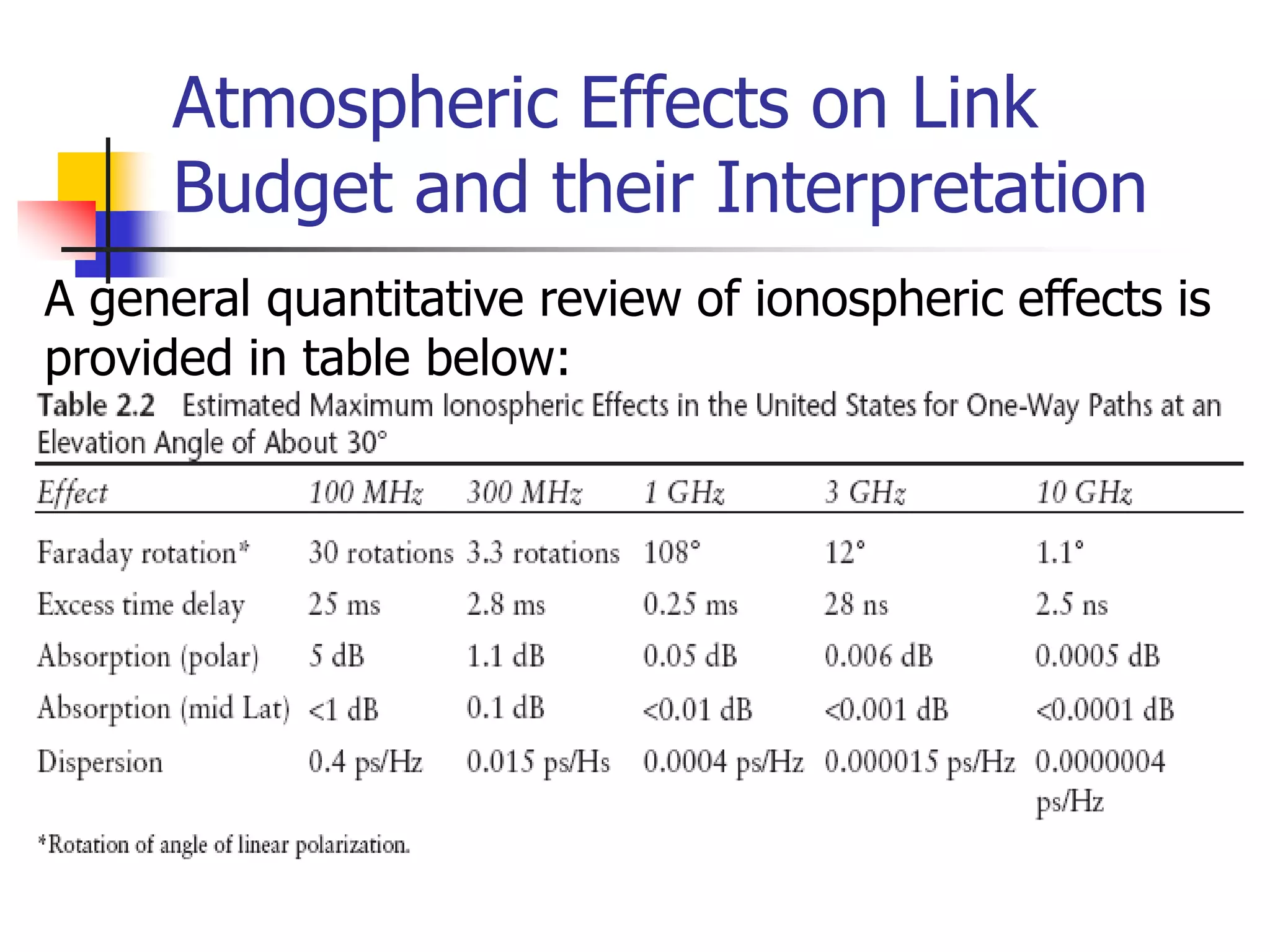
A general quantitative review of ionospheric effects is
provided in table below:
Atmospheric Effects on Link
Budget and their Interpretation
 Ionospheric effects include effects of:
 Faraday rotation,
 time delay,
 refraction, and
 dispersion.
 It is clear from the data that ionospheric
effects are not significant at frequencies of 10
GHz and above,
 but must be considered at L-, S-, and C-
bands (L being the worst).
Atmospheric Effects on Link
Budget and their Interpretation
 Ionospheric effects:
 Faraday rotation of linear polarization (first line of
Table 2.2): This is most pronounced at L- and S-
bands, with significant impact at C-band during
the peak of sunspot activity. It is not a significant
factor at Ku- and Ka bands.
 Ionosphere scintillation (third and fourth lines of
Table 2.2): This is most pronounced in the
equatorial regions of the world (particularly along
the geomagnetic equator). Like Faraday rotation,
this source of fading decreases with increasing
frequency, making it a factor for L-, S-, and C-
band links.
Link Budget and their
Interpretation
 Tropospheric (gaseous atmosphere) effects:
 Absorption by air and water vapor (non-condensed): This is
nearly constant for higher elevation angles, adding only a
few tenths of decibels to the path loss. It generally can be
ignored at frequencies below 15 GHz.
 Refractive bending and scintillation (rapid fluctuations of
carrier power) at low elevation angles: Earth stations that
must point within 10° of the horizon to view the satellite are
subject to wider variations in received or transmitted signal
and therefore require more link margin. Tropospheric
scintillation is time varying signal attenuation (and
enhancement) caused by combining of the direct path with
the refracted path signal in the receiving antenna.
Link Budget and their
Interpretation
 Rain attenuation: This important factor increases with
frequency and rain rate. Additional fade margin is required
for Ku- and Ka-band links, based on the statistics of local
rainfall. This will require careful study for services that
demand high availability, as suggested in Figures 2.4 and
2.5. A standardized rain attenuation predictor, called the
DAH model is available for this purpose [1]. Rain also
introduces scintillation due to scattering of electromagnetic
waves by raindrops, and in a later section we will see that
the raindrops also radiate thermal noise—a factor that is
easily modeled. In addition, rain beading on antenna
surfaces scatters and in very heavy rains can puddle on
feeds, temporarily providing high losses not accounted for in
the DAH and thermal noise models.
Link Budget Example
 Satellite application engineers need to assess and allocate
performance for each source of gain and loss.
 The link budget is the most effective means since it can address
and display all of the components of the power balance
equation, expressed in decibels.
 In the past, each engineer was free to create a personalized
methodology and format for their own link budgets.
 This worked adequately as long as the same person continued
to do the work.
 Problems arose, however, when link budgets were exchanged
between engineers, as formats and assumptions can vary.
 A standardized link budget software tool should be used that
performs all of the relevant calculations and presents the results
in a clear and complete manner.
Link Budget Example
 We will now evaluate a specific example using a simplified link
budget containing the primary contributors.
 This will provide a typical format and some guidelines for a practical
approach.
 Separate uplink and downlink budgets are provided; our evaluation
of the total end-to-end link presumes the use of a bent-pipe
repeater.
 This is one that transfers both carrier and noise from the uplink to
the downlink, with only a frequency translation and amplification.
 The three constituents are often shown in a single table, but
dividing them should make the development of the process clearer
for readers.
 The detailed engineering comes into play with the development of
each entry of the table.
 Several of the entries are calculated using straightforward
mathematical equations; others must be obtained through actual
measurements or at least estimates thereof.
Link Budget Example
 This particular example is for a C-band
digital video link at 40 Mbps, which is
capable of transmitting 8 to 12 TV
channels using the Motion Picture
Experts Group 2 (MPEG 2) standard.
Link Budget Example:
Downlink Budget
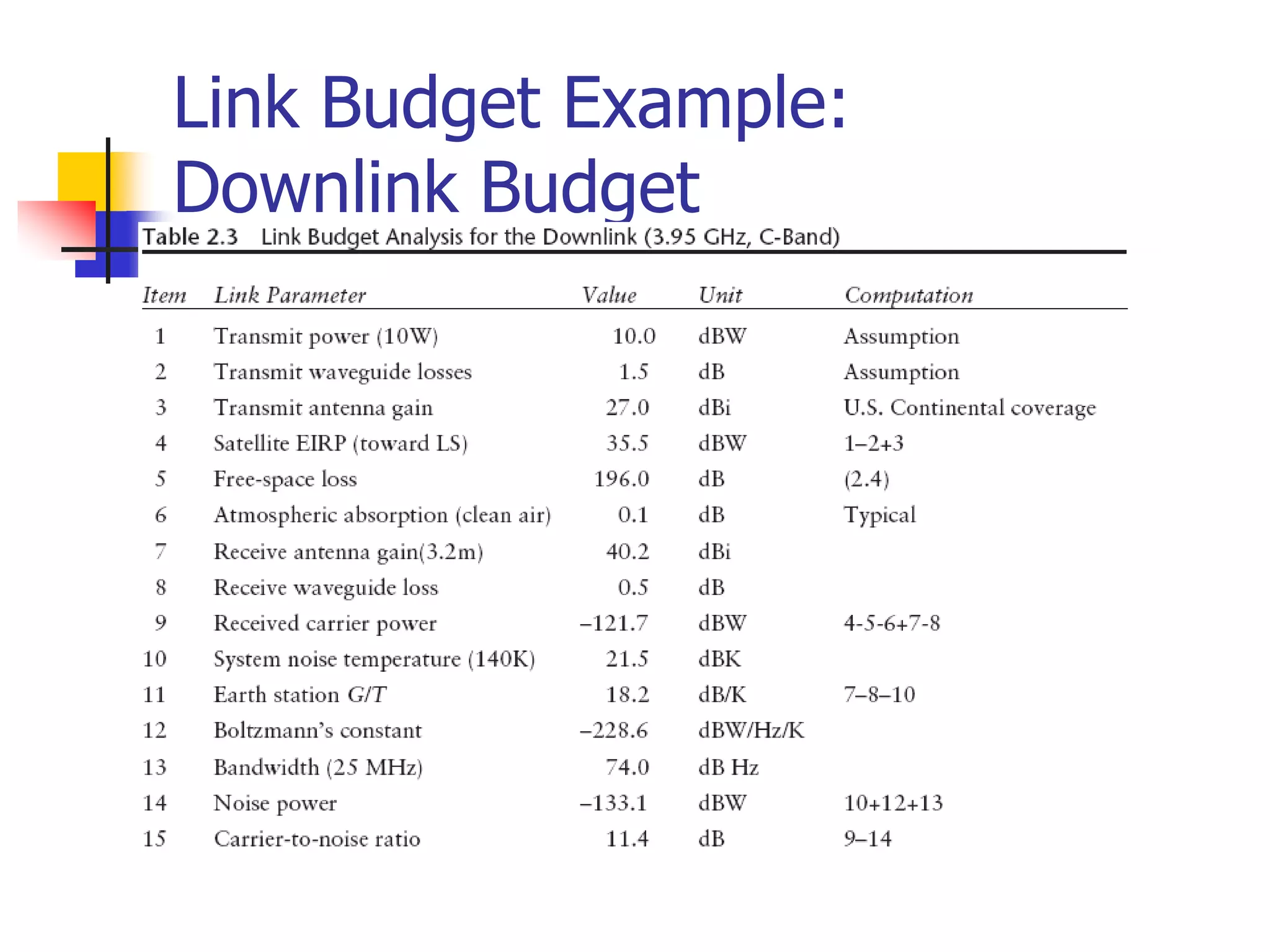
 The following Table 2.3 presents the downlink budget in
a manner that identifies the characteristics of the
satellite transmitter and antenna, the path, the receiving
antenna, and the expected performance of the Earth
station receiver.
 It contains the elements that select the desired radio
signal (i.e., the carrier) and demodulates the useful
information (i.e., the digital baseband containing the
MPEG 2 “transport” bit stream).
 Once converted back to baseband, the transmission can
be applied to other processes, such as de-multiplexing,
decryption, and digital-to-analog conversion (D/A
conversion).
Link Budget Example:
Downlink Budget
Link Budget Example:
Downlink Budget
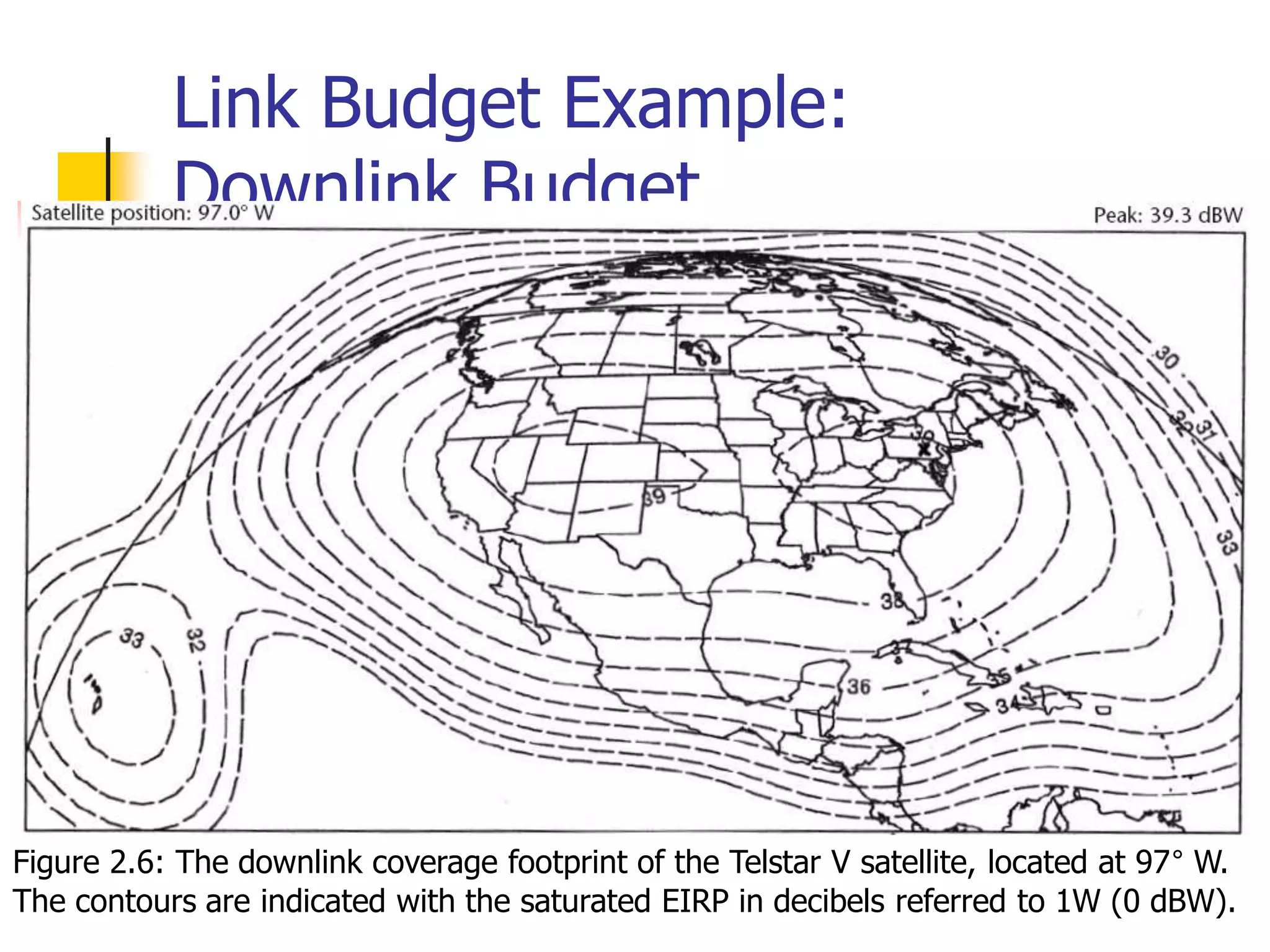
 The following figure provides the horizontal
downlink coverage of Telstar V, a typical C-band
satellite that serves the United States.
 Each contour shows a constant level of
saturated effective isotropic radiated power
(EIRP) (the value at saturation of the
transponder power amplifier).
 Assuming the receiving Earth station is in Los
Angeles, it is possible to interpolate between the
contours and estimate a value of 35.5 dBW.
Link Budget Example:
Downlink Budget
Figure 2.6: The downlink coverage footprint of the Telstar V satellite, located at 97° W.
The contours are indicated with the saturated EIRP in decibels referred to 1W (0 dBW).
Link Budget Example:
Downlink Budget
 The following parameters relate to the significant
elements in the link (Figure 2.1) and the power
balance equation, all expressed in decibels.
 Most are typically under the control of the satellite
engineer:
 Transmit power (Pt);
 Antenna gain at the peak (Gt) and beam width at the −3-dB
point (θ3dB);
 Feeder waveguide losses (Lt);
 EIRP in the direction of the Earth station;
 Receiver noise temperature (T0);
 Noise figure (NF).
Link Budget Example:
Downlink Budget
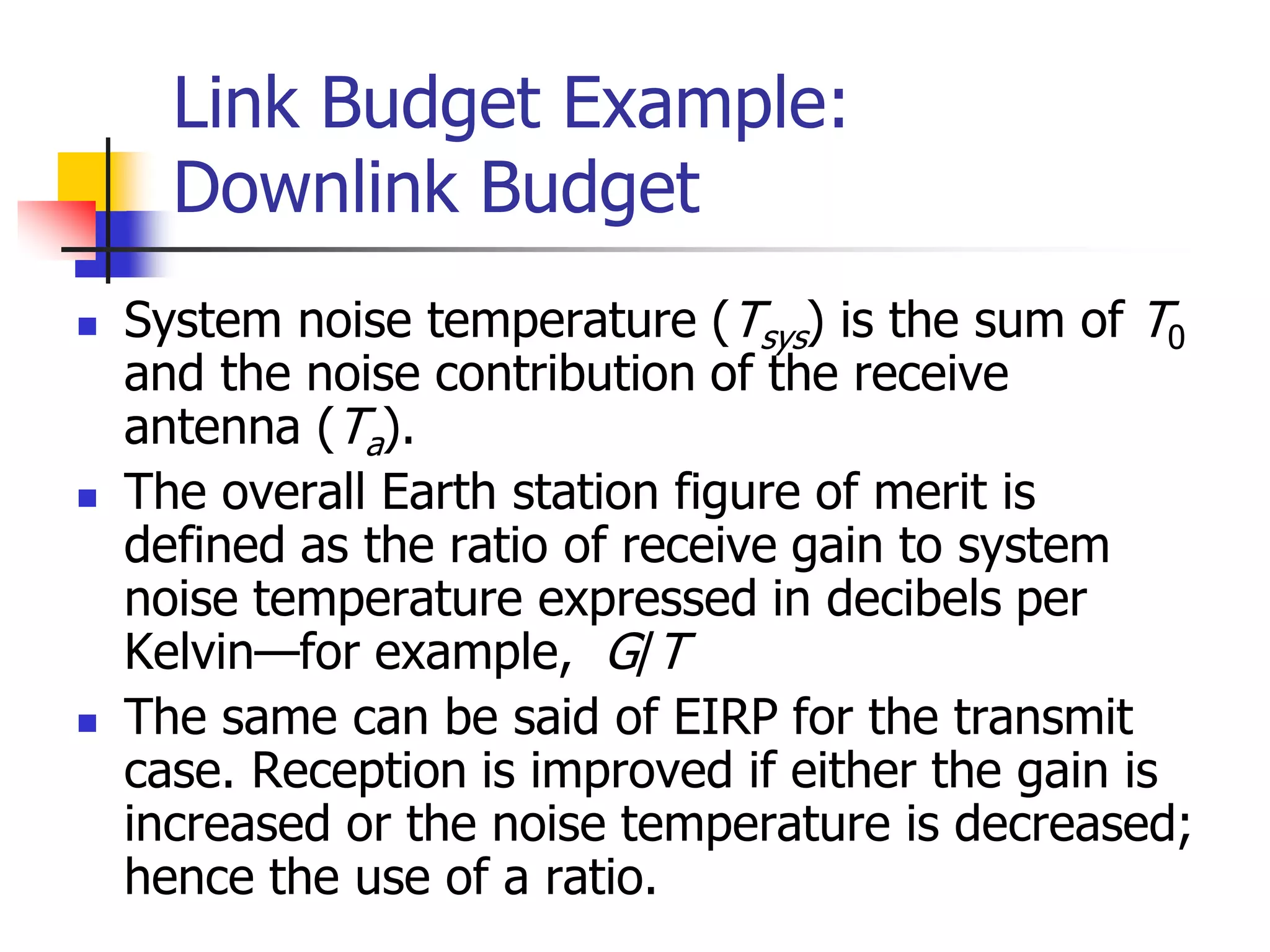
 System noise temperature (Tsys) is the sum of T0
and the noise contribution of the receive
antenna (Ta).
 The overall Earth station figure of merit is
defined as the ratio of receive gain to system
noise temperature expressed in decibels per
Kelvin—for example, G/T
 The same can be said of EIRP for the transmit
case. Reception is improved if either the gain is
increased or the noise temperature is decreased;
hence the use of a ratio.
Link Budget Example:
Downlink Budget
 Each of the link parameters relates to a specific piece
of hardware or some property of the microwave path
between space and ground.
 A good way to develop the link budget is to prepare
it with a spreadsheet program.
 This permits the designer to include the various
formulas directly in the budget, thus avoiding the
problem of external calculation or the potential for
arithmetic error (which still exists if the formulas are
wrong or one adds losses instead of subtracting
them).
 Commercial link budget software, such as SatMaster
Pro from Arrowe Technical Services, does the same
job but in a standardized fashion.
Link Budget Example:
Uplink Budget
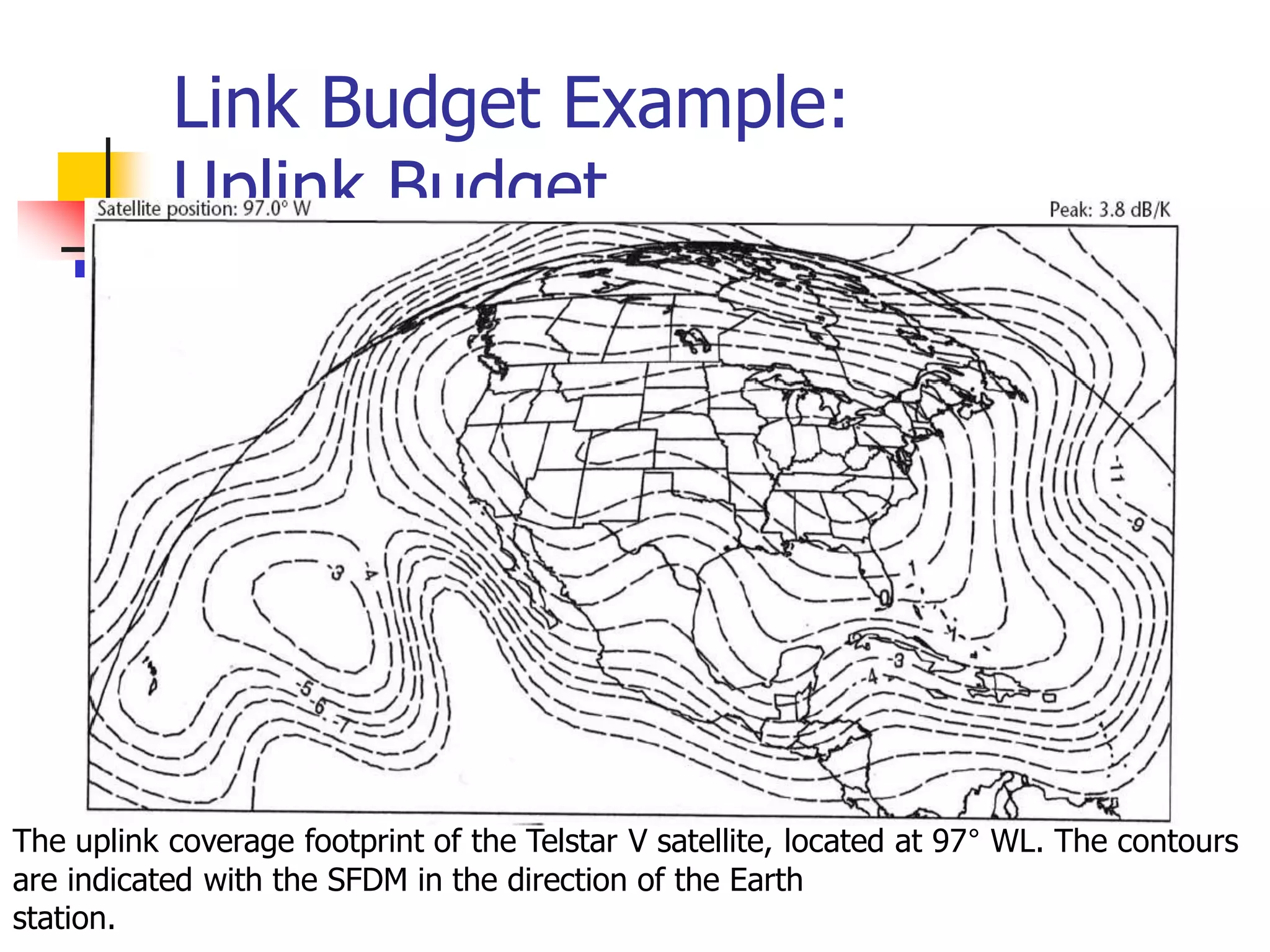
Link Budget Example:
Uplink Budget
The uplink coverage footprint of the Telstar V satellite, located at 97° WL. The contours
are indicated with the SFDM in the direction of the Earth
station.
Link Budget Example:
Uplink Budget
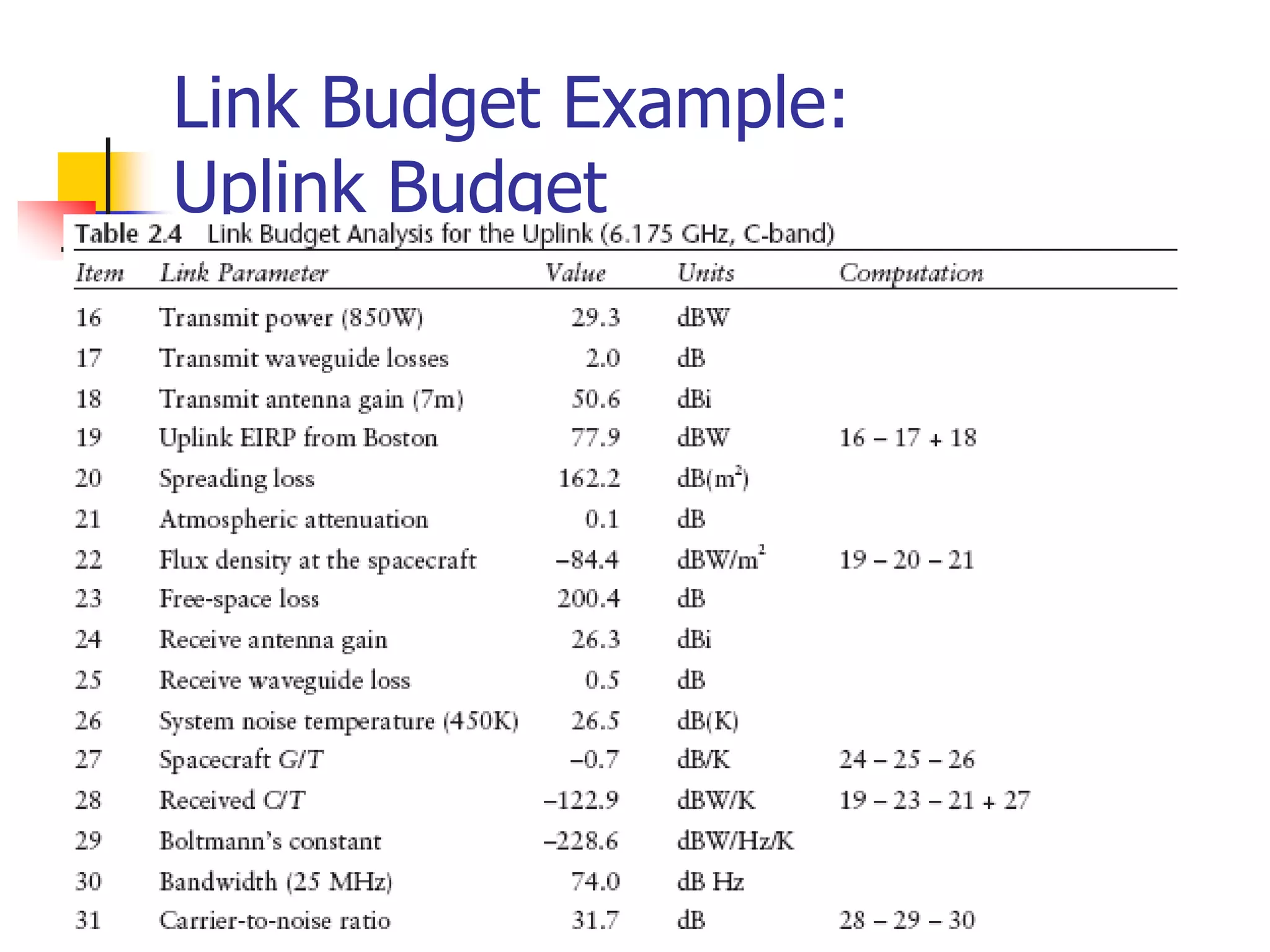
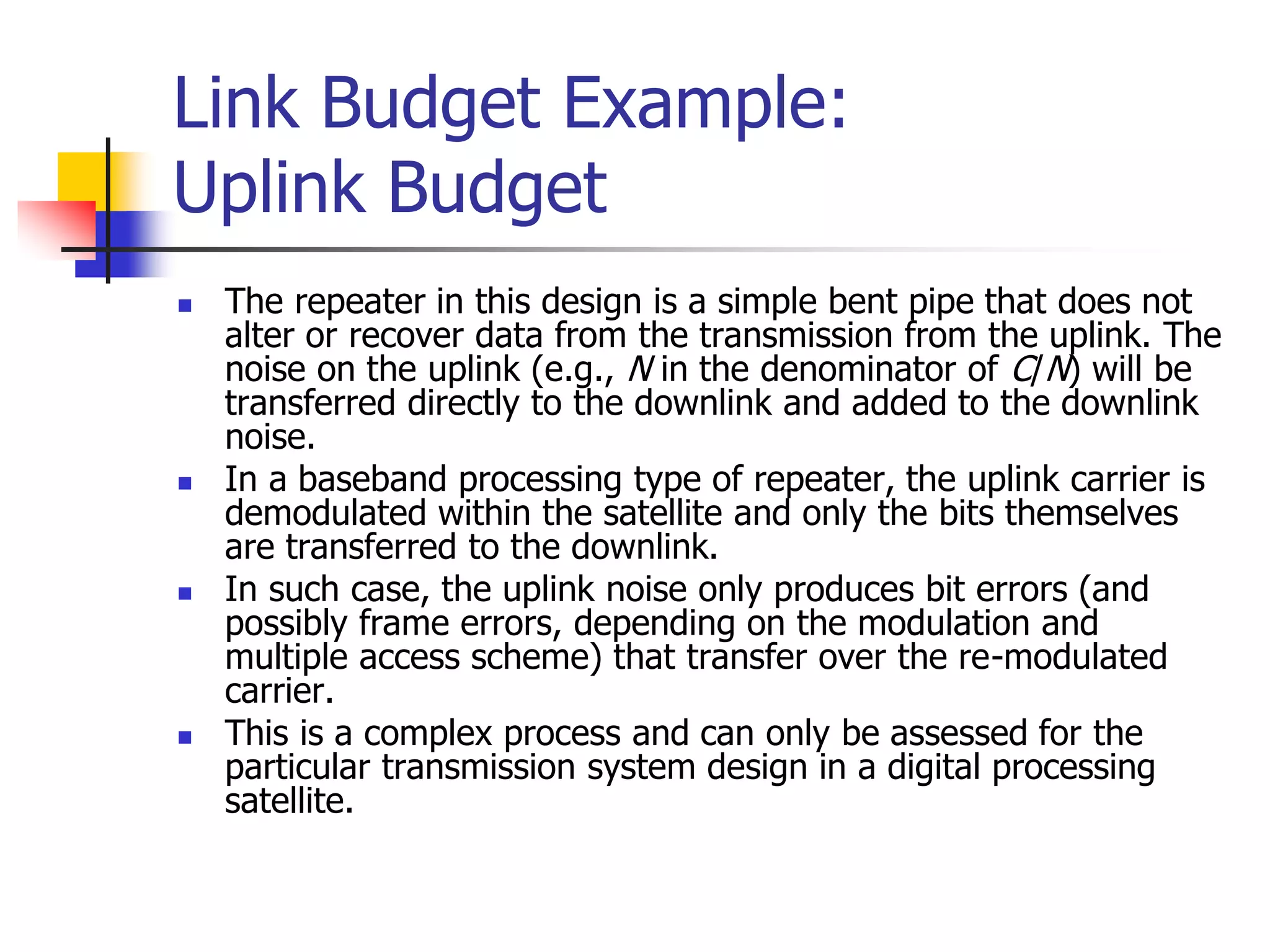
 The repeater in this design is a simple bent pipe that does not
alter or recover data from the transmission from the uplink. The
noise on the uplink (e.g., N in the denominator of C/N) will be
transferred directly to the downlink and added to the downlink
noise.
 In a baseband processing type of repeater, the uplink carrier is
demodulated within the satellite and only the bits themselves
are transferred to the downlink.
 In such case, the uplink noise only produces bit errors (and
possibly frame errors, depending on the modulation and
multiple access scheme) that transfer over the re-modulated
carrier.
 This is a complex process and can only be assessed for the
particular transmission system design in a digital processing
satellite.
Link Budget Example:
Overall Link Budget
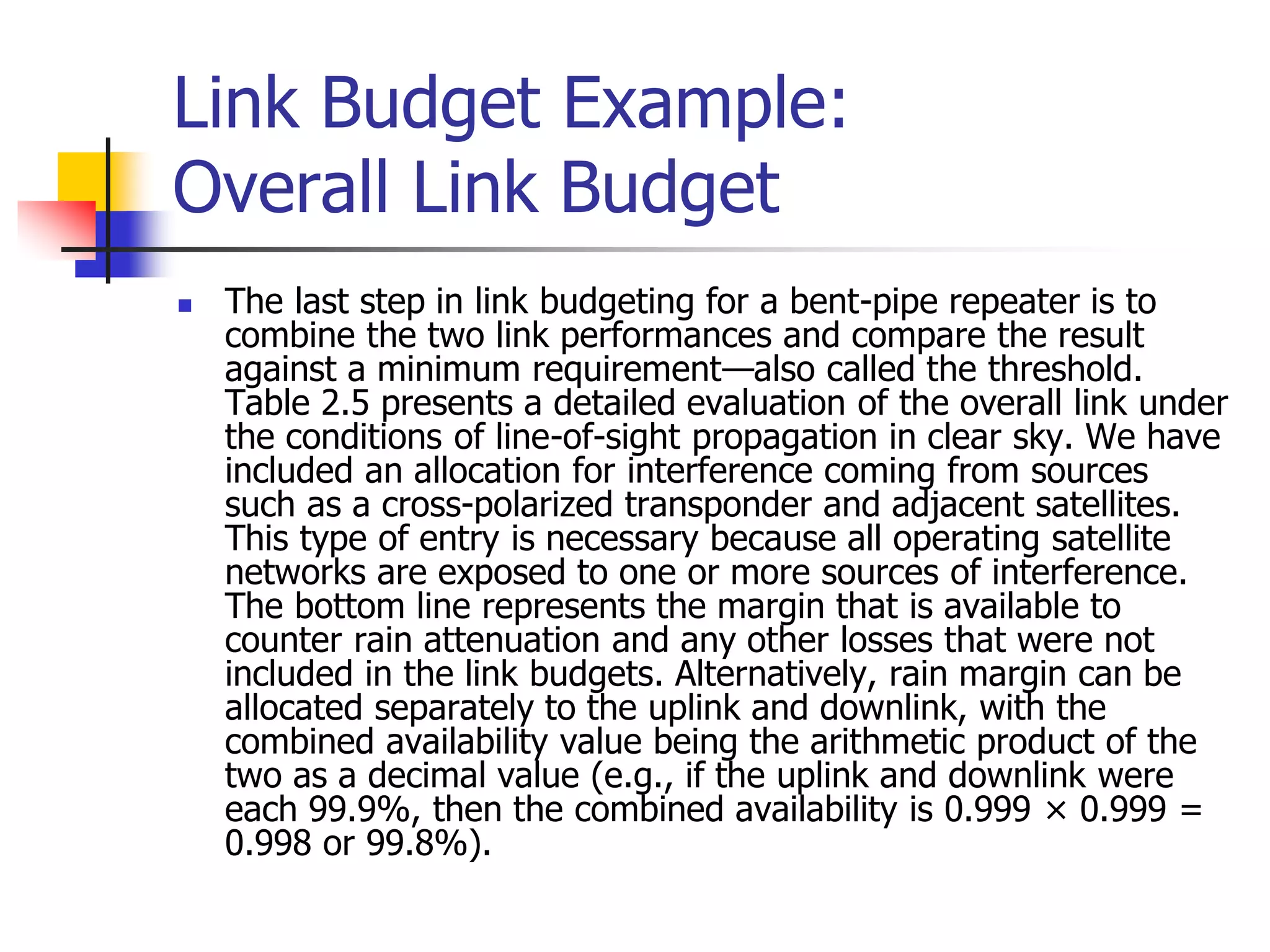
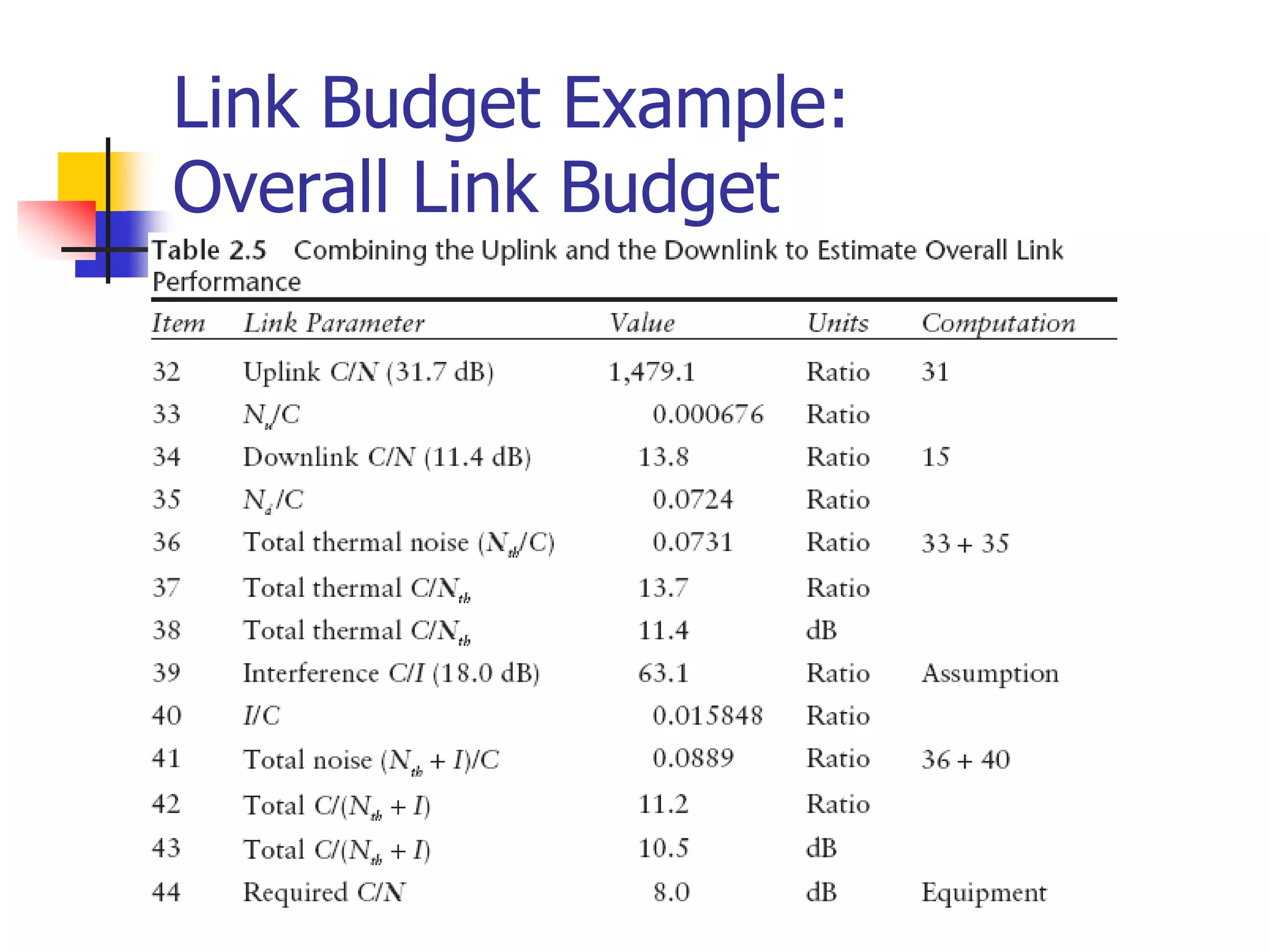
 The last step in link budgeting for a bent-pipe repeater is to
combine the two link performances and compare the result
against a minimum requirement—also called the threshold.
Table 2.5 presents a detailed evaluation of the overall link under
the conditions of line-of-sight propagation in clear sky. We have
included an allocation for interference coming from sources
such as a cross-polarized transponder and adjacent satellites.
This type of entry is necessary because all operating satellite
networks are exposed to one or more sources of interference.
The bottom line represents the margin that is available to
counter rain attenuation and any other losses that were not
included in the link budgets. Alternatively, rain margin can be
allocated separately to the uplink and downlink, with the
combined availability value being the arithmetic product of the
two as a decimal value (e.g., if the uplink and downlink were
each 99.9%, then the combined availability is 0.999 × 0.999 =
0.998 or 99.8%).
Link Budget Example:
Overall Link Budget
Link Budget Summary
 Over estimate link specification
 Downlink Budget
 Uplink Budget
 Overall Link Budget
Multiple Access System
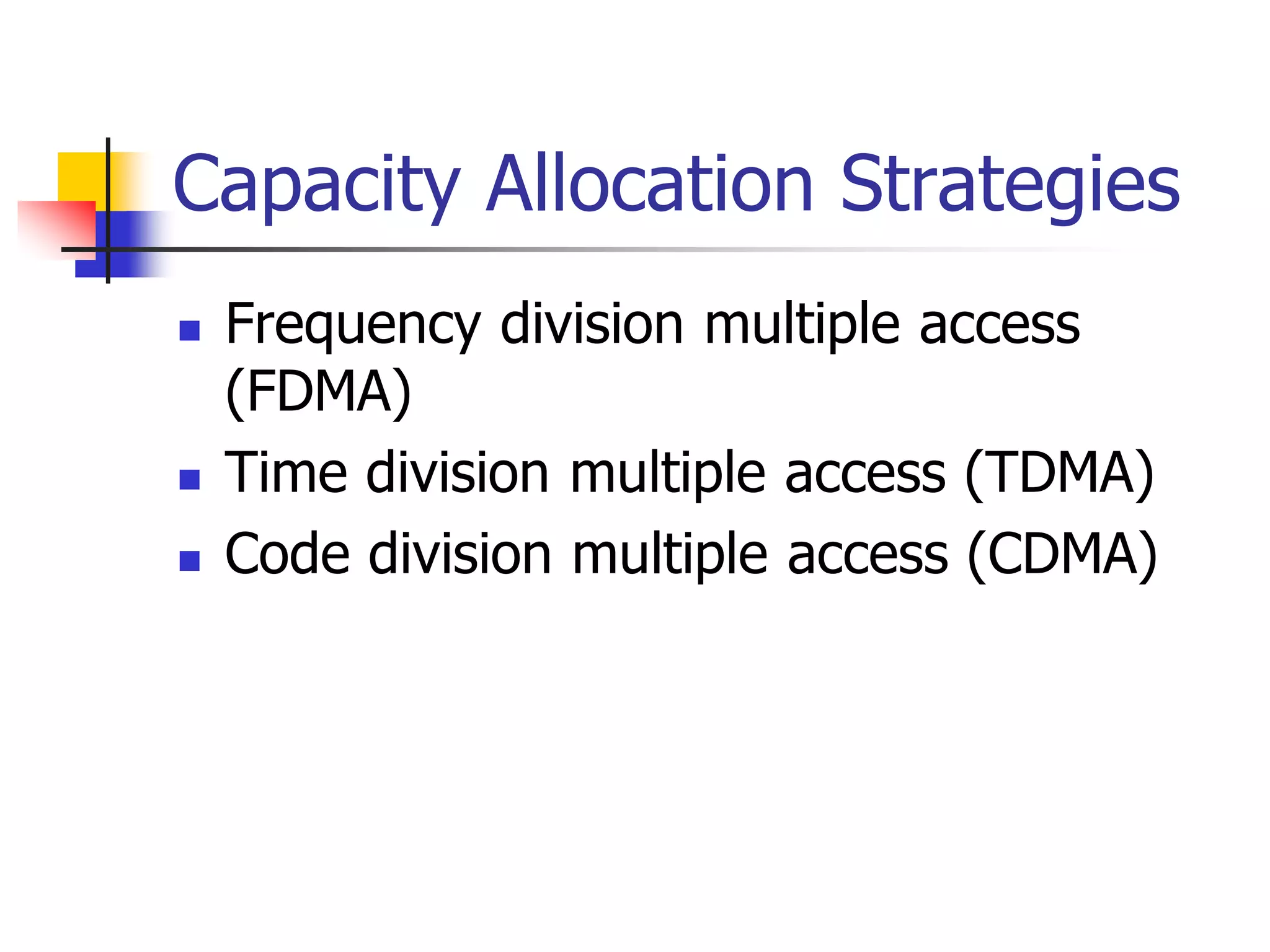
 Applications employ multiple-access systems to allow two or
more Earth stations to simultaneously share the resources
of the same transponder or frequency channel.
 These include the three familiar methods:
 FDMA,
 TDMA, and
 CDMA.
 Another multiple access system called space division
multiple access (SDMA) has been suggested in the past. In
practice, SDMA is not really a multiple access method but
rather a technique to reuse frequency spectrum through
multiple spot beams on the satellite.
 Because every satellite provides some form of frequency
reuse (cross-polarization being included), SDMA is an
inherent feature in all applications.
Multiple Access System
 TDMA and FDMA require a degree of coordination among
users:
 FDMA users cannot transmit on the same frequency and
 TDMA users can transmit on the same frequency but not at the
same time.
 Capacity in either case can be calculated based on the total
bandwidth and power available within the transponder or
slice of a transponder.
 CDMA is unique in that multiple users transmit on the same
frequency at the same time (and in the same beam or
polarization).
 This is allowed because the transmissions use a different
code either in terms of high-speed spreading sequence or
frequency hopping sequence.
Multiple Access System
 The capacity of a CDMA network is not unlimited,
however, because at some point the channel
becomes overloaded by self-interference from the
multiple users who occupy it.
 Furthermore, power level control is critical because
a given CDMA carrier that is elevated in power will
raise the noise level for all others carriers by a like
amount.
Multiple Access System
 Multiple access is always required in networks that
involve two-way communications among multiple
Earth stations.
 The selection of the particular method depends
heavily on the specific communication
requirements, the types of Earth stations
employed, and the experience base of the provider
of the technology.
 All three methods are now used for digital
communications because this is the basis of a
majority of satellite networks.
Multiple Access System
 The digital form of a signal is easier to transmit and
is less susceptible to the degrading effects of the
noise, distortion from amplifiers and filters, and
interference.
 Once in digital form, the information can be
compressed to reduce the bit rate, and FEC is
usually provided to reduce the required carrier
power even further.
 The specific details of multiple access, modulation,
and coding are often preselected as part of the
application system and the equipment available on
a commercial off-the-shelf (COTS) basis.
Multiple Access System
 The only significant analog application at this time
is the transmission of cable TV and broadcast TV.
 These networks are undergoing a slow conversion
to digital as well, which may in fact be complete
within a few years.
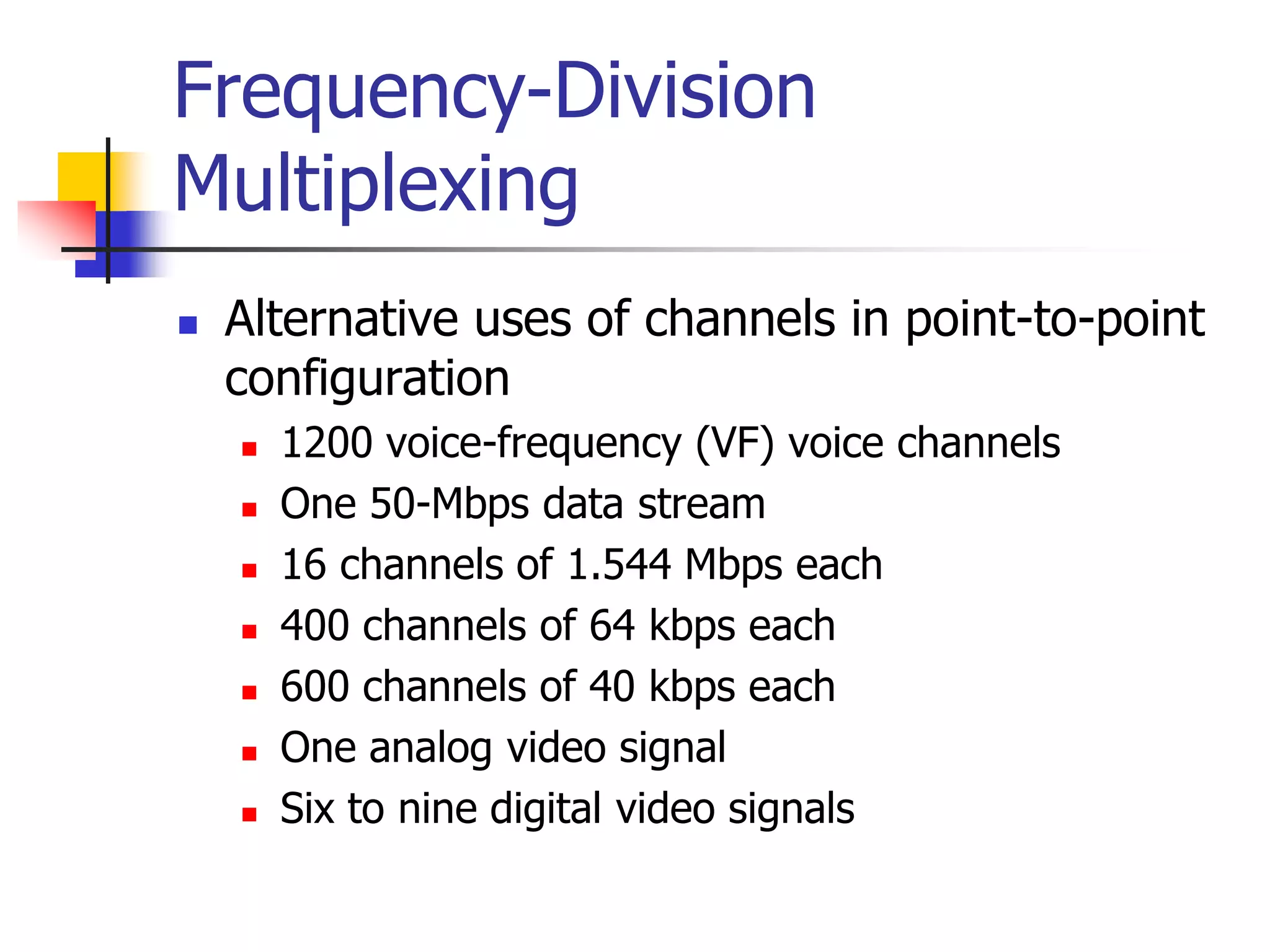
FDMA
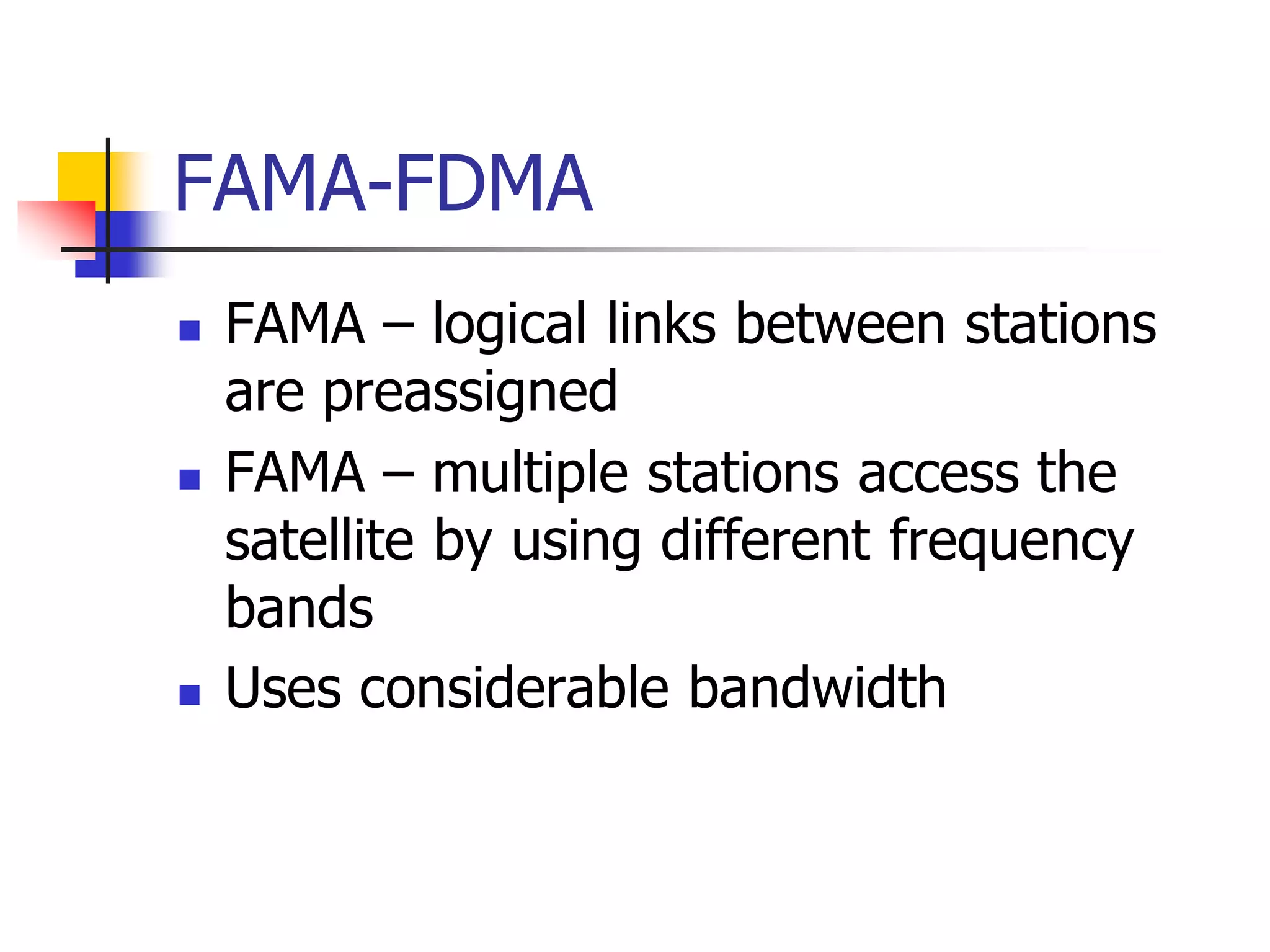
 Nearly every terrestrial or satellite radio communications system
employs some form of FDMA to divide up the available spectrum.
 The areas where it has the strongest hold are in single channel per
carrier (SCPC), intermediate data rate (IDR) links, voice telephone
systems, VSAT data networks, and some video networking schemes.
 Any of these networks can operate alongside other networks within
the same transponder.
 Users need only acquire the amount of bandwidth and power that
they require to provide the needed connectivity and throughput.
 Also, equipment operation is simplified since no coordination is
needed other than assuring that each Earth station remains on its
assigned frequency and that power levels are properly regulated.
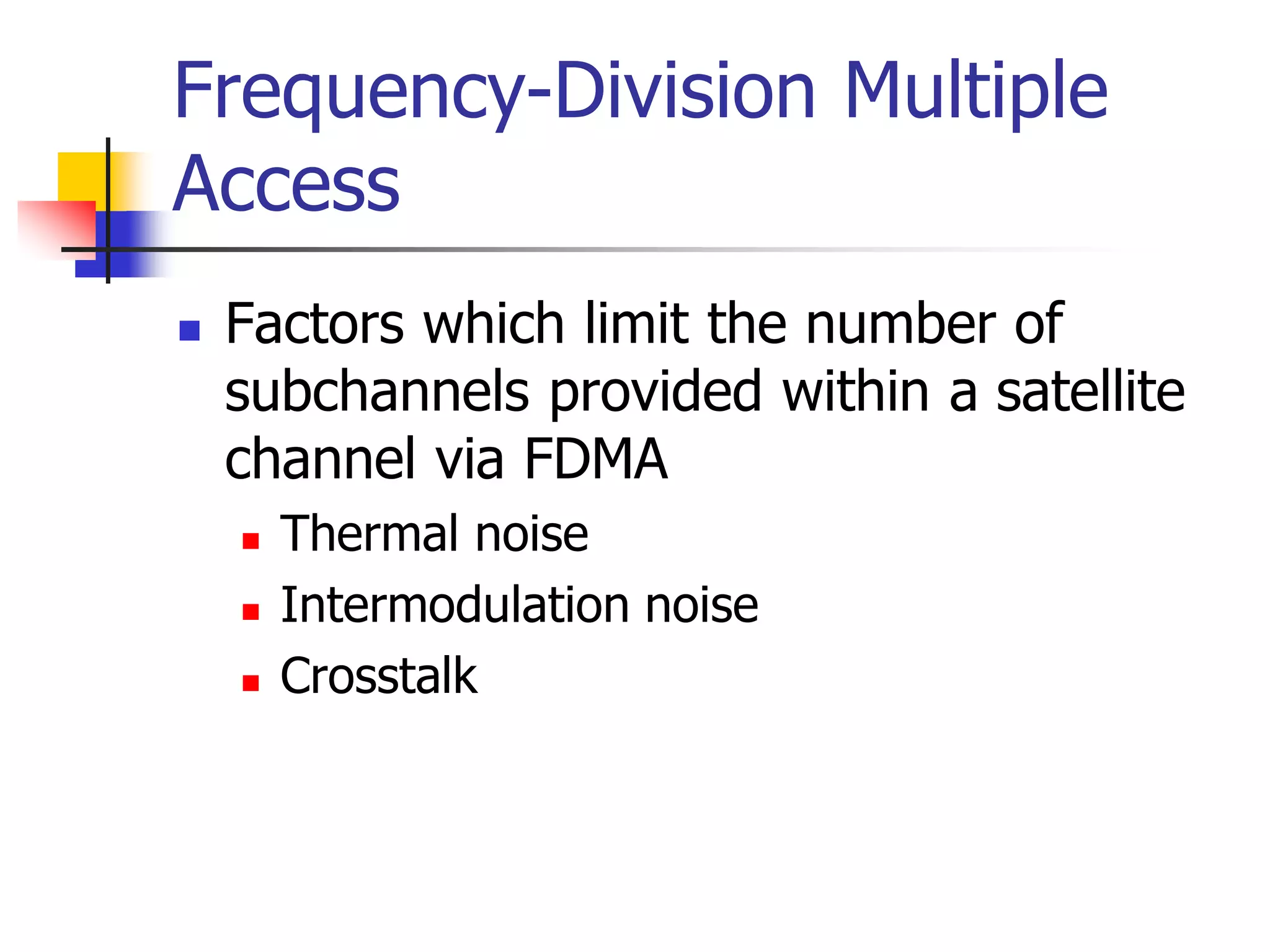
 However, inter-modulation distortion (IMD) present with multiple
carriers in the same amplifier must be assessed and managed as
well.
FDMA
 The satellite operator divides up the power and bandwidth of the
transponder and sells off the capacity in attractively priced segments.
 Users pay for only the amount that they need. If the requirements increase,
additional FDMA channels can be purchased.
 The IMD that FDMA produces within a transponder must be accounted for
in the link budget; otherwise, service quality and capacity will degrade
rapidly as users attempt to compensate by increasing uplink power further.
 The big advantage, however, is that each Earth station has its own
independent frequency on which to operate.
 A bandwidth segment can be assigned to a particular network of users, who
subdivide the spectrum further based on individual needs.
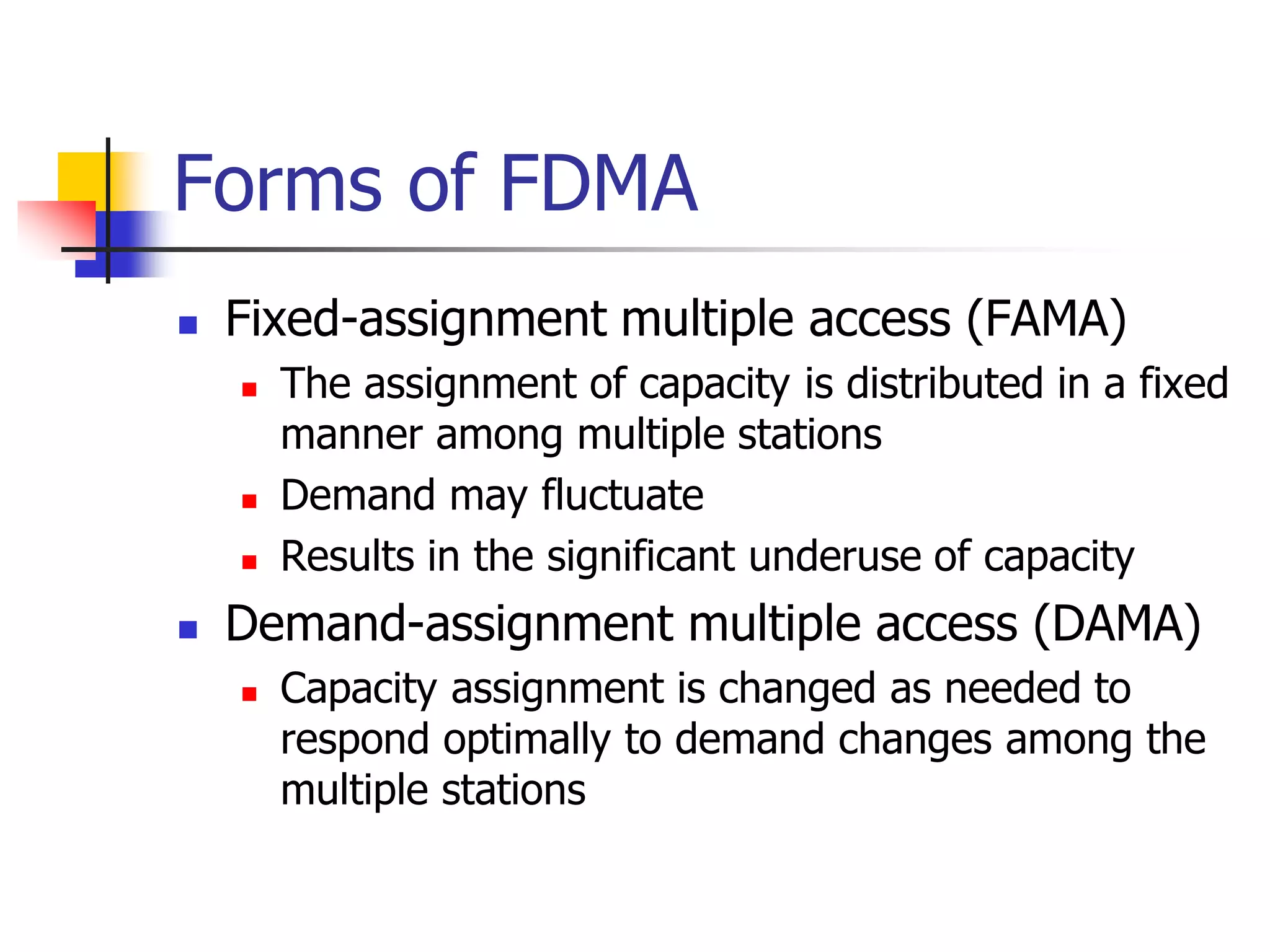
 Another feature, is to assign carrier frequencies when they are needed to
satisfy a traffic requirement. This is the general class of demand assigned
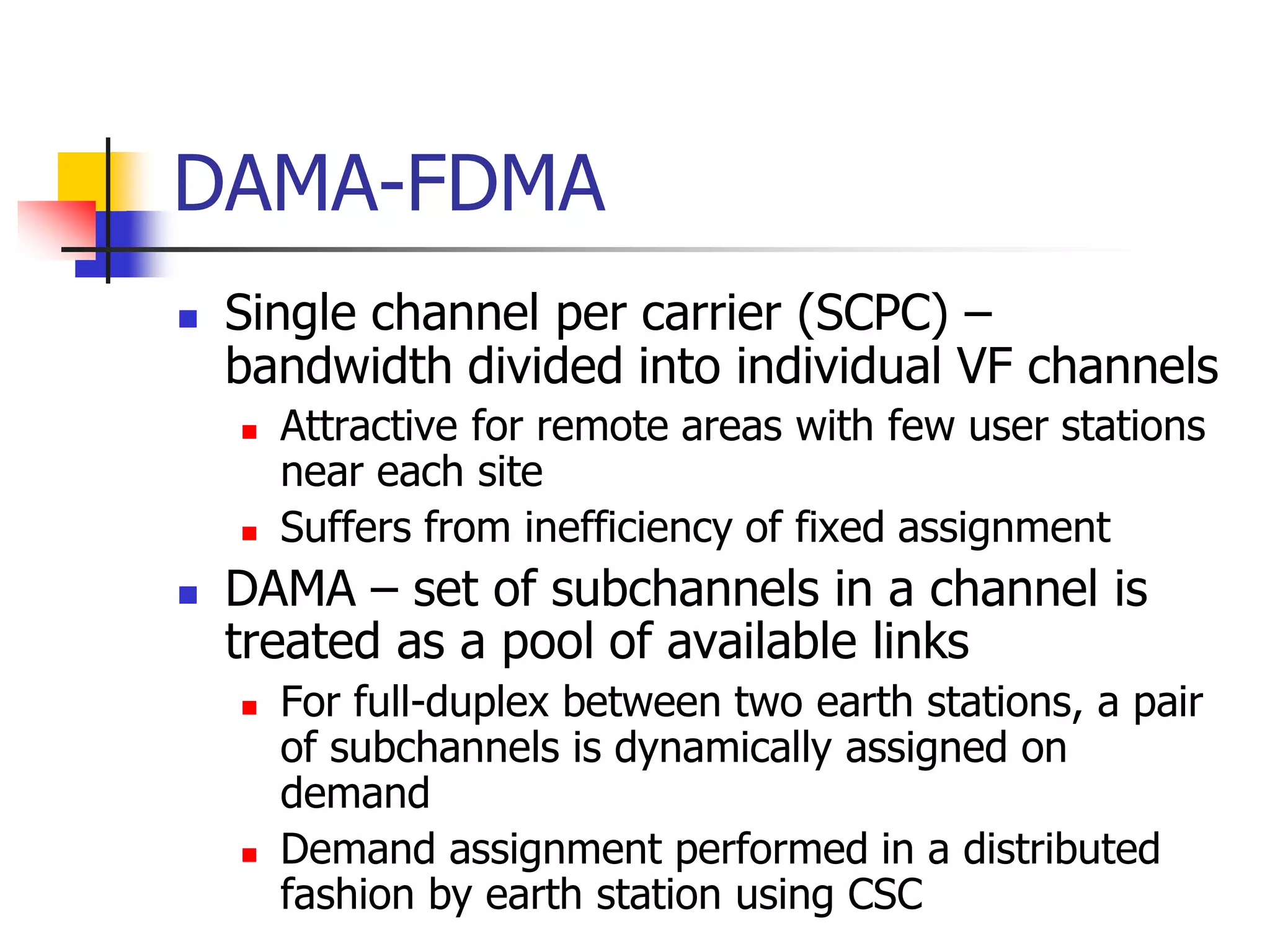
networks, also called demand-assigned multiple access (DAMA).
 In general, DAMA can be applied to all three multiple access schemes
previously described; however, the term is most often associated with
FDMA.
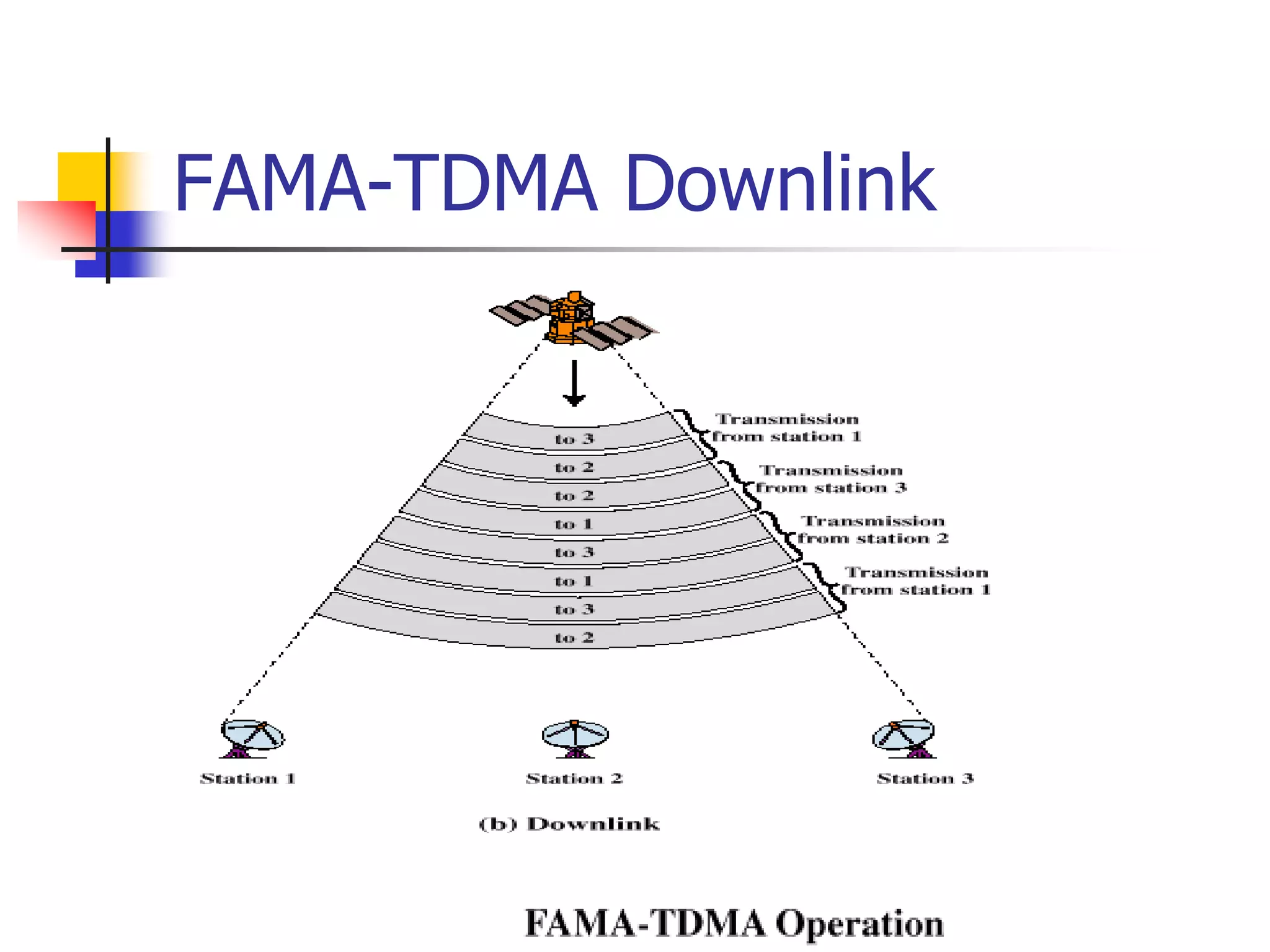
Time Division Multiple Access and ALOHA
 TDMA is a truly digital technology, requiring that all information be
converted into bit streams or data packets before transmission to
the satellite. (An analog form of TDMA is technically feasible but
never reached the market due to the rapid acceptance of the digital
form.)
 Contrary to most other communication technologies, TDMA started
out as a high-speed system for large Earth stations.
 Systems that provided a total throughput of 60 to 250 Mbps were
developed and fielded over the past 25 years.
 However, it is the low-rate TDMA systems, operating at less than 10
Mbps, which provide the foundation of most VSAT networks.
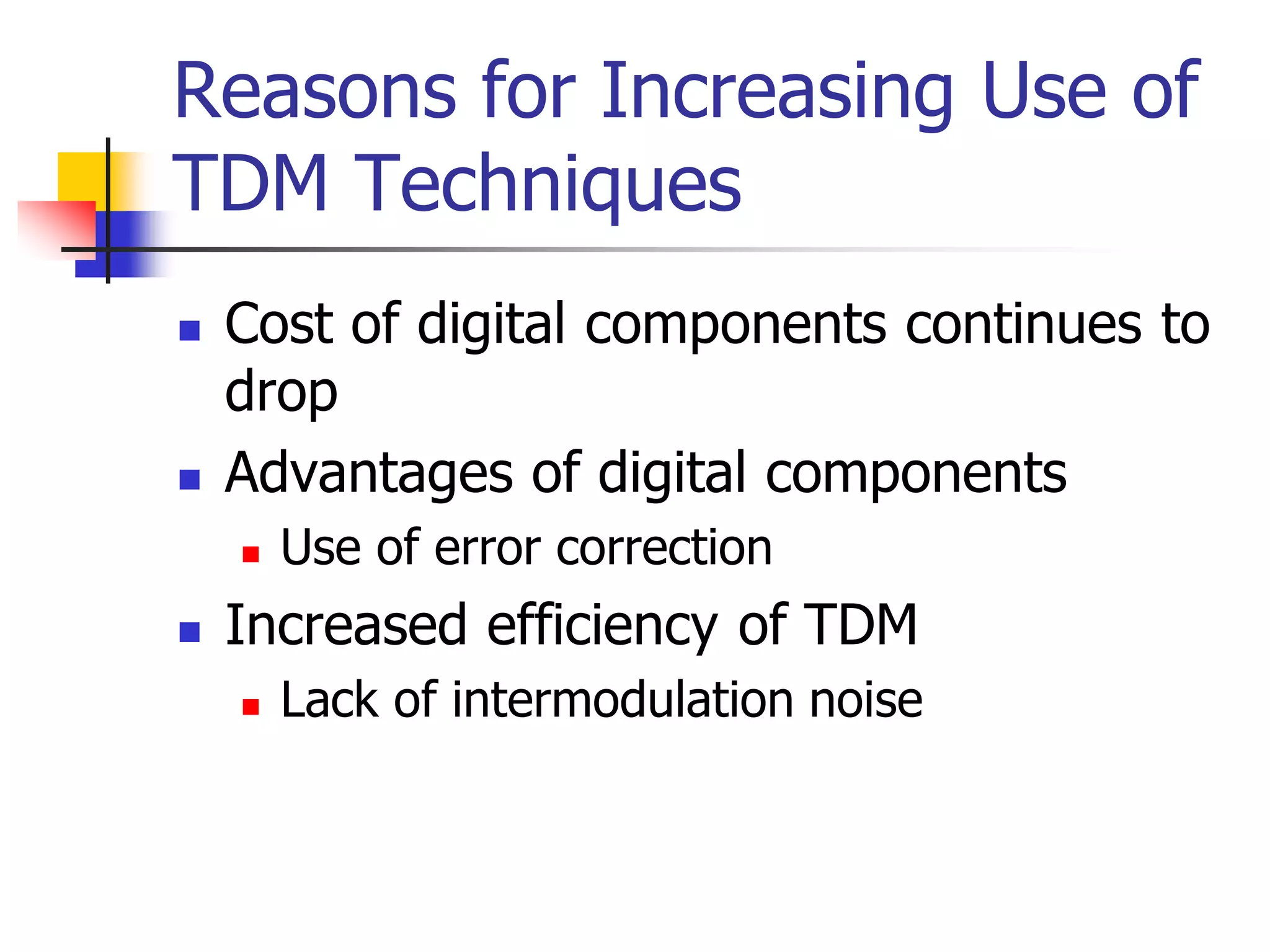
 As the cost and size of digital electronics came down, it became
practical to build a TDMA Earth station into a compact package.
Time Division Multiple Access and ALOHA
 Lower speed means that less power and
bandwidth need to be acquired (e.g., a
fraction of a transponder will suffice)
with the following benefits:
 The uplink power from small terminals is
reduced, saving on the cost of
transmitters.
 The network capacity and quantity of
equipment can grow incrementally, as
demand grows.
Time Division Multiple Access and ALOHA
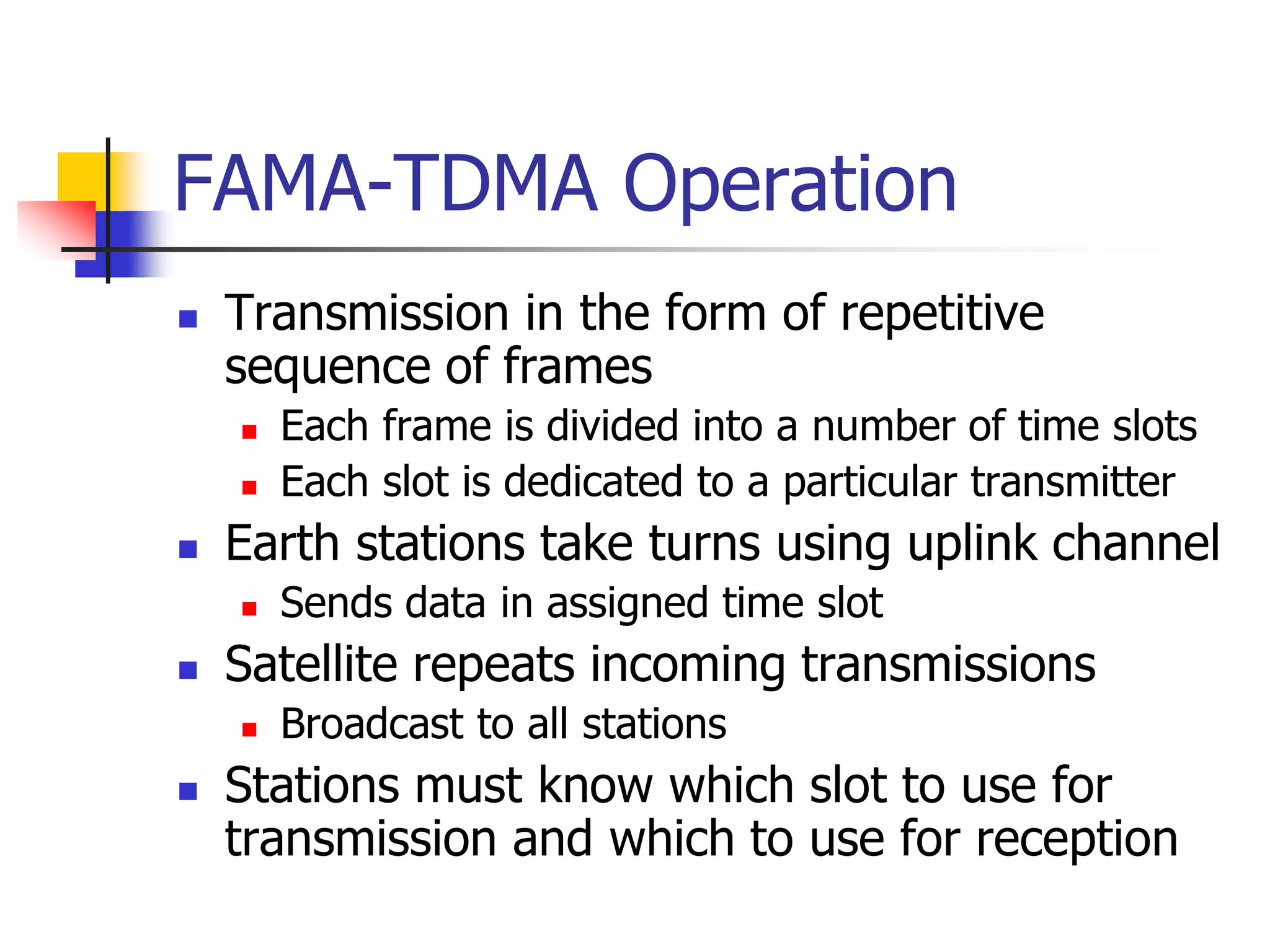
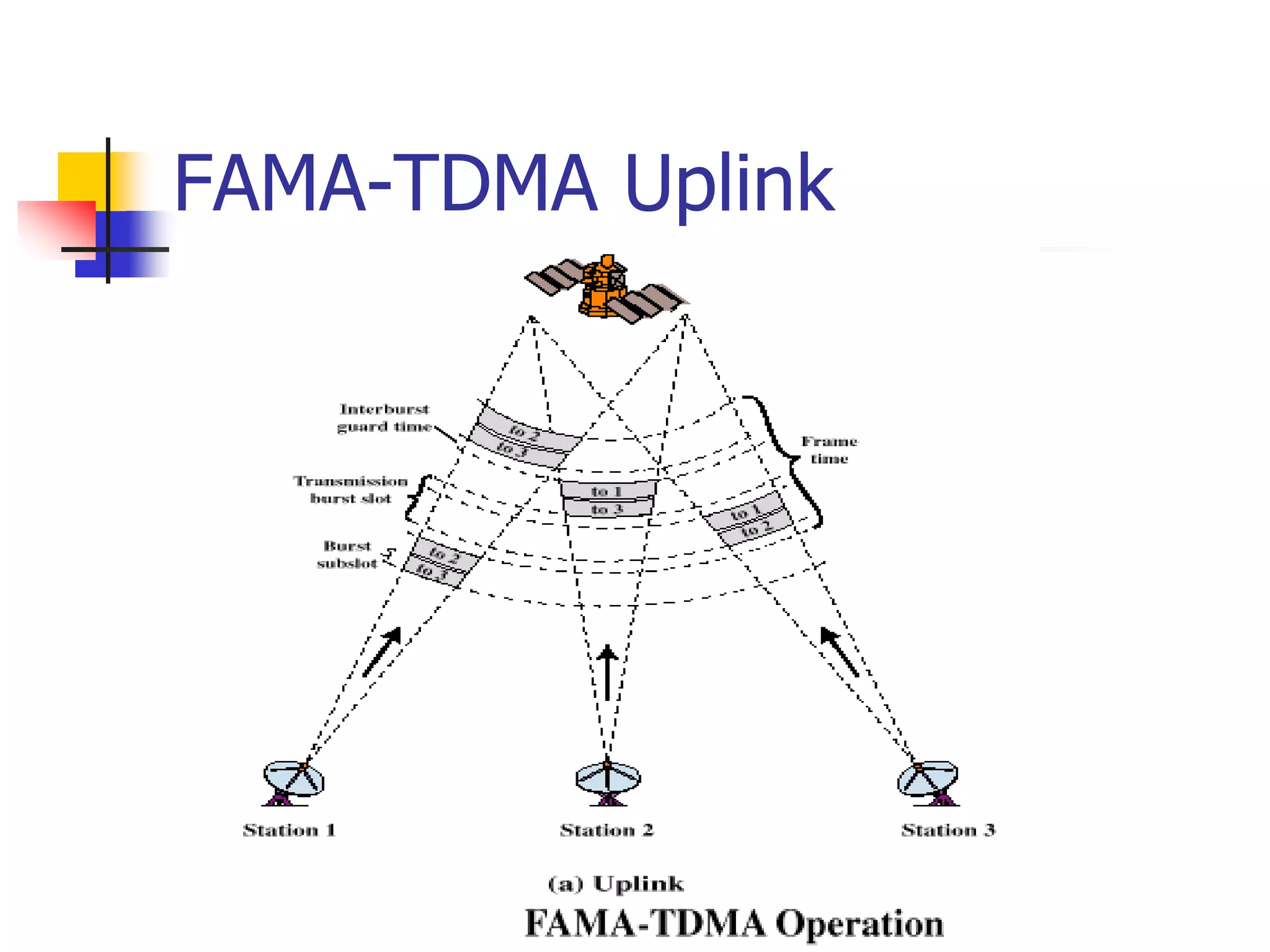
 TDMA signals are restricted to assigned time slots and
therefore must be transmitted in bursts.
 The time frame is periodic, allowing stations to transfer a
continuous stream of information on average.
 Reference timing for start-of-frame is needed to
synchronize the network and provide control and
coordination information.
 This can be provided either as an initial burst
transmitted by a reference Earth station, or on a
continuous basis from a central hub.
 The Earth station equipment takes one or more
continuous streams of data, stores them in a buffer
memory, and then transfers the output toward the
satellite in a burst at a higher compression speed.
Time Division Multiple Access and ALOHA
 At the receiving Earth station, bursts from Earth stations
are received in sequence, selected for recovery if
addressed for this station, and then spread back out in
time in an output expansion buffer.
 It is vital that all bursts be synchronized to prevent
overlap at the satellite; this is accomplished either with
the synchronization burst (as shown) or externally using
a separate carrier.
 Individual time slots may be pre-assigned to particular
stations or provided as a reservation, with both actions
under control by a master station.
 For traffic that requires consistent or constant timing
(e.g., voice and TV), the time slots repeat at a constant
rate.
Time Division Multiple Access and ALOHA
 Computer data and other forms of packetized
information can use dynamic assignment of bursts in
a scheme much like a DAMA network.
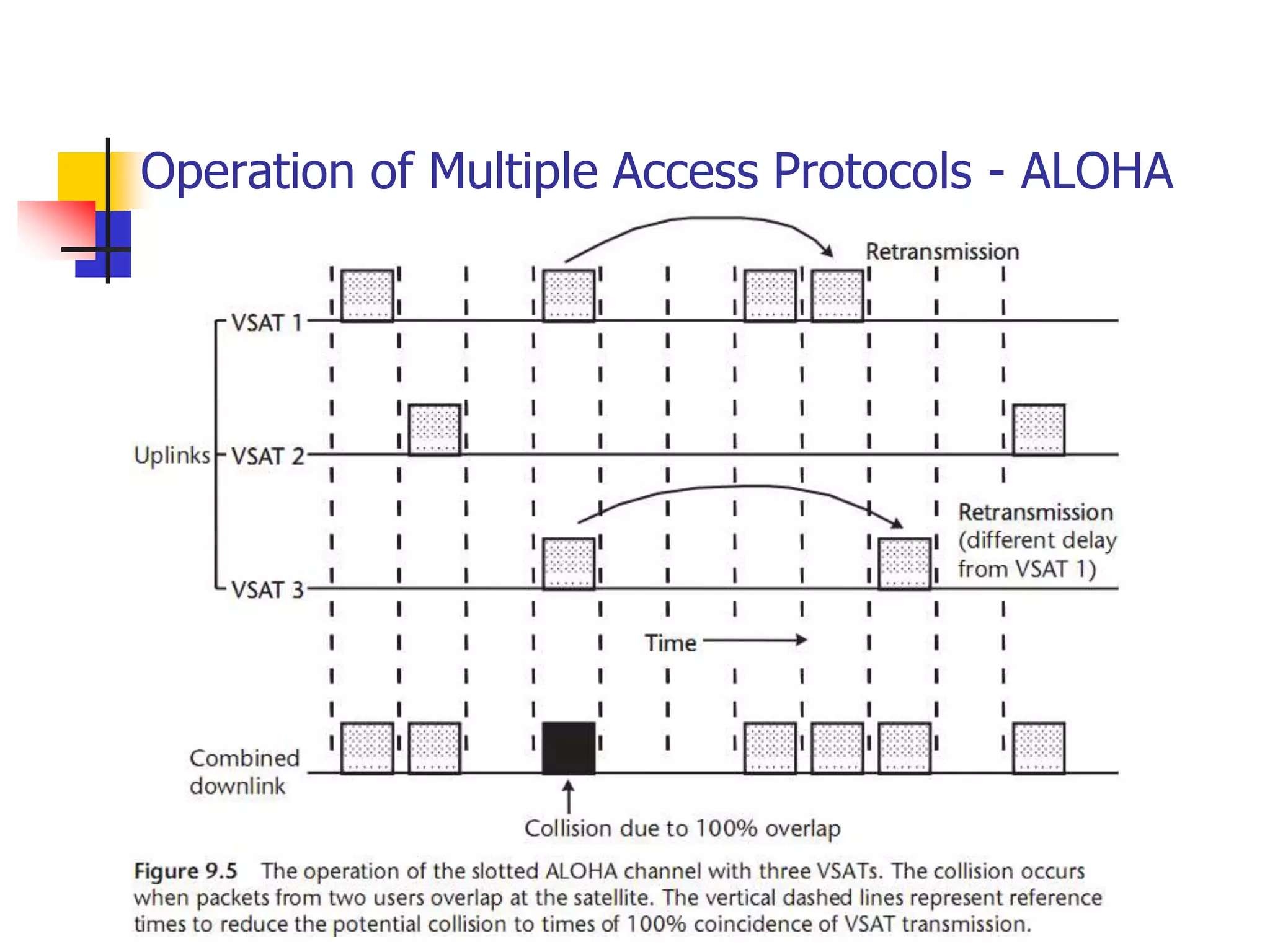
 There is an adaptation for data, called ALOHA, that
uses burst transmission but eliminates the
assignment function of a master control.
 ALOHA is a powerful technique for low cost data
networks that need minimum response time.
Throughput must be less than 20% if the bursts
come from stations that are completely
uncoordinated because there is the potential for time
overlap (called a collision).
Time Division Multiple Access and ALOHA
 The most common implementation of ALOHA employs a
hub station that receives all of these bursts and provides
a positive acknowledgement to the sender if the
particular burst is good.
 If the sending station does not receive acknowledgment
within a set “time window,” the packet is re-sent after a
randomly selected period is added to prevent another
collision.
 This combined process of the window plus added
random wait introduces time delay, but only in the case
of a collision.
 Throughput greater than 20% brings a high percentage
of collisions and resulting retransmissions, introducing
delay that is unacceptable to the application.
Time Division Multiple Access and ALOHA
 An optimally and fully loaded TDMA network can achieve
90% throughput, the only reductions required for guard
time between bursts and other burst overhead for
synchronization and network management.
 The corresponding time delay is approximately equal to
one-half of the frame time, which is proportional to the
number of stations sharing the same channel.
 This is because each station must wait its turn to use the
shared channel.
 ALOHA, on the other hand, allows stations to transmit
immediately upon need. Time delay is minimum, except
when you consider the effect of collisions and the
resulting retransmission times.
Time Division Multiple Access and ALOHA
 TDMA is a good fit for all forms of digital
communications and should be considered as one option
during the design of a satellite application.
 The complexity of maintaining synchronization and
control has been overcome through miniaturization of
the electronics and by way of improvements in network
management systems.
 With the rapid introduction of TDMA in terrestrial radio
networks like the GSM standard, we will see greater
economies of scale and corresponding price reductions in
satellite TDMA equipment.
Code Division Multiple Access
 CDMA, also called spread spectrum communication,
differs from FDMA and TDMA because it allows users to
literally transmit on top of each other.
 This feature has allowed CDMA to gain attention in
commercial satellite communication.
 It was originally developed for use in military satellite
communication where its inherent anti-jam and security
features are highly desirable.
 CDMA was adopted in cellular mobile telephone as an
interference-tolerant communication technology that
increases capacity above analog systems.
Code Division Multiple Access
 It has not been proven that CDMA is universally superior
as this depends on the specific requirements.
 For example, an effective CDMA system requires
contiguous bandwidth equal to at least the spread
bandwidth.
 Two forms of CDMA are applied in practice:
(1) direct sequence spread spectrum (DSSS) and
(2) frequency hopping spread spectrum (FHSS).
 FHSS has been used by the OmniTracs and Eutel-Tracs
mobile messaging systems for more than 10 years now,
and only recently has it been applied in the consumer’s
commercial world in the form of the Bluetooth wireless
LAN standard. However, most CDMA applications over
commercial satellites employ DSSS (as do the cellular
networks developed by Qualcomm).
Code Division Multiple Access
 Consider the following summary of the features of
spread spectrum technology (whether DSSS or FHSS):
 Simplified multiple access: no requirement for coordination
among users;
 Selective addressing capability if each station has a unique chip
code sequence—provides authentication: alternatively, a
common code may still perform the CDMA function adequately
since the probability of stations happening to be in synch is
approximately 1/n;
 Relative security from eavesdroppers: the low spread power and
relatively fast direct sequence modulation by the pseudorandom
code make detection difficult;
 Interference rejection: the spread-spectrum receiver treats the
other DSSS signals as thermal noise and suppresses narrowband
interference.
Code Division Multiple Access
 A typical CDMA receiver must carry out the
following functions in order to acquire the signal,
maintain synchronization, and reliably recover
the data:
 Synchronization with the incoming code through the
technique of correlation detection;
 De-spreading of the carrier;
 Tracking the spreading signal to maintain
synchronization;
 Demodulation of the basic data stream;
 Timing and bit detection;
 Forward error correction to reduce the effective error
rate;
Code Division Multiple Access
 The first three functions are needed to
extract the signal from the clutter of noise
and other signals.
 The processes of demodulation, bit timing
and detection, and FEC are standard for a
digital receiver, regardless of the multiple
access method.
Multiple Access Summary
 The bottom line in multiple access is that there
is no single system that provides a universal
answer.
 FDMA, TDMA, and CDMA will each continue to
have a place in building the applications of the
future.
 They can all be applied to digital
communications and satellite links.
 When a specific application is considered, it is
recommended to perform the comparison to
make the most intelligent selection.
Frequency Band Trade-Offs
 Satellite communication is a form of radio or wireless
communication and therefore must compete with other
existing and potential uses of the radio spectrum.
 During the initial 10 years of development of these
applications, there appeared to be more or less ample
bandwidth, limited only by what was physically or
economically justified by the rather small and low
powered satellites of the time.
 In later years, as satellites grew in capability, the
allocation of spectrum has become a domestic and
international battlefield as service providers fight among
themselves, joined by their respective governments
when the battle extends across borders.
 So, we must consider all of the factors when selecting a
band for a particular application.
Frequency Band Trade-Offs
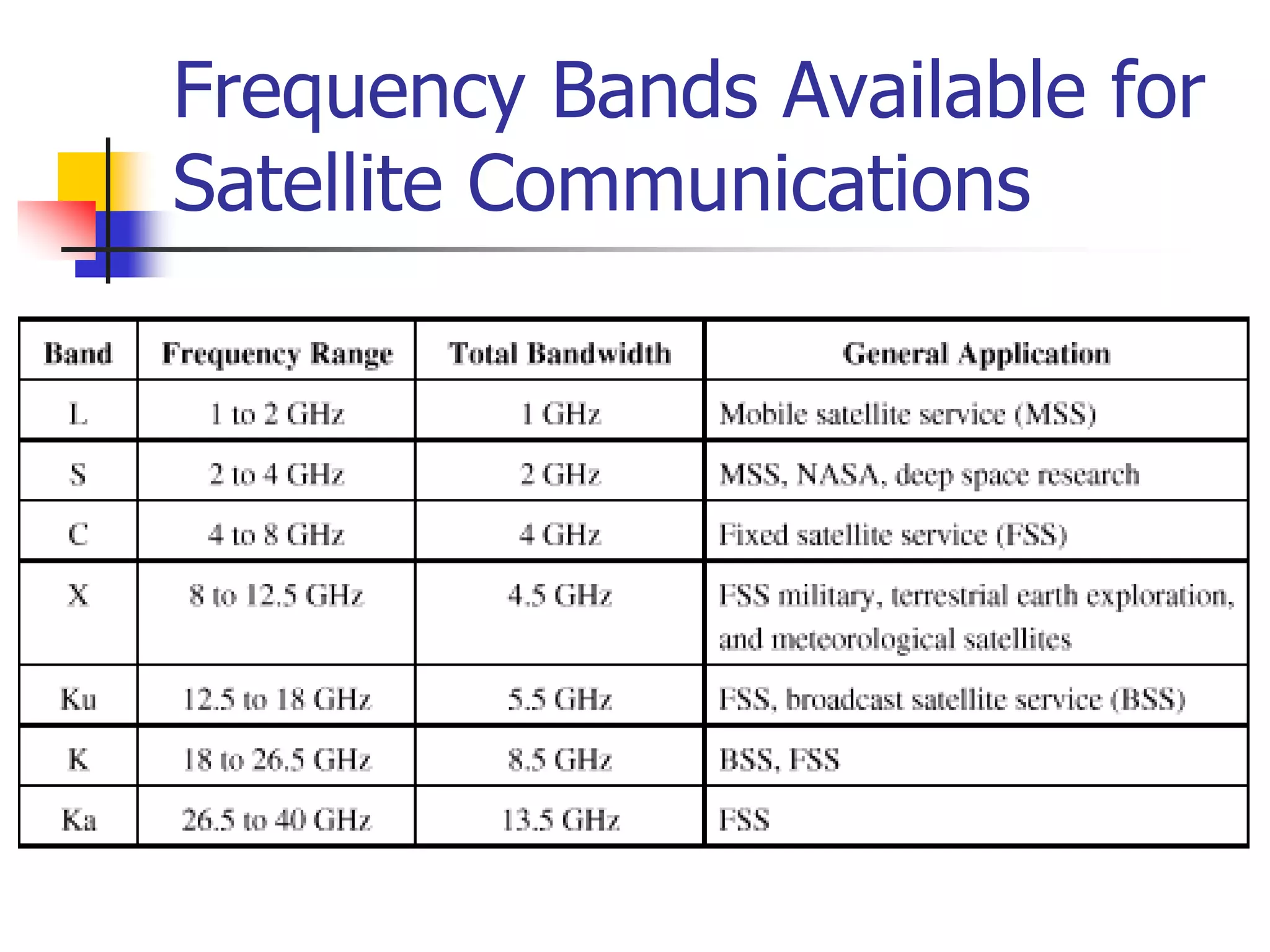
 The most attractive portion of the radio spectrum for
satellite communication lies between 1 and 30 GHz.
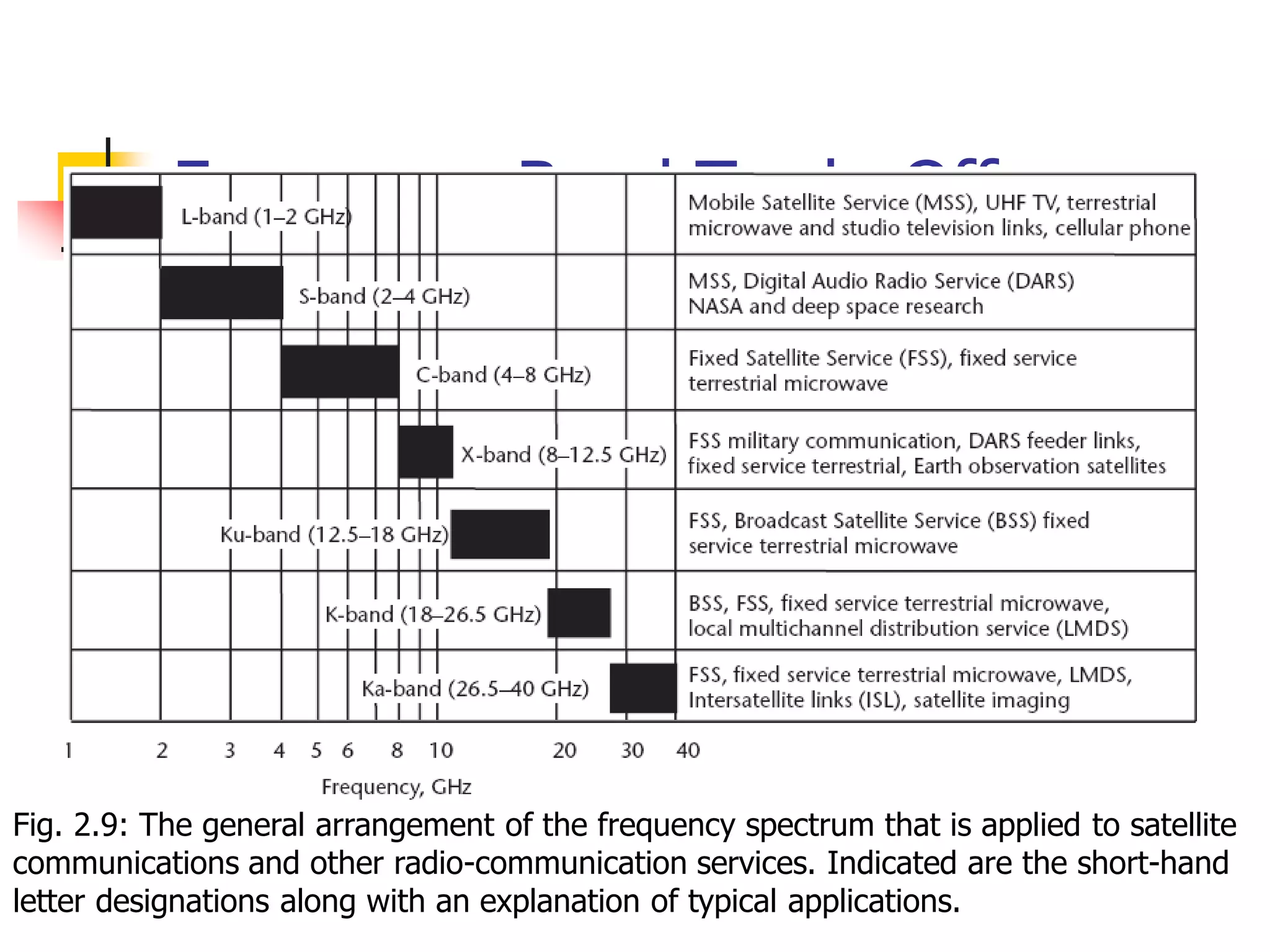
 The relationship of frequency, bandwidth, and
application are shown in Figure 2.9.
 The scale along the x-axis is logarithmic in order to show
all of the satellite bands; however, observe that the
bandwidth available for applications increases in real
terms as one moves toward the right (i.e., frequencies
above 3 GHz).
 Also, the precise amount of spectrum that is available for
services in a given region or country is usually less than
Figure 2.9 indicates.
Frequency Band Trade-Offs
Fig. 2.9: The general arrangement of the frequency spectrum that is applied to satellite
communications and other radio-communication services. Indicated are the short-hand
letter designations along with an explanation of typical applications.
Frequency Band Trade-Offs
 The use of letters probably dates back to World
War II as a form of shorthand and simple code
for developers of early microwave hardware.
 Two band designation systems are in use:
adjectival (meaning the bands are identified by
the following adjectives) and letter (which are
codes to distinguish bands commonly used in
space communications and radar).
Frequency Band Trade-Offs
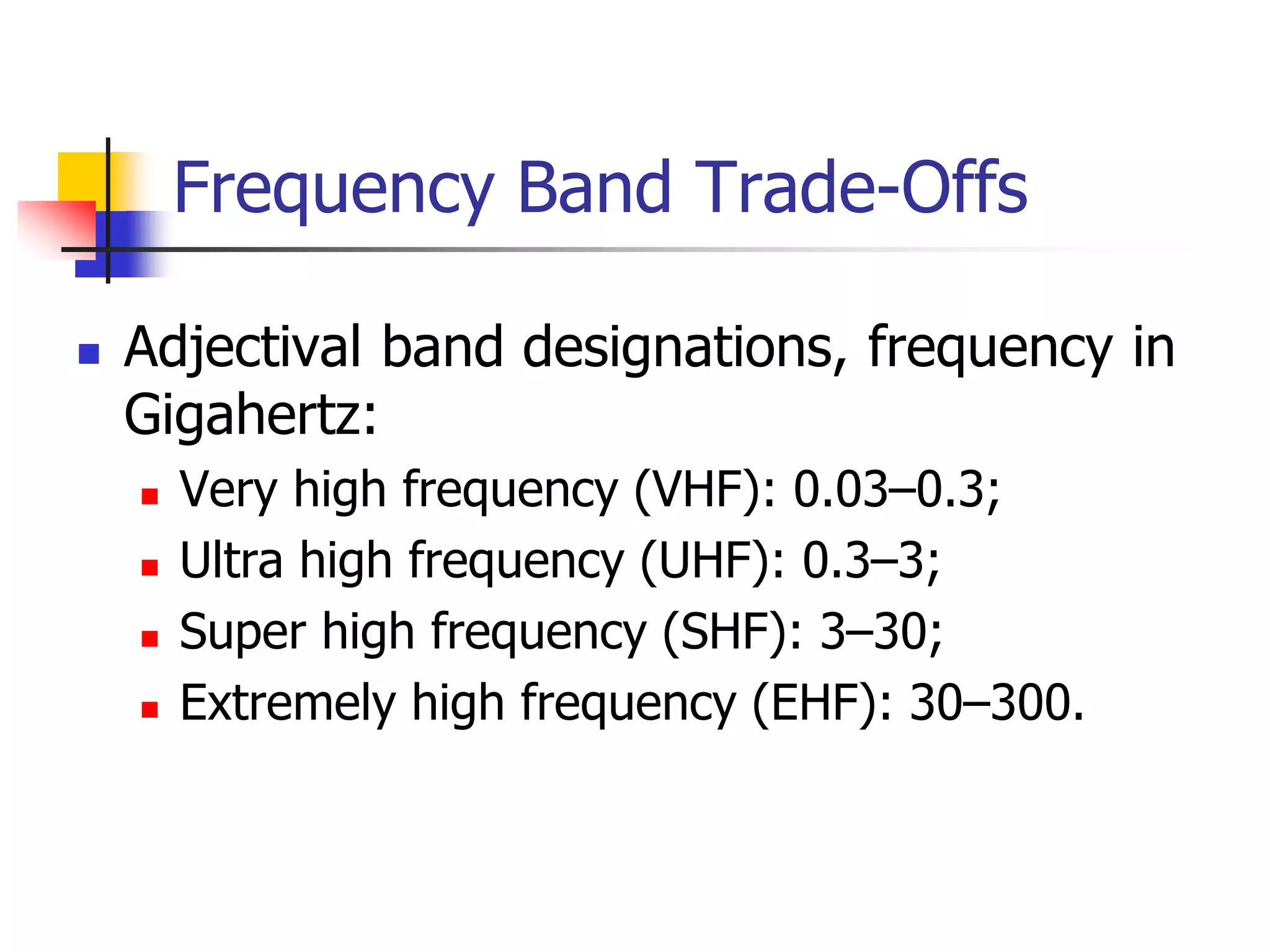
 Adjectival band designations, frequency in
Gigahertz:
 Very high frequency (VHF): 0.03–0.3;
 Ultra high frequency (UHF): 0.3–3;
 Super high frequency (SHF): 3–30;
 Extremely high frequency (EHF): 30–300.
Frequency Band Trade-Offs
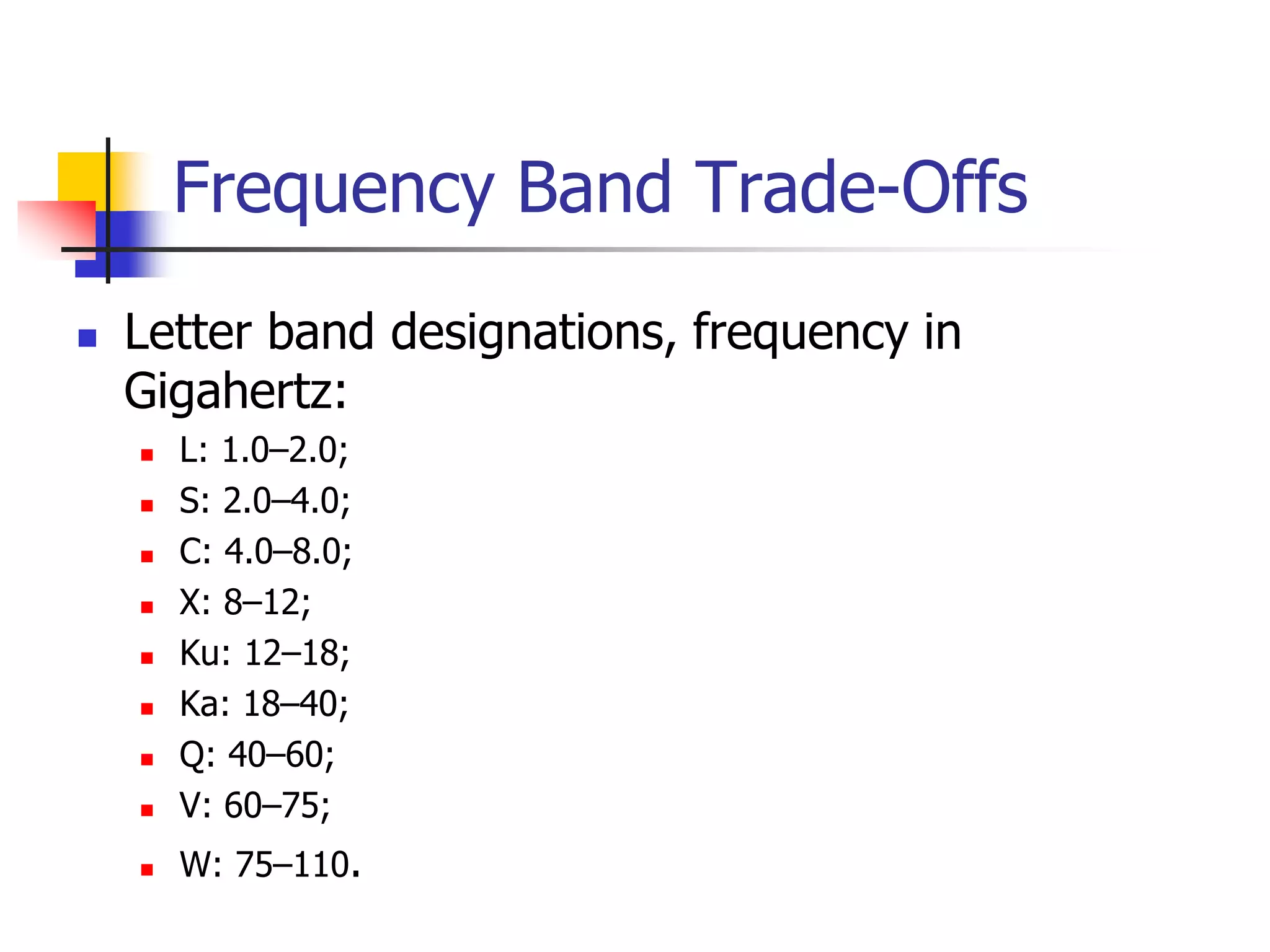
 Letter band designations, frequency in
Gigahertz:
 L: 1.0–2.0;
 S: 2.0–4.0;
 C: 4.0–8.0;
 X: 8–12;
 Ku: 12–18;
 Ka: 18–40;
 Q: 40–60;
 V: 60–75;
 W: 75–110.
Frequency Band Trade-Offs
 Today, the letter designations continue to be the
popular buzzwords that identify band segments
that have commercial application in satellite
communications.
 The international regulatory process, maintained
by the ITU, does not consider these letters but
rather uses band allocations and service
descriptors listed next and in the right-hand
column of Figure 2.9.
Frequency Band Trade-Offs
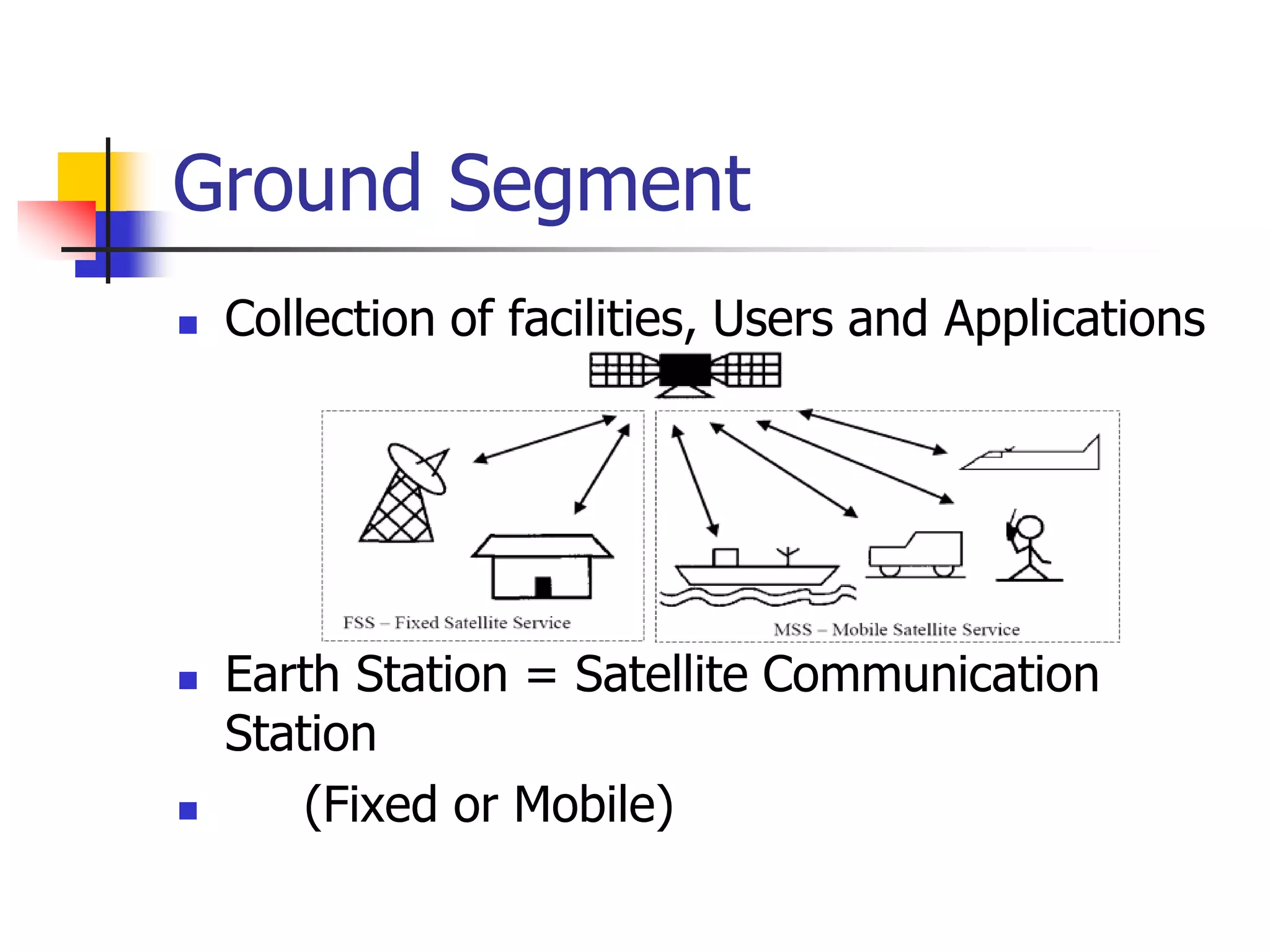
 Fixed Satellite Service (FSS): between Earth stations at given
positions, when one or more satellites are used; the given
position may be a specified fixed point or any fixed point within
specified areas; in some cases this service includes satellite-to-
satellite links, which may also be operated in the inter-satellite
service; the FSS may also include feeder links for other services.
 Mobile Satellite Service (MSS): between mobile Earth stations
and one or more space stations (including multiple satellites
using inter-satellite links). This service may also include feeder
links necessary for its operation.
 Broadcasting Satellite Service (BSS): A service in which signals
transmitted or retransmitted by space stations are intended for
direct reception by the general public. In the BSS, the term
“direct reception” shall encompass both individual reception and
community reception.
 Inter-satellite Link (ISL): A service providing links between
satellites.
Frequency Band Trade-Offs
 The lower the band in frequency, the better the propagation characteristics.
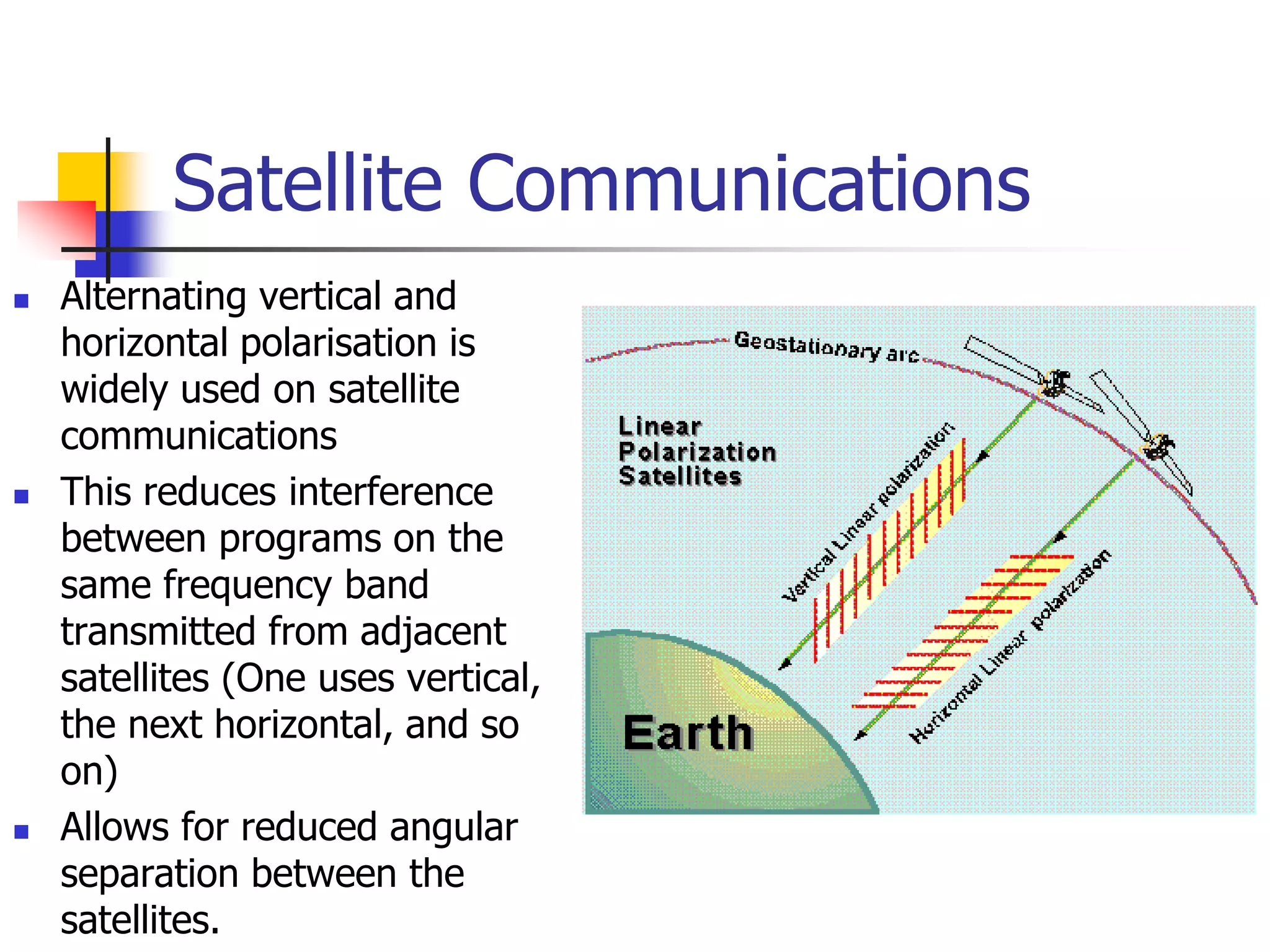
This is countered by the second general principle, which is that the higher
the band, the more bandwidth that is available. The MSS is allocated to the
L- and S-bands, where propagation is most forgiving.
 Yet, the bandwidth available between 1 and 2.5 GHz, where MSS
applications are authorized, must be shared not only among GEO and non-
GEO applications, but with all kinds of mobile radio, fixed wireless,
broadcast, and point-to-point services as well.
 The competition is keen for this spectrum due to its excellent space and
terrestrial propagation characteristics. The rollout of wireless services like
cellular radiotelephone, PCS, wireless LANs, and 3G may conflict with
advancing GEO and non-GEO MSS systems.
 Generally, government users in North America and Europe, particularly in
the military services, have employed selected bands such as S, X, and Ka to
isolate themselves from commercial applications.
 However, this segregation has disappeared as government users discover
the features and attractive prices that commercial systems may offer.
Frequency Band Trade-Offs
 On the other hand, wideband services like DTH and broadband data
services can be accommodated at frequencies above 3 GHz, where
there is more than 10 times the bandwidth available.
 Add to this the benefit of using directional ground antennas that
effectively multiply the unusable number of orbit positions. Some
wideband services have begun their migration from the well-
established world of C-band to Ku- and Ka-bands.
 Higher satellite EIRP used at Ku-band allows the use of relatively
small Earth station antennas. On the other hand, C-band should
maintain its strength for video distribution to cable systems and TV
stations, particularly because of the favorable propagation
environment, extensive global coverage, and legacy investment in
C-band antennas and electronic equipment.
Ultra High Frequency
 While the standard definition of UHF is the range of 300 to 3,000 MHz (0.3 to
3 GHz), the custom is to relate this band to any effective satellite
communication below 1 GHz.
 Frequencies above 1 GHz are considered later on. The fact that the
ionosphere provides a high degree of attenuation below 100 MHz makes this
at the low end of acceptability (the blockage by the ionosphere at 10 MHz
goes along with its ability to reflect radio waves, a benefit for ground-to-
ground and air-to-ground communications using what is termed sky wave or
“skip”).
 UHF satellites employ circular polarization (CP) to avoid Faraday effect,
wherein the ionosphere rotates any linear-polarized wave.
 The UHF spectrum between 300 MHz and 1 GHz is exceedingly crowded on
the ground and in the air because of numerous commercial, government, and
other civil applications.
 Principal among them is television broadcasting in the VHF and UHF bands,
FM radio, and cellular radio telephone.
 However, we cannot forget less obvious uses like vehicular and handheld
radios used by police officers, firefighters, amateurs, the military, taxis and
other commercial users, and a variety of unlicensed applications in the home.
UNIT 3
Propagation effects
Ground Segment
 Collection of facilities, Users and Applications
 Earth Station = Satellite Communication
Station
 (Fixed or Mobile)
Satellite Uplink and Downlink
 Downlink
 The link from a satellite down to one or more ground stations or
receivers
 Uplink
 The link from a ground station up to a satellite.
 Some companies sell uplink and downlink
services to
 television stations, corporations, and to other telecommunication
carriers.
 A company can specialize in providing uplinks, downlinks, or both.
Why Two Frequencies for Uplink and
Downlink in Satellite Com
 The reason the uplink and downlink frequencies are different in
satellites is because otherwise the satellite's transmitter and
receiver would interfere with one another. The signals have to
operate on different frequencies.
 If you could send a signal, then wait, the receiver could be
protected from the transmitted signal on the same frequency,
but with high speed, continuous transmission, the receiver
cannot be turned off while the transmitter is transmitting. (an
example of something that transmits and receives on the same
frequency is pulsed RADAR, where the transmitter sends out a
pulse, and then the echo is picked up by the receiver)
Why Uplink Frequency is Higher than
Downlink Frequency
 The signals have to cross the atmosphere which presents a
great deal of attenuation. The higher the frequency, the more is
the signal loss and more power is needed for reliable
transmission.
 A satellite is a light-weight device which cannot support high-
power transmitters on it. So, it transmits at a lower frequency
(higher the frequency, higher is the transmitter power to
accommodate losses) as compared to the stationary earth
station which can afford to use very high-power transmitters.
This is compensated by using highly sensitive receiver circuits
on the earth station which is in the line-of-sight (LOS) of the
satellite.
Uplink/Downlink
Mobile/Satellite
A mobile is a portable device which cannot afford high-power transmission as it has a
small battery with limited power. The 'free space path loss' comes to play. The higher
the transmitting frequency, the higher is the loss. Since a mobile station (cellphone)
cannot afford to transmit at high power to compensate for this loss, it must transmit on
a lower frequency as a lower frequency presents lesser free space path loss. Therefore,
mobile-to-base station (uplink) frequencies are lower than base station-to-
mobile(downlink) frequencies.
Satellite Uplink and Downlink
Satellite Communication
 When using a satellite for long
distance communications, the
satellite acts as a repeater.
 An earth station transmits the
signal up to the satellite (uplink),
which in turn retransmits it to the
receiving earth station (downlink).
 Different frequencies are used for
uplink/downlink.
Satellite Transmission Links
 Earth stations Communicate by sending
signals to the satellite on an uplink
 The satellite then repeats those signals
on a downlink
 The broadcast nature of downlink
makes it attractive for services such as
the distribution of TV programs
Direct to User Services
One way Service (Broadcasting) Two way Service (Communication)
Satellite Signals
 Used to transmit signals and data over
long distances
 Weather forecasting
 Television broadcasting
 Internet communication
 Global Positioning Systems
Advantages of Satellite
Communication
 Can reach over large geographical area
 Flexible (if transparent transponders)
 Easy to install new circuits
 Circuit costs independent of distance
 Broadcast possibilities
 Temporary applications (restoration)
 Niche applications
 Mobile applications (especially "fill-in")
 Terrestrial network "by-pass"
 Provision of service to remote or underdeveloped areas
 User has control over own network
 1-for-N multipoint standby possibilities
Disadvantages of Satellite
Communication
 Large up front capital costs (space
segment and launch)
 Terrestrial break even distance
expanding (now approx. size of Europe)
 Interference and propagation delay
 Congestion of frequencies and orbits
When to use Satellites
 When the unique features of satellite communications make it
attractive
 When the costs are lower than terrestrial routing
 When it is the only solution
 Examples:
 Communications to ships and aircraft (especially safety
communications)
 TV services - contribution links, direct to cable head, direct
to home
 Data services - private networks
 Overload traffic
 Delaying terrestrial investments
 1 for N diversity
 Special events
When to use Terrestrial
 PSTN - satellite is becoming increasingly uneconomic
for most trunk telephony routes
 but, there are still good reasons to use satellites for
telephony such as: thin routes, diversity, very long
distance traffic and remote locations.
 Land mobile/personal communications - in urban
areas of developed countries new terrestrial
infrastructure is likely to dominate (e.g. GSM, etc.)
 but, satellite can provide fill-in as terrestrial networks
are implemented, also provide similar services in
rural areas and underdeveloped countries
Frequency Bands Allocated to the
FSS(Fixed service satellite)
 Frequency bands are allocated to different services at World
Radio-communication Conferences (WRCs).
 Allocations are set out in Article S5 of the ITU Radio
Regulations.
 It is important to note that (with a few exceptions) bands are
generally allocated to more than one radio services.
 CONSTRAINTS
 Bands have traditionally been divided into “commercial" and
"government/military" bands, although this is not reflected
in the Radio Regulations and is becoming less clear-cut as
"commercial" operators move to utilize "government" bands.
Earth’s atmosphere
 Source: All about GPS
[www.kowoma.de]
Atmospheric Losses
 Different types of atmospheric losses
can disturb radio wave transmission in
satellite systems:
 Atmospheric absorption
 Atmospheric attenuation
 Traveling ionospheric disturbances
Atmospheric Absorption
 Energy absorption by atmospheric
gases, which varies with the
frequency of the radio waves.
 Two absorption peaks are observed
(for 90º elevation angle):
 22.3 GHz from resonance
absorption in water vapour (H2O)
 60 GHz from resonance absorption
in oxygen (O2)
 For other elevation angles:
 [AA] = [AA]90 cosec 
Atmospheric Attenuation
 Rain is the main cause of atmospheric attenuation (hail, ice and
snow have little effect on attenuation because of their low water
content).
 Total attenuation from rain can be determined by:
 A = L [dB]
 where  [dB/km] is called the specific attenuation, and can
be calculated from specific attenuation coefficients in tabular
form that can be found in a number of publications
 where L [km] is the effective path length of the signal
through the rain; note that this differs from the geometric
path length due to fluctuations in the rain density.
Traveling Ionospheric
Disturbances
 Traveling ionospheric disturbances are clouds of electrons in the
ionosphere that provoke radio signal fluctuations which can only
be determined on a statistical basis.
 The disturbances of major concern are:
 Scintillation;
 Polarisation rotation.
 Scintillations are variations in the amplitude, phase, polarisation,
or angle of arrival of radio waves, caused by irregularities in the
ionosphere which change over time.
 The main effect of scintillations is fading of the signal.
What is Polarisation?
 Polarisation is the property of electromagnetic
waves that describes the direction of the
transverse electric field.
 Since electromagnetic waves consist of an
electric and a magnetic field vibrating at right
angles to each other.
 it is necessary to adopt a convention to
determine the polarisation of the signal.
 Conventionally, the magnetic field is ignored
and the plane of the electric field is used.
Types of Polarisation
 Linear Polarisation (horizontal or
vertical):
 the two orthogonal components
of the electric field are in phase;
 The direction of the line in the
plane depends on the relative
amplitudes of the two
components.
 Circular Polarisation:
 The two components are
exactly 90º out of phase and
have exactly the same
amplitude.
 Elliptical Polarisation:
 All other cases.
Linear Polarisation Circular Polarisation
Satellite Communications
 Alternating vertical and
horizontal polarisation is
widely used on satellite
communications
 This reduces interference
between programs on the
same frequency band
transmitted from adjacent
satellites (One uses vertical,
the next horizontal, and so
on)
 Allows for reduced angular
separation between the
satellites.
Ways to Categorize
Communications Satellites
 Coverage area
 Global, regional, national
 Service type
 Fixed service satellite (FSS)
 Broadcast service satellite (BSS)
 Mobile service satellite (MSS)
 General usage
 Commercial, military, amateur, experimental
Classification of Satellite Orbits
 Circular or elliptical orbit
 Circular with center at earth’s center
 Elliptical with one foci at earth’s center
 Orbit around earth in different planes
 Equatorial orbit above earth’s equator
 Polar orbit passes over both poles
 Other orbits referred to as inclined orbits
 Altitude of satellites
 Geostationary orbit (GEO)
 Medium earth orbit (MEO)
 Low earth orbit (LEO)
Minimum Elevation Angle
 Reasons affecting minimum elevation
angle of earth station’s antenna (>0o)
 Buildings, trees, and other terrestrial
objects block the line of sight
 Atmospheric attenuation is greater at low
elevation angles
 Electrical noise generated by the earth's
heat near its surface adversely affects
reception
GEO Orbit
 Advantages of the the GEO orbit
 No problem with frequency changes
 Tracking of the satellite is simplified
 High coverage area
 Disadvantages of the GEO orbit
 Weak signal after traveling over 35,000 km
 Polar regions are poorly served
 Signal sending delay is substantial
LEO Satellite Characteristics
 Circular/slightly elliptical orbit under 2000 km
 Orbit period ranges from 1.5 to 2 hours
 Diameter of coverage is about 8000 km
 Round-trip signal propagation delay less than
20 ms
 Maximum satellite visible time up to 20 min
 System must cope with large Doppler shifts
 Atmospheric drag results in orbital
deterioration
LEO Categories
 Little LEOs
 Frequencies below 1 GHz
 5MHz of bandwidth
 Data rates up to 10 kbps
 Aimed at paging, tracking, and low-rate
messaging
 Big LEOs
 Frequencies above 1 GHz
 Support data rates up to a few megabits per sec
 Offer same services as little LEOs in addition to
voice and positioning services
MEO Satellite Characteristics
 Circular orbit at an altitude in the range of
5000 to 12,000 km
 Orbit period of 6 hours
 Diameter of coverage is 10,000 to 15,000 km
 Round trip signal propagation delay less than
50 ms
 Maximum satellite visible time is a few hours
Frequency Bands Available for
Satellite Communications
Satellite Link Performance
Factors
 Distance between earth station antenna and
satellite antenna
 For downlink, terrestrial distance between
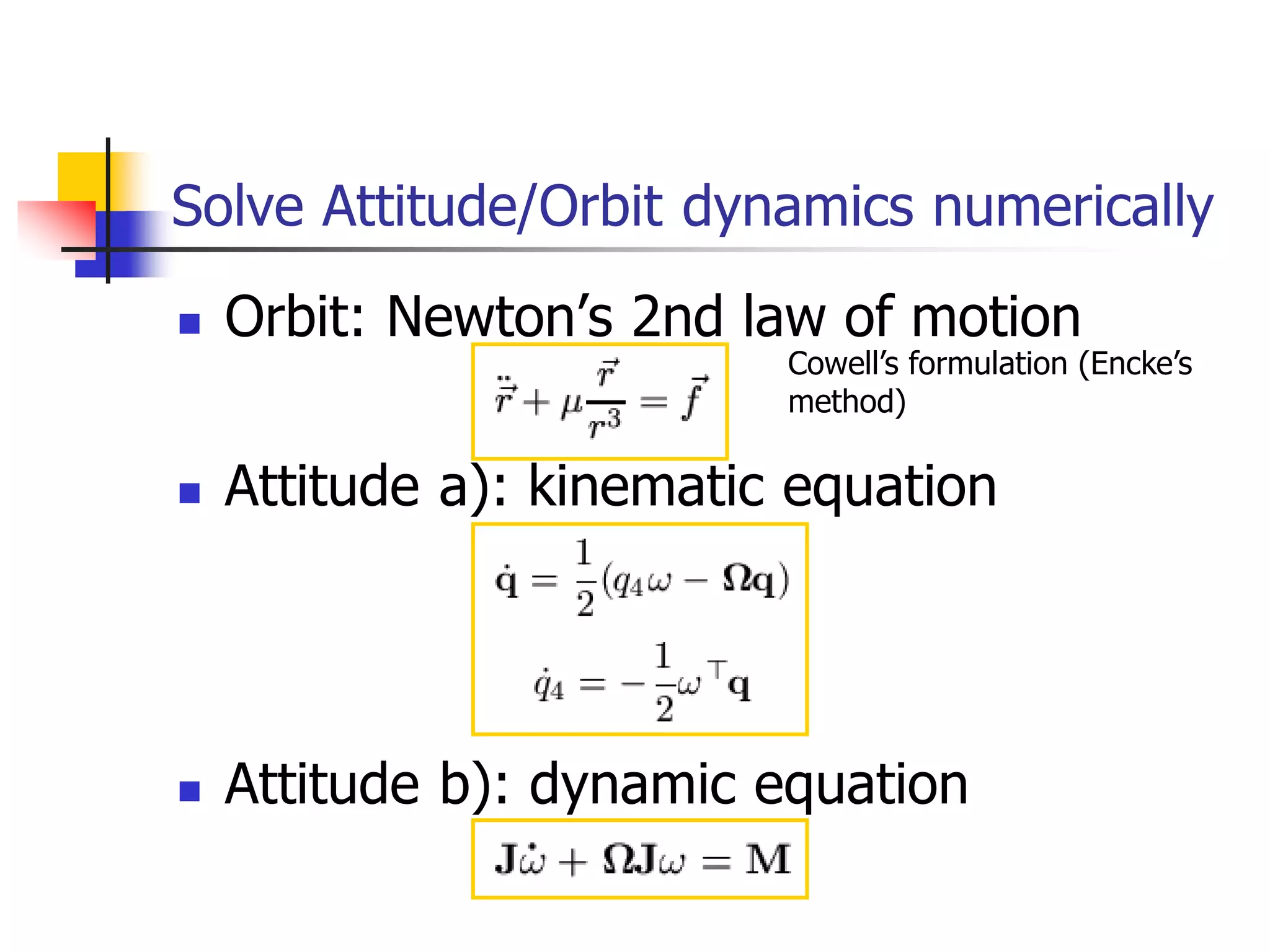
earth station antenna and “aim point” of
satellite
 Displayed as a satellite footprint (Figure 9.6)
 Atmospheric attenuation
 Affected by oxygen, water, angle of elevation, and
higher frequencies
Satellite Network
Configurations
Capacity Allocation Strategies
 Frequency division multiple access
(FDMA)
 Time division multiple access (TDMA)
 Code division multiple access (CDMA)
Frequency-Division
Multiplexing
 Alternative uses of channels in point-to-point
configuration
 1200 voice-frequency (VF) voice channels
 One 50-Mbps data stream
 16 channels of 1.544 Mbps each
 400 channels of 64 kbps each
 600 channels of 40 kbps each
 One analog video signal
 Six to nine digital video signals
Frequency-Division Multiple
Access
 Factors which limit the number of
subchannels provided within a satellite
channel via FDMA
 Thermal noise
 Intermodulation noise
 Crosstalk
Forms of FDMA
 Fixed-assignment multiple access (FAMA)
 The assignment of capacity is distributed in a fixed
manner among multiple stations
 Demand may fluctuate
 Results in the significant underuse of capacity
 Demand-assignment multiple access (DAMA)
 Capacity assignment is changed as needed to
respond optimally to demand changes among the
multiple stations
FAMA-FDMA
 FAMA – logical links between stations
are preassigned
 FAMA – multiple stations access the
satellite by using different frequency
bands
 Uses considerable bandwidth
DAMA-FDMA
 Single channel per carrier (SCPC) –
bandwidth divided into individual VF channels
 Attractive for remote areas with few user stations
near each site
 Suffers from inefficiency of fixed assignment
 DAMA – set of subchannels in a channel is
treated as a pool of available links
 For full-duplex between two earth stations, a pair
of subchannels is dynamically assigned on
demand
 Demand assignment performed in a distributed
fashion by earth station using CSC
Reasons for Increasing Use of
TDM Techniques
 Cost of digital components continues to
drop
 Advantages of digital components
 Use of error correction
 Increased efficiency of TDM
 Lack of intermodulation noise
FAMA-TDMA Operation
 Transmission in the form of repetitive
sequence of frames
 Each frame is divided into a number of time slots
 Each slot is dedicated to a particular transmitter
 Earth stations take turns using uplink channel
 Sends data in assigned time slot
 Satellite repeats incoming transmissions
 Broadcast to all stations
 Stations must know which slot to use for
transmission and which to use for reception
FAMA-TDMA Uplink
FAMA-TDMA Downlink
Summary
 Requirement of Satellite Communication
 Satellite UpLink and DownLink
 Types of Satellites
 Satellite Foot Print (Coverage Area)
 Satellite Transmission Bands
 UpLink and DownLink Frequencies
 Signal Propagation Delay
 Transponder
 Effect of Rain on Satellite Communication
 Microwave Communication (Why)
 Satellite System Elements
 Losses
 Capacity Allocation Strategies
UNIT IV
Earth station technology
Contents
 TC SES Terms of Reference
 TC SES Working Groups
 Harmonized Standard Working Groups
 Specific System Working Groups
 External Liaisons
 Future Activity
Terms of Reference for Technical Committee for Satellite Earth
Stations and Systems (TC SES)
 Responsibility
 the “Home” in ETSI for Satellite Earth Stations and
Systems standardization
 The scope includes
 All types of satellite communication services and
applications (including mobile and broadcasting),
 All types of earth stations and earth station equipment,
especially the radio frequency interfaces and network
and/or user interfaces,
 Protocols implemented in earth stations and satellite
systems
 Responsibility outside ETSI
Primary Committee for co-ordinating the position of ETSI
with relevant ITU Study Groups.
Harmonised Standard Working Groups
 Working groups dealing with Harmonized standards (R&TTE
Directive):
 Earth stations on board vessels and trains (MAR ESV)
 Harmonisation (HARM)
 Working groups dealing with specific systems
 Broadband Satellite Multimedia (BSM)
 GEO Mobile Radio Interface (GMR)
 Satellite Component of IMT 2000 (S-UMTS)
 Satellite Digital Radio (SDR)
 other Working group
 European Commission activity support (ECAS)
WG Earth Stations on board Vessels
and Trains MAR ESV (1)
Passenger Communications
 Voice Services
 Internet Access
 Video Broadcast
 ATM Services
 Global Newspaper Delivery
 Cellular Services
Operational Services
 Enterprise Data
 Lan/Wan Capabilities
 Remote Equipment
Monitoring
 Purchasing/Inventory
 Distance
Learning/Training
 Customs Clearance
Responsibility of the WG is to produce Harmonised Standards for
all type of Earth Stations installed on ship or vessel (ESV), as well
as on trains (EST) operating in FSS frequencies
WG Earth Stations on board Vessels and Trains
MAR ESV (2)
The WG has prepared candidate Harmonised Standards for Ku-
band & C-Band ESVs
present status:
• Harmonised Standard EN 302 340,
requirements for protection of FS & FSS in Ku-band
approved
• Harmonised Standard EN 301 843 part 6 (with TC ERM)
requirements for EMC in maritime environment for ESVs
approved
• Harmonised Standard EN 301 447
requirements for protection of FS & FSS in C-band
public enquiry – closes 2 June 2006
WG Earth Stations on board Vessels and Trains
MAR ESV (3)
Test systems are in operation in several
European countries – a harmonised EN is necessary.
Work begun in June, 2005, and draft EN should be
completed by June, 2006 and submitted to TC SES
for approval.
EN 302 448
Satellite Earth Stations on Trains
Working Group Harmonisation
HARM (1)
Responsible for:
Maintenance of Harmonised Standards under the R&TTE Directive
(99/5 EC).
On-going activities:
 EN 301 447 Harmonized EN for satellite Earth Stations on board
Vessels (ESVs) operating in the 4/6 GHz frequency bands allocated
to the Fixed Satellite Service (FSS) covering essential requirements
under article 3.2 of the R&TTE directive
 EN 302 448
Harmonised EN for tracking Earth Stations on Trains (ESTs)
operating in the 14/12 GHz frequency bands covering essential
requirements under article 3.2 of the R&TTE directive
Working Group Harmonisation
HARM (2)
Other SES Harmonized Standards under the R&TTE Directive (99/5 EC):
 EN 301 428 VSAT (Very Small Aperture Terminal) Ku-band satellite earth stations operating in the
11/12/14 GHz frequency bands
 EN 301 459 SIT/SUT Ka-band for Satellite Interactive Terminals (SIT) and Satellite User
Terminals (SUT) transmitting towards satellites in geo-stationary orbit in the 29.5 to 30.0 GHz
frequency bands
 EN 301 360 Satellite Interactive Terminals (SIT) and Satellite User Terminals (SUT) transmitting
towards geostationary satellites in the 27.5 GHz to 29.5 GHz frequency bands
 EN 301 443 Very Small Aperture Terminal (VSAT); transmit-only, transmit-and-receive, receive-
only satellite earth stations operating in the 4 GHz and 6 GHz frequency bands
 EN 301 430 Satellite News Gathering Transportable Earth Stations (SNG TES) operating in the 11-
12/13-14 GHz frequency bands
 EN 301 444 Land Mobile Earth Stations (LMES) operating in the 1.5 GHz and 1.6 GHz bands
providing voice and/or data communications
 EN 301 426 Low data rate Land Mobile satellite Earth Stations (LMES) and Maritime Mobile
satellite Earth Stations (MMES) not intended for distress and safety communications operating in
the 1.5/1.6 GHz frequency bands
Working Group Harmonisation
HARM (3)
Harmonised ENs for Mobile Earth Stations
(MES):
 EN 301 681 MES for Geostationary mobile satellite systems, including handheld
earth stations, for Satellite Personal Communications Networks (S-PCN) in the
1.5/1.6 GHz bands under the Mobile Satellite Service (MSS)
 EN 301 721 MES providing Low Bit Rate Data Communications (LBRDC) using Low
Earth Orbiting (LEO) satellites operating below 1 GHz
 EN 301 441 MES including handheld earth stations, for Satellite Personal
Communications Networks (S-PCN) in the 1.6/2.4 GHz bands under the Mobile
Satellite Service (MSS)
 EN 301 442 MES including handheld earth stations, for Satellite Personal
Communications Networks (S-PCN) in the 2.0 GHz bands under the Mobile Satellite
Service (MSS)
 EN 301 427 Low data rate MES except aeronautical mobile satellite earth stations,
operating in the 11/12/14 GHz frequency bands
WG on Broadband Satellite Multimedia
BSM (1)
 To produce specifications, standards and other ETSI deliverables for
broadband satellite multimedia. This includes:
 Definition of satellite system architectures supporting broadband
services
 Service requirements and descriptions for broadband
communications systems
 Definition of network architectures and interface protocols
leading to air interface standards, interworking standards and
other user terminal specifications
 To liaise with relevant other standardization bodies (e.g. TIA, ITU)
on satellite matters
External Bearer Service
SI-SAP and IP Interworking
BSM Bearer Services
TCP/IP services
SI-SAP
External
Bearer Service
End
System
End
System
IP
Interworking
IP
Interworking
BSM Satellite Network
Interworking
Interworking
ST/A ST/G
ST/A
ST/A
ST/G
Payload
Premises
Network
Premises
Network
Premises
Network
Core
Network
Satellite
End
System
End
System
End
System
End
System
End
System
End
System
End
System
SI-SAP
WG on Broadband Satellite Multimedia
BSM (2)
ST/Access ST/Gateway
BSM Overview
 WG BSM has the following focus:
 GSO satellites
 Fixed satellite terminals
 Access Networks
 Internet Protocol
 Work items organised using the BSM architecture:
 Satellite Independent upper layer specifications
 IP interworking specifications; dealing with QoS, Addressing, Multicast,
Security etc.
 Satellite Dependent families of lower layer specifications
 Air interfaces and profiles for Transparent Satellite Star (TSS) and
Regenerative Satellite Mesh (RSM) systems
 Satellite Independent interface (SI-SAP)
 Common interface between upper and lower layers
WG on Broadband Satellite Multimedia
BSM (3)
BSM Architecture
 The BSM architecture divides the air interface into 2 parts
 Satellite independent upper layers
 Satellite dependent lower layers
 Satellite Independent Service Access Point (SI-SAP) defined as the
interface between the upper and lower layers
 An abstract functional interface
 Applicable to all satellite networks
 The upper layers contain a set of common BSM defined IP interworking
functions
 Define Satellite Independent Adaptation Functions (SIAF)
 Common ways of handling Quality of Service (QoS); Addressing; Multicast and
Security etc.
 The lower layers contain the satellite specific functions
 The lower layers are closely tied to the payload capability of the satellite and
hence cannot be the same in all cases
 The SI-SAP supports multiple air interface families
WG on Broadband Satellite Multimedia
BSM (4)
IP Interworking standards # 1 (TS completed)
 SI-SAP specification [TS 102 357; TR 102 353]
 First release giving functional organisation of SI-SAP
 TR provides SI-SAP guidelines
 BSM functional architecture [TS 102 292]
 Generic functional architecture
 Defines the SI-SAP and the associated adaptation functions for IP interworking
 BSM multicast functional architecture [TS 102 294]
 Satellite specific functions for multicast services
 IGMP adaptation [TS 102 293]
 Adaptation of IGMP messages
 Can be combined with IGMP proxies and snooping
 BSM Traffic Classes [TS 102 295]
 Common Traffic classes for IP interworking
WG on Broadband Satellite Multimedia
BSM (5)
ETSI/SES-BSM Liaisons with other bodies
 TIA 34.1
 Joint publication of air interface families
 Contributions on IP interworking
 ITU-R WP 4B
 Collaboration on use of BSM architecture
 ITU-T SG13 (WP2/13; Q10/13)
 Liaison on Y.SatIP series recommendations
 IETF
 Collaboration with ipdvb WG
 SatLabs
 Collaboration with SatLabs DVB-RCS working groups
WG on Broadband Satellite Multimedia
BSM (6)
Working Group on Geo Mobile Radio
GMR (1)
 Geo-Mobile Radio (GMR) is a satellite-based extension
of the GSM terrestrial cellular standard
 The GMR air interface specifications describe
requirements to support a mobile satellite service via
geostationary earth orbit satellites
 Document structure based on GSM specifications
Working Group on Geo Mobile Radio
GMR (2)
The GMR specifications are organized into two
releases
 Release 1 specifications (Version V1.x.x)
 Defines the GMR circuit mode services, which are based on the GSM phase 2
circuit mode services.
 published jointly in ETSI (TC SES) and in TIA (TR 34.1)
 Release 2 specifications (Version V2.x.x)
 Defines the GMR packet mode services (GMPRS) which are based on the GSM
phase 2+ packet mode services (GPRS)
 Release 1 and Release 2 coexist (2 parallel versions)
 Separate maintenance updates for Release 1 and Release 2
Working Group on Geo Mobile Radio
GMR (3)
 GSM (Phase 2)
 Voice
 Data up to 9.6 kbps
 SMS, cell broadcast
 GSM/GPRS (Phase 2+)
 Packet data to 160
kbps
 GSM/EDGE (Extended
GPRS)
 Packet data to 384
kbps
 GMR Release 1
- based on GSM Phase 2
 Voice
 Data up to 9.6 kbps
 SMS, cell broadcast
 Position-based services
 Single hopped TtT calls
 GMR Release 2 (GMPRS)
- based on GSM Phase 2+
(GPRS)
 Packet data to 144 kbps
Working Group on Geo Mobile Radio
GMR (4)
 GMR-1 publication history
 Release 1: GMR-1 V1.1.1 – Published March 2001
 2 Maintenance updates:
 GMR-1 V1.2.1 – Published March 2002
 GMR-1 V1.3.1 – Published February 2005
 Release 2: GMPRS-1 V2.1.1 – Published March 2003
 1 Enhancement and maintenance update:
 GMPRS-1 V2.2.1 – Published March 2005
 GMR-2 publication history
 Release 1: GMR-2 V1.1.1 – Published March 2001
 New Activities have been launched
 New release of specification of S-UMTS Air Interface
 6 new Work Items
 Detailed specification of SDMB
 6 Work Items
 Technical report on OFDM waveform for SDMB
 One work Item
 Harmonisation of SW CDMA, SAT CDMA and WCDMA Satellite
Radio Interface
 This WI has been reactivated
 Collaboration with ETRI
 Several meetings to be held in 2006
Working Group S-UMTS/IMT2000
S-UMTS(1)
Working Group S-UMTS/IMT2000
S-UMTS (2)
 Current topics
 Study for Satellite UMTS (S-UMTS) Terminals in the 2.0 GHz bands
under the Mobile Satellite Service (MSS)
 Based on EN 301 908-1/2 :Electromagnetic compatibility and
Radio spectrum Matters (ERM); Base Stations (BS), Repeaters and
User Equipment (UE) for IMT-2000 Third-Generation cellular
networks
 DEN/SES-00283 Satellite Component of UMTS/IMT-2000;
Harmonized standard for Satellite earth Station for UMTS;
 Part 1: Intermediate Module Repeater (IMR) operating in the 1
980 MHz to 2 010 MHz (earth-to-space) and 2 170 MHz to 2
200 MHz (space-to-earth) frequency bands
 Part 2: User Equipment (UE) operating in the 2170 to 2200
MHz (space-to-earth) and 1980 to 2010 MHz (earth-to-space)
frequency bands
 Proposed schedule
 TC SES Approval in 2006
Details on activity
Working Group Satellite Digital Radio
SDR
 SDR:
 Satellite broadcast to fixed and mobile receivers
 mainly for audio
 with or without terrestrial repeater network
 Started work in December 2004
 Work items:
 Technical Report on SDR technologies
Approved, under publication process
 Technical Specifications for the physical layer of the radio interface (air
interface) of SDR broadcast receivers
Work started, completion by 28 September 2006
 Technical Specification for the complete radio interface (air interface) of
SDR broadcast receivers
Future work
 Members participating: Operators, CE manufacturers, satellite manufacturers
 Cooperation with SSP WG (Satellite Services to Portables) in the DVB forum
Working Group Satellite Emergency Communications
SEC
 A new working group has been
recently created to assess potential
new standardization work dealing with
satellite usage during emergency
situations
European Commission Activity support in standardization
ECAS
 This work group is dedicated to support
ESA standardization work in particular
related to the Galileo satellite navigation
project
ECAS WG
The Galileo Navigation System
 Galileo is an initiative of the European Space Agency (ESA) and
the European Commission (EC)
 Galileo will provide localisation and time information as free
services and certified position and time stamping services on
subscription basis
 These services are candidates for maritime, aeronautical and
road/rail/traveller applications
 the introduction of Galileo allied with GSM or UMTS will provide
the market with combined communication and position
determination
ECAS WG
Galileo Applications
 Transport: Aviation; Rail; Roads; Maritime; Public Transport
 Telecommunications: Network Timing; Mobile Unit Location
 Energy, The Environment & Science
 Civil Engineering: Facilities Location; Positioning
 Safety & Civil Protection
 Finance & Insurance
 Agriculture & Fisheries
 People with disabilities
 Leisure
Galileo-GPS co-operation
 users will be able to use Galileo and US GPS in
a complementary way by receiving signals from
both systems with the same receiver
 US and EC agreed to adopt a common signal
for certain services and to preserve national
security capabilities
 The Galileo project is expected to be
operational around 2010
ETSI Standards for Galileo…
 Need for an Open Standard for Galileo identified
 Talks with Galileo Joint Undertaking (GJU) have been engaged
 Basis for contribution to ICAO, Eurocae for Aeronautical
applications
 results of working groups responsible for the design of the
Galileo system and user equipment are taken into account
 Development of an Open Standard through ETSI Expertise and
Publications
 Approach based on annual Releases, in progression with the
definition of the system design
TC-SES liaisons with external bodies
 ITU R WP 4B (FSS)
 ITU R WP 8D (MSS)
 ITU R WP 8F (IMT2000)
 ITU T SG 13 (QoS)
 Eurocae (Aeronautical)
 TIA TR 34.1.1 (BSM)
 ITU ICG SAT (Satellite)
 ASMS TF (S-UMTS)
CONCLUSION
 TC SES is the focal point in Europe for activity covering
satellite standardisation
 TC SES activities cover all aspects of standardisation of
satellite systems
 TC SES stands ready to prepare an Open Standard for
the Galileo Navigation System and to be involved in
standardisation in the field of satellite use during
emergency situations
UNIT V
Satellite packet
communications
Principle of Protocol Layering
Protocols supported by VSAT Networks
 A summary of the protocols in general use and their support over
typical VSAT networks is provided in Table 8.2.
 When first introduced in the 1980s, VSATs played heavily on the
traditional IBM proprietary protocol, Systems Network Architecture
(SNA), which followed the same centralized approach as the VSAT
star network.
 While still in existence in some legacy environments, it has been
replaced with the more open Internet Protocol suite (TCP/IP).
 TCP/IP has its shortcomings, which are being addressed by
standards bodies and major vendors like Cisco.
 Employing TCP/IP in a private network is very straightforward and is
well within the means of any organization or individual.
Protocols supported by VSAT Networks
 However, the complexity comes when an organization wishes to
interconnect with the global Internet and with other organizations.
 This is due to the somewhat complex nature of routing protocols like the
Border Gateway Protocol (BGP) and a new scheme called Multi Protocol
Label Switching (MPLS).
 Frame Relay has been popular in WANs for more than a decade, thanks to
its ease of interface at the router and availability in (and between) major
countries.
 It is capable of near-real-time transfer and can support voice services. With
access speeds generally available at 2 Mbps or less.
 Satellite provision of Frame Relay has been limited to point-to-point circuits
as the protocol is not directly supported in VSATs currently on the market.
 The best approach would be to use TCP/IP in lieu of Frame Relay when
VSAT links are interfaced at the router.
Satellite Point to Point Connectivity
 The first satellite networks to be implemented were employed
for point-to-point connectivity to complement the cross-
country microwave and undersea cable links of the time.
 This topology remains an effective means of transferring
information with minimum delay between pairs of points.
 As illustrated in Figure 8.2, node 1 in a point-to-point service
conducts a full-duplex conversation with node 2 (shown with
heavy arrows), and node 3 does likewise with node 4 (shown
with broken arrows).
 For applications such as Fixed Telephony Satellite Services,
Point-to-point connectivity between node 1 and node 3 can be
changed on demand.
Satellite Point to Point Connectivity
Satellite Point to Multipoint Connectivity
 The point-to-multipoint connectivity is illustrated in Figure 8.4.
 The thick, shaded arrows represent the digital broadcast “outroute”
from the hub to the remote nodes (other acceptable terms for the
hub transmitted signal are “outbound,” “forward,” and
“downstream”).
 It contains all hub-originated data to be delivered to the VSATs
throughout the network.
 This transmission is received by all remotes within the satellite
footprint; however, it would typically contain address information
that allows only the desired remotes to select the information
destined for them.
 The thin lines represent the “inroutes” from the individual remote
nodes (likewise, acceptable terms include “inbound,” “return,” and
“upstream”).
Satellite Point to Multipoint Connectivity
VSAT Star Networks
 Organizations employ VSATs primarily as replacements for
terrestrial data networks using private lines in a variety of
applications, including retailing, postal and package delivery,
automobile sales and service, banking and finance, travel and
lodging, and government administration and security.
 Perhaps the first major installation was for Wal-Mart, the
leading U.S. retailer with stores throughout the United States
and other locations around the world.
 Today, there are more than 250,000 two-way VSATs installed
in the United States and over 600,000 worldwide.
 Not included is the consumer VSAT designed to provide
Internet access
VSAT Star Networks
VSAT Star Networks
 VSAT technology should only be used as a supplement to high-
quality digital fiber optic and wireless networks of the world. In fact,
the best strategy is often to complement the terrestrial network
infrastructure with VSATs so as to achieve an optimum and reliable
mix.
 For example, a European company needing to connect only five
domestic locations to a data center would find that conventional
VSATs may not be cost-effective.
 Likewise, a large industrial organization that needs high-capacity
links between major sites is not a candidate for existing VSATs.
 This would clearly be a better application for fiber optic links, if that
were feasible, or point-to-point satellite links.
VSAT Star Networks Applications
 Many centralized companies build their IT systems around the host
computer that is located at the headquarters or outsourced hosting facility.
 This is an ideal starting point for VSAT network adoption since it is
centralized.
 Table 8.4 provides a listing of popular IT applications now provided over
enterprise VSAT networks.
 Examples include:
• Retail Marketing—Wal-Mart and JD Group
• Automotive—Daimler-Chrysler and Toyota
• US Postal Services
• Retail Banking—Banamex
 The architecture of the typical VSAT star network is provided in Figure 8.6
VSAT Star Networks Applications
 The architecture of the typical VSAT star network is provided
in Figure 8.6 that depicts how the user connects computers,
PCs and other terminals, PBX and telephone systems, and
video equipment used in private broadcasting.
 The hub of the star is shown on the right in the form of a
complete Earth station facility with a relatively large antenna
(typically 4.7m at Ku-band and 9m at C-band).
 The most common implementations of the star network use
TDMon the outroute and TDMA as well as a derivative called
ALOHA on the inroute.
VSAT Star Networks Architecture
Personal Computer Integration with the
VSAT
 The PC is the ideal direct user interface with the VSAT in
applications where on-line information delivery is required.
 Typical telephone networks have a real throughput of about 40
Kbps; lower rates are common in areas where line quality is poor.
 This was once adequate for applications such as on-line service
connection, dial-up terminal access to e-mail, and fax.
 With the growth of the World Wide Web and the increasing demand
for the transfer of large files for graphics, database, and engineering
applications, the analog telephone network ceases to be adequate.
 The marketplace is provided with VSAT networks that have typical
inbound throughputs in the range of 128 Kbps to 2Mbps.
Personal Computer Integration with the
VSAT
 An example of using the point-to-multipoint feature and the
PC is shown in Figure 8.9.
 The data files or streams are uplinked from a hub Earth
station at the right.
 A public ISP or content delivery network service would own
and operate the hub.
 Information is delivered to the hub over backhaul circuits
from one or more servers or other information sources (e.g.,
a stock market ticker).
 Subscribers purchase and install a receive-only VSAT, which
need only receive the high-speed forward link broadcast from
the hub.
Personal Computer Integration
with the VSAT
Operation of Multiple Access
Protocols in VSATs
The inbound channel is shared by multiple VSATs
that transmit their data in bursts.
Two basic multiple access methods are used for
this purpose:
• TDMA
• ALOHA
Operation of Multiple Access Protocols -
TDMA
 An example of a TDMA burst time frame lasting about 45 ms is
provided in Figure 9.4.
 As applied to the inbound channel, the transmissions from the
VSATs are coordinated and highly synchronized so as to prevent
overlap and a resulting loss of information.
 Each station (numbered 1 through 10) is allotted a fixed interval of
time in which to transmit data.
 The frame repeats every 45 ms, producing an average delay per
inbound channel burst due to multiple access of 45/2 = 22.5ms.
 Obviously, the shorter the frame, the less the average delay.
Operation of Multiple Access
Protocols - TDMA
Operation of Multiple Access Protocols - ALOHA
 Another approach for separating the inbound channel transmissions
in time is the ALOHA protocol.
 The scheme is simpler in that the transmissions are uncoordinated;
however, the complexity occurs because there are occasional
overlaps that result in lost communication.
 This is overcome by retransmissions from the affected VSATs.
 For example, a slotted ALOHA channel with three users is shown in
Figure 9.5.
 Slotting refers to requiring that the ALOHA packets fall within timed
periods, indicated by the vertical lines.
 The upper three horizontal lines represent three VSAT uplinks; the
bottom timeline depicts the downlink showing how the ALOHA
packets appear after passing through the satellite repeater.
Operation of Multiple Access Protocols - ALOHA
 Each VSAT remains in an idle state until there is data to be transmitted.
 Lets assume that VSAT 1 is the first to need the channel and so transmits
the block of data without waiting.
 VSAT 2 transmits next, independently of what happens at users 1 and 3.
 From the downlink timeline, we see that VSAT 1 and VSAT 2 do not overlap
and hence get through in the clear.
 The next packets from VSATs 1 and 3 have reached the satellite at
approximately the same time and so have produced a collision.
 In the event of such a time overlap, the signals jameach other and the
information is lost (indicated by the presence of a dark block in the
downlink).
 Neither packet is received at the hub—a condition that is inferred by these
VSATs because of non-acknowledgment by the hub over the outbound
channel.
Operation of Multiple Access Protocols - ALOHA
 The way that packets are ultimately transferred is through
automatic retransmissions, as shown at the ends of the curved
arrows in Figure 9.5.
 The delay between the original and retransmitted packets is
selected randomly by each VSAT to reduce the possibility of a
second collision.
 The result of this protocol is that the delay is as small as it can
possibly be for a packet that does not experience a collision.
 For one that does, the delay is lengthy since it includes at least two
round-trip delays plus the delays of the random offset as well as
from processing within the hub and VSAT.
 In an acceptable operating situation, only 1 in 10 ALOHA packets
will experience a collision.
Operation of Multiple Access Protocols - ALOHA
Mobile Satellite Services
 Historically, GEO satellites have provided most of the MSS capabilities, in
terms of land, sea, and air.
 The economy and simplicity of a single satellite along with the ability to use
fixed antennas on the ground have allowed GEO to become most suited for
these applications.
 In addition to the global capability of Inmarsat, a number of GEOMSS
networks capable of serving handheld satellite telephones are in service.
 The major benefit of the lower orbits is reduced time delay for voice
services.
 This factor is very important in terrestrial telephone networks, particularly
with high-quality transmission as provided through fiber optic technology.
 Table 11.3 provides a summary of key attributes of LEO, MEO and GEO
Satellites.
Mobile Satellite Services
Figure 11.9: A selection of user terminal equipment for use with Mobile Satellite Services
Mobile Satellite Services

IARE_SC_PPT.pdf

  • 1.
    IV B.TECH IISem-ECE-R15 Prepared by Ms.G.Bhavana, Asst.Professsor Ms.U.Dhanalakshmi, Asst.Professsor INSTITUTE OF AERONAUTICAL ENGINEERING (Autonomous) DUNDIGAL, HYDERABAD - 500043 Satellite Communications
  • 2.
  • 3.
  • 4.
    Satellite Introduction  Satellite:In astronomical terms, a satellite is a celestial body that orbits around a planet.  Example: The moon is a satellite of Earth.  In aerospace terms, a satellite is a space vehicle launched by humans and orbits around Earth or another celestial body.
  • 5.
    Introduction  Communications Satellite:It is a microwave repeater in the sky that consists of a diverse combination of one or more components including transmitter, receiver, amplifier, regenerator, filter onboard computer, multiplexer, demultiplexer, antenna, waveguide etc.  A satellite radio repeater is also called transponder. This is usually a combination of transmitter and receiver.
  • 6.
    What is asatellite system?  A satellite system consists of one or more satellites, a ground-based station to control the operation of the system, and a user network earth stations that provides the interface facilities for the transmission and reception of terrestrial communications traffic.
  • 7.
    How a satelliteworks?  A satellite stays in orbit because the gravitational pull of the earth is balanced by the centripetal force of the revolving satellite.  One Earth station transmits the signals to the satellite at Up link frequency. Up link frequency is the frequency at which Earth station is communicating with a satellite.  The satellite transponder process the signal and sends it to the second Earth station at another frequency called downlink frequency.
  • 9.
    Advantages of SatelliteCommunications over Terrestrial Communications  The coverage area greatly exceeds.  Transmission cost of a satellite is independent of the distance from the center of the coverage area.  Satellite-to-satellite communication is very precise.  Higher bandwidths are available for use.
  • 10.
    Disadvantages of Satellite Communications Launching satellites into orbits is costly.  Satellite bandwidth is gradually becoming used up.  The propagation delay is larger.
  • 11.
    Regions of Space Spaceis defined as a place free from obstacles It can be divided into three regions:  Air Space -> region below 100 km from earth’s surface  Outer Space -> also called cosmic space and ranges from 100 km up till 42, 000 km. It is mostly used by communication satellites.  Deep Space -> Regions beyond 42,000 km fall in this category
  • 12.
    Active and PassiveSatellites Active satellites are used for linking and also for processing the signals. The linkage is known as bent pipe technology where processing like frequency translation, power amplification etc take place. Active satellites employ ‘Regenerative Technology’ which consists of demodulation, processing, frequency translation, switching and power amplification are carried out. Block used for this purpose is called transponder.  Passive satellites do-not have on-board processing and are just used to link two stations through space. Low cost - Loss of power – not useful for communication applications.
  • 13.
    Historical Overview  1945 Theorist named Clarke studied that satellite orbiting in equatorial orbit at radius of approx. 42,000 km would look as if stationary if moving at a specific speed. 3 satellites at a space of 120 degree apart can cover the whole world. Evolution of the concept of GEO 1950’s –Putting the pieces together:  1956 -Trans-Atlantic cable opened (about 12 telephone channels per operator).  1957 First man-made satellite launched by former USSR (Sputnik-1, LEO). It was used to identify atmospheric density of various orbital layers. It provided data about radio signal distribution in ionosphere.  1958 First US satellite launched (SCORE). First voice communication established via satellite (LEO, lasted 35 days in orbit).
  • 14.
    1960’s –First satellitecommunications:  1960 First passive communication satellite (Large balloons, Echo I and II).  1962: First active communication satellite (Telstar I , MEO).  1963: First satellite into geostationary (GEO) orbit (Syncom1, communication failed).  1964: International Telecomm. Satellite Organization (INTELSAT) created.  1965 First successful communications GEO (Early Bird / INTELSAT 1).
  • 15.
    1970’s –GEO ApplicationsDevelopment, DBS:  1972 First domestic satellite system operational (Canada).  1975 First successful direct broadcast experiment (USA-India).  1977 A plan for direct broadcast satellites (DBS) assigned by the ITU  1979 International Mobile Satellite Organization (Inmarsat) established.
  • 16.
    1980’s –GEO ApplicationsExpanded, Mobile:  1981 First reusable launch vehicle flight.  1982 International maritime communications made operational.  1984 First direct-to-home broadcast system operational (Japan).  1987 Successful trials of land-mobile communications (Inmarsat).  1989-90 Global mobile communication service extended to land mobile and aeronautical use (Inmarsat)
  • 17.
     1990+’s NGSOapplications development and GEO expansion 1990-95:  Proposals of non-geostationary (NGSO) systems for mobile communications.  Continuing growth of VSATs around the world  Spectrum allocation for non-GEO systems.  Continuing growth of DBS. DirectTV created. 1997: Launch of first batch of LEO for hand-held terminals (Iridium). Voice-service portables and paging-service pocket size mobile terminals launched (Inmarsat). 1998-2000: Mobile LEO systems initiate service and fail afterwards (Iridium,Globalstar).
  • 18.
  • 19.
  • 20.
    Satellites  Several types LEOs - Low earth orbit  MEOs - Medium earth orbit  GEOs - Geostationary earth orbit
  • 21.
    GEOs  Originally proposedby Arthur C. Clarke  Circular orbits above the equator  Angular separation about 2 degrees - allows 180 satellites  Orbital height above the earth about 23000 miles/35000km  Round trip time to satellite about 0.24 seconds
  • 22.
    GEOs (2)  GEOsatellites require more power for communications  The signal to noise ratio for GEOs is worse because of the distances involved  A few GEOs can cover most of the surface of the earth  Note that polar regions cannot be “seen” by GEOs
  • 23.
    GEOs (3)  Sincethey appear stationary, GEOs do not require tracking  GEOs are good for broadcasting to wide areas
  • 24.
    Early experiments  USNavy bounced messages off the moon  ECHO 1 “balloon” satellite - passive  ECHO 2 - 2nd passive satellite  All subsequent satellites used active communications
  • 25.
  • 26.
    Early satellites  Relay 4000 miles orbit  Telstar  Allowed live transmission across the Atlantic  Syncom 2  First Geosynchronous satellite
  • 27.
  • 28.
  • 29.
    Major problems forsatellites  Positioning in orbit  Stability  Power  Communications  Harsh environment
  • 30.
    Positioning  This canbe achieved by several methods  One method is to use small rocket motors  These use fuel - over half of the weight of most satellites is made up of fuel  Often it is the fuel availability which determines the lifetime of a satellite  Commercial life of a satellite typically 10-15 years
  • 31.
  • 32.
    Satellites  Several types LEOs - Low earth orbit  MEOs - Medium earth orbit  GEOs - Geostationary earth orbit
  • 33.
    GEOs  Originally proposedby Arthur C. Clarke  Circular orbits above the equator  Angular separation about 2 degrees - allows 180 satellites  Orbital height above the earth about 23000 miles/35000km  Round trip time to satellite about 0.24 seconds
  • 34.
    GEOs (2)  GEOsatellites require more power for communications  The signal to noise ratio for GEOs is worse because of the distances involved  A few GEOs can cover most of the surface of the earth  Note that polar regions cannot be “seen” by GEOs
  • 35.
    GEOs (3)  Sincethey appear stationary, GEOs do not require tracking  GEOs are good for broadcasting to wide areas
  • 36.
    Early experiments  USNavy bounced messages off the moon  ECHO 1 “balloon” satellite - passive  ECHO 2 - 2nd passive satellite  All subsequent satellites used active communications
  • 37.
  • 38.
    Early satellites  Relay 4000 miles orbit  Telstar  Allowed live transmission across the Atlantic  Syncom 2  First Geosynchronous satellite
  • 39.
  • 40.
  • 41.
    Major problems forsatellites  Positioning in orbit  Stability  Power  Communications  Harsh environment
  • 42.
    Positioning  This canbe achieved by several methods  One method is to use small rocket motors  These use fuel - over half of the weight of most satellites is made up of fuel  Often it is the fuel availability which determines the lifetime of a satellite  Commercial life of a satellite typically 10-15 years
  • 43.
    Stability  It isvital that satellites are stabilised  to ensure that solar panels are aligned properly  to ensure that communications antennae are aligned properly  Early satellites used spin stabilisation  Either this required an inefficient omni-directional aerial  Or antennae were precisely counter-rotated in order to provide stable communications
  • 44.
    Stability (2)  Modernsatellites use reaction wheel stabilisation - a form of gyroscopic stabilisation Other methods of stabilisation are also possible  including:  eddy currrent stabilisation  (forces act on the satellite as it moves through the earth’s magnetic field)
  • 45.
    Reaction wheel stabilisation Heavy wheels which rotate at high speed - often in groups of 4.  3 are orthogonal, and the 4th (spare) is a backup at an angle to the others  Driven by electric motors - as they speed up or slow down the satellite rotates  If the speed of the wheels is inappropriate, rocket motors must be used to stabilise the satellite - which uses fuel
  • 46.
    Power  Modern satellitesuse a variety of power means  Solar panels are now quite efficient, so solar power is used to generate electricity  Batteries are needed as sometimes the satellites are behind the earth - this happens about half the time for a LEO satellite  Nuclear power has been used - but not recommended
  • 47.
    Harsh Environment  Satellitecomponents need to be specially “hardened”  Circuits which work on the ground will fail very rapidly in space  Temperature is also a problem - so satellites use electric heaters to keep circuits and other vital parts warmed up - they also need to control the temperature carefully
  • 48.
    Alignment  There area number of components which need alignment  Solar panels  Antennae  These have to point at different parts of the sky at different times, so the problem is not trivial
  • 49.
    Antennae alignment  Aparabolic dish can be used which is pointing in the correct general direction  Different feeder “horns” can be used to direct outgoing beams more precisely  Similarly for incoming beams  A modern satellite should be capable of at least 50 differently directed beams
  • 50.
    Satellite - satellite communication It is also possible for satellites to communicate with other satellites  Communication can be by microwave or by optical laser
  • 51.
    LEOs  Low earthorbit satellites - say between 100 - 1500 miles  Signal to noise should be better with LEOs  Shorter delays - between 1 - 10 ms typical  Because LEOs move relative to the earth, they require tracking
  • 52.
    Orbits  Circular orbitsare simplest  Inclined orbits are useful for coverage of equatorial regions  Elliptical orbits can be used to give quasi stationary behaviour viewed from earth  using 3 or 4 satellites  Orbit changes can be used to extend the life of satellites
  • 53.
    Communication frequencies  Microwaveband terminology  L band 800 MHz - 2 GHz  S band 2-3 GHz  C band 3-6 GHz  X band 7-9 GHz  Ku band 10-17 GHz  Ka band 18-22 GHz
  • 54.
    Early satellite communications Used C band in the range 3.7-4.2 GHz  Could interfere with terrestrial communications  Beamwidth is narrower with higher frequencies
  • 55.
    More recent communications Greater use made of Ku band  Use is now being made of Ka band
  • 56.
    Rain fade  Above10 GHz rain and other disturbances can have a severe effect on reception  This can be countered by using larger receiver dishes so moderate rain will have less effect  In severe rainstorms reception can be lost  In some countries sandstorms can also be a problem
  • 57.
  • 58.
    Satellite management  Satellitesdo not just “stay” in their orbits  They are pushed around by various forces  They require active management
  • 59.
    Systems of satellites Example - Iridium  Deploy many satellites to give world wide coverage - including polar regions  So far have not proved commercially viable  Other systems “coming along” - Teldesic
  • 60.
    The future  BecauseIridium has not been a commercial success the future of satellites is uncertain  Satellites still have major advantages for wide area distribution of data
  • 61.
    Chronology  1945 ArthurC. Clarke Article: "Extra-Terrestrial Relays"  1955 John R. Pierce Article: "Orbital Radio Relays"  1956 First Trans-Atlantic Telephone Cable: TAT-1  1957 Sputnik: Russia launches the first earth satellite.  1962 TELSTAR and RELAY launched  1962 Communications Satellite Act (U.S.)  1963 SYNCOM launched  1965 COMSAT's EARLY BIRD: 1st commercial communications satellite  1969 INTELSAT-III series provides global coverage
  • 62.
    Chronology (2)  1972ANIK: 1st Domestic Communications Satellite (Canada)  1974 WESTAR: 1st U.S. Domestic Communications Satellite  1975 RCA SATCOM: 1st operational body-stabilized comm. satellite  1976 MARISAT: 1st mobile communications satellite  1988 TAT-8: 1st Fiber-Optic Trans-Atlantic telephone cable  1994 GPS system deployed by USAF  1998-2001 Iridium
  • 63.
  • 64.
    SATELLITE’S ATTITUDE Orientation ofsatellite as perceived in a certain frame of Reference
  • 65.
    CHANGE IN ATTITUDE Satellitetends to change its orientation because of environmental torques  Drag of residual atmosphere  Solar radiation pressure  Gravity gradient  Interaction of Satellite electronics with earth’s magnetic field
  • 66.
    ATTITUDE CONTROL Needed because- Payload requirements  Eg. Focusing the satellite camera to a particular location on earth  Communication requirements  Pointing the antenna towards ground  Power system requirements  Tracking the sun to achieve maximum power generation
  • 67.
    Components of ADCS Sensors- To determine the orientation and position of the satellite  Algorithms-To calculate the deviation from the desired orientation and to generate actuation command to counter the deviation  Actuators-To act upon the signals given by the control algorithms and to produce the necessary torqes
  • 68.
    SENSORS  Measure theattitude of the satellite Types:  Gyroscopes:  Sense rotation in 3-D space without reliance on observation of external objects  Consists of a spinning mass, also includes laser gyros utilizing coherent light reflected around a closed path  Gyros require initialization by some other means as they can only measure “changes” in orientation
  • 69.
    SENSORS contd…  Allgyro instruments are subject to drift and can maintain orientation for limited times only (typically tens of hours or less)  Horizon indicators  Optical instrument that detects light at the horizon  Can be a scanning or staring instrument  Infrared is often used which can function even on the dark side of earth  Tends to be less precise than sensors based on stellar observation
  • 70.
    SENSORS contd…  Orbitalgyro compassing  Uses a horizon sensor to sense the direction of earth’s centre  Uses a gyro to sense rotation about an axis normal to orbital plane  Hence it provides pitch and roll measurements  Sun Sensor  Senses the direction of Sun  Can be simple as solar cells and shades or complex as a steerable telescope
  • 71.
    SENSORS contd…  StarTrackers  Optical device measuring the direction to one or more stars (using a photocell or solid state camera to observe the star)  Require high sensitivity ,may become confused by sunlight reflected from the exhaust gases emitted by thrusters  Global Positioning System(GPS)  Required for position measurements  Determines position and speed of the satellite in space
  • 72.
    CONTROL ALGORITHMS Control Algorithmsare computer programs that receive input data from vehicle sensors and derive the appropriate torque commands to the actuators to rotate the vehicle to the desired attitude
  • 73.
    Details of ControlAlgorithms  “actuator and sensor processing”  Establishes the interfaces to the sensors and the actuators needed for attitude control  Determines the necessary commanding for the actuators from the torques computed by the layer estimation prediction control  Performs the time critical communications with actuators and determinates the state of actuators
  • 75.
    ACTUATORS  Apply thetorques needed to re-orient the vehicle to the desired attitude Types:  Thrusters (often mono propellant rockets)  limitation:fuel  Spin -stabilization  Momentum wheels  Electric motor driven rotors made to spin in the direction opposite to that required to re-orient the vehicle
  • 76.
    ACTUATORS  Make upa small fraction of the spacecraft’s body, are computer controlled to give precise control  Momentum wheels are generally suspended on ‘magnetic bearings’ to avoid bearing friction and breakdown problem  To maintain orientation in 3D space , minimum of 2 must be used ,additional units provide single failure protection
  • 77.
    ACTUATORS  Control MomentGyros  Include rotors spun at constant speed mounted on Gimbals  Provides control about the two axes orthogonal to the gyro spin axes, triaxial control still requires 2 units  CMG is a bit more expensive in cost and mass since , gimbals and their drive motors must be provided  Max. torque exerted by CMG is greater than than for a momentum wheel (suitable for larger spacecraft)
  • 78.
    ACTUATORS  Drawback: additionalcomplexity increases failure points  Solar Sails  Produce thrust as a reaction force induced by reflecting incident light  Used to make small attitude control and velocity adjustments  Saves larger amounts of fuel by producing control moments
  • 79.
    ACTUATORS  Pure passiveAttitude Control  Gravity gradient Stabilization  Magnetic Field Main advantage is that no power or fuel is required to achieve attitude control
  • 80.
    REFERENCE SYSTEM The threecritical flight dynamics parameters are rotations in three dimensions around the vehicle’s coordinate system origin ,the centre of mass. These angles are pitch, roll and yaw. Pitch: rotation around the lateral or transverse axis. Ex. Nose pitches up and the tail down or vice versa. Roll: rotation around longitudinal axis. Yaw: rotation about the vertical axis.
  • 81.
     Orbit (translation): Simple model: Kepler time equation  Complicated model:  Lagrange planetary equation  Newton 2nd law of motion  Attitude (rotation):  Kinematic eq.  Dynamic eq.: Euler rotational eq. of motion Attitude/Orbit equations of motion
  • 82.
    Orbital dynamics: two-body problem Two-bodyproblem: (point masses)  Conservation of energy (dot product with .)  Conservation of angular momentum (cross product with )  Kepler’s 1st law: the orbit of each planet around the sun is an ellipse, with the sun at one focus.  Kepler’s 2nd law: the radius vector from the sun to a planet sweeps out equal areas in equal time intervals.  Kepler’s 3rd law: the square of the orbital period of a planet is proportional to the cube of the semi-major axis of the ellipse.
  • 83.
    Orbital dynamics: three-body problem Circular restricted three-body problem: the motion of the two primary bodies is constrained to circular orbits about their barycenter.  Sun-Earth-Moon  Lagrangian (or libration) points  Halo orbit (closed Lissajous trajectory: quasi-periodic orbit)  Elliptic restricted three-body problem  Earth-Moon-Satellite
  • 84.
    Orbital dynamics: Kepler’s timeeq. Kepler’s time eq.: find the position in an orbit as a function of time or vice versa.  Applicable not only to elliptic orbits, but all conic section families (parabola, hyperbola) M: mean anomaly, E: eccentric anomaly e: eccentricity, a: semimajor axis
  • 85.
    Orbital dynamics: orbital elements Ata given time, we need 6 variables to describe the state in 3D translational motion (position+velocity)  6 orbital elements: • Semimajor-axis, a • Eccentricity, e • Inclination, i • Right ascension of ascending node, W • Argument of perigee, w • Mean anomaly, M
  • 86.
    Orbital dynamics: environmental perturbations Conservative forces:  Asphericity of the Earth: zonal/tesseral harmonics  Third body gravitational field: Sun/Moon  Non-conservative forces:  Aerodrag: area-to-mass ratio  Solar wind
  • 87.
    Orbital dynamics: Lagrangeplanetary equation  Variation of parameters in ODE  Singular at circular (eccentricity = 0) or stationary orbits (inclination = 0)  equinoctial orbital elements Application: sun- synchronous orbit
  • 88.
    Orbital Maneuvers  Launchvehicle trajectories: Vertical flight First-stage powered flight First-stage separation Second-stage powered flight Second-stage separation Coasting flight Third-stage powered flight Orbit injection  Orbit injection  Single-impulse maneuvers  Hohmann transfer: two-impulse elliptic transfer (fuel optimal among two-impulse maneuvers between two coplanar circular orbits)  Interplanetary flight: 1) Earth escape, 2) heliocentric orbital transfer, and 3) planet encounter  Orbital rendezvous: Clohessy-Wiltshire (or Hill’s) eq.
  • 89.
    Attitude dynamics: rotationalkinematics  Direction cosine matrix  Euler’s angles  Euler’s eigenaxis rotation: space-axis and body-axis rotation  Quaternions (or Euler parameters)  Kinematic differential equations
  • 90.
    Rotational kinematics: directioncosine matrix (orthonormal) Two reference frames with a right-hand set of three orthogonal bases:
  • 91.
    Rotational kinematics: Euler’s angles Body-axis/space-axisrotation: successively rotating three times about the axes of the rotated, body-fixed/inertial reference frame. 1) any axis; 2) about either of the two axes not used for the 1st rotation; 3) about either of the two axes not used for the 2nd rotation.  each has 12 sets of Euler angles. Ex:
  • 92.
    Rotational kinematics: Euler’seigenaxis rotation Euler’s eigenaxis rotation: by rotating a rigid body about an axis that is fixed to the body and stationary in an inertial reference frame, the rigid- body attitude can be changed from any given orientation to any other orientation.
  • 93.
    Rotational kinematics: quaternions Euler parameters(quaternions): Why quaternions? Quaternions have no inherent geometric singularity as do Euler angles. Moreover, quaternions are well suited for onboard real-time computer because only products and no trigonometric relations exist in the quaternion kinematic differential equations.
  • 94.
    Rotational kinematics: kinematic differentialequations Reference: Kane, T.R., Likins, P.W., and Levinson, D.A., “Spacecraft Dynamics,” McGraw-Hill, New York, 1983.
  • 95.
     Angular momentumof a rigid body The rotational eq. of motion of a rigid body about an arbitrary point O is given as The absolute angular moment about point O is defined as  Euler’s rotational equations of motion Attitude dynamics: rigid-body dynamics if at the center of mass if it is a rigid body J: moment of inertia matrix of a rigid body about a body-fixed reference frame with its origin at the center of mass.
  • 96.
    Attitude dynamics: general torque-freemotion (M=0)  Angular velocity vector must lie on 1) angular momentum ellipsoid, and 2) kinetic energy ellipsoid at the same time  intersection: polhode (seen from body-fixed reference frame)  Analytical closed-form solution to the torque-free motion of an asymmetric rigid body is expressed in terms of Jacobi elliptic functions.  Stability of torque-free motion about principal axes: 1) major axis: stable; 2) intermediate axis: unstable; 3) minor axis: stable only if no energy dissipation.
  • 97.
    Attitude dynamics: constant body-fixedtorque (M=const.)  Spinning axisymmetric body  Possesses a gyrostatic stiffness to external disturbances (e.g., football)  The path of the tip of the axis of symmetry in space is an epicycloid.  Asymmetric rigid body  About major or minor axis  About intermediate axis
  • 98.
    Gravitational Orbit-Attitude Coupling Why coupling? Because the rigid body is not a point mass.  Derivation: expand the Earth gravitational force in terms of Legendre polynomial, then the corresponding torque appears in higher order terms of the moment of inertia dyadic.  Significant when the characteristic size of the satellite is larger than 22 km.  Conclusion: don’t worry about this effect now.
  • 99.
     Orbit: Newton’s2nd law of motion  Attitude a): kinematic equation  Attitude b): dynamic equation Solve Attitude/Orbit dynamics numerically Cowell’s formulation (Encke’s method)
  • 100.
    AOCS hardware  Sensors: Sun sensor  Magnetometer (MAG)  Star tracker  Gyro  GPS receiver  Actuators:  Magnetorquer (torque rod) (MTQ)  Reaction wheel (RW)  Thruster
  • 101.
    Comparison of attitude sensors courtesyfrom Oliver L. de Weck: 16.684 Space System Product Development, Spring 2001 Department of Aeronautics & Astronautics, Massachusetts Institute of Technology
  • 102.
    AOCS hardware: gyro Rate Gyros (Gyroscopes)  Measure the angular rate of a spacecraft relative to inertial space  Need at least three. Usually use more for redundancy.  Can integrate to get angle. However,  DC bias errors in electronics will cause the output of the integrator to ramp and eventually saturate (drift)  Thus, need inertial update  Mechanical gyros (accurate, heavy); Fiber Optic Gyro (FOG); MEMS-gyros
  • 103.
    AOCS hardware: MAG& MTQ  Sensor: magnetometer (MAG)  Sensitive to field from spacecraft (electronics), mounted on boom  Get attitude information by comparing measured B to modeled B  Tilted dipole model of earth’s field  Actuator: torque rod (MTQ)  Often used for Low Earth Orbit (LEO) satellites  Useful for initial acquisition maneuvers  Commonly use for momentum desaturation (“dumping”) in reaction wheel systems  May cause harmful influence on star trackers
  • 104.
    AOCS hardware: reactionwheel  One creates torques on a spacecraft by creating equal but opposite torques on Reaction Wheels (flywheels on motors).  For three-axes of torque, three wheels are necessary. Usually use four wheels for redundancy (use wheel speed biasing equation)  If external torques exist, wheels will angularly accelerate to counteract these torques. They will eventually reach an RPM limit (~3000-6000 RPM) at which time they must bedesaturated.  Static & dynamic imbalances can induce vibrations (mount on isolators)  jitter.  Usually operate around some nominal spin rate to avoid stiction effects: avoid zero crossing.
  • 105.
    AOCS hardware: thruster Thrust can be used to control attitude but at the cost of consuming fuel  Calculate required fuel using “Rocket Equation”  Advances in micro-propulsion make this approach more feasible. Typically want Isp> 1000 sec  Use consumables such as Cold Gas (Freon, N2) or Hydrazine (N2H4)  Must be ON/OFF operated; proportional control usually not feasible: pulse width modulation (PWM)  Redundancy usually required, makes the system more complex and expensive  Fast, powerful  Often introduces attitude/translation coupling  Standard equipment on manned spacecraft  May be used to “unload”accumulated angular momentum on reaction-wheel controlled spacecraft.
  • 106.
    Attitude Determination  IMU(Inertial Measurement unit): gyro + accelerometer  IRU (Inertial Reference Unit): gyro  Gyro-stellar system: gyro + star tracker  Gyro: rate output, but has bias  need to estimate gyro drift: Kalman filter or a low pass filter; integrate to obtain angle.  Star tracker: angle output  differentiate to obtain rate (will induce noise)
  • 107.
    Orbit Determination  GPSreceiver: obtain measurements  Extended Kalman Filter: 1. State propagation (or prediction) (Cowell’s formulation: nonlinear) 2. State residual covariance matrix propagation (linearized state transition matrix) 3. Kalman gain computation: steady-state gain can be solved from Riccati equation. 4. State update (or correction) 5. State residual covariance matrix update (or correction): use Joseph form to maintain symmetry.
  • 108.
  • 109.
    Attitude Control  Theenvironmental effects  Spin stabilization  Dual-spin stabilization  Three-axis active control  Momentum exchange systems  Passive gravity gradient stabilization
  • 110.
    Attitude control systems comparisons Controlactuator torque values A comparison of various control systems
  • 111.
    Attitude control: environmental effects Solar radiation pressure  Force  Torque: induced by CM & solar CP offset. Can compensate with differential reflectivity or reaction wheels.  Gravity gradient torque  Geo-Magnetic (near field) torque: model spacecraft as a magnetic dipole  Aerodynamic torque: drag coeeficient CD=2.2 for a spherical shape satellite; CD=3 for a cylinder. Only a factor for LEO.
  • 112.
     Spin stabilization: Requires stable inertia ratio: Iz>Ix=Iy  Requires nutation damper: ball-in-tube, viscous ring, active damping  Requires torquers to control precession (spin axis drift) magnetically or with jets  Inertially oriented  Dual-spin stabilization  Two bodies rotating at different rates about a common axis  Behave like simple spinners, but part is despun (antenna, sensor)  Requires torquers for momentum control and nutation dampers for stability  Allows relaxation of majar axis rule Attitude control: spin/dual-spin stabilization
  • 113.
    Attitude control: three-axis activecontrol  Reaction wheels most common actuators  Fast; continuous feedback control  Moving parts  Internal torque only; external still need “momentum dumping” (off-loading)  Relatively high power, weight, cost  Control logic simple for independent axes
  • 114.
    Attitude control: gravity gradientstabilization  Requires stable inertias: Iz<<Ix, Iy  Requires libration dampers: hysteresis rods  Requires no torquers  Earth oriented courtesy from Oliver L. de Weck: 16.684 Space System Product Development, Spring 2001 Department of Aeronautics & Astronautics, Massachusetts Institute of Technology
  • 115.
    Attitude control: momentum exchange Reaction wheel (RW) systems  Momentum bias systems: a single RW is aligned along the pitch axis of the spacecraft which is oriented along the normal to the orbital plane.  Control moment gyro (CMG) systems  Single gimbal CMG  Double gimbal CMG  RW has smaller output than CMG; CMG has singularity in momentum envelope.
  • 116.
    AOCS Design: spin stabilization Supposethere is no thruster on the spacecraft.  Maintain current and accurate properties of the spacecraft and alternate configurations.  Determine the mass and balance of the spacecraft.  Provide adequate gyroscopic “stiffness” to prevent significant disturbance of the angular momentum vector. Approximate rule of thumb: 1.05<Ispin/Itrans<0.95  Keep track of inertia ratios and the location of the center of mass.  Consider nutation, spin-axis orientation, spin rate, and attitude perturbation.
  • 117.
    AOCS Design: dual-spin stabilization 1.Energy dissipation of the spacecraft should be managed. 2. The center of mass of the spinner should be as close to the bearing axis as possible. 3. The bearing axis should be the principal axis of the spinning part to prevent forced oscillations and nutation due to center of mass offset and cross products of inertia of the spinner. 4. The spinner should be dynamically symmetric (equal transverse moments of inertia) or the stability of spin about the minor principal axis of the spacecraft must be reevaluated by numerical simulation. 5. For the general case when the despun body has significant cross products of inertia or if its center of mass is not on the bearing axis, simulation of the system equations is recommended.
  • 118.
    AOCS Design: three-axisactive control 1. Ensure that all closed loop control systems exhibit acceptable transient response. 2. Control system torque capability must be sufficiently large to correct initial condition errors and maintain attitude limits within specified values in the presence of the maximum environmental disturbances. 3. The control logic must be consistent with the minimum impulse size and lifetime specification of the thrusters. 4. Evaluate system performance incorporating as many hardware elements in a simulation as possible, 5. Combine the normal tolerances statistically with the beginning and end-of-life center of mass location and moment of inertia characteristics.
  • 119.
    FormoSat-2 follow-on animation  ASH(Acquisition Safe Hold) mode animation: one-axis stabilization  SLO (Sun LOck)/STR (Sun TRack)  Normal mode animation: (active three-axis active attitude control) GAP (Geocentric Attitude Pointing)  MAN (MANeuver)  FIP (FIne Pointing)  SUP (SUn Pointing)  GAP
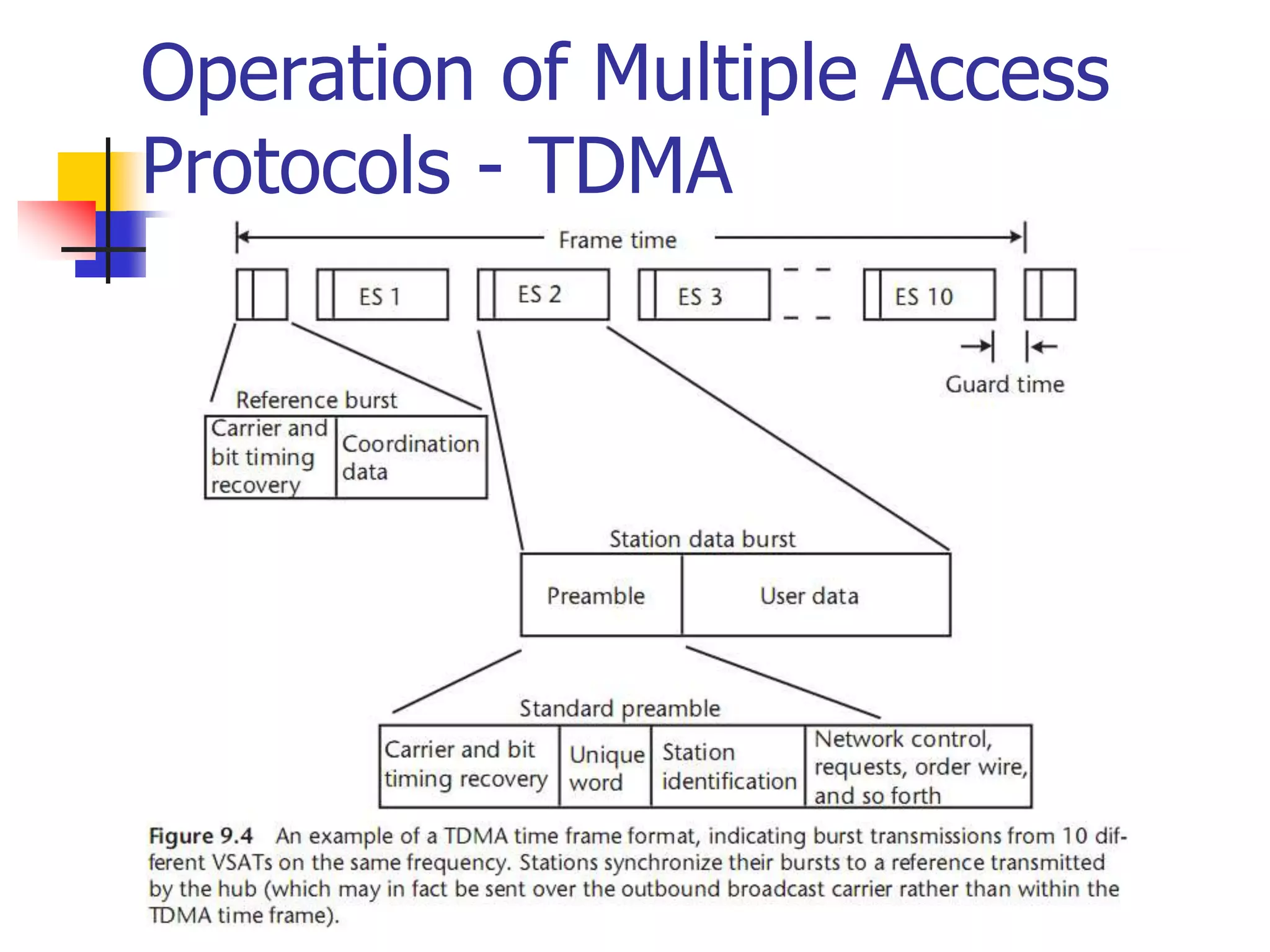
  • 120.
  • 121.
     It isa theoretical calculation of end-to-end performance for a communications path under a specific set of conditions.  Sometimes the conditions are stated; most often at least some of them are implied or assumed.  Every link budget implies everything not included is irrelevant.  Sometimes this is true What Is a Link Budget
  • 122.
    Why is aLink Budget Important  A link budget is used to predict performance before the link is established.  Show in advance if it will be acceptable  Show if one option is better than another  Provide a criterion to evaluate actual performance
  • 123.
    Link Budget Components A satellite link budget should include the following parts: UPLINK DOWNLINK COMBINE 1 AND 2 DEFINE PERFORMANCE LIMIT(S) COMPARE CALCULATED AND DESIRED PERFORMANCE
  • 124.
    EXAMPLE PART 1 ParameterValue in dB Uplink transmit EIRP 48.0 Net uplink losses -177.3 Satellite receive G/T -17.0 Boltzmann’s constant (-198.6) Uplink receive C/N0 52.3
  • 125.
    EXAMPLE PART 2 ParameterValue in dB Downlink transmit EIRP 22.5 Net downlink losses -190.1 Satellite receive G/T 15.0 Boltzmann’s constant (-198.6) Downlink receive C/N0 46.0
  • 126.
    EXAMPLE PART 3 ParameterValue in dB Uplink receive C/N0 52.3 Downlink receive C/N0 46.0 Combined C/N0 45.1 Data rate in dB (1200 bps) 30.8 Calculated link EB/N0 14.3
  • 127.
    EXAMPLE PARTS 4& 5 Parameter Value in dB Calculated link EB/N0 14.3 Required EB/N0 11.7 Operating margin 2.6
  • 128.
    LINK BUDGET EVALUATION The basic question is: Is the operating margin large enough?  It must be positive to account for the items listed in the budget  It also must cover the variations caused by everything that was not explicitly included  Therefore a more useful question is: What was not included in the budget that might be a significant factor?
  • 129.
    EVALUATION (continued)  Somefactors I consider important are:  Satellite non-linearity (NPR)  Satellite transmit power for your signal  Interference (including CDMA if implemented)  Allowance for future (worse) conditions  Lifetime of the system under evaluation  How closely can it be maintained at the parameters used in the budget
  • 130.
    Design of theSatellite Link  The satellite link is probably the most basic in microwave communications since a line-of-sight path typically exists between the Earth and space.  This means that an imaginary line extending between the transmitting or receiving Earth station and the satellite antenna passes only through the atmosphere and not ground obstacles.  Such a link is governed by free-space propagation with only limited variation with respect to time due to various constituents of the atmosphere.
  • 131.
    Design of theSatellite Link  Free-space attenuation is determined by the inverse square law, which states that the power received is inversely proportional to the square of the distance.  The same law applies to the amount of light that reaches our eyes from a distant point source such as an automobile headlight or star.  There are, however, a number of additional effects that produce a significant amount of degradation and time variation.  These include rain, terrain effects such as absorption by trees and walls, and some less-obvious impairment produced by unstable conditions of the air and ionosphere.
  • 132.
    Design of theSatellite Link  It is the job of the communication engineer to identify all of the significant contributions to performance and make sure that they are properly taken into account.  The required factors include the performance of the satellite itself, the configuration and performance of the uplink and downlink Earth stations, and the impact of the propagation medium in the frequency band of interest.
  • 133.
    Design of theSatellite Link  Also important is the efficient transfer of user information across the relevant interfaces at the Earth stations, involving such issues as the precise nature of this information, data protocol, timing, and the telecommunications interface standards that apply to the service.  A proper engineering methodology guarantees that the application will go into operation as planned, meeting its objectives for quality and reliability.
  • 134.
    Design of theSatellite Link  The RF carrier in any microwave communications link begins at the transmitting electronics and propagates from the transmitting antenna through the medium of free space and absorptive atmosphere to the receiving antenna, where it is recovered by the receiving electronics.  The carrier is modulated by a baseband signal that transfers information for the particular application.  The first step in designing the microwave link is to identify the overall requirements and the critical components that determine performance.  For this purpose, we use the basic arrangement of the link shown in Figure.
  • 135.
    Design of theSatellite Link  Figure 2.1: Critical Elements of the Satellite Link
  • 136.
    Design of theSatellite Link  The example shows a large hub type Earth station in the uplink and a small VSAT in the downlink; the satellite is represented by a simple frequency translating type repeater (e.g., a bent pipe).  Most geostationary satellites employ bent- pipe repeaters since these allow the widest range of services and communication techniques.
  • 137.
    Design of theSatellite Link  Bidirectional (duplex) communication occurs with a separate transmission from each Earth station.  Due to the analog nature of the radio frequency link, each element contributes a gain or loss to the link and may add noise and interference as well.
  • 138.
    Design of theSatellite Link  The result in the overall performance is presented in terms of the ratio of carrier power to noise (the carrier- to-noise ratio, C/N) and, ultimately, information quality (bit error rate, video impairment, or audio fidelity).  Done properly, this analysis can predict if the link will work with satisfactory quality based on the specifications of the ground and space components.  Any uncertainty can be covered by providing an appropriate amount of link margin, which is over and above the C/N needed to deal with propagation effects and nonlinearity in the Earth stations and satellite repeater.
  • 139.
    Link Budget andtheir Interpretation  The link between the satellite and Earth station is governed by the basic microwave radio link equation:  where pr is the power received by the receiving antenna; pt is the power applied to the transmitting antenna; gt is the gain of the transmitting antenna; gr is the gain of the receiving antenna; c is the speed of light (i.e., approximately 300 × 106 m/s); R is the range (path length) in meters; and f is the frequency in hertz.
  • 140.
    Link Budget andtheir Interpretation  Almost all link calculations are performed after converting from products and ratios to decibels.  The same formula, when converted into decibels, has the form of a power balance.
  • 141.
    Link Budget andtheir Interpretation  The received power in this formula is measured in decibel relative to 1W, which is stated as dBW.  The last two terms represent the free-space path loss (A0) between the Earth station and the satellite.  If we assume that the frequency is 1 GHz and that the distance is simply the altitude of a GEO satellite (e.g., 35,778 km), then the path loss equals 183.5 dB; that is,  for f = 1000000000 Hz and R = 35,788,000 m.
  • 142.
    Link Budget andtheir Interpretation  We can correct the path loss for other frequencies and path lengths using the formula:  where A0 is the free-space path loss in decibels, f is the frequency in gigahertz, and R is the path length in kilometers.  The term on the right can be expressed in terms of the elevation angle from the Earth station toward the satellite,
  • 143.
    Link Budget andtheir Interpretation  The term on the right can be expressed in terms of the elevation angle from the Earth station toward the satellite. i.e.  where φ is the latitude and δ is the longitude of the Earth station minus that of the satellite (e.g., the relative longitude).
  • 144.
    Link Budget andtheir Interpretation  Substituting for R in Ao we obtain the correction term in decibels to account for the actual path length.  This is referred to as the slant range adjustment and is a function of the elevation angle, θ as shown in Figure 2.3.
  • 145.
    Link Budget andtheir Interpretation Figure 2.3: Additional path loss due to slant range, versus ground elevation angle.
  • 146.
    Atmospheric Effects onLink Budget and their Interpretation A general quantitative review of ionospheric effects is provided in table below:
  • 147.
    Atmospheric Effects onLink Budget and their Interpretation  Ionospheric effects include effects of:  Faraday rotation,  time delay,  refraction, and  dispersion.  It is clear from the data that ionospheric effects are not significant at frequencies of 10 GHz and above,  but must be considered at L-, S-, and C- bands (L being the worst).
  • 148.
    Atmospheric Effects onLink Budget and their Interpretation  Ionospheric effects:  Faraday rotation of linear polarization (first line of Table 2.2): This is most pronounced at L- and S- bands, with significant impact at C-band during the peak of sunspot activity. It is not a significant factor at Ku- and Ka bands.  Ionosphere scintillation (third and fourth lines of Table 2.2): This is most pronounced in the equatorial regions of the world (particularly along the geomagnetic equator). Like Faraday rotation, this source of fading decreases with increasing frequency, making it a factor for L-, S-, and C- band links.
  • 149.
    Link Budget andtheir Interpretation  Tropospheric (gaseous atmosphere) effects:  Absorption by air and water vapor (non-condensed): This is nearly constant for higher elevation angles, adding only a few tenths of decibels to the path loss. It generally can be ignored at frequencies below 15 GHz.  Refractive bending and scintillation (rapid fluctuations of carrier power) at low elevation angles: Earth stations that must point within 10° of the horizon to view the satellite are subject to wider variations in received or transmitted signal and therefore require more link margin. Tropospheric scintillation is time varying signal attenuation (and enhancement) caused by combining of the direct path with the refracted path signal in the receiving antenna.
  • 150.
    Link Budget andtheir Interpretation  Rain attenuation: This important factor increases with frequency and rain rate. Additional fade margin is required for Ku- and Ka-band links, based on the statistics of local rainfall. This will require careful study for services that demand high availability, as suggested in Figures 2.4 and 2.5. A standardized rain attenuation predictor, called the DAH model is available for this purpose [1]. Rain also introduces scintillation due to scattering of electromagnetic waves by raindrops, and in a later section we will see that the raindrops also radiate thermal noise—a factor that is easily modeled. In addition, rain beading on antenna surfaces scatters and in very heavy rains can puddle on feeds, temporarily providing high losses not accounted for in the DAH and thermal noise models.
  • 151.
    Link Budget Example Satellite application engineers need to assess and allocate performance for each source of gain and loss.  The link budget is the most effective means since it can address and display all of the components of the power balance equation, expressed in decibels.  In the past, each engineer was free to create a personalized methodology and format for their own link budgets.  This worked adequately as long as the same person continued to do the work.  Problems arose, however, when link budgets were exchanged between engineers, as formats and assumptions can vary.  A standardized link budget software tool should be used that performs all of the relevant calculations and presents the results in a clear and complete manner.
  • 152.
    Link Budget Example We will now evaluate a specific example using a simplified link budget containing the primary contributors.  This will provide a typical format and some guidelines for a practical approach.  Separate uplink and downlink budgets are provided; our evaluation of the total end-to-end link presumes the use of a bent-pipe repeater.  This is one that transfers both carrier and noise from the uplink to the downlink, with only a frequency translation and amplification.  The three constituents are often shown in a single table, but dividing them should make the development of the process clearer for readers.  The detailed engineering comes into play with the development of each entry of the table.  Several of the entries are calculated using straightforward mathematical equations; others must be obtained through actual measurements or at least estimates thereof.
  • 153.
    Link Budget Example This particular example is for a C-band digital video link at 40 Mbps, which is capable of transmitting 8 to 12 TV channels using the Motion Picture Experts Group 2 (MPEG 2) standard.
  • 154.
    Link Budget Example: DownlinkBudget  The following Table 2.3 presents the downlink budget in a manner that identifies the characteristics of the satellite transmitter and antenna, the path, the receiving antenna, and the expected performance of the Earth station receiver.  It contains the elements that select the desired radio signal (i.e., the carrier) and demodulates the useful information (i.e., the digital baseband containing the MPEG 2 “transport” bit stream).  Once converted back to baseband, the transmission can be applied to other processes, such as de-multiplexing, decryption, and digital-to-analog conversion (D/A conversion).
  • 155.
  • 156.
    Link Budget Example: DownlinkBudget  The following figure provides the horizontal downlink coverage of Telstar V, a typical C-band satellite that serves the United States.  Each contour shows a constant level of saturated effective isotropic radiated power (EIRP) (the value at saturation of the transponder power amplifier).  Assuming the receiving Earth station is in Los Angeles, it is possible to interpolate between the contours and estimate a value of 35.5 dBW.
  • 157.
    Link Budget Example: DownlinkBudget Figure 2.6: The downlink coverage footprint of the Telstar V satellite, located at 97° W. The contours are indicated with the saturated EIRP in decibels referred to 1W (0 dBW).
  • 158.
    Link Budget Example: DownlinkBudget  The following parameters relate to the significant elements in the link (Figure 2.1) and the power balance equation, all expressed in decibels.  Most are typically under the control of the satellite engineer:  Transmit power (Pt);  Antenna gain at the peak (Gt) and beam width at the −3-dB point (θ3dB);  Feeder waveguide losses (Lt);  EIRP in the direction of the Earth station;  Receiver noise temperature (T0);  Noise figure (NF).
  • 159.
    Link Budget Example: DownlinkBudget  System noise temperature (Tsys) is the sum of T0 and the noise contribution of the receive antenna (Ta).  The overall Earth station figure of merit is defined as the ratio of receive gain to system noise temperature expressed in decibels per Kelvin—for example, G/T  The same can be said of EIRP for the transmit case. Reception is improved if either the gain is increased or the noise temperature is decreased; hence the use of a ratio.
  • 160.
    Link Budget Example: DownlinkBudget  Each of the link parameters relates to a specific piece of hardware or some property of the microwave path between space and ground.  A good way to develop the link budget is to prepare it with a spreadsheet program.  This permits the designer to include the various formulas directly in the budget, thus avoiding the problem of external calculation or the potential for arithmetic error (which still exists if the formulas are wrong or one adds losses instead of subtracting them).  Commercial link budget software, such as SatMaster Pro from Arrowe Technical Services, does the same job but in a standardized fashion.
  • 161.
  • 162.
    Link Budget Example: UplinkBudget The uplink coverage footprint of the Telstar V satellite, located at 97° WL. The contours are indicated with the SFDM in the direction of the Earth station.
  • 163.
    Link Budget Example: UplinkBudget  The repeater in this design is a simple bent pipe that does not alter or recover data from the transmission from the uplink. The noise on the uplink (e.g., N in the denominator of C/N) will be transferred directly to the downlink and added to the downlink noise.  In a baseband processing type of repeater, the uplink carrier is demodulated within the satellite and only the bits themselves are transferred to the downlink.  In such case, the uplink noise only produces bit errors (and possibly frame errors, depending on the modulation and multiple access scheme) that transfer over the re-modulated carrier.  This is a complex process and can only be assessed for the particular transmission system design in a digital processing satellite.
  • 164.
    Link Budget Example: OverallLink Budget  The last step in link budgeting for a bent-pipe repeater is to combine the two link performances and compare the result against a minimum requirement—also called the threshold. Table 2.5 presents a detailed evaluation of the overall link under the conditions of line-of-sight propagation in clear sky. We have included an allocation for interference coming from sources such as a cross-polarized transponder and adjacent satellites. This type of entry is necessary because all operating satellite networks are exposed to one or more sources of interference. The bottom line represents the margin that is available to counter rain attenuation and any other losses that were not included in the link budgets. Alternatively, rain margin can be allocated separately to the uplink and downlink, with the combined availability value being the arithmetic product of the two as a decimal value (e.g., if the uplink and downlink were each 99.9%, then the combined availability is 0.999 × 0.999 = 0.998 or 99.8%).
  • 165.
  • 166.
    Link Budget Summary Over estimate link specification  Downlink Budget  Uplink Budget  Overall Link Budget
  • 167.
    Multiple Access System Applications employ multiple-access systems to allow two or more Earth stations to simultaneously share the resources of the same transponder or frequency channel.  These include the three familiar methods:  FDMA,  TDMA, and  CDMA.  Another multiple access system called space division multiple access (SDMA) has been suggested in the past. In practice, SDMA is not really a multiple access method but rather a technique to reuse frequency spectrum through multiple spot beams on the satellite.  Because every satellite provides some form of frequency reuse (cross-polarization being included), SDMA is an inherent feature in all applications.
  • 168.
    Multiple Access System TDMA and FDMA require a degree of coordination among users:  FDMA users cannot transmit on the same frequency and  TDMA users can transmit on the same frequency but not at the same time.  Capacity in either case can be calculated based on the total bandwidth and power available within the transponder or slice of a transponder.  CDMA is unique in that multiple users transmit on the same frequency at the same time (and in the same beam or polarization).  This is allowed because the transmissions use a different code either in terms of high-speed spreading sequence or frequency hopping sequence.
  • 169.
    Multiple Access System The capacity of a CDMA network is not unlimited, however, because at some point the channel becomes overloaded by self-interference from the multiple users who occupy it.  Furthermore, power level control is critical because a given CDMA carrier that is elevated in power will raise the noise level for all others carriers by a like amount.
  • 170.
    Multiple Access System Multiple access is always required in networks that involve two-way communications among multiple Earth stations.  The selection of the particular method depends heavily on the specific communication requirements, the types of Earth stations employed, and the experience base of the provider of the technology.  All three methods are now used for digital communications because this is the basis of a majority of satellite networks.
  • 171.
    Multiple Access System The digital form of a signal is easier to transmit and is less susceptible to the degrading effects of the noise, distortion from amplifiers and filters, and interference.  Once in digital form, the information can be compressed to reduce the bit rate, and FEC is usually provided to reduce the required carrier power even further.  The specific details of multiple access, modulation, and coding are often preselected as part of the application system and the equipment available on a commercial off-the-shelf (COTS) basis.
  • 172.
    Multiple Access System The only significant analog application at this time is the transmission of cable TV and broadcast TV.  These networks are undergoing a slow conversion to digital as well, which may in fact be complete within a few years.
  • 173.
    FDMA  Nearly everyterrestrial or satellite radio communications system employs some form of FDMA to divide up the available spectrum.  The areas where it has the strongest hold are in single channel per carrier (SCPC), intermediate data rate (IDR) links, voice telephone systems, VSAT data networks, and some video networking schemes.  Any of these networks can operate alongside other networks within the same transponder.  Users need only acquire the amount of bandwidth and power that they require to provide the needed connectivity and throughput.  Also, equipment operation is simplified since no coordination is needed other than assuring that each Earth station remains on its assigned frequency and that power levels are properly regulated.  However, inter-modulation distortion (IMD) present with multiple carriers in the same amplifier must be assessed and managed as well.
  • 174.
    FDMA  The satelliteoperator divides up the power and bandwidth of the transponder and sells off the capacity in attractively priced segments.  Users pay for only the amount that they need. If the requirements increase, additional FDMA channels can be purchased.  The IMD that FDMA produces within a transponder must be accounted for in the link budget; otherwise, service quality and capacity will degrade rapidly as users attempt to compensate by increasing uplink power further.  The big advantage, however, is that each Earth station has its own independent frequency on which to operate.  A bandwidth segment can be assigned to a particular network of users, who subdivide the spectrum further based on individual needs.  Another feature, is to assign carrier frequencies when they are needed to satisfy a traffic requirement. This is the general class of demand assigned networks, also called demand-assigned multiple access (DAMA).  In general, DAMA can be applied to all three multiple access schemes previously described; however, the term is most often associated with FDMA.
  • 175.
    Time Division MultipleAccess and ALOHA  TDMA is a truly digital technology, requiring that all information be converted into bit streams or data packets before transmission to the satellite. (An analog form of TDMA is technically feasible but never reached the market due to the rapid acceptance of the digital form.)  Contrary to most other communication technologies, TDMA started out as a high-speed system for large Earth stations.  Systems that provided a total throughput of 60 to 250 Mbps were developed and fielded over the past 25 years.  However, it is the low-rate TDMA systems, operating at less than 10 Mbps, which provide the foundation of most VSAT networks.  As the cost and size of digital electronics came down, it became practical to build a TDMA Earth station into a compact package.
  • 176.
    Time Division MultipleAccess and ALOHA  Lower speed means that less power and bandwidth need to be acquired (e.g., a fraction of a transponder will suffice) with the following benefits:  The uplink power from small terminals is reduced, saving on the cost of transmitters.  The network capacity and quantity of equipment can grow incrementally, as demand grows.
  • 177.
    Time Division MultipleAccess and ALOHA  TDMA signals are restricted to assigned time slots and therefore must be transmitted in bursts.  The time frame is periodic, allowing stations to transfer a continuous stream of information on average.  Reference timing for start-of-frame is needed to synchronize the network and provide control and coordination information.  This can be provided either as an initial burst transmitted by a reference Earth station, or on a continuous basis from a central hub.  The Earth station equipment takes one or more continuous streams of data, stores them in a buffer memory, and then transfers the output toward the satellite in a burst at a higher compression speed.
  • 178.
    Time Division MultipleAccess and ALOHA  At the receiving Earth station, bursts from Earth stations are received in sequence, selected for recovery if addressed for this station, and then spread back out in time in an output expansion buffer.  It is vital that all bursts be synchronized to prevent overlap at the satellite; this is accomplished either with the synchronization burst (as shown) or externally using a separate carrier.  Individual time slots may be pre-assigned to particular stations or provided as a reservation, with both actions under control by a master station.  For traffic that requires consistent or constant timing (e.g., voice and TV), the time slots repeat at a constant rate.
  • 179.
    Time Division MultipleAccess and ALOHA  Computer data and other forms of packetized information can use dynamic assignment of bursts in a scheme much like a DAMA network.  There is an adaptation for data, called ALOHA, that uses burst transmission but eliminates the assignment function of a master control.  ALOHA is a powerful technique for low cost data networks that need minimum response time. Throughput must be less than 20% if the bursts come from stations that are completely uncoordinated because there is the potential for time overlap (called a collision).
  • 180.
    Time Division MultipleAccess and ALOHA  The most common implementation of ALOHA employs a hub station that receives all of these bursts and provides a positive acknowledgement to the sender if the particular burst is good.  If the sending station does not receive acknowledgment within a set “time window,” the packet is re-sent after a randomly selected period is added to prevent another collision.  This combined process of the window plus added random wait introduces time delay, but only in the case of a collision.  Throughput greater than 20% brings a high percentage of collisions and resulting retransmissions, introducing delay that is unacceptable to the application.
  • 181.
    Time Division MultipleAccess and ALOHA  An optimally and fully loaded TDMA network can achieve 90% throughput, the only reductions required for guard time between bursts and other burst overhead for synchronization and network management.  The corresponding time delay is approximately equal to one-half of the frame time, which is proportional to the number of stations sharing the same channel.  This is because each station must wait its turn to use the shared channel.  ALOHA, on the other hand, allows stations to transmit immediately upon need. Time delay is minimum, except when you consider the effect of collisions and the resulting retransmission times.
  • 182.
    Time Division MultipleAccess and ALOHA  TDMA is a good fit for all forms of digital communications and should be considered as one option during the design of a satellite application.  The complexity of maintaining synchronization and control has been overcome through miniaturization of the electronics and by way of improvements in network management systems.  With the rapid introduction of TDMA in terrestrial radio networks like the GSM standard, we will see greater economies of scale and corresponding price reductions in satellite TDMA equipment.
  • 183.
    Code Division MultipleAccess  CDMA, also called spread spectrum communication, differs from FDMA and TDMA because it allows users to literally transmit on top of each other.  This feature has allowed CDMA to gain attention in commercial satellite communication.  It was originally developed for use in military satellite communication where its inherent anti-jam and security features are highly desirable.  CDMA was adopted in cellular mobile telephone as an interference-tolerant communication technology that increases capacity above analog systems.
  • 184.
    Code Division MultipleAccess  It has not been proven that CDMA is universally superior as this depends on the specific requirements.  For example, an effective CDMA system requires contiguous bandwidth equal to at least the spread bandwidth.  Two forms of CDMA are applied in practice: (1) direct sequence spread spectrum (DSSS) and (2) frequency hopping spread spectrum (FHSS).  FHSS has been used by the OmniTracs and Eutel-Tracs mobile messaging systems for more than 10 years now, and only recently has it been applied in the consumer’s commercial world in the form of the Bluetooth wireless LAN standard. However, most CDMA applications over commercial satellites employ DSSS (as do the cellular networks developed by Qualcomm).
  • 185.
    Code Division MultipleAccess  Consider the following summary of the features of spread spectrum technology (whether DSSS or FHSS):  Simplified multiple access: no requirement for coordination among users;  Selective addressing capability if each station has a unique chip code sequence—provides authentication: alternatively, a common code may still perform the CDMA function adequately since the probability of stations happening to be in synch is approximately 1/n;  Relative security from eavesdroppers: the low spread power and relatively fast direct sequence modulation by the pseudorandom code make detection difficult;  Interference rejection: the spread-spectrum receiver treats the other DSSS signals as thermal noise and suppresses narrowband interference.
  • 186.
    Code Division MultipleAccess  A typical CDMA receiver must carry out the following functions in order to acquire the signal, maintain synchronization, and reliably recover the data:  Synchronization with the incoming code through the technique of correlation detection;  De-spreading of the carrier;  Tracking the spreading signal to maintain synchronization;  Demodulation of the basic data stream;  Timing and bit detection;  Forward error correction to reduce the effective error rate;
  • 187.
    Code Division MultipleAccess  The first three functions are needed to extract the signal from the clutter of noise and other signals.  The processes of demodulation, bit timing and detection, and FEC are standard for a digital receiver, regardless of the multiple access method.
  • 188.
    Multiple Access Summary The bottom line in multiple access is that there is no single system that provides a universal answer.  FDMA, TDMA, and CDMA will each continue to have a place in building the applications of the future.  They can all be applied to digital communications and satellite links.  When a specific application is considered, it is recommended to perform the comparison to make the most intelligent selection.
  • 189.
    Frequency Band Trade-Offs Satellite communication is a form of radio or wireless communication and therefore must compete with other existing and potential uses of the radio spectrum.  During the initial 10 years of development of these applications, there appeared to be more or less ample bandwidth, limited only by what was physically or economically justified by the rather small and low powered satellites of the time.  In later years, as satellites grew in capability, the allocation of spectrum has become a domestic and international battlefield as service providers fight among themselves, joined by their respective governments when the battle extends across borders.  So, we must consider all of the factors when selecting a band for a particular application.
  • 190.
    Frequency Band Trade-Offs The most attractive portion of the radio spectrum for satellite communication lies between 1 and 30 GHz.  The relationship of frequency, bandwidth, and application are shown in Figure 2.9.  The scale along the x-axis is logarithmic in order to show all of the satellite bands; however, observe that the bandwidth available for applications increases in real terms as one moves toward the right (i.e., frequencies above 3 GHz).  Also, the precise amount of spectrum that is available for services in a given region or country is usually less than Figure 2.9 indicates.
  • 191.
    Frequency Band Trade-Offs Fig.2.9: The general arrangement of the frequency spectrum that is applied to satellite communications and other radio-communication services. Indicated are the short-hand letter designations along with an explanation of typical applications.
  • 192.
    Frequency Band Trade-Offs The use of letters probably dates back to World War II as a form of shorthand and simple code for developers of early microwave hardware.  Two band designation systems are in use: adjectival (meaning the bands are identified by the following adjectives) and letter (which are codes to distinguish bands commonly used in space communications and radar).
  • 193.
    Frequency Band Trade-Offs Adjectival band designations, frequency in Gigahertz:  Very high frequency (VHF): 0.03–0.3;  Ultra high frequency (UHF): 0.3–3;  Super high frequency (SHF): 3–30;  Extremely high frequency (EHF): 30–300.
  • 194.
    Frequency Band Trade-Offs Letter band designations, frequency in Gigahertz:  L: 1.0–2.0;  S: 2.0–4.0;  C: 4.0–8.0;  X: 8–12;  Ku: 12–18;  Ka: 18–40;  Q: 40–60;  V: 60–75;  W: 75–110.
  • 195.
    Frequency Band Trade-Offs Today, the letter designations continue to be the popular buzzwords that identify band segments that have commercial application in satellite communications.  The international regulatory process, maintained by the ITU, does not consider these letters but rather uses band allocations and service descriptors listed next and in the right-hand column of Figure 2.9.
  • 196.
    Frequency Band Trade-Offs Fixed Satellite Service (FSS): between Earth stations at given positions, when one or more satellites are used; the given position may be a specified fixed point or any fixed point within specified areas; in some cases this service includes satellite-to- satellite links, which may also be operated in the inter-satellite service; the FSS may also include feeder links for other services.  Mobile Satellite Service (MSS): between mobile Earth stations and one or more space stations (including multiple satellites using inter-satellite links). This service may also include feeder links necessary for its operation.  Broadcasting Satellite Service (BSS): A service in which signals transmitted or retransmitted by space stations are intended for direct reception by the general public. In the BSS, the term “direct reception” shall encompass both individual reception and community reception.  Inter-satellite Link (ISL): A service providing links between satellites.
  • 197.
    Frequency Band Trade-Offs The lower the band in frequency, the better the propagation characteristics. This is countered by the second general principle, which is that the higher the band, the more bandwidth that is available. The MSS is allocated to the L- and S-bands, where propagation is most forgiving.  Yet, the bandwidth available between 1 and 2.5 GHz, where MSS applications are authorized, must be shared not only among GEO and non- GEO applications, but with all kinds of mobile radio, fixed wireless, broadcast, and point-to-point services as well.  The competition is keen for this spectrum due to its excellent space and terrestrial propagation characteristics. The rollout of wireless services like cellular radiotelephone, PCS, wireless LANs, and 3G may conflict with advancing GEO and non-GEO MSS systems.  Generally, government users in North America and Europe, particularly in the military services, have employed selected bands such as S, X, and Ka to isolate themselves from commercial applications.  However, this segregation has disappeared as government users discover the features and attractive prices that commercial systems may offer.
  • 198.
    Frequency Band Trade-Offs On the other hand, wideband services like DTH and broadband data services can be accommodated at frequencies above 3 GHz, where there is more than 10 times the bandwidth available.  Add to this the benefit of using directional ground antennas that effectively multiply the unusable number of orbit positions. Some wideband services have begun their migration from the well- established world of C-band to Ku- and Ka-bands.  Higher satellite EIRP used at Ku-band allows the use of relatively small Earth station antennas. On the other hand, C-band should maintain its strength for video distribution to cable systems and TV stations, particularly because of the favorable propagation environment, extensive global coverage, and legacy investment in C-band antennas and electronic equipment.
  • 199.
    Ultra High Frequency While the standard definition of UHF is the range of 300 to 3,000 MHz (0.3 to 3 GHz), the custom is to relate this band to any effective satellite communication below 1 GHz.  Frequencies above 1 GHz are considered later on. The fact that the ionosphere provides a high degree of attenuation below 100 MHz makes this at the low end of acceptability (the blockage by the ionosphere at 10 MHz goes along with its ability to reflect radio waves, a benefit for ground-to- ground and air-to-ground communications using what is termed sky wave or “skip”).  UHF satellites employ circular polarization (CP) to avoid Faraday effect, wherein the ionosphere rotates any linear-polarized wave.  The UHF spectrum between 300 MHz and 1 GHz is exceedingly crowded on the ground and in the air because of numerous commercial, government, and other civil applications.  Principal among them is television broadcasting in the VHF and UHF bands, FM radio, and cellular radio telephone.  However, we cannot forget less obvious uses like vehicular and handheld radios used by police officers, firefighters, amateurs, the military, taxis and other commercial users, and a variety of unlicensed applications in the home.
  • 200.
  • 201.
    Ground Segment  Collectionof facilities, Users and Applications  Earth Station = Satellite Communication Station  (Fixed or Mobile)
  • 202.
    Satellite Uplink andDownlink  Downlink  The link from a satellite down to one or more ground stations or receivers  Uplink  The link from a ground station up to a satellite.  Some companies sell uplink and downlink services to  television stations, corporations, and to other telecommunication carriers.  A company can specialize in providing uplinks, downlinks, or both.
  • 203.
    Why Two Frequenciesfor Uplink and Downlink in Satellite Com  The reason the uplink and downlink frequencies are different in satellites is because otherwise the satellite's transmitter and receiver would interfere with one another. The signals have to operate on different frequencies.  If you could send a signal, then wait, the receiver could be protected from the transmitted signal on the same frequency, but with high speed, continuous transmission, the receiver cannot be turned off while the transmitter is transmitting. (an example of something that transmits and receives on the same frequency is pulsed RADAR, where the transmitter sends out a pulse, and then the echo is picked up by the receiver)
  • 204.
    Why Uplink Frequencyis Higher than Downlink Frequency  The signals have to cross the atmosphere which presents a great deal of attenuation. The higher the frequency, the more is the signal loss and more power is needed for reliable transmission.  A satellite is a light-weight device which cannot support high- power transmitters on it. So, it transmits at a lower frequency (higher the frequency, higher is the transmitter power to accommodate losses) as compared to the stationary earth station which can afford to use very high-power transmitters. This is compensated by using highly sensitive receiver circuits on the earth station which is in the line-of-sight (LOS) of the satellite.
  • 205.
    Uplink/Downlink Mobile/Satellite A mobile isa portable device which cannot afford high-power transmission as it has a small battery with limited power. The 'free space path loss' comes to play. The higher the transmitting frequency, the higher is the loss. Since a mobile station (cellphone) cannot afford to transmit at high power to compensate for this loss, it must transmit on a lower frequency as a lower frequency presents lesser free space path loss. Therefore, mobile-to-base station (uplink) frequencies are lower than base station-to- mobile(downlink) frequencies.
  • 206.
  • 207.
    Satellite Communication  Whenusing a satellite for long distance communications, the satellite acts as a repeater.  An earth station transmits the signal up to the satellite (uplink), which in turn retransmits it to the receiving earth station (downlink).  Different frequencies are used for uplink/downlink.
  • 208.
    Satellite Transmission Links Earth stations Communicate by sending signals to the satellite on an uplink  The satellite then repeats those signals on a downlink  The broadcast nature of downlink makes it attractive for services such as the distribution of TV programs
  • 209.
    Direct to UserServices One way Service (Broadcasting) Two way Service (Communication)
  • 210.
    Satellite Signals  Usedto transmit signals and data over long distances  Weather forecasting  Television broadcasting  Internet communication  Global Positioning Systems
  • 211.
    Advantages of Satellite Communication Can reach over large geographical area  Flexible (if transparent transponders)  Easy to install new circuits  Circuit costs independent of distance  Broadcast possibilities  Temporary applications (restoration)  Niche applications  Mobile applications (especially "fill-in")  Terrestrial network "by-pass"  Provision of service to remote or underdeveloped areas  User has control over own network  1-for-N multipoint standby possibilities
  • 212.
    Disadvantages of Satellite Communication Large up front capital costs (space segment and launch)  Terrestrial break even distance expanding (now approx. size of Europe)  Interference and propagation delay  Congestion of frequencies and orbits
  • 213.
    When to useSatellites  When the unique features of satellite communications make it attractive  When the costs are lower than terrestrial routing  When it is the only solution  Examples:  Communications to ships and aircraft (especially safety communications)  TV services - contribution links, direct to cable head, direct to home  Data services - private networks  Overload traffic  Delaying terrestrial investments  1 for N diversity  Special events
  • 214.
    When to useTerrestrial  PSTN - satellite is becoming increasingly uneconomic for most trunk telephony routes  but, there are still good reasons to use satellites for telephony such as: thin routes, diversity, very long distance traffic and remote locations.  Land mobile/personal communications - in urban areas of developed countries new terrestrial infrastructure is likely to dominate (e.g. GSM, etc.)  but, satellite can provide fill-in as terrestrial networks are implemented, also provide similar services in rural areas and underdeveloped countries
  • 215.
    Frequency Bands Allocatedto the FSS(Fixed service satellite)  Frequency bands are allocated to different services at World Radio-communication Conferences (WRCs).  Allocations are set out in Article S5 of the ITU Radio Regulations.  It is important to note that (with a few exceptions) bands are generally allocated to more than one radio services.  CONSTRAINTS  Bands have traditionally been divided into “commercial" and "government/military" bands, although this is not reflected in the Radio Regulations and is becoming less clear-cut as "commercial" operators move to utilize "government" bands.
  • 216.
    Earth’s atmosphere  Source:All about GPS [www.kowoma.de]
  • 217.
    Atmospheric Losses  Differenttypes of atmospheric losses can disturb radio wave transmission in satellite systems:  Atmospheric absorption  Atmospheric attenuation  Traveling ionospheric disturbances
  • 218.
    Atmospheric Absorption  Energyabsorption by atmospheric gases, which varies with the frequency of the radio waves.  Two absorption peaks are observed (for 90º elevation angle):  22.3 GHz from resonance absorption in water vapour (H2O)  60 GHz from resonance absorption in oxygen (O2)  For other elevation angles:  [AA] = [AA]90 cosec 
  • 219.
    Atmospheric Attenuation  Rainis the main cause of atmospheric attenuation (hail, ice and snow have little effect on attenuation because of their low water content).  Total attenuation from rain can be determined by:  A = L [dB]  where  [dB/km] is called the specific attenuation, and can be calculated from specific attenuation coefficients in tabular form that can be found in a number of publications  where L [km] is the effective path length of the signal through the rain; note that this differs from the geometric path length due to fluctuations in the rain density.
  • 220.
    Traveling Ionospheric Disturbances  Travelingionospheric disturbances are clouds of electrons in the ionosphere that provoke radio signal fluctuations which can only be determined on a statistical basis.  The disturbances of major concern are:  Scintillation;  Polarisation rotation.  Scintillations are variations in the amplitude, phase, polarisation, or angle of arrival of radio waves, caused by irregularities in the ionosphere which change over time.  The main effect of scintillations is fading of the signal.
  • 221.
    What is Polarisation? Polarisation is the property of electromagnetic waves that describes the direction of the transverse electric field.  Since electromagnetic waves consist of an electric and a magnetic field vibrating at right angles to each other.  it is necessary to adopt a convention to determine the polarisation of the signal.  Conventionally, the magnetic field is ignored and the plane of the electric field is used.
  • 222.
    Types of Polarisation Linear Polarisation (horizontal or vertical):  the two orthogonal components of the electric field are in phase;  The direction of the line in the plane depends on the relative amplitudes of the two components.  Circular Polarisation:  The two components are exactly 90º out of phase and have exactly the same amplitude.  Elliptical Polarisation:  All other cases. Linear Polarisation Circular Polarisation
  • 223.
    Satellite Communications  Alternatingvertical and horizontal polarisation is widely used on satellite communications  This reduces interference between programs on the same frequency band transmitted from adjacent satellites (One uses vertical, the next horizontal, and so on)  Allows for reduced angular separation between the satellites.
  • 224.
    Ways to Categorize CommunicationsSatellites  Coverage area  Global, regional, national  Service type  Fixed service satellite (FSS)  Broadcast service satellite (BSS)  Mobile service satellite (MSS)  General usage  Commercial, military, amateur, experimental
  • 225.
    Classification of SatelliteOrbits  Circular or elliptical orbit  Circular with center at earth’s center  Elliptical with one foci at earth’s center  Orbit around earth in different planes  Equatorial orbit above earth’s equator  Polar orbit passes over both poles  Other orbits referred to as inclined orbits  Altitude of satellites  Geostationary orbit (GEO)  Medium earth orbit (MEO)  Low earth orbit (LEO)
  • 226.
    Minimum Elevation Angle Reasons affecting minimum elevation angle of earth station’s antenna (>0o)  Buildings, trees, and other terrestrial objects block the line of sight  Atmospheric attenuation is greater at low elevation angles  Electrical noise generated by the earth's heat near its surface adversely affects reception
  • 227.
    GEO Orbit  Advantagesof the the GEO orbit  No problem with frequency changes  Tracking of the satellite is simplified  High coverage area  Disadvantages of the GEO orbit  Weak signal after traveling over 35,000 km  Polar regions are poorly served  Signal sending delay is substantial
  • 228.
    LEO Satellite Characteristics Circular/slightly elliptical orbit under 2000 km  Orbit period ranges from 1.5 to 2 hours  Diameter of coverage is about 8000 km  Round-trip signal propagation delay less than 20 ms  Maximum satellite visible time up to 20 min  System must cope with large Doppler shifts  Atmospheric drag results in orbital deterioration
  • 229.
    LEO Categories  LittleLEOs  Frequencies below 1 GHz  5MHz of bandwidth  Data rates up to 10 kbps  Aimed at paging, tracking, and low-rate messaging  Big LEOs  Frequencies above 1 GHz  Support data rates up to a few megabits per sec  Offer same services as little LEOs in addition to voice and positioning services
  • 230.
    MEO Satellite Characteristics Circular orbit at an altitude in the range of 5000 to 12,000 km  Orbit period of 6 hours  Diameter of coverage is 10,000 to 15,000 km  Round trip signal propagation delay less than 50 ms  Maximum satellite visible time is a few hours
  • 231.
    Frequency Bands Availablefor Satellite Communications
  • 232.
    Satellite Link Performance Factors Distance between earth station antenna and satellite antenna  For downlink, terrestrial distance between earth station antenna and “aim point” of satellite  Displayed as a satellite footprint (Figure 9.6)  Atmospheric attenuation  Affected by oxygen, water, angle of elevation, and higher frequencies
  • 233.
  • 234.
    Capacity Allocation Strategies Frequency division multiple access (FDMA)  Time division multiple access (TDMA)  Code division multiple access (CDMA)
  • 235.
    Frequency-Division Multiplexing  Alternative usesof channels in point-to-point configuration  1200 voice-frequency (VF) voice channels  One 50-Mbps data stream  16 channels of 1.544 Mbps each  400 channels of 64 kbps each  600 channels of 40 kbps each  One analog video signal  Six to nine digital video signals
  • 236.
    Frequency-Division Multiple Access  Factorswhich limit the number of subchannels provided within a satellite channel via FDMA  Thermal noise  Intermodulation noise  Crosstalk
  • 237.
    Forms of FDMA Fixed-assignment multiple access (FAMA)  The assignment of capacity is distributed in a fixed manner among multiple stations  Demand may fluctuate  Results in the significant underuse of capacity  Demand-assignment multiple access (DAMA)  Capacity assignment is changed as needed to respond optimally to demand changes among the multiple stations
  • 238.
    FAMA-FDMA  FAMA –logical links between stations are preassigned  FAMA – multiple stations access the satellite by using different frequency bands  Uses considerable bandwidth
  • 239.
    DAMA-FDMA  Single channelper carrier (SCPC) – bandwidth divided into individual VF channels  Attractive for remote areas with few user stations near each site  Suffers from inefficiency of fixed assignment  DAMA – set of subchannels in a channel is treated as a pool of available links  For full-duplex between two earth stations, a pair of subchannels is dynamically assigned on demand  Demand assignment performed in a distributed fashion by earth station using CSC
  • 240.
    Reasons for IncreasingUse of TDM Techniques  Cost of digital components continues to drop  Advantages of digital components  Use of error correction  Increased efficiency of TDM  Lack of intermodulation noise
  • 241.
    FAMA-TDMA Operation  Transmissionin the form of repetitive sequence of frames  Each frame is divided into a number of time slots  Each slot is dedicated to a particular transmitter  Earth stations take turns using uplink channel  Sends data in assigned time slot  Satellite repeats incoming transmissions  Broadcast to all stations  Stations must know which slot to use for transmission and which to use for reception
  • 242.
  • 243.
  • 244.
    Summary  Requirement ofSatellite Communication  Satellite UpLink and DownLink  Types of Satellites  Satellite Foot Print (Coverage Area)  Satellite Transmission Bands  UpLink and DownLink Frequencies  Signal Propagation Delay  Transponder  Effect of Rain on Satellite Communication  Microwave Communication (Why)  Satellite System Elements  Losses  Capacity Allocation Strategies
  • 245.
  • 246.
    Contents  TC SESTerms of Reference  TC SES Working Groups  Harmonized Standard Working Groups  Specific System Working Groups  External Liaisons  Future Activity
  • 247.
    Terms of Referencefor Technical Committee for Satellite Earth Stations and Systems (TC SES)  Responsibility  the “Home” in ETSI for Satellite Earth Stations and Systems standardization  The scope includes  All types of satellite communication services and applications (including mobile and broadcasting),  All types of earth stations and earth station equipment, especially the radio frequency interfaces and network and/or user interfaces,  Protocols implemented in earth stations and satellite systems  Responsibility outside ETSI Primary Committee for co-ordinating the position of ETSI with relevant ITU Study Groups.
  • 248.
    Harmonised Standard WorkingGroups  Working groups dealing with Harmonized standards (R&TTE Directive):  Earth stations on board vessels and trains (MAR ESV)  Harmonisation (HARM)  Working groups dealing with specific systems  Broadband Satellite Multimedia (BSM)  GEO Mobile Radio Interface (GMR)  Satellite Component of IMT 2000 (S-UMTS)  Satellite Digital Radio (SDR)  other Working group  European Commission activity support (ECAS)
  • 249.
    WG Earth Stationson board Vessels and Trains MAR ESV (1) Passenger Communications  Voice Services  Internet Access  Video Broadcast  ATM Services  Global Newspaper Delivery  Cellular Services Operational Services  Enterprise Data  Lan/Wan Capabilities  Remote Equipment Monitoring  Purchasing/Inventory  Distance Learning/Training  Customs Clearance Responsibility of the WG is to produce Harmonised Standards for all type of Earth Stations installed on ship or vessel (ESV), as well as on trains (EST) operating in FSS frequencies
  • 250.
    WG Earth Stationson board Vessels and Trains MAR ESV (2) The WG has prepared candidate Harmonised Standards for Ku- band & C-Band ESVs present status: • Harmonised Standard EN 302 340, requirements for protection of FS & FSS in Ku-band approved • Harmonised Standard EN 301 843 part 6 (with TC ERM) requirements for EMC in maritime environment for ESVs approved • Harmonised Standard EN 301 447 requirements for protection of FS & FSS in C-band public enquiry – closes 2 June 2006
  • 251.
    WG Earth Stationson board Vessels and Trains MAR ESV (3) Test systems are in operation in several European countries – a harmonised EN is necessary. Work begun in June, 2005, and draft EN should be completed by June, 2006 and submitted to TC SES for approval. EN 302 448 Satellite Earth Stations on Trains
  • 252.
    Working Group Harmonisation HARM(1) Responsible for: Maintenance of Harmonised Standards under the R&TTE Directive (99/5 EC). On-going activities:  EN 301 447 Harmonized EN for satellite Earth Stations on board Vessels (ESVs) operating in the 4/6 GHz frequency bands allocated to the Fixed Satellite Service (FSS) covering essential requirements under article 3.2 of the R&TTE directive  EN 302 448 Harmonised EN for tracking Earth Stations on Trains (ESTs) operating in the 14/12 GHz frequency bands covering essential requirements under article 3.2 of the R&TTE directive
  • 253.
    Working Group Harmonisation HARM(2) Other SES Harmonized Standards under the R&TTE Directive (99/5 EC):  EN 301 428 VSAT (Very Small Aperture Terminal) Ku-band satellite earth stations operating in the 11/12/14 GHz frequency bands  EN 301 459 SIT/SUT Ka-band for Satellite Interactive Terminals (SIT) and Satellite User Terminals (SUT) transmitting towards satellites in geo-stationary orbit in the 29.5 to 30.0 GHz frequency bands  EN 301 360 Satellite Interactive Terminals (SIT) and Satellite User Terminals (SUT) transmitting towards geostationary satellites in the 27.5 GHz to 29.5 GHz frequency bands  EN 301 443 Very Small Aperture Terminal (VSAT); transmit-only, transmit-and-receive, receive- only satellite earth stations operating in the 4 GHz and 6 GHz frequency bands  EN 301 430 Satellite News Gathering Transportable Earth Stations (SNG TES) operating in the 11- 12/13-14 GHz frequency bands  EN 301 444 Land Mobile Earth Stations (LMES) operating in the 1.5 GHz and 1.6 GHz bands providing voice and/or data communications  EN 301 426 Low data rate Land Mobile satellite Earth Stations (LMES) and Maritime Mobile satellite Earth Stations (MMES) not intended for distress and safety communications operating in the 1.5/1.6 GHz frequency bands
  • 254.
    Working Group Harmonisation HARM(3) Harmonised ENs for Mobile Earth Stations (MES):  EN 301 681 MES for Geostationary mobile satellite systems, including handheld earth stations, for Satellite Personal Communications Networks (S-PCN) in the 1.5/1.6 GHz bands under the Mobile Satellite Service (MSS)  EN 301 721 MES providing Low Bit Rate Data Communications (LBRDC) using Low Earth Orbiting (LEO) satellites operating below 1 GHz  EN 301 441 MES including handheld earth stations, for Satellite Personal Communications Networks (S-PCN) in the 1.6/2.4 GHz bands under the Mobile Satellite Service (MSS)  EN 301 442 MES including handheld earth stations, for Satellite Personal Communications Networks (S-PCN) in the 2.0 GHz bands under the Mobile Satellite Service (MSS)  EN 301 427 Low data rate MES except aeronautical mobile satellite earth stations, operating in the 11/12/14 GHz frequency bands
  • 255.
    WG on BroadbandSatellite Multimedia BSM (1)  To produce specifications, standards and other ETSI deliverables for broadband satellite multimedia. This includes:  Definition of satellite system architectures supporting broadband services  Service requirements and descriptions for broadband communications systems  Definition of network architectures and interface protocols leading to air interface standards, interworking standards and other user terminal specifications  To liaise with relevant other standardization bodies (e.g. TIA, ITU) on satellite matters
  • 256.
    External Bearer Service SI-SAPand IP Interworking BSM Bearer Services TCP/IP services SI-SAP External Bearer Service End System End System IP Interworking IP Interworking BSM Satellite Network Interworking Interworking ST/A ST/G ST/A ST/A ST/G Payload Premises Network Premises Network Premises Network Core Network Satellite End System End System End System End System End System End System End System SI-SAP WG on Broadband Satellite Multimedia BSM (2) ST/Access ST/Gateway
  • 257.
    BSM Overview  WGBSM has the following focus:  GSO satellites  Fixed satellite terminals  Access Networks  Internet Protocol  Work items organised using the BSM architecture:  Satellite Independent upper layer specifications  IP interworking specifications; dealing with QoS, Addressing, Multicast, Security etc.  Satellite Dependent families of lower layer specifications  Air interfaces and profiles for Transparent Satellite Star (TSS) and Regenerative Satellite Mesh (RSM) systems  Satellite Independent interface (SI-SAP)  Common interface between upper and lower layers WG on Broadband Satellite Multimedia BSM (3)
  • 258.
    BSM Architecture  TheBSM architecture divides the air interface into 2 parts  Satellite independent upper layers  Satellite dependent lower layers  Satellite Independent Service Access Point (SI-SAP) defined as the interface between the upper and lower layers  An abstract functional interface  Applicable to all satellite networks  The upper layers contain a set of common BSM defined IP interworking functions  Define Satellite Independent Adaptation Functions (SIAF)  Common ways of handling Quality of Service (QoS); Addressing; Multicast and Security etc.  The lower layers contain the satellite specific functions  The lower layers are closely tied to the payload capability of the satellite and hence cannot be the same in all cases  The SI-SAP supports multiple air interface families WG on Broadband Satellite Multimedia BSM (4)
  • 259.
    IP Interworking standards# 1 (TS completed)  SI-SAP specification [TS 102 357; TR 102 353]  First release giving functional organisation of SI-SAP  TR provides SI-SAP guidelines  BSM functional architecture [TS 102 292]  Generic functional architecture  Defines the SI-SAP and the associated adaptation functions for IP interworking  BSM multicast functional architecture [TS 102 294]  Satellite specific functions for multicast services  IGMP adaptation [TS 102 293]  Adaptation of IGMP messages  Can be combined with IGMP proxies and snooping  BSM Traffic Classes [TS 102 295]  Common Traffic classes for IP interworking WG on Broadband Satellite Multimedia BSM (5)
  • 260.
    ETSI/SES-BSM Liaisons withother bodies  TIA 34.1  Joint publication of air interface families  Contributions on IP interworking  ITU-R WP 4B  Collaboration on use of BSM architecture  ITU-T SG13 (WP2/13; Q10/13)  Liaison on Y.SatIP series recommendations  IETF  Collaboration with ipdvb WG  SatLabs  Collaboration with SatLabs DVB-RCS working groups WG on Broadband Satellite Multimedia BSM (6)
  • 261.
    Working Group onGeo Mobile Radio GMR (1)  Geo-Mobile Radio (GMR) is a satellite-based extension of the GSM terrestrial cellular standard  The GMR air interface specifications describe requirements to support a mobile satellite service via geostationary earth orbit satellites  Document structure based on GSM specifications
  • 262.
    Working Group onGeo Mobile Radio GMR (2) The GMR specifications are organized into two releases  Release 1 specifications (Version V1.x.x)  Defines the GMR circuit mode services, which are based on the GSM phase 2 circuit mode services.  published jointly in ETSI (TC SES) and in TIA (TR 34.1)  Release 2 specifications (Version V2.x.x)  Defines the GMR packet mode services (GMPRS) which are based on the GSM phase 2+ packet mode services (GPRS)  Release 1 and Release 2 coexist (2 parallel versions)  Separate maintenance updates for Release 1 and Release 2
  • 263.
    Working Group onGeo Mobile Radio GMR (3)  GSM (Phase 2)  Voice  Data up to 9.6 kbps  SMS, cell broadcast  GSM/GPRS (Phase 2+)  Packet data to 160 kbps  GSM/EDGE (Extended GPRS)  Packet data to 384 kbps  GMR Release 1 - based on GSM Phase 2  Voice  Data up to 9.6 kbps  SMS, cell broadcast  Position-based services  Single hopped TtT calls  GMR Release 2 (GMPRS) - based on GSM Phase 2+ (GPRS)  Packet data to 144 kbps
  • 264.
    Working Group onGeo Mobile Radio GMR (4)  GMR-1 publication history  Release 1: GMR-1 V1.1.1 – Published March 2001  2 Maintenance updates:  GMR-1 V1.2.1 – Published March 2002  GMR-1 V1.3.1 – Published February 2005  Release 2: GMPRS-1 V2.1.1 – Published March 2003  1 Enhancement and maintenance update:  GMPRS-1 V2.2.1 – Published March 2005  GMR-2 publication history  Release 1: GMR-2 V1.1.1 – Published March 2001
  • 265.
     New Activitieshave been launched  New release of specification of S-UMTS Air Interface  6 new Work Items  Detailed specification of SDMB  6 Work Items  Technical report on OFDM waveform for SDMB  One work Item  Harmonisation of SW CDMA, SAT CDMA and WCDMA Satellite Radio Interface  This WI has been reactivated  Collaboration with ETRI  Several meetings to be held in 2006 Working Group S-UMTS/IMT2000 S-UMTS(1)
  • 266.
    Working Group S-UMTS/IMT2000 S-UMTS(2)  Current topics  Study for Satellite UMTS (S-UMTS) Terminals in the 2.0 GHz bands under the Mobile Satellite Service (MSS)  Based on EN 301 908-1/2 :Electromagnetic compatibility and Radio spectrum Matters (ERM); Base Stations (BS), Repeaters and User Equipment (UE) for IMT-2000 Third-Generation cellular networks  DEN/SES-00283 Satellite Component of UMTS/IMT-2000; Harmonized standard for Satellite earth Station for UMTS;  Part 1: Intermediate Module Repeater (IMR) operating in the 1 980 MHz to 2 010 MHz (earth-to-space) and 2 170 MHz to 2 200 MHz (space-to-earth) frequency bands  Part 2: User Equipment (UE) operating in the 2170 to 2200 MHz (space-to-earth) and 1980 to 2010 MHz (earth-to-space) frequency bands  Proposed schedule  TC SES Approval in 2006 Details on activity
  • 267.
    Working Group SatelliteDigital Radio SDR  SDR:  Satellite broadcast to fixed and mobile receivers  mainly for audio  with or without terrestrial repeater network  Started work in December 2004  Work items:  Technical Report on SDR technologies Approved, under publication process  Technical Specifications for the physical layer of the radio interface (air interface) of SDR broadcast receivers Work started, completion by 28 September 2006  Technical Specification for the complete radio interface (air interface) of SDR broadcast receivers Future work  Members participating: Operators, CE manufacturers, satellite manufacturers  Cooperation with SSP WG (Satellite Services to Portables) in the DVB forum
  • 268.
    Working Group SatelliteEmergency Communications SEC  A new working group has been recently created to assess potential new standardization work dealing with satellite usage during emergency situations
  • 269.
    European Commission Activitysupport in standardization ECAS  This work group is dedicated to support ESA standardization work in particular related to the Galileo satellite navigation project
  • 270.
    ECAS WG The GalileoNavigation System  Galileo is an initiative of the European Space Agency (ESA) and the European Commission (EC)  Galileo will provide localisation and time information as free services and certified position and time stamping services on subscription basis  These services are candidates for maritime, aeronautical and road/rail/traveller applications  the introduction of Galileo allied with GSM or UMTS will provide the market with combined communication and position determination
  • 271.
    ECAS WG Galileo Applications Transport: Aviation; Rail; Roads; Maritime; Public Transport  Telecommunications: Network Timing; Mobile Unit Location  Energy, The Environment & Science  Civil Engineering: Facilities Location; Positioning  Safety & Civil Protection  Finance & Insurance  Agriculture & Fisheries  People with disabilities  Leisure
  • 272.
    Galileo-GPS co-operation  userswill be able to use Galileo and US GPS in a complementary way by receiving signals from both systems with the same receiver  US and EC agreed to adopt a common signal for certain services and to preserve national security capabilities  The Galileo project is expected to be operational around 2010
  • 273.
    ETSI Standards forGalileo…  Need for an Open Standard for Galileo identified  Talks with Galileo Joint Undertaking (GJU) have been engaged  Basis for contribution to ICAO, Eurocae for Aeronautical applications  results of working groups responsible for the design of the Galileo system and user equipment are taken into account  Development of an Open Standard through ETSI Expertise and Publications  Approach based on annual Releases, in progression with the definition of the system design
  • 274.
    TC-SES liaisons withexternal bodies  ITU R WP 4B (FSS)  ITU R WP 8D (MSS)  ITU R WP 8F (IMT2000)  ITU T SG 13 (QoS)  Eurocae (Aeronautical)  TIA TR 34.1.1 (BSM)  ITU ICG SAT (Satellite)  ASMS TF (S-UMTS)
  • 275.
    CONCLUSION  TC SESis the focal point in Europe for activity covering satellite standardisation  TC SES activities cover all aspects of standardisation of satellite systems  TC SES stands ready to prepare an Open Standard for the Galileo Navigation System and to be involved in standardisation in the field of satellite use during emergency situations
  • 276.
  • 277.
  • 278.
    Protocols supported byVSAT Networks  A summary of the protocols in general use and their support over typical VSAT networks is provided in Table 8.2.  When first introduced in the 1980s, VSATs played heavily on the traditional IBM proprietary protocol, Systems Network Architecture (SNA), which followed the same centralized approach as the VSAT star network.  While still in existence in some legacy environments, it has been replaced with the more open Internet Protocol suite (TCP/IP).  TCP/IP has its shortcomings, which are being addressed by standards bodies and major vendors like Cisco.  Employing TCP/IP in a private network is very straightforward and is well within the means of any organization or individual.
  • 279.
  • 280.
    Protocols supported byVSAT Networks  However, the complexity comes when an organization wishes to interconnect with the global Internet and with other organizations.  This is due to the somewhat complex nature of routing protocols like the Border Gateway Protocol (BGP) and a new scheme called Multi Protocol Label Switching (MPLS).  Frame Relay has been popular in WANs for more than a decade, thanks to its ease of interface at the router and availability in (and between) major countries.  It is capable of near-real-time transfer and can support voice services. With access speeds generally available at 2 Mbps or less.  Satellite provision of Frame Relay has been limited to point-to-point circuits as the protocol is not directly supported in VSATs currently on the market.  The best approach would be to use TCP/IP in lieu of Frame Relay when VSAT links are interfaced at the router.
  • 281.
    Satellite Point toPoint Connectivity  The first satellite networks to be implemented were employed for point-to-point connectivity to complement the cross- country microwave and undersea cable links of the time.  This topology remains an effective means of transferring information with minimum delay between pairs of points.  As illustrated in Figure 8.2, node 1 in a point-to-point service conducts a full-duplex conversation with node 2 (shown with heavy arrows), and node 3 does likewise with node 4 (shown with broken arrows).  For applications such as Fixed Telephony Satellite Services, Point-to-point connectivity between node 1 and node 3 can be changed on demand.
  • 282.
    Satellite Point toPoint Connectivity
  • 283.
    Satellite Point toMultipoint Connectivity  The point-to-multipoint connectivity is illustrated in Figure 8.4.  The thick, shaded arrows represent the digital broadcast “outroute” from the hub to the remote nodes (other acceptable terms for the hub transmitted signal are “outbound,” “forward,” and “downstream”).  It contains all hub-originated data to be delivered to the VSATs throughout the network.  This transmission is received by all remotes within the satellite footprint; however, it would typically contain address information that allows only the desired remotes to select the information destined for them.  The thin lines represent the “inroutes” from the individual remote nodes (likewise, acceptable terms include “inbound,” “return,” and “upstream”).
  • 284.
    Satellite Point toMultipoint Connectivity
  • 285.
    VSAT Star Networks Organizations employ VSATs primarily as replacements for terrestrial data networks using private lines in a variety of applications, including retailing, postal and package delivery, automobile sales and service, banking and finance, travel and lodging, and government administration and security.  Perhaps the first major installation was for Wal-Mart, the leading U.S. retailer with stores throughout the United States and other locations around the world.  Today, there are more than 250,000 two-way VSATs installed in the United States and over 600,000 worldwide.  Not included is the consumer VSAT designed to provide Internet access
  • 286.
  • 287.
    VSAT Star Networks VSAT technology should only be used as a supplement to high- quality digital fiber optic and wireless networks of the world. In fact, the best strategy is often to complement the terrestrial network infrastructure with VSATs so as to achieve an optimum and reliable mix.  For example, a European company needing to connect only five domestic locations to a data center would find that conventional VSATs may not be cost-effective.  Likewise, a large industrial organization that needs high-capacity links between major sites is not a candidate for existing VSATs.  This would clearly be a better application for fiber optic links, if that were feasible, or point-to-point satellite links.
  • 289.
    VSAT Star NetworksApplications  Many centralized companies build their IT systems around the host computer that is located at the headquarters or outsourced hosting facility.  This is an ideal starting point for VSAT network adoption since it is centralized.  Table 8.4 provides a listing of popular IT applications now provided over enterprise VSAT networks.  Examples include: • Retail Marketing—Wal-Mart and JD Group • Automotive—Daimler-Chrysler and Toyota • US Postal Services • Retail Banking—Banamex  The architecture of the typical VSAT star network is provided in Figure 8.6
  • 291.
    VSAT Star NetworksApplications  The architecture of the typical VSAT star network is provided in Figure 8.6 that depicts how the user connects computers, PCs and other terminals, PBX and telephone systems, and video equipment used in private broadcasting.  The hub of the star is shown on the right in the form of a complete Earth station facility with a relatively large antenna (typically 4.7m at Ku-band and 9m at C-band).  The most common implementations of the star network use TDMon the outroute and TDMA as well as a derivative called ALOHA on the inroute.
  • 292.
    VSAT Star NetworksArchitecture
  • 293.
    Personal Computer Integrationwith the VSAT  The PC is the ideal direct user interface with the VSAT in applications where on-line information delivery is required.  Typical telephone networks have a real throughput of about 40 Kbps; lower rates are common in areas where line quality is poor.  This was once adequate for applications such as on-line service connection, dial-up terminal access to e-mail, and fax.  With the growth of the World Wide Web and the increasing demand for the transfer of large files for graphics, database, and engineering applications, the analog telephone network ceases to be adequate.  The marketplace is provided with VSAT networks that have typical inbound throughputs in the range of 128 Kbps to 2Mbps.
  • 294.
    Personal Computer Integrationwith the VSAT  An example of using the point-to-multipoint feature and the PC is shown in Figure 8.9.  The data files or streams are uplinked from a hub Earth station at the right.  A public ISP or content delivery network service would own and operate the hub.  Information is delivered to the hub over backhaul circuits from one or more servers or other information sources (e.g., a stock market ticker).  Subscribers purchase and install a receive-only VSAT, which need only receive the high-speed forward link broadcast from the hub.
  • 295.
  • 296.
    Operation of MultipleAccess Protocols in VSATs The inbound channel is shared by multiple VSATs that transmit their data in bursts. Two basic multiple access methods are used for this purpose: • TDMA • ALOHA
  • 297.
    Operation of MultipleAccess Protocols - TDMA  An example of a TDMA burst time frame lasting about 45 ms is provided in Figure 9.4.  As applied to the inbound channel, the transmissions from the VSATs are coordinated and highly synchronized so as to prevent overlap and a resulting loss of information.  Each station (numbered 1 through 10) is allotted a fixed interval of time in which to transmit data.  The frame repeats every 45 ms, producing an average delay per inbound channel burst due to multiple access of 45/2 = 22.5ms.  Obviously, the shorter the frame, the less the average delay.
  • 298.
    Operation of MultipleAccess Protocols - TDMA
  • 299.
    Operation of MultipleAccess Protocols - ALOHA  Another approach for separating the inbound channel transmissions in time is the ALOHA protocol.  The scheme is simpler in that the transmissions are uncoordinated; however, the complexity occurs because there are occasional overlaps that result in lost communication.  This is overcome by retransmissions from the affected VSATs.  For example, a slotted ALOHA channel with three users is shown in Figure 9.5.  Slotting refers to requiring that the ALOHA packets fall within timed periods, indicated by the vertical lines.  The upper three horizontal lines represent three VSAT uplinks; the bottom timeline depicts the downlink showing how the ALOHA packets appear after passing through the satellite repeater.
  • 300.
    Operation of MultipleAccess Protocols - ALOHA  Each VSAT remains in an idle state until there is data to be transmitted.  Lets assume that VSAT 1 is the first to need the channel and so transmits the block of data without waiting.  VSAT 2 transmits next, independently of what happens at users 1 and 3.  From the downlink timeline, we see that VSAT 1 and VSAT 2 do not overlap and hence get through in the clear.  The next packets from VSATs 1 and 3 have reached the satellite at approximately the same time and so have produced a collision.  In the event of such a time overlap, the signals jameach other and the information is lost (indicated by the presence of a dark block in the downlink).  Neither packet is received at the hub—a condition that is inferred by these VSATs because of non-acknowledgment by the hub over the outbound channel.
  • 301.
    Operation of MultipleAccess Protocols - ALOHA  The way that packets are ultimately transferred is through automatic retransmissions, as shown at the ends of the curved arrows in Figure 9.5.  The delay between the original and retransmitted packets is selected randomly by each VSAT to reduce the possibility of a second collision.  The result of this protocol is that the delay is as small as it can possibly be for a packet that does not experience a collision.  For one that does, the delay is lengthy since it includes at least two round-trip delays plus the delays of the random offset as well as from processing within the hub and VSAT.  In an acceptable operating situation, only 1 in 10 ALOHA packets will experience a collision.
  • 302.
    Operation of MultipleAccess Protocols - ALOHA
  • 303.
    Mobile Satellite Services Historically, GEO satellites have provided most of the MSS capabilities, in terms of land, sea, and air.  The economy and simplicity of a single satellite along with the ability to use fixed antennas on the ground have allowed GEO to become most suited for these applications.  In addition to the global capability of Inmarsat, a number of GEOMSS networks capable of serving handheld satellite telephones are in service.  The major benefit of the lower orbits is reduced time delay for voice services.  This factor is very important in terrestrial telephone networks, particularly with high-quality transmission as provided through fiber optic technology.  Table 11.3 provides a summary of key attributes of LEO, MEO and GEO Satellites.
  • 304.
  • 305.
  • 306.
    Mobile Satellite Services Figure11.9: A selection of user terminal equipment for use with Mobile Satellite Services
  • 307.