HTML
HYPER TEXT
MARKUP LANGUAGE
HTML
Getting Started
Writing Basic HTML
Viewing the Web Page
Displaying Images
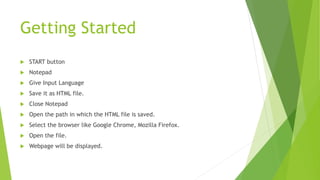
Getting Started
 START button
 Notepad
 Give Input Language
 Save it as HTML file.
 Close Notepad
 Open the path in which the HTML file is saved.
 Select the browser like Google Chrome, Mozilla Firefox.
 Open the file.
 Webpage will be displayed.
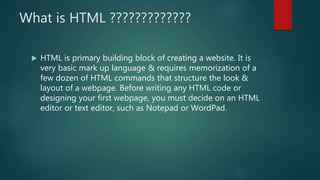
What is HTML ?????????????
 HTML is primary building block of creating a website. It is
very basic mark up language & requires memorization of a
few dozen of HTML commands that structure the look &
layout of a webpage. Before writing any HTML code or
designing your first webpage, you must decide on an HTML
editor or text editor, such as Notepad or WordPad.
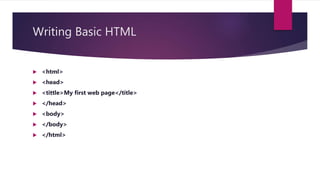
Writing Basic HTML
 <html>
 <head>
 <tittle>My first web page</title>
 </head>
 <body>
 </body>
 </html>
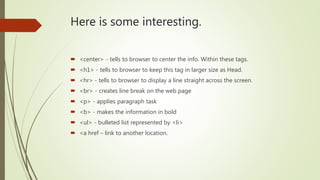
Here is some interesting.
 <center> - tells to browser to center the info. Within these tags.
 <h1> - tells to browser to keep this tag in larger size as Head.
 <hr> - tells to browser to display a line straight across the screen.
 <br> - creates line break on the web page
 <p> - applies paragraph task
 <b> - makes the information in bold
 <ul> - bulleted list represented by <li>
 <a href – link to another location.
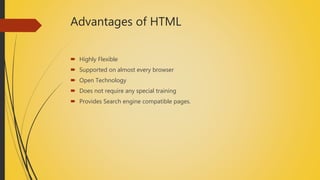
Advantages of HTML
 Highly Flexible
 Supported on almost every browser
 Open Technology
 Does not require any special training
 Provides Search engine compatible pages.
Disadvantages of HTML
 Insufficient for dynamic pages
 Limited for displaying content
 Unpredictable behaviour across browser
 Difficult to learn
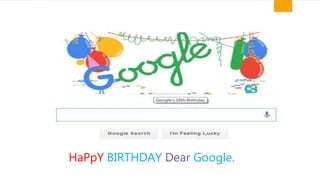
27/09 – INTERESTING &
HISTORICAL DAY IN
TECHNOLOGICAL ERA
HaPpY BIRTHDAY Dear Google.
THANK YOU
 Presented by – Aniket Pujari
(B.Com, Pursuing MBA)

Hyper Text Marup Language

  • 1.
  • 2.
    HTML Getting Started Writing BasicHTML Viewing the Web Page Displaying Images
  • 3.
    Getting Started  STARTbutton  Notepad  Give Input Language  Save it as HTML file.  Close Notepad  Open the path in which the HTML file is saved.  Select the browser like Google Chrome, Mozilla Firefox.  Open the file.  Webpage will be displayed.
  • 4.
    What is HTML?????????????  HTML is primary building block of creating a website. It is very basic mark up language & requires memorization of a few dozen of HTML commands that structure the look & layout of a webpage. Before writing any HTML code or designing your first webpage, you must decide on an HTML editor or text editor, such as Notepad or WordPad.
  • 5.
    Writing Basic HTML <html>  <head>  <tittle>My first web page</title>  </head>  <body>  </body>  </html>
  • 6.
    Here is someinteresting.  <center> - tells to browser to center the info. Within these tags.  <h1> - tells to browser to keep this tag in larger size as Head.  <hr> - tells to browser to display a line straight across the screen.  <br> - creates line break on the web page  <p> - applies paragraph task  <b> - makes the information in bold  <ul> - bulleted list represented by <li>  <a href – link to another location.
  • 7.
    Advantages of HTML Highly Flexible  Supported on almost every browser  Open Technology  Does not require any special training  Provides Search engine compatible pages.
  • 8.
    Disadvantages of HTML Insufficient for dynamic pages  Limited for displaying content  Unpredictable behaviour across browser  Difficult to learn
  • 9.
    27/09 – INTERESTING& HISTORICAL DAY IN TECHNOLOGICAL ERA
  • 10.
  • 11.
    THANK YOU  Presentedby – Aniket Pujari (B.Com, Pursuing MBA)