HTML Basics
HTML, Text, Images
What is a Web Page?
• Web pages are text files containing HTML
• HTML – Hyper Text Markup Language
– Looks (looked?) like:
• A Microsoft Word document
• The markup tags provide information about
the page content structure
2
HTML Structure
• HTML is comprised of “elements” and “tags”
– Begins with <html> and ends with </html>
• Elements (tags) are nested one inside another:
• Tags have attributes:
• HTML describes structure using two main sections:
<head> and <body>
3
<html> <head></head> <body></body> </html>
<img src="logo.jpg" alt="logo" />
First HTML Page
4
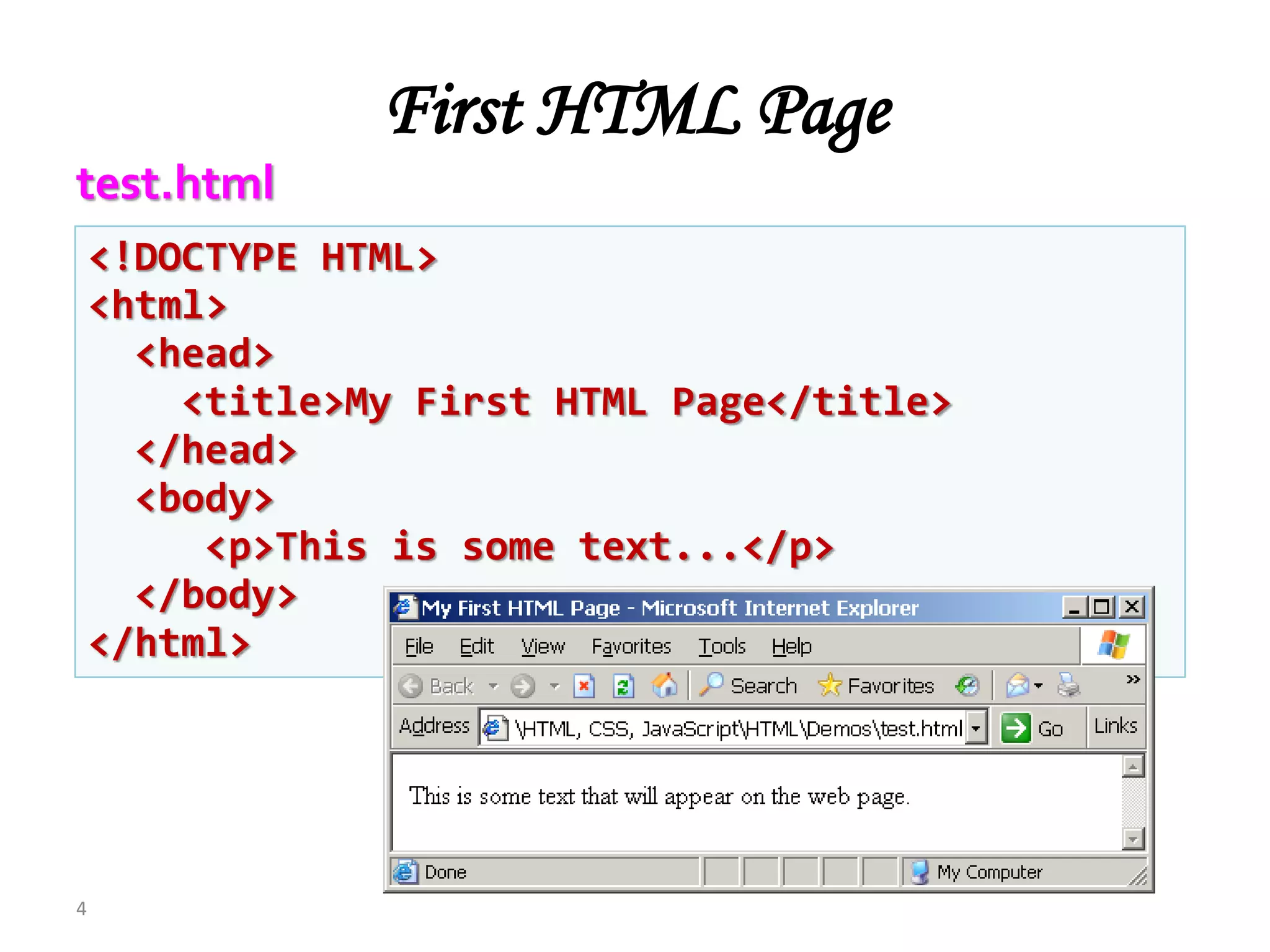
<!DOCTYPE HTML>
<html>
<head>
<title>My First HTML Page</title>
</head>
<body>
<p>This is some text...</p>
</body>
</html>
test.html
<!DOCTYPE HTML>
<html>
<head>
<title>My First HTML Page</title>
</head>
<body>
<p>This is some text...</p>
</body>
</html>
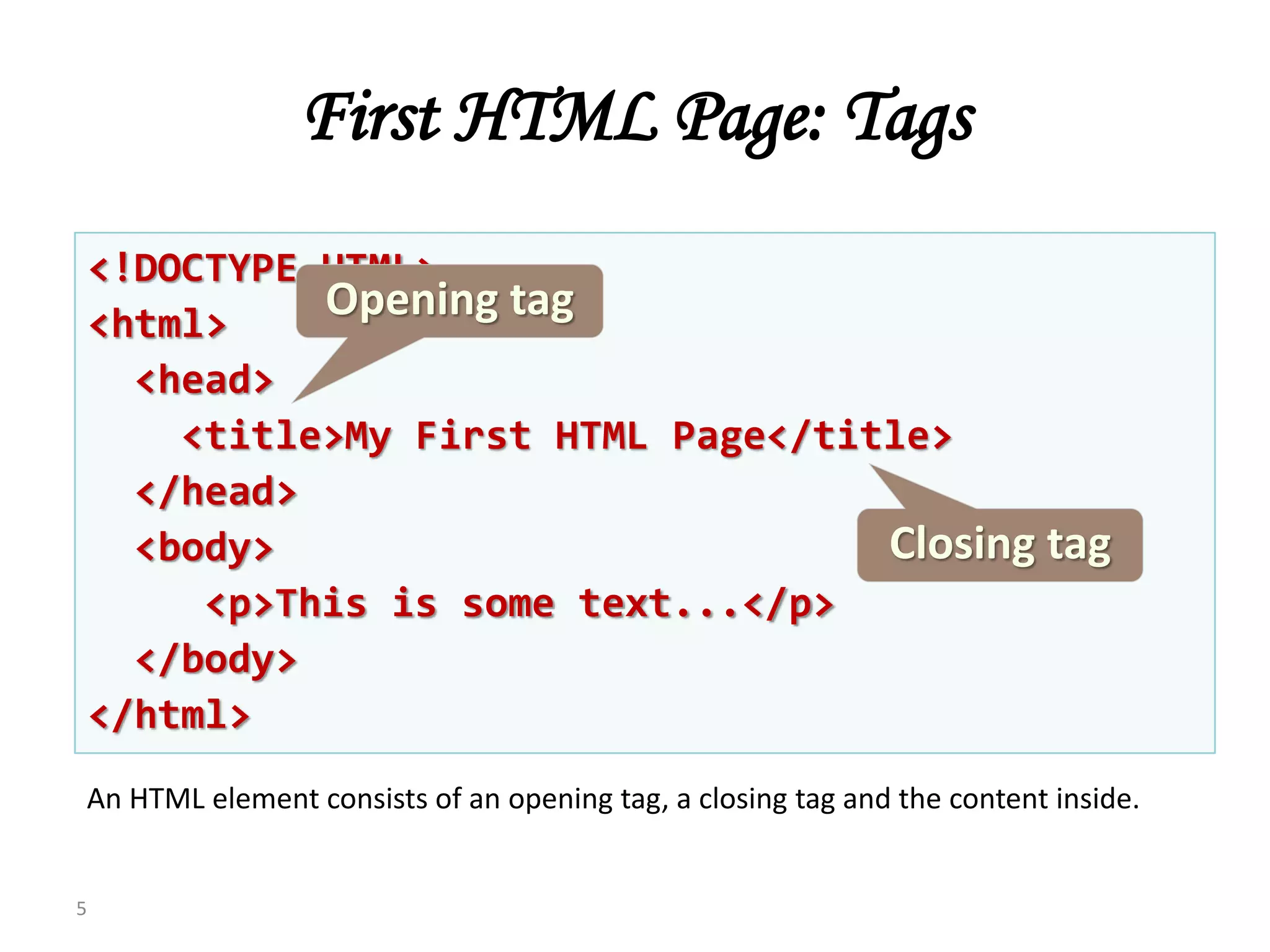
First HTML Page: Tags
5
Opening tag
Closing tag
An HTML element consists of an opening tag, a closing tag and the content inside.
<!DOCTYPE HTML>
<html>
<head>
<title>My First HTML Page</title>
</head>
<body>
<p>This is some text...</p>
</body>
</html>
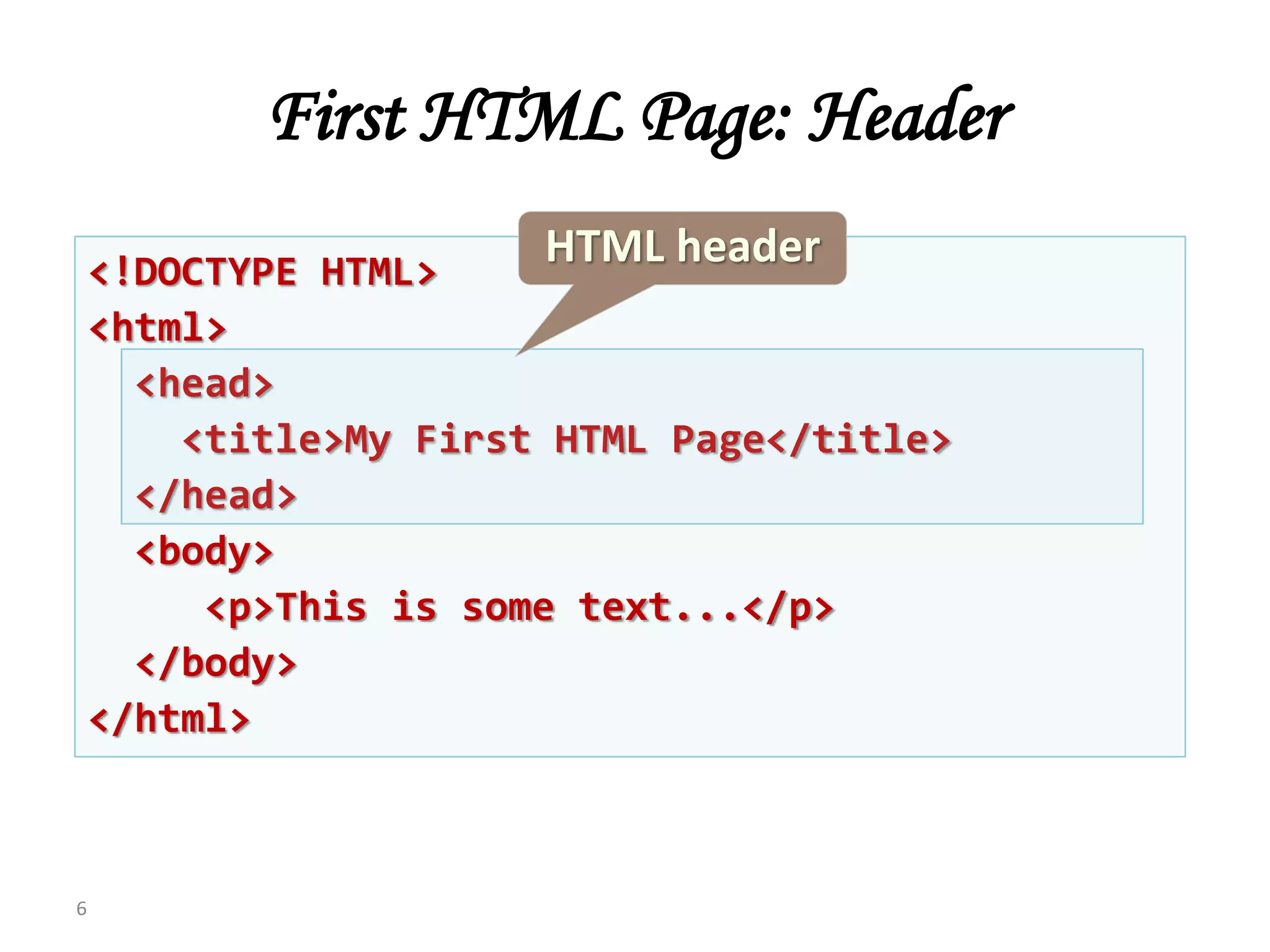
First HTML Page: Header
6
HTML header
<!DOCTYPE HTML>
<html>
<head>
<title>My First HTML Page</title>
</head>
<body>
<p>This is some text...</p>
</body>
</html>
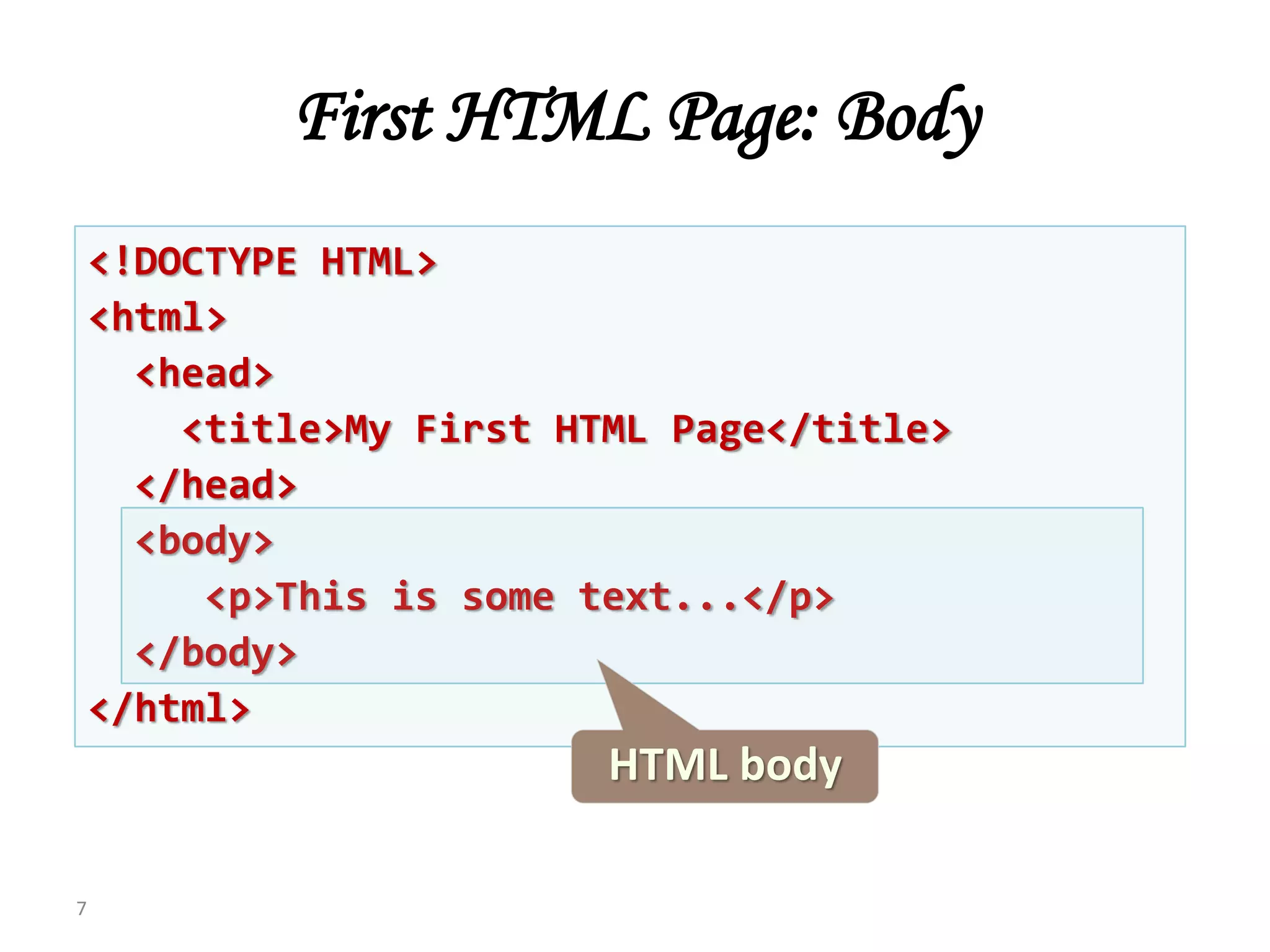
First HTML Page: Body
7
HTML body
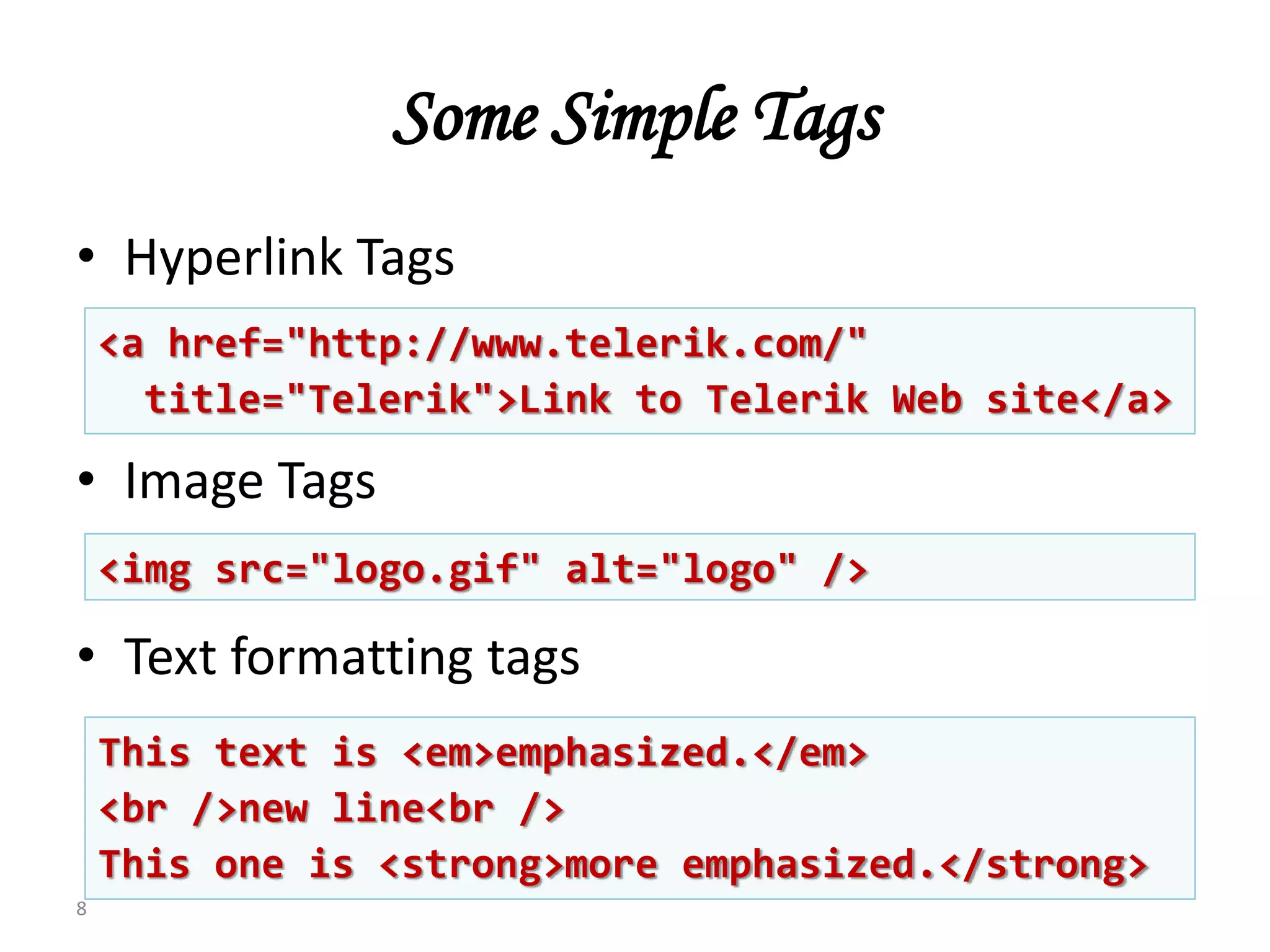
Some Simple Tags
• Hyperlink Tags
• Image Tags
• Text formatting tags
8
<a href="http://www.telerik.com/"
title="Telerik">Link to Telerik Web site</a>
<img src="logo.gif" alt="logo" />
This text is <em>emphasized.</em>
<br />new line<br />
This one is <strong>more emphasized.</strong>
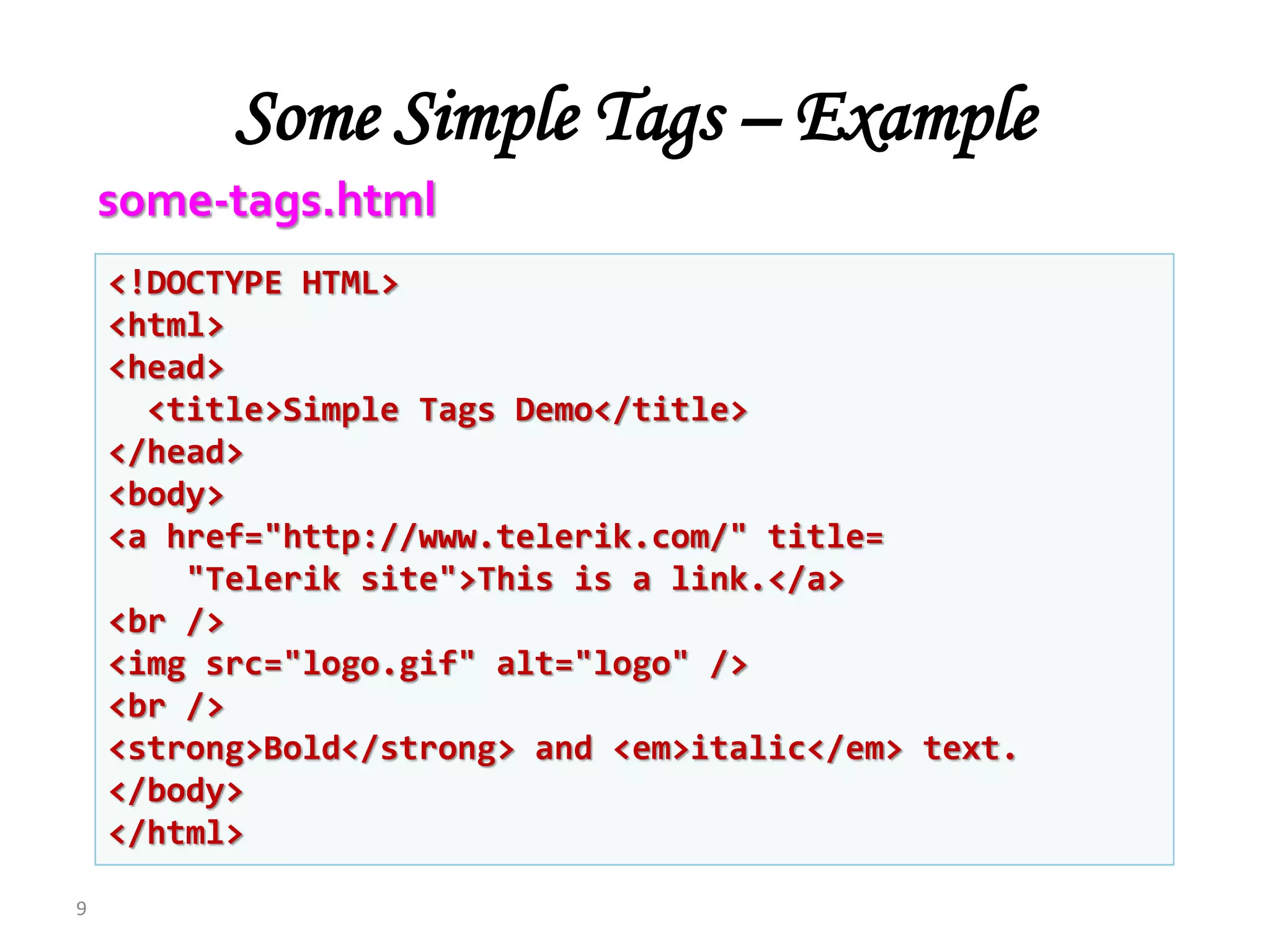
Some Simple Tags – Example
9
<!DOCTYPE HTML>
<html>
<head>
<title>Simple Tags Demo</title>
</head>
<body>
<a href="http://www.telerik.com/" title=
"Telerik site">This is a link.</a>
<br />
<img src="logo.gif" alt="logo" />
<br />
<strong>Bold</strong> and <em>italic</em> text.
</body>
</html>
some-tags.html
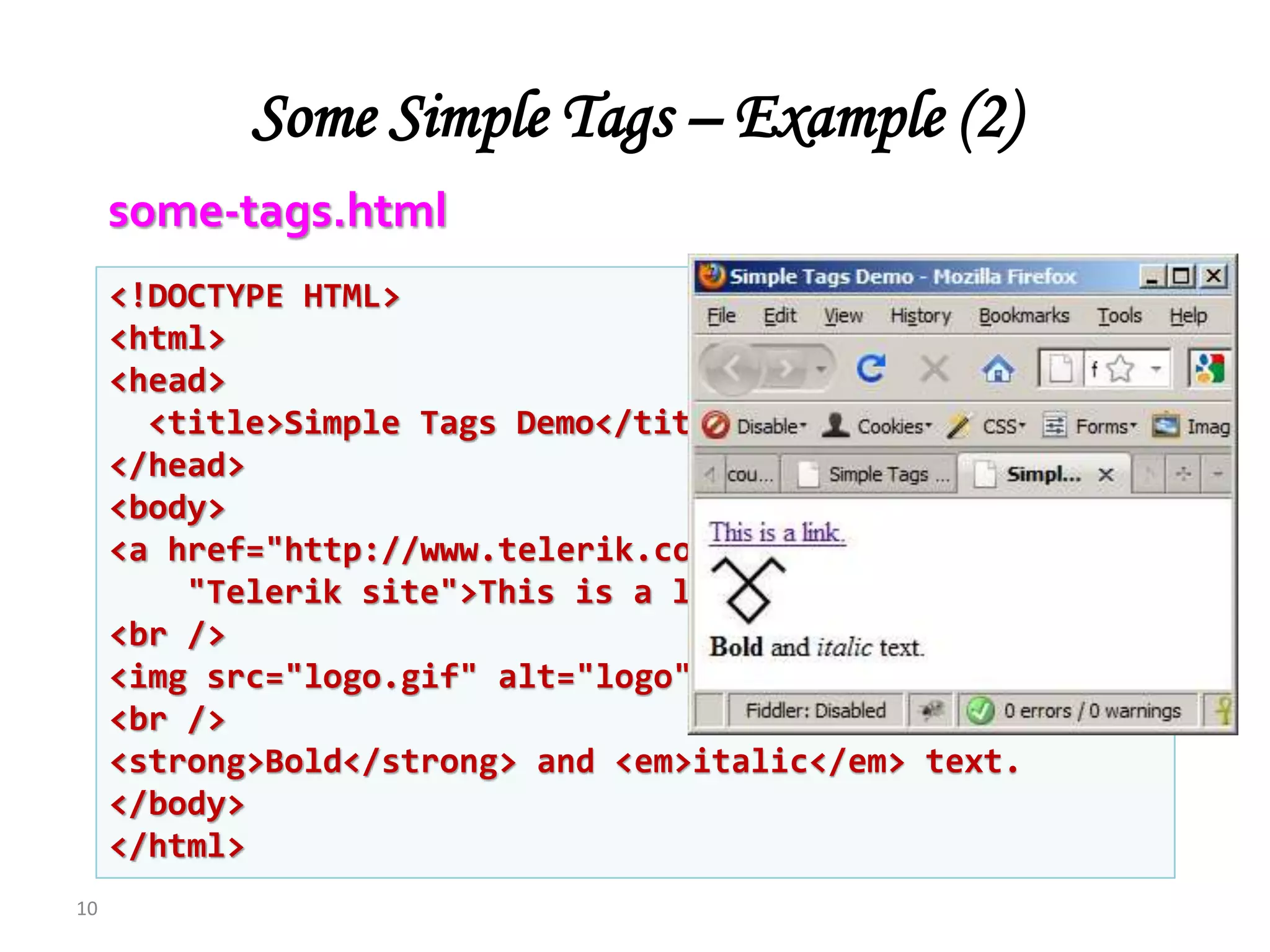
Some Simple Tags – Example (2)
10
<!DOCTYPE HTML>
<html>
<head>
<title>Simple Tags Demo</title>
</head>
<body>
<a href="http://www.telerik.com/" title=
"Telerik site">This is a link.</a>
<br />
<img src="logo.gif" alt="logo" />
<br />
<strong>Bold</strong> and <em>italic</em> text.
</body>
</html>
some-tags.html
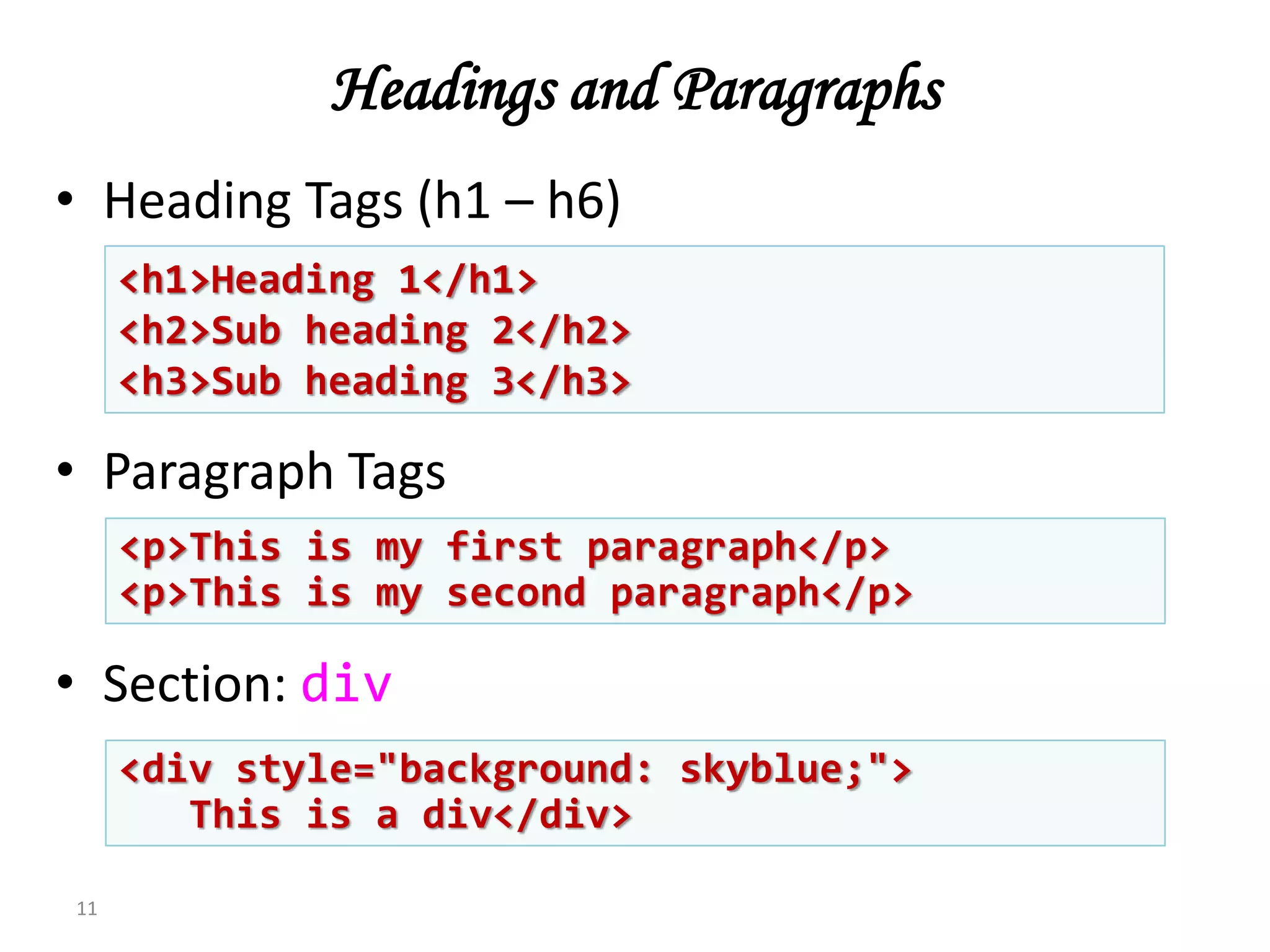
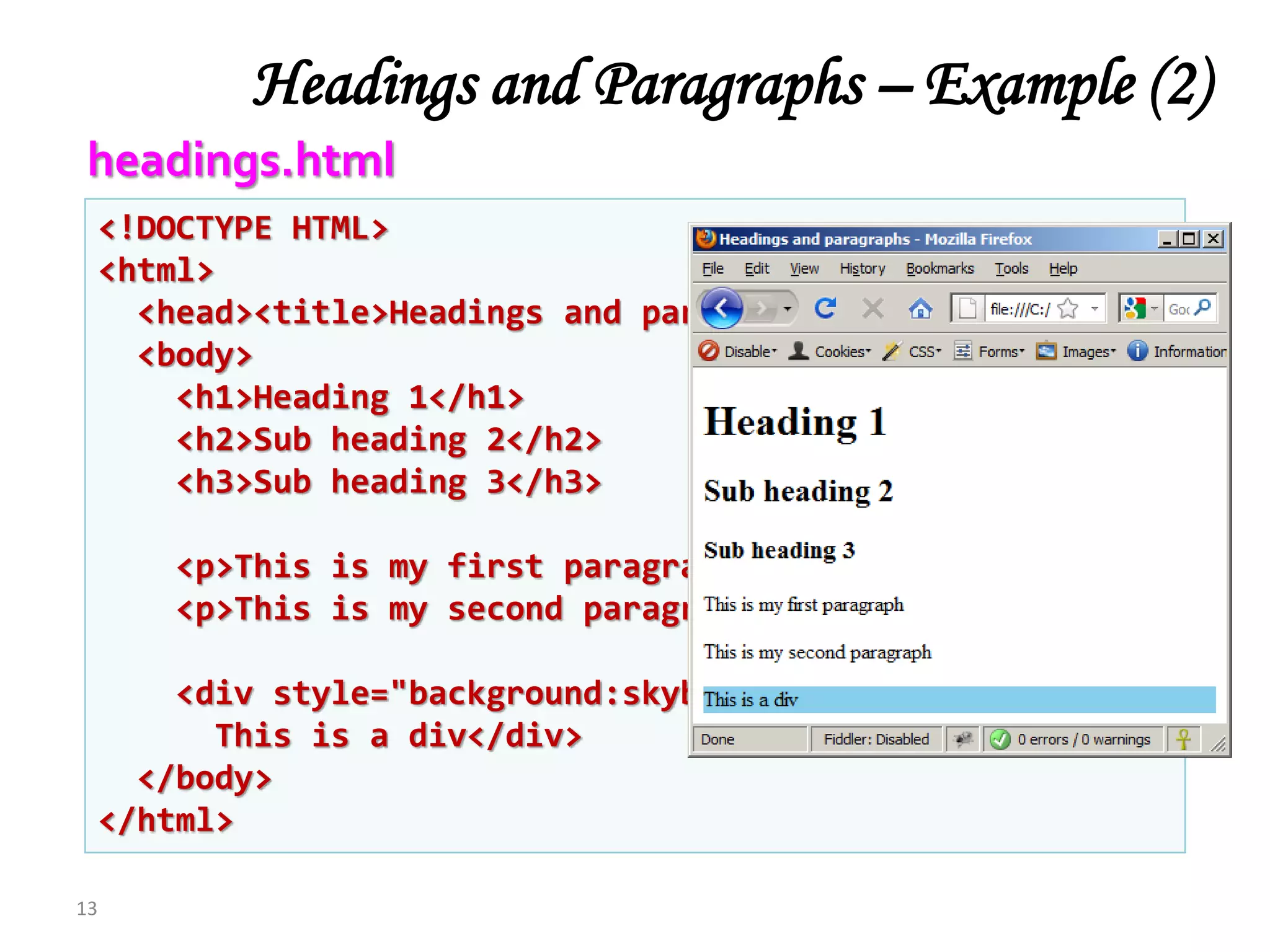
Headings and Paragraphs
• Heading Tags (h1 – h6)
• Paragraph Tags
• Section: div
11
<p>This is my first paragraph</p>
<p>This is my second paragraph</p>
<h1>Heading 1</h1>
<h2>Sub heading 2</h2>
<h3>Sub heading 3</h3>
<div style="background: skyblue;">
This is a div</div>
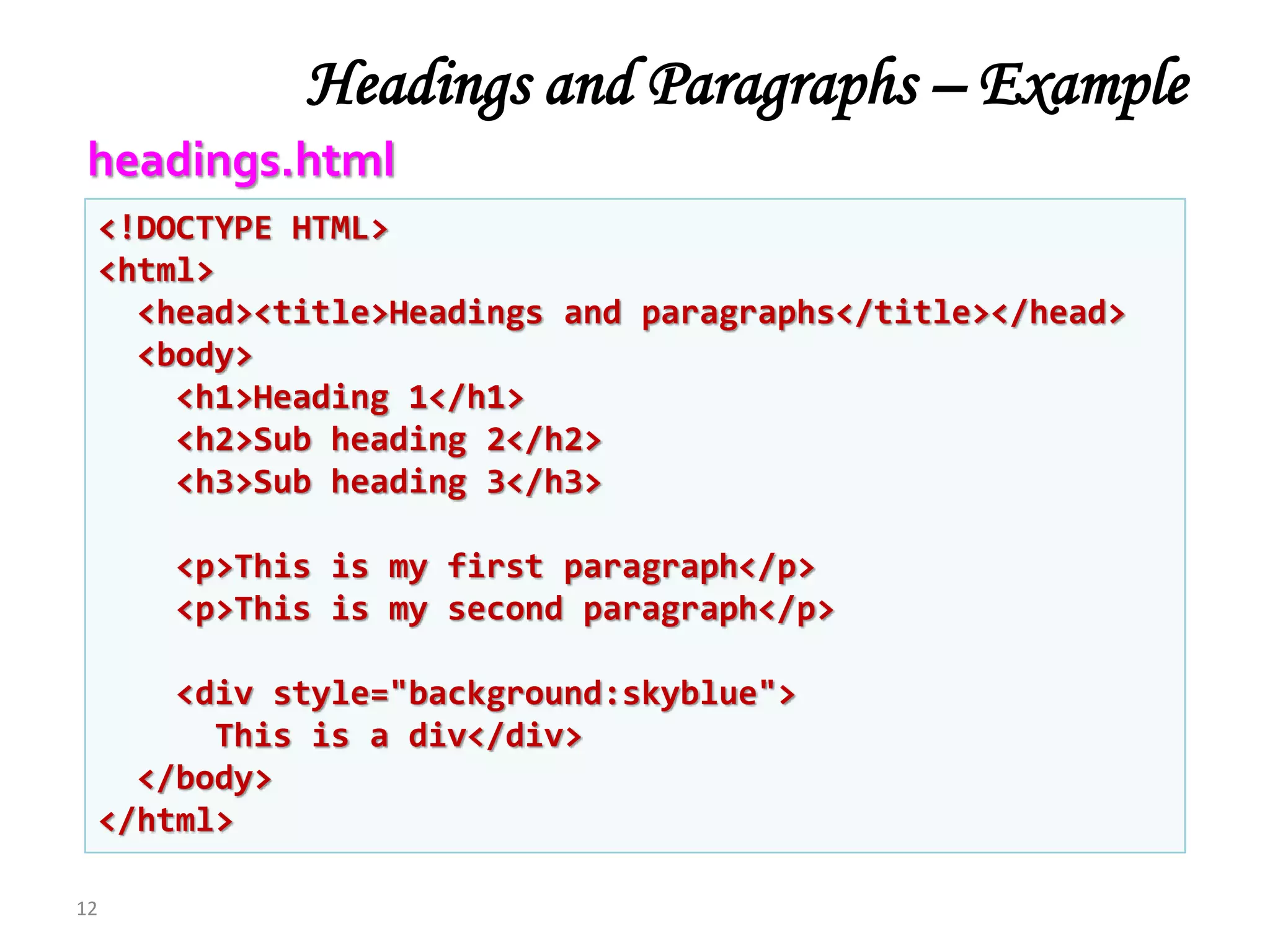
Headings and Paragraphs – Example
12
<!DOCTYPE HTML>
<html>
<head><title>Headings and paragraphs</title></head>
<body>
<h1>Heading 1</h1>
<h2>Sub heading 2</h2>
<h3>Sub heading 3</h3>
<p>This is my first paragraph</p>
<p>This is my second paragraph</p>
<div style="background:skyblue">
This is a div</div>
</body>
</html>
headings.html
<!DOCTYPE HTML>
<html>
<head><title>Headings and paragraphs</title></head>
<body>
<h1>Heading 1</h1>
<h2>Sub heading 2</h2>
<h3>Sub heading 3</h3>
<p>This is my first paragraph</p>
<p>This is my second paragraph</p>
<div style="background:skyblue">
This is a div</div>
</body>
</html>
Headings and Paragraphs – Example (2)
13
headings.html
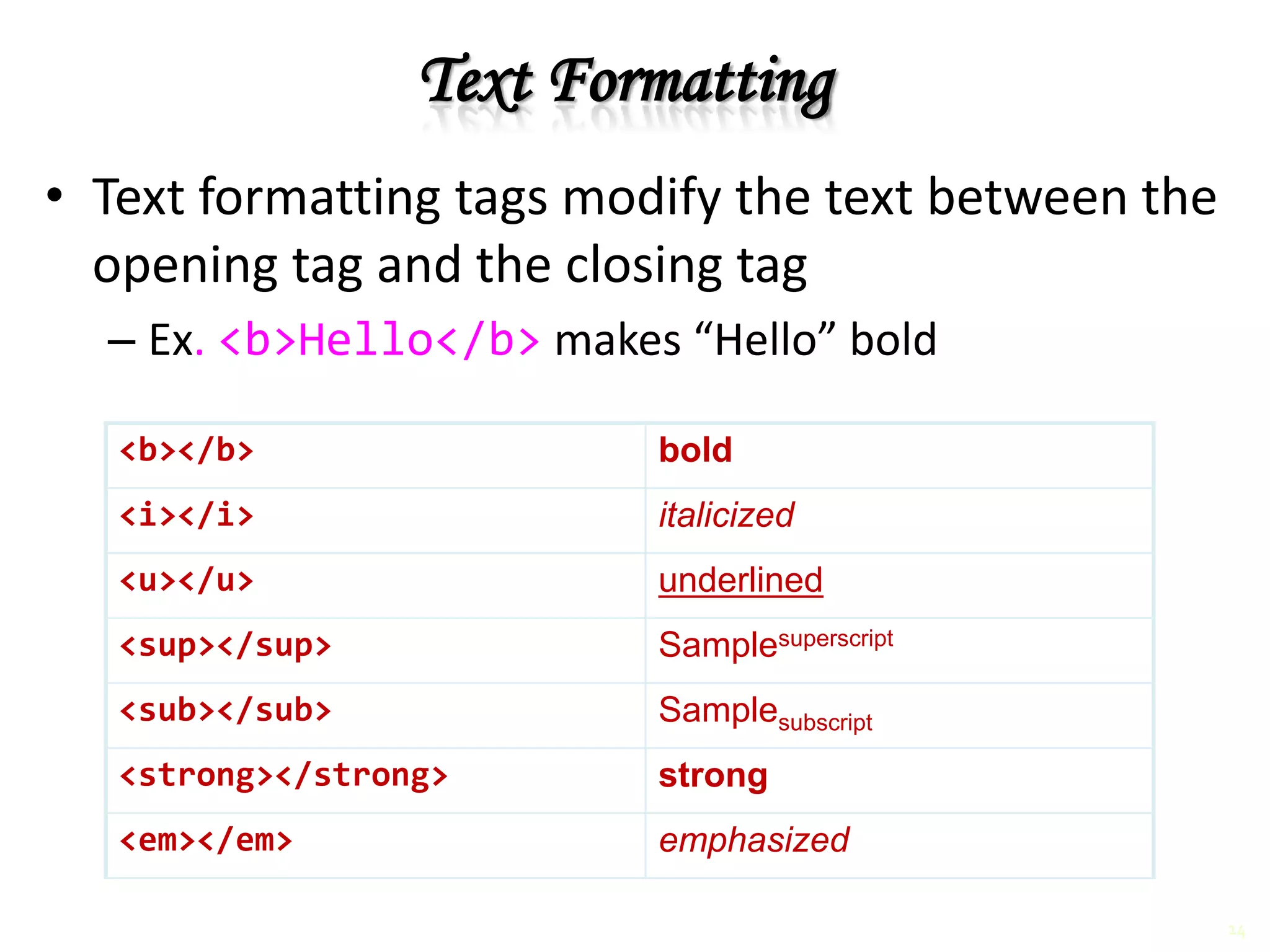
Text Formatting
• Text formatting tags modify the text between the
opening tag and the closing tag
– Ex. <b>Hello</b> makes “Hello” bold
<b></b> bold
<i></i> italicized
<u></u> underlined
<sup></sup> Samplesuperscript
<sub></sub> Samplesubscript
<strong></strong> strong
<em></em> emphasized
14
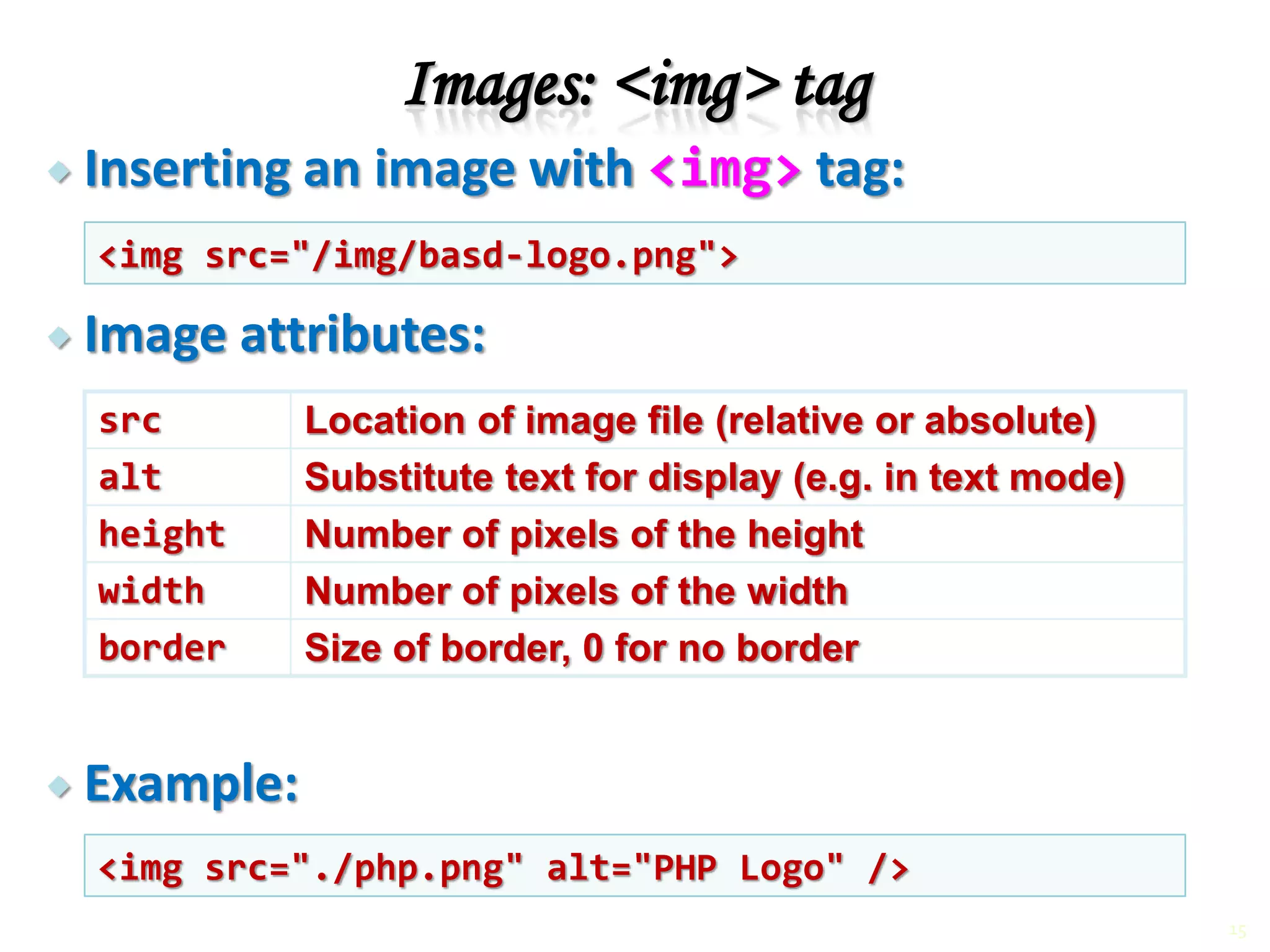
 Inserting an image with <img> tag:
 Image attributes:
 Example:
Images: <img> tag
src Location of image file (relative or absolute)
alt Substitute text for display (e.g. in text mode)
height Number of pixels of the height
width Number of pixels of the width
border Size of border, 0 for no border
<img src="/img/basd-logo.png">
<img src="./php.png" alt="PHP Logo" />
15
a. Apple
b. Orange
c. Grapefruit
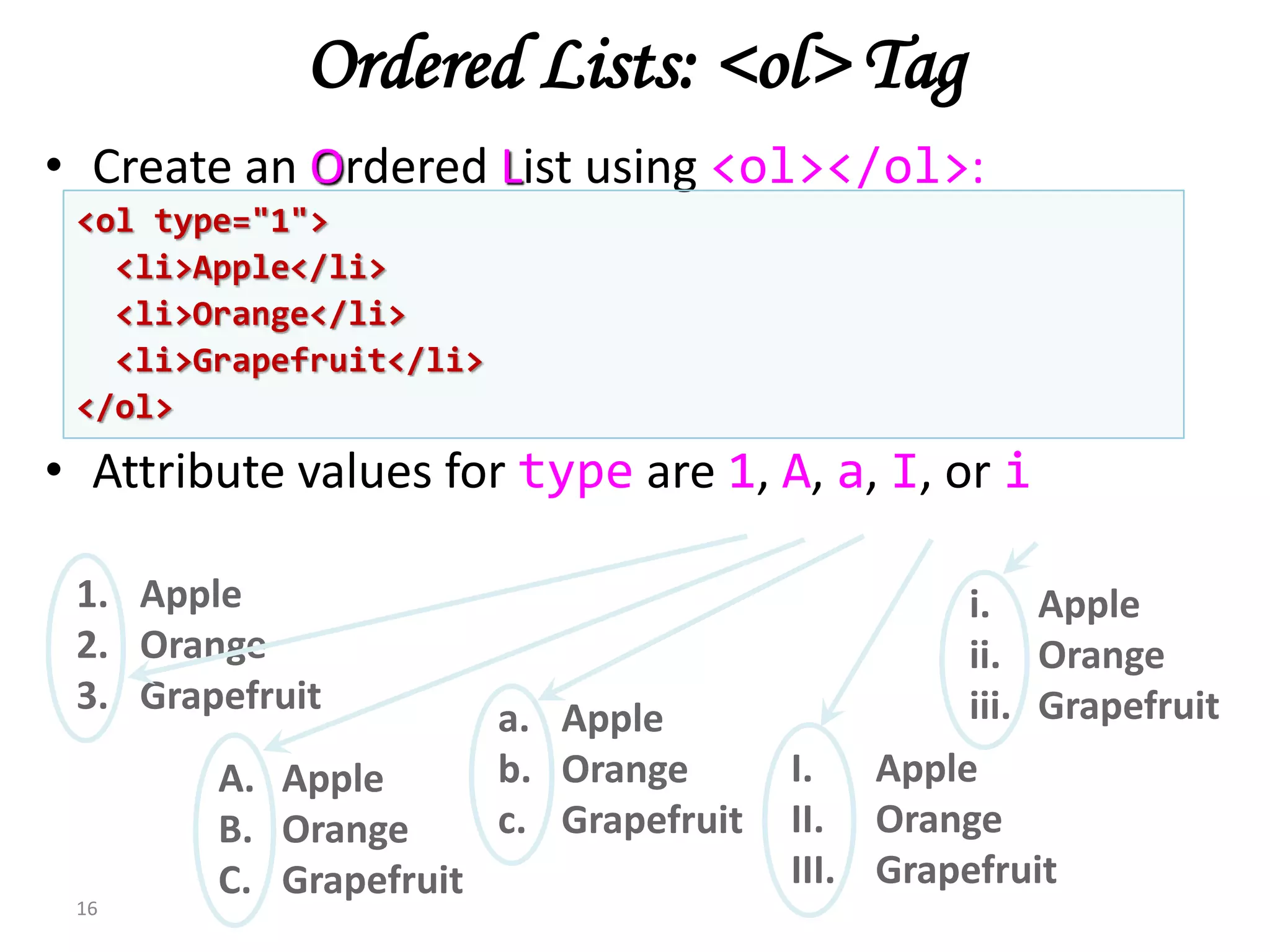
Ordered Lists: <ol> Tag
• Create an Ordered List using <ol></ol>:
• Attribute values for type are 1, A, a, I, or i
16
1. Apple
2. Orange
3. Grapefruit
A. Apple
B. Orange
C. Grapefruit
I. Apple
II. Orange
III. Grapefruit
i. Apple
ii. Orange
iii. Grapefruit
<ol type="1">
<li>Apple</li>
<li>Orange</li>
<li>Grapefruit</li>
</ol>
Unordered Lists: <ul> Tag
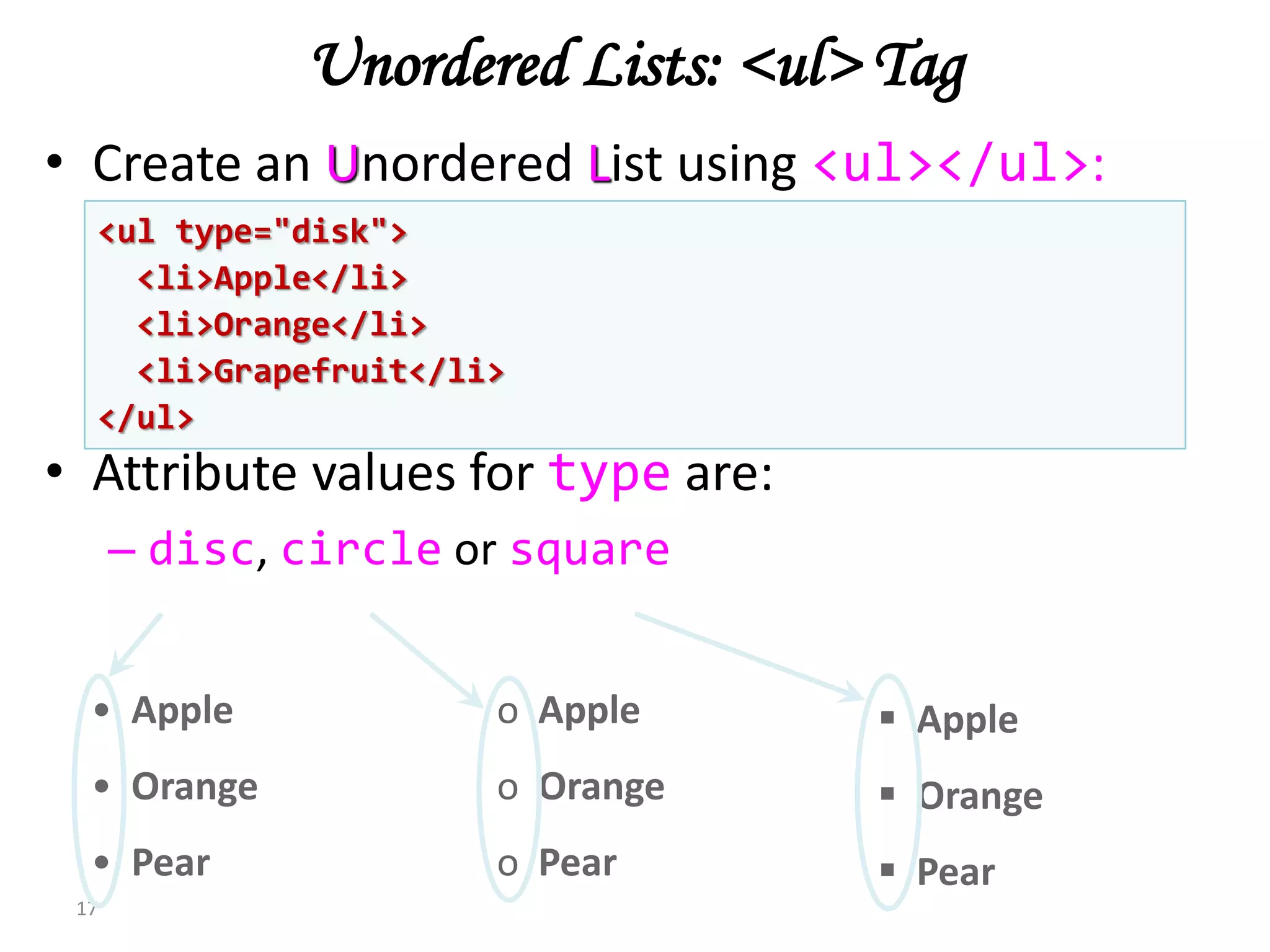
• Create an Unordered List using <ul></ul>:
• Attribute values for type are:
– disc, circle or square
17
• Apple
• Orange
• Pear
o Apple
o Orange
o Pear
 Apple
 Orange
 Pear
<ul type="disk">
<li>Apple</li>
<li>Orange</li>
<li>Grapefruit</li>
</ul>
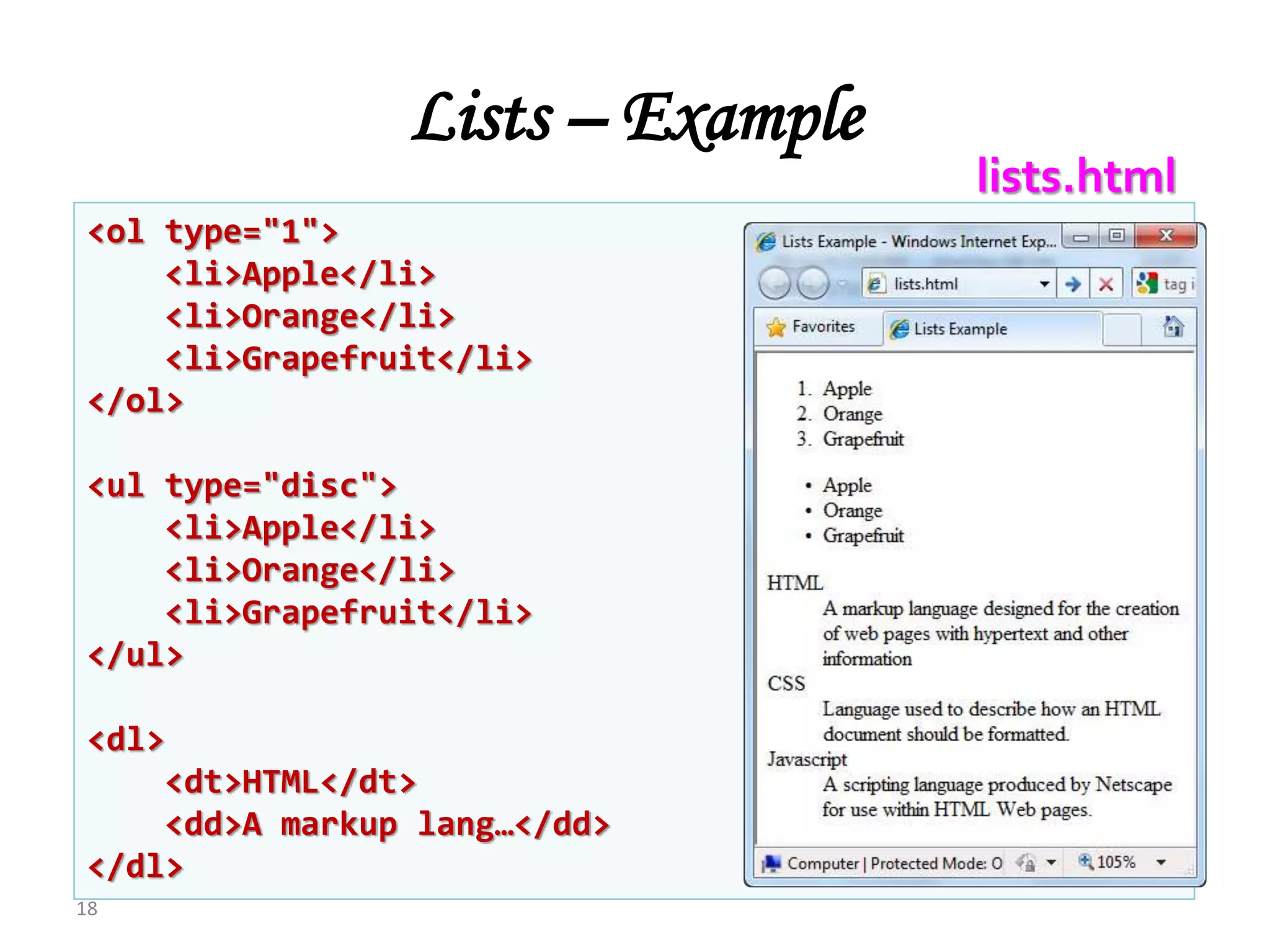
Lists – Example
18
<ol type="1">
<li>Apple</li>
<li>Orange</li>
<li>Grapefruit</li>
</ol>
<ul type="disc">
<li>Apple</li>
<li>Orange</li>
<li>Grapefruit</li>
</ul>
<dl>
<dt>HTML</dt>
<dd>A markup lang…</dd>
</dl>
lists.html
HTML

HTML

  • 1.
  • 2.
    What is aWeb Page? • Web pages are text files containing HTML • HTML – Hyper Text Markup Language – Looks (looked?) like: • A Microsoft Word document • The markup tags provide information about the page content structure 2
  • 3.
    HTML Structure • HTMLis comprised of “elements” and “tags” – Begins with <html> and ends with </html> • Elements (tags) are nested one inside another: • Tags have attributes: • HTML describes structure using two main sections: <head> and <body> 3 <html> <head></head> <body></body> </html> <img src="logo.jpg" alt="logo" />
  • 4.
    First HTML Page 4 <!DOCTYPEHTML> <html> <head> <title>My First HTML Page</title> </head> <body> <p>This is some text...</p> </body> </html> test.html
  • 5.
    <!DOCTYPE HTML> <html> <head> <title>My FirstHTML Page</title> </head> <body> <p>This is some text...</p> </body> </html> First HTML Page: Tags 5 Opening tag Closing tag An HTML element consists of an opening tag, a closing tag and the content inside.
  • 6.
    <!DOCTYPE HTML> <html> <head> <title>My FirstHTML Page</title> </head> <body> <p>This is some text...</p> </body> </html> First HTML Page: Header 6 HTML header
  • 7.
    <!DOCTYPE HTML> <html> <head> <title>My FirstHTML Page</title> </head> <body> <p>This is some text...</p> </body> </html> First HTML Page: Body 7 HTML body
  • 8.
    Some Simple Tags •Hyperlink Tags • Image Tags • Text formatting tags 8 <a href="http://www.telerik.com/" title="Telerik">Link to Telerik Web site</a> <img src="logo.gif" alt="logo" /> This text is <em>emphasized.</em> <br />new line<br /> This one is <strong>more emphasized.</strong>
  • 9.
    Some Simple Tags– Example 9 <!DOCTYPE HTML> <html> <head> <title>Simple Tags Demo</title> </head> <body> <a href="http://www.telerik.com/" title= "Telerik site">This is a link.</a> <br /> <img src="logo.gif" alt="logo" /> <br /> <strong>Bold</strong> and <em>italic</em> text. </body> </html> some-tags.html
  • 10.
    Some Simple Tags– Example (2) 10 <!DOCTYPE HTML> <html> <head> <title>Simple Tags Demo</title> </head> <body> <a href="http://www.telerik.com/" title= "Telerik site">This is a link.</a> <br /> <img src="logo.gif" alt="logo" /> <br /> <strong>Bold</strong> and <em>italic</em> text. </body> </html> some-tags.html
  • 11.
    Headings and Paragraphs •Heading Tags (h1 – h6) • Paragraph Tags • Section: div 11 <p>This is my first paragraph</p> <p>This is my second paragraph</p> <h1>Heading 1</h1> <h2>Sub heading 2</h2> <h3>Sub heading 3</h3> <div style="background: skyblue;"> This is a div</div>
  • 12.
    Headings and Paragraphs– Example 12 <!DOCTYPE HTML> <html> <head><title>Headings and paragraphs</title></head> <body> <h1>Heading 1</h1> <h2>Sub heading 2</h2> <h3>Sub heading 3</h3> <p>This is my first paragraph</p> <p>This is my second paragraph</p> <div style="background:skyblue"> This is a div</div> </body> </html> headings.html
  • 13.
    <!DOCTYPE HTML> <html> <head><title>Headings andparagraphs</title></head> <body> <h1>Heading 1</h1> <h2>Sub heading 2</h2> <h3>Sub heading 3</h3> <p>This is my first paragraph</p> <p>This is my second paragraph</p> <div style="background:skyblue"> This is a div</div> </body> </html> Headings and Paragraphs – Example (2) 13 headings.html
  • 14.
    Text Formatting • Textformatting tags modify the text between the opening tag and the closing tag – Ex. <b>Hello</b> makes “Hello” bold <b></b> bold <i></i> italicized <u></u> underlined <sup></sup> Samplesuperscript <sub></sub> Samplesubscript <strong></strong> strong <em></em> emphasized 14
  • 15.
     Inserting animage with <img> tag:  Image attributes:  Example: Images: <img> tag src Location of image file (relative or absolute) alt Substitute text for display (e.g. in text mode) height Number of pixels of the height width Number of pixels of the width border Size of border, 0 for no border <img src="/img/basd-logo.png"> <img src="./php.png" alt="PHP Logo" /> 15
  • 16.
    a. Apple b. Orange c.Grapefruit Ordered Lists: <ol> Tag • Create an Ordered List using <ol></ol>: • Attribute values for type are 1, A, a, I, or i 16 1. Apple 2. Orange 3. Grapefruit A. Apple B. Orange C. Grapefruit I. Apple II. Orange III. Grapefruit i. Apple ii. Orange iii. Grapefruit <ol type="1"> <li>Apple</li> <li>Orange</li> <li>Grapefruit</li> </ol>
  • 17.
    Unordered Lists: <ul>Tag • Create an Unordered List using <ul></ul>: • Attribute values for type are: – disc, circle or square 17 • Apple • Orange • Pear o Apple o Orange o Pear  Apple  Orange  Pear <ul type="disk"> <li>Apple</li> <li>Orange</li> <li>Grapefruit</li> </ul>
  • 18.
    Lists – Example 18 <oltype="1"> <li>Apple</li> <li>Orange</li> <li>Grapefruit</li> </ol> <ul type="disc"> <li>Apple</li> <li>Orange</li> <li>Grapefruit</li> </ul> <dl> <dt>HTML</dt> <dd>A markup lang…</dd> </dl> lists.html

Editor's Notes