How To Pick The
Right Visual
Testing Tool
A Complete Guide
Introduction
Visual testing tools are essential for ensuring
your application's visual elements are error-
free. They help detect visual discrepancies
like layout shifts and color mismatches,
saving time and improving accuracy
compared to manual testing.
Choosing the right tool is crucial for efficient
testing. Consider key factors such as
compatibility with your platforms, the
features offered, and the tool's ease of use to
ensure it meets your project's specific needs.
Define Your Requirements
Identify the specific visual elements to test: This
includes layouts, images, fonts, and any other
visual components critical to your application's
design and functionality.
Determine platform and browser compatibility:
Understand the platforms (e.g., web, mobile) and
browsers your application must support. Testing
across different environments ensures a consistent
user experience.
Evaluate integrations: Consider integrating visual
testing tools with existing frameworks or tools used
in your development process. This streamlines
testing workflows and enhances collaboration
among team members.
Evaluate Features
Screenshot comparison: Allows for easy
comparison between different versions of your
application.
Pixel diffing: Detects even the smallest visual
differences between images.
Responsive testing: Ensures your application looks
good and functions correctly across various devices
and screen sizes.
Dynamic content and animations: Ability to test
dynamic elements and animations accurately.
Accessibility testing: Ensures your application is
accessible to users with disabilities.
Integration with testing frameworks: Seamless
integration with existing testing frameworks for
streamlined workflows.
Consider Ease of Use
User-friendly Interface: Easy navigation is key for
seamless adoption.
1.
Simple Setup: Quick integration saves time and
reduces complexity.
2.
Comprehensive Support: Access to documentation,
tutorials, and responsive customer support.
3.
Scalability: Ensure the tool grows with your
project's needs.
4.
Collaborative Features: Facilitate teamwork and
sharing among team members.
5.
Click to know more about considerations of visual
testing
Compatibility and Integrations
Compatibility Matters: Ensure the tool aligns with
your development environment and technology
stack.
Integration is Key: Look for seamless integrations
with CI/CD pipelines, issue tracking systems, and
version control tools.
Broad Testing Scope: Consider cross-browser
testing capabilities and support for various mobile
devices to ensure comprehensive coverage.
Performance and Speed
Evaluate the tool's performance in terms of speed
and efficiency.
Consider the ability to run tests in parallel and
handle large test suites.
Look for features that optimize test execution and
minimize false positives.
Check for an active community and online
resources for troubleshooting.
Consider the vendor's reputation, customer
reviews, and update frequency.
Evaluate the level of support provided, such as
documentation, training, and technical assistance.
Community and Support
Compare pricing plans: Examine subscription-
based, per-user, and enterprise options, considering
factors like scalability and budget alignment.
Evaluate total cost: Include training and
maintenance expenses in your assessment to
understand the true cost of ownership.
Assess value and ROI: Look beyond price to
consider features, usability, and support, ensuring
the chosen plan maximizes value for your need
Cost and Licensing
Trial and Proof of Concept
Utilize free trials or demos: Take advantage of
these opportunities to test the tool in your
environment, ensuring compatibility and
functionality.
Conduct a proof of concept: Evaluate the tool's
performance and suitability through a practical
demonstration in your project's context.
Engage key stakeholders: Gather feedback from
relevant team members and stakeholders to ensure
alignment with project goals and requirements
before finalizing your decision.
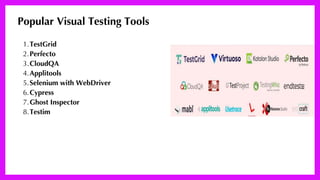
Popular Visual Testing Tools
TestGrid
1.
Perfecto
2.
CloudQA
3.
Applitools
4.
Selenium with WebDriver
5.
Cypress
6.
Ghost Inspector
7.
Testim
8.
Thank you
How to pick right visual testing tool.pdf

How to pick right visual testing tool.pdf

  • 1.
    How To PickThe Right Visual Testing Tool A Complete Guide
  • 2.
    Introduction Visual testing toolsare essential for ensuring your application's visual elements are error- free. They help detect visual discrepancies like layout shifts and color mismatches, saving time and improving accuracy compared to manual testing. Choosing the right tool is crucial for efficient testing. Consider key factors such as compatibility with your platforms, the features offered, and the tool's ease of use to ensure it meets your project's specific needs.
  • 3.
    Define Your Requirements Identifythe specific visual elements to test: This includes layouts, images, fonts, and any other visual components critical to your application's design and functionality. Determine platform and browser compatibility: Understand the platforms (e.g., web, mobile) and browsers your application must support. Testing across different environments ensures a consistent user experience. Evaluate integrations: Consider integrating visual testing tools with existing frameworks or tools used in your development process. This streamlines testing workflows and enhances collaboration among team members.
  • 4.
    Evaluate Features Screenshot comparison:Allows for easy comparison between different versions of your application. Pixel diffing: Detects even the smallest visual differences between images. Responsive testing: Ensures your application looks good and functions correctly across various devices and screen sizes. Dynamic content and animations: Ability to test dynamic elements and animations accurately. Accessibility testing: Ensures your application is accessible to users with disabilities. Integration with testing frameworks: Seamless integration with existing testing frameworks for streamlined workflows.
  • 5.
    Consider Ease ofUse User-friendly Interface: Easy navigation is key for seamless adoption. 1. Simple Setup: Quick integration saves time and reduces complexity. 2. Comprehensive Support: Access to documentation, tutorials, and responsive customer support. 3. Scalability: Ensure the tool grows with your project's needs. 4. Collaborative Features: Facilitate teamwork and sharing among team members. 5. Click to know more about considerations of visual testing
  • 6.
    Compatibility and Integrations CompatibilityMatters: Ensure the tool aligns with your development environment and technology stack. Integration is Key: Look for seamless integrations with CI/CD pipelines, issue tracking systems, and version control tools. Broad Testing Scope: Consider cross-browser testing capabilities and support for various mobile devices to ensure comprehensive coverage.
  • 7.
    Performance and Speed Evaluatethe tool's performance in terms of speed and efficiency. Consider the ability to run tests in parallel and handle large test suites. Look for features that optimize test execution and minimize false positives.
  • 8.
    Check for anactive community and online resources for troubleshooting. Consider the vendor's reputation, customer reviews, and update frequency. Evaluate the level of support provided, such as documentation, training, and technical assistance. Community and Support
  • 9.
    Compare pricing plans:Examine subscription- based, per-user, and enterprise options, considering factors like scalability and budget alignment. Evaluate total cost: Include training and maintenance expenses in your assessment to understand the true cost of ownership. Assess value and ROI: Look beyond price to consider features, usability, and support, ensuring the chosen plan maximizes value for your need Cost and Licensing
  • 10.
    Trial and Proofof Concept Utilize free trials or demos: Take advantage of these opportunities to test the tool in your environment, ensuring compatibility and functionality. Conduct a proof of concept: Evaluate the tool's performance and suitability through a practical demonstration in your project's context. Engage key stakeholders: Gather feedback from relevant team members and stakeholders to ensure alignment with project goals and requirements before finalizing your decision.
  • 11.
    Popular Visual TestingTools TestGrid 1. Perfecto 2. CloudQA 3. Applitools 4. Selenium with WebDriver 5. Cypress 6. Ghost Inspector 7. Testim 8.
  • 12.