How to Generate Customer Statements
Report in Odoo 18
Enterprise
Enterprise
Introduction
In this slide we’ll discuss on how to generate Customer
Statements report in odoo 18. A customer statement is a
summary of all financial transactions between a business and a
customer over a specific period. It includes invoices, payments,
credits, and other relevant information, providing a clear
overview of the customer's account balance.
Enterprise
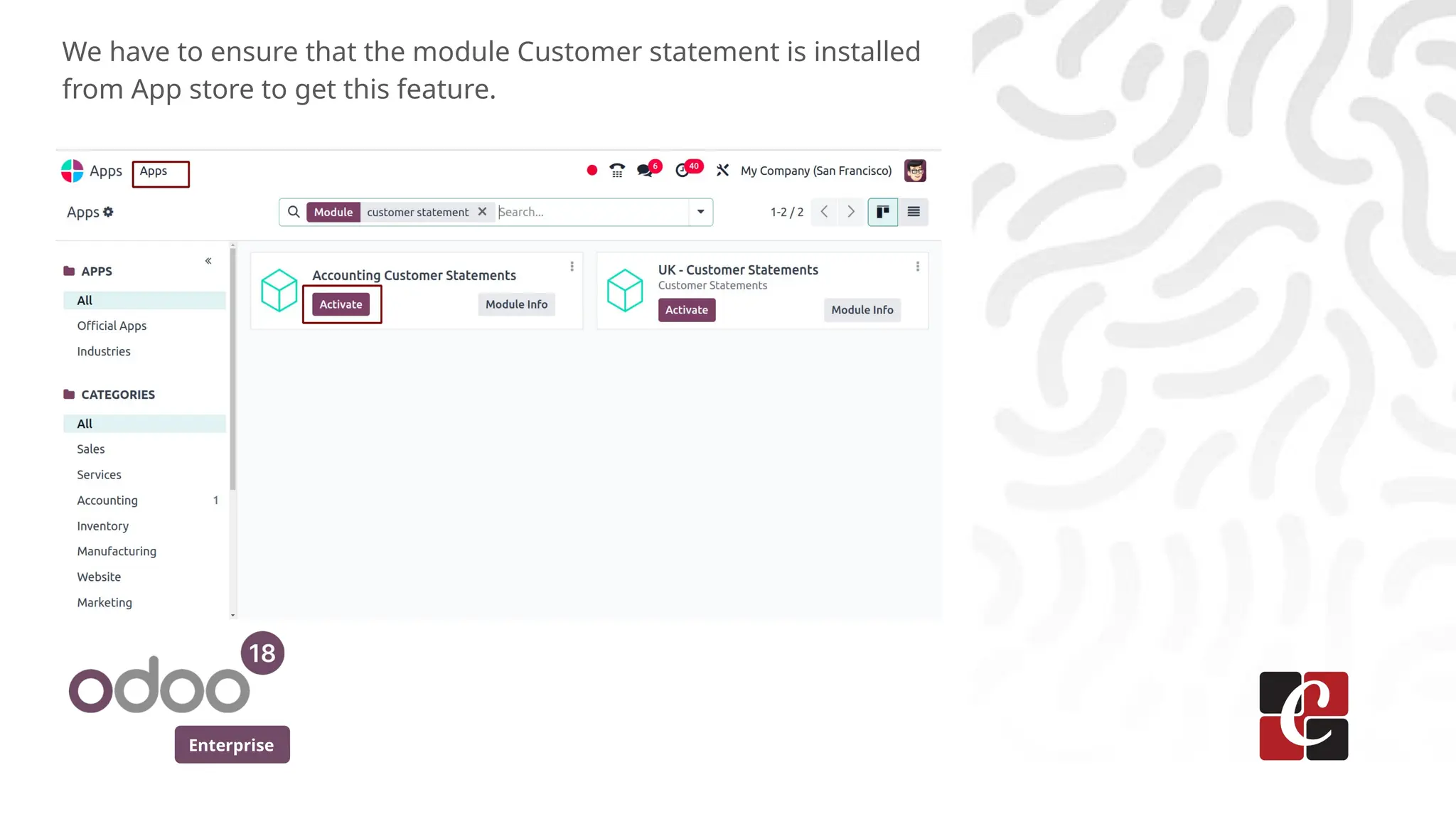
We have to ensure that the module Customer statement is installed
from App store to get this feature.
Enterprise
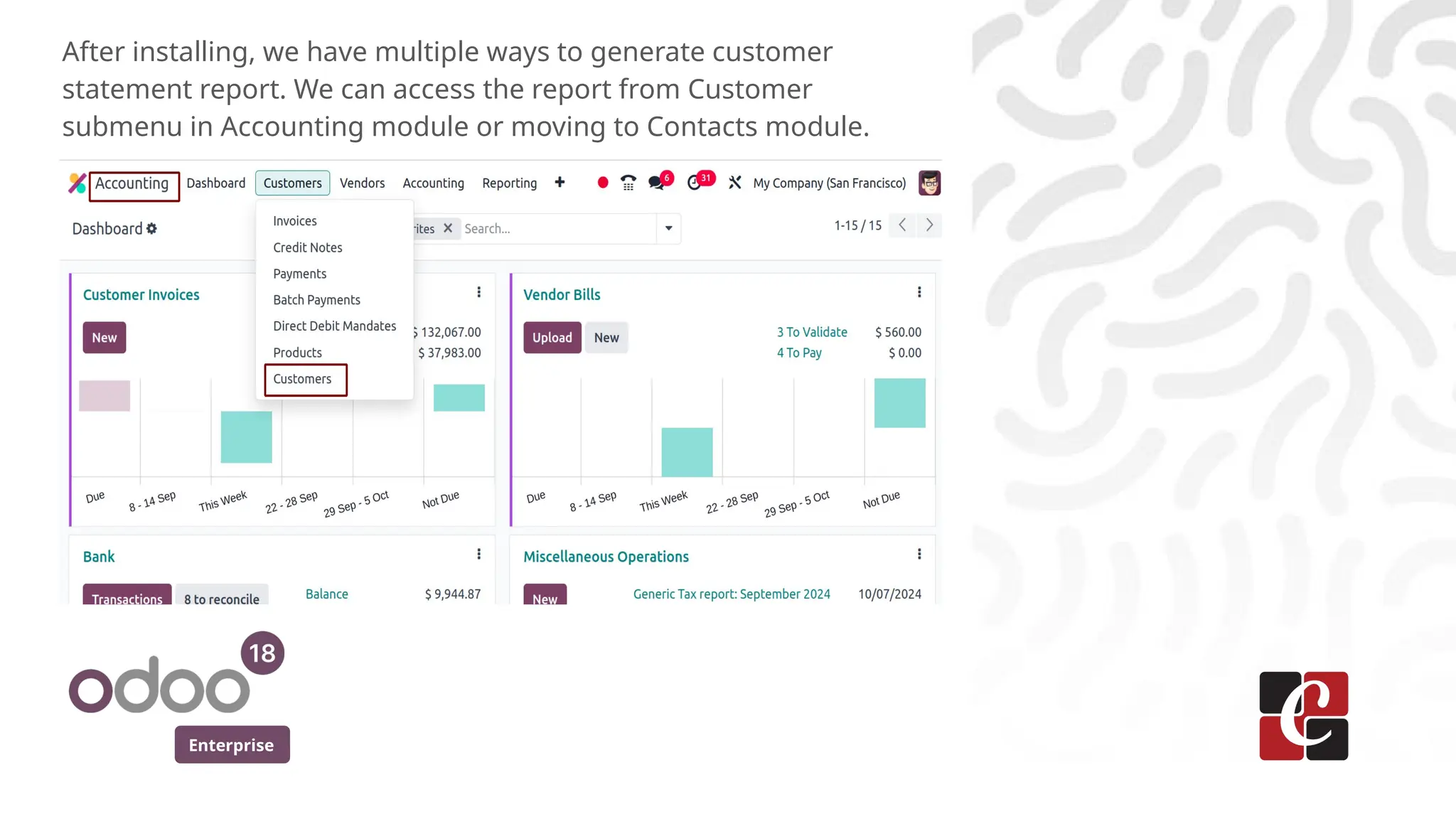
After installing, we have multiple ways to generate customer
statement report. We can access the report from Customer
submenu in Accounting module or moving to Contacts module.
Enterprise
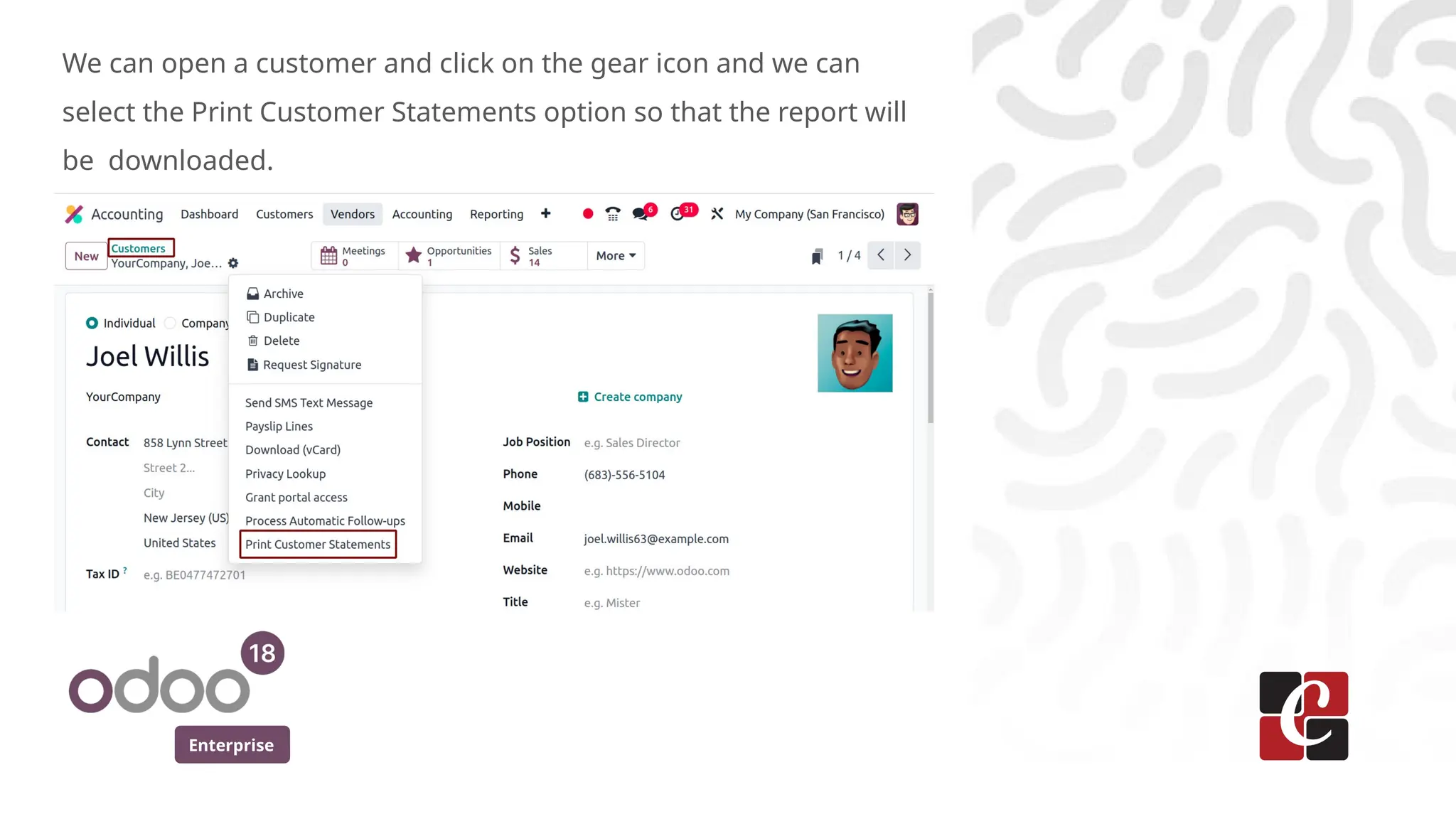
We can open a customer and click on the gear icon and we can
select the Print Customer Statements option so that the report will
be downloaded.
Enterprise
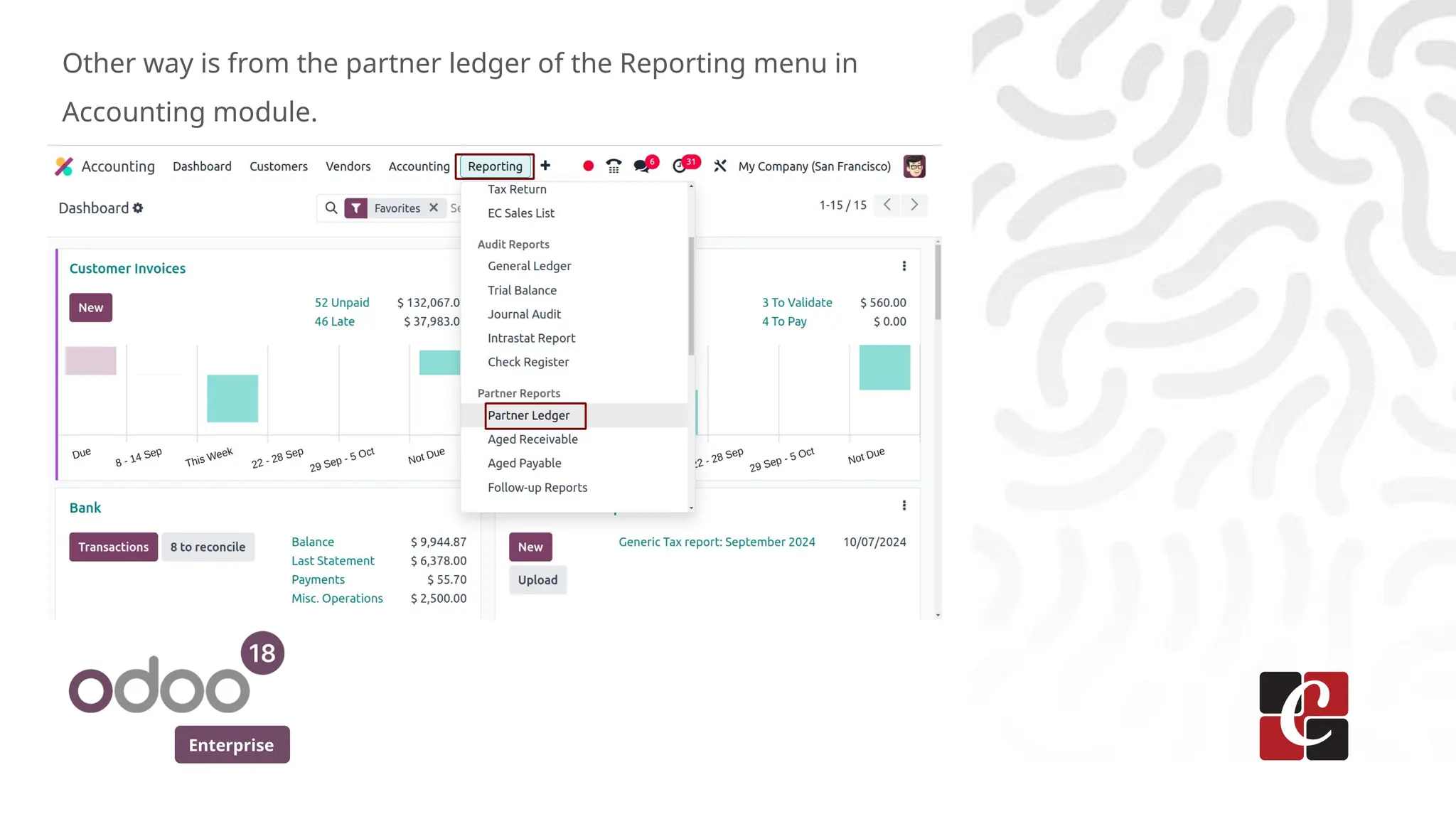
Other way is from the partner ledger of the Reporting menu in
Accounting module.
Enterprise
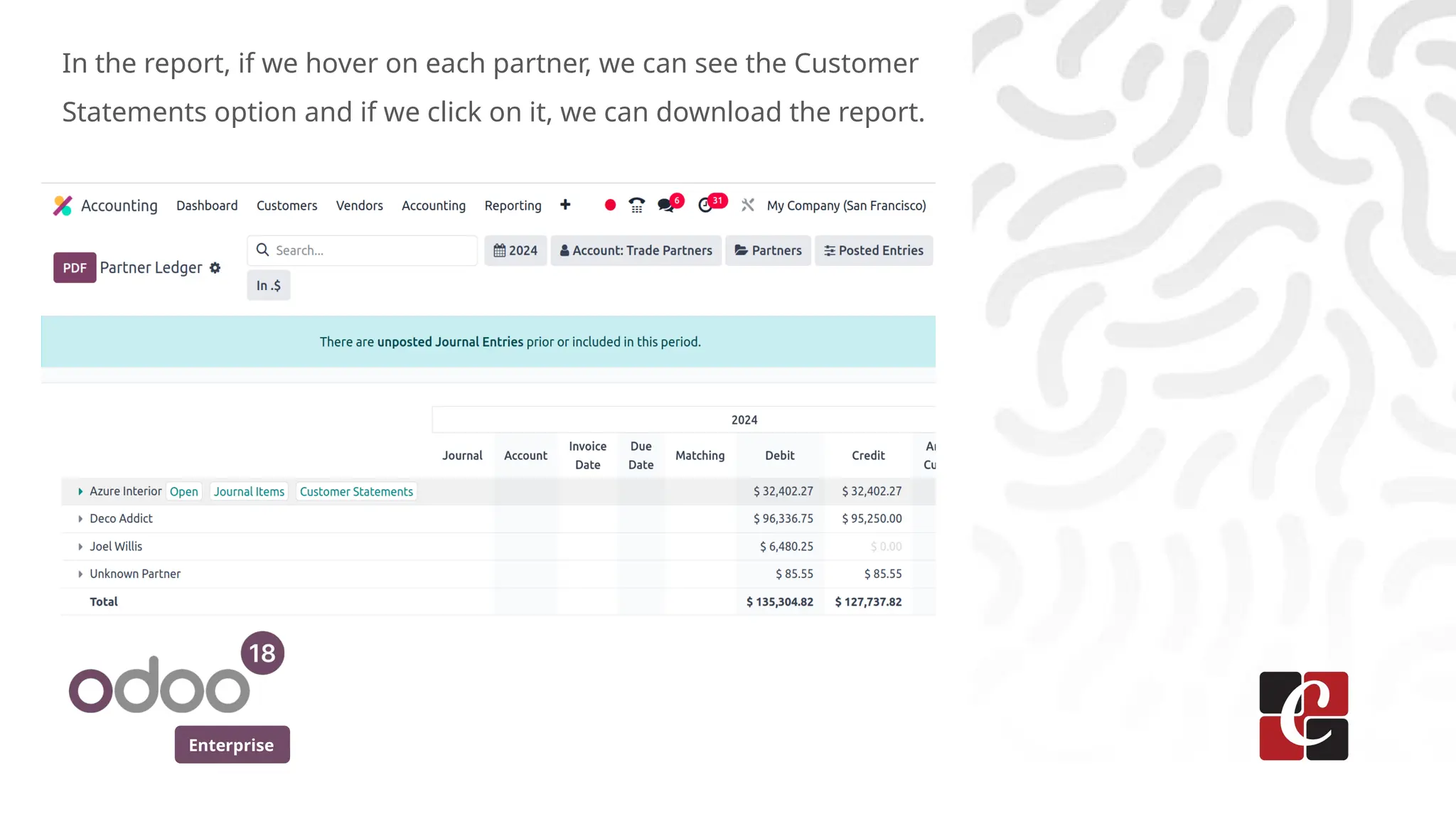
In the report, if we hover on each partner, we can see the Customer
Statements option and if we click on it, we can download the report.
Enterprise
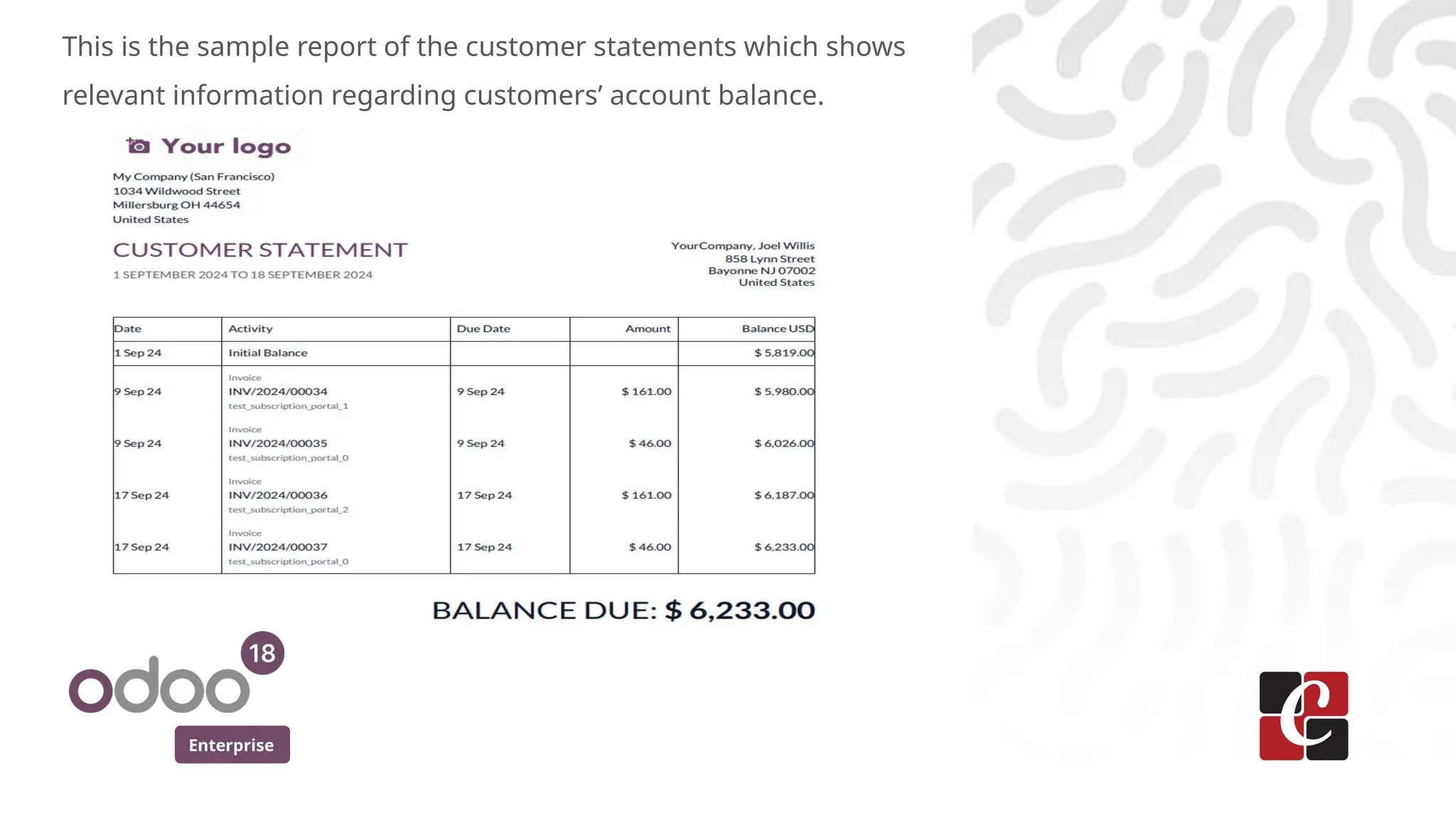
This is the sample report of the customer statements which shows
relevant information regarding customers’ account balance.
For More Info.
Check our company website for related blogs
and Odoo book.
Check our YouTube channel for
functional and technical videos in Odoo.
Enterprise
www.cybrosys.com

How to Generate Customer Statements Report in Odoo 18

  • 1.
    How to GenerateCustomer Statements Report in Odoo 18 Enterprise
  • 2.
    Enterprise Introduction In this slidewe’ll discuss on how to generate Customer Statements report in odoo 18. A customer statement is a summary of all financial transactions between a business and a customer over a specific period. It includes invoices, payments, credits, and other relevant information, providing a clear overview of the customer's account balance.
  • 3.
    Enterprise We have toensure that the module Customer statement is installed from App store to get this feature.
  • 4.
    Enterprise After installing, wehave multiple ways to generate customer statement report. We can access the report from Customer submenu in Accounting module or moving to Contacts module.
  • 5.
    Enterprise We can opena customer and click on the gear icon and we can select the Print Customer Statements option so that the report will be downloaded.
  • 6.
    Enterprise Other way isfrom the partner ledger of the Reporting menu in Accounting module.
  • 7.
    Enterprise In the report,if we hover on each partner, we can see the Customer Statements option and if we click on it, we can download the report.
  • 8.
    Enterprise This is thesample report of the customer statements which shows relevant information regarding customers’ account balance.
  • 9.
    For More Info. Checkour company website for related blogs and Odoo book. Check our YouTube channel for functional and technical videos in Odoo. Enterprise www.cybrosys.com