
By XFlipsoft
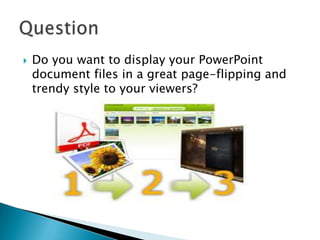
 Do you want to display your PowerPoint
document files in a great page-flipping and
trendy style to your viewers?
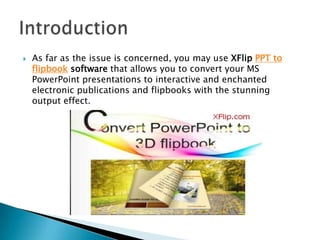
 As far as the issue is concerned, you may use XFlip PPT to
flipbook software that allows you to convert your MS
PowerPoint presentations to interactive and enchanted
electronic publications and flipbooks with the stunning
output effect.
 It is worthwhile to note that this versatile XFlip
flip book publisher could offer you an extensive
list of design and settings to customize your own
favorite flipping book down to the last detail. The
powerful tool does really help to transform your
PPT document files into a full-featured animated
electronic book. You can choose to either convert
one single book or a batch of them with the
function of batch-conversion. The whole
conversion process could be completed with only
several simple steps.
 Step 1: After free download and run XFlip flipping
book software smoothly, click "Import Files" to add
your PowerPoint document files to the program.
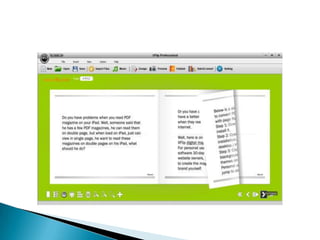
 Step 2: Click the "Design" icon on the top menu of
the toolbar; you can begin to edit the flipbook such
as adding vivid images, videos, hotspot and many
more to the flip pages with page-flipping effect.
 Step 3: Click the "Preview" button to preview your
flash flipbook, otherwise, just go back to
customize it all round.
 Step 4: Click the "Publishing" icon and then choose
the format you want to publish. The output can be
saved as an HTML page, a standalone SWF, a ZIP
archive file, an EXE file, or an APP file.
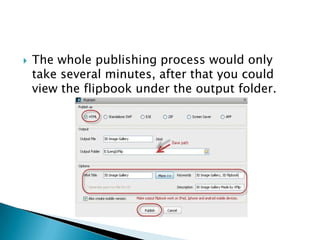
 The whole publishing process would only
take several minutes, after that you could
view the flipbook under the output folder.
Thanks for your
attention!

How to convert ppt to digital flipbook

  • 1.
  • 2.
     Do youwant to display your PowerPoint document files in a great page-flipping and trendy style to your viewers?
  • 3.
     As faras the issue is concerned, you may use XFlip PPT to flipbook software that allows you to convert your MS PowerPoint presentations to interactive and enchanted electronic publications and flipbooks with the stunning output effect.
  • 4.
     It isworthwhile to note that this versatile XFlip flip book publisher could offer you an extensive list of design and settings to customize your own favorite flipping book down to the last detail. The powerful tool does really help to transform your PPT document files into a full-featured animated electronic book. You can choose to either convert one single book or a batch of them with the function of batch-conversion. The whole conversion process could be completed with only several simple steps.
  • 5.
     Step 1:After free download and run XFlip flipping book software smoothly, click "Import Files" to add your PowerPoint document files to the program.  Step 2: Click the "Design" icon on the top menu of the toolbar; you can begin to edit the flipbook such as adding vivid images, videos, hotspot and many more to the flip pages with page-flipping effect.
  • 7.
     Step 3:Click the "Preview" button to preview your flash flipbook, otherwise, just go back to customize it all round.  Step 4: Click the "Publishing" icon and then choose the format you want to publish. The output can be saved as an HTML page, a standalone SWF, a ZIP archive file, an EXE file, or an APP file.
  • 8.
     The wholepublishing process would only take several minutes, after that you could view the flipbook under the output folder.
  • 9.