How to building WEKA model and
automatic test by command line
王敏賢
PhateW
Outline
• Problem
• JAVA CLASSPATH
• WEKA Command line
• Batch jobs
• DEMO
Problem
• WEKA Explorer(GUI)並不方便批次作業
• 可以分為兩個情景:
1. 想批次的建立模型
• 不同參數
• 不同訓練資料
2. 想自動測試
• 多個模型
• 多份測試資料
JAVA CLASSPATH
• WEKA的每個工具都已經是打包好的JAVA
class,可以直接從命令列呼叫。
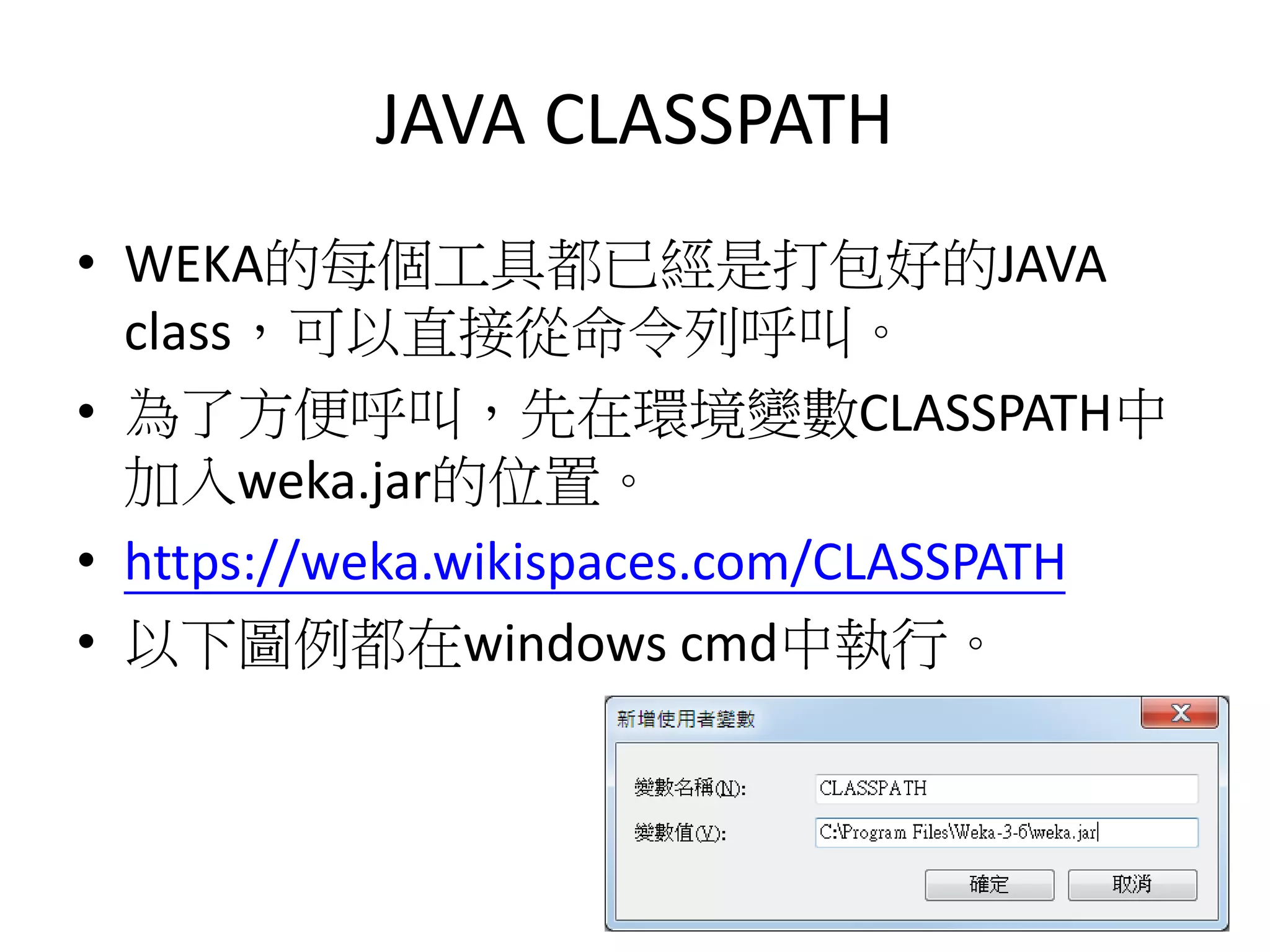
• 為了方便呼叫,先在環境變數CLASSPATH中
加入weka.jar的位置。
• https://weka.wikispaces.com/CLASSPATH
• 以下圖例都在windows cmd中執行。
WEKA Command line
options
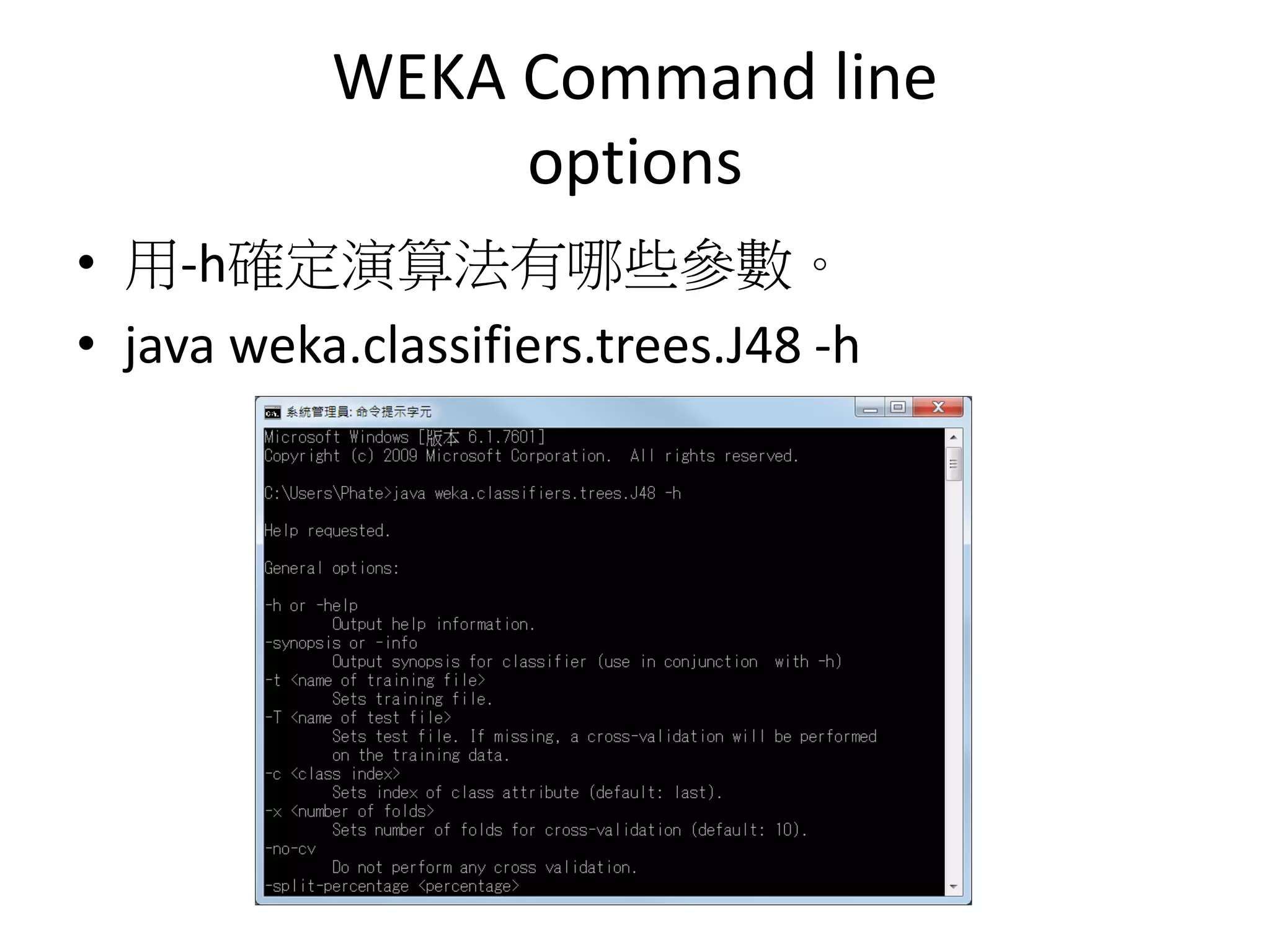
• 用-h確定演算法有哪些參數。
• java weka.classifiers.trees.J48 -h
WEKA Command line
options
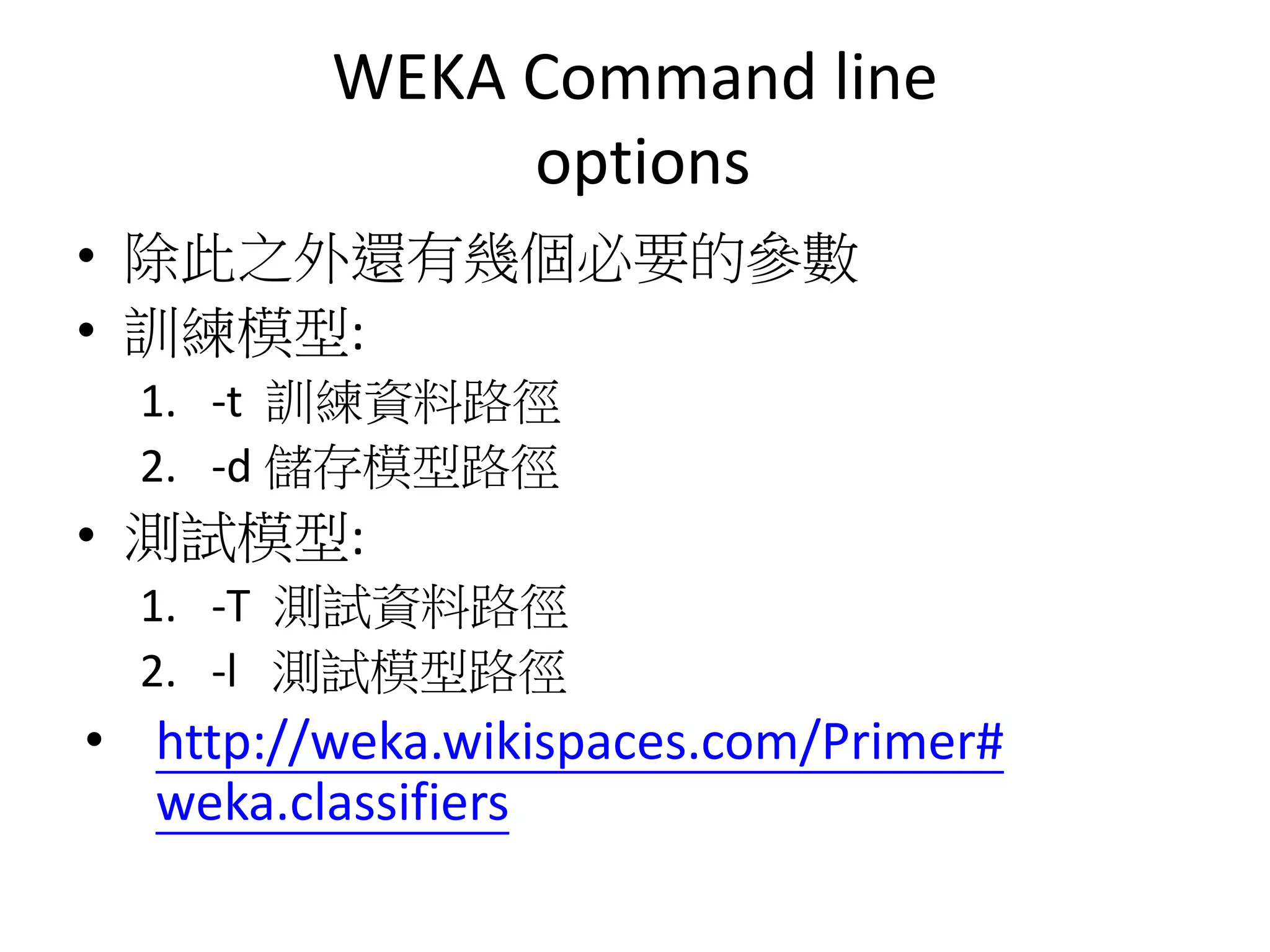
• 除此之外還有幾個必要的參數
• 訓練模型:
1. -t 訓練資料路徑
2. -d 儲存模型路徑
• 測試模型:
1. -T 測試資料路徑
2. -l 測試模型路徑
• http://weka.wikispaces.com/Primer#
weka.classifiers
Tips-工作目錄
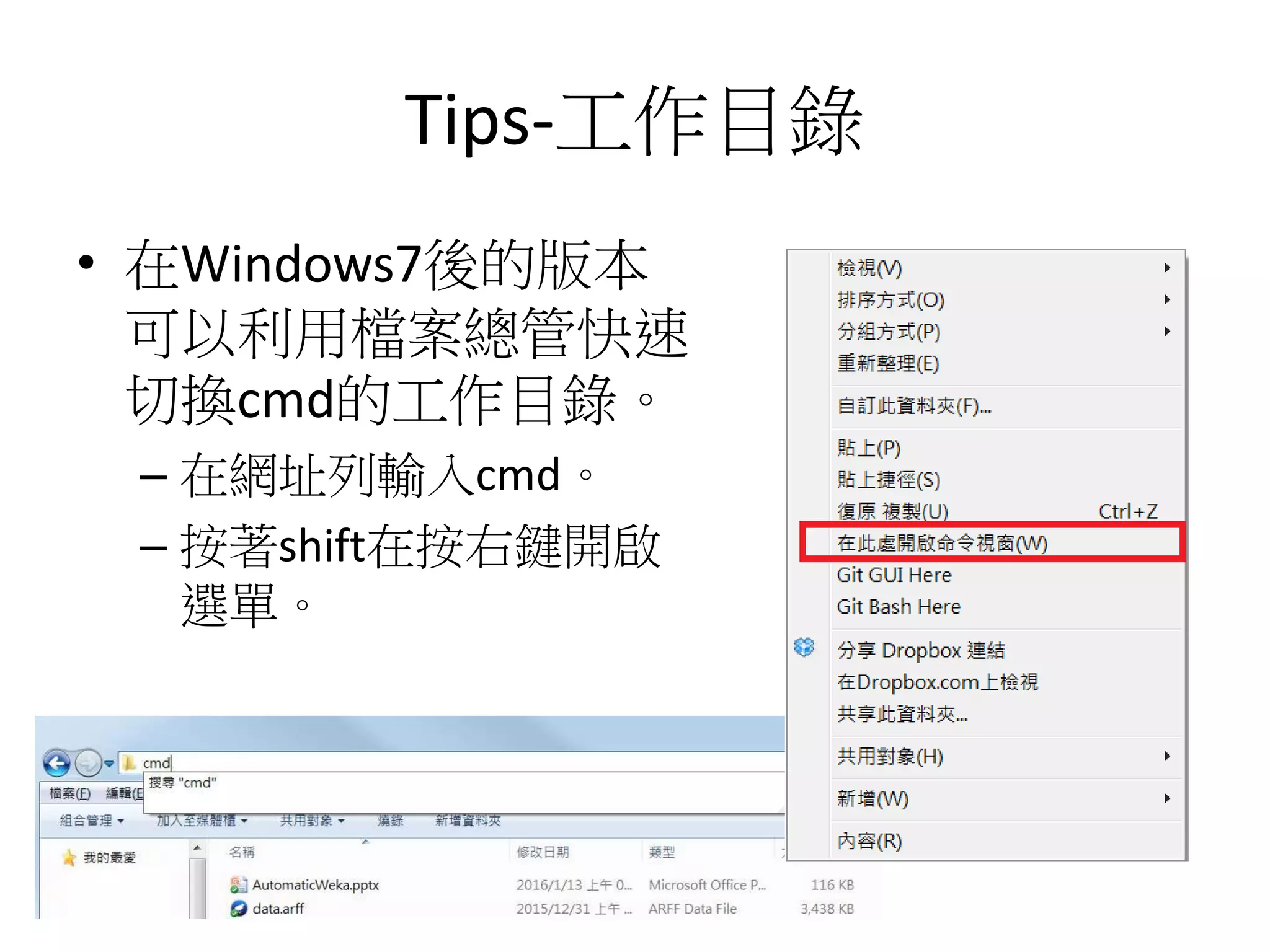
• 在Windows7後的版本
可以利用檔案總管快速
切換cmd的工作目錄。
– 在網址列輸入cmd。
– 按著shift在按右鍵開啟
選單。
WEKA Command line
Example
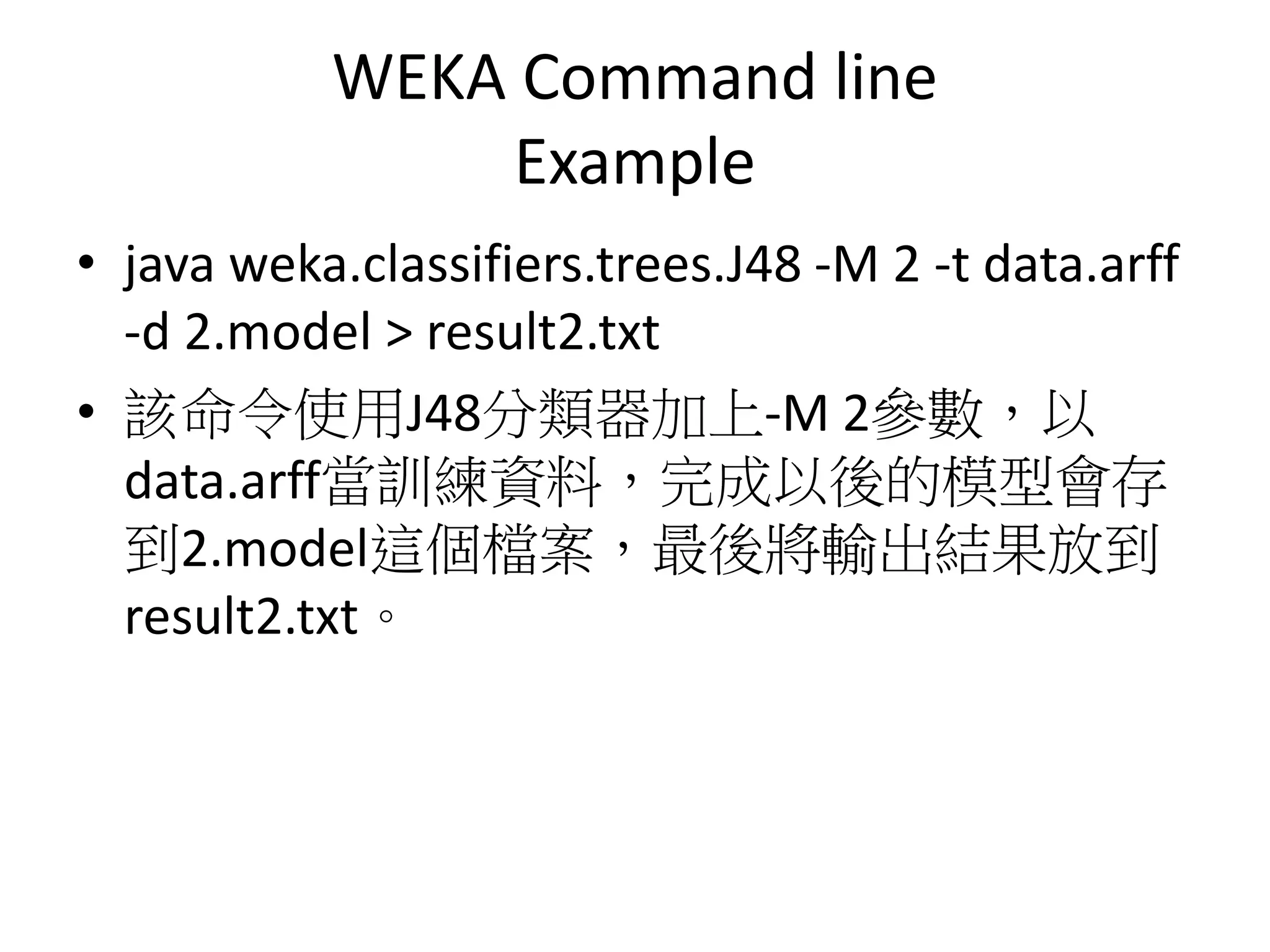
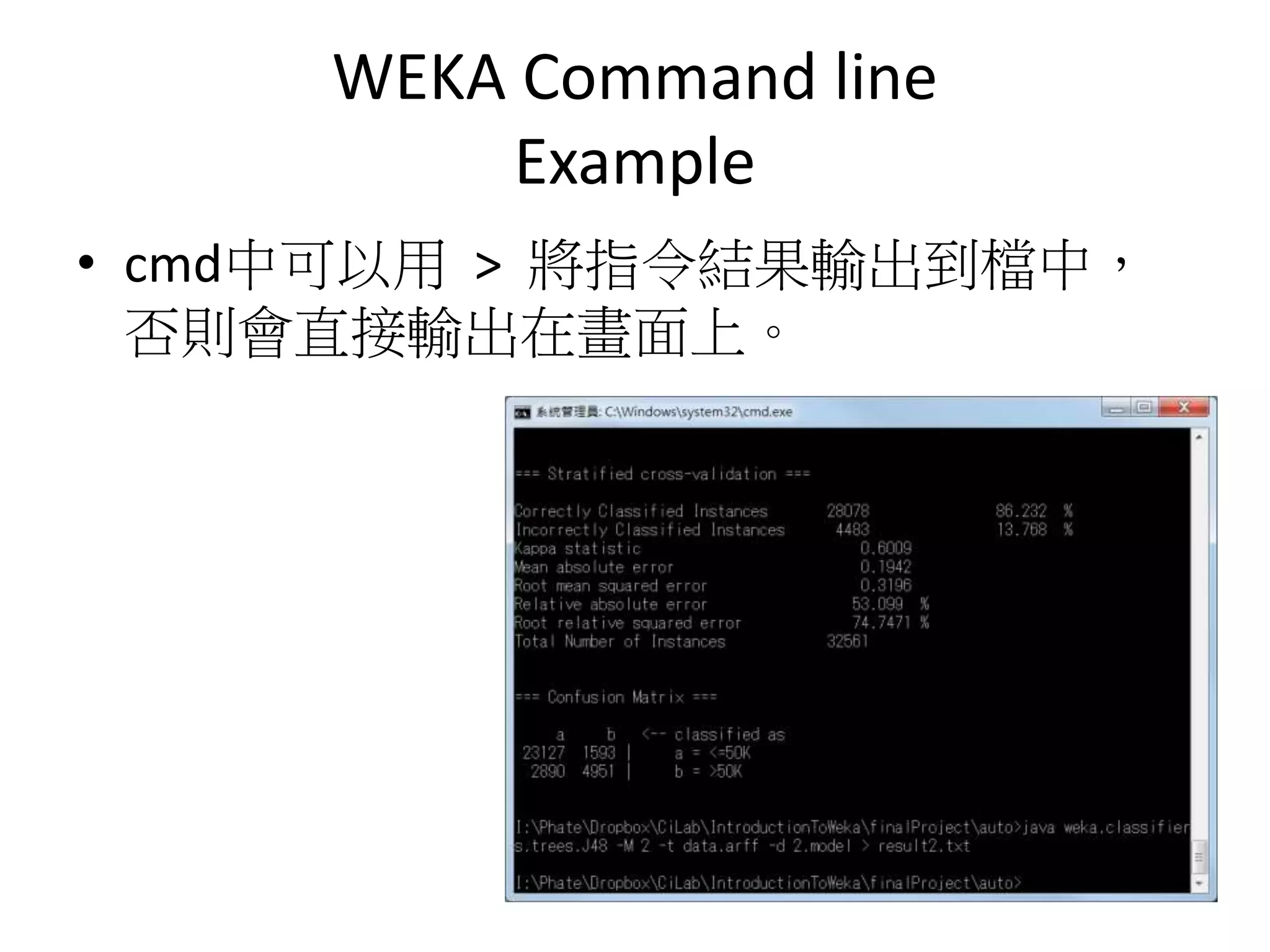
• java weka.classifiers.trees.J48 -M 2 -t data.arff
-d 2.model > result2.txt
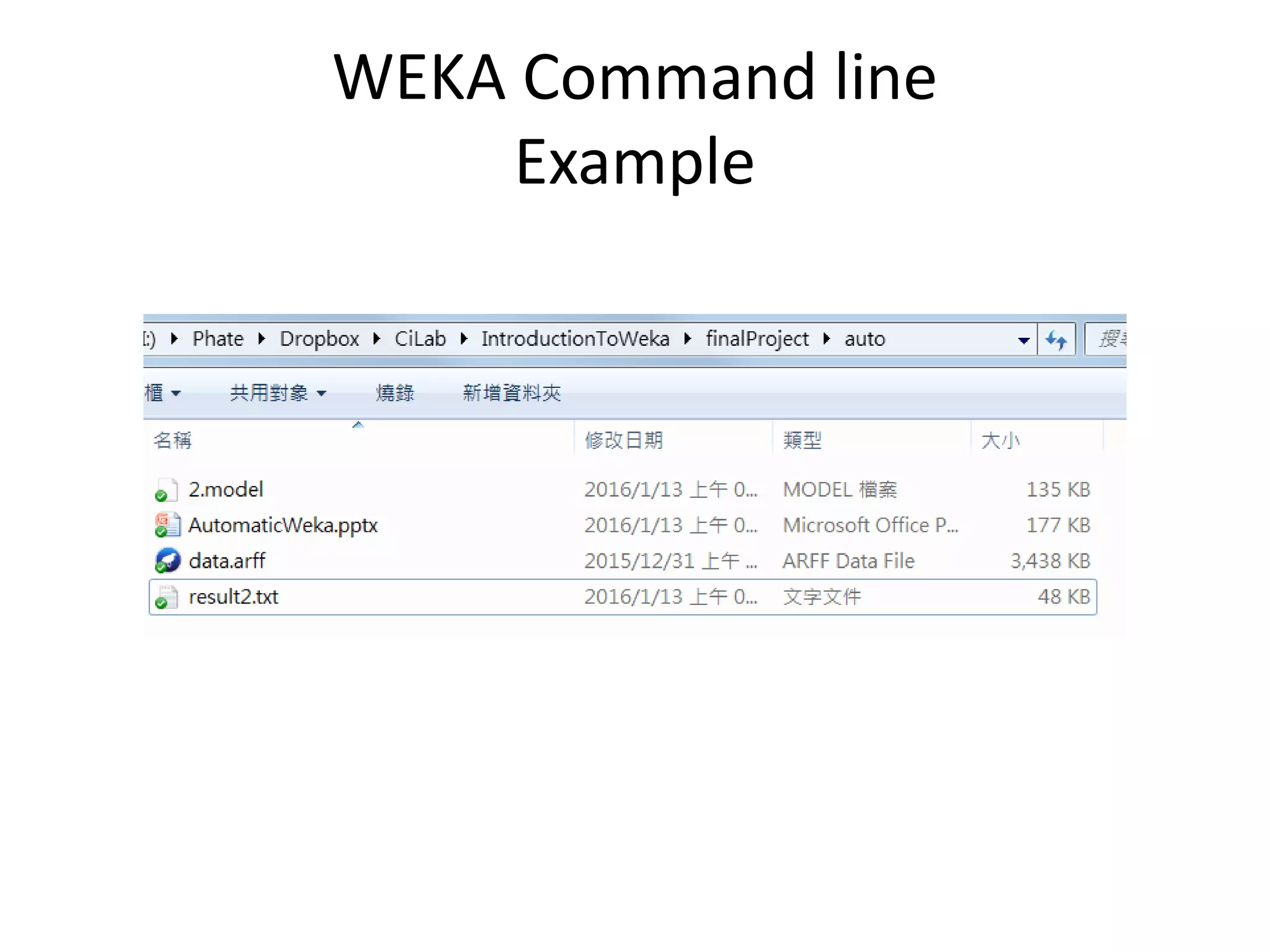
• 該命令使用J48分類器加上-M 2參數,以
data.arff當訓練資料,完成以後的模型會存
到2.model這個檔案,最後將輸出結果放到
result2.txt。
WEKA Command line
Example
• cmd中可以用 > 將指令結果輸出到檔中,
否則會直接輸出在畫面上。
WEKA Command line
Example
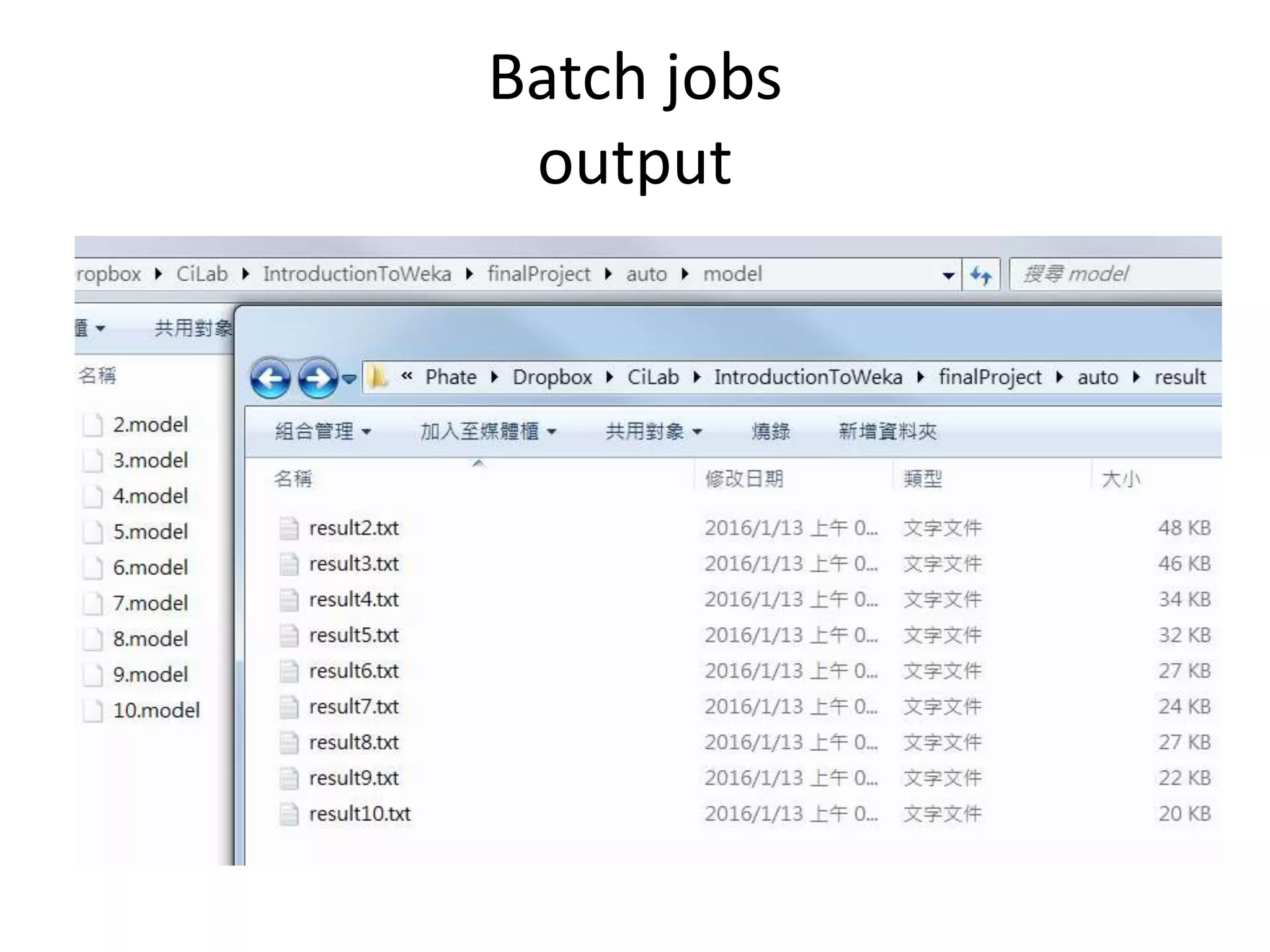
Batch jobs
• 了解命令列介面以後可以搭配腳本語言做
自動化測試:
– batch file(ex. bat)
– Python
– Ruby
– PHP
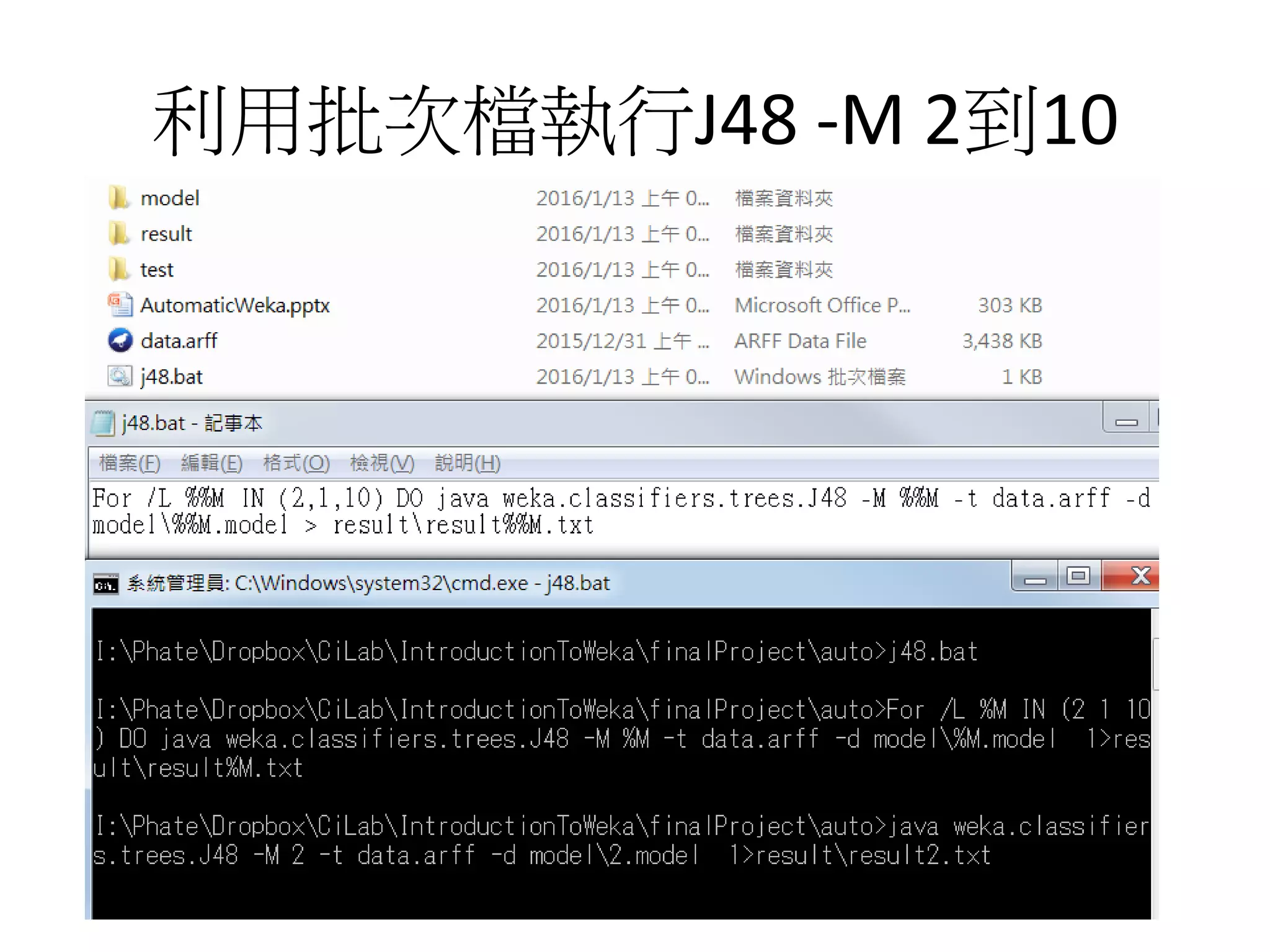
利用批次檔執行J48 -M 2到10
Batch jobs
output
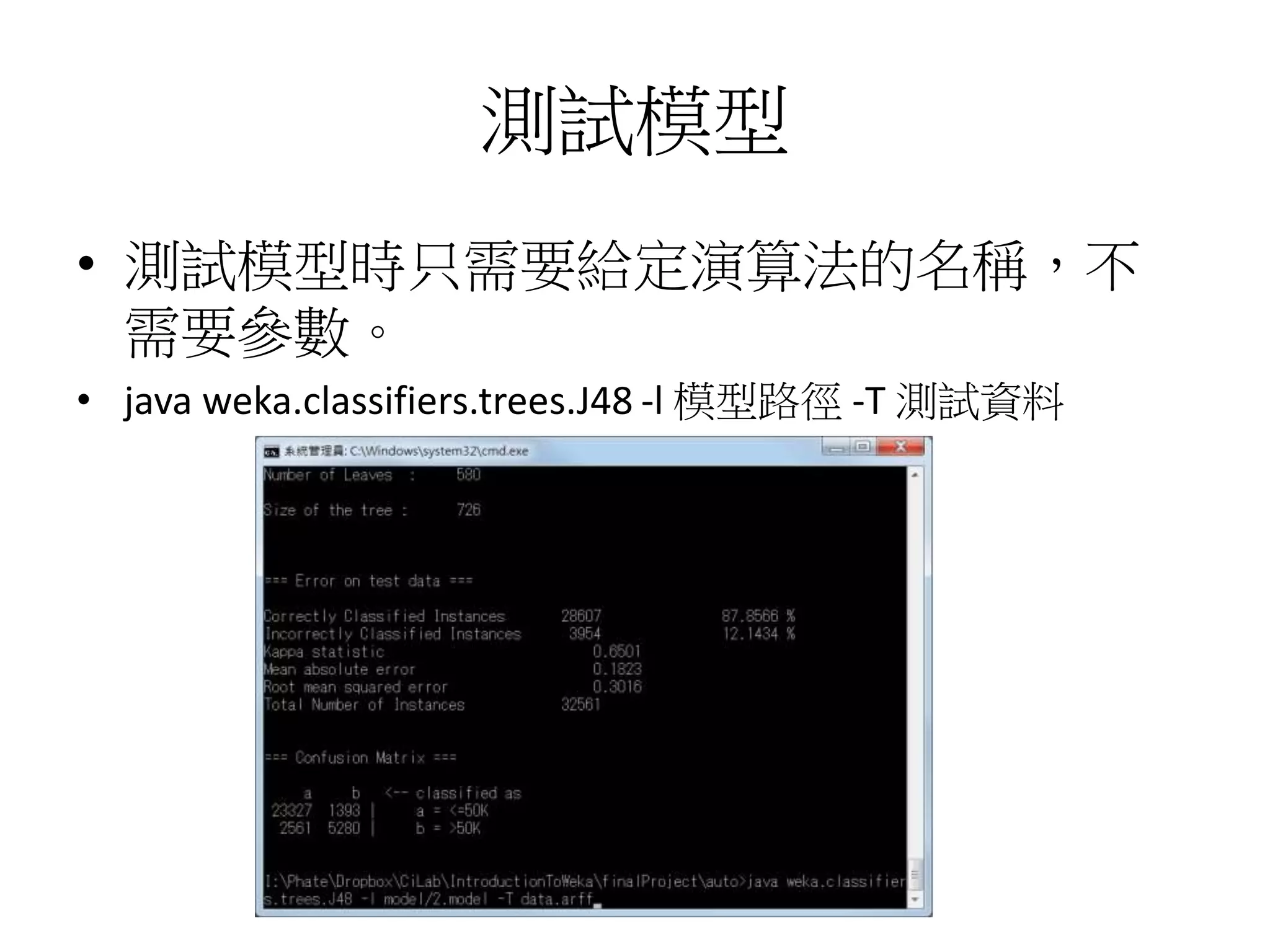
測試模型
• 測試模型時只需要給定演算法的名稱,不
需要參數。
• java weka.classifiers.trees.J48 -l 模型路徑 -T 測試資料
FYI
• 批次檔的精要學習手冊
– https://www.gitbook.com/book/peterju/cmddoc/
details
• Saving and loading models
– https://weka.wikispaces.com/Saving+and+loading
+models

How to building WEKA model and automatic test by command line