Safety and Health
Computer Class - Beacon Elementary - Mr. D
What is the concern?

Kids spend so much time behind a
  computer, tv or video game.
What is the solution?
There are a few guidelines kids can follow
 in respect of their health and well being
 when using
 technology, specifically, computers.
Take breaks!
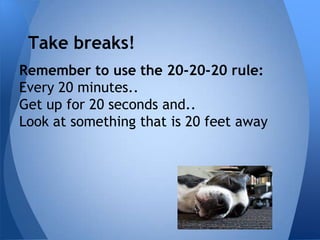
Remember to use the 20-20-20 rule:
Every 20 minutes..
Get up for 20 seconds and..
Look at something that is 20 feet away
Good posture
There are a few guidelines we all have to
 follow to avoid:
•   Neck injury
•   Wrist injury
•   Shoulder injury
•   Hips injury
•   Low back injury
•   Knees injury
•   Fingers injury
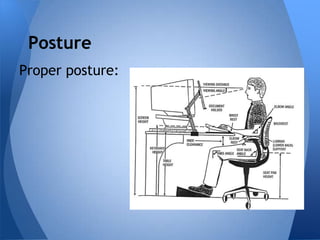
Posture
Proper posture:
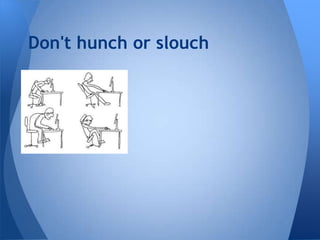
Don't hunch or slouch
Remember......
1. Your back should touch the back of the chair.
2. Remember to keep your shoulders and neck relaxed.
3. Sit directly facing the computer.
4. The chair should not be turned to one side or the other.
5. The computer should be placed 6-8 inches short of arms length away.
6. Users should not have their arms sharply bent (less than 90 degrees) or
   straight out and rigid.
7. Feet should be on the floor.
8. Users should not sit on their feet or bend their knees too sharply.
9. The hands, wrists, and fingers should be relaxed.
10.Try not to be too rigid or too loose, just relaxed.
11.The monitor should be positioned at eye level, if you are using a desktop
   computer.
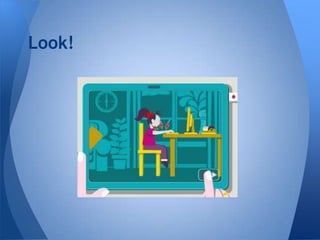
Look!

Health and technology

  • 1.
    Safety and Health ComputerClass - Beacon Elementary - Mr. D
  • 2.
    What is theconcern? Kids spend so much time behind a computer, tv or video game.
  • 3.
    What is thesolution? There are a few guidelines kids can follow in respect of their health and well being when using technology, specifically, computers.
  • 4.
    Take breaks! Remember touse the 20-20-20 rule: Every 20 minutes.. Get up for 20 seconds and.. Look at something that is 20 feet away
  • 5.
    Good posture There area few guidelines we all have to follow to avoid: • Neck injury • Wrist injury • Shoulder injury • Hips injury • Low back injury • Knees injury • Fingers injury
  • 6.
  • 7.
  • 8.
    Remember...... 1. Your backshould touch the back of the chair. 2. Remember to keep your shoulders and neck relaxed. 3. Sit directly facing the computer. 4. The chair should not be turned to one side or the other. 5. The computer should be placed 6-8 inches short of arms length away. 6. Users should not have their arms sharply bent (less than 90 degrees) or straight out and rigid. 7. Feet should be on the floor. 8. Users should not sit on their feet or bend their knees too sharply. 9. The hands, wrists, and fingers should be relaxed. 10.Try not to be too rigid or too loose, just relaxed. 11.The monitor should be positioned at eye level, if you are using a desktop computer.
  • 9.