Hardware Discovery


      Kevin B. O'Brien
Washtenaw Linux Users Group
Why You Need To Know

   Problem solving – Maybe the graphics driver
    you are using does not match the video card
    you have.
   Upgrading – What is the older hardware on
    your system?
   Just figuring out what you have in various
    boxes if you have a home network with multiple
    machines, or if you support a network with
    multiple machines
Linux Has Solutions

   Not just one, but many possible solutions
   Different commands can be used to extract
    different information
   There are more possible commands you might
    use than we can cover in a single presentation,
    so take this as a jumping-off point
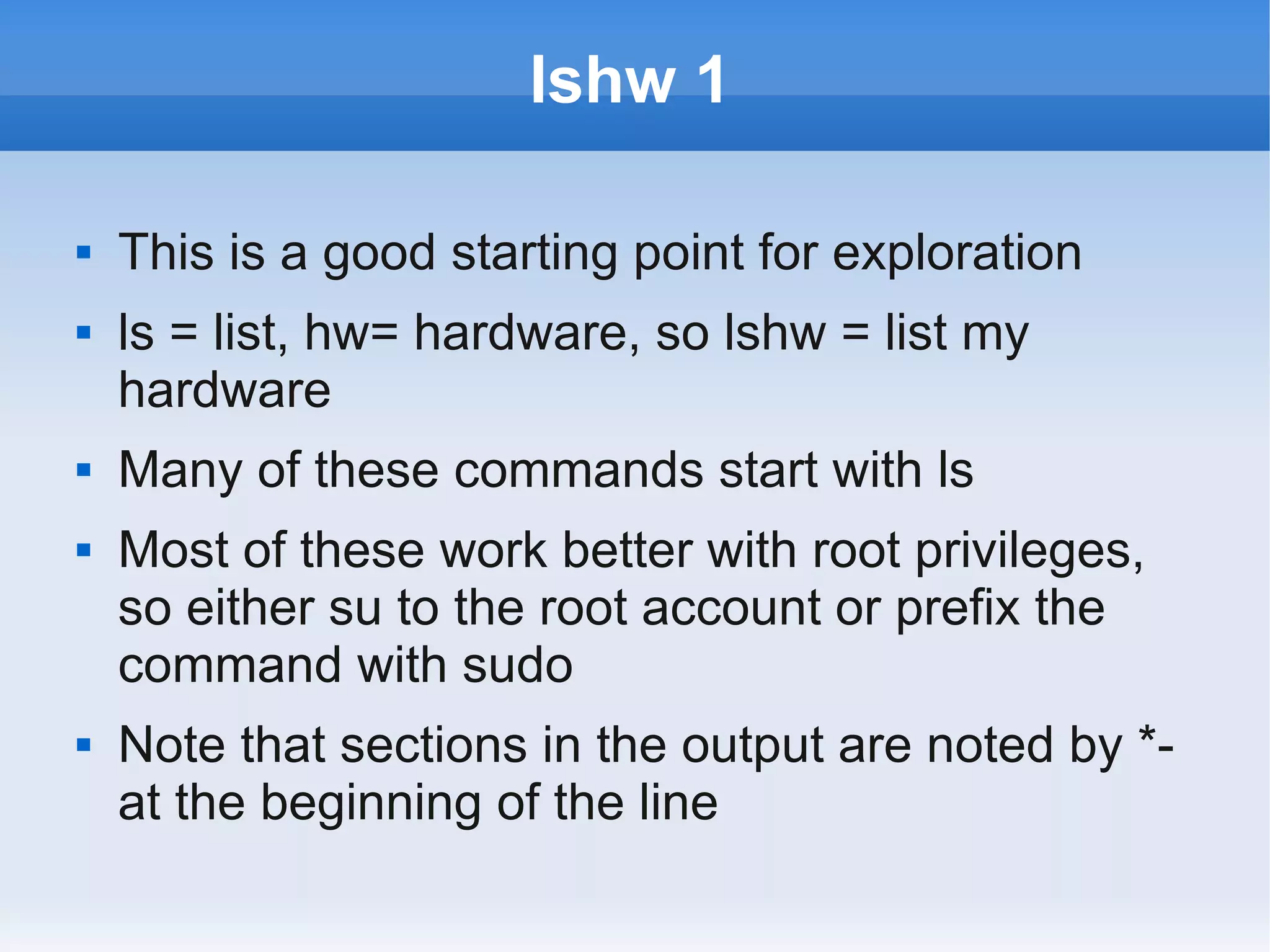
lshw 1

   This is a good starting point for exploration
   ls = list, hw= hardware, so lshw = list my
    hardware
   Many of these commands start with ls
   Most of these work better with root privileges,
    so either su to the root account or prefix the
    command with sudo
   Note that sections in the output are noted by *-
    at the beginning of the line
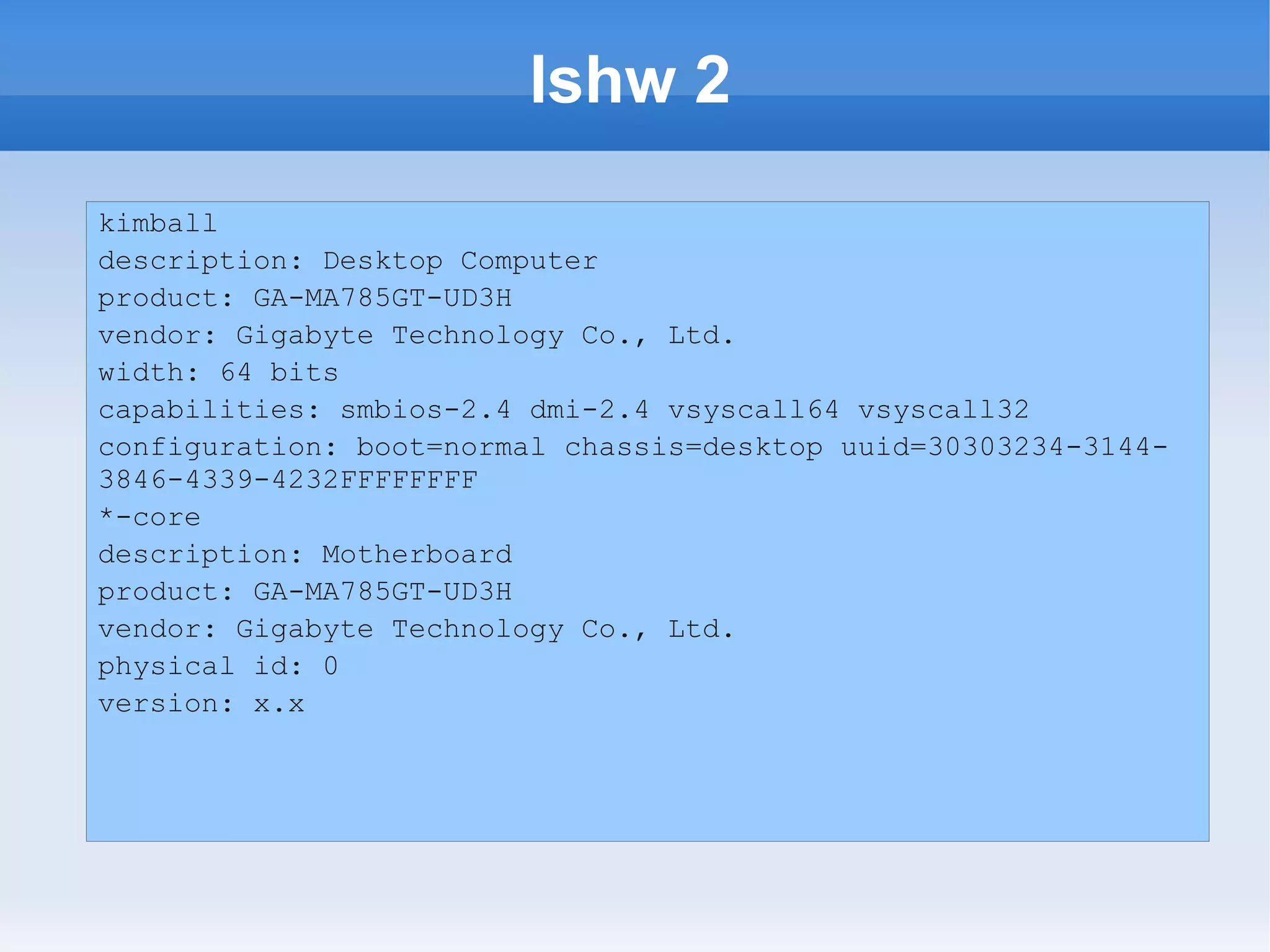
lshw 2
kimball
description: Desktop Computer
product: GA-MA785GT-UD3H
vendor: Gigabyte Technology Co., Ltd.
width: 64 bits
capabilities: smbios-2.4 dmi-2.4 vsyscall64 vsyscall32
configuration: boot=normal chassis=desktop uuid=30303234-3144-
3846-4339-4232FFFFFFFF
*-core
description: Motherboard
product: GA-MA785GT-UD3H
vendor: Gigabyte Technology Co., Ltd.
physical id: 0
version: x.x
lshw 3

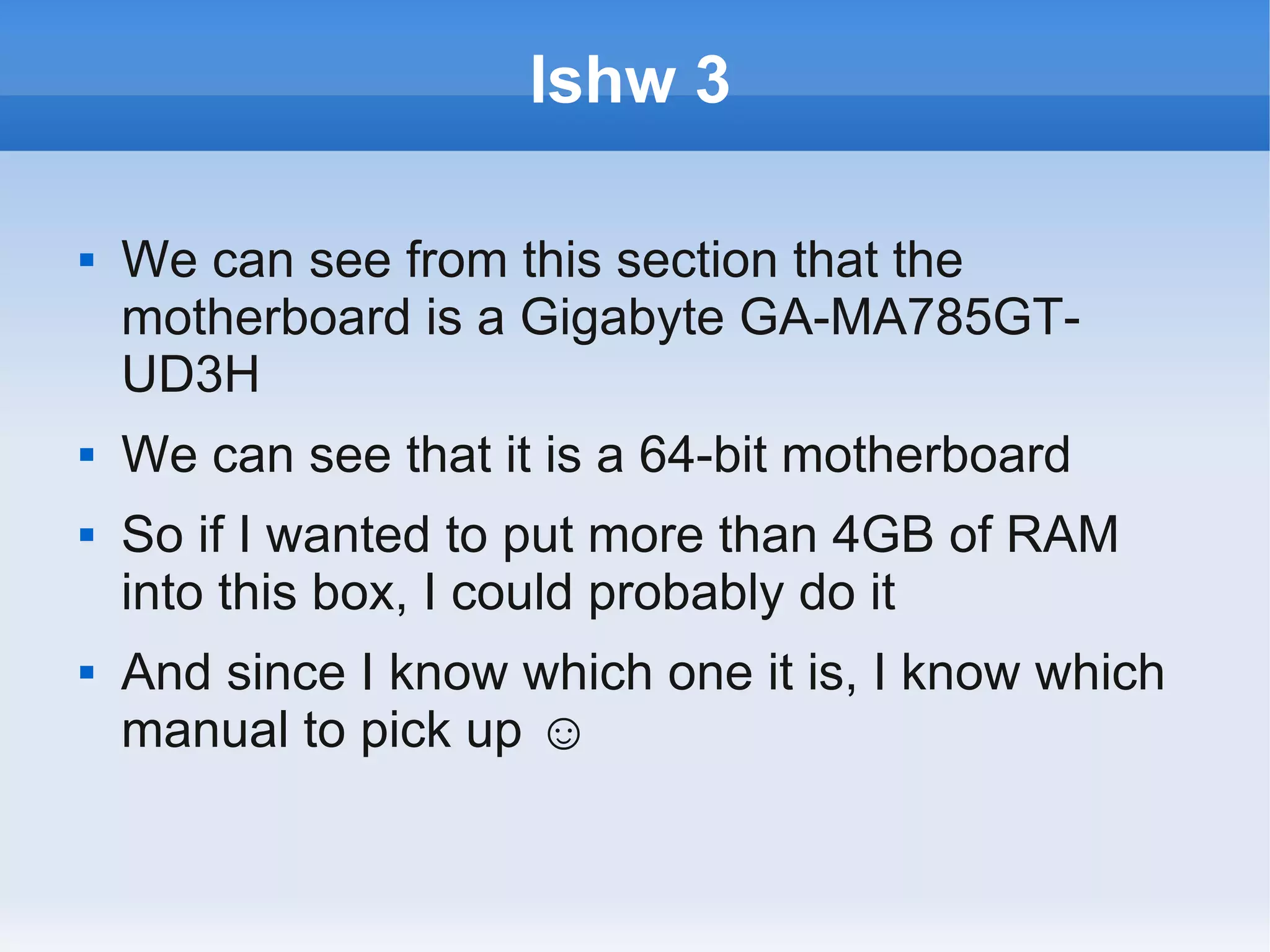
   We can see from this section that the
    motherboard is a Gigabyte GA-MA785GT-
    UD3H
   We can see that it is a 64-bit motherboard
   So if I wanted to put more than 4GB of RAM
    into this box, I could probably do it
   And since I know which one it is, I know which
    manual to pick up ☺
lshw 4
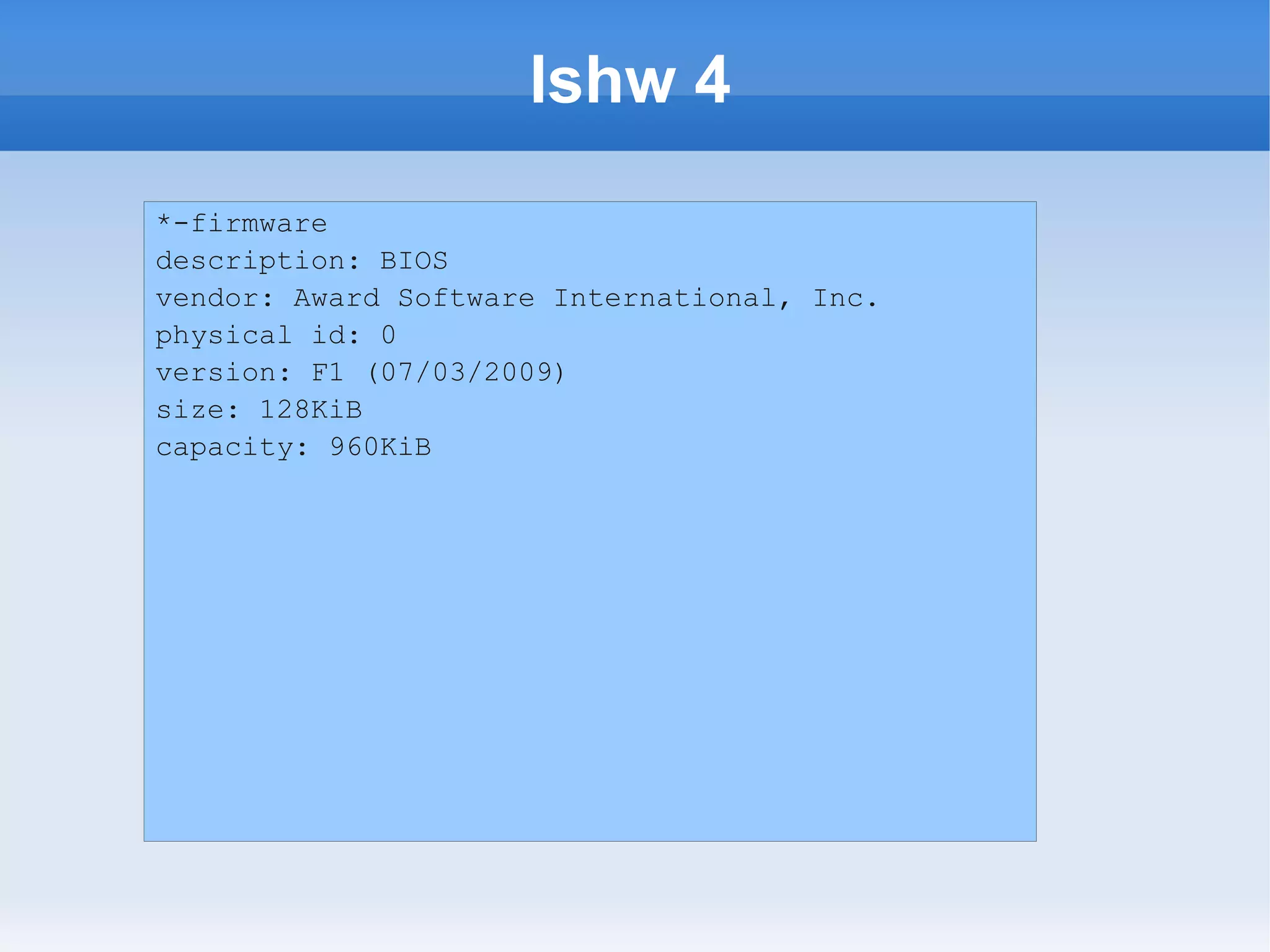
*-firmware
description: BIOS
vendor: Award Software International, Inc.
physical id: 0
version: F1 (07/03/2009)
size: 128KiB
capacity: 960KiB
lshw 5

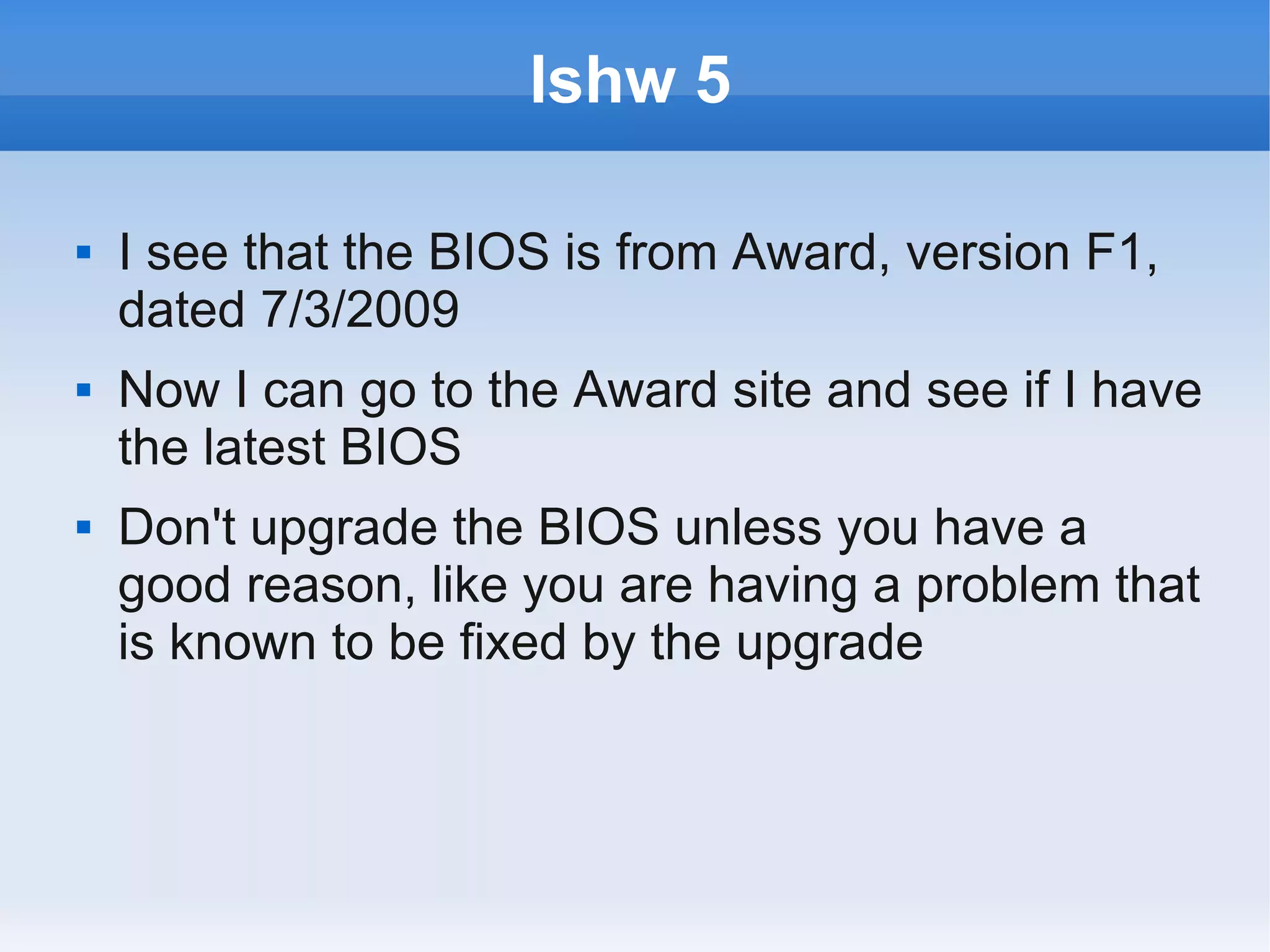
   I see that the BIOS is from Award, version F1,
    dated 7/3/2009
   Now I can go to the Award site and see if I have
    the latest BIOS
   Don't upgrade the BIOS unless you have a
    good reason, like you are having a problem that
    is known to be fixed by the upgrade
lshw 6
*-cpu
description: CPU
product: AMD Athlon(tm) II X2 240 Processor
vendor: Advanced Micro Devices [AMD]
physical id: 4
bus info: cpu@0
version: AMD Athlon(tm) II X2 240 Processor
slot: Socket M2
size: 800MHz
capacity: 3GHz
width: 64 bits
clock: 200MHz
lshw 7

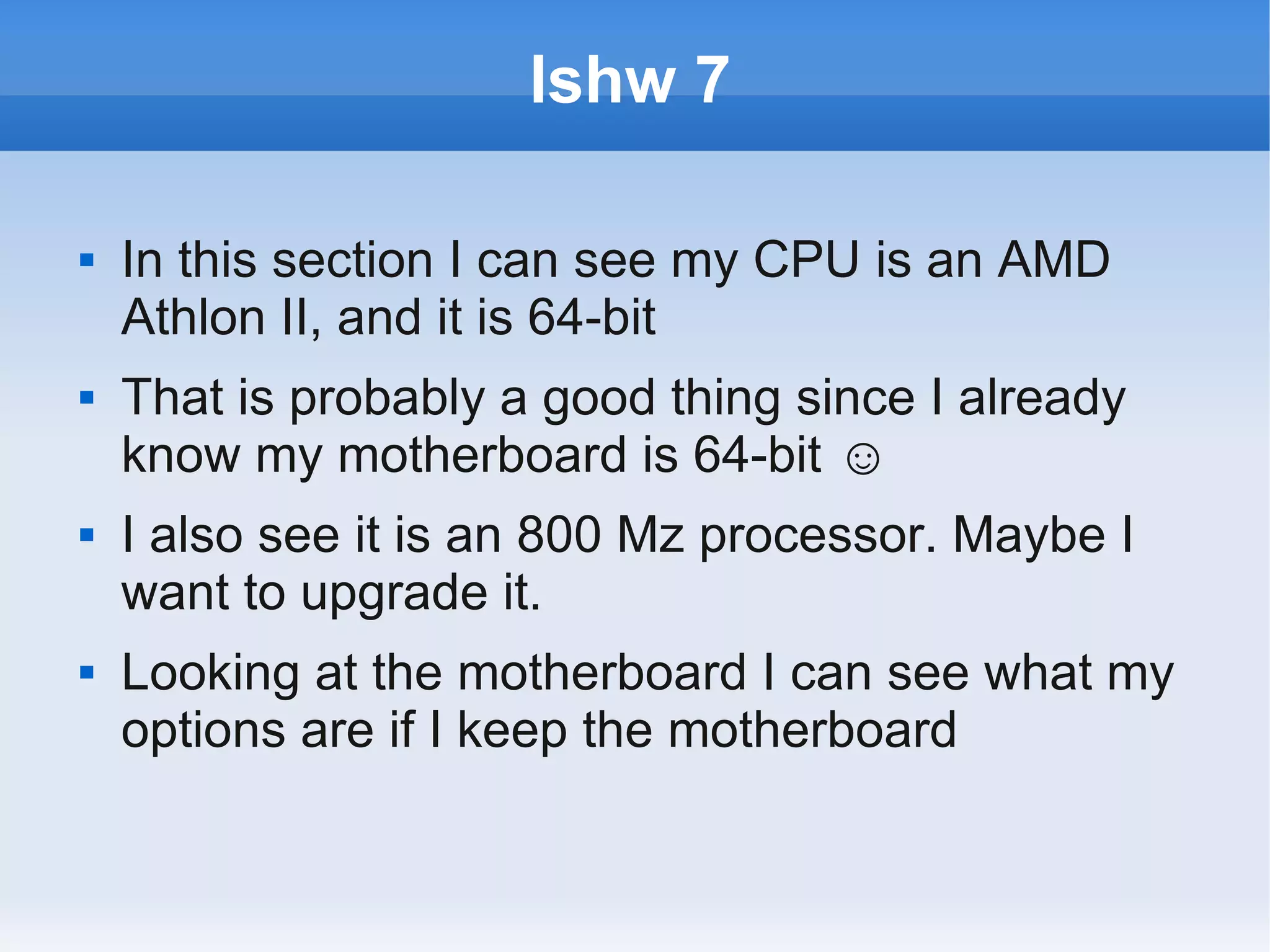
   In this section I can see my CPU is an AMD
    Athlon II, and it is 64-bit
   That is probably a good thing since I already
    know my motherboard is 64-bit ☺
   I also see it is an 800 Mz processor. Maybe I
    want to upgrade it.
   Looking at the motherboard I can see what my
    options are if I keep the motherboard
lscpu 1

   If I want just info on my CPU I could also use
    lscpu
   This info is in lshw as well, but that is a very
    large amount of output
   Using lscpu gets just this if I need it
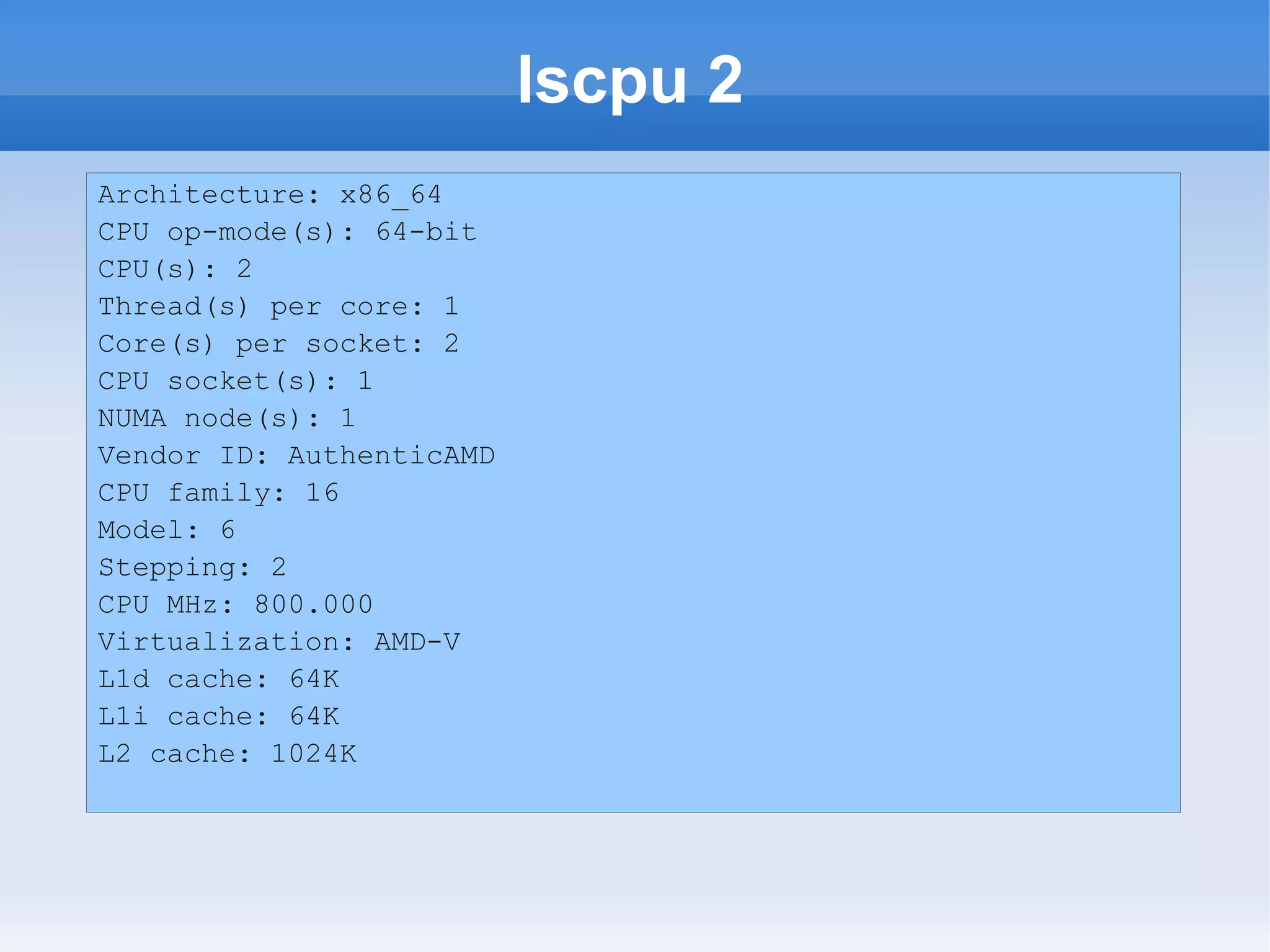
lscpu 2
Architecture: x86_64
CPU op-mode(s): 64-bit
CPU(s): 2
Thread(s) per core: 1
Core(s) per socket: 2
CPU socket(s): 1
NUMA node(s): 1
Vendor ID: AuthenticAMD
CPU family: 16
Model: 6
Stepping: 2
CPU MHz: 800.000
Virtualization: AMD-V
L1d cache: 64K
L1i cache: 64K
L2 cache: 1024K
lscpu 3

   Here we can easily see that it is a dual-core
    processor
   This is useful to know when interpreting things
    like the top command, since it will tend to show
    a percent of the individual core used for each
    process
   I can also see my cache capacity
lshw 8

   Back to lshw, there is more to see here
   RAM is something you might want to know
    about
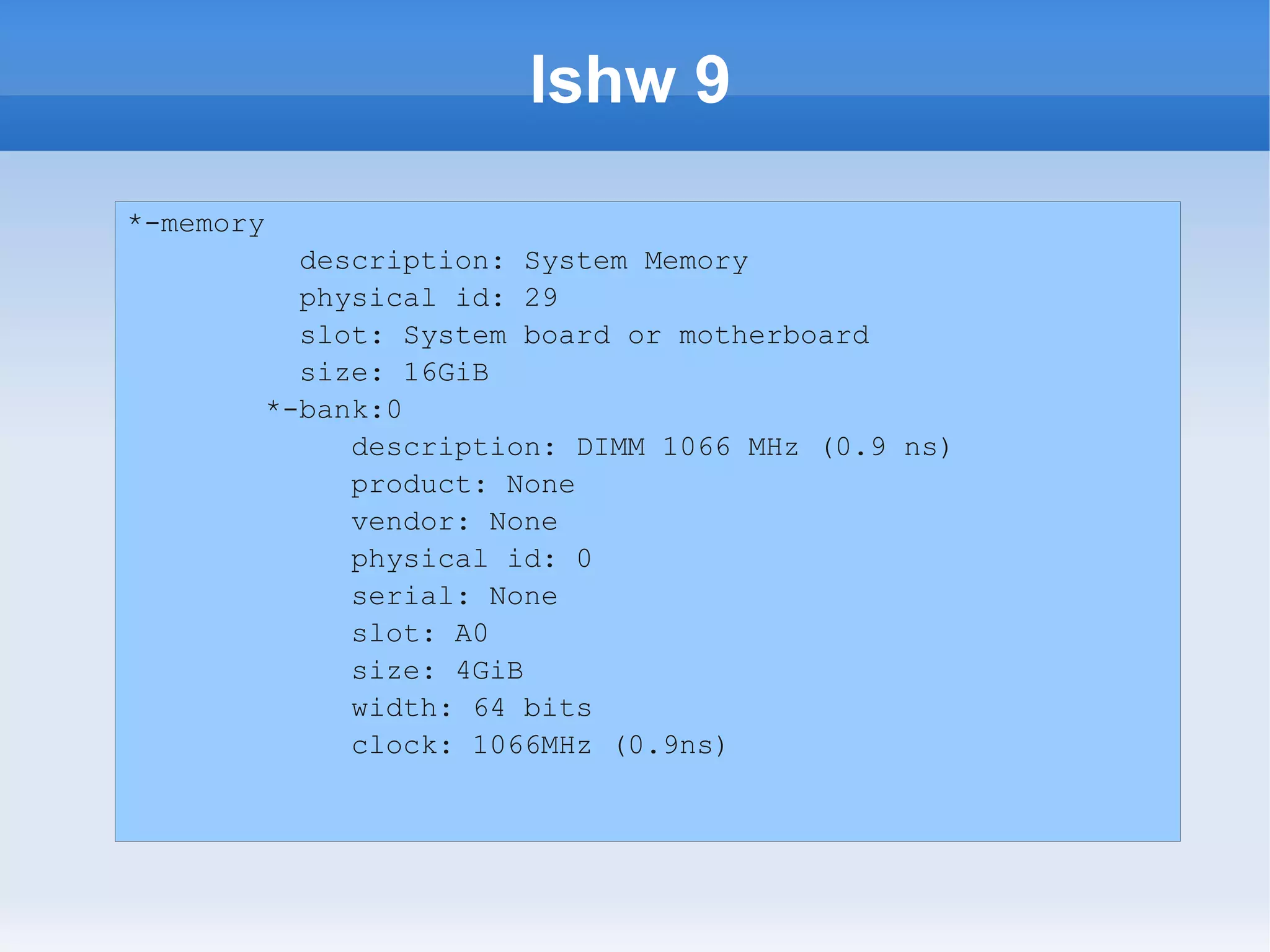
lshw 9
*-memory
         description: System Memory
         physical id: 29
         slot: System board or motherboard
         size: 16GiB
       *-bank:0
            description: DIMM 1066 MHz (0.9 ns)
            product: None
            vendor: None
            physical id: 0
            serial: None
            slot: A0
            size: 4GiB
            width: 64 bits
            clock: 1066MHz (0.9ns)
lshw 10

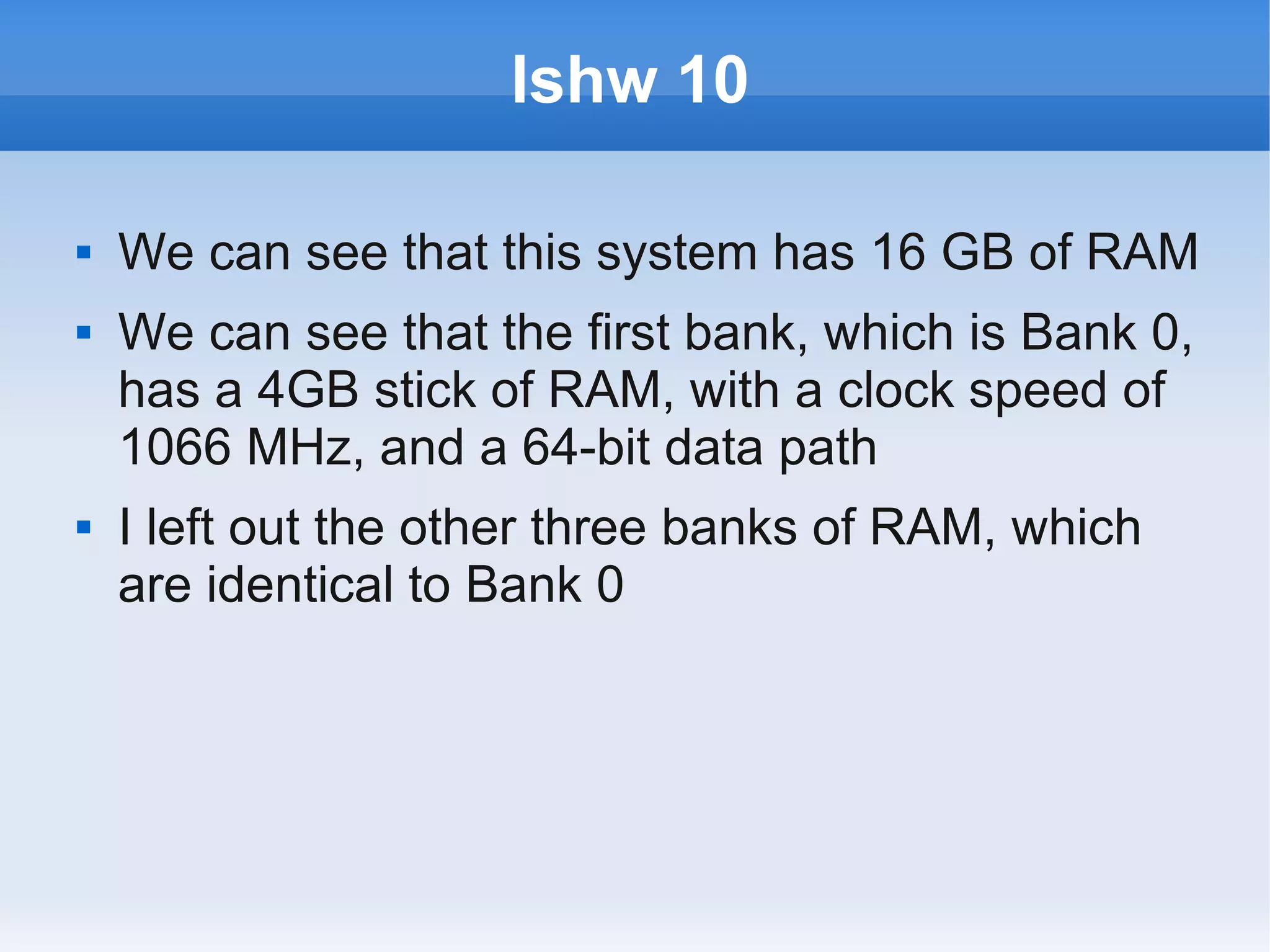
   We can see that this system has 16 GB of RAM
   We can see that the first bank, which is Bank 0,
    has a 4GB stick of RAM, with a clock speed of
    1066 MHz, and a 64-bit data path
   I left out the other three banks of RAM, which
    are identical to Bank 0
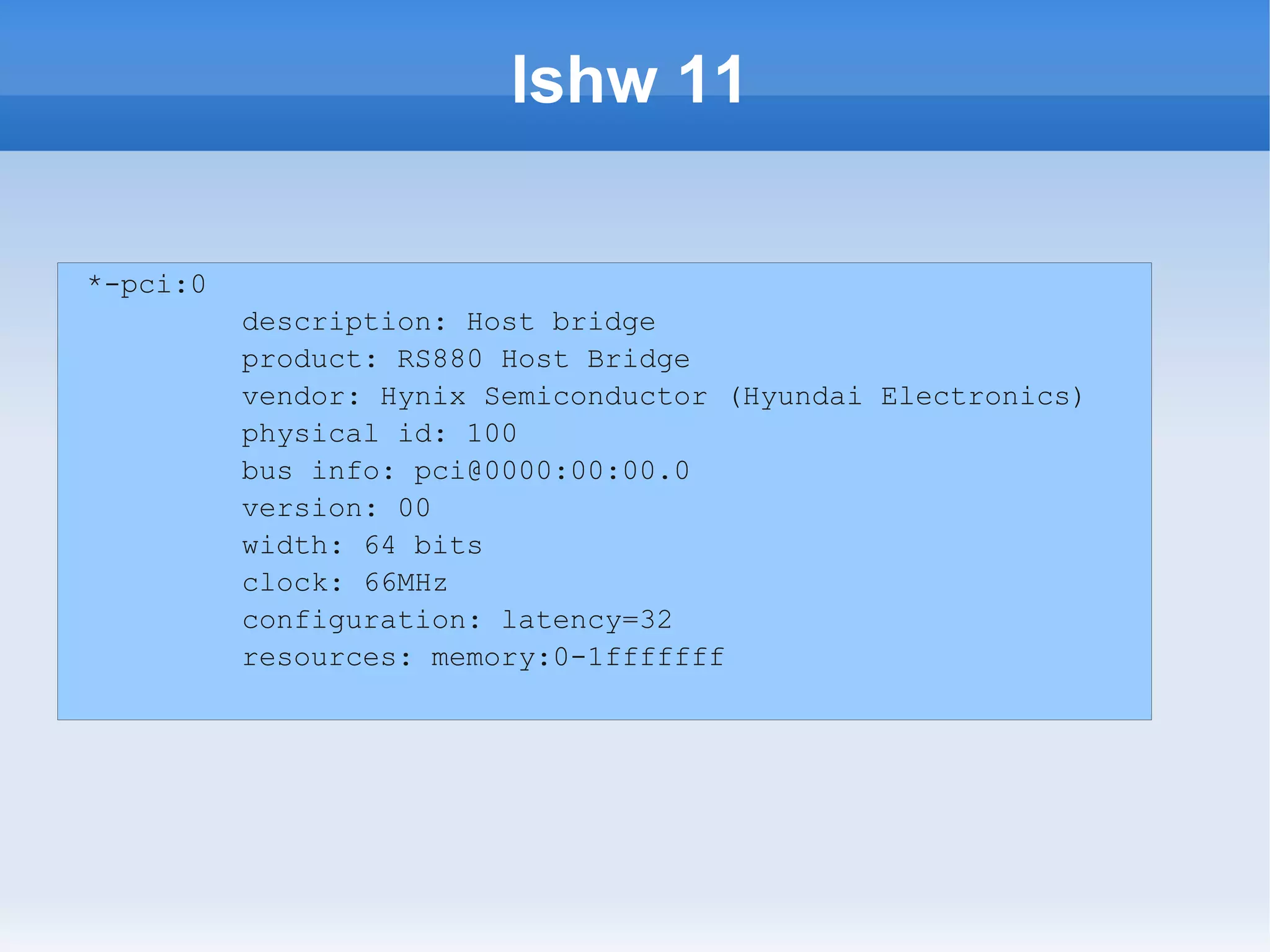
lshw 11

*-pci:0
          description: Host bridge
          product: RS880 Host Bridge
          vendor: Hynix Semiconductor (Hyundai Electronics)
          physical id: 100
          bus info: pci@0000:00:00.0
          version: 00
          width: 64 bits
          clock: 66MHz
          configuration: latency=32
          resources: memory:0-1fffffff
lshw 12
 *-display
                description: VGA compatible controller
                product: RS880 [Radeon HD 4200]
                vendor: ATI Technologies Inc
                physical id: 5
                bus info: pci@0000:01:05.0
                version: 00
                width: 32 bits
                clock: 33MHz
                capabilities: pm msi vga_controller bus_master
cap_list rom
                configuration: driver=radeon latency=0
                resources: irq:18 memory:d0000000-dfffffff
ioport:ee00(size=256) memory:fdfe0000-fdfeffff memory:fde00000-
fdefffff
lshw 13
 *-multimedia
                description: Audio device
                product: RS880 Audio Device [Radeon HD
4200]
                vendor: ATI Technologies Inc
                physical id: 5.1
                bus info: pci@0000:01:05.1
                version: 00
                width: 32 bits
                clock: 33MHz
                capabilities: pm msi bus_master cap_list
                configuration: driver=HDA Intel latency=0
                resources: irq:19 memory:fdffc000-
fdffffff
lshw 14

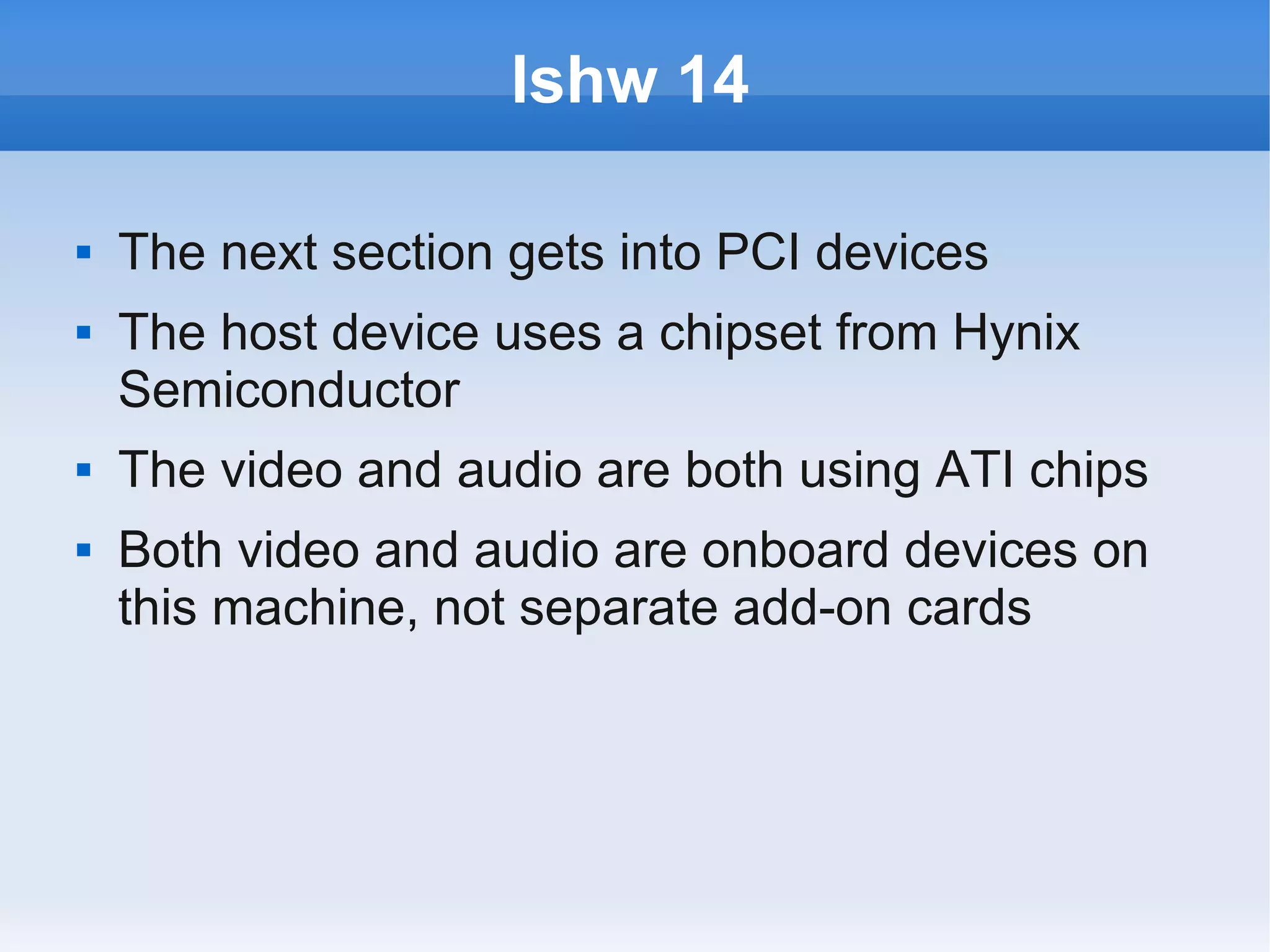
   The next section gets into PCI devices
   The host device uses a chipset from Hynix
    Semiconductor
   The video and audio are both using ATI chips
   Both video and audio are onboard devices on
    this machine, not separate add-on cards
lspci 1

   Again, if you wanted to go there more directly
    you could use lspci
   This gives you more compact information than
    lshw
lspci 2
00:00.0 Host bridge: Advanced Micro Devices [AMD] RS880 Host Bridge
00:01.0 PCI bridge: Advanced Micro Devices [AMD] RS780/RS880 PCI to PCI
bridge (int gfx)
00:0a.0 PCI bridge: Advanced Micro Devices [AMD] RS780/RS880 PCI to PCI
bridge (PCIE port 5)
00:11.0 SATA controller: ATI Technologies Inc SB7x0/SB8x0/SB9x0 SATA
Controller [IDE mode]
00:12.0 USB Controller: ATI Technologies Inc SB7x0/SB8x0/SB9x0 USB OHCI0
Controller
00:12.1 USB Controller: ATI Technologies Inc SB7x0 USB OHCI1 Controller
00:12.2 USB Controller: ATI Technologies Inc SB7x0/SB8x0/SB9x0 USB EHCI
Controller
00:13.0 USB Controller: ATI Technologies Inc SB7x0/SB8x0/SB9x0 USB OHCI0
Controller
00:13.1 USB Controller: ATI Technologies Inc SB7x0 USB OHCI1 Controller
00:13.2 USB Controller: ATI Technologies Inc SB7x0/SB8x0/SB9x0 USB EHCI
Controller
00:14.0 SMBus: ATI Technologies Inc SBx00 SMBus Controller (rev 3c)
00:14.1 IDE interface: ATI Technologies Inc SB7x0/SB8x0/SB9x0 IDE
Controller
00:14.2 Audio device: ATI Technologies Inc SBx00 Azalia (Intel HDA)
lshw 15
  *-storage
              description: SATA controller
              product: SB7x0/SB8x0/SB9x0 SATA
 Controller [IDE mode]
              vendor: ATI Technologies Inc
              physical id: 11

*-disk:0
              description: ATA Disk
              product: SAMSUNG HD103UJ
              physical id: 0
              bus info: scsi@2:0.0.0
              logical name: /dev/sda
              version: 1AA0
              serial: S13PJ1LS629769
              size: 931GiB (1TB)
lshw 16
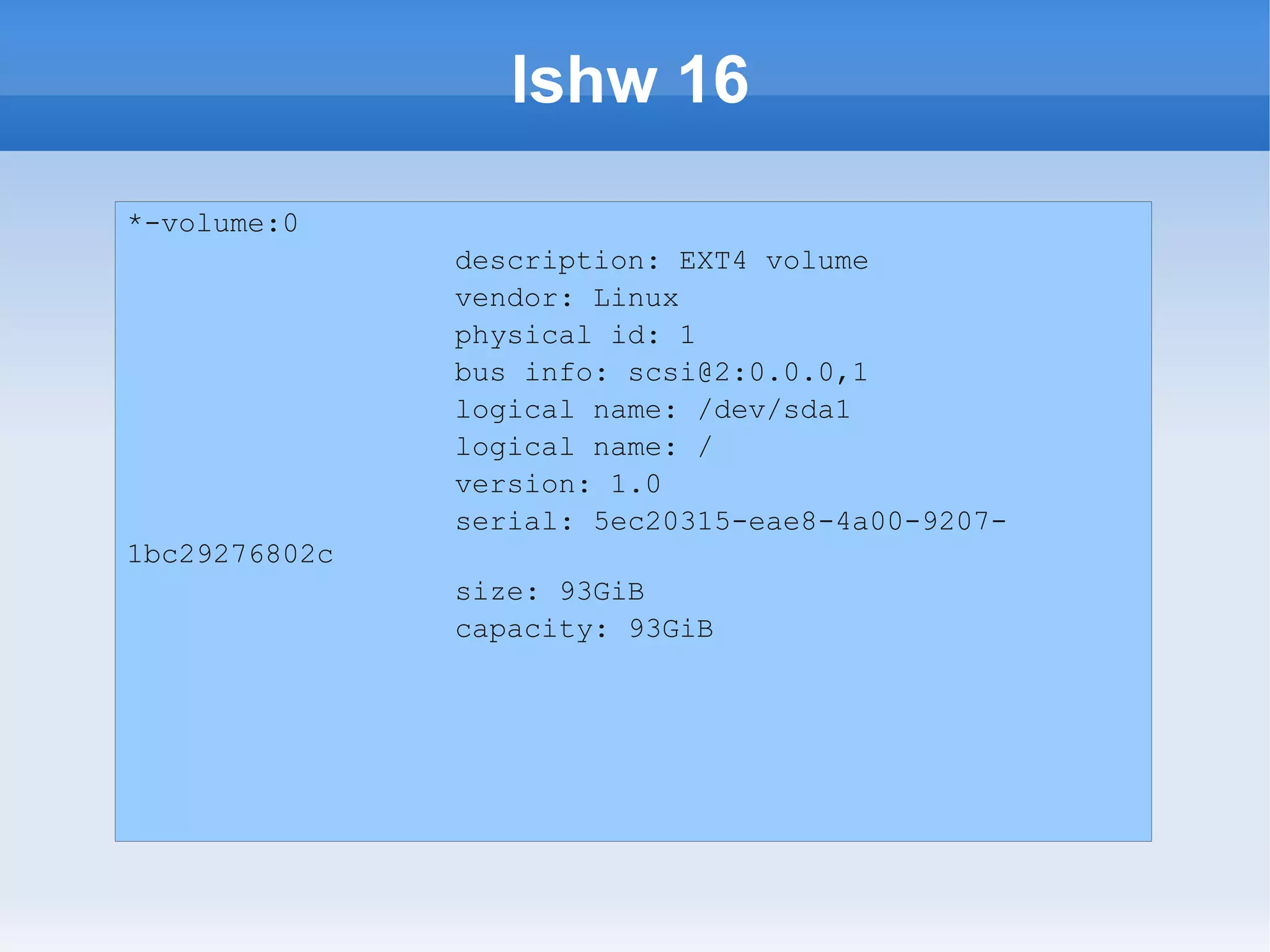
*-volume:0
               description: EXT4 volume
               vendor: Linux
               physical id: 1
               bus info: scsi@2:0.0.0,1
               logical name: /dev/sda1
               logical name: /
               version: 1.0
               serial: 5ec20315-eae8-4a00-9207-
1bc29276802c
               size: 93GiB
               capacity: 93GiB
lshw 17

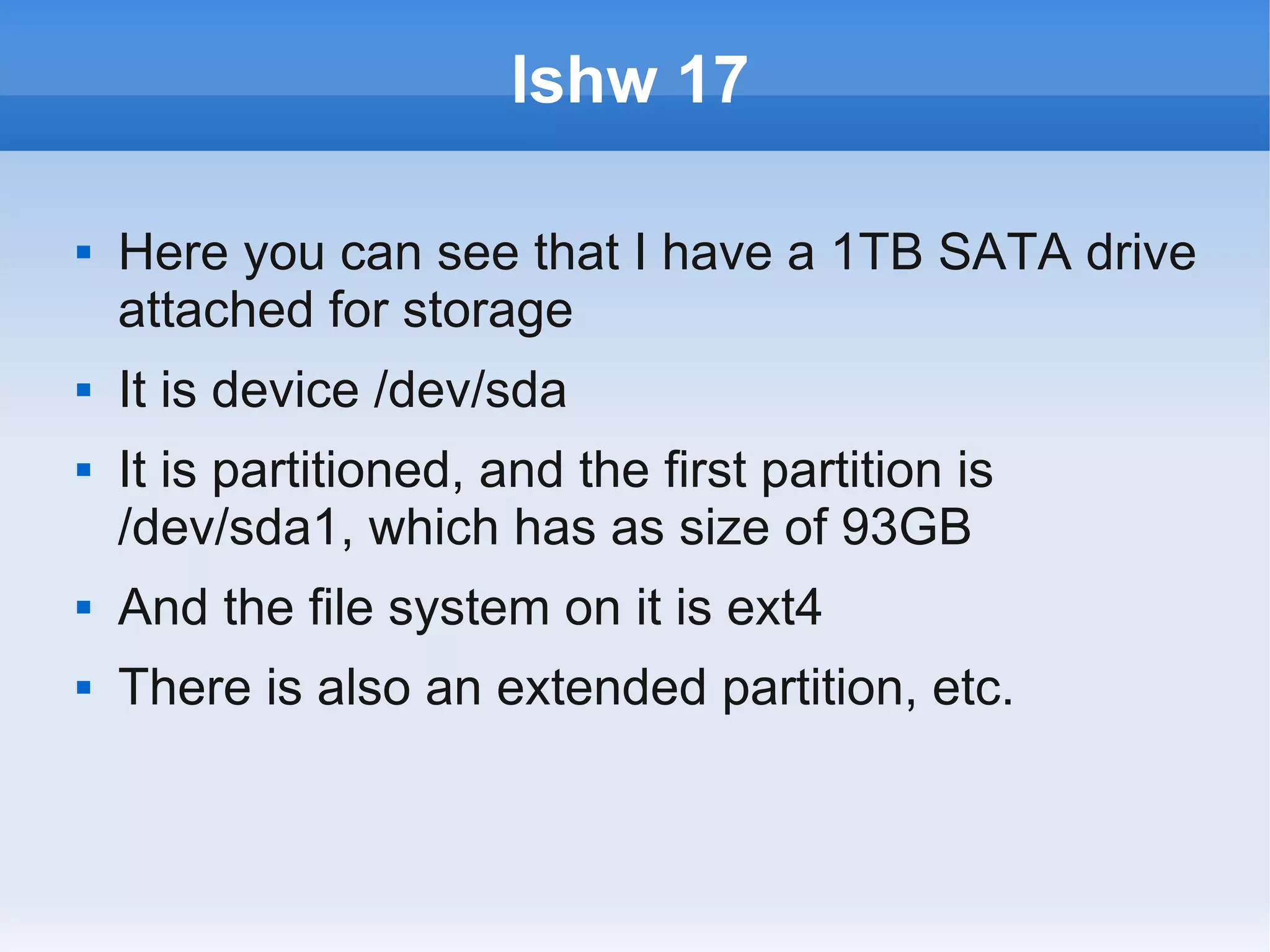
   Here you can see that I have a 1TB SATA drive
    attached for storage
   It is device /dev/sda
   It is partitioned, and the first partition is
    /dev/sda1, which has as size of 93GB
   And the file system on it is ext4
   There is also an extended partition, etc.
blkid 1

   Hard drives are examples of what we call “block
    devices”
   They get this name because they move data in
    blocks
   Other examples are Optical drives, flash
    memory, thumb drives, and memory cards
   You can use this command to get into on all of
    your block devices
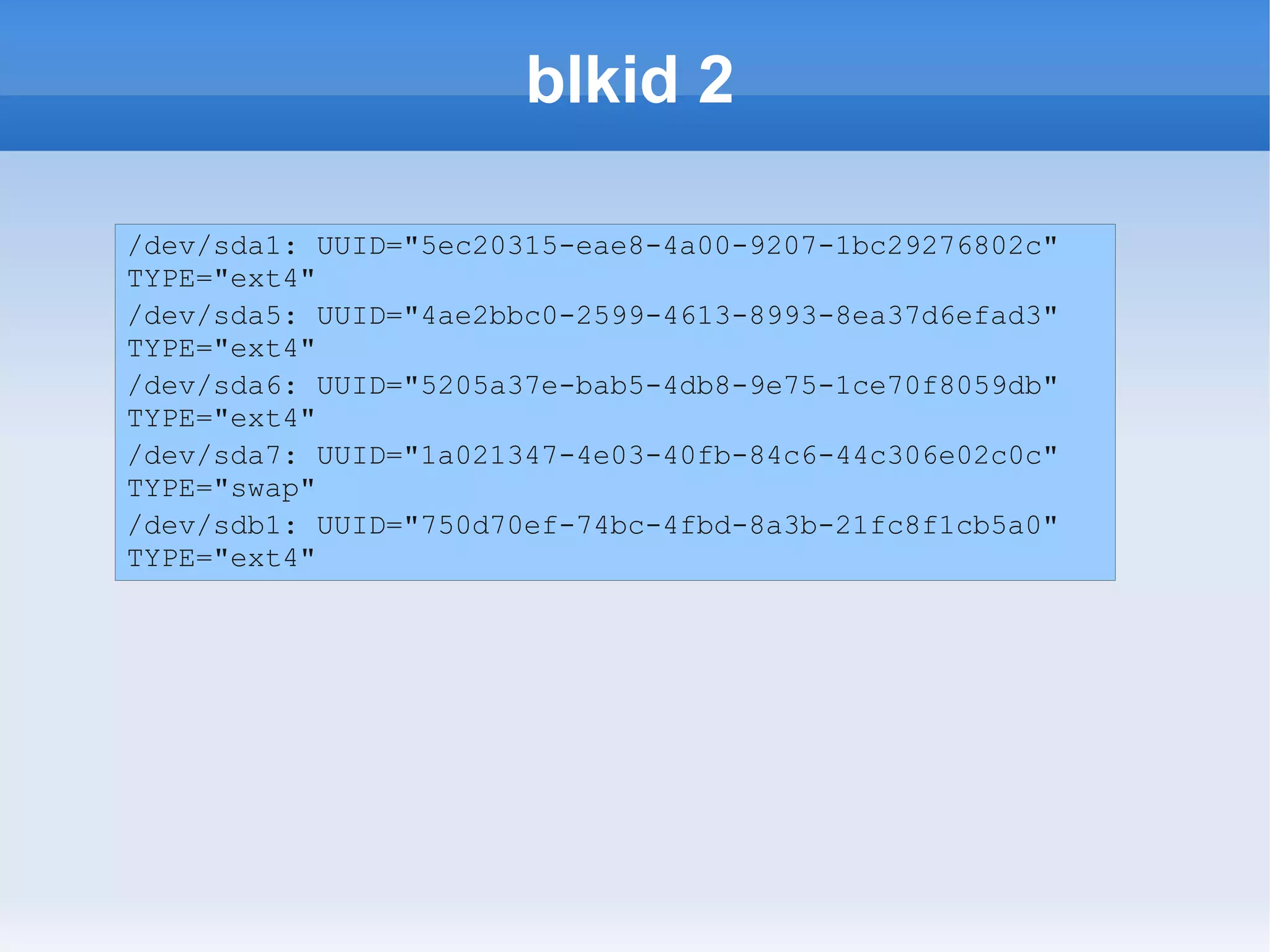
blkid 2

/dev/sda1: UUID="5ec20315-eae8-4a00-9207-1bc29276802c"
TYPE="ext4"
/dev/sda5: UUID="4ae2bbc0-2599-4613-8993-8ea37d6efad3"
TYPE="ext4"
/dev/sda6: UUID="5205a37e-bab5-4db8-9e75-1ce70f8059db"
TYPE="ext4"
/dev/sda7: UUID="1a021347-4e03-40fb-84c6-44c306e02c0c"
TYPE="swap"
/dev/sdb1: UUID="750d70ef-74bc-4fbd-8a3b-21fc8f1cb5a0"
TYPE="ext4"
blkid 3

   You see it is a pretty simple listing
   Right now all you see are the hard drive
    partitions
   CDs may not appear since they do not have a
    UUID
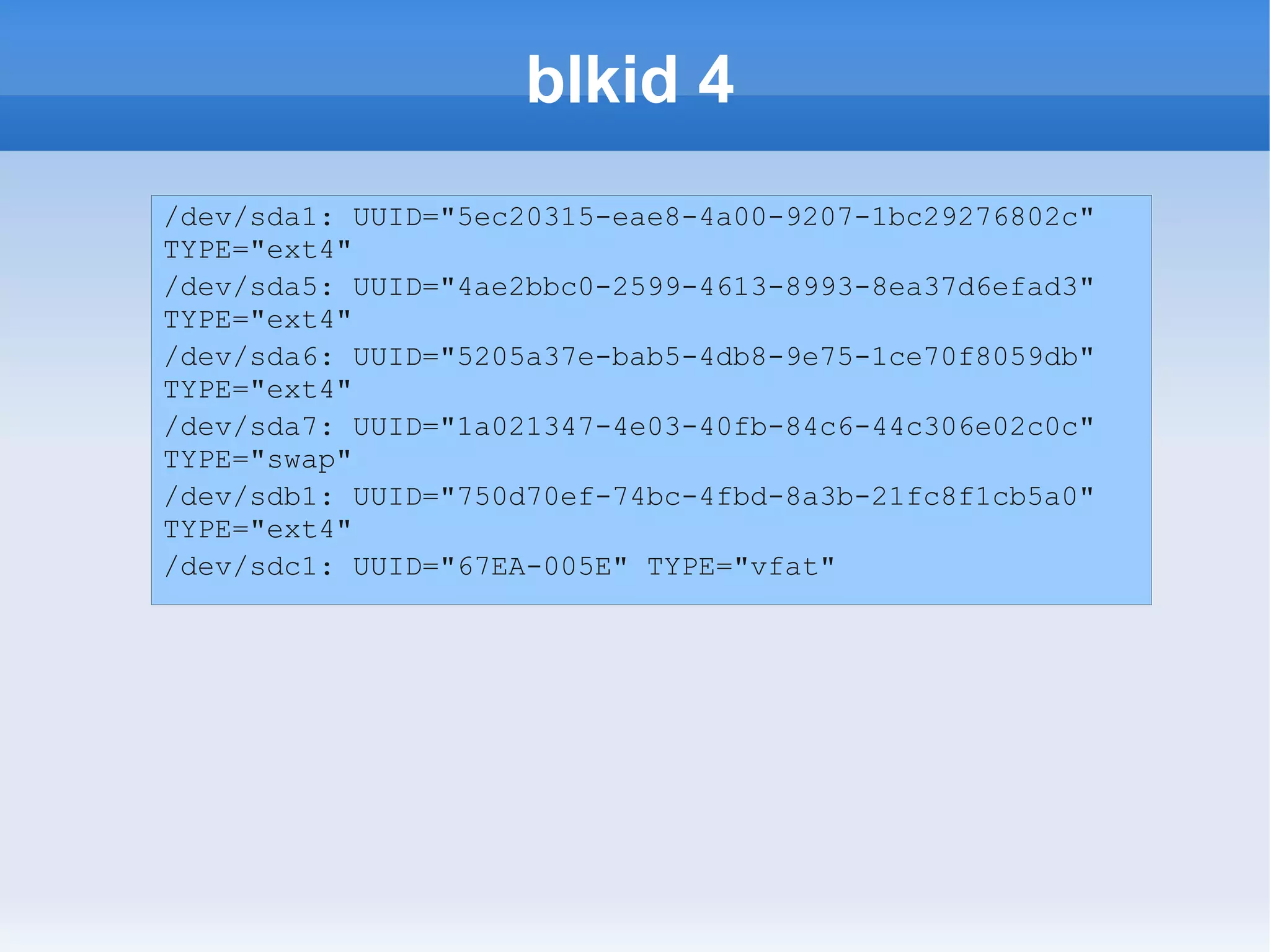
   But see what happens when I plug in a thumb
    drive
blkid 4
/dev/sda1: UUID="5ec20315-eae8-4a00-9207-1bc29276802c"
TYPE="ext4"
/dev/sda5: UUID="4ae2bbc0-2599-4613-8993-8ea37d6efad3"
TYPE="ext4"
/dev/sda6: UUID="5205a37e-bab5-4db8-9e75-1ce70f8059db"
TYPE="ext4"
/dev/sda7: UUID="1a021347-4e03-40fb-84c6-44c306e02c0c"
TYPE="swap"
/dev/sdb1: UUID="750d70ef-74bc-4fbd-8a3b-21fc8f1cb5a0"
TYPE="ext4"
/dev/sdc1: UUID="67EA-005E" TYPE="vfat"
blkid 5

   I have also used this with an SD Memory card
   I needed to format it with an image for booting
    using the dd command, and I needed to know
    what my target was
   So blkid is less info than lshw, but if all you
    need to know is the identifier of each device
    and where it is mounted, this gets you there
    quickly
lshw 18

   The next section of lshw, and the last we will
    look at in this presentation, will cover USB
   This will list the USB ports on your machine,
    and their characteristics
   I am just going to show the info for one of my
    ports
lshw 19
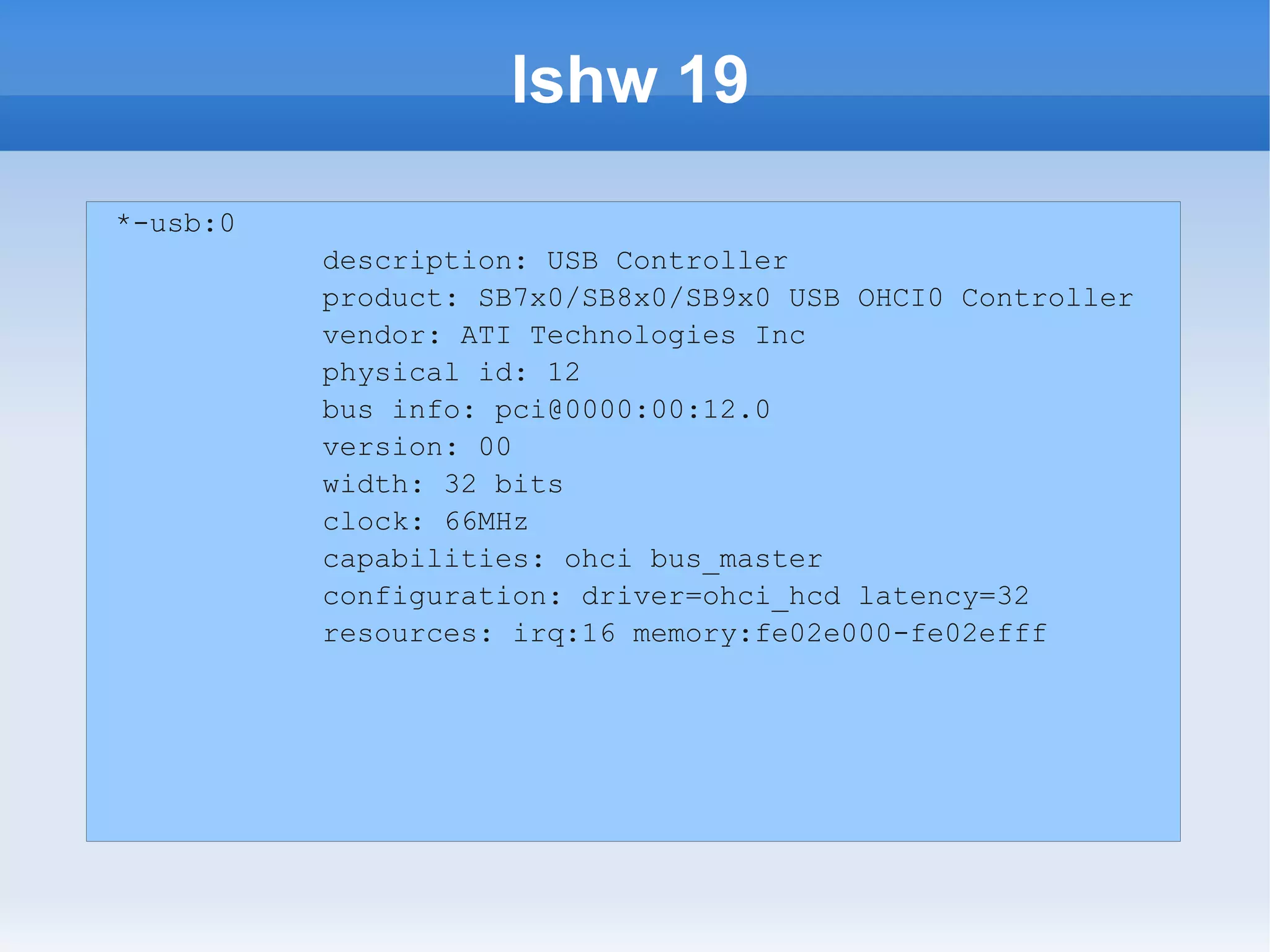
*-usb:0
          description: USB Controller
          product: SB7x0/SB8x0/SB9x0 USB OHCI0 Controller
          vendor: ATI Technologies Inc
          physical id: 12
          bus info: pci@0000:00:12.0
          version: 00
          width: 32 bits
          clock: 66MHz
          capabilities: ohci bus_master
          configuration: driver=ohci_hcd latency=32
          resources: irq:16 memory:fe02e000-fe02efff
lsusb 1

   You might want to try an alternative, the lsusb
    command, which I find more useful
lsusb 2
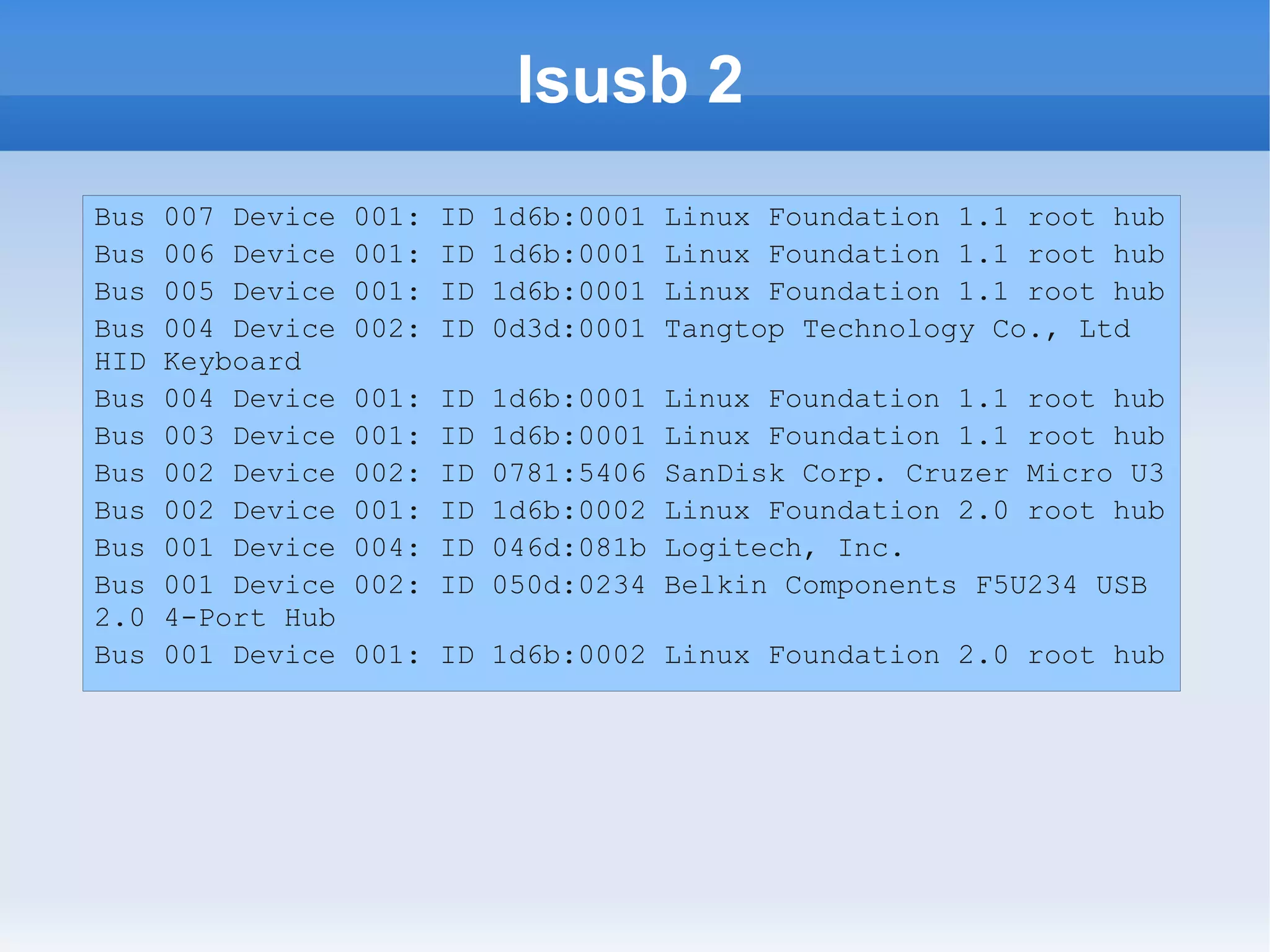
Bus   007 Device   001:   ID   1d6b:0001   Linux Foundation 1.1 root hub
Bus   006 Device   001:   ID   1d6b:0001   Linux Foundation 1.1 root hub
Bus   005 Device   001:   ID   1d6b:0001   Linux Foundation 1.1 root hub
Bus   004 Device   002:   ID   0d3d:0001   Tangtop Technology Co., Ltd
HID   Keyboard
Bus   004 Device   001:   ID   1d6b:0001   Linux Foundation 1.1 root hub
Bus   003 Device   001:   ID   1d6b:0001   Linux Foundation 1.1 root hub
Bus   002 Device   002:   ID   0781:5406   SanDisk Corp. Cruzer Micro U3
Bus   002 Device   001:   ID   1d6b:0002   Linux Foundation 2.0 root hub
Bus   001 Device   004:   ID   046d:081b   Logitech, Inc.
Bus   001 Device   002:   ID   050d:0234   Belkin Components F5U234 USB
2.0   4-Port Hub
Bus   001 Device   001: ID 1d6b:0002 Linux Foundation 2.0 root hub
lsusb 3

   As you can see, this just lists the devices, but
    sometimes that is all you want to know
   I can see my keyboard and mouse here
   The thumb drive I plugged in to demonstrate
    the blkid command is listed here as well
dmidecode 1

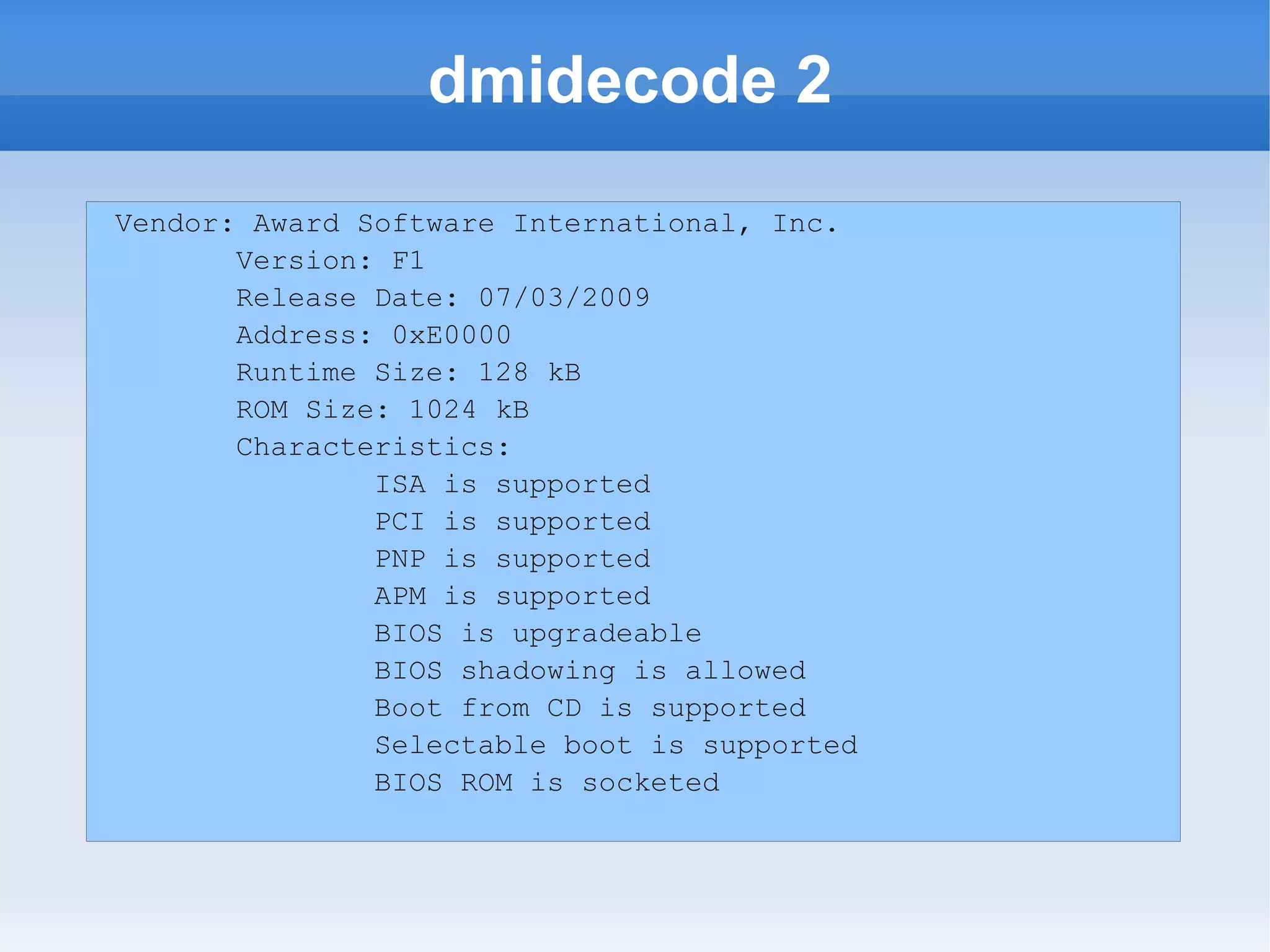
   This is useful for getting info from the BIOS
   For example, does your BIOS support booting
    from a CD?
   Or is your BIOS upgradeable?
dmidecode 2
Vendor: Award Software International, Inc.
       Version: F1
       Release Date: 07/03/2009
       Address: 0xE0000
       Runtime Size: 128 kB
       ROM Size: 1024 kB
       Characteristics:
               ISA is supported
               PCI is supported
               PNP is supported
               APM is supported
               BIOS is upgradeable
               BIOS shadowing is allowed
               Boot from CD is supported
               Selectable boot is supported
               BIOS ROM is socketed
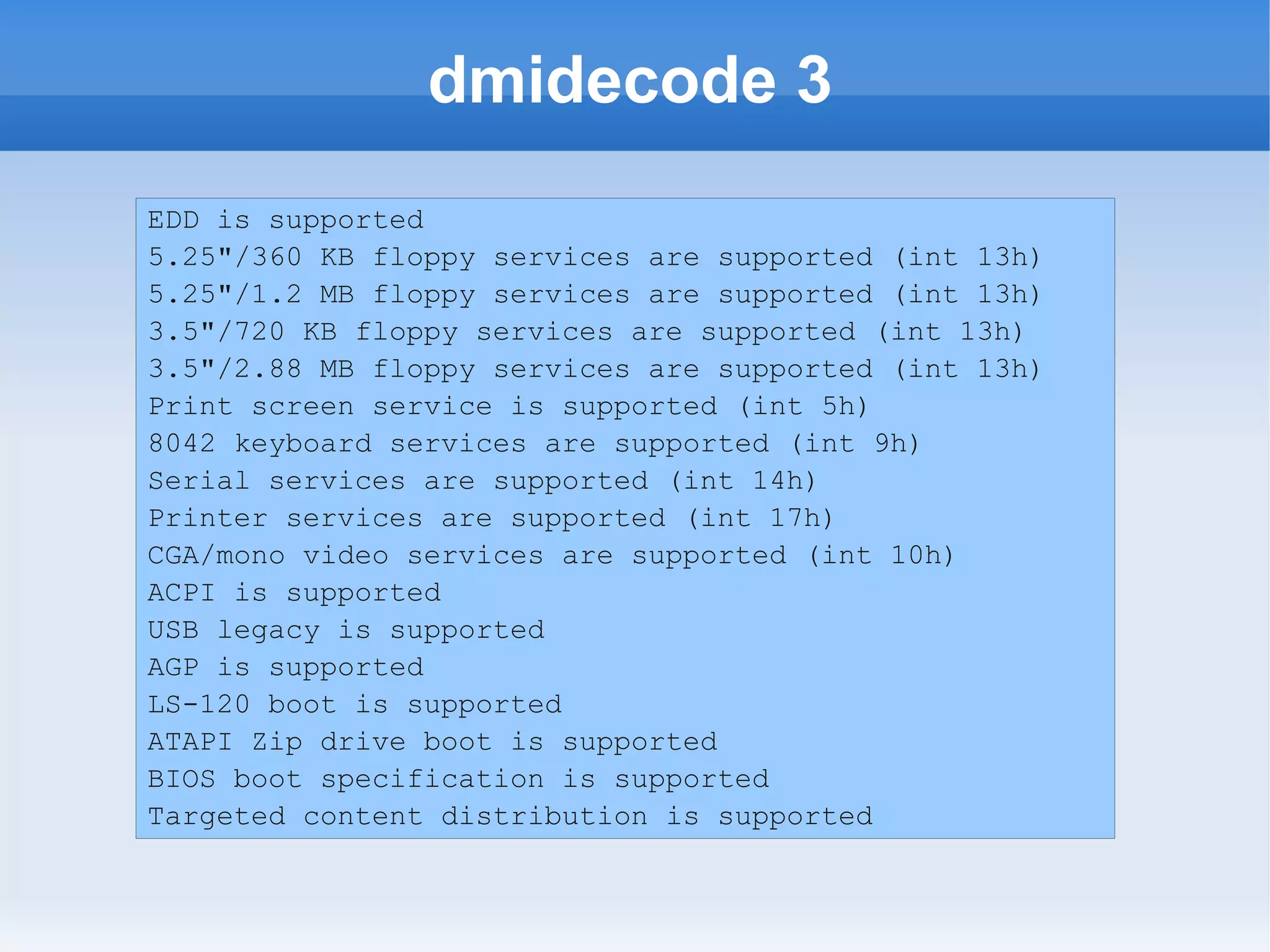
dmidecode 3
EDD is supported
5.25"/360 KB floppy services are supported (int 13h)
5.25"/1.2 MB floppy services are supported (int 13h)
3.5"/720 KB floppy services are supported (int 13h)
3.5"/2.88 MB floppy services are supported (int 13h)
Print screen service is supported (int 5h)
8042 keyboard services are supported (int 9h)
Serial services are supported (int 14h)
Printer services are supported (int 17h)
CGA/mono video services are supported (int 10h)
ACPI is supported
USB legacy is supported
AGP is supported
LS-120 boot is supported
ATAPI Zip drive boot is supported
BIOS boot specification is supported
Targeted content distribution is supported
Is it working?

   Sometimes the problem is that the hardware
    does not seem to be working
   If you cannot find the hardware using one of
    these commands, that could be your problem
   If it does not appear, you need to do some
    trouble-shooting
   If it is an expansion card, for instance, make
    sure it is securely seated in the socket
lsmod 1

   If the hardware seems to be there, but it is not
    working for you, you might want to check at the
    software level
   Hardware needs drivers to work
   In Linux, these drivers tend to take the form of
    kernel modules
   The lsmod command lets you see what
    modules are installed in the module
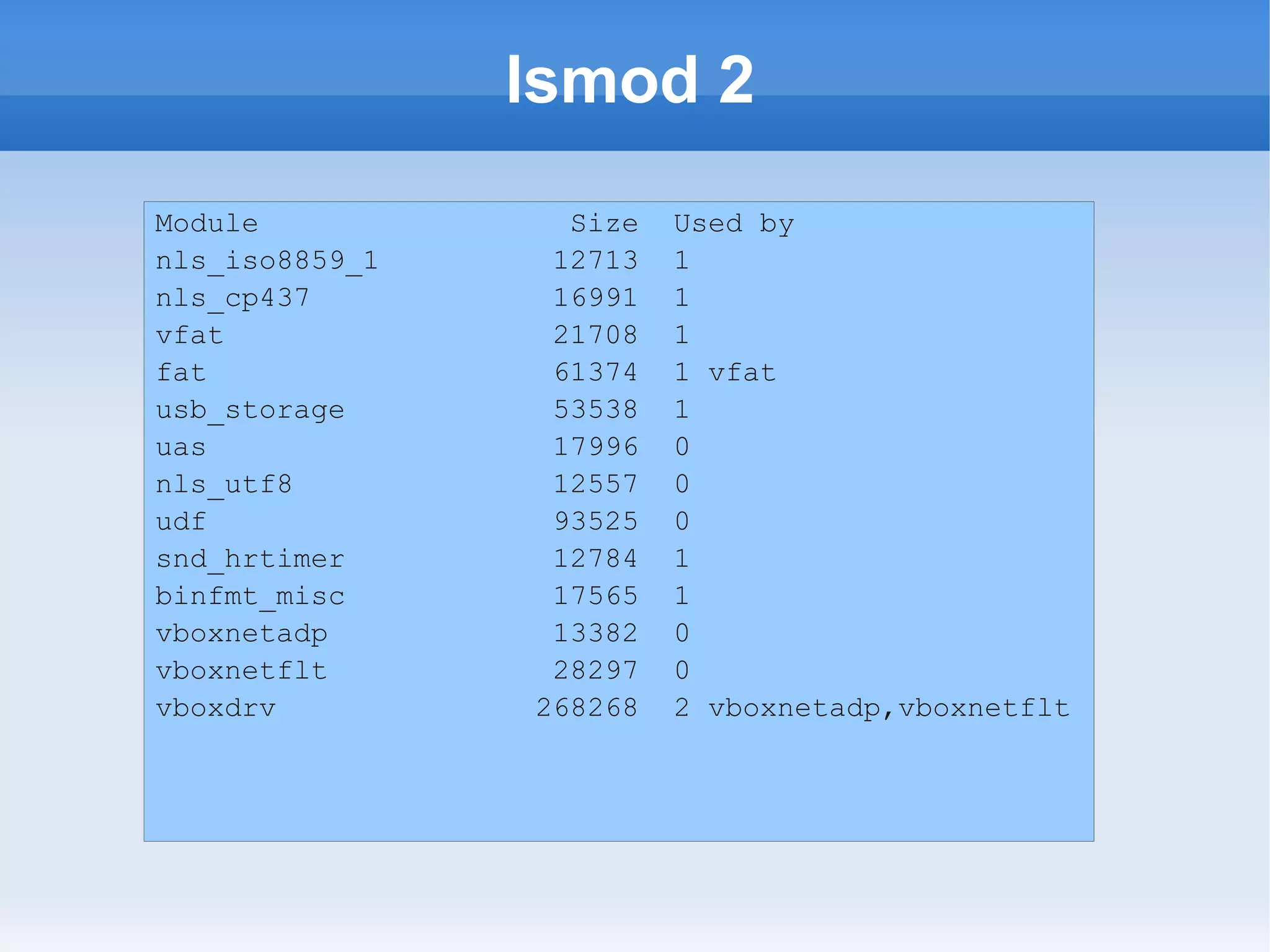
lsmod 2
Module            Size   Used by
nls_iso8859_1    12713   1
nls_cp437        16991   1
vfat             21708   1
fat              61374   1 vfat
usb_storage      53538   1
uas              17996   0
nls_utf8         12557   0
udf              93525   0
snd_hrtimer      12784   1
binfmt_misc      17565   1
vboxnetadp       13382   0
vboxnetflt       28297   0
vboxdrv         268268   2 vboxnetadp,vboxnetflt
lsmod 3

   This is a simple listing of the contents of
    /proc/modules
   You could get essentially the same information
    by running cat /proc/modules, but this is easier
    to read
   If you do not find the module loaded, that could
    be your problem
   modprobe is a command for loading modules,
    but a description is beyond this presentation
More information

   Each of the commands we have discussed can
    do more
   For each command we have covered there is a
    man page (man is short for manual)
   To see it, use man <commandname>
   To read through it, use Page Up and Page
    Down
   When you are finished reading the man page,
    Ctrl+z will get you back to your terminal with a
    command prompt
This and Other Presentations

   All of my presentations can be found at
    http://www.zwilnik.com/ in the Slide Shows area
   All presentation can be downloaded as
    LibreOffice/OpenOffice *.odp files, and are
    licensed under Creative Commons
   They can also be run as slide shows in your
    browser using the links there
   You can reach me at zwilnik@zwilnik.com

Hardware Discovery Commands

  • 1.
    Hardware Discovery Kevin B. O'Brien Washtenaw Linux Users Group
  • 2.
    Why You NeedTo Know  Problem solving – Maybe the graphics driver you are using does not match the video card you have.  Upgrading – What is the older hardware on your system?  Just figuring out what you have in various boxes if you have a home network with multiple machines, or if you support a network with multiple machines
  • 3.
    Linux Has Solutions  Not just one, but many possible solutions  Different commands can be used to extract different information  There are more possible commands you might use than we can cover in a single presentation, so take this as a jumping-off point
  • 4.
    lshw 1  This is a good starting point for exploration  ls = list, hw= hardware, so lshw = list my hardware  Many of these commands start with ls  Most of these work better with root privileges, so either su to the root account or prefix the command with sudo  Note that sections in the output are noted by *- at the beginning of the line
  • 5.
    lshw 2 kimball description: DesktopComputer product: GA-MA785GT-UD3H vendor: Gigabyte Technology Co., Ltd. width: 64 bits capabilities: smbios-2.4 dmi-2.4 vsyscall64 vsyscall32 configuration: boot=normal chassis=desktop uuid=30303234-3144- 3846-4339-4232FFFFFFFF *-core description: Motherboard product: GA-MA785GT-UD3H vendor: Gigabyte Technology Co., Ltd. physical id: 0 version: x.x
  • 6.
    lshw 3  We can see from this section that the motherboard is a Gigabyte GA-MA785GT- UD3H  We can see that it is a 64-bit motherboard  So if I wanted to put more than 4GB of RAM into this box, I could probably do it  And since I know which one it is, I know which manual to pick up ☺
  • 7.
    lshw 4 *-firmware description: BIOS vendor:Award Software International, Inc. physical id: 0 version: F1 (07/03/2009) size: 128KiB capacity: 960KiB
  • 8.
    lshw 5  I see that the BIOS is from Award, version F1, dated 7/3/2009  Now I can go to the Award site and see if I have the latest BIOS  Don't upgrade the BIOS unless you have a good reason, like you are having a problem that is known to be fixed by the upgrade
  • 9.
    lshw 6 *-cpu description: CPU product:AMD Athlon(tm) II X2 240 Processor vendor: Advanced Micro Devices [AMD] physical id: 4 bus info: cpu@0 version: AMD Athlon(tm) II X2 240 Processor slot: Socket M2 size: 800MHz capacity: 3GHz width: 64 bits clock: 200MHz
  • 10.
    lshw 7  In this section I can see my CPU is an AMD Athlon II, and it is 64-bit  That is probably a good thing since I already know my motherboard is 64-bit ☺  I also see it is an 800 Mz processor. Maybe I want to upgrade it.  Looking at the motherboard I can see what my options are if I keep the motherboard
  • 11.
    lscpu 1  If I want just info on my CPU I could also use lscpu  This info is in lshw as well, but that is a very large amount of output  Using lscpu gets just this if I need it
  • 12.
    lscpu 2 Architecture: x86_64 CPUop-mode(s): 64-bit CPU(s): 2 Thread(s) per core: 1 Core(s) per socket: 2 CPU socket(s): 1 NUMA node(s): 1 Vendor ID: AuthenticAMD CPU family: 16 Model: 6 Stepping: 2 CPU MHz: 800.000 Virtualization: AMD-V L1d cache: 64K L1i cache: 64K L2 cache: 1024K
  • 13.
    lscpu 3  Here we can easily see that it is a dual-core processor  This is useful to know when interpreting things like the top command, since it will tend to show a percent of the individual core used for each process  I can also see my cache capacity
  • 14.
    lshw 8  Back to lshw, there is more to see here  RAM is something you might want to know about
  • 15.
    lshw 9 *-memory description: System Memory physical id: 29 slot: System board or motherboard size: 16GiB *-bank:0 description: DIMM 1066 MHz (0.9 ns) product: None vendor: None physical id: 0 serial: None slot: A0 size: 4GiB width: 64 bits clock: 1066MHz (0.9ns)
  • 16.
    lshw 10  We can see that this system has 16 GB of RAM  We can see that the first bank, which is Bank 0, has a 4GB stick of RAM, with a clock speed of 1066 MHz, and a 64-bit data path  I left out the other three banks of RAM, which are identical to Bank 0
  • 17.
    lshw 11 *-pci:0 description: Host bridge product: RS880 Host Bridge vendor: Hynix Semiconductor (Hyundai Electronics) physical id: 100 bus info: pci@0000:00:00.0 version: 00 width: 64 bits clock: 66MHz configuration: latency=32 resources: memory:0-1fffffff
  • 18.
    lshw 12 *-display description: VGA compatible controller product: RS880 [Radeon HD 4200] vendor: ATI Technologies Inc physical id: 5 bus info: pci@0000:01:05.0 version: 00 width: 32 bits clock: 33MHz capabilities: pm msi vga_controller bus_master cap_list rom configuration: driver=radeon latency=0 resources: irq:18 memory:d0000000-dfffffff ioport:ee00(size=256) memory:fdfe0000-fdfeffff memory:fde00000- fdefffff
  • 19.
    lshw 13 *-multimedia description: Audio device product: RS880 Audio Device [Radeon HD 4200] vendor: ATI Technologies Inc physical id: 5.1 bus info: pci@0000:01:05.1 version: 00 width: 32 bits clock: 33MHz capabilities: pm msi bus_master cap_list configuration: driver=HDA Intel latency=0 resources: irq:19 memory:fdffc000- fdffffff
  • 20.
    lshw 14  The next section gets into PCI devices  The host device uses a chipset from Hynix Semiconductor  The video and audio are both using ATI chips  Both video and audio are onboard devices on this machine, not separate add-on cards
  • 21.
    lspci 1  Again, if you wanted to go there more directly you could use lspci  This gives you more compact information than lshw
  • 22.
    lspci 2 00:00.0 Hostbridge: Advanced Micro Devices [AMD] RS880 Host Bridge 00:01.0 PCI bridge: Advanced Micro Devices [AMD] RS780/RS880 PCI to PCI bridge (int gfx) 00:0a.0 PCI bridge: Advanced Micro Devices [AMD] RS780/RS880 PCI to PCI bridge (PCIE port 5) 00:11.0 SATA controller: ATI Technologies Inc SB7x0/SB8x0/SB9x0 SATA Controller [IDE mode] 00:12.0 USB Controller: ATI Technologies Inc SB7x0/SB8x0/SB9x0 USB OHCI0 Controller 00:12.1 USB Controller: ATI Technologies Inc SB7x0 USB OHCI1 Controller 00:12.2 USB Controller: ATI Technologies Inc SB7x0/SB8x0/SB9x0 USB EHCI Controller 00:13.0 USB Controller: ATI Technologies Inc SB7x0/SB8x0/SB9x0 USB OHCI0 Controller 00:13.1 USB Controller: ATI Technologies Inc SB7x0 USB OHCI1 Controller 00:13.2 USB Controller: ATI Technologies Inc SB7x0/SB8x0/SB9x0 USB EHCI Controller 00:14.0 SMBus: ATI Technologies Inc SBx00 SMBus Controller (rev 3c) 00:14.1 IDE interface: ATI Technologies Inc SB7x0/SB8x0/SB9x0 IDE Controller 00:14.2 Audio device: ATI Technologies Inc SBx00 Azalia (Intel HDA)
  • 23.
    lshw 15 *-storage description: SATA controller product: SB7x0/SB8x0/SB9x0 SATA Controller [IDE mode] vendor: ATI Technologies Inc physical id: 11 *-disk:0 description: ATA Disk product: SAMSUNG HD103UJ physical id: 0 bus info: scsi@2:0.0.0 logical name: /dev/sda version: 1AA0 serial: S13PJ1LS629769 size: 931GiB (1TB)
  • 24.
    lshw 16 *-volume:0 description: EXT4 volume vendor: Linux physical id: 1 bus info: scsi@2:0.0.0,1 logical name: /dev/sda1 logical name: / version: 1.0 serial: 5ec20315-eae8-4a00-9207- 1bc29276802c size: 93GiB capacity: 93GiB
  • 25.
    lshw 17  Here you can see that I have a 1TB SATA drive attached for storage  It is device /dev/sda  It is partitioned, and the first partition is /dev/sda1, which has as size of 93GB  And the file system on it is ext4  There is also an extended partition, etc.
  • 26.
    blkid 1  Hard drives are examples of what we call “block devices”  They get this name because they move data in blocks  Other examples are Optical drives, flash memory, thumb drives, and memory cards  You can use this command to get into on all of your block devices
  • 27.
    blkid 2 /dev/sda1: UUID="5ec20315-eae8-4a00-9207-1bc29276802c" TYPE="ext4" /dev/sda5:UUID="4ae2bbc0-2599-4613-8993-8ea37d6efad3" TYPE="ext4" /dev/sda6: UUID="5205a37e-bab5-4db8-9e75-1ce70f8059db" TYPE="ext4" /dev/sda7: UUID="1a021347-4e03-40fb-84c6-44c306e02c0c" TYPE="swap" /dev/sdb1: UUID="750d70ef-74bc-4fbd-8a3b-21fc8f1cb5a0" TYPE="ext4"
  • 28.
    blkid 3  You see it is a pretty simple listing  Right now all you see are the hard drive partitions  CDs may not appear since they do not have a UUID  But see what happens when I plug in a thumb drive
  • 29.
    blkid 4 /dev/sda1: UUID="5ec20315-eae8-4a00-9207-1bc29276802c" TYPE="ext4" /dev/sda5:UUID="4ae2bbc0-2599-4613-8993-8ea37d6efad3" TYPE="ext4" /dev/sda6: UUID="5205a37e-bab5-4db8-9e75-1ce70f8059db" TYPE="ext4" /dev/sda7: UUID="1a021347-4e03-40fb-84c6-44c306e02c0c" TYPE="swap" /dev/sdb1: UUID="750d70ef-74bc-4fbd-8a3b-21fc8f1cb5a0" TYPE="ext4" /dev/sdc1: UUID="67EA-005E" TYPE="vfat"
  • 30.
    blkid 5  I have also used this with an SD Memory card  I needed to format it with an image for booting using the dd command, and I needed to know what my target was  So blkid is less info than lshw, but if all you need to know is the identifier of each device and where it is mounted, this gets you there quickly
  • 31.
    lshw 18  The next section of lshw, and the last we will look at in this presentation, will cover USB  This will list the USB ports on your machine, and their characteristics  I am just going to show the info for one of my ports
  • 32.
    lshw 19 *-usb:0 description: USB Controller product: SB7x0/SB8x0/SB9x0 USB OHCI0 Controller vendor: ATI Technologies Inc physical id: 12 bus info: pci@0000:00:12.0 version: 00 width: 32 bits clock: 66MHz capabilities: ohci bus_master configuration: driver=ohci_hcd latency=32 resources: irq:16 memory:fe02e000-fe02efff
  • 33.
    lsusb 1  You might want to try an alternative, the lsusb command, which I find more useful
  • 34.
    lsusb 2 Bus 007 Device 001: ID 1d6b:0001 Linux Foundation 1.1 root hub Bus 006 Device 001: ID 1d6b:0001 Linux Foundation 1.1 root hub Bus 005 Device 001: ID 1d6b:0001 Linux Foundation 1.1 root hub Bus 004 Device 002: ID 0d3d:0001 Tangtop Technology Co., Ltd HID Keyboard Bus 004 Device 001: ID 1d6b:0001 Linux Foundation 1.1 root hub Bus 003 Device 001: ID 1d6b:0001 Linux Foundation 1.1 root hub Bus 002 Device 002: ID 0781:5406 SanDisk Corp. Cruzer Micro U3 Bus 002 Device 001: ID 1d6b:0002 Linux Foundation 2.0 root hub Bus 001 Device 004: ID 046d:081b Logitech, Inc. Bus 001 Device 002: ID 050d:0234 Belkin Components F5U234 USB 2.0 4-Port Hub Bus 001 Device 001: ID 1d6b:0002 Linux Foundation 2.0 root hub
  • 35.
    lsusb 3  As you can see, this just lists the devices, but sometimes that is all you want to know  I can see my keyboard and mouse here  The thumb drive I plugged in to demonstrate the blkid command is listed here as well
  • 36.
    dmidecode 1  This is useful for getting info from the BIOS  For example, does your BIOS support booting from a CD?  Or is your BIOS upgradeable?
  • 37.
    dmidecode 2 Vendor: AwardSoftware International, Inc. Version: F1 Release Date: 07/03/2009 Address: 0xE0000 Runtime Size: 128 kB ROM Size: 1024 kB Characteristics: ISA is supported PCI is supported PNP is supported APM is supported BIOS is upgradeable BIOS shadowing is allowed Boot from CD is supported Selectable boot is supported BIOS ROM is socketed
  • 38.
    dmidecode 3 EDD issupported 5.25"/360 KB floppy services are supported (int 13h) 5.25"/1.2 MB floppy services are supported (int 13h) 3.5"/720 KB floppy services are supported (int 13h) 3.5"/2.88 MB floppy services are supported (int 13h) Print screen service is supported (int 5h) 8042 keyboard services are supported (int 9h) Serial services are supported (int 14h) Printer services are supported (int 17h) CGA/mono video services are supported (int 10h) ACPI is supported USB legacy is supported AGP is supported LS-120 boot is supported ATAPI Zip drive boot is supported BIOS boot specification is supported Targeted content distribution is supported
  • 39.
    Is it working?  Sometimes the problem is that the hardware does not seem to be working  If you cannot find the hardware using one of these commands, that could be your problem  If it does not appear, you need to do some trouble-shooting  If it is an expansion card, for instance, make sure it is securely seated in the socket
  • 40.
    lsmod 1  If the hardware seems to be there, but it is not working for you, you might want to check at the software level  Hardware needs drivers to work  In Linux, these drivers tend to take the form of kernel modules  The lsmod command lets you see what modules are installed in the module
  • 41.
    lsmod 2 Module Size Used by nls_iso8859_1 12713 1 nls_cp437 16991 1 vfat 21708 1 fat 61374 1 vfat usb_storage 53538 1 uas 17996 0 nls_utf8 12557 0 udf 93525 0 snd_hrtimer 12784 1 binfmt_misc 17565 1 vboxnetadp 13382 0 vboxnetflt 28297 0 vboxdrv 268268 2 vboxnetadp,vboxnetflt
  • 42.
    lsmod 3  This is a simple listing of the contents of /proc/modules  You could get essentially the same information by running cat /proc/modules, but this is easier to read  If you do not find the module loaded, that could be your problem  modprobe is a command for loading modules, but a description is beyond this presentation
  • 43.
    More information  Each of the commands we have discussed can do more  For each command we have covered there is a man page (man is short for manual)  To see it, use man <commandname>  To read through it, use Page Up and Page Down  When you are finished reading the man page, Ctrl+z will get you back to your terminal with a command prompt
  • 44.
    This and OtherPresentations  All of my presentations can be found at http://www.zwilnik.com/ in the Slide Shows area  All presentation can be downloaded as LibreOffice/OpenOffice *.odp files, and are licensed under Creative Commons  They can also be run as slide shows in your browser using the links there  You can reach me at zwilnik@zwilnik.com