OAUTH2 and Apps Script
It's not that complicated
Authentication
and
Authorization
How to use Goa to simplify
OAuth2 user and service
account handling in Apps
Script.
developers console
script ide
consuming tokens
More information at Desktop
Liberation
Apps Script
In the developers console
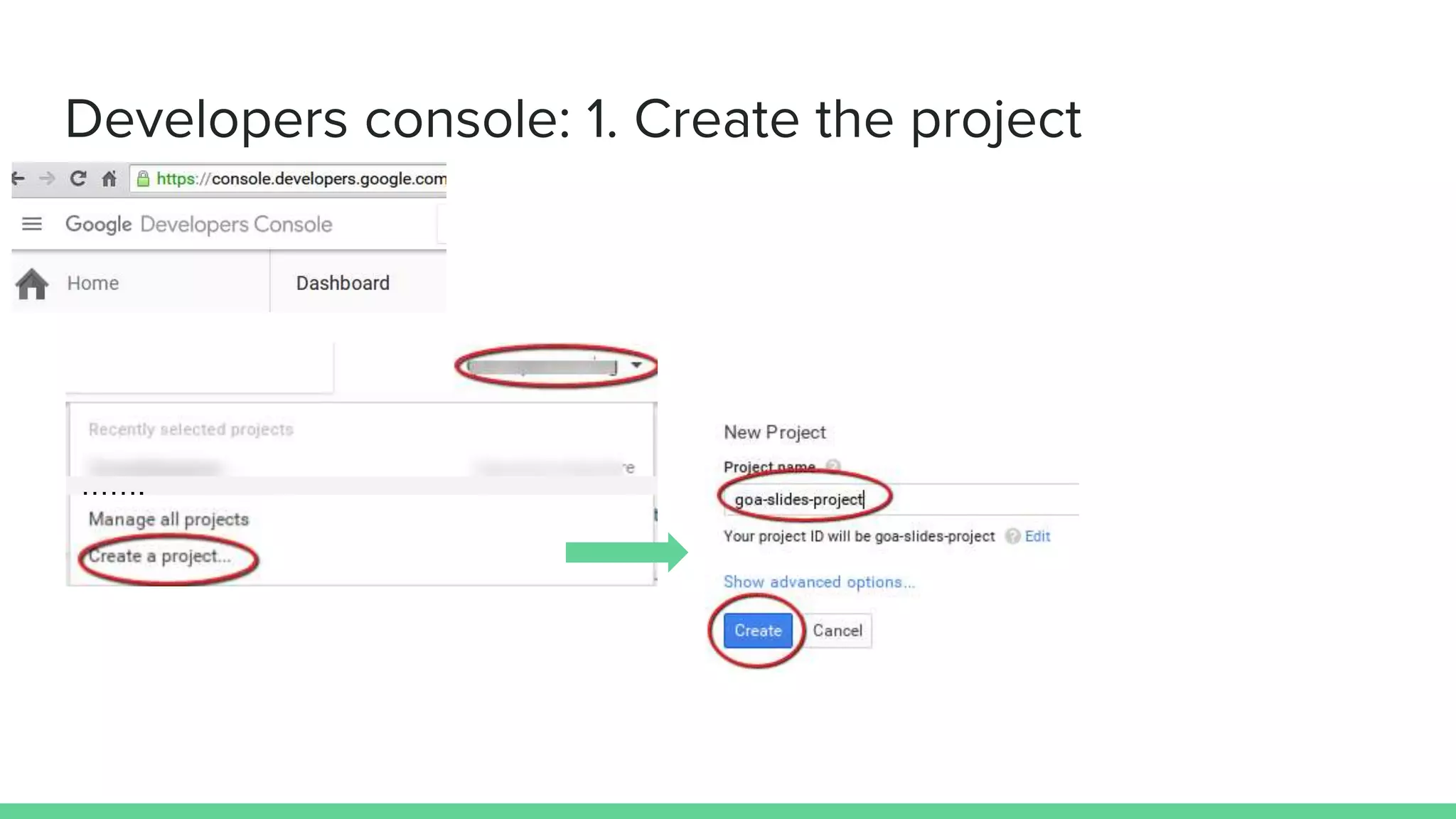
1. Create the project
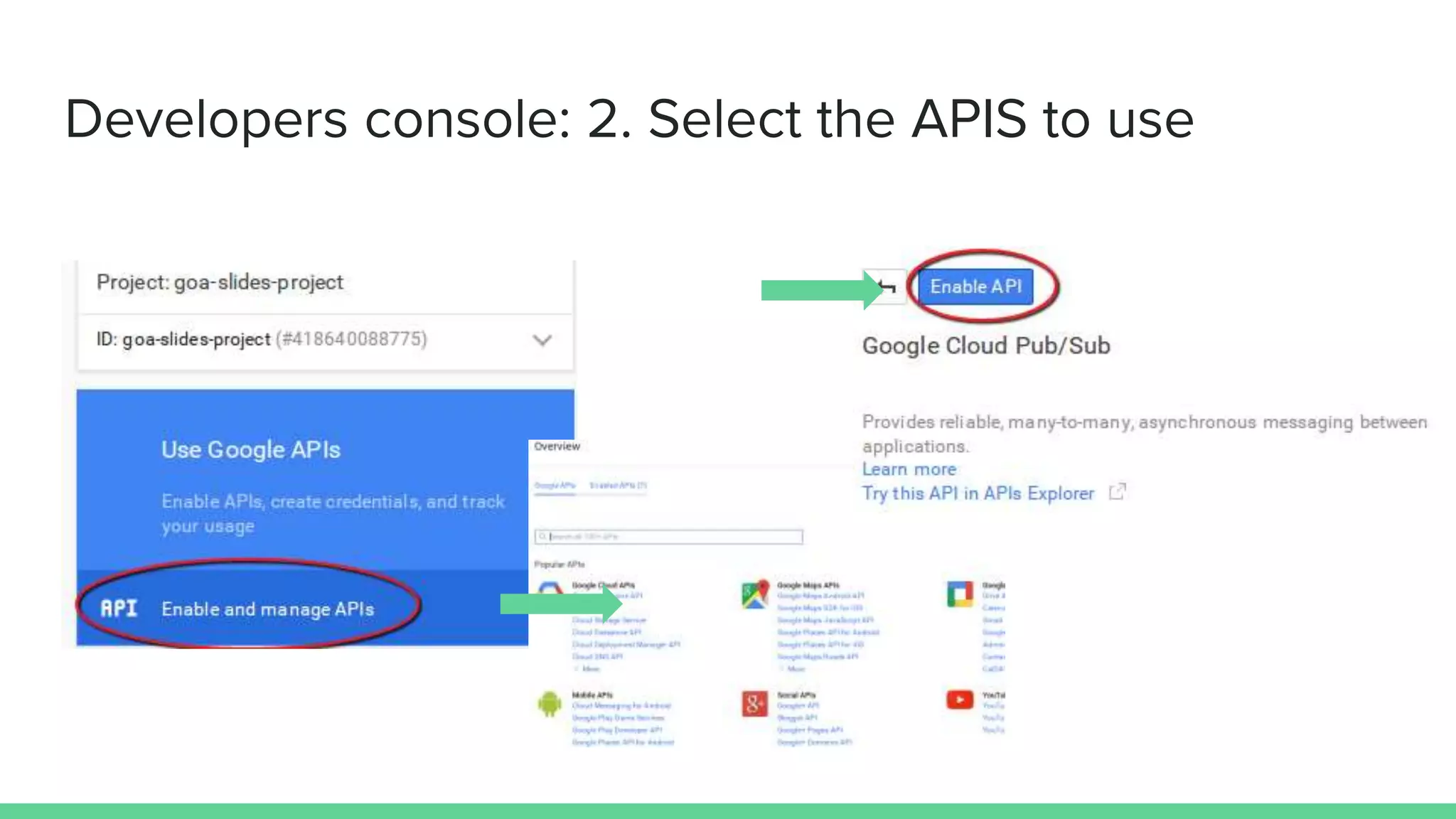
2. Select the APIS to use
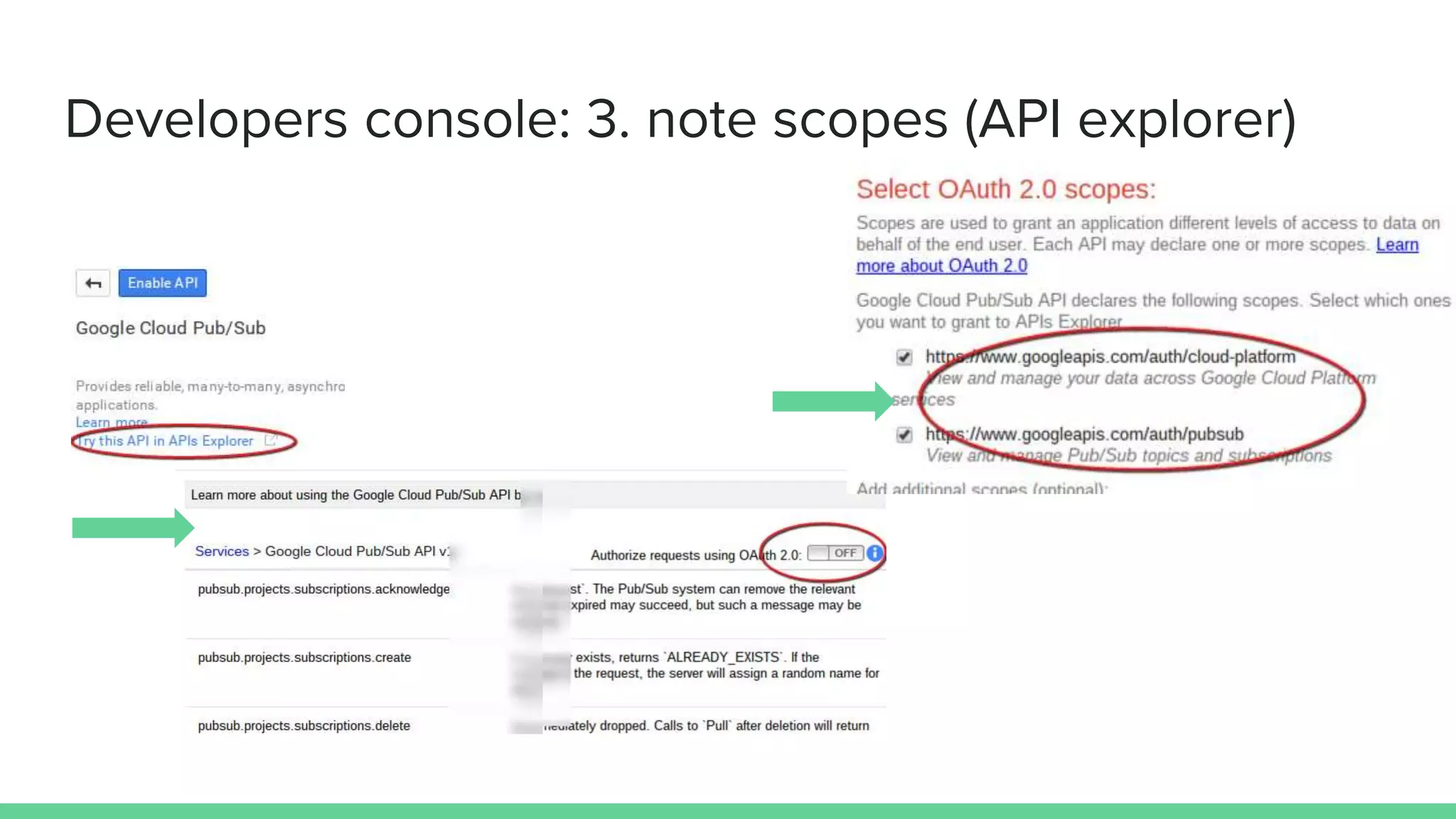
3. See which scopes the APIS require using the API explorer
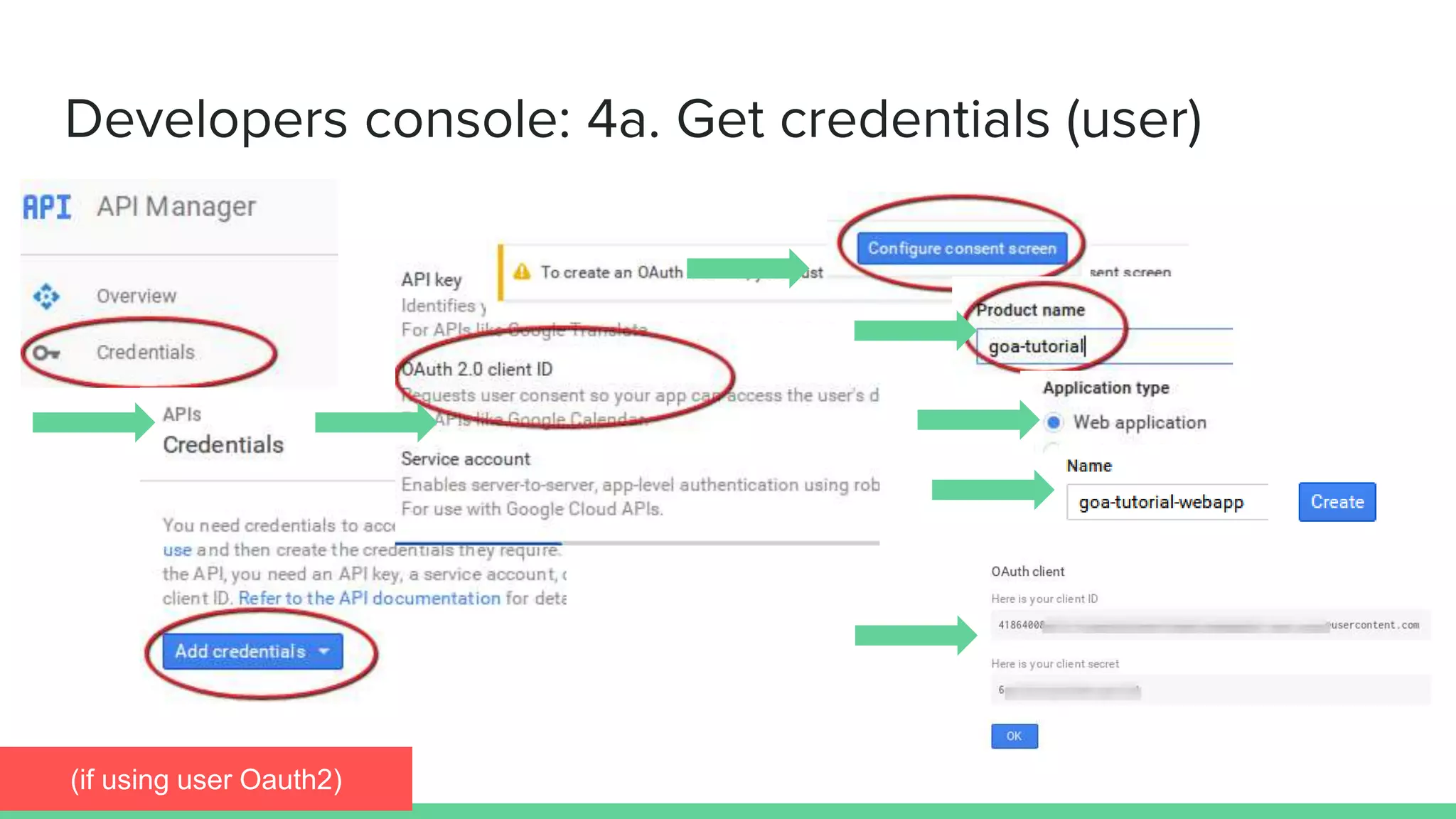
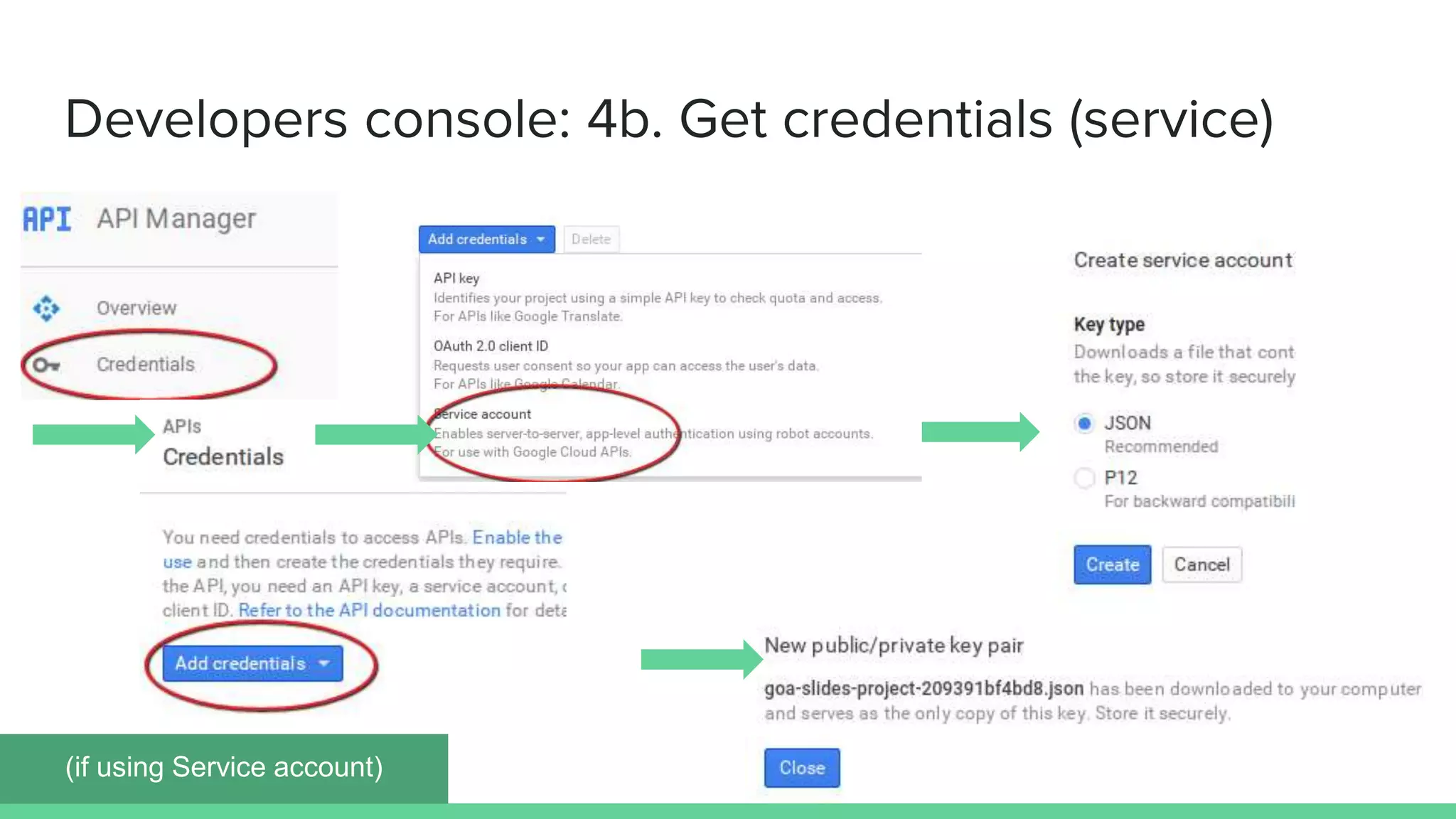
4. Get credentials
a. Web client - take note of client ID and client secret
b. Service Account - download the JSON data to Drive
Developers
console How to set up an API project in
the Google Developers
consoleProject dashboard
…….
Developers console: 1. Create the project
Developers console: 2. Select the APIS to use
Developers console: 3. note scopes (API explorer)
Developers console: 4a. Get credentials (user)
(if using user Oauth2)
Developers console: 4b. Get credentials (service)
(if using Service account)
Apps Script How to set up Goa for OAuth2
and Service Accounts in the
Apps Script IDEThe Script IDE
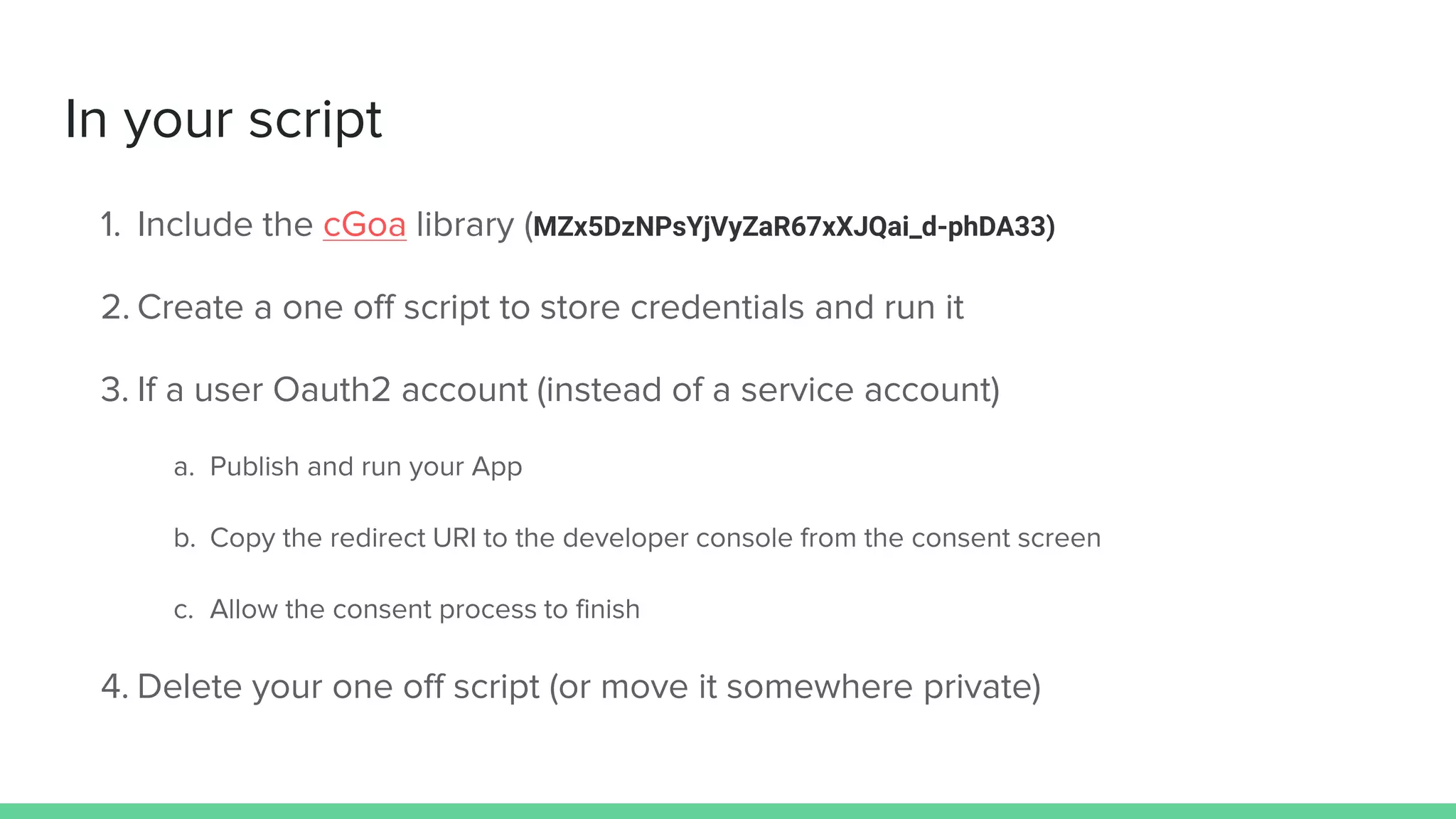
In your script
1. Include the cGoa library (MZx5DzNPsYjVyZaR67xXJQai_d-phDA33)
2. Create a one off script to store credentials and run it
3. If a user Oauth2 account (instead of a service account)
a. Publish and run your App
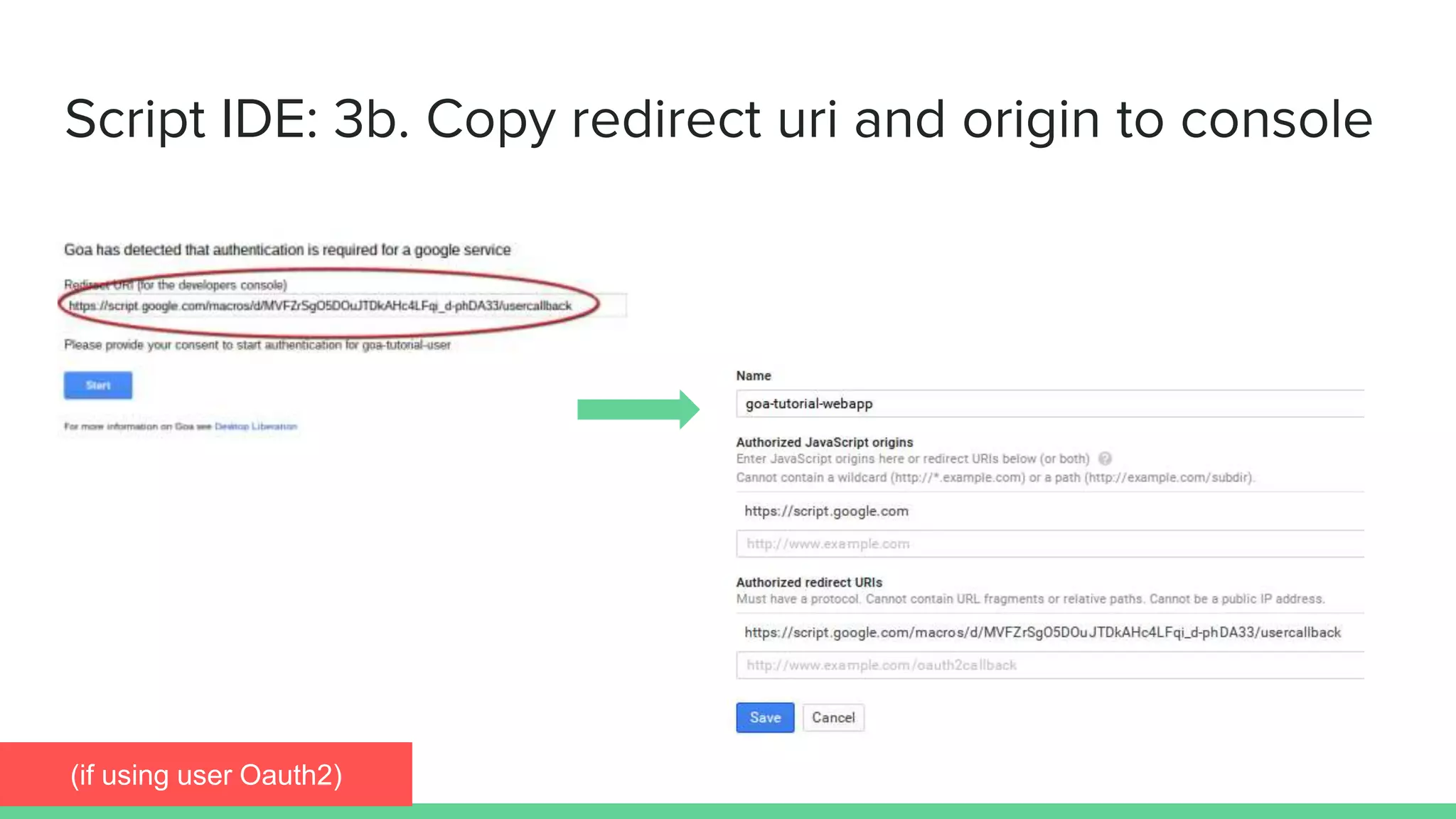
b. Copy the redirect URI to the developer console from the consent screen
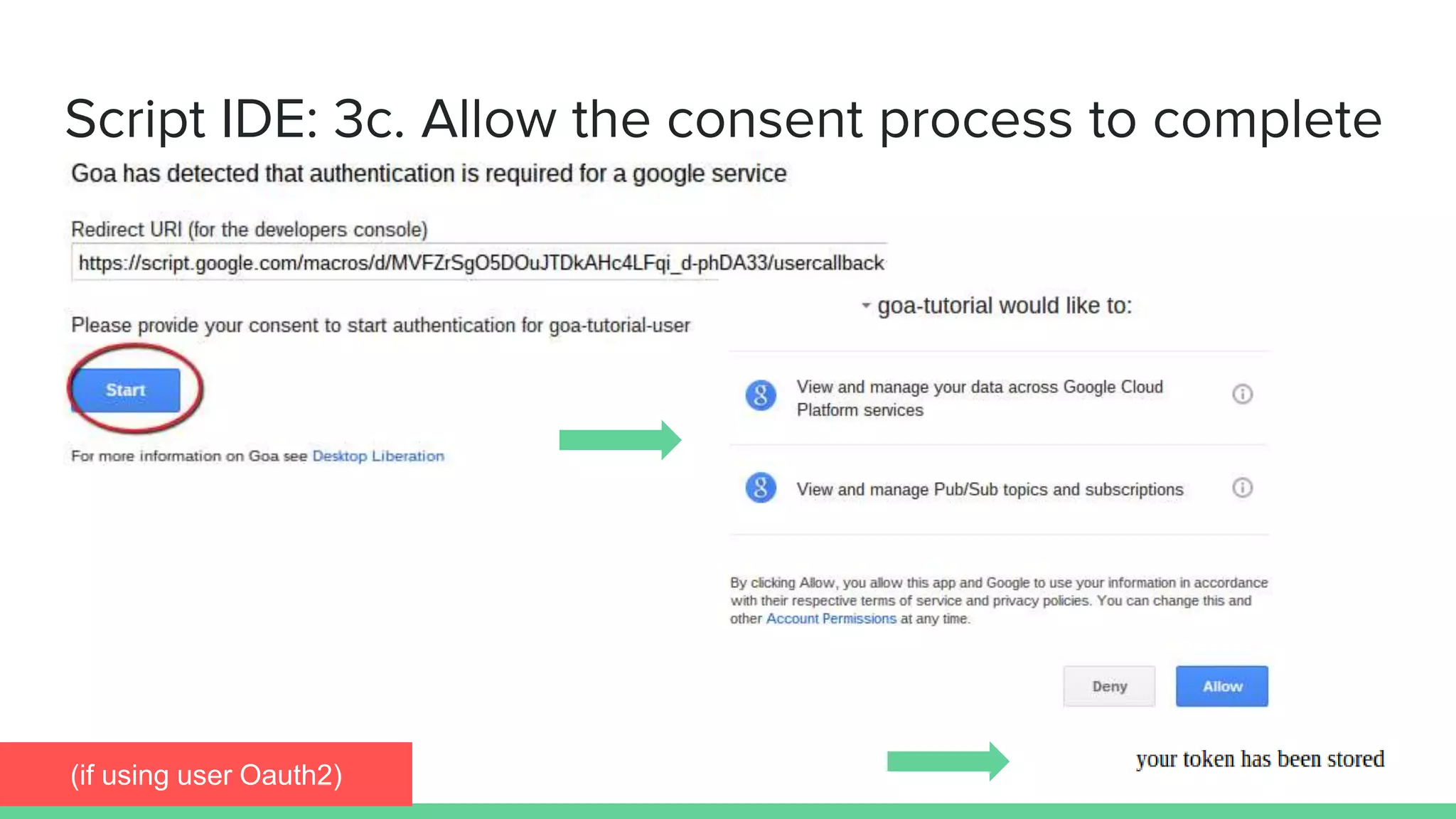
c. Allow the consent process to finish
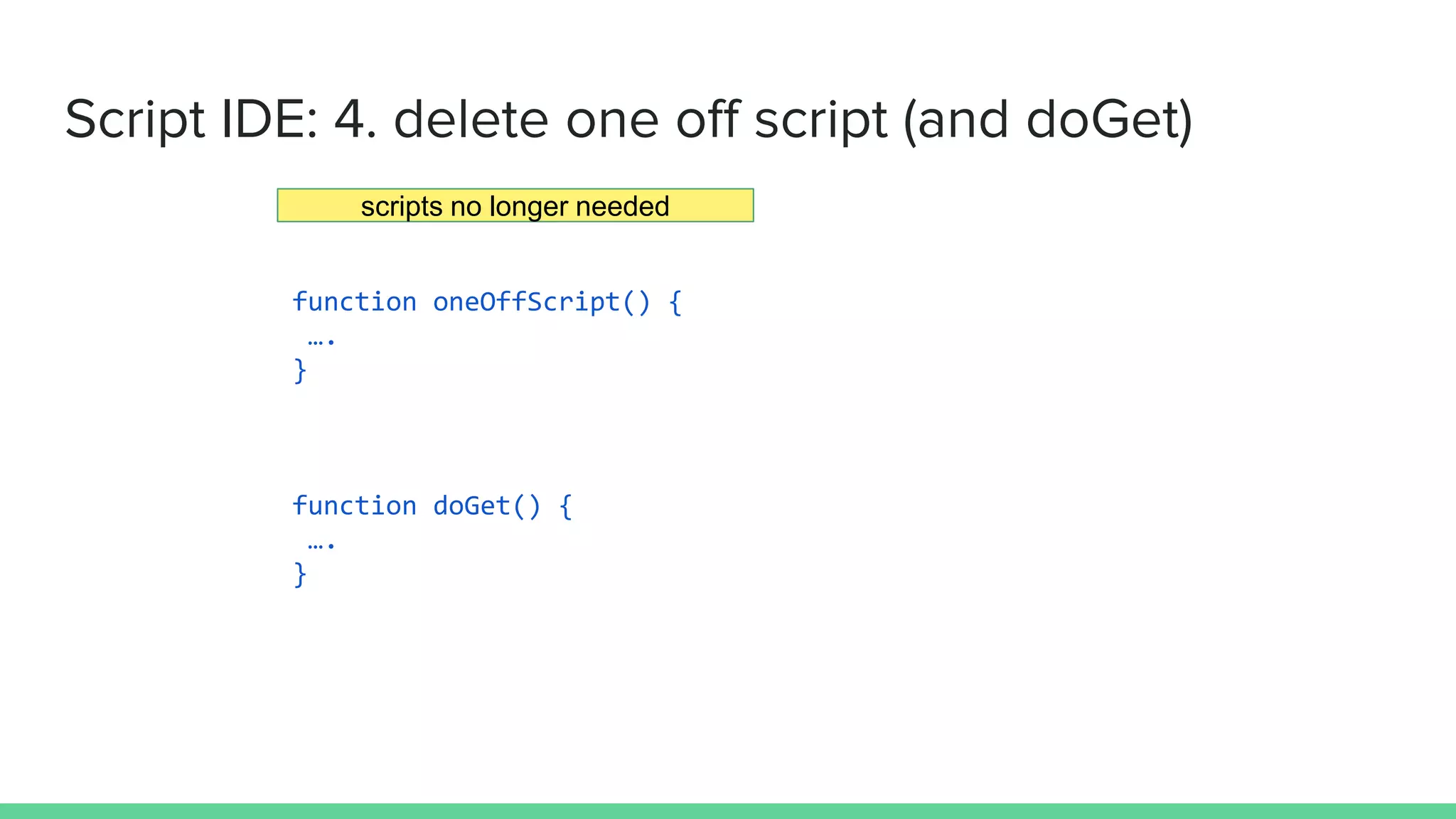
4. Delete your one off script (or move it somewhere private)
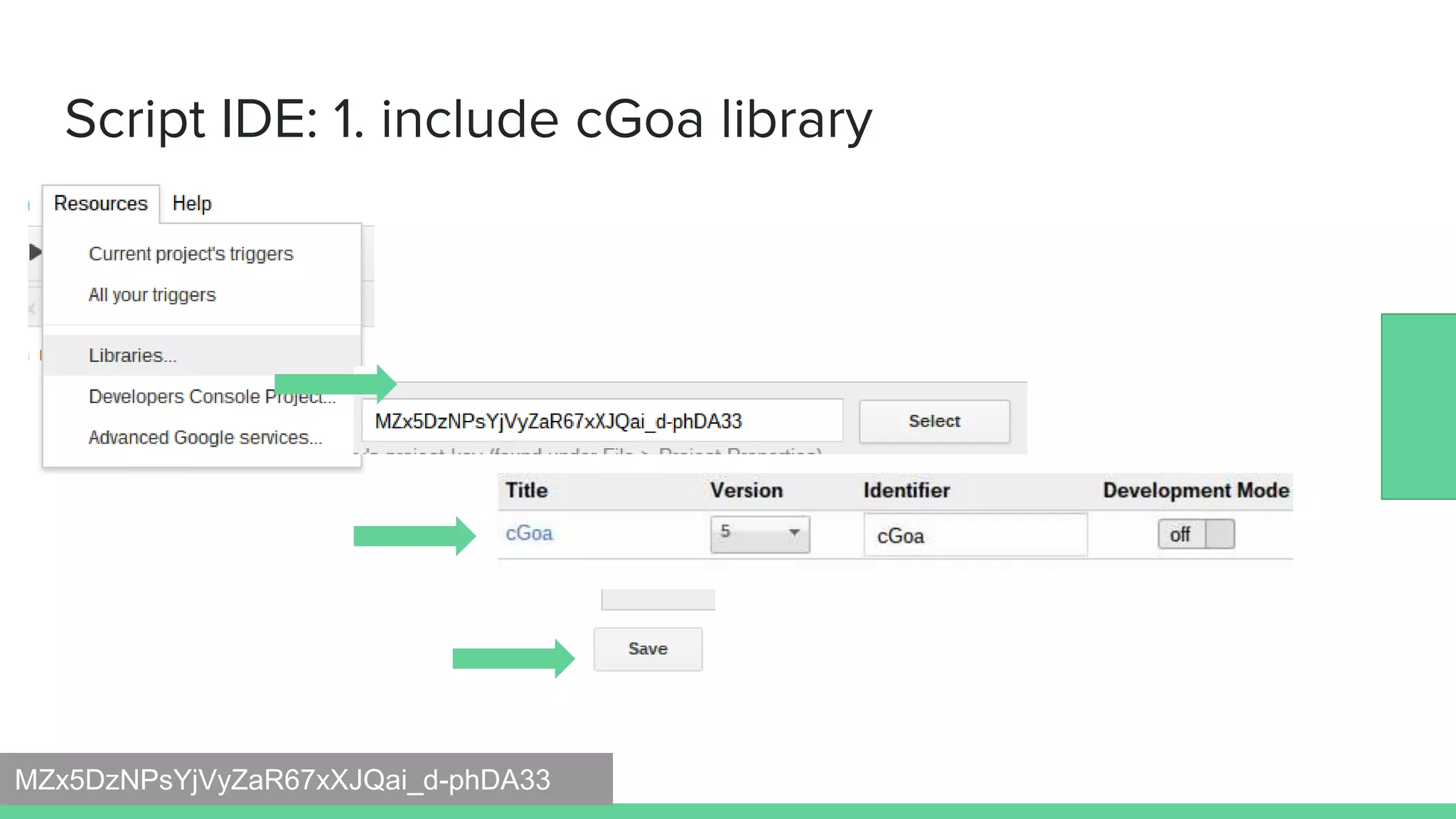
Script IDE: 1. include cGoa library
MZx5DzNPsYjVyZaR67xXJQai_d-phDA33
Script IDE: 2a. create credentials script and run it
function oneOffScript() {
var options = {
packageName: 'goa-tutorial-user',
clientId: 'xxx.apps.googleusercontent.com',
clientSecret:'xxxx',
scopes : cGoa.GoaApp.scopesGoogleExpand (['pubsub','cloud-platform']),
service:'google'
};
// store one off
cGoa.GoaApp.setPackage (PropertiesService.getUserProperties(), options);
}
(if using user Oauth2)
function oneOffScript() {
var options = {
packageName: 'goa-tutorial-service',
fileId:'0B92xxxxxxjNDR28',
scopes : cGoa.GoaApp.scopesGoogleExpand (['pubsub','cloud-platform']),
service:'google_service'
};
cGoa.GoaApp.setPackage (PropertiesService.getScriptProperties(),
cGoa.GoaApp.createServiceAccount (DriveApp , options));
}
Script IDE: 2b. create credentials script and run it
(if using Service account)
the JSON key file id
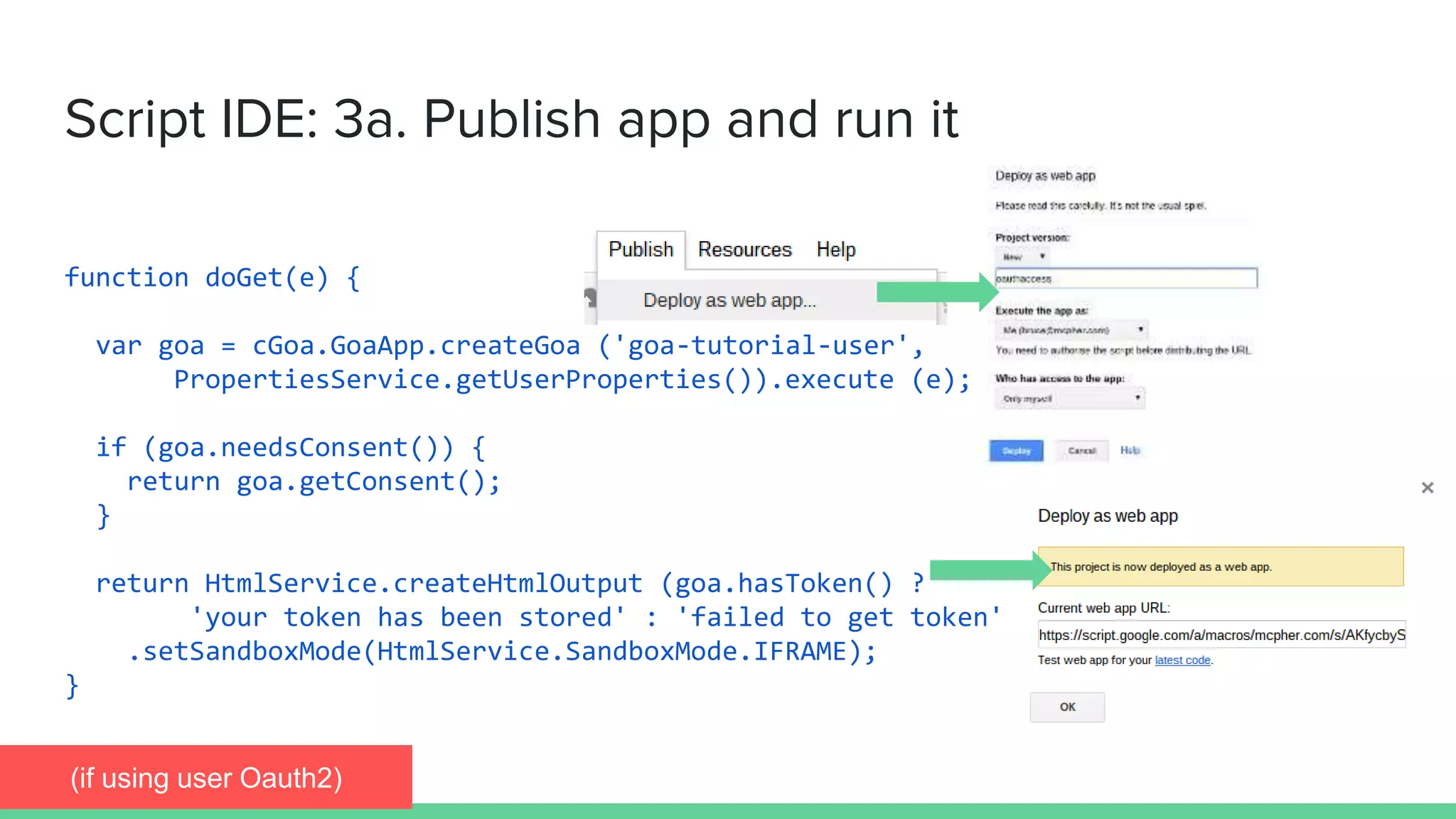
function doGet(e) {
var goa = cGoa.GoaApp.createGoa ('goa-tutorial-user',
PropertiesService.getUserProperties()).execute (e);
if (goa.needsConsent()) {
return goa.getConsent();
}
return HtmlService.createHtmlOutput (goa.hasToken() ?
'your token has been stored' : 'failed to get token')
.setSandboxMode(HtmlService.SandboxMode.IFRAME);
}
Script IDE: 3a. Publish app and run it
(if using user Oauth2)
Script IDE: 3b. Copy redirect uri and origin to console
(if using user Oauth2)
Script IDE: 3c. Allow the consent process to complete
(if using user Oauth2)
function oneOffScript() {
….
}
function doGet() {
….
}
Script IDE: 4. delete one off script (and doGet)
scripts no longer needed
Apps Script How to consume Goa access
tokens in Apps Script projects
Using the token
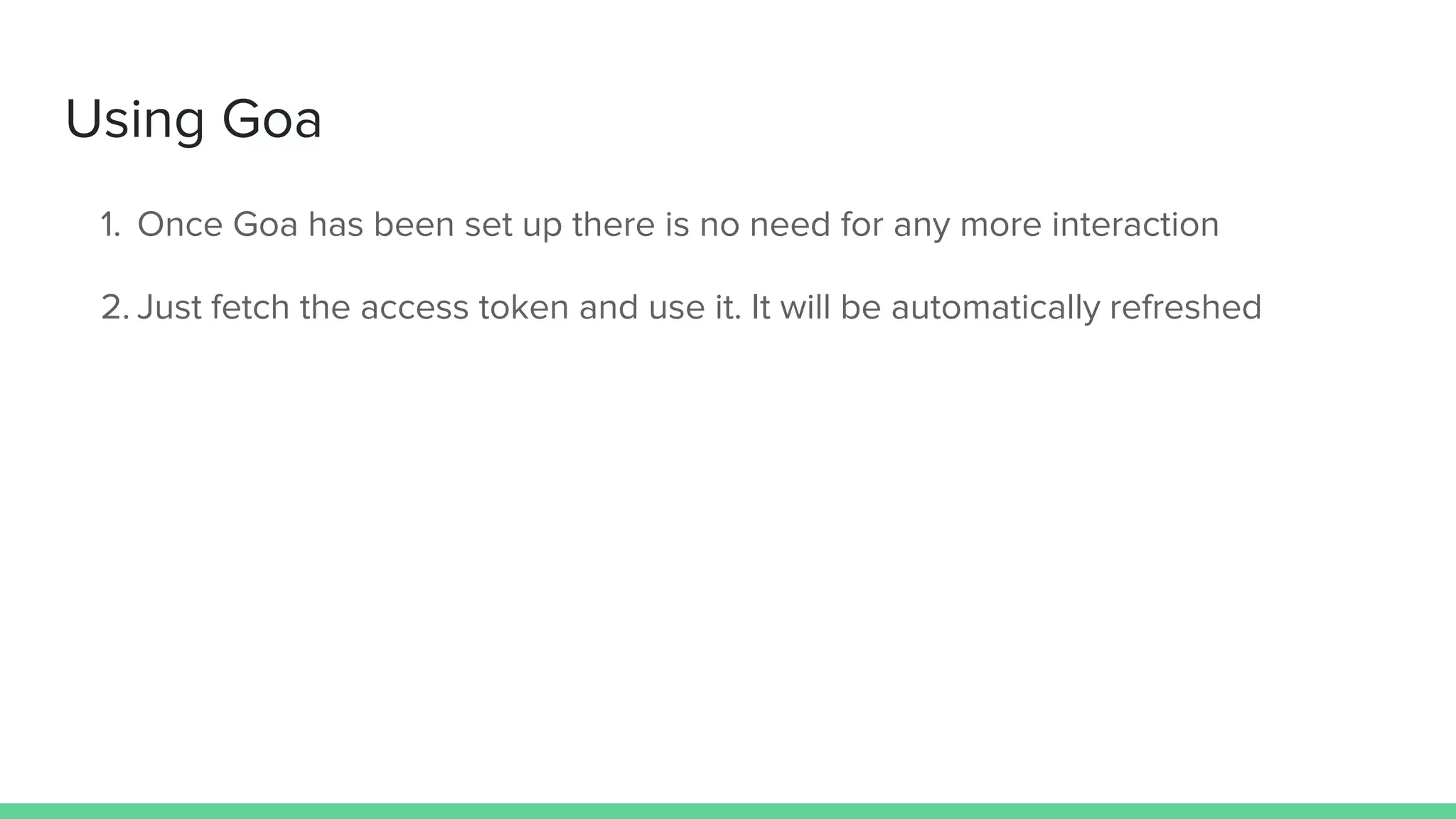
Using Goa
1. Once Goa has been set up there is no need for any more interaction
2. Just fetch the access token and use it. It will be automatically refreshed
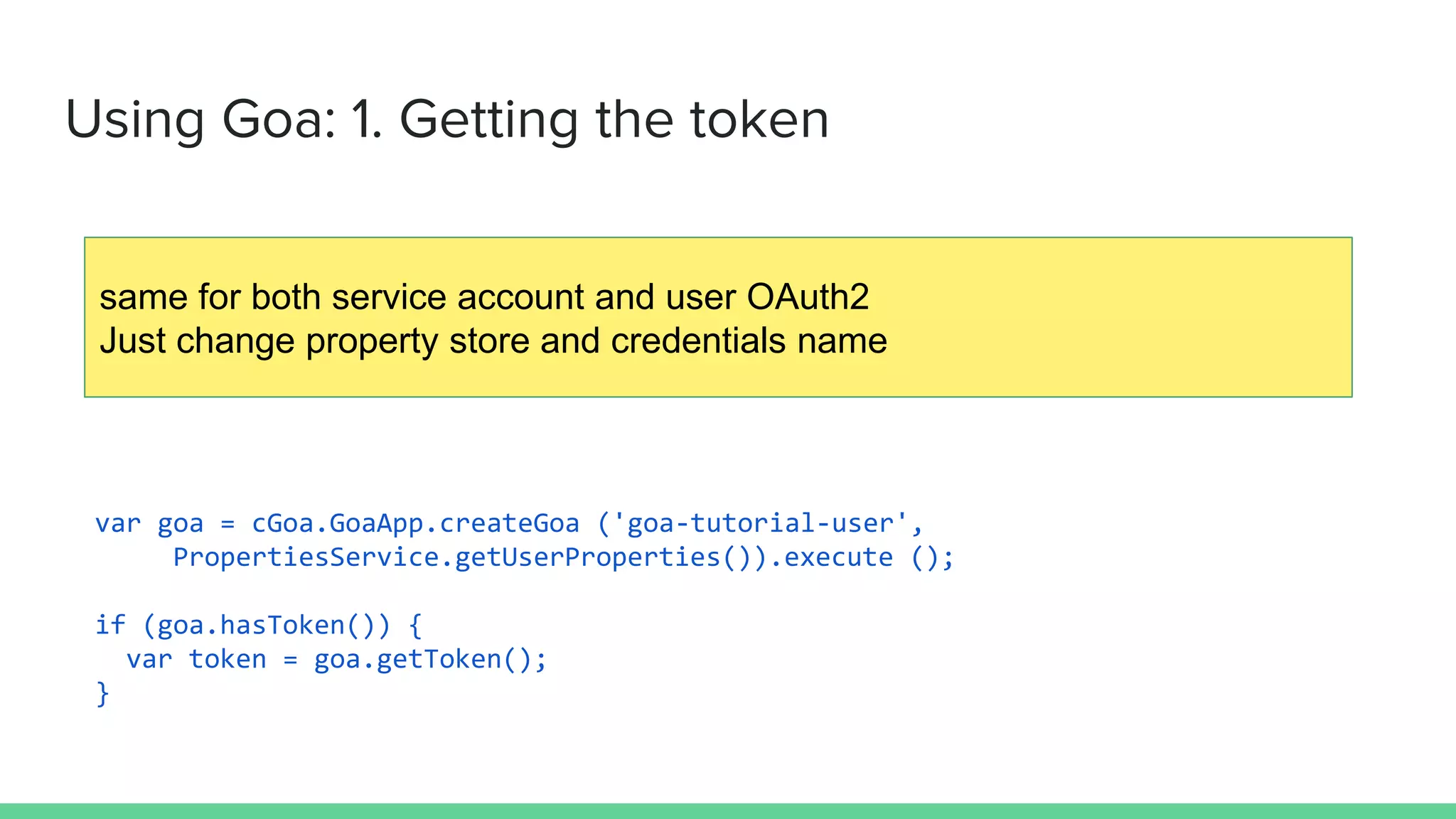
Using Goa: 1. Getting the token
var goa = cGoa.GoaApp.createGoa ('goa-tutorial-user',
PropertiesService.getUserProperties()).execute ();
if (goa.hasToken()) {
var token = goa.getToken();
}
same for both service account and user OAuth2
Just change property store and credentials name
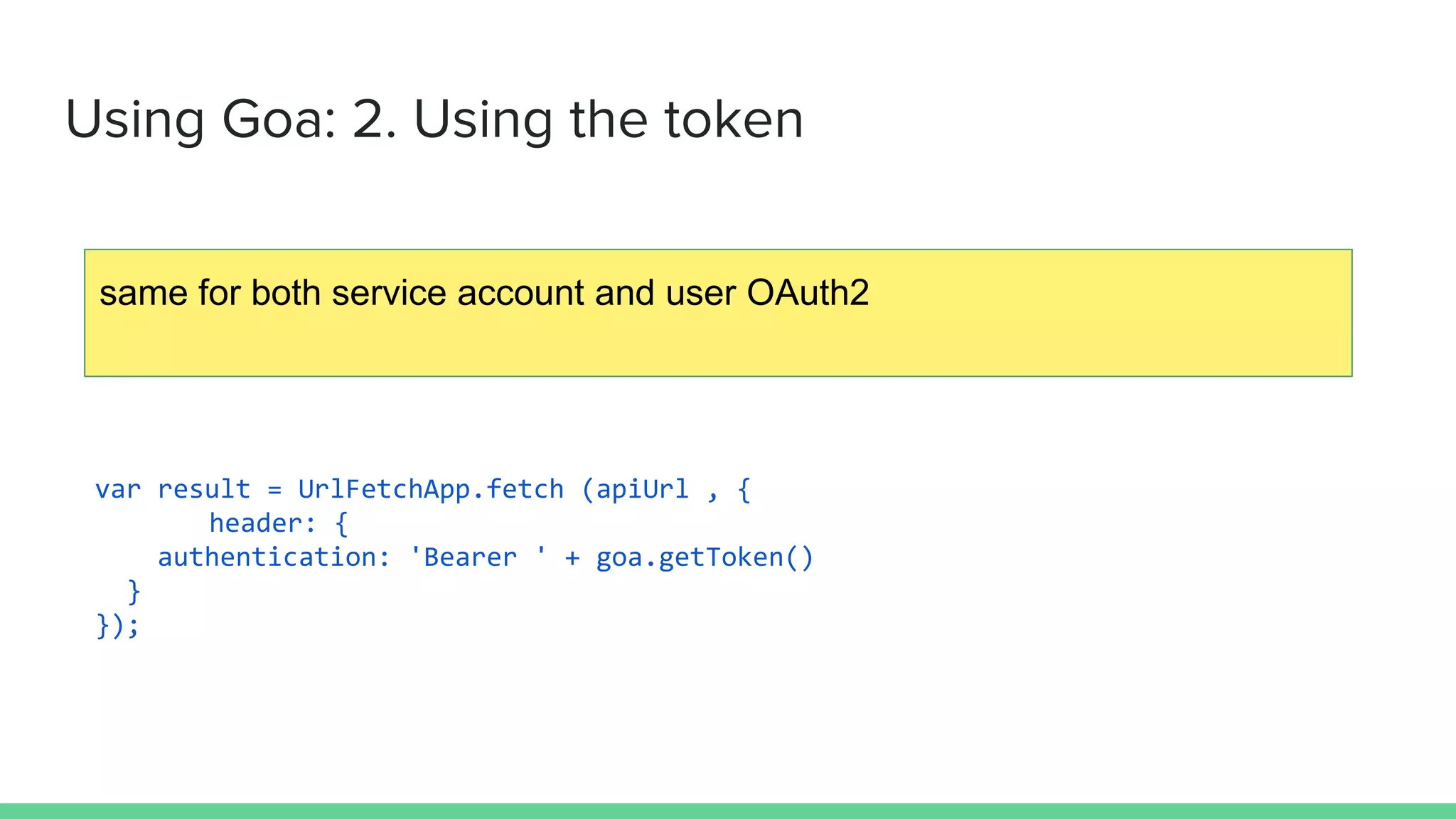
Using Goa: 2. Using the token
var result = UrlFetchApp.fetch (apiUrl , {
header: {
authentication: 'Bearer ' + goa.getToken()
}
});
same for both service account and user OAuth2
More Goa
The source code, examples
and additional features of Goa,
including how to set up for API
providers other than Google
can be found at Desktop
Liberation
Further capabilities

Goa tutorial

  • 1.
    OAUTH2 and AppsScript It's not that complicated
  • 2.
    Authentication and Authorization How to useGoa to simplify OAuth2 user and service account handling in Apps Script. developers console script ide consuming tokens More information at Desktop Liberation Apps Script
  • 3.
    In the developersconsole 1. Create the project 2. Select the APIS to use 3. See which scopes the APIS require using the API explorer 4. Get credentials a. Web client - take note of client ID and client secret b. Service Account - download the JSON data to Drive
  • 4.
    Developers console How toset up an API project in the Google Developers consoleProject dashboard
  • 5.
  • 6.
    Developers console: 2.Select the APIS to use
  • 7.
    Developers console: 3.note scopes (API explorer)
  • 8.
    Developers console: 4a.Get credentials (user) (if using user Oauth2)
  • 9.
    Developers console: 4b.Get credentials (service) (if using Service account)
  • 10.
    Apps Script Howto set up Goa for OAuth2 and Service Accounts in the Apps Script IDEThe Script IDE
  • 11.
    In your script 1.Include the cGoa library (MZx5DzNPsYjVyZaR67xXJQai_d-phDA33) 2. Create a one off script to store credentials and run it 3. If a user Oauth2 account (instead of a service account) a. Publish and run your App b. Copy the redirect URI to the developer console from the consent screen c. Allow the consent process to finish 4. Delete your one off script (or move it somewhere private)
  • 12.
    Script IDE: 1.include cGoa library MZx5DzNPsYjVyZaR67xXJQai_d-phDA33
  • 13.
    Script IDE: 2a.create credentials script and run it function oneOffScript() { var options = { packageName: 'goa-tutorial-user', clientId: 'xxx.apps.googleusercontent.com', clientSecret:'xxxx', scopes : cGoa.GoaApp.scopesGoogleExpand (['pubsub','cloud-platform']), service:'google' }; // store one off cGoa.GoaApp.setPackage (PropertiesService.getUserProperties(), options); } (if using user Oauth2)
  • 14.
    function oneOffScript() { varoptions = { packageName: 'goa-tutorial-service', fileId:'0B92xxxxxxjNDR28', scopes : cGoa.GoaApp.scopesGoogleExpand (['pubsub','cloud-platform']), service:'google_service' }; cGoa.GoaApp.setPackage (PropertiesService.getScriptProperties(), cGoa.GoaApp.createServiceAccount (DriveApp , options)); } Script IDE: 2b. create credentials script and run it (if using Service account) the JSON key file id
  • 15.
    function doGet(e) { vargoa = cGoa.GoaApp.createGoa ('goa-tutorial-user', PropertiesService.getUserProperties()).execute (e); if (goa.needsConsent()) { return goa.getConsent(); } return HtmlService.createHtmlOutput (goa.hasToken() ? 'your token has been stored' : 'failed to get token') .setSandboxMode(HtmlService.SandboxMode.IFRAME); } Script IDE: 3a. Publish app and run it (if using user Oauth2)
  • 16.
    Script IDE: 3b.Copy redirect uri and origin to console (if using user Oauth2)
  • 17.
    Script IDE: 3c.Allow the consent process to complete (if using user Oauth2)
  • 18.
    function oneOffScript() { …. } functiondoGet() { …. } Script IDE: 4. delete one off script (and doGet) scripts no longer needed
  • 19.
    Apps Script Howto consume Goa access tokens in Apps Script projects Using the token
  • 20.
    Using Goa 1. OnceGoa has been set up there is no need for any more interaction 2. Just fetch the access token and use it. It will be automatically refreshed
  • 21.
    Using Goa: 1.Getting the token var goa = cGoa.GoaApp.createGoa ('goa-tutorial-user', PropertiesService.getUserProperties()).execute (); if (goa.hasToken()) { var token = goa.getToken(); } same for both service account and user OAuth2 Just change property store and credentials name
  • 22.
    Using Goa: 2.Using the token var result = UrlFetchApp.fetch (apiUrl , { header: { authentication: 'Bearer ' + goa.getToken() } }); same for both service account and user OAuth2
  • 23.
    More Goa The sourcecode, examples and additional features of Goa, including how to set up for API providers other than Google can be found at Desktop Liberation Further capabilities