Google Developer Student Clubs
Web Development Workshop
Day 3
- Introduction to JavaScript
What is Javascript?
• a lightweight programming language, a scripting language i.e. it is designed
for executing scripts or small programs within a host environment, such as a
web browser.
• used to make web pages interactive
• insert dynamic text into HTML (ex: user name)
• react to events (ex: page load user click)
• perform calculations on user's computer (ex: form validation)
• get information about a user's computer (ex: browser type)
What is JavaScript for?
What is the purpose of code that we find in the <script> tag?
1. Perform calculations by using variables, expressions, conditional
statements, loops and functions.
2. Wait for events to occur and take actions when they do. (For example:
what happens when a button gets clicked?)
3. Manipulate the HTML tags found in the <body>
This is what JavaScript has been traditionally used for. These are all actions that
take place when JavaScript runs inside in a web browser like Chrome.
JavaScript can also run outside the browser, in its own environment called a
node. That implementation of JavaScript is called node.js. Node.js is not covered
in this session.
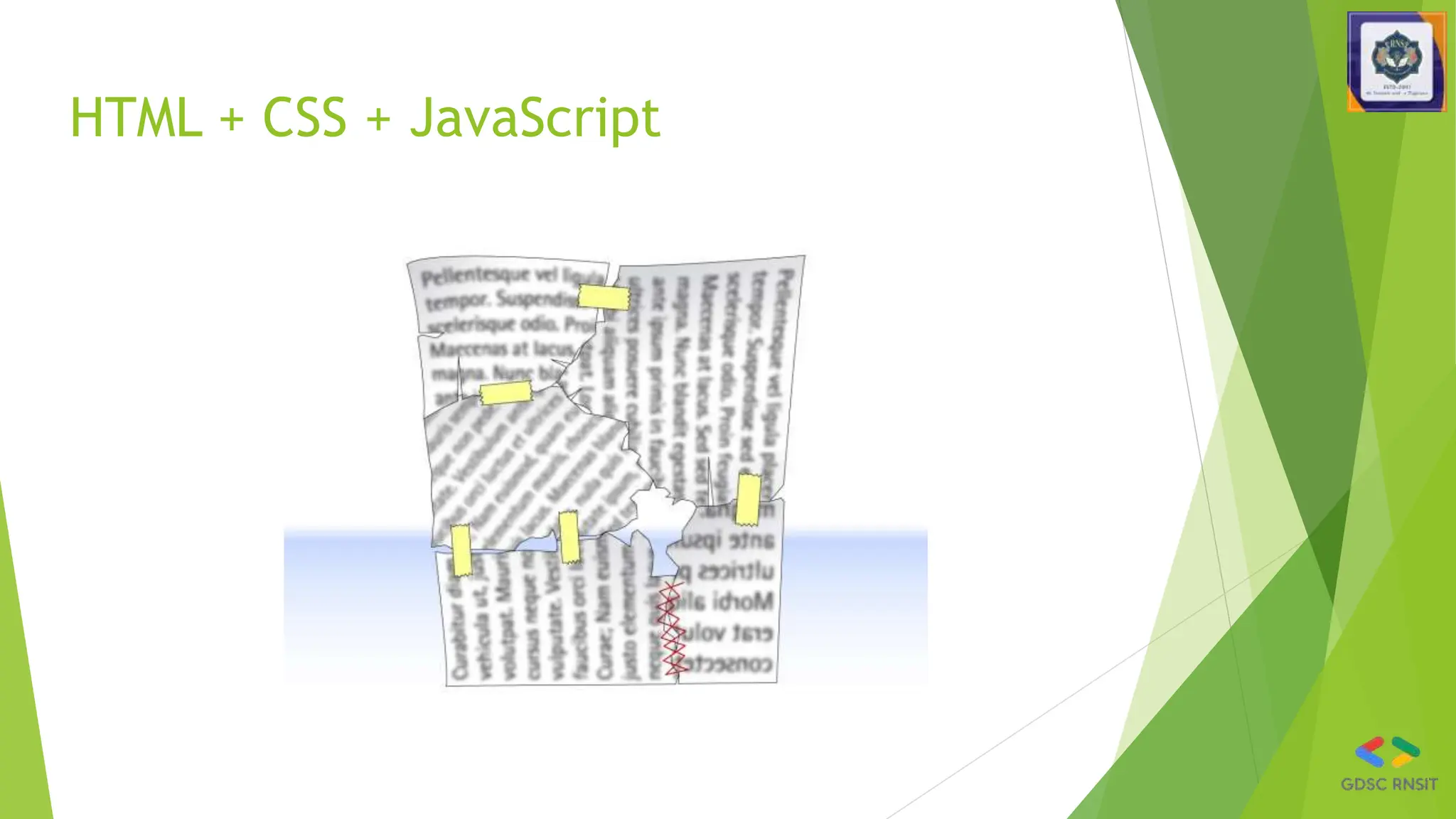
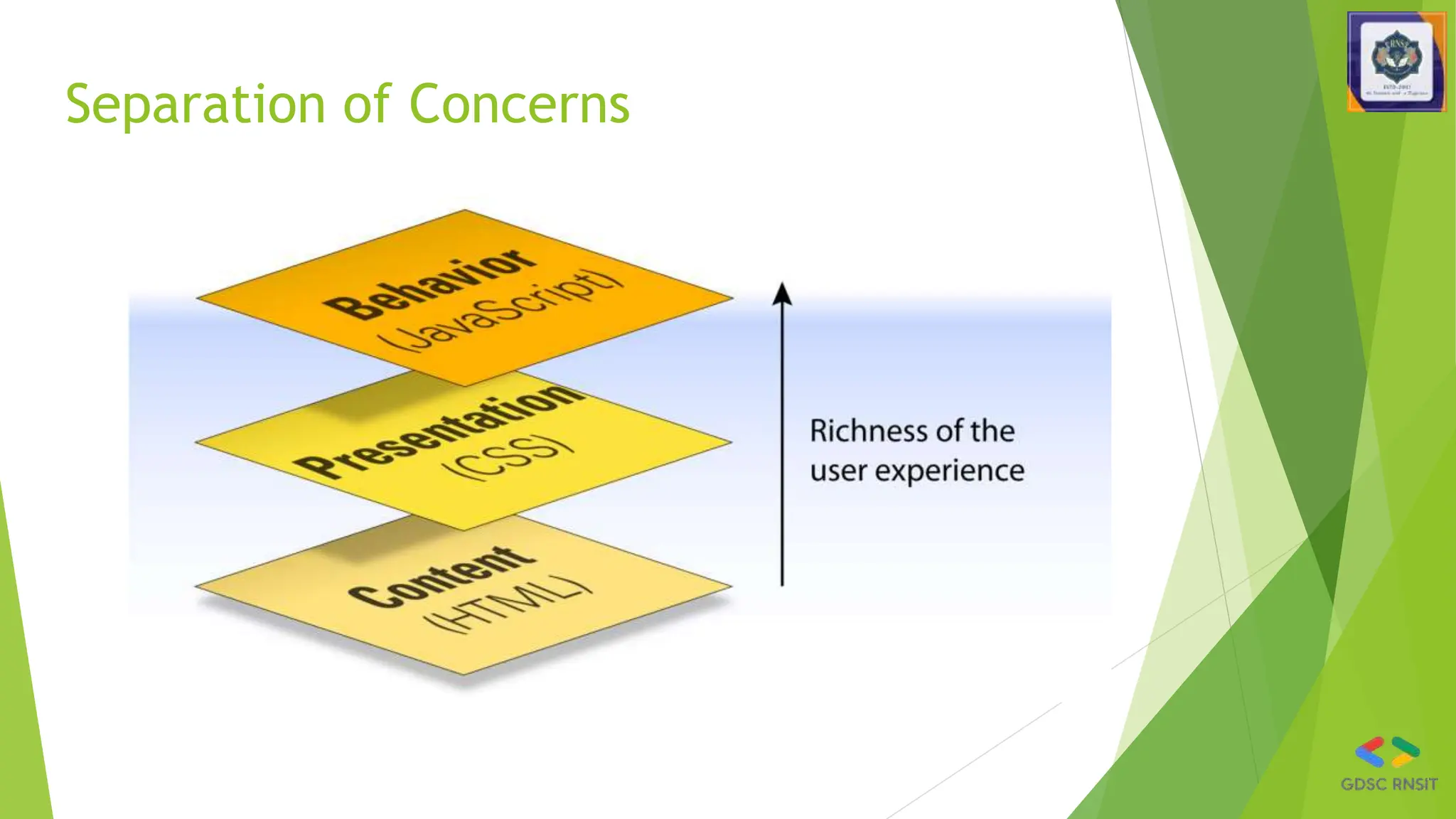
HTML + CSS + JavaScript
Separation of Concerns
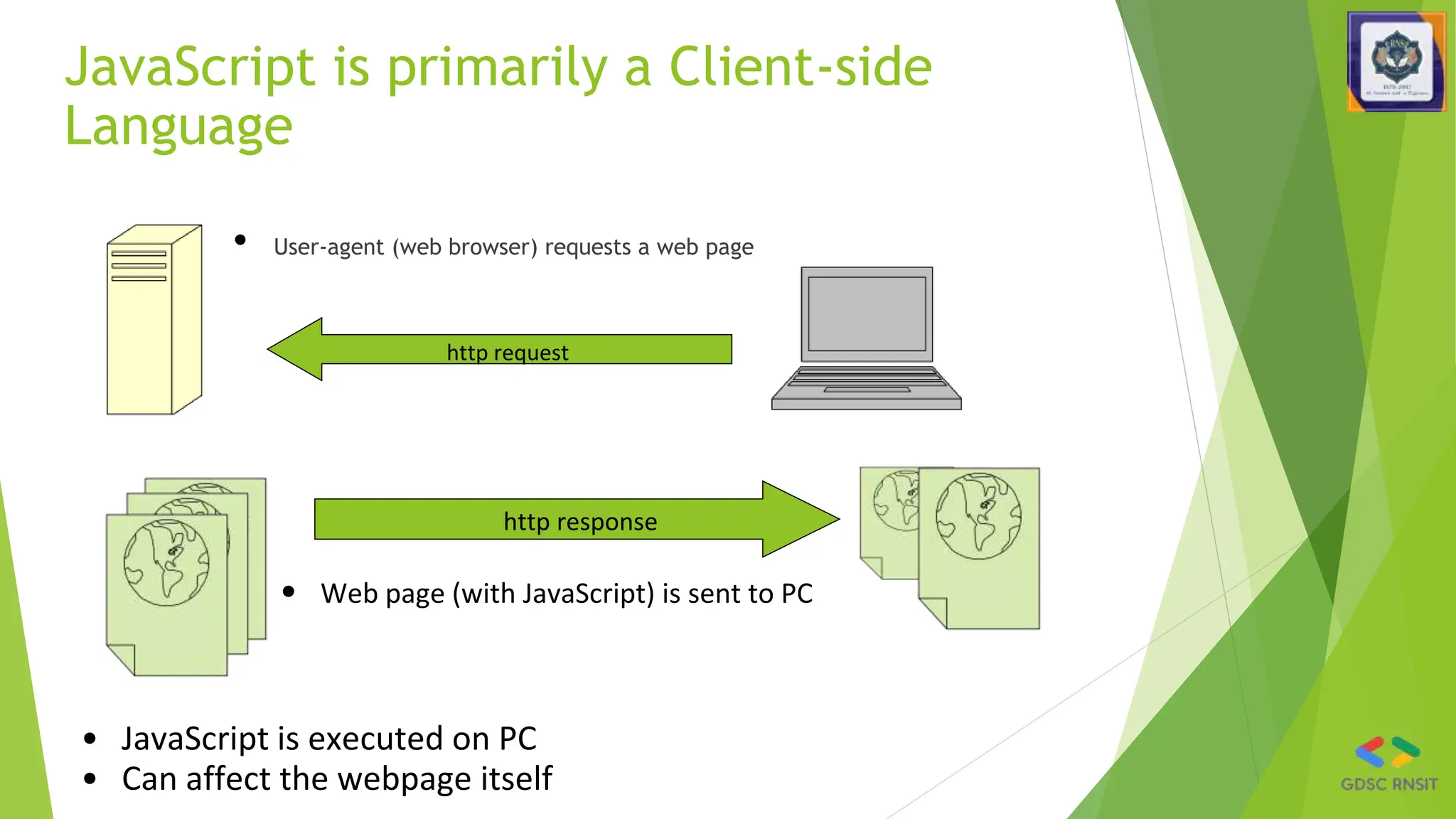
JavaScript is primarily a Client-side
Language
• User-agent (web browser) requests a web page
http request
http response
• Web page (with JavaScript) is sent to PC
• JavaScript is executed on PC
• Can affect the webpage itself
Why use client-side programming?
• client-side scripting (JavaScript) benefits:
• usability: can modify a page without having to post back to the server (faster UI)
• efficiency: can make small, quick changes to page without waiting for server
• event-driven: can respond to user actions like clicks and key presses
• client-side scripting (JavaScript) disadvantages:
• security: has access to server's private data; client can't see source code
• compatibility: not subject to browser compatibility issues
• power: can write files, open connections to servers, connect to databases, ...
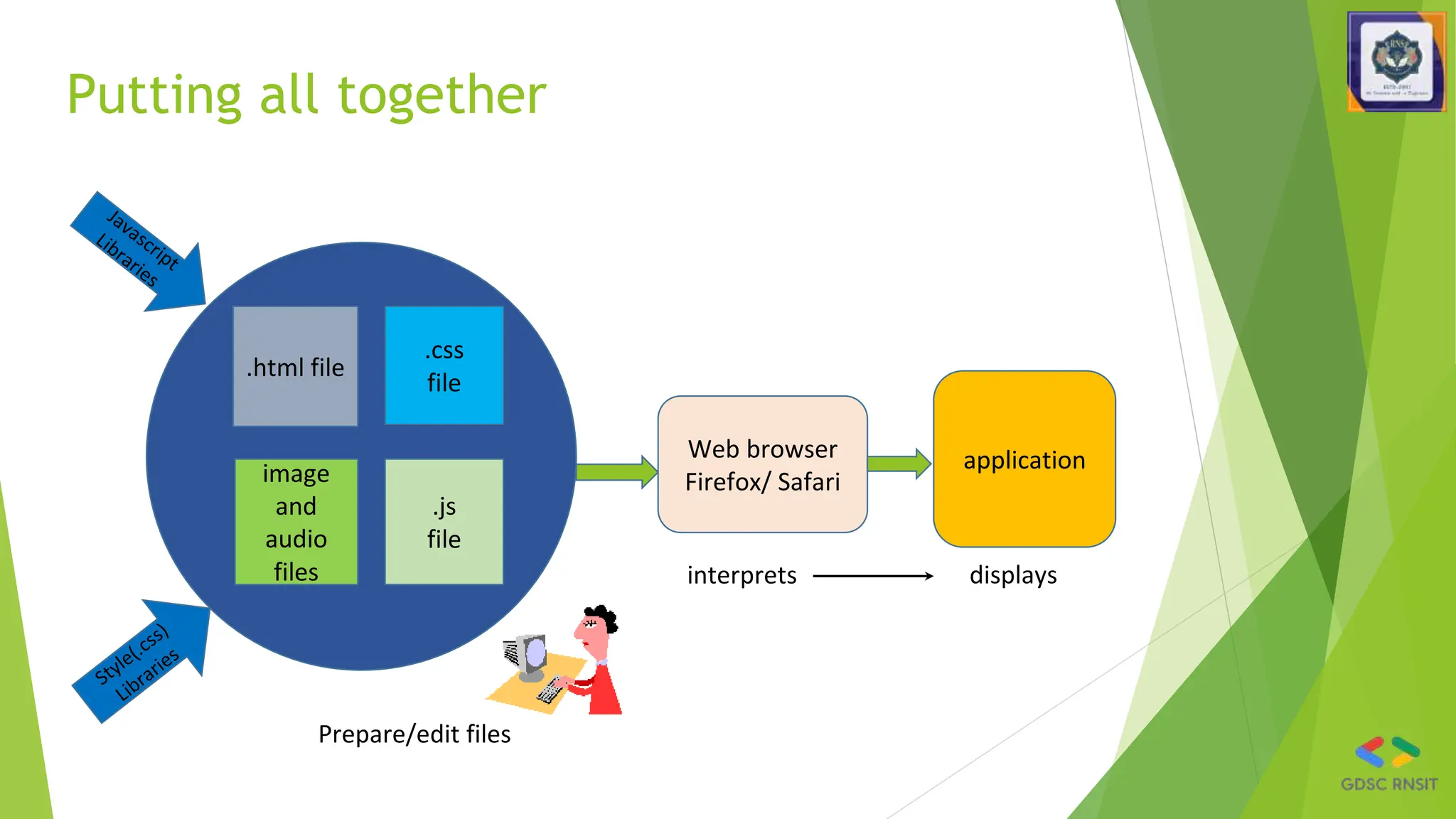
Putting all together
.html file
.css
file
image
and
audio
files
Web browser
Firefox/ Safari
application
Prepare/edit files
interprets displays
.js
file
Console
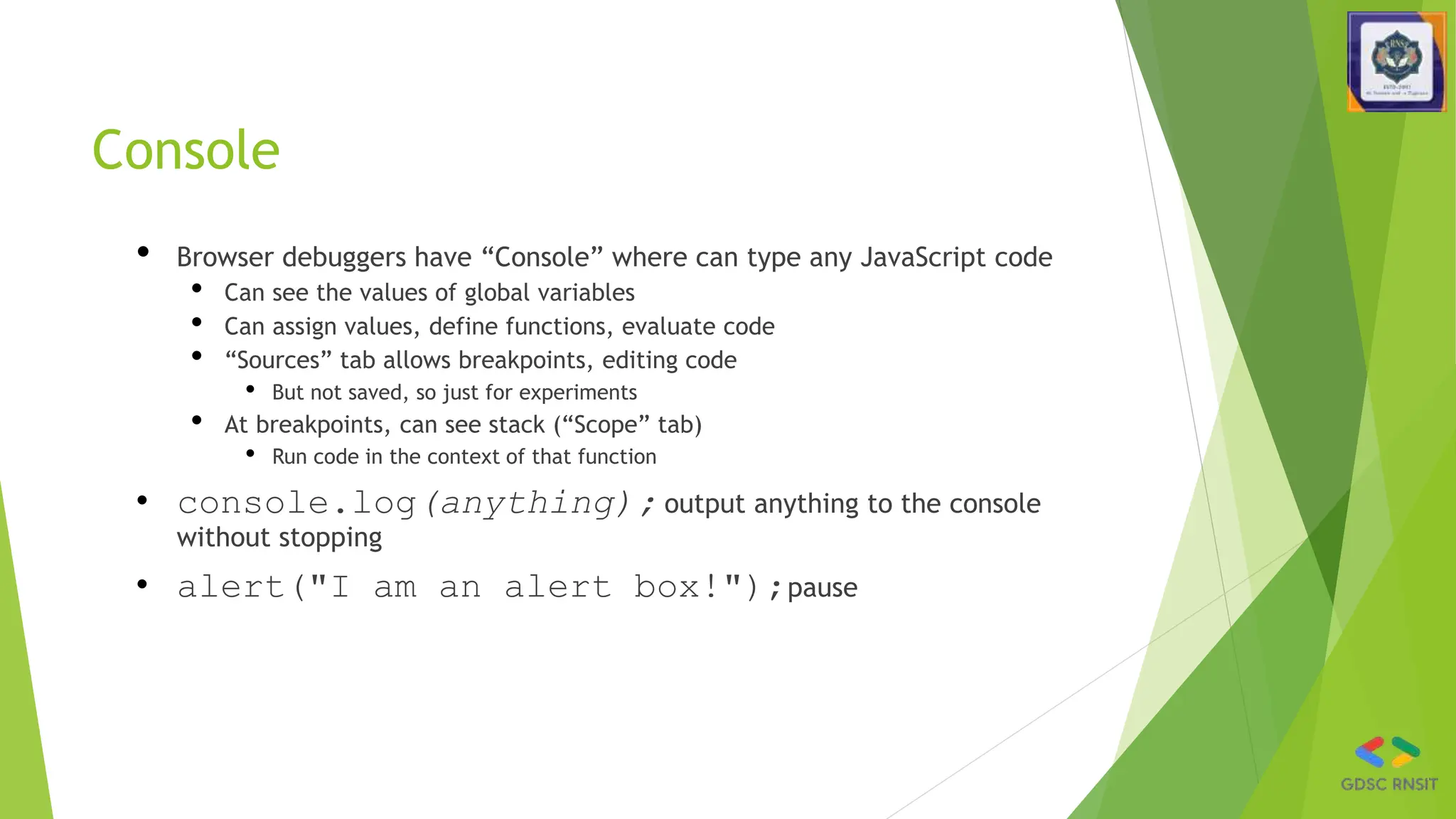
• Browser debuggers have “Console” where can type any JavaScript code
• Can see the values of global variables
• Can assign values, define functions, evaluate code
• “Sources” tab allows breakpoints, editing code
• But not saved, so just for experiments
• At breakpoints, can see stack (“Scope” tab)
• Run code in the context of that function
• console.log(anything); output anything to the console
without stopping
• alert("I am an alert box!");pause
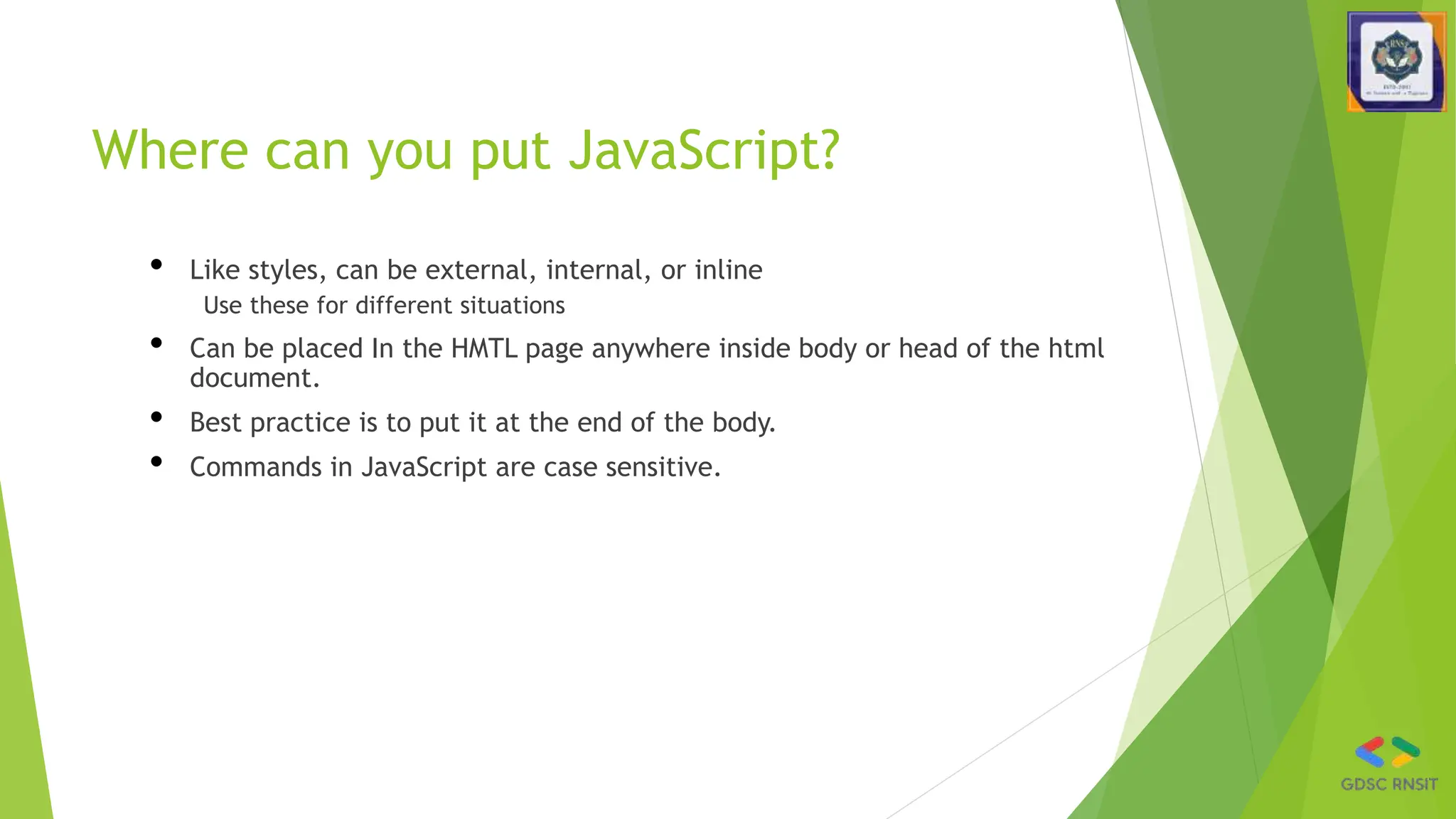
Where can you put JavaScript?
• Like styles, can be external, internal, or inline
Use these for different situations
• Can be placed In the HMTL page anywhere inside body or head of the html
document.
• Best practice is to put it at the end of the body.
• Commands in JavaScript are case sensitive.
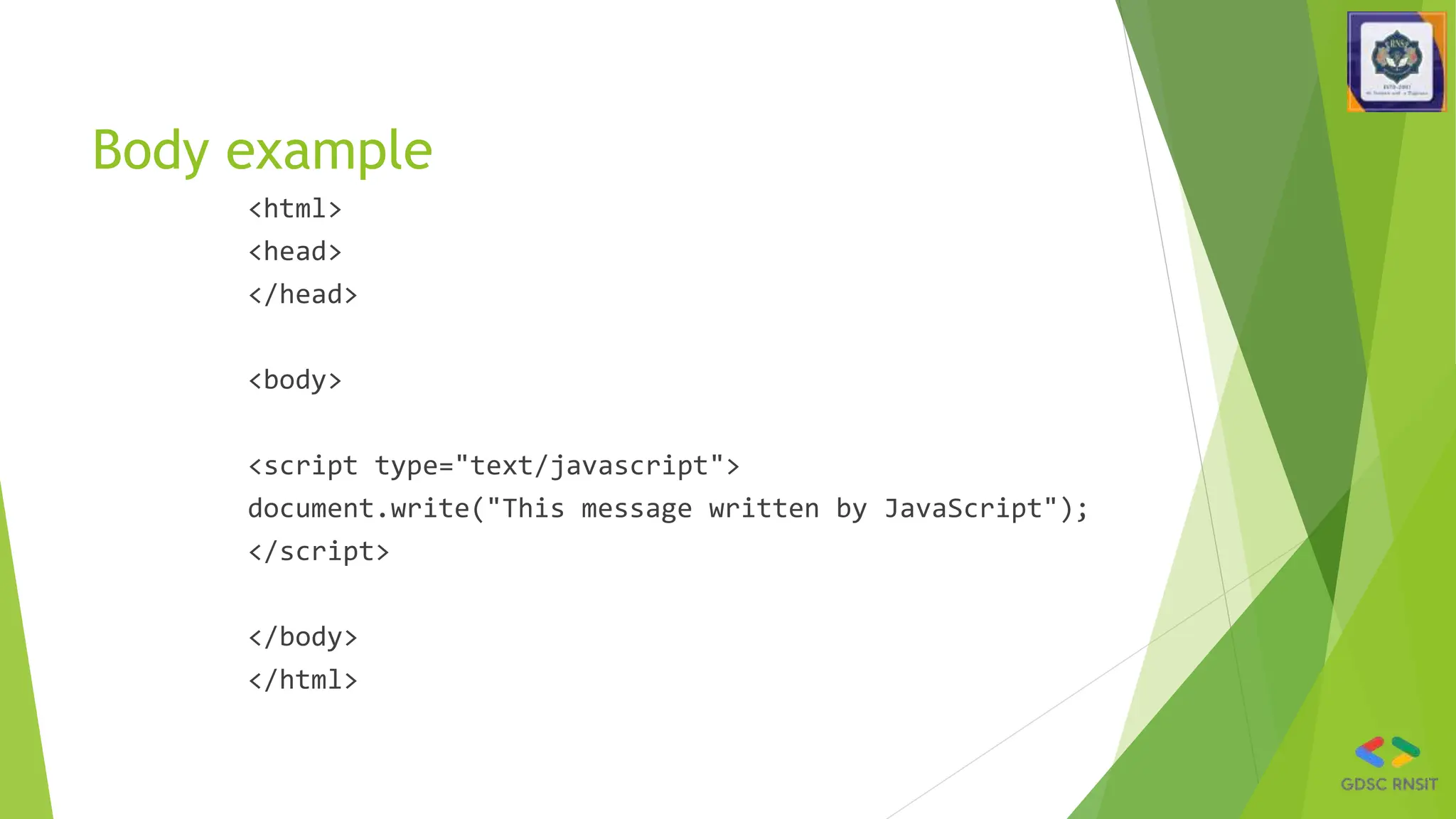
Body example
<html>
<head>
</head>
<body>
<script type="text/javascript">
document.write("This message written by JavaScript");
</script>
</body>
</html>
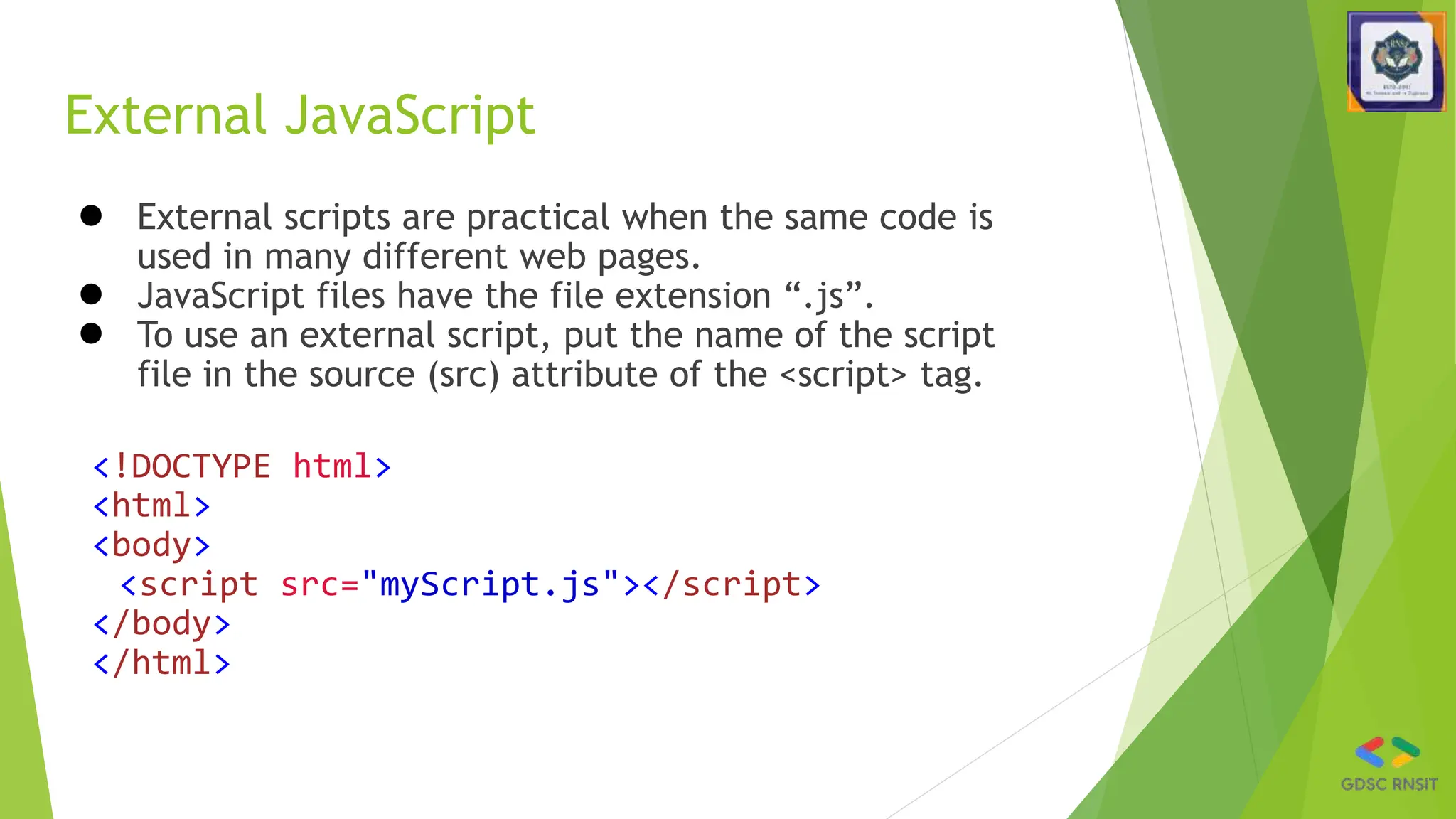
External JavaScript
● External scripts are practical when the same code is
used in many different web pages.
● JavaScript files have the file extension “.js”.
● To use an external script, put the name of the script
file in the source (src) attribute of the <script> tag.
<!DOCTYPE html>
<html>
<body>
<script src="myScript.js"></script>
</body>
</html>
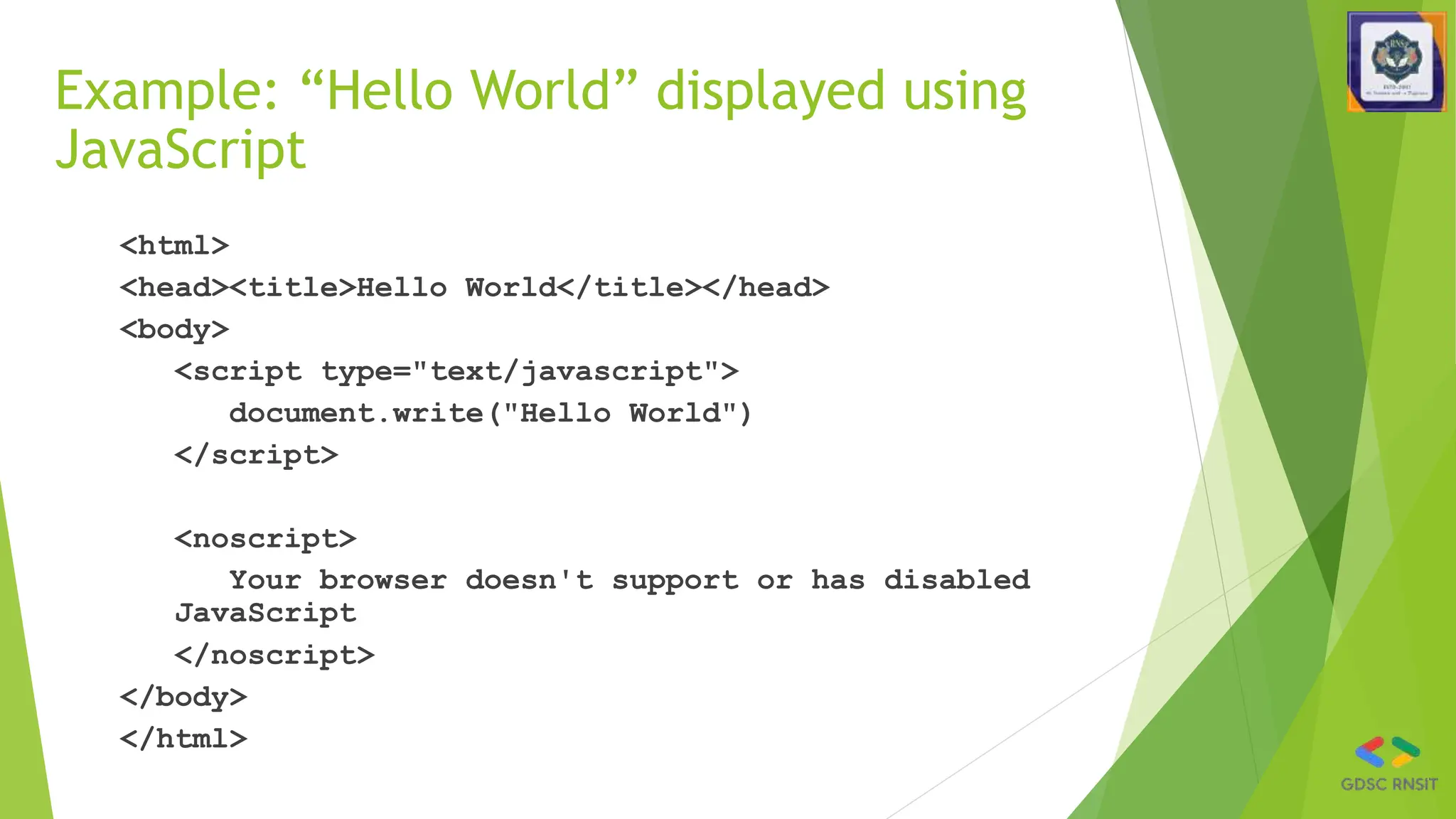
Example: “Hello World” displayed using
JavaScript
<html>
<head><title>Hello World</title></head>
<body>
<script type="text/javascript">
document.write("Hello World")
</script>
<noscript>
Your browser doesn't support or has disabled
JavaScript
</noscript>
</body>
</html>
JS is Dynamically Typed
• Never declare the type of variables, parameters, functions, etc.
• let i = 3; i="str"; i = null;
• Special undefined value: let x; 🡪 undefined
• Arrays can contain multiple types: [3, "foo"]
• Numbers are 23 or 45.3 (no distinction int <-> float)
• Automatic conversion: "5"+2+3 🡪 "523"
• Vs. 2+3+"5" 🡪 "55" or "11" - 1 = 10
• str.length note NOT a method str.length()
• But lots of other string methods, e.g., str.trim()
• Like Java, strings are immutable (cannot change):
• str[2] = 'p'; doesn’t work
• All string methods return new strings
• Empty string "", undefined, null, 0 are all false: if(b){}
Declaring variables
• let x – block scope – inside { }
• var x – function scope – anywhere in the function
• Either at top-level of file – global scope (all code running on this web page)
• Reset if page is reloaded
• const x – block scope, and cannot be reassigned, so assign on
declaration
const x = 123;
• x = 4; error
• But if x is an object or array, it can be modified
const x = [2,3]; x[0]=5; OK
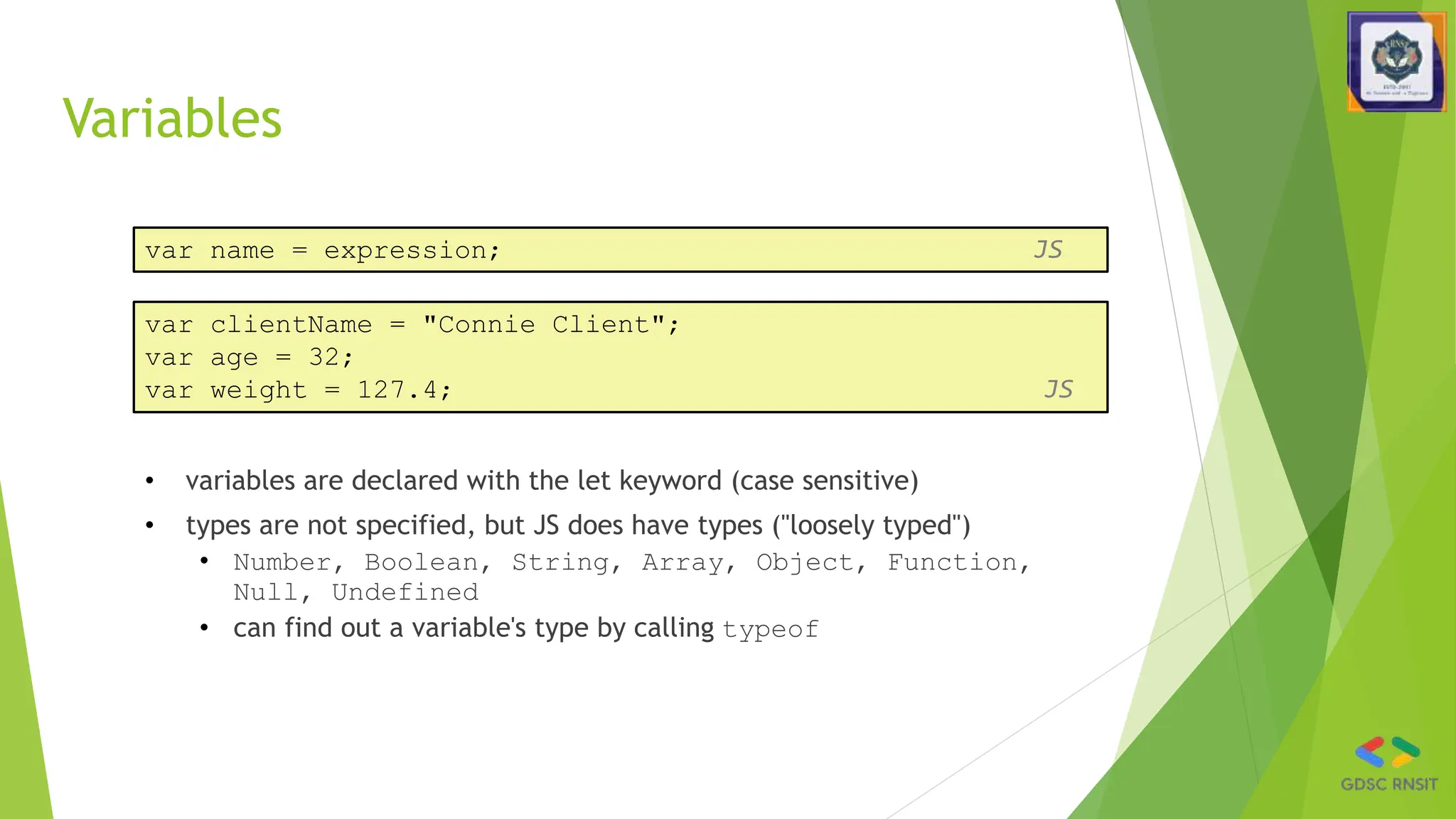
Variables
• variables are declared with the let keyword (case sensitive)
• types are not specified, but JS does have types ("loosely typed")
• Number, Boolean, String, Array, Object, Function,
Null, Undefined
• can find out a variable's type by calling typeof
var name = expression; JS
var clientName = "Connie Client";
var age = 32;
var weight = 127.4; JS
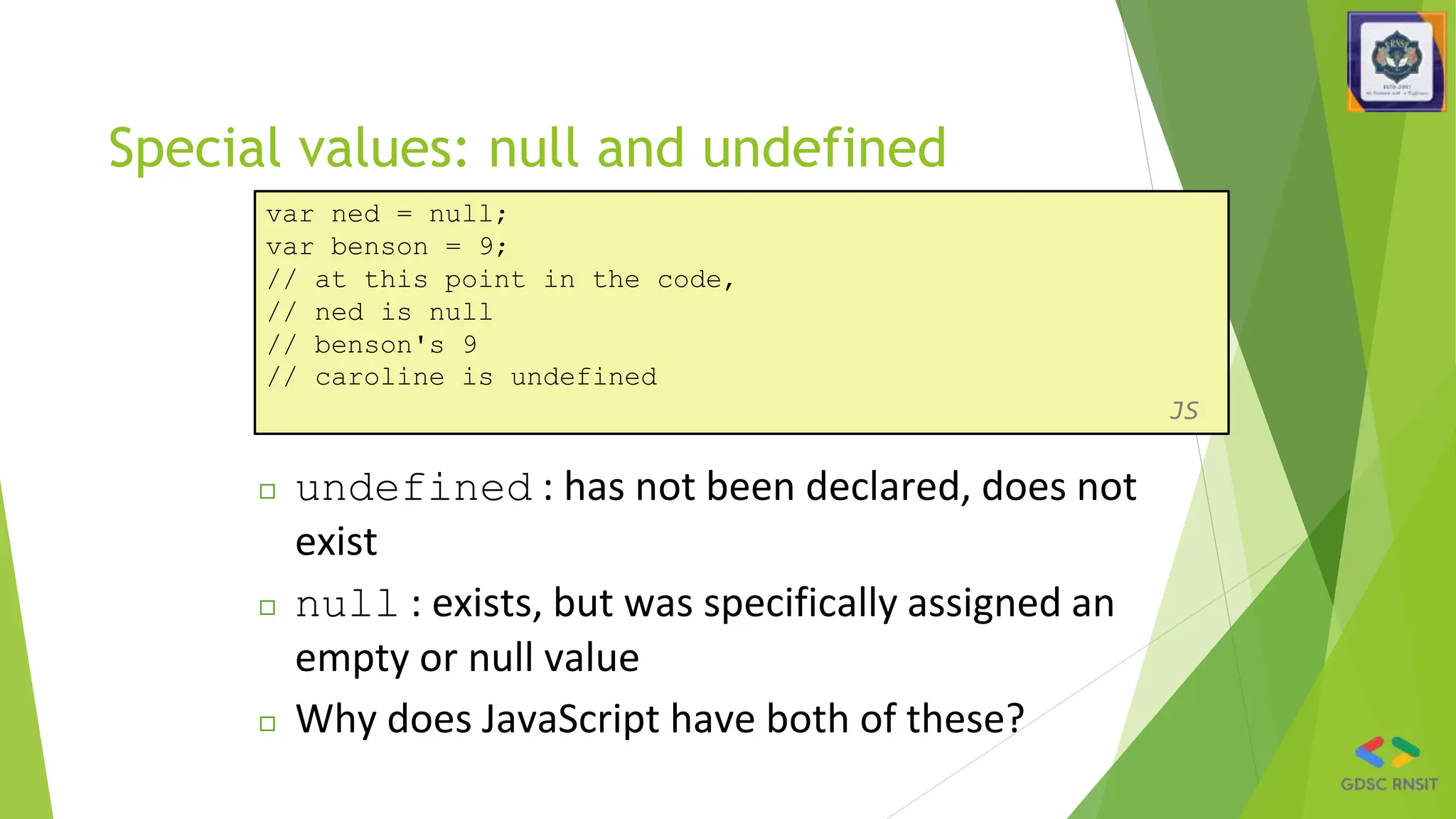
Special values: null and undefined
var ned = null;
var benson = 9;
// at this point in the code,
// ned is null
// benson's 9
// caroline is undefined
JS
◻ undefined : has not been declared, does not
exist
◻ null : exists, but was specifically assigned an
empty or null value
◻ Why does JavaScript have both of these?
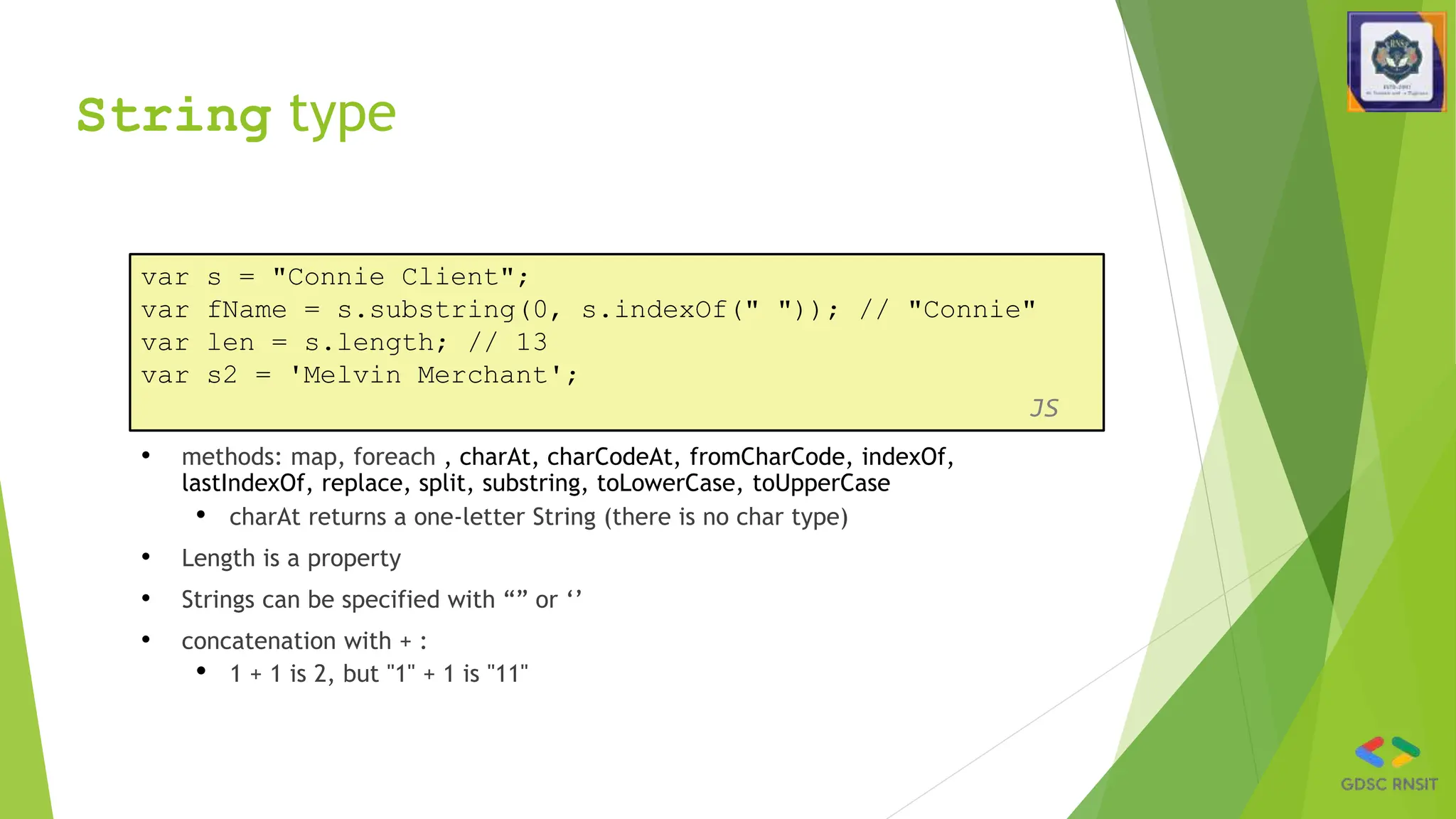
String type
• methods: map, foreach , charAt, charCodeAt, fromCharCode, indexOf,
lastIndexOf, replace, split, substring, toLowerCase, toUpperCase
• charAt returns a one-letter String (there is no char type)
• Length is a property
• Strings can be specified with “” or ‘’
• concatenation with + :
• 1 + 1 is 2, but "1" + 1 is "11"
var s = "Connie Client";
var fName = s.substring(0, s.indexOf(" ")); // "Connie"
var len = s.length; // 13
var s2 = 'Melvin Merchant';
JS
More about String
• accessing the letters of a String:
var count = 10;
var s1 = "" + count; // "10"
var s2 = count + " bananas, ah ah ah!"; // "10 bananas, ah
ah ah!"
var n1 = parseInt("42 is the answer"); // 42
var n2 = parseFloat("booyah"); // NaN JS
◻ escape sequences: ' " & n t 
◻ converting between numbers and Strings:
var firstLetter = s[0]; // fails in IE
var firstLetter = s.charAt(0); // does work in IE
var lastLetter = s.charAt(s.length - 1); JS
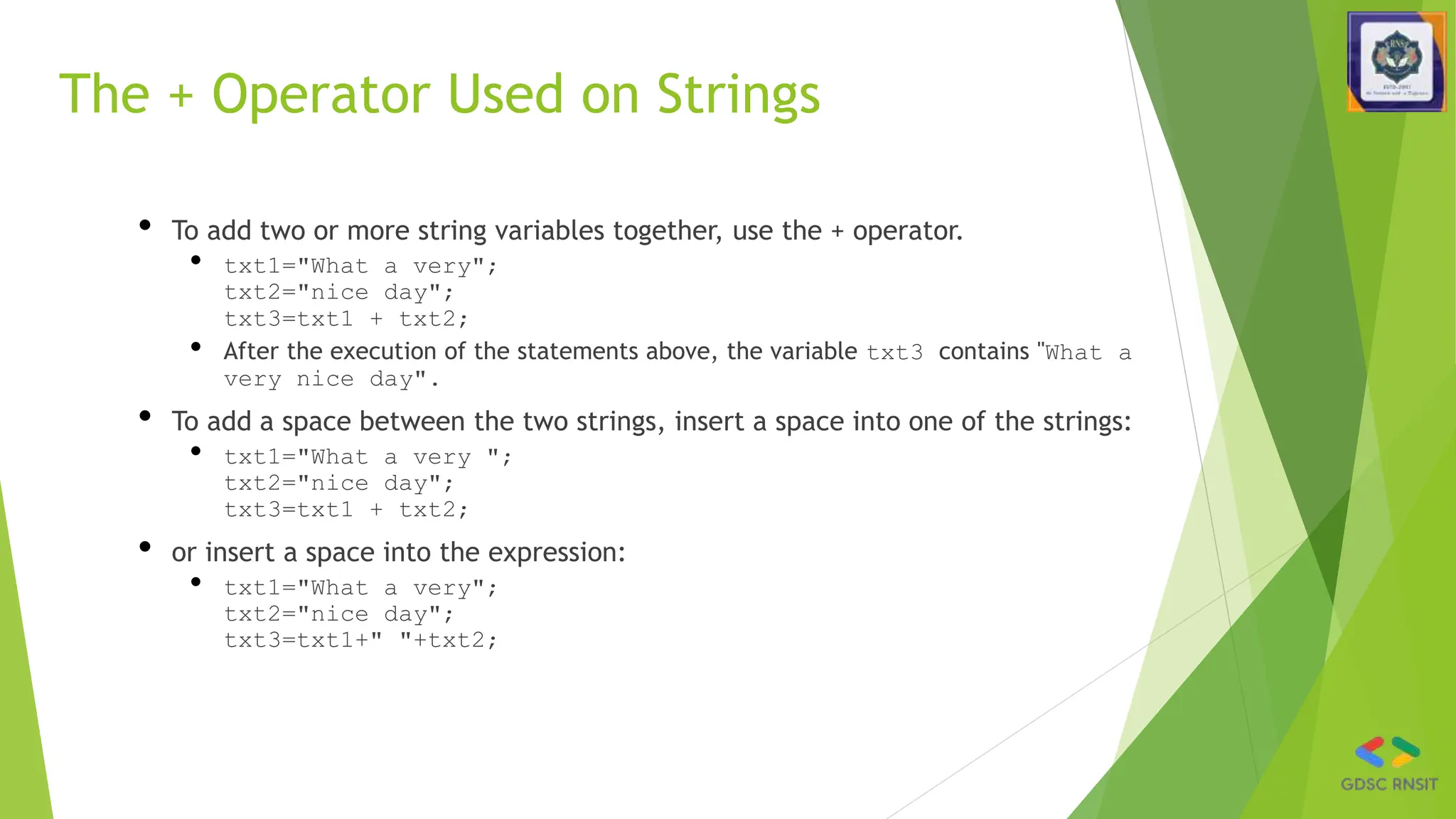
The + Operator Used on Strings
• To add two or more string variables together, use the + operator.
• txt1="What a very";
txt2="nice day";
txt3=txt1 + txt2;
• After the execution of the statements above, the variable txt3 contains "What a
very nice day".
• To add a space between the two strings, insert a space into one of the strings:
• txt1="What a very ";
txt2="nice day";
txt3=txt1 + txt2;
• or insert a space into the expression:
• txt1="What a very";
txt2="nice day";
txt3=txt1+" "+txt2;
Splitting strings: split and join
var s = "the quick brown fox";
var a = s.split(" "); // ["the", "quick", "brown", "fox"]
a.reverse(); // ["fox", "brown", "quick", "the"]
s = a.join("!"); // "fox!brown!quick!the"
JS
◻ split breaks apart a string into an array using a
delimiter
� can also be used with regular expressions (seen later)
◻ join merges an array into a single string, placing a
delimiter between them
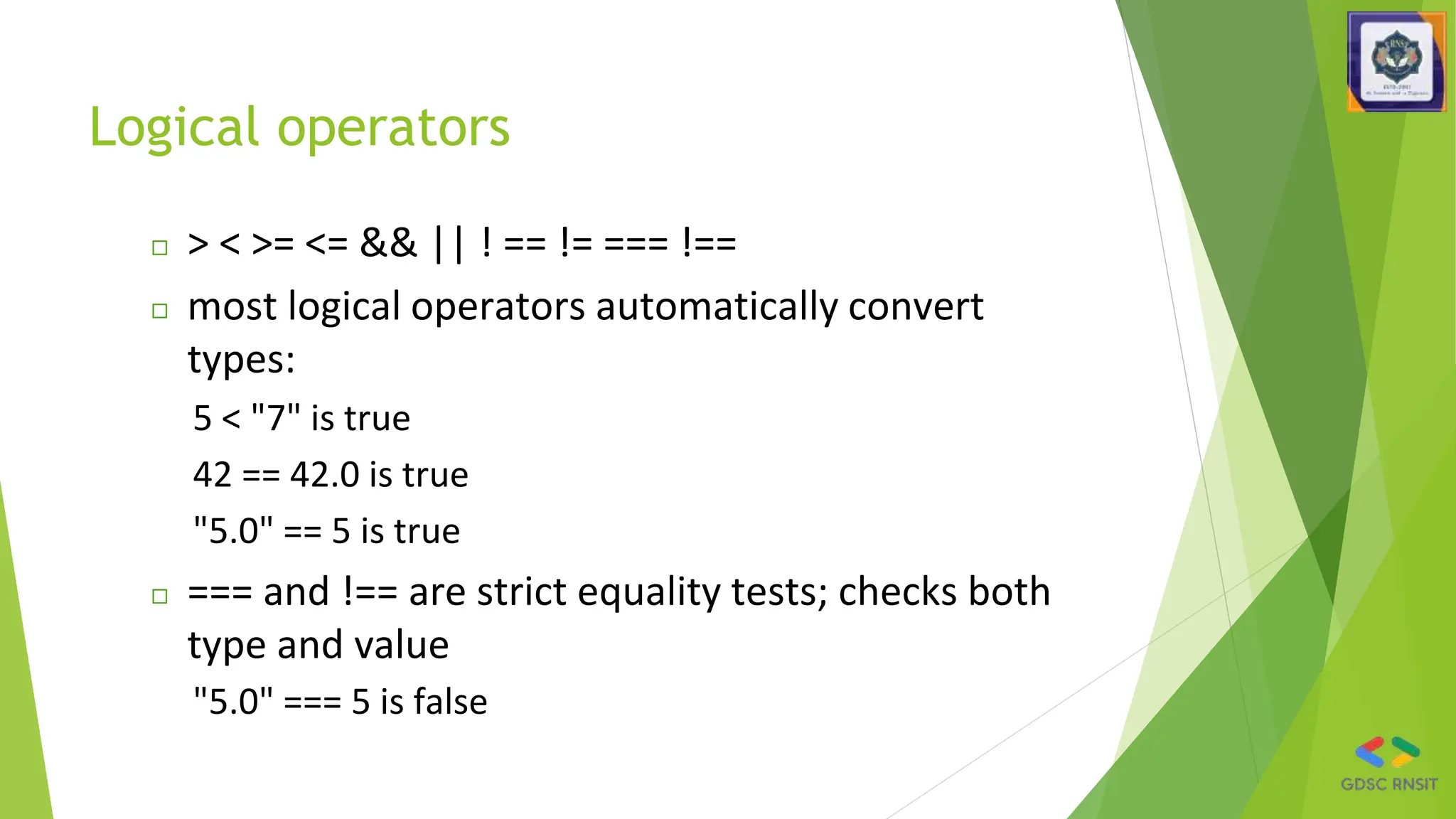
Logical operators
◻ > < >= <= && || ! == != === !==
◻ most logical operators automatically convert
types:
5 < "7" is true
42 == 42.0 is true
"5.0" == 5 is true
◻ === and !== are strict equality tests; checks both
type and value
"5.0" === 5 is false
Arrays
var name = []; // empty array
var name = [value, value, ..., value]; // pre-filled
name[index] = value; // store element
JS
var ducks = ["Huey", "Dewey", "Louie"];
var stooges = []; // stooges.length is 0
stooges[0] = "Larry"; // stooges.length is 1
stooges[1] = "Moe"; // stooges.length is 2
stooges[4] = "Curly"; // stooges.length is 5
stooges[4] = "Shemp"; // stooges.length is 5
JS
Array methods
var a = ["Stef", "Jason"]; // Stef, Jason
a.push("Brian"); // Stef, Jason, Brian
a.unshift("Kelly"); // Kelly, Stef, Jason, Brian
a.pop(); // Kelly, Stef, Jason
a.shift(); // Stef, Jason
a.sort(); // Jason, Stef
JS
◻ array serves as many data structures: list, queue,
stack, ...
◻ methods: concat, join, pop, push, reverse, shift,
slice, sort, splice, toString, unshift
� push and pop add / remove from back
� unshift and shift add / remove from front
� shift and pop return the element that is removed
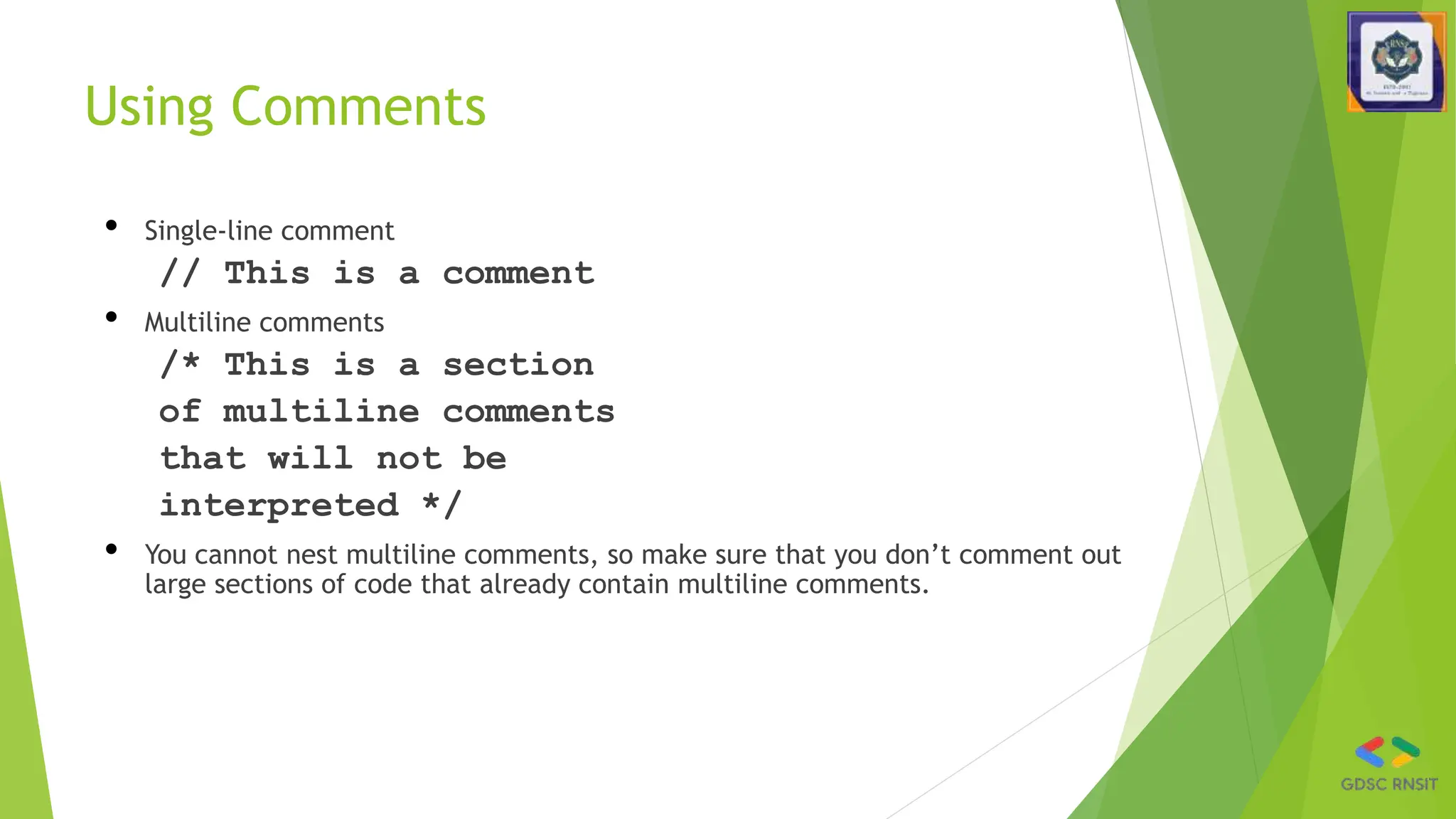
Using Comments
• Single-line comment
// This is a comment
• Multiline comments
/* This is a section
of multiline comments
that will not be
interpreted */
• You cannot nest multiline comments, so make sure that you don’t comment out
large sections of code that already contain multiline comments.
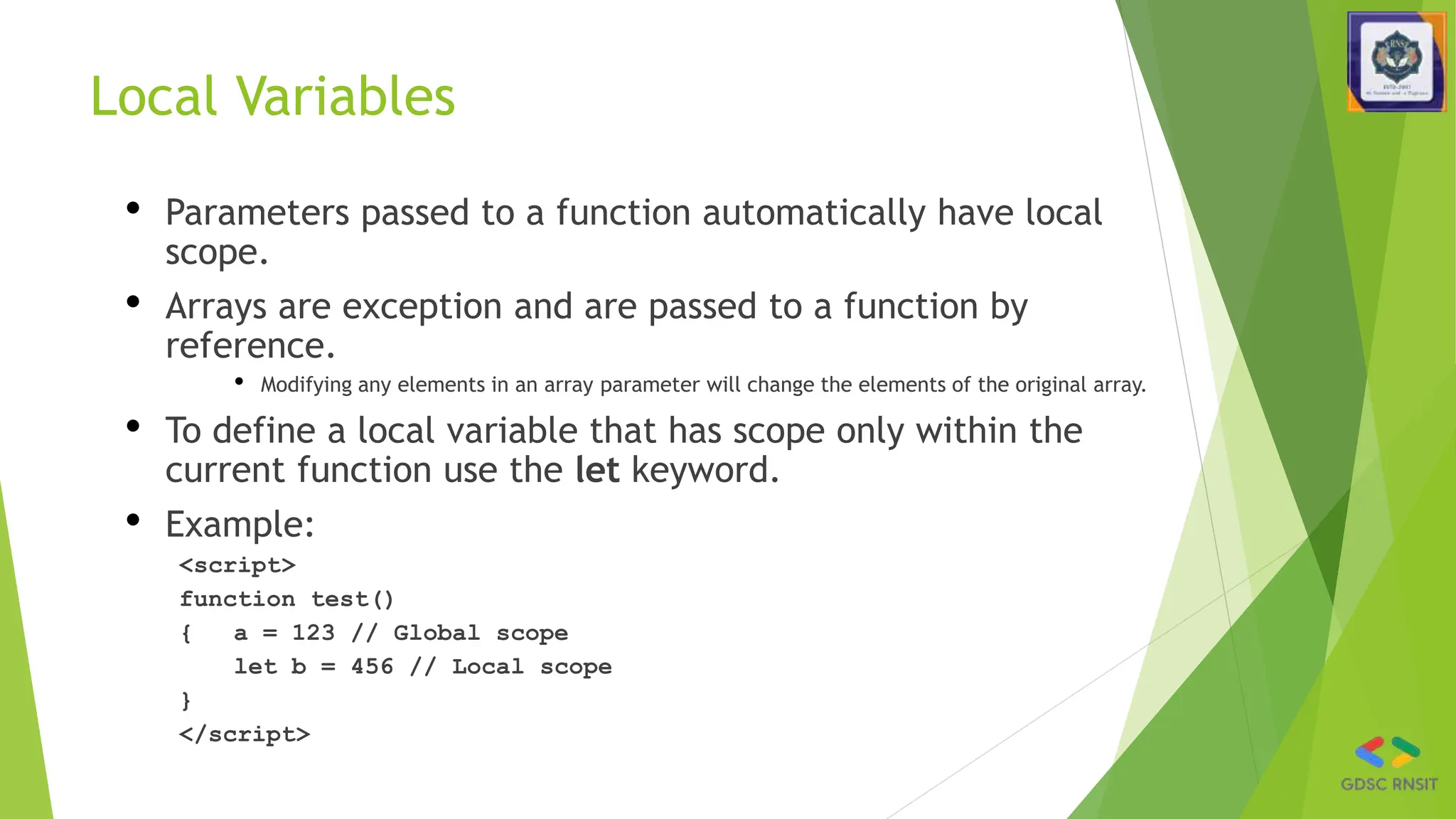
Local Variables
• Parameters passed to a function automatically have local
scope.
• Arrays are exception and are passed to a function by
reference.
• Modifying any elements in an array parameter will change the elements of the original array.
• To define a local variable that has scope only within the
current function use the let keyword.
• Example:
<script>
function test()
{ a = 123 // Global scope
let b = 456 // Local scope
}
</script>
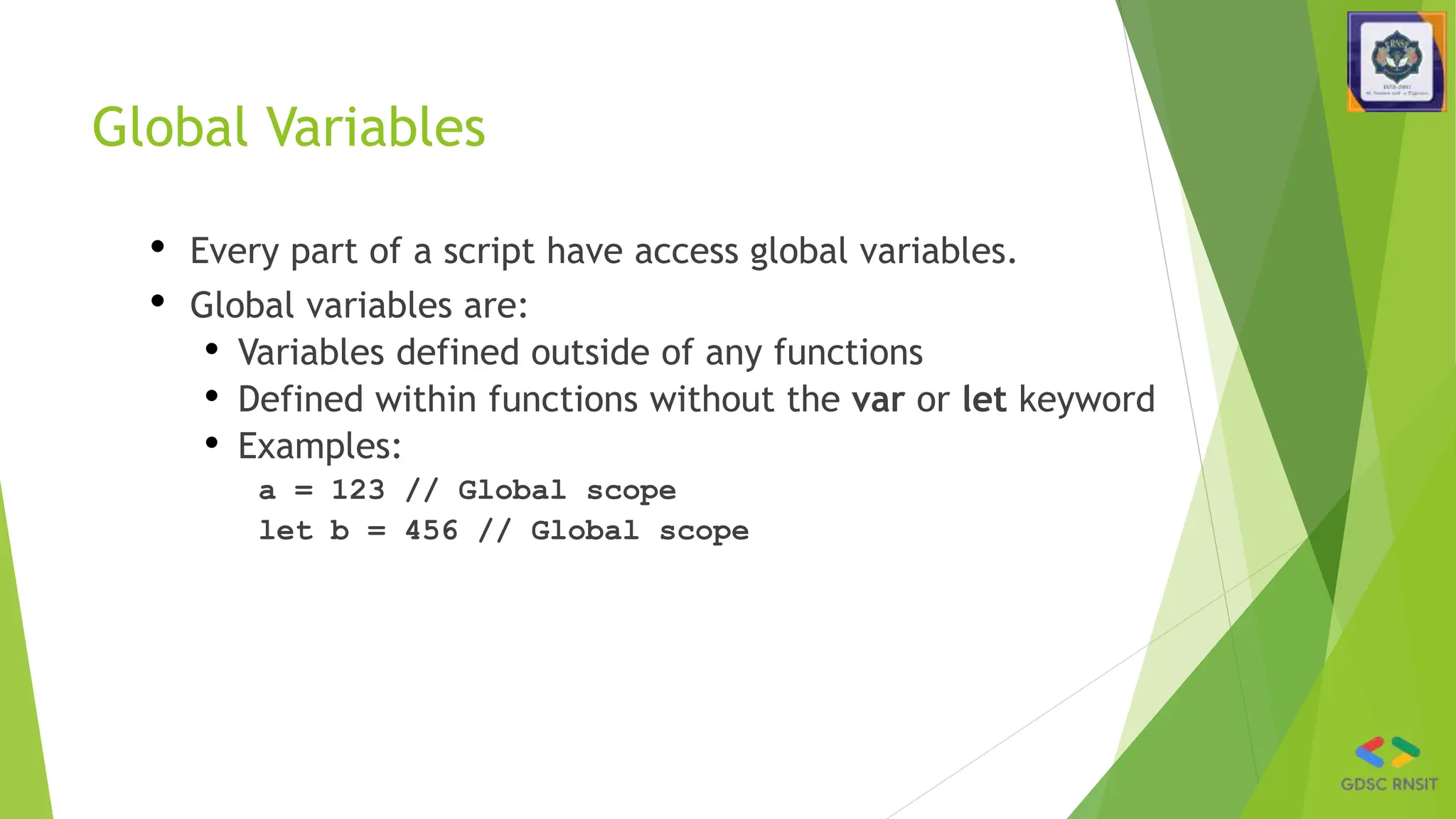
Global Variables
• Every part of a script have access global variables.
• Global variables are:
• Variables defined outside of any functions
• Defined within functions without the var or let keyword
• Examples:
a = 123 // Global scope
let b = 456 // Global scope
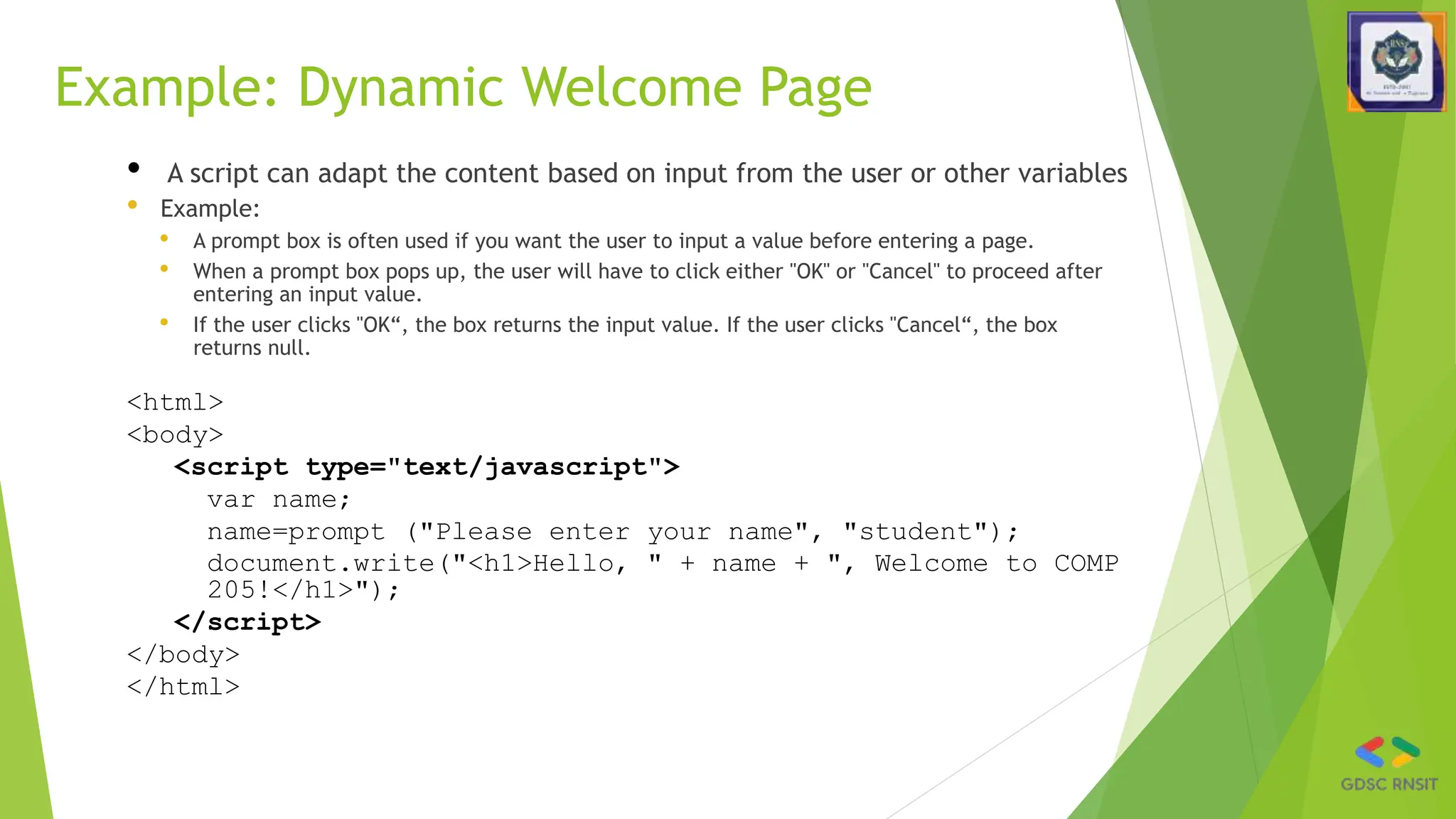
Example: Dynamic Welcome Page
• A script can adapt the content based on input from the user or other variables
• Example:
• A prompt box is often used if you want the user to input a value before entering a page.
• When a prompt box pops up, the user will have to click either "OK" or "Cancel" to proceed after
entering an input value.
• If the user clicks "OK“, the box returns the input value. If the user clicks "Cancel“, the box
returns null.
<html>
<body>
<script type="text/javascript">
var name;
name=prompt ("Please enter your name", "student");
document.write("<h1>Hello, " + name + ", Welcome to COMP
205!</h1>");
</script>
</body>
</html>
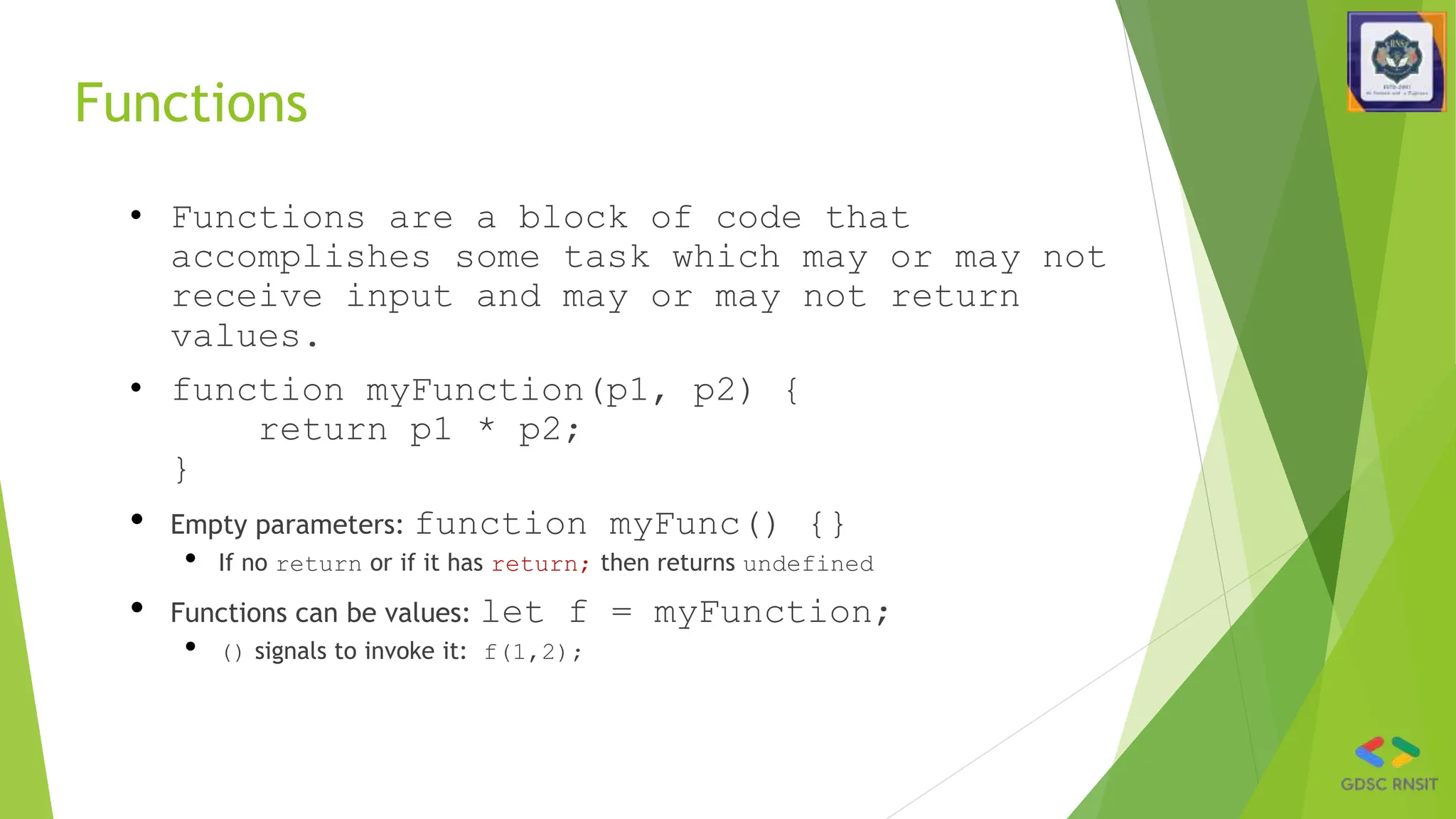
Functions
• Functions are a block of code that
accomplishes some task which may or may not
receive input and may or may not return
values.
• function myFunction(p1, p2) {
return p1 * p2;
}
• Empty parameters: function myFunc() {}
• If no return or if it has return; then returns undefined
• Functions can be values: let f = myFunction;
• () signals to invoke it: f(1,2);
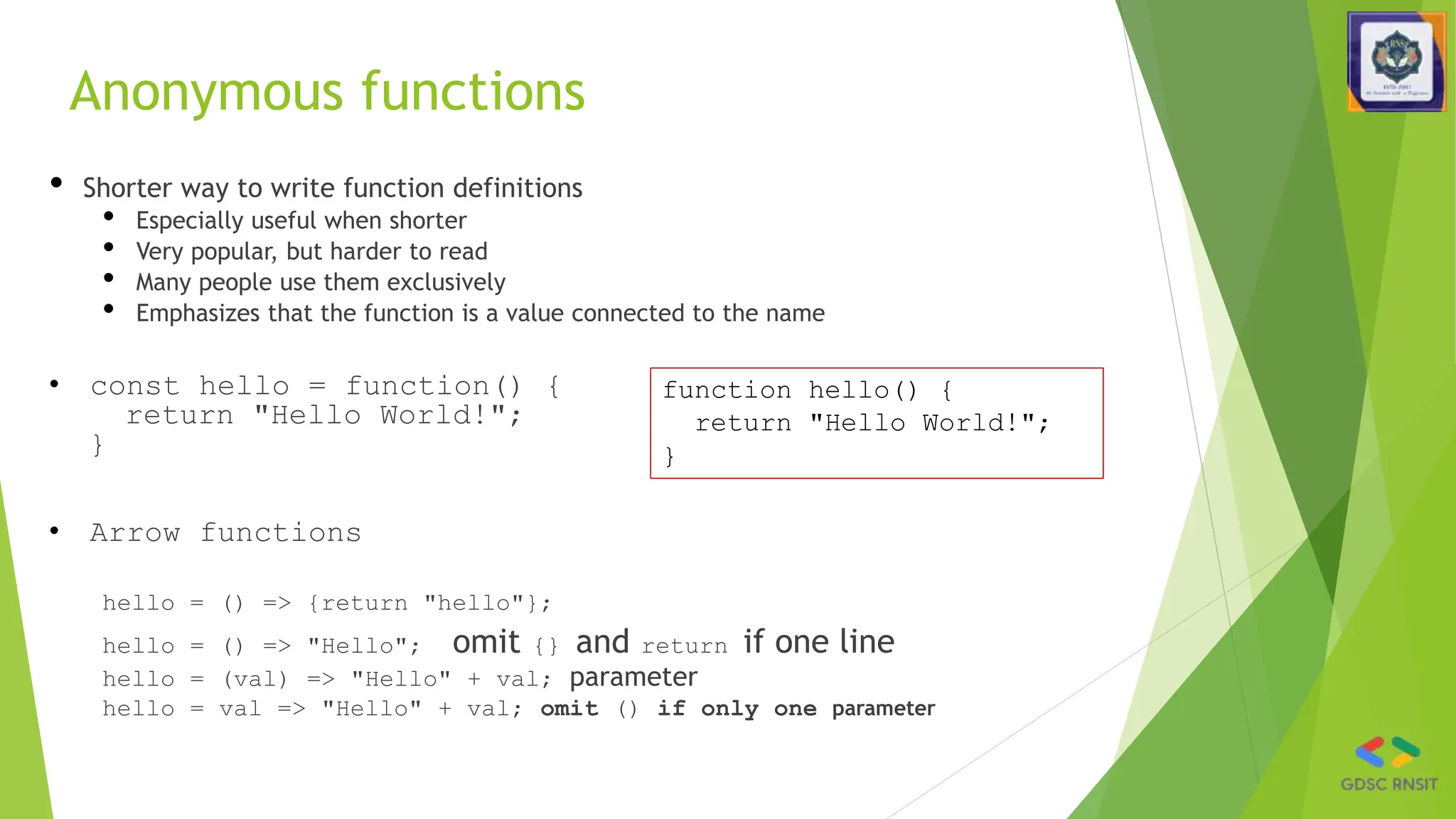
Anonymous functions
• Shorter way to write function definitions
• Especially useful when shorter
• Very popular, but harder to read
• Many people use them exclusively
• Emphasizes that the function is a value connected to the name
• const hello = function() {
return "Hello World!";
}
• Arrow functions
hello = () => {return "hello"};
hello = () => "Hello"; omit {} and return if one line
hello = (val) => "Hello" + val; parameter
hello = val => "Hello" + val; omit () if only one parameter
function hello() {
return "Hello World!";
}
Triggering functions
• E.g., to call initDetails function when page is loaded, put this in the
html file:
<body onload="initDetails()">
• Call function when button is pressed:
myButton.addEventListener("click", myfunction) or
element.onclick = myfunction;
Functions are values
• Javascript is a functional language
• Functions can be stored as values of variables, passed as parameters, and so on
• Using the average function :
let f = average;
let result = f(6, 7) // result is 6.5
f = Math.max;
result = f(6,7) // result is 7
Data objects (1)
• JavaScript has always had objects, but without classes until recently
• A JavaScript object is simply a set of key/value pairs (often called
“properties”). Example:
let person = {
name: “Lisa Simpson”,
age: 30
}
• Note: defined inside of {} (vs. [] for arrays)
• Both separated by ,
• Once you have an object, you reference properties with “ . ” notation:
• let age = person.age;
Data objects (2)
• You can add properties
• person.instrument = “flute”
• Any value can be a function 🡪 method:
person.retirementTime = function() {return 64 - this.age;}
• Usually use arrow functions
• Bracket notation can be used to reference properties
person[“instrument”] = “saxophone”
• And properties can be deleted
delete person.age
• Property names can be computed
what = “instrument”
person[what] = “tenor sax”
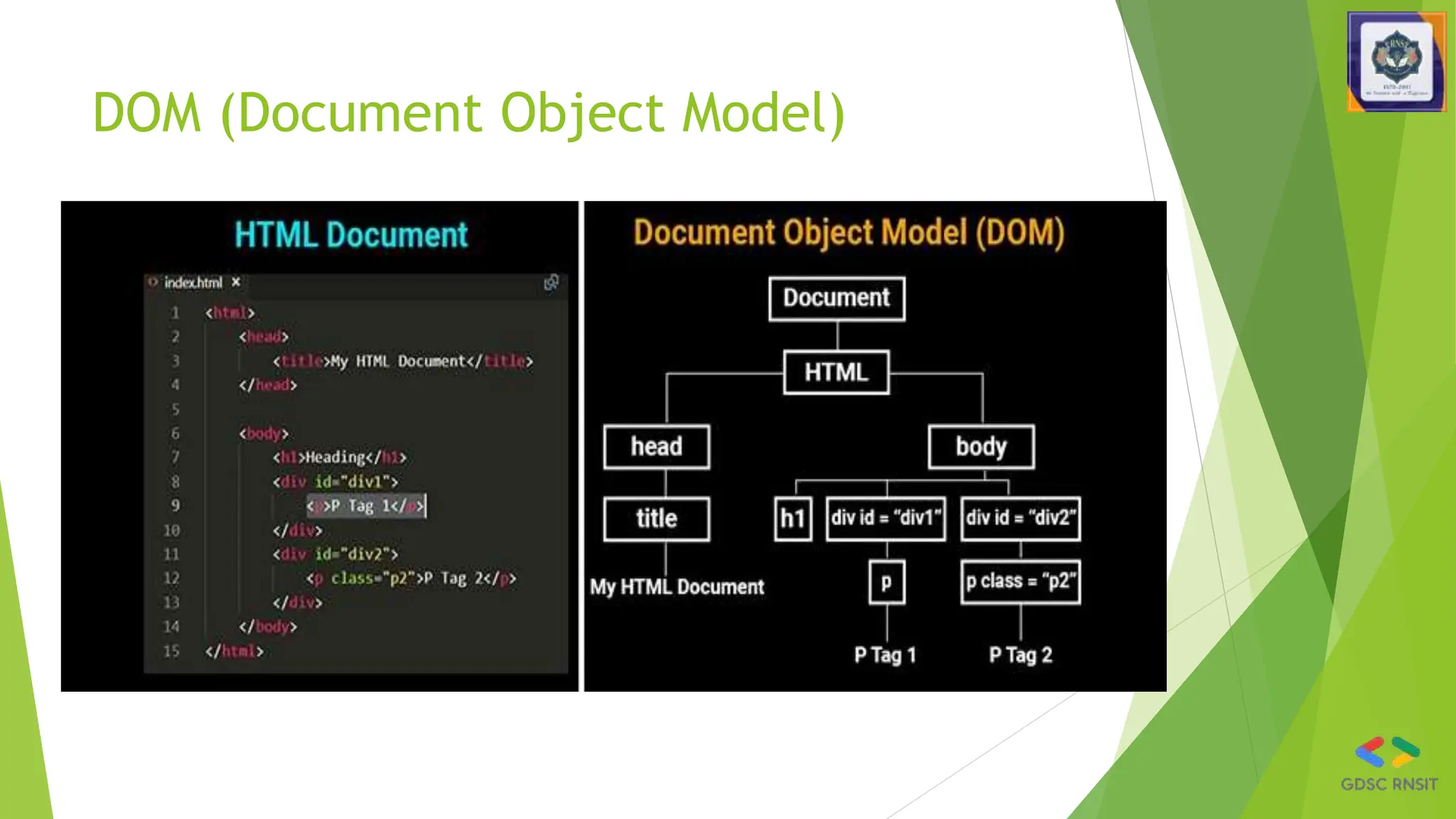
DOM (Document Object Model)
Javascript
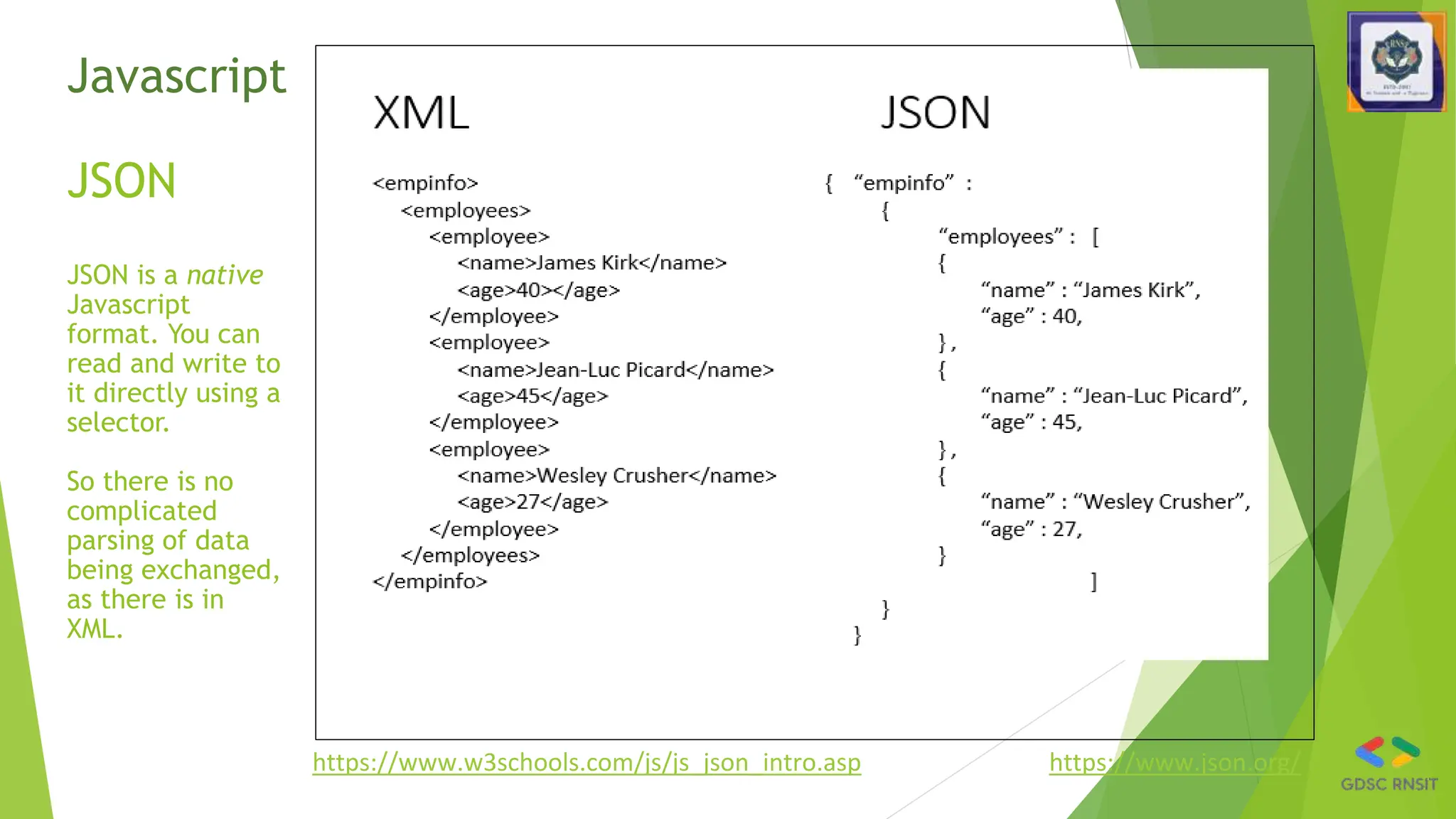
JSON
JSON is a native
Javascript
format. You can
read and write to
it directly using a
selector.
So there is no
complicated
parsing of data
being exchanged,
as there is in
XML.
https://www.w3schools.com/js/js_json_intro.asp https://www.json.org/
Your Turn!
• Remember: It takes practice!!!
• In programming there is a HUGE
difference between
“understanding” and actually
being able to “do it”.
• Trust me on this one… ya
gotta practice.
• Go back through every
JavaScript example in this
lecture and try them out for
yourself.
• Simply feeling like you “got
it” isn’t enough. It is very
different when you start
typing things out on your
own.
• Do it… You do not want to fall
behind in JavaScript.

gdscWorkShopJavascriptintroductions.pptx

  • 1.
    Google Developer StudentClubs Web Development Workshop Day 3 - Introduction to JavaScript
  • 2.
    What is Javascript? •a lightweight programming language, a scripting language i.e. it is designed for executing scripts or small programs within a host environment, such as a web browser. • used to make web pages interactive • insert dynamic text into HTML (ex: user name) • react to events (ex: page load user click) • perform calculations on user's computer (ex: form validation) • get information about a user's computer (ex: browser type)
  • 3.
    What is JavaScriptfor? What is the purpose of code that we find in the <script> tag? 1. Perform calculations by using variables, expressions, conditional statements, loops and functions. 2. Wait for events to occur and take actions when they do. (For example: what happens when a button gets clicked?) 3. Manipulate the HTML tags found in the <body> This is what JavaScript has been traditionally used for. These are all actions that take place when JavaScript runs inside in a web browser like Chrome. JavaScript can also run outside the browser, in its own environment called a node. That implementation of JavaScript is called node.js. Node.js is not covered in this session.
  • 4.
    HTML + CSS+ JavaScript
  • 5.
  • 6.
    JavaScript is primarilya Client-side Language • User-agent (web browser) requests a web page http request http response • Web page (with JavaScript) is sent to PC • JavaScript is executed on PC • Can affect the webpage itself
  • 7.
    Why use client-sideprogramming? • client-side scripting (JavaScript) benefits: • usability: can modify a page without having to post back to the server (faster UI) • efficiency: can make small, quick changes to page without waiting for server • event-driven: can respond to user actions like clicks and key presses • client-side scripting (JavaScript) disadvantages: • security: has access to server's private data; client can't see source code • compatibility: not subject to browser compatibility issues • power: can write files, open connections to servers, connect to databases, ...
  • 8.
    Putting all together .htmlfile .css file image and audio files Web browser Firefox/ Safari application Prepare/edit files interprets displays .js file
  • 9.
    Console • Browser debuggershave “Console” where can type any JavaScript code • Can see the values of global variables • Can assign values, define functions, evaluate code • “Sources” tab allows breakpoints, editing code • But not saved, so just for experiments • At breakpoints, can see stack (“Scope” tab) • Run code in the context of that function • console.log(anything); output anything to the console without stopping • alert("I am an alert box!");pause
  • 10.
    Where can youput JavaScript? • Like styles, can be external, internal, or inline Use these for different situations • Can be placed In the HMTL page anywhere inside body or head of the html document. • Best practice is to put it at the end of the body. • Commands in JavaScript are case sensitive.
  • 11.
  • 12.
    External JavaScript ● Externalscripts are practical when the same code is used in many different web pages. ● JavaScript files have the file extension “.js”. ● To use an external script, put the name of the script file in the source (src) attribute of the <script> tag. <!DOCTYPE html> <html> <body> <script src="myScript.js"></script> </body> </html>
  • 13.
    Example: “Hello World”displayed using JavaScript <html> <head><title>Hello World</title></head> <body> <script type="text/javascript"> document.write("Hello World") </script> <noscript> Your browser doesn't support or has disabled JavaScript </noscript> </body> </html>
  • 14.
    JS is DynamicallyTyped • Never declare the type of variables, parameters, functions, etc. • let i = 3; i="str"; i = null; • Special undefined value: let x; 🡪 undefined • Arrays can contain multiple types: [3, "foo"] • Numbers are 23 or 45.3 (no distinction int <-> float) • Automatic conversion: "5"+2+3 🡪 "523" • Vs. 2+3+"5" 🡪 "55" or "11" - 1 = 10 • str.length note NOT a method str.length() • But lots of other string methods, e.g., str.trim() • Like Java, strings are immutable (cannot change): • str[2] = 'p'; doesn’t work • All string methods return new strings • Empty string "", undefined, null, 0 are all false: if(b){}
  • 15.
    Declaring variables • letx – block scope – inside { } • var x – function scope – anywhere in the function • Either at top-level of file – global scope (all code running on this web page) • Reset if page is reloaded • const x – block scope, and cannot be reassigned, so assign on declaration const x = 123; • x = 4; error • But if x is an object or array, it can be modified const x = [2,3]; x[0]=5; OK
  • 16.
    Variables • variables aredeclared with the let keyword (case sensitive) • types are not specified, but JS does have types ("loosely typed") • Number, Boolean, String, Array, Object, Function, Null, Undefined • can find out a variable's type by calling typeof var name = expression; JS var clientName = "Connie Client"; var age = 32; var weight = 127.4; JS
  • 17.
    Special values: nulland undefined var ned = null; var benson = 9; // at this point in the code, // ned is null // benson's 9 // caroline is undefined JS ◻ undefined : has not been declared, does not exist ◻ null : exists, but was specifically assigned an empty or null value ◻ Why does JavaScript have both of these?
  • 18.
    String type • methods:map, foreach , charAt, charCodeAt, fromCharCode, indexOf, lastIndexOf, replace, split, substring, toLowerCase, toUpperCase • charAt returns a one-letter String (there is no char type) • Length is a property • Strings can be specified with “” or ‘’ • concatenation with + : • 1 + 1 is 2, but "1" + 1 is "11" var s = "Connie Client"; var fName = s.substring(0, s.indexOf(" ")); // "Connie" var len = s.length; // 13 var s2 = 'Melvin Merchant'; JS
  • 19.
    More about String •accessing the letters of a String: var count = 10; var s1 = "" + count; // "10" var s2 = count + " bananas, ah ah ah!"; // "10 bananas, ah ah ah!" var n1 = parseInt("42 is the answer"); // 42 var n2 = parseFloat("booyah"); // NaN JS ◻ escape sequences: ' " & n t ◻ converting between numbers and Strings: var firstLetter = s[0]; // fails in IE var firstLetter = s.charAt(0); // does work in IE var lastLetter = s.charAt(s.length - 1); JS
  • 20.
    The + OperatorUsed on Strings • To add two or more string variables together, use the + operator. • txt1="What a very"; txt2="nice day"; txt3=txt1 + txt2; • After the execution of the statements above, the variable txt3 contains "What a very nice day". • To add a space between the two strings, insert a space into one of the strings: • txt1="What a very "; txt2="nice day"; txt3=txt1 + txt2; • or insert a space into the expression: • txt1="What a very"; txt2="nice day"; txt3=txt1+" "+txt2;
  • 21.
    Splitting strings: splitand join var s = "the quick brown fox"; var a = s.split(" "); // ["the", "quick", "brown", "fox"] a.reverse(); // ["fox", "brown", "quick", "the"] s = a.join("!"); // "fox!brown!quick!the" JS ◻ split breaks apart a string into an array using a delimiter � can also be used with regular expressions (seen later) ◻ join merges an array into a single string, placing a delimiter between them
  • 22.
    Logical operators ◻ >< >= <= && || ! == != === !== ◻ most logical operators automatically convert types: 5 < "7" is true 42 == 42.0 is true "5.0" == 5 is true ◻ === and !== are strict equality tests; checks both type and value "5.0" === 5 is false
  • 23.
    Arrays var name =[]; // empty array var name = [value, value, ..., value]; // pre-filled name[index] = value; // store element JS var ducks = ["Huey", "Dewey", "Louie"]; var stooges = []; // stooges.length is 0 stooges[0] = "Larry"; // stooges.length is 1 stooges[1] = "Moe"; // stooges.length is 2 stooges[4] = "Curly"; // stooges.length is 5 stooges[4] = "Shemp"; // stooges.length is 5 JS
  • 24.
    Array methods var a= ["Stef", "Jason"]; // Stef, Jason a.push("Brian"); // Stef, Jason, Brian a.unshift("Kelly"); // Kelly, Stef, Jason, Brian a.pop(); // Kelly, Stef, Jason a.shift(); // Stef, Jason a.sort(); // Jason, Stef JS ◻ array serves as many data structures: list, queue, stack, ... ◻ methods: concat, join, pop, push, reverse, shift, slice, sort, splice, toString, unshift � push and pop add / remove from back � unshift and shift add / remove from front � shift and pop return the element that is removed
  • 25.
    Using Comments • Single-linecomment // This is a comment • Multiline comments /* This is a section of multiline comments that will not be interpreted */ • You cannot nest multiline comments, so make sure that you don’t comment out large sections of code that already contain multiline comments.
  • 26.
    Local Variables • Parameterspassed to a function automatically have local scope. • Arrays are exception and are passed to a function by reference. • Modifying any elements in an array parameter will change the elements of the original array. • To define a local variable that has scope only within the current function use the let keyword. • Example: <script> function test() { a = 123 // Global scope let b = 456 // Local scope } </script>
  • 27.
    Global Variables • Everypart of a script have access global variables. • Global variables are: • Variables defined outside of any functions • Defined within functions without the var or let keyword • Examples: a = 123 // Global scope let b = 456 // Global scope
  • 28.
    Example: Dynamic WelcomePage • A script can adapt the content based on input from the user or other variables • Example: • A prompt box is often used if you want the user to input a value before entering a page. • When a prompt box pops up, the user will have to click either "OK" or "Cancel" to proceed after entering an input value. • If the user clicks "OK“, the box returns the input value. If the user clicks "Cancel“, the box returns null. <html> <body> <script type="text/javascript"> var name; name=prompt ("Please enter your name", "student"); document.write("<h1>Hello, " + name + ", Welcome to COMP 205!</h1>"); </script> </body> </html>
  • 29.
    Functions • Functions area block of code that accomplishes some task which may or may not receive input and may or may not return values. • function myFunction(p1, p2) { return p1 * p2; } • Empty parameters: function myFunc() {} • If no return or if it has return; then returns undefined • Functions can be values: let f = myFunction; • () signals to invoke it: f(1,2);
  • 30.
    Anonymous functions • Shorterway to write function definitions • Especially useful when shorter • Very popular, but harder to read • Many people use them exclusively • Emphasizes that the function is a value connected to the name • const hello = function() { return "Hello World!"; } • Arrow functions hello = () => {return "hello"}; hello = () => "Hello"; omit {} and return if one line hello = (val) => "Hello" + val; parameter hello = val => "Hello" + val; omit () if only one parameter function hello() { return "Hello World!"; }
  • 31.
    Triggering functions • E.g.,to call initDetails function when page is loaded, put this in the html file: <body onload="initDetails()"> • Call function when button is pressed: myButton.addEventListener("click", myfunction) or element.onclick = myfunction;
  • 32.
    Functions are values •Javascript is a functional language • Functions can be stored as values of variables, passed as parameters, and so on • Using the average function : let f = average; let result = f(6, 7) // result is 6.5 f = Math.max; result = f(6,7) // result is 7
  • 33.
    Data objects (1) •JavaScript has always had objects, but without classes until recently • A JavaScript object is simply a set of key/value pairs (often called “properties”). Example: let person = { name: “Lisa Simpson”, age: 30 } • Note: defined inside of {} (vs. [] for arrays) • Both separated by , • Once you have an object, you reference properties with “ . ” notation: • let age = person.age;
  • 34.
    Data objects (2) •You can add properties • person.instrument = “flute” • Any value can be a function 🡪 method: person.retirementTime = function() {return 64 - this.age;} • Usually use arrow functions • Bracket notation can be used to reference properties person[“instrument”] = “saxophone” • And properties can be deleted delete person.age • Property names can be computed what = “instrument” person[what] = “tenor sax”
  • 35.
  • 36.
    Javascript JSON JSON is anative Javascript format. You can read and write to it directly using a selector. So there is no complicated parsing of data being exchanged, as there is in XML. https://www.w3schools.com/js/js_json_intro.asp https://www.json.org/
  • 37.
    Your Turn! • Remember:It takes practice!!! • In programming there is a HUGE difference between “understanding” and actually being able to “do it”. • Trust me on this one… ya gotta practice. • Go back through every JavaScript example in this lecture and try them out for yourself. • Simply feeling like you “got it” isn’t enough. It is very different when you start typing things out on your own. • Do it… You do not want to fall behind in JavaScript.