GOOGLE CLOUD STUDY JAMS
Google Cloud Platform
Cloud Storage is a service for storing object in Google
Cloud.
An object is an immutable piece of data consisting of
a file of any format.
These objects are stored in container called buckets.
All branches are associated with a project, and you
can group your projects under an organization.
Overview & Architecture
Google Cloud consists of a set of physical assets,
such as computers and hard disk drives, and virtual
resources, such as virtual machines (VMs), that are
contained in Google's data centers around the globe.
Each data center location is in a region. Regions are
available in Asia, Australia, Europe, North America,
and South America. For example, zone a in the East
Asia region is named asia-east1-a.
This distribution of resources provides several
benefits, including redundancy in case of failure and
reduced latency by locating resources closer to clients.
Google Cloud Resources
You can think of a project as the organizing
entity for what you're building. A project is
made up of the settings, permissions, and
other metadata that describe your applications.
Projects
Each Google Cloud project has the following:
A project name, which you provide.
A project ID, which you can provide or Google Cloud
can provide for you.
A project number, which Google Cloud provides.
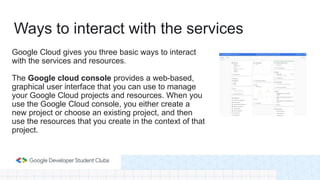
Google Cloud gives you three basic ways to interact
with the services and resources.
The Google cloud console provides a web-based,
graphical user interface that you can use to manage
your Google Cloud projects and resources. When you
use the Google Cloud console, you either create a
new project or choose an existing project, and then
use the resources that you create in the context of that
project.
Ways to interact with the services
If you prefer to work at the command line, you can
perform most Google Cloud tasks by using the Google
Cloud CLI. The gcloud CLI lets you manage
development workflow and Google Cloud resources in
a terminal window.
For example, you can create a Compute Engine virtual
machine (VM) instance by running the gcloud compute
instances create command in the shell environment.
Command-line interface
Google Cloud provides Client library that enable you
to easily create and manage resources. Google Cloud
client libraries expose APIs for two main purposes:
App APIs provide access to services. App APIs are
optimized for supported languages, such as Node.js
and Python. The libraries are designed around service
metaphors, so you can work with the services more
naturally and write less boilerplate code.
Client libraries
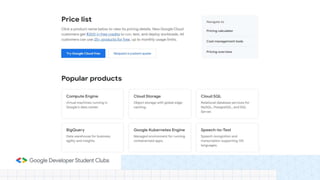
Cloud Storage Pricing
Cloud storage service pricing is based on 4 components which are:
Data Storage: It counts to the amount of data stored in your buckets. Storage
rates vary depending on the storage class of the data and the location of your
buckets.
Network Usage: The amount of data read from or moved between the
buckets.
Operations Usage: The actions taken in Cloud Storage, such as listing the
objects in the buckets, etc.
Retrieval and early deletion fees: It is applicable for data stored in the
Nearline Storage, Coldline Storage, and Archive Storage classes.
(https://cloud.google.com/products)

GDSC.pptx

  • 1.
  • 2.
  • 3.
    Cloud Storage isa service for storing object in Google Cloud. An object is an immutable piece of data consisting of a file of any format. These objects are stored in container called buckets. All branches are associated with a project, and you can group your projects under an organization. Overview & Architecture
  • 4.
    Google Cloud consistsof a set of physical assets, such as computers and hard disk drives, and virtual resources, such as virtual machines (VMs), that are contained in Google's data centers around the globe. Each data center location is in a region. Regions are available in Asia, Australia, Europe, North America, and South America. For example, zone a in the East Asia region is named asia-east1-a. This distribution of resources provides several benefits, including redundancy in case of failure and reduced latency by locating resources closer to clients. Google Cloud Resources
  • 5.
    You can thinkof a project as the organizing entity for what you're building. A project is made up of the settings, permissions, and other metadata that describe your applications. Projects
  • 6.
    Each Google Cloudproject has the following: A project name, which you provide. A project ID, which you can provide or Google Cloud can provide for you. A project number, which Google Cloud provides.
  • 7.
    Google Cloud givesyou three basic ways to interact with the services and resources. The Google cloud console provides a web-based, graphical user interface that you can use to manage your Google Cloud projects and resources. When you use the Google Cloud console, you either create a new project or choose an existing project, and then use the resources that you create in the context of that project. Ways to interact with the services
  • 8.
    If you preferto work at the command line, you can perform most Google Cloud tasks by using the Google Cloud CLI. The gcloud CLI lets you manage development workflow and Google Cloud resources in a terminal window. For example, you can create a Compute Engine virtual machine (VM) instance by running the gcloud compute instances create command in the shell environment. Command-line interface
  • 9.
    Google Cloud providesClient library that enable you to easily create and manage resources. Google Cloud client libraries expose APIs for two main purposes: App APIs provide access to services. App APIs are optimized for supported languages, such as Node.js and Python. The libraries are designed around service metaphors, so you can work with the services more naturally and write less boilerplate code. Client libraries
  • 10.
    Cloud Storage Pricing Cloudstorage service pricing is based on 4 components which are: Data Storage: It counts to the amount of data stored in your buckets. Storage rates vary depending on the storage class of the data and the location of your buckets. Network Usage: The amount of data read from or moved between the buckets. Operations Usage: The actions taken in Cloud Storage, such as listing the objects in the buckets, etc. Retrieval and early deletion fees: It is applicable for data stored in the Nearline Storage, Coldline Storage, and Archive Storage classes.
  • 12.