Saving Development Time
with Shared Unity Plugins
and SDKs
Reusable Technology
Lead Software Engineer
Bruno
Cicanci
→ SDK development
→ Unity plugins
→ Test, Publish, Support
Agenda
SDK development
→ Add new features or functionalities
→ Expand or customize libraries
→ Focus on what's needed for each project
→ More control over the source code
→ Share standardized solutions across projects
Why?
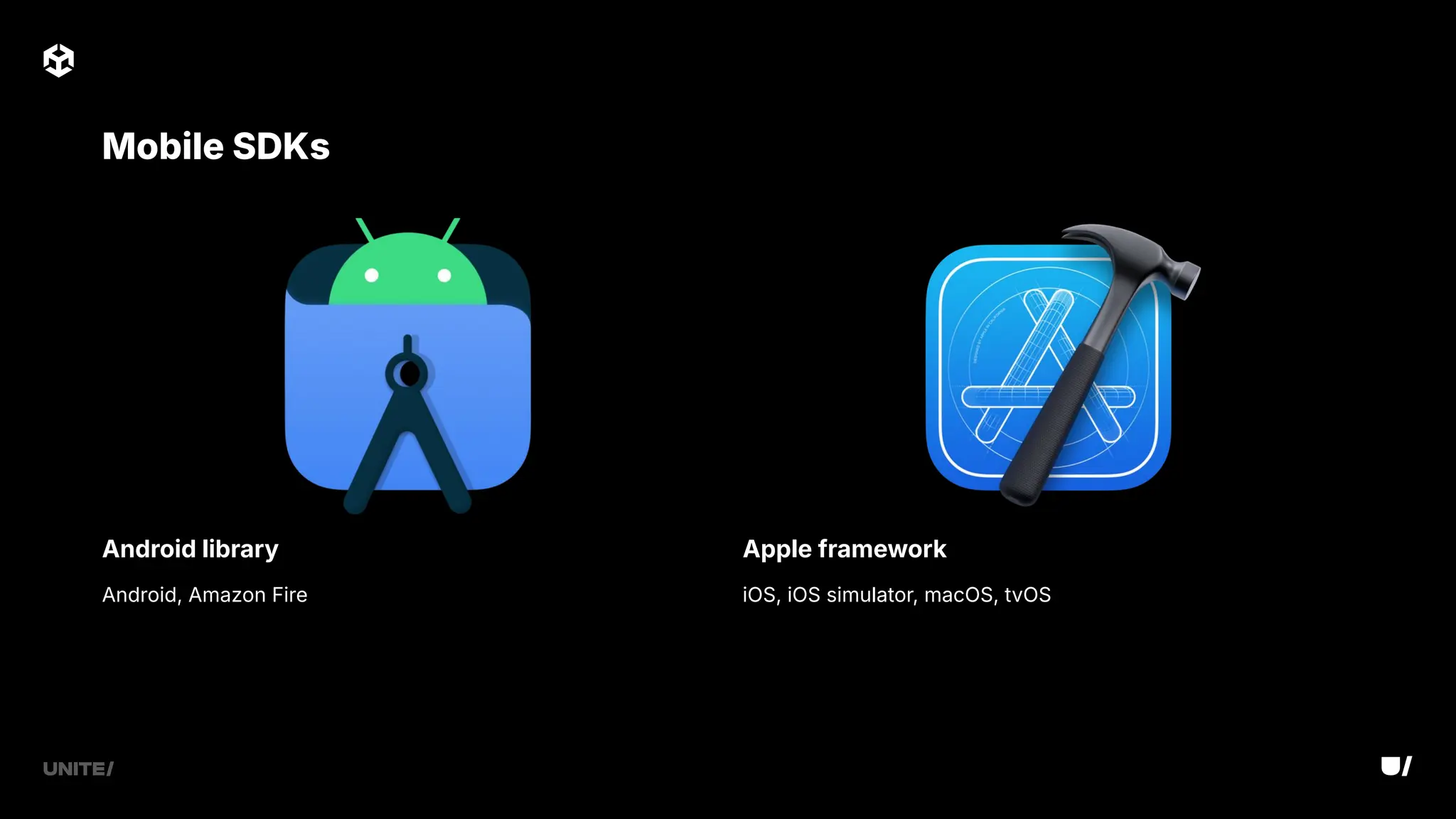
Android library Apple framework
iOS, iOS simulator, macOS, tvOS
Mobile SDKs
Android, Amazon Fire
→ Access to OS APIs and many third-party
libraries
→ Can use Java, Kotlin, C, C
→ Shared as an AAR file
Android library
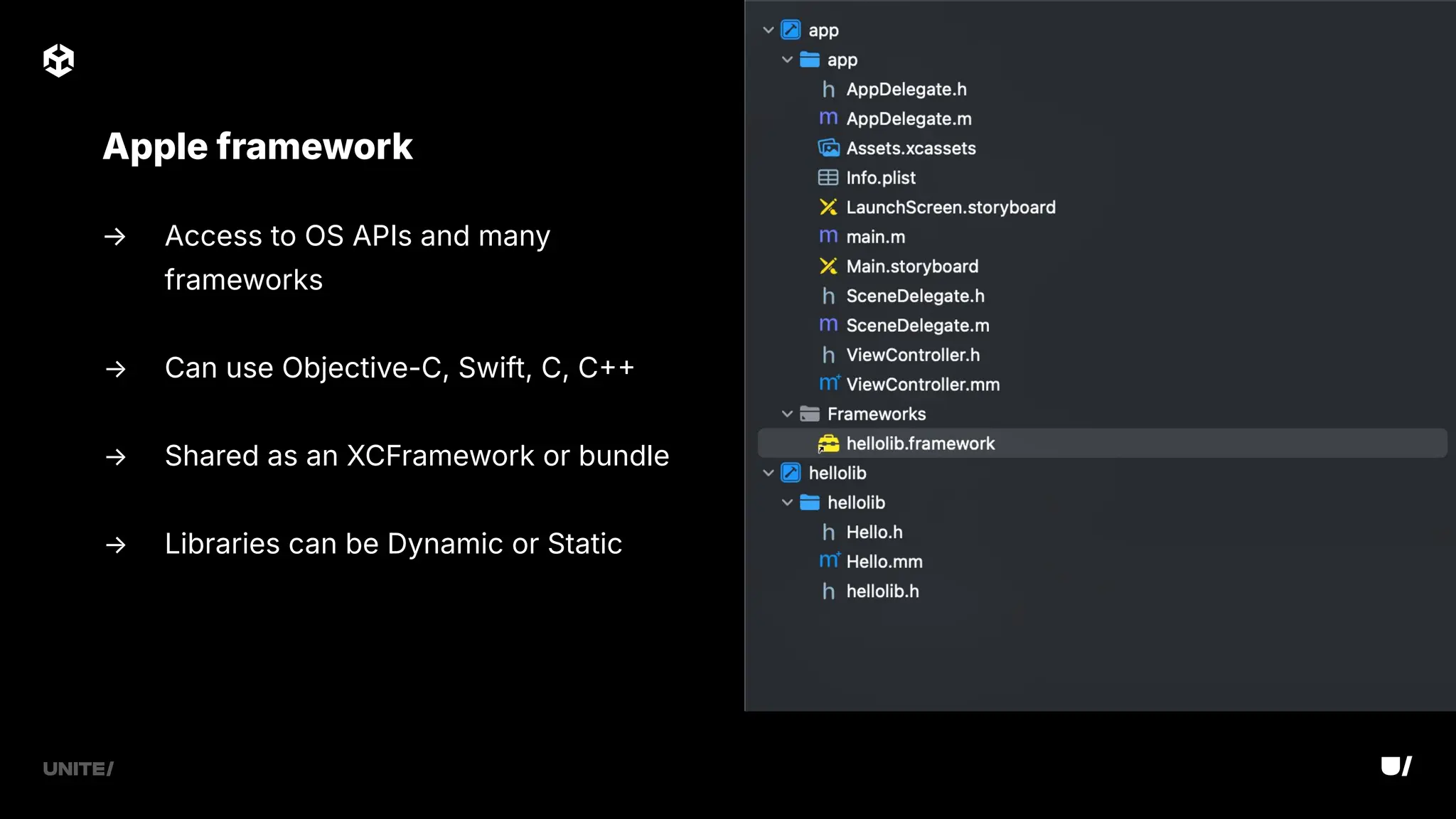
→ Access to OS APIs and many
frameworks
→ Can use Objective-C, Swift, C, C
→ Shared as an XCFramework or bundle
→ Libraries can be Dynamic or Static
Apple framework
→ Xcode upgrades might break compatibility - don't rush upgrades
→ Latest Java SDK and Gradle plugin versions can also cause build issues
Potential issues
→ Use dependencies that are compatible with your minimum requirements
→ Always have a simple test app in your project
→ Expose only the APIs that are really required
→ Automate the build process
→ Use unit tests in the IDE
Best practices
Unity plugins
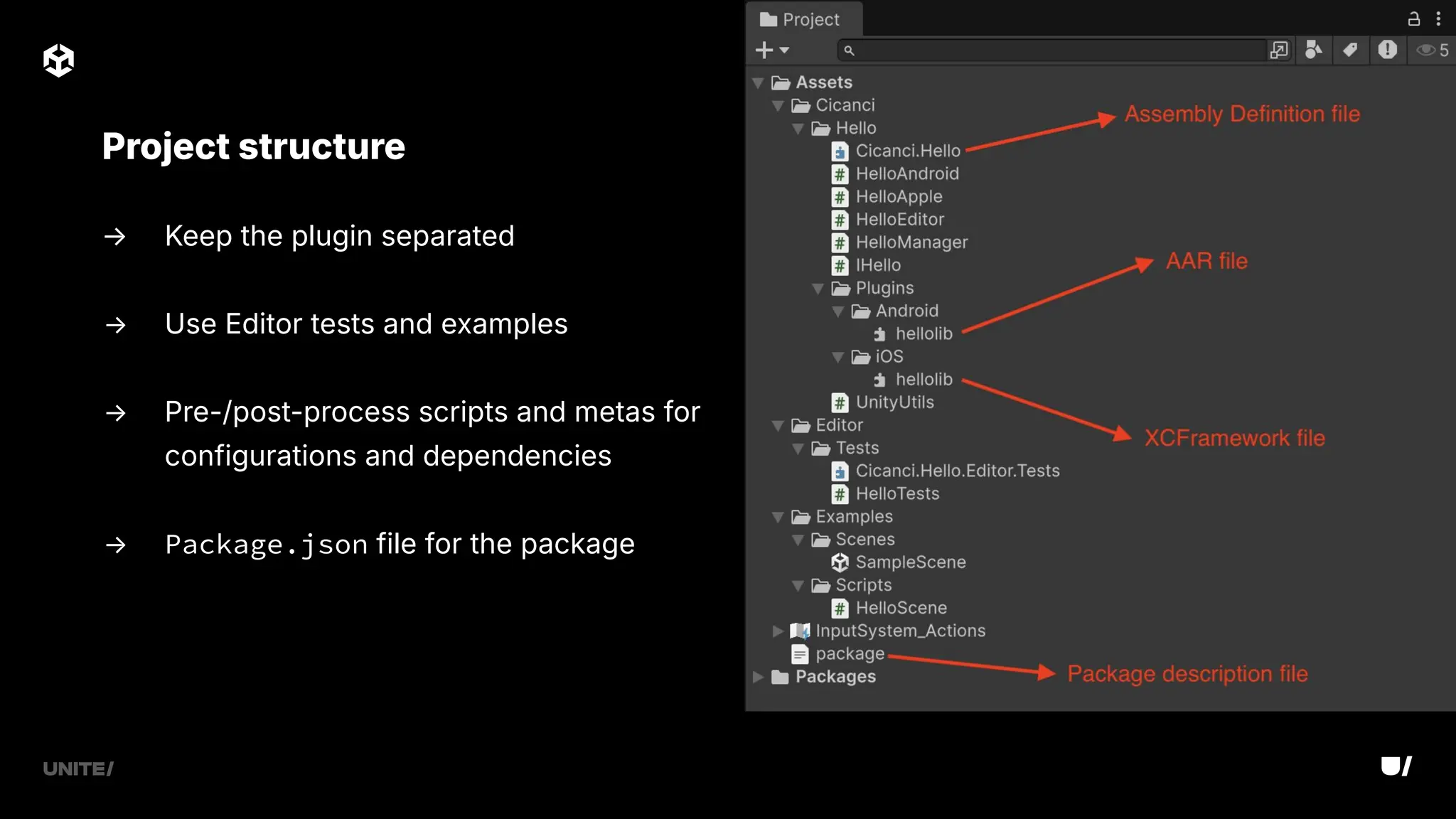
→ Keep the plugin separated
→ Use Editor tests and examples
→ Pre-/post-process scripts and metas for
configurations and dependencies
→ Package.json file for the package
Project structure
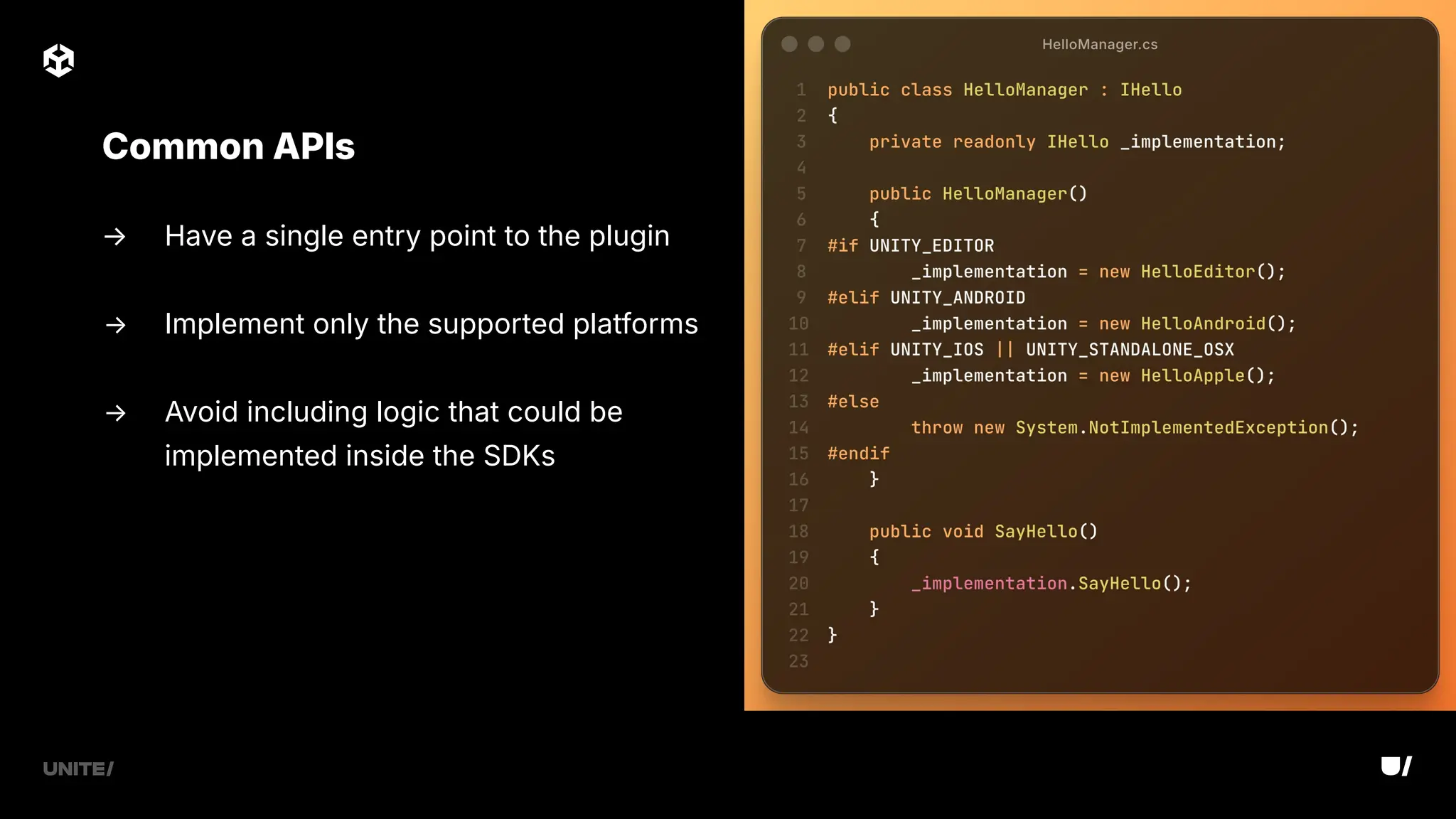
→ Have a single entry point to the plugin
→ Implement only the supported platforms
→ Avoid including logic that could be
implemented inside the SDKs
Common APIs
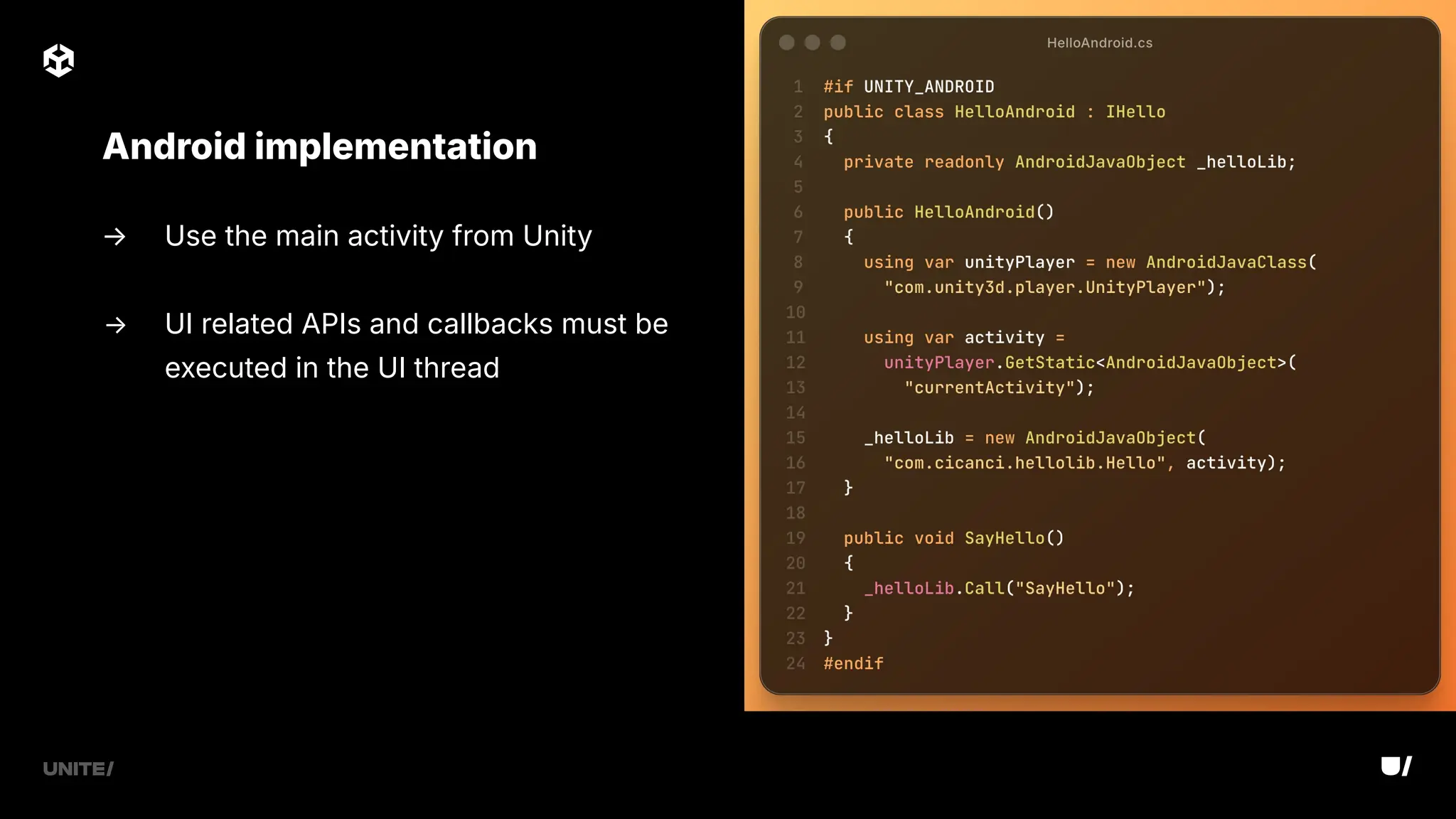
→ Use the main activity from Unity
→ UI related APIs and callbacks must be
executed in the UI thread
Android implementation
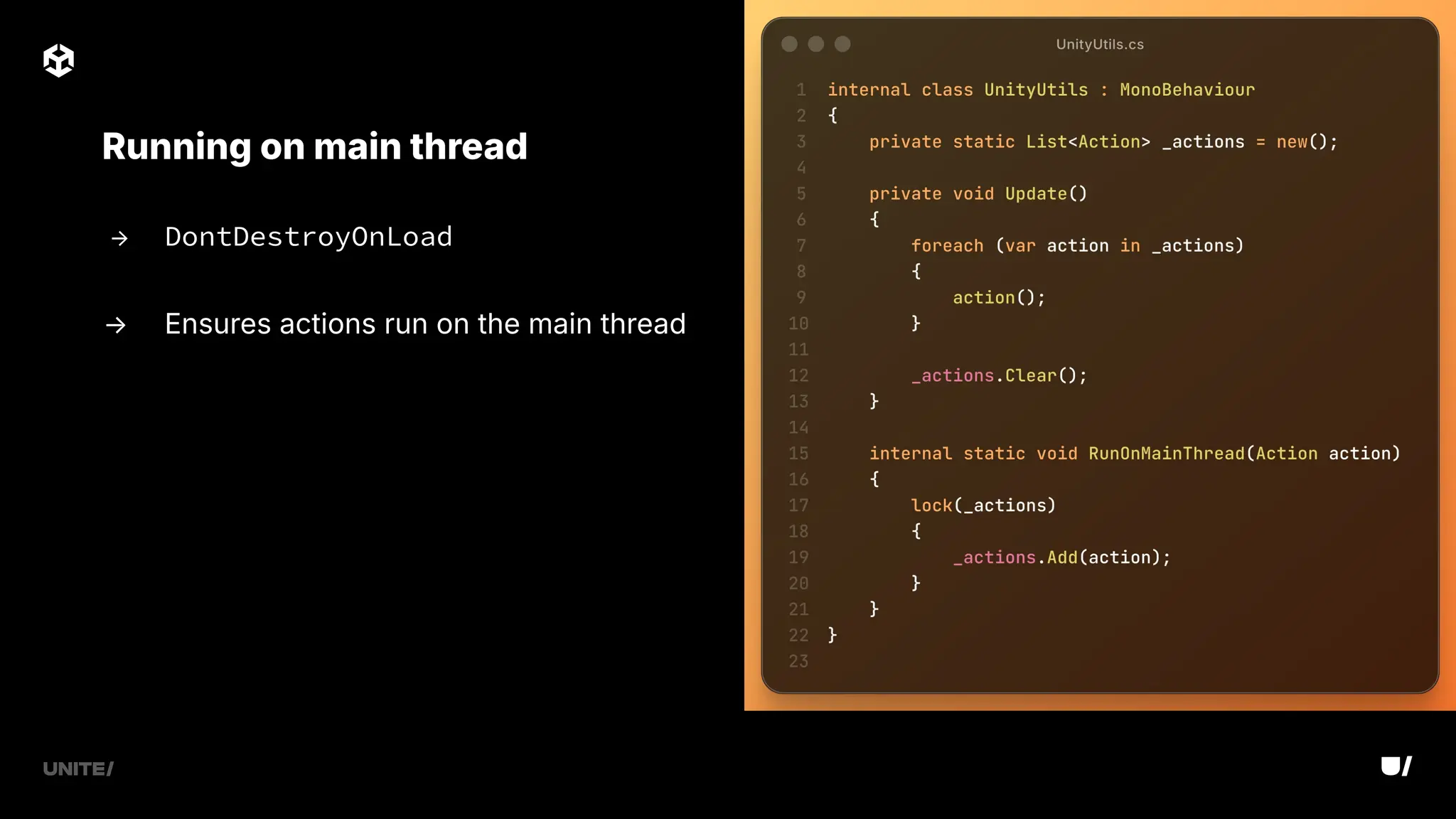
→ DontDestroyOnLoad
→ Ensures actions run on the main thread
Running on main thread
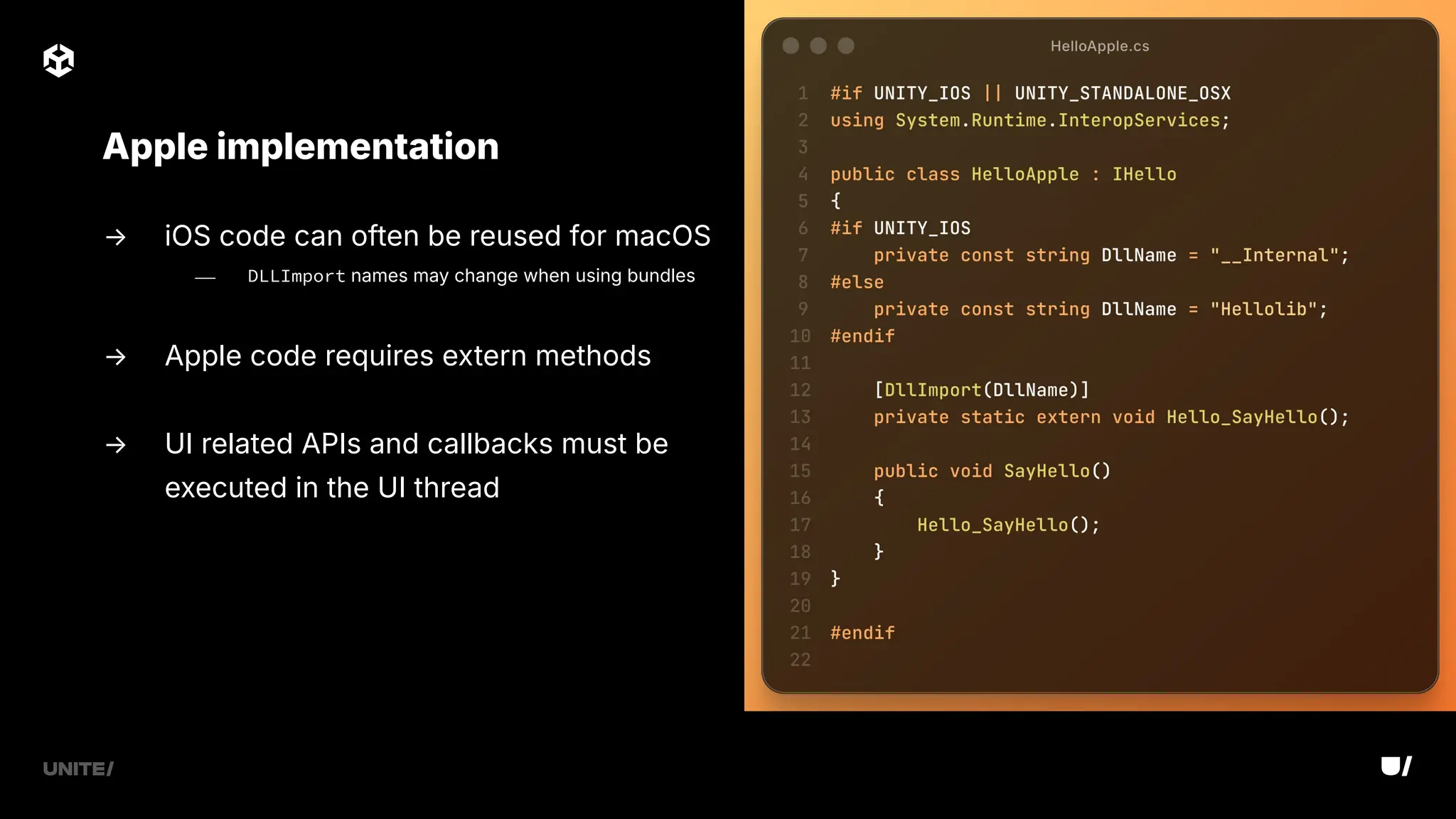
→ iOS code can often be reused for macOS
⎯ DLLImport names may change when using bundles
→ Apple code requires extern methods
→ UI related APIs and callbacks must be
executed in the UI thread
Apple implementation
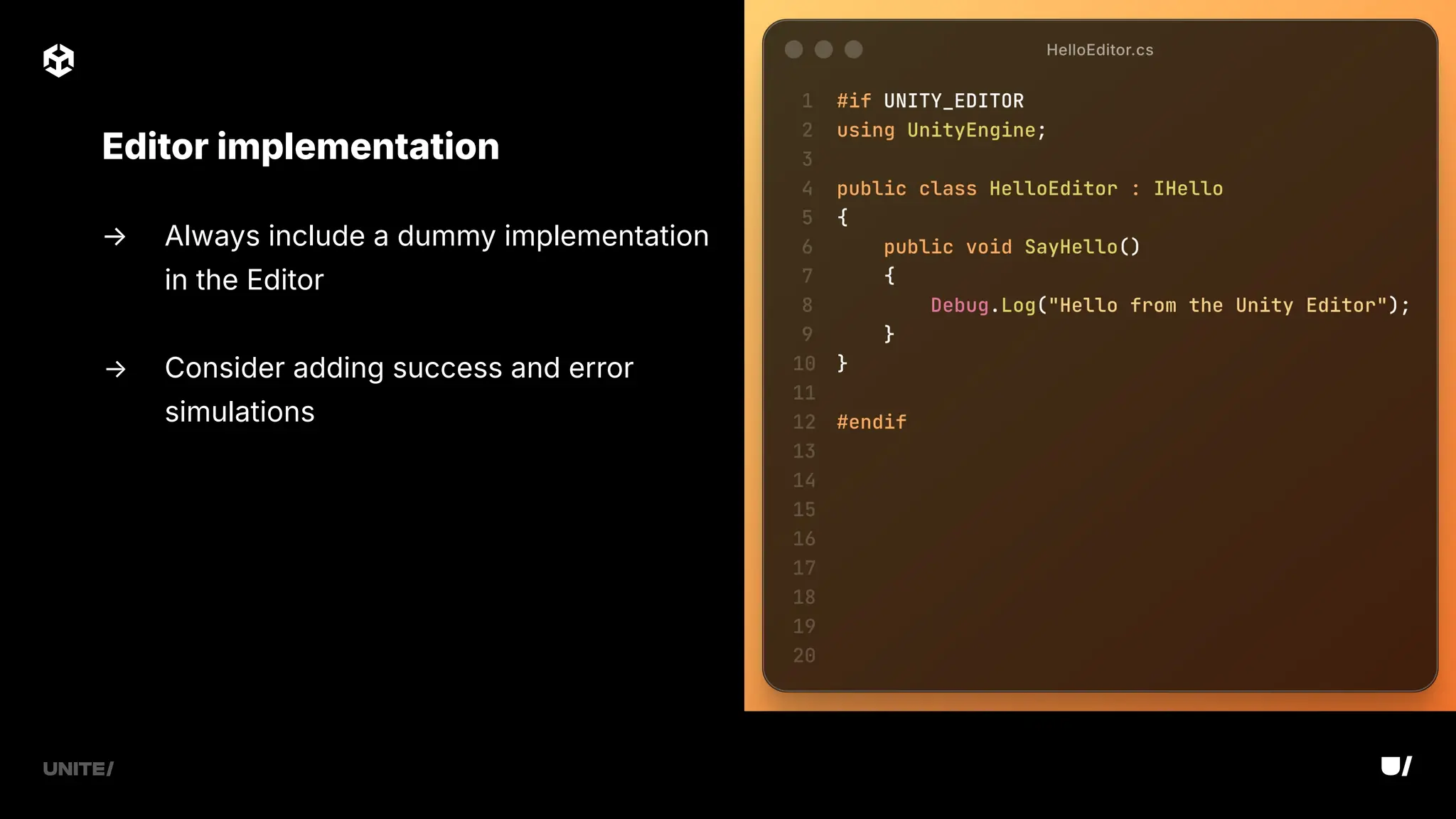
→ Always include a dummy implementation
in the Editor
→ Consider adding success and error
simulations
Editor implementation
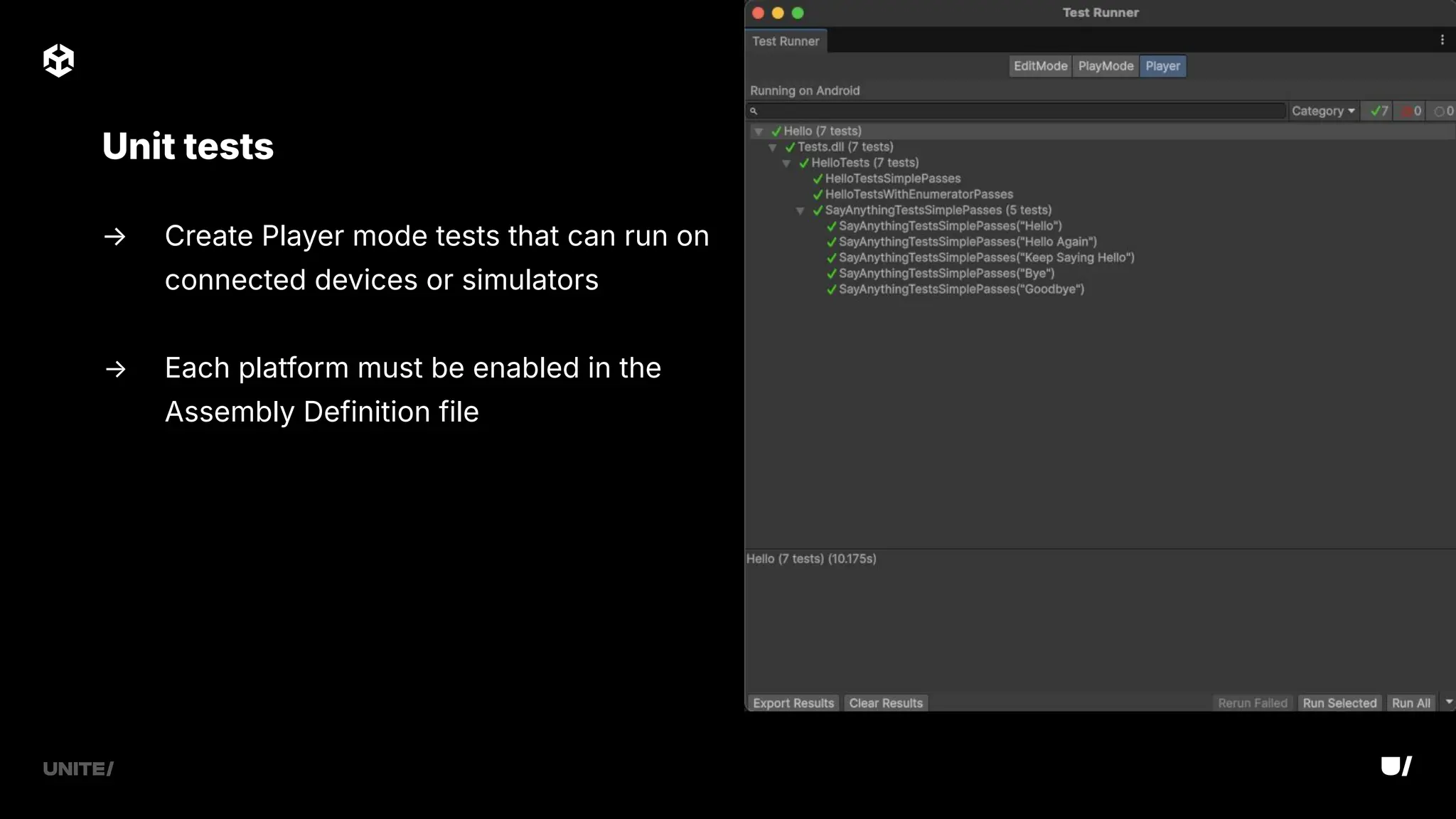
→ Create Player mode tests that can run on
connected devices or simulators
→ Each platform must be enabled in the
Assembly Definition file
Unit tests
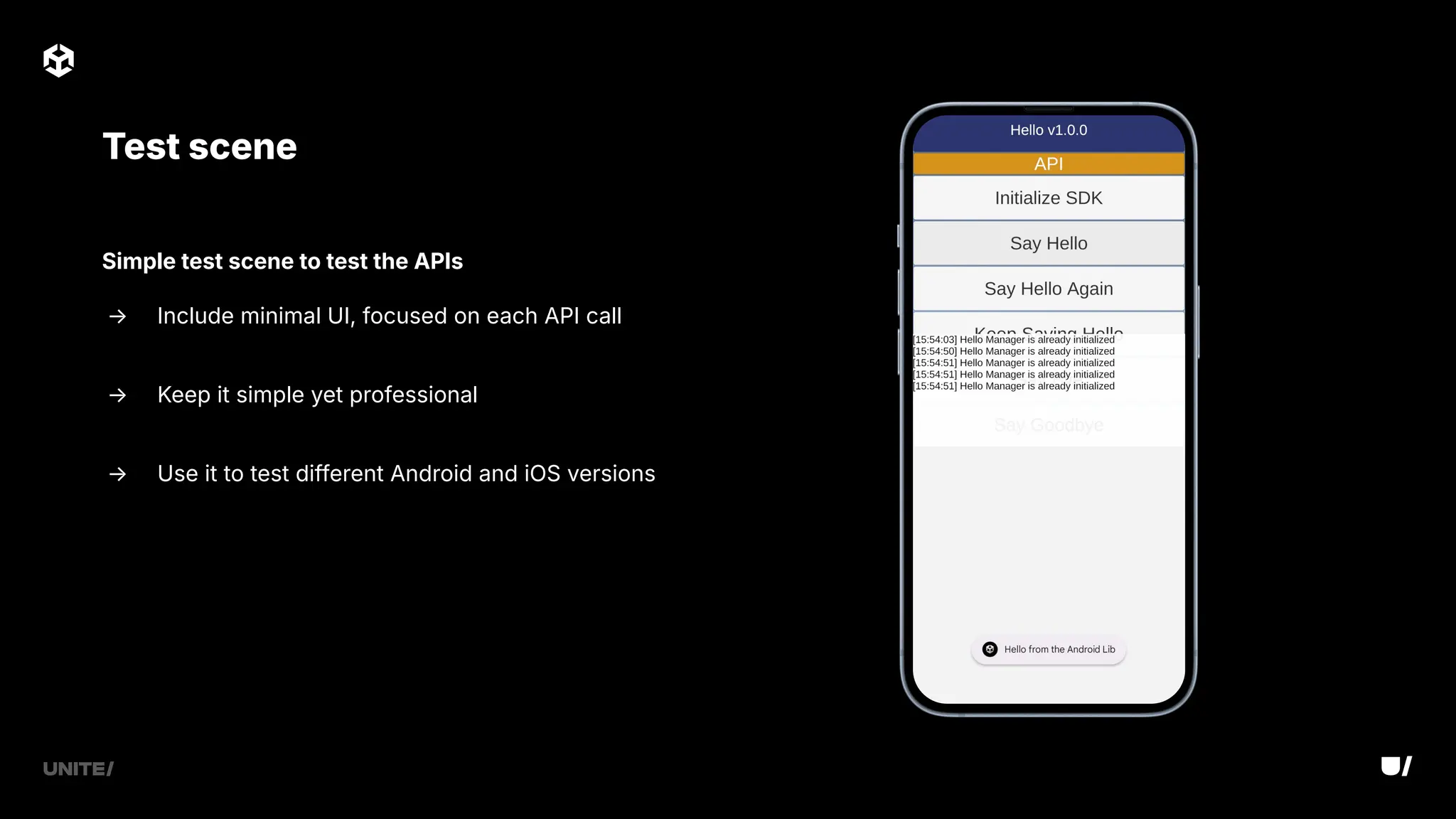
Test scene
Simple test scene to test the APIs
→ Include minimal UI, focused on each API call
→ Keep it simple yet professional
→ Use it to test different Android and iOS versions
→ Dynamic library needs to be embedded and signed on UnityFramework
target in Xcode
→ Any SDK dependency must also be included in the package
→ Alternatively, you can use Google's External Dependency Manager
Potential issues
→ Include libraries in the Plugins folder (remember to set up metas)
→ Develop the plugin in the minimum supported Unity version
→ Test scene to call each API
→ Simple C# interface to consume libraries, avoid too much logic
→ Always ready to build and run
Best practices
→ Common layer that can consume both Android and Apple libraries
→ Can generate C# code through tools such as SWIG
What about C?
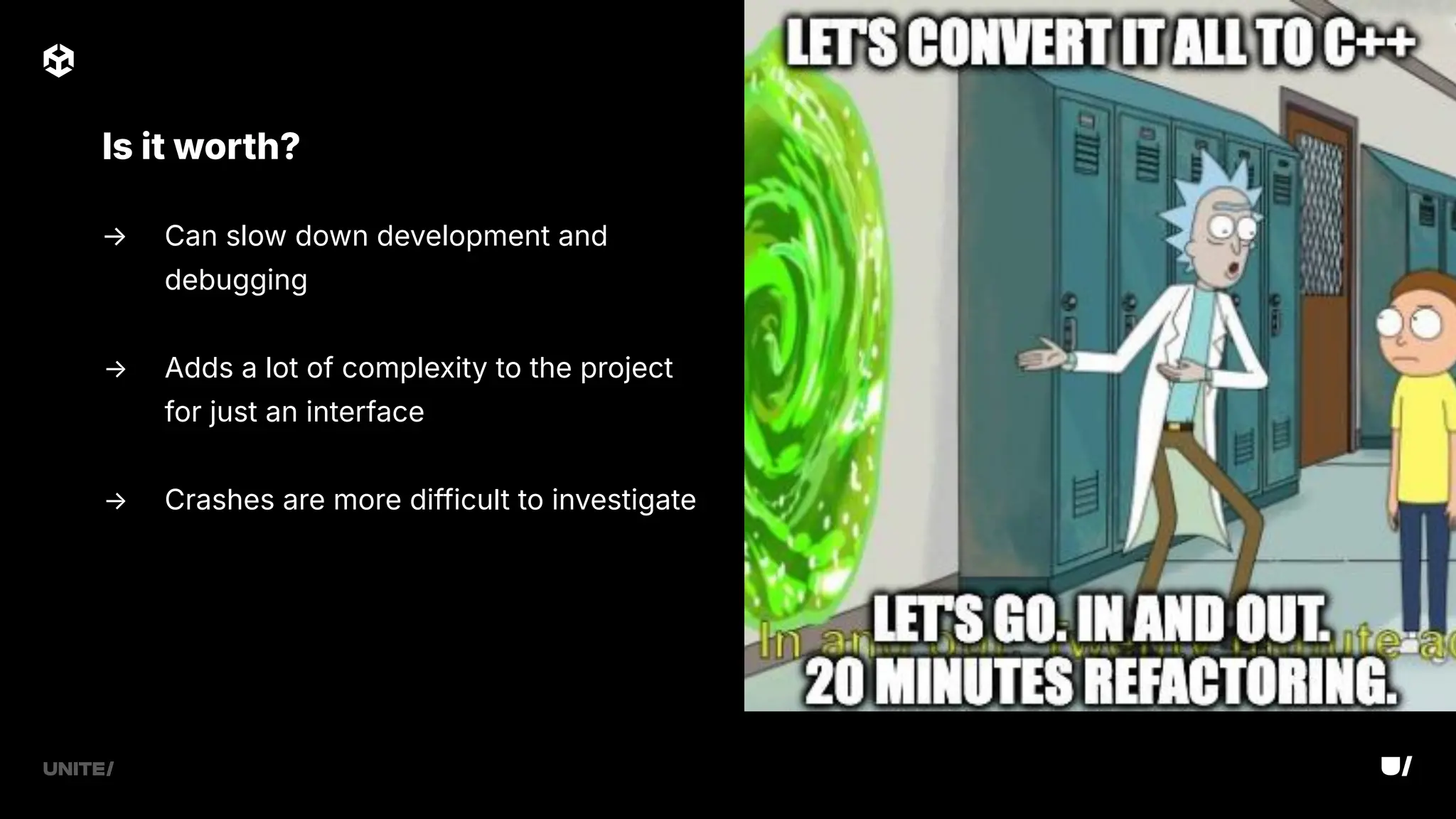
→ Can slow down development and
debugging
→ Adds a lot of complexity to the project
for just an interface
→ Crashes are more difficult to investigate
Is it worth?
Test, Publish, Support
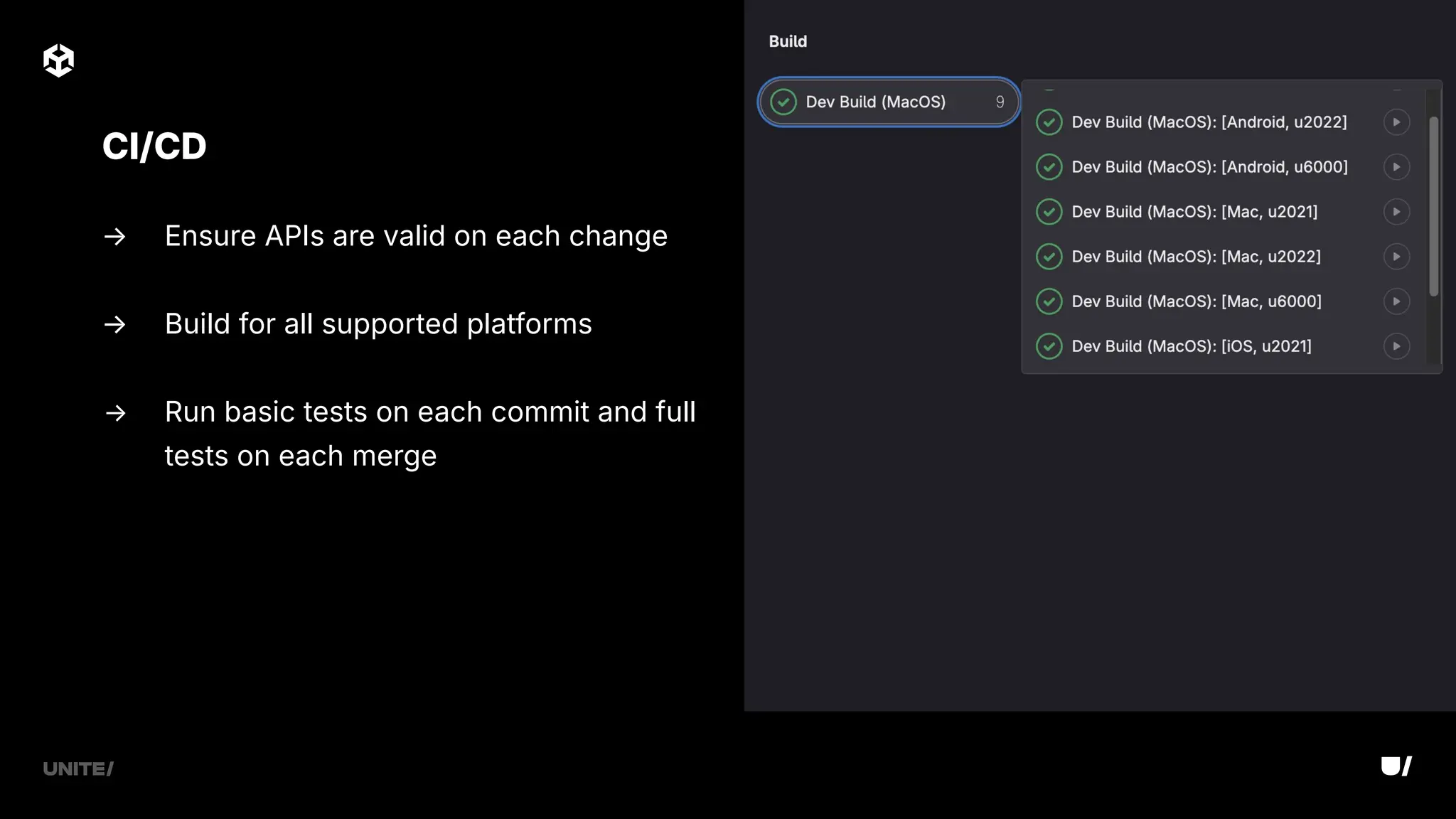
→ Ensure APIs are valid on each change
→ Build for all supported platforms
→ Run basic tests on each commit and full
tests on each merge
CI/CD
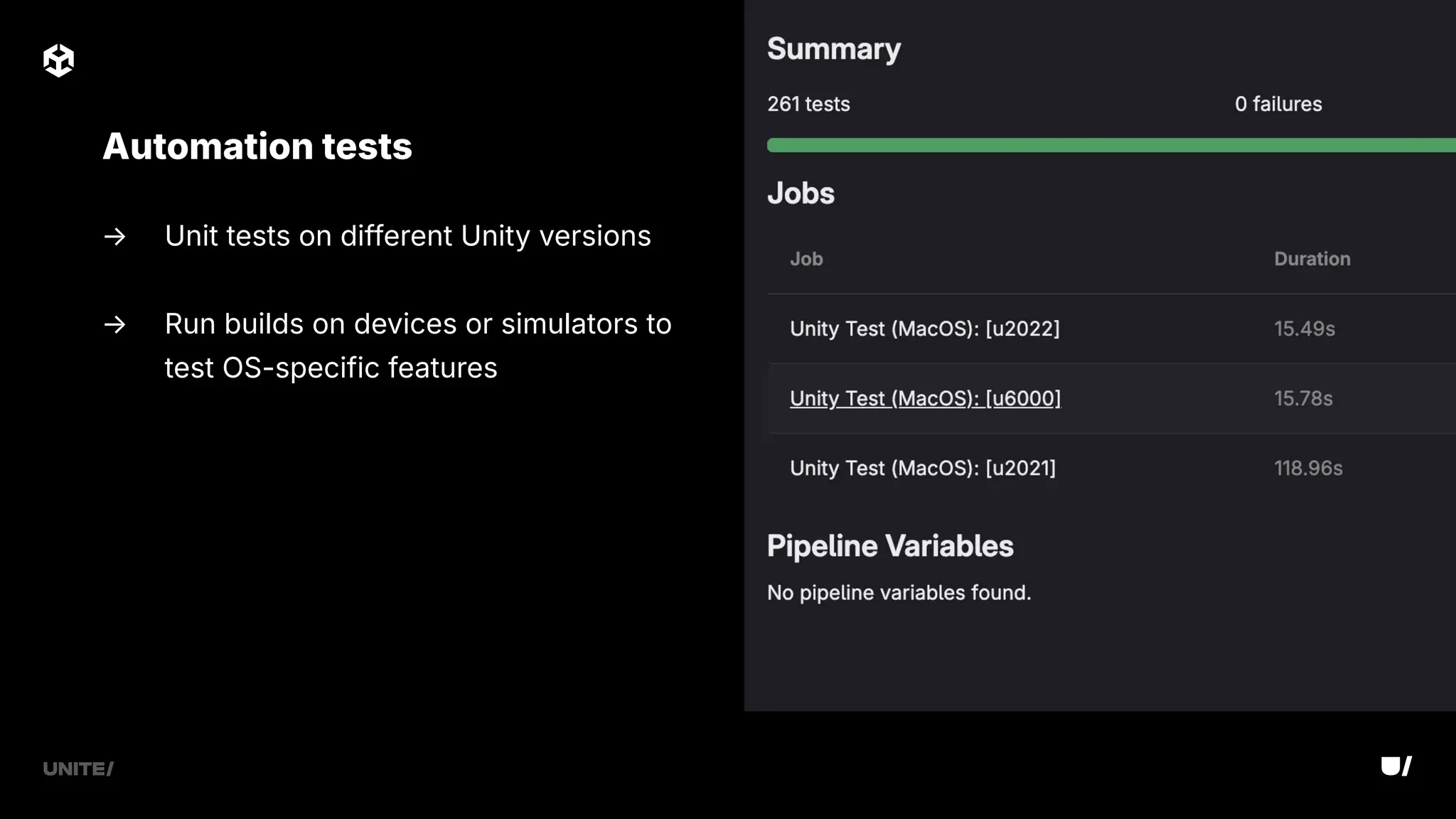
→ Unit tests on different Unity versions
→ Run builds on devices or simulators to
test OS-specific features
Automation tests
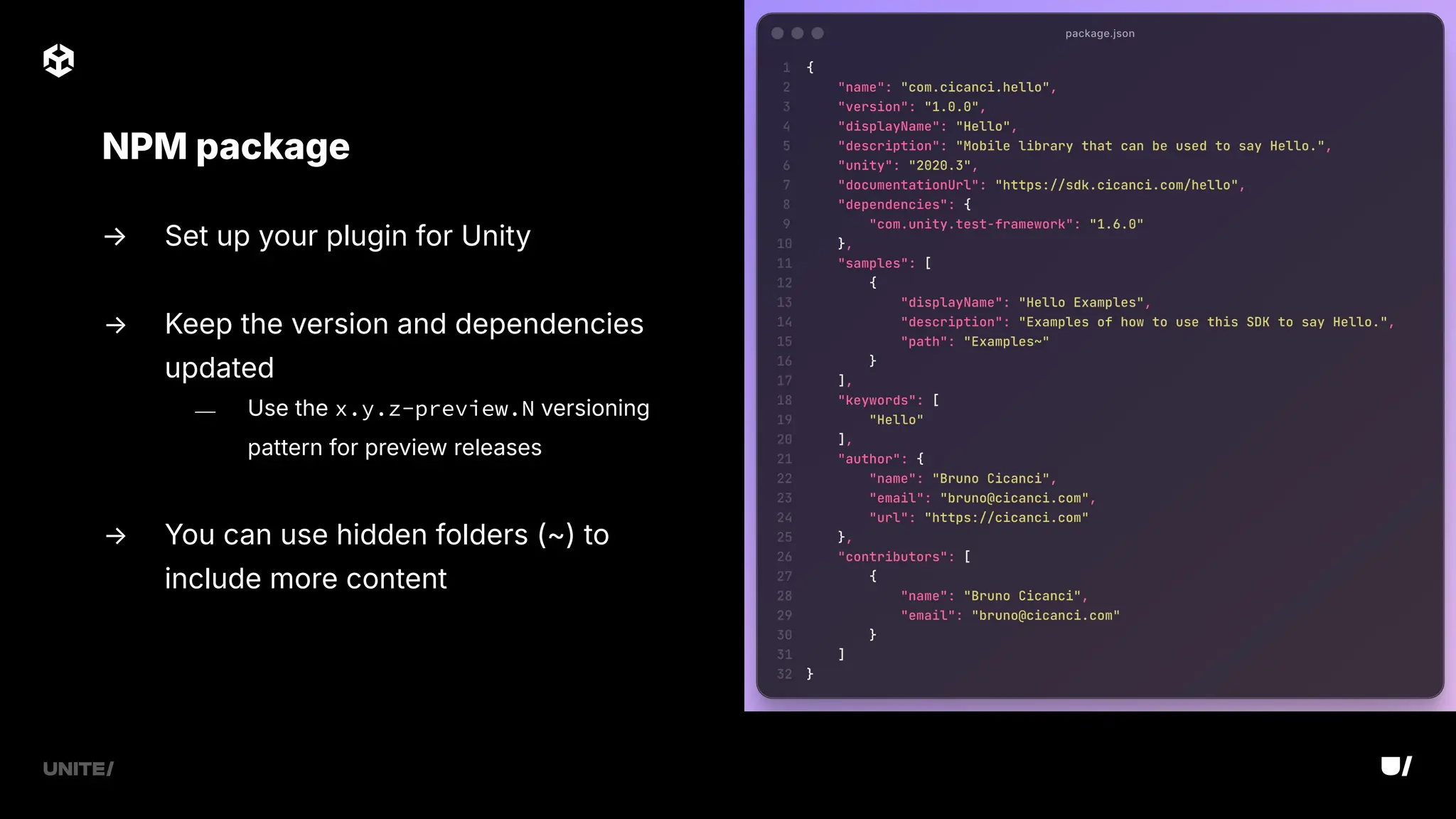
→ Set up your plugin for Unity
→ Keep the version and dependencies
updated
⎯ Use the x.y.z-preview.N versioning
pattern for preview releases
→ You can use hidden folders (~) to
include more content
NPM package
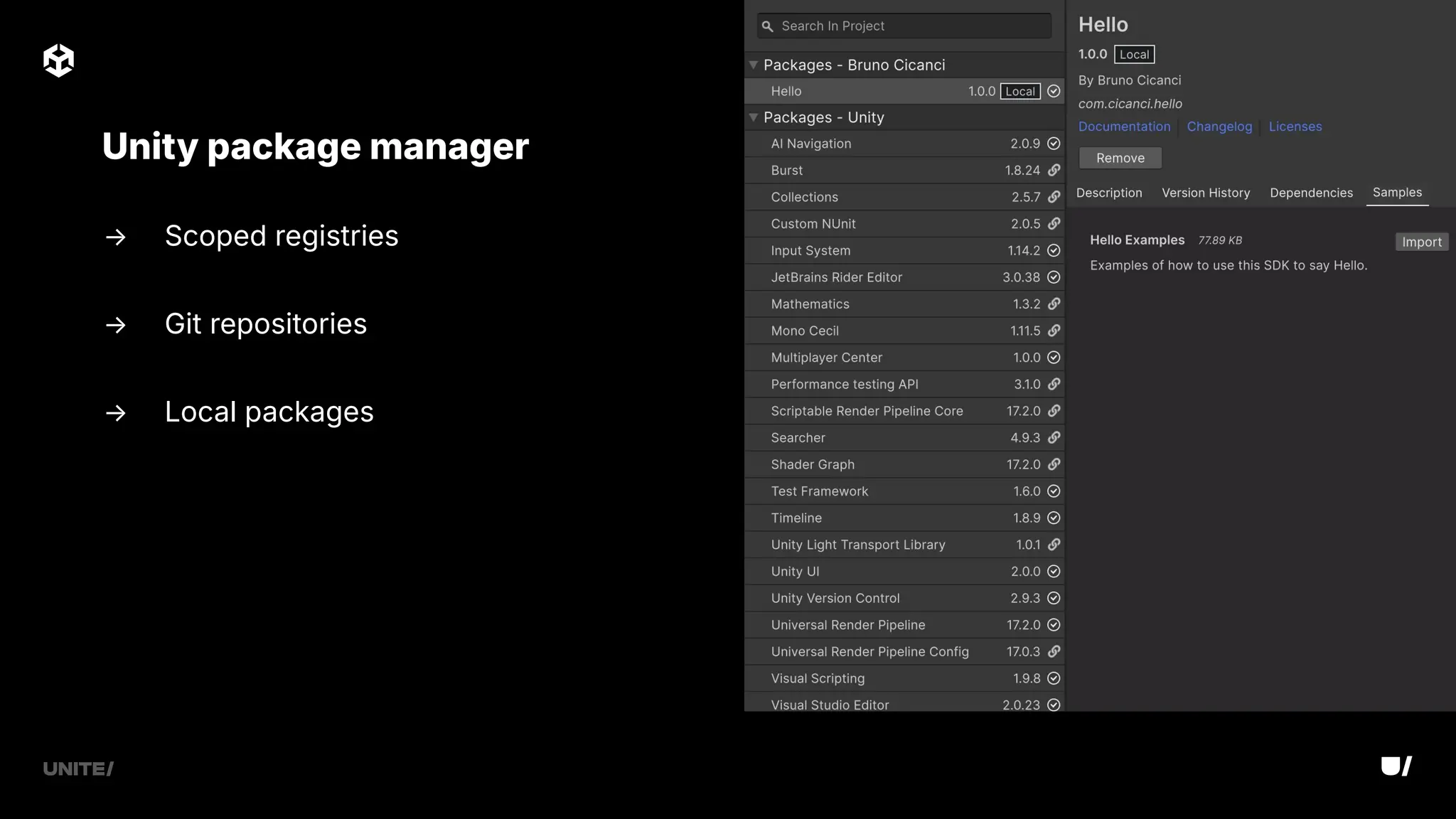
Unity package manager
→ Scoped registries
→ Git repositories
→ Local packages
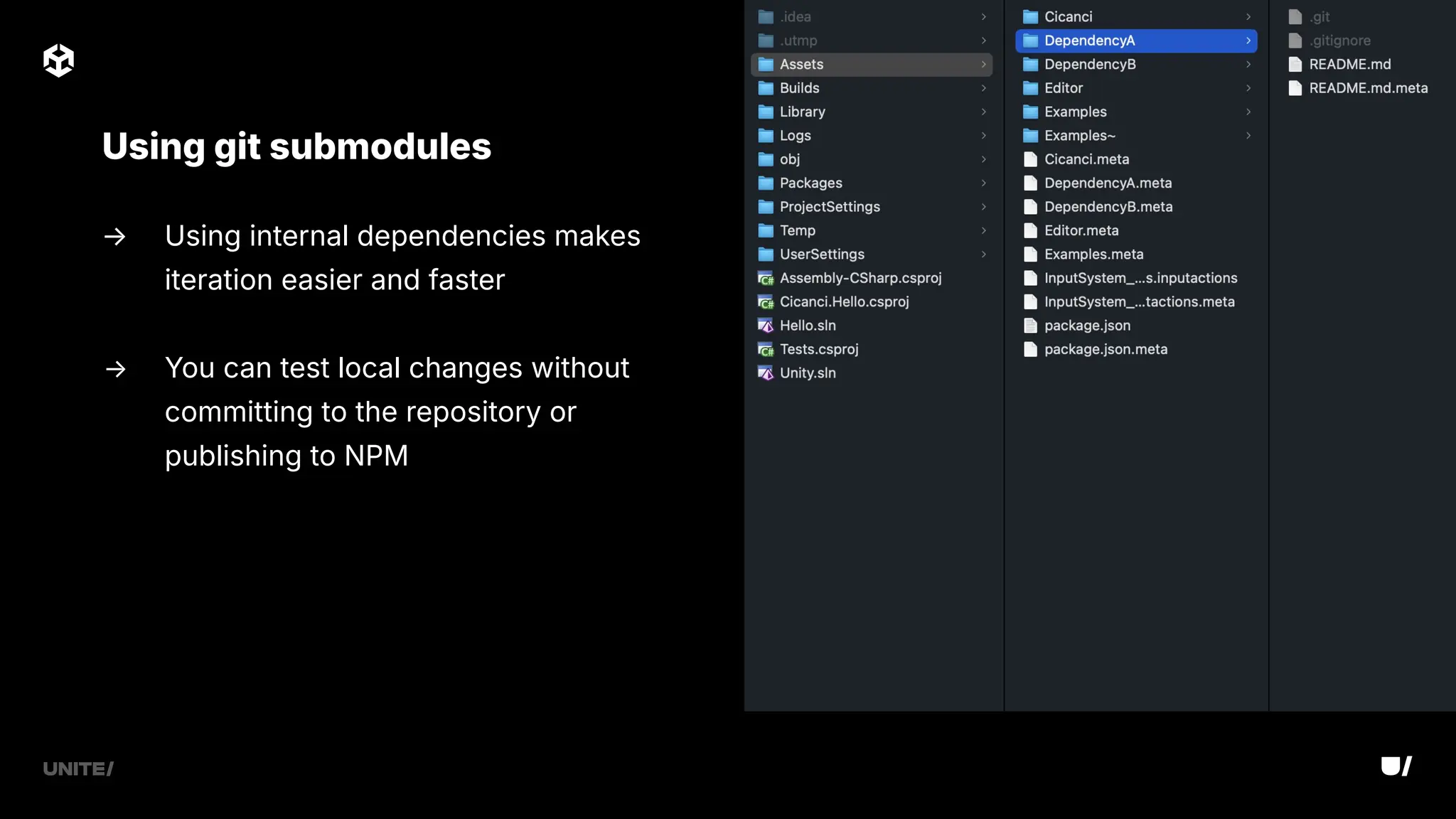
→ Using internal dependencies makes
iteration easier and faster
→ You can test local changes without
committing to the repository or
publishing to NPM
Using git submodules
→ When developing and maintaining SDKs and plugins, support is the priority
→ A stable pipeline can ensure support is easy and fast to provide
Prioritize support over new features
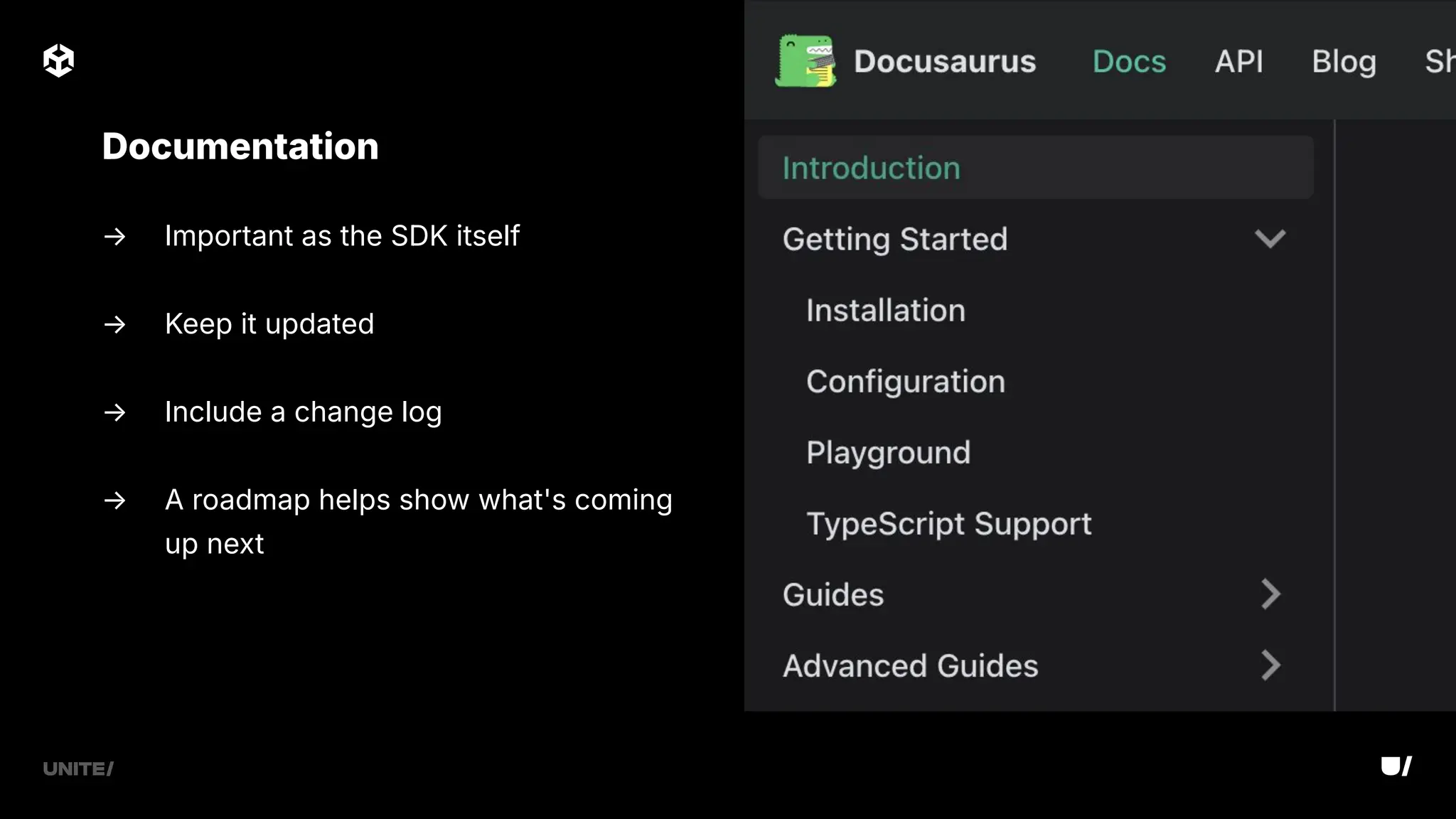
→ Important as the SDK itself
→ Keep it updated
→ Include a change log
→ A roadmap helps show what's coming
up next
Documentation
→ Make sure you can patch older versions and make a release
→ CI/CD requires time - don't release something half-baked
→ Avoid pushing multiple commits to trigger multiple pipelines
Potential issues
→ CI/CD must be stable - fix issues as soon as they appear
→ Keep an eye out for improvements, especially build time
→ You can run multiple jobs on the same machine, but might not be faster
→ Make sure to test your project on all major Unity versions supported
→ You can also test each mobile library project
Best practices
→ Keep logic in the SDKs
→ Simple Unity plugins
→ Always ready to build and run
→ Automate everything you can
→ Support comes first
Wrap-up
Thank you

Reusable technology: Saving development time with shared Unity plug-ins and SDKs | Unite 2025

  • 2.
    Saving Development Time withShared Unity Plugins and SDKs Reusable Technology
  • 3.
  • 4.
    → SDK development →Unity plugins → Test, Publish, Support Agenda
  • 5.
  • 6.
    → Add newfeatures or functionalities → Expand or customize libraries → Focus on what's needed for each project → More control over the source code → Share standardized solutions across projects Why?
  • 7.
    Android library Appleframework iOS, iOS simulator, macOS, tvOS Mobile SDKs Android, Amazon Fire
  • 8.
    → Access toOS APIs and many third-party libraries → Can use Java, Kotlin, C, C → Shared as an AAR file Android library
  • 9.
    → Access toOS APIs and many frameworks → Can use Objective-C, Swift, C, C → Shared as an XCFramework or bundle → Libraries can be Dynamic or Static Apple framework
  • 10.
    → Xcode upgradesmight break compatibility - don't rush upgrades → Latest Java SDK and Gradle plugin versions can also cause build issues Potential issues
  • 11.
    → Use dependenciesthat are compatible with your minimum requirements → Always have a simple test app in your project → Expose only the APIs that are really required → Automate the build process → Use unit tests in the IDE Best practices
  • 12.
  • 13.
    → Keep theplugin separated → Use Editor tests and examples → Pre-/post-process scripts and metas for configurations and dependencies → Package.json file for the package Project structure
  • 14.
    → Have asingle entry point to the plugin → Implement only the supported platforms → Avoid including logic that could be implemented inside the SDKs Common APIs
  • 15.
    → Use themain activity from Unity → UI related APIs and callbacks must be executed in the UI thread Android implementation
  • 16.
    → DontDestroyOnLoad → Ensuresactions run on the main thread Running on main thread
  • 17.
    → iOS codecan often be reused for macOS ⎯ DLLImport names may change when using bundles → Apple code requires extern methods → UI related APIs and callbacks must be executed in the UI thread Apple implementation
  • 18.
    → Always includea dummy implementation in the Editor → Consider adding success and error simulations Editor implementation
  • 19.
    → Create Playermode tests that can run on connected devices or simulators → Each platform must be enabled in the Assembly Definition file Unit tests
  • 20.
    Test scene Simple testscene to test the APIs → Include minimal UI, focused on each API call → Keep it simple yet professional → Use it to test different Android and iOS versions
  • 21.
    → Dynamic libraryneeds to be embedded and signed on UnityFramework target in Xcode → Any SDK dependency must also be included in the package → Alternatively, you can use Google's External Dependency Manager Potential issues
  • 22.
    → Include librariesin the Plugins folder (remember to set up metas) → Develop the plugin in the minimum supported Unity version → Test scene to call each API → Simple C# interface to consume libraries, avoid too much logic → Always ready to build and run Best practices
  • 23.
    → Common layerthat can consume both Android and Apple libraries → Can generate C# code through tools such as SWIG What about C?
  • 24.
    → Can slowdown development and debugging → Adds a lot of complexity to the project for just an interface → Crashes are more difficult to investigate Is it worth?
  • 25.
  • 26.
    → Ensure APIsare valid on each change → Build for all supported platforms → Run basic tests on each commit and full tests on each merge CI/CD
  • 27.
    → Unit testson different Unity versions → Run builds on devices or simulators to test OS-specific features Automation tests
  • 28.
    → Set upyour plugin for Unity → Keep the version and dependencies updated ⎯ Use the x.y.z-preview.N versioning pattern for preview releases → You can use hidden folders (~) to include more content NPM package
  • 29.
    Unity package manager →Scoped registries → Git repositories → Local packages
  • 30.
    → Using internaldependencies makes iteration easier and faster → You can test local changes without committing to the repository or publishing to NPM Using git submodules
  • 31.
    → When developingand maintaining SDKs and plugins, support is the priority → A stable pipeline can ensure support is easy and fast to provide Prioritize support over new features
  • 32.
    → Important asthe SDK itself → Keep it updated → Include a change log → A roadmap helps show what's coming up next Documentation
  • 33.
    → Make sureyou can patch older versions and make a release → CI/CD requires time - don't release something half-baked → Avoid pushing multiple commits to trigger multiple pipelines Potential issues
  • 34.
    → CI/CD mustbe stable - fix issues as soon as they appear → Keep an eye out for improvements, especially build time → You can run multiple jobs on the same machine, but might not be faster → Make sure to test your project on all major Unity versions supported → You can also test each mobile library project Best practices
  • 35.
    → Keep logicin the SDKs → Simple Unity plugins → Always ready to build and run → Automate everything you can → Support comes first Wrap-up
  • 36.