Sigma institute of engineering
SUBJECT: COMPUTER PROGRAMMING
AND UTILIZATION
PREPARED BY : group c
 ENROLLMENT NO:- NAME OF STUDENT
1. 140500119041 KANADE MAHENDRA
2. 140500119052 MAKWANA BHAVESH
3. 140500119054 MEHUL JHALA
ASSIGNED BY ;
PROF.SURESH CHAUDHARY
Topic :
functions
CONTENTS:
 Function
 Function example
 Vedio on functions
 Benefits of function
 Math library functions function prototype
 Function arguments
 C++ variables
 Global variable
 External variables
 Other variables
 Recursion
 Recursion example
Functions
 A function is a self contained block of code
that performs a particular task.
 Any C program can be seen as a
collection/group of these functions.
 A functions takes some data as input, perform
some operation on that data and then return
a value.
 Any C program must contain at least one
function, which is main().
 There is no limit on the number of functions
that might be present in a C program.
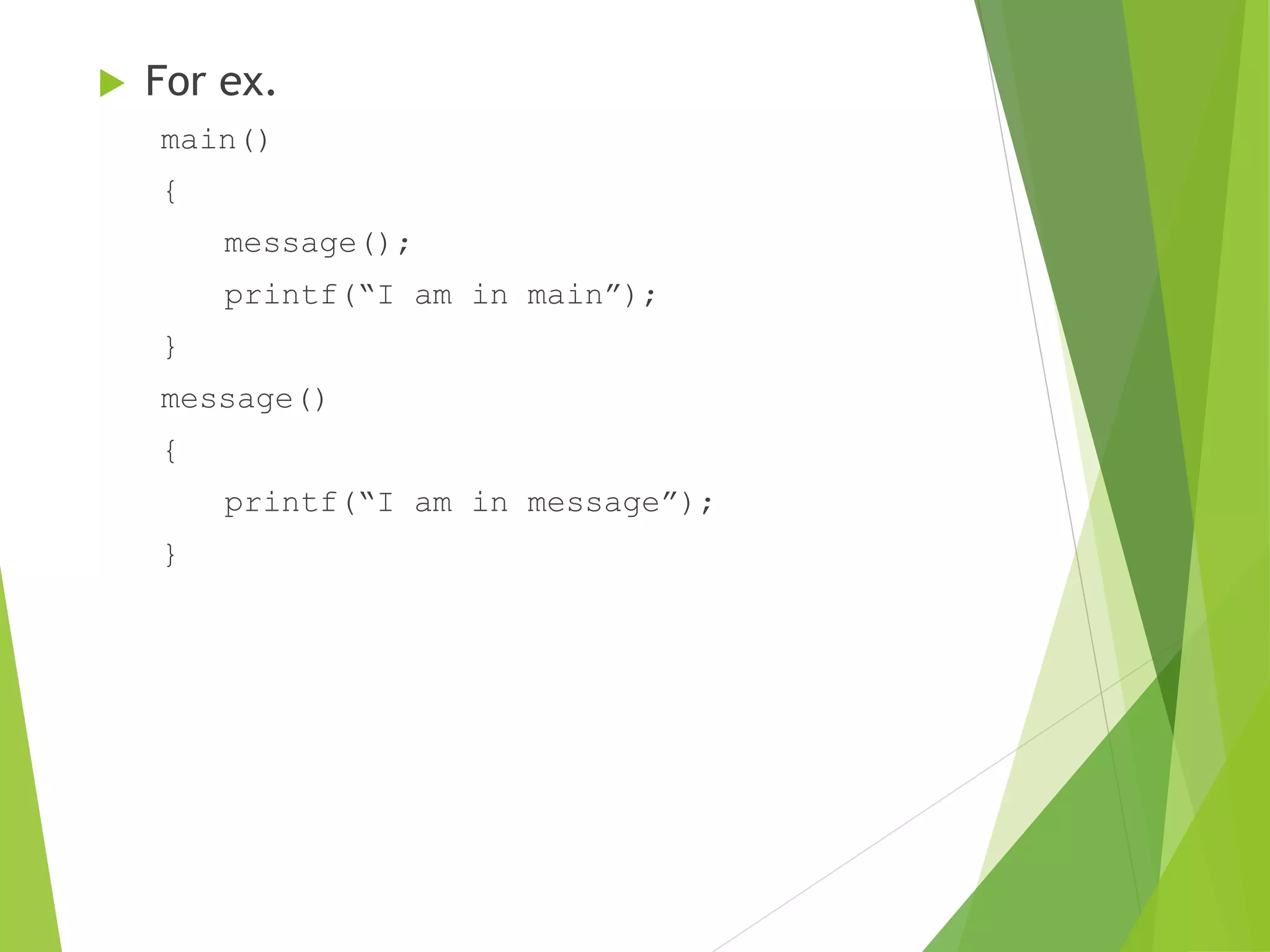
 For ex.
main()
{
message();
printf(“I am in main”);
}
message()
{
printf(“I am in message”);
}
Video on function
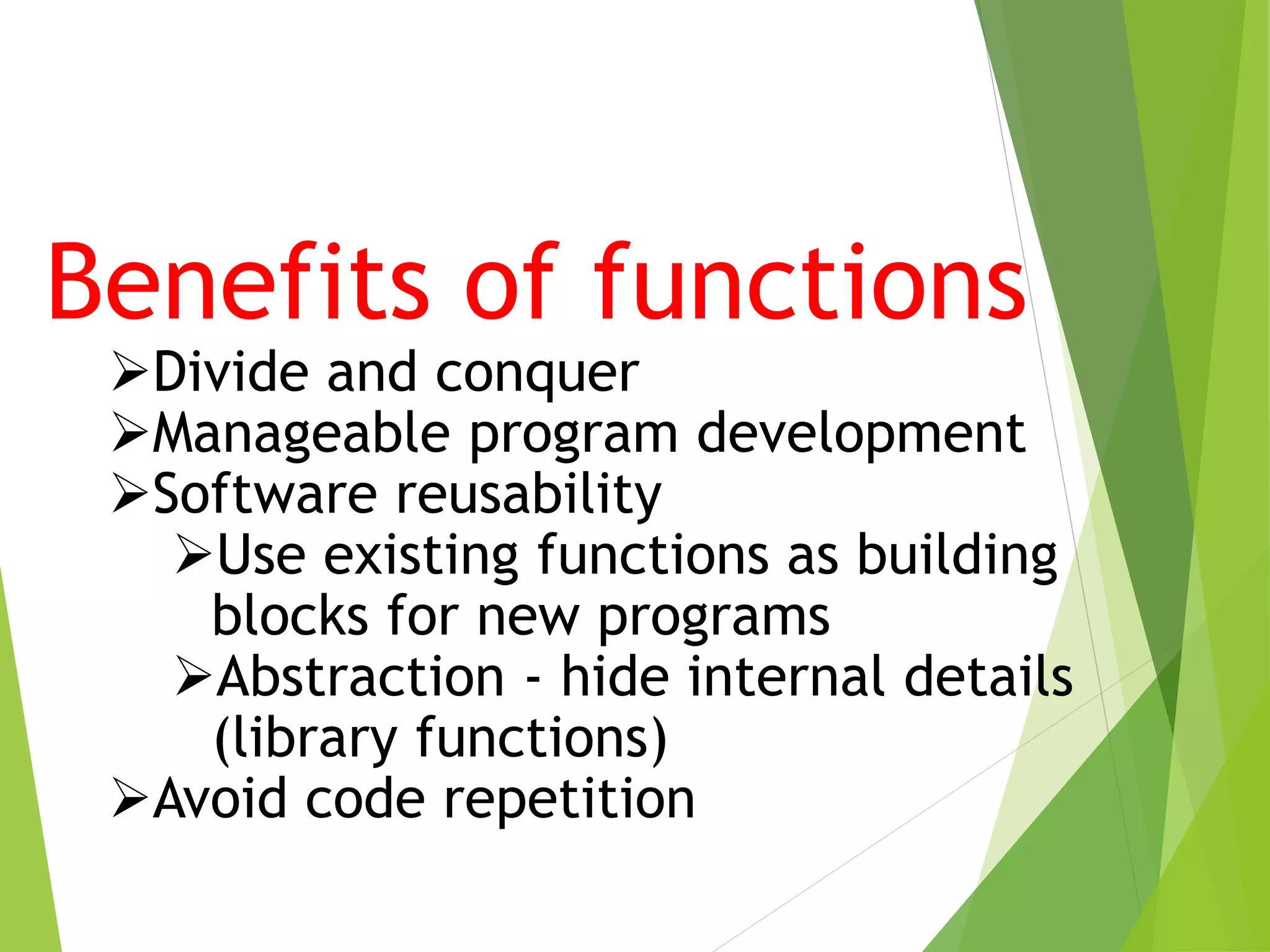
Benefits of functions
Divide and conquer
Manageable program development
Software reusability
Use existing functions as building
blocks for new programs
Abstraction - hide internal details
(library functions)
Avoid code repetition
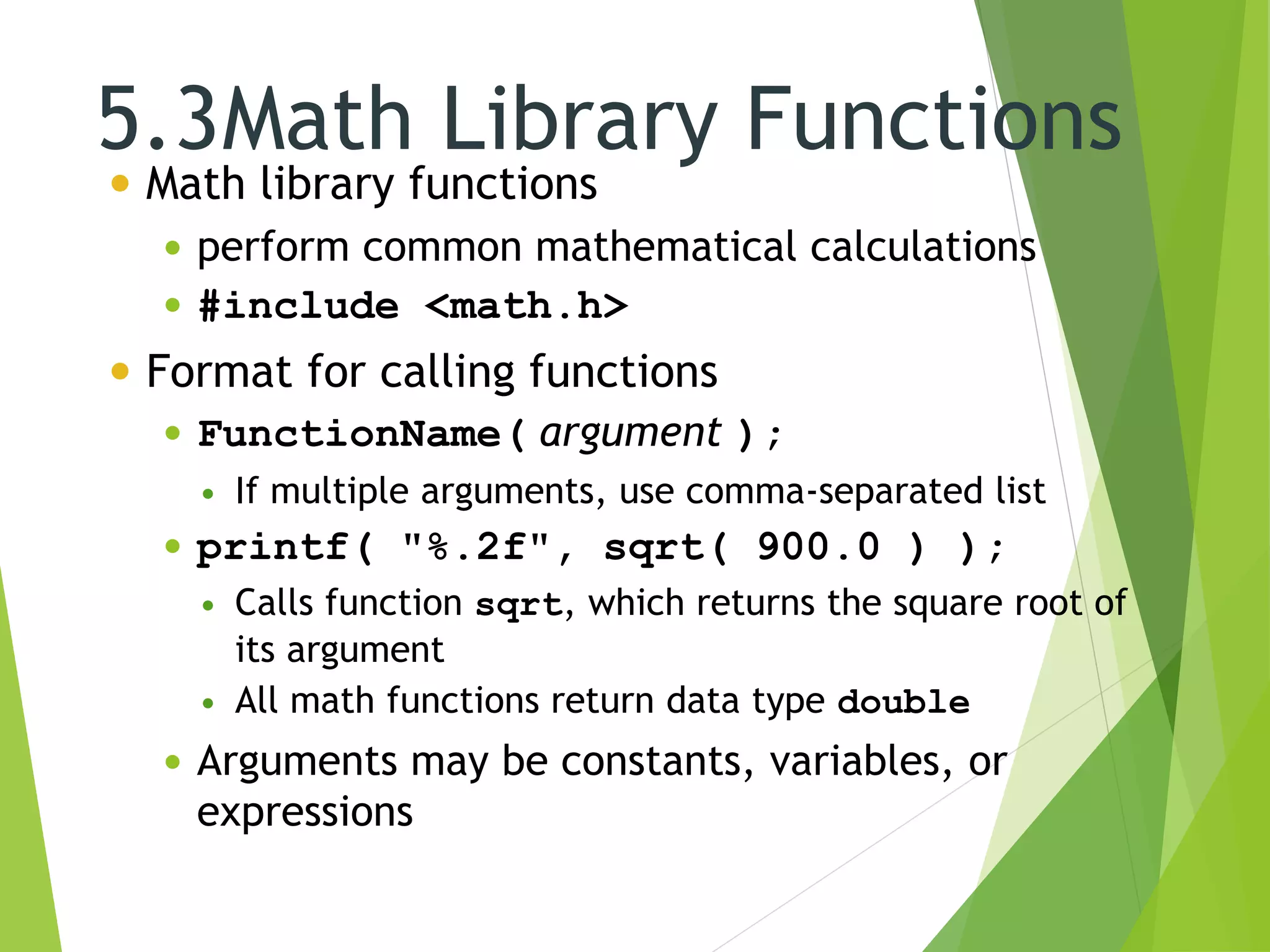
5.3Math Library Functions
 Math library functions
 perform common mathematical calculations
 #include <math.h>
 Format for calling functions
 FunctionName( argument );
 If multiple arguments, use comma-separated list
 printf( "%.2f", sqrt( 900.0 ) );
 Calls function sqrt, which returns the square root of
its argument
 All math functions return data type double
 Arguments may be constants, variables, or
expressions
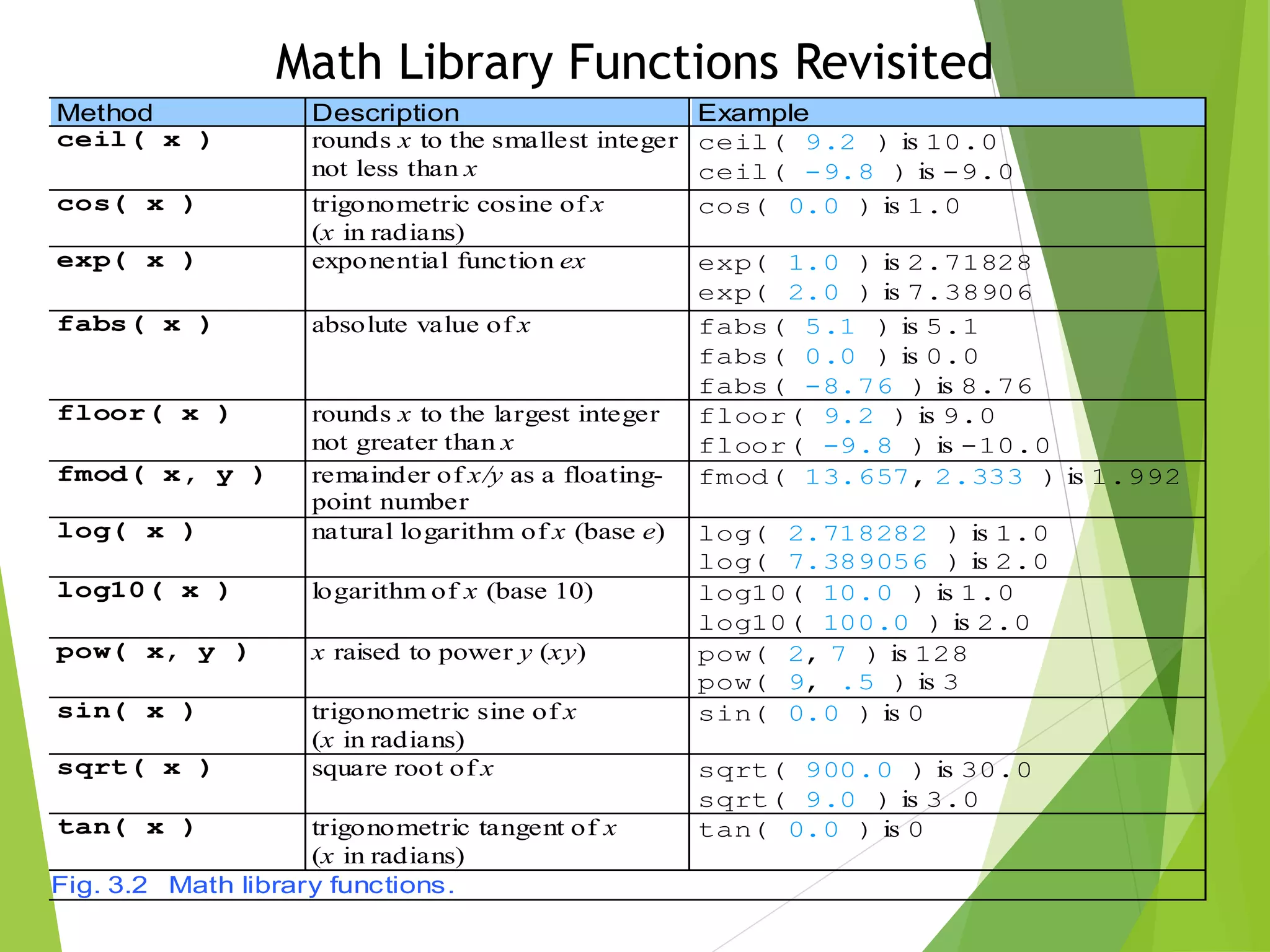
Method Description Example
ceil( x ) rounds x to the smallest integer
not less than x
ceil( 9.2 ) is 10.0
ceil( -9.8 ) is -9.0
cos( x ) trigonometric cosine of x
(x in radians)
cos( 0.0 ) is 1.0
exp( x ) exponential function ex exp( 1.0 ) is 2.71828
exp( 2.0 ) is 7.38906
fabs( x ) absolute value of x fabs( 5.1 ) is 5.1
fabs( 0.0 ) is 0.0
fabs( -8.76 ) is 8.76
floor( x ) rounds x to the largest integer
not greater than x
floor( 9.2 ) is 9.0
floor( -9.8 ) is -10.0
fmod( x, y ) remainder of x/y as a floating-
point number
fmod( 13.657, 2.333 ) is 1.992
log( x ) natural logarithm of x (base e) log( 2.718282 ) is 1.0
log( 7.389056 ) is 2.0
log10( x ) logarithm of x (base 10) log10( 10.0 ) is 1.0
log10( 100.0 ) is 2.0
pow( x, y ) x raised to power y (xy) pow( 2, 7 ) is 128
pow( 9, .5 ) is 3
sin( x ) trigonometric sine of x
(x in radians)
sin( 0.0 ) is 0
sqrt( x ) square root of x sqrt( 900.0 ) is 30.0
sqrt( 9.0 ) is 3.0
tan( x ) trigonometric tangent of x
(x in radians)
tan( 0.0 ) is 0
Fig. 3.2 Math library functions.
Math Library Functions Revisited
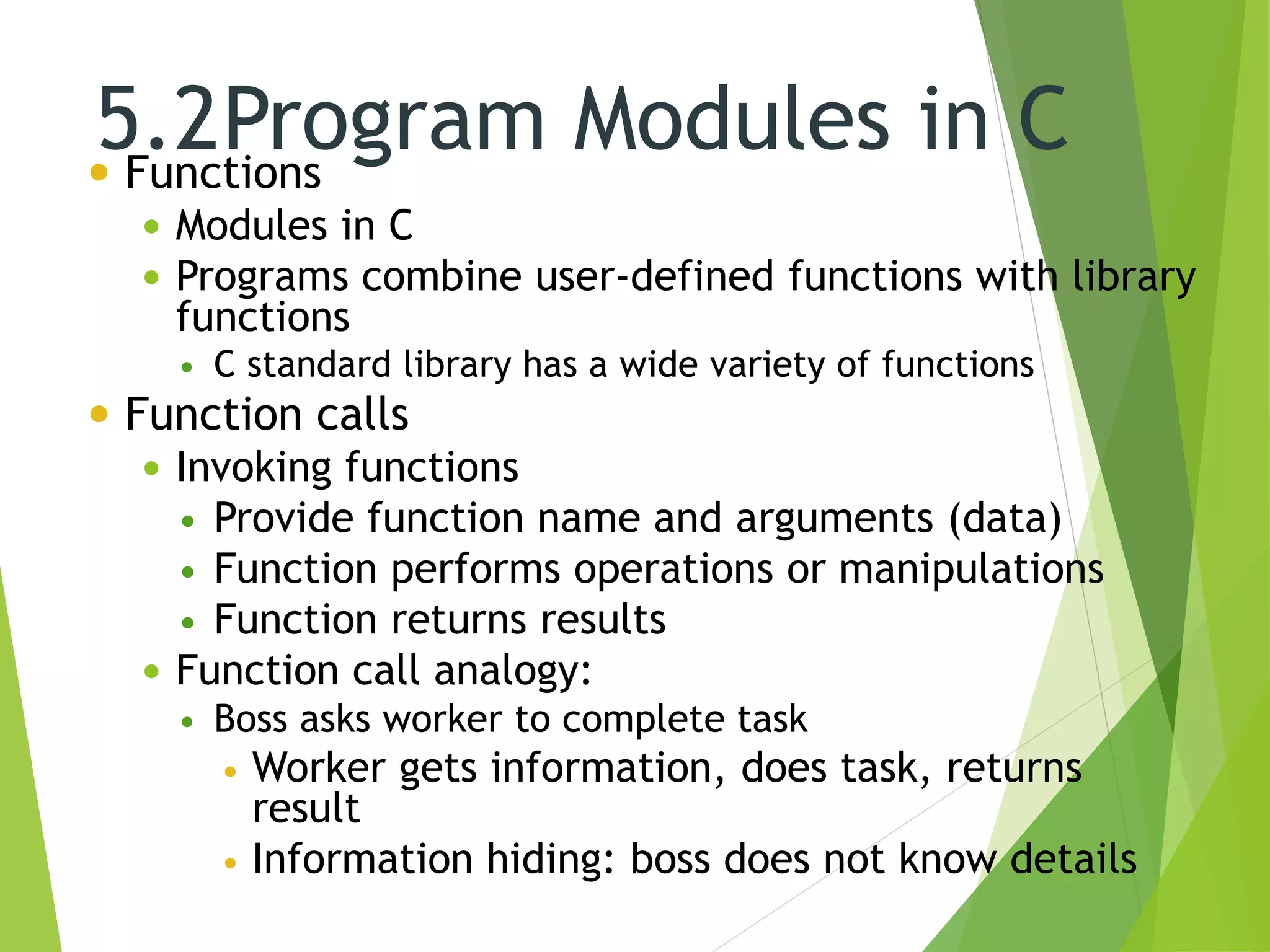
5.2Program Modules in C Functions
 Modules in C
 Programs combine user-defined functions with library
functions
 C standard library has a wide variety of functions
 Function calls
 Invoking functions
 Provide function name and arguments (data)
 Function performs operations or manipulations
 Function returns results
 Function call analogy:
 Boss asks worker to complete task
 Worker gets information, does task, returns
result
 Information hiding: boss does not know details
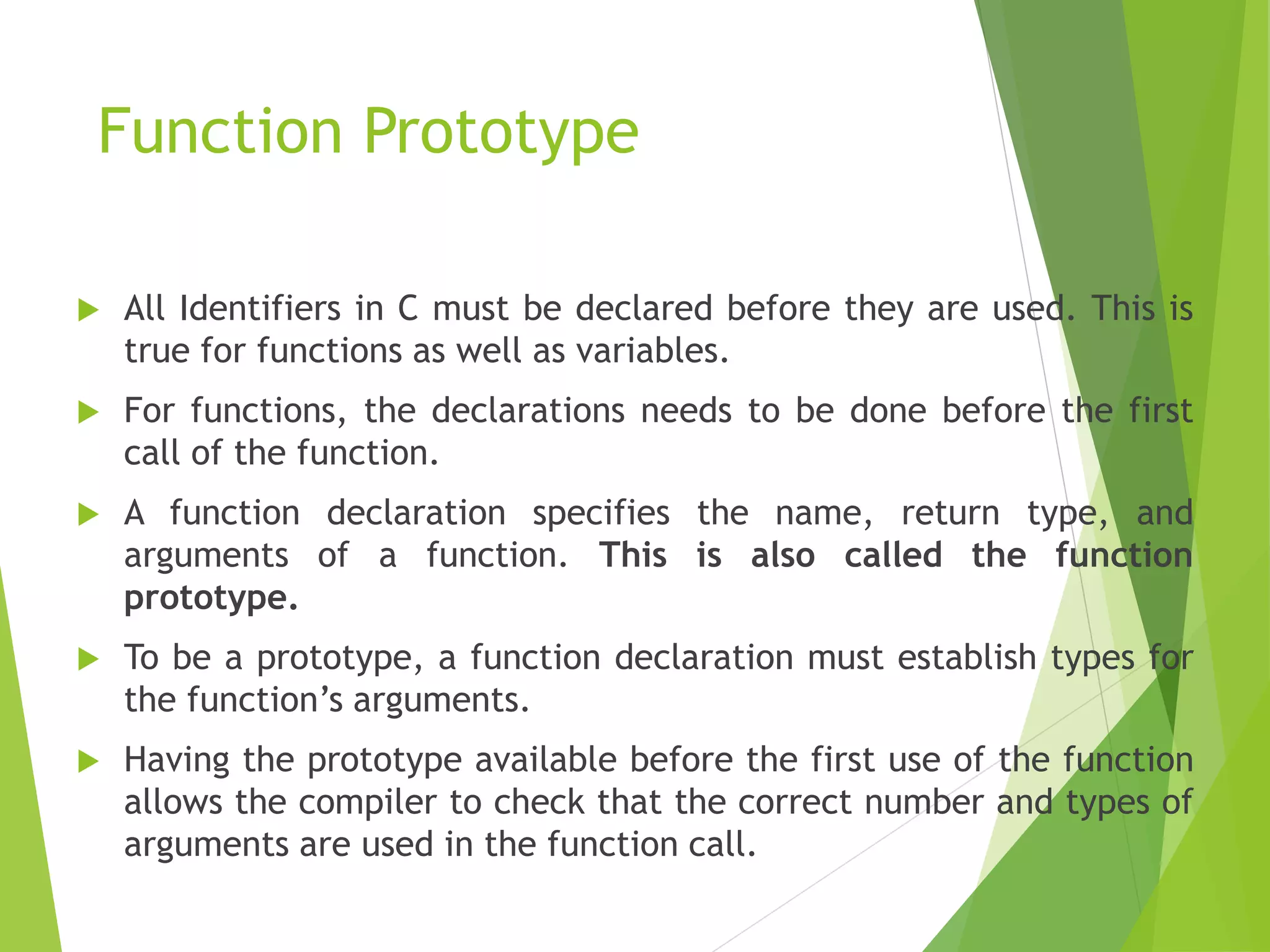
Function Prototype
 All Identifiers in C must be declared before they are used. This is
true for functions as well as variables.
 For functions, the declarations needs to be done before the first
call of the function.
 A function declaration specifies the name, return type, and
arguments of a function. This is also called the function
prototype.
 To be a prototype, a function declaration must establish types for
the function’s arguments.
 Having the prototype available before the first use of the function
allows the compiler to check that the correct number and types of
arguments are used in the function call.
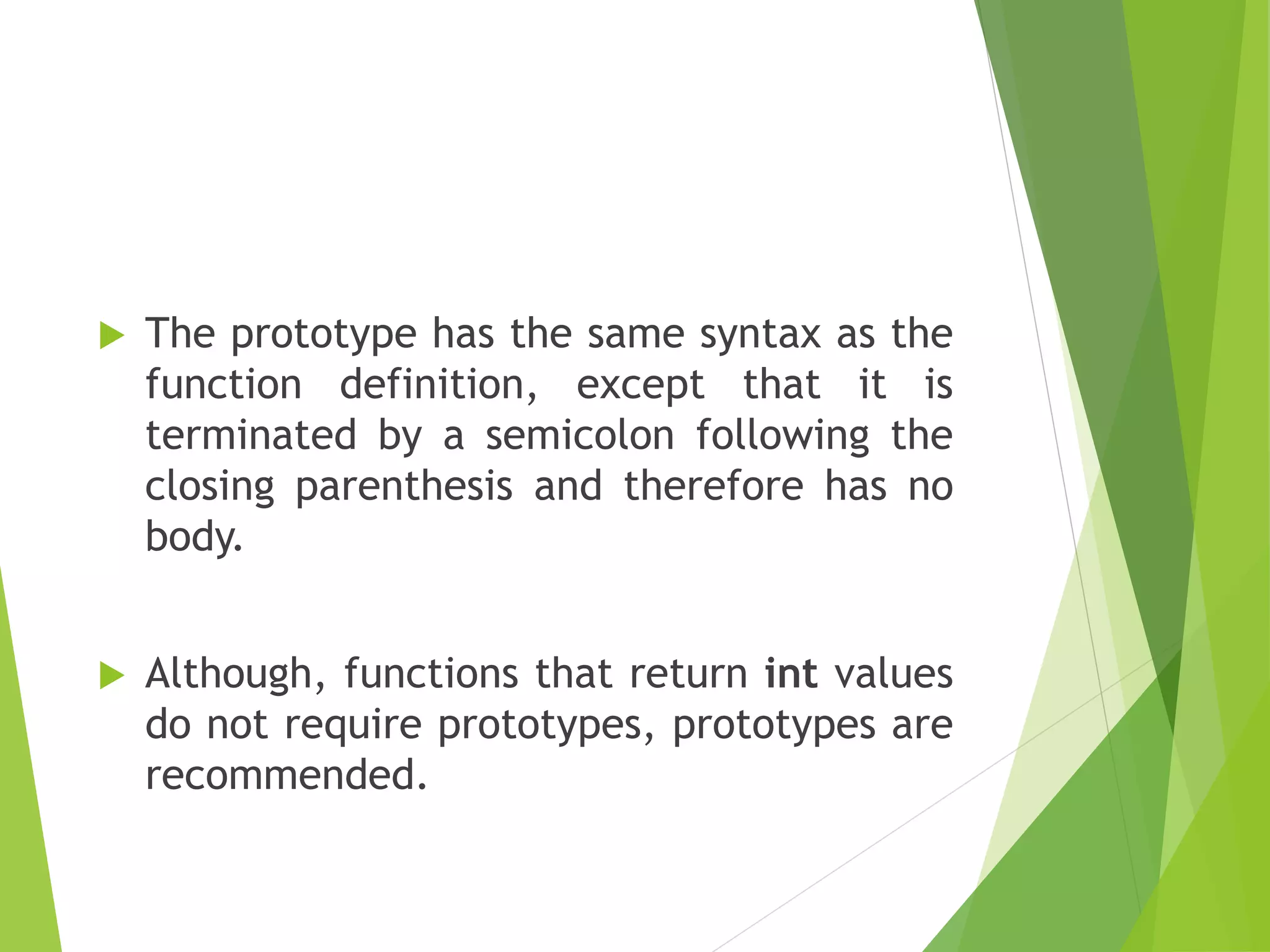
 The prototype has the same syntax as the
function definition, except that it is
terminated by a semicolon following the
closing parenthesis and therefore has no
body.
 Although, functions that return int values
do not require prototypes, prototypes are
recommended.
Function Definition
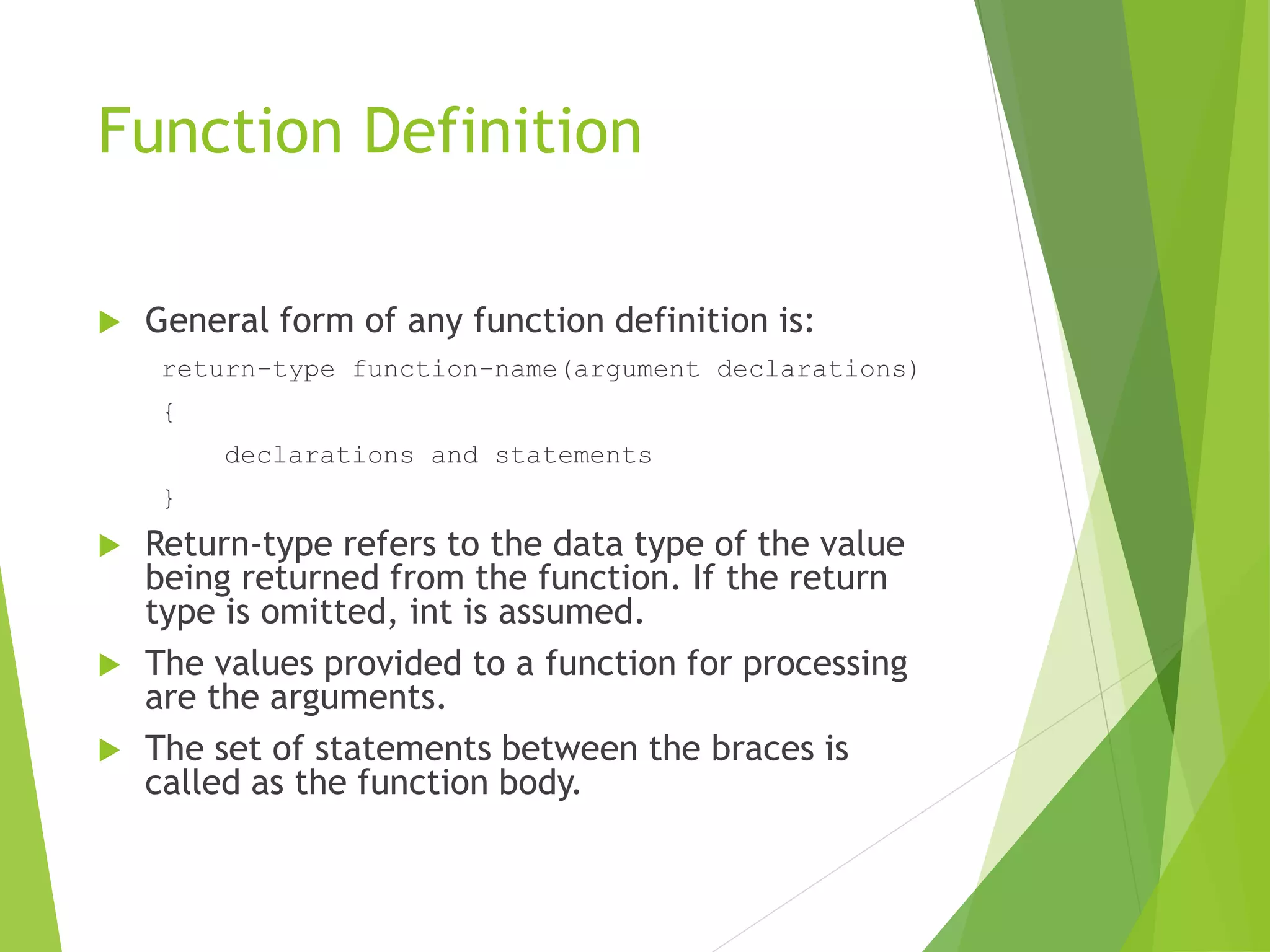
 General form of any function definition is:
return-type function-name(argument declarations)
{
declarations and statements
}
 Return-type refers to the data type of the value
being returned from the function. If the return
type is omitted, int is assumed.
 The values provided to a function for processing
are the arguments.
 The set of statements between the braces is
called as the function body.
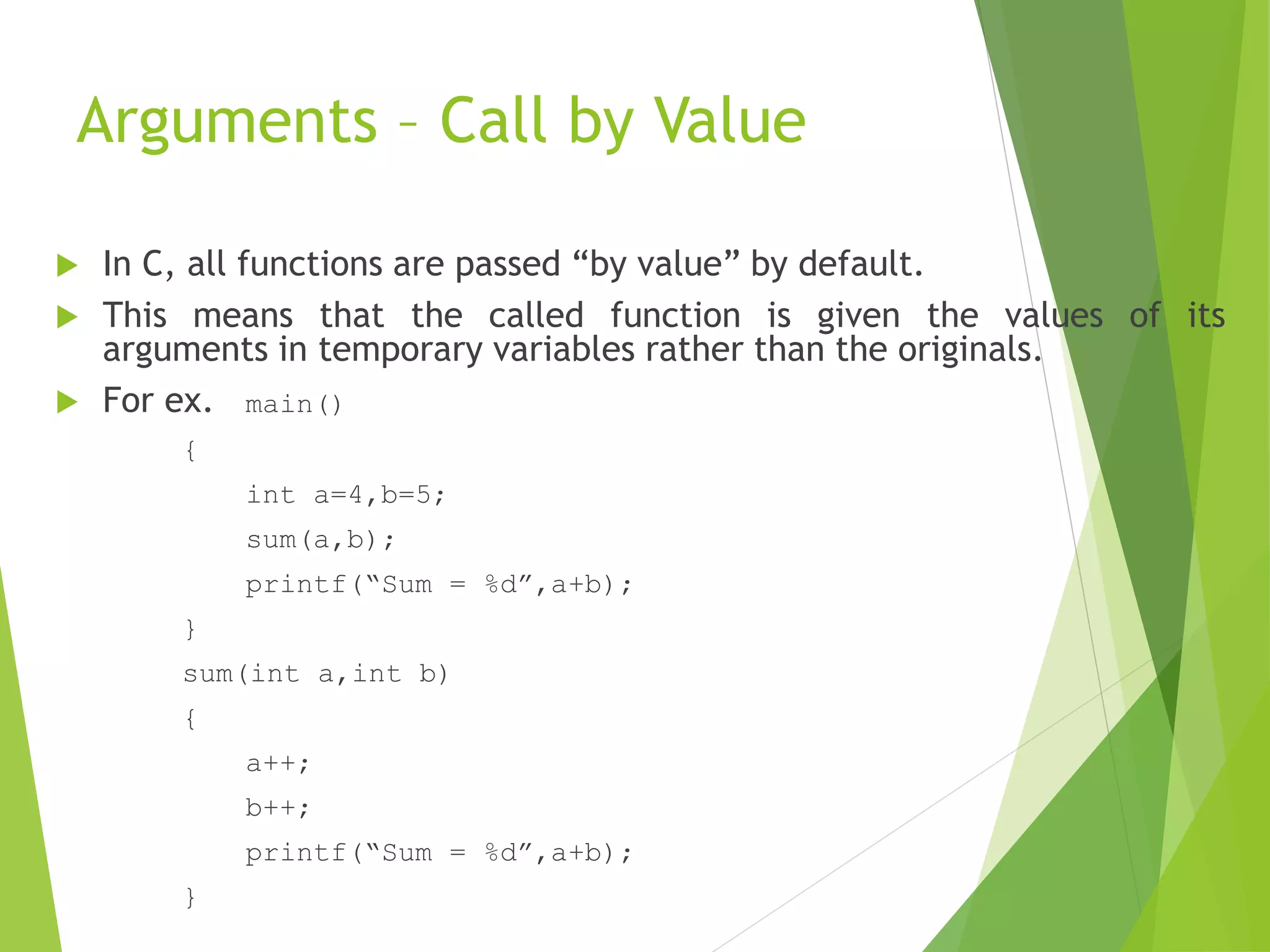
Arguments – Call by Value
 In C, all functions are passed “by value” by default.
 This means that the called function is given the values of its
arguments in temporary variables rather than the originals.
 For ex. main()
{
int a=4,b=5;
sum(a,b);
printf(“Sum = %d”,a+b);
}
sum(int a,int b)
{
a++;
b++;
printf(“Sum = %d”,a+b);
}
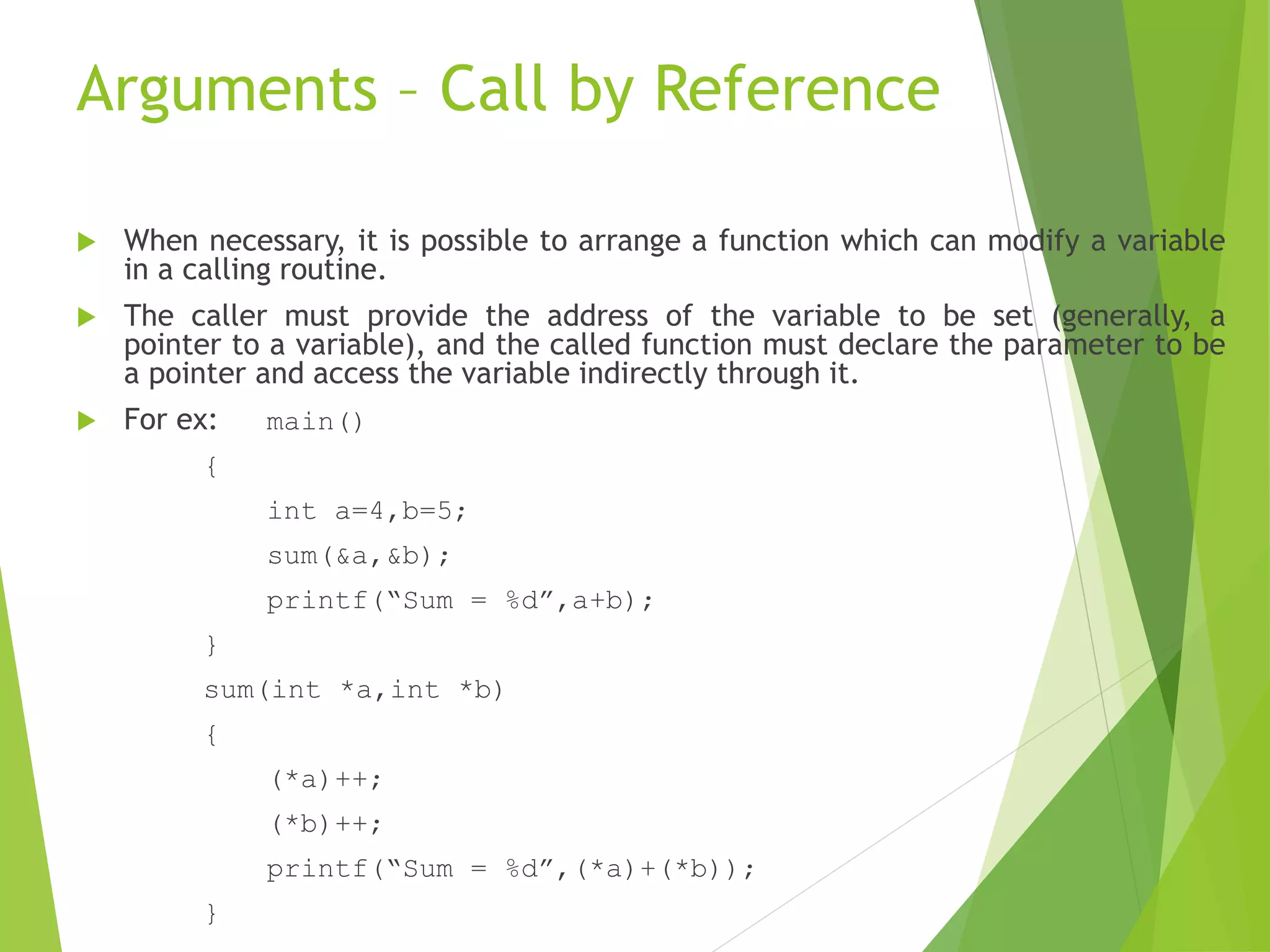
Arguments – Call by Reference
 When necessary, it is possible to arrange a function which can modify a variable
in a calling routine.
 The caller must provide the address of the variable to be set (generally, a
pointer to a variable), and the called function must declare the parameter to be
a pointer and access the variable indirectly through it.
 For ex: main()
{
int a=4,b=5;
sum(&a,&b);
printf(“Sum = %d”,a+b);
}
sum(int *a,int *b)
{
(*a)++;
(*b)++;
printf(“Sum = %d”,(*a)+(*b));
}
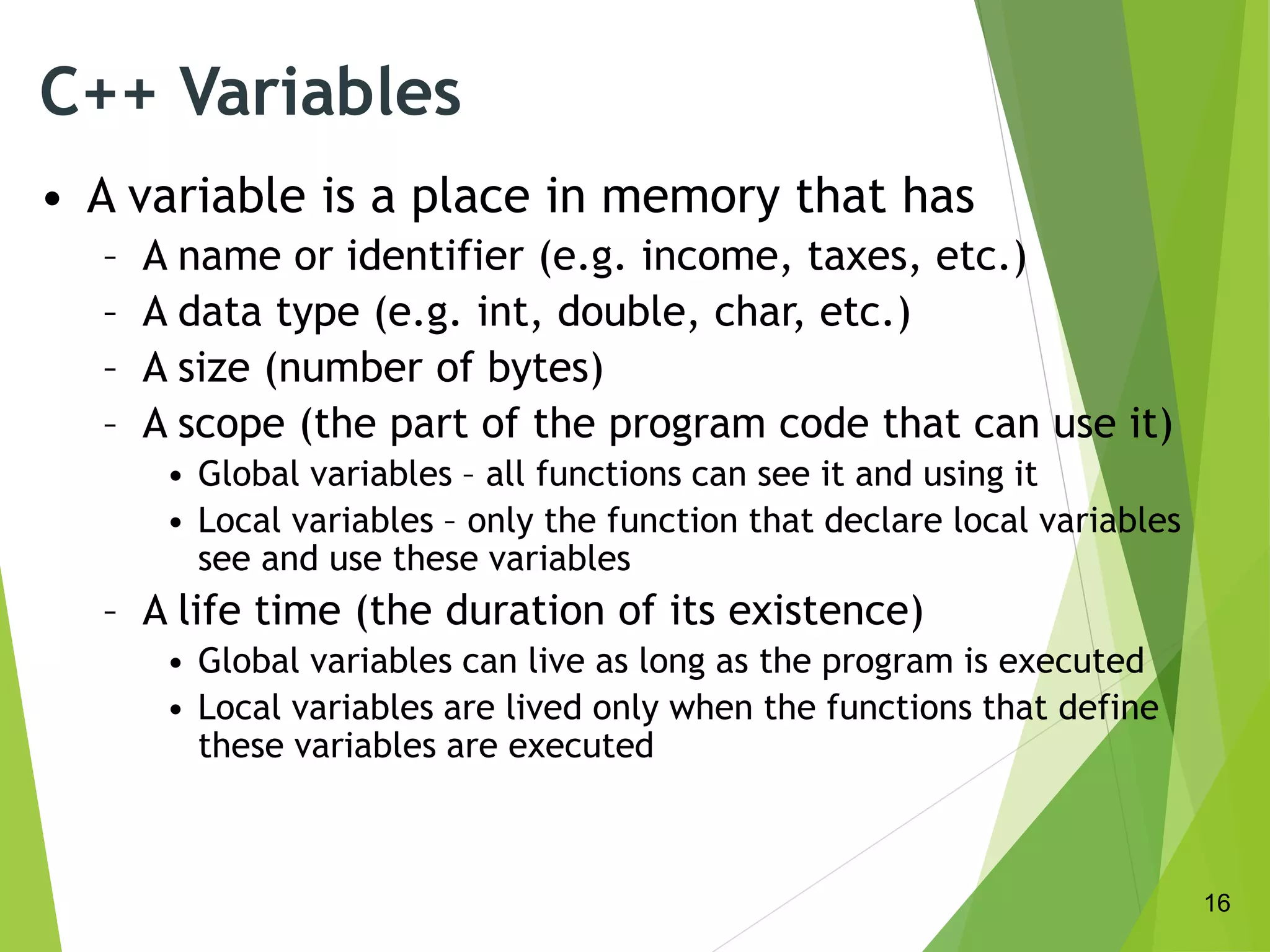
C++ Variables
• A variable is a place in memory that has
– A name or identifier (e.g. income, taxes, etc.)
– A data type (e.g. int, double, char, etc.)
– A size (number of bytes)
– A scope (the part of the program code that can use it)
• Global variables – all functions can see it and using it
• Local variables – only the function that declare local variables
see and use these variables
– A life time (the duration of its existence)
• Global variables can live as long as the program is executed
• Local variables are lived only when the functions that define
these variables are executed
16
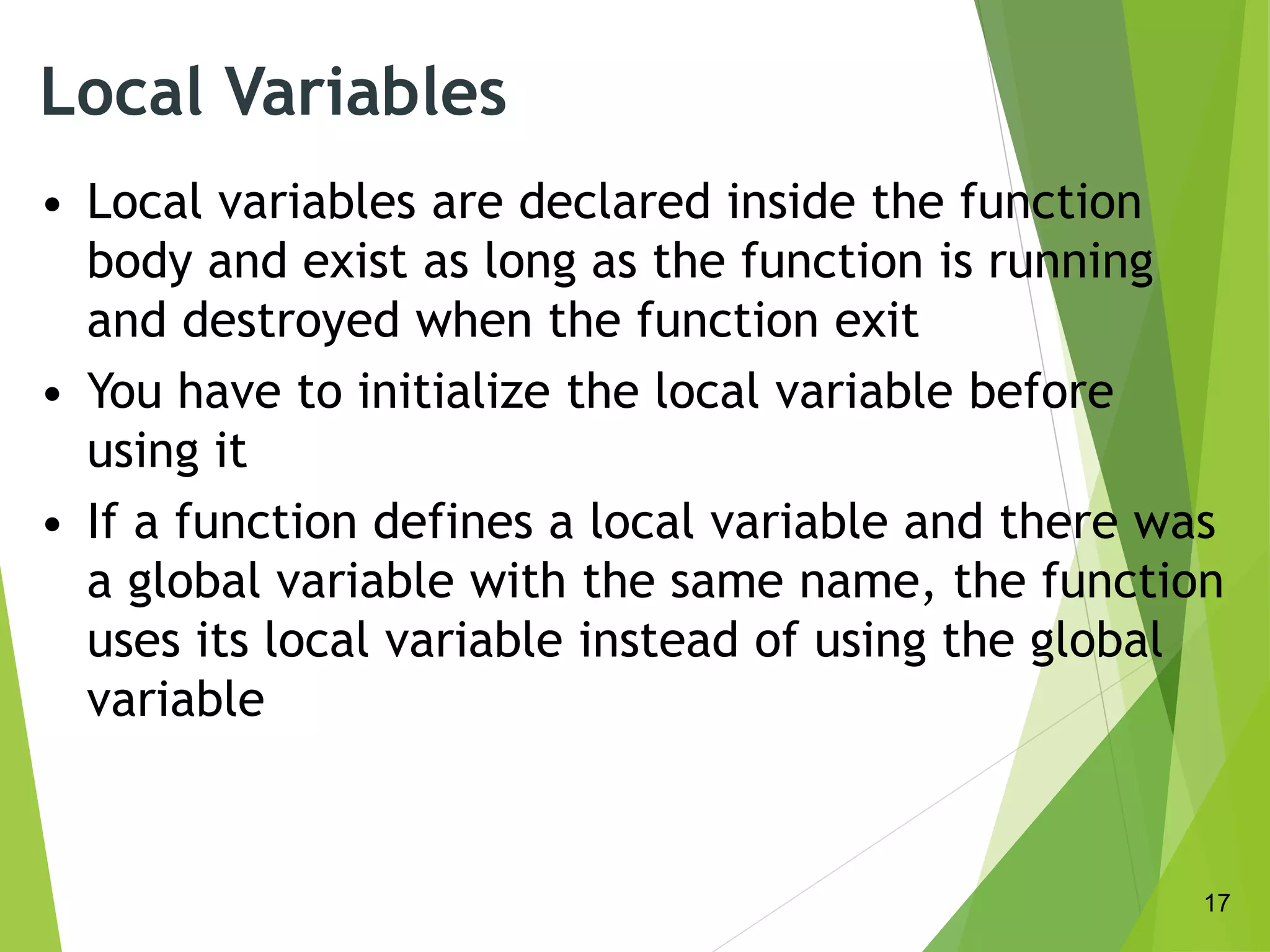
Local Variables
• Local variables are declared inside the function
body and exist as long as the function is running
and destroyed when the function exit
• You have to initialize the local variable before
using it
• If a function defines a local variable and there was
a global variable with the same name, the function
uses its local variable instead of using the global
variable
17
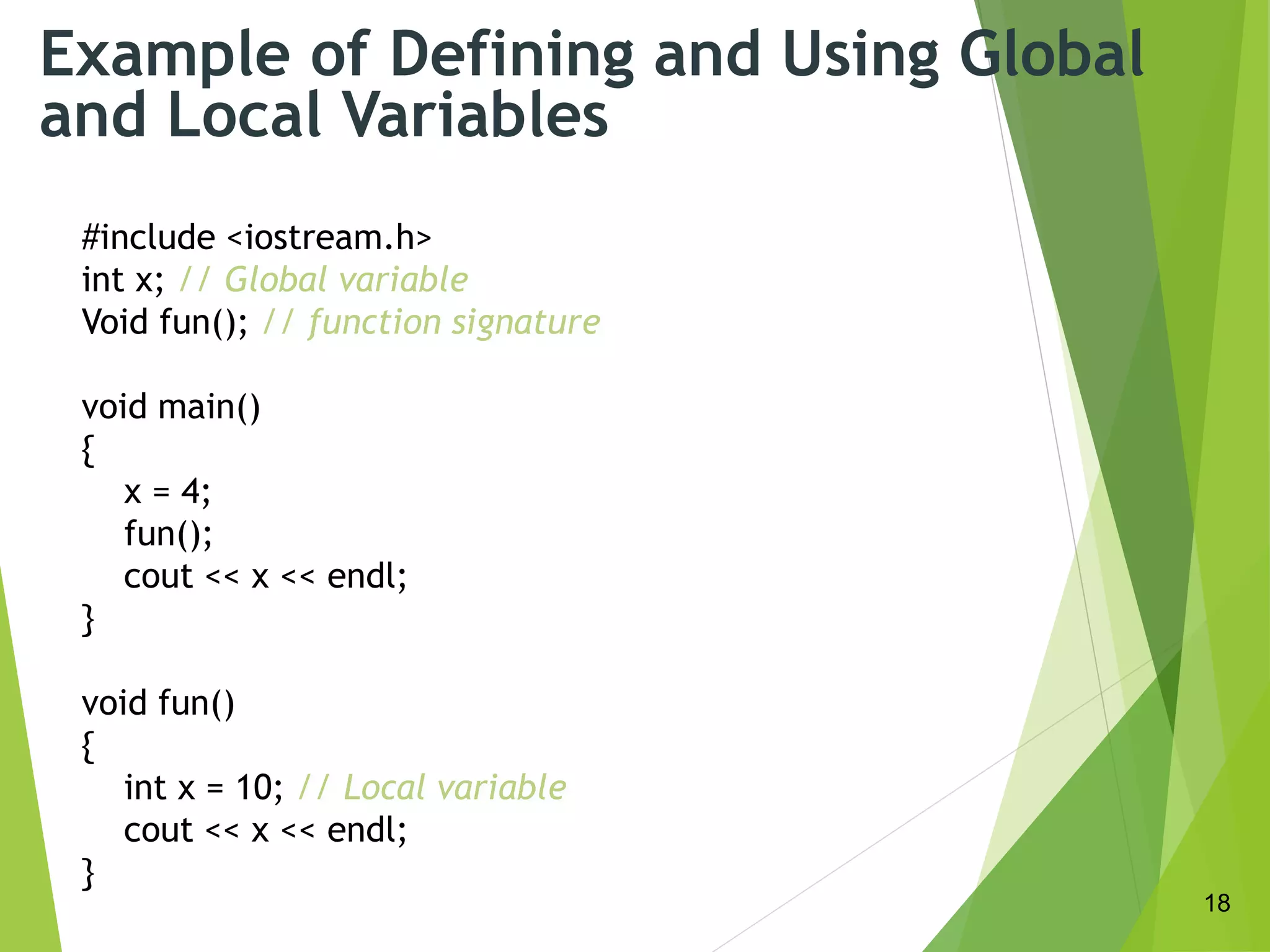
Example of Defining and Using Global
and Local Variables
#include <iostream.h>
int x; // Global variable
Void fun(); // function signature
void main()
{
x = 4;
fun();
cout << x << endl;
}
void fun()
{
int x = 10; // Local variable
cout << x << endl;
}
18
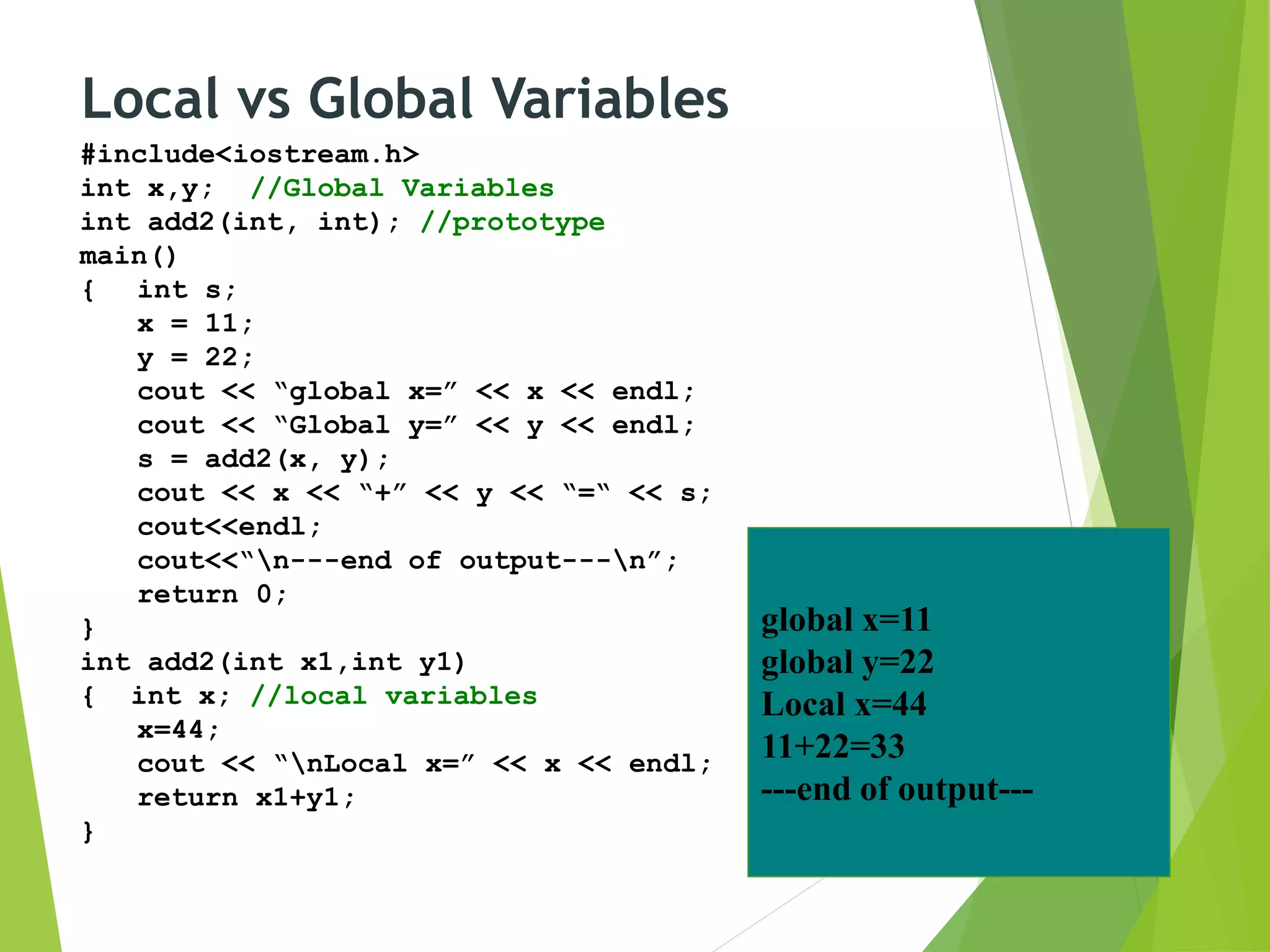
Local vs Global Variables
#include<iostream.h>
int x,y; //Global Variables
int add2(int, int); //prototype
main()
{ int s;
x = 11;
y = 22;
cout << “global x=” << x << endl;
cout << “Global y=” << y << endl;
s = add2(x, y);
cout << x << “+” << y << “=“ << s;
cout<<endl;
cout<<“n---end of output---n”;
return 0;
}
int add2(int x1,int y1)
{ int x; //local variables
x=44;
cout << “nLocal x=” << x << endl;
return x1+y1;
}
global x=11
global y=22
Local x=44
11+22=33
---end of output---
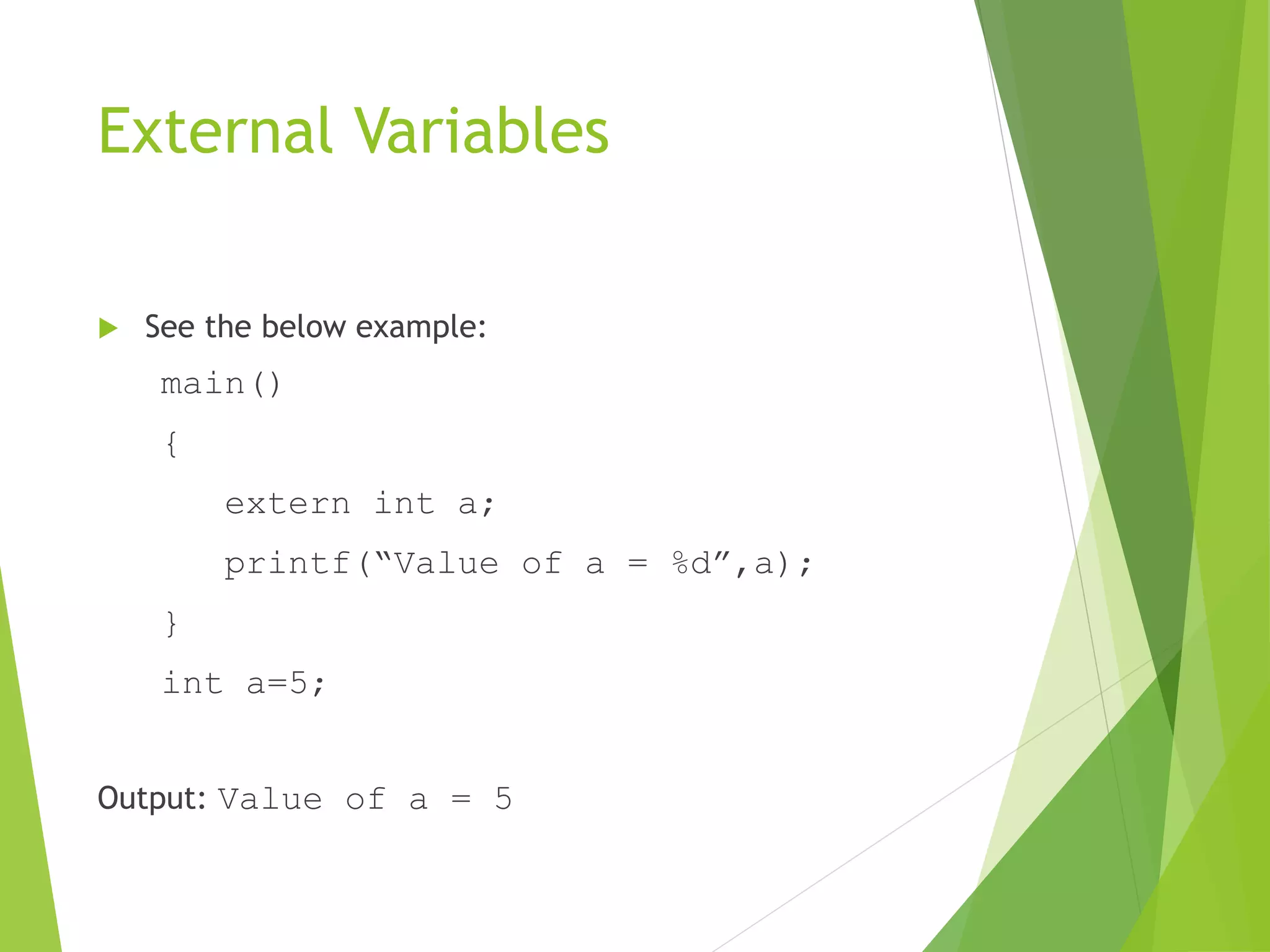
External Variables
 See the below example:
main()
{
extern int a;
printf(“Value of a = %d”,a);
}
int a=5;
Output: Value of a = 5
Recursion
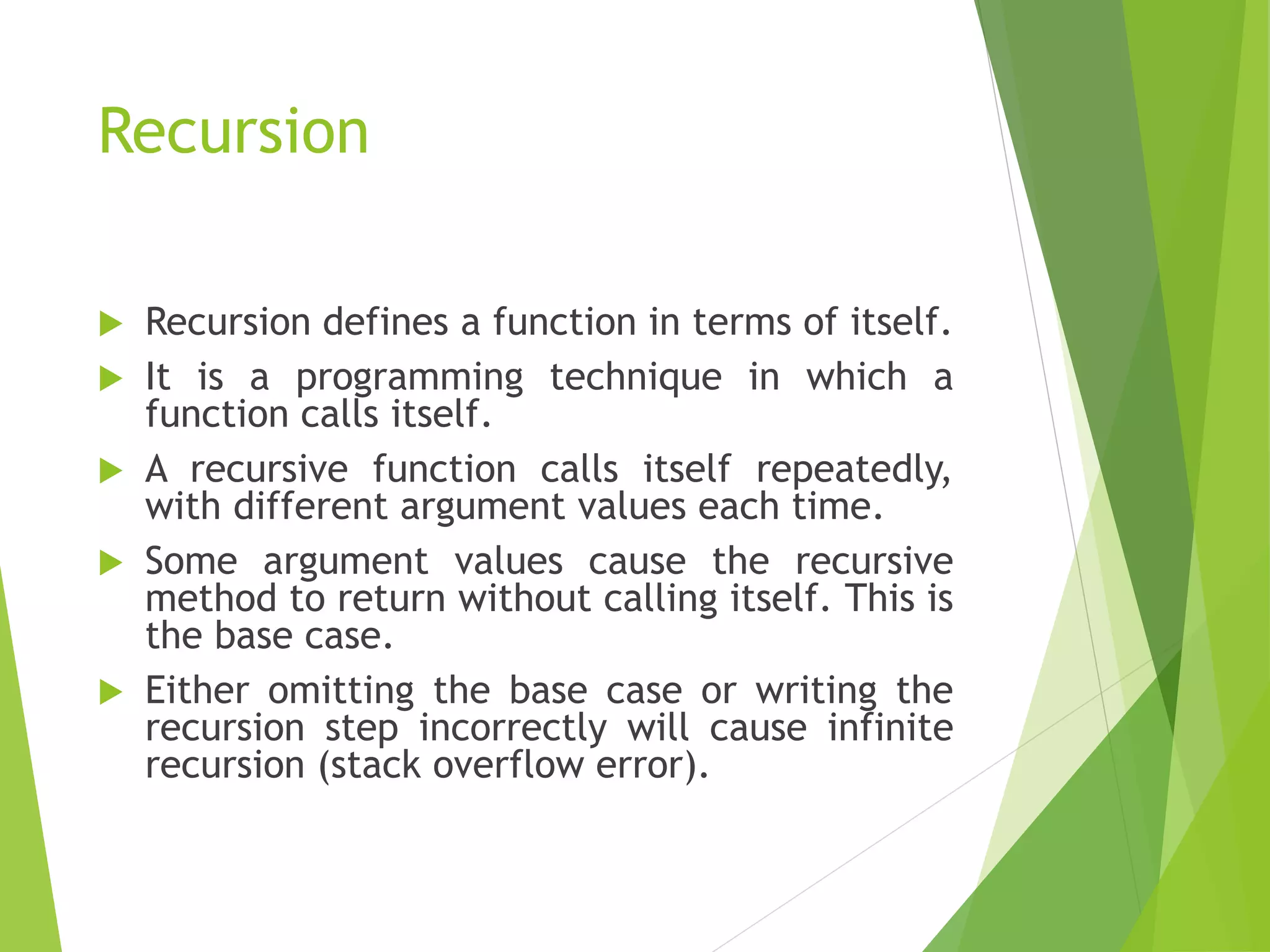
 Recursion defines a function in terms of itself.
 It is a programming technique in which a
function calls itself.
 A recursive function calls itself repeatedly,
with different argument values each time.
 Some argument values cause the recursive
method to return without calling itself. This is
the base case.
 Either omitting the base case or writing the
recursion step incorrectly will cause infinite
recursion (stack overflow error).
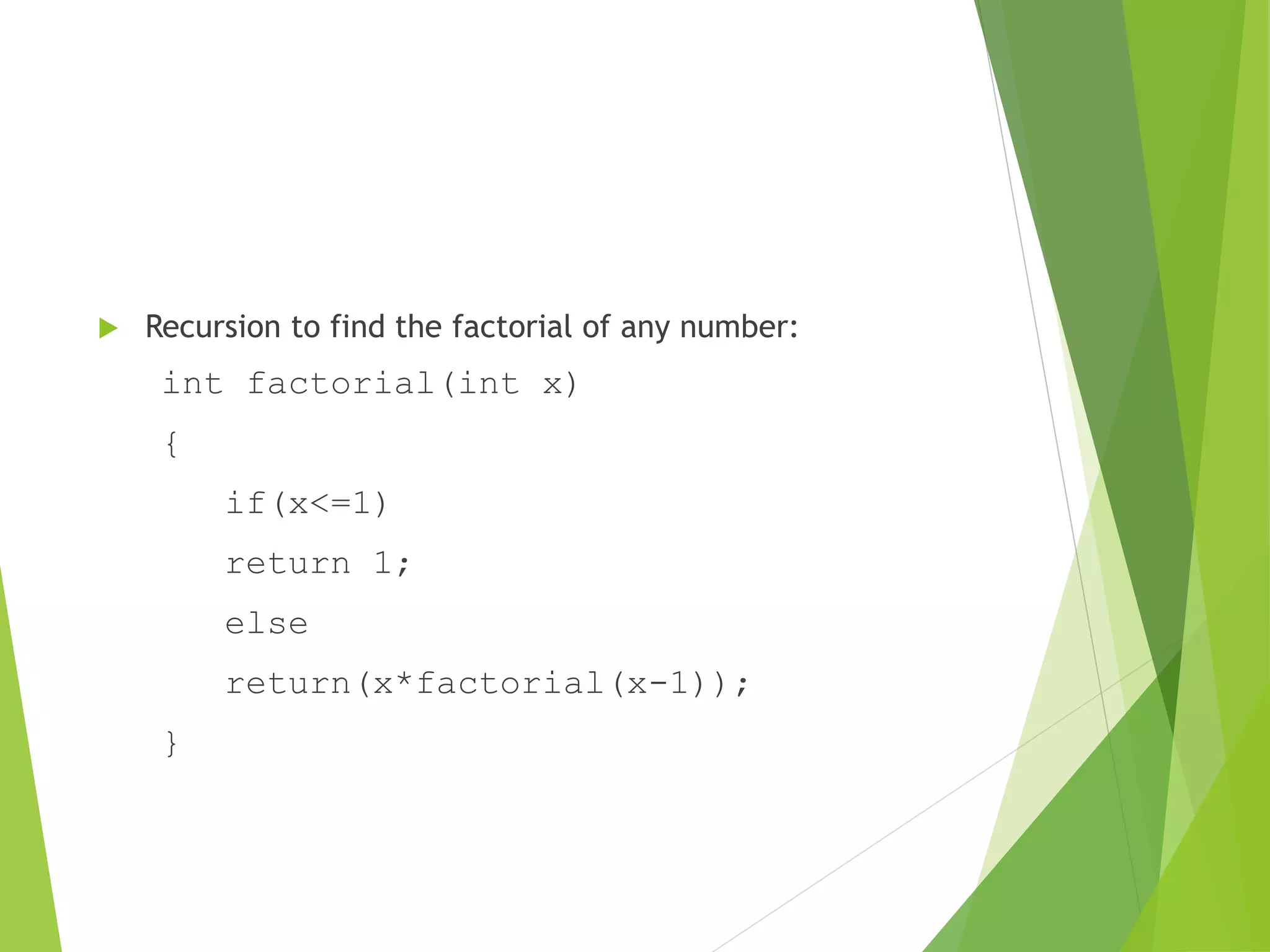
 Recursion to find the factorial of any number:
int factorial(int x)
{
if(x<=1)
return 1;
else
return(x*factorial(x-1));
}
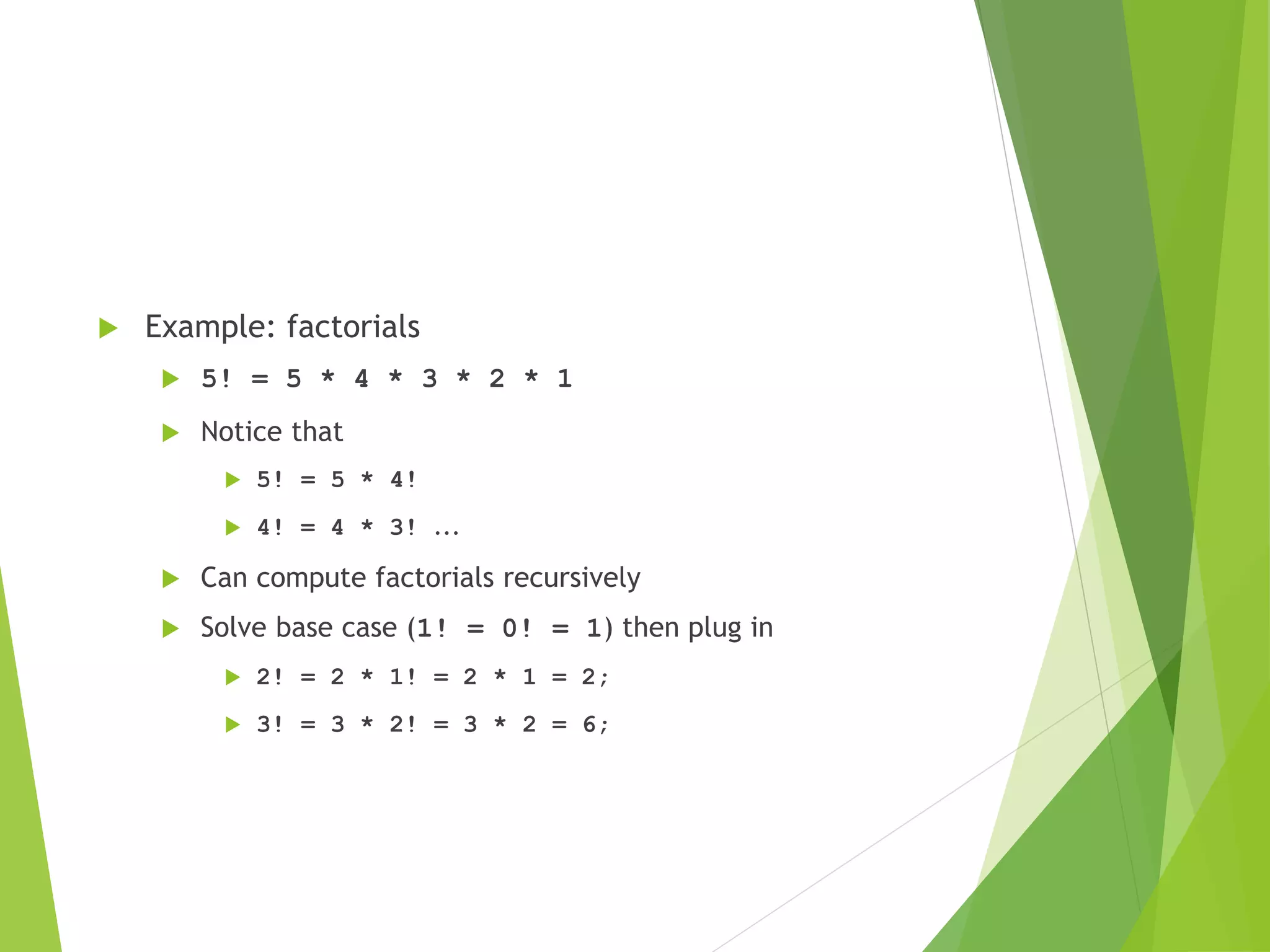
 Example: factorials
 5! = 5 * 4 * 3 * 2 * 1
 Notice that
 5! = 5 * 4!
 4! = 4 * 3! ...
 Can compute factorials recursively
 Solve base case (1! = 0! = 1) then plug in
 2! = 2 * 1! = 2 * 1 = 2;
 3! = 3 * 2! = 3 * 2 = 6;
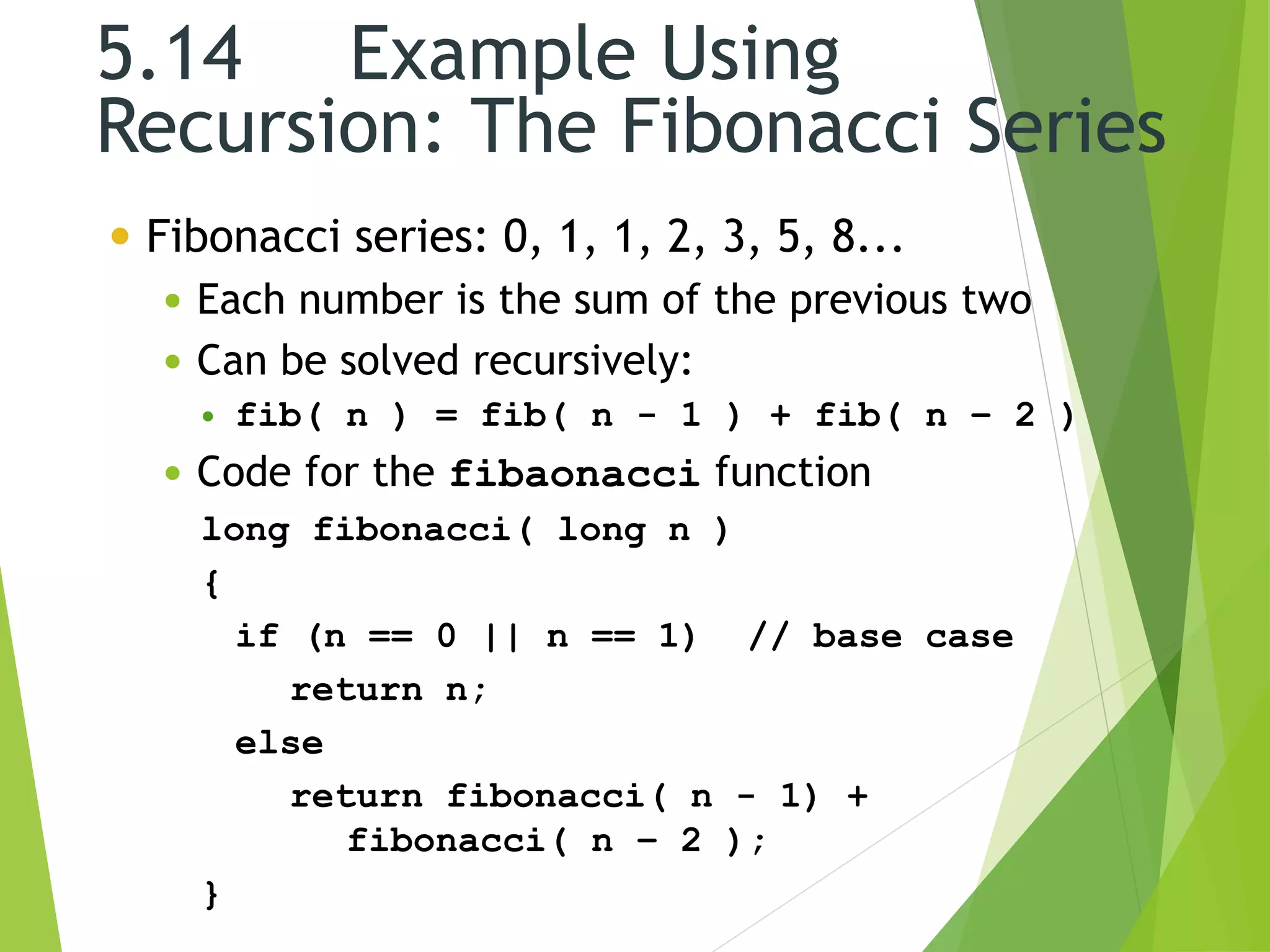
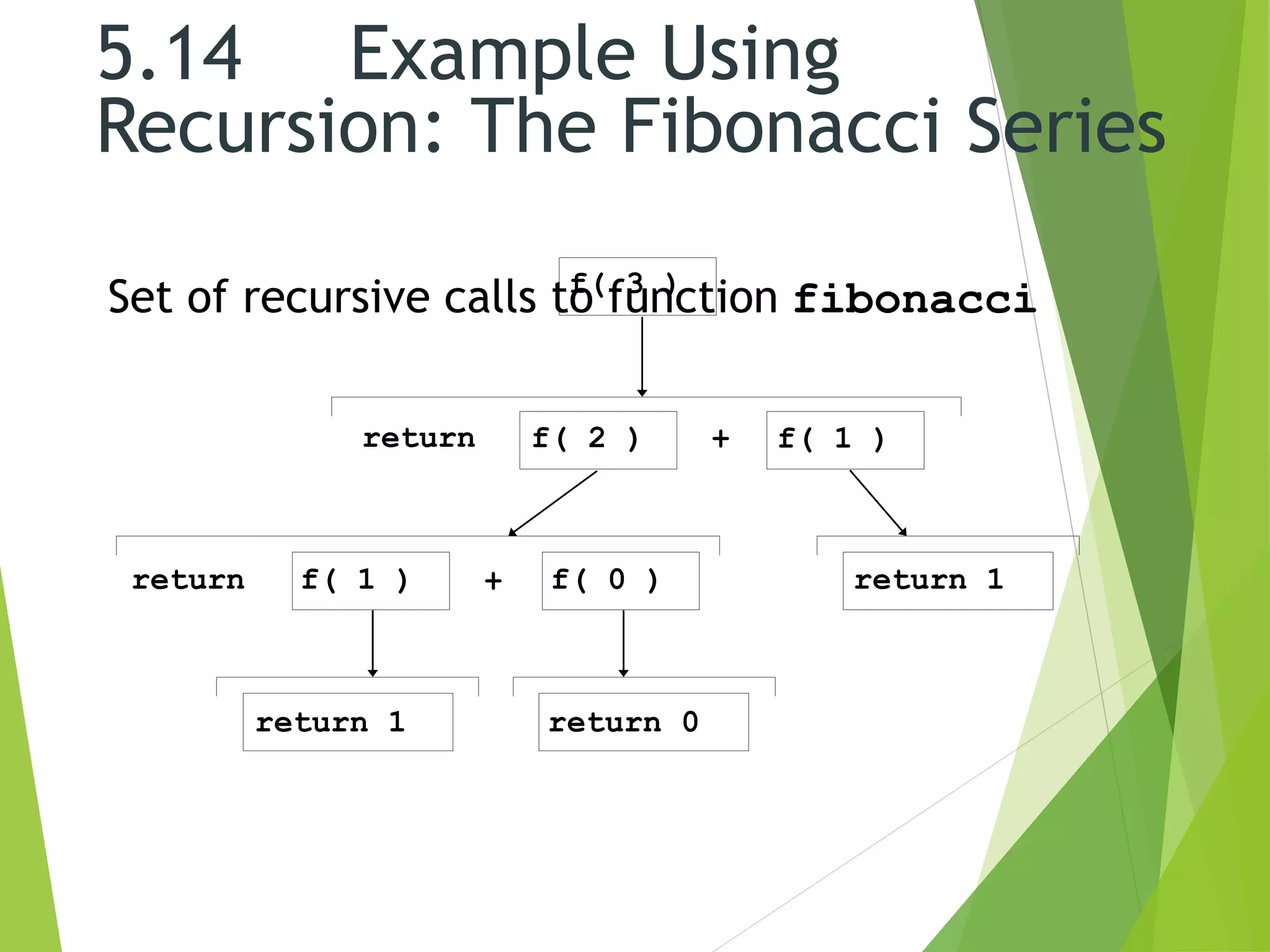
5.14 Example Using
Recursion: The Fibonacci Series
 Fibonacci series: 0, 1, 1, 2, 3, 5, 8...
 Each number is the sum of the previous two
 Can be solved recursively:
 fib( n ) = fib( n - 1 ) + fib( n – 2 )
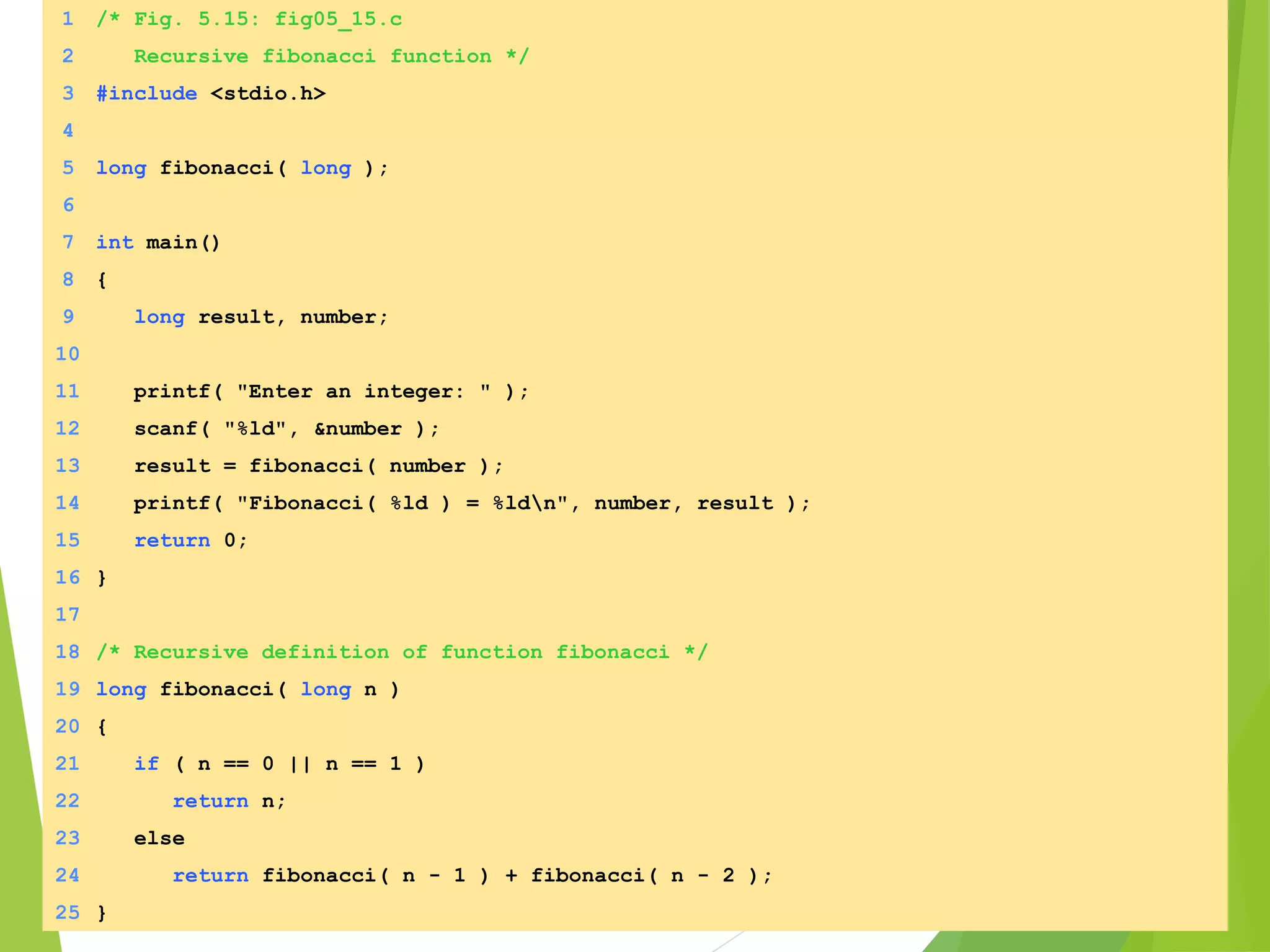
 Code for the fibaonacci function
long fibonacci( long n )
{
if (n == 0 || n == 1) // base case
return n;
else
return fibonacci( n - 1) +
fibonacci( n – 2 );
}
5.14 Example Using
Recursion: The Fibonacci Series
Set of recursive calls to function fibonaccif( 3 )
f( 1 )f( 2 )
f( 1 ) f( 0 ) return 1
return 1 return 0
return +
+return
1 /* Fig. 5.15: fig05_15.c
2 Recursive fibonacci function */
3 #include <stdio.h>
4
5 long fibonacci( long );
6
7 int main()
8 {
9 long result, number;
10
11 printf( "Enter an integer: " );
12 scanf( "%ld", &number );
13 result = fibonacci( number );
14 printf( "Fibonacci( %ld ) = %ldn", number, result );
15 return 0;
16 }
17
18 /* Recursive definition of function fibonacci */
19 long fibonacci( long n )
20 {
21 if ( n == 0 || n == 1 )
22 return n;
23 else
24 return fibonacci( n - 1 ) + fibonacci( n - 2 );
25 }
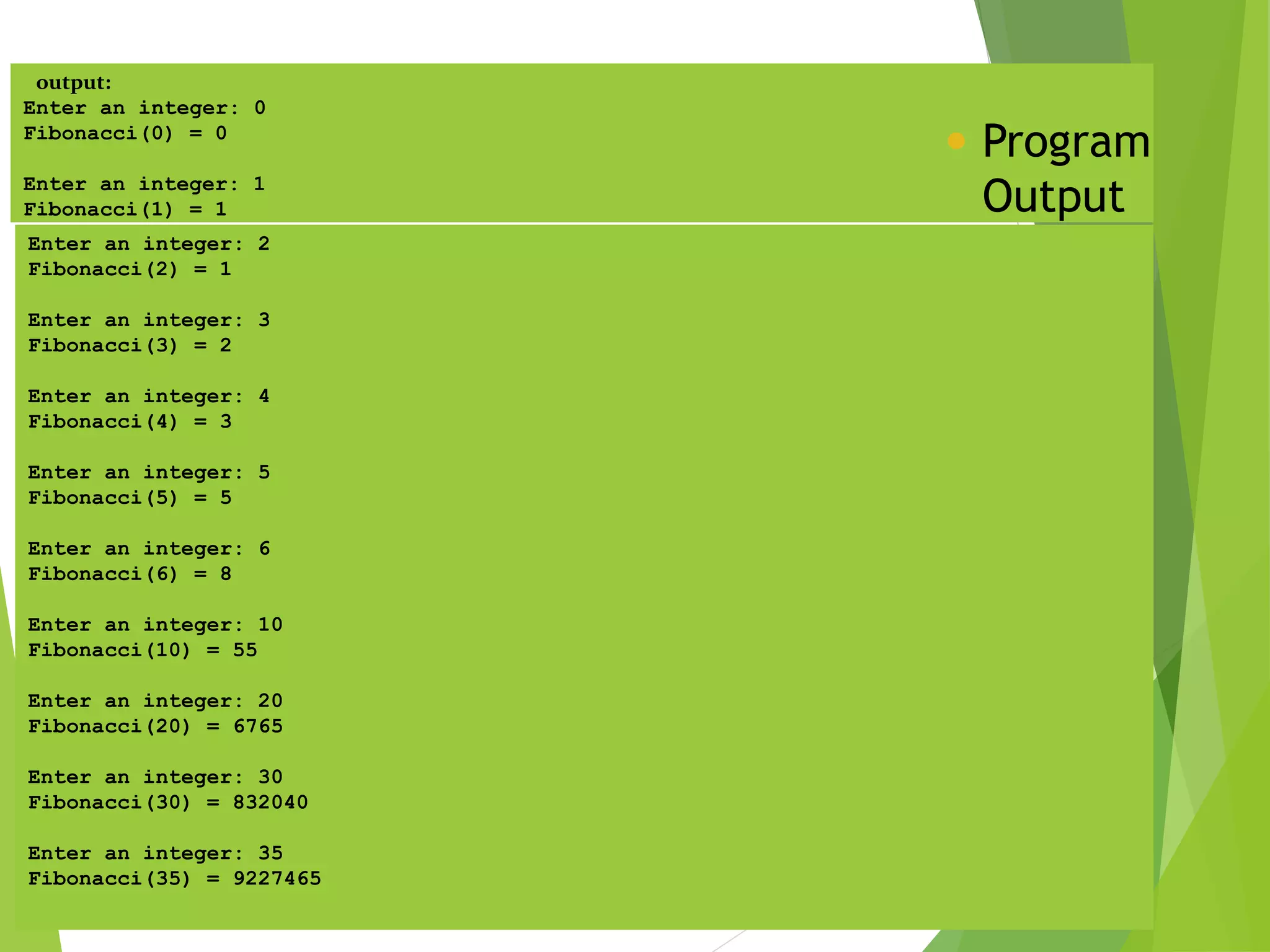
output:
Enter an integer: 0
Fibonacci(0) = 0
Enter an integer: 1
Fibonacci(1) = 1
 Program
Output
Enter an integer: 2
Fibonacci(2) = 1
Enter an integer: 3
Fibonacci(3) = 2
Enter an integer: 4
Fibonacci(4) = 3
Enter an integer: 5
Fibonacci(5) = 5
Enter an integer: 6
Fibonacci(6) = 8
Enter an integer: 10
Fibonacci(10) = 55
Enter an integer: 20
Fibonacci(20) = 6765
Enter an integer: 30
Fibonacci(30) = 832040
Enter an integer: 35
Fibonacci(35) = 9227465
Thank You..

functions

  • 1.
    Sigma institute ofengineering SUBJECT: COMPUTER PROGRAMMING AND UTILIZATION PREPARED BY : group c  ENROLLMENT NO:- NAME OF STUDENT 1. 140500119041 KANADE MAHENDRA 2. 140500119052 MAKWANA BHAVESH 3. 140500119054 MEHUL JHALA ASSIGNED BY ; PROF.SURESH CHAUDHARY
  • 2.
  • 3.
    CONTENTS:  Function  Functionexample  Vedio on functions  Benefits of function  Math library functions function prototype  Function arguments  C++ variables  Global variable  External variables  Other variables  Recursion  Recursion example
  • 4.
    Functions  A functionis a self contained block of code that performs a particular task.  Any C program can be seen as a collection/group of these functions.  A functions takes some data as input, perform some operation on that data and then return a value.  Any C program must contain at least one function, which is main().  There is no limit on the number of functions that might be present in a C program.
  • 5.
     For ex. main() { message(); printf(“Iam in main”); } message() { printf(“I am in message”); }
  • 6.
  • 7.
    Benefits of functions Divideand conquer Manageable program development Software reusability Use existing functions as building blocks for new programs Abstraction - hide internal details (library functions) Avoid code repetition
  • 8.
    5.3Math Library Functions Math library functions  perform common mathematical calculations  #include <math.h>  Format for calling functions  FunctionName( argument );  If multiple arguments, use comma-separated list  printf( "%.2f", sqrt( 900.0 ) );  Calls function sqrt, which returns the square root of its argument  All math functions return data type double  Arguments may be constants, variables, or expressions
  • 9.
    Method Description Example ceil(x ) rounds x to the smallest integer not less than x ceil( 9.2 ) is 10.0 ceil( -9.8 ) is -9.0 cos( x ) trigonometric cosine of x (x in radians) cos( 0.0 ) is 1.0 exp( x ) exponential function ex exp( 1.0 ) is 2.71828 exp( 2.0 ) is 7.38906 fabs( x ) absolute value of x fabs( 5.1 ) is 5.1 fabs( 0.0 ) is 0.0 fabs( -8.76 ) is 8.76 floor( x ) rounds x to the largest integer not greater than x floor( 9.2 ) is 9.0 floor( -9.8 ) is -10.0 fmod( x, y ) remainder of x/y as a floating- point number fmod( 13.657, 2.333 ) is 1.992 log( x ) natural logarithm of x (base e) log( 2.718282 ) is 1.0 log( 7.389056 ) is 2.0 log10( x ) logarithm of x (base 10) log10( 10.0 ) is 1.0 log10( 100.0 ) is 2.0 pow( x, y ) x raised to power y (xy) pow( 2, 7 ) is 128 pow( 9, .5 ) is 3 sin( x ) trigonometric sine of x (x in radians) sin( 0.0 ) is 0 sqrt( x ) square root of x sqrt( 900.0 ) is 30.0 sqrt( 9.0 ) is 3.0 tan( x ) trigonometric tangent of x (x in radians) tan( 0.0 ) is 0 Fig. 3.2 Math library functions. Math Library Functions Revisited
  • 10.
    5.2Program Modules inC Functions  Modules in C  Programs combine user-defined functions with library functions  C standard library has a wide variety of functions  Function calls  Invoking functions  Provide function name and arguments (data)  Function performs operations or manipulations  Function returns results  Function call analogy:  Boss asks worker to complete task  Worker gets information, does task, returns result  Information hiding: boss does not know details
  • 11.
    Function Prototype  AllIdentifiers in C must be declared before they are used. This is true for functions as well as variables.  For functions, the declarations needs to be done before the first call of the function.  A function declaration specifies the name, return type, and arguments of a function. This is also called the function prototype.  To be a prototype, a function declaration must establish types for the function’s arguments.  Having the prototype available before the first use of the function allows the compiler to check that the correct number and types of arguments are used in the function call.
  • 12.
     The prototypehas the same syntax as the function definition, except that it is terminated by a semicolon following the closing parenthesis and therefore has no body.  Although, functions that return int values do not require prototypes, prototypes are recommended.
  • 13.
    Function Definition  Generalform of any function definition is: return-type function-name(argument declarations) { declarations and statements }  Return-type refers to the data type of the value being returned from the function. If the return type is omitted, int is assumed.  The values provided to a function for processing are the arguments.  The set of statements between the braces is called as the function body.
  • 14.
    Arguments – Callby Value  In C, all functions are passed “by value” by default.  This means that the called function is given the values of its arguments in temporary variables rather than the originals.  For ex. main() { int a=4,b=5; sum(a,b); printf(“Sum = %d”,a+b); } sum(int a,int b) { a++; b++; printf(“Sum = %d”,a+b); }
  • 15.
    Arguments – Callby Reference  When necessary, it is possible to arrange a function which can modify a variable in a calling routine.  The caller must provide the address of the variable to be set (generally, a pointer to a variable), and the called function must declare the parameter to be a pointer and access the variable indirectly through it.  For ex: main() { int a=4,b=5; sum(&a,&b); printf(“Sum = %d”,a+b); } sum(int *a,int *b) { (*a)++; (*b)++; printf(“Sum = %d”,(*a)+(*b)); }
  • 16.
    C++ Variables • Avariable is a place in memory that has – A name or identifier (e.g. income, taxes, etc.) – A data type (e.g. int, double, char, etc.) – A size (number of bytes) – A scope (the part of the program code that can use it) • Global variables – all functions can see it and using it • Local variables – only the function that declare local variables see and use these variables – A life time (the duration of its existence) • Global variables can live as long as the program is executed • Local variables are lived only when the functions that define these variables are executed 16
  • 17.
    Local Variables • Localvariables are declared inside the function body and exist as long as the function is running and destroyed when the function exit • You have to initialize the local variable before using it • If a function defines a local variable and there was a global variable with the same name, the function uses its local variable instead of using the global variable 17
  • 18.
    Example of Definingand Using Global and Local Variables #include <iostream.h> int x; // Global variable Void fun(); // function signature void main() { x = 4; fun(); cout << x << endl; } void fun() { int x = 10; // Local variable cout << x << endl; } 18
  • 19.
    Local vs GlobalVariables #include<iostream.h> int x,y; //Global Variables int add2(int, int); //prototype main() { int s; x = 11; y = 22; cout << “global x=” << x << endl; cout << “Global y=” << y << endl; s = add2(x, y); cout << x << “+” << y << “=“ << s; cout<<endl; cout<<“n---end of output---n”; return 0; } int add2(int x1,int y1) { int x; //local variables x=44; cout << “nLocal x=” << x << endl; return x1+y1; } global x=11 global y=22 Local x=44 11+22=33 ---end of output---
  • 20.
    External Variables  Seethe below example: main() { extern int a; printf(“Value of a = %d”,a); } int a=5; Output: Value of a = 5
  • 21.
    Recursion  Recursion definesa function in terms of itself.  It is a programming technique in which a function calls itself.  A recursive function calls itself repeatedly, with different argument values each time.  Some argument values cause the recursive method to return without calling itself. This is the base case.  Either omitting the base case or writing the recursion step incorrectly will cause infinite recursion (stack overflow error).
  • 22.
     Recursion tofind the factorial of any number: int factorial(int x) { if(x<=1) return 1; else return(x*factorial(x-1)); }
  • 23.
     Example: factorials 5! = 5 * 4 * 3 * 2 * 1  Notice that  5! = 5 * 4!  4! = 4 * 3! ...  Can compute factorials recursively  Solve base case (1! = 0! = 1) then plug in  2! = 2 * 1! = 2 * 1 = 2;  3! = 3 * 2! = 3 * 2 = 6;
  • 24.
    5.14 Example Using Recursion:The Fibonacci Series  Fibonacci series: 0, 1, 1, 2, 3, 5, 8...  Each number is the sum of the previous two  Can be solved recursively:  fib( n ) = fib( n - 1 ) + fib( n – 2 )  Code for the fibaonacci function long fibonacci( long n ) { if (n == 0 || n == 1) // base case return n; else return fibonacci( n - 1) + fibonacci( n – 2 ); }
  • 25.
    5.14 Example Using Recursion:The Fibonacci Series Set of recursive calls to function fibonaccif( 3 ) f( 1 )f( 2 ) f( 1 ) f( 0 ) return 1 return 1 return 0 return + +return
  • 26.
    1 /* Fig.5.15: fig05_15.c 2 Recursive fibonacci function */ 3 #include <stdio.h> 4 5 long fibonacci( long ); 6 7 int main() 8 { 9 long result, number; 10 11 printf( "Enter an integer: " ); 12 scanf( "%ld", &number ); 13 result = fibonacci( number ); 14 printf( "Fibonacci( %ld ) = %ldn", number, result ); 15 return 0; 16 } 17 18 /* Recursive definition of function fibonacci */ 19 long fibonacci( long n ) 20 { 21 if ( n == 0 || n == 1 ) 22 return n; 23 else 24 return fibonacci( n - 1 ) + fibonacci( n - 2 ); 25 }
  • 27.
    output: Enter an integer:0 Fibonacci(0) = 0 Enter an integer: 1 Fibonacci(1) = 1  Program Output Enter an integer: 2 Fibonacci(2) = 1 Enter an integer: 3 Fibonacci(3) = 2 Enter an integer: 4 Fibonacci(4) = 3 Enter an integer: 5 Fibonacci(5) = 5 Enter an integer: 6 Fibonacci(6) = 8 Enter an integer: 10 Fibonacci(10) = 55 Enter an integer: 20 Fibonacci(20) = 6765 Enter an integer: 30 Fibonacci(30) = 832040 Enter an integer: 35 Fibonacci(35) = 9227465
  • 28.