Download to read offline
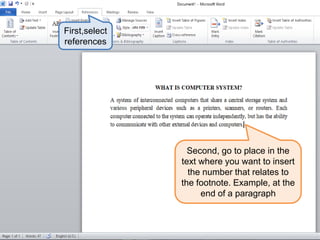
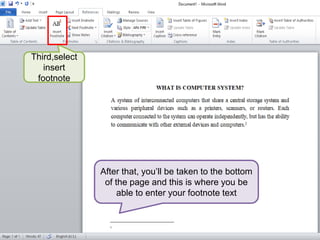
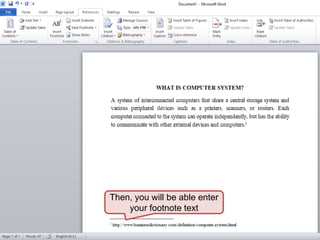
To insert a footnote in Word 2010, first select "References" and then select the text where you want to insert the footnote number. This will take you to the bottom of the page where you can enter the footnote text. Select "Insert Footnote" and then type the footnote text.


