FLUID POWERED TYPO3Presented by Christof Rodejohann /
TYPO3 Developer at
@UrsaBerlin
Sächsische Landesbibliothek – Staats- und Universitätsbibliothek Dresden
More detailed informations and source of this presentation: /http://www.fedext.net
@FluidPoweredT3
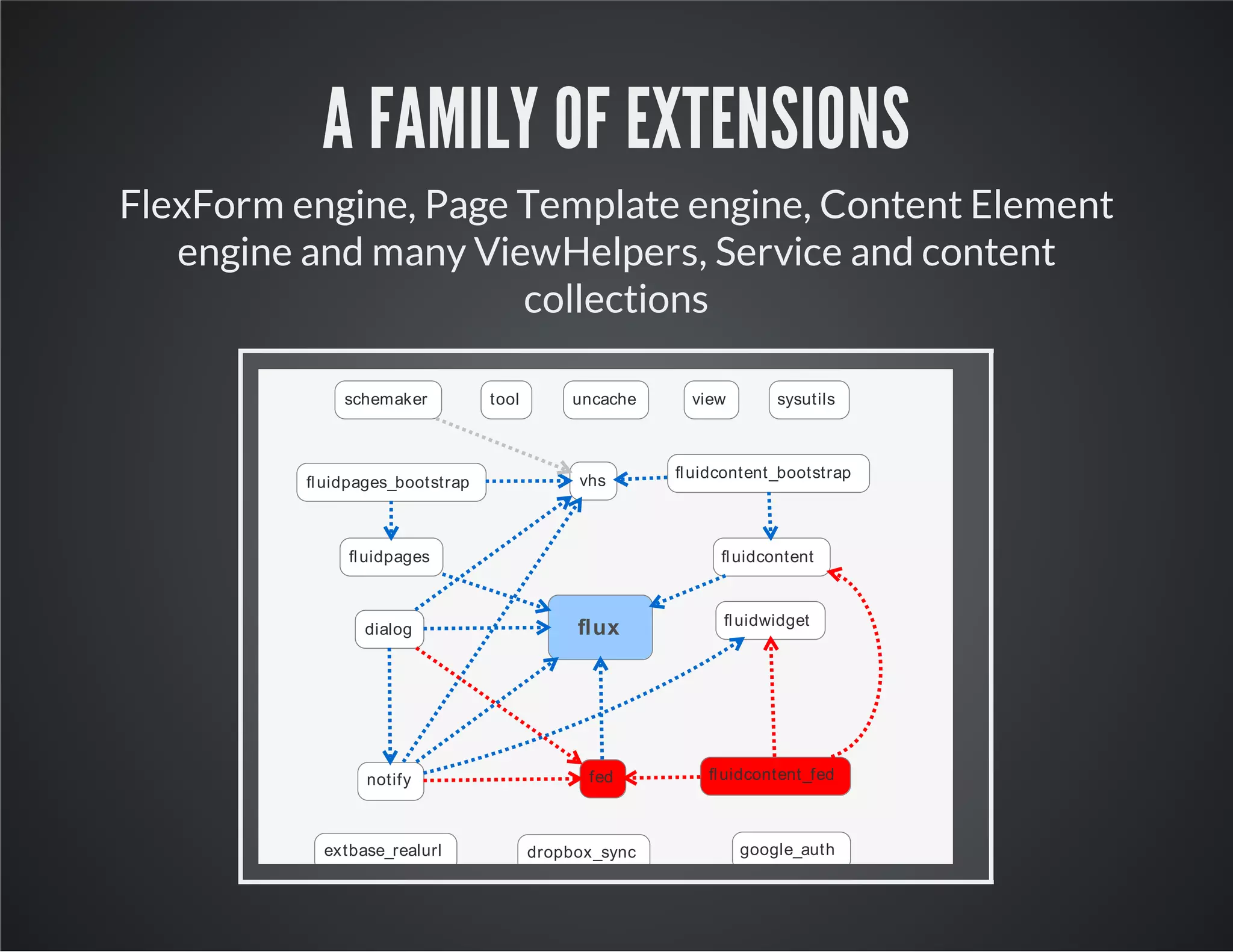
A FAMILY OF EXTENSIONS
FlexForm engine, Page Template engine, Content Element
engine and many ViewHelpers, Service and content
collections
flux
vhs
fluidcontentfluidpages
fed
fluidpages_bootstrap
fluidcontent_bootstrap
fluidcontent_fed
dialog
notify
fluidwidget
viewschemaker
extbase_realurl google_auth
tool uncache sysutils
dropbox_sync
FLUX
Very dynamic Flex Forms to be written directly into specialised Fluid templates.
Used by extension developers and template developers as
development tool to create configuration inside Fluid
templates.
Used by extension developers to allow any plugin which
renders a Fluid template to be able to contain other
content elements.
VHS
Extensive library of ViewHelpers which allow advanced formatting, array/iterator analysis and
manipulation.
A large collection of ViewHelpers.
No scripts, no stylesheets - just ViewHelpers.
No configuration to be included, no DB changes.
Documentation:
173 ViewHelpers.
http://fedext.net/viewhelpers/vhs.html
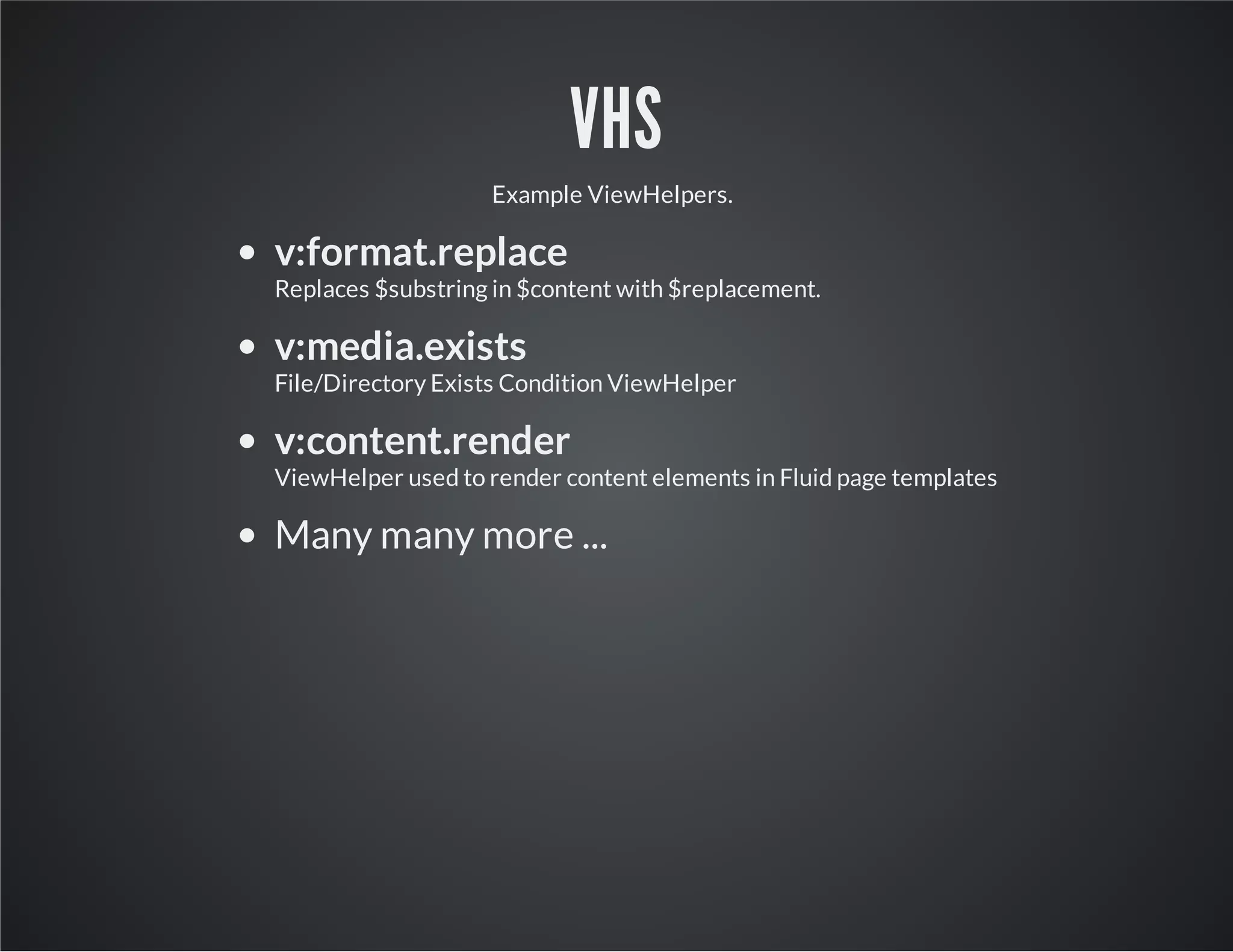
VHS
Example ViewHelpers.
v:format.replace
Replaces $substring in $content with $replacement.
v:media.exists
File/Directory Exists Condition ViewHelper
v:content.render
ViewHelper used to render content elements in Fluid page templates
Many many more ...
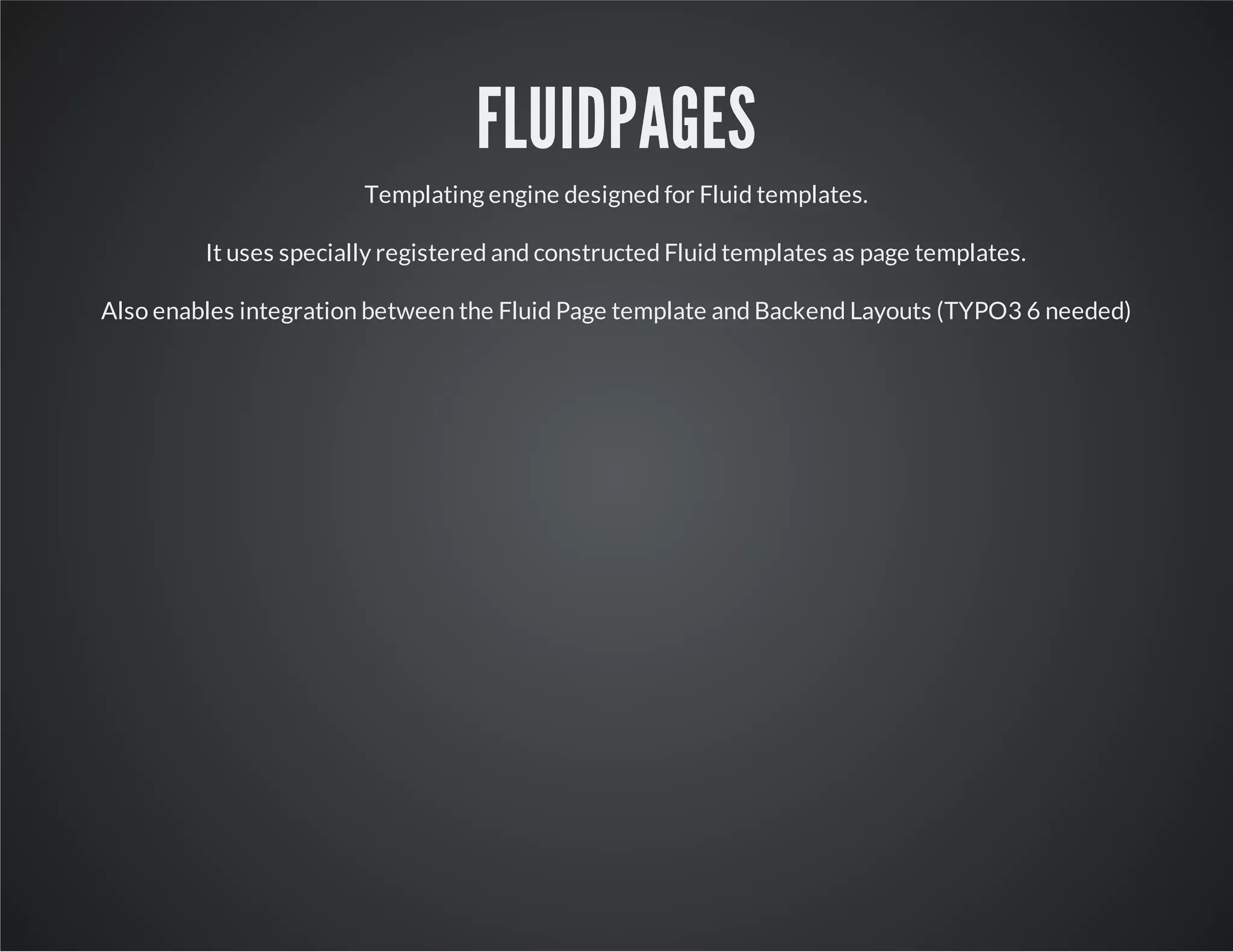
FLUIDPAGES
Templating engine designed for Fluid templates.
It uses specially registered and constructed Fluid templates as page templates.
Also enables integration between the Fluid Page template and Backend Layouts (TYPO3 6 needed)
FLUIDCONTENT
Content rendering engine - a content plugin which renders Fluid templates as content elements.
Flux is used to allow dynamic configuration as well as support nested content elements.
FLUIDPAGES
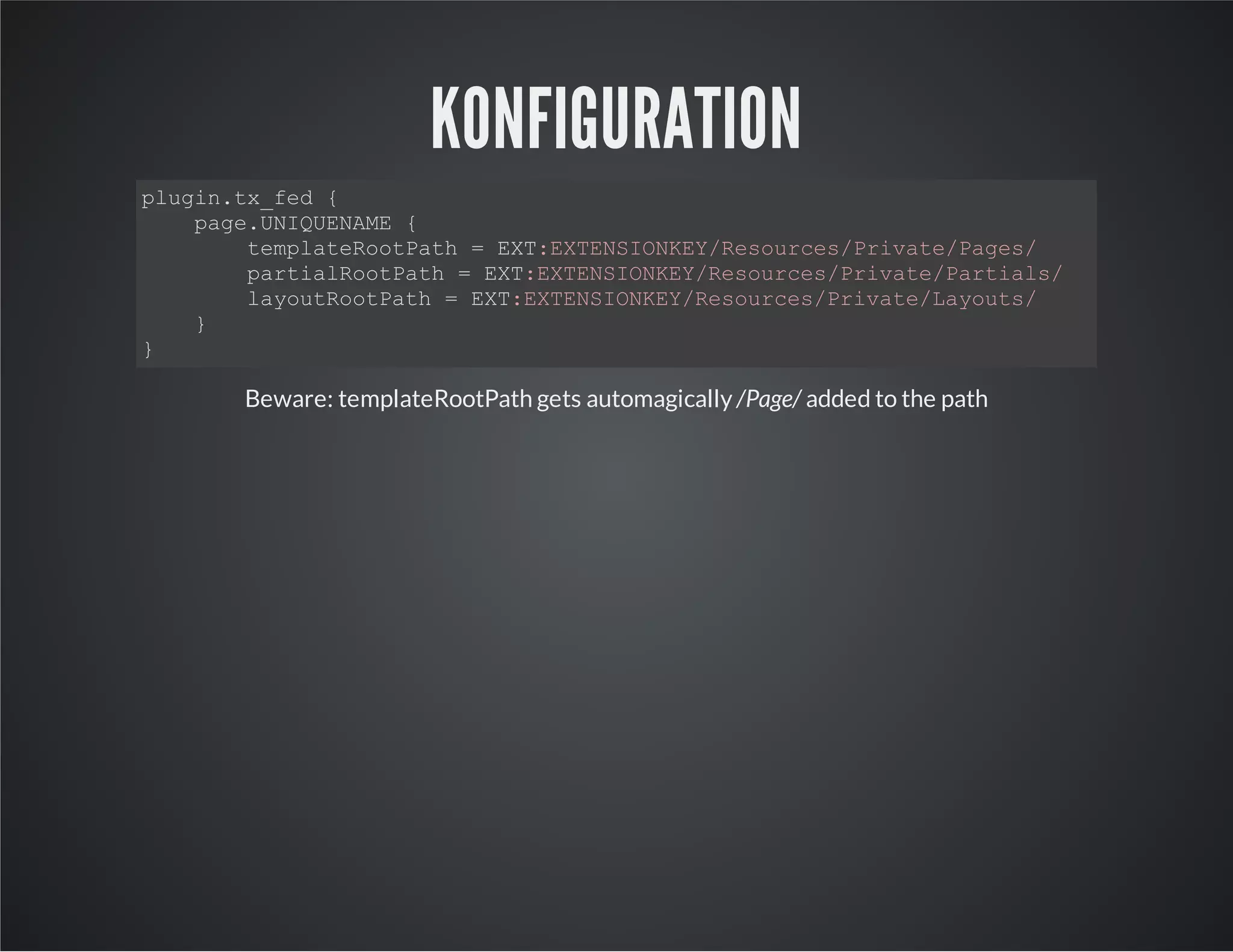
KONFIGURATION
plugin.tx_fed {
page.UNIQUENAME {
templateRootPath = EXT:EXTENSIONKEY/Resources/Private/Pages/
partialRootPath = EXT:EXTENSIONKEY/Resources/Private/Partials/
layoutRootPath = EXT:EXTENSIONKEY/Resources/Private/Layouts/
}
}
Beware: templateRootPath gets automagically /Page/ added to the path
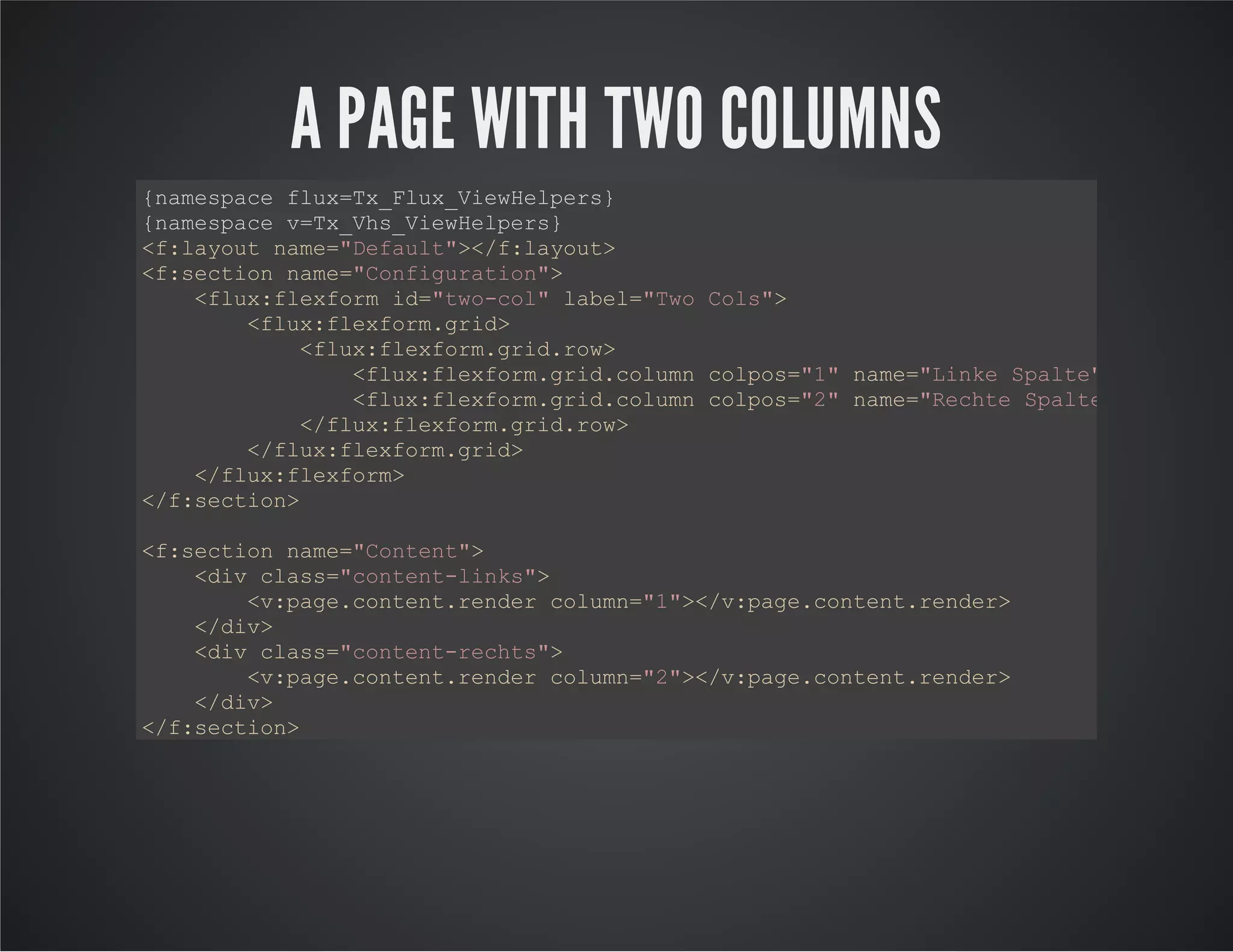
A PAGE WITH TWO COLUMNS
{namespace flux=Tx_Flux_ViewHelpers}
{namespace v=Tx_Vhs_ViewHelpers}
<f:layout name="Default"></f:layout>
<f:section name="Configuration">
<flux:flexform id="two-col" label="Two Cols">
<flux:flexform.grid>
<flux:flexform.grid.row>
<flux:flexform.grid.column colpos="1" name="Linke Spalte"></flux:fl
<flux:flexform.grid.column colpos="2" name="Rechte Spalte"></flux:f
</flux:flexform.grid.row>
</flux:flexform.grid>
</flux:flexform>
</f:section>
<f:section name="Content">
<div class="content-links">
<v:page.content.render column="1"></v:page.content.render>
</div>
<div class="content-rechts">
<v:page.content.render column="2"></v:page.content.render>
</div>
</f:section>
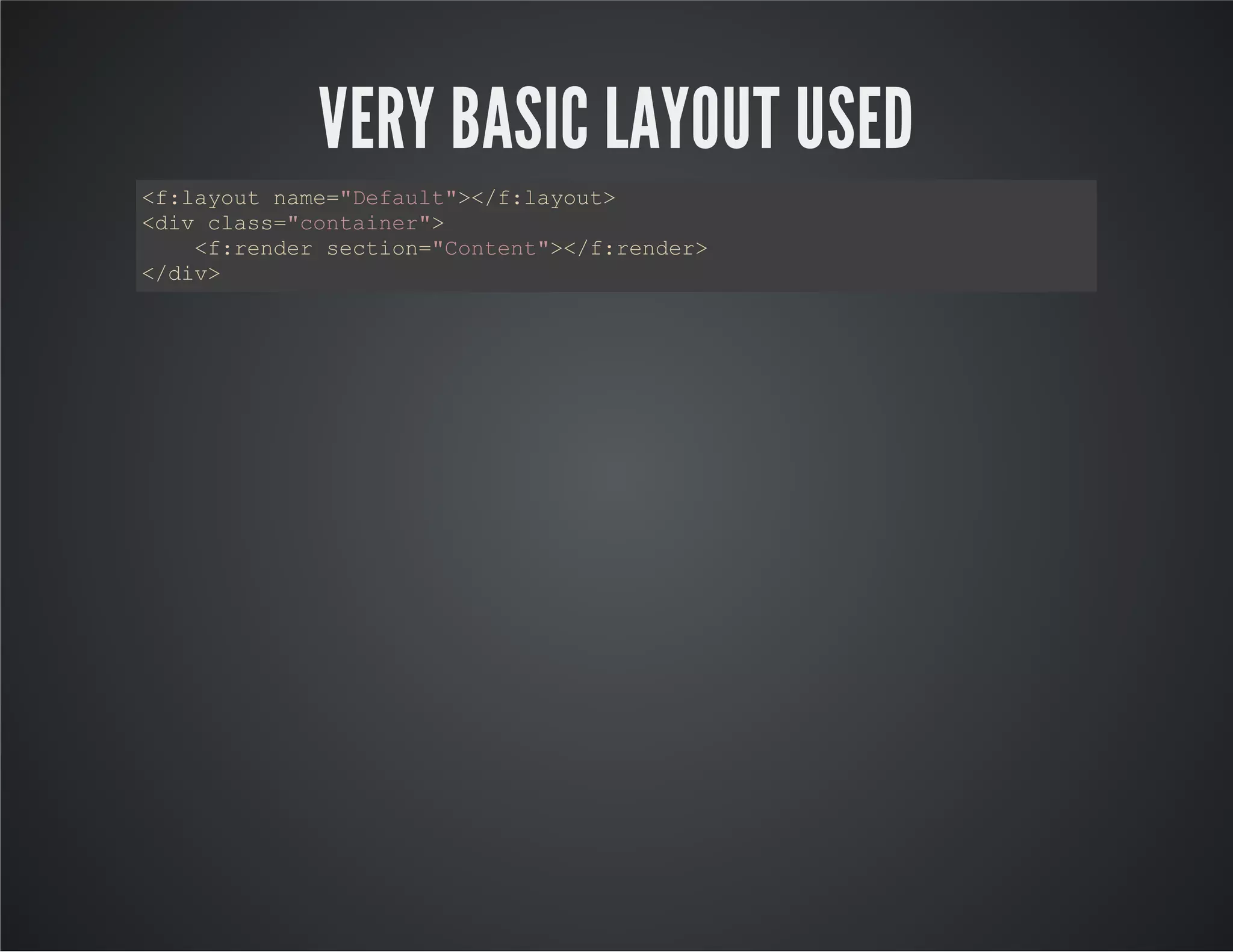
VERY BASIC LAYOUT USED
<f:layout name="Default"></f:layout>
<div class="container">
<f:render section="Content"></f:render>
</div>
FLUIDCONTENT
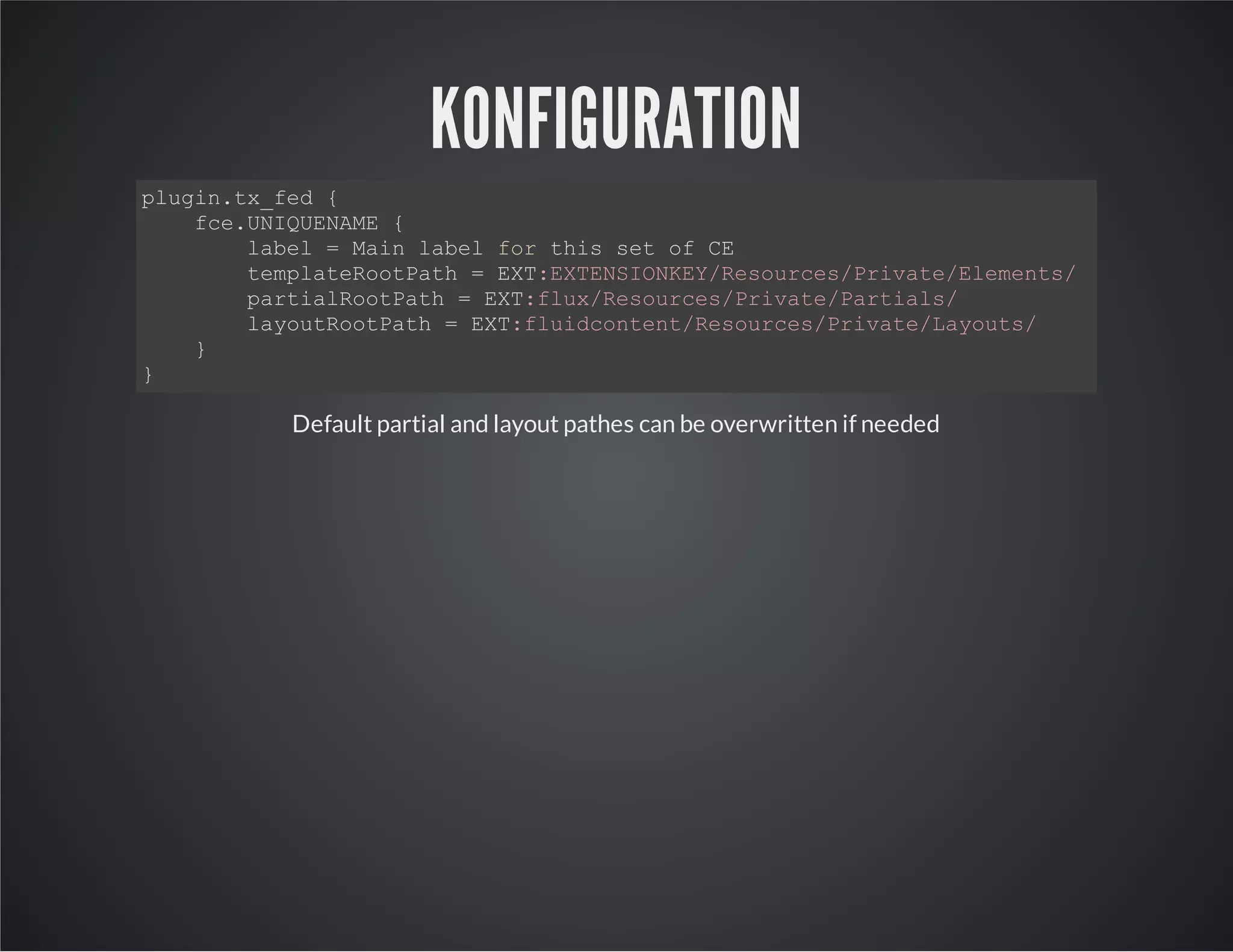
KONFIGURATION
plugin.tx_fed {
fce.UNIQUENAME {
label = Main label for this set of CE
templateRootPath = EXT:EXTENSIONKEY/Resources/Private/Elements/
partialRootPath = EXT:flux/Resources/Private/Partials/
layoutRootPath = EXT:fluidcontent/Resources/Private/Layouts/
}
}
Default partial and layout pathes can be overwritten if needed
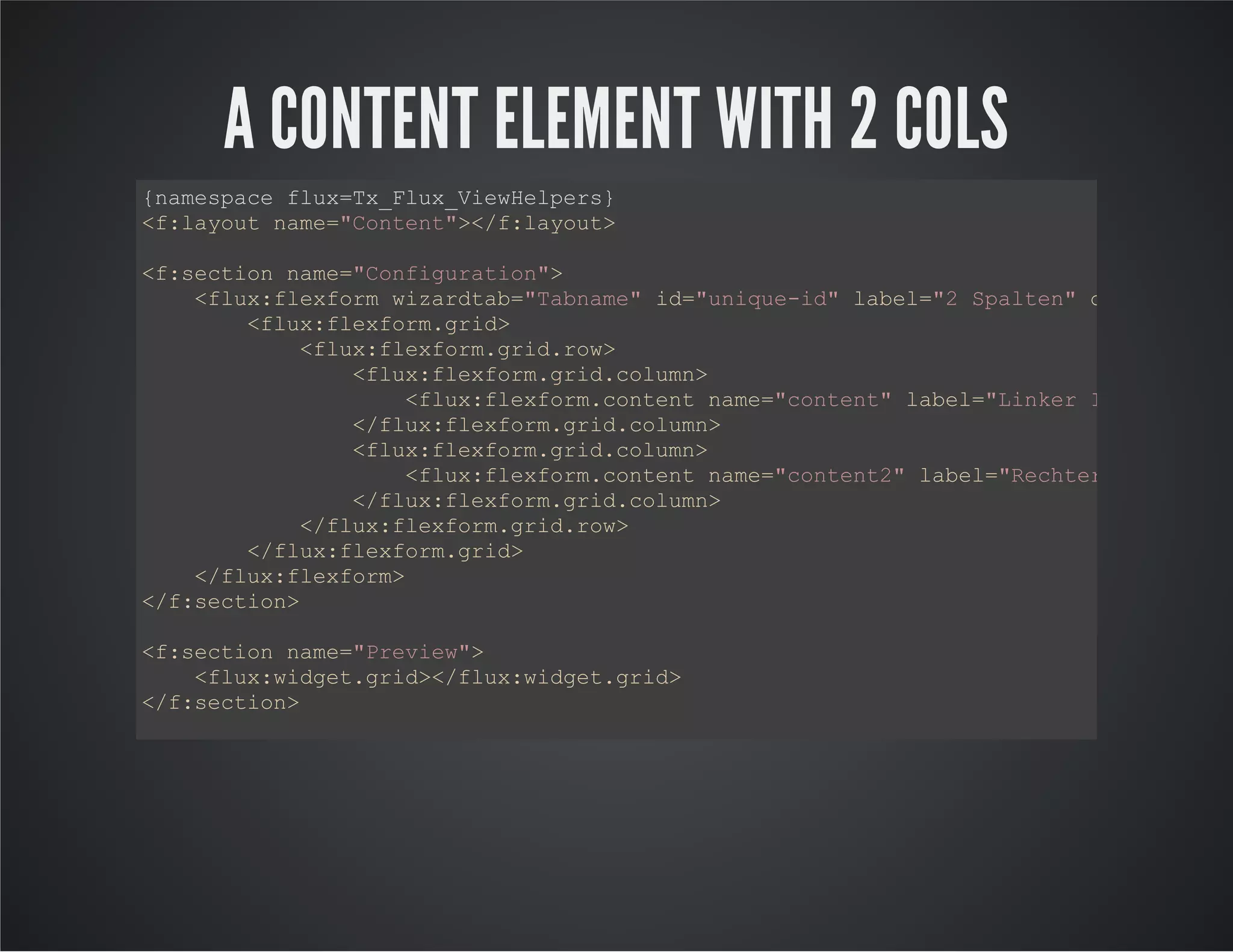
A CONTENT ELEMENT WITH 2 COLS
{namespace flux=Tx_Flux_ViewHelpers}
<f:layout name="Content"></f:layout>
<f:section name="Configuration">
<flux:flexform wizardtab="Tabname" id="unique-id" label="2 Spalten" description
<flux:flexform.grid>
<flux:flexform.grid.row>
<flux:flexform.grid.column>
<flux:flexform.content name="content" label="Linker Inhalt"></f
</flux:flexform.grid.column>
<flux:flexform.grid.column>
<flux:flexform.content name="content2" label="Rechter Inhalt"><
</flux:flexform.grid.column>
</flux:flexform.grid.row>
</flux:flexform.grid>
</flux:flexform>
</f:section>
<f:section name="Preview">
<flux:widget.grid></flux:widget.grid>
</f:section>
<f:section name="Main">
<div class="links">
<flux:flexform.rendercontent area="content"></flux:flexform.rendercontent>
</div>
<div class="rechts">
<flux:flexform.rendercontent area="content2"></flux:flexform.rendercontent>
</div>
</f:section>
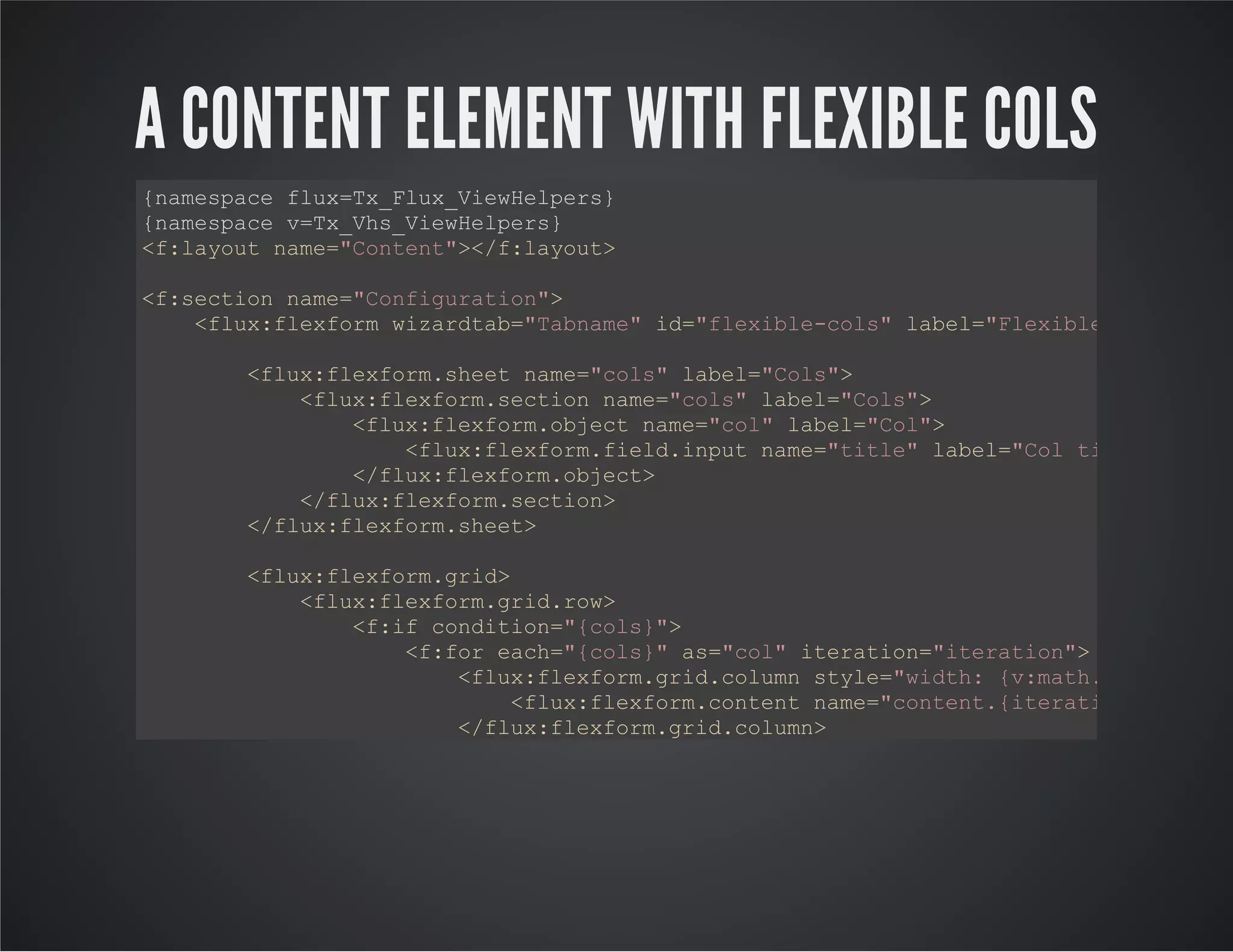
A CONTENT ELEMENT WITH FLEXIBLE COLS
{namespace flux=Tx_Flux_ViewHelpers}
{namespace v=Tx_Vhs_ViewHelpers}
<f:layout name="Content"></f:layout>
<f:section name="Configuration">
<flux:flexform wizardtab="Tabname" id="flexible-cols" label="Flexible Spalten"
<flux:flexform.sheet name="cols" label="Cols">
<flux:flexform.section name="cols" label="Cols">
<flux:flexform.object name="col" label="Col">
<flux:flexform.field.input name="title" label="Col title"></flu
</flux:flexform.object>
</flux:flexform.section>
</flux:flexform.sheet>
<flux:flexform.grid>
<flux:flexform.grid.row>
<f:if condition="{cols}">
<f:for each="{cols}" as="col" iteration="iteration">
<flux:flexform.grid.column style="width: {v:math.division(b
<flux:flexform.content name="content.{iteration.index}"
</flux:flexform.grid.column>
</f:for>
</f:if>
</flux:flexform.grid.row>
</flux:flexform.grid>
</flux:flexform>
</f:section>
<f:section name="Preview">
DANKE

Fluid powered TYPO3

  • 1.
    FLUID POWERED TYPO3Presentedby Christof Rodejohann / TYPO3 Developer at @UrsaBerlin Sächsische Landesbibliothek – Staats- und Universitätsbibliothek Dresden More detailed informations and source of this presentation: /http://www.fedext.net @FluidPoweredT3
  • 2.
    A FAMILY OFEXTENSIONS FlexForm engine, Page Template engine, Content Element engine and many ViewHelpers, Service and content collections flux vhs fluidcontentfluidpages fed fluidpages_bootstrap fluidcontent_bootstrap fluidcontent_fed dialog notify fluidwidget viewschemaker extbase_realurl google_auth tool uncache sysutils dropbox_sync
  • 3.
    FLUX Very dynamic FlexForms to be written directly into specialised Fluid templates. Used by extension developers and template developers as development tool to create configuration inside Fluid templates. Used by extension developers to allow any plugin which renders a Fluid template to be able to contain other content elements.
  • 4.
    VHS Extensive library ofViewHelpers which allow advanced formatting, array/iterator analysis and manipulation. A large collection of ViewHelpers. No scripts, no stylesheets - just ViewHelpers. No configuration to be included, no DB changes. Documentation: 173 ViewHelpers. http://fedext.net/viewhelpers/vhs.html
  • 5.
    VHS Example ViewHelpers. v:format.replace Replaces $substringin $content with $replacement. v:media.exists File/Directory Exists Condition ViewHelper v:content.render ViewHelper used to render content elements in Fluid page templates Many many more ...
  • 6.
    FLUIDPAGES Templating engine designedfor Fluid templates. It uses specially registered and constructed Fluid templates as page templates. Also enables integration between the Fluid Page template and Backend Layouts (TYPO3 6 needed)
  • 7.
    FLUIDCONTENT Content rendering engine- a content plugin which renders Fluid templates as content elements. Flux is used to allow dynamic configuration as well as support nested content elements.
  • 8.
  • 9.
    KONFIGURATION plugin.tx_fed { page.UNIQUENAME { templateRootPath= EXT:EXTENSIONKEY/Resources/Private/Pages/ partialRootPath = EXT:EXTENSIONKEY/Resources/Private/Partials/ layoutRootPath = EXT:EXTENSIONKEY/Resources/Private/Layouts/ } } Beware: templateRootPath gets automagically /Page/ added to the path
  • 10.
    A PAGE WITHTWO COLUMNS {namespace flux=Tx_Flux_ViewHelpers} {namespace v=Tx_Vhs_ViewHelpers} <f:layout name="Default"></f:layout> <f:section name="Configuration"> <flux:flexform id="two-col" label="Two Cols"> <flux:flexform.grid> <flux:flexform.grid.row> <flux:flexform.grid.column colpos="1" name="Linke Spalte"></flux:fl <flux:flexform.grid.column colpos="2" name="Rechte Spalte"></flux:f </flux:flexform.grid.row> </flux:flexform.grid> </flux:flexform> </f:section> <f:section name="Content"> <div class="content-links"> <v:page.content.render column="1"></v:page.content.render> </div> <div class="content-rechts"> <v:page.content.render column="2"></v:page.content.render> </div> </f:section>
  • 11.
    VERY BASIC LAYOUTUSED <f:layout name="Default"></f:layout> <div class="container"> <f:render section="Content"></f:render> </div>
  • 12.
  • 13.
    KONFIGURATION plugin.tx_fed { fce.UNIQUENAME { label= Main label for this set of CE templateRootPath = EXT:EXTENSIONKEY/Resources/Private/Elements/ partialRootPath = EXT:flux/Resources/Private/Partials/ layoutRootPath = EXT:fluidcontent/Resources/Private/Layouts/ } } Default partial and layout pathes can be overwritten if needed
  • 14.
    A CONTENT ELEMENTWITH 2 COLS {namespace flux=Tx_Flux_ViewHelpers} <f:layout name="Content"></f:layout> <f:section name="Configuration"> <flux:flexform wizardtab="Tabname" id="unique-id" label="2 Spalten" description <flux:flexform.grid> <flux:flexform.grid.row> <flux:flexform.grid.column> <flux:flexform.content name="content" label="Linker Inhalt"></f </flux:flexform.grid.column> <flux:flexform.grid.column> <flux:flexform.content name="content2" label="Rechter Inhalt">< </flux:flexform.grid.column> </flux:flexform.grid.row> </flux:flexform.grid> </flux:flexform> </f:section> <f:section name="Preview"> <flux:widget.grid></flux:widget.grid> </f:section> <f:section name="Main"> <div class="links"> <flux:flexform.rendercontent area="content"></flux:flexform.rendercontent> </div> <div class="rechts"> <flux:flexform.rendercontent area="content2"></flux:flexform.rendercontent> </div> </f:section>
  • 15.
    A CONTENT ELEMENTWITH FLEXIBLE COLS {namespace flux=Tx_Flux_ViewHelpers} {namespace v=Tx_Vhs_ViewHelpers} <f:layout name="Content"></f:layout> <f:section name="Configuration"> <flux:flexform wizardtab="Tabname" id="flexible-cols" label="Flexible Spalten" <flux:flexform.sheet name="cols" label="Cols"> <flux:flexform.section name="cols" label="Cols"> <flux:flexform.object name="col" label="Col"> <flux:flexform.field.input name="title" label="Col title"></flu </flux:flexform.object> </flux:flexform.section> </flux:flexform.sheet> <flux:flexform.grid> <flux:flexform.grid.row> <f:if condition="{cols}"> <f:for each="{cols}" as="col" iteration="iteration"> <flux:flexform.grid.column style="width: {v:math.division(b <flux:flexform.content name="content.{iteration.index}" </flux:flexform.grid.column> </f:for> </f:if> </flux:flexform.grid.row> </flux:flexform.grid> </flux:flexform> </f:section> <f:section name="Preview">
  • 16.