Files and Data Storage
● Most computers are used for data
processing, as a big growth area in the
“information age”
● Data processing from a computer science
perspective:
– Storage of data
– Organization of data
– Access to data
– Processing of data
Data Structures vs File Structures
• Both involve:
– Representation of Data
+
– Operations for accessing data
• Difference:
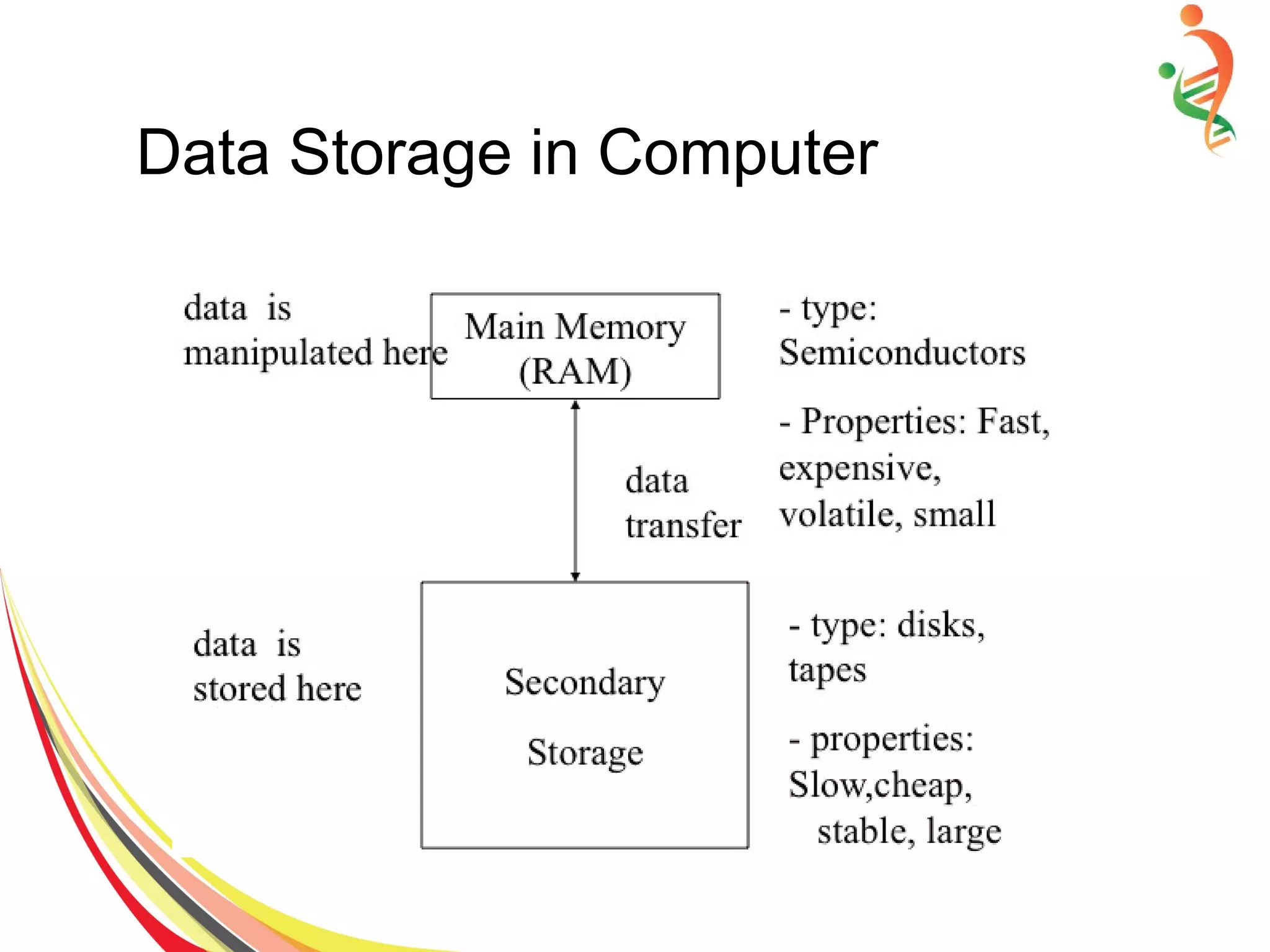
– Data structures: deal with data in the
main memory
– File structures: deal with the data in the
secondary storage
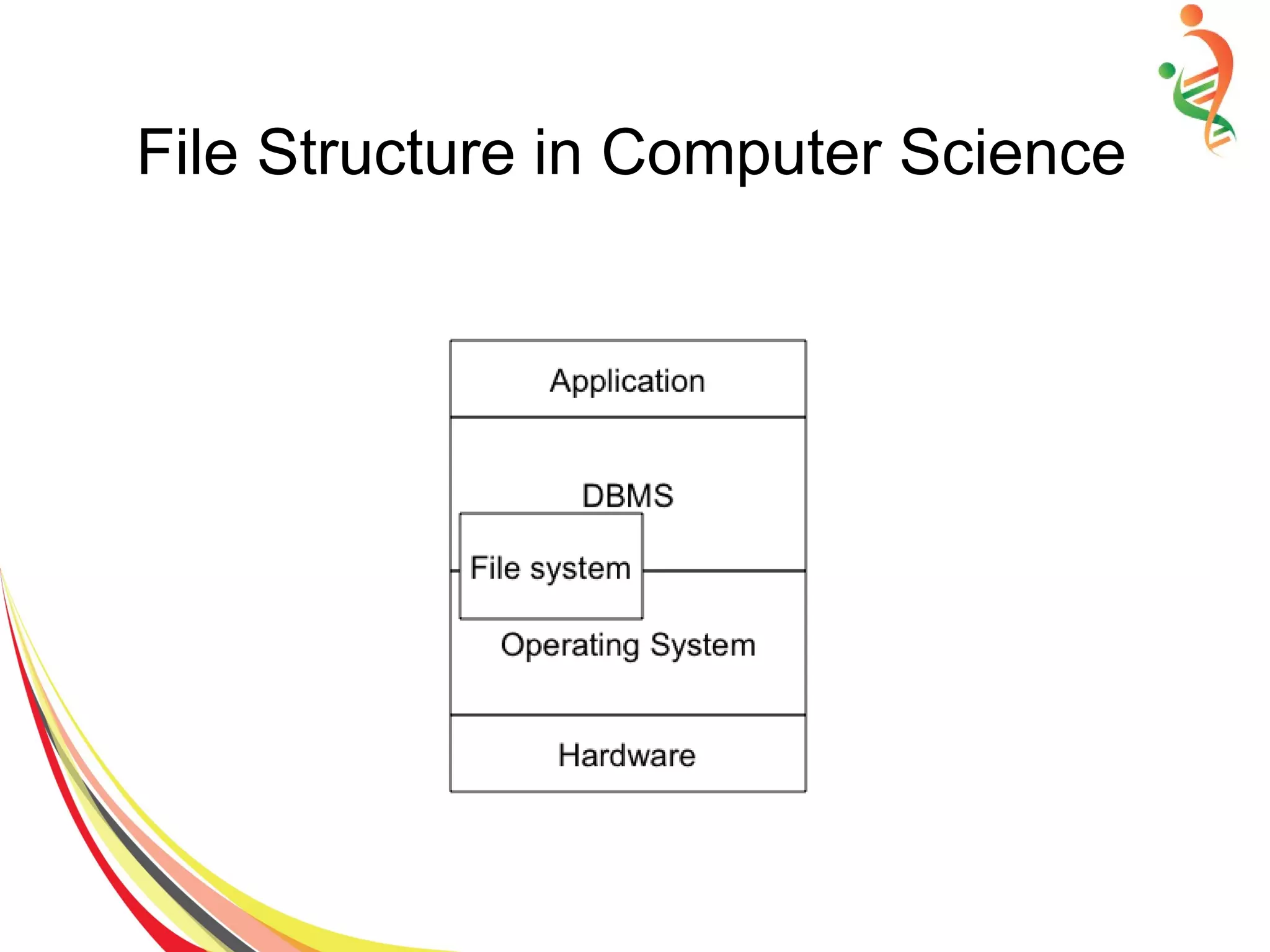
File Structure in Computer Science
Data Storage in Computer
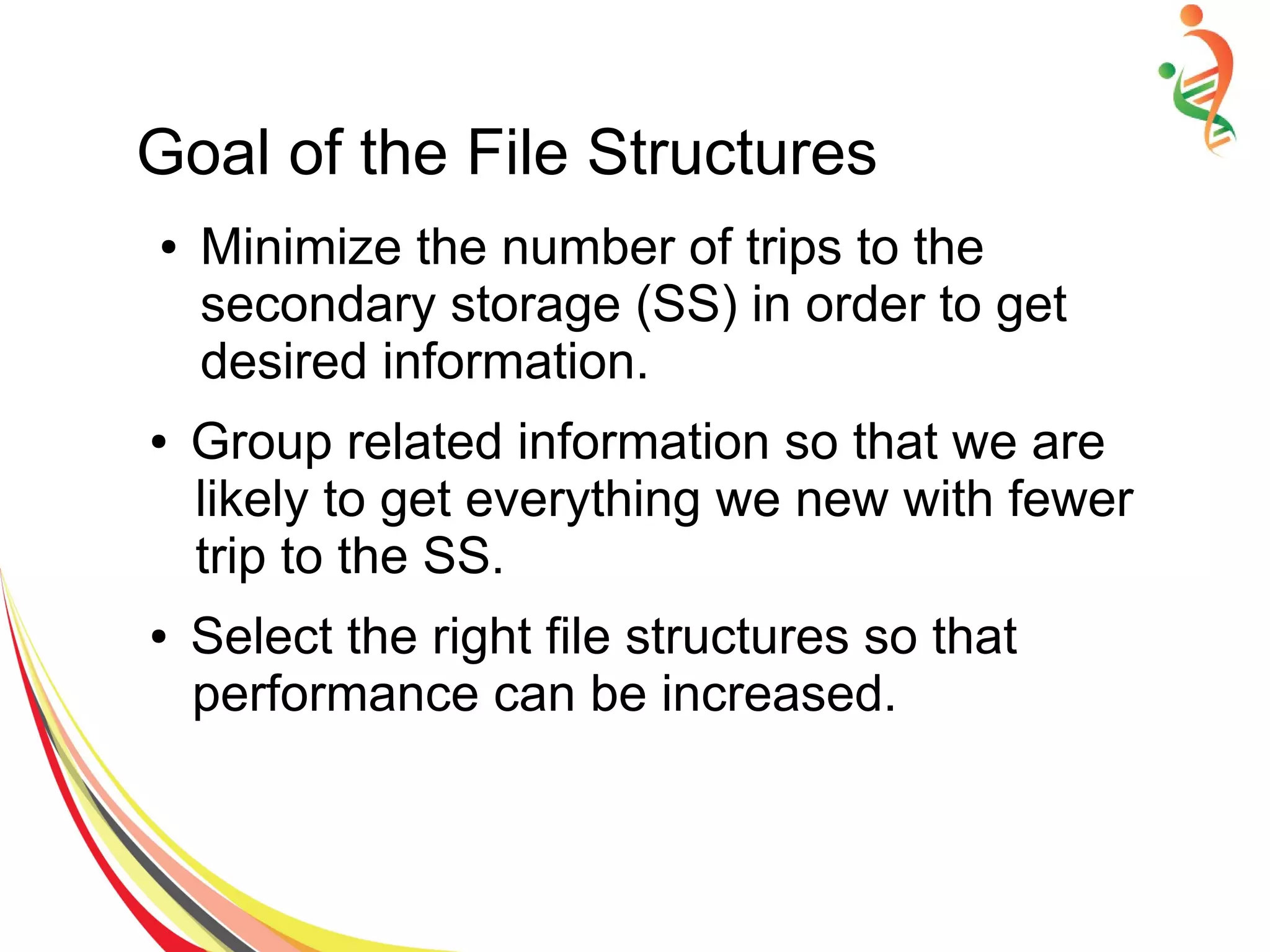
Goal of the File Structures
● Minimize the number of trips to the
secondary storage (SS) in order to get
desired information.
● Group related information so that we are
likely to get everything we new with fewer
trip to the SS.
● Select the right file structures so that
performance can be increased.
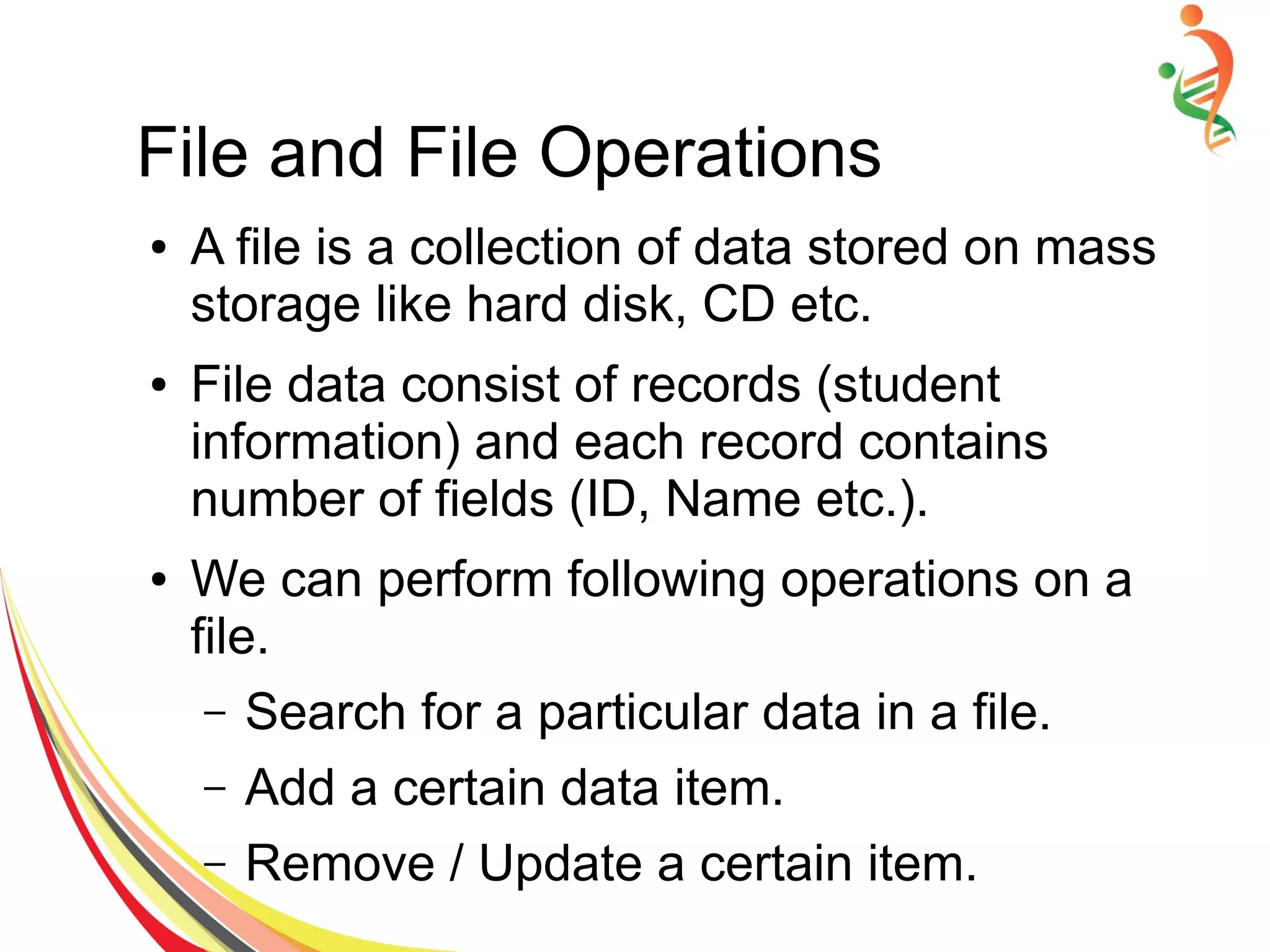
File and File Operations
● A file is a collection of data stored on mass
storage like hard disk, CD etc.
● File data consist of records (student
information) and each record contains
number of fields (ID, Name etc.).
● We can perform following operations on a
file.
– Search for a particular data in a file.
– Add a certain data item.
– Remove / Update a certain item.
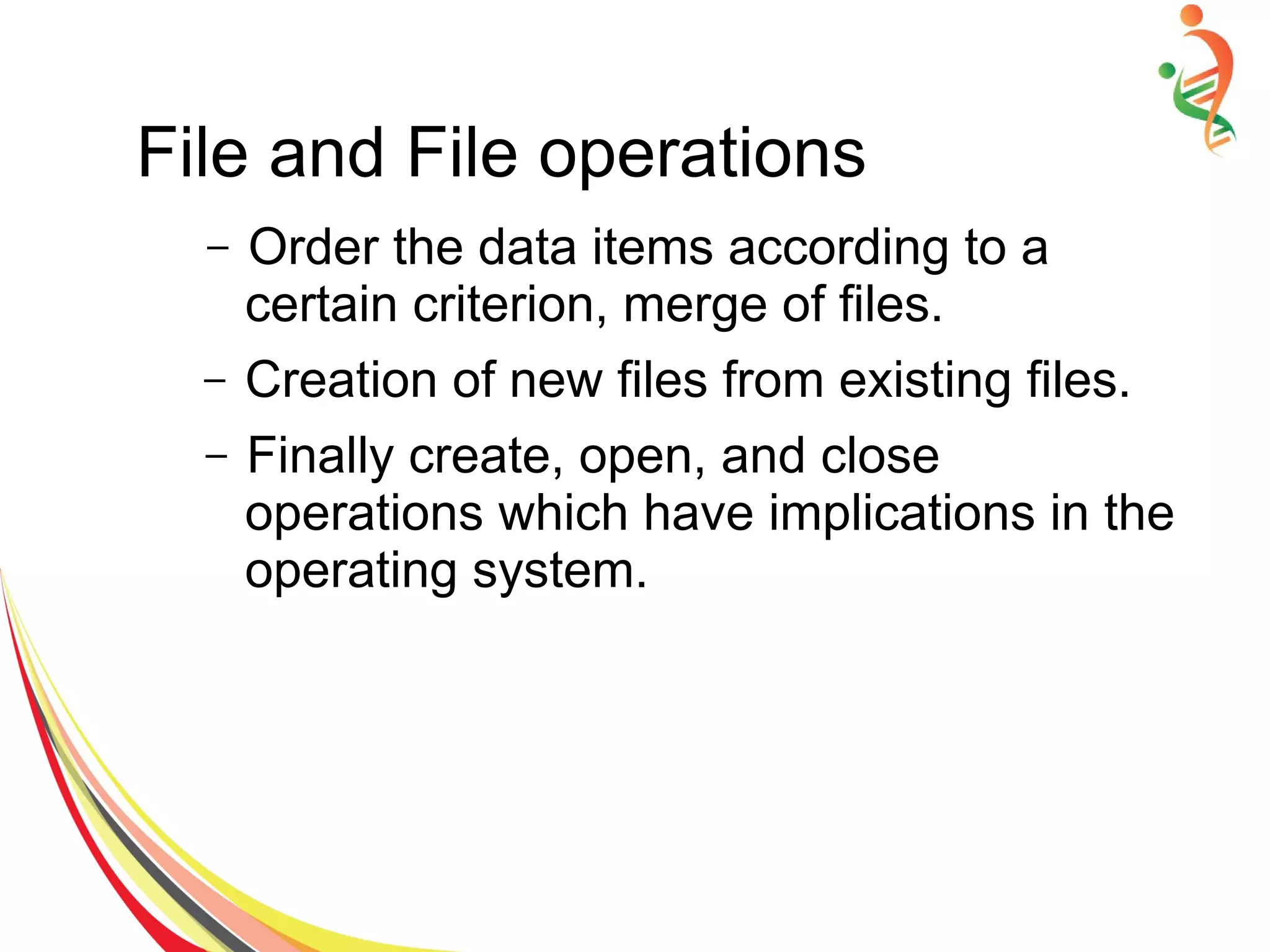
File and File operations
– Order the data items according to a
certain criterion, merge of files.
– Creation of new files from existing files.
– Finally create, open, and close
operations which have implications in the
operating system.
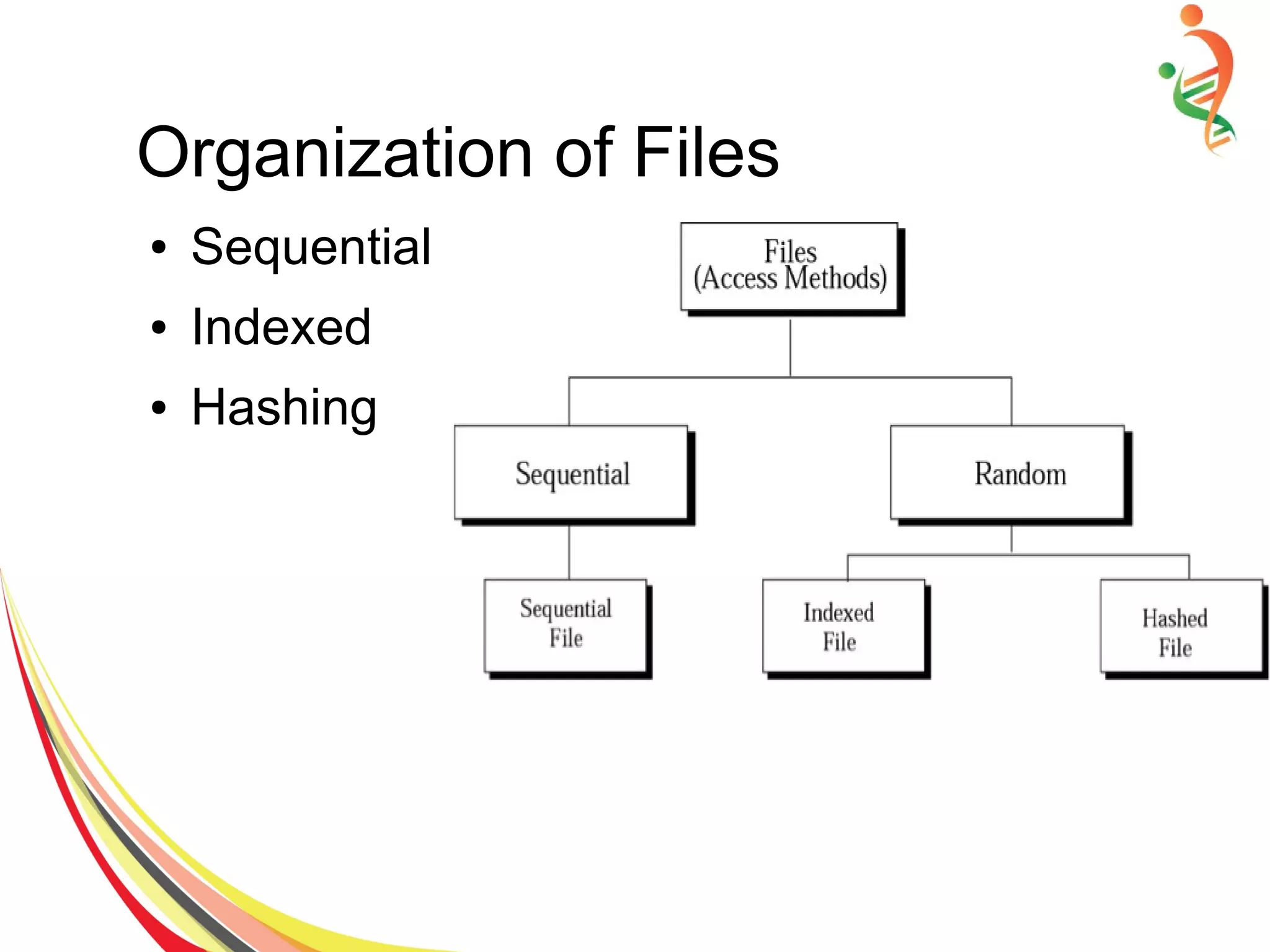
Organization of Files
● Sequential
● Indexed
● Hashing
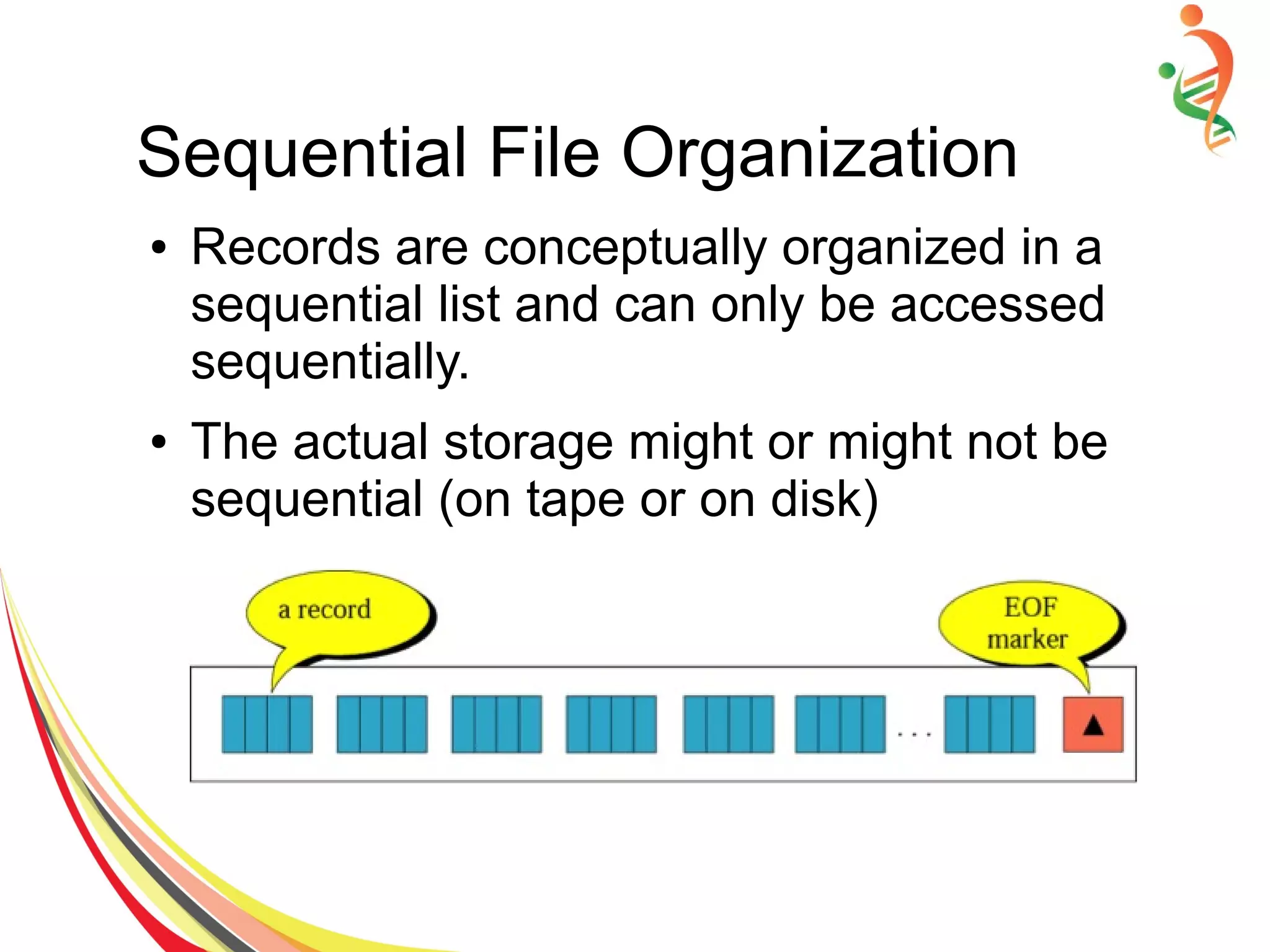
Sequential File Organization
● Records are conceptually organized in a
sequential list and can only be accessed
sequentially.
● The actual storage might or might not be
sequential (on tape or on disk)
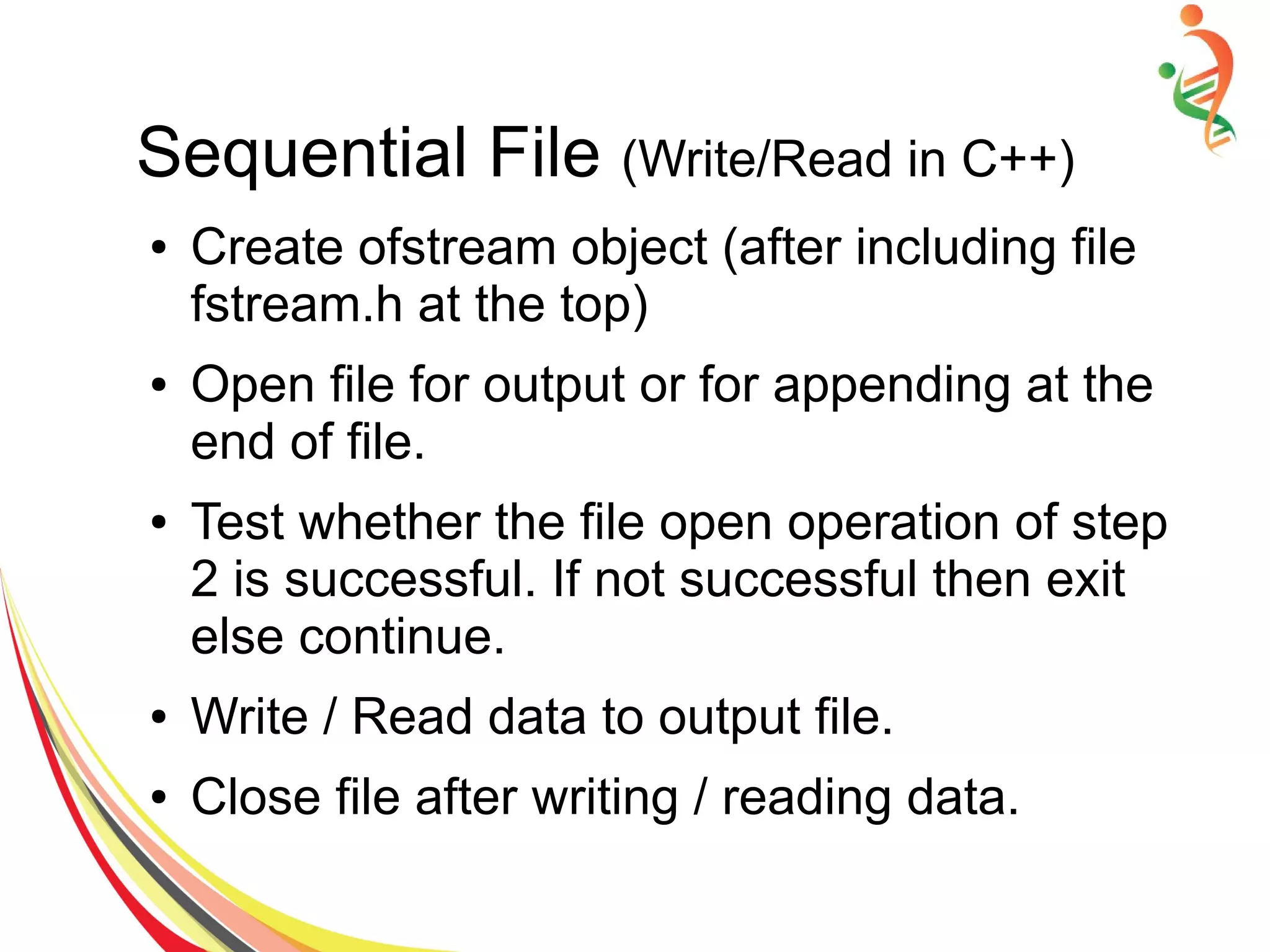
Sequential File (Write/Read in C++)
● Create ofstream object (after including file
fstream.h at the top)
● Open file for output or for appending at the
end of file.
● Test whether the file open operation of step
2 is successful. If not successful then exit
else continue.
● Write / Read data to output file.
● Close file after writing / reading data.
Sequential File Implementation
● #include <iostream.h>
● #include <fstream.h>
● #include <stdlib.h>
●
● Void main() {
● Int i, Roll[N] = { 171,717, 834, 394, 475 };
● float Percentage[N]= {45.3, 84.5, 95.0,
48.2, 39.2 };
● Char* Name[N] = {“wajid”, “Aashir”,
“Luqman”, “Tushar”, “Waseem” };
● // Step1: Create ofstream and ifstream
objects
● Ofstream outFile; ifstream inFile;
● // Step 2: Open file for output
● outFile.open(“percent.dat”, ios::out);
● // Step 3 Test weather open operation is
successful
● If (!outFile) {
– cout<<”File could not open “;
– Exit(1);
● Else
– Cout<<”n File open successfullyn”;
● //Step 4: Write to file
● For( i=0; i<N; i++)
– OutFile <<Name[i]<<' '<<Roll[i]<< ' '
<<Percentage[i]<<endl;
● cout<<”n File write successfully. n”;
● // Step 5: Close file
● outFile.close();
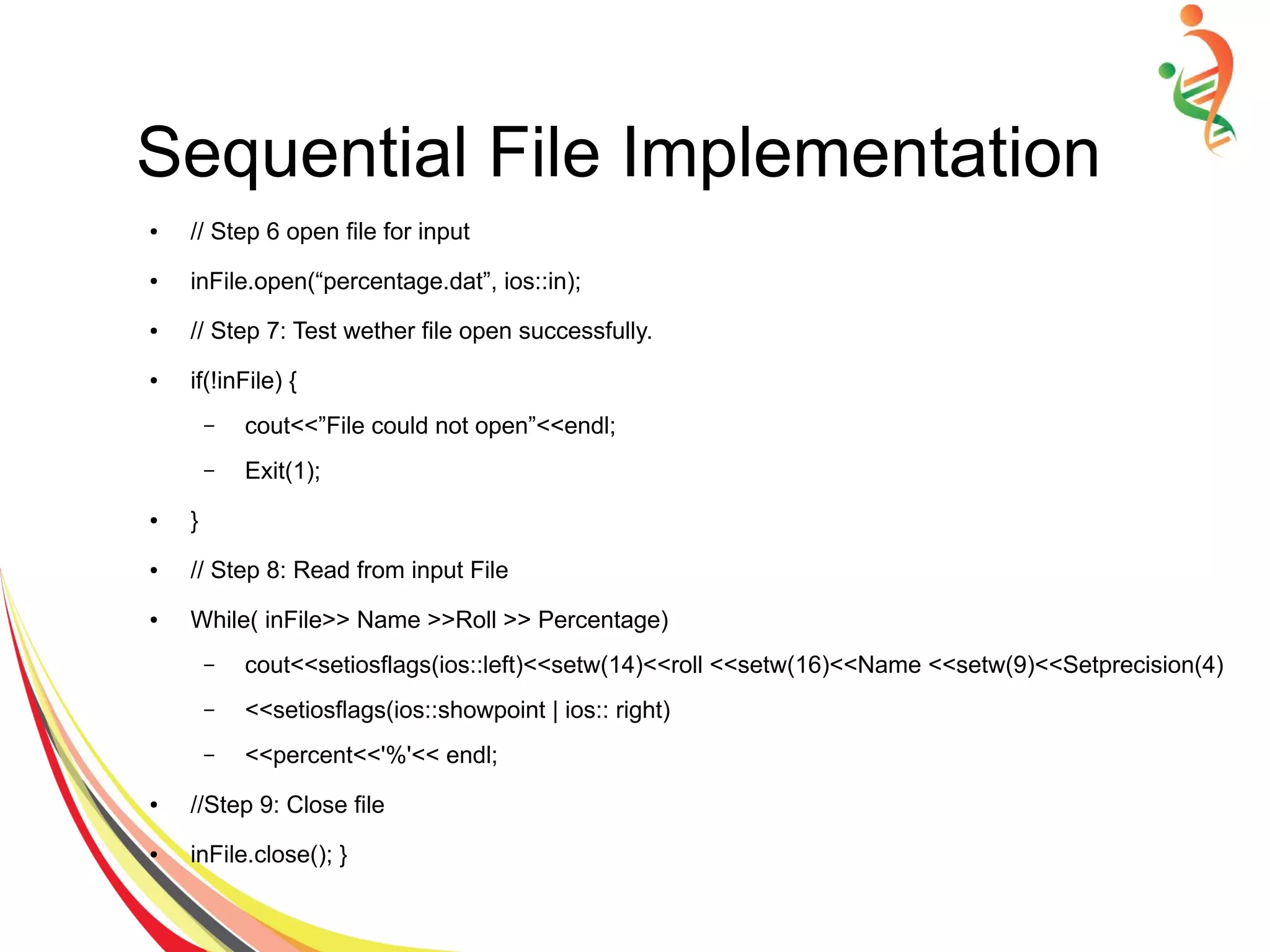
Sequential File Implementation
● // Step 6 open file for input
● inFile.open(“percentage.dat”, ios::in);
● // Step 7: Test wether file open successfully.
● if(!inFile) {
– cout<<”File could not open”<<endl;
– Exit(1);
● }
● // Step 8: Read from input File
● While( inFile>> Name >>Roll >> Percentage)
– cout<<setiosflags(ios::left)<<setw(14)<<roll <<setw(16)<<Name <<setw(9)<<Setprecision(4)
– <<setiosflags(ios::showpoint | ios:: right)
– <<percent<<'%'<< endl;
● //Step 9: Close file
● inFile.close(); }
Sequential File Implementation
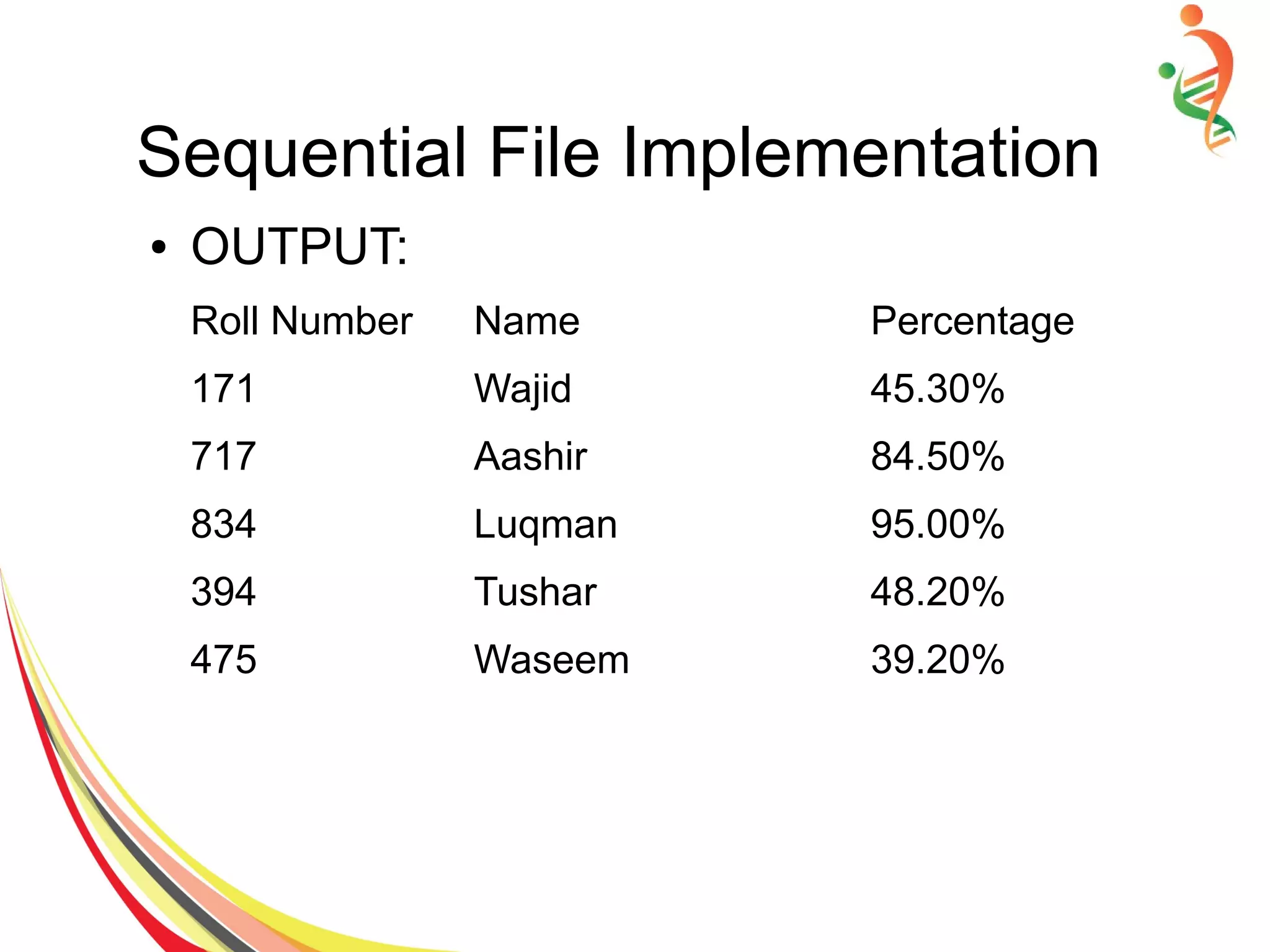
● OUTPUT:
Roll Number Name Percentage
171 Wajid 45.30%
717 Aashir 84.50%
834 Luqman 95.00%
394 Tushar 48.20%
475 Waseem 39.20%
Indexed File Organization
● Sequential search is even slower on
disk/tape than in main memory. Try to
improve performance using more
sophisticated data structures.
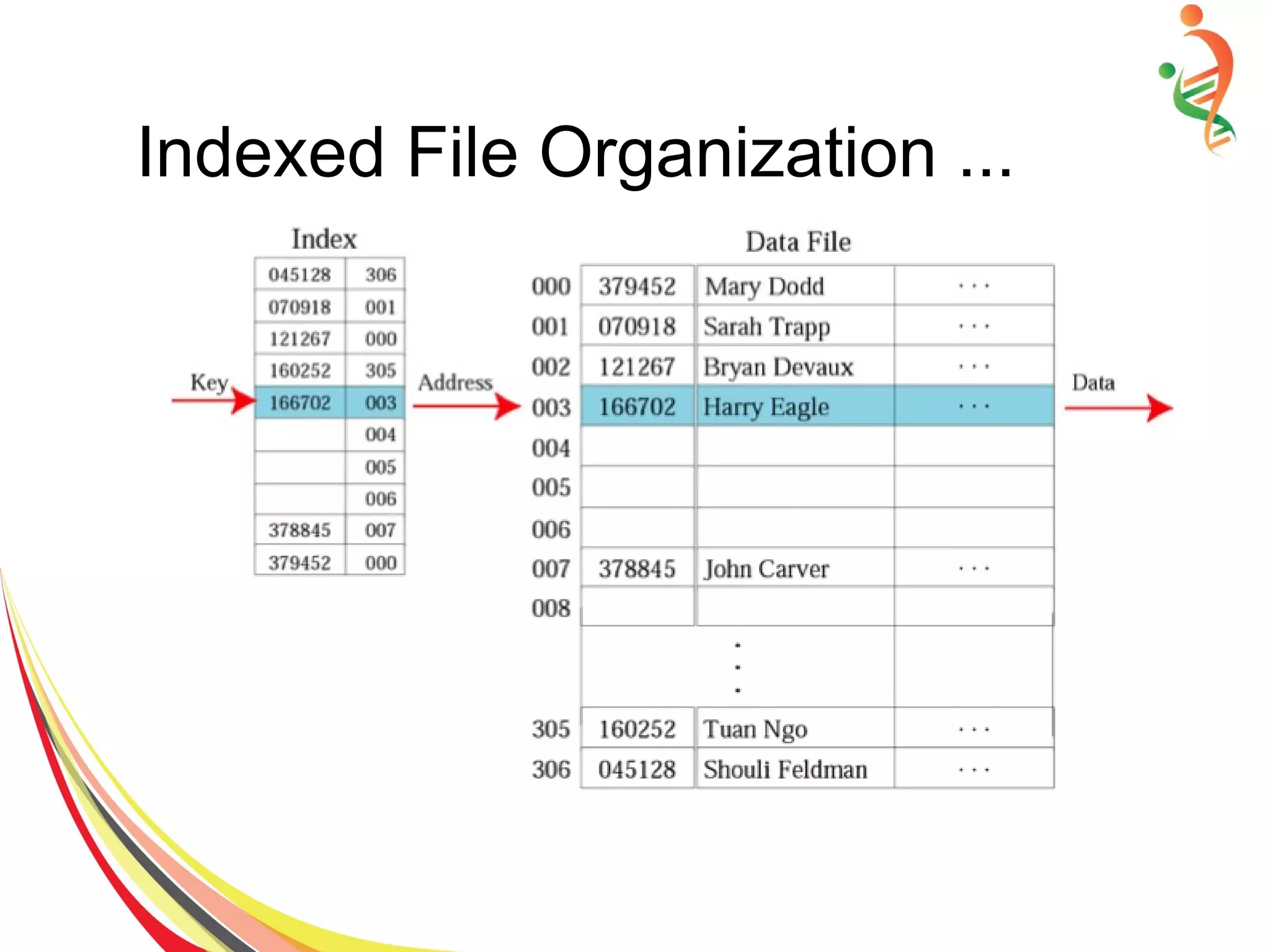
● An index for a file is a list of key field values
occurring in the file along with the address
of the corresponding record in the mass
storage.
● Typically the key field is much smaller than
the entire record, so the index will fit in
main memory.
Indexed File Organization ...
● The index can be organized as a list, a
search tree, a hash table, etc. To find a
particular record:
● Search the index for the desired key.
● When the search returns the index entry,
extract the record’s address on mass
storage.
● Access the mass storage at the given
address to get the desired record.
Indexed File Organization ...
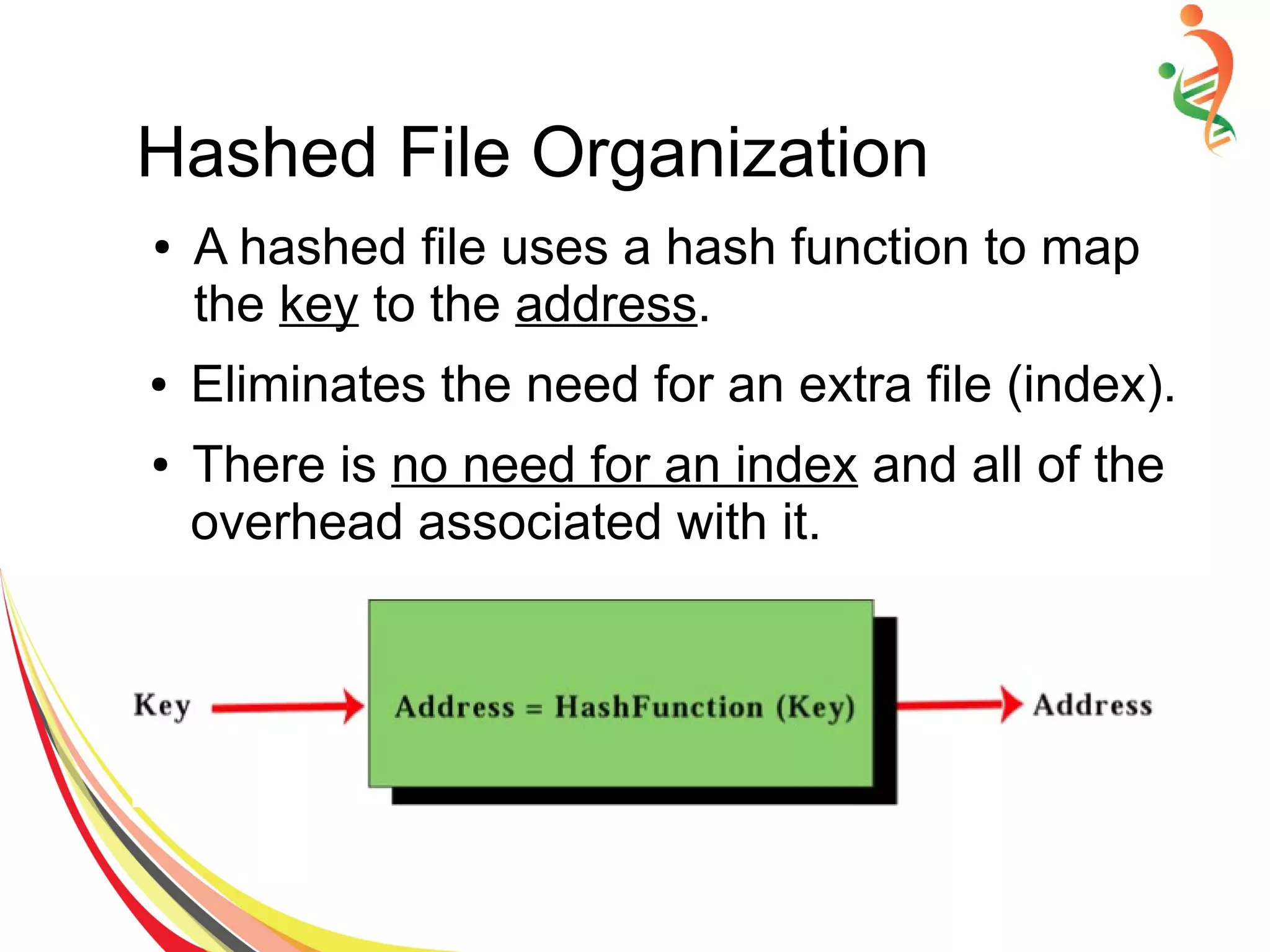
Hashed File Organization
● A hashed file uses a hash function to map
the key to the address.
● Eliminates the need for an extra file (index).
● There is no need for an index and all of the
overhead associated with it.
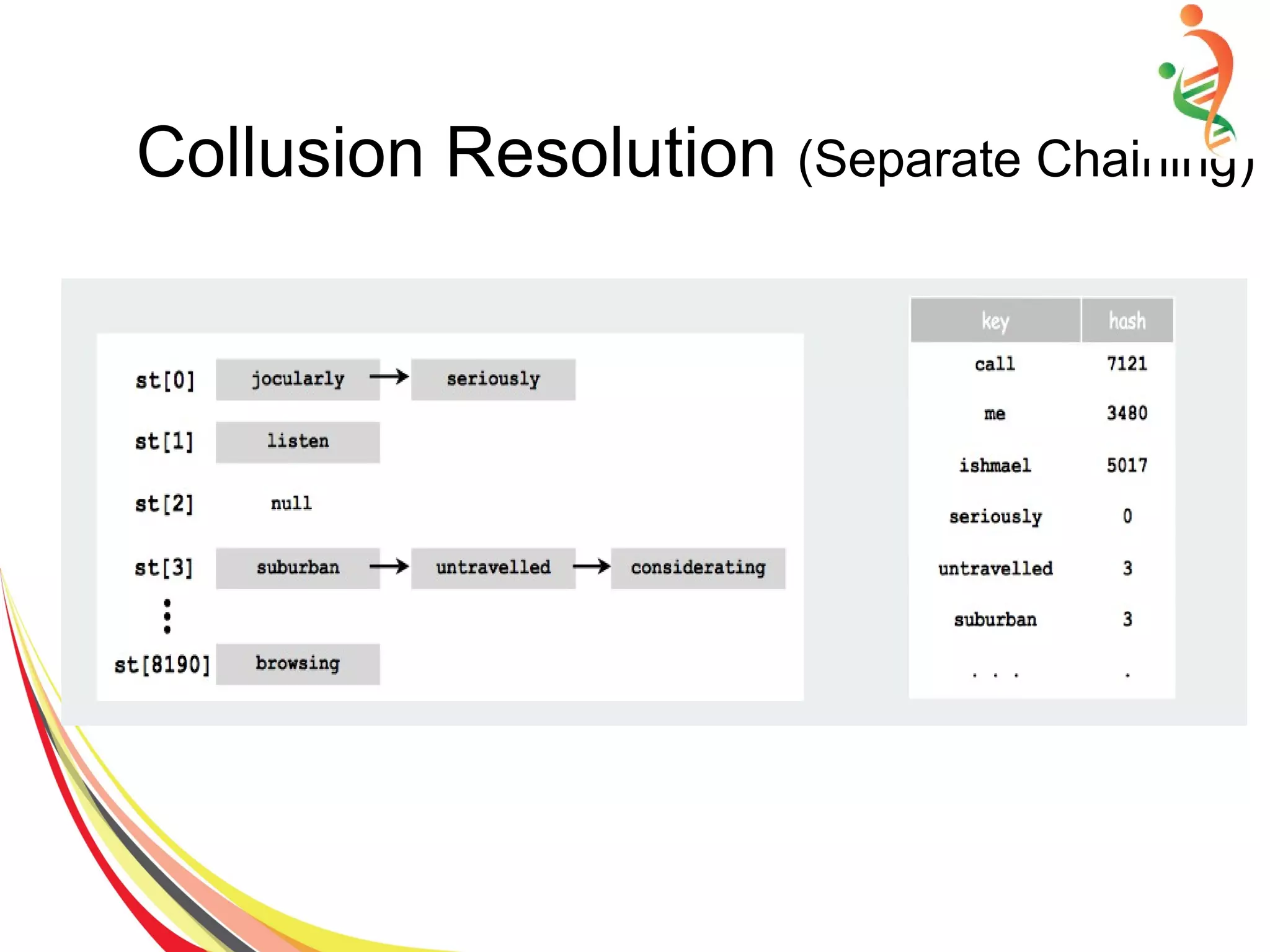
● Use an array of M < N linked lists, good
choice is M~ N/10
● Hash: map key to integer i between 0 and
M-1.
● Insert: put at front of ith chain (if not already
there).
● Search: only need to search ith chain.
Collusion Resolution (Separate Chaining)
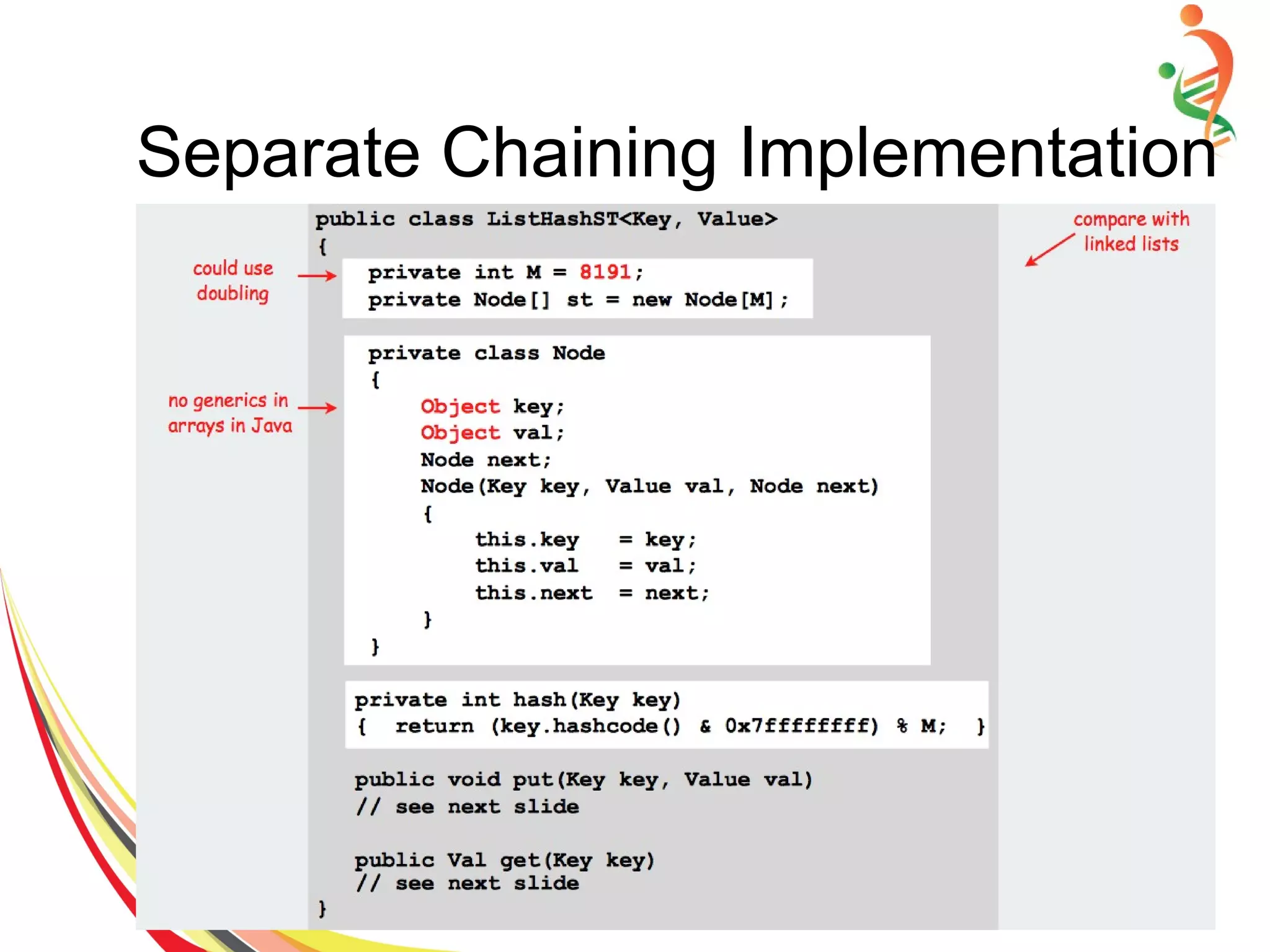
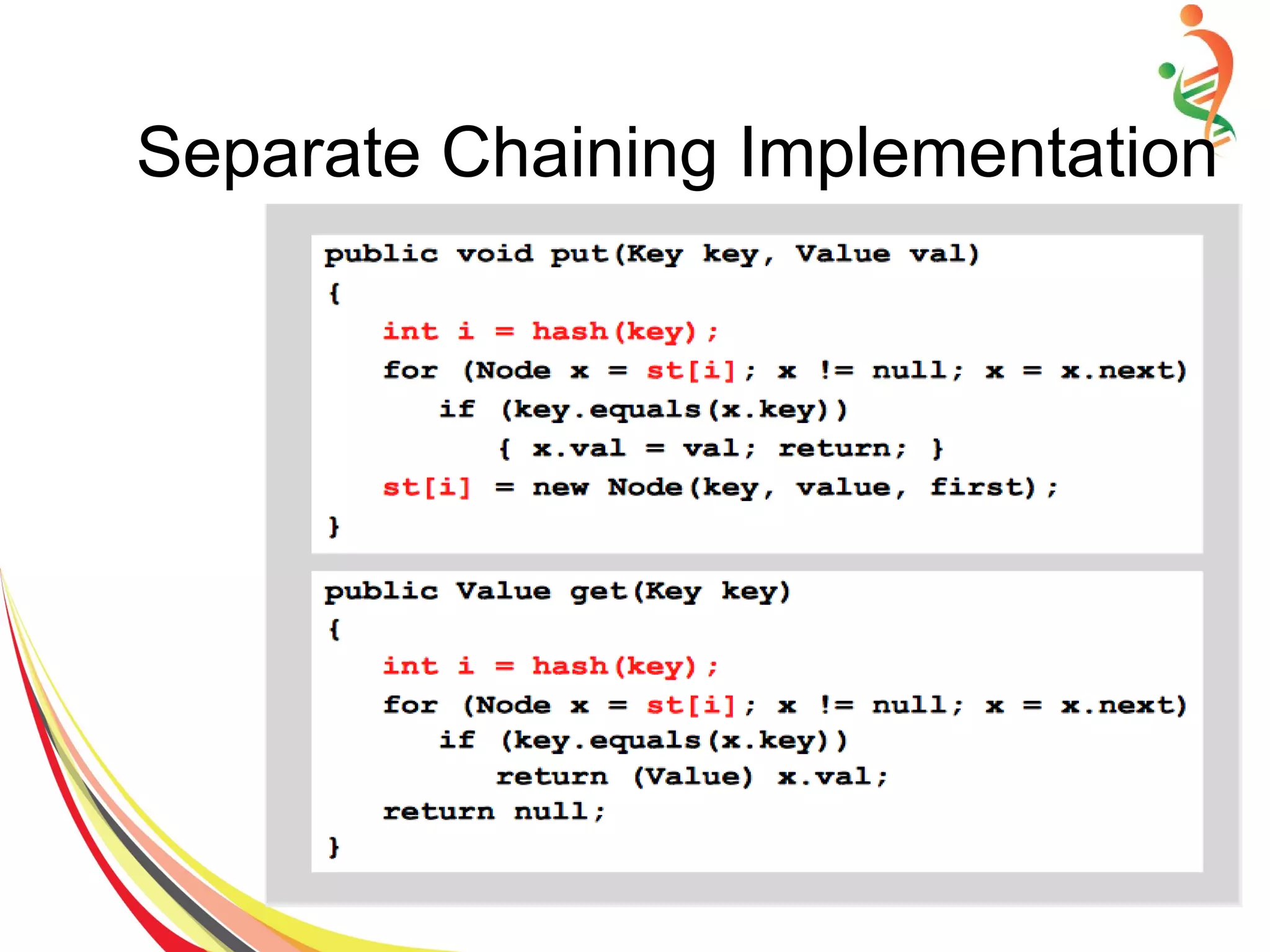
Separate Chaining Implementation
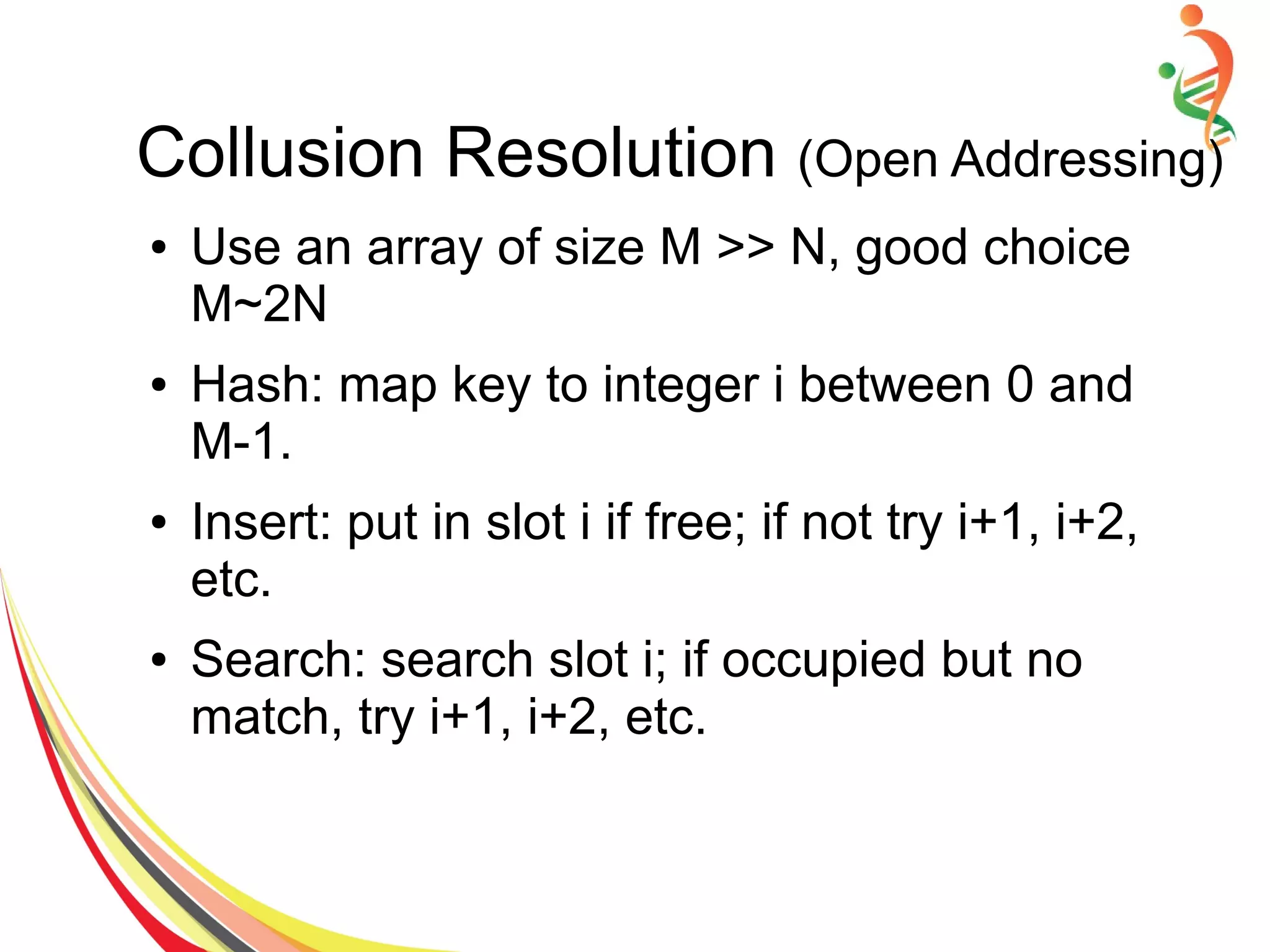
● Use an array of size M >> N, good choice
M~2N
● Hash: map key to integer i between 0 and
M-1.
● Insert: put in slot i if free; if not try i+1, i+2,
etc.
● Search: search slot i; if occupied but no
match, try i+1, i+2, etc.
Collusion Resolution (Open Addressing)
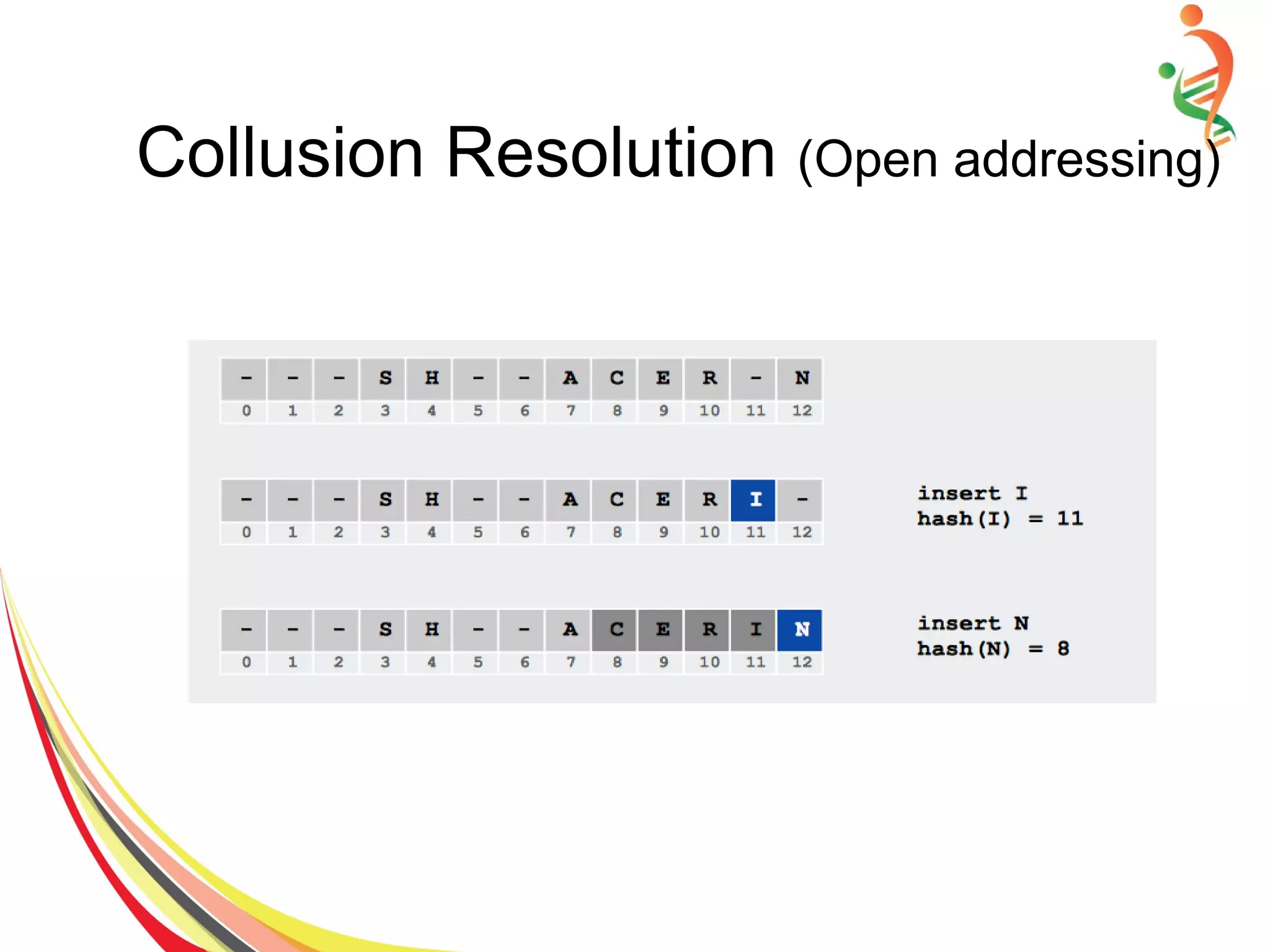
Collusion Resolution (Open addressing)
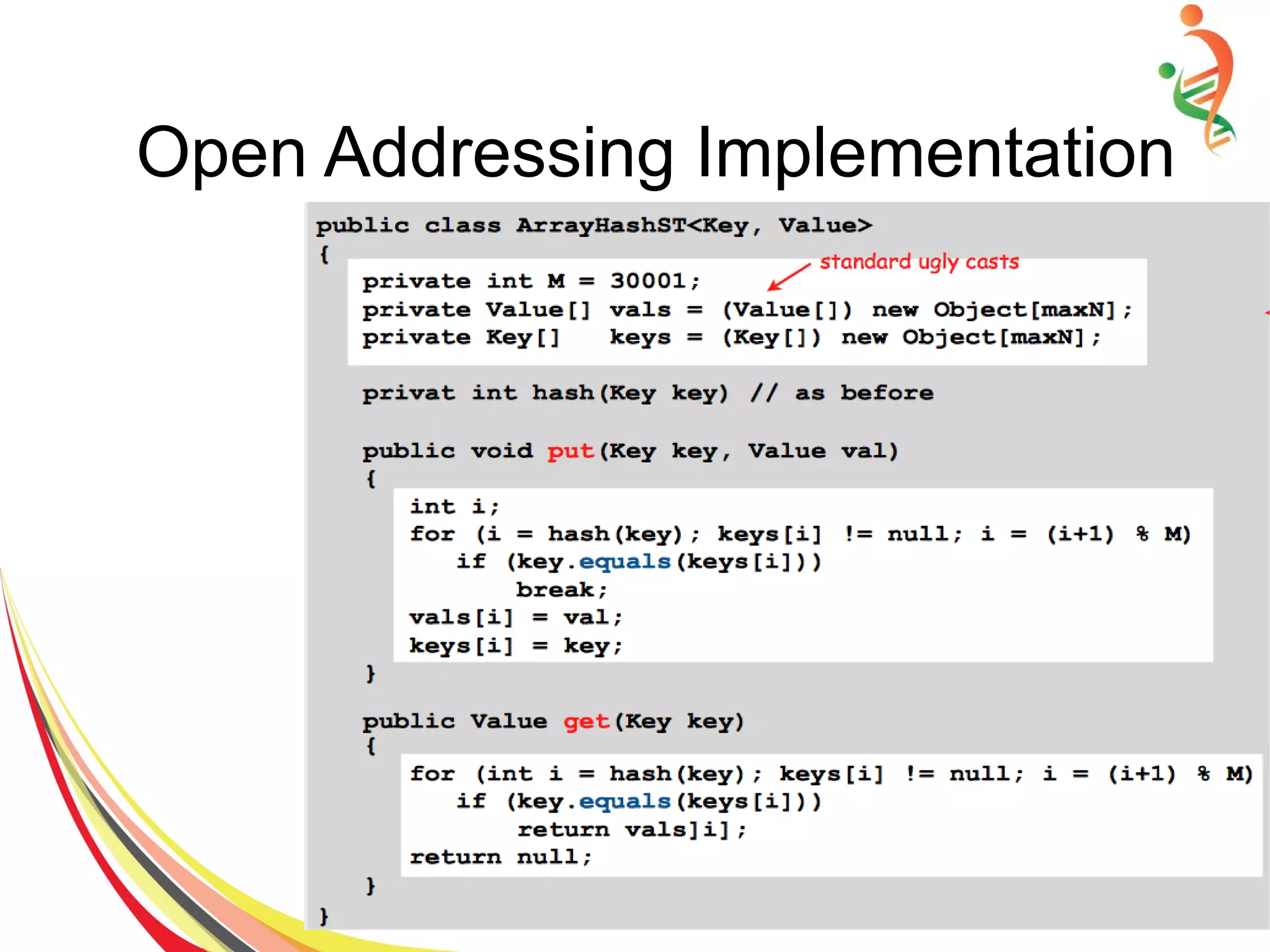
Open Addressing Implementation

Files and data storage

  • 1.
  • 2.
    Files and DataStorage ● Most computers are used for data processing, as a big growth area in the “information age” ● Data processing from a computer science perspective: – Storage of data – Organization of data – Access to data – Processing of data
  • 3.
    Data Structures vsFile Structures • Both involve: – Representation of Data + – Operations for accessing data • Difference: – Data structures: deal with data in the main memory – File structures: deal with the data in the secondary storage
  • 4.
    File Structure inComputer Science
  • 5.
  • 6.
    Goal of theFile Structures ● Minimize the number of trips to the secondary storage (SS) in order to get desired information. ● Group related information so that we are likely to get everything we new with fewer trip to the SS. ● Select the right file structures so that performance can be increased.
  • 7.
    File and FileOperations ● A file is a collection of data stored on mass storage like hard disk, CD etc. ● File data consist of records (student information) and each record contains number of fields (ID, Name etc.). ● We can perform following operations on a file. – Search for a particular data in a file. – Add a certain data item. – Remove / Update a certain item.
  • 8.
    File and Fileoperations – Order the data items according to a certain criterion, merge of files. – Creation of new files from existing files. – Finally create, open, and close operations which have implications in the operating system.
  • 9.
    Organization of Files ●Sequential ● Indexed ● Hashing
  • 10.
    Sequential File Organization ●Records are conceptually organized in a sequential list and can only be accessed sequentially. ● The actual storage might or might not be sequential (on tape or on disk)
  • 11.
    Sequential File (Write/Readin C++) ● Create ofstream object (after including file fstream.h at the top) ● Open file for output or for appending at the end of file. ● Test whether the file open operation of step 2 is successful. If not successful then exit else continue. ● Write / Read data to output file. ● Close file after writing / reading data.
  • 12.
    Sequential File Implementation ●#include <iostream.h> ● #include <fstream.h> ● #include <stdlib.h> ● ● Void main() { ● Int i, Roll[N] = { 171,717, 834, 394, 475 }; ● float Percentage[N]= {45.3, 84.5, 95.0, 48.2, 39.2 }; ● Char* Name[N] = {“wajid”, “Aashir”, “Luqman”, “Tushar”, “Waseem” }; ● // Step1: Create ofstream and ifstream objects ● Ofstream outFile; ifstream inFile; ● // Step 2: Open file for output ● outFile.open(“percent.dat”, ios::out); ● // Step 3 Test weather open operation is successful ● If (!outFile) { – cout<<”File could not open “; – Exit(1); ● Else – Cout<<”n File open successfullyn”; ● //Step 4: Write to file ● For( i=0; i<N; i++) – OutFile <<Name[i]<<' '<<Roll[i]<< ' ' <<Percentage[i]<<endl; ● cout<<”n File write successfully. n”; ● // Step 5: Close file ● outFile.close();
  • 13.
    Sequential File Implementation ●// Step 6 open file for input ● inFile.open(“percentage.dat”, ios::in); ● // Step 7: Test wether file open successfully. ● if(!inFile) { – cout<<”File could not open”<<endl; – Exit(1); ● } ● // Step 8: Read from input File ● While( inFile>> Name >>Roll >> Percentage) – cout<<setiosflags(ios::left)<<setw(14)<<roll <<setw(16)<<Name <<setw(9)<<Setprecision(4) – <<setiosflags(ios::showpoint | ios:: right) – <<percent<<'%'<< endl; ● //Step 9: Close file ● inFile.close(); }
  • 14.
    Sequential File Implementation ●OUTPUT: Roll Number Name Percentage 171 Wajid 45.30% 717 Aashir 84.50% 834 Luqman 95.00% 394 Tushar 48.20% 475 Waseem 39.20%
  • 15.
    Indexed File Organization ●Sequential search is even slower on disk/tape than in main memory. Try to improve performance using more sophisticated data structures. ● An index for a file is a list of key field values occurring in the file along with the address of the corresponding record in the mass storage. ● Typically the key field is much smaller than the entire record, so the index will fit in main memory.
  • 16.
    Indexed File Organization... ● The index can be organized as a list, a search tree, a hash table, etc. To find a particular record: ● Search the index for the desired key. ● When the search returns the index entry, extract the record’s address on mass storage. ● Access the mass storage at the given address to get the desired record.
  • 17.
  • 18.
    Hashed File Organization ●A hashed file uses a hash function to map the key to the address. ● Eliminates the need for an extra file (index). ● There is no need for an index and all of the overhead associated with it.
  • 19.
    ● Use anarray of M < N linked lists, good choice is M~ N/10 ● Hash: map key to integer i between 0 and M-1. ● Insert: put at front of ith chain (if not already there). ● Search: only need to search ith chain. Collusion Resolution (Separate Chaining)
  • 20.
  • 21.
  • 22.
  • 23.
    ● Use anarray of size M >> N, good choice M~2N ● Hash: map key to integer i between 0 and M-1. ● Insert: put in slot i if free; if not try i+1, i+2, etc. ● Search: search slot i; if occupied but no match, try i+1, i+2, etc. Collusion Resolution (Open Addressing)
  • 24.
  • 25.