Feed me KM For knowledge management favourites   Adding a new feed
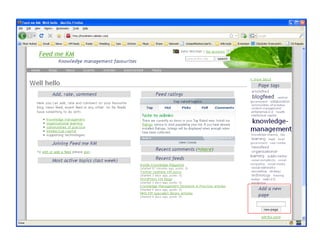
First Add a new page.
 
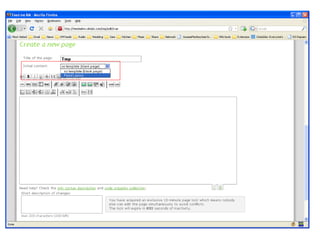
Second Select the  Feed layout  template.
 
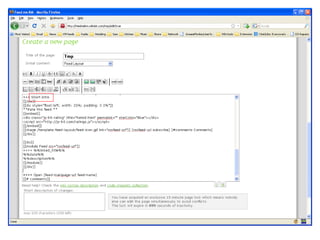
Third Add a short introduction, replacing the  Short intro  placeholder.
 
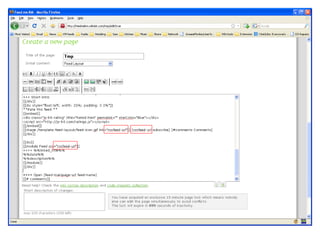
Fourth Add the RSS feed, replacing the  rssfeed-url  placeholder
 
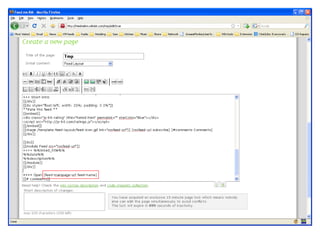
Fifth Add the feed location and site title, replacing the  feed-mainpage-url feed-name  placeholders Then Save it.
 
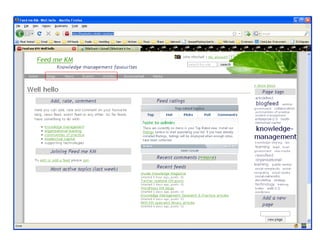
Lastly Tag it using: Blogfeed, newsfeed, eventfeed or articlefeed  knowledge-management, organisational-learning, communities-of-practice, intellectual-capital, or technology And, anything else appropriate
Done Your feed should now appear under one or a  number of headings in the top menu bar.
 
Before you go Feel free to leave a comment or rate it.

Feed me KM - adding a new feed

  • 1.
    Feed me KMFor knowledge management favourites Adding a new feed
  • 2.
    First Add anew page.
  • 3.
  • 4.
    Second Select the Feed layout template.
  • 5.
  • 6.
    Third Add ashort introduction, replacing the Short intro placeholder.
  • 7.
  • 8.
    Fourth Add theRSS feed, replacing the rssfeed-url placeholder
  • 9.
  • 10.
    Fifth Add thefeed location and site title, replacing the feed-mainpage-url feed-name placeholders Then Save it.
  • 11.
  • 12.
    Lastly Tag itusing: Blogfeed, newsfeed, eventfeed or articlefeed knowledge-management, organisational-learning, communities-of-practice, intellectual-capital, or technology And, anything else appropriate
  • 13.
    Done Your feedshould now appear under one or a number of headings in the top menu bar.
  • 14.
  • 15.
    Before you goFeel free to leave a comment or rate it.