www.fast-report.com
FastReport VCL 6
How to use new possibilities
Denis Zubov
den@fast-report.com
www.fast-report.com
New possibilities
●
New possibilities of the report engine
●
Report interactivity and object's editors
●
Transports, what is it?
●
New object "table"
●
Using geo-data in reports
●
WYSIWYG in export filters
www.fast-report.com
New possibilities
● New possibilities of the report engine
● Report interactivity and object's editors
● Transports, what is it?
● New object "table"
● Using geo-data in reports
● WYSIWYG in export filters
www.fast-report.com
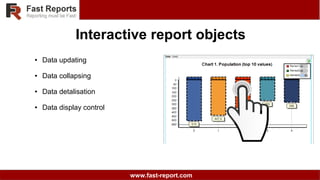
Interactive report objects
● Data updating
● Data collapsing
● Data detalisation
● Data display control
www.fast-report.com
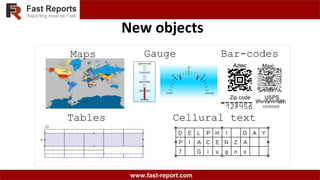
New objects
Maps
Tables
Gauge Bar-codes
Aztec Maxi
USPS
AztecAztecAztec
Zip code
Cellural text
www.fast-report.com
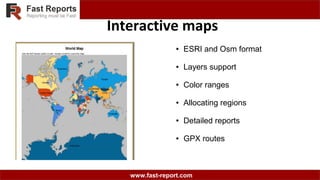
Interactive maps
● ESRI and Osm format
● Layers support
● Color ranges
● Allocating regions
● Detailed reports
● GPX routes
www.fast-report.com
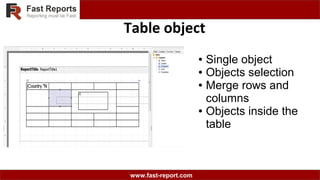
Table object
● Single object
● Objects selection
● Merge rows and
columns
● Objects inside the
table
www.fast-report.com
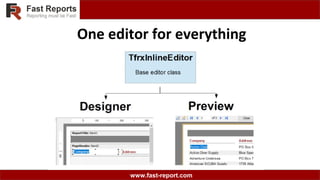
One editor for everything
www.fast-report.com
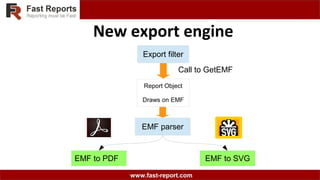
Report Object
Draws on EMF
New export engine
Export filter
Call to GetEMF
EMF parser
EMF to PDF EMF to SVG
www.fast-report.com
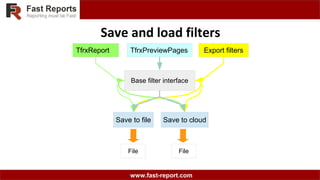
Save and load filters
File
Save to file Save to cloud
File
TfrxReport TfrxPreviewPages Export filters
Base filter interface
www.fast-report.com
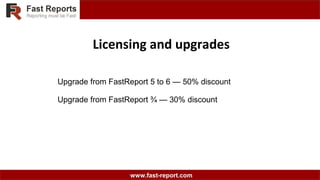
Licensing and upgrades
Upgrade from FastReport 5 to 6 — 50% discount
Upgrade from FastReport ¾ — 30% discount
www.fast-report.com
FastReport VCL 6
Questions ?
Denis Zubov
den@fast-report.com

FastReport VCL6 Nuremberg 2018