FREQUENTLY ASKED QUESTIONS
                TOPIC: USER MANUAL (TPRI)
--------------------------------------------------------------------------------------------
Question: Does TANGO have a user manual for the PALM? How do I
              access it?

Answer: Yes! The Tango software user manual is located on the Tango
Website. Please follow the steps below for access:

--------------------------------------------------------------------------------------------

              Accessing the Tango Software User Manual

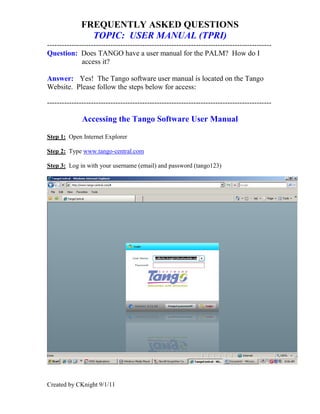
Step 1: Open Internet Explorer

Step 2: Type www.tango-central.com

Step 3: Log in with your username (email) and password (tango123)


Created by CKnight 9/1/11
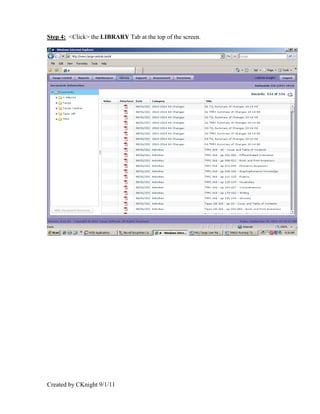
Step 4: <Click> the LIBRARY Tab at the top of the screen.


Created by CKnight 9/1/11
Folder

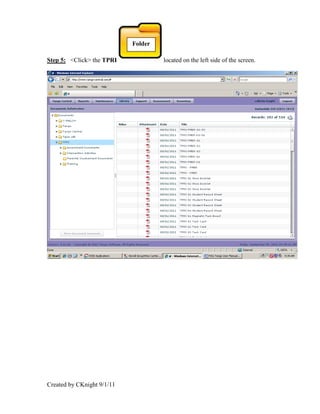
Step 5: <Click> the TPRI             located on the left side of the screen.


Created by CKnight 9/1/11
Folder

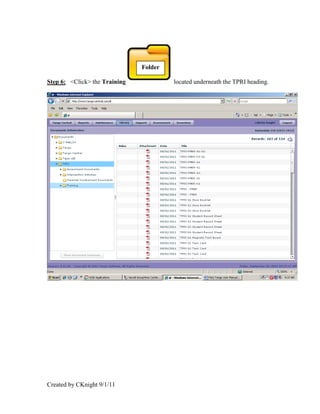
Step 6: <Click> the Training            located underneath the TPRI heading.


Created by CKnight 9/1/11
Folder

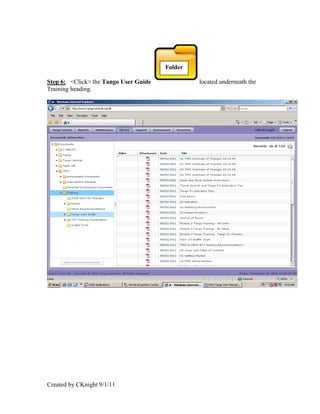
Step 6: <Click> the Tango User Guide            located underneath the
Training heading.


Created by CKnight 9/1/11
Folder

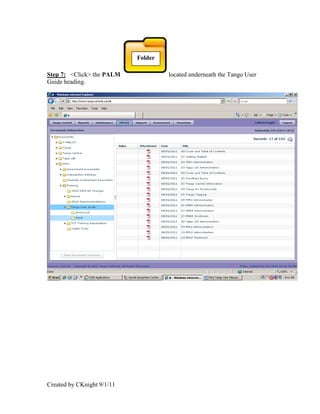
Step 7: <Click> the PALM             located underneath the Tango User
Guide heading.


Created by CKnight 9/1/11
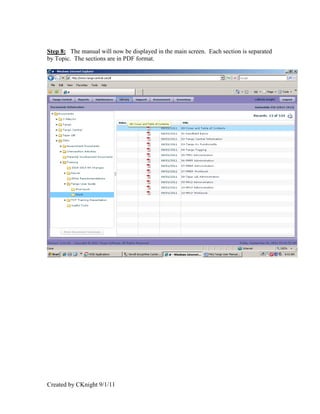
Step 8: The manual will now be displayed in the main screen. Each section is separated
by Topic. The sections are in PDF format.


Created by CKnight 9/1/11
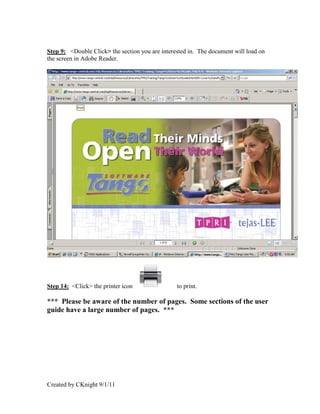
Step 9: <Double Click> the section you are interested in. The document will load on
the screen in Adobe Reader.


Step 14: <Click> the printer icon                to print.

*** Please be aware of the number of pages. Some sections of the user
guide have a large number of pages. ***


Created by CKnight 9/1/11

Faq How to print user manual

  • 1.
    FREQUENTLY ASKED QUESTIONS TOPIC: USER MANUAL (TPRI) -------------------------------------------------------------------------------------------- Question: Does TANGO have a user manual for the PALM? How do I access it? Answer: Yes! The Tango software user manual is located on the Tango Website. Please follow the steps below for access: -------------------------------------------------------------------------------------------- Accessing the Tango Software User Manual Step 1: Open Internet Explorer Step 2: Type www.tango-central.com Step 3: Log in with your username (email) and password (tango123) Created by CKnight 9/1/11
  • 2.
    Step 4: <Click>the LIBRARY Tab at the top of the screen. Created by CKnight 9/1/11
  • 3.
    Folder Step 5: <Click>the TPRI located on the left side of the screen. Created by CKnight 9/1/11
  • 4.
    Folder Step 6: <Click>the Training located underneath the TPRI heading. Created by CKnight 9/1/11
  • 5.
    Folder Step 6: <Click>the Tango User Guide located underneath the Training heading. Created by CKnight 9/1/11
  • 6.
    Folder Step 7: <Click>the PALM located underneath the Tango User Guide heading. Created by CKnight 9/1/11
  • 7.
    Step 8: Themanual will now be displayed in the main screen. Each section is separated by Topic. The sections are in PDF format. Created by CKnight 9/1/11
  • 8.
    Step 9: <DoubleClick> the section you are interested in. The document will load on the screen in Adobe Reader. Step 14: <Click> the printer icon to print. *** Please be aware of the number of pages. Some sections of the user guide have a large number of pages. *** Created by CKnight 9/1/11