www.stlouisfed.org


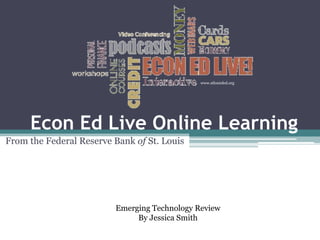
     Econ Ed Live Online Learning
From the Federal Reserve Bank of St. Louis


                         Emerging Technology Review
                              By Jessica Smith
Welcome Screen


                 www.stlouisfed.org
Log-In Dashboard


                   www.stlouisfed.org
Select Simulation for Students


  Here, you can
   also print out
 the students ID
        and
 Password, select
  the simulation
     you want
 completed, and
     include a
      personal
 message to print
        out.


                                 www.stlouisfed.org
Navigation Options


                         Select Units
     Also available in   Or Individual
         Spanish
                           Lessons


                                         www.stlouisfed.org
Each Unit includes a Discussion Board
                                        www.stlouisfed.org
At any time you an poll students –
even in the middle of a module!


                                     www.stlouisfed.org
Student Log-In Screen
for the “Great Inflation” Module   www.stlouisfed.org
Once the Students log-in, they will
take a pre-test and be guided through
the module.


                                         A
                                     glossary
                                      is also
Navigation                          provided!


                                        www.stlouisfed.org
Students
will watch
videos and
continue
other
simulations.


               www.stlouisfed.org
Each student page includes a goal and
        a review for students.   www.stlouisfed.org
Check student’s status


                 At any time, you can check to see
                where students are at, their pre-test
                 and post-test scores of a module.


                                                        www.stlouisfed.org
Technical Requirements

• The technical requirements for the Econ Ed Live
  online courses are: Student Internet access
• Web browser (Internet Explorer version 7 or higher
  recommended)
• Javascript enabled within web browser
• Adobe Flash player (Version 9 or greater
  recommended)
• PC with ability to play sound
• Display resolution of 1024x768 or greater

                                               www.stlouisfed.org
Where can you access this great Web
             2.0 tool?


http://www.stlouisfed.org/education_resources/
Source:
Economics and Personal Finance Education Resources. (n.d.). The Federal Bank of St.
  Louis. Retrieved May 9, 2012, from http://www.stlouisfed.org/education_resources/

ET_Economics Learning Modules

  • 1.
    www.stlouisfed.org Econ Ed Live Online Learning From the Federal Reserve Bank of St. Louis Emerging Technology Review By Jessica Smith
  • 2.
    Welcome Screen www.stlouisfed.org
  • 3.
    Log-In Dashboard www.stlouisfed.org
  • 4.
    Select Simulation forStudents Here, you can also print out the students ID and Password, select the simulation you want completed, and include a personal message to print out. www.stlouisfed.org
  • 5.
    Navigation Options Select Units Also available in Or Individual Spanish Lessons www.stlouisfed.org
  • 6.
    Each Unit includesa Discussion Board www.stlouisfed.org
  • 7.
    At any timeyou an poll students – even in the middle of a module! www.stlouisfed.org
  • 8.
    Student Log-In Screen forthe “Great Inflation” Module www.stlouisfed.org
  • 9.
    Once the Studentslog-in, they will take a pre-test and be guided through the module. A glossary is also Navigation provided! www.stlouisfed.org
  • 10.
  • 11.
    Each student pageincludes a goal and a review for students. www.stlouisfed.org
  • 12.
    Check student’s status At any time, you can check to see where students are at, their pre-test and post-test scores of a module. www.stlouisfed.org
  • 13.
    Technical Requirements • Thetechnical requirements for the Econ Ed Live online courses are: Student Internet access • Web browser (Internet Explorer version 7 or higher recommended) • Javascript enabled within web browser • Adobe Flash player (Version 9 or greater recommended) • PC with ability to play sound • Display resolution of 1024x768 or greater www.stlouisfed.org
  • 14.
    Where can youaccess this great Web 2.0 tool? http://www.stlouisfed.org/education_resources/
  • 15.
    Source: Economics and PersonalFinance Education Resources. (n.d.). The Federal Bank of St. Louis. Retrieved May 9, 2012, from http://www.stlouisfed.org/education_resources/