Essential Frontend
Tools Taught in a
Full Stack
Developer Course
This full stack developer course in Bangalore will equip you with
essential frontend tools, transforming you into a proficient web
developer.
HTML and CSS Fundamentals
HTML Structure
HTML provides the foundation for structuring content on a web
page, defining elements like headings, paragraphs, and lists.
CSS Styling
CSS empowers you to style the visual appearance of web
pages, controlling elements like colors, fonts, and layout.
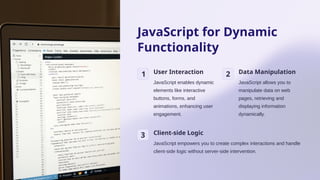
JavaScript for Dynamic
Functionality
1 User Interaction
JavaScript enables dynamic
elements like interactive
buttons, forms, and
animations, enhancing user
engagement.
2 Data Manipulation
JavaScript allows you to
manipulate data on web
pages, retrieving and
displaying information
dynamically.
3 Client-side Logic
JavaScript empowers you to create complex interactions and handle
client-side logic without server-side intervention.
Responsive Web Design with CSS
Media Queries
Media queries enable CSS to apply
different styles based on screen size,
ensuring optimal viewing across
devices.
Fluid Layouts
Fluid layouts use percentages and
relative units to ensure that website
elements adjust dynamically to
varying screen dimensions.
Mobile-first
Approach
Developing for mobile devices first
and then scaling up for larger screens
ensures that your website functions
seamlessly on all platforms.
Version Control with Git
1 Track Changes
Git allows you to track changes made to your code over
time, enabling easy rollbacks and collaboration.
2
Branching & Merging
Git supports branching and merging, facilitating parallel
development and seamless integration of code changes.
3
Remote Repositories
Git enables you to store your code in remote repositories,
enabling collaboration with team members and backup of
your work.
Task Automation with npm
and Webpack
Package Management
npm simplifies the process of managing dependencies in your
project by allowing you to install, update, and remove packages
efficiently.
Build Automation
Webpack automates the process of compiling and bundling your
code, optimizing it for production deployment.
Task Running
npm scripts enable you to define and execute custom tasks,
automating repetitive development workflows.
Front-end Frameworks:
React, Angular, or Vue.js
React Angular Vue.js
Component-based
architecture
Model-View-
Controller (MVC)
architecture
Declarative
programming and
virtual DOM
Large community
and extensive
ecosystem
Comprehensive
tooling and
framework features
Lightweight and
easy to learn
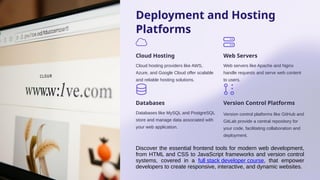
Deployment and Hosting
Platforms
Cloud Hosting
Cloud hosting providers like AWS,
Azure, and Google Cloud offer scalable
and reliable hosting solutions.
Web Servers
Web servers like Apache and Nginx
handle requests and serve web content
to users.
Databases
Databases like MySQL and PostgreSQL
store and manage data associated with
your web application.
Version Control Platforms
Version control platforms like GitHub and
GitLab provide a central repository for
your code, facilitating collaboration and
deployment.
Discover the essential frontend tools for modern web development,
from HTML and CSS to JavaScript frameworks and version control
systems, covered in a full stack developer course, that empower
developers to create responsive, interactive, and dynamic websites.
THANK YOU
Business Name: ExcelR - Full Stack Developer And Business Analyst
Course in Bangalore
Address: 10, 3rd floor, Safeway Plaza, 27th Main Rd, Old Madiwala, Jay
Bheema Nagar, 1st Stage, BTM 1st Stage, Bengaluru, Karnataka 560068
Phone: 07353006061

Essential-Frontend-Tools-Taught-in-a-Full-Stack-Developer-Course.pptx

  • 1.
    Essential Frontend Tools Taughtin a Full Stack Developer Course This full stack developer course in Bangalore will equip you with essential frontend tools, transforming you into a proficient web developer.
  • 2.
    HTML and CSSFundamentals HTML Structure HTML provides the foundation for structuring content on a web page, defining elements like headings, paragraphs, and lists. CSS Styling CSS empowers you to style the visual appearance of web pages, controlling elements like colors, fonts, and layout.
  • 3.
    JavaScript for Dynamic Functionality 1User Interaction JavaScript enables dynamic elements like interactive buttons, forms, and animations, enhancing user engagement. 2 Data Manipulation JavaScript allows you to manipulate data on web pages, retrieving and displaying information dynamically. 3 Client-side Logic JavaScript empowers you to create complex interactions and handle client-side logic without server-side intervention.
  • 4.
    Responsive Web Designwith CSS Media Queries Media queries enable CSS to apply different styles based on screen size, ensuring optimal viewing across devices. Fluid Layouts Fluid layouts use percentages and relative units to ensure that website elements adjust dynamically to varying screen dimensions. Mobile-first Approach Developing for mobile devices first and then scaling up for larger screens ensures that your website functions seamlessly on all platforms.
  • 5.
    Version Control withGit 1 Track Changes Git allows you to track changes made to your code over time, enabling easy rollbacks and collaboration. 2 Branching & Merging Git supports branching and merging, facilitating parallel development and seamless integration of code changes. 3 Remote Repositories Git enables you to store your code in remote repositories, enabling collaboration with team members and backup of your work.
  • 6.
    Task Automation withnpm and Webpack Package Management npm simplifies the process of managing dependencies in your project by allowing you to install, update, and remove packages efficiently. Build Automation Webpack automates the process of compiling and bundling your code, optimizing it for production deployment. Task Running npm scripts enable you to define and execute custom tasks, automating repetitive development workflows.
  • 7.
    Front-end Frameworks: React, Angular,or Vue.js React Angular Vue.js Component-based architecture Model-View- Controller (MVC) architecture Declarative programming and virtual DOM Large community and extensive ecosystem Comprehensive tooling and framework features Lightweight and easy to learn
  • 8.
    Deployment and Hosting Platforms CloudHosting Cloud hosting providers like AWS, Azure, and Google Cloud offer scalable and reliable hosting solutions. Web Servers Web servers like Apache and Nginx handle requests and serve web content to users. Databases Databases like MySQL and PostgreSQL store and manage data associated with your web application. Version Control Platforms Version control platforms like GitHub and GitLab provide a central repository for your code, facilitating collaboration and deployment. Discover the essential frontend tools for modern web development, from HTML and CSS to JavaScript frameworks and version control systems, covered in a full stack developer course, that empower developers to create responsive, interactive, and dynamic websites.
  • 9.
    THANK YOU Business Name:ExcelR - Full Stack Developer And Business Analyst Course in Bangalore Address: 10, 3rd floor, Safeway Plaza, 27th Main Rd, Old Madiwala, Jay Bheema Nagar, 1st Stage, BTM 1st Stage, Bengaluru, Karnataka 560068 Phone: 07353006061