ERP Implementation Best Practices: Avoiding Common Pitfalls
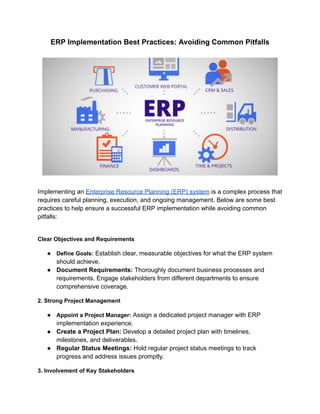
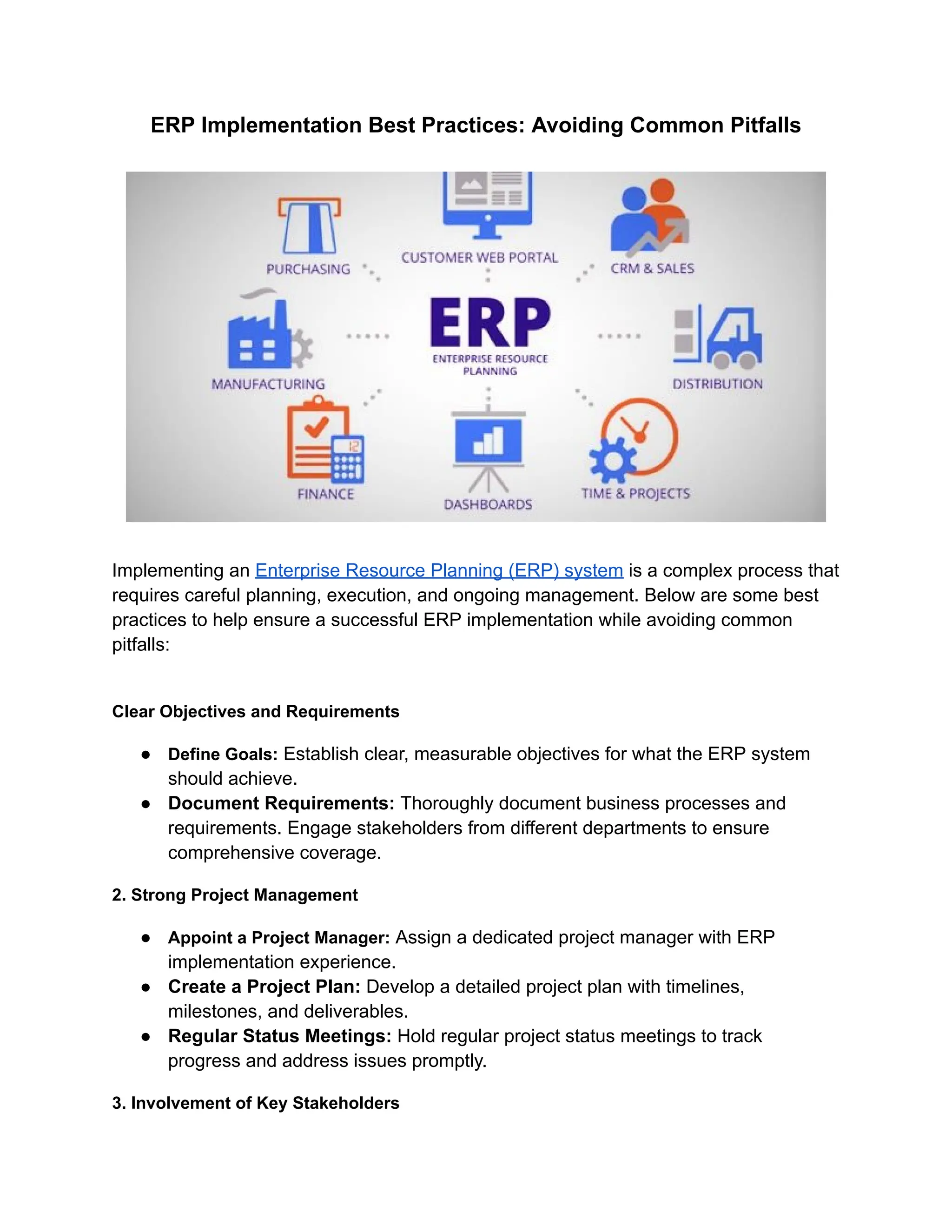
Implementing an Enterprise Resource Planning (ERP) system is a complex process that
requires careful planning, execution, and ongoing management. Below are some best
practices to help ensure a successful ERP implementation while avoiding common
pitfalls:
Clear Objectives and Requirements
● Define Goals: Establish clear, measurable objectives for what the ERP system
should achieve.
● Document Requirements: Thoroughly document business processes and
requirements. Engage stakeholders from different departments to ensure
comprehensive coverage.
2. Strong Project Management
● Appoint a Project Manager: Assign a dedicated project manager with ERP
implementation experience.
● Create a Project Plan: Develop a detailed project plan with timelines,
milestones, and deliverables.
● Regular Status Meetings: Hold regular project status meetings to track
progress and address issues promptly.
3. Involvement of Key Stakeholders
● Executive Support: Ensure strong executive sponsorship and involvement.
● Cross-Functional Team: Form a cross-functional team with representatives
from all relevant departments.
● Communication: Maintain open and frequent communication with all
stakeholders throughout the implementation process.
4. Change Management
● Prepare for Change: Develop a change management plan to address cultural and
operational changes.
● Training: Provide comprehensive training for all users to ensure they are
comfortable with the new system.
● Support: Offer ongoing support to address user concerns and issues
post-implementation.
5. Data Migration and Integrity
● Data Clean-Up: Clean and validate existing data before migration.
● Data Mapping: Map data from old systems to the new ERP system accurately.
● Testing: Conduct extensive data migration testing to ensure data integrity.
6. Customization and Configuration
● Minimize Customization: Stick to out-of-the-box functionality as much as possible
to avoid complexity.
● Configuration: Properly configure the ERP system to meet the business
requirements without heavy customization.
7. Testing and Quality Assurance
● Comprehensive Testing: Perform various testing phases, including unit testing,
system testing, integration testing, and user acceptance testing (UAT).
● Bug Tracking: Use a bug tracking system to log and resolve issues discovered
during testing.
8. Phased Implementation
● Phased Rollout: Consider a phased implementation approach, starting with
critical modules and gradually rolling out additional functionalities.
● Pilot Programs: Implement pilot programs to test the system in a controlled
environment before full deployment.
9. Risk Management
● Identify Risks: Conduct a risk assessment to identify potential implementation
risks.
● Mitigation Strategies: Develop and implement risk mitigation strategies to
address identified risks.
10. Post-Implementation Review
● Evaluate Performance: Conduct a post-implementation review to evaluate the
ERP system’s performance against the objectives.
● Feedback Loop: Gather feedback from users and stakeholders to identify areas
for improvement.
● Continuous Improvement: Use insights from the review to make necessary
adjustments and continuously improve the system.
Common Pitfalls to Avoid in ERP Implementation
1. Lack of Clear Objectives
● Undefined Goals: Without clear, measurable goals, the project can lack direction
and focus, leading to misaligned expectations among stakeholders.
● Scope Creep: Ambiguous objectives can cause scope creep, where additional
features and functions are added without proper evaluation and approval, leading
to delays and cost overruns.
● Unclear Success Metrics: Without defined success criteria, it becomes difficult to
measure the project's progress and success, leading to potential dissatisfaction
among stakeholders.
2. Inadequate Project Management
● Poor Planning: Lack of a detailed project plan can result in missed deadlines and
uncoordinated efforts.
● Insufficient Resources: Not allocating enough resources, including time, budget,
and personnel, can hinder project progress.
● Weak Leadership: Inexperienced or ineffective project managers may struggle to
keep the project on track and resolve issues promptly.
3. Insufficient Stakeholder Engagement
● Lack of Buy-In: Without the involvement and support of key stakeholders, there
can be resistance to change and low adoption rates.
● Miscommunication: Poor communication with stakeholders can lead to
misunderstandings about the project's goals, progress, and challenges.
● Unaddressed Concerns: Failing to address stakeholders' concerns and feedback
can result in dissatisfaction and disengagement.
4. Underestimating Change Management
● Resistance to Change: Employees may resist adopting the new system if their
concerns are not addressed, leading to low user adoption.
● Inadequate Training: Without sufficient training, users may struggle to use the
new system effectively, causing productivity losses.
● Cultural Barriers: Not addressing cultural differences and organizational culture
can hinder the change management process.
5. Poor Data Management
● Data Quality Issues: Migrating inaccurate or incomplete data can result in
operational disruptions and decision-making based on faulty information.
● Lack of Data Governance: Without proper data governance, data integrity and
security can be compromised.
● Insufficient Testing: Skipping thorough data migration testing can lead to
undetected errors and inconsistencies in the new system.
6. Over-Customization
● Increased Complexity: Excessive customization can make the system more
complex and harder to manage.
● Higher Costs: Customizations can significantly increase the cost of
implementation and future upgrades.
● Upgrade Challenges: Customized systems are harder to upgrade, leading to
potential compatibility issues with new versions and features.
Overall, Avoiding common pitfalls during ERP implementation is crucial for achieving a
successful, sustainable deployment. By setting clear objectives, engaging stakeholders,
managing change effectively, ensuring data integrity, and providing thorough training
and support, organizations can navigate the complexities of ERP systems. Additionally,
careful project management, minimizing customization, and continuous
post-implementation maintenance are essential. These best practices help
organizations enhance operational efficiency, user satisfaction, and overall business
performance, ensuring the ERP system delivers its full potential.

ERP Implementation Best Practices_ Avoiding Common Pitfalls (2).pdf

  • 1.
    ERP Implementation BestPractices: Avoiding Common Pitfalls Implementing an Enterprise Resource Planning (ERP) system is a complex process that requires careful planning, execution, and ongoing management. Below are some best practices to help ensure a successful ERP implementation while avoiding common pitfalls: Clear Objectives and Requirements ● Define Goals: Establish clear, measurable objectives for what the ERP system should achieve. ● Document Requirements: Thoroughly document business processes and requirements. Engage stakeholders from different departments to ensure comprehensive coverage. 2. Strong Project Management ● Appoint a Project Manager: Assign a dedicated project manager with ERP implementation experience. ● Create a Project Plan: Develop a detailed project plan with timelines, milestones, and deliverables. ● Regular Status Meetings: Hold regular project status meetings to track progress and address issues promptly. 3. Involvement of Key Stakeholders
  • 2.
    ● Executive Support:Ensure strong executive sponsorship and involvement. ● Cross-Functional Team: Form a cross-functional team with representatives from all relevant departments. ● Communication: Maintain open and frequent communication with all stakeholders throughout the implementation process. 4. Change Management ● Prepare for Change: Develop a change management plan to address cultural and operational changes. ● Training: Provide comprehensive training for all users to ensure they are comfortable with the new system. ● Support: Offer ongoing support to address user concerns and issues post-implementation. 5. Data Migration and Integrity ● Data Clean-Up: Clean and validate existing data before migration. ● Data Mapping: Map data from old systems to the new ERP system accurately. ● Testing: Conduct extensive data migration testing to ensure data integrity. 6. Customization and Configuration ● Minimize Customization: Stick to out-of-the-box functionality as much as possible to avoid complexity. ● Configuration: Properly configure the ERP system to meet the business requirements without heavy customization. 7. Testing and Quality Assurance ● Comprehensive Testing: Perform various testing phases, including unit testing, system testing, integration testing, and user acceptance testing (UAT). ● Bug Tracking: Use a bug tracking system to log and resolve issues discovered during testing. 8. Phased Implementation ● Phased Rollout: Consider a phased implementation approach, starting with critical modules and gradually rolling out additional functionalities. ● Pilot Programs: Implement pilot programs to test the system in a controlled environment before full deployment. 9. Risk Management
  • 3.
    ● Identify Risks:Conduct a risk assessment to identify potential implementation risks. ● Mitigation Strategies: Develop and implement risk mitigation strategies to address identified risks. 10. Post-Implementation Review ● Evaluate Performance: Conduct a post-implementation review to evaluate the ERP system’s performance against the objectives. ● Feedback Loop: Gather feedback from users and stakeholders to identify areas for improvement. ● Continuous Improvement: Use insights from the review to make necessary adjustments and continuously improve the system. Common Pitfalls to Avoid in ERP Implementation 1. Lack of Clear Objectives ● Undefined Goals: Without clear, measurable goals, the project can lack direction and focus, leading to misaligned expectations among stakeholders. ● Scope Creep: Ambiguous objectives can cause scope creep, where additional features and functions are added without proper evaluation and approval, leading to delays and cost overruns. ● Unclear Success Metrics: Without defined success criteria, it becomes difficult to measure the project's progress and success, leading to potential dissatisfaction among stakeholders. 2. Inadequate Project Management
  • 4.
    ● Poor Planning:Lack of a detailed project plan can result in missed deadlines and uncoordinated efforts. ● Insufficient Resources: Not allocating enough resources, including time, budget, and personnel, can hinder project progress. ● Weak Leadership: Inexperienced or ineffective project managers may struggle to keep the project on track and resolve issues promptly. 3. Insufficient Stakeholder Engagement ● Lack of Buy-In: Without the involvement and support of key stakeholders, there can be resistance to change and low adoption rates. ● Miscommunication: Poor communication with stakeholders can lead to misunderstandings about the project's goals, progress, and challenges. ● Unaddressed Concerns: Failing to address stakeholders' concerns and feedback can result in dissatisfaction and disengagement. 4. Underestimating Change Management ● Resistance to Change: Employees may resist adopting the new system if their concerns are not addressed, leading to low user adoption. ● Inadequate Training: Without sufficient training, users may struggle to use the new system effectively, causing productivity losses. ● Cultural Barriers: Not addressing cultural differences and organizational culture can hinder the change management process. 5. Poor Data Management ● Data Quality Issues: Migrating inaccurate or incomplete data can result in operational disruptions and decision-making based on faulty information. ● Lack of Data Governance: Without proper data governance, data integrity and security can be compromised. ● Insufficient Testing: Skipping thorough data migration testing can lead to undetected errors and inconsistencies in the new system. 6. Over-Customization ● Increased Complexity: Excessive customization can make the system more complex and harder to manage. ● Higher Costs: Customizations can significantly increase the cost of implementation and future upgrades.
  • 5.
    ● Upgrade Challenges:Customized systems are harder to upgrade, leading to potential compatibility issues with new versions and features. Overall, Avoiding common pitfalls during ERP implementation is crucial for achieving a successful, sustainable deployment. By setting clear objectives, engaging stakeholders, managing change effectively, ensuring data integrity, and providing thorough training and support, organizations can navigate the complexities of ERP systems. Additionally, careful project management, minimizing customization, and continuous post-implementation maintenance are essential. These best practices help organizations enhance operational efficiency, user satisfaction, and overall business performance, ensuring the ERP system delivers its full potential.