Beth Rheingold | 2013 Spring Professional Day


ePortfolios
electronic student archives & metacognitive learning

―An electronic portfolio belongs to the learner.‖ –Trent Batson
What is an ePortfolio?


     An ePortfolio is an electronic archive of digital files created
     by a student. It can contain any number of student
     artifacts and supporting files, including
     text, video, audio, photography, slideshows, and so on.


An ePortfolio is an electronic archive of digital files created by a student. It can contain
any number of student artifacts and supporting files, including text, video, audio,
photography, slideshows, social media links, etc.
Why ePortfolios for students?

                    Accountability | Process | Reflection


Collect, organize, document, and archive important academic and extracurricular work

Consider how they want to represent themselves professionally in an online community

Gain an understanding of copyright and the importance of intellectual property

Engage in a self-reflective assessment of their work that requires meta-cognitive
awareness

Distinguish between what is important to include (and not)

Combine academic interests and accomplishments with personal passions

Develop skills for the professional world that include resume-building, leadership, and an
articulation of specific skill sets

Cultivate a unified understanding of the self considering educational
interests, skills, personal pursuits
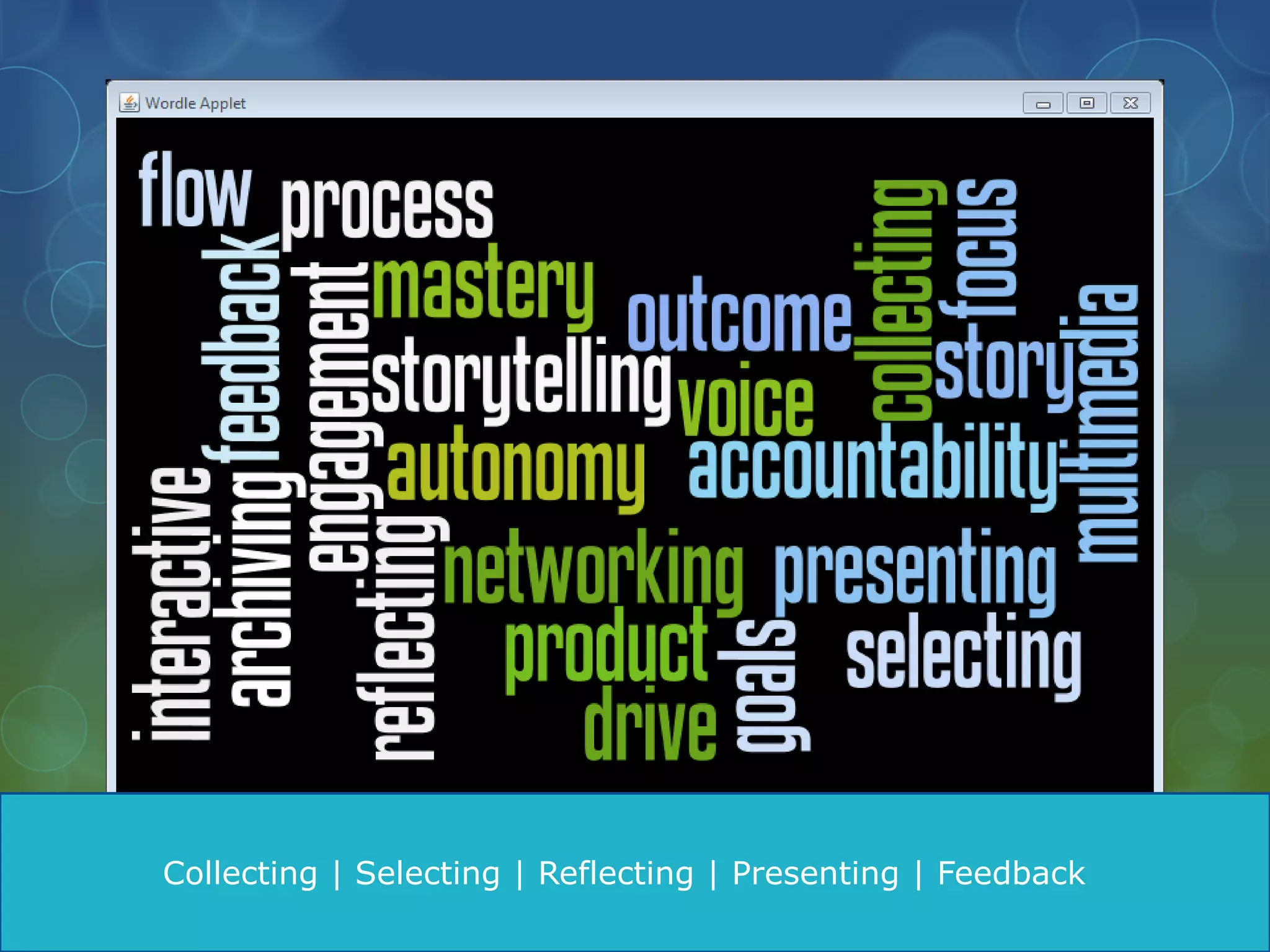
Collecting | Selecting | Reflecting | Presenting | Feedback
ePortfolio Content for Legacy Editors

Home Page with a meaningful photo(s) and working links to the following:

Leadership Philosophy: a 250 word paragraph that explains your
leadership philosophy, using specific examples from your experience as a
Legacy editor.

Digital Portfolio of Page Designs: incorporate PDFs of your yearbook
graphic design layouts, preferably with pictures and text in them. Include
descriptions of your design work and design decisions.

A resume: this will include any awards, your editorship with responsibilities,
your extracurricular activities, GPA, sports, etc—just what you might put on
your college application.

Goals: this is a page on which you will include visuals and lay out an action
plan for the term: what are you going to challenge yourself to accomplish
this term as an editor? What steps will you take to do that? Include a place
where you will include actions steps and progress.
http://abfriedman.wix.com/allisonfriedman
http://sakessler.wix.com/sloanekessler
http://zrjames.wix.com/eportfolio#!academics
Where Do I Go From Here?

•Determine software to use: I recommend Google
Sites for password protection; Wix for student
innovation.

•Work with your Technology Coordinator and/or Maria
Johnson to develop a Google Sites template for your
LS/MS students.

•Integrate meaningful ePortfolio practice into your
curriculum using already existing assignments.

•Use grading rubrics for ePortfolio assessment.

•Incorporate self-reflective elements like blogs, goal-
setting, philosophy statements, etc. •Share and
celebrate ePortfolios with students and parents.
Helpful Resources

http://campustechnology.com/articles/2012/09/19/12-important-trends-
in-the-eportfolio-industry.aspx

http://aaeebl.org/

http://portfolio.psu.edu/

http://www.clemson.edu/academics/programs/eportfolio/index.html

https://sites.google.com/a/mcdonogh.org/beth-rheingold/home

Eportfolio prof day 2013

  • 1.
    Beth Rheingold |2013 Spring Professional Day ePortfolios electronic student archives & metacognitive learning ―An electronic portfolio belongs to the learner.‖ –Trent Batson
  • 2.
    What is anePortfolio? An ePortfolio is an electronic archive of digital files created by a student. It can contain any number of student artifacts and supporting files, including text, video, audio, photography, slideshows, and so on. An ePortfolio is an electronic archive of digital files created by a student. It can contain any number of student artifacts and supporting files, including text, video, audio, photography, slideshows, social media links, etc.
  • 3.
    Why ePortfolios forstudents? Accountability | Process | Reflection Collect, organize, document, and archive important academic and extracurricular work Consider how they want to represent themselves professionally in an online community Gain an understanding of copyright and the importance of intellectual property Engage in a self-reflective assessment of their work that requires meta-cognitive awareness Distinguish between what is important to include (and not) Combine academic interests and accomplishments with personal passions Develop skills for the professional world that include resume-building, leadership, and an articulation of specific skill sets Cultivate a unified understanding of the self considering educational interests, skills, personal pursuits
  • 5.
    Collecting | Selecting| Reflecting | Presenting | Feedback
  • 6.
    ePortfolio Content forLegacy Editors Home Page with a meaningful photo(s) and working links to the following: Leadership Philosophy: a 250 word paragraph that explains your leadership philosophy, using specific examples from your experience as a Legacy editor. Digital Portfolio of Page Designs: incorporate PDFs of your yearbook graphic design layouts, preferably with pictures and text in them. Include descriptions of your design work and design decisions. A resume: this will include any awards, your editorship with responsibilities, your extracurricular activities, GPA, sports, etc—just what you might put on your college application. Goals: this is a page on which you will include visuals and lay out an action plan for the term: what are you going to challenge yourself to accomplish this term as an editor? What steps will you take to do that? Include a place where you will include actions steps and progress.
  • 7.
  • 8.
  • 9.
  • 10.
    Where Do IGo From Here? •Determine software to use: I recommend Google Sites for password protection; Wix for student innovation. •Work with your Technology Coordinator and/or Maria Johnson to develop a Google Sites template for your LS/MS students. •Integrate meaningful ePortfolio practice into your curriculum using already existing assignments. •Use grading rubrics for ePortfolio assessment. •Incorporate self-reflective elements like blogs, goal- setting, philosophy statements, etc. •Share and celebrate ePortfolios with students and parents.
  • 11.

Editor's Notes

  • #6 Discuss the aspects of eportfolios: interactive, archiving, process to product, voice, accountability, etc.
  • #8 Home Page with working links. Show allison’s designs. Mention the benefits of wix: clean design, intuitive, creative. Not a space to share student work that we want to protext from plagiarism. Google sites is best for ePortfolios that will feature written work, like essays, and best for protecting younger children.
  • #9 Show sloane’s goals and leadership
  • #10 Show the full potential of anePortfolio. Clemson University.