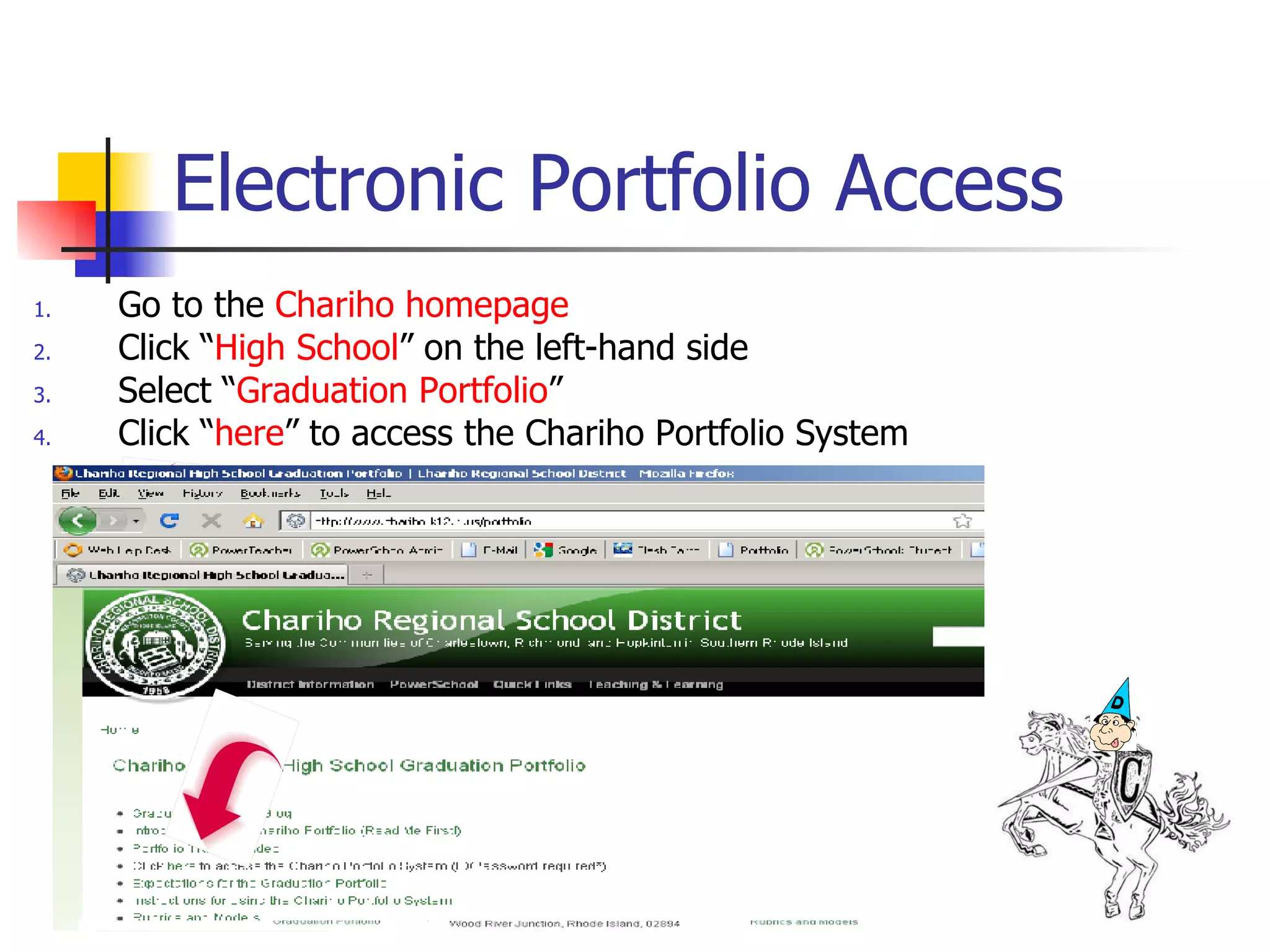
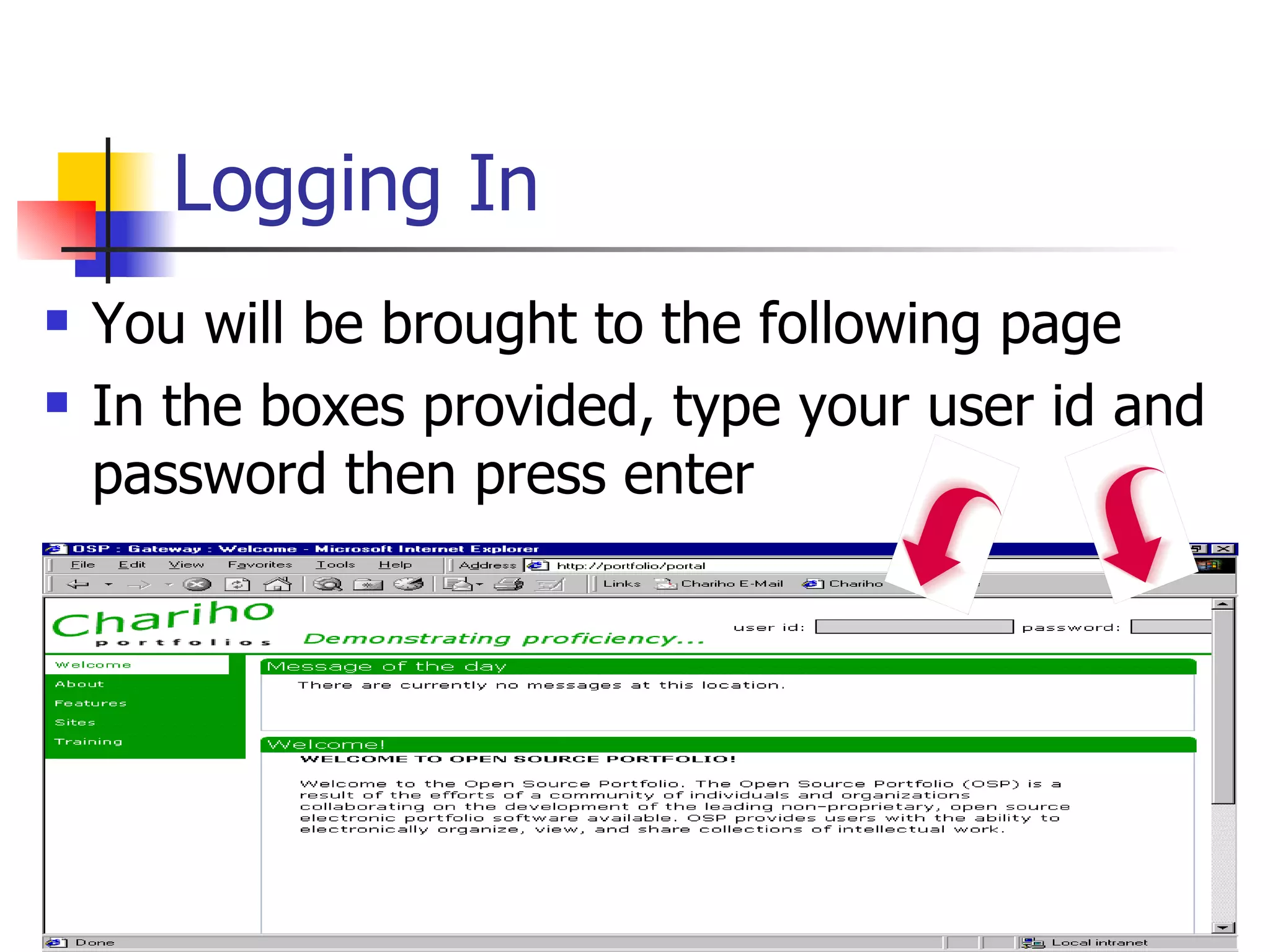
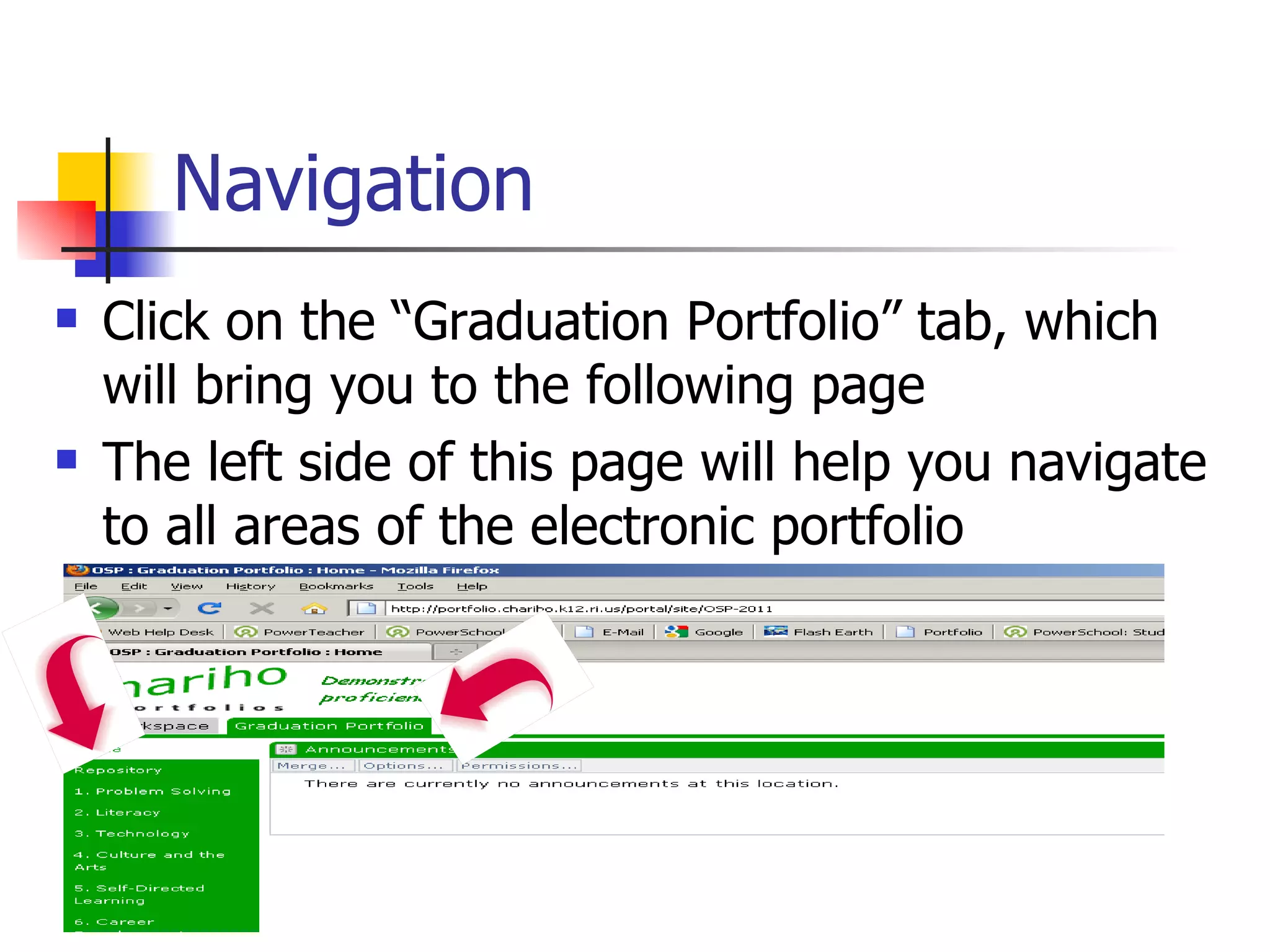
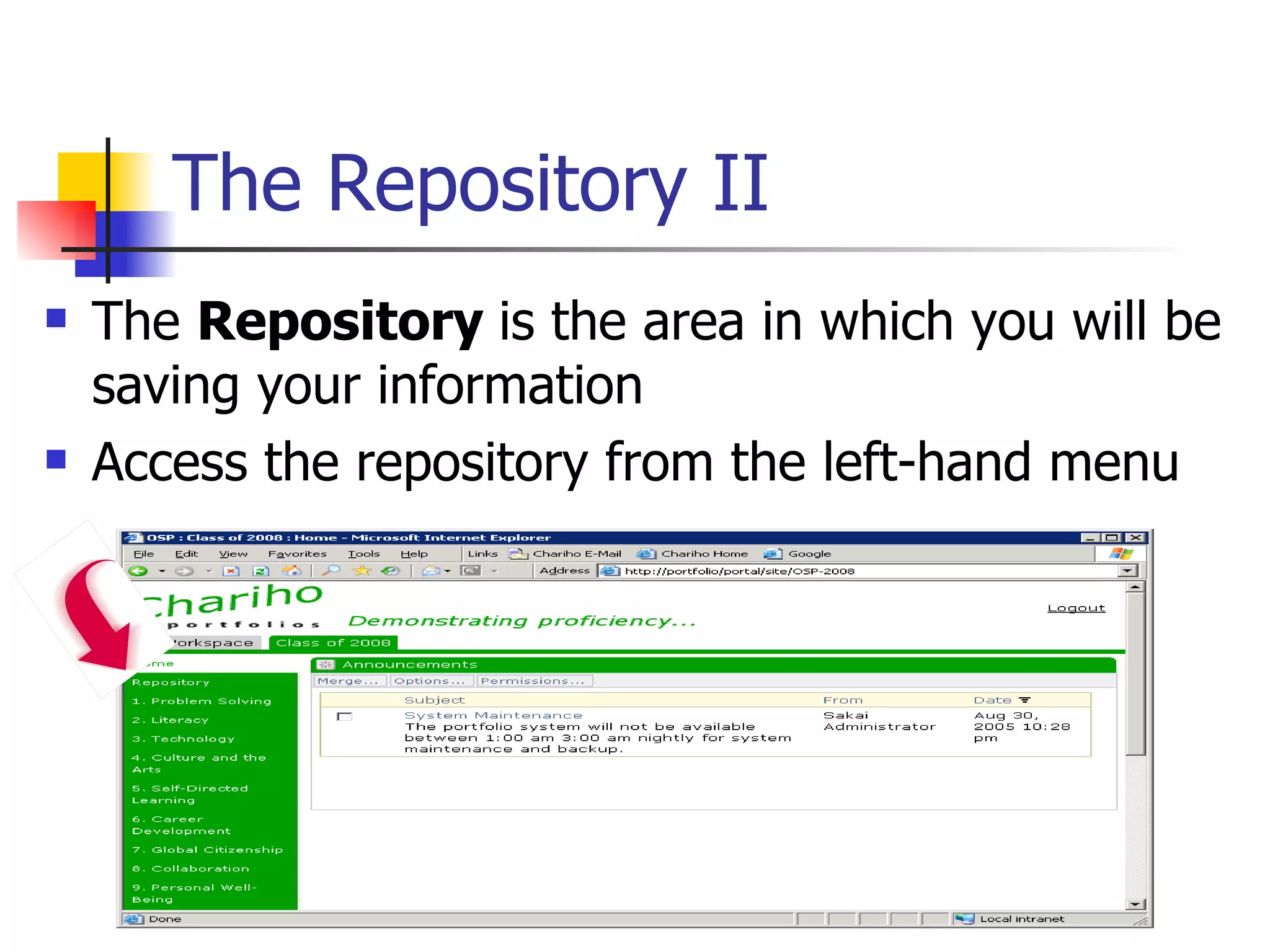
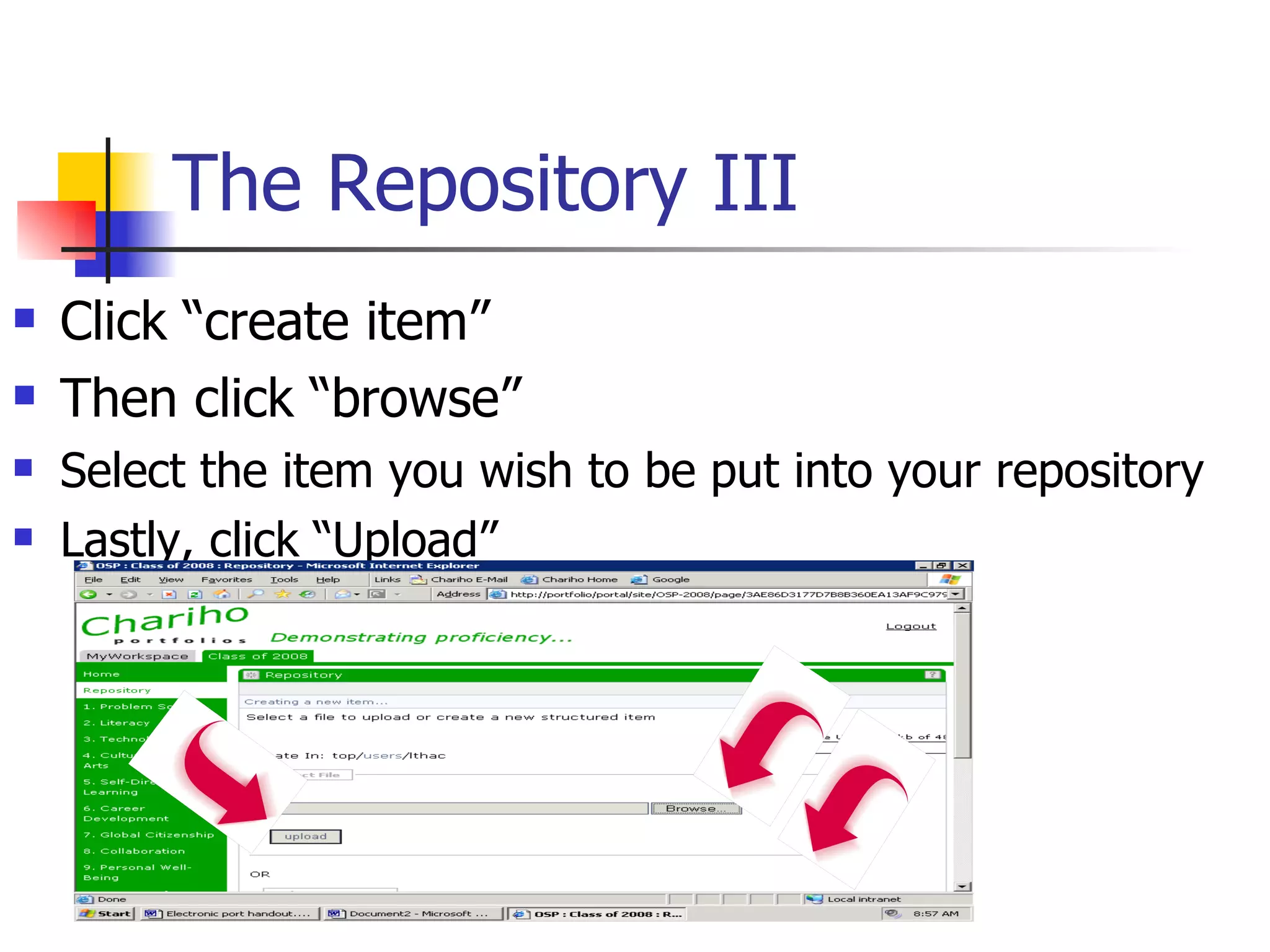
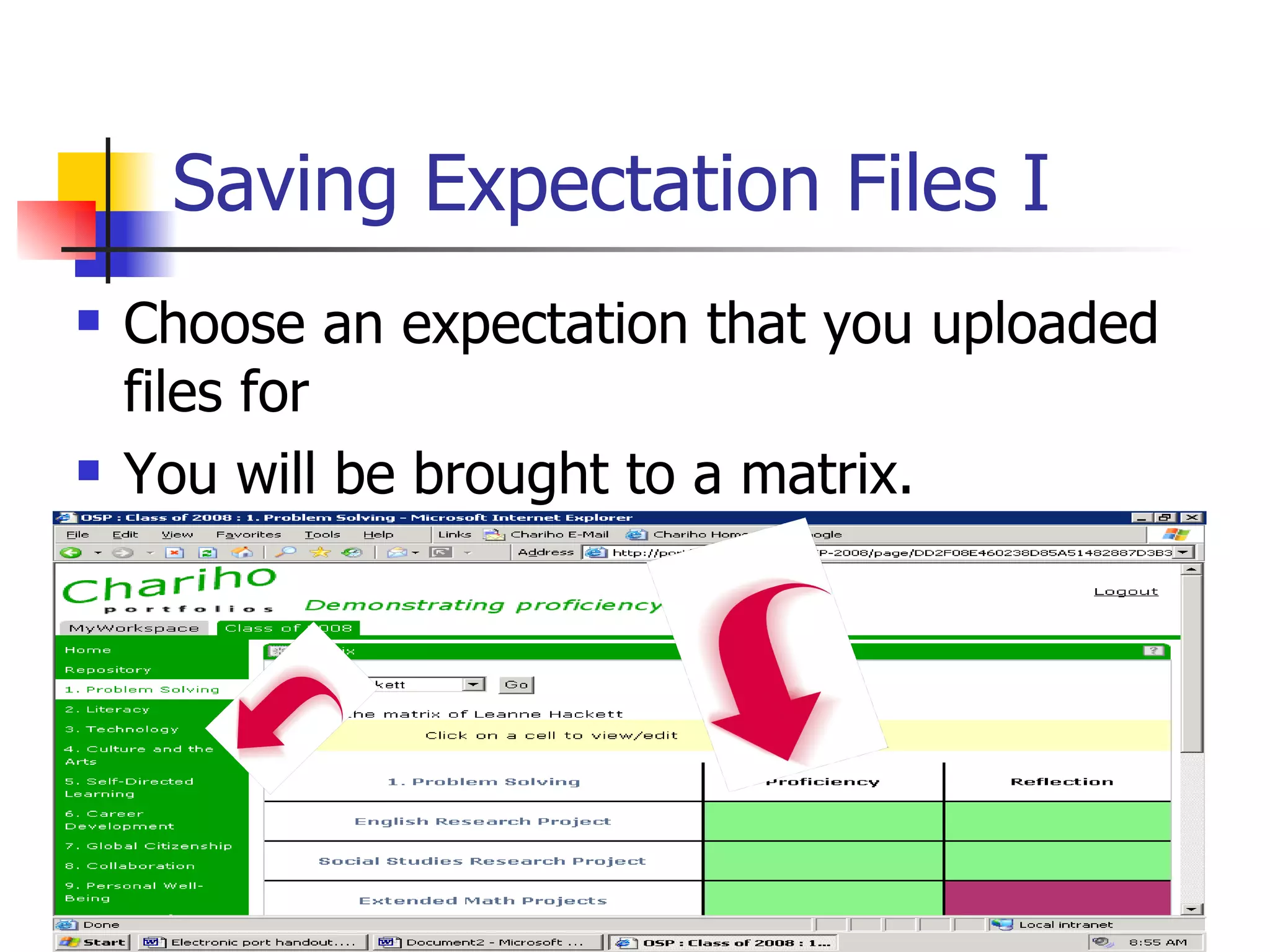
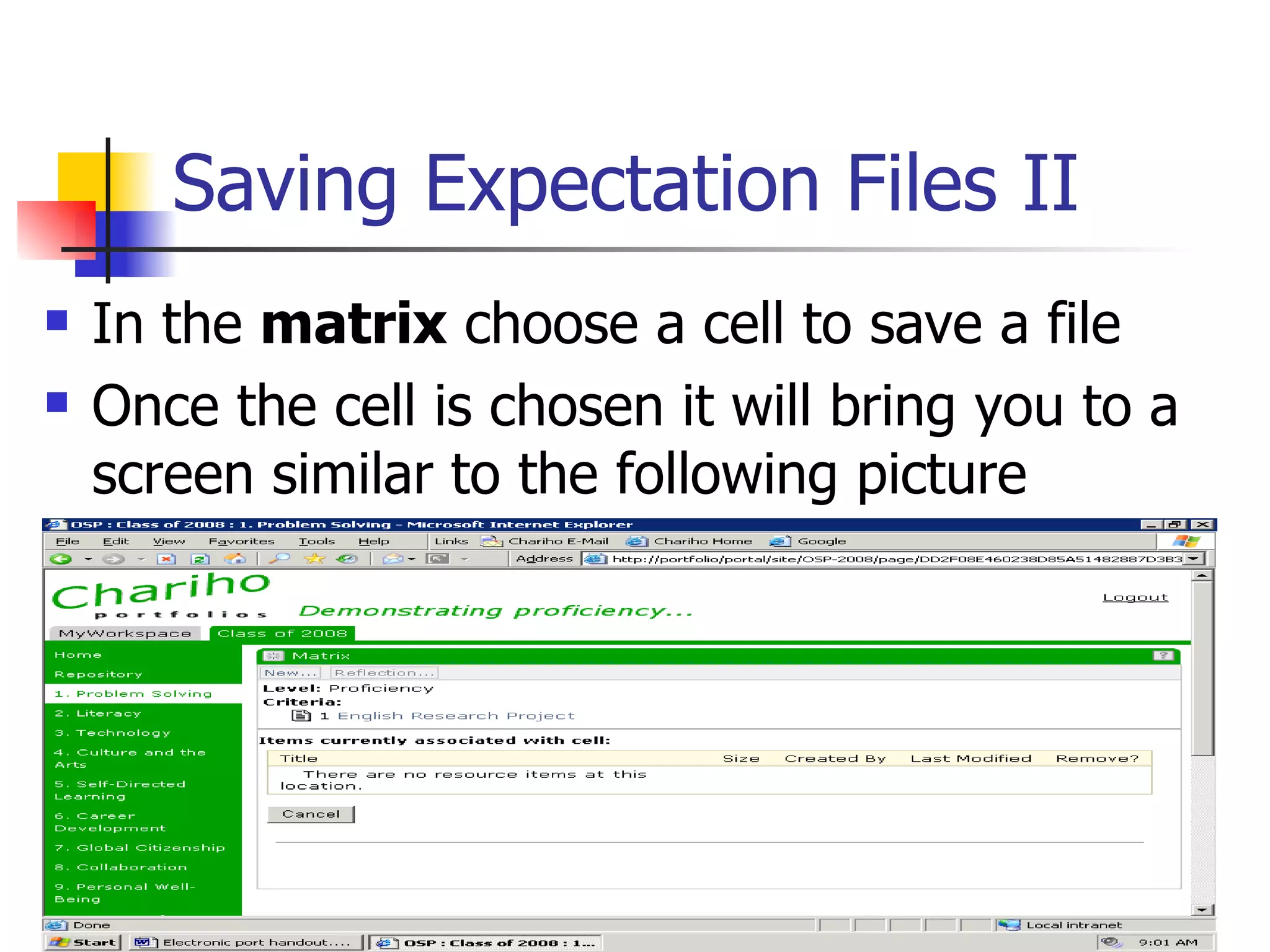
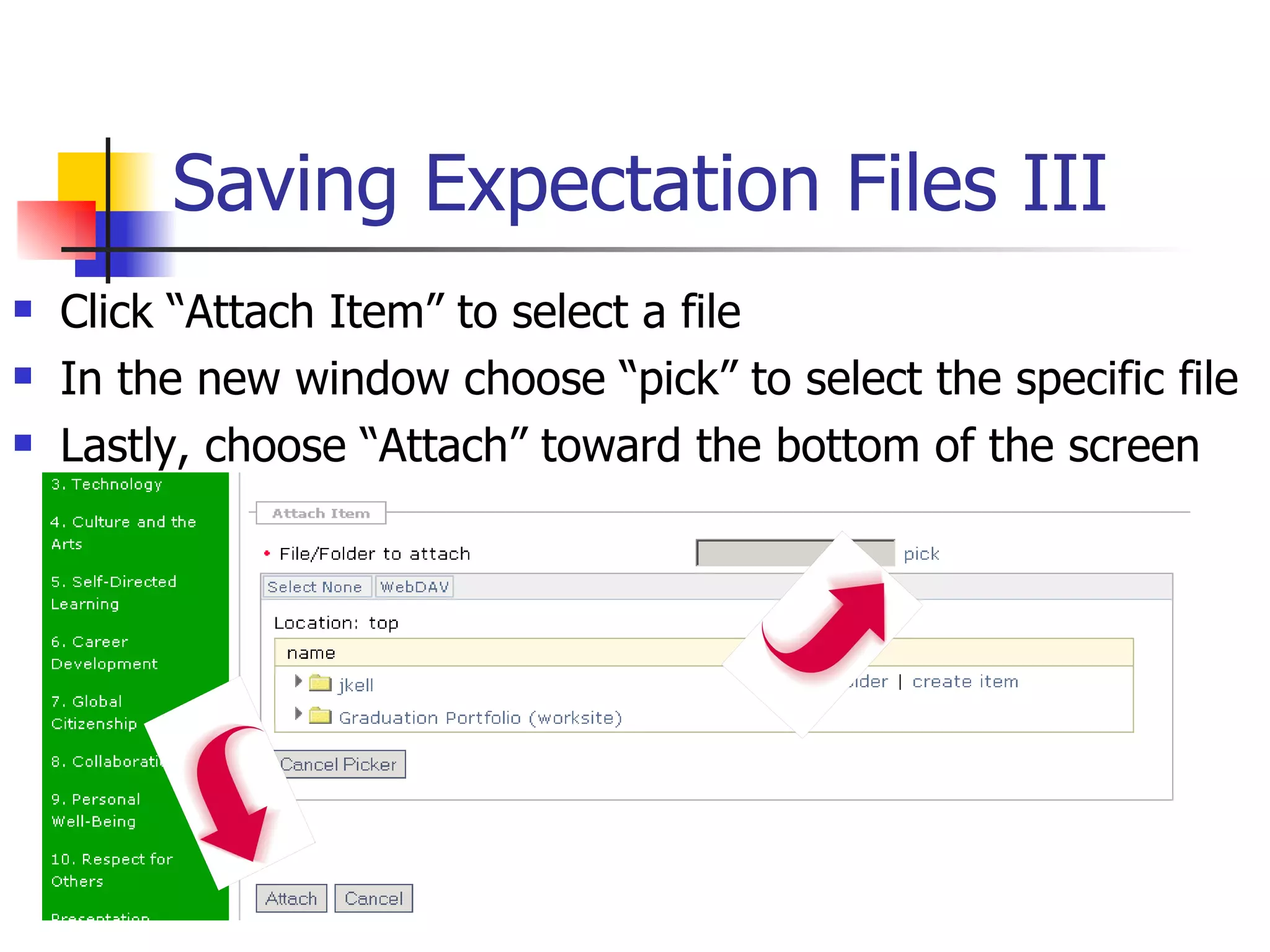
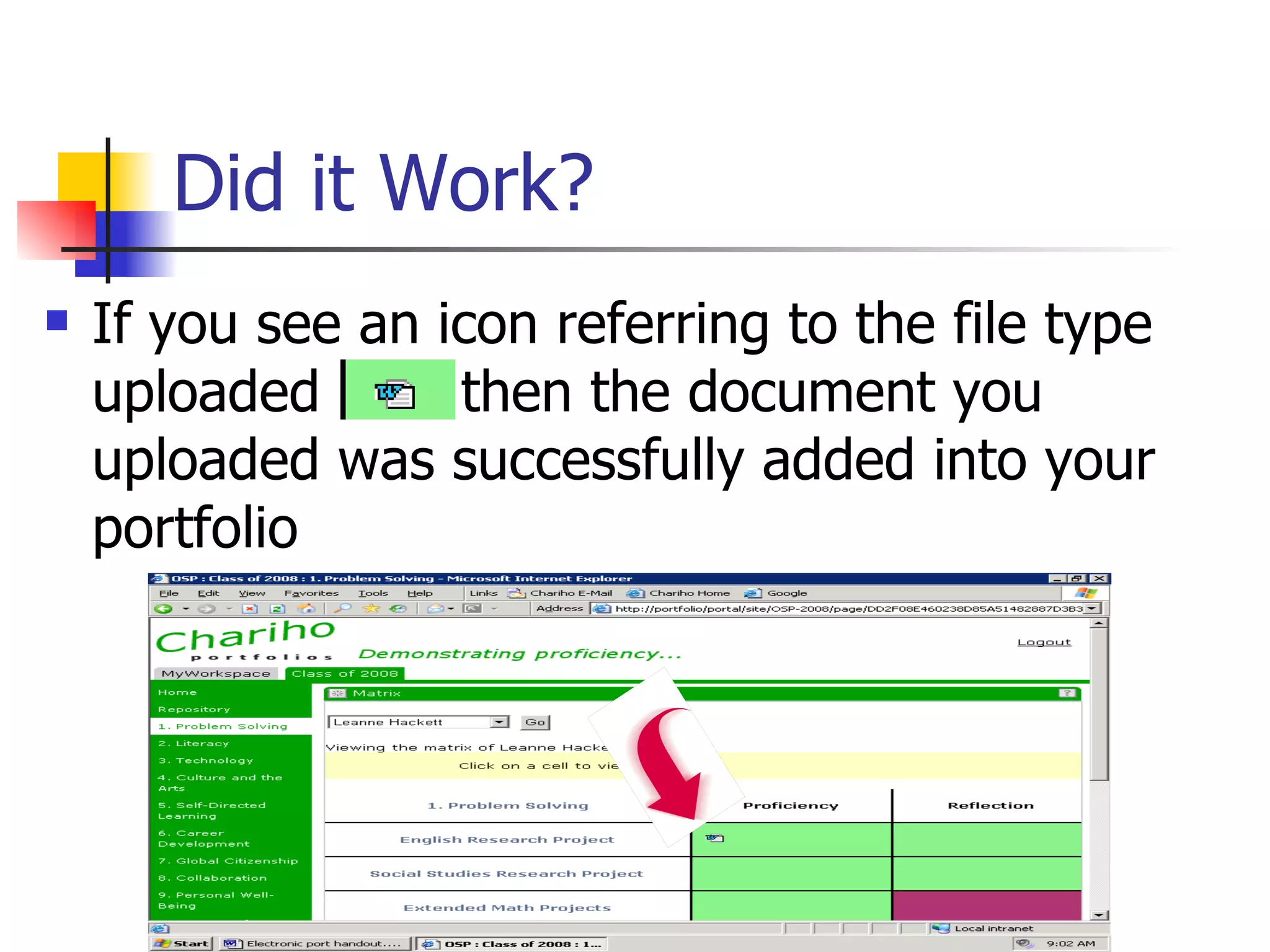
This document provides instructions for students to access and navigate their electronic portfolio on the Chariho school district website. It explains how to log in, access the repository to upload files, save files to expectation matrices, refresh matrices, and create and add reflection forms. The overall purpose is to guide students through the basic functions for utilizing the electronic portfolio system to upload exemplary work and complete their graduation portfolio requirements.